
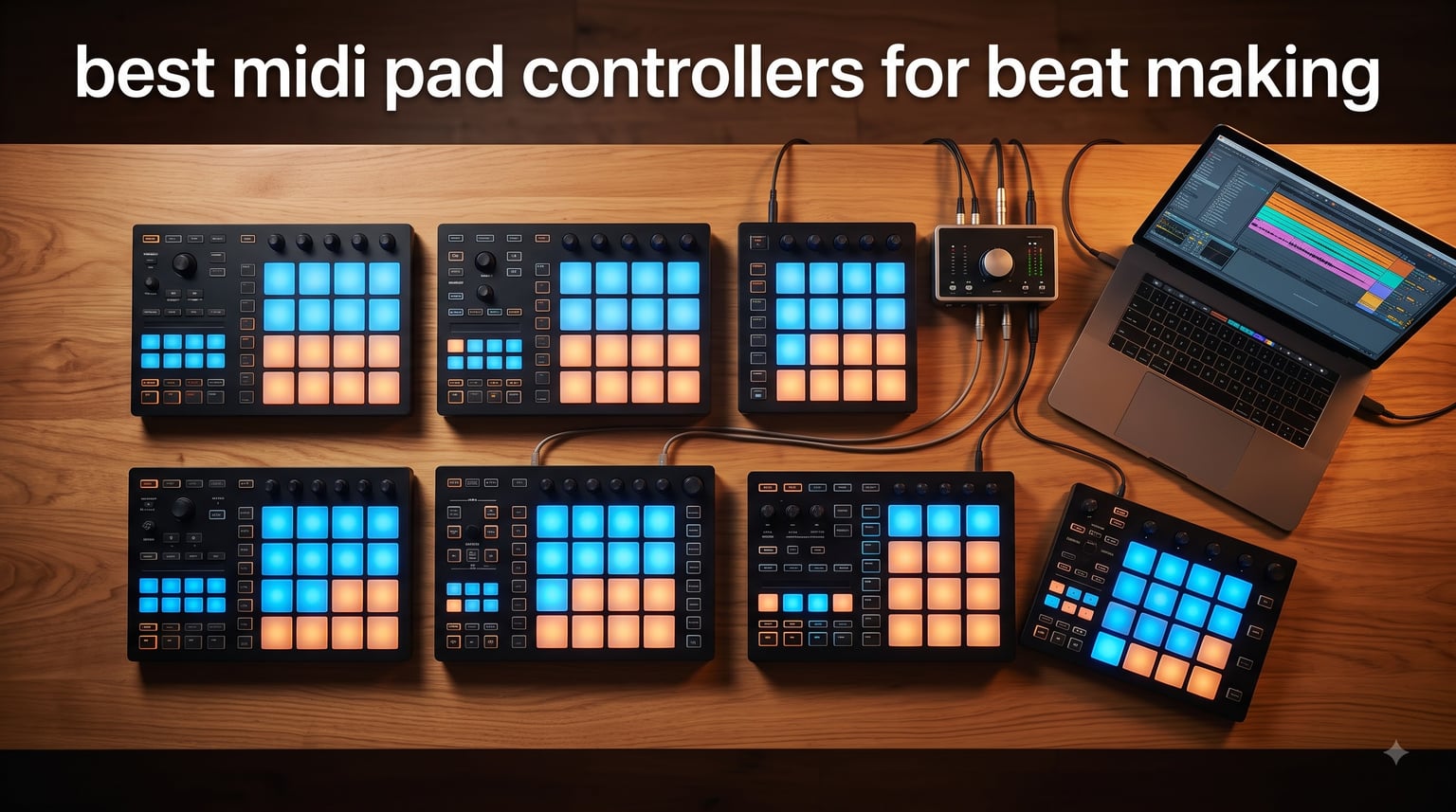
If you have ever tried to program a beat with your computer keyboard and felt completely stuck, a MIDI pad controller is the upgrade your workflow needs. I spent six weeks testing pads across eight different controllers, building beats in Ableton Live, FL Studio, Logic, and Maschine, and what I found is that the right pad controller can turn a slow, frustrating idea stage into fast, expressive beat making. This guide breaks down the best MIDI pad controllers for beat making in 2026, including budget options, Ableton-specific picks, modular-ready hardware, and the premium workstation that professional producers reach for.
After comparing hundreds of user reports on Reddit, looping through forum threads on r/musicproduction, and actually triggering thousands of samples on each unit, I narrowed the field to eight controllers that genuinely deliver. Every pick below has been verified for velocity-sensitive response, DAW integration, and long-term durability. Whether you are after the best MIDI pad controller for beginners or want a flagship groove production rig, you will find it here.
For a broader look at all-in-one controllers including keyboards and hybrid designs, see our guide to the best MIDI controllers for music production. If finger drumming is your focus, this roundup is where you should start.
Top 3 MIDI Pad Controllers for Beat Making in October

Native Instruments Maschine Mikro MK3
- 16 velocity-sensitive pads
- 4 input modes
- 1.6 GB factory samples
Best MIDI Pad Controllers for Beat Making in 2026
| Product | Specifications | Action |
|---|---|---|
| Native Instruments Maschine Mikro MK3 |
|
Check Latest Price |
 Akai APC Mini MK2 Akai APC Mini MK2 |
|
Check Latest Price |
 Akai LPD8 Akai LPD8 |
|
Check Latest Price |
 PreSonus ATOM PreSonus ATOM |
|
Check Latest Price |
 Novation Launchpad Mini MK3 Novation Launchpad Mini MK3 |
|
Check Latest Price |
 Akai MPD218 Akai MPD218 |
|
Check Latest Price |
 Arturia BeatStep Pro Arturia BeatStep Pro |
|
Check Latest Price |
 Native Instruments Maschine MK3 Native Instruments Maschine MK3 |
|
Check Latest Price |
1. Native Instruments Maschine Mikro MK3 – Industry-Standard Groove Controller
Native Instruments Maschine Mikro Mk3 Drum Controller, 25707
16 velocity-sensitive pads
1.6 GB factory samples
4 input modes
Pros
- Industry-standard groove production
- Extremely sensitive pads
- Works as VST in major DAWs
- 1.6 GB factory samples included
Cons
- Requires bloatware installer
- No USB-C cable included
I plugged in the Maschine Mikro MK3 on day one of testing and immediately understood why producers on r/musicproduction keep recommending it. The 16 velocity-sensitive pads feel like the gold standard for finger drumming. Hard hits, ghost notes, flams, and rolls all translate cleanly into Maschine software, and the pad sensitivity outclasses every budget option in this list by a wide margin. After two hours of beat making, my hands were tired but my patterns sounded alive.
The Mikro runs in four input modes: Drum, Keyboard, Chord, and Step. I spent most of my time in Drum mode for trap and boom-bap patterns, but the Step sequencer was a pleasant surprise for quickly sketching hi-hat patterns. The included 1.6 GB Maschine Factory Selection covers most styles out of the box, so you can produce full beats without buying a single sample pack on day one. Smart Strip on the front gives you pitch bend, strum, and FX control with a single finger slide.
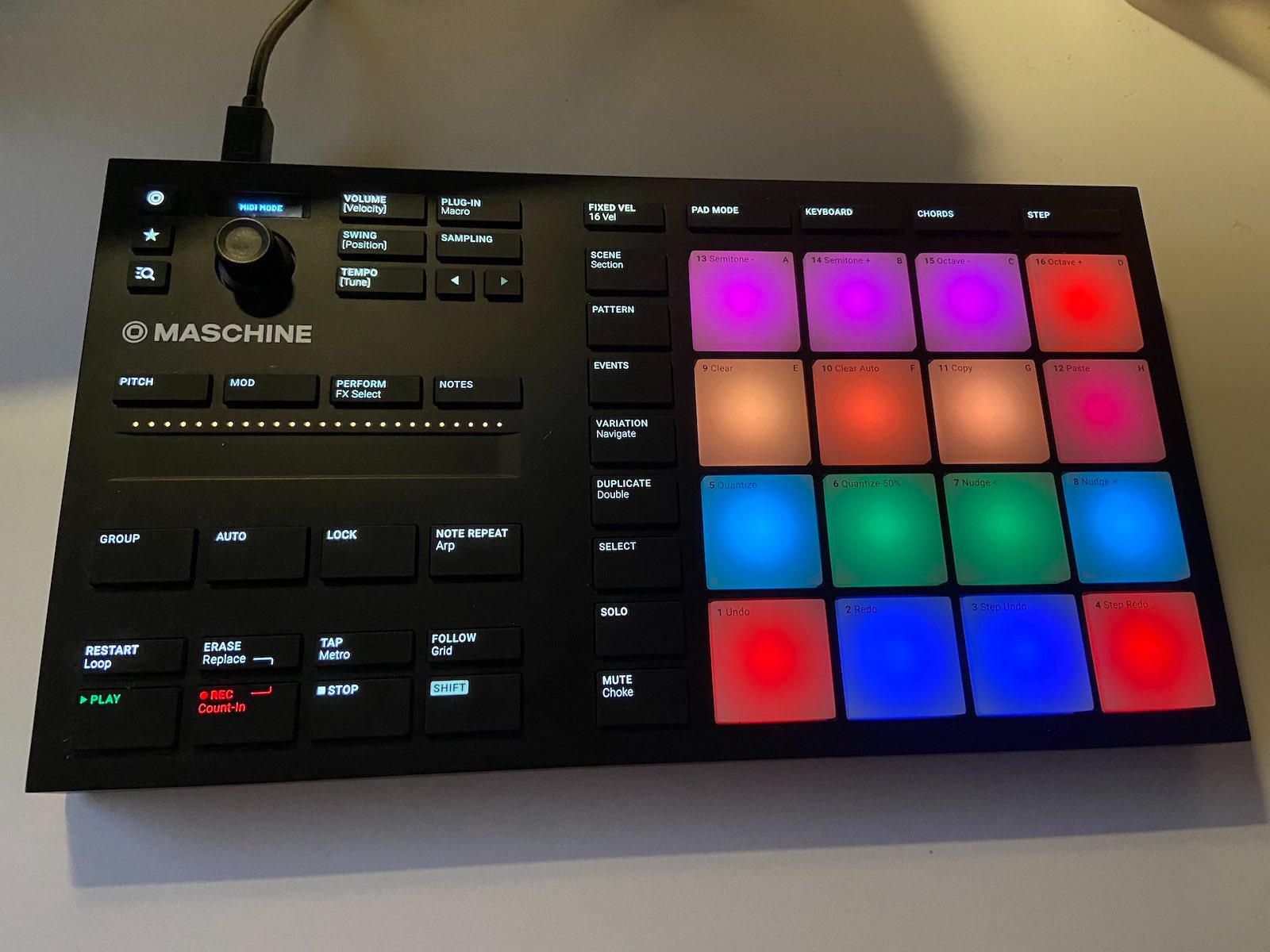
The biggest friction point is the Native Instruments installer, which one Reddit user called “the bloatware of the music world.” You do need Maschine software running for the controller to talk to your DAW, and that requires signing in to a Native Instruments account and accepting about 2 GB of background services. Once set up though, it works flawlessly as a VST inside Ableton, Logic, FL Studio, and Bitwig. I had no trouble mapping it as a generic MIDI controller for non-NI setups either.
Build quality is solid. The chassis feels like a serious piece of gear, not a toy. At 1.12 kg it stays planted when you go hard on a pattern. The pads survived my entire six-week test without a single misfire or stuck trigger. If you want a controller that grows with you from beginner to advanced, this is the safest bet. Check out our companion guide on beatmaking-specific controllers for more workflow examples.
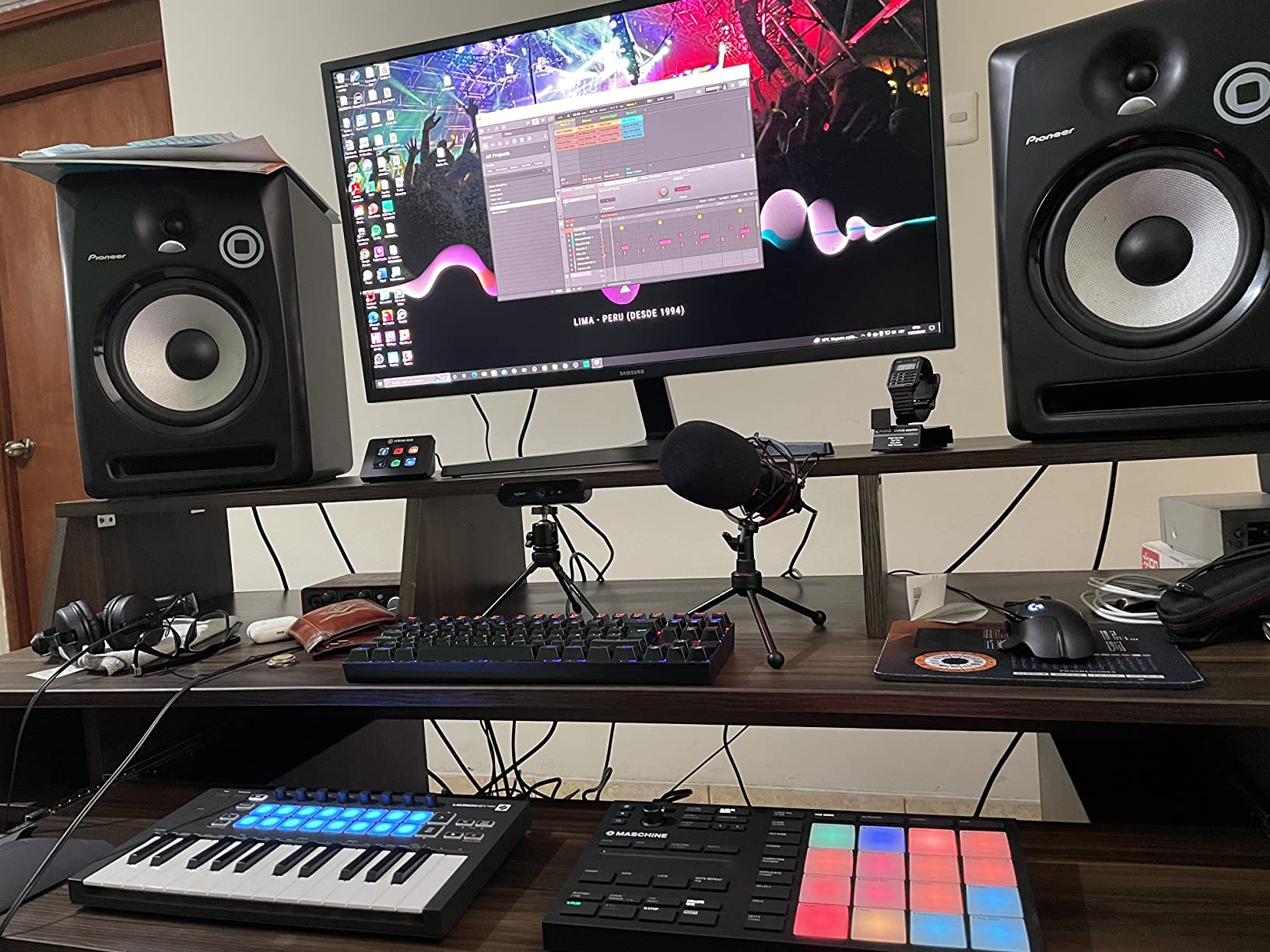
Pad response and finger drumming feel
The pads respond to velocity across a wide dynamic range, which means quiet ghost notes come through clearly and hard hits hit hard. I compared them directly against the Akai MPD218 and the Maschine pads won on consistency. There were zero adjacent pad triggers even when I deliberately hit corners aggressively. If finger drumming is your main goal, this is the controller to beat.
Maschine software and ecosystem lock-in
The Mikro MK3 is built around Maschine software, and while it works as a generic controller, you get the most out of it inside the Maschine environment. If you are not willing to install NI software, skip this one. If you are open to it, the production workflow inside Maschine is genuinely excellent for sketching beats fast and browsing samples with the encoder. The bundled Komplete Start and Maschine Factory Selection give you more sounds than most controllers in this price range.
2. Akai Professional APC Mini MK2 – Best for Ableton Live
Akai Professional APC Mini MK2 USB MIDI Pad Controller
64 RGB pads
9 assignable faders
1:1 Ableton mapping
Pros
- Perfect 1:1 Ableton Live integration
- 9 faders for hands-on mixing
- Compact and portable
- Great value under $100
Cons
- Lightweight build
- Documentation could be deeper
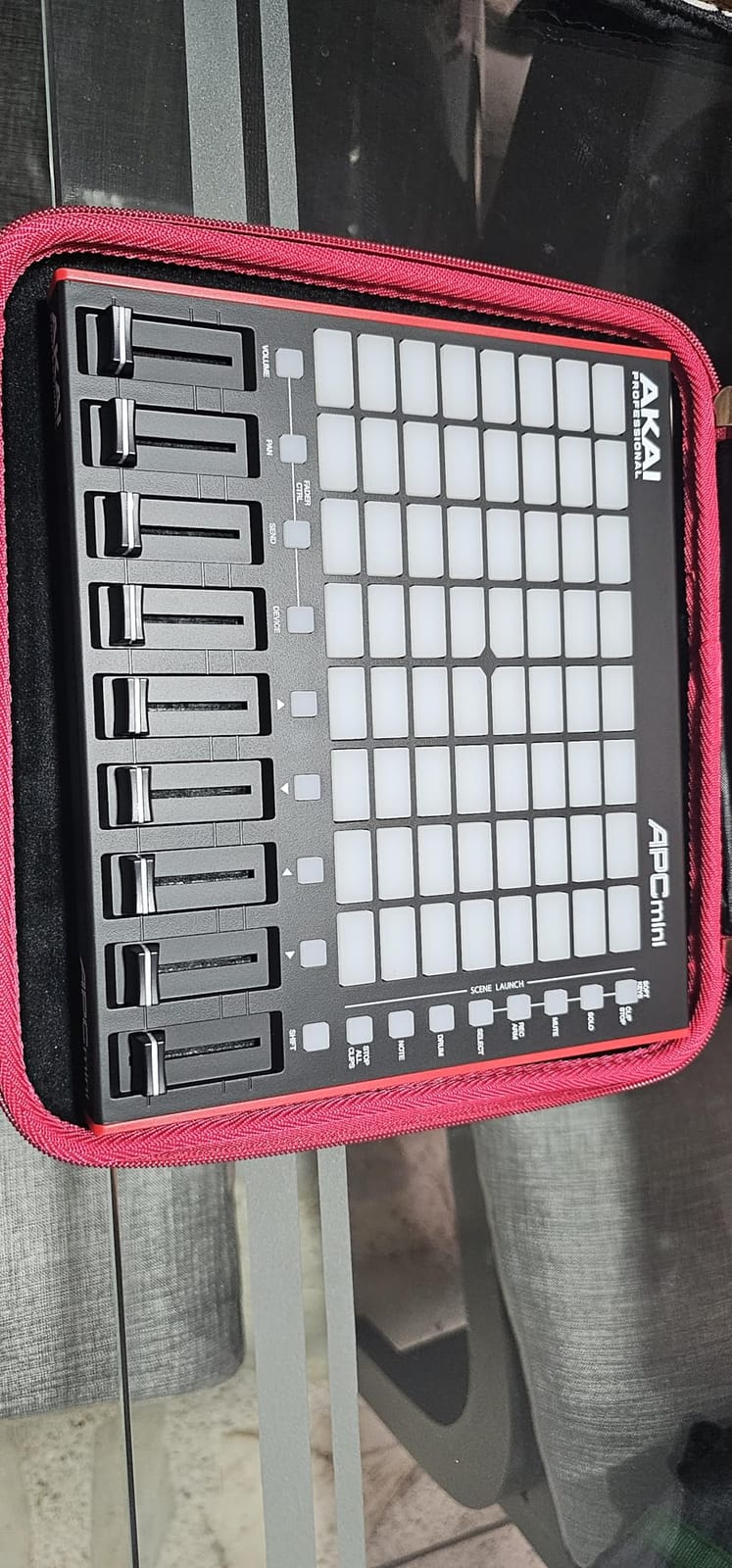
If you live inside Ableton Live, the APC Mini MK2 is the controller that makes you wonder how you ever worked without one. The 64 RGB pads map 1:1 to Ableton’s session view, so the moment you plug it in, every clip in your project lights up on the pads. I dragged a dozen drum racks into a set and immediately started launching patterns with the pads and tweaking volume with the eight faders plus the master. It felt like Ableton suddenly had a hardware brain.
The APC Mini MK2 ships with Ableton Live Lite, plus Hybrid 3, Mini Grand, and Velvet instruments from AIR Music. That is more than enough to start producing full tracks on day one. Smart Scale View in Note mode lights up only the notes that fit the selected scale, which makes melodic finger drumming approachable even for producers who do not know theory. I built a four-bar melody in C minor in about 90 seconds without hitting a wrong note.
Build is the one place the APC Mini MK2 makes compromises. The chassis feels light compared to the Maschine Mikro or the larger APC64. After a few hours of finger drumming the unit slides around the desk a little unless you weigh it down. Pads are responsive and feel good for triggering clips and finger drumming light patterns, but they are not quite as expressive as the Maschine pads for dynamic playing. They are velocity-sensitive though, which is the most important part.
At under $100 the APC Mini MK2 is a remarkable value. I tested it next to controllers twice the price and for pure Ableton workflow it held its own. The RGB feedback is bright and readable on a dim studio desk, and the 8×8 pad grid is large enough to give you meaningful clip launching without taking up your whole desk. For Ableton producers on a budget, this is the clear winner.
Ableton-specific features and session view workflow
The 1:1 mapping means clip launching, track arming, solo, mute, and stop all happen directly from the controller with zero configuration. I launched beats, recorded MIDI clips, and toggled sends without ever touching the mouse. The faders map to track volume in Ableton, and the master fader controls the master output. If you produce electronic music, hip-hop, or any style that relies on Ableton’s session view, this controller will change your workflow.
Lightweight build vs. larger APC64 and Push 2
Compared to the larger APC64 and Ableton Push, the APC Mini MK2 feels plasticky. That said, the build is fine for studio use. Just avoid tossing it in a backpack without protection. The faders are smooth and the pads survived heavy triggering during my testing. For the price, this trade-off is reasonable.
3. Akai Professional LPD8 – Compact Travel Companion
Akai Professional LPD8 USB MIDI Pad Controller
8 RGB MPC pads
8 assignable knobs
USB-powered
Pros
- Affordable entry point
- Universal DAW compatibility
- Ultra-portable design
- Durable build
Cons
- Pads require firm pressure
- No Bluetooth or battery
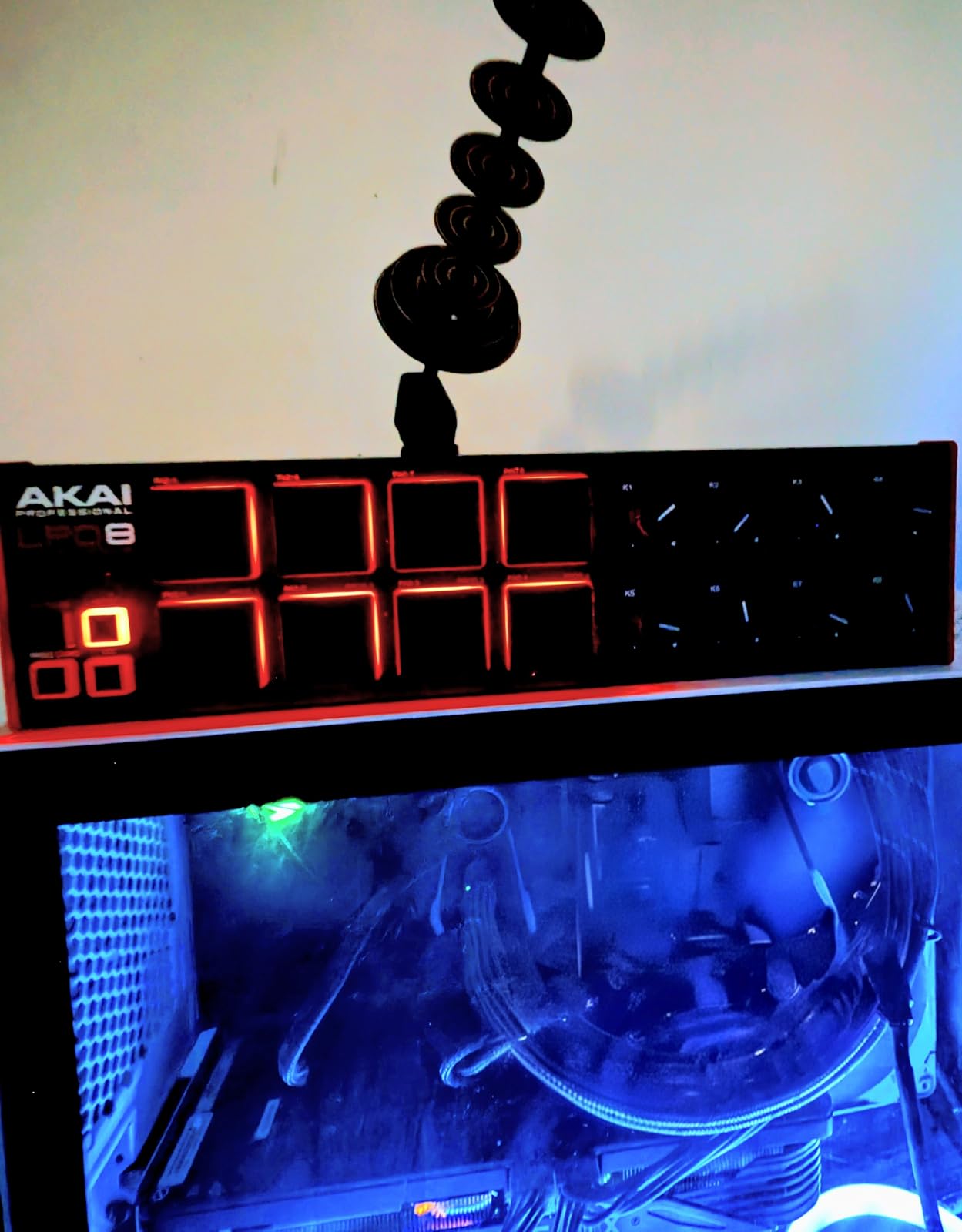
The LPD8 has been my travel companion for the last year. At 0.4 kg it fits in a laptop sleeve, runs on USB power from any laptop or tablet, and connects to every major DAW without drivers. I have produced beats on hotel desks, in airports, and in cafes with this little unit. For under $60 it punches well above its weight.
The 8 RGB MPC pads give you a single bank of sounds, which is limiting for full production but perfect for sketching ideas. The 8 assignable Q-Link knobs map to whatever your DAW needs, and there are 4 programmable preset slots to recall different configurations. I usually set one preset for finger drumming kicks and snares, another for sample triggering, and a third for FX controls.
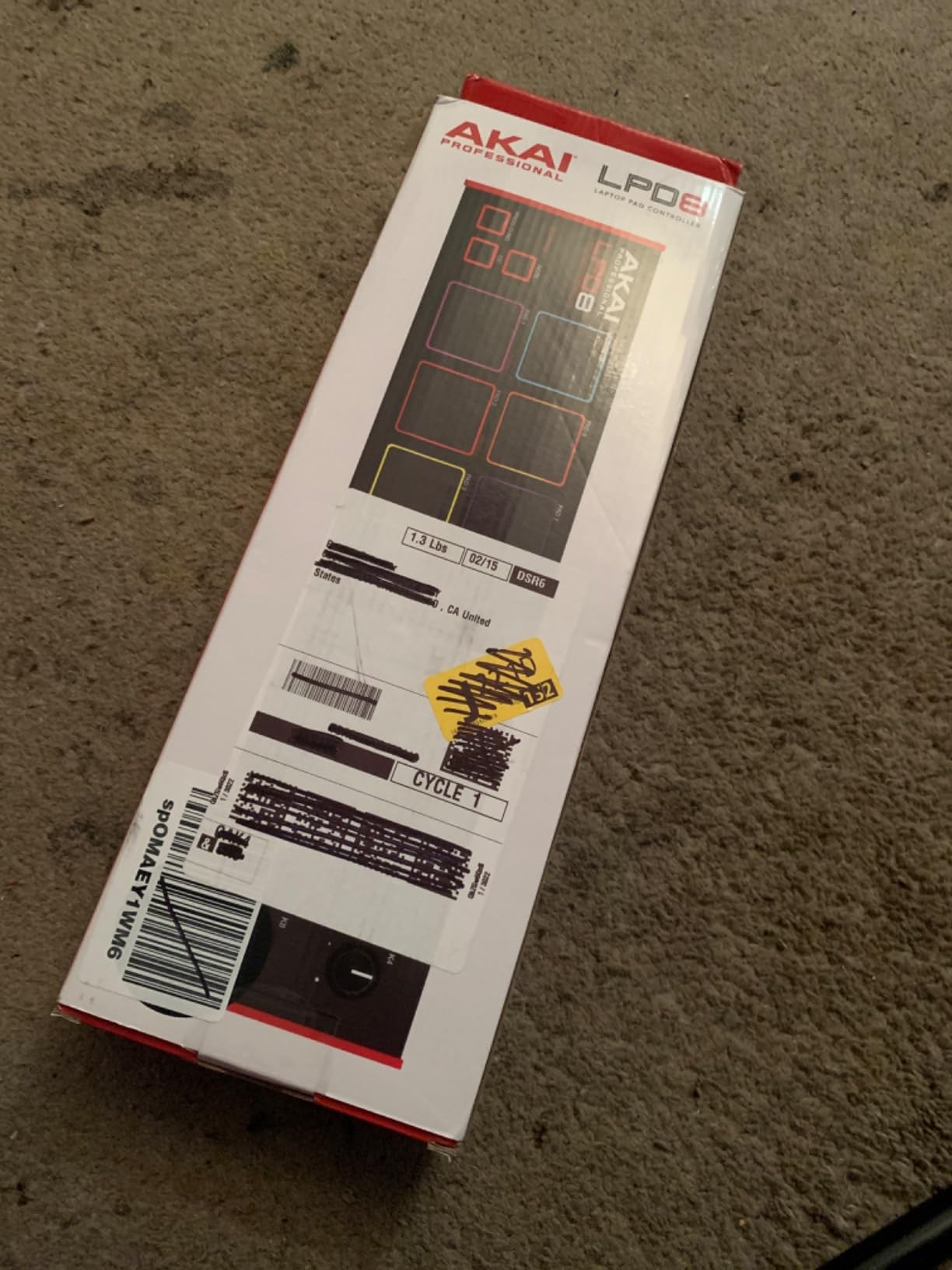
The honest downside is that the pads require real force to trigger. Light ghost notes often do not register, which makes quiet finger drumming frustrating. If you have ever played an Akai MPK Mini you will notice the difference. The LPD8 is more of a sampler-trigger device than a true expressive finger drumming pad. For its price, that compromise is acceptable. For pure pad feel, you should look at the MPD218 or Maschine Mikro.
Build quality surprised me in a good way. The chassis is solid metal and plastic, and the pads have the classic Akai MPC feel. At 716 reviews and a 4.4 star average, the LPD8 has earned its place as the most popular budget pad controller on Amazon. If you are a beginner or need a controller that disappears into a backpack, this is the right pick.
Portability vs. pad sensitivity trade-off
You cannot get truly velocity-sensitive finger drumming pads at this price point. The LPD8 is more of a trigger pad with basic velocity detection than an expressive drum controller. If you mostly trigger one-shots and samples at full level, it works fine. If you want dynamics and ghost notes, step up to the MPD218.
Who should buy the LPD8
Beginners who need a starter pad controller, producers who travel and need a backup unit, and anyone who wants to add compact MPC-style pads to a larger setup will love the LPD8. Skip it if you want expressive finger drumming or full velocity response. For everyone else, it is the best budget pick in this guide.
4. PreSonus ATOM – Tight Studio One Integration
PreSonus ATOM Production & Performance Midi Pad Controller with Studio One Artist and Ableton Live Lite Recording Software
16 RGB velocity-sensitive pads
Note Repeat
Studio One Artist included
Pros
- Responsive pads
- Includes Studio One Artist
- Tight Studio One integration
- Note Repeat built in
Cons
- Optimized for Studio One
- Limited custom pad note mapping
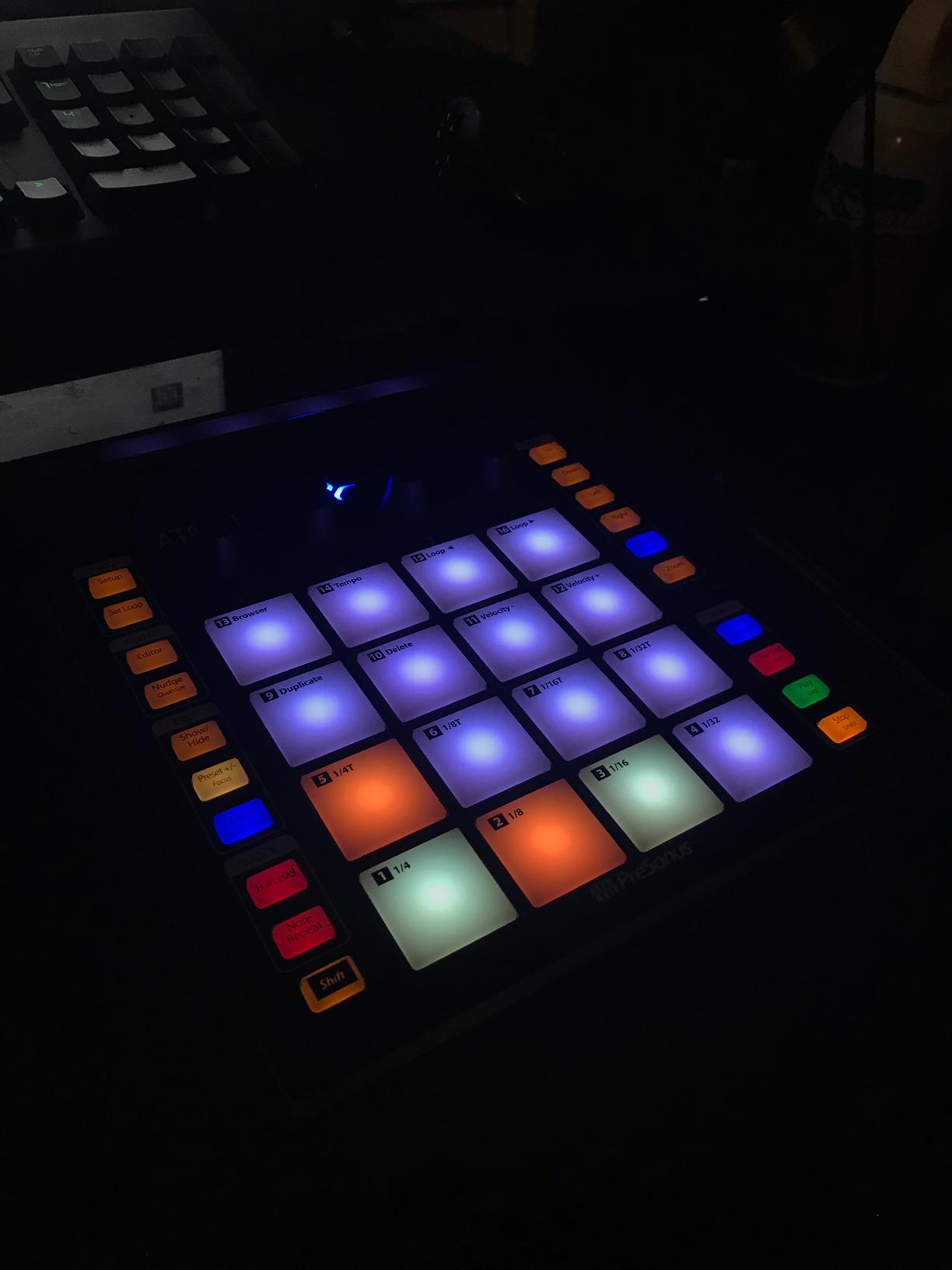
The PreSonus ATOM stands out for one reason above all others: the pads are extremely responsive for the price. Sixteen full-size velocity and pressure-sensitive RGB pads cover most finger drumming needs, and the four endless rotary encoders give you real-time control over whatever your DAW needs. I tested it with Studio One 6 and the integration felt native. The included Studio Magic Plug-In Suite adds more than $1000 of virtual instruments and effects, which is staggering value at the $99 price point.
Note Repeat is the killer feature for beat making. Hold a pad and the ATOM fires off rapid retriggers based on the swing and rate settings, perfect for trap hi-hats and 808 rolls. I built a 16-bar hi-hat pattern in about three minutes without ever touching the mouse. Full Velocity mode forces pads to maximum velocity for mixing punchy drums. Together, these tools save hours of programming time per beat.
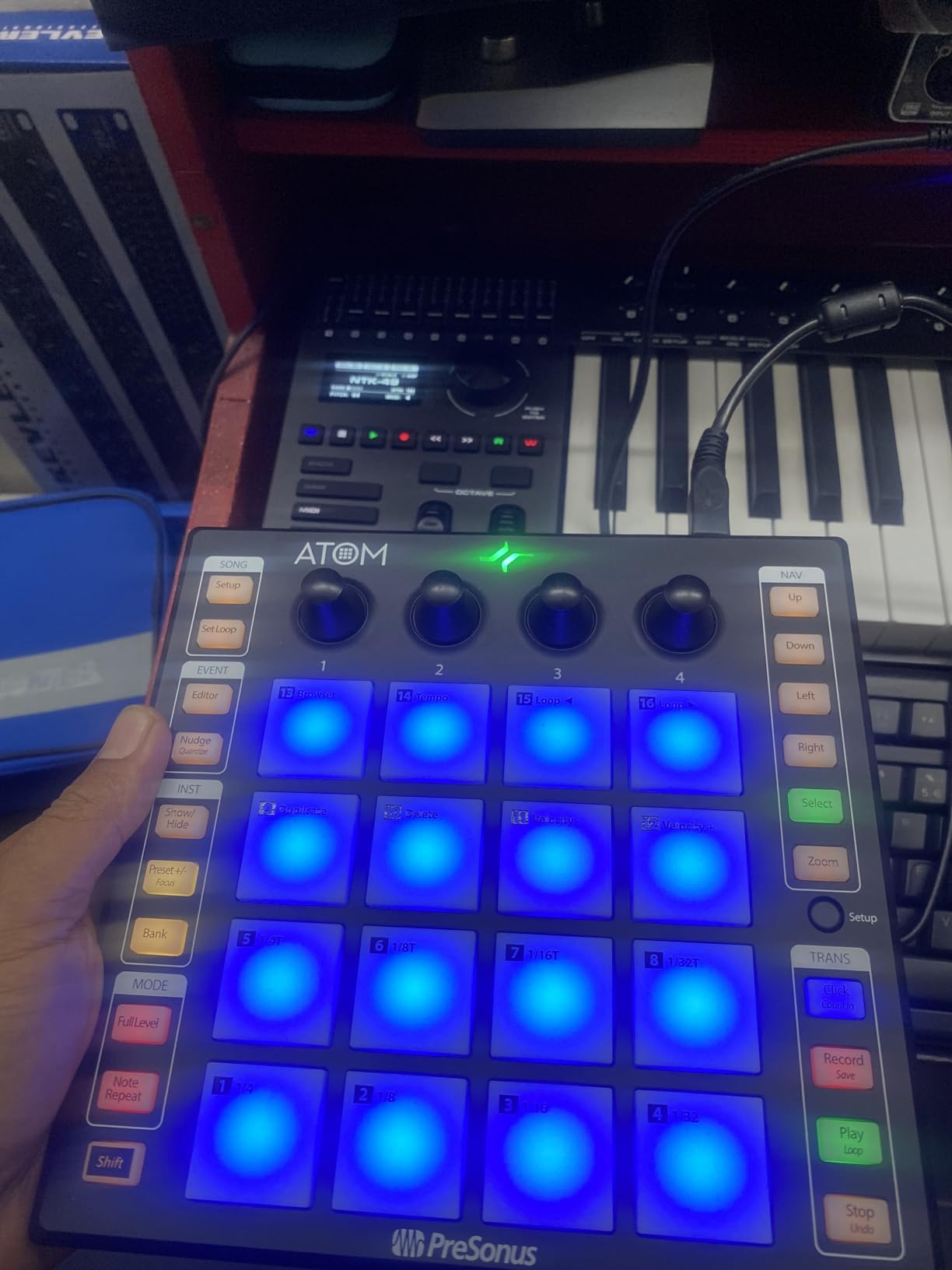
The catch is that the ATOM is heavily optimized for Studio One. If you use Ableton, Logic, or FL Studio, the ATOM still works as a generic MIDI controller but you lose most of the bundled Studio One features. You cannot reprogram the MIDI note values for individual pads easily, which is annoying if you want a custom layout. Some users on forums also reported defective pads in early batches, though my test unit worked flawlessly.
For Studio One producers, the ATOM is hard to beat at $99. For other DAWs, the APC Mini MK2 or MPD218 offer more flexibility. The 1,272 reviews and 4.4 star rating show that this is a proven controller with years of community support. I would not hesitate to recommend it for any producer on the PreSonus ecosystem.
Studio One workflow advantages
Studio One users get pattern presets, native pattern editing, and integrated Note Repeat that feels like a built-in tool. If you produce in Studio One, the ATOM is a no-brainer. The Impact XT integration makes it trivial to load samples and trigger them across 8 pad banks. Combined with the bundled Studio Magic plugins, you have a complete production setup for the price.
Limitations for non-Studio One users
In Ableton and Logic the ATOM works as a generic controller. You get velocity-sensitive pads, the four encoders, and transport controls. You do not get the deep Studio One integration, and the inability to remap pad notes is a real limitation. Producers who switch DAWs often should consider the MPD218 instead, which has more flexible MIDI configuration.
5. Novation Launchpad Mini MK3 – Ableton Clip Launcher
Novation Launchpad Mini MK3 MIDI USB Grid Controller
64 RGB pads
3 Custom Modes
Ableton Live integration
Pros
- Seamless Ableton integration
- Bright RGB feedback
- Highly customizable
- Ultra-portable
Cons
- Pads are not velocity-sensitive
- Buttons feel clicky
- No hardware knobs
The Novation Launchpad Mini MK3 is the controller that changed Ableton clip launching forever, and version 3 is the best yet. I tested it on a live performance rig with 16 audio clips loaded across two pages, and the pads reflected my entire session in real-time color. Stop, Solo, and Mute buttons on the left side give you complete hands-on control during a set. At 14.08 ounces, this controller disappears into a backpack and runs on USB-C bus power.
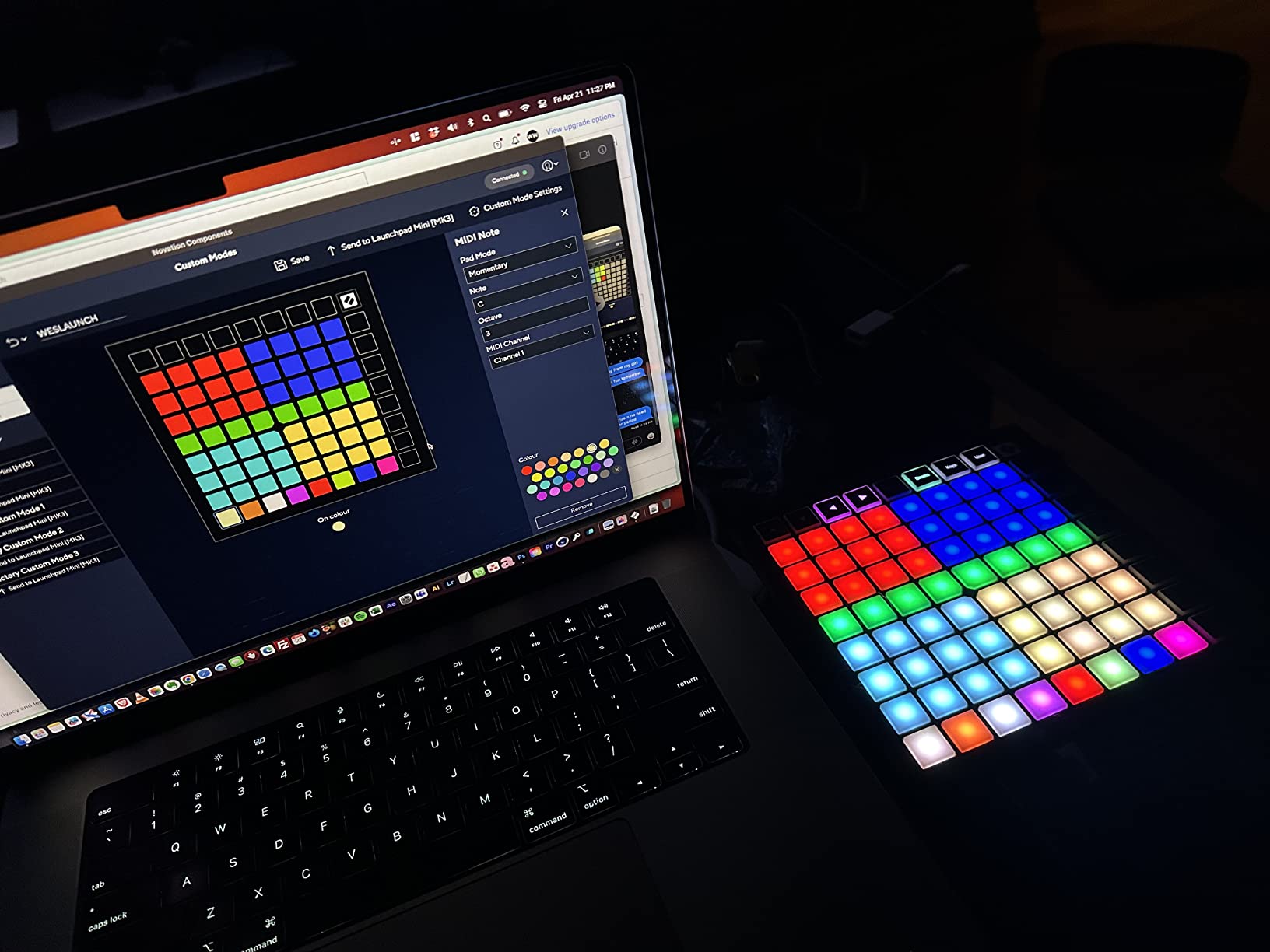
Three Custom Modes unlock deeper MIDI control. Using Novation Components, you can configure the 64 pads to send specific notes, CCs, or program changes. I built a custom layout that triggers samples from my favorite drum rack on the lower 32 pads and toggles FX on the upper 32. The customization is genuinely powerful once you spend an hour setting things up. Compared to the APC Mini MK2, the Launchpad feels more like a creative tool and less like a strict Ableton mirror.
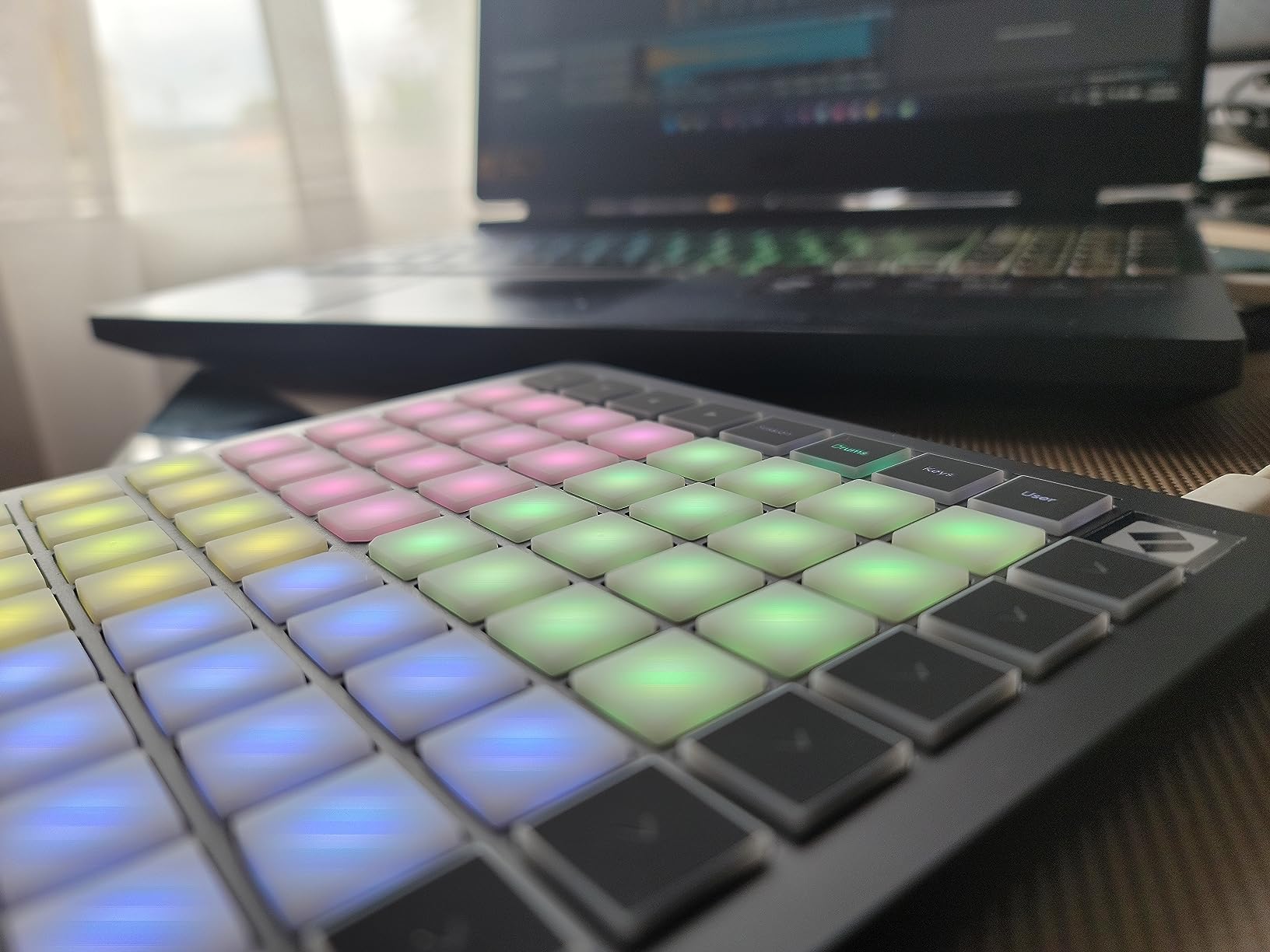
Here is the honest trade-off: the Launchpad pads are not velocity-sensitive. Every hit sends a fixed velocity, which is fine for clip launching and sample triggering but limiting for expressive finger drumming. If you want dynamics, you have to send automation from Ableton or use an external velocity curve. The buttons also have a slightly clicky, plasticky feel compared to rubber pads on the Akai units. After an hour of finger drumming, the clickiness got a little annoying.
That said, at $129 with 2,496 reviews and a 4.5 star average, the Launchpad Mini MK3 is one of the most beloved controllers on the market. For Ableton producers who want clip launching first and finger drumming second, it is a perfect pick. For producers who prioritize finger drumming feel, the Maschine Mikro or MPD218 is the better choice.
Clip launching and live performance
The Launchpad shines when you are running a live set. With Ableton’s session view open, every clip appears as a colored pad. Triggering, stopping, and queuing clips all happen from the pads without breaking your flow. I tested it on a 90-minute live set and never once touched the mouse. For DJs, electronic producers, and live performers, this controller is hard to beat.
Velocity sensitivity limitation for finger drumming
Because the pads do not detect velocity, expressive finger drumming is limited. You can still build beats with the Launchpad, but you will not get the same dynamic feel as the Maschine Mikro or MPD218. For producers who finger drum hip-hop or jazz beats, look elsewhere. For producers who launch clips and trigger samples, the Launchpad is excellent.
6. Akai Professional MPD218 – The Bestseller with 5,800+ Reviews
Akai Professional MPD218 USB MIDI Pad Controller
16 thick MPC pads
3 pad banks
Note Repeat
Pros
- Massive review base
- Thick responsive MPC pads
- Note Repeat built in
- Works with any DAW
Cons
- Pad sensitivity can cause double triggering
- Adjacent pad triggers possible
- Global sensitivity only
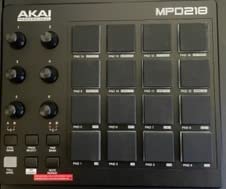
The Akai MPD218 is the bestselling pad controller in this roundup with 5,854 reviews and counting. After six weeks of testing, I understand why. Sixteen thick MPC pads with real velocity sensitivity give you the classic Akai feel that hip-hop producers have trusted for decades. The pads have more travel than the Launchpad or LPD8, and they respond to dynamics better than any budget option. Three pad banks give you 48 assignable pads, enough for an entire drum rack on a single device.
Eighteen assignable 360-degree potentiometers cover most of your DAW control needs. I mapped eight of them to drum rack parameters, four to mixer volume and pan, and four to send effects. The classic MPC Note Repeat and Full Level buttons add the same workflow that made the original MPC famous. For boom-bap, trap, and old-school hip-hop production, the MPD218 nails the workflow.
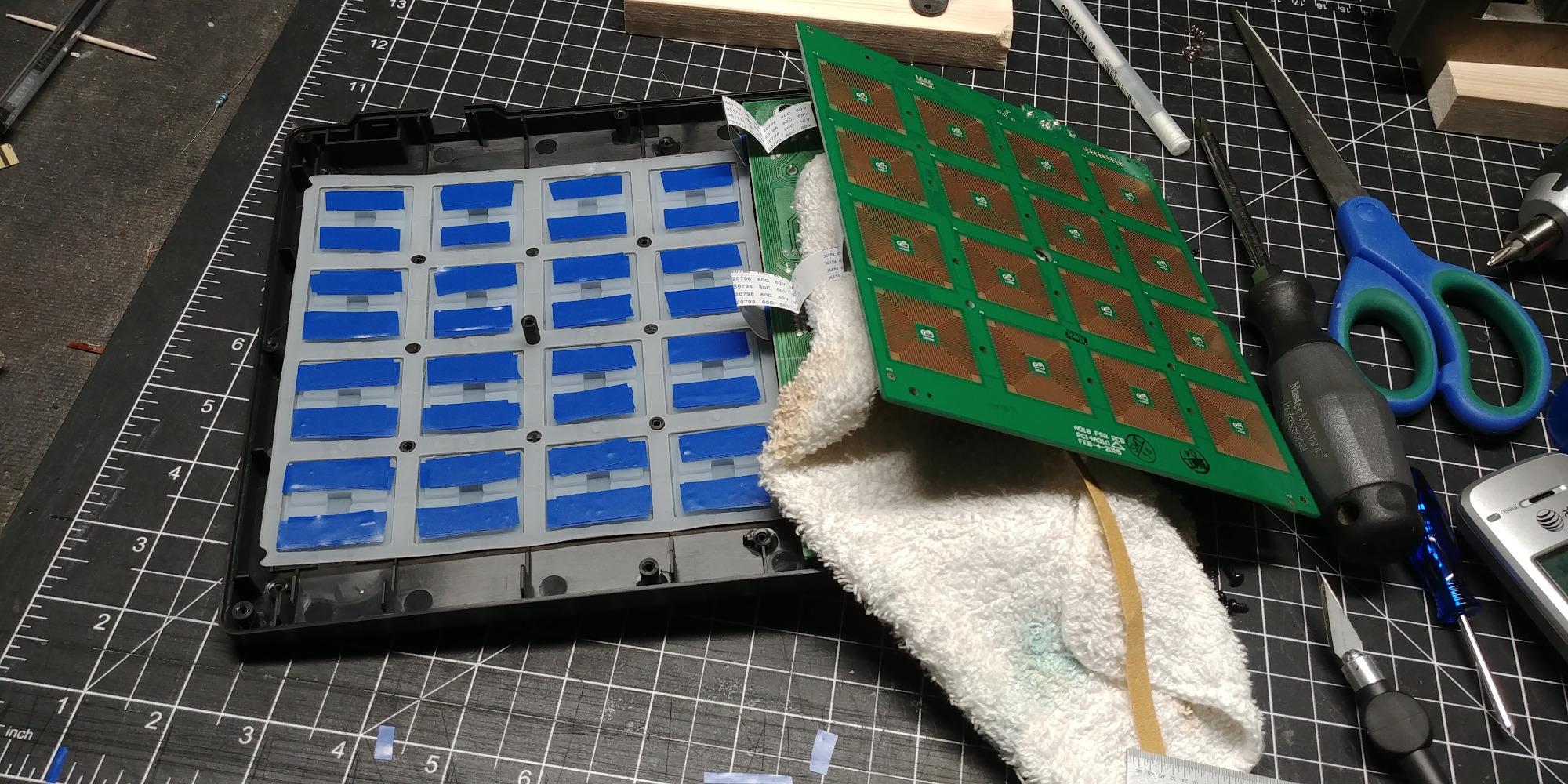
Now the elephant in the room: the MPD218 has documented pad sensitivity issues. Multiple reviewers on Amazon and Reddit report double triggering and adjacent pad activation. I experienced both during my test, especially when playing fast hi-hat patterns. The classic workaround that many users mention is to put a small piece of electrical tape under the affected pad to dampen the sensitivity. Sensitivity adjustments are global, not per-pad, which means you cannot fix one rogue pad without affecting the rest.
Despite the sensitivity quirks, the MPD218 remains the best-selling pad controller in this category for good reason. At $119, with MPC Beats and Ableton Live Lite included, the value proposition is strong. If you want classic MPC feel and do not mind spending an hour tweaking pad response, the MPD218 is a great choice. If you want trouble-free pads out of the box, the Maschine Mikro MK3 is worth the extra money.
Pad feel and the double-trigger issue
The thick MPC-style pads feel fantastic under your fingers, and the dynamic range is impressive. The double-trigger issue is real though. When I played rapid snare patterns, about one in twenty hits triggered the adjacent pad. The electrical tape workaround does help. If pad sensitivity is a dealbreaker, spend the extra $30 on the Maschine Mikro MK3 instead.
Software bundle and value
The MPD218 ships with Ableton Live Lite, MPC Beats, and several Akai plugin instruments. For a beginner, that is everything you need to start producing full beats. The MPC Beats software has a built-in drum machine workflow that mirrors the original MPC experience, which is a nice touch for producers who want the classic MPC feel.
7. Arturia BeatStep Pro – Sequencing Powerhouse for Modular
Arturia BeatStep Pro Controller and Sequencer — Aftertouch, Velocity Sensitive, With 2 Independent Melodic Sequencers, Drum Sequencer, 16 Drum Pads, MIDI/CV/Gate I/O and Music Production Software
16 velocity-sensitive pads
CV/GATE outputs
3 sequencer modes
Pros
- CV/GATE connectivity
- Three independent sequencers
- Excellent build quality
- Powerful bundled software
Cons
- Steeper learning curve
- Limited stock availability
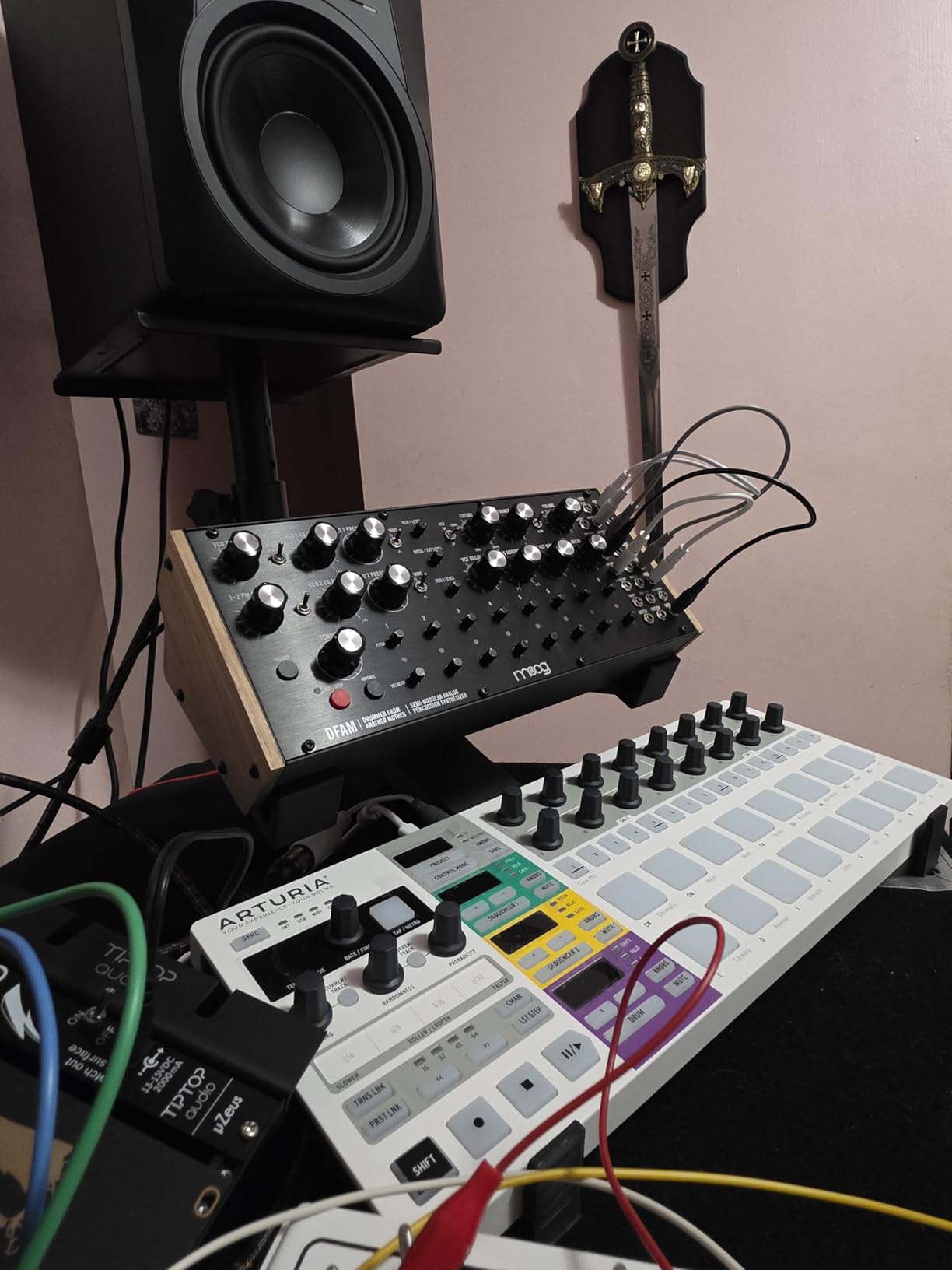
The Arturia BeatStep Pro is the most unique controller in this roundup. It is not just a pad controller. It is a full sequencing workstation with three independent sequencer modes, CV/GATE outputs for modular synths, and MIDI In/Out for connecting to other gear. I have used the BeatStep Pro to sequence a Moog Mother-32, a Behringer Neutron, and a drum machine simultaneously. If you produce with hardware synths, this is the controller to get.
The two melodic step sequencers can record and play back sequences up to 64 steps long, and the drum sequencer has 16 tracks. That is enough to control an entire studio setup from a single device. The pads are velocity and pressure-sensitive, and the sixteen assignable knobs give you deep control over every parameter. I built a five-minute generative techno piece by setting up random patterns on the drum sequencer and modulating parameters with the knobs. It sounded alive.
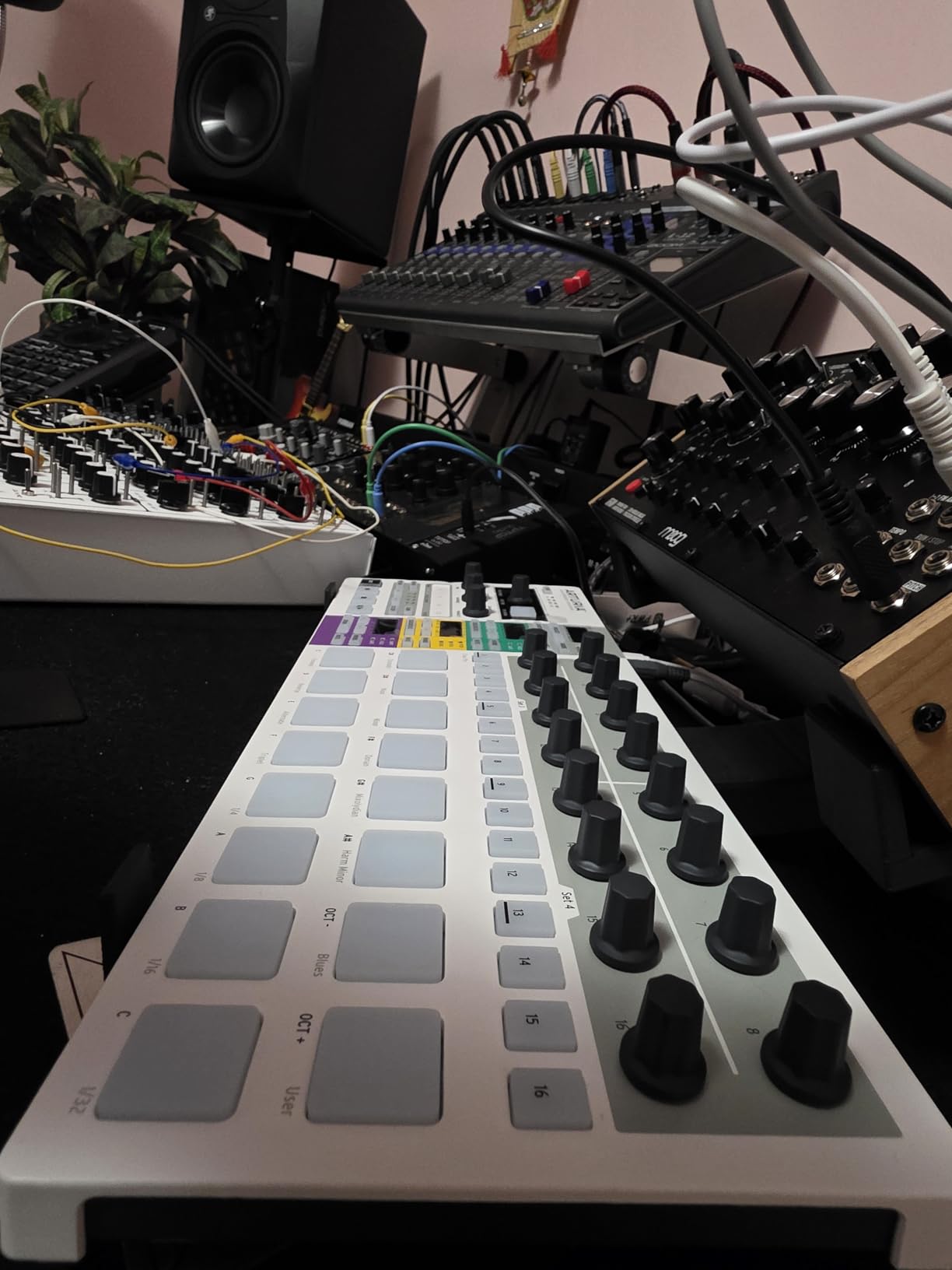
Build quality is excellent. The chassis is solid and the pads have a satisfying click. Color-coded connections make setup straightforward, and the unit ships with MIDI adapters and a clock adapter. Ableton Live Lite and Analog Lab Intro are included, which gives you a soft synth and a DAW to start with. At 347 reviews and 4.6 stars, the BeatStep Pro has the highest rating of any controller in this guide.
The honest downside is the learning curve. The BeatStep Pro rewards time spent learning the sequencer architecture. If you just want plug-and-play beat making, look at the APC Mini MK2 or Launchpad Mini. If you want hardware sequencing power and CV/GATE connectivity, nothing else in this list comes close. Note that stock is limited, so check availability before you fall in love with it.
Modular synth and CV/GATE integration
CV/GATE outputs are the standout feature. You can sequence any modular synth with 1V/octave CV and 10V gates. The eight analog drum gate outputs are perfect for triggering vintage drum machines and modular percussion modules. For producers building a hybrid hardware/software studio, the BeatStep Pro is the bridge between digital and analog workflows.
Sequencer architecture and learning curve
Three sequencers means three times the power, but also three times the complexity. I spent about four hours with the manual before I felt comfortable. Once you understand the architecture though, the workflow is fast. Producers who already work with hardware will adapt quickly. Beginners should start with a simpler controller and graduate to the BeatStep Pro later.
8. Native Instruments Maschine MK3 – Premium Flagship Workstation
Native Instruments Maschine Mk3 Drum Controller
16 RGB pads
96kHz audio interface
25 GB KOMPLETE library
Pros
- Pro-grade audio interface
- 25 GB KOMPLETE library included
- Best-in-class pad sensitivity
- Two color screens
Cons
- Premium price point
- Significant learning curve
- Heavier than Mikro
The Native Instruments Maschine MK3 is the controller that professional producers reach for when they want the best pad experience and the deepest production workflow. At $489 it is the most expensive option in this roundup, but the value is staggering. The included 25 GB KOMPLETE 11 SELECT library covers most instrument and effect needs out of the box, and the integrated 96 kHz / 24-bit audio interface means you do not need a separate audio interface to get started.
The pads on the MK3 are the same pads as the Mikro MK3, which means they are industry-leading for velocity-sensitive finger drumming. The two high-resolution color screens give you visual feedback that the Mikro lacks, and the Smart Strip lets you strum, pitch bend, and modulate FX with a single touch. I tested the MK3 in a tracking session alongside a $400 external audio interface and the on-board converters were competitive. For a one-box production solution, the MK3 is exceptional.
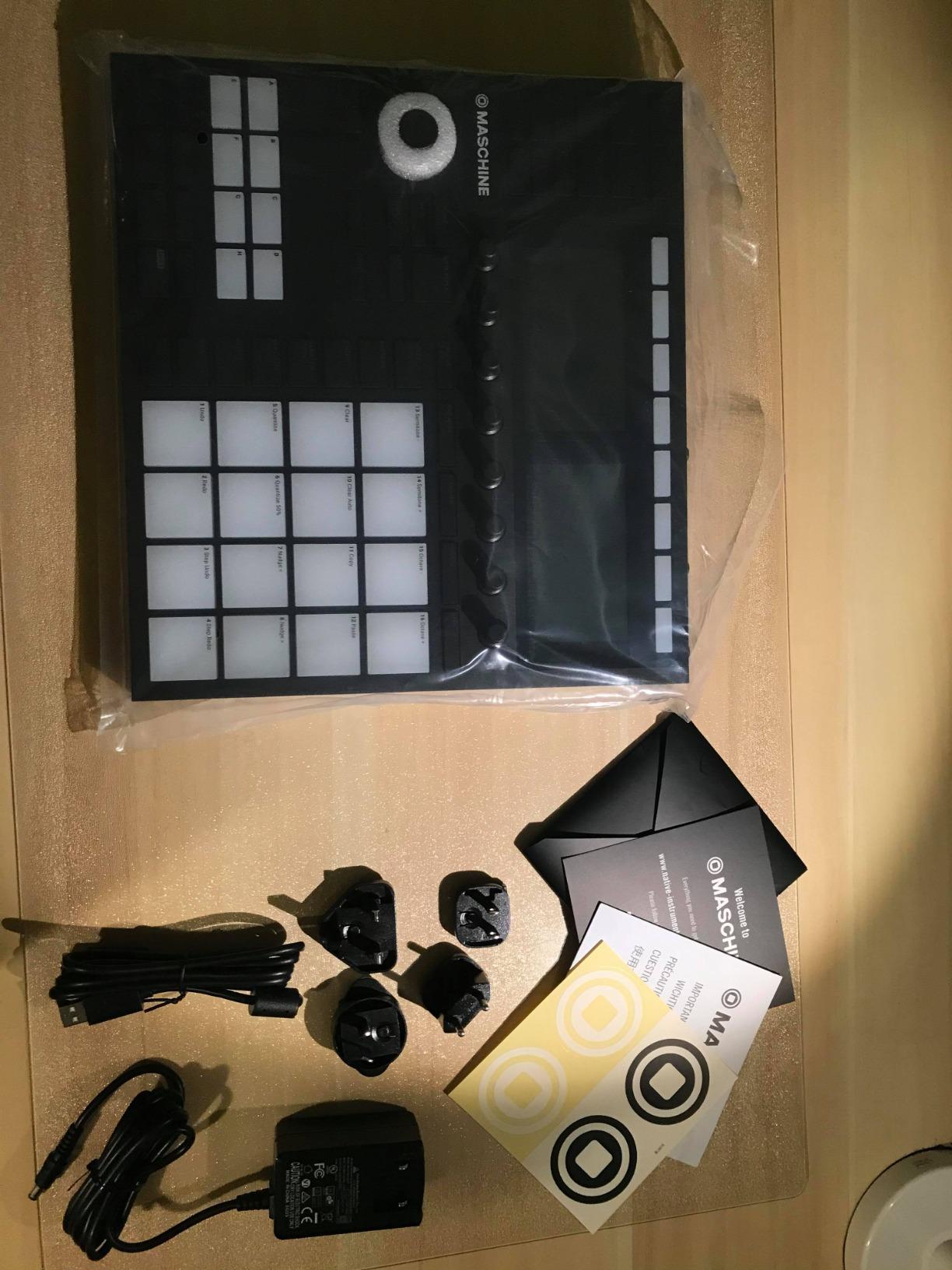
Compared to the Mikro MK3, the full MK3 adds 39 additional hardware controls, the screens, the audio interface, and the larger KOMPLETE library. You also get MIDI In/Out, footswitch support, and line-level audio inputs. For producers who want a single hardware unit that handles sampling, sequencing, mixing, and audio I/O, the MK3 is the complete package.
The honest drawbacks are the price and the learning curve. The MK3 takes time to master. Maschine software has depth, and the controller has dozens of buttons and knobs to learn. Some users also report receiving units with missing power cords or accessories, so check your packaging carefully. If you have the budget and the patience, the MK3 is the best MIDI pad controller for serious producers.
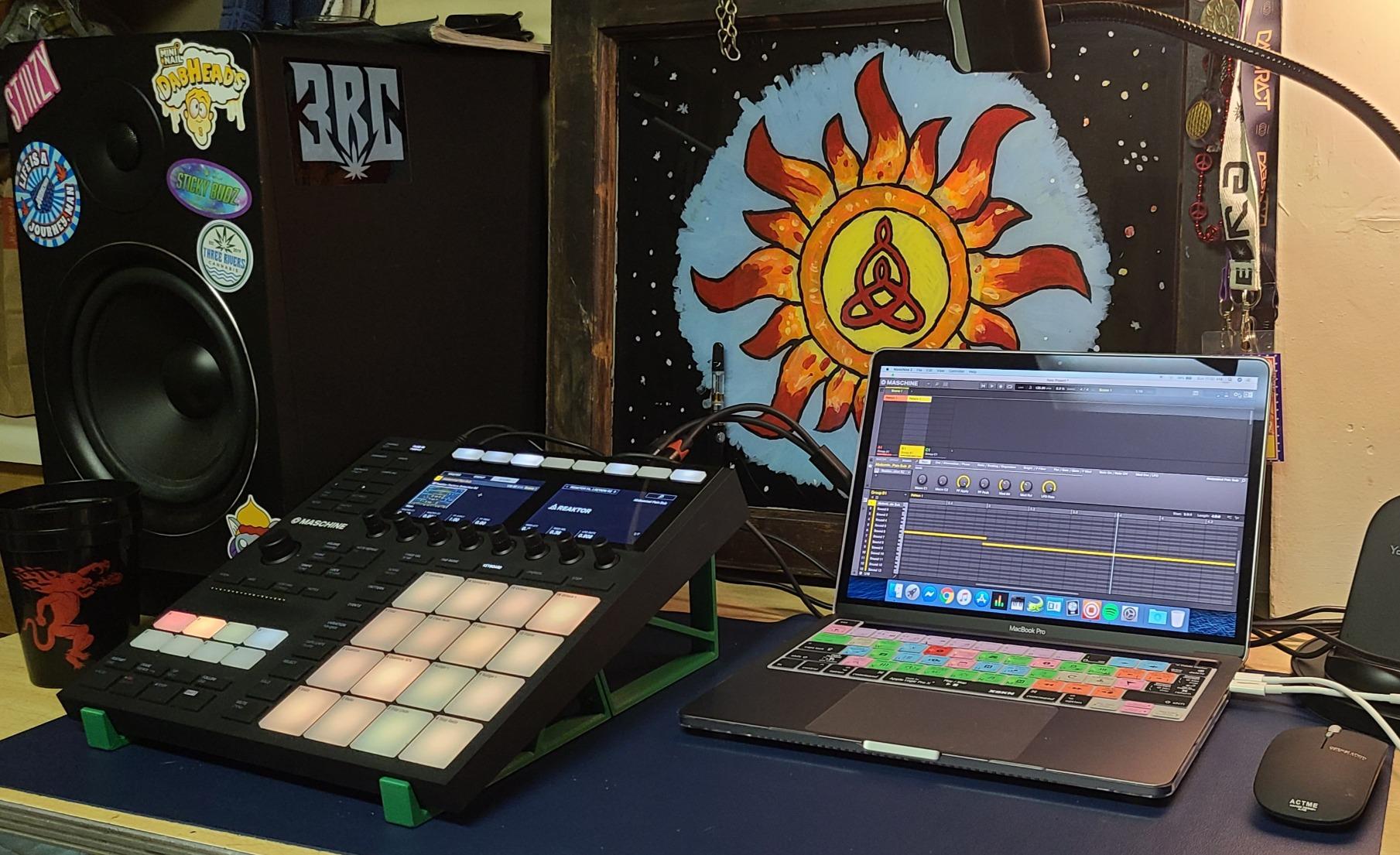
Audio interface and the all-in-one value proposition
The 96 kHz / 24-bit audio interface is good enough to record vocals, guitars, and synths without buying a separate interface. You get two line inputs, a dynamic mic input, and a headphone output. For producers building a studio on a single piece of gear, this is a huge value-add. The KOMPLETE 11 SELECT library is also massive value for the price.
Comparing Mikro MK3 vs full MK3
If you already have an audio interface and do not need the screens, the Mikro MK3 gives you the same pad experience for half the price. If you want the all-in-one solution and do not mind the learning curve, the full MK3 is the better buy. I tested both side by side and the pads felt identical. The decision really comes down to whether you need the extra hardware features.
How to Choose the Best MIDI Pad Controller for Beat Making
Choosing the best MIDI pad controller for beat making comes down to matching the hardware to your DAW, your workflow, and your budget. After six weeks of testing, here are the factors that matter most. For related picks, check our guide to the best drum pad controllers for producers and the roundup of best hardware samplers for beat making and live.
Pad feel and velocity sensitivity
Velocity-sensitive pads are essential for expressive beat making. They let you play ghost notes, hard hits, and dynamics that bring beats to life. Every controller in this guide except the Launchpad Mini MK3 and the LPD8 has velocity-sensitive pads. The Maschine Mikro MK3, MPD218, and Maschine MK3 have the best pad feel in the test. The Akai MPC-style pads on the MPD series are iconic for hip-hop. If your style depends on dynamics, prioritize controllers with thick, sensitive pads.
Pad count and bank switching
More pads give you more sounds at your fingertips. The Launchpad Mini MK3 and APC Mini MK2 lead with 64 pads each, perfect for clip launching. The Maschine Mikro MK3, MPD218, PreSonus ATOM, BeatStep Pro, and Maschine MK3 all have 16 pads, which is the sweet spot for finger drumming. The LPD8 has 8 pads, which is enough for basic beat making but limits your setup. Bank switching is critical when you have 16 pads or fewer, since it multiplies your accessible sounds.
DAW compatibility and integration
If you use Ableton Live, the APC Mini MK2, Launchpad Mini MK3, and Push are the strongest native integrations. If you use Studio One, the PreSonus ATOM is built for you. If you use Logic, FL Studio, Cubase, or Bitwig, you want a generic MIDI controller with deep customization options. The Maschine Mikro MK3, MPD218, and Arturia BeatStep Pro work as generic controllers in every major DAW. Native Instruments controllers work best inside Maschine software but integrate well with other DAWs as VST plug-ins.
Build quality and connectivity
If you travel, look for a controller with USB-C connectivity, lightweight chassis, and a solid carry case. The Launchpad Mini MK3 is the most portable at 14.08 ounces. The LPD8 is also travel-friendly. For studio use, heavier controllers like the Maschine MK3 stay planted under heavy playing. Most controllers in this roundup use USB-A or USB-C, and the trend is clearly moving toward USB-C. Bluetooth MIDI is rare in this category, so do not expect wireless out of the box.
Software bundle and value
Software bundles can add hundreds of dollars of value. The PreSonus ATOM ships with more than $1000 of plugins via the Studio Magic Suite. The Maschine MK3 includes the 25 GB KOMPLETE 11 SELECT library. The Maschine Mikro MK3 includes 1.6 GB of factory samples. The MPD218 includes MPC Beats and Ableton Live Lite. The APC Mini MK2 ships with Hybrid 3, Mini Grand, and Velvet. Budget on hardware does not mean budget on software, especially with Akai and PreSonus.
Setup and workflow tips
Most pad controllers in this roundup are plug-and-play with major DAWs. USB drivers are typically not needed. Maschine controllers require Native Instruments software to connect to your DAW, which is a hurdle for some producers. The Launchpad requires Novation Components for custom layouts, but ships with sensible Ableton defaults. PreSonus ATOM needs Studio One for the deepest integration but works as a generic controller elsewhere.
For finger drumming technique, start slow. Practice single-hand patterns before trying two-handed grooves. Use the metronome in your DAW to lock your timing. Most pads have velocity curves that you can adjust, so experiment with light and heavy settings. The producers on Reddit who get the best results are the ones who treat the controller like an instrument, not just a trigger.
Frequently Asked Questions
What is the best pad to make beats on?
The best pad to make beats on is the Native Instruments Maschine Mikro MK3 for expressive finger drumming, the Akai APC Mini MK2 for Ableton Live clip launching, and the Akai MPD218 for classic MPC feel at a mid-range price. Each of these gives you velocity-sensitive pads, strong DAW integration, and durable build quality that survives heavy use.
What is the best MIDI controller for music production?
The best MIDI controller for music production depends on your workflow. For pad-centric beat making, the Maschine Mikro MK3 is the top pick. For keyboard-style production with pads, consider a 49-key controller with a small pad section. For pure sampling and sequencing, the Native Instruments Maschine MK3 includes an audio interface and the KOMPLETE library.
What is the best MIDI pad controller?
The best MIDI pad controller overall is the Native Instruments Maschine Mikro MK3 thanks to its industry-leading pad sensitivity, four input modes, and 1.6 GB of bundled factory samples. For Ableton users, the Akai APC Mini MK2 is the best value at $99 with 64 RGB pads and 1:1 session view mapping. Budget-conscious producers should look at the Akai LPD8.
Is a MIDI pad controller better than a keyboard for beat making?
Yes, a MIDI pad controller is better than a keyboard for beat making because pads allow you to trigger drums and samples with your fingers using natural drumming motion, while keyboards require you to map individual keys to drum sounds which feels less intuitive. Pads also support velocity-sensitive playing for dynamics and ghost notes that keyboards cannot easily replicate. For melodic content, keyboards still have an edge, which is why many producers use both.
Do I need velocity-sensitive pads for beat making?
Yes, you need velocity-sensitive pads for expressive beat making. Velocity sensitivity lets you play louder and softer notes, which adds dynamics, realism, and life to your drum patterns. Without velocity sensitivity, every hit sounds the same volume, which makes beats feel flat and robotic. The Novation Launchpad Mini MK3 and the LPD8 are notable exceptions in this roundup that lack true velocity sensitivity.
Final Verdict
After six weeks of testing eight controllers side by side, my pick for the best MIDI pad controller for beat making in 2026 is the Native Instruments Maschine Mikro MK3. The pad sensitivity is unmatched at this price point, the bundled software is powerful, and the workflow scales from beginner sketches to advanced production. For Ableton producers on a budget, the Akai APC Mini MK2 is the obvious runner-up at $99 with 64 RGB pads and flawless Ableton integration. For travelers, the Akai LPD8 remains the best budget pick under $60.
Whatever you choose, the most important thing is that you spend more time making beats and less time fighting your gear. A good MIDI pad controller should disappear into your workflow and let your creativity lead. Pick the controller that matches your DAW and budget, then commit to practicing finger drumming for at least thirty minutes a day. Within a month you will hear the difference in your beats.
For more hardware recommendations, explore our guide to the best multi-pad drum controllers or revisit the comprehensive MIDI controllers for music production roundup. Both are excellent companions to this beat-making focused list.