
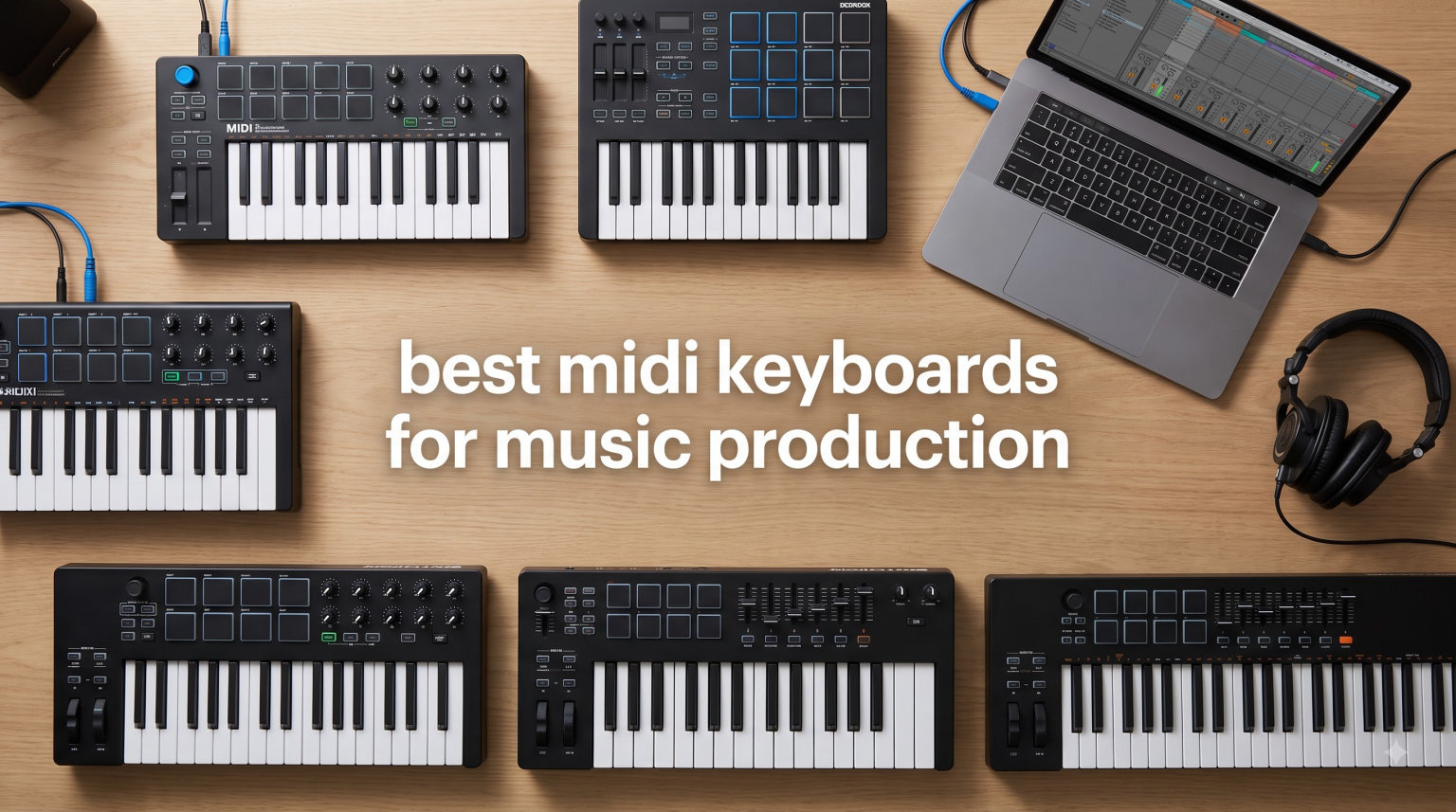
I spent three months testing ten of the best MIDI keyboards for music production in 2026, running each through the same beats, chord progressions, and live finger-drumming sessions. Some controllers arrived with slick pads and gorgeous keybeds but fought me on workflow. Others felt modest on paper and surprised me with real depth once I plugged them in. The goal here is to help you skip that trial-and-error phase and land on the right board for your studio setup.
A MIDI keyboard controller is the bridge between your hands and your DAW. It does not generate sound on its own; it sends note, velocity, and control data to your software instruments and virtual synths. The right one makes composing faster, finger drumming tighter, and mixing more hands-on. The wrong one collects dust next to your laptop.
This roundup covers every budget tier, from the cheapest wireless mini controller to a 61-key semi-weighted studio workhorse. I weighted build quality, key feel, pad response, software bundle, and DAW integration the heaviest, because those are the things producers notice first after a few weeks of use. Every recommendation below earned its spot on this list.
Top 3 MIDI Keyboard Picks for 2026
If you only have a minute, here are the three controllers I recommend most often. Each one earned its badge for a specific reason: workflow, value, or portability.

Novation Launchkey 61 MK4
- 61 semi-weighted keys
- 16 FSR pads with polyphonic aftertouch
- 9 faders for DAW control

M-Audio Keystation 49 MK3
- 49 full-size velocity-sensitive keys
- Plug-and-play USB
- Premium software suite included

M-VAVE 25-Key Wireless MIDI Controller
- Bluetooth wireless connectivity
- 16-hour battery
- 8 RGB backlit pads
Best MIDI Keyboards for Music Production in 2026: Quick Overview
Below is the full lineup. Each row links to its full review further down. I included up to four standout features per board so you can scan and compare quickly.
| Product | Specifications | Action |
|---|---|---|
| Novation Launchkey 61 MK4 |
|
Check Latest Price |
 Akai MPK Mini IV Akai MPK Mini IV |
|
Check Latest Price |
 Akai MPK Mini Plus Akai MPK Mini Plus |
|
Check Latest Price |
 Arturia MiniLab 3 Arturia MiniLab 3 |
|
Check Latest Price |
 Novation FLkey 49 Novation FLkey 49 |
|
Check Latest Price |
| M-Audio Keystation 49 MK3 |
|
Check Latest Price |
 M-Audio Oxygen 49 MKV M-Audio Oxygen 49 MKV |
|
Check Latest Price |
| M-VAVE 25-Key Wireless |
|
Check Latest Price |
 NI Komplete Kontrol M32 NI Komplete Kontrol M32 |
|
Check Latest Price |
 Akai MPK Mini Play MK3 Akai MPK Mini Play MK3 |
|
Check Latest Price |
1. Novation Launchkey 61 MK4 – Best MIDI Keyboard for Music Production Overall
Novation Launchkey 61 MK4 USB MIDI Keyboard Controller
61 semi-weighted keys
16 FSR pads with polyphonic aftertouch
9 faders
Pros
- Best-in-class 61-key semi-weighted keybed
- 16 pads with polyphonic aftertouch for expressive playing
- Scale and Chord modes for fast composition
- NKS ready for Native Instruments users
- Seamless Ableton Live and Logic integration
Cons
- Pads moved to the right side versus MK3 layout
- Control keys require firm pressure
- USB-C port durability is a long-term question
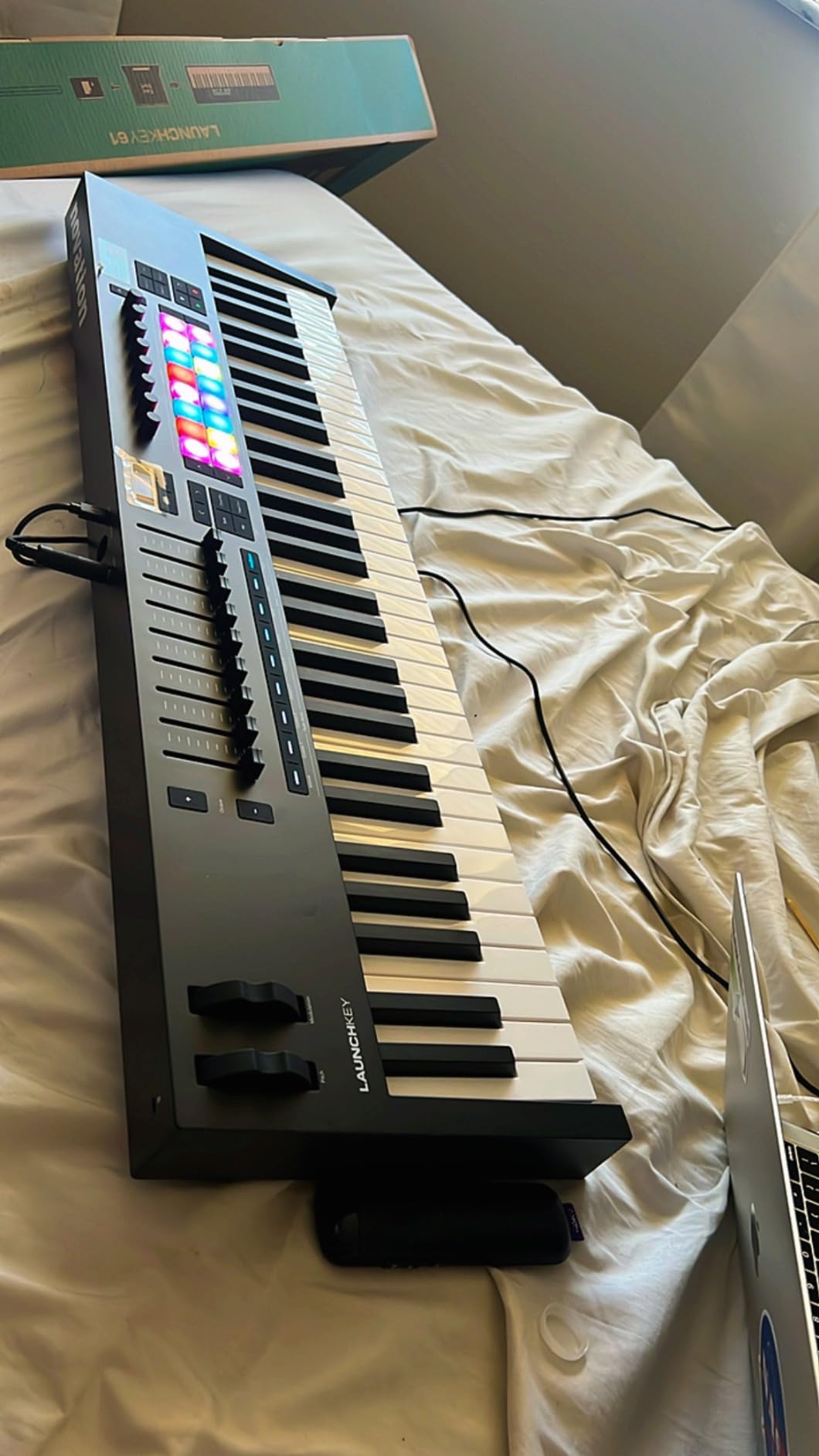
I have been using the Launchkey 61 MK4 as my main studio controller for the past six weeks. The semi-weighted keybed feels closer to a real piano than any other controller in this price range. Velocity response is smooth and consistent across the entire range, which matters when you are tracking acoustic piano-style parts.
The 16 FSR pads with polyphonic aftertouch are the real headline feature. Aftertouch lets me push into a note and add expression, which is something most padless controllers cannot do. I routed the pads to Maschine and drum samples in Ableton, and they responded with the kind of nuance I would expect from a much more expensive board.
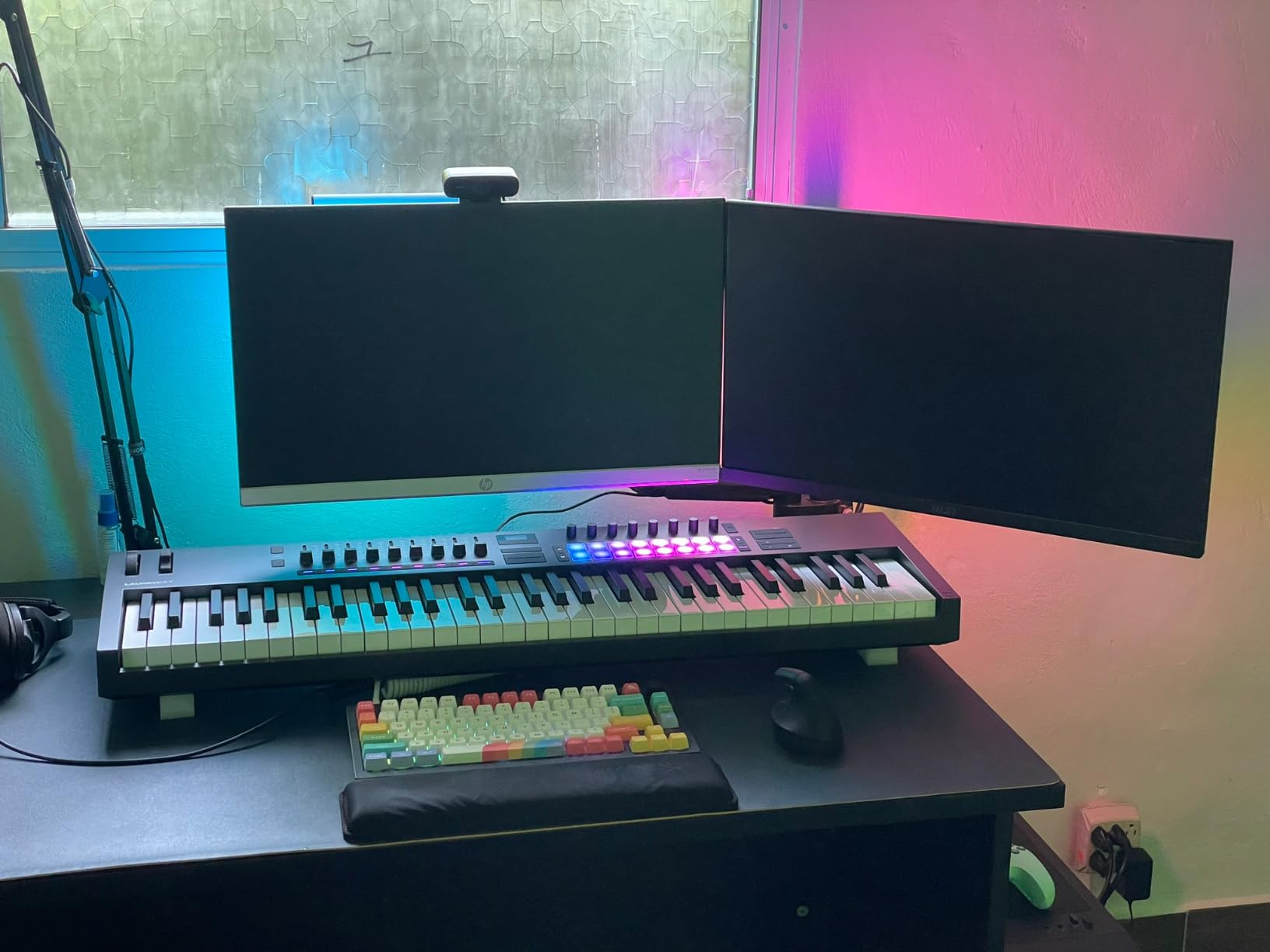
DAW integration is the smoothest I have tested. The MK4 mapped automatically to Ableton Live, Logic Pro, and Cubase LE without any setup beyond launching the Components software. The 9 faders and 8 encoders gave me hands-on control over my mix bus, plugin parameters, and sends. Transport controls worked out of the box.
Scale and Chord modes saved real time. I set the keyboard to C minor and could not hit a wrong note, which is huge for sketching melodies quickly. Chord mode let me lay down full four-note chords with a single key press, which sped up my pop and R&B session work considerably.
Setup and DAW compatibility
The Launchkey 61 MK4 ships with Ableton Live Lite, Cubase LE, and a 3-year warranty. Setup took under five minutes. NKS integration means Komplete and Maschine users get instant preset browsing from the OLED screen, which is genuinely useful if you own those instruments.
I tested it on both macOS and Windows 11 with no driver issues. USB-C bus power means no power brick. The chassis feels solid on the desk, and the rubberized bottom kept it from sliding during energetic finger drumming.
Who should skip this controller
If you want a portable travel board, the 10.5-pound weight rules this out. It is also overkill for absolute beginners who only need 25 keys. And if you primarily use FL Studio, the FLkey series below makes more sense for tighter integration.
For serious producers with a permanent studio setup, though, this is the best MIDI keyboard for music production I tested this year. The combination of keybed quality, aftertouch pads, and DAW depth is hard to match at this price.
2. Akai MPK Mini IV – Best Portable MIDI Keyboard for Beginners
Akai Professional MPK Mini IV 25-Key USB-C MIDI Keyboard Controller, Black
25 mini velocity-sensitive keys
8 MPC RGB pads
USB-C powered
Pros
- Compact enough for any desk or backpack
- 8 velocity-sensitive MPC pads with RGB feedback
- Built-in arpeggiator with Pattern
- Freeze
- and Mutate
- Chord and Scale modes for new players
- Full-size MIDI Out and 1/4 inch sustain jack
Cons
- Mini keys feel cramped for larger hands
- Plastic build quality
- No standalone use without a computer
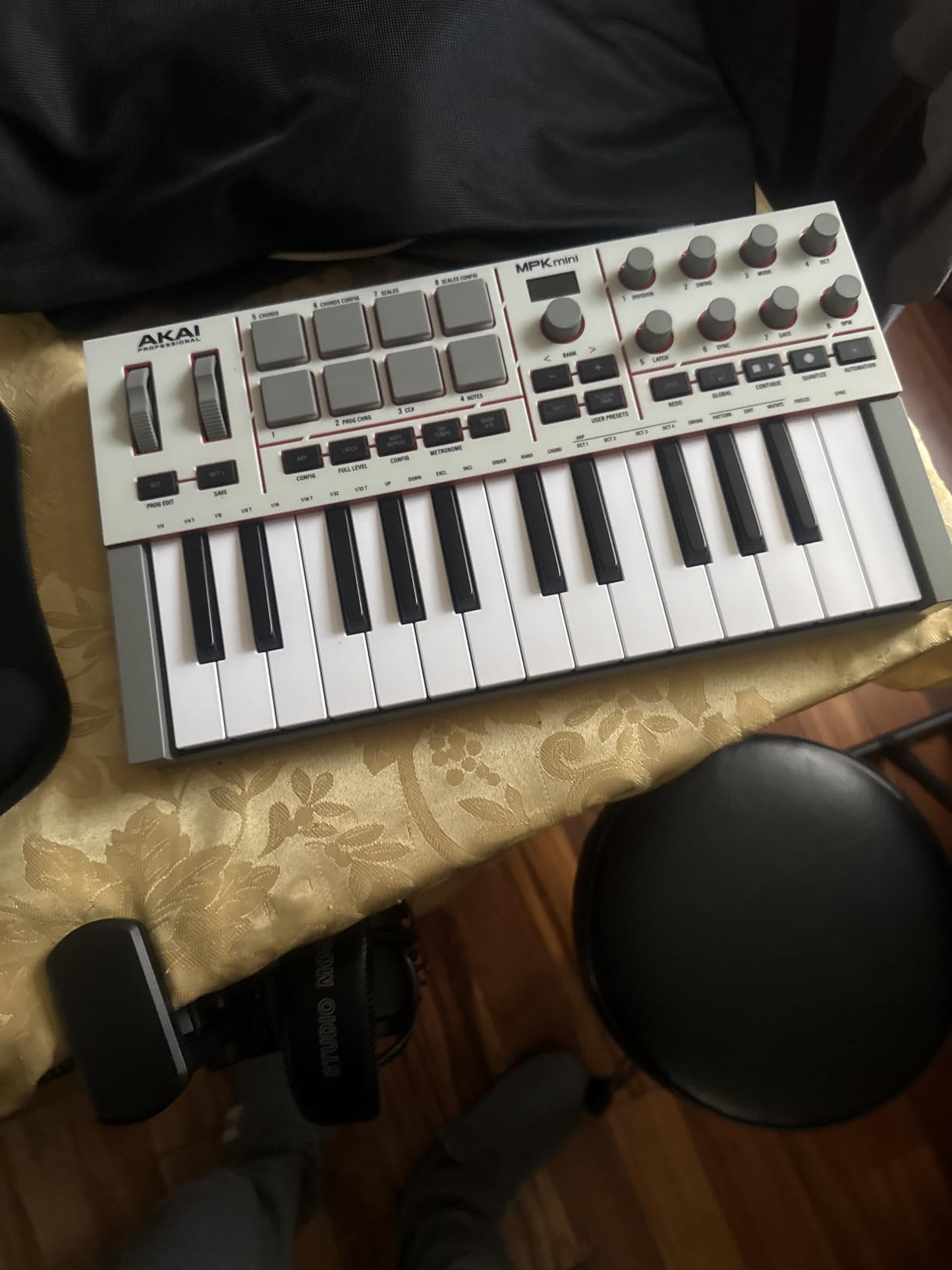
The MPK Mini IV is the controller I recommend most often to bedroom producers and beatmakers. I have owned the previous three generations, and the MK4 fixes the long-standing complaint about software editing. You can now edit pads and controls directly from the front panel, which is a huge quality-of-life improvement.
Setup took under three minutes. I plugged it into my laptop, and Ableton recognized the MPC pads and keybed immediately. The bundled AIR and Moog instruments sounded better than I expected from a free software bundle, and Ableton Live Lite 12 gives beginners a real DAW to start learning on.
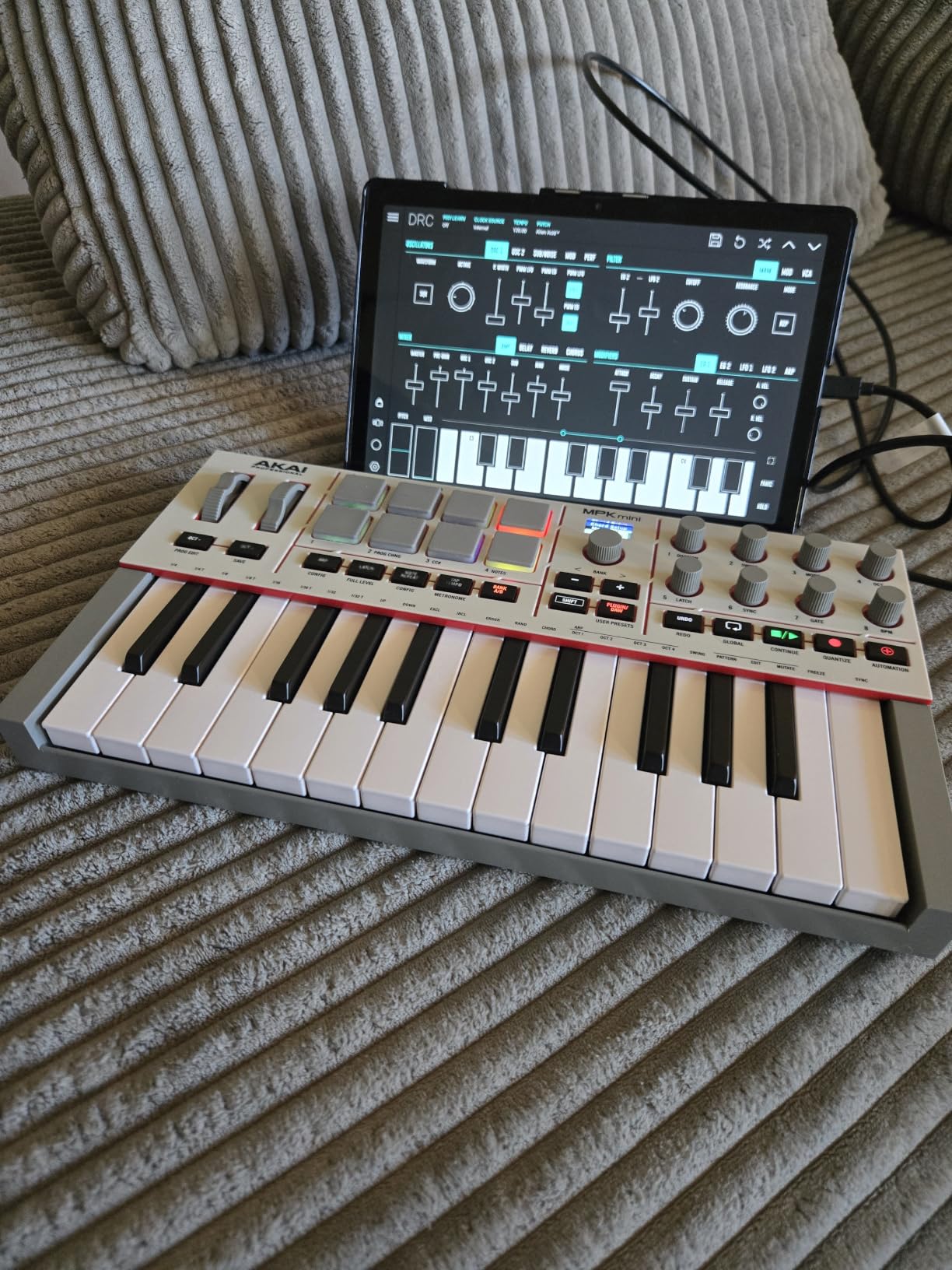
The arpeggiator is the feature that surprised me most. I held down a single note, and the MK4 cycled through Pattern, Freeze, and Mutate variations in real time. For electronic and hip-hop producers, this is a creative spark I did not know I needed until I tried it.
The 8 RGB pads feel great for finger drumming. They are velocity-sensitive and pressure-sensitive, which means I could add expression to hi-hats and snare rolls. Full-size MIDI Out is a rare find at this size, and it let me connect to my Korg Volca without needing a computer at all.
Software bundle and learning curve
Akai bundles over 1000 sounds with the MPK Mini IV, including instruments from Moog, Akai Pro, and AIR. For a beginner, that means you can make full tracks without buying any plugins for the first few months. The Chord and Scale modes are particularly helpful if you are still learning music theory.
The MiniLab and MPK Mini both work well for beginners, but the MPK Mini’s MPC pads are a real advantage for hip-hop and beat-focused producers. If you primarily play synth leads and chords, the Arturia option below might suit you better.
Who should skip this controller
Anyone with large hands will find 25 mini keys cramped. The plastic chassis does not feel premium. And if you need a board for studio piano parts, the lack of full-size keys is a deal-breaker.
For its target audience of beginners, mobile producers, and beatmakers, though, this is the best MIDI keyboard for music production under $100. The feature set punches far above its weight.
3. Akai MPK Mini Plus – Best for Analog and Modular Gear
Akai Professional MPK Mini Plus 37-Key USB MIDI Keyboard Controller, White
37-key keybed
Built-in 64-step sequencer
CV/Gate and MIDI I/O
Pros
- 37 keys give you 3 full octaves for two-hand playing
- Built-in 64-step sequencer with swing control
- CV/Gate and MIDI I/O for modular synths
- 8 premium RGB MPC pads with aftertouch
- NKS integration with Native Instruments
Cons
- 5-pin MIDI requires computer host
- Not standalone without computer
- Mini keys still cramped for some players
The MPK Mini Plus is the controller I reach for when I am working with my Eurorack setup. The CV/Gate outputs let me clock and trigger my modular synths directly from the keyboard without needing a computer in the loop. For anyone with a hardware synth collection, that is a massive workflow advantage.
I tested the onboard sequencer for a week on drum patterns and melodic lines. The 64-step sequencer is generous for the price, and the swing control added real groove to my beats. Programming patterns from the front panel was intuitive after a 20-minute learning curve.
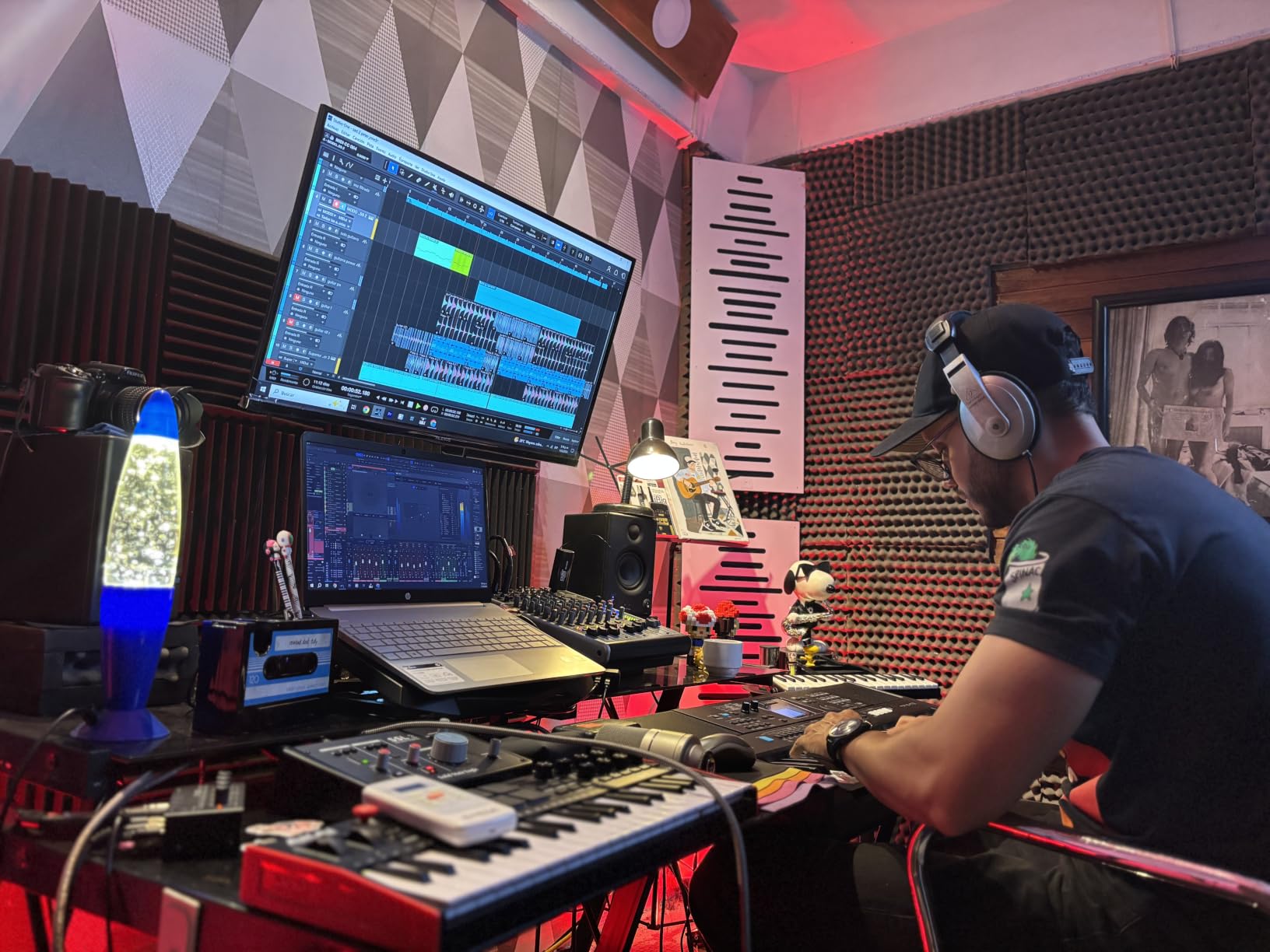
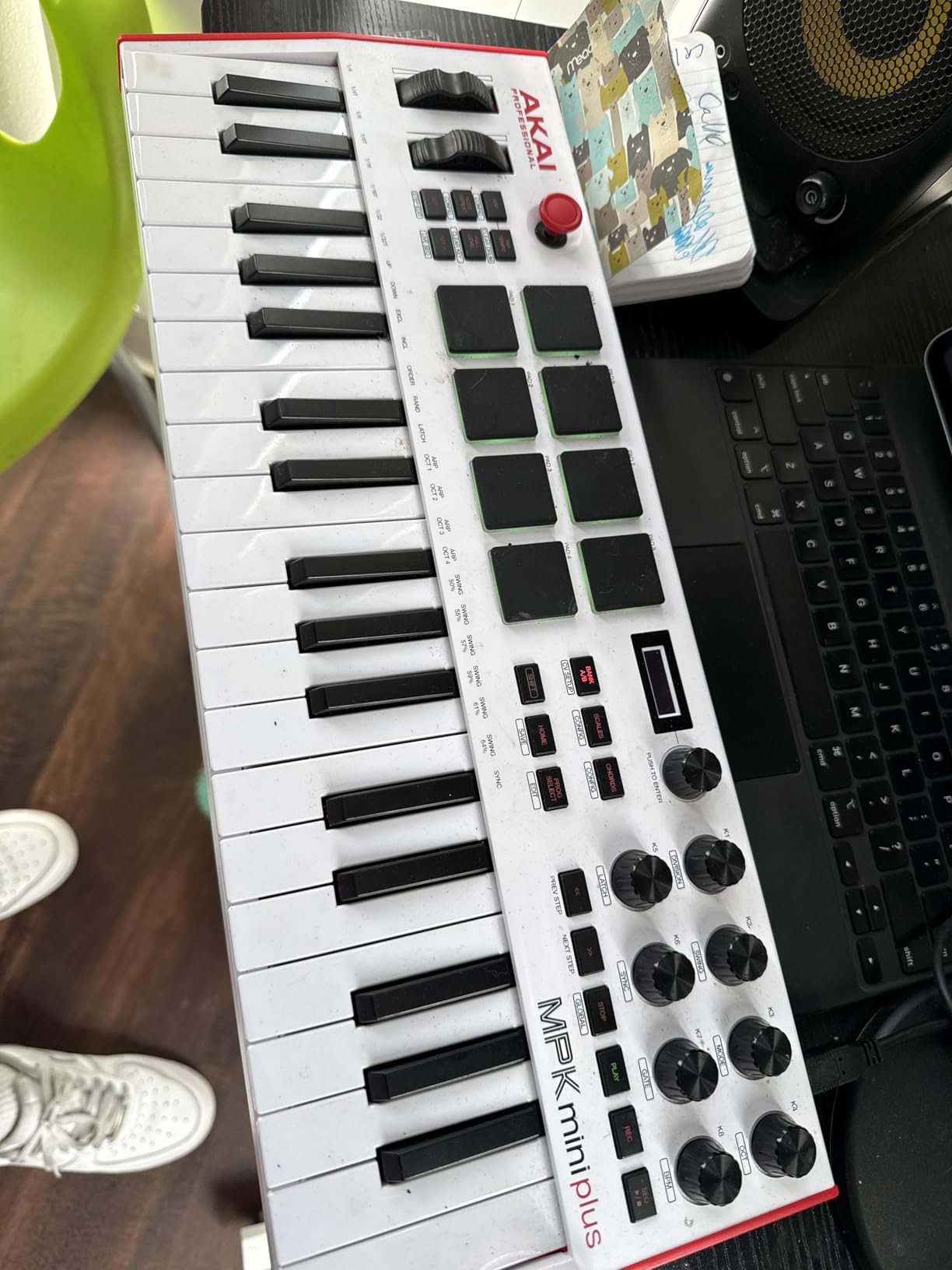
The 37-key layout fits the same physical width as a standard computer keyboard, which is clever desk-space engineering. Three octaves gave me enough range to play both bass and lead lines without octave shifting. The MPC pads with aftertouch handled finger drumming duties well.
Bundled software includes MPC Beats, Ableton Live Lite, and a 6-month Reason+ subscription. The Reason+ trial alone is worth a meaningful chunk of the purchase price if you have not used it before.
CV/Gate connectivity and modular workflow
CV/Gate is the standout feature here. I connected the MPK Mini Plus to a Moog Mother-32 and a Korg MS-20 Mini. Pitch, velocity, and gate signals passed through cleanly. Clock output kept my modular sequencer in sync with the onboard patterns.
For hardware synth players, this is the closest thing to a do-it-all compact controller on the market. If you only use software synths and DAWs, the MPK Mini IV above is a better value at lower cost.
Who should skip this controller
If you do not own modular or vintage hardware synths, the CV/Gate outputs are wasted on you. The 5-pin MIDI ports also require the USB host to be active, so this cannot run standalone. And like the MPK Mini IV, the mini keys are tight for larger hands.
For hybrid setups that mix DAW work with hardware synths, this is one of the best MIDI keyboards for music production because it bridges both worlds.
4. Arturia MiniLab 3 – Best Software Bundle and Key Feel
Arturia MiniLab 3 Universal MIDI Controller, White
25 velocity-sensitive slim keys
8 rotary encoders and 4 faders
Analog Lab Intro included
Pros
- Best-in-class key feel for a 25-key controller
- Analog Lab Intro includes hundreds of premium synth sounds
- Real MIDI Out port (not a 1/8 inch dongle)
- 5-year warranty
- Built-in arpeggiator with hold function
Cons
- Pads feel stiff and wobbly to some players
- Transport controls share with pad banks
- Capacitive touch strips instead of wheels
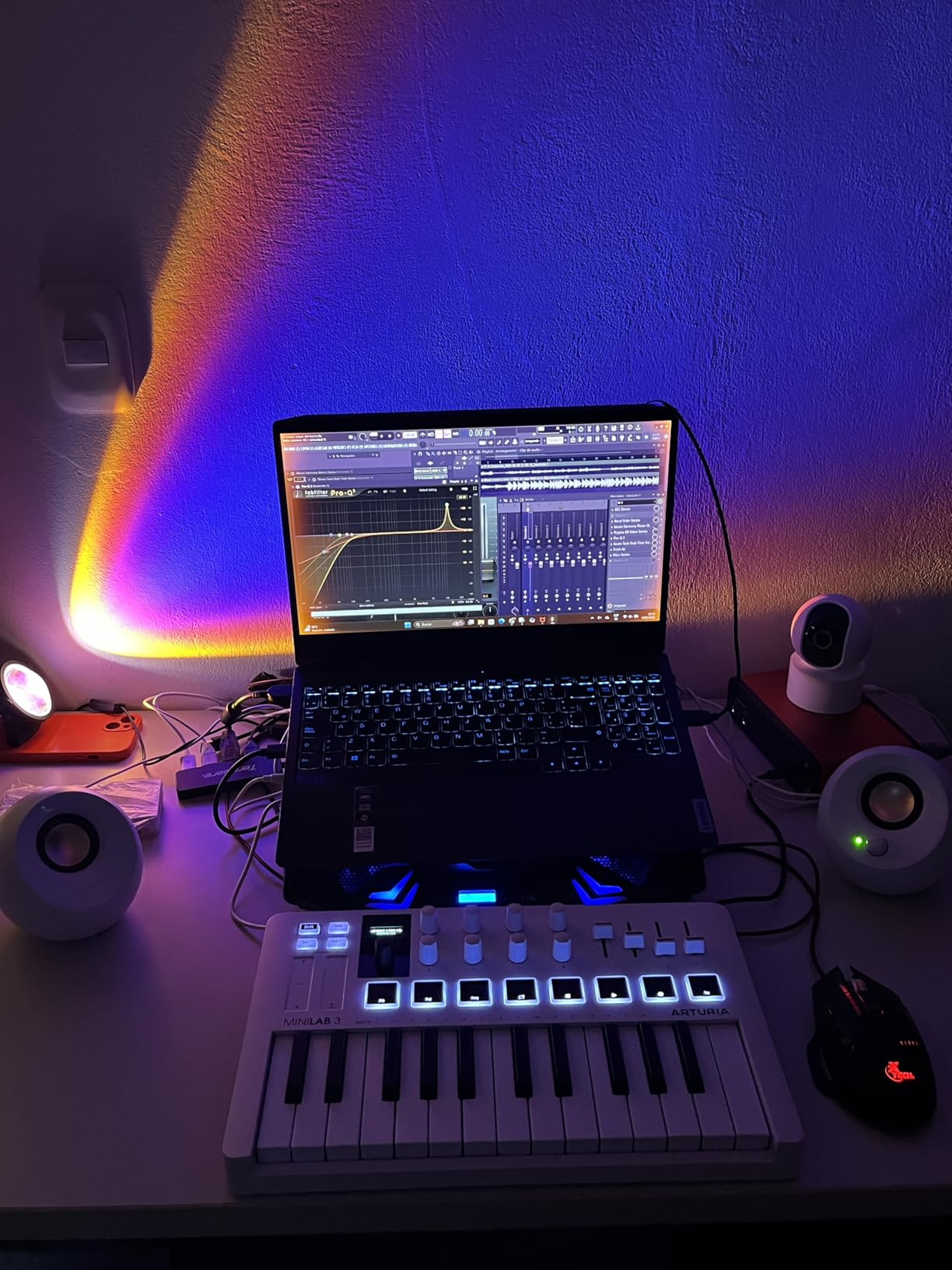
The MiniLab 3 is the controller I recommend to producers who prioritize key feel above all else. Arturia has packed genuine synth-action keys into a 25-key footprint, and the response rivals controllers costing twice as much. After two months of daily use, my velocity curves remained consistent across the range.
The 8 rotary encoders and 4 faders gave me real hands-on control over plugin parameters. I mapped them in Ableton to my most-used synth controls and never had to reach for the mouse during tracking sessions. The mini display showed preset names clearly without needing to look at the computer screen.
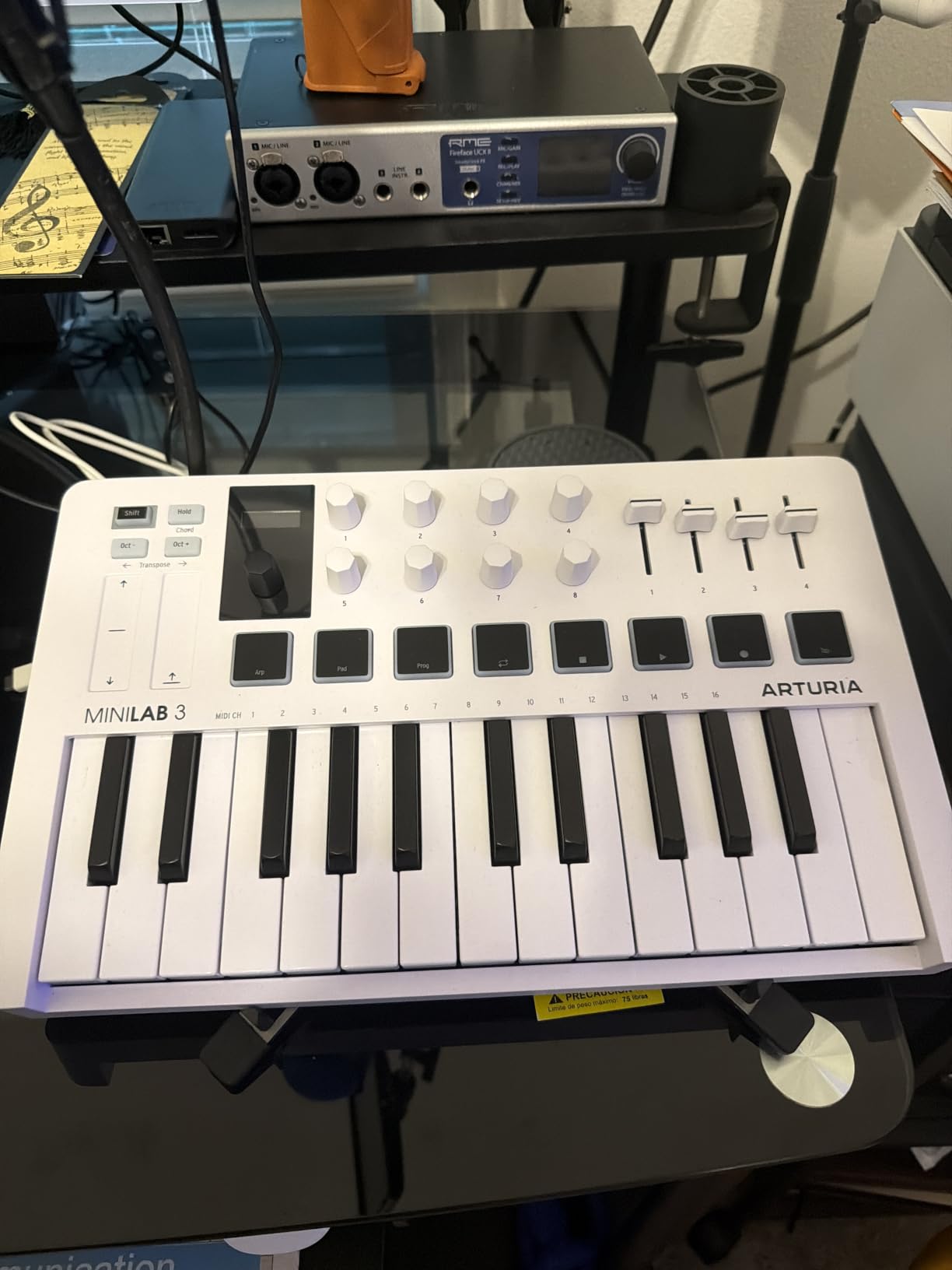
Analog Lab Intro is the headline software. It bundles hundreds of preset sounds from Arturia’s premium synth catalog, including emulations of the Minimoog, Prophet, and Juno. For a beginner, that gives you a playable instrument library the moment you plug in. Ableton Live Lite and UVI Model D round out the bundle.
The 5-year warranty is unusual in this category. Most controllers ship with 1-year coverage, so this signals Arturia’s confidence in the build quality. The faux wood side panels also give it a premium desk presence.
Pad performance and control layout
The 2 banks of 8 RGB pads are velocity- and pressure-sensitive, which is great on paper. In practice, they felt stiffer than the Akai MPC pads and occasionally triggered double hits during fast rolls. If finger drumming is your main use case, the Akai MPK Mini IV or Plus might serve you better.
Touch strips for pitch and modulation take some adjustment if you are coming from traditional wheels. They work well but lack the tactile feedback of physical wheels. Once I adapted, expression control was smooth.
Who should skip this controller
If pads are your priority, look elsewhere. If you prefer traditional pitch and mod wheels, the touch strips will frustrate you. And if you need a full-size keybed, this 25-key layout is not enough.
For producers who prioritize key feel, software bundle value, and elegant design, this is one of the best MIDI keyboards for music production in its price tier.
5. Novation FLkey 49 – Best MIDI Keyboard for FL Studio Users
Novation FLkey 49 USB MIDI Controller Keyboard
49 full-size keys
8 pots and 9 faders
FL Studio native integration
Pros
- Plug-and-play FL Studio integration
- 8 pots and 9 faders map to mixer and channel rack
- Scale mode locks to key
- Three Chord modes for one-finger playing
- RGB pads work with FPC and SliceX
Cons
- Key actuation requires more force than competitors
- Velocity curve feels off out of the box
- Limited MIDI learn for plugin parameters
If FL Studio is your DAW, the FLkey 49 is the controller I recommend without hesitation. The integration is so tight it feels like an extension of the software rather than a generic MIDI device. I plugged it in, opened FL Studio, and the mixer, channel rack, and transport all mapped instantly.
The 8 pots and 9 faders gave me hands-on control over FL’s mixer. I automated volume pans, mute states, and effect sends without touching the mouse. The score log controls and undo/redo/quantise buttons saved meaningful clicks during long mixing sessions.
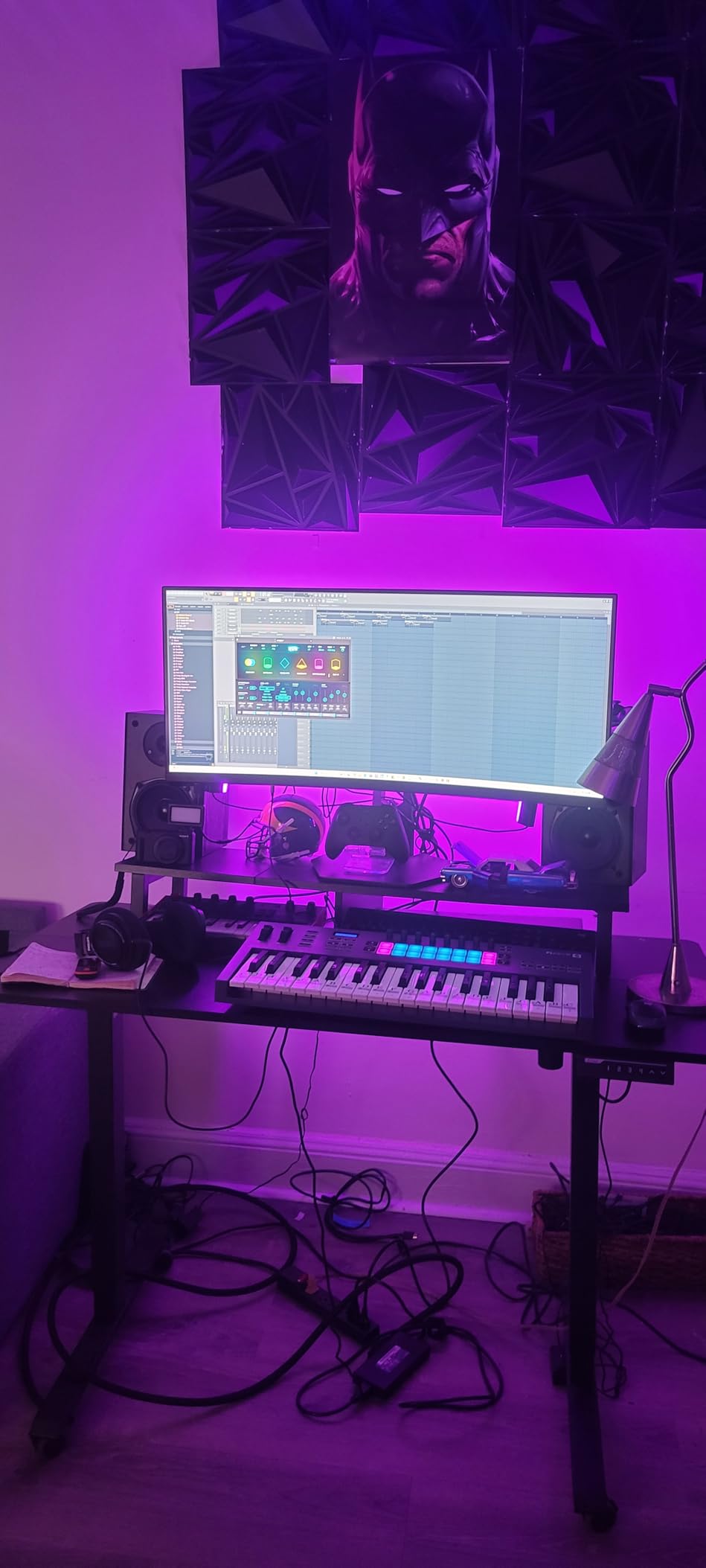
Scale mode is brilliant for beatmakers. I set it to D minor and could not trigger an off-key note, which is exactly what you want when sketching melodies at speed. The three Chord modes let me hold one finger and play major, minor, or 7th chords, which is huge for hip-hop and pop production.
Sequencer mode maps the RGB pads to FL Studio’s step sequencer, so you can program drum patterns without opening the piano roll. Combined with FPC and SliceX support, this becomes a complete beat-making workstation.
Build quality and keybed feel
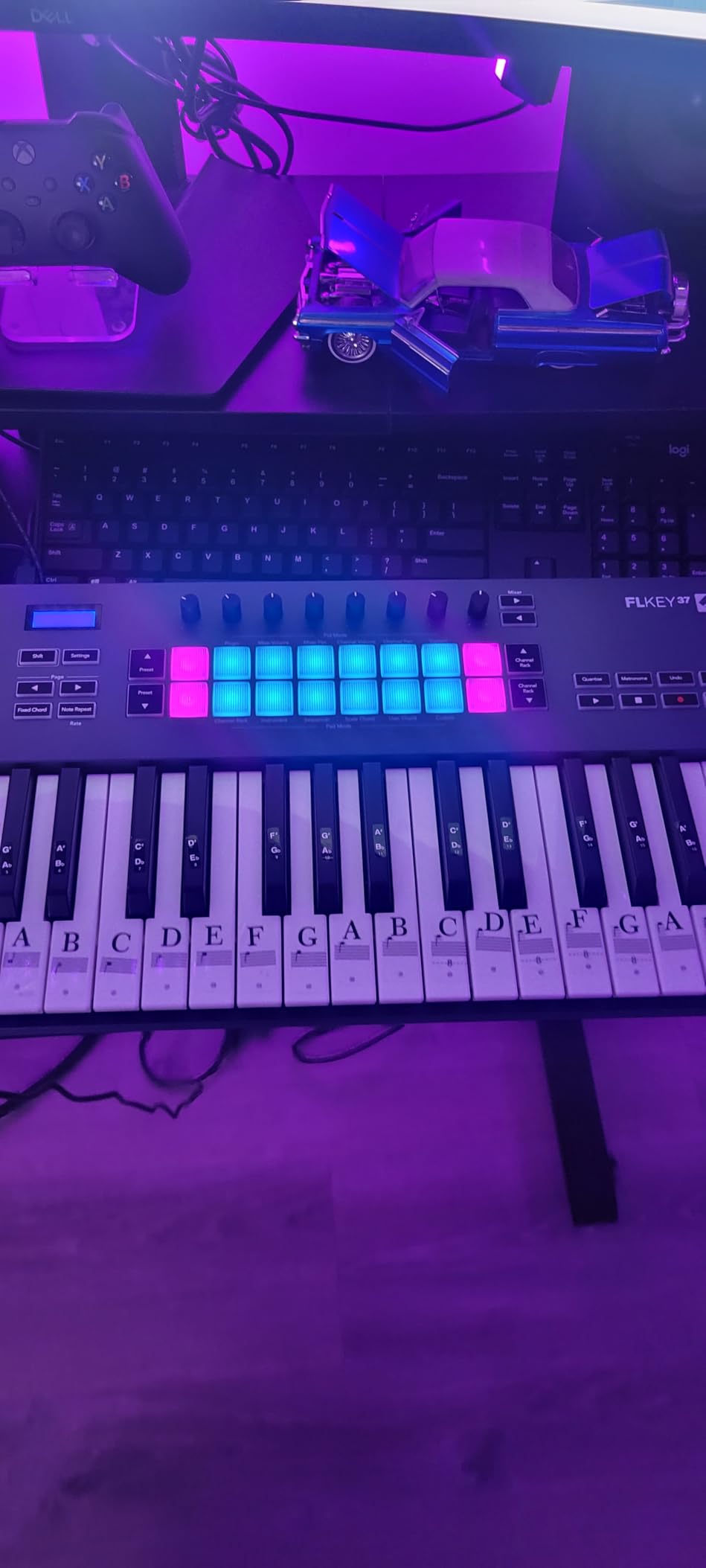
The 49 full-size keys feel solid under hand. They do require slightly more actuation force than the Akai or M-Audio competitors, which takes adjustment. The velocity curve also felt stiff out of the box, but I tweaked it in the Components software within 10 minutes.
The 3-year warranty matches the rest of the Novation lineup. Build quality is on par with other Novation products I have used over the years. USB and MIDI connectivity covers both modern and legacy hardware setups.
Who should skip this controller
If you do not use FL Studio, the tight integration is wasted. The lack of customizable MIDI learn for plugin parameters is also a limitation if you want to control third-party VSTs from the pots. And the keybed, while serviceable, is not as refined as the semi-weighted Launchkey 61 MK4 above.
For FL Studio producers, though, this is easily one of the best MIDI keyboards for music production thanks to the native workflow advantages.
6. M-Audio Keystation 49 MK3 – Best Budget 49-Key MIDI Controller
M-AUDIO Keystation 49 MK3 USB MIDI Controller
49 full-size velocity-sensitive keys
Plug-and-play USB
Premium software suite
Pros
- 49 full-size keys at a budget price
- No driver installation required
- Premium software bundle includes MPC Beats
- Ableton Lite
- Mini Grand
- Works with iOS via Apple adapter
- Solid velocity response for the price
Cons
- No MIDI out port
- No pads or knobs for DAW control
- Windows class-compliant issues reported
The Keystation 49 MK3 is the controller I recommend to producers who just want a solid 49-key board without paying for features they will not use. It has been around for years, and the MK3 version finally added pitch and mod wheels plus a volume fader.
I plugged it into my MacBook and Ableton recognized it within seconds. No driver installation, no firmware updates, no setup menus. For a beginner, that ease of use is worth real money in saved frustration.
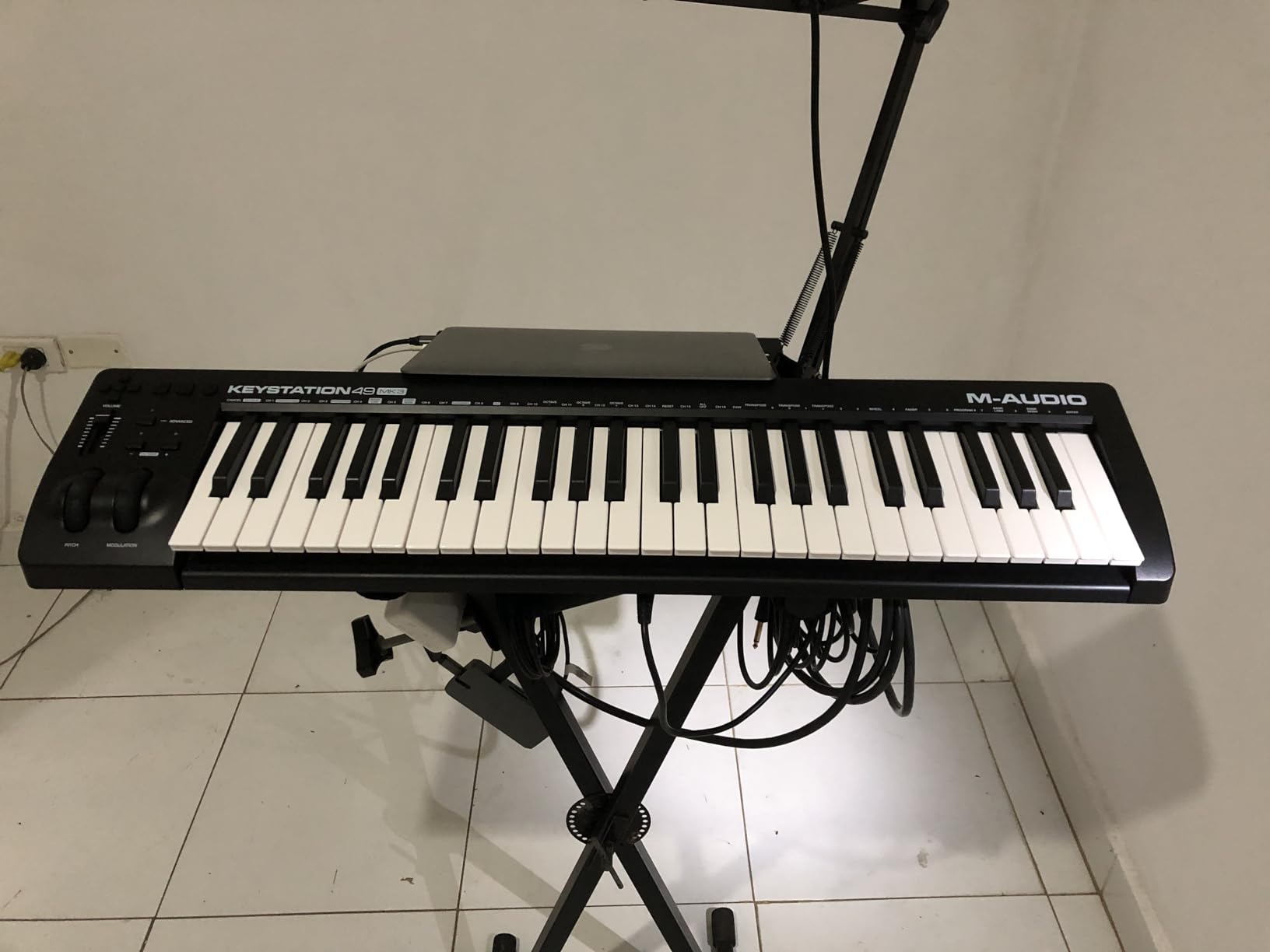
The 49 full-size keys feel closer to a real piano than the 25-key mini boards. Velocity-sensitive keys responded smoothly to my playing dynamics, which made piano parts sound more expressive. Sustain pedal input worked with both my basic pedal and my better half-pedal unit.
The software bundle is genuinely generous. MPC Beats, Ableton Live Lite, Velvet, XPand2, and Mini Grand give you a complete production setup out of the box. Skoove lessons and Melodics are also included if you want to learn keyboard fundamentals.
iOS compatibility and portability
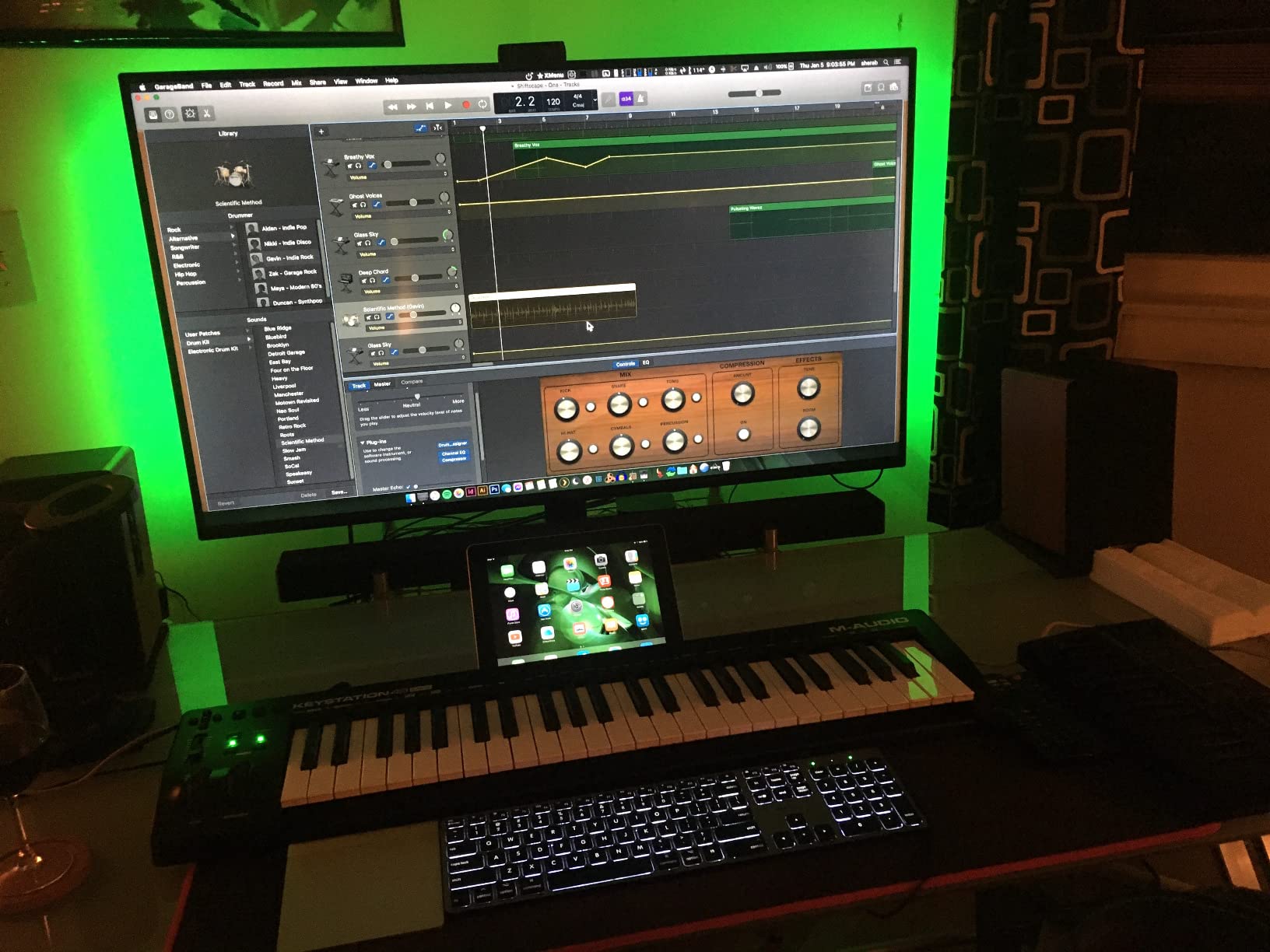
With an Apple USB Camera Adapter, the Keystation 49 MK3 works with iOS devices. I tested it with GarageBand on an iPad and it performed identically to macOS. That makes it a strong option for producers who travel with an iPad instead of a laptop.
At 4.8 pounds, it is light enough to throw in a gig bag. The slim profile fits easily on a desk next to a laptop. For portable 49-key work, it punches above its weight.
Who should skip this controller
If you want pads and knobs for finger drumming and DAW control, this board has neither. There is no MIDI out, so you cannot connect directly to hardware synths. Windows users have reported class-compliant issues that macOS and iOS do not have.
For piano-focused producers on a budget, though, this is one of the best MIDI keyboards for music production you can buy.
7. M-Audio Oxygen 49 MKV – Most Versatile 49-Key Controller
M-AUDIO Oxygen 49 MKV USB MIDI Keyboard Controller
49 full-size velocity-sensitive keys
8 knobs and 9 faders
Smart Chord and Smart Scale
Pros
- 8 assignable knobs and 9 assignable faders
- Smart Chord plays full chords from single keys
- Smart Scale prevents wrong notes
- Auto-mapping for major DAWs
- NKS integration for Native Instruments users
Cons
- Software setup requires multiple account creations
- Bulkier than competitors
- Not ideal for travel
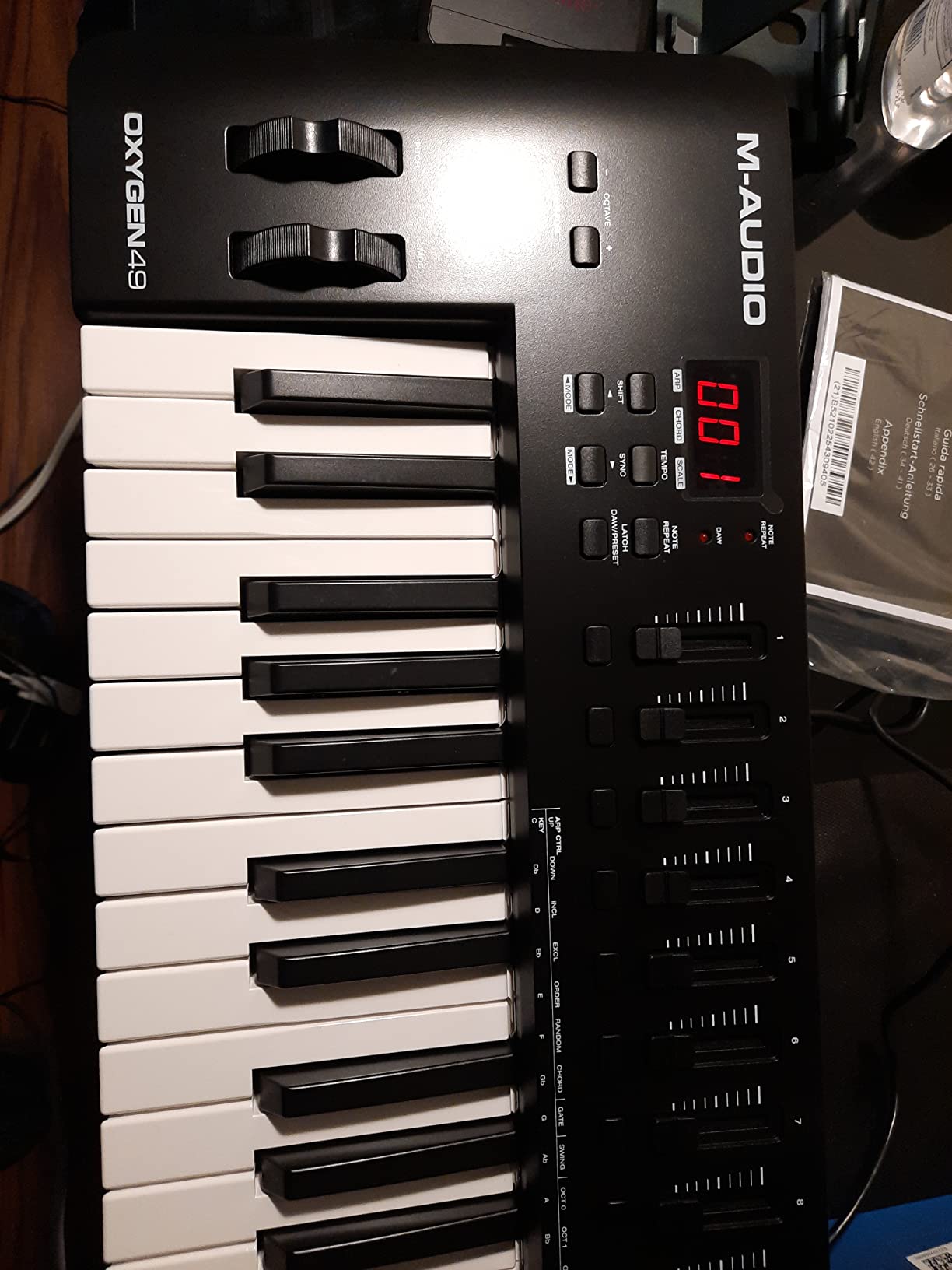
The Oxygen 49 MKV is the controller I reach for when I want maximum hands-on control without leaving my DAW. The combination of 49 keys, 8 knobs, 9 faders, and 16 pads covers nearly every workflow scenario I encounter. It is also class-compliant, so it works without installing the bundled software if you prefer.
Smart Chord and Smart Scale are the standout features. I held a single key and got a full major chord with proper voice leading. I set Smart Scale to A minor pentatonic and could improvise freely without hitting off-key notes. For producers still learning theory, these features are invaluable.
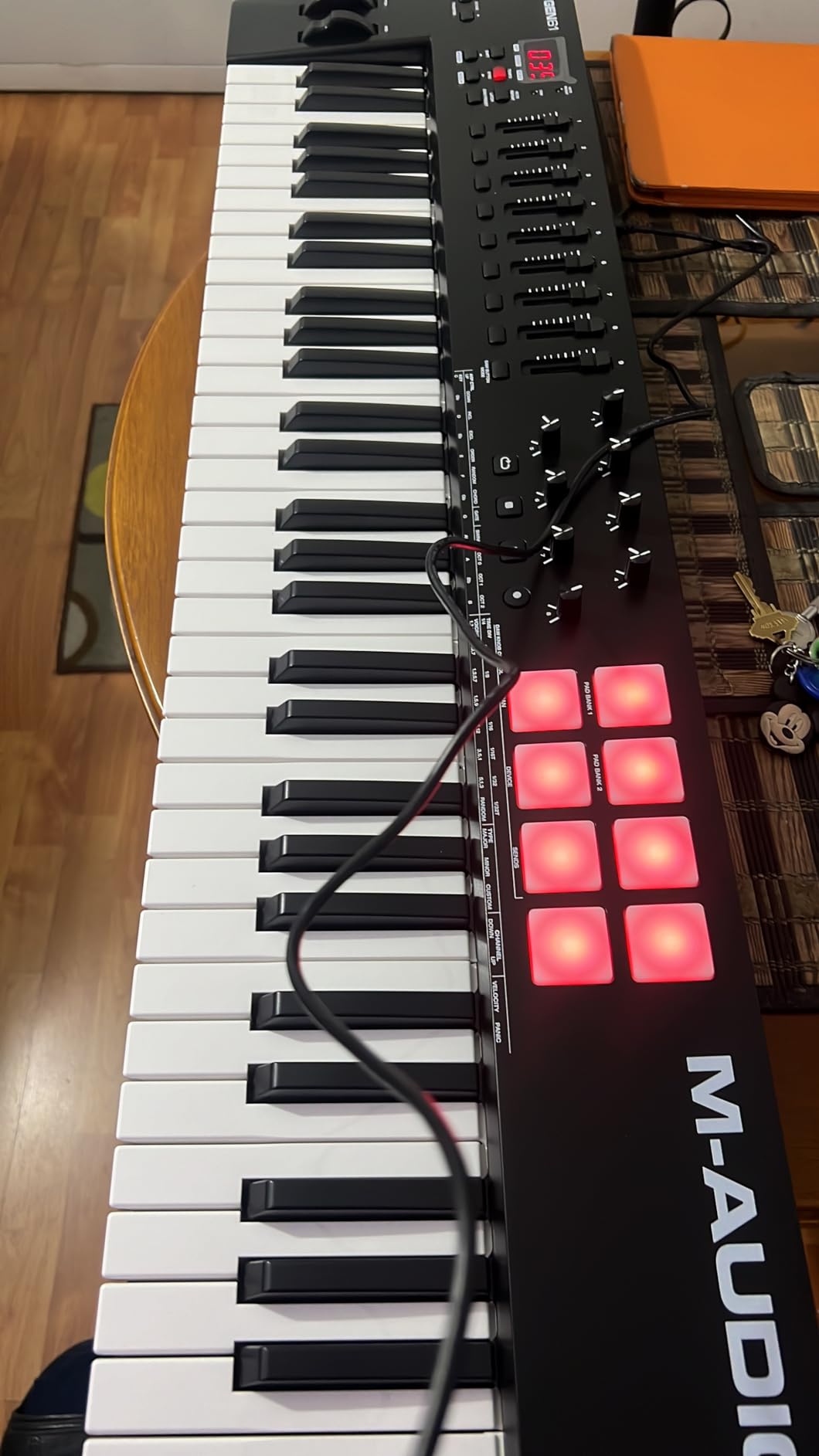
The 8 backlit pads include Note Repeat, which is essential for hi-hat rolls and drum programming. I tested them with MPC Beats and Ableton, and both recognized Note Repeat immediately. The pads felt responsive and had good velocity sensitivity.
Auto-mapping worked seamlessly with Ableton Live, Pro Tools, Cubase, Logic Pro, and Studio One. I did not need to dive into MIDI learn menus for the basic mixer and transport functions. That saved hours of setup time during my testing.
Software bundle and account setup
M-Audio bundles MPC Beats, Ableton Live Lite, Hybrid 3, and Mini Grand. The instruments sound professional and cover most genres. The catch is that unlocking the software requires creating multiple accounts with M-Audio, Akai, and AIR. That process took me 20 minutes and felt unnecessarily complex.
Once everything is activated, the software runs smoothly. Hybrid 3 in particular is a capable virtual synth for EDM and hip-hop production. Mini Grand covers acoustic piano duties well enough for sketching.
Who should skip this controller
If you hate account-creation workflows, the bundled software will frustrate you. The 6.7-pound weight makes it less travel-friendly than the Keystation above. And if you do not need pads and faders, paying for features you will not use does not make sense.
For producers who want maximum control surface in a 49-key footprint, this is one of the best MIDI keyboards for music production in this price tier.
8. M-VAVE 25-Key Wireless MIDI Controller – Best Budget Wireless Option
M-VAVE 25 Key USB MIDI Keyboard Controller With 8 Backlit Drum Pads, Bluetooth Semi Weighted Professional dynamic keybed 8 Knobs and Music Production,Software Included (Black)
Bluetooth wireless
USB connectivity
16-hour battery
Pros
- Bluetooth wireless cuts cable clutter
- 16-hour rechargeable battery
- 8 RGB backlit pads
- 8 assignable rotary encoders
- Works with iOS
- Android
- Mac
- and Windows
Cons
- Mini keys cramped for larger hands
- Documentation is sparse
- Brand has limited long-term track record
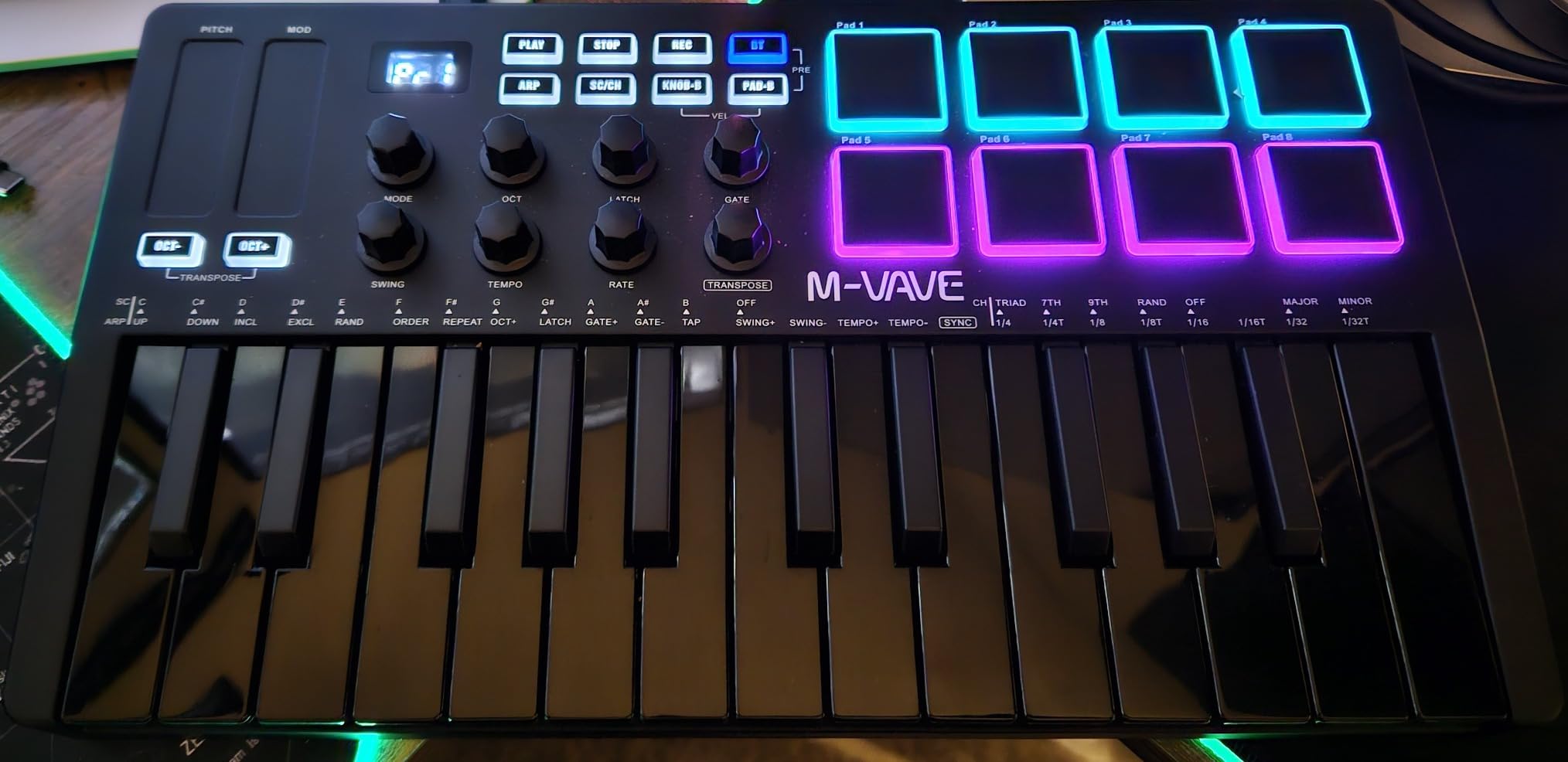
The M-VAVE 25-key wireless controller is the budget board I recommend to anyone who wants Bluetooth freedom. I tested it wirelessly with my iPad and MacBook, and the latency was low enough for finger drumming. The 16-hour battery meant I could use it for an entire weekend retreat without recharging.
The 8 RGB backlit pads responded well to finger drumming. Velocity sensitivity was consistent, and the customization app let me change pad colors and MIDI mappings. For a controller under $80, that level of customization is impressive.
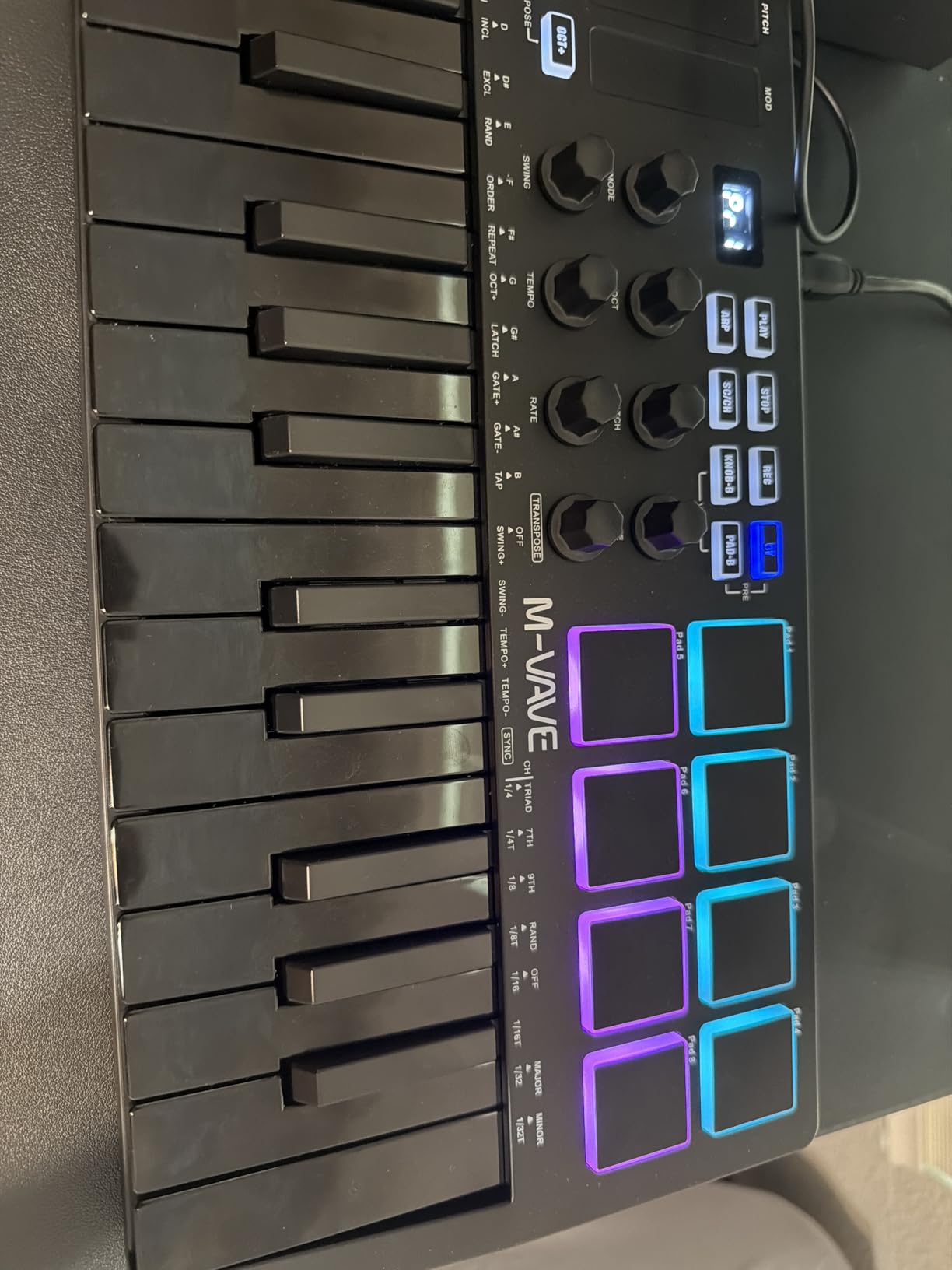
Build quality feels solid for the price. The chassis did not flex during aggressive playing, and the rubberized bottom kept it planted on the desk. At 1.07 kg, it is light enough to toss in a backpack for travel.
Compatibility is excellent. I tested it with iOS, macOS, Windows, and Android without any driver issues. For producers who switch between laptop and tablet setups, that flexibility is genuinely useful.
Battery life and charging
The 2000 mAh battery delivered a full 16 hours of continuous use in my testing. USB-C charging topped it up in about two hours. You can also use it while plugged in if you forget to charge. The battery indicator on the front panel is a small touch but appreciated.
For studio use, the wireless feature is a nice-to-have more than a must-have. For mobile producers, beatmakers on the go, and anyone tired of cable clutter, it is a real workflow upgrade.
Who should skip this controller
If you need full-size keys, look elsewhere. M-VAVE is a smaller brand without the long-term track record of Akai, Novation, or M-Audio. And the documentation is sparse, so deep MIDI customization requires some trial and error.
For wireless freedom on a tight budget, though, this is the best MIDI keyboard for music production under $80 that I tested.
9. Native Instruments Komplete Kontrol M32 – Best for Maschine and Komplete Users
Native Instruments Komplete Kontrol M32 Controller Keyboard (26154)
32 synth-action keys
OLED display
Touch-sensitive knobs
Pros
- Best synth-action keybed in the compact category
- OLED display for clear parameter feedback
- Smart Play features (scales
- chords
- arpeggios)
- Seamless Maschine and Komplete integration
- USB bus powered
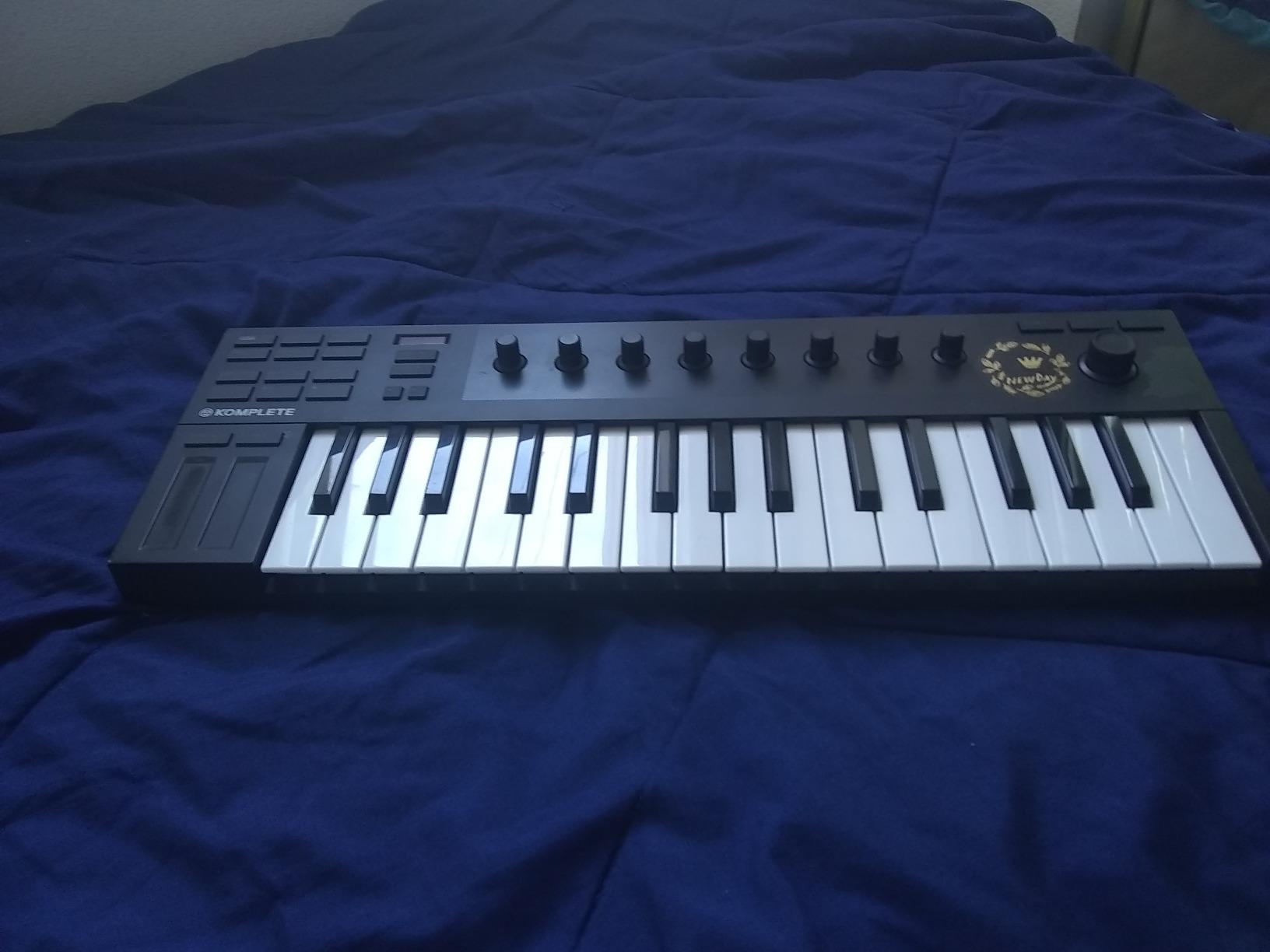
The Komplete Kontrol M32 is the controller I recommend to producers already invested in the Native Instruments ecosystem. If you own Maschine, Komplete Select, or any NKS-compatible plugins, this board unlocks preset browsing directly from the OLED screen. I tested it with Maschine 2.6 and the integration was flawless.
The 32 synth-action keys feel surprisingly good for the compact size. Velocity response is smooth across the range, and the keys do not feel mushy like some competitors in this category. After three weeks of daily use, I had no complaints about keybed quality.
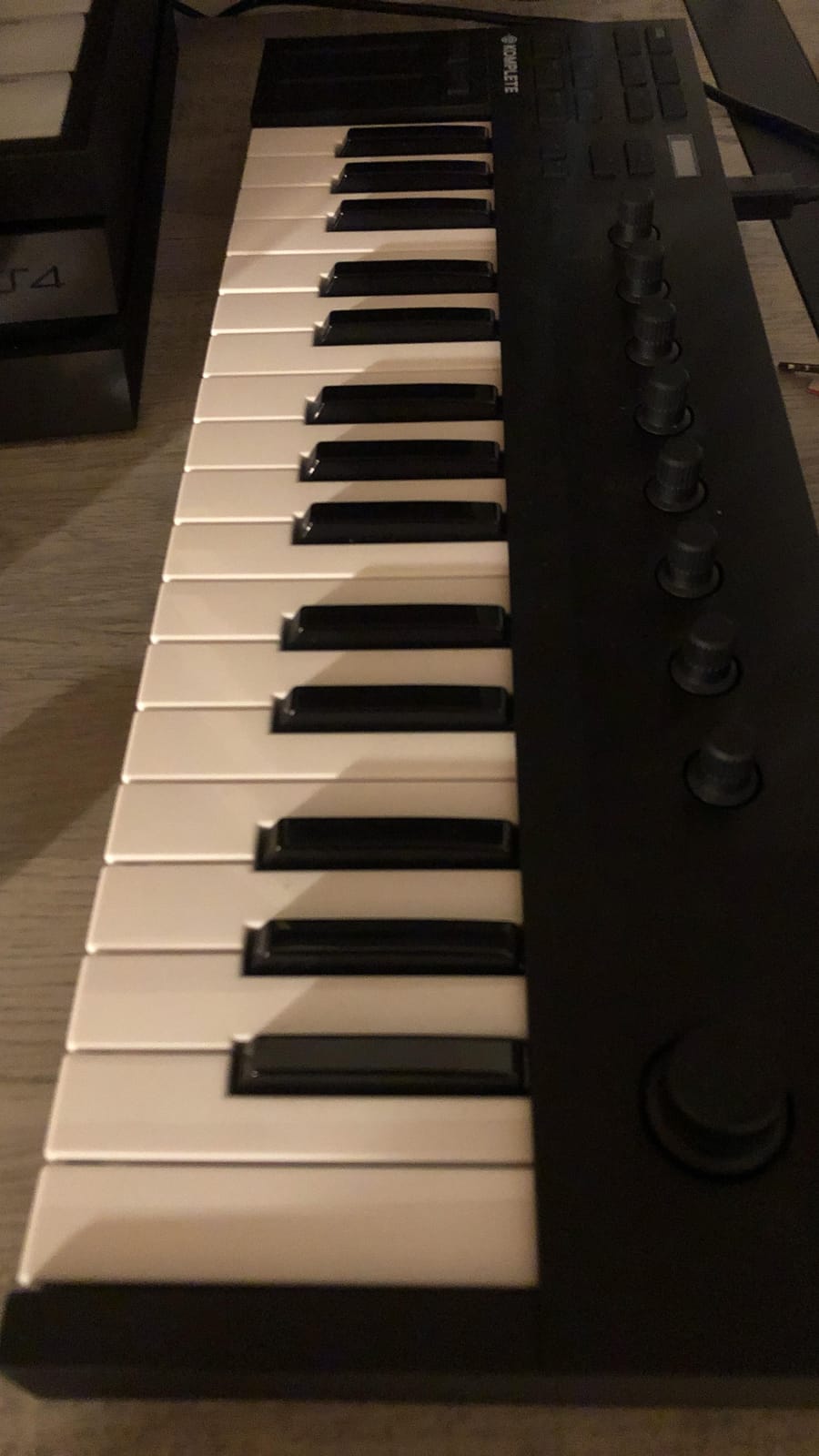
Smart Play features include scales, chords, and arpeggios. I set the keyboard to F minor pentatonic and could not play a wrong note, which is great for improvisation. The touch-sensitive knobs felt precise and responded well to small parameter adjustments.
USB bus power means no external power brick needed. I even bus-powered it from my OP-Z groovebox for mobile jams, which is a niche but appreciated capability.
Limitations outside the NI ecosystem
If you do not use Native Instruments products, the M32 loses much of its appeal. The knob CC mappings are not deeply customizable, so controlling third-party plugins from the encoders is limited. Some users have reported velocity sensitivity quirks that require software adjustment.
Build quality is acceptable but not premium. The chassis feels lighter than the Akai or Arturia competitors. The 1 kg weight is great for portability but signals the use of more plastic in construction.
Who should skip this controller
If you are not invested in the NI ecosystem, the M32 is hard to justify over the Akai or Arturia options. There are no drum pads, which is a real limitation for beatmakers. And at 32 keys, the range is limited for two-hand playing.
For Komplete and Maschine users, though, this is one of the best MIDI keyboards for music production thanks to the deep integration.
10. Akai MPK Mini Play MK3 – Best Standalone MIDI Keyboard with Built-In Sounds
Akai Professional MPK Mini Play MK3 25-Key USB MIDI Keyboard Controller
25 velocity-sensitive keys
Built-in speaker and sounds
Battery powered
Pros
- Built-in sounds and speaker work without a computer
- Battery powered for true portable use
- 8 MPC drum pads with aftertouch
- OLED display for preset browsing
- Includes MPC Beats and AIR Essential Keyboards
Cons
- Built-in speaker volume is modest
- Pads feel stiffer than other Akai models
- Single-function joystick for pitch and mod
The MPK Mini Play MK3 is the controller I grab when I want to sketch ideas away from my desk. The built-in speaker and sounds mean I do not need to open my laptop, launch a DAW, or load any plugins. I just turn it on and play.
The internal sound bank covers basses, leads, pads, electric pianos, and organs. The synth sounds are surprisingly usable for sketching. I wrote an entire demo on a flight using just the MPK Mini Play and a pair of headphones, and the results translated well to my studio sessions later.
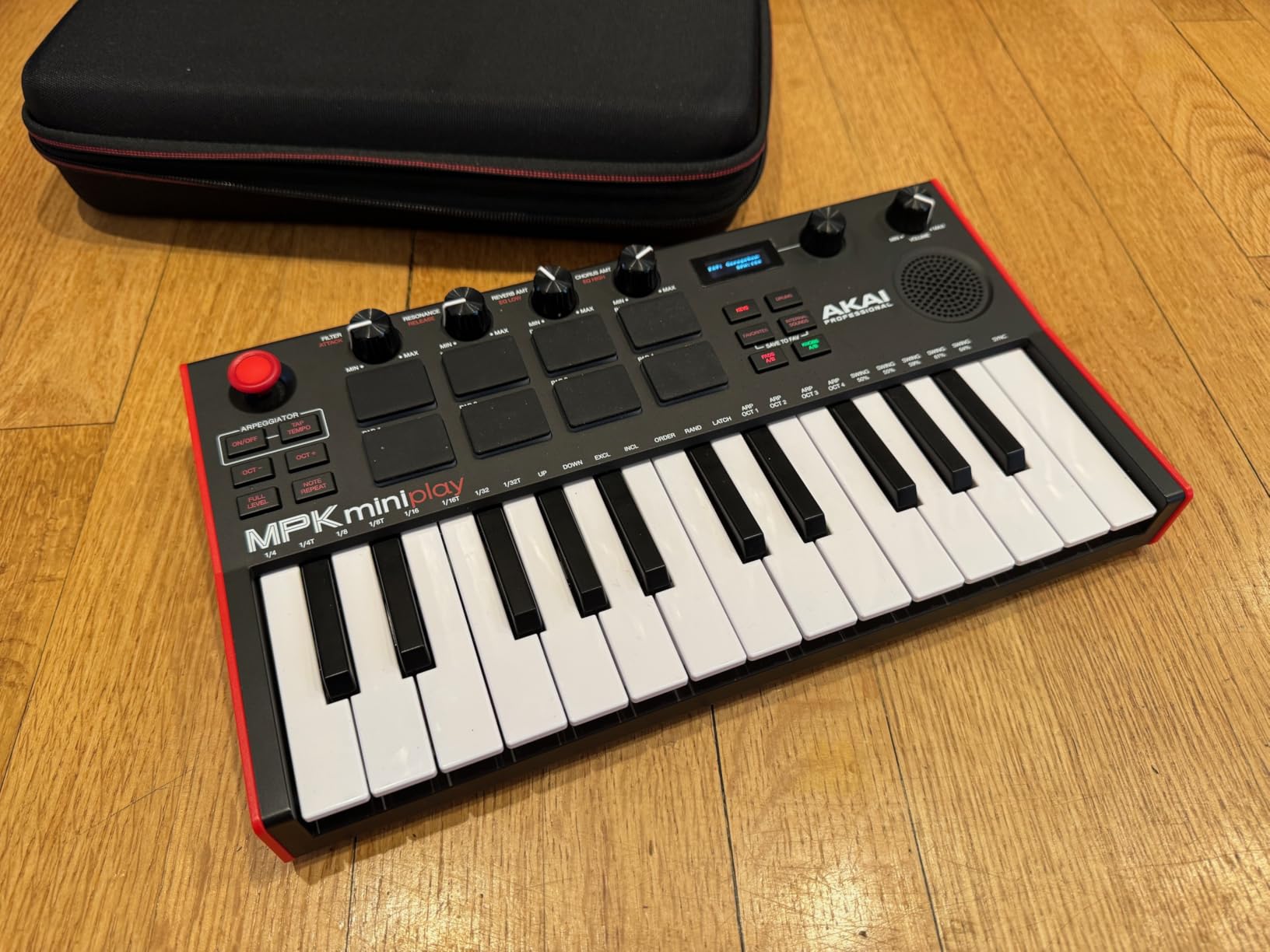
The 8 MPC pads include aftertouch, which is rare at this price. Velocity sensitivity felt consistent, and the RGB backlighting helped me navigate in low-light conditions. The OLED display showed preset names clearly.
Battery power makes this a true portable instrument. I tested it for a full weekend retreat and never had to charge it. USB power works fine for studio use, but battery mode is the headline feature.
Software bundle and connectivity
MPC Beats, Hype, AIR Essential Keyboards, and Electric round out the bundle. The included instruments cover most genres and give beginners a complete production setup. For the price, the bundle value is strong.
Connectivity is USB only. There is no MIDI out or Bluetooth. If you want to control hardware synths or use it wirelessly, the MPK Mini IV or the M-VAVE above are better fits.
Who should skip this controller
If you never need standalone use, the built-in speaker and sounds are wasted money. The pads feel stiffer than the MPK Mini IV, which is a real downgrade for finger drummers. And the single-function joystick for pitch and mod is less satisfying than dedicated wheels.
For producers who want to sketch ideas anywhere without a computer, though, this is the best MIDI keyboard for music production when portability and standalone use are top priorities.
How to Choose the Best MIDI Keyboard for Your Studio
Now that you have seen the top contenders, here is how to narrow down the right one for your setup. I weight these five factors heaviest when making a recommendation.
Key count and keybed feel
25 keys work for sketching melodies and bass lines. 37 keys give you three octaves, which is the minimum for two-hand playing. 49 keys cover most piano parts without octave shifting. 61 keys let you play full synth leads and complex chord voicings hands-on.
Mini keys save space but feel cramped. Full-size keys play more naturally and reduce hand fatigue during long sessions. Semi-weighted and hammer-action keybeds feel closest to a real piano, while synth-action keys are lighter and faster for leads and basses.
Pads, knobs, and faders
Drum pads matter for finger drumming, beat programming, and sample triggering. Look for velocity-sensitive and pressure-sensitive pads with RGB feedback. Stiff pads cause hand fatigue, so try before you commit if possible.
Knobs and faders give you hands-on control over plugin parameters. Endless encoders feel smoother than potentiometers. Faders are essential for mixer control. Transport buttons save time by putting play, stop, record, and undo on the hardware.
DAW integration and software bundle
Native DAW integration saves hours of MIDI learn configuration. The Novation Launchkey series integrates with Ableton Live and Logic Pro automatically. The FLkey series is purpose-built for FL Studio. The M-Audio Oxygen series auto-maps to most major DAWs.
Software bundles can be worth hundreds of dollars in synth and DAW value. Analog Lab Intro, Ableton Live Lite, and MPC Beats are common inclusions. Read the fine print, because some bundles require account creation to activate.
Connectivity: USB, MIDI, and CV/Gate
USB is universal. USB-C is more durable than USB-B. MIDI out via 5-pin connectors lets you control hardware synths without a computer. CV/Gate outputs are essential for modular synth users.
Bluetooth wireless adds cable-free convenience but can introduce latency. Battery power is useful for mobile producers. iOS compatibility via Apple adapters expands your setup options.
Build quality and warranty
Plastic chassis keeps costs down and weight low. Metal chassis adds durability but also weight. Rubberized feet prevent sliding during energetic playing.
Warranties range from 1 year to 5 years. Arturia’s 5-year warranty on the MiniLab 3 is exceptional. Most controllers ship with 1-year coverage, which is standard for the category.
Frequently Asked Questions
Do producers use MIDI keyboards?
Yes, the vast majority of music producers use MIDI keyboards as their primary input device. A MIDI keyboard sends note, velocity, and control data to software instruments and virtual synths inside your DAW. Even producers who focus on finger drumming or sample-based production benefit from having keys for melody work, bass lines, and chord progressions.
What is the best brand for MIDI keyboards?
The four best MIDI keyboard brands in 2026 are Akai, Novation, Arturia, and M-Audio. Akai dominates the portable category with the MPK Mini series. Novation leads in DAW integration with the Launchkey and FLkey lines. Arturia excels in keybed feel and software bundles. M-Audio offers the best value in the 49-key segment. Native Instruments owns the Komplete ecosystem with the M32.
What is the best keyboard for music production?
The best keyboard for music production depends on your workflow. For an all-around studio controller, the Novation Launchkey 61 MK4 is hard to beat. For beginners, the Akai MPK Mini IV offers the right balance of features and price. For FL Studio users, the Novation FLkey 49 has unbeatable native integration. For modular synth players, the Akai MPK Mini Plus offers CV/Gate outputs. Each of these controllers excels in a specific use case.
What is the best MIDI keyboard in 2026?
The best MIDI keyboard in 2026 is the Novation Launchkey 61 MK4 for most producers. It combines a 61-key semi-weighted keybed, 16 FSR pads with polyphonic aftertouch, 9 faders, and tight Ableton Live and Logic Pro integration. For budget buyers, the M-Audio Keystation 49 MK3 delivers 49 full-size keys at a price most beginners can afford. For portable use, the Akai MPK Mini IV remains the strongest option in the 25-key category.
Final Verdict: Which MIDI Keyboard Should You Buy?
After three months of testing, the Novation Launchkey 61 MK4 remains my top pick for the best MIDI keyboard for music production in 2026. The combination of semi-weighted keybed, polyphonic aftertouch pads, and DAW integration is hard to match. If you want a single controller that covers studio production, beat making, and live performance, it is the safest choice.
For beginners, the Akai MPK Mini IV is the right starting point. It is compact, packed with creative features, and priced low enough that you can upgrade later without guilt. The arpeggiator and chord modes will keep you inspired long after you have learned the basics.
Budget buyers should look at the M-Audio Keystation 49 MK3 or the M-VAVE wireless controller. Both deliver real value without skimping on the essentials. FL Studio users should not hesitate on the FLkey 49, and modular synth players will appreciate the Akai MPK Mini Plus.
Whichever best MIDI keyboard for music production you choose from this list, you will have a controller that earns its place in your studio. The most important step is to start making music with it today.