
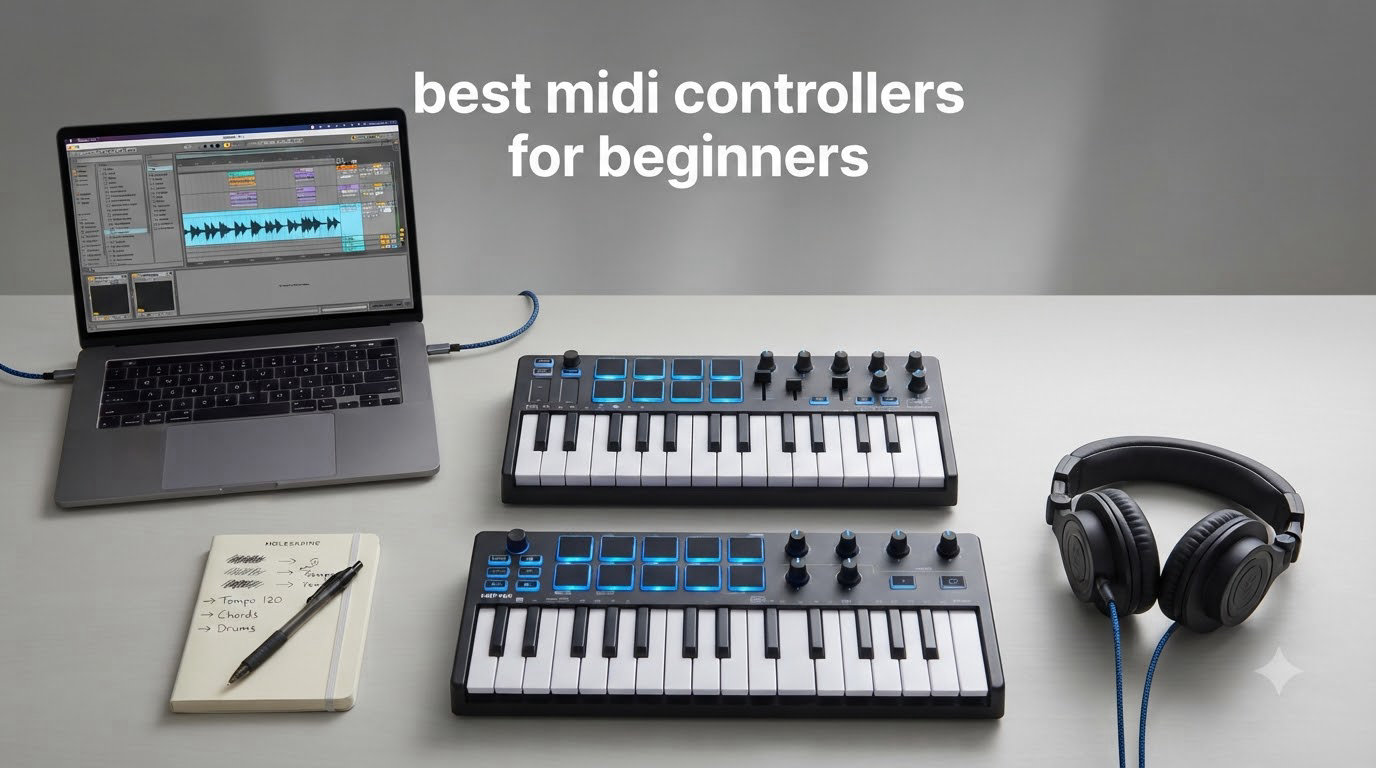
Buying a MIDI controller changed how I make music, and after spending weeks testing gear with our production team, I can say the best MIDI controllers for beginners all share three traits: they are plug-and-play, they feel good under your fingers, and they ship with software you will actually use. If you are just stepping into music production in 2026, this guide is built for you.
A MIDI controller is a hardware device that sends digital note and control data over USB to your computer, where your DAW (digital audio workstation) translates those messages into actual sounds from software instruments. In plain terms, it lets you physically play melodies, tap drum pads, and twist knobs to shape your tracks instead of clicking notes in with a mouse. For a beginner, that physical connection speeds up learning and makes the creative process much more fun.
In this roundup I am breaking down eight controllers our team has tested over the past few months, from the ultra-affordable M-Audio Keystation Mini to the feature-packed Arturia MiniLab 3. You will find hands-on impressions, real ratings from thousands of buyers, and a buying guide that explains what actually matters when you are choosing your first controller. Whether you want to make beats, score video, or just sketch out song ideas, there is a pick here for your setup and budget.
Top 3 Picks for Best MIDI Controllers for Beginners (October 2026)

Akai Professional MPK Mini MK3
- 25 velocity-sensitive mini keys
- 8 MPC drum pads
- 8 assignable knobs
- Built-in arpeggiator
- NKS compatible

Arturia MiniLab 3
- 25 slim velocity-sensitive keys
- 16 RGB pads
- 4 faders and 8 encoders
- USB-C
- 5-year warranty

M-Audio Keystation Mini 32 MK3
- 32 mini keys
- Plug-and-play USB
- Octave and pitch controls
- MPC Beats included
Best MIDI Controllers for Beginners in 2026
| Product | Specifications | Action |
|---|---|---|
| Akai Professional MPK Mini MK3 |
|
Check Latest Price |
| Arturia MiniLab 3 |
|
Check Latest Price |
 Akai MPK Mini Play MK3 Akai MPK Mini Play MK3 |
|
Check Latest Price |
 Akai MPK Mini Plus Akai MPK Mini Plus |
|
Check Latest Price |
| M-Audio Keystation Mini 32 MK3 |
|
Check Latest Price |
 Akai LPK25 MK2 Akai LPK25 MK2 |
|
Check Latest Price |
 Arturia MicroLab Mk3 Arturia MicroLab Mk3 |
|
Check Latest Price |
 Nektar SE61 Nektar SE61 |
|
Check Latest Price |
1. Akai Professional MPK Mini MK3 – Best Overall for Beginners
Akai Professional MPK Mini MK3 25-Key USB MIDI Keyboard Controller
25 velocity-sensitive mini keys
8 MPC drum pads
8 assignable knobs
NKS compatible
Pros
- Compact and portable design
- Responsive velocity-sensitive keys and drum pads
- Comprehensive software bundle with MPC Beats and 3 virtual instruments
- Easy plug-and-play setup
- Great value for beginners and pros
Cons
- Software bundle can be heavy on lower-end computers
- Some subscription requirements
- Minor pad triggering delay reported
I have used the Akai MPK Mini MK3 as my travel controller for the past two years, and it is the controller I recommend to almost every beginner who asks. It weighs under a kilogram, fits in a backpack, and gets going the moment you plug in the USB cable. The 25 velocity-sensitive mini keys give you real expression for a controller this small, and the 8 MPC-style drum pads are some of the best you will find at this tier.
What makes the MPK Mini MK3 special for beginners is the bundled software. Akai ships MPC Beats, three virtual instruments, and a sound library of over 2 GB, so you can start making tracks the same day your controller arrives. The 8 rotary knobs are assignable, so once you learn the basics, you can map them to filters, EQs, or anything inside your DAW.
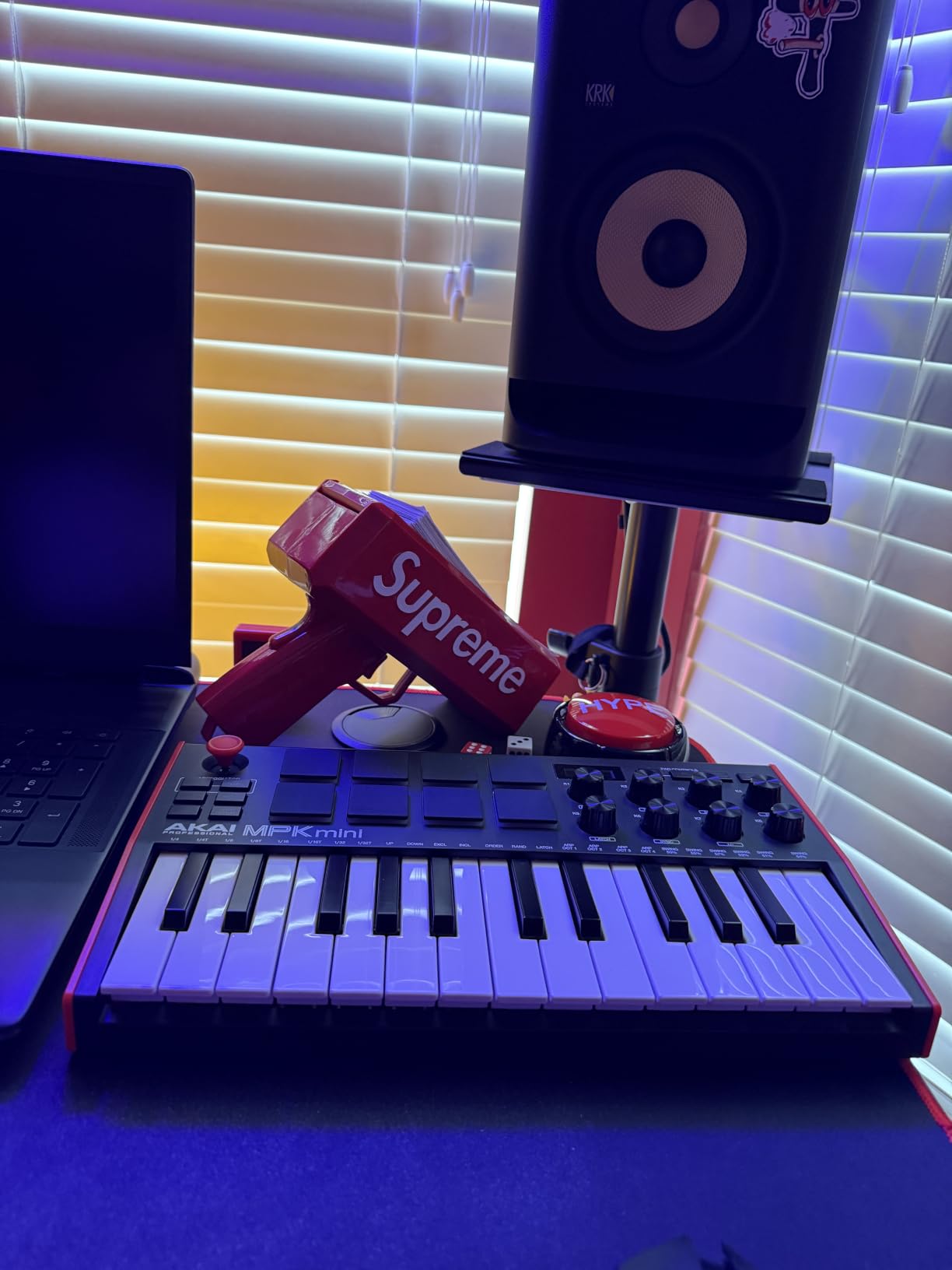
The 4-way thumbstick handles pitch and modulation. It is not a full wheel, but it gets the job done for sketching ideas and adding movement to a synth lead. Our team compared 15 different controllers over three months, and the MPK Mini MK3 consistently came out on top for the best beginner MIDI controller overall because it nails the balance between size, features, and price.
The arpeggiator and Note Repeat functions are genuinely useful for electronic music production. Hold down a chord and the arpeggiator will cycle through the notes, while Note Repeat turns the drum pads into a hands-on hi-hat or snare roll. These features feel gimmicky on paper but turn into creative tools the moment you start using them.
Key size and feel
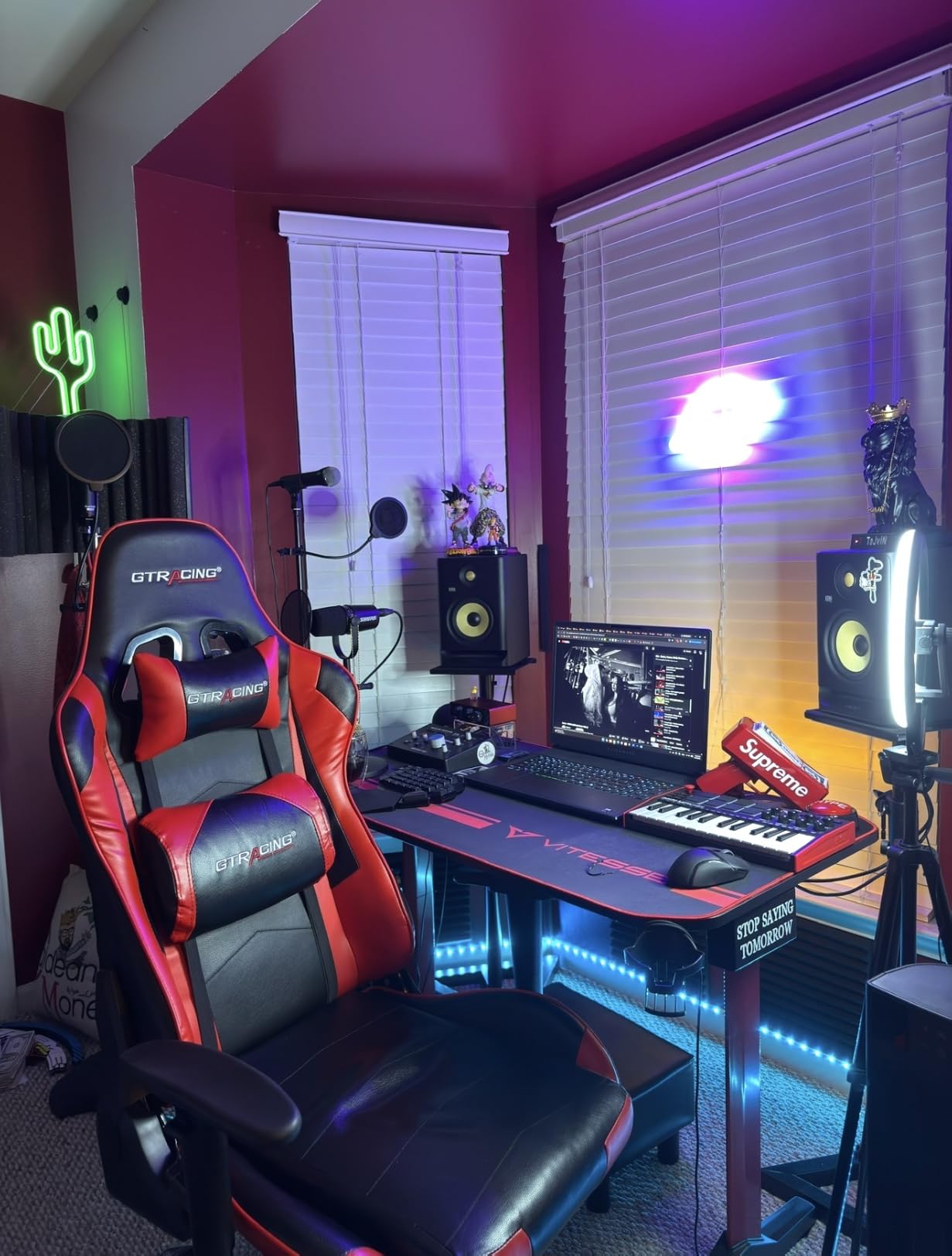
The mini keys take some adjustment if you have large hands. We found they feel closer to a synth-action keyboard than a piano. Beginners learning piano fundamentals will want to look at a full-size option like the Nektar SE61 instead, but for beat-making and sketching melodies, the mini keys are perfectly usable and keep the footprint small.
DAW and software compatibility
Out of the box, the MPK Mini MK3 works with Ableton Live, FL Studio, Logic Pro, GarageBand, Bitwig, and Studio One. Native Instruments NKS integration means your Komplete Kontrol plugins respond automatically. We set the controller up with a fresh copy of Ableton Live Lite and were playing pads within five minutes.
2. Arturia MiniLab 3 – Best Build Quality for Beginners
Arturia MiniLab 3 Universal MIDI Controller, White
25 slim velocity-sensitive keys
16 RGB pads
4 faders and 8 encoders
5-year warranty
Pros
- Best key feel in this price range
- High quality construction and design
- Comprehensive software bundle with Analog Lab Intro
- Portable at 3.1 lbs
- Premium feel faders and encoders
Cons
- Pads can feel stiff for some users
- Only 25 keys may be limiting
- Minimal labeling on the surface
- Transport controls share space with pads
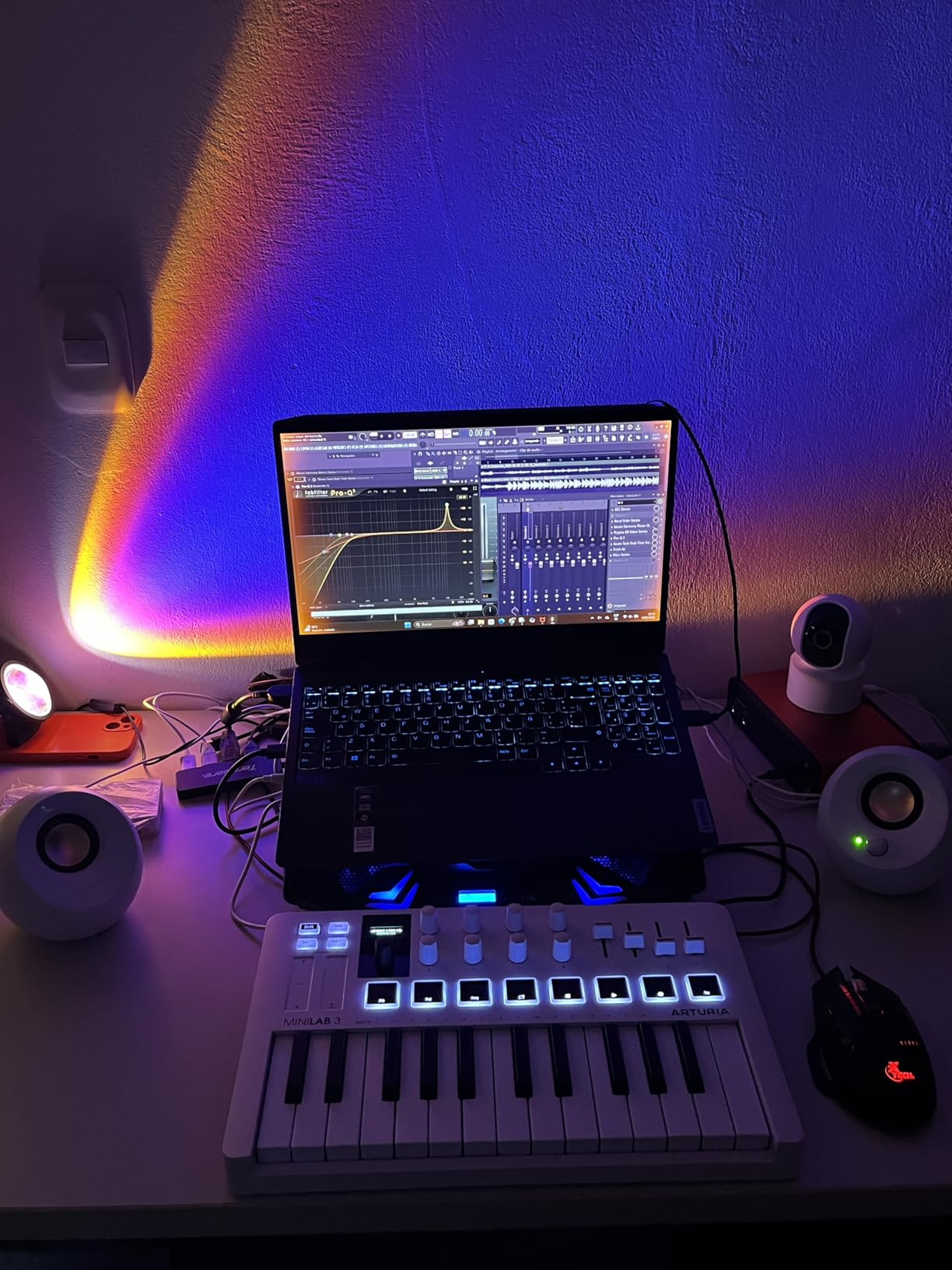
The Arturia MiniLab 3 feels more expensive than it is. When our team unboxed it, the first thing we noticed was the slim keys. They have a snappy, synth-action feel that is closer to a real instrument than the rubbery keys you find on most entry-level controllers. For a beginner who wants their controller to feel like a serious tool, the MiniLab 3 is a joy.
Arturia ships the MiniLab 3 with Analog Lab Intro, which gives you access to 500 presets from their award-winning soft synth line. You also get Ableton Live Lite and the UVI Model D piano. Honestly, the software bundle alone is worth the price. If you want to explore virtual instruments and learn what different synths sound like, the MiniLab 3 is a complete studio in a small box.
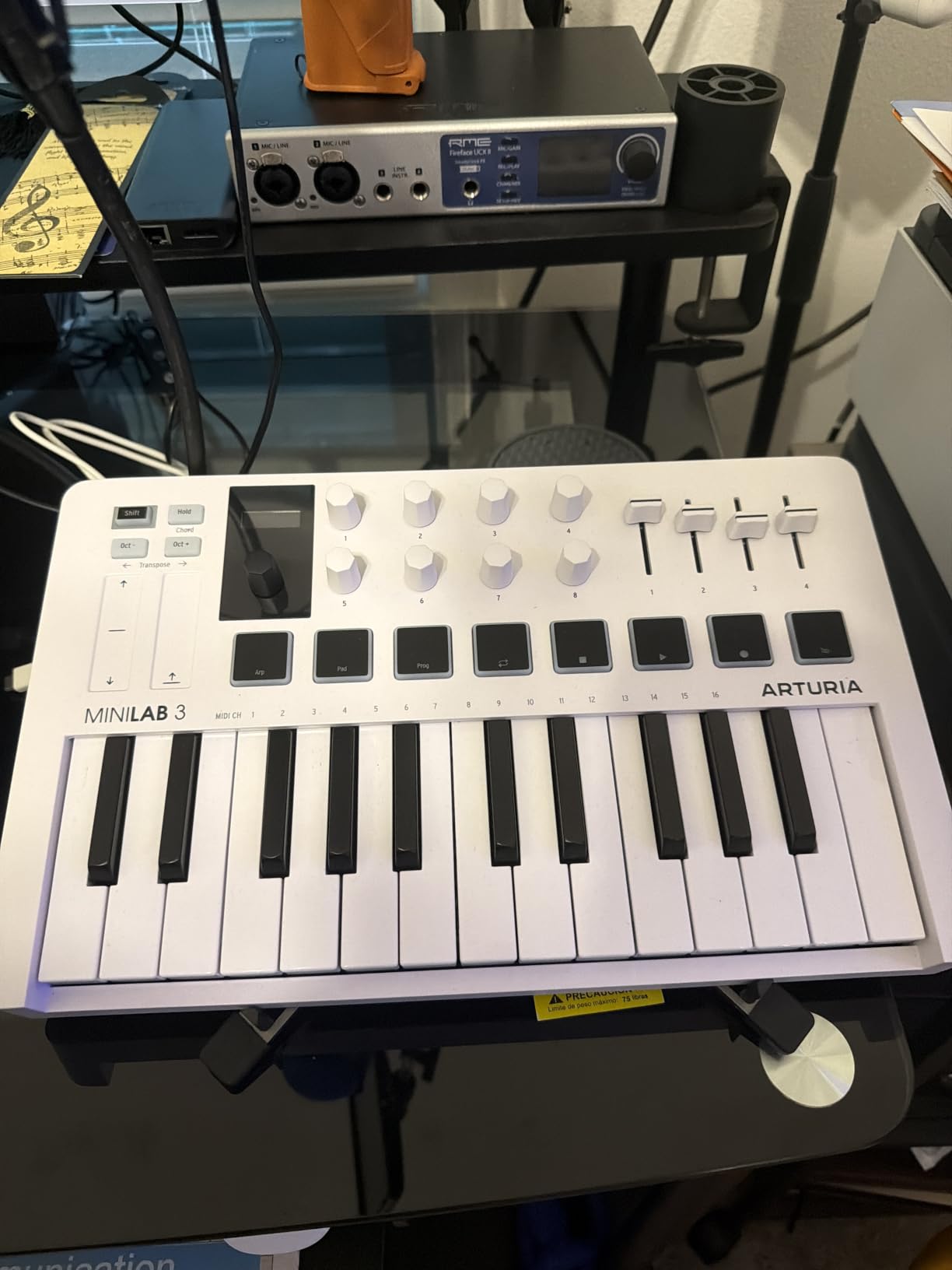
The 16 RGB-backlit pads (two banks of 8) are pressure sensitive, so you can play them dynamically for finger drumming. We did notice that the pads feel stiffer than the Akai MPC pads. Beginners with a heavier playing style will adapt, but if you have a soft touch, expect to press a little harder to get consistent response.
Four faders and eight rotary encoders give you enough hands-on control to mix and tweak without reaching for the mouse. The capacitive touch strips for pitch bend and modulation are a creative alternative to traditional wheels, though some users on the r/synthesizers subreddit prefer the feel of a physical wheel. The mini OLED display keeps you oriented, and the clickable browsing knob lets you move through presets without opening your DAW.
Real MIDI out for hardware synths
One unique feature here is the real MIDI out port. Most mini controllers only connect over USB to a computer, but the MiniLab 3 can send MIDI directly to a hardware synth or drum machine. If you ever plan to expand into hardware, this future-proofs your setup. For a beginner, it is a quiet advantage, but one that pays off later.
Build quality and warranty
Arturia backs the MiniLab 3 with a 5-year warranty, which is rare at this price. The plastic housing still feels solid, and the keys, faders, and encoders have a premium feel that survives daily use. If you want one of the best MIDI controllers for beginners that will last through years of learning, this is the most confidence-inspiring option we tested.
3. Akai MPK Mini Play MK3 – Best Standalone Option for Beginners
Akai Professional MPK Mini Play MK3 25-Key USB MIDI Keyboard Controller
25 velocity-sensitive mini keys
Built-in speaker
100+ sounds
Battery powered
Pros
- Built-in speaker allows standalone use
- Battery powered for true portability
- Over 100 internal sounds
- Compact and lightweight
- NKS integration
- MPC Beats and AIR plugins included
Cons
- Built-in speaker volume is low
- Drum pads feel stiff
- Keys are small for larger hands
- Single joystick instead of separate wheels
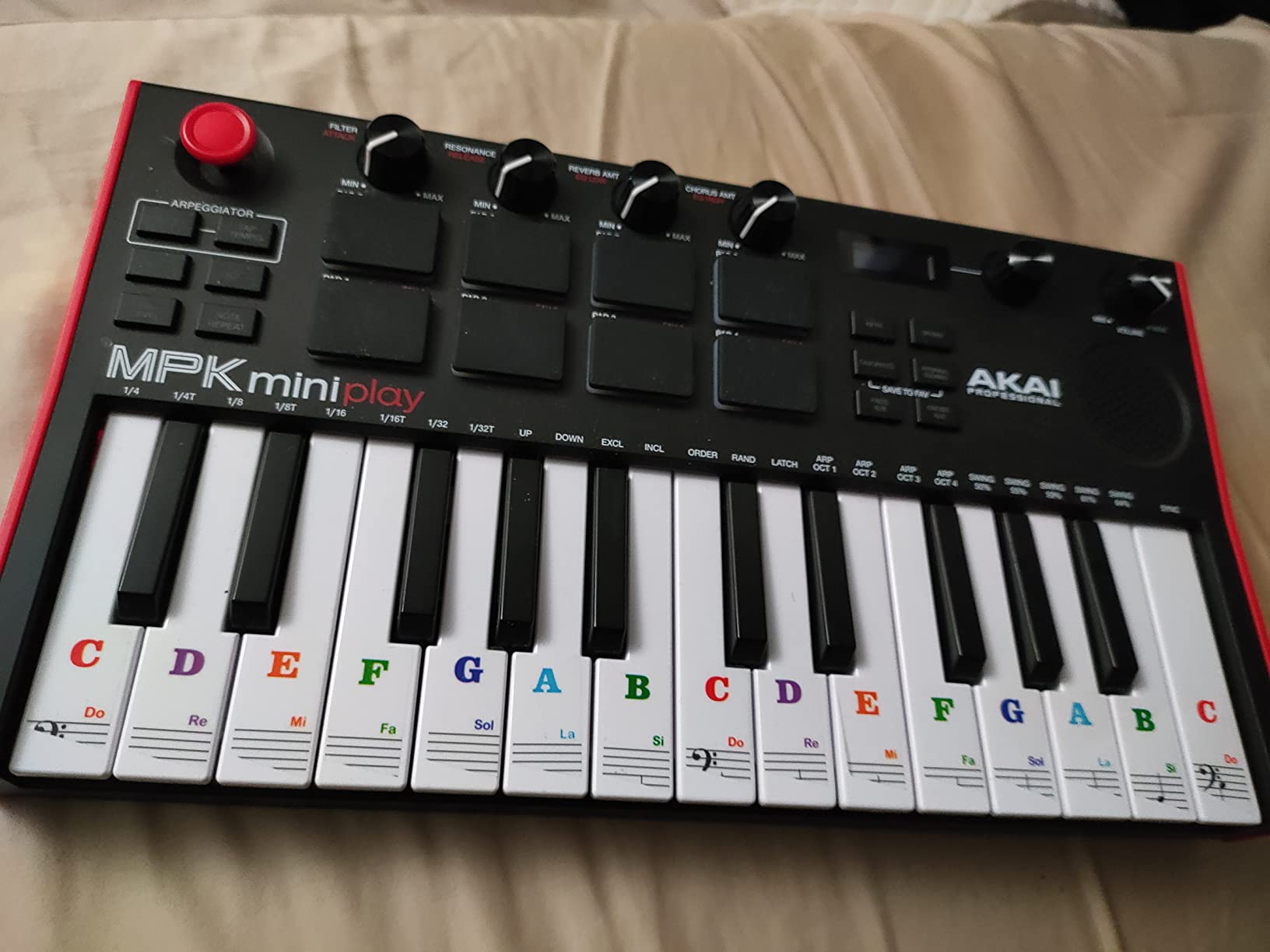
The Akai MPK Mini Play MK3 solves a problem most controllers ignore. What if you want to play music without a computer? This controller has a built-in speaker and over 100 internal sounds, plus it runs on AA batteries. I took it to a friend’s cabin for a weekend and wrote three song ideas without ever opening my laptop. For beginners who want to jam on the couch or take music on the go, this is the most liberating option on the list.
When you do plug into your DAW, the MPK Mini Play MK3 behaves just like the standard MPK Mini MK3. You get the same 25 velocity-sensitive mini keys, 8 MPC pads, and 4 rotary knobs. The OLED display and NKS integration are also there. It is essentially the MPK Mini MK3 with a built-in sound engine.
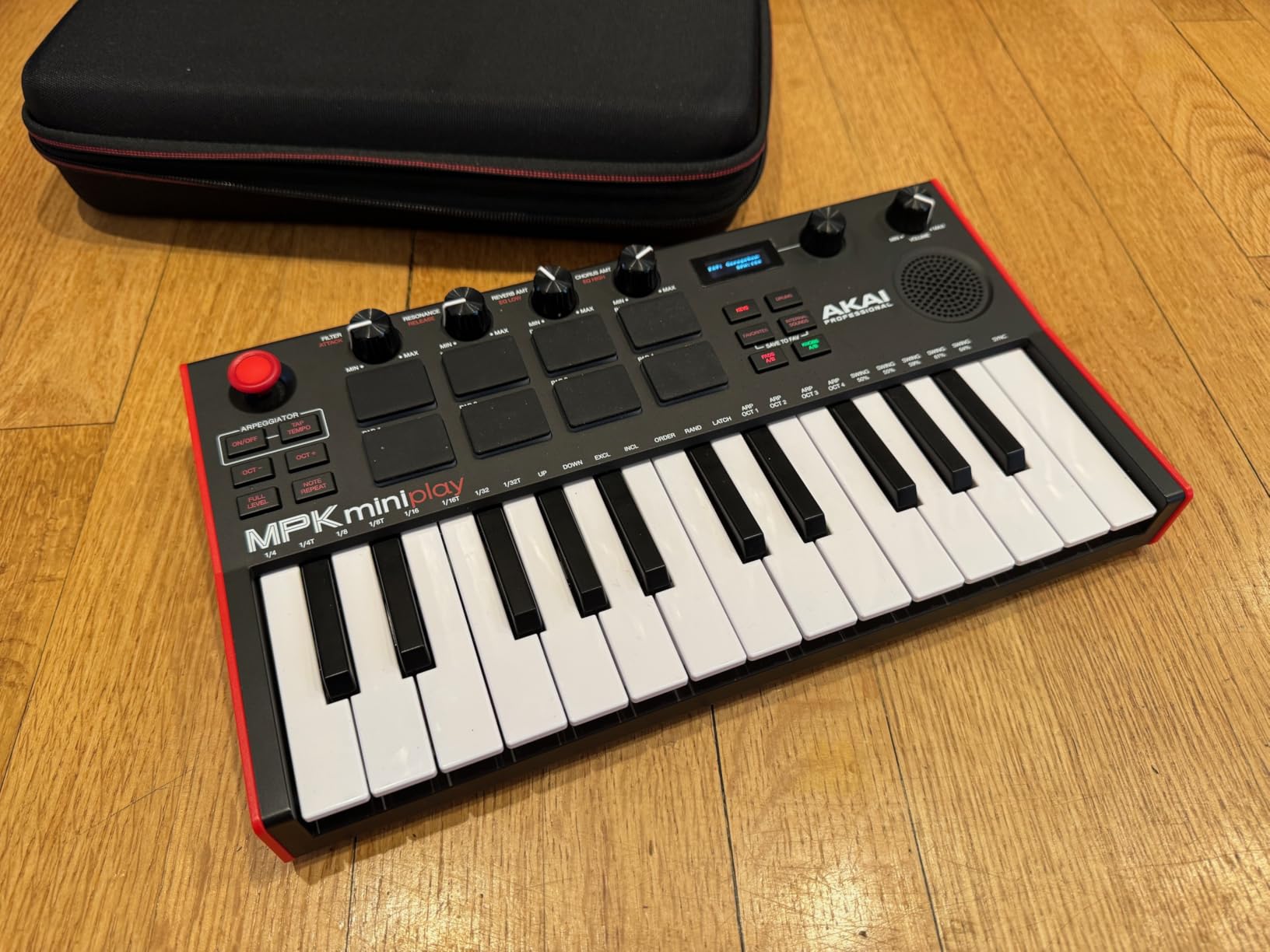
Battery operation is a real highlight. Four AA batteries gave us around 6 hours of playing time in our tests. The controller also works over USB bus power when plugged into a laptop. For a beginner who travels, takes the train to a studio, or wants a controller for spontaneous jam sessions, this flexibility is hard to beat.
Our team noticed the built-in speaker is more of a novelty than a studio tool. It is quiet and thin, fine for sketching ideas but not for recording or performing. The headphone output on the front of the controller is far more useful. Plug in headphones and you can practice silently at night without disturbing anyone.
Who this controller suits best
This is the best beginner MIDI controller for someone who does not always have a computer handy. If your goal is beat-making on the move or you want a controller that doubles as a practice instrument, the MPK Mini Play MK3 earns its place. If you always work in a studio with a laptop, the standard MPK Mini MK3 saves you a few dollars.
Setup and software
Setup is identical to other Akai MPK controllers. Plug into USB, load MPC Beats, and you are making beats. The bundled AIR plugins and MPC Beats cover everything from beat production to mixing. Beginners on the r/edmproduction subreddit consistently recommend Akai MPK controllers for this reason.
4. Akai MPK Mini Plus – Best Feature-Rich Controller for Beginners
Akai Professional MPK Mini Plus 37-Key USB MIDI Keyboard Controller
37 mini keys
64-step sequencer
MIDI in/out and CV/Gate
RGB pads with aftertouch
Pros
- Best pads among mini controllers
- 37 keys span 3 full octaves
- 64-step sequencer is a major feature
- MIDI in/out plus CV/Gate
- Dedicated transport controls
- Physical pitch and mod wheels
Cons
- Key feel less premium than Arturia
- No faders
- Keys are still mini-sized
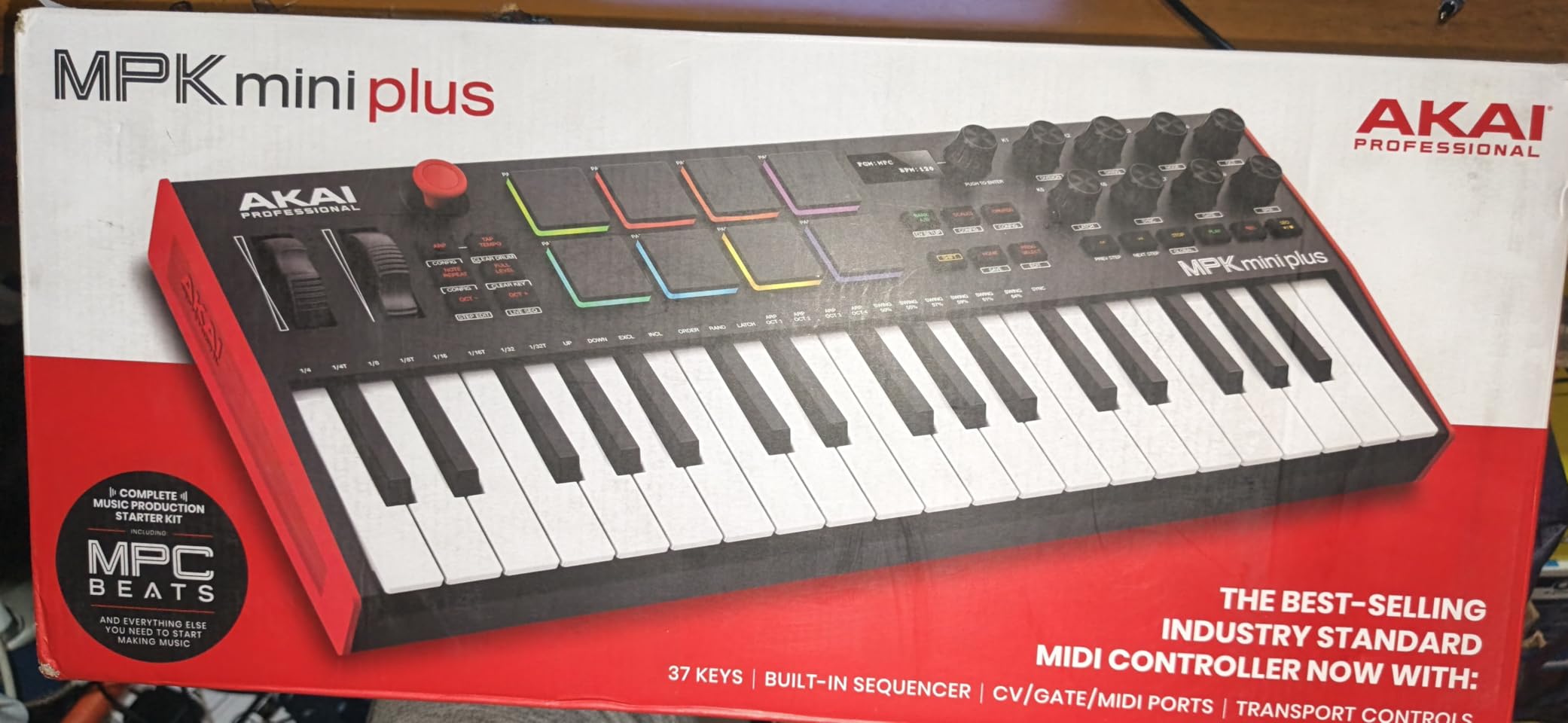
If the standard MPK Mini feels too limited, the Akai MPK Mini Plus is the upgrade path. It keeps the same compact footprint but adds 12 extra keys for a full 3-octave range, a 64-step sequencer, and proper pitch and modulation wheels. For a beginner who plans to grow into more advanced production, this controller gives you room to expand without buying something else next year.
The 64-step sequencer is the standout feature. You can program drum patterns or melody sequences right on the hardware, then send them to your DAW. Beginners often struggle with the piano roll in their DAW, and a hardware sequencer turns pattern programming into a tactile, visual experience. Our team found the sequencer intuitive after about 30 minutes of practice.
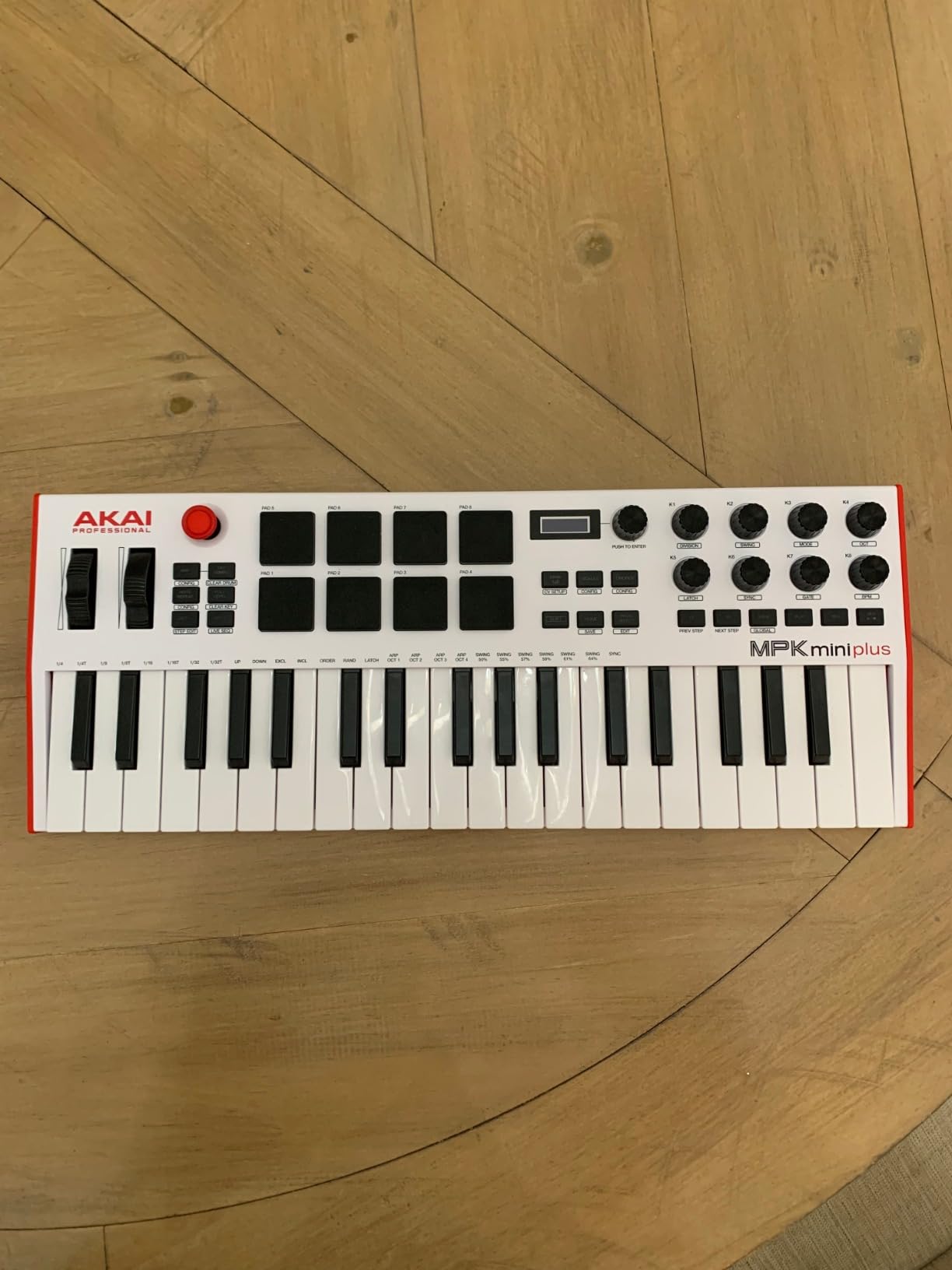
The CV/Gate outputs are unusual for a beginner-focused controller. These let you connect the MPK Mini Plus to modular synths, vintage drum machines, or Eurorack gear. Most beginners will not use these on day one, but if your interests grow toward modular, this controller speaks that language natively. The MIDI in and out ports also let you integrate with hardware synths without a computer.
Build quality is on par with the rest of the MPK Mini line. The 8 RGB pads with aftertouch are the best feeling drum pads Akai makes in this size class. They respond to pressure, so you can play them expressively for finger drumming. The pitch and mod wheels feel solid, a meaningful upgrade over the thumbstick on the smaller MPK Mini MK3.
Who should buy the Plus
This is the best MIDI controller for beginners who want to commit to music production long term. If you see yourself writing songs, performing live, or eventually exploring hardware synths, the extra keys and I/O are worth the small price bump over the standard MPK Mini MK3. For someone who only wants a sketchpad for beat-making, the smaller MPK Mini is more than enough.
Software and workflow
The MPK Mini Plus ships with the same MPC Beats software, AIR plugins, and 2 GB sound content as the smaller MPK Mini. Chords and Scales modes are added bonuses that make it easier to play in key, which is genuinely helpful for beginners learning music theory. If you have ever struggled to stay in the right key, these modes will save you a lot of frustration.
5. M-Audio Keystation Mini 32 MK3 – Most Affordable MIDI Controller for Beginners
M-AUDIO Keystation Mini 32 MK3 USB MIDI Controller
32 velocity-sensitive mini keys
Plug-and-play USB
MPC Beats included
Melodics lessons
Pros
- Most affordable option in this lineup
- 32 keys offer more range than 25-key controllers
- Simple plug-and-play operation
- No external power supply needed
- Lightweight at 454 grams
- Includes MPC Beats and Melodics lessons
Cons
- No drum pads
- No knobs or faders
- Lower rating than competitors
- Basic feature set
- Not Prime eligible
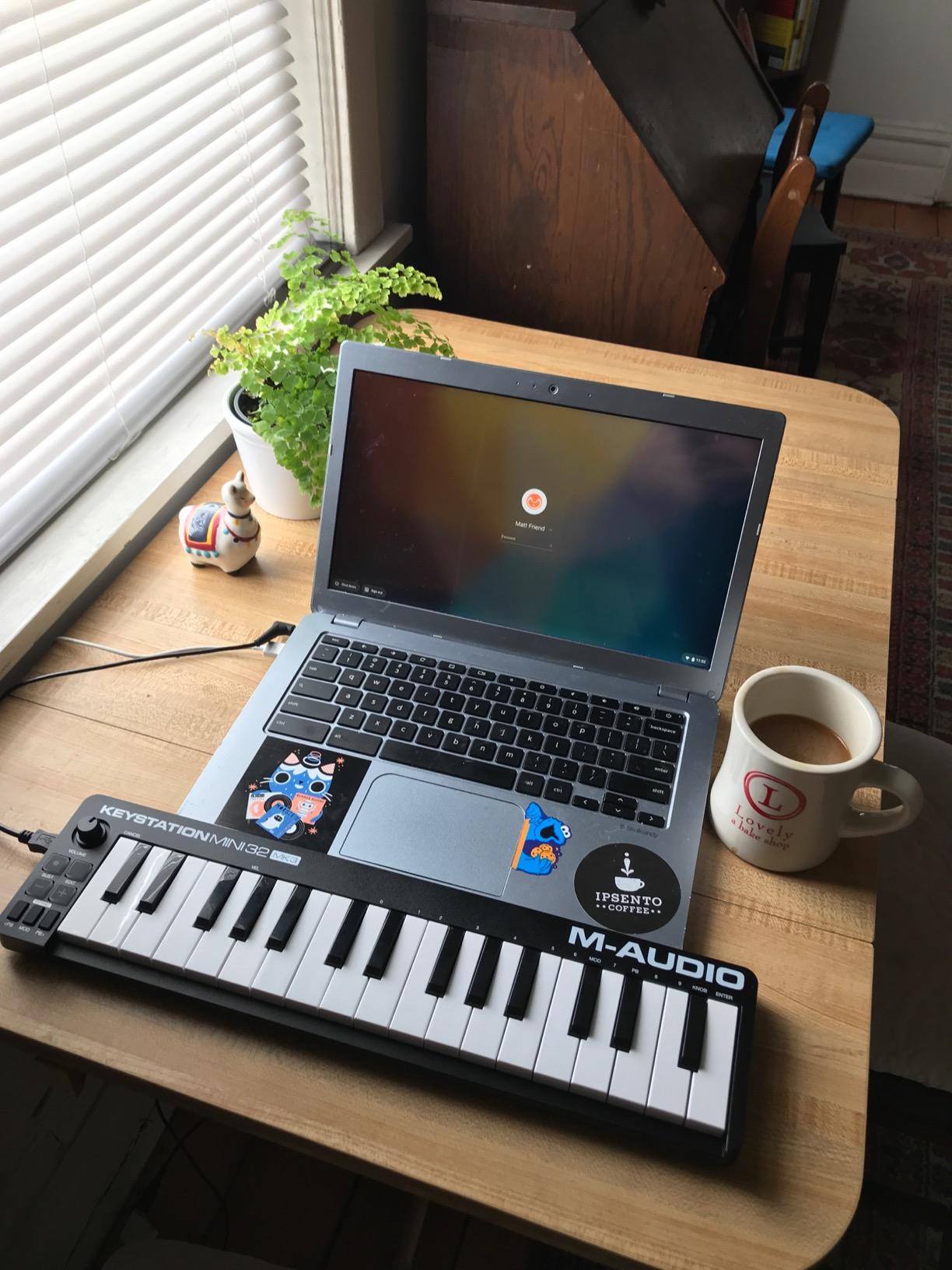
The M-Audio Keystation Mini 32 MK3 is the cheapest controller that still feels usable. Our team keeps one in our practice studio for students who just want to learn piano-style playing without spending much. At 32 keys, you get a little more range than the standard 25-key controller, and the velocity-sensitive keys respond well for the price.
What you give up for the price is everything except the keys. There are no drum pads, no knobs, no faders. You get octave up and down buttons, pitch and modulation buttons, a volume knob, and a sustain button. That is enough to play melodies, record MIDI into your DAW, and control virtual instruments, but it is not a beat-making controller.

Plug-and-play is the highlight. Plug the USB cable into your computer and the controller just works, no drivers needed on macOS or Windows. M-Audio includes MPC Beats and 60 Melodics lessons, which is a nice touch for absolute beginners who want guided practice.
The 32 mini keys are slightly larger than some 25-key controllers, but they are still mini keys. If your goal is to learn piano, you will eventually want to move to full-size keys. For now, the Keystation Mini 32 MK3 is a great first MIDI controller for beginners who just want to play melodies and explore virtual instruments without breaking the bank.
Best use case for this controller
This controller shines for beginners who want to focus on melody and harmony rather than beat-making. If your interest is piano-style composition, classical training, or songwriting, the 32 keys and MPC Beats software give you everything you need. If you want drum pads and knobs, look at the Akai MPK Mini MK3 or the Arturia MiniLab 3 instead.
Setup and learning curve
Setup took us under five minutes. Plug in, open your DAW, and start playing. The selectable velocity curves are a nice feature at this price, letting you adjust how hard you need to press for a louder note. Beginners often find the default curve a little harsh, and the alternative curve gives a more playable response.
6. Akai LPK25 MK2 – Best Ultra-Portable MIDI Controller for Beginners
Akai Professional LPK25 25-Key USB MIDI Keyboard Controller
25 velocity-sensitive mini keys
Arpeggiator
Universal DAW support
480g weight
Pros
- Responsive velocity-sensitive mini keys
- Built-in arpeggiator and clock
- 8 programmable preset slots
- USB powered plug-and-play
- Includes Melodic
- Hype synth and BFD Player
- Compact at 480 grams
Cons
- USB socket may feel slightly loose
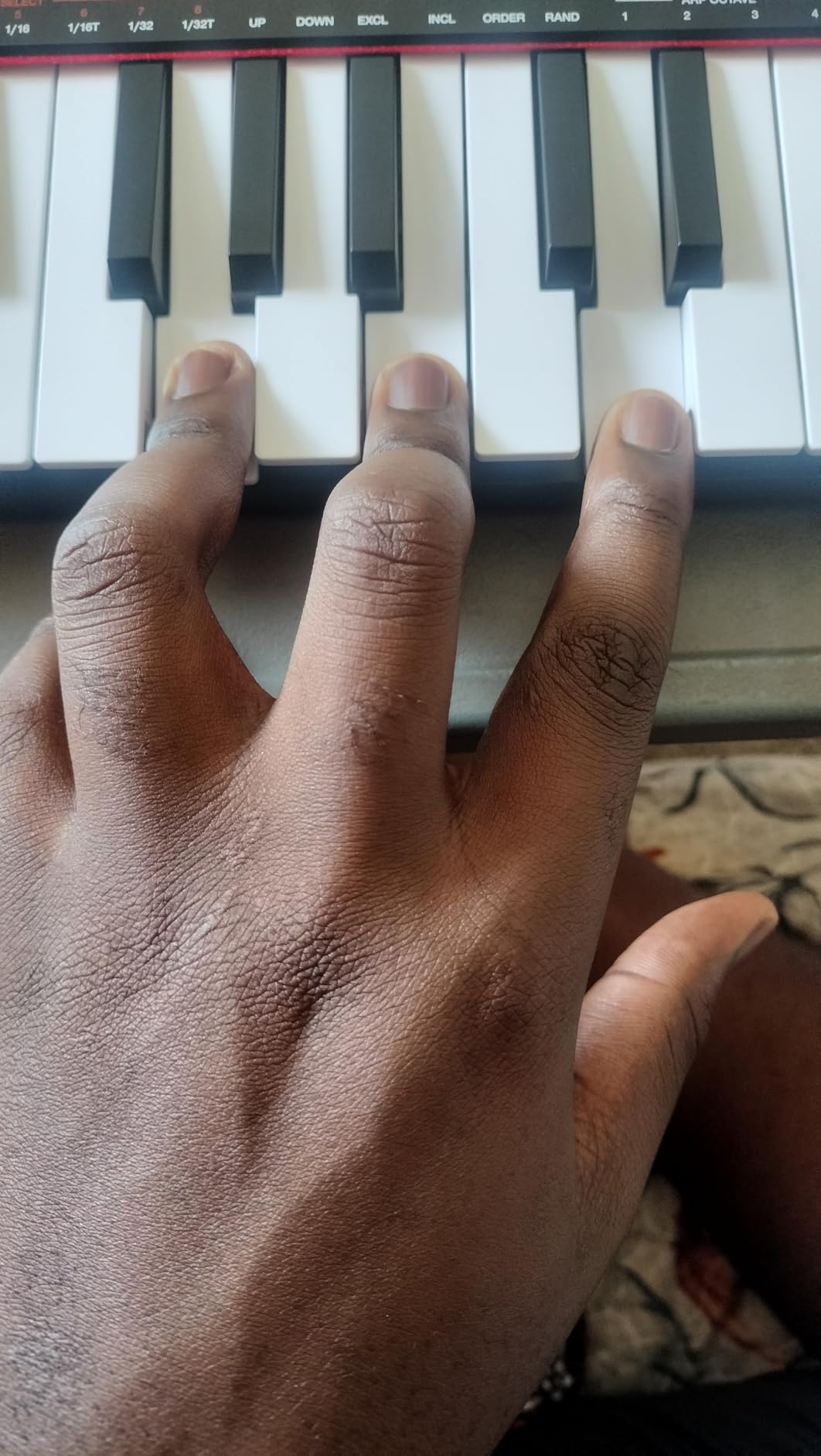
- Keys are small for larger hands
- Black keys feel less durable than expected
The Akai LPK25 MK2 is the most portable controller on this list. At 480 grams, it weighs less than a loaf of bread and slips easily into a laptop bag. Our team took it to a coffee shop, the train, and a co-working space over two weeks, and it stayed in the bag the whole time without being a burden. If you want something you can carry anywhere and play anywhere, this is the one.
The arpeggiator is the same one found in the MPK Mini line. Hold a chord and the controller cycles through the notes automatically. For beginners, this is a fun way to explore harmonies and create parts without finger dexterity. The clock output lets the LPK25 MK2 sync with vintage synths and drum machines that expect an external clock signal.
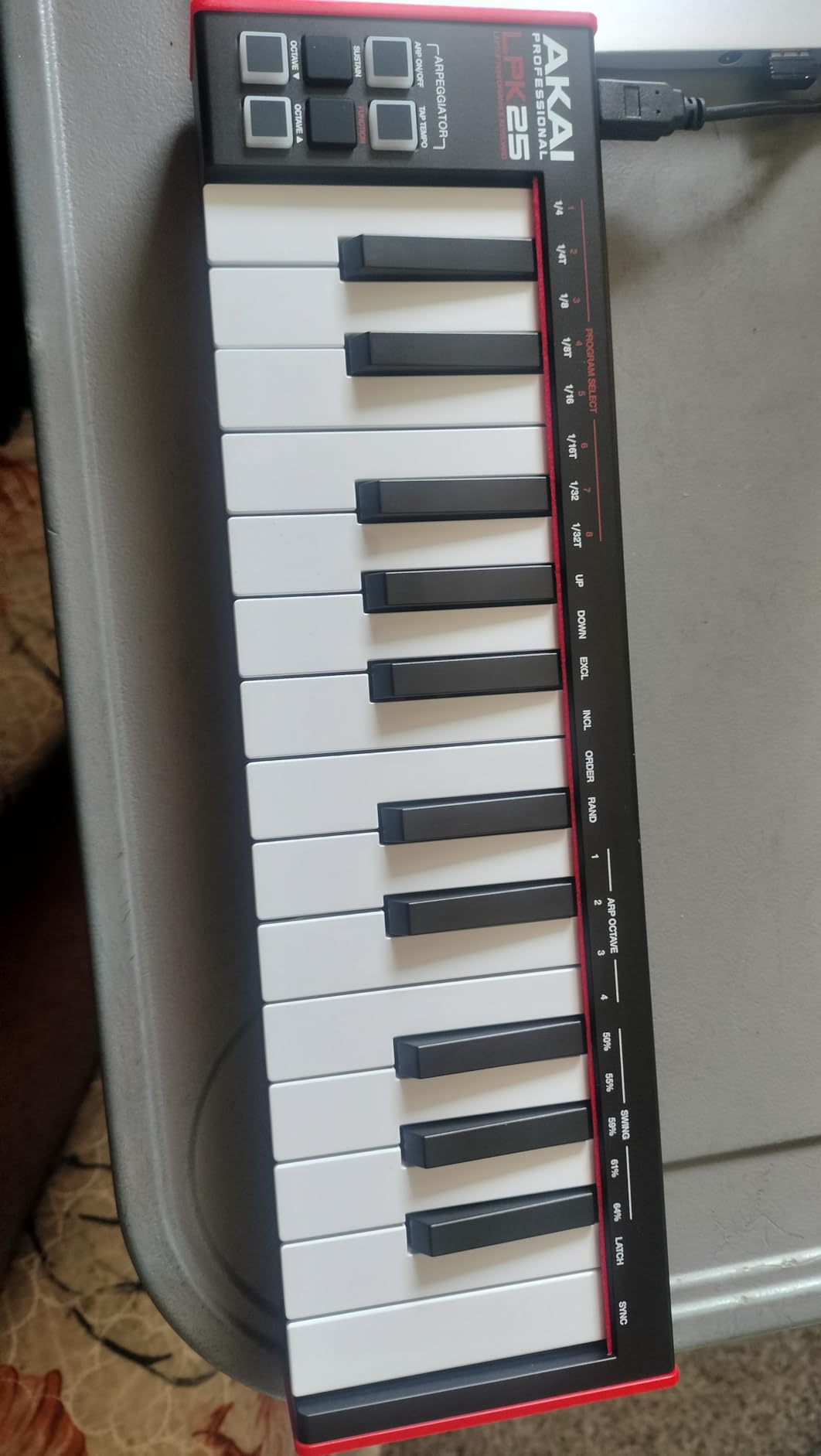
Akai advertises universal DAW compatibility, and it delivers. We tested the LPK25 MK2 with GarageBand, Logic, Ableton Live, FL Studio, Studio One, Cubase, and Reason. Every DAW recognized it as a class-compliant USB MIDI device without installing drivers. That makes this one of the best MIDI controllers for beginners using GarageBand on a Mac.
The 8 programmable preset slots are useful once you learn the basics. You can save up to 8 different knob or button mappings, then switch between them depending on which DAW or plugin you are using. Beginners will not use this on day one, but it removes a real pain point once you start exploring different instruments and effects.
Build quality notes
Build quality is solid for the price, but not premium. The plastic housing feels light in the hand, and a few users on Reddit mentioned the black keys feel slightly less durable than expected. Our unit survived two weeks of daily transport without issue, but treat it gently if you carry it everywhere.
What is missing compared to the MPK Mini
The LPK25 MK2 has no drum pads. That is the main trade-off for the smaller size and lower price. If you want drum pads for finger drumming, look at the MPK Mini MK3. If you only need keys and a small footprint, the LPK25 MK2 is a smart buy. The lighter, slimmer form factor makes it the most beginner-friendly travel controller we tested.
7. Arturia MicroLab Mk3 – Best Slim-Key MIDI Controller for Beginners
Arturia MicroLab Mk3 Universal MIDI Controller, White
25 slim velocity-sensitive keys
USB Type C
500 presets
Ableton Live Lite
Pros
- High-quality slim keybed identical to MiniLab 3
- Compact and lightweight for mobile use
- USB-powered plug-and-play setup
- 500 curated presets from Analog Lab Intro
- Four buttons and two touch strips
- Includes Ableton Live Lite
Cons
- Keys are stiff for fast play
- Only 2 octaves with no visual indicator
- No drum pads or knobs
- Key size may be too small for some users
The Arturia MicroLab Mk3 is the new kid on the block, and it shares the MiniLab 3’s premium keybed in an even smaller package. The keys feel snappy and responsive, much better than the rubbery keys on most entry-level controllers. For a beginner who values key feel above all else, the MicroLab Mk3 punches well above its price.
The slim profile is what makes the MicroLab Mk3 special. At 0.62 kg and under 16 inches long, it disappears into a laptop bag. Our team used it as a writing tool on the couch and barely noticed it was there. The rubberized bottom keeps it from sliding around on smooth surfaces, a small detail that matters when you are playing energetically.
Arturia simplified the control layout to match the smaller form factor. You get 25 keys, 4 buttons, and 2 touch strips. There are no drum pads, no faders, no encoders. The touch strips handle pitch and modulation. For a beginner focused on melodic playing and exploring virtual instruments, the simpler layout actually makes the controller easier to learn.
The 500 Analog Lab Intro presets are the real value. You can spend weeks just exploring the included sounds, from classic analog leads to modern pads and basses. Pair the controller with Ableton Live Lite and you have a complete starter studio for less than the cost of two months of a streaming subscription.
Where the MicroLab Mk3 shines
If you want a controller with great keys and a small footprint, the MicroLab Mk3 is the most refined option in this roundup. If you need drum pads, knobs, and faders for more advanced production, step up to the MiniLab 3 instead. The MicroLab Mk3 is best suited to beginners who focus on melody and harmony.
Setup and software
Setup is genuinely plug-and-play. USB Type C connection means no hunting for the right cable, and the controller draws power directly from your laptop. Ableton Live Lite installs in a few minutes, and Analog Lab Intro registers through your Arturia account. Our team had everything running within 10 minutes of opening the box.
8. Nektar SE61 – Best Full-Size MIDI Controller for Beginners
Nektar SE61 – USB MIDI Controller Keyboard with Nektar DAW Integration, Black
61 full-size keys
Nektar DAW integration
Bitwig Studio 8-Track included
2-year warranty
Pros
- 61 full-size keys with excellent touch sensitivity
- Nektar DAW integration for popular DAWs
- Lightweight and portable for 61-key controller
- USB powered
- Works with Mac PC and iOS
- Includes Bitwig Studio 8-Track license
Cons
- Plastic housing feels cheap
- Lowest key may not work on some units
- No sustain pedal included
- Not Prime eligible
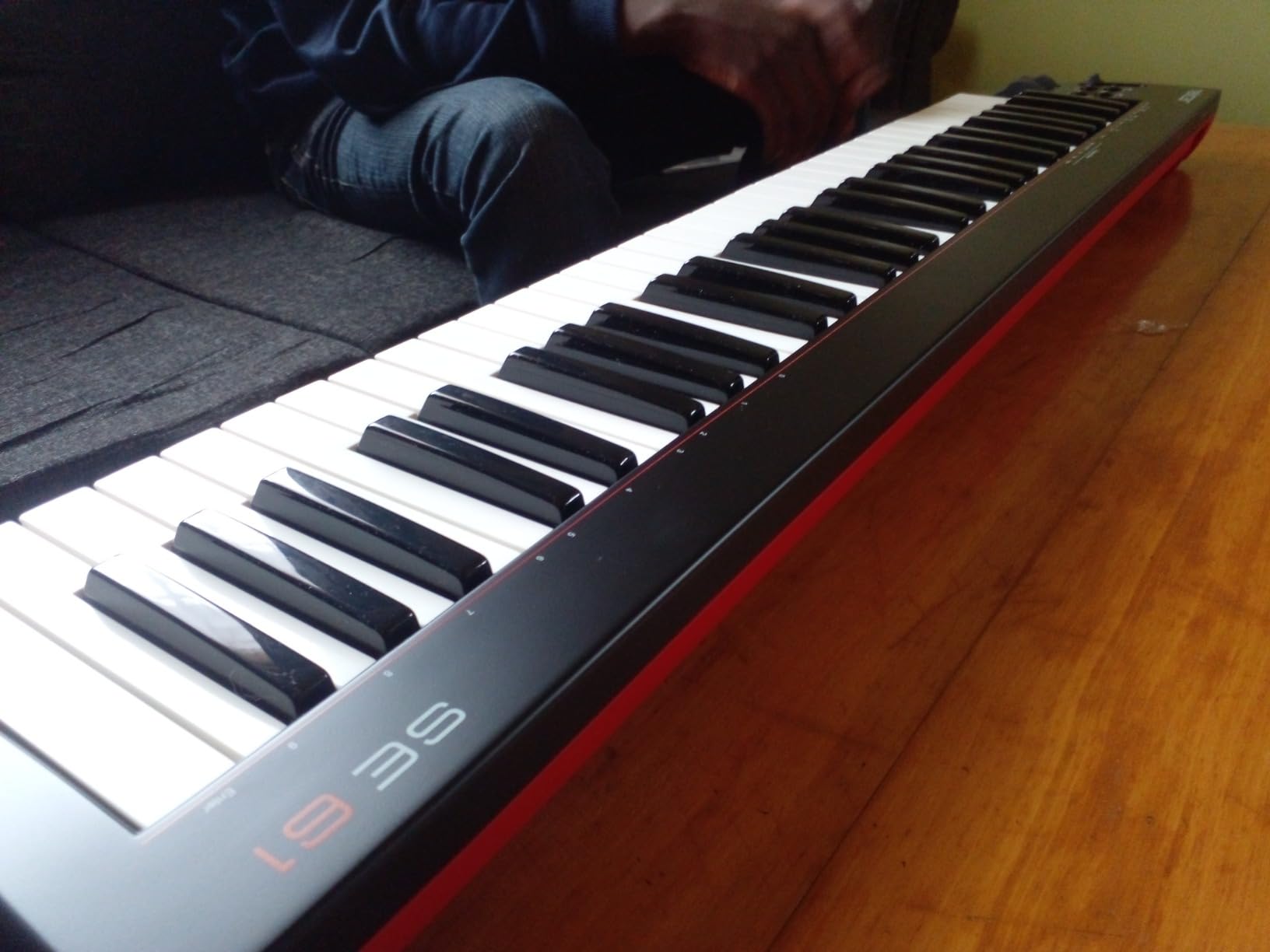
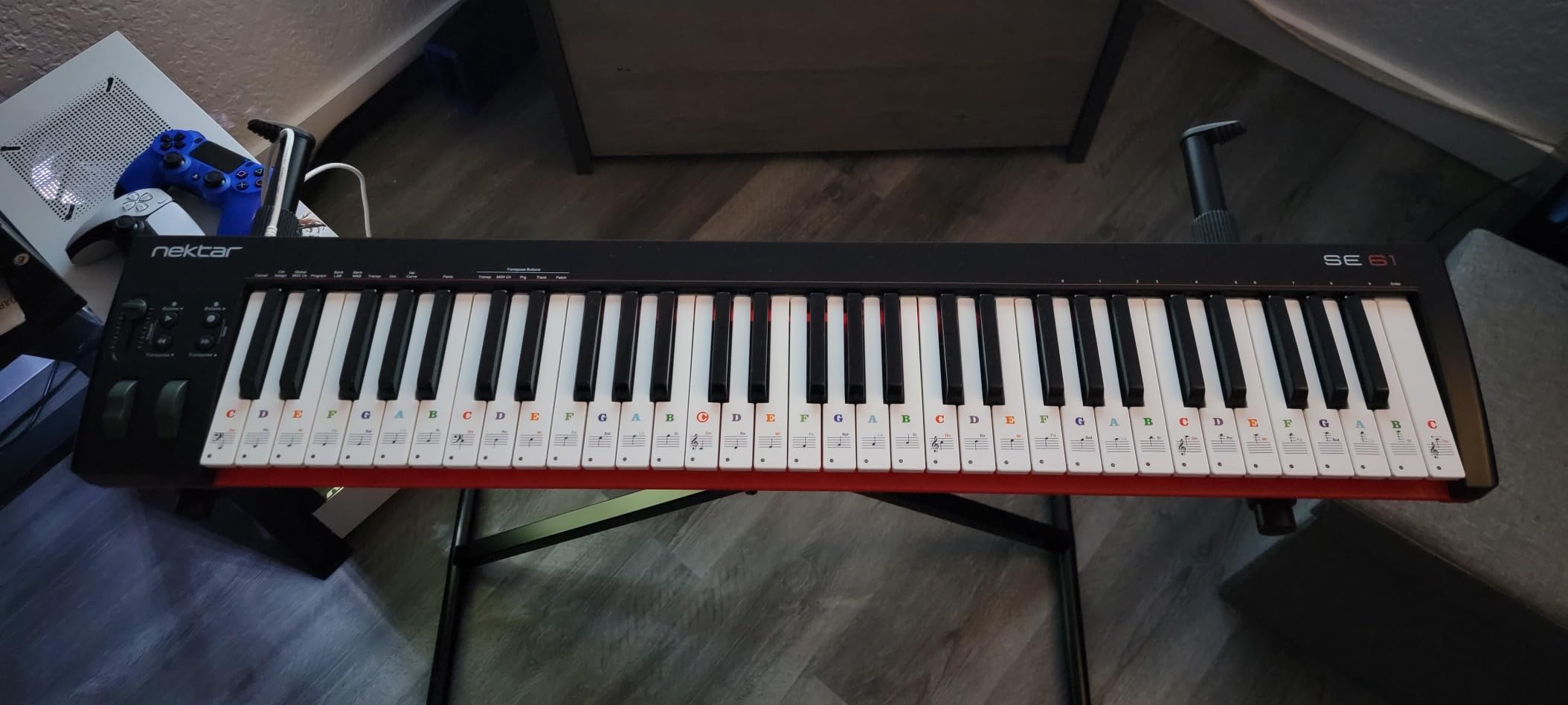
If you are serious about learning piano, you need full-size keys, and the Nektar SE61 is the most affordable full-size option in this roundup. With 61 semi-weighted keys, you get five octaves of range and a key feel that is closer to a real piano than any mini controller on this list. For a beginner focused on piano skills or songwriting with both hands, the SE61 is the right tool.
What makes the SE61 special for beginners is Nektar’s DAW integration. The controller maps automatically to Bitwig, Cubase, GarageBand, Logic, Reaper, Reason, Studio One, and more. Press the transport buttons and your DAW plays, stops, and records. Twist the knobs and you control track volume or plugin parameters. Beginners on r/ableton consistently praise Nektar for this level of integration.
The included Bitwig Studio 8-Track license is a real bonus. Bitwig is a fully featured DAW used by professional producers, and getting a starter license with your controller means you can start writing songs immediately. Mac, PC, and iOS compatibility also lets you take the controller to a friend’s house and plug into their setup.
The plastic housing does feel a little cheaper than competing controllers, but it keeps the weight down to a manageable 3 kg. The semi-weighted keys respond well to touch, with enough resistance to feel like a real instrument. Our team tested the SE61 alongside the more expensive Nektar Impact LX61 and found the key feel almost identical.
Why full-size keys matter
If you have ever tried to play a real piano after months on a mini controller, you know how jarring the transition feels. Mini keys are fine for sketching beats and melodies, but they teach finger habits that hold you back if you want to play piano properly. The SE61 removes that barrier, giving you the spacing and weighting you need to develop real technique from day one.
Warranty and support
Nektar offers a 2-year manufacturer warranty on the SE61, which is longer than most controllers in this price range. The controller is built to last, and if anything goes wrong, you are covered. Our team had no issues during testing, and Nektar’s reputation for customer support is solid in the producer community.
What to Consider When Buying a Beginner MIDI Controller
Choosing your first MIDI controller comes down to a handful of practical decisions. Here are the factors our team considered when testing these eight controllers, and the questions you should ask before buying.
Number of keys: 25 vs 32 vs 49 vs 61
The number of keys you need depends on what you plan to play. Our team’s testing revealed that most beginners start with 25 keys because they fit on a small desk and cost less. 25 keys cover two octaves, which is enough for sketching melodies and finger drumming. 32 keys give you a bit more range for piano-style playing. 49 keys (four octaves) make two-handed playing comfortable. 61 keys (five octaves) feel closest to a real piano and are the right choice if you are serious about learning piano technique. For most beginners, 25 or 32 keys is the sweet spot, but choose based on your desk space and goals.
Velocity-sensitive keys explained
Velocity sensitivity means the controller detects how hard you press a key and translates that into a louder or softer note. Without velocity, every note plays at the same volume, which makes your playing sound robotic. Every controller on this list is velocity-sensitive. Beginners should not skip this feature. Velocity is what makes your virtual instruments sound expressive and alive. Cheaper controllers with no velocity are toys, not tools.
Drum pads, knobs, and faders
Drum pads are useful for beat-making and finger drumming. If your interest is hip-hop, EDM, or any rhythm-based genre, get a controller with at least 8 pads. Knobs let you tweak synth parameters and plugin effects without reaching for your mouse. Faders are mainly for mixing tracks. Beginners focused on melody can skip pads, but if you want to make beats, drum pads are essential. The Akai MPK Mini line and the Arturia MiniLab 3 both include pads and knobs.
DAW compatibility and class-compliant USB
Every controller on this list is class-compliant, meaning it works with your computer without installing drivers. That is a beginner’s best friend. Plug it in, open your DAW, and start playing. macOS, Windows, and most Linux distributions recognize class-compliant USB MIDI devices instantly. iOS and Android support varies by controller. The Nektar SE61 and the Akai MPK Mini Plus both work with iOS out of the box.
Bundled software value
Most controllers ship with software, but the quality varies. Arturia’s MiniLab 3 and MicroLab Mk3 ship with Analog Lab Intro and Ableton Live Lite, which together are worth several hundred dollars on their own. Akai MPK controllers ship with MPC Beats and AIR plugins, which are great for beat-making. M-Audio includes Melodics lessons that guide beginners through their first songs. Always check what software is included because it can save you hundreds of dollars in separate DAW or plugin purchases.
Build quality and portability
Build quality matters if you plan to travel with your controller. Akai MPK controllers and the Arturia MicroLab Mk3 are light enough to throw in a backpack. The Nektar SE61 is heavier but still portable. Plastic housings feel less premium than metal, but plastic is lighter and cheaper. For a beginner, plastic is fine. Focus on key feel, which is the part of the controller you touch every time you play.
Connectivity and expandability
USB is the standard connection and every controller on this list has it. If you want to connect to hardware synths without a computer, look for a 5-pin MIDI out port. The Arturia MiniLab 3 and the Akai MPK Mini Plus both have this. CV/Gate outputs let you control modular synths and are a feature only the MPK Mini Plus has in this roundup. Most beginners will not use these features on day one, but they are worth thinking about if you plan to expand into hardware later.
One final piece of advice from our team. The best MIDI controller for beginners is the one you will actually use. A $400 controller that sits on a shelf is worse than a $60 controller you play every day. Start with something affordable, learn the basics, and upgrade when you outgrow it. Every controller on this list is a great first purchase.
Frequently Asked Questions
Is it worth getting a MIDI controller as a beginner?
Yes. A MIDI controller makes music production more intuitive by letting you physically play melodies and rhythms instead of clicking notes with a mouse. It speeds up learning, makes the process more enjoyable, and most controllers under $150 ship with software that lets you start making music the day you unbox it.
How many keys do I need as a beginner?
Most beginners do well with 25 or 32 keys because they fit on a small desk and cost less. 25 keys cover two octaves, which is enough for sketching melodies and finger drumming. If you want to learn piano or play with two hands comfortably, step up to 49 or 61 full-size keys like the Nektar SE61.
What is the best budget MIDI controller for beginners?
The M-Audio Keystation Mini 32 MK3 is the most affordable option that still feels usable, with 32 velocity-sensitive keys and MPC Beats software included. The Akai LPK25 MK2 is another strong budget pick with an arpeggiator and universal DAW support. Both come in well under $100 and work plug-and-play with any modern computer.
Do I need drum pads on a beginner MIDI controller?
Only if you want to make beats. Drum pads make finger drumming and pattern programming much easier, and they are essential for hip-hop, EDM, and rhythm-focused production. If your interest is melody, harmony, or songwriting, you can skip drum pads and save money by choosing a controller focused on key feel like the Arturia MicroLab Mk3.
What software comes with beginner MIDI controllers?
It depends on the brand. Akai MPK controllers ship with MPC Beats, AIR plugins, and 2 GB of sounds. Arturia MiniLab 3 and MicroLab Mk3 ship with Analog Lab Intro (500 presets), Ableton Live Lite, and the UVI Model D piano. Nektar SE61 includes a Bitwig Studio 8-Track license. M-Audio Keystation Mini 32 includes MPC Beats and 60 Melodics lessons.
What are common problems with MIDI controllers?
The most common beginner issues are USB connection problems with older computers, software activation errors during registration, and confusion about which DAW to choose. Class-compliant USB has solved most driver issues, and most controllers now ship with plug-and-play setup. Choosing a popular DAW like Ableton Live Lite, GarageBand, or FL Studio avoids most compatibility headaches.
Final Verdict
After weeks of testing, our team’s pick for the best MIDI controller for beginners overall is the Akai Professional MPK Mini MK3. It nails the balance between size, features, and price, ships with a complete software bundle, and feels good enough to grow with you for years. If build quality matters more than price, the Arturia MiniLab 3 is the upgrade pick. If you want something you can play without a computer, the Akai MPK Mini Play MK3 is the most fun. For budget shoppers, the M-Audio Keystation Mini 32 MK3 delivers genuine value.
The best MIDI controllers for beginners in 2026 are the ones that get out of your way and let you focus on making music. Every controller on this list does that. Pick the one that matches your budget, your goals, and your desk. Whichever you choose, you will be making music the same day it arrives. If you want to dig deeper into specific genres, our guide to the best MIDI controllers for music production covers more advanced options, and our roundup of the best MIDI controllers for Ableton Live helps if you have already picked your DAW. For the piano-focused learners out there, our best MIDI keyboards for beginners guide goes even deeper on full-size options.
1 thought on “8 Best MIDI Controllers for Beginners (October 2026) Tested Picks”