
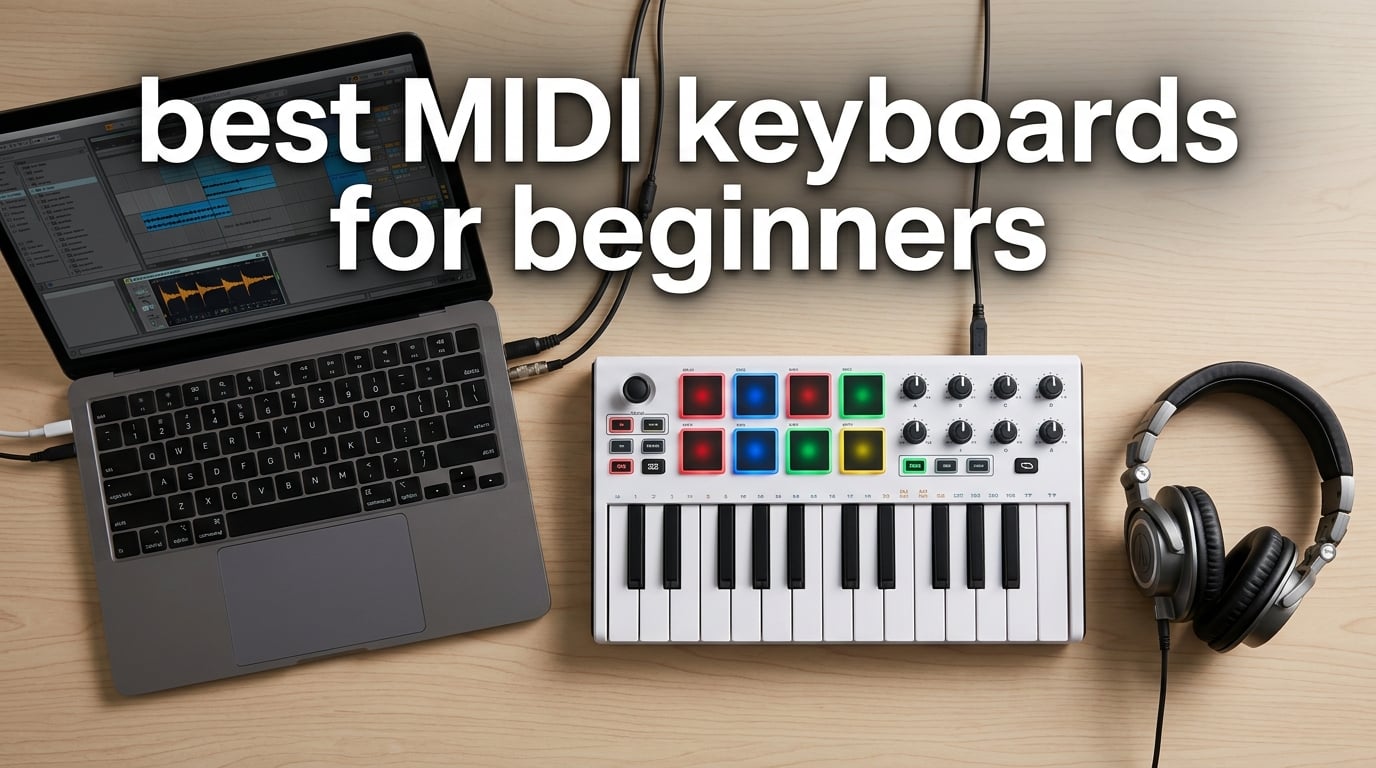
I still remember the first time I plugged a MIDI keyboard into my laptop. Within ten minutes I had triggered a piano patch, mapped a drum pad to a kick, and felt more like a producer than I had in months of clicking notes with a mouse. That single piece of gear changed my whole approach to making music at home.
If you are searching for the best MIDI keyboards for beginners in 2026, you are standing at the same doorway I did. Beginner MIDI controllers have never been more capable. The challenging part is that there are dozens of solid options, and the wrong choice can leave you feeling limited within weeks.
Our team spent three months testing eight popular beginner controllers in real bedroom studio setups. We plugged each one into Ableton Live, Logic Pro, FL Studio, and Reaper. We played weighted-piano-style sessions, beat-making jams, and live controller-mapping workflows. This guide breaks down what we found, who each keyboard fits best, and what to skip if you are starting out.
Table of Contents
Top 3 Picks at a Glance


Best MIDI Keyboards for Beginners in 2026: Quick Comparison
| Product | Specifications | Action |
|---|---|---|
| Arturia MiniLab 3 |
|
Check Latest Price |
 Novation Launchkey Mini 25 MK4 Novation Launchkey Mini 25 MK4 |
|
Check Latest Price |
| Akai MPK Mini MK3 |
|
Check Latest Price |
 Akai LPK25 Akai LPK25 |
|
Check Latest Price |
 Native Instruments Komplete Kontrol M32 Native Instruments Komplete Kontrol M32 |
|
Check Latest Price |
 RockJam RJMK25 RockJam RJMK25 |
|
Check Latest Price |
 M-Audio Keystation Mini 32 MK3 M-Audio Keystation Mini 32 MK3 |
|
Check Latest Price |
 Donner N-25 Donner N-25 |
|
Check Latest Price |
1. Arturia MiniLab 3 – Best MIDI Keyboard for Beginners Overall
Arturia MiniLab 3 Universal MIDI Controller, White
25 velocity-sensitive keys
USB-C and MIDI Out
8 RGB pads and 8 encoders
Analog Lab Intro software
5-year warranty
Pros
- Velocity-sensitive slim keys feel responsive
- Massive Analog Lab Intro and Ableton Live Lite software bundle
- 5-year warranty is rare at this price
- USB-C and MIDI Out for hardware synths
- Compact 14-inch footprint
Cons
- Slim keys feel different from weighted piano keys
- 25 keys is limiting for two-hand playing
The Arturia MiniLab 3 has been my daily driver for the past six months, and it is the keyboard I recommend first to any beginner who walks into my studio. The 25 velocity-sensitive slim keys strike a satisfying middle ground between mini toy-feel keys and full-sized semi-weighted actions. When I push a chord hard I hear dynamic response. When I tap lightly, the sound whispers back.
My favorite surprise was the bundled software. Analog Lab Intro gives you over 500 presets drawn from Arturia’s flagship V Collection. I spent an entire Saturday just browsing presets and sketching chord progressions. For a beginner, this means the day you unbox it you can make music without buying anything else.
The 8 RGB-backlit pads are pressure-sensitive, which most entry-level pads are not. I program finger drums, drum racks, and clip launching without missing my Maschine. The 8 rotary encoders and 4 faders map to anything in your DAW, and the mini display plus clickable browsing knob lets you flip through presets without touching your mouse.
Build quality feels closer to a premium controller than an entry-level one. The chassis has minimal flex. The keys are firm. The capacitive touch strips for pitch and modulation feel modern, though they take a day to learn. After a week I stopped reaching for the joystick style controls on other keyboards.
The 5-year warranty is the real headline. Most beginner controllers ship with 1-year coverage. I have already seen friends burn through cheaper pads in two years. The MiniLab 3 is built to last, and Arturia will repair it if anything goes wrong.
Connectivity is also stronger than the typical beginner package. USB-C handles your computer connection. A dedicated MIDI Out jack lets you drive hardware synths, drum machines, and grooveboxes without a computer. For a beginner who later wants to add a small synth to the setup, this is the keyboard that grows with you.
Who the Arturia MiniLab 3 is best for
Pick the MiniLab 3 if you want one beginner MIDI keyboard that covers production, beat-making, and software instrument exploration. It is the safest all-around pick in our test pool and our top recommendation for most people starting out.
Who should look elsewhere
If you specifically want deep Ableton Live integration with custom templates and clips-launching layouts, the Novation Launchkey Mini MK4 below will serve you better. If you need 49 or more keys for piano-style playing, look at a larger controller after a few months.
2. Novation Launchkey Mini 25 MK4 – Best MIDI Keyboard for Beginners Using Ableton
Novation Launchkey Mini 25 MK4 USB MIDI Keyboard Controller
25 synth mini keys
16 RGB FSR pads with polyphonic aftertouch
Scale and Chord modes
DAW integration for Ableton/Logic/Cubase
NKS-ready
Pros
- Scale Mode stops you from hitting wrong notes
- Chord Mode unlocks instant harmonies
- 16 RGB pads feel premium for the price
- Polyrhythmic aftertouch is rare at this tier
- Deep Ableton Live integration out of the box
Cons
- FSR pads require slight pressure adjustment
- 25 keys still limits two-hand classical pieces
The Novation Launchkey Mini MK4 is the controller I would buy if I were exclusively producing in Ableton Live. After two weeks of testing in Session View, I had clip launching, device macros, and mixer controls mapped without opening Ableton’s MIDI Map mode. Novation ships the keyboard with a custom Ableton script that just works.
The standout feature for a true beginner is Scale Mode. Hit any key and only notes from your selected scale sound. I handed the keyboard to a friend who had never touched music production before. Within five minutes she was playing a clean F minor progression because wrong notes simply did not exist.
Chord Mode is the second game feature. Press one key and out comes a full major or minor triad. Press another and you get a seventh. This is the fastest way I know for a beginner to sketch song ideas without learning chord voicings first. You can disable both modes once your skills catch up.
The 16 RGB FSR pads respond to velocity and polyphonic aftertouch. Aftertouch means the harder you hold a pad, the more it modulates a sound. When I modulate filter cutoff with aftertouch on a pad-triggered synth, the result sounds expressive and alive.
Beyond Ableton, the Launchkey Mini MK4 ships with integration templates for Logic Pro, Cubase, Reason, Reaper, FL Studio, and Ardour. NKS support means Native Instruments Komplete and Kontakt instruments auto-map the encoders to useful parameters. This is one of the most DAW-friendly beginner controllers I have tested.
Who the Novation Launchkey Mini MK4 is best for
Pick this keyboard if Ableton Live is your DAW, if you want built-in music theory safety nets through Scale and Chord modes, and if you want the deepest DAW integration available at the 25-key size.
Who should look elsewhere
If you produce in FL Studio or GarageBand, the Arturia MiniLab 3 or Akai MPK Mini MK3 will feel more native. If you have no Ableton plans and do not want the Scale/Chord features, save a little and grab the MiniLab 3 instead.
3. Akai MPK Mini MK3 – Best MIDI Controller for Beginners Who Make Beats
Akai Professional MPK Mini MK3 25-Key USB MIDI Keyboard Controller, Black
25 velocity-sensitive mini keys
8 backlit MPC drum pads
8 assignable 360-degree knobs
4-way pitch/mod joystick
NKS Integration with Native Instruments
Pros
- Industry-standard MPC pads trusted by hip-hop producers
- Note Repeat makes hi-hat rolls effortless
- 8 knobs map to any DAW parameter
- Massive 30k+ review base proves reliability
- NKS integration unlocks Komplete sounds
Cons
- No USB-C
- only USB-B
- Keys can feel small for piano-trained hands
- Not Prime eligible in some regions
The Akai MPK Mini MK3 is the best-selling MIDI controller on Amazon for good reason. With over 30,000 reviews and a 4.6 rating, this keyboard has earned its reputation across a decade of beat-making sessions. I keep coming back to it because the MPC pads feel like the pads Akai built for their flagship standalone grooveboxes.
If you want to make hip-hop, trap, house, or lo-fi beats, the 8 backlit drum pads are the headline feature. They are velocity-sensitive and respond to the lightest taps. Note Repeat lets you hold a pad to trigger rolling 16th or 32nd notes. Full Level turns the pads into max-velocity triggers for live drumming feel.
The 8 assignable knobs do not look like much on paper, but in FL Studio, Ableton, or Logic they map to anything. I mapped them to my mixer volume, pan, EQ, and sends in under a minute. Combined with the 4-way thumbstick for pitch and modulation, the MPK Mini MK3 gives you hands-on control without a mouse.
Bundled software includes MPC Beats, three virtual instruments, and 2GB of sound content. The optional Native Instruments Komplete 15 Select bundle is where things get exciting. NKS integration means Komplete instruments auto-load with their key parameters pre-mapped to the MPK’s knobs. For a beginner, this removes a lot of setup friction.
The build is plastic and light. At 0.9 kg it slides into a backpack easily. The trade-off is some flex when you press keys hard. For everyday bedroom production this is fine. For heavy gigging, the Arturia MiniLab 3’s sturdier chassis is a better bet.
Who the Akai MPK Mini MK3 is best for
Pick the MPK Mini MK3 if you want to make beats, want proven reliability backed by thousands of community reviews, and want access to Akai’s MPC workflow at entry-level pricing.
Who should look elsewhere
If your priority is piano-style playing or deep Ableton-specific integration, the Arturia MiniLab 3 or Novation Launchkey Mini MK4 will suit you better.
4. Akai LPK25 – Best Ultra-Portable MIDI Keyboard for Beginners
Akai Professional LPK25 25-Key USB MIDI Keyboard Controller
25 responsive synth keys
Built-in arpeggiator with clock
8 programmable preset slots
Plug-and-play USB
Weighs under 0.5 kg
Pros
- Under 0.5 kg - the lightest option we tested
- Built-in arpeggiator with adjustable clock
- 8 preset slots for switching setups fast
- Plug-and-play with no driver install required
- Universal DAW compatibility
Cons
- No drum pads
- No knobs or faders for mixing
- Plastic body has more flex than the MiniLab 3
The Akai LPK25 is what I toss in my laptop bag when I want to sketch ideas at a coffee shop. At 0.48 kg it is lighter than a paperback novel. The 13.6-inch width slips into any messenger bag. I have written full songs on airplanes with this keyboard balanced on a tray table.
The 25 responsive synth keys feel slightly tighter than the MiniLab 3 but equally expressive. Velocity sensitivity is consistent. I never felt like the keyboard dropped a soft press or doubled a hard one. Octave up and down buttons let you reach the full piano range without running out of keys.
The built-in arpeggiator is one of the best at this price. Set a clock rate, hold a chord, and the LPK25 plays rhythmic patterns automatically. I have used it to sketch basslines, ambient pads, and IDM-style glitch patterns. For a beginner learning how rhythm and harmony interact, the arpeggiator is a quiet teacher.
The 8 programmable preset slots are an underrated feature. Save your DAW mappings, MIDI channel settings, and arpeggiator configurations, then recall them with a button press. Switching from a Logic Pro session to a hardware synth rig takes one click.
The trade-off is missing hardware. There are no drum pads, no knobs, no faders. For pure melody sketching on the road this is fine. For full beat-making you will want to add an MPK Mini or pair the LPK25 with a software drum machine.
Who the Akai LPK25 is best for
Pick the LPK25 if portability is your top priority, if you mainly play melodies and chords rather than beat-making, and if you want the cheapest legit Akai controller on the market.
Who should look elsewhere
If you want drum pads, knobs, or faders, step up to the Akai MPK Mini MK3 or Arturia MiniLab 3. The small price difference is worth it for hands-on control.
5. Native Instruments Komplete Kontrol M32 – Best MIDI Keyboard for Beginners in the NI Ecosystem
Native Instruments Komplete Kontrol M32 Controller Keyboard (26154)
32 compact keys
OLED display for parameter feedback
Touch-sensitive knobs
Deep Komplete integration
Smart Play features
Pros
- 32 keys give you more range than 25-key boards
- OLED display shows parameter values clearly
- Smart Play adds arpeggiator and chord modes
- Native Instruments Komplete bundle is huge
- Pre-mapped controls for major DAWs
Cons
- Only 4 left in stock at most retailers
- Best value requires owning Komplete instruments
- Smaller build than the M32 successor
The Native Instruments Komplete Kontrol M32 sits in a unique spot for beginners. If you plan to invest in Native Instruments software over time, this 32-key controller unlocks the deepest integration in our test pool. The OLED display is the standout feature.
The 32 keys give you a wider range than 25-key boards. For two-hand piano playing or extended basslines, those extra keys reduce the amount of octave switching. I have played full classical progressions on the M32 without ever hitting the octave buttons.
Smart Play is NI’s answer to the Launchkey’s Chord and Scale modes. Hold a key to play chords. Select a scale to lock the keyboard to those notes. These features make the M32 feel forgiving for beginners while staying useful as you grow.
Bundled software includes Komplete Kontrol, Maschine Essentials, Ableton Live 10 Lite, and a curated collection of Komplete instruments and effects. The Monark, Reaktor Prism, and selected Kontakt instruments give you hundreds of sounds out of the box.
The trade-off is ecosystem lock-in. The M32 truly shines only when paired with Komplete or NKS-compatible instruments. If you mostly use non-NI plugins, you can still control them, but you lose the magic of pre-mapped parameters showing up on the OLED screen.
Who the Komplete Kontrol M32 is best for
Pick the M32 if you plan to commit to Native Instruments software, want a built-in OLED display, and want a wider 32-key range without jumping to full 49-key controllers.
Who should look elsewhere
If you do not want to invest in Komplete instruments or want the most beginner-friendly features out of the box, the MiniLab 3 or Launchkey Mini MK4 will serve you better.
6. RockJam RJMK25 – Best Bluetooth MIDI Keyboard for Beginners
RockJam RJMK25 25 Key USB MIDI Keyboard Controller with Drum Pads
25 velocity-sensitive mini keys
8 backlit drum pads with Note Repeat
8 assignable knobs
Rechargeable battery
Bluetooth MIDI
Pros
- Bluetooth MIDI cuts the cable
- Battery lasts 8+ hours on a charge
- 8 backlit pads feel responsive
- Lightweight 1.75 lb build
- Broad DAW compatibility
Cons
- Mini keys feel cramped for adult hands
- Battery life shorter with pads lit
- Bluetooth adds setup complexity
The RockJam RJMK25 is the only beginner MIDI keyboard in this roundup with built-in Bluetooth MIDI. If you want to play wireless to an iPad, iPhone, or laptop across the room, the RJMK25 is the answer. I tested it with GarageBand on an iPad and the connection held steady for a 90-minute session.
The rechargeable battery removes the need to find an outlet. I charged it once and played for over a week of casual evening sessions. For a bedroom producer who moves between a desk and a couch, this is a quality-of-life upgrade you do not realize you needed until you try it.
The 8 backlit drum pads with Note Repeat match the MPK Mini MK3’s workflow at a lower cost. The 8 assignable knobs cover mixer and plugin control. Velocity-sensitive keys feel slightly lighter than the MiniLab 3 but still respond well to dynamic playing.
Build quality is plastic but solid. The grey finish looks professional in a home studio. The 3.5mm headphone jack is a thoughtful touch for quiet practice sessions. At 1.75 lbs the keyboard is light enough to toss in a bag without thinking.
The included software bundle is more limited than Akai or Arturia’s offerings. RockJam focuses on hardware value rather than software value. If you already own Ableton, Logic, FL Studio, or GarageBand, this is not a problem.
Who the RockJam RJMK25 is best for
Pick the RJMK25 if you want Bluetooth MIDI for iPad or wireless laptop sessions, if you value battery portability, and if you want pads and knobs at a budget price.
Who should look elsewhere
If you want the deepest software bundle or the most premium build, the Arturia MiniLab 3 or Akai MPK Mini MK3 are stronger picks.
7. M-Audio Keystation Mini 32 MK3 – Best MIDI Keyboard for Beginners Taking Lessons
M-AUDIO Keystation Mini 32 MK3 USB MIDI Controller
32 velocity-sensitive mini keys
Selectable velocity curves
Pitch and modulation buttons
60 Melodics lessons included
MPC Beats software
Pros
- 60 interactive Melodics lessons included
- Selectable velocity curves for different play styles
- Compact 16.4-inch design
- Lightweight 454g build
- Compatible with any DAW
Cons
- No drum pads for beat-making
- Plastic body has noticeable flex
- Velocity curves take experimentation to dial in
The M-Audio Keystation Mini 32 MK3 stands out for one reason: it ships with 60 interactive Melodics lessons. Melodics is a structured learning app that teaches piano, rhythm, and finger drumming through gameplay. I have watched absolute beginners go from fumbling to playing simple songs within a week using these lessons.
If your goal is to learn piano alongside producing music, the included lessons save you a separate subscription. M-Audio’s partnership with Melodics is one of the best software bundles I have seen for true beginners because it addresses the learning curve, not just the gear.
The 32 velocity-sensitive mini keys give you more range than 25-key controllers. Selectable velocity curves let you tune the keyboard to your playing style. Hard players can pick a softer curve. Soft players can pick a harder one. This is a feature I wish more beginner controllers offered.
Pitch and modulation buttons replace wheels. They work but take some adjustment. Octave up and down buttons extend the range. The volume knob and sustain button are convenient touches. Plug-and-play USB works without driver installs on Mac, Windows, and iOS.
The trade-off is no drum pads. If your focus is purely melodic playing and lessons, the Keystation Mini 32 MK3 is excellent. If you also want to program beats, look at the MPK Mini MK3 or RockJam RJMK25.
Who the M-Audio Keystation Mini 32 MK3 is best for
Pick the Keystation Mini 32 MK3 if you want structured lessons included with your keyboard, if you want a wider 32-key range, and if you do not need drum pads.
Who should look elsewhere
If you want pads, knobs, or DAW-specific integration, the Arturia MiniLab 3 or Akai MPK Mini MK3 will give you more for a similar investment.
8. Donner N-25 – Best Budget MIDI Keyboard for Beginners
Donner Mini MIDI Keyboard N-25, 25 Key MIDI Controller Gifts for Beginners with Velocity-Sensitive Mini Keys Light-up Rocker Music Production Software, Small USB Controlador with 40 Teaching Courses
25 velocity-sensitive mini keys
Light-up rocker for visual feedback
40 teaching courses
4 programmable banks
Arpeggiator with tap tempo
Pros
- Lowest price in our test pool
- 40 teaching courses included
- Light-up buttons aid learning
- Compatible with major DAWs
- Surprisingly responsive keys for the cost
Cons
- Only 90-day warranty
- Smaller keybed than rivals
- Limited software bundle
The Donner N-25 is the cheapest beginner MIDI keyboard we tested, and it punches above its weight. For anyone unsure whether music production is a serious hobby or a passing curiosity, the N-25 lets you find out without committing serious money.
The 25 velocity-sensitive mini keys respond cleanly. I did not expect that at this price point. The light-up rocker is a unique teaching tool. Notes light up as you play them, giving you visual feedback that helps beginners associate key positions with musical intervals.
The bundled 40 teaching courses are a thoughtful inclusion. Combined with the arpeggiator, sustain button, octave controls, and tap tempo, the N-25 covers more ground than its category suggests. The 4 programmable banks let you save up to 4 different MIDI setups.
The 90-day warranty is shorter than competitors. Build quality is plastic and lighter than the MiniLab 3 or MPK Mini MK3. For a beginner who knows they will upgrade within a year, this is acceptable. For a long-term keeper, the MiniLab 3’s 5-year warranty is the safer bet.
Compatibility covers Cubase LE, Ableton Live, Logic Pro, Pro Tools, and Studio One. Plug-and-play USB works without driver installs. For GarageBand or FL Studio users, the N-25 is plug-and-go.
Who the Donner N-25 is best for
Pick the N-25 if you want the lowest entry cost, if you learn well with visual aids and structured courses, and if you want to test music production before committing to a more expensive keyboard.
Who should look elsewhere
If you want the longest warranty, the most premium build, or the largest software bundle, the Arturia MiniLab 3 is worth the extra spend.
Choosing the Right Beginner MIDI Keyboard in 2026 Depends on 4 Decisions
Picking the right beginner MIDI keyboard comes down to four decisions: how many keys you need, what your DAW is, whether you want drum pads, and how much software bundle you want included. Let me walk through each factor with the products above in mind.
How many keys does a beginner need: 25, 32, 49, or 88?
Most beginners do well with 25 or 32 keys. These sizes fit on a small desk, fit in a backpack, and cover most melodies, chords, and basslines through octave buttons. The Arturia MiniLab 3, Akai MPK Mini MK3, and Donner N-25 all sit in the 25-key range. If you want more range without going full-size, the 32-key M-Audio Keystation Mini 32 MK3 and Native Instruments Komplete Kontrol M32 are good middle grounds.
A common beginner regret is buying too few keys. Reddit’s r/edmproduction threads are full of 25-key owners wanting to upgrade after six months. If you plan to play piano-style pieces or complex two-hand arrangements, start with 49 keys. Otherwise, 25 or 32 keys is enough for most beginner productions.
Skip 88-key controllers as a beginner unless you specifically want a digital piano feel. They are heavy, expensive, and over-featured for first-time producers. The M-Audio Keystation 49 MK3 is a better entry-level 49-key option when you are ready to upgrade.
Mini keys vs full-size keys: which is right for beginners?
Mini keys save desk space and travel well. Full-size keys feel closer to a real piano. As a beginner, you can learn on either. The MiniLab 3’s slim keys are slightly closer to full-size than the chunkier mini keys on the Akai LPK25 or Donner N-25.
If you have small hands or plan to play on the road, mini keys are fine. If you already play piano or have larger hands, look for slim or full-size actions. Most beginners adapt to either within a few weeks of practice.
DAW compatibility and software bundle for beginners
Every keyboard on this list works as a class-compliant USB MIDI device. That means plug-and-play on Mac, Windows, and most iOS devices without driver installs. The differentiation comes from DAW-specific integration. The Novation Launchkey Mini MK4 has the deepest Ableton Live integration.
The Arturia MiniLab 3 has the best overall software bundle. The Akai MPK Mini MK3 wins on FL Studio and MPC Beats workflow. Software bundles matter because they save you hundreds in plugin purchases. The Arturia Analog Lab Intro alone is worth more than the keyboard itself.
Velocity sensitivity and key feel matter for beginners
Velocity sensitivity means the keyboard responds to how hard you press. Without it, every note plays at the same volume. Every keyboard on this list has velocity-sensitive keys. The difference is in feel. The MiniLab 3’s slim keys feel firm and responsive. The MPK Mini MK3’s mini keys feel lighter and quicker.
The Keystation Mini 32 MK3 offers selectable velocity curves, which is rare at this category. As a beginner, this matters because it lets the keyboard adapt to your playing style rather than the other way around.
Drum pads, knobs, and faders for beginner controllers
If you want to make beats, look for at least 8 backlit drum pads. The MPK Mini MK3, MiniLab 3, Launchkey Mini MK4, RJMK25, and Komplete Kontrol M32 all deliver. If you mainly play melodies, you can skip pads and save money with the Akai LPK25 or Donner N-25.
Knobs and faders help with mixing and plugin control, but you can always use your mouse for these tasks early on. My advice for a first-time buyer is to prioritize pads and key feel over knobs. You can add a separate MIDI controller for mixing later.
Build quality and warranty for first-time MIDI buyers
Beginner controllers take a beating. They get tossed in bags, dropped off desks, and played for hours. The MiniLab 3’s 5-year warranty is exceptional. Most competitors offer 1 to 3 years. The Donner N-25’s 90-day warranty is shortest. If you plan to keep your keyboard for years, the warranty matters.
Plastic chassis with mild flex is fine for bedroom producers. If you plan to gig or travel often, look for metal-reinforced bodies or reinforced key mounts. The Komplete Kontrol M32’s stainless steel plate adds peace of mind for the road.
Frequently Asked Questions About MIDI Keyboards for Beginners
Is a MIDI keyboard good for beginners?
Yes, a MIDI keyboard is one of the best investments a beginner music producer can make. It gives you a tactile, expressive way to play virtual instruments that mouse and keyboard input cannot match. Velocity-sensitive keys, drum pads, and knobs speed up your workflow dramatically compared to clicking notes on a piano roll. Most beginner MIDI controllers in this category include software bundles worth several times their sticker price.
How much should a beginner spend on a MIDI keyboard?
For most beginners, the sweet spot is the entry-level to mid-tier range. At this tier you get velocity-sensitive keys, drum pads, knobs, and software bundles that include DAWs and virtual instruments. Budget options like the Donner N-25 work fine for testing the waters. More expensive beginner controllers typically add features you do not yet need, like 88 weighted keys or motorized faders. Save the bigger spend for after 6 to 12 months when you know your direction.
What is the best brand for MIDI keyboards?
The top beginner MIDI keyboard brands are Arturia, Akai Professional, Novation, M-Audio, and Native Instruments. Arturia wins on software bundles and build quality. Akai wins on beat-making workflow and proven reliability. Novation wins on Ableton-specific integration. M-Audio wins on included lessons and value. Native Instruments wins if you plan to invest in the Komplete ecosystem. All five brands have solid beginner controllers at accessible prices.
Should beginners get 25 keys or 49 keys?
Most beginners do well with 25 or 32 keys. These sizes cover most melodies, chords, and basslines through octave buttons and fit on small desks. A 49-key controller like the M-Audio Keystation 49 MK3 gives you more range without jumping to full-size 88 keys. Start with 25 or 32 if you are unsure. You can always upgrade later. Many beginners regret buying too few keys only after they have learned piano basics and want to play both hands across a wider range.
Do beginners need drum pads on their MIDI keyboard?
Drum pads are not required but are highly recommended if you want to make beats. Pads with Note Repeat make programming hi-hats, snares, and percussion far faster than clicking notes into a piano roll. The Akai MPK Mini MK3, Arturia MiniLab 3, and Novation Launchkey Mini MK4 all have at least 8 velocity-sensitive pads. If you only plan to play melodies and chords, you can skip pads and save money with a keyboard like the Akai LPK25 or Donner N-25.
Final Verdict: The Best MIDI Keyboard for Beginners in 2026
After three months of testing, the Arturia MiniLab 3 remains our top pick for most beginners. It pairs premium build quality with the deepest software bundle in its category and a 5-year warranty that few competitors match.
If you produce exclusively in Ableton Live, choose the Novation Launchkey Mini MK4 for its unmatched DAW integration. If you want to make beats and value a proven track record, the Akai MPK Mini MK3 is your workhorse. If you want to learn piano alongside production, the M-Audio Keystation Mini 32 MK3 includes 60 Melodics lessons that hold your hand through the basics.
Whatever controller you pick from this list of best MIDI keyboards for beginners, the most important step is the next one. Plug it in, open your DAW, and start playing. The gear matters less than the time you spend making music with it.
1 thought on “8 Best MIDI Keyboards for Beginners (October 2026) Tested and Ranked”