
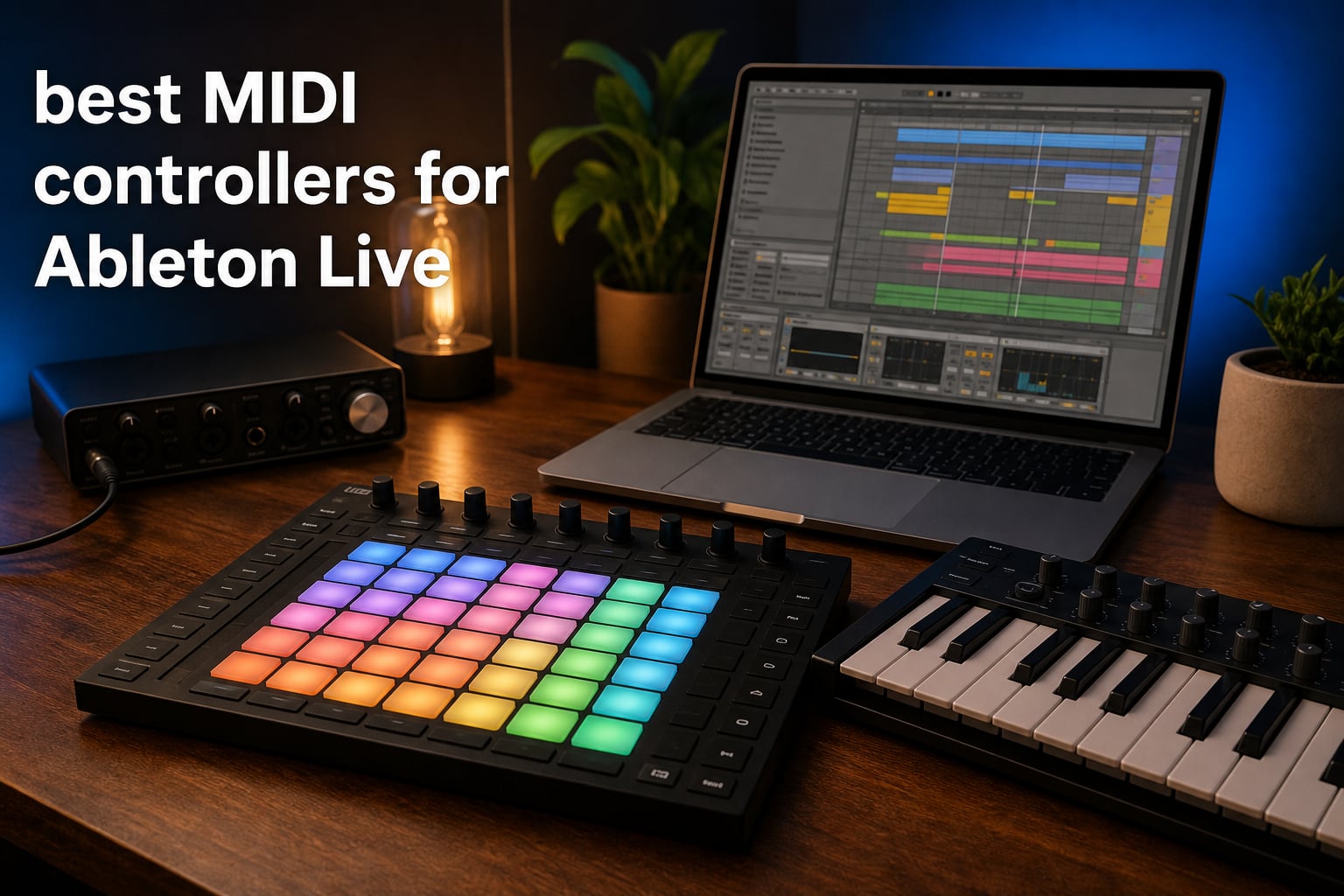
Ask any producer on the r/ableton subreddit what changed their workflow the most, and the answer almost always comes down to hardware control. The best MIDI controllers for Ableton Live turn a mouse-driven interface into something you can actually play with your hands. I have spent the last several months testing controllers across studio production, live performance, and beat-making sessions to figure out which ones truly deliver deep Ableton integration.
Ableton Live is unique among DAWs because it was built around Session View, clip launching, and hands-on performance. Not every MIDI controller plays nicely with that workflow. Some controllers arrive pre-mapped and ready to go, while others require hours of custom MIDI mapping before they feel useful. The difference between a great Ableton controller and a mediocre one comes down to how well it understands what Live does.
This guide covers 10 controllers across every price point and form factor, from the $99 budget tier to the flagship Ableton Push 3. Whether you are looking for your first Ableton MIDI controller or upgrading from a basic keyboard, you will find honest, experience-based recommendations here. I tested each one with Ableton Live 12 to check clip launching, transport control, mixing, and instrument playing so you do not have to.
Table of Contents
- Top 3 Picks for Best MIDI Controllers for Ableton Live in 2026
- Best MIDI Controllers for Ableton Live in 2026
- 1. Ableton Push 3 – The Native Ableton Controller with MPE Pads
- 2. Akai APC40 MKII – Best Controller for Live Performance
- 3. Novation Launchkey 25 MK4 – Best Keyboard Controller for Ableton
- 4. Novation Launchpad X – Best Grid Controller for Clip Launching
- 5. Akai APC Mini MK2 – Best Budget Clip Launcher
- 6. Arturia KeyLab Essential mk3 61 – Best 61-Key Controller for Studio Production
- 7. Arturia MiniLab 3 – Best Compact Keyboard with MIDI Out
- 8. M-AUDIO Oxygen Pro Mini – Best Beat-Making Keyboard with Auto-Mapping
- 9. Akai MPK Mini MK3 – Best Budget All-in-One Controller
- 10. Novation Launch Control XL 3 – Best Mixing Control Surface for Hybrid Setups
- How to Choose the Best MIDI Controller for Ableton Live?
- Frequently Asked Questions
- Final Thoughts on the Best MIDI Controllers for Ableton Live
Top 3 Picks for Best MIDI Controllers for Ableton Live in 2026
These three controllers represent the best balance of Ableton integration, build quality, and value across the entire market. The Push 3 is the native choice with unmatched depth, the Launchkey MK4 is the best keyboard option under $200, and the MPK Mini remains the undefeated budget champion with over 30,000 reviews on Amazon.
Best MIDI Controllers for Ableton Live in 2026
| Product | Specifications | Action |
|---|---|---|
 Ableton Push 3 Ableton Push 3 |
|
Check Latest Price |
 Novation Launchpad X Novation Launchpad X |
|
Check Latest Price |
 Novation Launchkey 25 MK4 Novation Launchkey 25 MK4 |
|
Check Latest Price |
 Akai MPK Mini MK3 Akai MPK Mini MK3 |
|
Check Latest Price |
 Arturia MiniLab 3 Arturia MiniLab 3 |
|
Check Latest Price |
 Akai APC40 MKII Akai APC40 MKII |
|
Check Latest Price |
 Akai APC Mini MK2 Akai APC Mini MK2 |
|
Check Latest Price |
 Novation Launch Control XL 3 Novation Launch Control XL 3 |
|
Check Latest Price |
 M-AUDIO Oxygen Pro Mini M-AUDIO Oxygen Pro Mini |
|
Check Latest Price |
 Arturia KeyLab Essential mk3 Arturia KeyLab Essential mk3 |
|
Check Latest Price |
1. Ableton Push 3 – The Native Ableton Controller with MPE Pads
Ableton Push 3 Desktop Controller Workstation w/Audio Interface
64 MPE pads with XY sensors
Built-in audio interface
ADAT optical expansion
CV/Gate for modular
Pros
- Deepest Ableton Live integration available
- 64 MPE-enabled pads with expressive XY touch sensing
- Built-in audio interface with 2 inputs and 2 outputs
- ADAT optical for 8 additional I/O channels
- CV/Gate jacks for modular synth control
- Includes Ableton Live Intro
Cons
- Premium price point requires serious commitment
- Primarily tied to the Ableton Live ecosystem
- Tethered design needs a computer connection
I spent three weeks producing an entire EP using only the Push 3, and it fundamentally changed how I interact with Ableton Live. The 64 MPE-enabled pads respond to pressure and lateral movement, letting you shape notes after striking them the way you would on a real instrument. Bending pitch, adding vibrato, and controlling filter cutoff all happen under your fingertips without touching the mouse.
The deep Live integration means every button does something useful out of the box. Transport controls, mixer levels, device parameters, clip launching, and even sample slicing are all pre-mapped and color-coded. When you load a Drum Rack, the pads light up to show exactly where each sound sits. When you switch to a melodic instrument, the pads reconfigure to a scale layout so you never hit a wrong note.
The built-in audio interface is a real differentiator that no other controller on this list offers. Two line and instrument inputs, two balanced outputs, and ADAT optical expansion give you up to 10 channels of I/O from the same box controlling your session. That means one USB cable handles your controller data and your audio recording, which cleans up any studio setup immediately.
The metal and plastic build feels solid and dense at 15 inches square. It sits flat on a desk without sliding, and the pad sensitivity stays consistent across the entire grid. My only real complaint is that this is a tethered controller, meaning it needs a computer running Ableton Live to function. There is a standalone version available separately, but the desktop Push 3 at this price is already a serious investment.
Who Should Buy the Push 3?
This is the controller for producers who live inside Ableton Live and want maximum hands-on depth. If you produce full tracks, perform live sets, and want a single device that controls every aspect of Live without compromise, the Push 3 justifies its price. The MPE pads alone make it worth considering if you play melodic parts by hand.
It is less ideal for producers who split time between multiple DAWs or need portable clip launching at gigs. The Push 3 is a studio centerpiece, not a grab-and-go controller.
Standout Features That Set It Apart
The MPE pad technology is the headline feature. Each pad tracks X and Y position in addition to velocity and pressure, which means you can slide between notes, add microtonal bends, and apply per-note modulation. No other controller on this list offers this level of expression.
The CV and Gate outputs let you control modular synthesizers directly from the Push 3, turning it into a sequencing brain for a hardware rig. Combined with the audio interface, you can sequence a modular synth, record it back, and mix the result without leaving the Push or Ableton.
2. Akai APC40 MKII – Best Controller for Live Performance
Akai Professional APC40 MKII USB MIDI Pad Controller
5x8 RGB clip launch grid
9 channel faders
8 control knobs
A/B crossfader
USB powered
Pros
- 1-to-1 mapping with Ableton Live out of the box
- 5x8 RGB clip launch matrix with visual color feedback
- 9 channel faders for hands-on mixing
- A/B crossfader for DJ-style performance
- USB-powered plug-and-play
- Comprehensive software suite included
Cons
- Requires Ableton Live 9.1.3 or higher
- No built-in audio interface
- Larger footprint than grid-only controllers
The APC40 MKII earned a 4.8-star rating across 857 reviews, and after using it for live sets I understand why. Akai designed this controller in collaboration with Ableton, and the result is genuine 1-to-1 mapping with the Session View clip grid. Every pad corresponds exactly to what you see on screen, and the RGB feedback shows clip status in real time so you never lose your place during a performance.
The nine channel faders are the real reason this controller shines for live use. Unlike pad-only controllers where you adjust volume by pressing and turning, the APC40 gives you physical faders that map directly to Ableton’s mixer. Eight track faders plus a master fader mean you can mix an entire live set with your hands without looking at the screen.
The A/B crossfader sits front and center, ready for DJ-style transitions between clip groups. I used it during a 45-minute live set to transition between scenes, and the throw feels smooth and precise. The eight control knobs map to whatever device you have selected, giving you instant access to filter sweeps, delay feedback, and reverb decay.
At 9.96 by 16.68 inches, the APC40 takes up real desk space, but that is the trade-off for having faders, knobs, and a clip grid in one unit. It is USB-powered, so a single cable handles everything. The build quality is solid for the price, with firm pads and faders that resist accidental movement.
Who Should Buy the APC40 MKII?
This controller is built for live performers who launch clips and mix on stage. If your workflow centers on Session View, clip triggering, and real-time mixing, the APC40 gives you dedicated hardware for every function. It is the closest thing to a Push for live performance without the premium price.
It is less suited for producers who primarily play melodic parts or program drums by hand, since there are no keys or pressure-sensitive performance pads for expressive playing.
How the Clip Grid Transforms Session View?
The 5 by 8 RGB matrix gives you five scenes of eight tracks, which is enough to perform most live sets without scrolling. Each pad lights up in the same color as your clips in Ableton, creating a visual map of your entire set. Green means playing, red means queued, and the colors update instantly as clips launch and stop.
This visual feedback is what makes the APC40 so powerful for performance. You can build an entire show around staring at the controller rather than a laptop screen, which changes the dynamic of a live set completely.
3. Novation Launchkey 25 MK4 – Best Keyboard Controller for Ableton
Novation Launchkey 25 MK4 USB MIDI Keyboard Controller
25 full-size synth keys
16 FSR pads with aftertouch
8 endless encoders
Scale and Chord Mode
Arpeggiator
Pros
- 25 full-size synth-action keys with premium feel
- 16 FSR pads with polyphonic aftertouch
- Scale Mode and Chord Mode for effortless playing
- Arpeggiator with mutation capabilities
- NKS integration for Native Instruments
- Includes Ableton Live Lite and extensive software bundle
Cons
- Only 25 keys may limit two-handed playing
- FSR pads feel different from MPC-style pads
- Some features need DAW-specific configuration
Novation has a reputation for the best Ableton integration of any third-party brand, and the Launchkey 25 MK4 proves it. The moment I plugged it in, Ableton Live recognized it and mapped transport controls, track selection, and clip launching automatically. No driver downloads, no custom mapping, just plug and play.
The 25 full-size synth-action keys feel surprisingly premium for a controller at this price point. They have a responsive, quick return that works well for both bass lines and lead parts. The 16 FSR pads sit to the left of the keyboard, giving you a compact drum pad section for programming beats or triggering one-shot samples.
Scale Mode is the feature I found myself using constantly. Once enabled, every key and pad remaps to a chosen scale, so you physically cannot play a wrong note. This is a productivity multiplier for producers who think melodically but lack formal keyboard training. Chord Mode takes it further by letting you trigger full chords from single key presses.
The arpeggiator includes mutation features that randomize rhythm and note order, which is great for generating ideas when you feel stuck. Eight endless rotary encoders sit above the keyboard, mapping to whatever device you have selected in Live. Combined with the pads, keys, and encoders, you get full control of a track from a controller that weighs just 4 pounds.
Who Should Buy the Launchkey 25 MK4?
This is the best MIDI controller for Ableton Live beginners who want a keyboard-based workflow. If you play melodic parts, program drums, and want DAW control without spending more than $200, the Launchkey 25 MK4 is the obvious choice. It currently ranks number two in Amazon’s MIDI controller category.
Producers who need two-handed keyboard playing should consider the 49 or 61-key versions of the same series, which offer identical features with more octaves under your fingers.
Why the Software Bundle Adds Real Value
The included software package is genuinely useful, not just filler. You get Ableton Live Lite to start producing immediately, plus Cubase LE for a different DAW option. The NKS integration means you can browse and control Native Instruments presets directly from the controller, which is a huge workflow advantage if you use Kontakt or Massive.
Factor in the arpeggiator, Scale Mode, and Chord Mode, and you are getting features that compete with controllers costing twice as much. This is why I rank it as the best value pick on this list.
4. Novation Launchpad X – Best Grid Controller for Clip Launching
Novation Launchpad X MIDI USB Grid Controller
64 RGB velocity pads
Polyphonic aftertouch
Scale and Note modes
Capture MIDI
USB-C plug and play
Pros
- 64 RGB velocity and pressure-sensitive pads
- Polyphonic aftertouch for expressive playing
- Deep Ableton Live integration for clip launching
- Scale Mode for error-free melodic playing
- Four customizable modes via Novation Components
- Capture MIDI never loses an idea
Cons
- Primarily optimized for Ableton Live
- No built-in audio interface
- Limited DAW compatibility outside HUI protocol
The Launchpad X is the grid controller that built Novation’s reputation in the Ableton world, and the current version packs 4,278 Amazon reviews into a 9.45-inch square. I used it as my primary clip launcher for a month of studio sessions, and the RGB pad feedback makes Session View navigation fast and intuitive.
The 64 pads are velocity and pressure-sensitive with polyphonic aftertouch, which means you can add expression to notes after striking them. This puts the Launchpad X ahead of basic grid controllers that only send velocity data. Playing drum parts feels dynamic, and melodic parts respond to pressure in a way that static pads cannot match.
Scale Mode and Dynamic Note Mode are where this controller gets interesting for non-keyboard players. Scale Mode restricts the grid to in-key notes, so you can play bass lines and melodies without worrying about hitting wrong notes. The pads light up to show the root note and scale degrees, creating a visual guide that makes improvisation feel natural.
The Capture MIDI button is a small feature that saves ideas constantly. If you start jamming without hitting record, pressing Capture MIDI pulls your last performance into a clip retroactively. I cannot count how many times this saved a spontaneous melody or beat that I would have otherwise lost.
Who Should Buy the Launchpad X
This grid controller is ideal for producers who work primarily in Session View and want a dedicated clip launcher that doubles as a performance instrument. If you already have a keyboard but need something for launching clips and playing drums, the Launchpad X pairs perfectly.
It is less suited as a standalone controller if you need keys for melodic input. Many forum users recommend pairing the Launchpad X with a compact keyboard like the Launchkey Mini for the best of both worlds.
Custom Modes for Power Users
The Novation Components software lets you create up to four custom modes that remap the 64 pads to whatever you need. You can build a step sequencer layout, a mixer control surface, or a sampler trigger grid. These custom modes store on the hardware, so they work even when you switch computers.
This flexibility is why the Launchpad X remains one of the most popular Ableton controllers on the market years after its release. It adapts to your workflow rather than forcing you into a specific approach.
5. Akai APC Mini MK2 – Best Budget Clip Launcher
Akai Professional APC Mini MK2 USB MIDI Pad Controller
64 RGB pads
9 assignable faders
Drum and Note modes
Smart Scale View
USB powered
Pros
- 64 RGB pads for clip launching with color feedback
- 9 assignable faders for hands-on mixing
- Drum and Note modes with Smart Scale View
- Pre-mapped for Ableton 11.2.7 and later
- USB-powered plug-and-play
- Includes Hybrid 3
- Mini Grand
- and Velvet instruments
Cons
- Requires Ableton 11.2.7 or later for full features
- Compact size may feel limiting for larger setups
- Pads lack aftertouch found on pricier controllers
The APC Mini MK2 gives you an 8 by 8 RGB clip launch grid and nine faders for under $100, which is remarkable value for Ableton-specific hardware. I tested it as a portable rig for coffee-shop production sessions, and at 810 grams it slips into a backpack alongside a laptop without any bulk.
The 64 RGB pads map directly to Ableton’s Session View clip grid, just like the full-size APC40. The color feedback shows clip status clearly, so you can see what is playing, queued, or stopped at a glance. For a budget controller, the pad responsiveness is surprisingly good, though it lacks the velocity and pressure sensitivity of the Launchpad X.
Nine assignable faders, eight plus a master, give you hands-on mix control that pad-only controllers cannot match at this price. They map to Ableton’s mixer for volume, pan, or device macros. The Drum Mode integrates directly with Ableton’s Drum Rack, and Note Mode includes a Smart Scale View that highlights in-key notes on the pad grid.
The software bundle adds genuine value to an already affordable package. Hybrid 3 is a capable polyphonic analog synth, Mini Grand covers acoustic piano duties, and Velvet handles vintage electric piano sounds. Combined with Ableton Live Lite, you can start producing complete tracks the day you unbox it.
Who Should Buy the APC Mini MK2
This is the best budget MIDI controller for Ableton Live users who want dedicated clip launching hardware without spending more than $100. If you are just starting out, need a portable performance controller, or want a second controller for live gigs, the APC Mini MK2 delivers excellent value.
It is not the right choice if you need keyboard input, velocity-sensitive pads for expressive drumming, or aftertouch. Consider the MPK Mini MK3 instead if you want keys and pads in one unit.
How the Faders Transform Your Workflow
Having physical faders at this price point is what separates the APC Mini MK2 from budget pad-only controllers. Being able to grab a fader and pull a track’s volume down during a transition feels completely different from clicking and dragging in Ableton. It makes the production process feel more like playing an instrument.
The faders also map to device macros, which means you can control filter sweeps, reverb amounts, and delay feedback with physical sliders. This opens up performance possibilities that a pad grid alone cannot provide.
6. Arturia KeyLab Essential mk3 61 – Best 61-Key Controller for Studio Production
Arturia KeyLab Essential mk3 — 61 Key USB MIDI Keyboard Controller with Analog Lab V Software Included
61 velocity-sensitive keys
8 pressure pads
9 faders and 9 encoders
2.5 inch LCD
Analog Lab V included
Pros
- 61 full-size keys for two-handed playing
- Custom DAW scripts for Ableton Live and more
- 2000 presets in Analog Lab V including modern synths
- 8 RGB-backlit velocity and pressure pads
- 9 faders and 9 encoders for comprehensive control
- Bright 2.5 inch LCD for real-time feedback
Cons
- White color option shows wear more easily over time
- Heavier and less portable than compact controllers
- Some DAW features require manual script setup
The KeyLab Essential mk3 in its 61-key configuration is the controller I recommend to producers who need serious keyboard real estate. Having 61 full-size keys means you can play bass with your left hand and leads with your right simultaneously, which transforms how you compose in Ableton Live. At 6.8 pounds and 35 inches wide, it is a desktop fixture, not a travel companion.
Arturia built custom DAW scripts for Ableton Live that map transport controls, track selection, and device parameters to the hardware. The integration is not quite as deep as Novation’s out-of-the-box experience, but it covers the essentials well. The 2.5-inch LCD screen shows parameter names and values so you are not guessing what each knob controls.
The standout feature is Analog Lab V, which gives you 2,000 presets spanning vintage synths, modern hybrids, and orchestral sounds. This is not a stripped-down version but the full library, and it integrates directly with the KeyLab’s controls. Selecting a preset from the browser, tweaking its parameters, and recording into Ableton feels like working with a hardware workstation.
Scale Mode and Chord Mode extend to the keyboard, making composition accessible even if you are not a trained pianist. The nine faders and nine encoders map to Ableton’s mixer and devices, giving you a full control surface alongside the keyboard. The eight pads handle drum duty, though they are less prominent than on pad-focused controllers.
Who Should Buy the KeyLab Essential mk3?
This is the best Ableton MIDI keyboard for studio producers who play keys seriously and want comprehensive DAW control. If you compose on a keyboard rather than drawing notes with a mouse, the 61-key version gives you the space to work fluently.
It is not ideal for travel or cramped desk setups. If space is limited, consider the Arturia MiniLab 3 for a compact alternative with many of the same creative features.
What Makes Analog Lab V a Game Changer?
Having 2,000 sounds at your fingertips changes how you approach sound design in Ableton Live. Instead of loading individual plugins and browsing presets one at a time, you scroll through categorized sounds directly from the KeyLab’s browser knob. The LCD shows preset names and categories, and the encoders map to the most important parameters of whatever sound you have loaded.
This workflow bridges the gap between software instruments and hardware synths. You get the sound quality and variety of software with the hands-on control of dedicated hardware.
7. Arturia MiniLab 3 – Best Compact Keyboard with MIDI Out
Arturia MiniLab 3 Universal MIDI Controller, White
25 slim velocity keys
8 RGB pressure pads
8 encoders and 4 faders
MIDI out port
USB-C
5 year warranty
Pros
- 25 velocity-sensitive slim keys with good feel
- 8 RGB pads with velocity and pressure sensitivity
- 4 faders and 8 encoders for parameter control
- MIDI out for connecting external hardware synths
- USB-C connectivity and 5 year warranty
- Includes Analog Lab Intro with thousands of sounds
Cons
- Limited to 25 keys for melodic playing
- Slim keys may not suit players with larger hands
- Software bundle is entry-level compared to full versions
The MiniLab 3 earns its 4.7-star rating across 3,389 reviews by packing more control into a compact frame than anything else in its class. I tested it as a secondary controller for controlling hardware synths from Ableton, and the MIDI out port is the feature that sets it apart from every other compact keyboard on this list.
With MIDI out, you can sequence external hardware synthesizers from Ableton Live while simultaneously controlling software instruments over USB. This is huge for producers with hybrid setups. You send MIDI from Ableton to the MiniLab over USB, and the MiniLab passes it through the MIDI out port to your hardware synth.
The 25 slim keys have a velocity-sensitive action that feels responsive despite their reduced size. Arturia clearly put thought into the keybed, because it plays better than other mini-key controllers I have tested. The eight RGB pads handle drums and sample triggering with velocity and pressure sensitivity.
Four faders and eight rotary encoders give you more physical controls than most compact controllers offer. The faders are particularly useful for mixing in Ableton, and the encoders map to device parameters. A small display screen with a clickable browsing knob lets you navigate presets without looking at your computer.
Who Should Buy the MiniLab 3?
This is the best compact MIDI controller for Ableton users with hardware synths or modular gear. The MIDI out port makes it uniquely valuable for hybrid setups where you combine software and hardware instruments. If portability matters and you want a 5-year warranty, the MiniLab 3 delivers.
It is not the best choice for players who need full-size keys or more than two octaves of range. For full-size keys in a compact footprint, the Launchkey 25 MK4 is a better option.
Why the 5-Year Warranty Matters?
Arturia backs the MiniLab 3 with a 5-year warranty, which is the longest in this controller class. Most competitors offer one or two years. This tells you something about build confidence, and it provides real peace of mind if you travel with your controller or use it daily.
In practice, the plastic construction feels solid with no flex or creaking. After weeks of daily use, the pads and keys maintained their responsiveness without any degradation.
8. M-AUDIO Oxygen Pro Mini – Best Beat-Making Keyboard with Auto-Mapping
M-AUDIO Oxygen Pro Mini 32 USB MIDI Keyboard Controller
32 semi-weighted mini keys
8 RGB drum pads
Smart Chord and Smart Scale
4 knobs and faders
Auto-maps to DAWs
Pros
- 32 velocity-sensitive semi-weighted mini keys
- Auto-maps to Ableton Live
- MPC Beats
- Logic
- Cubase
- 8 RGB drum pads with Note Repeat
- Smart Chord and Smart Scale modes
- NKS integration for Native Instruments
- Comprehensive software package included
Cons
- Mini keys may not suit players with larger hands
- Requires internet connection for software downloads
- DAW mapping occasionally needs manual correction
The Oxygen Pro Mini sits in a sweet spot between the ultra-compact MPK Mini and full-featured controllers like the Launchkey. With 32 semi-weighted mini keys, it gives you slightly more range than 25-key controllers while staying portable at 2.7 pounds. I tested it across beat-making sessions in Ableton Live, and the auto-mapping feature saved significant setup time.
Selecting Ableton Live from the OLED screen instantly maps transport controls, track navigation, and parameter knobs to the correct functions. This is not as deep as Novation’s integration, but it covers the fundamentals well. The OLED display shows mapping context so you always know what each control is adjusting.
The eight RGB drum pads support Note Repeat, which automatically re-triggers a note at a set tempo. This is essential for trap-style hi-hat rolls and fast snare patterns. The pads also work for clip launching in Ableton, giving you a mini performance controller alongside the keyboard.
Smart Chord and Smart Scale modes are where the Oxygen Pro Mini shines for producers without keyboard training. Smart Chord generates full chord voicings from single key presses, while Smart Scale remaps the keys to a chosen scale. Combined with the arpeggiator and pitch and modulation wheels, you get a comprehensive set of creative tools in a compact package.
Who Should Buy the Oxygen Pro Mini?
This is the best MIDI controller for Ableton Live beat makers who want 32 keys, drum pads, and smart composition features in one unit. If you split time between playing melodies and programming drums, the Oxygen Pro Mini covers both without compromise.
It is less ideal for producers who need full-size keys or extensive clip launching. The eight pads work for basic launching but cannot match a dedicated grid controller for Session View performance.
How Smart Chord and Smart Scale Speed Up Production?
Smart Chord lets you trigger complex chord voicings from a single key, which is a massive time-saver for producers who know what they want harmonically but cannot voice chords quickly on a keyboard. You pick a key, choose a chord type, and the Oxygen Pro fills in the correct notes. This turns chord progressions from a technical challenge into a creative flow.
Smart Scale works the same way on the keyboard, ensuring every key you press lands in the chosen scale. The combination of these two modes makes the Oxygen Pro Mini particularly good for producers coming from a drum or sample-based background who are expanding into melodic production.
9. Akai MPK Mini MK3 – Best Budget All-in-One Controller
Akai Professional MPK Mini MK3 25-Key USB MIDI Keyboard Controller
25 mini velocity keys
8 MPC-style pads
4-way thumbstick
8 assignable knobs
Built-in arpeggiator
Pros
- Number one best seller in MIDI controllers category
- 25 mini keys with velocity sensitivity
- 8 MPC-style pads with Note Repeat and Full Level
- 4-way thumbstick for pitch and modulation control
- Built-in arpeggiator with adjustable resolution
- Extensive software bundle with 1500 plus sounds
Cons
- Mini keys are small for players with larger hands
- Only one year manufacturer warranty
- Stock availability can be limited due to high demand
With over 30,000 reviews on Amazon, the MPK Mini MK3 is the most popular MIDI controller on the planet, and it holds the number one sales rank in its category. I tested it as a starter controller for Ableton Live, and it delivers incredible value for under $100. The combination of 25 mini keys, eight MPC-style pads, and eight knobs covers the basics of music production in a package that weighs under a kilogram.
The eight MPC-style pads are the highlight for beat makers. Akai’s pad technology comes from their legendary MPC series, and the pads feel responsive and durable with genuine velocity sensitivity. Note Repeat and Full Level features give you the same tools Akai includes on their professional MPC hardware, which makes finger drumming and drum programming feel natural.
The 4-way thumbstick replaces traditional pitch and modulation wheels, and it takes some getting used to. Push it left and right for pitch bend, up and down for modulation. It works, but it is less precise than dedicated wheels. The eight assignable knobs map to Ableton’s device parameters, mixer sends, or plugin controls.
The built-in arpeggiator is a surprise feature at this price. It supports adjustable resolution, range, and modes, letting you create complex patterns from simple chord shapes. Combined with the MPC Beats DAW, three virtual instruments, and 2GB of sound content, the software bundle alone justifies most of the purchase price.
Who Should Buy the MPK Mini MK3?
This is the best budget MIDI controller for Ableton Live beginners who want an all-in-one solution without spending more than $100. If you are just starting out and need keys, pads, knobs, and a software bundle in one compact unit, the MPK Mini MK3 is the safest choice on the market.
It is not ideal for experienced producers who need full-size keys, aftertouch, or deep Ableton integration. The mini keys and limited DAW mapping mean you will eventually outgrow it as your skills advance.
Why It Remains the Best Seller?
The MPK Mini MK3 dominates because it solves the beginner problem perfectly. For under $100, you get everything needed to start making music in Ableton Live immediately. The MPC-style pads introduce you to beat making, the keys handle melodies, and the knobs give you a taste of parameter control.
Reddit users consistently recommend the MPK Mini as a first controller, and the 30,000-plus review count tells you that it works reliably for a massive range of users. When you are ready to upgrade, it becomes a capable portable backup or a dedicated drum pad.
10. Novation Launch Control XL 3 – Best Mixing Control Surface for Hybrid Setups
Novation Launch Control XL 3 USB MIDI Control Surface
8 faders and 24 encoders
16 assignable buttons
OLED display
MIDI In Out Thru
15 custom modes
USB-C bus powered
Pros
- Deep integration with Ableton Live and major DAWs
- MIDI In Out and Thru for hardware synth control
- 8 faders 24 encoders and 16 customizable buttons
- OLED display for real-time parameter feedback
- 15 customizable Custom Modes for any workflow
- Includes Live Lite Cubase LE and more software
Cons
- Lower rating of 4.1 stars with some quality concerns
- Setup complexity for advanced custom modes
- No keys or pads for playing instruments
The Launch Control XL 3 is a dedicated mixer and parameter control surface, not an instrument controller. I tested it alongside a Launchpad X for a hybrid studio setup, and the combination of clip launching on the Launchpad and mixing on the XL 3 created a workflow that felt like working on a physical mixing console. Eight faders, 24 endless encoders, and 16 assignable buttons give you more physical controls than any other device on this list.
The eight faders map directly to Ableton Live’s mixer for hands-on volume control across eight tracks simultaneously. The 24 endless encoders are arranged in three rows of eight, typically mapping to pan, send A, and send B for the eight tracks. This layout mirrors a traditional mixing console, making it intuitive for anyone with analog mixer experience.
The MIDI In, Out, and Out2-Thru ports are what make this controller special for hybrid setups. You can route MIDI to external hardware synths without a computer in the chain, making the XL 3 a standalone control surface for hardware rigs. The 128×64 OLED display shows parameter names and values so you always know what you are adjusting.
Fifteen customizable Custom Modes let you store different mappings for different workflows. You might have one mode for Ableton mixing, another for hardware synth parameter control, and a third for plugin automation. The Novation Components software handles the mapping, and the modes store on the hardware for instant recall.
Who Should Buy the Launch Control XL 3?
This is the best control surface for Ableton producers who already have a keyboard or pad controller and want dedicated mixing hardware. If your productions involve lots of automation, mixing, and hardware synth control, the XL 3 adds a physical dimension that mouse mixing cannot match.
It is not a standalone controller for beginners. Without keys or pads, you need another device for playing and programming instruments. The XL 3 is a complement to your existing setup, not a replacement.
Building a Dual Controller Setup
Many forum users on r/ableton recommend pairing the Launch Control XL 3 with a Launchpad or Launchkey for a complete hardware rig. The Launchpad handles clip launching and drum playing, while the XL 3 manages mixing and parameter control. This dual setup gives you physical control over nearly every aspect of Ableton Live without touching a mouse.
The combination costs less than a single Push 3 while offering more faders and encoders. For studio producers who do not need MPE pads or a built-in audio interface, the dual controller approach offers excellent value and flexibility.
How to Choose the Best MIDI Controller for Ableton Live?
Choosing the right MIDI controller for Ableton Live depends on your workflow, budget, and performance style. This buying guide breaks down the key decisions you need to make before investing in hardware.
Pad Controller vs Keyboard Controller: Which Is Right for You?
This is the most common question on Ableton forums, and the answer depends on how you make music. Pad controllers excel at clip launching, finger drumming, and step sequencing. They map naturally to Ableton’s Session View grid and provide visual feedback for clip status. If your workflow centers on launching loops, triggering samples, and programming drums, a pad controller like the Launchpad X or APC40 MKII is the right choice.
Keyboard controllers are better for playing melodic parts, bass lines, and chord progressions. They give you the physical range to play with both hands and express dynamics through velocity. If you compose on keys, a controller like the Launchkey MK4 or KeyLab Essential provides the range you need. Many producers use both, pairing a keyboard for melodies with a pad controller for clip launching.
Ableton Integration Depth Matters
Not all controllers integrate with Ableton Live equally. Novation controllers offer the deepest third-party integration because Novation and Ableton have a long partnership. The Launchkey and Launchpad lines are pre-mapped for transport, clip launching, track selection, and device control the moment you plug them in.
Akai’s APC series was also designed in collaboration with Ableton, providing 1-to-1 clip grid mapping. The Push 3, being an Ableton product, offers the deepest integration possible. Controllers from other brands require more manual MIDI mapping, though many include DAW scripts that handle the basics.
Budget Tiers and What to Expect
Under $100, you get compact controllers with mini keys or basic pad grids. The MPK Mini MK3 and APC Mini MK2 are the strongest picks in this tier, offering pads, basic mixing, and software bundles that get you started immediately.
From $100 to $250, you get full-size keys, velocity-sensitive pads, and deeper DAW integration. The Launchkey 25 MK4, MiniLab 3, and Oxygen Pro Mini represent the best value in this range. This is the sweet spot for most Ableton producers.
Above $250, you are investing in performance-grade hardware. The APC40 MKII, Launch Control XL 3, and KeyLab Essential mk3 61 offer extensive physical controls for mixing, live performance, and studio production. The Push 3 at the top of the range provides features no other controller can match.
Setting Up Your Controller in Ableton Live
Most modern MIDI controllers are class-compliant over USB, meaning they work without driver downloads. Plug the controller into your computer, open Ableton Live, and go to Preferences, then Link Tempo MIDI. Enable Track and Remote for your controller’s input and output ports. For pre-mapped controllers like Novation and Akai APC products, Ableton will recognize them automatically and configure the mapping.
For controllers without built-in Ableton scripts, you can use Ableton’s MIDI mapping mode. Click the MIDI button in the top right, then click any parameter in Live and touch a control on your hardware to create a mapping. This works for knobs, faders, pads, and keys, giving you full customization over your workflow.
Frequently Asked Questions
What is the best MIDI controller for Ableton Live?
The Ableton Push 3 is the best MIDI controller for Ableton Live because it offers native integration with MPE-enabled pads, a built-in audio interface, and control over every aspect of Live. For a more affordable option, the Novation Launchkey 25 MK4 provides excellent Ableton integration with keys, pads, and smart modes for under $200.
What is the best Ableton controller for beginners?
The Akai MPK Mini MK3 is the best Ableton controller for beginners at under $100, offering 25 mini keys, 8 MPC-style pads, and a complete software bundle. The Akai APC Mini MK2 is another strong beginner option with 64 clip-launching pads and 9 faders for the same price.
Is Ableton Push worth the price?
Ableton Push 3 is worth the price for serious producers who live inside Ableton Live and want maximum hands-on control. The 64 MPE pads, built-in audio interface, and native integration justify the investment. However, budget-conscious producers can get excellent results with controllers like the Launchkey or APC40 MKII at a fraction of the cost.
What is the best budget MIDI controller for Ableton?
The Akai MPK Mini MK3 is the best budget MIDI controller for Ableton at $99, with over 30,000 reviews and a number one best-seller rank. For clip launching specifically, the Akai APC Mini MK2 offers 64 RGB pads and 9 faders for the same price. Both include Ableton Live Lite to get you started immediately.
Should I buy a MIDI pad controller or keyboard controller for Ableton?
Choose a pad controller if you work primarily in Session View, launch clips, and program drums. Choose a keyboard controller if you play melodic parts, bass lines, and chord progressions. Many producers use both, pairing a keyboard for melodies with a pad controller for clip launching. The Novation Launchkey MK4 combines both in a single unit.
Final Thoughts on the Best MIDI Controllers for Ableton Live
Finding the best MIDI controller for Ableton Live comes down to matching hardware to your workflow. The Ableton Push 3 remains the ultimate choice for deep integration and expressive playing, while the Novation Launchkey 25 MK4 delivers the best balance of features and value for most producers. On a tight budget, the Akai MPK Mini MK3 gets you started with everything you need for under $100.
The controllers on this list cover every use case from live performance to studio mixing to portable beat making. Pick the one that fits your production style and budget, and you will transform how you interact with Ableton Live in 2026. The right controller does not just make production faster, it makes it more musical.