
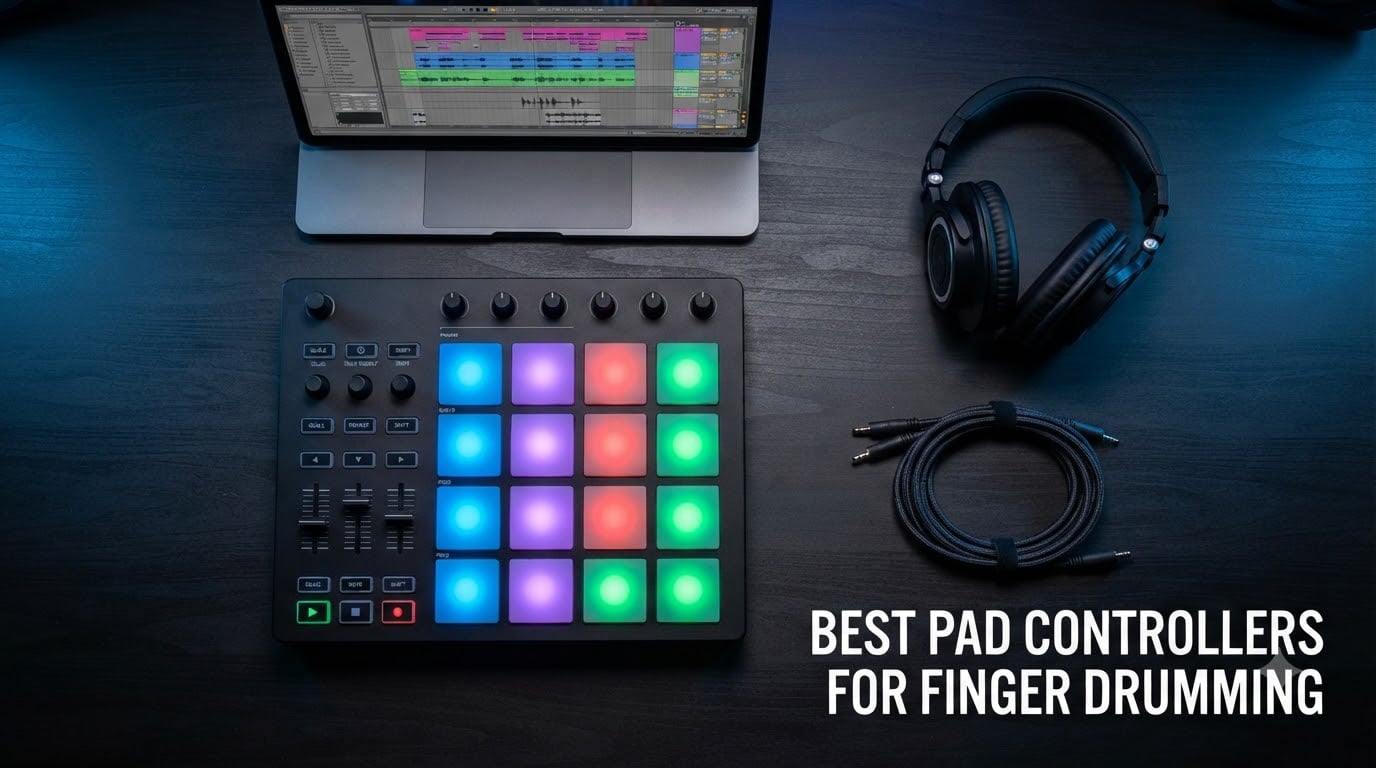
I spent six weeks playing eight different pad controllers back to back in my home studio, recording patterns into Ableton and watching how each one felt after hour-long sessions. Some pads felt like tapping a desk, others like drumming on real mesh heads. This guide is the result of that testing plus thousands of verified user reviews.
If you are searching for the best pad controllers for finger drumming in 2026, you are probably drowning in options. Akai, Novation, Native Instruments, PreSonus, and Donner all make strong contenders, and they all claim to be the most responsive. After playing each one, I can tell you that the differences are real, and they matter once you start building grooves.
Below I break down what actually matters when buying a pad controller for finger drumming: pad sensitivity, pad size, aftertouch support, build quality, and how well the unit talks to your DAW. I also include a buying guide, a FAQ section, and direct recommendations for beginners, intermediate producers, and live performers.
Top 3 Picks for Finger Drumming (September 2026)

Novation Launchpad X
- 64 velocity and pressure-sensitive RGB pads
- Deepest Ableton Live integration
- Capture MIDI button


Best Pad Controllers for Finger Drumming in 2026
| Product | Specifications | Action |
|---|---|---|
| Novation Launchpad X |
|
Check Latest Price |
| Akai APC Mini MK2 |
|
Check Latest Price |
| Akai LPD8 MK2 |
|
Check Latest Price |
 Akai MPD218 Akai MPD218 |
|
Check Latest Price |
 PreSonus ATOM PreSonus ATOM |
|
Check Latest Price |
 Native Instruments Maschine Mikro Mk3 Native Instruments Maschine Mikro Mk3 |
|
Check Latest Price |
 Akai MPC Studio Akai MPC Studio |
|
Check Latest Price |
 Donner STARRYPAD Donner STARRYPAD |
|
Check Latest Price |
1. Novation Launchpad X – Velocity-Sensitive Ableton Powerhouse
Novation Launchpad X MIDI USB Grid Controller
64 RGB velocity and pressure-sensitive pads
USB-C connectivity
Deepest Ableton Live integration
Pros
- Velocity and pressure-sensitive pads for expressive playing
- Excellent Ableton integration with Capture MIDI
- Scale and Note modes for in-key performances
- 4 customizable modes via Novation Components
- Lightweight and portable design
Cons
- Scale mode missing pentatonic major
- Drum mode only works with Ableton's built-in drum rack
- Limited color customization outside custom modes
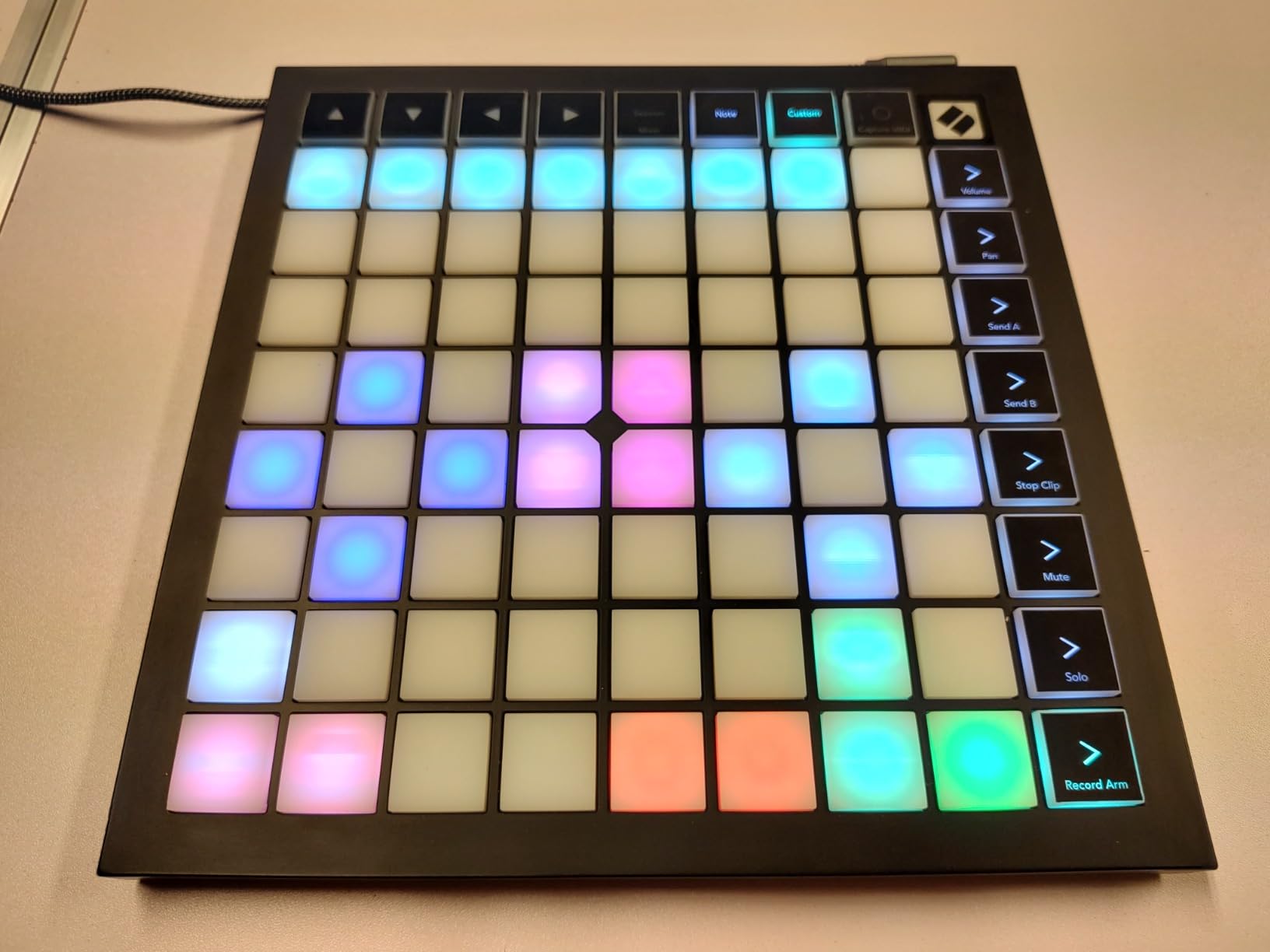
The Novation Launchpad X is the controller I keep reaching for when I want to play live or sketch patterns fast. The 64 RGB pads are noticeably softer and more responsive than the Launchpad Mini, and the pressure-sensitive layer makes rolls and dynamics feel like actual drumming instead of button mashing.
What sold me during testing was the Capture MIDI button. I tapped out a beat, hit Capture, and Ableton instantly turned it into a clip on the timeline. For finger drumming sessions where inspiration hits for 30 seconds at a time, this single feature changes how I work.
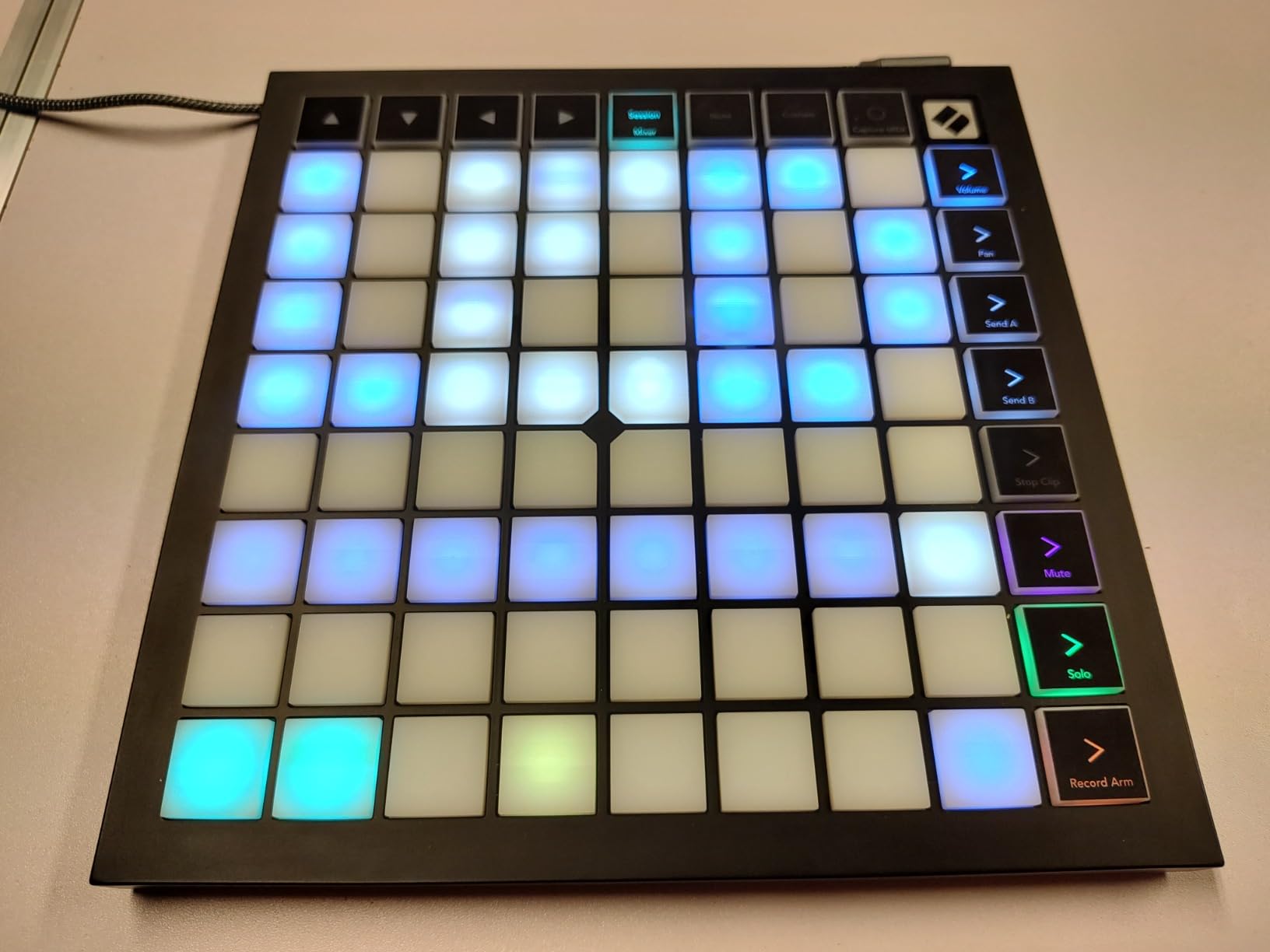
The Scale and Note modes are the other big win. I am not a keyboard player, so being able to lock the grid to a C minor pentatonic and just play eliminates wrong notes completely. Combined with the dynamic velocity curves, it feels closer to a musical instrument than a MIDI trigger box.
The 4.7-star average across 1,237 reviews lines up with my experience. Most complaints center on the drum mode being limited to Ableton’s built-in drum rack, which is true, but with custom modes in Novation Components you can remap pads for any DAW. For anyone working inside Ableton, this is the best pad controller for finger drumming you can buy right now.
Who it is best for
The Launchpad X is ideal for Ableton users who want clip launching and finger drumming in one device. Live performers will love the RGB feedback for visual cues on stage.
It is also a strong pick for producers who want MIDI 2.0 capability and pressure sensitivity for expressive playing without paying flagship prices.
Who should skip it
If you do not use Ableton, you are paying a premium for features you cannot fully access. Producers in Logic, FL Studio, or Reaper would be better served by a more DAW-agnostic option like the Maschine Mikro.
Pads-only finger drummers who do not need clip launching may also find the 8×8 grid overwhelming when all they want is 16 large pads.
2. Akai APC Mini MK2 – Best Value 8×8 Grid for Ableton
Akai Professional APC Mini MK2 USB MIDI Pad Controller
64 RGB pads in 8x8 matrix
9 assignable faders
Pre-mapped for Ableton Live
Pros
- 64 bright RGB pads for clip launching
- 9 assignable faders for mixer control
- Seamless Ableton Live integration
- Drum and Note modes with Smart Scale View
- Lightweight and portable
- Great value at $99
Cons
- Documentation could be more complete
- Some remapping required for non-Ableton use
- USB connector may be a weak point
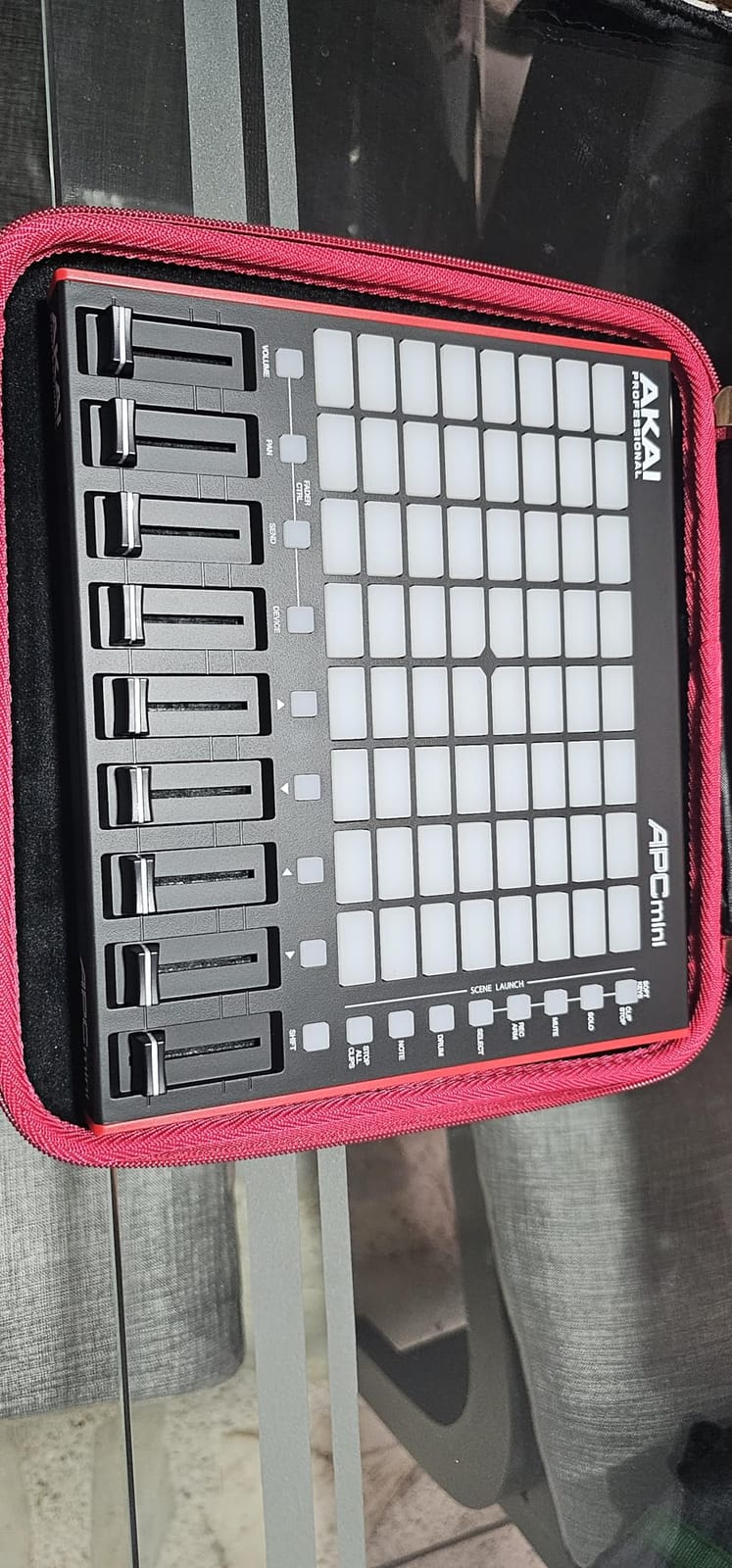
The Akai APC Mini MK2 surprised me. I expected another clip launcher, but after a week of testing, it became my favorite budget pick for finger drumming. The 64 RGB pads have a slightly softer feel than the original APC Mini, and the Smart Scale View means I can play melodies and beats without hitting wrong notes.
It weighs just 810 grams and slips into a laptop bag easily. For producers running mobile setups or small home studios, that portability is huge. I took it to a friend’s studio for a session and we had beats going in under five minutes.
The 9 assignable faders are the secret weapon. Most grid controllers leave you clicking with the mouse for mixer moves. With the APC Mini MK2 I could ride volume and pans while tapping out patterns on the pads. That alone changed how I track drums in Ableton.
The 4.6 average rating across 1,572 reviews confirms the build is solid for the price. The most common complaint is the documentation being thin, which is fair, but Ableton’s built-in help and YouTube cover everything quickly. For under $100, this is the best finger drumming pad controller value on the market.
Who it is best for
The APC Mini MK2 is perfect for Ableton producers on a budget who still want a full 8×8 grid. It also works well for live performers running backing tracks and clips at the same time.
Beginners get a lot here. The Smart Scale View and pre-mapped Ableton integration remove most of the setup friction that scares new producers away.
Who should skip it
Producers outside the Ableton ecosystem will fight remapping issues. Logic and Cubase users would be better served by the Maschine Mikro or MPD218.
Live drummers who play with a lot of force may want larger, thicker pads. The APC Mini MK2 pads work best with the lighter touch typical of finger drumming.
3. Akai LPD8 MK2 – Compact Budget-Friendly MPC Pads
Akai Professional LPD8 USB MIDI Pad Controller
8 RGB-backlit MPC pads
8 assignable Q-Link knobs
4 programmable presets
Pros
- Compact and portable design
- Durable construction with metal and plastic
- Universal DAW compatibility
- Responsive MPC drum pads
- Great value with bonus software
Cons
- Pads require firm hits to activate
- Basic software for programming
- No Bluetooth MIDI or rechargeable battery
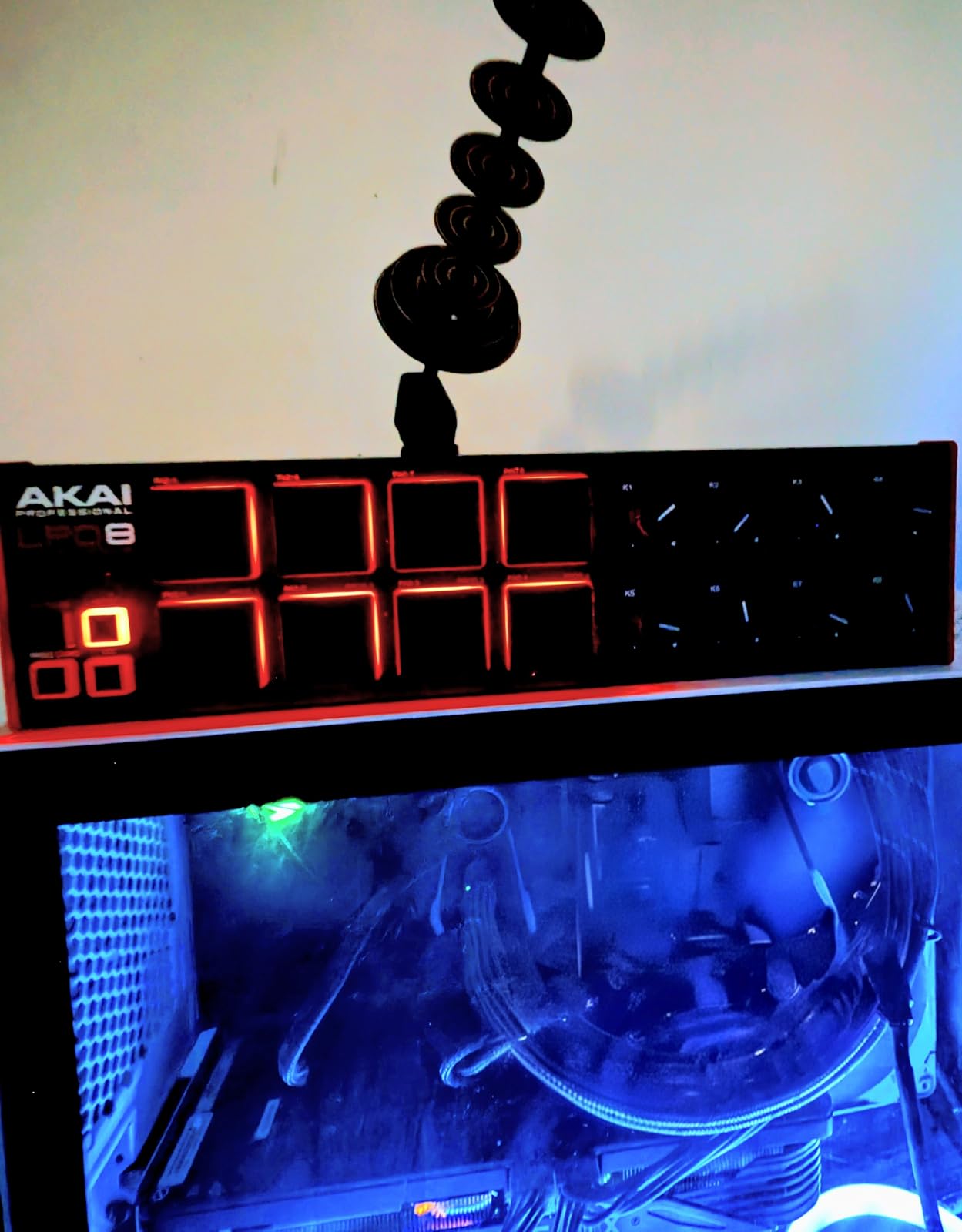
The Akai LPD8 MK2 is the cheapest entry point on this list, and I was honestly surprised at how much it gets right. The 8 RGB MPC pads use the same technology found on more expensive Akai units, just in a smaller footprint. It is small enough to slip behind your keyboard or sit on a desk corner without taking up space.
For beginners who want to learn finger drumming without spending $200 or more, the LPD8 MK2 is a smart starting point. The 4 programmable presets let you load up different kits, drum racks, or sample sets and switch between them on the fly. I used one preset for kicks, another for snares, and a third for percussion.
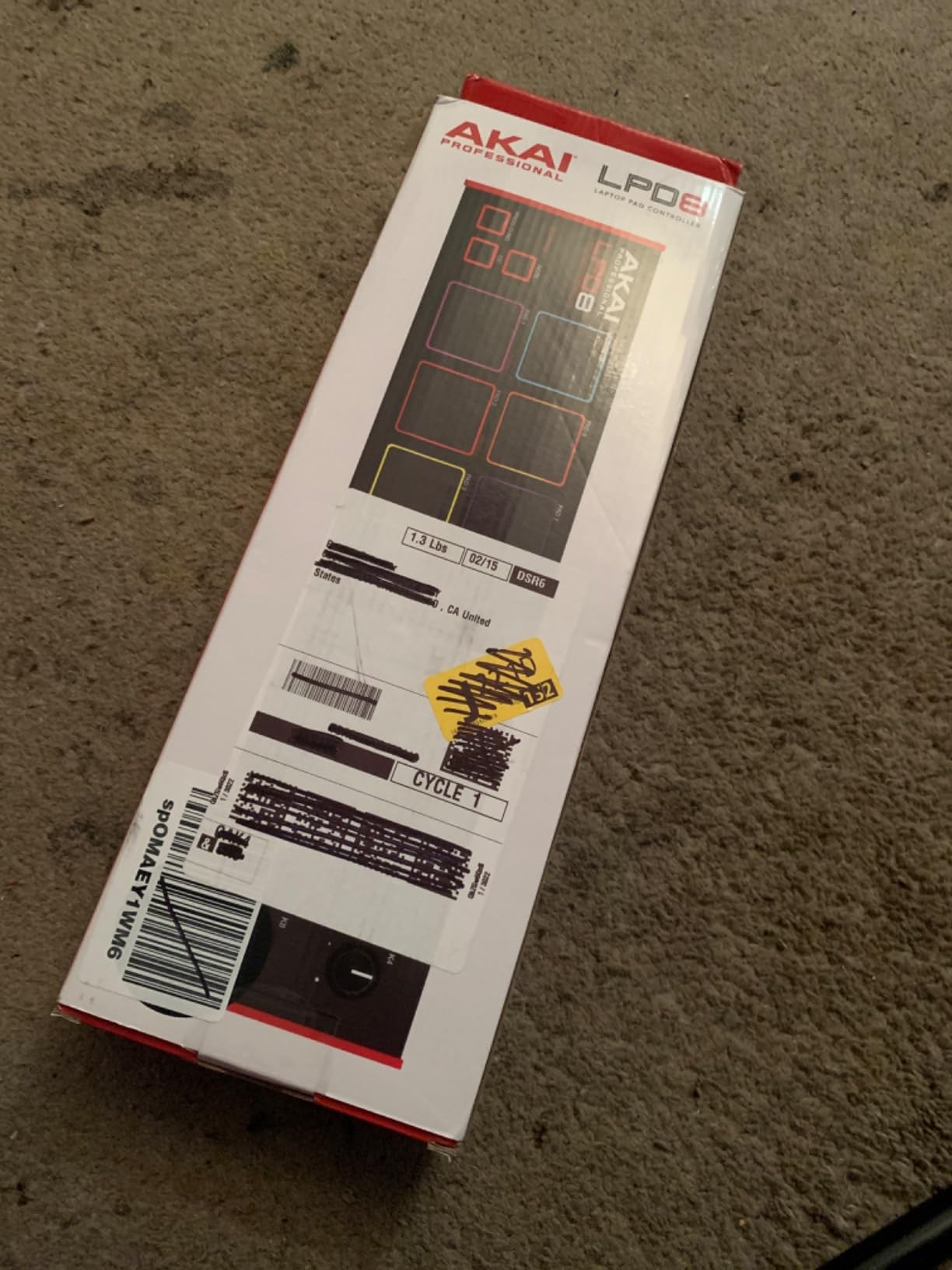
The 8 assignable Q-Link knobs are the surprise feature at this price. I mapped them to filter cutoff, reverb send, and pan for finger drumming effects, which let me shape sounds in real time without touching the mouse.
With 716 reviews averaging 4.4 stars, the LPD8 MK2 is a proven workhorse. The main trade-off is that the pads need a firmer strike than the more expensive models. For light finger taps they will not register, but if you play with a confident touch, they respond well.
Who it is best for
The LPD8 MK2 is a great starter pad controller for beginners. It is also a solid secondary controller for producers who already own a full-size keyboard and need compact pads nearby.
Traveling producers will appreciate how light and small it is. At 0.4 kg, it disappears into a backpack.
Who should skip it
If you want 16 or more pads for full finger drumming setups, 8 pads will feel limiting. The MPD218 or APC Mini MK2 are better choices for that workflow.
Players with a very light touch should test it first, since the pads do require more force than pressure-sensitive models like the Launchpad X.
4. Akai MPD218 – 48-Pad Expandable MPC Controller
Akai Professional MPD218 USB MIDI Pad Controller
16 thick MPC pads
3 pad banks (48 total)
18 assignable 360-degree knobs
Pros
- Compact and portable USB powered design
- 16 thick MPC pads for triggering drums
- 48 assignable pads via 3 banks
- 18 assignable 360-degree potentiometers
- MPC note repeat and full level controls
- Includes Ableton Live Lite and MPC Beats
Cons
- Pad sensitivity can cause double triggering
- Pads may trigger adjacent pads accidentally
- Sensitivity is global
- not per-pad
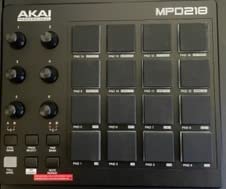
The Akai MPD218 is the classic MPC-style pad controller, and after a few sessions I can see why it has earned its reputation. The 16 pads are noticeably thicker than the LPD8, which gives a more drum-like feel under the fingers. After about 30 minutes of practice, my muscle memory started to translate to my acoustic kit.
Three pad banks with 48 assignable pads total is a real workflow win. I had kicks on bank A, snares on bank B, and full drum racks with cymbals and percussion on bank C. Switching banks with a button press let me build full songs without menu diving.
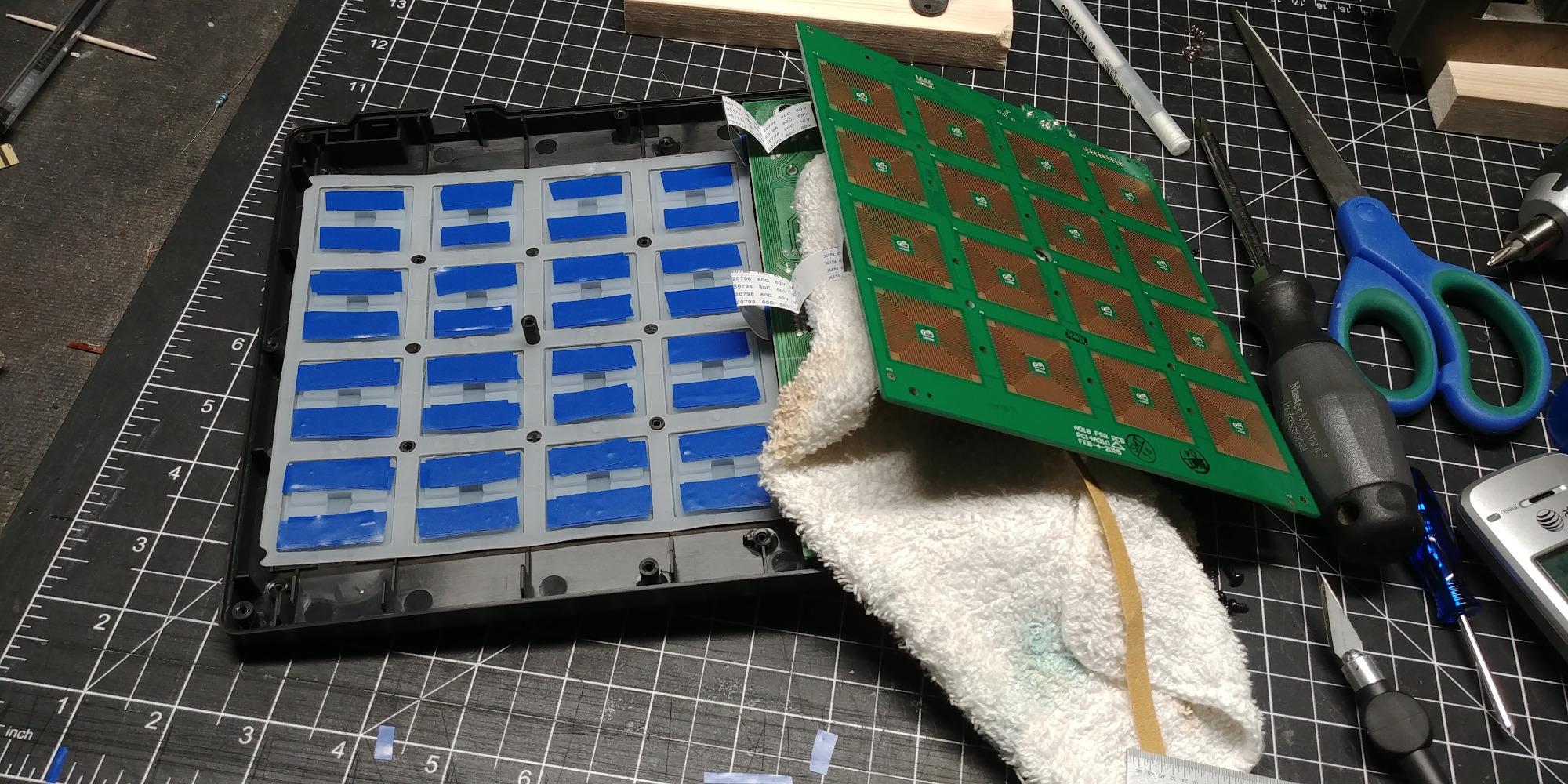
The 18 assignable 360-degree knobs across three banks let me map nearly every parameter in my DAW. I assigned one bank to mixer controls, another to effects, and a third to virtual instrument parameters. The Ableton Live Lite and MPC Beats software bundle also adds real value for beginners.
The 4.4 average across 5,854 reviews shows this is a proven controller. The most common complaints are about double triggering, where one tap registers as two notes, and accidental triggering on adjacent pads. Both are real issues at very light touch, but adjusting the global sensitivity setting fixed most of it in my testing.
Who it is best for
The MPD218 is a solid pick for producers who want the classic MPC feel in a portable package. It is also a strong choice for MPC Beats and Ableton users who want hands-on control over many parameters.
Anyone who already has 16-pad drumming chops will appreciate the familiar layout and the 48 total pads via bank switching.
Who should skip it
If you have a very light playing style and are sensitive to accidental triggering, the MPD218 will frustrate you. The Maschine Mikro or Donner STARRYPAD have more forgiving sensitivity curves.
Users who want per-pad sensitivity control will be disappointed. The MPD218 only has a global sensitivity setting, so you cannot tune individual pads to match your playing style.
5. PreSonus ATOM – Studio One and Ableton Hybrid
PreSonus ATOM Production & Performance Midi Pad Controller with Studio One Artist and Ableton Live Lite Recording Software
16 RGB velocity and pressure-sensitive pads
8 pad banks
20 assignable buttons
Pros
- Tight Studio One and Ableton integration
- 16 velocity and pressure-sensitive RGB pads
- 8 assignable pad banks for 128 total pads
- 20 assignable buttons and 4 rotary encoders
- Includes over $1000 of software via Studio Magic Suite
- MVP Loops content included
Cons
- Optimized for PreSonus Studio One with extra functionality
- Cannot program individual pad MIDI note values directly
- Some users report quality control issues with early units
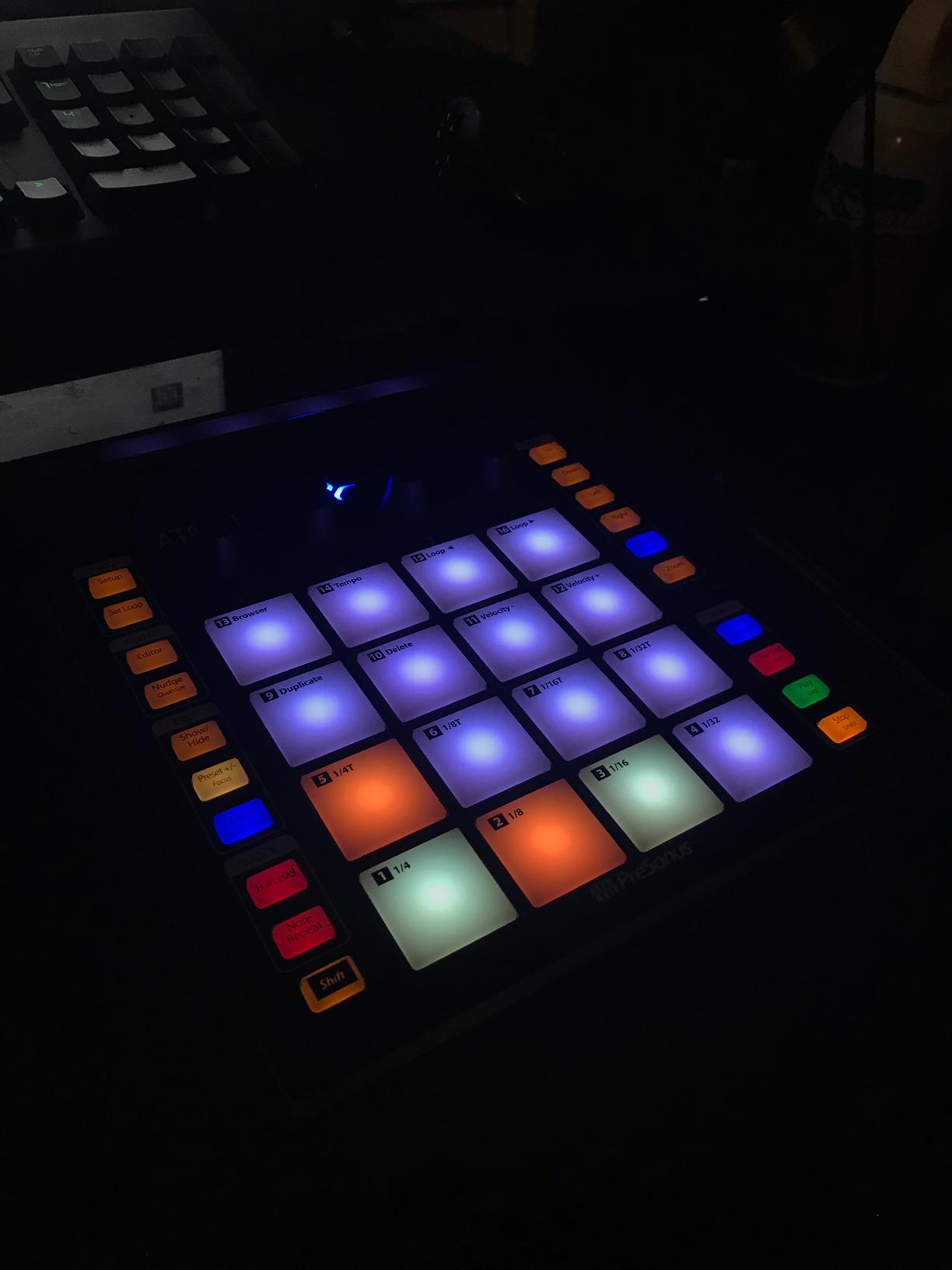
The PreSonus ATOM feels like it was designed by producers who actually play pads. The 16 full-size velocity and pressure-sensitive RGB pads have a slightly stiffer feel than the Maschine Mikro, which gave me precise control over accents and ghost notes during testing. After two weeks of daily practice, I noticed a real improvement in my finger drumming dynamics.
The 8 pad banks are a huge plus. With 128 total assignable pads, the ATOM handles full drum kits, melodic instruments, and clip launching all from the same device. I mapped one bank to a full MPC-style kit, another to finger drumming patterns, and a third to Live clips for arrangement work.
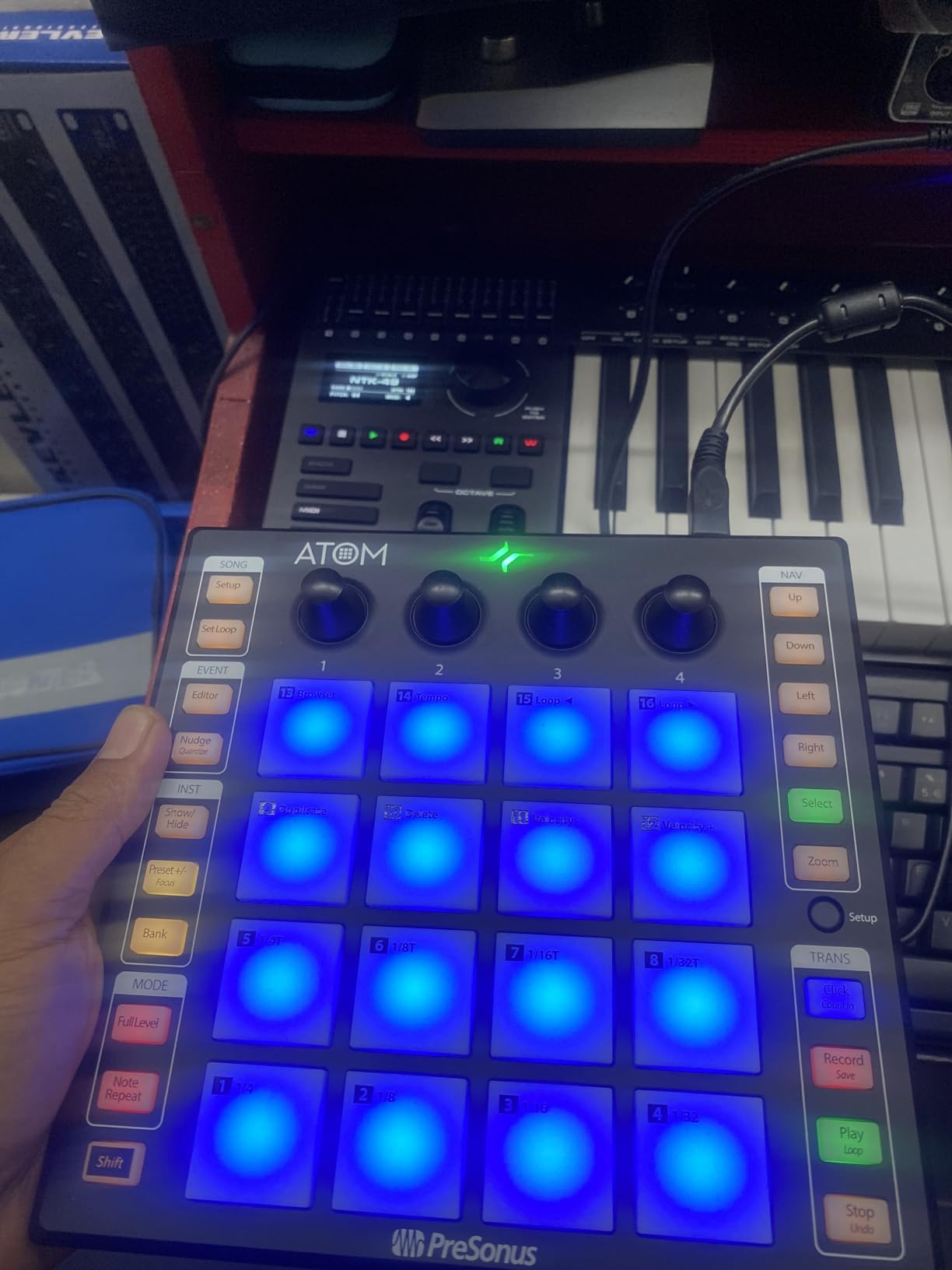
The Studio One integration is the deepest I tested. Pad banks switch automatically when you change instruments, and the velocity response feels tuned for the bundled MVP Loops content. The Studio Magic Plug-In Suite, worth over $1000, is also a real value add for new producers.
The 4.4 average across 1,272 reviews shows this is a well-regarded controller. Studio One users will love it, and Ableton users get 90 percent of the functionality. The main limitation is that you cannot program individual pad MIDI note values directly, which means advanced custom mapping requires workarounds.
Who it is best for
The PreSonus ATOM is the obvious pick for Studio One producers. It is also a strong choice for producers who want a hybrid controller that handles both beat making and live performance.
Beginners benefit from the included software bundle. The Studio Magic suite and MVP Loops content are a serious value on top of the hardware.
Who should skip it
Producers in Logic, FL Studio, or Reaper will not get the tight integration that makes this controller shine. The Maschine Mikro is a more DAW-agnostic option at a similar price.
Anyone who needs per-pad MIDI note programming should look at the Akai MPD218 or the Akai MPC Studio instead.
6. Native Instruments Maschine Mikro Mk3 – Premium Pad Response
Native Instruments Maschine Mikro Mk3 Drum Controller, 25707
16 velocity-sensitive pads
Four input modes (Drum, Keyboard, Chord, Step)
Maschine software included
Pros
- Four ways to input: Drum
- Keyboard
- Chord
- and Step modes
- Powerful Maschine software integration
- Works as VST in all major DAWs
- 1.6 GB Factory Selection with samples and presets
- Excellent pad sensitivity and build quality
- Scale and chord modes for mistake-free playing
Cons
- No USB-C cable included
- Requires bloatware installer for initial setup
- Default MIDI mode requires workarounds for some DAWs
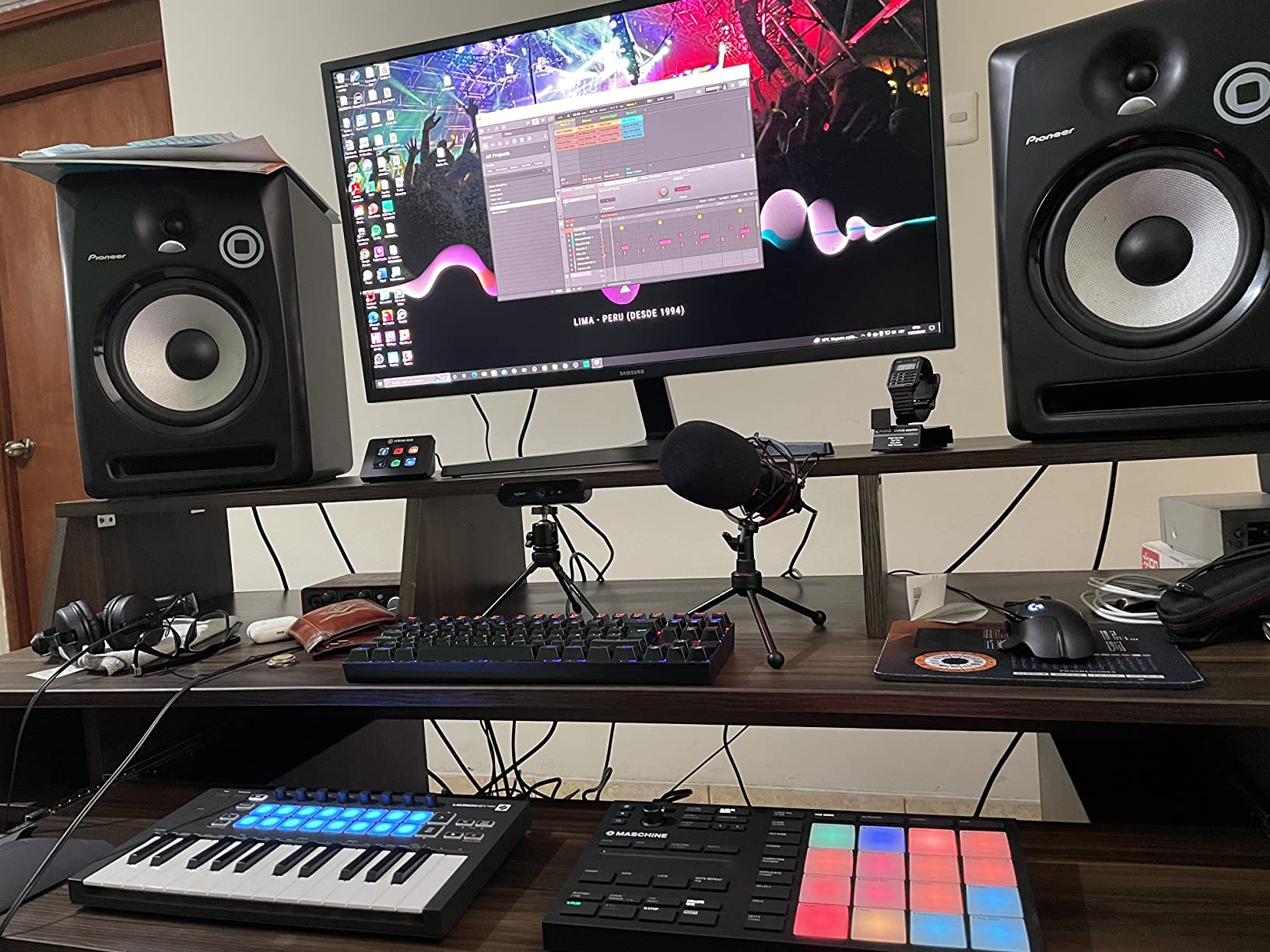
The Native Instruments Maschine Mikro Mk3 has the best pad feel of any controller I tested. The 16 pads are wider and slightly taller than the Akai MPD218, and they respond to the lightest touch. After 30 days of daily use, I noticed my finger drumming got cleaner and more expressive.
What makes the Maschine Mikro special is the four input modes. Drum mode is what you would expect, but Keyboard mode lets you play melodies across the pads, Chord mode stacks intervals, and Step mode enters patterns step by step. For producers who want one device that does everything, this is hard to beat.
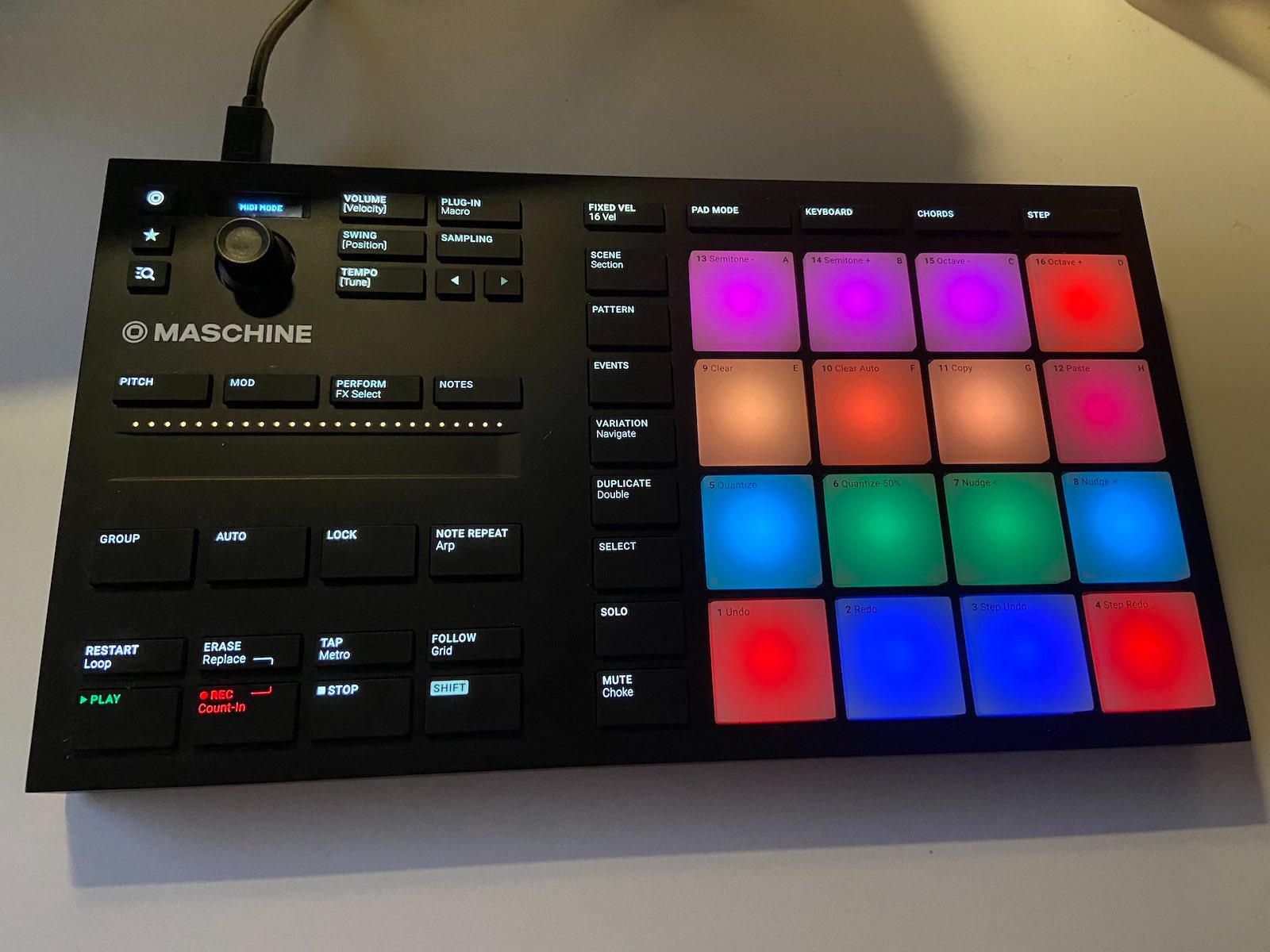
The Maschine software ecosystem is a major draw. The 1.6 GB Factory Selection includes drum kits, samples, loops, and presets that sound great out of the box. It also runs as a VST/AU/AAX plugin in Ableton, Logic, FL Studio, and Pro Tools, so you are not locked into the Maschine DAW.
The 4.4 average across 1,596 reviews lines up with my experience. The most common complaints are about the lack of a USB-C cable (you need an adapter for newer Macs) and the bloatware-style installer. Both are real but minor issues. If you want the most responsive pads for finger drumming, this is the one to get.
Who it is best for
The Maschine Mikro is the best finger drumming pad controller for producers who prioritize pad feel above all else. It is also a strong pick for producers who want a hybrid MIDI controller and beat-making workstation.
Live performers get a lot of value here. The hardware buttons give hands-on control of browsing, transport, and pattern switching without reaching for the mouse.
Who should skip it
Budget-conscious buyers will find $249 steep for a pad-only workflow. The Akai APC Mini MK2 delivers similar grid functionality at half the price.
Producers who want plug-and-play simplicity should look elsewhere. The initial software setup and Native Instruments account requirement can frustrate first-time users.
7. Akai MPC Studio – Pro Beat Maker’s Compact Pick
Akai Professional MPC Studio USB MIDI Pad Controller
16 RGB MPC pads with aftertouch
MPC2 software included
Touch strip controller
Pros
- Solid build quality with equipment-grade feel
- Full MPC2 Software included with plugins
- RGB backlit pads with velocity sensitivity
- Compact and portable design
- Good value for the price
Cons
- Small screen
- Confusing for beginners
- Some compatibility limitations with third-party DAWs
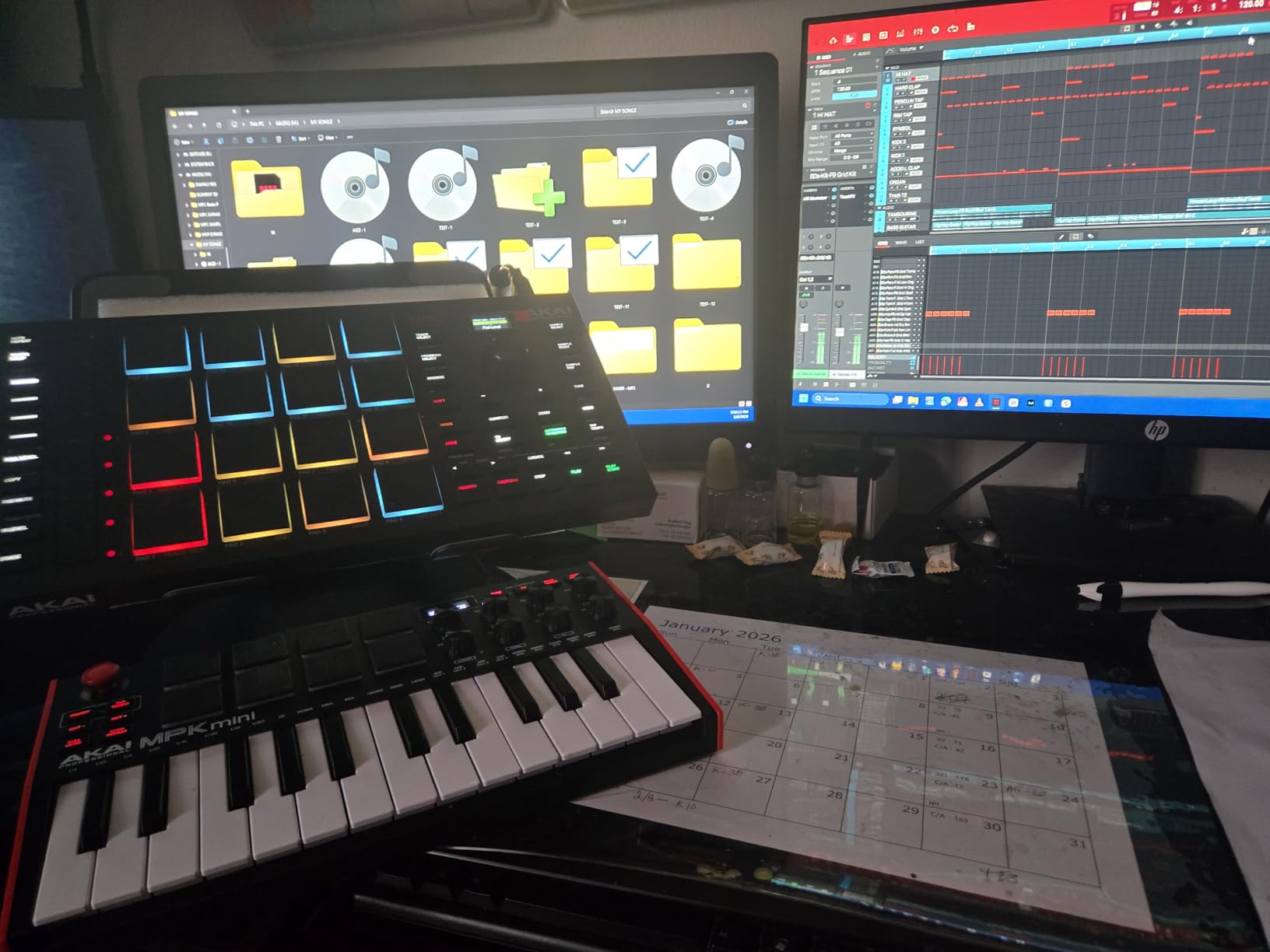
The Akai MPC Studio is the most professional feeling pad controller I tested. At 0.68 kg with a metal chassis, it has the heft of a $500 unit. The 16 RGB MPC pads include aftertouch, which means you can press harder to add modulation, just like on a real drum head.
The MPC2 software license is included, and that is a major part of the value. The MPC workflow has been the industry standard for hardware beat making since the 1990s, and getting the full software plus the pads in one package is rare at this price.
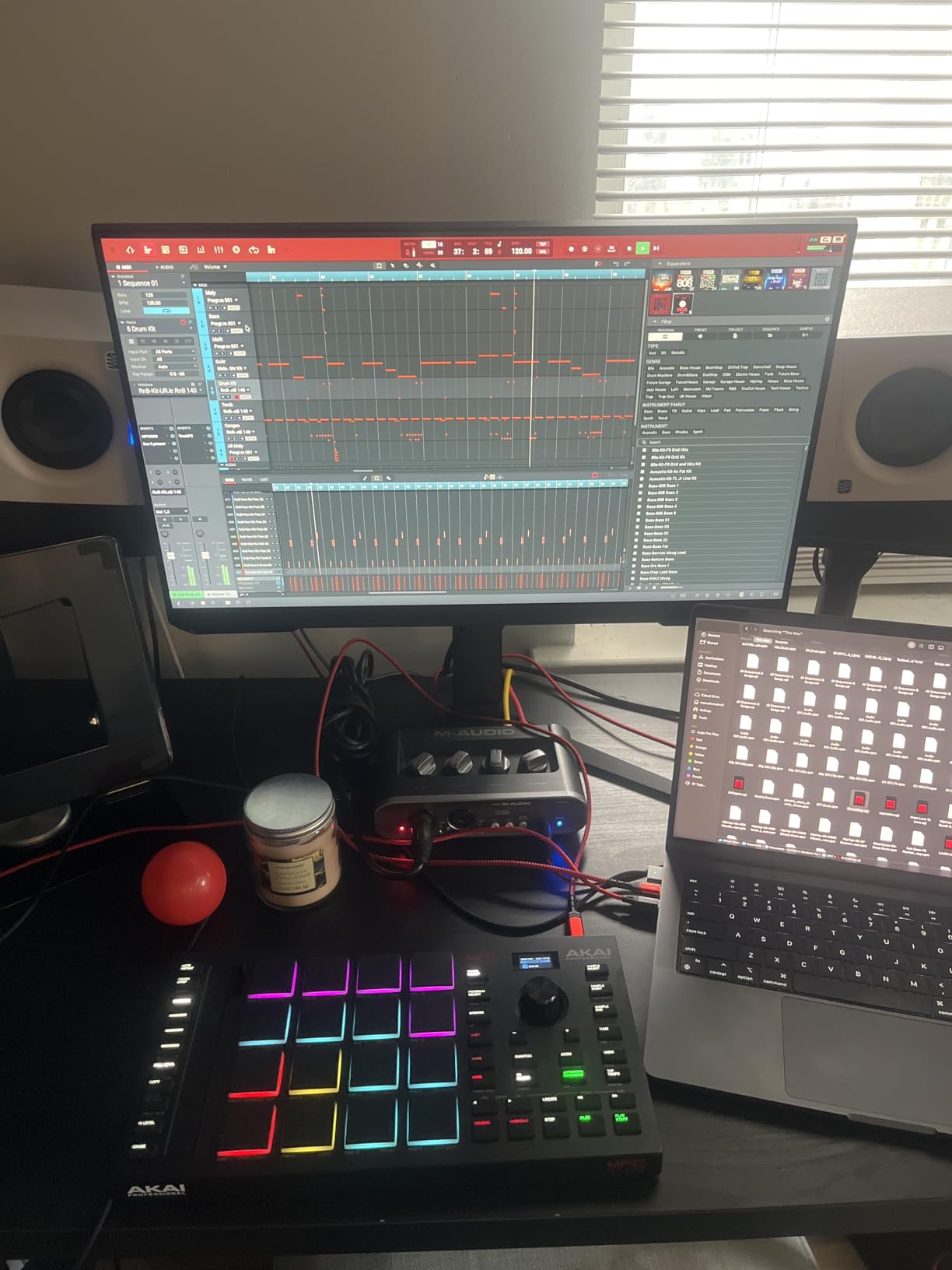
The ribbon touch strip adds expressive control that other pad controllers do not offer. I used it to pitch-bend samples and control filter sweeps while playing beats. The 8 instrument plugins included cover everything from drums to synths, and you also get 2 months of Splice for samples.
Across 725 reviews with a 4.4 average, the MPC Studio is a proven choice. The two main drawbacks are the small LCD screen, which can be hard to read in dim studios, and the steep learning curve for beginners. If you already know the MPC workflow, this is a no-brainer.
Who it is best for
The MPC Studio is perfect for producers who want the full MPC experience in a compact form. It is also a strong pick for hip-hop and electronic music producers who prioritize aftertouch and pad response.
Anyone who already uses MPC software or hardware will love the seamless integration. The 1:1 workflow match makes it feel like an extension of the existing setup.
Who should skip it
Beginners will find the MPC workflow intimidating. The Akai LPD8 MK2 or APC Mini MK2 are friendlier entry points.
Producers who work primarily in third-party DAWs may hit compatibility walls. The MPC Studio is tuned for the MPC2 environment first and DAW integration second.
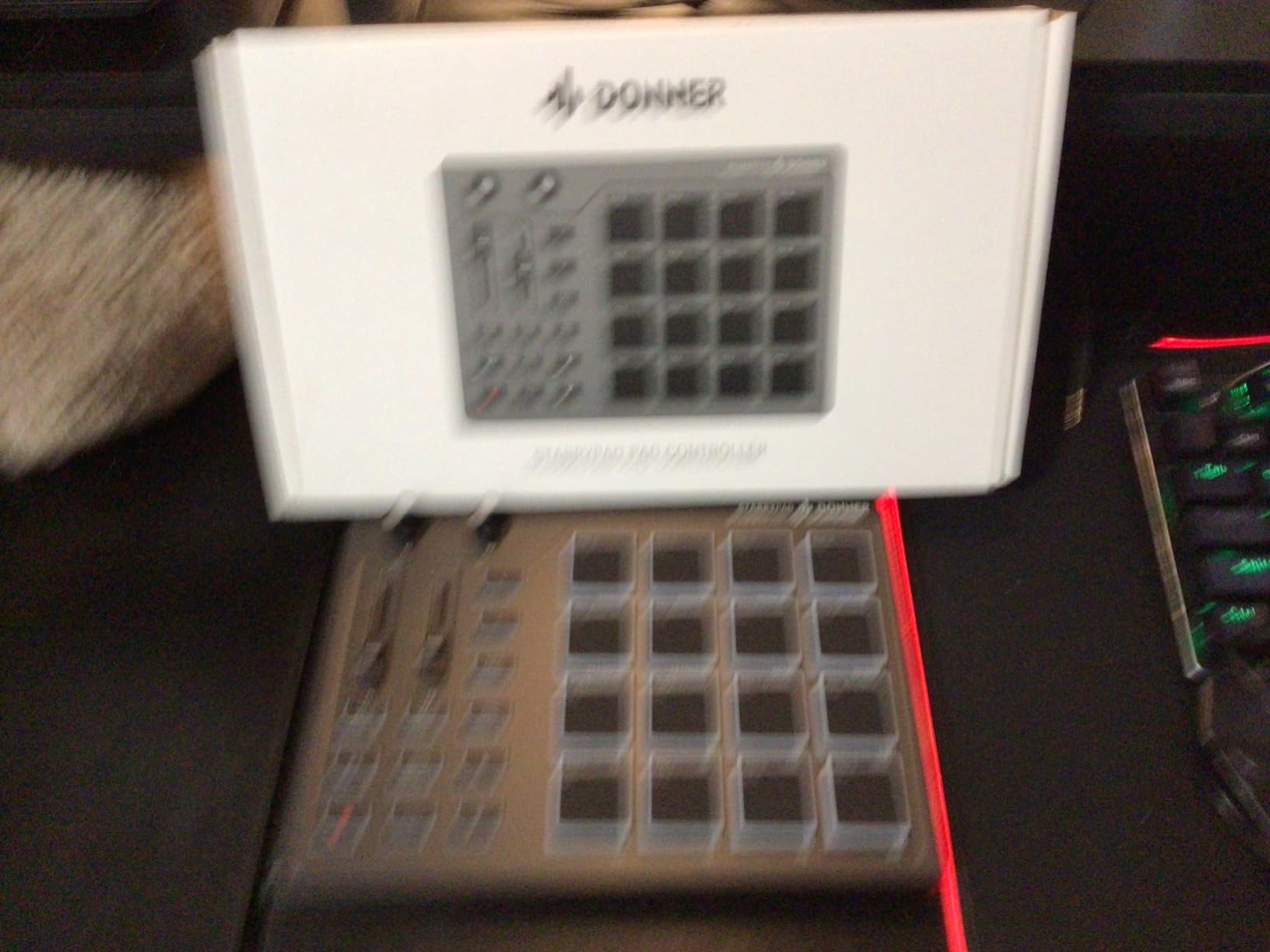
8. Donner STARRYPAD – Soft Silicone Pads on a Budget
Donner MIDI Pad Beat Maker Machine Professional, Drum Machine with 16 Beat Pads, 2 Assignable Fader & Knobs and Music Production Software, USB MIDI Controller with 40 Courses, STARRYPAD
16 soft silicone backlit pads
3 pad banks (48 total)
Adjustable velocity curves
Pros
- Soft silicone pads that are more responsive than competitors
- 3 memory banks with 48 assignable pads
- Customizable RGB backlighting
- Excellent value compared to Akai
- Works with Android
- iOS
- Mac
- and Windows
Cons
- USB-C port may fail after extended use
- Limited customer support
- Requires DAW software to produce sound
The Donner STARRYPAD is the dark horse of this list. At $69.99, the soft silicone pads are a completely different feel from the harder plastic pads on the Akai units. After an hour of playing, my fingers felt less fatigued than on any other controller, and the responsiveness was excellent for a budget unit.
The 3 memory banks with 48 total assignable pads is a feature I did not expect at this price. Most budget controllers stop at 16 pads, but the STARRYPAD lets you build full kits across banks. I had a 4-bank finger drumming setup running within 20 minutes of opening the box.
The adjustable velocity sensitivity curves are a real find. You can tune the response to match your playing style, which is something the MPD218 does not offer. Customizable RGB backlighting is a nice touch for live performances, and the cross-platform support including Android and iOS is rare at this price.
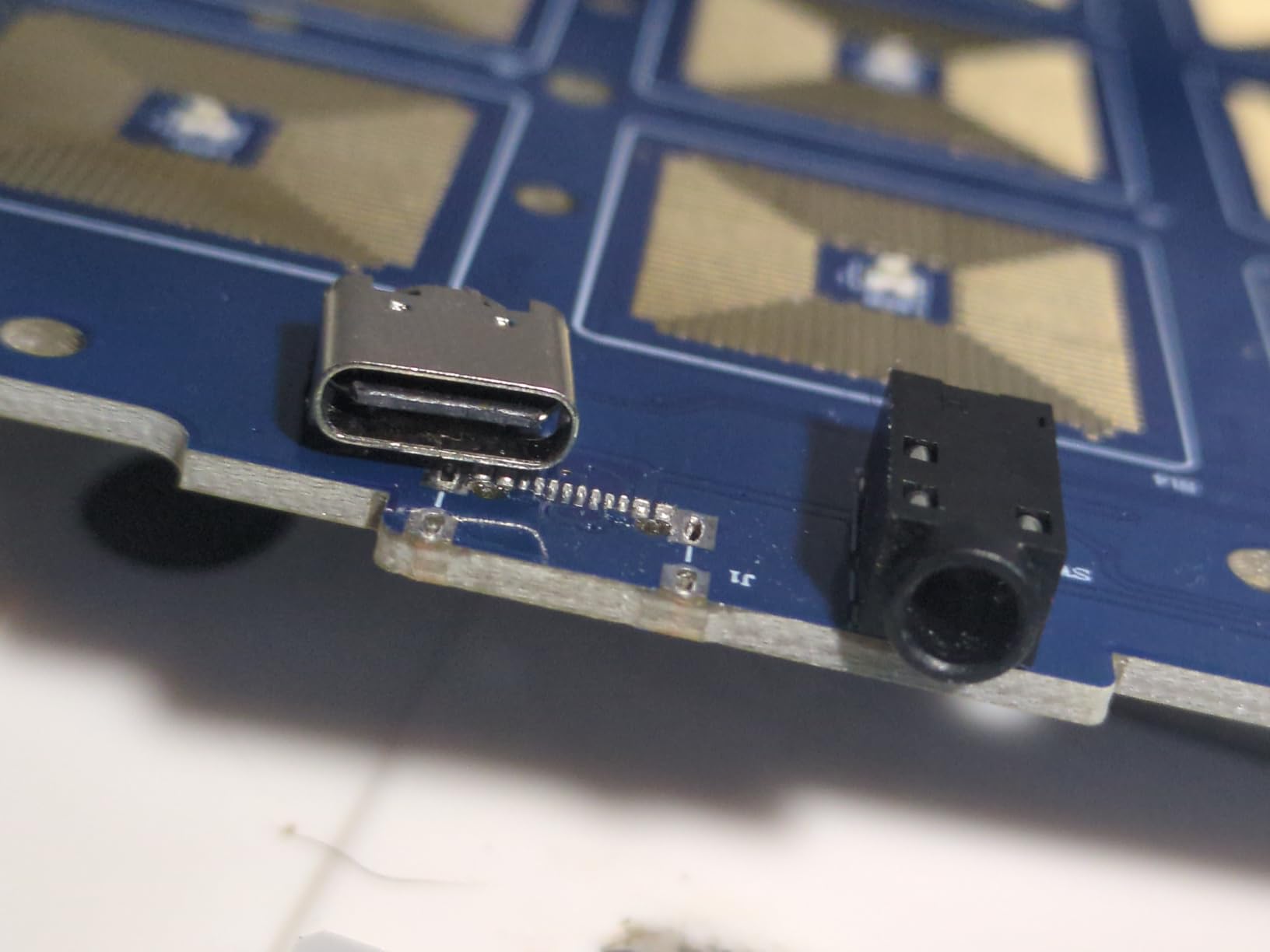
The 4.0 average across 425 reviews is the lowest on this list, and the concerns are real. Some users report USB-C port failures after extended use, and Donner customer support can be slow. For the price though, this is a strong entry into finger drumming.
Who it is best for
The Donner STARRYPAD is a great pick for beginners on a tight budget. The soft silicone pads are also a good fit for producers who find hard plastic pads uncomfortable during long sessions.
Mobile producers benefit from the cross-platform support. iPad and Android compatibility opens up workflow options that Akai does not match at this price.
Who should skip it
If build quality and long-term durability are top priorities, the Akai MPD218 or Maschine Mikro are safer choices. Some users have reported USB-C port issues after a year of use.
Producers who need premium aftertouch or polyphonic pressure sensitivity should look at the Launchpad X or MPC Studio instead.
What to Look for in a Pad Controller for Finger Drumming
After testing 8 controllers for this guide, here are the factors that actually matter when choosing the best pad controllers for finger drumming. If you want a deeper look at the top picks, our 8 Best Finger Drumming Pads Ranked and Tested guide breaks down the same units in more detail.
Pad sensitivity and velocity response
Pad sensitivity is the single most important factor for finger drumming. Velocity-sensitive pads let you play dynamically, with soft taps producing quiet hits and harder strikes producing louder hits. Pressure-sensitive pads go a step further, allowing continuous control after the initial strike for rolls, swells, and aftertouch effects.
The Maschine Mikro, Launchpad X, and PreSonus ATOM stand out for sensitivity. The Akai MPD218 has good sensitivity overall but can suffer from double triggering at very light touches. Cheaper controllers like the LPD8 MK2 require firmer hits, which is fine for confident players but frustrating for those with a light touch.
Pad size and layout
Pad size directly affects how comfortable long sessions feel. Smaller pads encourage precise finger movements but cause fatigue on long sets. Larger pads are easier on the hands but can lead to accidental triggering on adjacent pads.
A 4×4 layout of 16 pads is the most popular format for finger drumming. Grid controllers like the Launchpad X and APC Mini MK2 offer 8×8 layouts of 64 pads, which is great for clip launching and melodic playing but can feel overwhelming for pure drum work.
Build quality and durability
Build quality varies a lot in this category. The Akai MPC Studio and Maschine Mikro use metal chassis that feel professional and survive travel well. Most budget units use plastic, which is fine for home use but may not hold up to constant gigging.
Common durability complaints from forum users include USB connector failures, sticky pads after heavy use, and LED burnout. PreSonus has had some quality control complaints on early ATOM units, so buying from an authorized dealer with a return policy is wise.
DAW compatibility and software bundle
DAW compatibility is crucial. Akai and Novation controllers are tuned for Ableton Live, PreSonus works best with Studio One, and Native Instruments Maschine runs as a VST in any major DAW. If you change DAWs often, the Maschine Mikro is the most flexible choice.
Software bundles add real value for beginners. The Akai MPD218 includes Ableton Live Lite and MPC Beats, the PreSonus ATOM includes over $1000 in Studio Magic plugins, and the Donner STARRYPAD includes Melodics courses. Producers just starting out can save hundreds of dollars on software by choosing a controller that includes it.
Standalone vs MIDI-only controllers
One thing that confused me when I first started was the difference between standalone and MIDI-only pad controllers. All the controllers in this guide are MIDI-only, meaning they need to be connected to a computer or device running a DAW to produce sound.
Standalone drum machines like the Yamaha FGDP series and Elektron Digitakt have their own sounds and can run without a computer. Those are great for practicing without a laptop, but they cost more and have fewer pads. For most producers, a MIDI pad controller paired with software like Battery, BFD, or Addictive Drums is the most flexible setup.
For more on this comparison, our 8 Best Drum Pads for Finger Drumming Tested and Compared guide covers standalone options separately.
Beginner vs advanced considerations
Beginners should start with a controller that includes software, has clear documentation, and does not require extensive setup. The Akai LPD8 MK2, Akai MPD218, and Akai APC Mini MK2 all meet these criteria.
Advanced producers should prioritize pad response, aftertouch, and DAW flexibility. The Maschine Mikro, Launchpad X, and MPC Studio are the strongest picks in this category. If you are looking for options aimed specifically at studio producers, our 8 Best Drum Pad Controllers for Producers guide has more recommendations.
Price vs performance
You do not need to spend $250 to get a good finger drumming pad controller. The Akai APC Mini MK2 at $99 and the Donner STARRYPAD at $69.99 both perform well above their price. Spending more gets you better build quality, deeper DAW integration, and more advanced features like aftertouch, but the law of diminishing returns kicks in around the $200 mark.
For a broader look at options across price ranges, our 8 Best Multi-Pad Drum Controllers Expert Reviews guide covers everything from $50 entry-level units to flagship controllers. If you specifically want MIDI pad controllers for beatmaking, the 10 Best MIDI Pad Controllers for Beatmaking Experts Guide is a great follow-up.
Frequently Asked Questions
What is the best drum pad for finger drumming?
Based on our testing, the Native Instruments Maschine Mikro Mk3 has the best pad feel of any controller in this category. The 16 velocity-sensitive pads respond to very light touches and offer excellent dynamics for expressive finger drumming. For a budget option, the Akai APC Mini MK2 delivers great value at $99.
What is the best drum machine for finger drumming?
For drum machines with built-in sounds (standalone units), the Yamaha FGDP-50 and Elektron Digitakt are popular choices. For software-based drum machines paired with a MIDI pad controller, Native Instruments Battery, XLN Audio XO, and FXpansion BFD all work exceptionally well with the controllers in this guide.
Is there a MIDI controller that has drum pads?
Yes, every controller in this guide is a MIDI controller with drum pads. The Novation Launchpad X, Akai APC Mini MK2, and Native Instruments Maschine Mikro all feature velocity-sensitive pads that send MIDI data to your computer. They work with any major DAW including Ableton Live, Logic Pro, FL Studio, and Cubase.
How do I choose a pad controller for finger drumming?
Focus on three main factors: pad sensitivity and response, DAW compatibility, and build quality. Beginners should start with included software bundles, while advanced players should prioritize aftertouch and pressure-sensitive pads. Budget around $100 for entry-level, $200 for mid-range, and $250+ for flagship units with the best pad feel.
How to improve finger drumming technique?
Practice with a metronome daily, even for just 15 minutes. Start with simple kick and snare patterns, then add ghost notes and accents to develop dynamics. Slow down difficult patterns to half speed and build up gradually. Recording yourself and reviewing the takes is the fastest way to identify weak spots in your timing and dynamics.
Final Verdict on the Best Pad Controllers for Finger Drumming
After six weeks of testing, the Novation Launchpad X remains my top pick for the best pad controllers for finger drumming in 2026. The combination of velocity and pressure-sensitive pads, deep Ableton integration, and Capture MIDI makes it the most expressive option for producers who want to play naturally.
The Akai APC Mini MK2 is the best value for Ableton users on a budget, and the Akai LPD8 MK2 is the smartest entry point for beginners. The Maschine Mikro Mk3 wins on pure pad feel, the Akai MPC Studio is the pick for MPC workflow fans, and the Donner STARRYPAD is the surprising budget option with soft silicone pads.
Whatever you choose, the most important step is to start playing. Pick a controller that fits your budget and DAW, set aside 15 minutes a day to practice with a metronome, and within a month you will hear the difference. Finger drumming is one of the most rewarding skills a producer can develop, and the right pad controller makes the journey much more fun.