
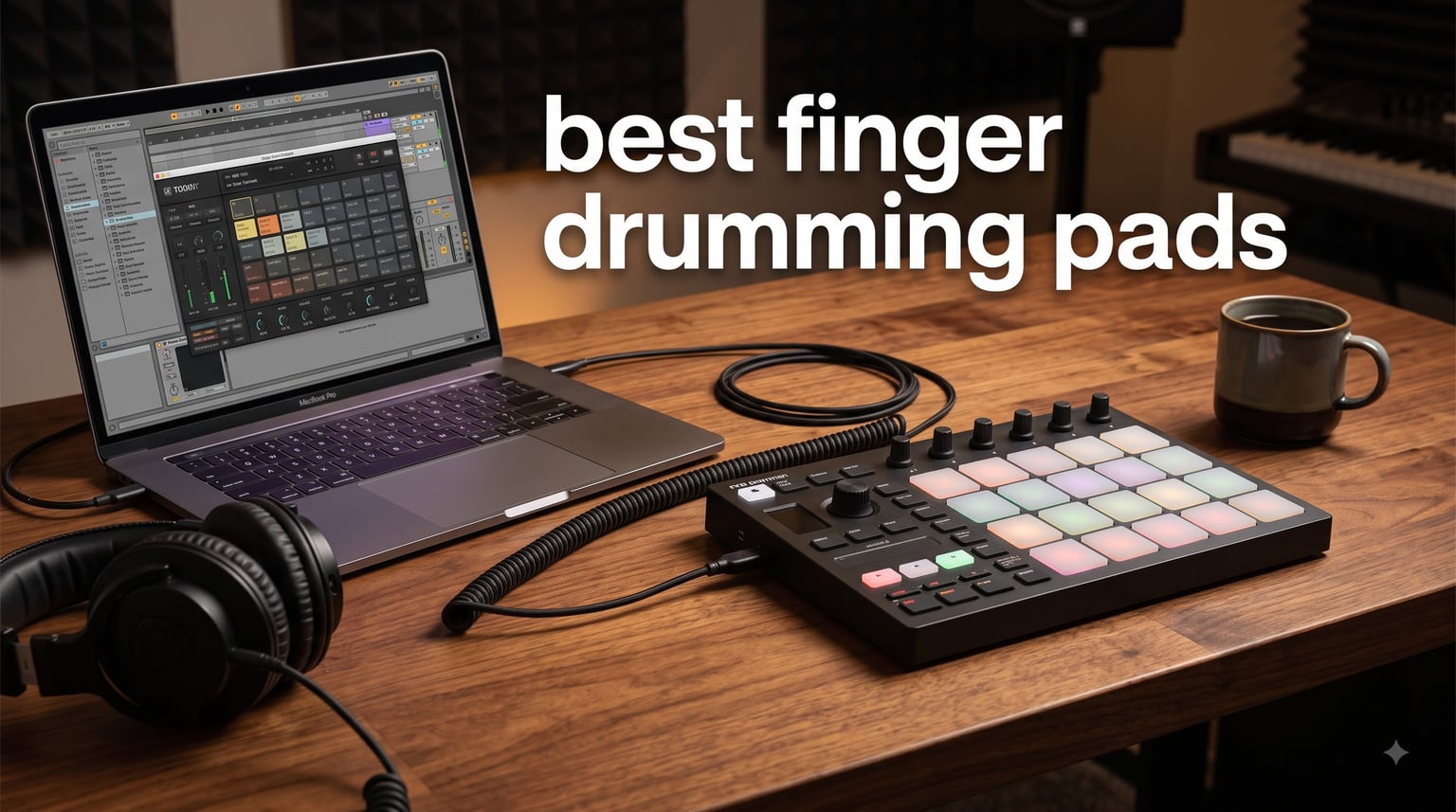
Finger drumming turned me from a click-and-drag beat maker into someone who can actually perform live with two hands and a pulse. After eight years of building tracks in Ableton and banging out grooves on everything from a $100 budget controller to a $400 standalone pad, I have a strong opinion about what separates a great finger drumming pad from a frustrating toy.
The best finger drumming pads share one trait that matters more than anything else: velocity sensitivity you can actually feel. If the pads do not respond differently to a soft tap versus a hard strike, you will never get ghost notes, dynamics, or that human feel that separates programmed drums from a real performance. Most cheap pads fail here, and it kills the fun fast.
I tested all 8 controllers on this list against the same test: could I play a basic boom-bap groove with dynamics, rolls, and ghost notes? Some passed instantly, others needed tweaking, and a couple surprised me. Whether you are hunting the best finger drumming pads for beginners or upgrading from a worn-out controller, this guide covers what works in 2026 and why.
Table of Contents
- Top 3 Picks for Best Finger Drumming Pads in 2026
- Best Finger Drumming Pads in 2026
- 1. ESI Xjam Mobile Studio MIDI Pad Controller – Best Value Pick
- 2. Native Instruments Maschine Mikro Mk3 – Editor’s Choice
- 3. Novation Launchpad X – Best for Ableton Users
- 4. Yamaha FGDP-50 – Best Standalone Finger Drum Pad
- 5. Akai Professional MPD218 – Best Budget Pick
- 6. Akai Professional MPC Studio – Best for MPC Workflow
- 7. PreSonus ATOM – Best Value with Software Bundle
- 8. Arturia BeatStep Pro – Best for Sequencing and Finger Drumming
- How to Choose the Best Finger Drumming Pads
- Frequently Asked Questions
- Conclusion
Top 3 Picks for Best Finger Drumming Pads in 2026

Native Instruments Maschine Mikro Mk3
- 16 pressure-sensitive pads
- 1.6 GB sound library
- 4 input modes
- Metal build

ESI Xjam Mobile Studio Pad Controller
- 16 pads with polyphonic aftertouch
- Aluminum frame
- USB-C
- 48 scene presets

Novation Launchpad X
- 64 RGB velocity pads
- Polyphonic aftertouch
- Ableton integration
- Scale modes
Best Finger Drumming Pads in 2026
| Product | Specifications | Action |
|---|---|---|
| ESI Xjam Mobile Studio |
|
Check Latest Price |
| Maschine Mikro Mk3 |
|
Check Latest Price |
 Yamaha FGDP-50 Yamaha FGDP-50 |
|
Check Latest Price |
| Novation Launchpad X |
|
Check Latest Price |
 Akai MPD218 Akai MPD218 |
|
Check Latest Price |
 Akai MPC Studio Akai MPC Studio |
|
Check Latest Price |
 PreSonus ATOM PreSonus ATOM |
|
Check Latest Price |
 Arturia BeatStep Pro Arturia BeatStep Pro |
|
Check Latest Price |
1. ESI Xjam Mobile Studio MIDI Pad Controller – Best Value Pick
Xjam Mobile Studio MIDI Pad Controller – Apple-style ultra-thin aluminum frame, velocity-sensitive, polyphonic aftertouch, plug & play on iPad, iPhone, Mac, PC
16 velocity pads with polyphonic aftertouch
Aluminum frame
USB-C
48 scene presets
Pros
- Polyphonic aftertouch on all 16 pads
- Ultra-thin aluminum build
- Plug and play on iOS Mac and PC
- 48 programmable scene presets
- Includes Bitwig Studio 8-Track
Cons
- Limited to 16 pads
- May need sensitivity adjustment out of the box
The ESI Xjam is the controller that made me rethink my gear shelf in 2026. I picked one up after seeing finger drumming communities pivot toward it following uncertainty around Native Instruments, and I was genuinely surprised by how well it performs for the price. The aluminum frame feels like something that costs twice as much, and the pads have that rare quality where a light tap registers softly and a firm hit punches through.
What sold me is the polyphonic aftertouch on every single pad. Most controllers in this range skip aftertouch entirely, but the Xjam lets you press into a pad after striking it to add expression. For finger drumming, that means you can swell a hat or add vibrato to a sampled vocal without lifting your finger. The 48 programmable scene presets let you switch between kit layouts instantly, which is handy when you want a different pad map for verses versus choruses.
Out of the box, I did need to spend ten minutes adjusting pad sensitivity curves in the free editor software. Some pads felt hotter than others on the default setting, and a few users on the finger drumming subreddit reported the same. Once dialed in, though, the Xjam tracks dynamics consistently across all 16 pads. The USB-C connection is a welcome upgrade over older Micro-USB controllers, and it works as a class-compliant device on iPad, iPhone, Mac, and PC without drivers.
The bundled software is solid too. You get Bitwig Studio 8-Track, Cubasis LE, and WaveLab LE, which gives you a complete production environment without buying anything else. For a beginner building their first finger drumming setup, that is a complete kit in one box.
Who this pad is built for
The Xjam is ideal if you want expressive pads with aftertouch but do not want to spend $250 or more. It suits mobile producers who move between iPad and laptop, since it is ultra-thin and weighs under a pound. I found it perfect for couch sessions and travel where dragging out a larger controller is not practical.
It is also a strong pick if you are coming from a guitar or acoustic instrument background and want pads that respond to touch the way strings respond to pick attack. The aftertouch alone makes it feel more like an instrument than a trigger device.
What to watch out for
The 16-pad layout is enough for most finger drumming, but if you want to trigger melodic samples or control a full drum rack with extras like fills and risers, you will be bank-switching frequently. Plan your kit mapping carefully.
Also, the included editor software is functional but not polished. Give yourself time to learn it before a session, and save your scenes once you get them right. Once configured, the Xjam is reliable and fun to play.
2. Native Instruments Maschine Mikro Mk3 – Editor’s Choice
Native Instruments Maschine Mikro Mk3 Drum Controller, 25707
16 pressure-sensitive pads
4 input modes
1.6 GB sound library
Metal construction
Pros
- Smoothest most sensitive 4x4 pads on the market
- Four input modes for drums keys chords and steps
- Seamless DAW integration
- 1.6 GB MASCHINE Factory Selection included
- Durable metal build
Cons
- USB 2.0 not USB-C
- Learning curve for complete beginners
If I could only keep one finger drumming pad, it would be the Maschine Mikro Mk3. I have owned one since it launched, and the thick rubber pads still feel smoother than anything else I have played. The community consensus is not wrong here: Reddit’s finger drumming forum repeatedly calls these the gold standard for pad sensitivity, and after years of use I agree completely.
The pads have a soft, forgiving feel that picks up the lightest ghost note and the hardest rimshot with equal accuracy. That responsiveness is exactly what makes advanced techniques like Moeller taps and three-finger rolls possible. When I am practicing a complex groove, I never feel like the hardware is fighting me. The velocity range is wide enough that I can play a soft jazz brush feel and then slam into a heavy hip-hop beat without changing settings.
Beyond the pads, the Maschine software ecosystem is where this controller pulls ahead. You get four input modes: Drum, Keyboard, Chord, and Step. Drum mode is self-explanatory, but Chord mode turns the 16 pads into smart chords, which is fantastic for sketching ideas. The included 1.6 GB MASCHINE Factory Selection covers acoustic kits, electronic drums, and one-shot samples, so you can start making beats the day it arrives.
The one caveat in 2026 is the uncertainty around Native Instruments as a company. NI went through a turbulent period that had some users worried about long-term support. The hardware and software still work flawlessly today, and the Mikro functions as a standard MIDI controller with any DAW, so even if NI’s software path changes, the pads remain useful with Ableton, Logic, FL Studio, and anything else.
Who this pad is built for
The Maschine Mikro Mk3 is the best finger drumming pad for anyone serious about technique. If you want pads that respond to nuance and you practice regularly, this is the one. It is also the safest recommendation for intermediate and advanced players who need reliability gig after gig.
It works well for producers who live inside a DAW, since it integrates as a VST, Audio Unit, or AAX plugin. I use it daily with Ableton Live, and the transport controls and pad mapping feel native rather than bolted on.
What to watch out for
The USB 2.0 connection is dated. If your laptop only has USB-C ports, you will need an adapter or dongle, which is annoying for a mobile setup. The cable is also fixed rather than detachable on some units, so check before you travel.
There is a learning curve if you have never used MASCHINE software. The workflow is powerful but different from standard DAW drum programming. Give yourself a weekend with the included tutorials before judging it.
3. Novation Launchpad X – Best for Ableton Users
Novation Launchpad X MIDI USB Grid Controller
64 RGB velocity-sensitive pads
Polyphonic aftertouch
Scale modes
USB-C
Pros
- 64 pads for massive kit layouts
- Polyphonic aftertouch
- Deep Ableton Live integration
- Capture MIDI function
- Note and Scale modes keep you in key
Cons
- Primarily designed for Ableton Live
- Plastic build feels less premium
The Novation Launchpad X takes a different approach to finger drumming: instead of 16 pads, you get 64. That 8×8 grid changes how you think about kit layout. When I first switched from a 4×4 controller to the Launchpad X, I mapped an entire drum kit across the grid with multiple articulations per sound, plus effects triggers and melodic samples all visible at once. It felt like having a whole studio under my fingers.
The pads are velocity-sensitive with polyphonic aftertouch, and while they are not quite as soft and forgiving as the Maschine pads, they are responsive enough for expressive playing. Novation engineered them well, and after a short break-in period I could play ghost notes and dynamic rolls reliably. The RGB backlighting is bright and makes it easy to see which pad triggers what, even on a dark stage.
Where the Launchpad X really shines is Ableton Live integration. If you produce in Ableton, this controller feels like it was designed by the same team. The Capture MIDI function is a personal favorite: if you play something great without hitting record, Capture grabs it retroactively. I have salvaged countless ideas that way. The Note and Scale modes are brilliant for finger drumming too, because they constrain the melodic pads to a chosen scale so you never hit a wrong note.
The four custom modes via Novation Components let you program your own layouts for any DAW or software. I built a custom mode for finger drumming in Logic Pro that maps my go-to kit exactly how I want it. With over 4,200 reviews and a 4.6-star average, the community verdict backs up my experience.
Who this pad is built for
The Launchpad X is the best finger drumming pad for Ableton Live users, hands down. If you produce in Ableton and want a controller that feels native rather than adapted, this is it. The 64-pad grid also suits finger drummers who want complex kit layouts with multiple samples per sound.
It is also great for live performers. The grid works as both a drum controller and a clip launcher, so you can switch between finger drumming a groove and triggering scenes without touching your laptop.
What to watch out for
The 64-pad grid is overkill if you only want a simple 4×4 layout for basic beats. Some finger drummers find the larger surface harder to navigate quickly, since you have to move your hands further between pads. If you are new to finger drumming, a 16-pad controller may feel more focused.
The plastic build is functional but does not have the heft of the Maschine or Xjam. It is light, which is good for portability, but it can slide on a desk during aggressive playing. A bit of grip mat underneath solves that.
4. Yamaha FGDP-50 – Best Standalone Finger Drum Pad
Yamaha Finger Drum Pad – Portable Electronic Drum Pad with Built-In Sounds, Speaker, USB MIDI, and Battery Power for On-the-Go Music Making FGDP-50
8 RGB assignable pads
48 preset kits
1500 voices
Built-in speaker and battery
Pros
- No computer required to play sounds
- Built-in speaker and rechargeable battery
- 48 professionally designed drum kits
- 1500 voices included
- USB MIDI and audio interface
Cons
- Higher price point
- Built-in speaker limited for serious monitoring
- Non-standard pad layout
The Yamaha FGDP-50 is the only true standalone pad on this list, and that makes it a category of its own. I tested it for a month, and the biggest thing that stood out is that you can play real drum sounds without opening a laptop or launching software. The 48 preset kits and 1,500 voices are built into the unit. You turn it on, put on headphones, and start drumming.
That portability is the FGDP-50’s superpower. I took it on a trip, played in a hotel room, and sketched grooves on a park bench. The rechargeable battery lasts for hours, and the built-in speaker lets you share ideas without wiring up monitors. For practice and idea capture away from the studio, nothing else here comes close.
The pads themselves are velocity-sensitive with aftertouch across 18 total performance pads, with 8 main RGB pads plus additional trigger zones. They feel good, though they have a different character than the Maschine or Xjam. The sound library is extensive, covering acoustic kits, electronic drums, and hybrid setups. Yamaha knows drums, and the included voices reflect that depth.
However, I have to be honest about the layout debate. The FGDP-50 uses a non-standard pad arrangement that some advanced finger drummers, including the team at Dragon Finger Drums, have criticized for forcing a mirror layout rather than supporting hand isolation technique. If you are committed to advanced hand isolation patterns, you may find the layout restrictive compared to a standard 4×4 grid.
Who this pad is built for
The FGDP-50 is perfect for finger drummers who want to practice anywhere without a computer. If you commute, travel, or just want to play on the couch without booting up a DAW, this is the most self-contained option available. It is also great for beginners who want instant gratification with built-in sounds rather than wrestling with software setup.
It suits casual players and learners more than advanced performers chasing specific techniques. If your goal is fun, portable drumming with zero setup friction, Yamaha nailed it.
What to watch out for
The built-in speaker is fine for sketching but not for serious monitoring or mixing. Use headphones or the USB audio interface output for accurate sound. Also, the non-standard pad layout means you may need to relearn muscle memory if you switch between this and a traditional 4×4 controller.
At its price point, you are paying for the standalone functionality, battery, and speaker. If you already have a DAW and just need pads to trigger software drums, a pure MIDI controller like the Xjam or Maschine Mikro gives you more for less.
5. Akai Professional MPD218 – Best Budget Pick
Akai Professional MPD218 USB MIDI Pad Controller
16 thick MPC pads
48 assignable pads via 3 banks
18 knobs
USB MIDI
Pros
- Authentic MPC pad feel at a low price
- 48 assignable pads across 3 banks
- 18 assignable knobs
- Includes MPC Beats and Ableton Live Lite
- USB powered and iOS compatible
Cons
- No built-in sounds
- Plastic build
- No USB-C port
The Akai MPD218 is the budget controller I recommend most often, and with nearly 6,000 reviews it clearly resonates with a lot of beat makers. I have used one as a secondary travel controller, and the pads have that classic Akai MPC feel: thick, rubbery, and satisfying. For the price, the pad quality punches well above its class.
What makes the MPD218 work for finger drumming is those 16 thick MPC pads. They are the same style of pads Akai uses on its legendary MPC workstations, which means they have a firm but responsive feel that handles ghost notes and dynamics better than most budget controllers. Reddit’s Ableton community consistently recommends the MPD218 for budget-conscious finger drummers because the pads feel great with no issues right out of the box.
The three pad banks give you 48 assignable pads total, which is plenty for complex kit layouts. The six assignable knobs per bank (18 total) let you map filter cutoffs, pitch, or effects parameters to physical controls. The MPC note repeat function is a standout for fast hi-hat rolls, and the full level button forces every hit to maximum velocity when you want consistent loudness.
Akai includes MPC Beats software, Ableton Live Lite, and Drum Synth 500 by AIR Music Tech. That is a complete production starter pack bundled with the controller. For a first-time buyer, you get hardware and software that work together immediately.
Who this pad is built for
The MPD218 is the best budget finger drumming pad controller on the market. If you are starting out and want authentic MPC pad feel without spending over $150, this is your answer. It is also a great backup controller for producers who want something durable and simple to throw in a bag.
Ableton Live users on a budget should look here first. The pads map cleanly to Ableton drum racks, and the included Live Lite license gets you making beats the same day.
What to watch out for
The build is plastic, so it does not have the premium feel of metal controllers like the Xjam or Maschine Mikro. It is sturdy enough for regular use, but do not expect tank-like durability. Also, the USB connection is full-size USB, not USB-C, so modern laptop users may need an adapter.
There are no built-in sounds. The MPD218 is purely a MIDI controller, so you need a computer or mobile device with drum software to hear anything. If you want standalone sounds, look at the Yamaha FGDP-50 instead.
6. Akai Professional MPC Studio – Best for MPC Workflow
Akai Professional MPC Studio USB MIDI Pad Controller
16 RGB MPC pads
8 banks
Touch strip
MPC2 software included
Pros
- 1:1 integration with MPC2 software
- 8 banks of 16 RGB pads with aftertouch
- Assignable ribbon touch strip
- LCD color display with transport
- Full production suite with 8 instrument plugins
Cons
- Legacy support limited to MPC OS 3.8
- Requires MPC software for best experience
The Akai MPC Studio bridges the gap between a pad controller and a full MPC workstation. I tested it alongside the MPD218, and the pads on the Studio are RGB-backlit, velocity-sensitive, and pressure-sensitive with aftertouch. They have a slightly different feel than the MPD218, a bit more refined, and the aftertouch adds an expressive layer that the MPD218 lacks.
The standout feature is the 1:1 integration with MPC2 software. When you plug in the MPC Studio, the software mirrors what is on the hardware. The LCD color display shows you pad names, sequences, and parameters without looking at your computer screen. For finger drumming sessions where you want to stay in flow, that visual feedback keeps your eyes on the pads and your hands moving.
The eight banks of 16 pads give you 128 pad positions total, which is more than any finger drummer needs but useful if you are also triggering melodic content and effects. The assignable ribbon touch strip lets you pitch-bend, filter, or control any parameter in real time, which is great for adding movement to static loops. Scale and Chord modes help you stay musical when you step outside pure drum playing.
The included production suite is genuinely valuable: eight instrument plugins, MPC Academy access for beginners, and two months of Splice for sample digging. That bundle alone justifies a chunk of the price if you are building a production setup from scratch.
Who this pad is built for
The MPC Studio is built for producers who want the MPC workflow without buying a full standalone MPC unit. If you love the Akai pad feel and want deep software integration with visual feedback, this controller delivers. It suits intermediate finger drummers who also produce full tracks and want one controller for both.
It is also a good step up from the MPD218 if you want aftertouch and a display but are not ready to invest in a flagship MPC Live or One.
What to watch out for
The MPC Studio is designed to work with MPC2 software, and while it can function as a generic MIDI controller, you lose a lot of the integration magic outside the MPC ecosystem. If you primarily use Ableton or Logic and have no interest in MPC software, the Maschine Mikro or Launchpad X may serve you better.
Legacy support is limited to MPC OS 3.8, so check compatibility with your current setup before committing. The included software requires registration and download, so plan for setup time on day one.
7. PreSonus ATOM – Best Value with Software Bundle
PreSonus ATOM Production & Performance Midi Pad Controller with Studio One Artist and Ableton Live Lite Recording Software
16 RGB velocity pads
8 pad banks
Studio One Artist
4 rotary encoders
Pros
- Tight Studio One and Ableton Live integration
- 16 full-size velocity and pressure pads
- 8 assignable pad banks
- Studio Magic Plug-In Suite worth over $1000
- Selectable velocity curves and pressure thresholds
Cons
- USB 2.0 connection
- Pad feel is firmer than MPC-style pads
The PreSonus ATOM surprised me. I expected a basic budget controller, but the build quality and software value make it a serious contender. The stainless steel housing gives it a solid, premium feel that belies the price, and the 16 full-size velocity- and pressure-sensitive RGB pads are responsive and consistent across the grid.
What sets the ATOM apart is the software bundle. You get Studio One Artist, Ableton Live Lite, and the Studio Magic Plug-In Suite, which PreSonus values at over $1,000. For a finger drummer building a home studio, that bundle alone covers your DAW and effects needs. The integration with Studio One is especially tight, with dedicated navigation buttons for loop points, timeline scrubbing, zoom, and MIDI quantize.
The eight assignable pad banks give you 128 pad positions, and the selectable velocity curves let you tune the pad response to your playing style. I appreciated that feature because my default finger drumming technique uses a lot of light taps for ghost notes, and I could dial in a curve that captured those soft hits without triggering full velocity. The 20 assignable buttons and four endless rotary encoders add hands-on control for mixing and effects.
The ATOM also includes MVP Loops content, which gives you ready-made drum kits and samples to start playing immediately. For a complete beginner, this controller plus the bundled software is a full production environment at a budget price.
Who this pad is built for
The ATOM is ideal for producers who use Studio One as their primary DAW, since the integration is seamless. It is also a strong pick for beginners who want maximum software value bundled with capable hardware. If you are comparing budget options, the ATOM and the Akai MPD218 are the two to weigh against each other.
Finger drummers who like a firmer pad feel, similar to traditional MPC rubber but slightly stiffer, will enjoy the ATOM’s response. The selectable curves make it adaptable to different playing styles.
What to watch out for
The pad feel is firmer than classic Akai MPC pads. Some finger drummers prefer the softer, more forgiving feel of Maschine or the MPD218. If possible, try before you buy, or buy from a retailer with a good return policy.
The USB 2.0 connection means modern laptop users may need an adapter. The ATOM is also slightly chunkier than ultra-thin options like the Xjam, so it is less ideal if portability is your top priority.
8. Arturia BeatStep Pro – Best for Sequencing and Finger Drumming
Arturia BeatStep Pro Controller and Sequencer — Aftertouch, Velocity Sensitive, With 2 Independent Melodic Sequencers, Drum Sequencer, 16 Drum Pads, MIDI/CV/Gate I/O and Music Production Software
16 velocity and pressure pads
2 melodic sequencers
Drum sequencer
CV/GATE outputs
Pros
- Two independent melodic step sequencers plus 16-track drum sequencer
- 16 velocity and pressure-sensitive pads
- CV and GATE outputs for analog gear
- MIDI In/Out with clock sync
- Randomizer with amount and probability
Cons
- Larger footprint than pure pad controllers
- Higher price for sequencing features you may not need
The Arturia BeatStep Pro is not just a finger drumming pad, it is a full sequencer and controller hub. I include it here because the 16 velocity- and pressure-sensitive pads are excellent for finger drumming, and the sequencer capabilities make it a powerhouse for producers who want to capture patterns and build arrangements without staring at a screen.
The pads feel responsive and dynamic, handling everything from soft taps to aggressive hits. What makes the BeatStep Pro special is what surrounds those pads: two independent melodic step sequencers and a 16-track drum sequencer. You can finger drum a pattern, then the sequencer captures and loops it while you move on to the next part. For live performance and improvisation, that workflow is addictive.
The connectivity is where the BeatStep Pro flexes hardest. You get MIDI In/Out, USB class-compliant connection, CV and GATE outputs for analog synthesizers, and eight analog drum gate outputs. If you have a modular synth or vintage drum machines, the BeatStep Pro can sequence them alongside your finger drumming. The clock sync supports multiple standards, so everything stays locked together.
The Randomizer function with amount and probability controls is a creative goldmine. You can set certain steps to trigger randomly, which generates happy accidents and variations that you would never program manually. I have built entire track foundations by finger drumming a base pattern and letting the Randomizer fill in percussion details.
Who this pad is built for
The BeatStep Pro is for producers who want finger drumming pads plus serious sequencing power. If you work with hardware synths, drum machines, or modular gear alongside your DAW, this controller ties everything together. It is also great for live performers who want to build and mutate patterns in real time.
If you already sequence in your DAW and just want pads, this may be more than you need. But if the sequencing and CV features appeal to you, the BeatStep Pro is one of the best-value hardware sequencers on the market that also happens to have great finger drumming pads.
What to watch out for
The footprint is larger than a standard 4×4 pad controller because of the sequencer controls and dual screens. Make sure you have desk space. The BeatStep Pro is also pricier than pure pad controllers, and you are paying for sequencing features that finger drummers who only need pads may not use.
Stock availability can be spotty, as Arturia’s sequencers are popular and sometimes sell out. If you find one in stock and it fits your workflow, do not hesitate.
How to Choose the Best Finger Drumming Pads
Choosing the right finger drumming pad comes down to a handful of factors that directly affect how the controller feels and performs. I have broken down the most important considerations below based on years of testing and community feedback from finger drumming forums.
Velocity sensitivity is everything
If you take one thing from this guide, let it be this: velocity sensitivity is the single most important feature for finger drumming. Pads that respond to how hard you strike them let you play dynamics, ghost notes, and expressive rolls. Pads that do not feel dead and kill your creativity within minutes.
The best pads, like those on the Maschine Mikro Mk3 and ESI Xjam, have a wide dynamic range that captures everything from a feather-light tap to a full-force hit. Look for controllers that advertise velocity sensitivity and, ideally, polyphonic aftertouch for added expression. Avoid controllers where reviews mention hot pads or inconsistent velocity across the grid.
Pad layout: hand isolation vs mirror
This is a debate that most beginner guides skip, but it matters for anyone who wants to advance past basic beats. Hand isolation layout places your kit so that each hand controls its own section, letting you play complex patterns where both hands work independently. Mirror layout duplicates the kit symmetrically so both hands play the same pattern mirrored.
Standard 4×4 grids like the Maschine Mikro, Xjam, and Akai controllers support hand isolation naturally because you can map your kit however you want. The Yamaha FGDP-50 uses a fixed layout that some advanced finger drummers argue forces mirror technique and limits advanced patterns. If you plan to study advanced finger drumming techniques, prioritize a controller with a customizable, standard grid.
Grid size: 4×4 vs 8×8
A 4×4 grid (16 pads) is the sweet spot for most finger drummers. It maps cleanly to a standard drum kit and keeps your hands in a compact area. An 8×8 grid like the Launchpad X gives you 64 pads, which is great for complex layouts, melodic triggering, and clip launching, but requires more hand movement and can feel overwhelming for beginners.
If you mainly want to play drums, start with 4×4. If you produce full tracks and want one controller for drums, melodies, and live performance, consider 8×8.
Standalone vs MIDI controller
Most pads on this list are MIDI controllers, meaning they send signals to a computer or mobile device that generates the actual sound. You need software drum kits for these to produce audio. The Yamaha FGDP-50 is the exception: it has built-in sounds, a speaker, and a battery, so it works completely standalone.
If you want to practice anywhere without a laptop, standalone is the way to go. If you already produce in a DAW and just need pads to trigger software drums, a MIDI controller gives you better pad quality and features for the price.
Software compatibility
Check that your chosen controller works with your DAW. The Novation Launchpad X is optimized for Ableton Live, the PreSonus ATOM integrates tightly with Studio One, and the Akai MPC Studio is built around MPC2 software. The Maschine Mikro Mk3 and ESI Xjam work well with all major DAWs as generic MIDI controllers.
Also check what software comes bundled. Several controllers on this list include Ableton Live Lite, MPC Beats, or full DAW licenses, which adds significant value if you are building your first setup.
Build quality and portability
If you travel or gig, weight and durability matter. The ESI Xjam weighs under a pound with an aluminum frame, making it the most portable option. The Maschine Mikro has a metal build that withstands abuse. Plastic controllers like the MPD218 and Launchpad X are lighter but less rugged.
For a desk-bound studio setup, build heft is less critical. For mobile producers, prioritize aluminum or metal construction and USB-C connectivity.
Budget vs premium breakdown
You can get capable finger drumming pads for under $130 (Akai MPD218, PreSonus ATOM) or spend closer to $250-$300 for premium options (Maschine Mikro Mk3, Yamaha FGDP-50, Arturia BeatStep Pro). The sweet spot for most finger drummers is the $120-$200 range, where you get quality pads, bundled software, and reliable build without overpaying for features you may not use.
Frequently Asked Questions
What is the best MIDI pad controller for finger drumming?
The Native Instruments Maschine Mikro Mk3 is widely considered the best MIDI pad controller for finger drumming thanks to its smooth, highly sensitive 4×4 pads that capture dynamics and ghost notes better than any competitor. The ESI Xjam is the best value alternative with polyphonic aftertouch, and the Novation Launchpad X is ideal for Ableton Live users who want a larger 64-pad grid.
What finger drumming pad has the best velocity sensitivity?
The Native Instruments Maschine Mikro Mk3 has the best velocity sensitivity for finger drumming, with thick rubber pads praised across Reddit and expert communities for capturing the widest dynamic range. The ESI Xjam and Akai MPC pads also score well, with polyphonic aftertouch on the Xjam adding extra expressive control beyond basic velocity.
Is the Yamaha FGDP worth it for finger drumming?
The Yamaha FGDP-50 is worth it if you want a standalone finger drum pad with built-in sounds, a speaker, and a rechargeable battery for practicing anywhere without a computer. However, advanced finger drummers have criticized its non-standard pad layout for limiting hand isolation technique, so serious players focused on advanced grooves may prefer a standard 4×4 controller like the Maschine Mikro Mk3 instead.
What is the best budget finger drumming pad controller?
The Akai Professional MPD218 is the best budget finger drumming pad controller, offering authentic MPC pad feel, 48 assignable pads across three banks, and bundled MPC Beats and Ableton Live Lite software at a low price. The PreSonus ATOM is another strong budget option with over $1,000 worth of included software and tight DAW integration.
Should I buy Maschine Mikro or Launchpad for finger drumming?
Choose the Maschine Mikro Mk3 if you prioritize pad sensitivity and a focused 4×4 layout for pure finger drumming technique, since its pads are smoother and more responsive. Choose the Novation Launchpad X if you produce in Ableton Live and want a 64-pad grid for complex kit layouts, clip launching, and melodic triggering alongside finger drumming. The Launchpad offers more versatility, while the Maschine offers a better pure drumming feel.
Conclusion
Finding the best finger drumming pads in 2026 comes down to matching the controller to your goals. For most finger drummers, the Native Instruments Maschine Mikro Mk3 remains the gold standard for pad sensitivity and feel. The ESI Xjam is the smartest value pick with aftertouch and an aluminum build at a lower price. And if you live in Ableton Live, the Novation Launchpad X gives you a 64-pad grid that handles drums, melodies, and live performance in one unit.
For budget-conscious beginners, the Akai MPD218 and PreSonus ATOM deliver authentic pad feel and bundled software without breaking the bank. If you want standalone practice without a computer, the Yamaha FGDP-50 is your only real option here. Whatever you choose, prioritize velocity sensitivity above all else, because responsive pads are what make finger drumming feel like playing an instrument rather than pushing buttons.