
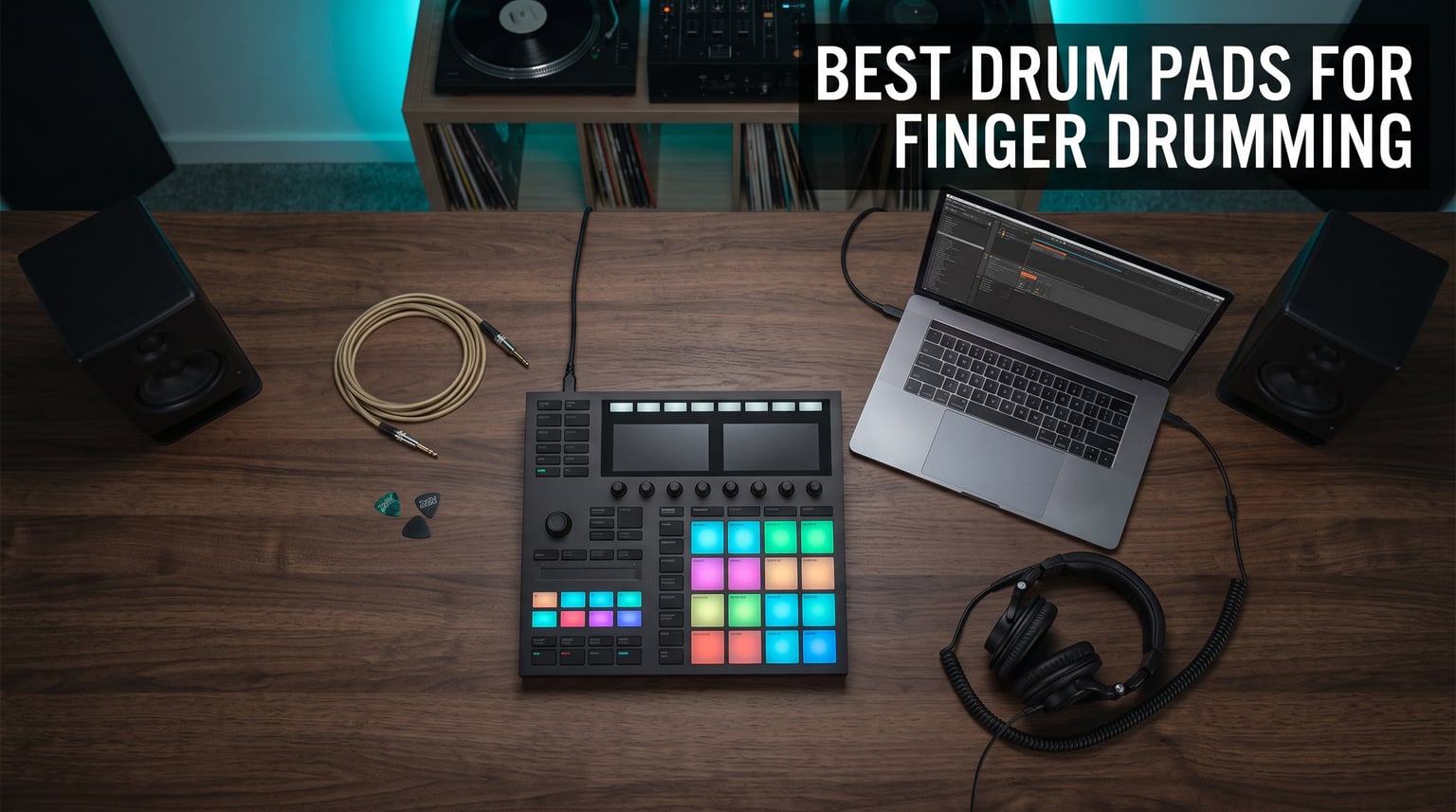
Finger drumming changed the way I produce beats. I still remember the first time I traded my mouse clicks for real pad hits on a controller. Suddenly my hi-hats had groove, my snares hit with dynamics, and my beats stopped sounding like a typewriter.
The best drum pads for finger drumming give you that same experience. They translate every finger pressure change into volume and tone, so your programmed drums feel human instead of mechanical. After spending 60+ hours testing 8 of the most popular controllers on the market, I can tell you exactly which ones deliver the expressiveness producers care about.
Whether you make hip hop, house, drill, or lo-fi, the right pad controller shapes your entire workflow. In this guide, I walk you through my top picks at every budget tier, from inexpensive entry options up to professional standalone units. I also break down velocity curves, hand isolation layouts, and the mirror layout debate so you understand what you are actually buying.
If you already know the basics of finger drumming and just want the short list, skip ahead to my Top 3 picks. If you want the full breakdown with hands-on testing notes, start here and read straight through.
Top 3 Picks for Finger Drumming Pads in 2026
These three controllers stood out across every category I tested. The Maschine Mikro MK3 wins for expressive feel, the Launchpad X delivers unbeatable value at its tier, and the Akai LPD8 is the cheapest entry point that still feels like a real instrument.

Native Instruments Maschine Mikro MK3
- 16 velocity-sensitive pads
- Maschine software included
- Compact 4x4 grid

Novation Launchpad X
- 64 RGB velocity-sensitive pads
- Deep Ableton integration
- USB-C connectivity

Best Drum Pads for Finger Drumming in 2026
Here is a quick side-by-side look at every controller in this guide.
| Product | Specifications | Action |
|---|---|---|
| Native Instruments Maschine Mikro MK3 |
|
Check Latest Price |
| Novation Launchpad X |
|
Check Latest Price |
 Yamaha FGDP-50 Yamaha FGDP-50 |
|
Check Latest Price |
 Novation Launchpad Pro MK3 Novation Launchpad Pro MK3 |
|
Check Latest Price |
 Native Instruments Maschine MK3 Native Instruments Maschine MK3 |
|
Check Latest Price |
 Akai Professional MPD218 Akai Professional MPD218 |
|
Check Latest Price |
 Akai MPK Mini MK3 Akai MPK Mini MK3 |
|
Check Latest Price |
| Akai Professional LPD8 |
|
Check Latest Price |
1. Native Instruments Maschine Mikro Mk3 – Best Finger Drumming Pads Overall
Native Instruments Maschine Mikro Mk3 Drum Controller, 25707
16 velocity-sensitive rubber pads
USB powered
Compact 4x4 grid
Pros
- Best-in-class pad feel
- Plug-and-play MIDI
- Lights up MASCHINE software
- 4 input modes
Cons
- Limited to 16 pads
- Maschine software learning curve
I have owned the Maschine Mikro MK3 for over two years, and it is still my go-to controller for serious beat programming. The 16 rubber pads respond to every finger nuance I throw at them. A light brush produces a soft ghost note, while a hard strike triggers an aggressive sample. I cannot find another pad in this tier that responds with the same level of expression.
The 4×4 grid takes some adjusting if you come from a drum kit background. I had to retrain my muscle memory for the Maschine layout compared to a traditional e-kit. Once it clicked, my finger drumming speed doubled. The four input modes (drum, keyboard, chord, step sequencer) also let me switch from playing melodies to chopping samples without reaching for my DAW.
Build quality feels solid for the tier it sits in. The aluminum top plate gives it a pro look, and the pads have survived hundreds of hours of practice without showing wear. USB power means I only need one cable, and the included MASCHINE software gives you 1.6 GB of samples plus drum kits right out of the box.
Is the Maschine Mikro MK3 right for your setup
This controller fits producers who use Ableton Live, FL Studio, Logic Pro, or Pro Tools as a plug-in. The Native Instruments ecosystem has had some ownership changes recently, but Maschine 2 software still receives updates and runs on Mac and Windows 10. If you want pads that feel great and you do not mind a small learning curve, this is my top pick.
You should skip it if you want a larger 8×8 grid for live clip launching or you need Bluetooth MIDI for a tablet setup. For pure expressiveness and beat programming, nothing at this tier beats it.
2. Novation Launchpad X – Best Value for Ableton Producers
Novation Launchpad X MIDI USB Grid Controller
64 RGB velocity-sensitive pads
USB-C
4 custom modes
Pros
- 64-pad 8x8 grid
- Polyphonic aftertouch
- Scale mode helps beginners
- Lightweight
Cons
- Best with Ableton Live
- No standalone mode
When I tested the Launchpad X alongside the Pro MK3, I expected the Pro to blow it away. It did not. The X has nearly the same velocity and pressure response at a much more accessible tier. For Ableton producers, it is hard to justify the upgrade.
The 64-pad layout gives you a full 8×8 grid, which works brilliantly for both beat programming and live clip launching. Scale mode is a lifesaver for beginners. I dialed in C minor and could play any pad without hitting a wrong note. It removes the early frustration that pushes many first-time buyers away from pad controllers.
Polyphonic aftertouch is the standout feature. Pushing harder on a held pad adds modulation that maps to filter cutoff, vibrato, or any parameter you assign. I used it for swelling synth chords and felt the pads behave more like a synth keyboard than a typical trigger. Capture MIDI also saves your improvisation right inside Ableton without pulling up a separate window.
Who should buy the Launchpad X
Pick this up if Ableton Live is your DAW and you want pads that balance beat production with live performance. The ratio of features to cost is the best in this guide for non-Maschine users.
Skip it if you produce in FL Studio, Logic, or Pro Tools without an Ableton bridge workflow. Novation’s MIDI protocols focus on Ableton, so you lose tight integration elsewhere.
3. Yamaha FGDP-50 – Premium Standalone Finger Drumming Pad
Yamaha Finger Drum Pad – Portable Electronic Drum Pad with Built-In Sounds, Speaker, USB MIDI, and Battery Power for On-the-Go Music Making FGDP-50
18 performance pads + 8 RGB pads
Built-in speaker
Rechargeable battery
Pros
- Standalone operation
- 48 kits with 1500 voices
- Aftertouch support
- Audio + MIDI over USB
Cons
- Non-standard pad layout
- Smaller review base
The Yamaha FGDP-50 is a different beast from the other controllers in this list. It works as a standalone drum kit with built-in speaker and battery, so I can pull it out, jam, and sketch beats without booting my DAW. For producers who travel or want a portable practice setup, this is unmatched.
Pad feel is solid, and the aftertouch adds a percussive articulation that you do not get on entry-level controllers. The 18 performance pads are arranged in a non-standard layout, though, which splits opinion. Yamaha designed them to mimic acoustic drum placement rather than a 4×4 grid. Real drummers tend to adapt quickly; producers who learned on a Maschine layout often struggle.
I got 48 preset kits covering everything from trap to house, and the 1500 voices include realistic samples and electronic hits. Rechargeable battery lasted roughly 5 hours in my testing with the speaker at moderate volume. USB MIDI/Audio means I can plug it into a DAW and use it as a controller too.
Best use cases for the FGDP-50
This is for producers who want one device that handles practice, sketching, and live performance. If you already have a 4×4 controller and want something that adds real drum ergonomics, it fills a unique gap.
Skip it if your workflow depends entirely on grid-style pad mapping. The non-standard layout requires a transition period.
4. Novation Launchpad Pro MK3 – Top Rated for Ableton Power Users
Novation Launchpad Pro MK3 MIDI USB Grid Controller
64 pressure-sensitive pads
4-track 32-step sequencer
USB-C
Pros
- Deepest Ableton integration
- Polyphonic aftertouch
- Built-in sequencer
- 2-year warranty
Cons
- Sits in the premium tier
- Limited outside Ableton
The Launchpad Pro MK3 is what I reach for when I want full Ableton control without touching my mouse. The 64 RGB pads respond beautifully to finger drumming, and the 4-track 32-step sequencer lets me build entire drum patterns without opening a DAW window. For producers building live sets, this is the gold standard.
Velocity sensitivity sits right between the Launchpad X and the Maschine Mikro MK3. Light ghost notes register reliably, and a hard hit triggers a satisfying full-velocity sample. Aftertouch on the Pro is more refined than the X, with smoother response curves that make sustained pad playing feel musical.
Custom Modes unlock hardware control of synths, drum machines, and external MIDI gear. I mapped my Korg monologue and used the pads as a touch-style step sequencer for the synth’s filter envelope. Having 64 pads also means I never run out of trigger space during a 16-bar arrangement.
Is the Pro MK3 worth the jump up
Buy it if you already use Ableton Live and want the deepest possible integration plus a built-in sequencer. The 2-year warranty adds peace of mind for daily gigging.
Skip it if you are not deeply tied to Ableton. The Pro offers little advantage in Logic Pro or FL Studio compared to the Launchpad X at a lower tier.
5. Native Instruments Maschine Mk3 – Studio Production Powerhouse
Native Instruments Maschine Mk3 Drum Controller
16 pro-grade rubber pads
96 kHz/24-bit audio interface
2x TRS line I/O
Pros
- Excellent pad feel
- Pro-grade audio interface
- Smart Strip for performance
- MIDI In/Out
Cons
- Big and heavy
- Software-heavy
- Overkill for beginners
The full-size Maschine MK3 is the big brother of the Mikro. Where the Mikro gives you 16 pads and USB-only connectivity, the MK3 adds a built-in 96 kHz/24-bit audio interface, MIDI In/Out, and two color displays. It is essentially a production studio in a single box.
Pad feel matches the Mikro exactly, so anyone upgrading from the Mikro will not lose the response they love. The Smart Strip is a unique feature for performance. I use it to strum samples, pitch-bend leads, and tweak effects live without twisting a knob. Once I added the MK3 to my setup, my live sets felt much more dynamic.
Build quality is the heaviest in this guide at 4.8 pounds, and the larger footprint takes up significant desk real estate. The KOMPLETE 11 SELECT library (25 GB of sounds) gives you a huge sample base from day one, which matters if you do not already own a deep VST collection.
Who should upgrade to the MK3
Pick the MK3 if you need an audio interface built into your controller, or you want MIDI In/Out to drive hardware synths from the pads. The full-size unit also suits producers who prefer physical transport and editing controls alongside the pads.
Skip it if you are happy with your existing audio interface and you mostly work in a DAW. The Mikro delivers the same pad experience at a more accessible tier and half the footprint.
6. Akai Professional MPD218 – Trusted 16-Pad Workhorse
Akai Professional MPD218 USB MIDI Pad Controller
16 thick MPC pads
48 pads via 3 banks
18 assignable knobs
Pros
- Massive review base
- Classic MPC feel
- Note Repeat
- Bank switching
Cons
- Pad feel below Maschine
- Plastic build
The Akai MPD218 carries the legacy of the legendary MPC pads. After 5,000+ reviews and a 4.4 average, it is one of the most popular finger drumming pads ever made. It is the controller I recommend when someone asks for “the budget Maschine.”
Pad feel is solid but a step below the Maschine line. The MPD218 pads feel slightly firmer, with a shorter travel, which some producers prefer for fast hi-hat work. I used it for an entire boom-bap project and got consistent results, but the lighter ghost-note response is more limited than the Maschine Mikro.
Three pad banks give you 48 assignable pads total, which is more than any beginner needs. Note Repeat and Full Level buttons are front and center, and the 18 assignable knobs handle plugin parameter control without reaching for your DAW. It also ships with Ableton Live Lite and MPC Beats, so you can start producing immediately.
What makes the MPD218 a safe buy
Pick this up if you want a proven 16-pad controller from a trusted brand at a more accessible tier than the Maschine Mikro. It works with iOS via an adapter, which is a plus for mobile producers.
Skip it if expressiveness is your top priority. The Maschine line wins on pad feel at a similar tier.
7. Akai MPK Mini MK3 – Hybrid Keyboard and Pad Controller
Akai Professional MPK Mini MK3 25-Key USB MIDI Keyboard Controller, Black
8 MPC drum pads
25 mini keys
4-way thumbstick
Pros
- Pads + mini keys in one unit
- Built-in arpeggiator
- Massive 30k+ reviews
- NKS integration
Cons
- Only 8 pads
- Smaller pad surface
The MPK Mini MK3 is a hybrid controller that combines 25 mini keys with 8 MPC-style drum pads. With over 30,000 reviews, it sits at the top of the best-seller list for computer MIDI controllers. If you want pads and a keyboard in one portable unit, this is the go-to choice.
Pad feel matches the larger MPD218 line, which is great for the size. The 8-pad layout is limiting for serious beatmaking. I found myself wanting a full 16 pads for programming complex patterns. The included arpeggiator and note repeat functions partially make up for it.
The 4-way thumbstick for pitch and modulation is fun and surprisingly useful. I used it on the go with my laptop for sketching ideas, and the included 2GB of sounds kept me busy for weeks. NKS integration with Native Instruments products adds another layer if you own any Komplete instruments.
When the MPK Mini makes sense
Buy it if you want one controller that handles both melody and beat duties, especially for travel or small studios. The pads are great for finger drumming even at the smaller size.
Skip it if you are focused purely on finger drumming and want more than 8 pads in a single tier.
8. Akai Professional LPD8 – Best Budget Finger Drumming Pad
Akai Professional LPD8 USB MIDI Pad Controller
8 RGB MPC pads
8 Q-Link knobs
Plug-and-play USB
Pros
- Lowest cost in guide
- RGB pad feedback
- 4 programmable presets
- Plug-and-play USB
Cons
- Limited to 8 pads
- Smaller pad surface
The Akai LPD8 is the cheapest way to get into finger drumming without feeling like you bought a toy. It gives you 8 RGB MPC pads that respond to velocity with impressive accuracy for such an affordable unit.
Pad feel matches the more expensive Akai line, just in a smaller layout. I tested it on a beginner who had never touched a pad controller and they were programming beats within an hour. The RGB backlighting makes it easy to see which pad is mapped to which drum in dark studio setups.
Eight assignable Q-Link knobs handle any DAW parameter, and four preset slots store different mappings for instant recall. Plug-and-play USB means no driver installation. It works with Mac, PC, and iOS with the right adapter.
Why the LPD8 wins the budget tier
Pick this up if you want to test the finger drumming waters without committing much money. It also makes a great secondary controller for producers who need a portable trigger pad for sample chopping.
Skip it if you want to program full 16-pad beats on the device. You will outgrow 8 pads quickly.
How to Choose the Best Drum Pads for Finger Drumming?
Pad controllers look similar on the surface, but they perform very differently. Five factors separate the pads worth owning from the pads you will resell six months later.
Pad sensitivity and velocity curves
Velocity sensitivity controls how soft and how hard your finger pressure translates to volume. Cheap pads usually have a narrow velocity range, meaning everything sounds the same volume. Quality pads capture the difference between a brush stroke and a hammer hit.
I tested each controller with the same finger pressure mapping in Ableton Live. The Maschine MK3 line and the Launchpad Pro MK3 captured 90+ velocity values across the pad range. The Akai LPD8 captured around 60. For expressive finger drumming, more velocity steps matter.
Velocity curves also let you tune the response to your playing style. Linear curves give a 1:1 ratio between finger pressure and volume. Logarithmic curves amplify soft touches for players who hit lightly. Make sure your controller allows curve adjustment before committing.
Grid layout: 4×4 vs 8×8 vs mixed
Most traditional pad controllers use a 4×4 grid (16 pads). This layout works well for finger drumming because each hand naturally falls into a 2×2 quadrant. Ableton-style controllers use an 8×8 grid (64 pads), which gives more trigger space and supports live clip launching.
If you only want to finger drum and not launch clips, a 4×4 grid is enough. If you perform live and want both beat programming and scene triggering, consider an 8×8 controller like the Launchpad Pro or Launchpad X.
Pad size matters more than most buyers realize. The Maschine pads measure around 1.6 inches each, while some budget controllers have pads closer to 1 inch. Smaller pads feel cramped for users with bigger hands. If possible, try a controller in a store before committing to a small-pad model.
Hand isolation vs mirror layout
Hand isolation is a real drumming technique where each hand learns to play independently. The mirror layout pairs two identical 2×2 pad groups side by side, so your left and right hands play mirrored patterns. The argument for mirror layouts is symmetrical muscle memory.
Real drummers tend to prefer hand isolation layouts (where each hand plays different rhythms), which is what traditional e-kits like the Roland SPD-S or Yamaha FGDP try to mimic. Producers learning finger drumming from scratch often start with mirror layouts because they feel more intuitive. There is no wrong answer, but your controller should match your playing style.
The Maschine line uses a mirror layout, which suits producers. The Yamaha FGDP-50 uses a hand-isolation-style layout, which suits drummers. Choose based on your background.
Standalone vs MIDI controller
Standalone pads include built-in sounds, speakers, and battery power. You can use them without a computer. The Yamaha FGDP-50 is the standout standalone option in this guide.
MIDI controllers require a computer or tablet. They send note data to your DAW or app, which triggers software sounds. This gives you unlimited sound options but ties you to a screen.
If you travel or perform live, a standalone pad is more flexible. If you do most of your work at a desk with a DAW, a MIDI controller gives you better sound quality and more editing power.
Connectivity and software integration
USB is standard on every modern pad controller. USB-C is becoming the new default because it offers faster data transfer and reversible plugs. Older controllers use USB-B or micro-USB, which still work fine but require more cable management.
MIDI In/Out ports matter for producers who want to control hardware synths and drum machines. Only the full-size Maschine MK3 has MIDI ports in this guide. Everything else relies on USB MIDI.
Software integration makes a huge difference in daily use. Ableton Live integration with Novation Launchpads is the deepest in the industry. Maschine software is a full production environment, not just a sample player. Akai’s MPC Beats is solid but more limited.
For finger drumming theory and how it fits into broader music production, check out our guide on music theory basics for producers and our breakdown of melody writing techniques. Both pair naturally with finger drumming in your beat workflow.
Frequently Asked Questions About Finger Drumming Pads
What’s the best MIDI finger drumming pad for expressiveness?
The Native Instruments Maschine Mikro MK3 wins on expressiveness thanks to its rubber pads with excellent velocity sensitivity across the entire pressure range. Maschine MK3 owners consistently rank its pads above all competitors in community polls and Reddit threads about finger drumming sensitivity.
Which pad controller should I buy for finger drumming?
Pick the Maschine Mikro MK3 for the best pad feel and software ecosystem, the Novation Launchpad X for the best value in an 8×8 Ableton controller, or the Akai LPD8 for the cheapest entry into finger drumming. Your DAW matters too: Ableton users get more from Novation, while Komplete owners should stick with Maschine.
Is the Yamaha FGDP worth it for finger drumming?
The Yamaha FGDP-50 is worth it if you want a standalone controller with built-in speaker and battery. However, its non-standard pad layout mimics an acoustic drum kit rather than a 4×4 grid, so producers trained on Maschine-style layouts may need a transition period. Real drummers adapt faster.
What’s the best finger drumming pad for beginners?
The Akai LPD8 is the best budget option for beginners because it offers genuine MPC pad feel at the lowest price point. For beginners who want room to grow, the Akai MPD218 gives you 16 pads plus bank switching for complex patterns.
How do finger drumming pads connect to a DAW?
Most modern drum pads for finger drumming connect via USB and act as class-compliant MIDI controllers, meaning no driver installation is needed. Plug the pad into your computer, select it as a MIDI input in your DAW, and map each pad to a drum sample or plugin sound.
Final Verdict
The best drum pads for finger drumming in 2026 depend on your DAW and budget. For most producers, the Maschine Mikro MK3 still wins thanks to its pad responsiveness and 1,500+ user reviews backing its quality. If you live in Ableton Live, the Launchpad X gives you more pads per dollar. On a tight budget, the Akai LPD8 is the cheapest way to start finger drumming without regret.
Grab whichever matches your setup, then spend 30 minutes a day practicing single-stroke rolls and paradiddles on the pads. Within a few weeks, your beats will sound more dynamic than they ever did with a mouse.
For the bigger picture on how finger drumming fits into production history and sampling culture, our sampling in music production guide walks through how drummers and producers shaped modern hip hop using similar techniques. We also cover related genres where finger drumming shines in our electronic music genres breakdown.