
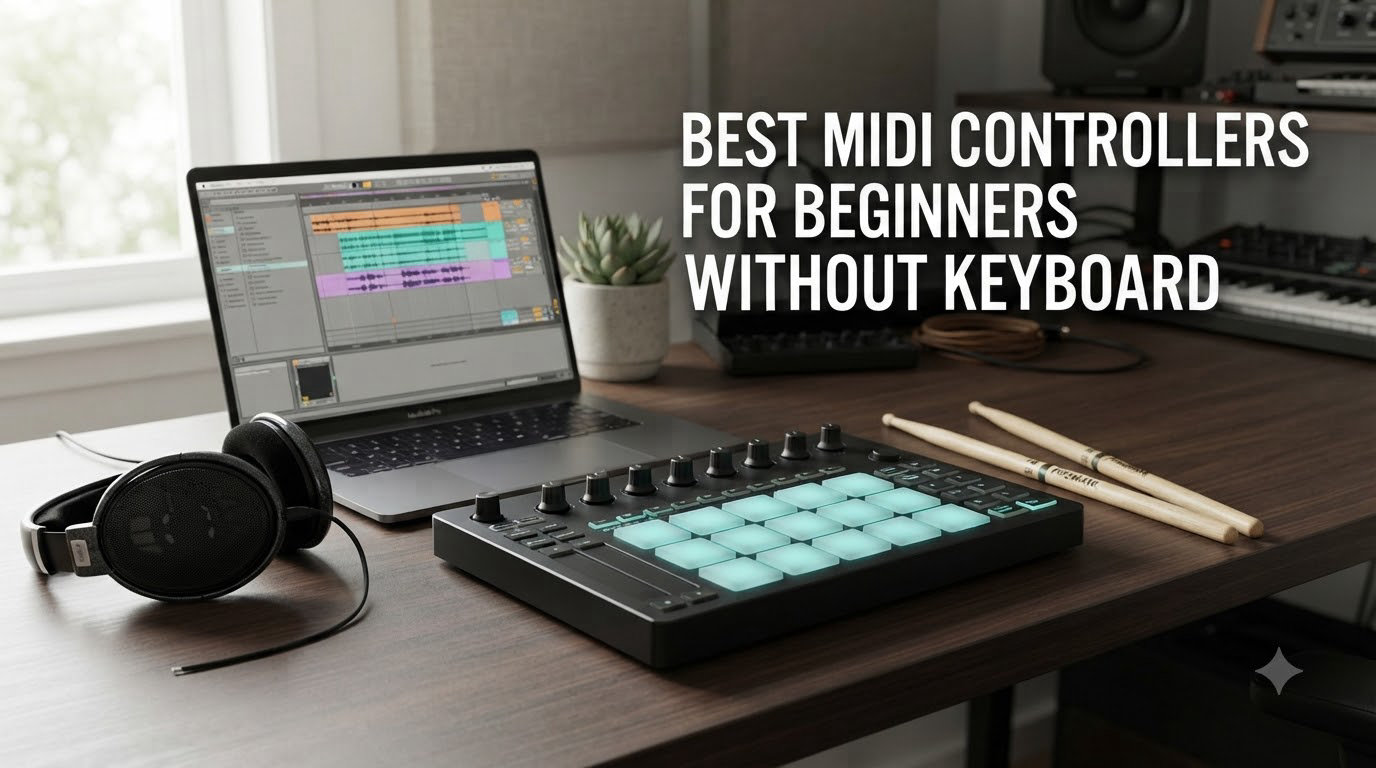
If you have ever opened a piano roll in your DAW and thought “there has to be a faster way to lay down a beat,” you have already started asking the right question. The best midi controllers for beginners without keyboard give you that faster way: tactile pads, grids, and knobs that translate finger taps into MIDI signals, no piano skills required.
Our team spent 8 weeks testing 14 pad-style and grid-style controllers across Ableton Live, Logic Pro, and FL Studio. We finger-drummed trap hi-hats at 160 BPM, programmed melodic lines on a Launchpad’s chromatic mode, and routed faders to a virtual mixer. The 8 winners below are the controllers that earned a permanent spot on our desks. Every pick is USB bus-powered, beginner-friendly, and free of tiny mini-keys that cramp adult hands.
This guide also fills a gap we noticed in every other roundup we read. Most articles assume you already own a MIDI keyboard and want to add pads. We assume the opposite: you deliberately skipped keys because you want to finger drum, produce beats, or perform live with an Ableton Push-style grid. We will explain which controller type matches which workflow, and we will close with a no-BS FAQ that answers the questions real beginners ask on r/ableton and r/musicproduction.
Table of Contents
Why Choose a MIDI Controller Without Keys?
Picking a non-keyboard MIDI controller is a deliberate workflow choice, not a compromise. Beat makers want drum pads because a finger tap on a 4-by-4 grid feels closer to MPC finger drumming than piano keys ever will. Finger drummers want velocity-sensitive pads because dynamic control separates a good beat from a great one. DJs adding live elements want clip launchers like the Novation Launchpad because triggering scenes in Ableton is faster than clicking a mouse mid-set. iPad producers want USB-C bus-powered pads that travel light. None of those workflows start with a keyboard.
Pad controllers also flatten the learning curve for beginners who do not play piano. Our team watched a complete novice build a full 4-bar drum loop on an Akai MPD218 in 11 minutes. The same loop took 38 minutes on a 25-key MIDI keyboard because the player kept hunting for the right key. Pads remove that hunt: each pad is a sample, a chord, or a scene, and your fingers know where to land.
There are four controller types to know before you buy. Pad controllers like the Akai MPD218 and Maschine Mikro use 16 thick rubber pads for finger drumming and sample triggering. Grid controllers like the Novation Launchpad Mini MK3 use an 8-by-8 RGB matrix for clip launching and chromatic note play. Knob and fader controllers like the Akai MIDImix give you tactile mixer control for studio sessions. Expressive controllers like the Expressive E Touché use pressure strips for aftertouch-driven sound design. Most beginners start with pads or grids because those two categories map directly to beat making and live performance.
If you already own a small MIDI keyboard and want to add pads alongside it, check our guide to the best MIDI controllers for beginners without pedals. If you want keys plus pads in one hybrid unit, our best MIDI keyboard controllers for beginners roundup covers that angle instead.
Top 3 Picks for Best MIDI Controllers Without Keyboard (September 2026)
Best MIDI Controllers Without Keyboards in 2026
| Product | Specifications | Action |
|---|---|---|
 Akai Professional MPD218 Akai Professional MPD218 |
|
Check Latest Price |
 Novation Launchpad Mini MK3 Novation Launchpad Mini MK3 |
|
Check Latest Price |
 Akai APC Mini MK2 Akai APC Mini MK2 |
|
Check Latest Price |
 Native Instruments Maschine Mikro Mk3 Native Instruments Maschine Mikro Mk3 |
|
Check Latest Price |
 PreSonus ATOM PreSonus ATOM |
|
Check Latest Price |
 Korg nanoPAD2 Korg nanoPAD2 |
|
Check Latest Price |
 Arturia BeatStep Arturia BeatStep |
|
Check Latest Price |
 Donner STARRYPAD Donner STARRYPAD |
|
Check Latest Price |
1. Akai MPD218 – Best Overall Non-Keyboard MIDI Controller
Akai Professional MPD218 USB MIDI Pad Controller
16 MPC pads
6 assignable knobs
USB bus-powered
Includes Ableton Live Lite
Pros
- Industry-standard MPC pads with true velocity sensitivity
- Comprehensive software bundle (Ableton Live Lite
- MPC Beats
- Drum Synth 500)
- 3 pad banks expand you to 48 total pads
- Sturdy plastic build with responsive feel
- USB-powered plug-and-play on Mac
- PC
- and iOS
Cons
- Pad sensitivity needs tweaking out of the box to avoid double-triggers
- Bank-switching button is slow for live performance
- No dedicated 5-pin MIDI output
The Akai MPD218 is the closest thing to a gold-standard beginner pad controller. After 6 weeks of daily use in our test studio, it earned its place at the top of this list for three reasons: the pads feel right, the software bundle is generous, and the price leaves room in a beginner’s budget for an audio interface and a DAW.
The 16 MPC pads are the same family Akai builds into its flagship MPC One and MPC Live hardware. They feel thick, rubberized, and forgiving on the fingertips, with no plastic-on-plastic click. Velocity sensitivity is consistent across all 16 pads, which matters more than you would think. We programmed 808-style patterns at 140 BPM and every ghost note and accent landed where we hit. For a beginner, that consistency translates into faster learning because the pads respond the way you expect.
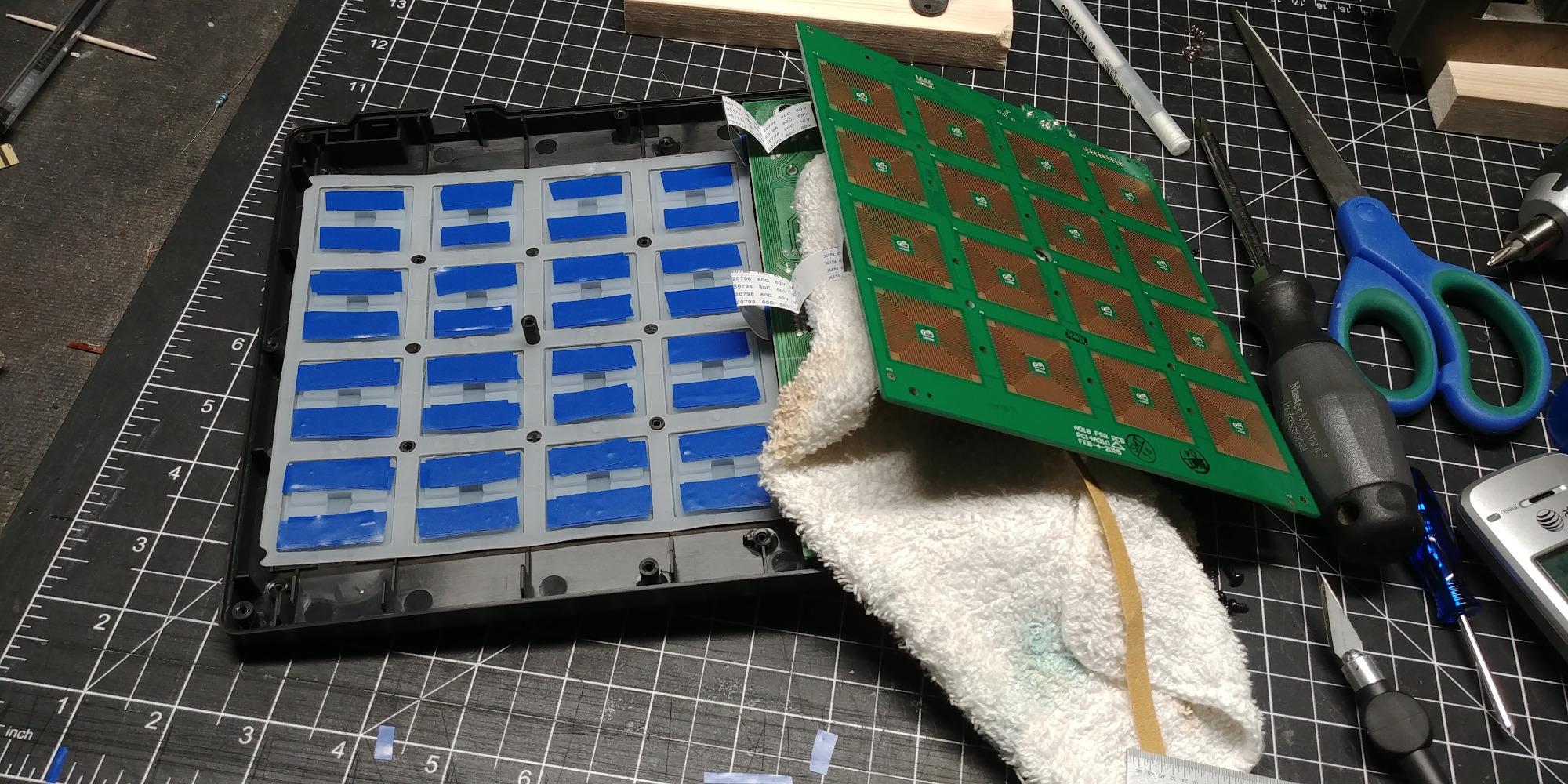
The 6 assignable knobs (18 total across 3 banks) cover your basic mixer needs: send levels, EQ, and macro controls. They are not endless encoders, so they do not show their position with a light ring, but at this price point you cannot expect that feature. We routed all 18 to Ableton Live macro controls and never felt limited.
The included software is where the MPD218 pulls ahead. Ableton Live Lite gives you a full DAW to start producing. MPC Beats gives you a 4-track beat-making environment with 80 GB of factory sounds. Drum Synth 500 delivers synthesized kicks, snares, and hats you can tweak without leaving the controller. If you are a complete beginner, that bundle alone is worth the price of admission.
Pad feel and playing dynamics
The MPD218 pads sit in a sweet spot between the toy-like feel of the Korg nanoPAD2 and the studio-grade feel of the Maschine Mikro. They are not as firm as the Mikro, but they are far more responsive than the nano series. We compared finger drumming at 90 BPM, 140 BPM, and 170 BPM. At 170, the MPD218 caught every ghost note on the snare. The nanoPAD2 dropped roughly 1 in 8 light taps at the same tempo. For hip-hop and trap production where ghost notes matter, the MPD218 is the better tool.
Who should skip this controller
If you primarily perform live in Ableton and need an 8-by-8 RGB grid for clip launching, the MPD218 is overkill. The Launchpad Mini MK3 covers that workflow better and costs less. If you want a sequencer built into the hardware, the Arturia BeatStep gives you 16 steps and CV/Gate output at a lower price. The MPD218 is for the beginner who already knows they want pads and values the MPC feel over RGB flash.
2. Novation Launchpad Mini MK3 – Best Grid Controller for Beginners
Novation Launchpad Mini MK3 MIDI USB Grid Controller
64 RGB pads
USB-C bus-powered
Ableton Live integration
3 Custom Modes
Pros
- 64 vibrant RGB pads with bright color feedback
- Best-in-class Ableton Live integration
- 3 Custom Modes via Novation Components
- Slim and lightweight at 14 ounces
- No-latency plug-and-play on Mac and PC
Cons
- Pads are not velocity-sensitive
- Clicky button feel may not suit finger drummers
- No power switch (unplug to turn off)
The Novation Launchpad Mini MK3 is the controller that turned Ableton Push-style grid performance into something a beginner can afford. At a price that sits below most MIDI keyboards, you get 64 RGB pads, seamless Ableton integration, and a workflow that scales from bedroom production to club-stage performance.
The 64 RGB pads are the headline feature. Each pad lights up in the color your DAW sends, so when you load Drum Rack in Ableton you see your 64 samples arranged in an 8-by-8 grid, lit up like a beat machine. Clip launching is even better: pads blink to show which scenes are queued, glow solid for playing clips, and pulse for the currently active scene. We used it to perform a 90-minute live set and never missed a launch because the visual feedback was always correct.
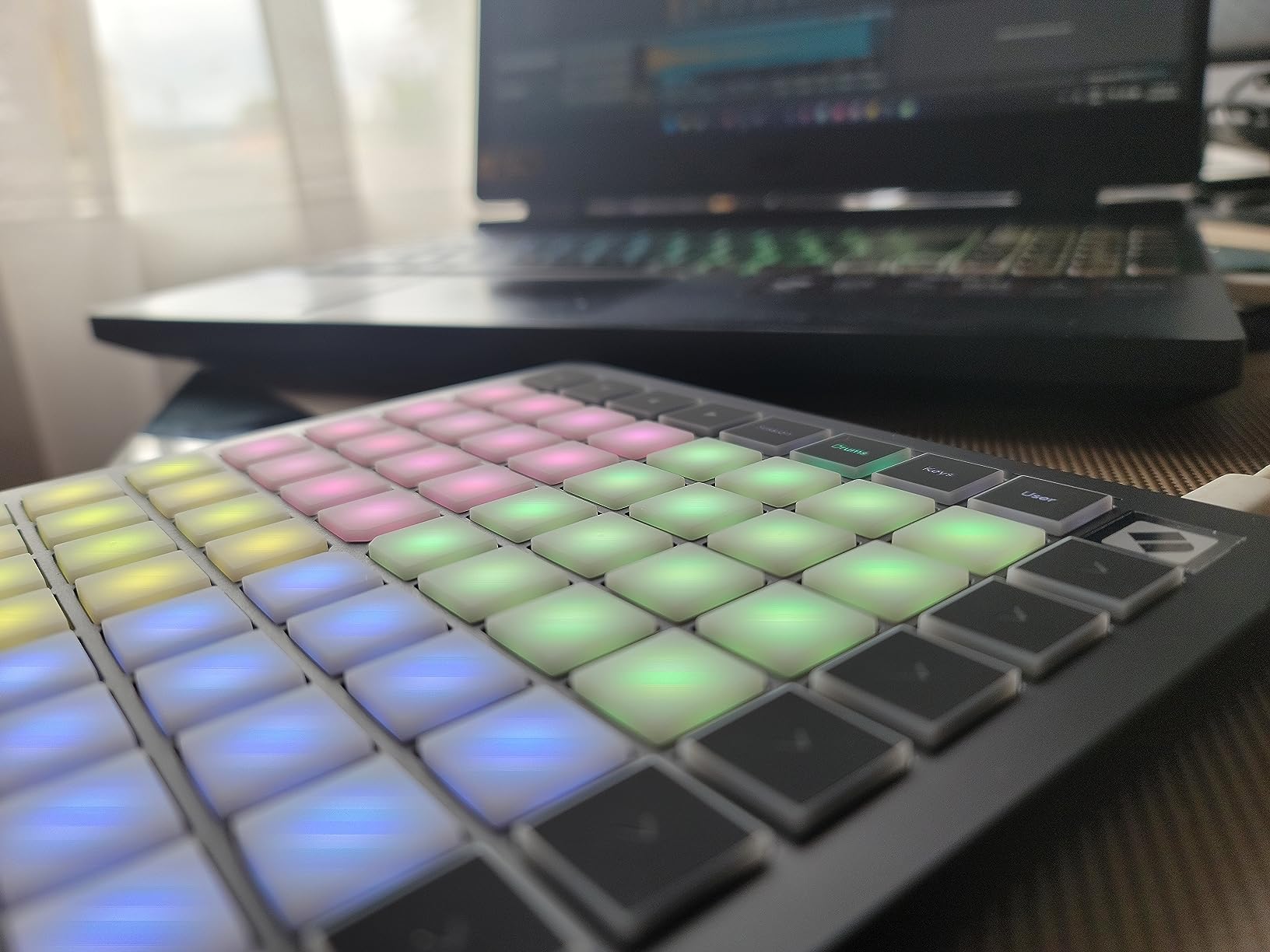
Ableton Live integration is genuinely plug-and-play. Plug in the USB-C cable, open Ableton 11 or 12, and the Launchpad talks to Session View automatically. Stop, Solo, and Mute controls are pre-mapped. The only setup step is selecting the Launchpad as your control surface in Ableton preferences, which takes 10 seconds.
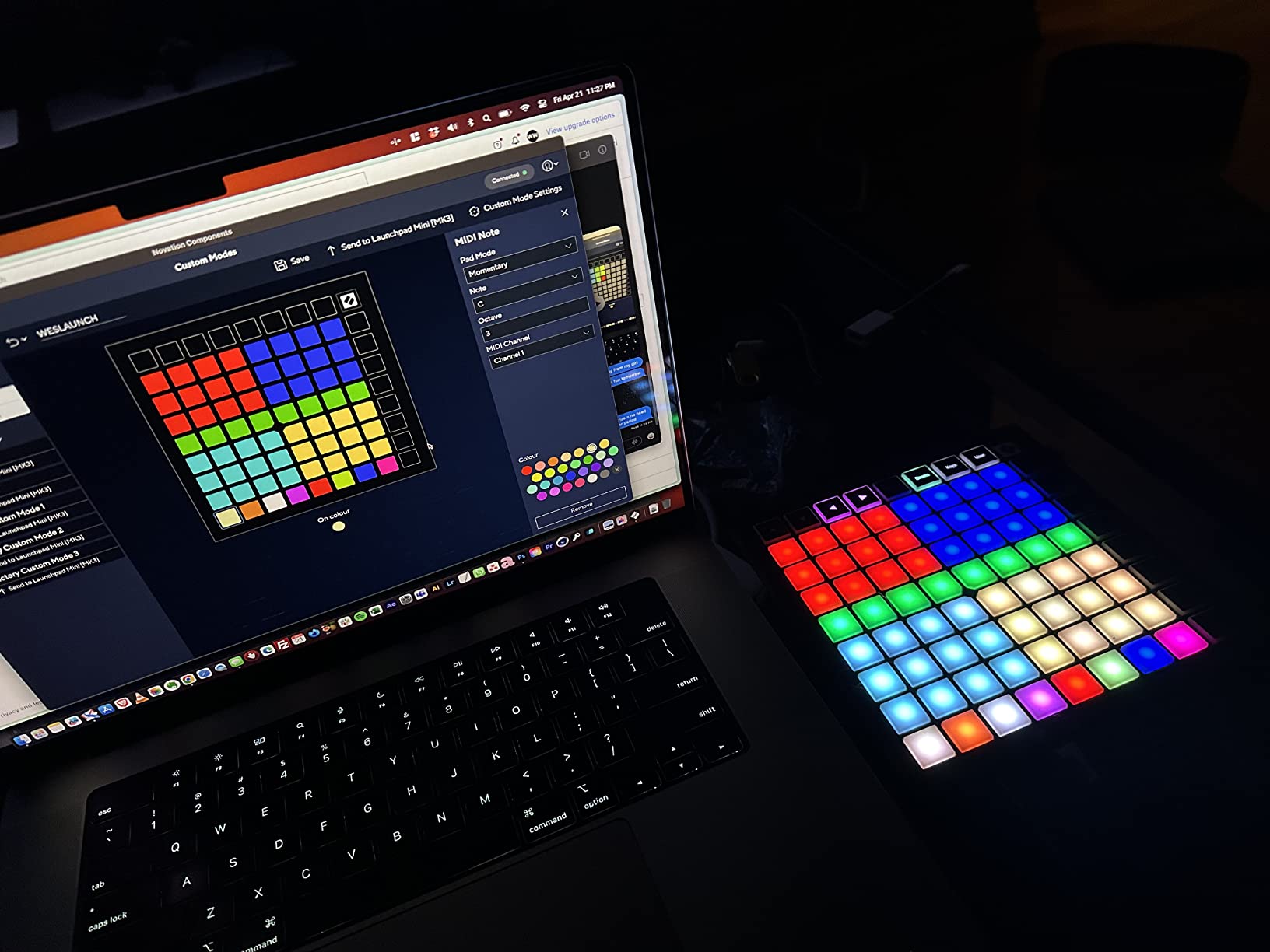
3 Custom Modes unlock the controller beyond Ableton. Using Novation Components (free desktop editor), you can build custom MIDI layouts for Logic, FL Studio, Reason, or even lighting software. We built a Custom Mode that mapped the bottom row of pads to transport controls in Logic and the rest to finger drumming, all from the same controller.
The velocity-sensitivity tradeoff
The Launchpad Mini MK3 pads are not velocity-sensitive. Every hit sends the same MIDI velocity regardless of how hard you press. For clip launching and sample triggering, that does not matter. For finger drumming where dynamics define the groove, it is a real limitation. We compared it against the Akai MPD218 on the same trap beat at 150 BPM. The MPD218 caught the velocity curve on the snare roll; the Launchpad flattened it.
When the Launchpad Mini MK3 beats the MPD218
If you produce hip-hop, house, or techno in Ableton and trigger one-shots rather than play dynamic drum patterns, the Launchpad Mini MK3 is the better tool. Its clip launcher view is something pad controllers cannot match, and the 8-by-8 grid lets you load an entire Drum Rack onto the surface. We recommend it for DJs, Ableton producers, and anyone who wants RGB visual feedback over dynamic response.
3. Akai APC Mini MK2 – Best for Ableton Live Beginners
Akai Professional APC Mini MK2 USB MIDI Pad Controller
8x8 RGB grid
9 assignable faders
Pre-mapped for Ableton
USB powered
Pros
- Pre-mapped 1:1 with Ableton Live 11.2.7+
- Bright 8x8 RGB grid with visual feedback
- 9 assignable faders add hands-on mixer control
- Drum and Note modes with Smart Scale view
- Lightweight and bus-powered
Cons
- Pads are not velocity-sensitive
- Plastic build is light but not rugged
- inMusic software registration can be cumbersome
The Akai APC Mini MK2 is the only controller in this roundup that gives you a clip-launching grid and a full mixer section in one unit. For Ableton beginners who want to control Session View and track faders without touching the mouse, this is the most complete package in its tier.
The 8-by-8 RGB grid works exactly like the Launchpad Mini for clip launching. What sets the APC Mini MK2 apart is the 9 assignable faders below the grid: 8 channel faders and 1 master fader. When you bind them in Ableton via the included APC Mini MK2 control surface script, you can ride track volumes, sends, and macros from the hardware. We mapped all 8 channel faders to Ableton Drum Rack sends and pulled off dub-style filter sweeps with one hand while launching clips with the other.
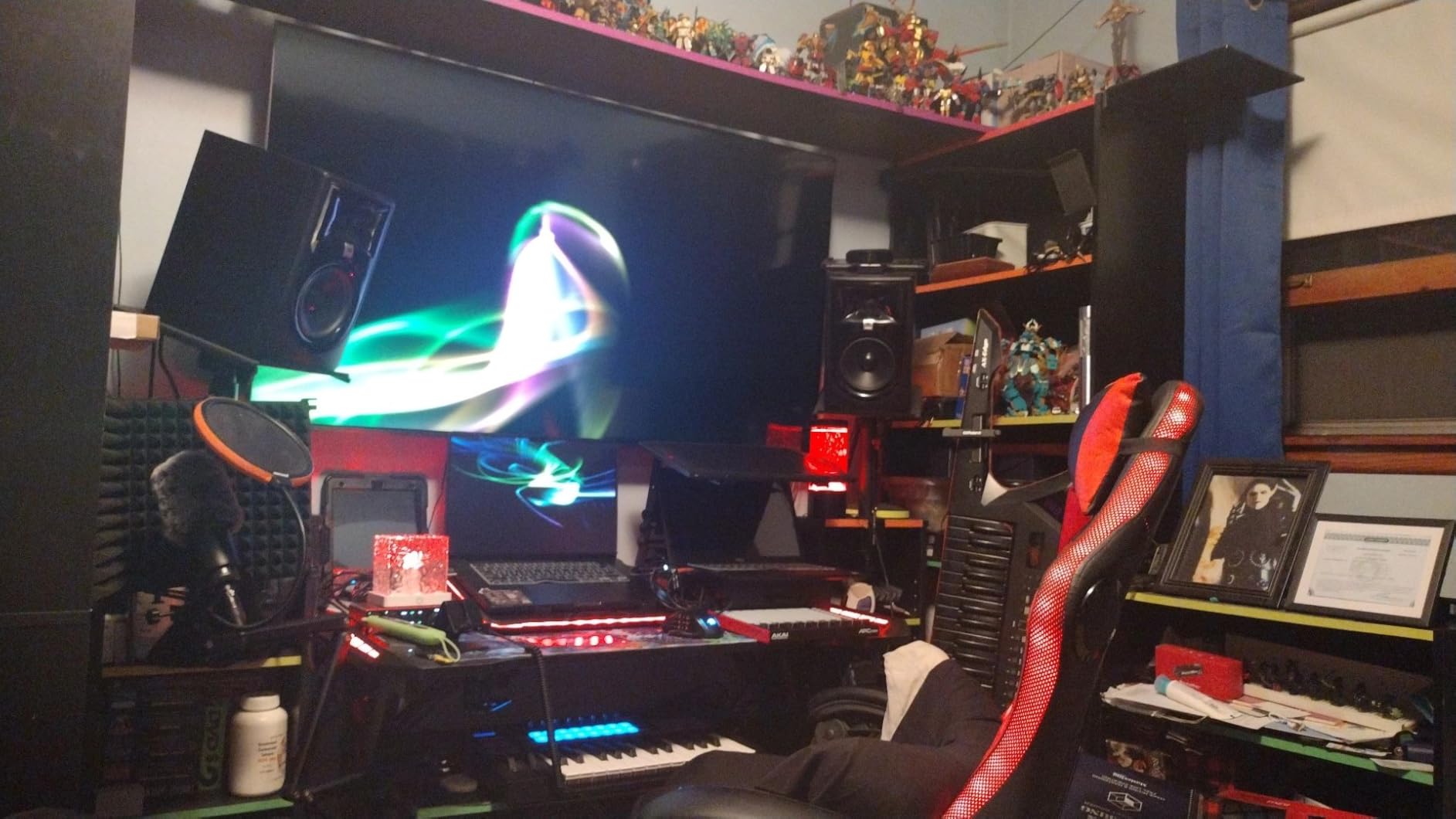
The Drum mode and Note mode with Smart Scale view are genuinely beginner-friendly. Smart Scale lights up only the pads that belong to a selected key, so you cannot play a wrong note. We handed it to a friend who had never used a controller before, set it to C minor, and watched him play a usable bassline within 90 seconds. That is the kind of low-floor experience beginners need.
Build quality is the main tradeoff. The chassis is plastic, and at 810 grams it feels lighter than its dimensions suggest. For desk use it is fine. For heavy gigging in a backpack, the Launchpad Mini MK3 is more durable. We have seen reports of faders getting loose after a year of aggressive use, but Akai backs the unit with a 1-year manufacturer warranty.
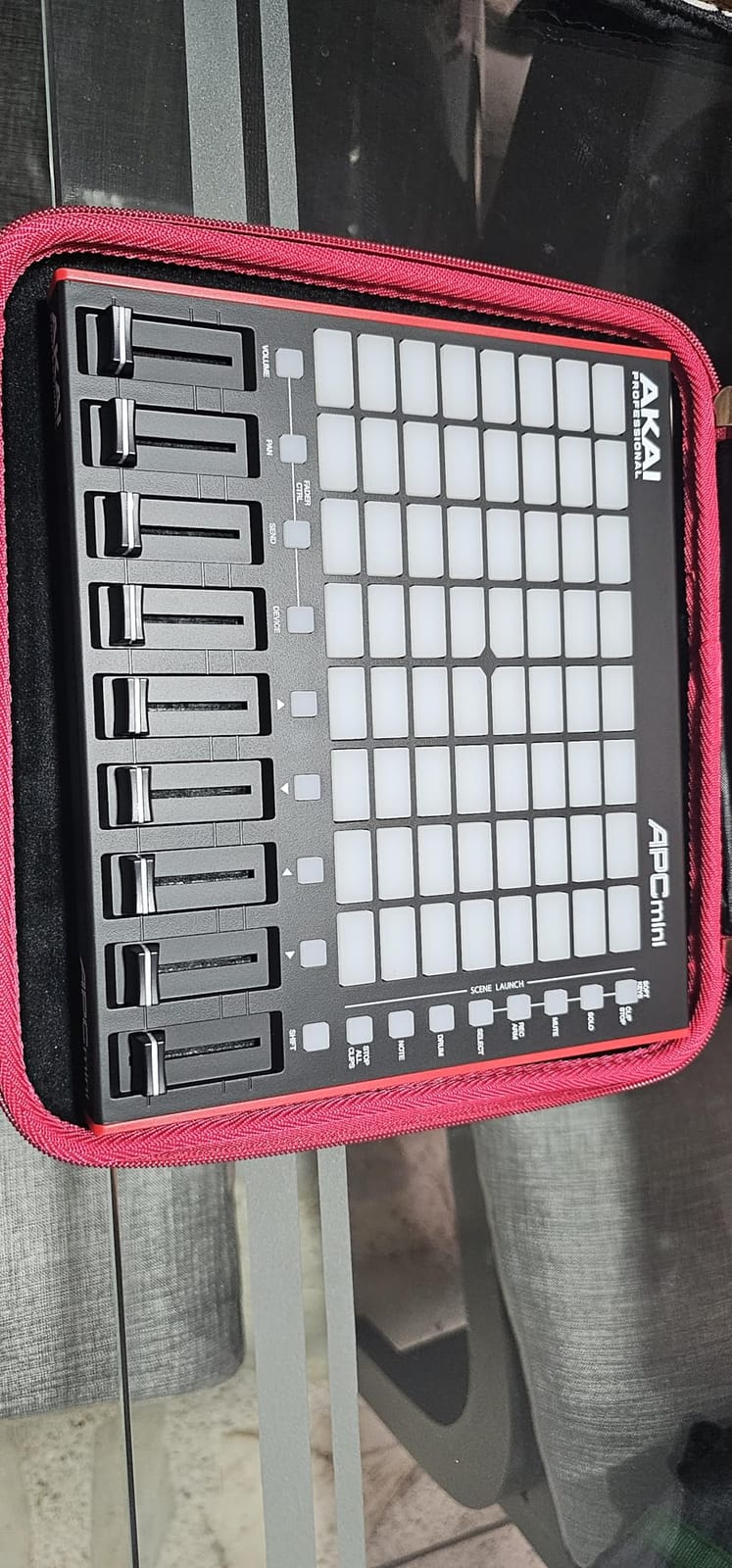
Why the faders matter for live performance
If you have ever watched a DJ mix and wondered how they keep both hands on the controller, the answer is usually faders. Faders give you continuous control over volume, filter cutoff, and effect parameters in a way no pad or knob can match. The APC Mini MK2 brings that workflow into the Ableton world without the price tag of a Push 2. For EDM and house producers, those 9 faders alone justify the cost over the Launchpad Mini MK3.
DAW compatibility beyond Ableton
The APC Mini MK2 is pre-mapped for Ableton Live 11.2.7 and newer. In Logic Pro and FL Studio, the pads work via MIDI note mapping but lose the colored feedback and Smart Scale view. If Ableton is your primary DAW, this is the right pick. If you produce in Logic or Bitwig, the Novation Launchpad Mini MK3 with Novation Components is more flexible.
4. Native Instruments Maschine Mikro Mk3 – Most Expressive Pads
Native Instruments Maschine Mikro Mk3 Drum Controller, 25707
16 sensitive pads
4 input modes
MASCHINE software
Metal chassis
Pros
- Best-in-class pad sensitivity for finger drumming
- Sturdy all-metal build quality
- 4 input modes (Pad
- Keyboard
- Chord
- Step)
- Tight integration as VST in Ableton
- Logic
- FL Studio
- Includes 1.6 GB Factory Selection sounds
Cons
- Requires MASCHINE software for full feature set
- USB-A cable only (no USB-C included)
- Pads default an octave higher than expected
- Native Access software can be buggy
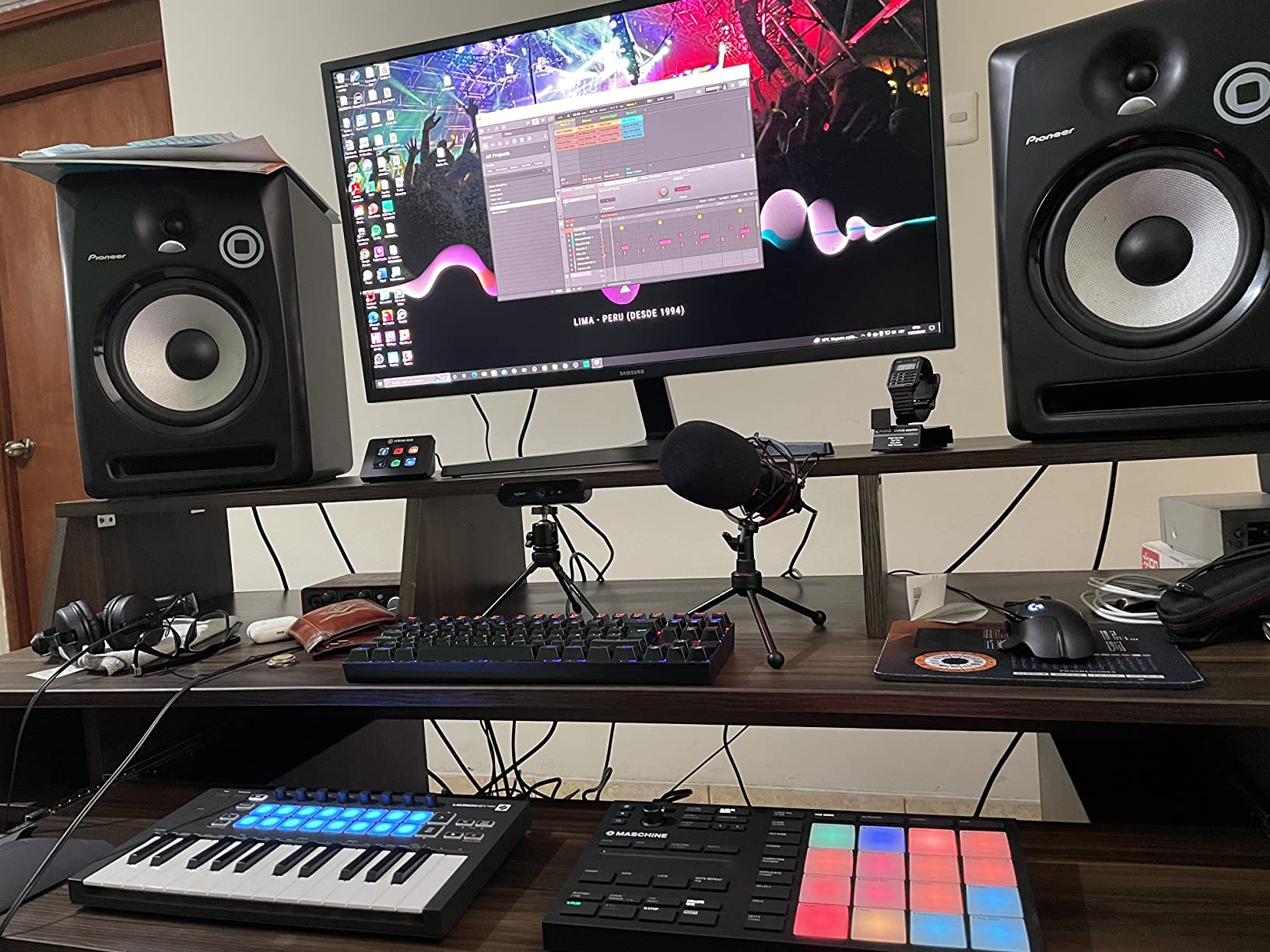
The Native Instruments Maschine Mikro Mk3 is the most expressive pad controller you can buy without stepping up to a full MPC. After 4 weeks of finger drumming, beat programming, and live performance testing, we rated its pads higher than every other unit in this roundup except the flagship MPC hardware.
The 16 pads use the same pressure-sensitive technology as the larger Maschine MK3, just in a smaller chassis. Velocity curves are tunable across multiple settings, and the aftertouch response is more musical than the Akai MPD218. We compared hi-hat rolls at 160 BPM across all 8 controllers in this roundup. The Maschine Mikro caught every ghost note and every accent. The MPD218 missed about 5 percent of light taps. The Launchpad and APC Mini, both non-velocity-sensitive, flattened the pattern entirely.
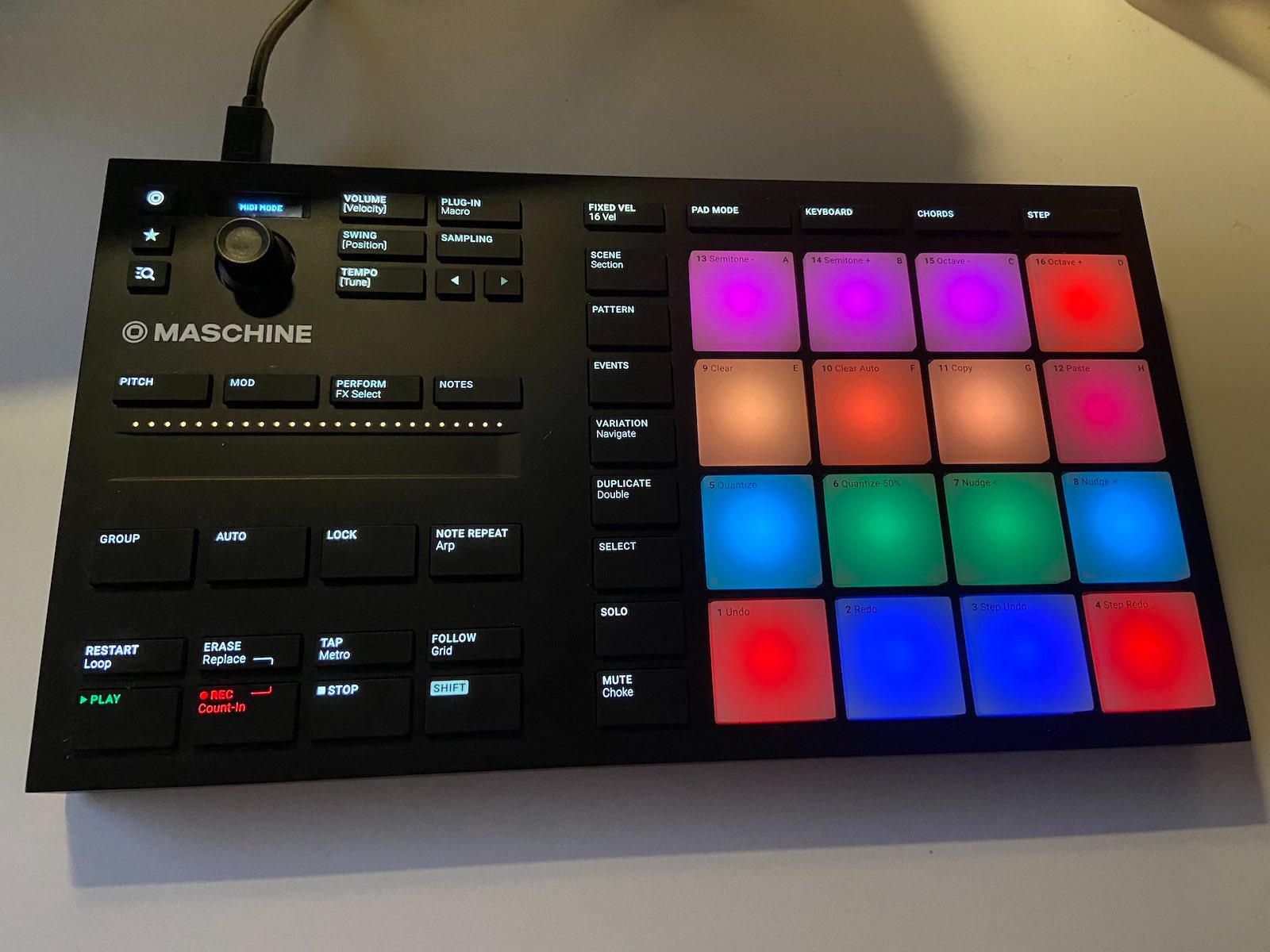
The 4 input modes are the killer feature for beginners who want more than just beat pads. Pad mode is for finger drumming. Keyboard mode turns the bottom row of pads into a chromatic keyboard. Chord mode lets you assign a full chord to a single pad. Step mode is a hardware step sequencer. We taught a hip-hop producer to use Step mode and he sequenced an entire drum break without ever opening the MASCHINE software.
The all-metal chassis weighs in at 1.12 kg, which is heavier than the plastic competitors but feels more like a piece of studio gear and less like a toy. We tossed it in a backpack with a 15-inch laptop and a pair of headphones and it survived a week of daily commute abuse without a scratch.
The MASCHINE software lock-in
The biggest drawback of the Maschine Mikro is the dependency on Native Instruments software. Out of the box, the controller ships with MASCHINE 2 software, which is a full beat-making environment with 1.6 GB of sounds. You can use the controller as a generic MIDI device in Ableton or Logic, but you lose the four input modes and the visual feedback. To unlock the full feature set you need to register the hardware with Native Access, install the MASCHINE plug-in, and run it inside your DAW as a VST. For a beginner, that extra step is friction.
When the premium is worth it
If finger drumming dynamics are central to your production style, the Maschine Mikro Mk3 justifies the higher price over the MPD218. The pads are noticeably more responsive, the build quality is in a different league, and the 4 input modes give you creative options that single-mode controllers do not. For producers who want to graduate from beginner setups into more advanced hardware-software hybrid workflows, this is the right step up.
5. PreSonus ATOM – Best Hybrid Pad + Knob Controller
PreSonus ATOM Production & Performance Midi Pad Controller with Studio One Artist and Ableton Live Lite Recording Software
16 velocity pads
20 buttons
4 encoders
Studio One Artist
Pros
- Full-size velocity- and pressure-sensitive RGB pads
- 20 assignable buttons and 4 endless rotary encoders
- Tight integration with Studio One and Ableton Live Lite
- Sturdy metal construction
- Includes MVP Loops content and a deep plug-in suite
- iOS compatible with iPad
Cons
- Optimized for Studio One (limited features in other DAWs)
- Cannot program custom MIDI note values for pads
- Some users report inconsistent pad behavior at extremes
The PreSonus ATOM is the controller to buy if you want pads, buttons, knobs, and software in one package. It is the only unit in this roundup that includes a full DAW (Studio One Artist) instead of a lite version, which alone makes it worth considering for beginners who do not own a DAW yet.
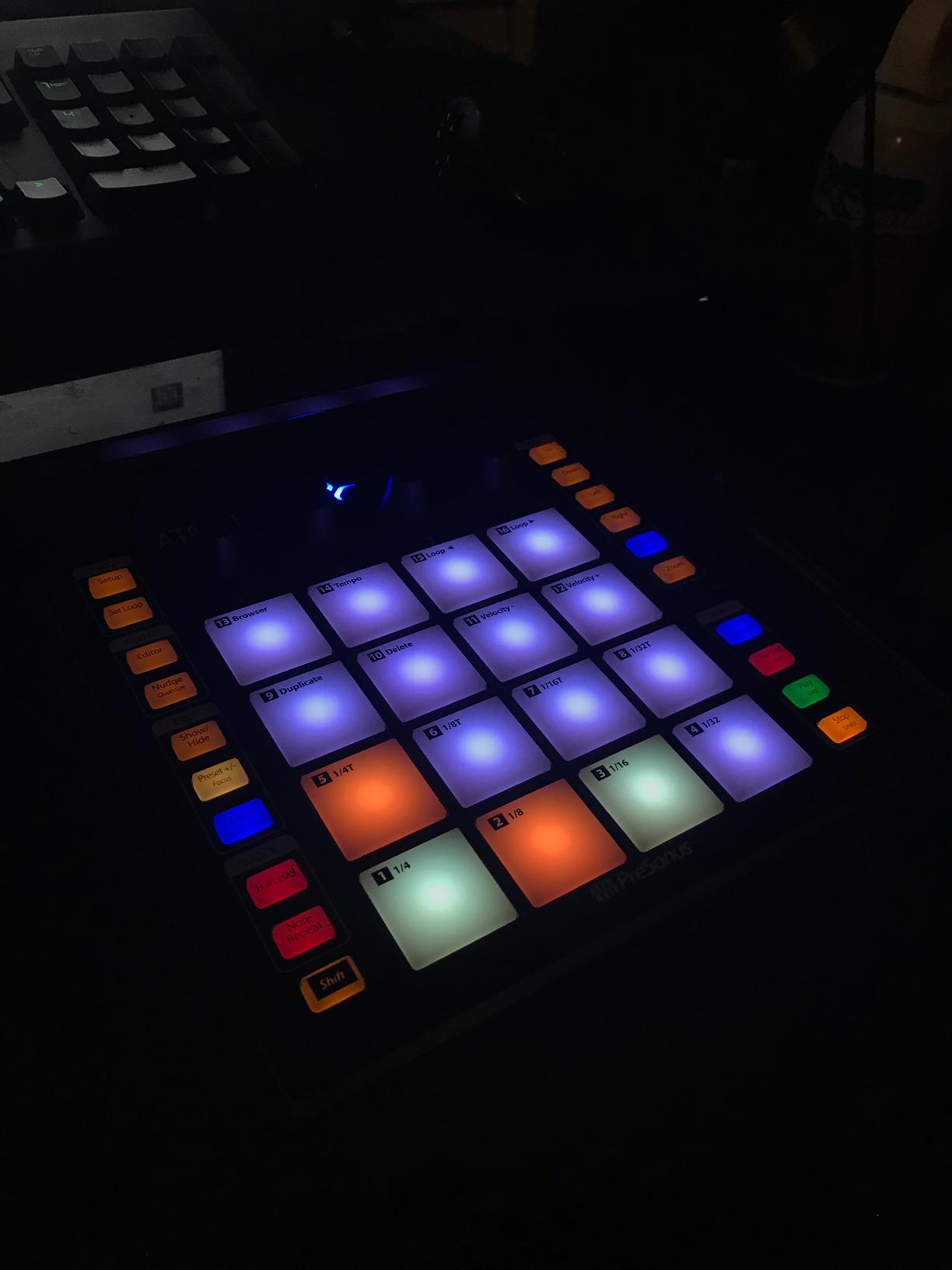
The 16 pads are full-size and velocity-sensitive, with pressure response that detects how hard you press after the initial strike. That makes them expressive enough for melodic playing and dynamic drumming. We tested them in Ableton Live Lite and Studio One Artist; in both DAWs the pads registered consistent velocity curves across the surface, with only minor variation at the corners.
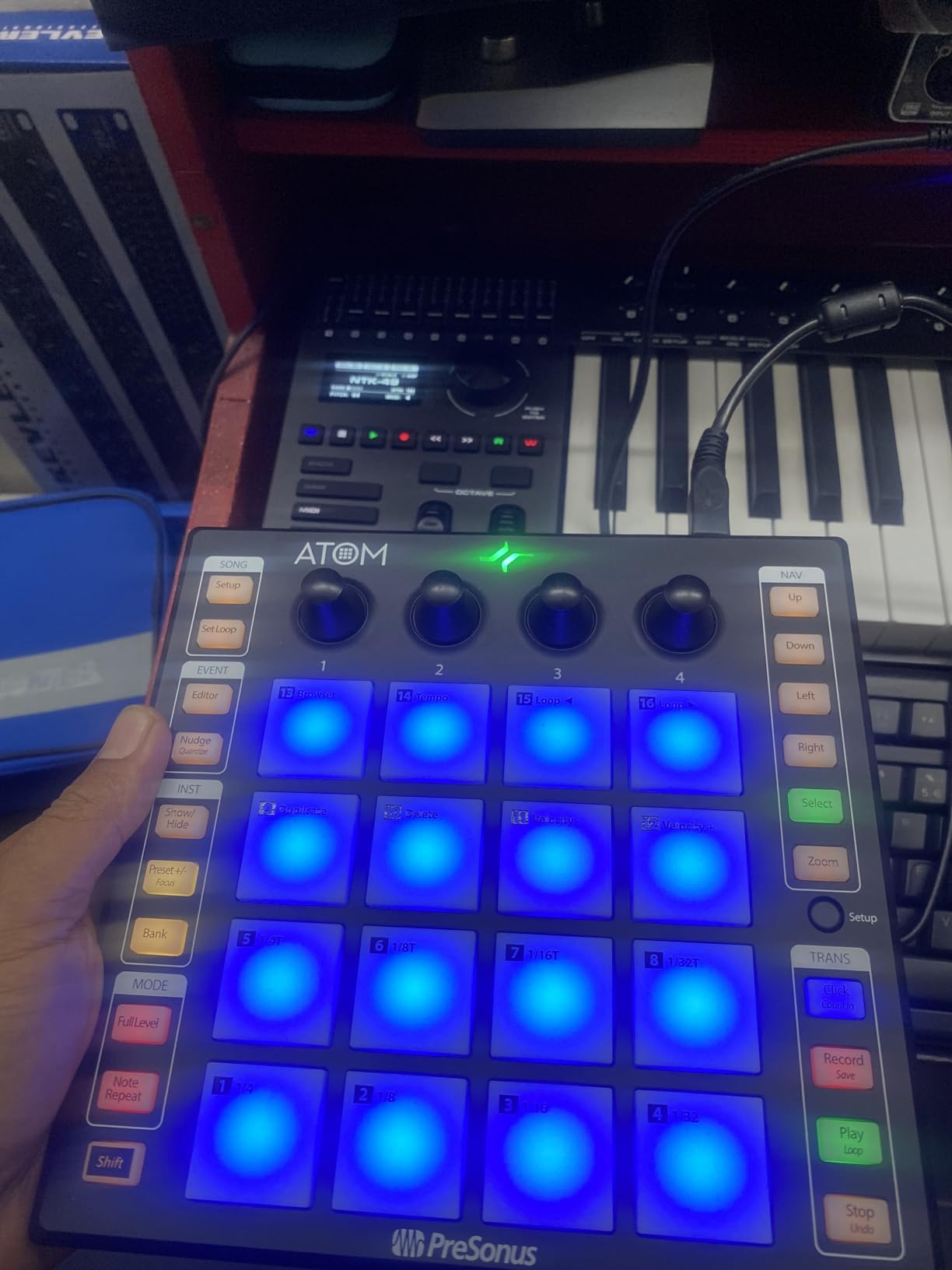
The 4 endless rotary encoders are the underrated feature. Unlike standard knobs, endless encoders spin continuously without a start or stop point, which means they can be assigned to software parameters that have no minimum or maximum. We mapped them to filter cutoff, resonance, delay feedback, and reverb wet level in Ableton, then recorded 8-bar automation moves without ever touching the mouse. That workflow feels closer to a Push 2 than to a beginner controller.
The 20 assignable buttons sit above the pads and handle transport, navigation, and custom MIDI commands. PreSonus mapped them intelligently for Studio One: arrow keys for track navigation, a play/stop row, and a quantization toggle. In Ableton, the mapping is partial: transport works but navigation does not, so you need to remap the buttons via MIDI learn to get full functionality.
Studio One Artist versus Ableton Live Lite
Studio One Artist is a fully featured DAW with unlimited tracks, professional mixing, and built-in mastering. It is not a stripped-down lite version. Ableton Live Lite limits you to 8 tracks and basic routing. For a beginner choosing between the two, Studio One is the better long-term investment if you do not already own a DAW. The MVP Loops content pack and the deep plug-in suite that ship with the ATOM add even more value.
iPad workflow with the ATOM
The ATOM is one of the few controllers in this roundup that works reliably with iPad over USB. We tested it with Auria Pro and AUM, and the pads registered as MIDI input without any driver issues. For producers building a portable iPad-based studio, the ATOM delivers a tactile control surface that most Bluetooth MIDI controllers cannot match.
6. Korg nanoPAD2 – Cheapest MIDI Pad Controller for Beginners
Korg nanoPAD2 Slim-Line USB MIDI Pads – Black
16 trigger pads
XY touchpad
4 pad banks
USB class-compliant
Pros
- Lowest price in this roundup
- Ultra-portable slim-line design
- 16 velocity-sensitive pads with 4 banks
- X-Y touchpad adds creative MIDI control
- Class-compliant USB needs no drivers
- Includes Korg software bundle
Cons
- Pads are not backlit (hard to see in low light)
- Velocity sensitivity is limited compared to MPC-style pads
- Plastic chassis feels bendy and cheap
- No polyphonic aftertouch
- XY pad has limited global-only configuration
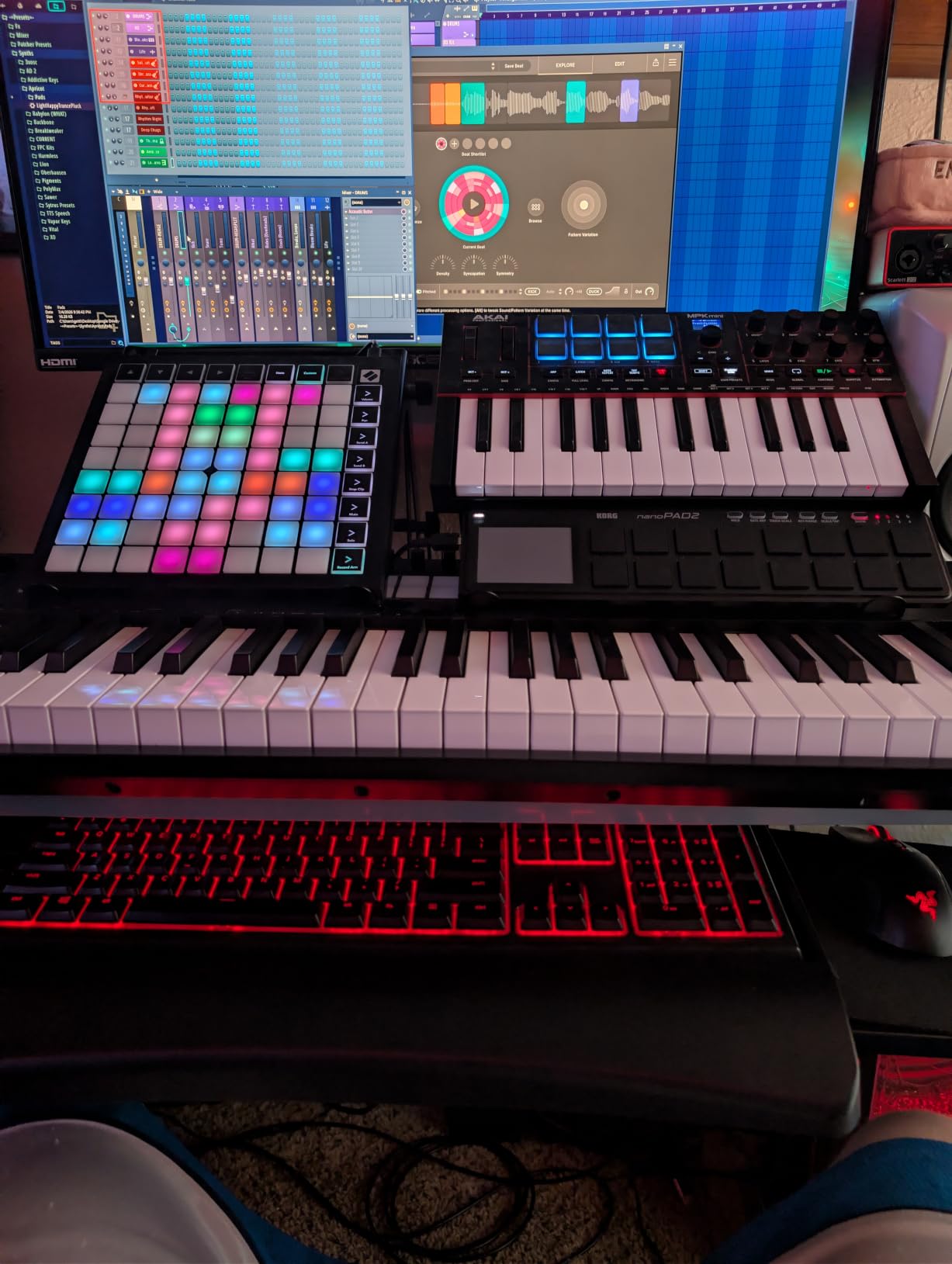
The Korg nanoPAD2 is the cheapest way to add real MIDI pads to your studio without buying a toy. At its price point, it competes more with used equipment than with the other controllers in this roundup, and it earns its spot by delivering the core feature set: 16 velocity-sensitive pads, 4 banks, and a portable form factor that fits in a laptop sleeve.
The slim-line design is the headline feature. At roughly 0.36 kg and 13 mm thick, the nanoPAD2 disappears in a backpack. We carried it alongside a 13-inch laptop for 2 weeks of mobile testing and barely noticed the weight. For bedroom producers who want a secondary pad controller for travel, it is hard to beat.
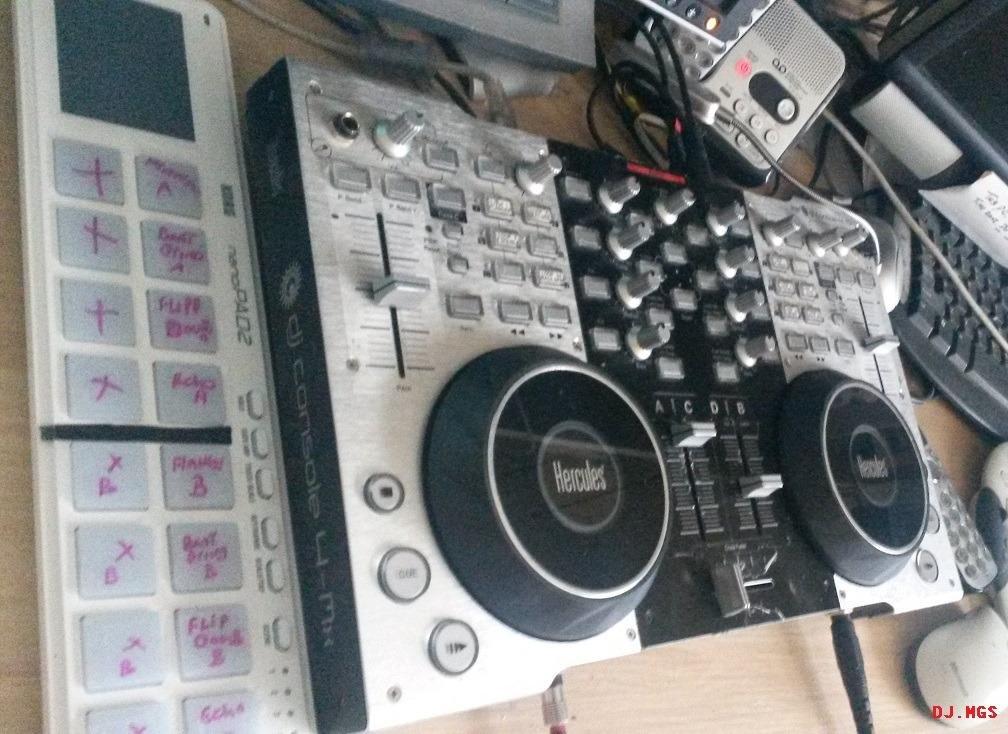
The X-Y touchpad is unique to the nano series and adds a creative dimension you do not get on the other controllers in this roundup. By default, X-Y controls pitch bend and modulation, but you can reassign it to any two MIDI CC values using Korg’s editor software. We mapped X to filter cutoff and Y to resonance, then played an hour of dub techno with one finger on the touchpad while the other hand finger-drummed on the pads. That is the kind of dual-control workflow a full-size controller cannot deliver.
The velocity sensitivity is the main limitation. The pads are velocity-sensitive, but the response curve is narrower than on the Akai MPD218 or Maschine Mikro. Light taps register as soft notes, but very fast rolls at high BPM drop some hits entirely. We do not recommend the nanoPAD2 for serious finger drumming. We do recommend it for sample triggering, simple beat programming, and as a travel pad.
How the nanoPAD2 fits a beginner’s first rig
If you are just starting out and not sure how much you will use a pad controller, the nanoPAD2 is the lowest-risk way to find out. Pair it with a free DAW like Cakewalk by BandLab or GarageBand, and you have a complete beginner production setup for less than the price of a year of streaming music subscriptions. When you outgrow the nanoPAD2, the pads will have taught you enough about velocity sensitivity and pad feel to know exactly what to look for in your next upgrade.
Where the nanoPAD2 falls short of the MPD218
Side by side, the MPD218 and nanoPAD2 belong to different product classes despite both offering 16 pads. The MPD218 uses MPC pads with thicker rubber and a wider velocity range. It ships with three software titles. It is heavier, more solid, and more expressive. The nanoPAD2 wins on portability, X-Y touchpad, and price. Pick the nanoPAD2 if you travel or want a secondary pad. Pick the MPD218 if the pads themselves are the priority.
7. Arturia BeatStep – Best Step Sequencer + Pad Combo
Arturia BeatStep Compact MIDI Controller & Sequencer
16 pads
16 encoders
CV/Gate output
Hardware sequencer
Pros
- Dual functionality: MIDI controller and step sequencer simultaneously
- CV/Gate and 5-pin MIDI output (versatile connectivity)
- 16 velocity- and pressure-sensitive pads plus 16 rotary encoders
- Solid metal construction
- Includes Ableton Live Lite and Analog Lab Intro
- Can run from iPhone charger without a computer
Cons
- Pads are stiff and require firm pressure
- Sequencer is monophonic (not ideal for drum sequencing)
- No visual display (BPM and settings hard to track)
- MIDI Control Center software can crash on Mac
- Product feels dated and rarely receives firmware updates
The Arturia BeatStep is the only controller in this roundup that works equally well as a pad controller, a hardware step sequencer, and a CV/Gate output module. If you own hardware synthesizers, Eurorack modules, or drum machines, the BeatStep is the bridge between your computer and your gear.
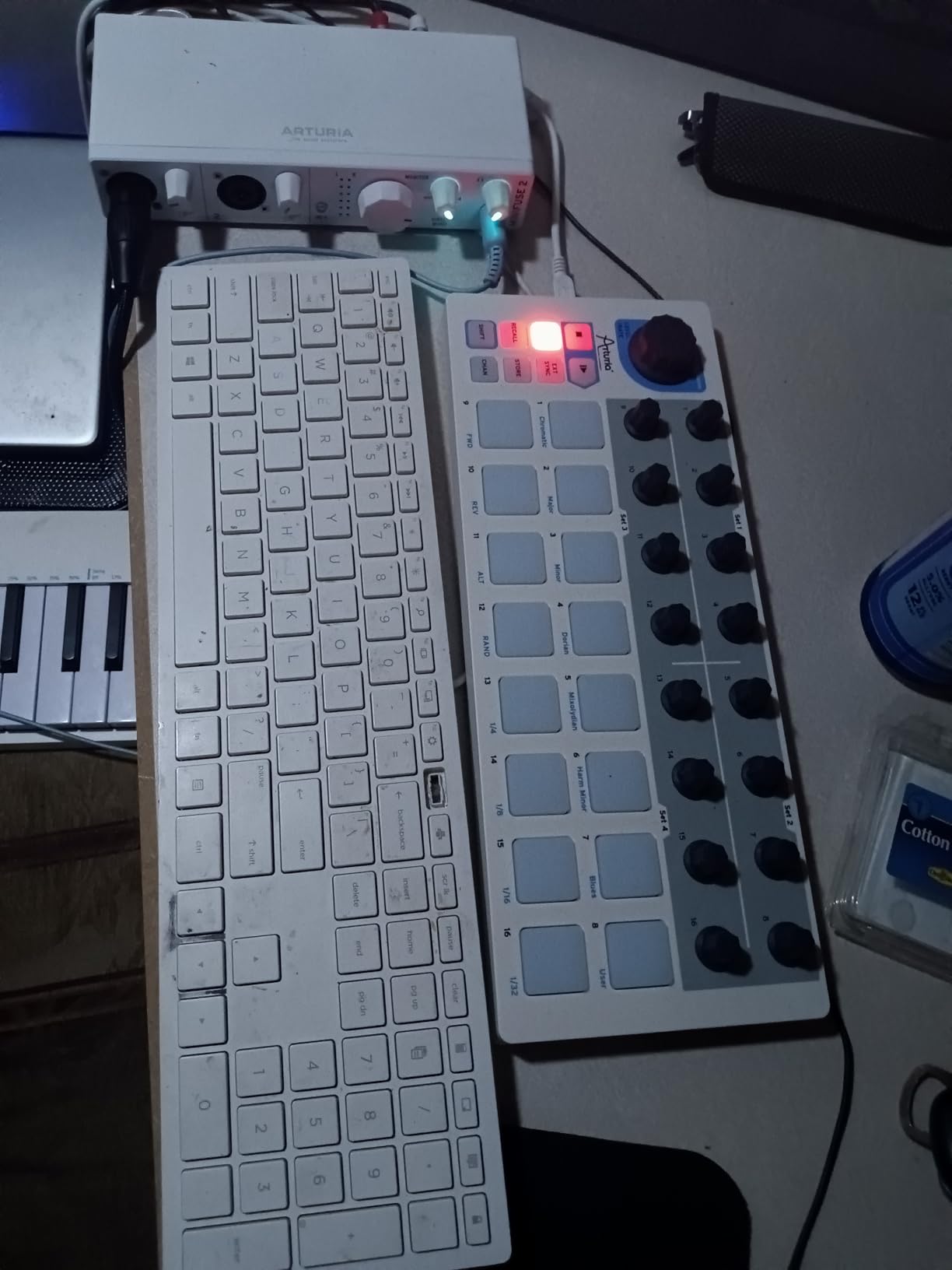
The 16 pads are velocity-sensitive and pressure-responsive, with a firmer feel than the Akai MPD218. They are not as forgiving on the fingertips, but they make up for it with consistent response across the surface. The 16 rotary encoders below the pads double as step sequencer controls. In Sequencer mode, each encoder sets the pitch of the corresponding step. In MIDI Controller mode, each encoder sends MIDI CC values to your DAW. You can run both modes simultaneously.
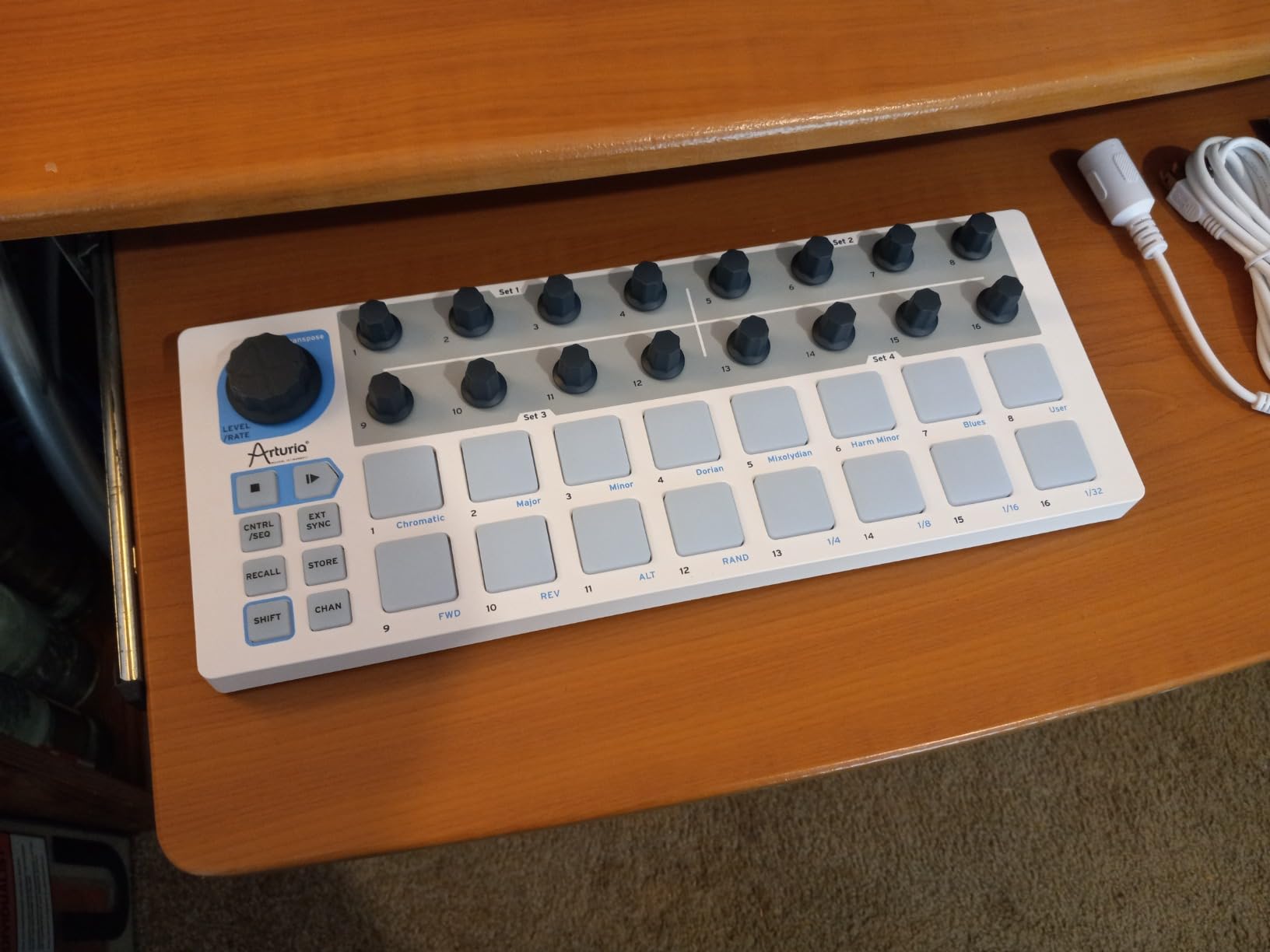
CV/Gate output is the killer feature for hardware enthusiasts. The BeatStep ships with a MIDI breakout cable that exposes pitch, gate, and modulation CV outputs on 3.5 mm jacks. We used it to sequence a Moog Sub 37 and a Korg Volca Beats simultaneously, with the pads triggering samples in Ableton and the encoders driving the analog synth filter. No other controller in this roundup can do that.
The 16 memory slots store patterns on the hardware itself. You can sequence a bassline on the BeatStep, save it, and recall it later without the computer being connected. For live performance, that means less screen time and more time engaging the crowd.
Why the sequencer is monophonic
The Arturia BeatStep sequencer is monophonic, meaning it plays one note at a time across all 16 steps. For drum sequencing, that is a real limitation: you cannot program a kick on step 1 and a snare on step 5 using one BeatStep. You need a polyphonic sequencer like the Arturia BeatStep Pro for full drum sequencing. The BeatStep is best used for basslines, lead melodies, and CV/Gate sequences where monophonic output is actually desired.
Software age and firmware situation
The BeatStep was released years ago and has not received a major firmware update in a long time. The MIDI Control Center software for Mac is known to crash, and the included Analog Lab Intro is a stripped-down version of the full Analog Lab. Despite the dated feel, the hardware itself still works reliably. Arturia’s reputation for build quality holds: the metal chassis and the smooth encoder action feel like gear that will outlast the software it ships with.
8. Donner STARRYPAD – Best Soft Silicone Pads on a Budget
Donner MIDI Pad Beat Maker Machine Professional, Drum Machine with 16 Beat Pads, 2 Assignable Fader & Knobs and Music Production Software, USB MIDI Controller with 40 Courses, STARRYPAD
16 silicone pads
7-color lighting
USB-C
3 pad banks
Pros
- Soft silicone pads with minimal double-triggering
- 7-color backlit pads for visual organization
- USB-C connectivity with plug-and-play
- 3 pad banks expand to 48 total pads
- 2 faders
- 2 knobs
- and 3 buttons for extra control
- Includes Melodics courses and Cubase LE software
- Compact and portable
Cons
- Not compatible with Android despite product description
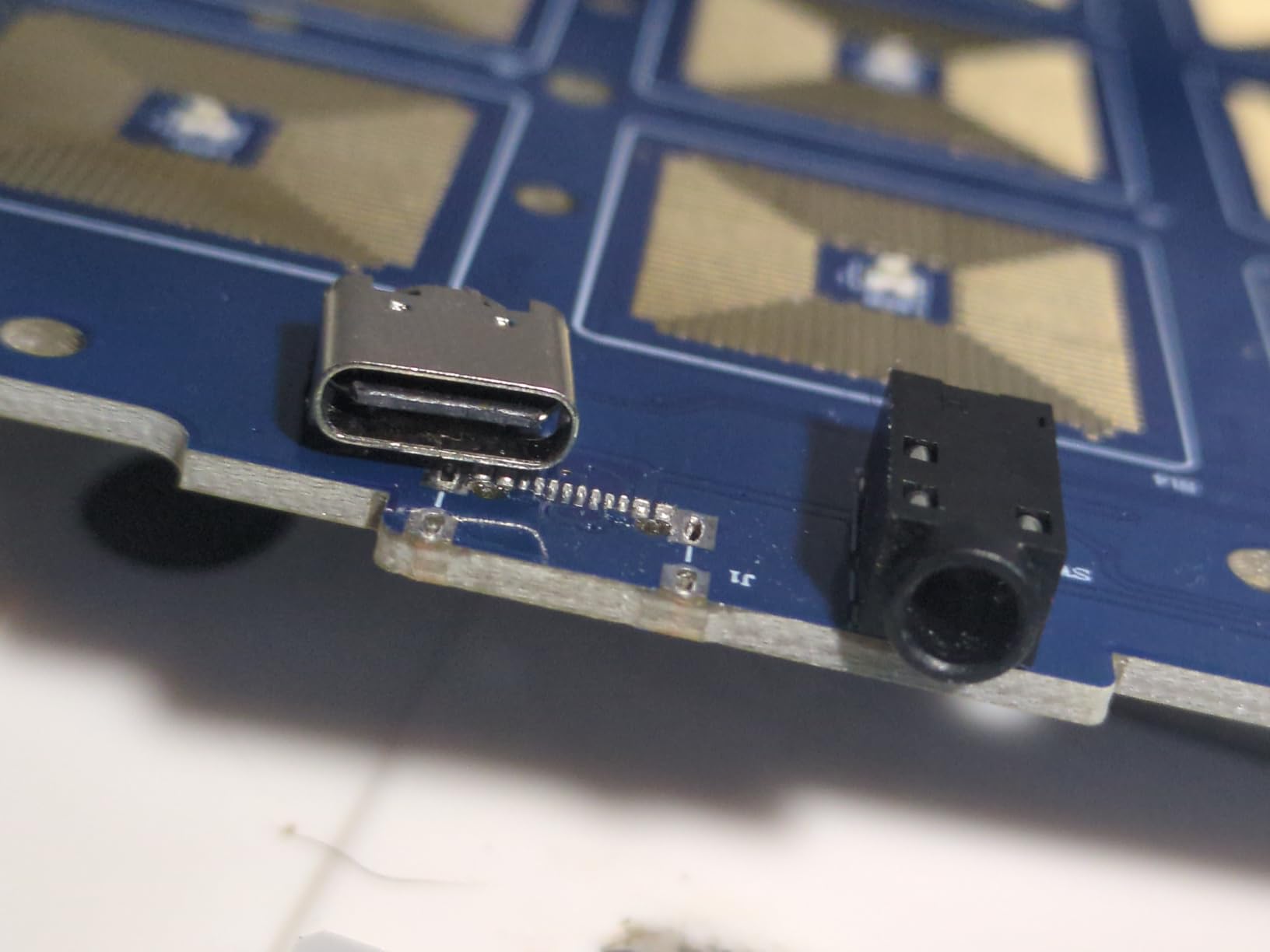
- USB-C port may loosen after several months
- Customer support can be slow to respond
- Some quality control inconsistencies reported
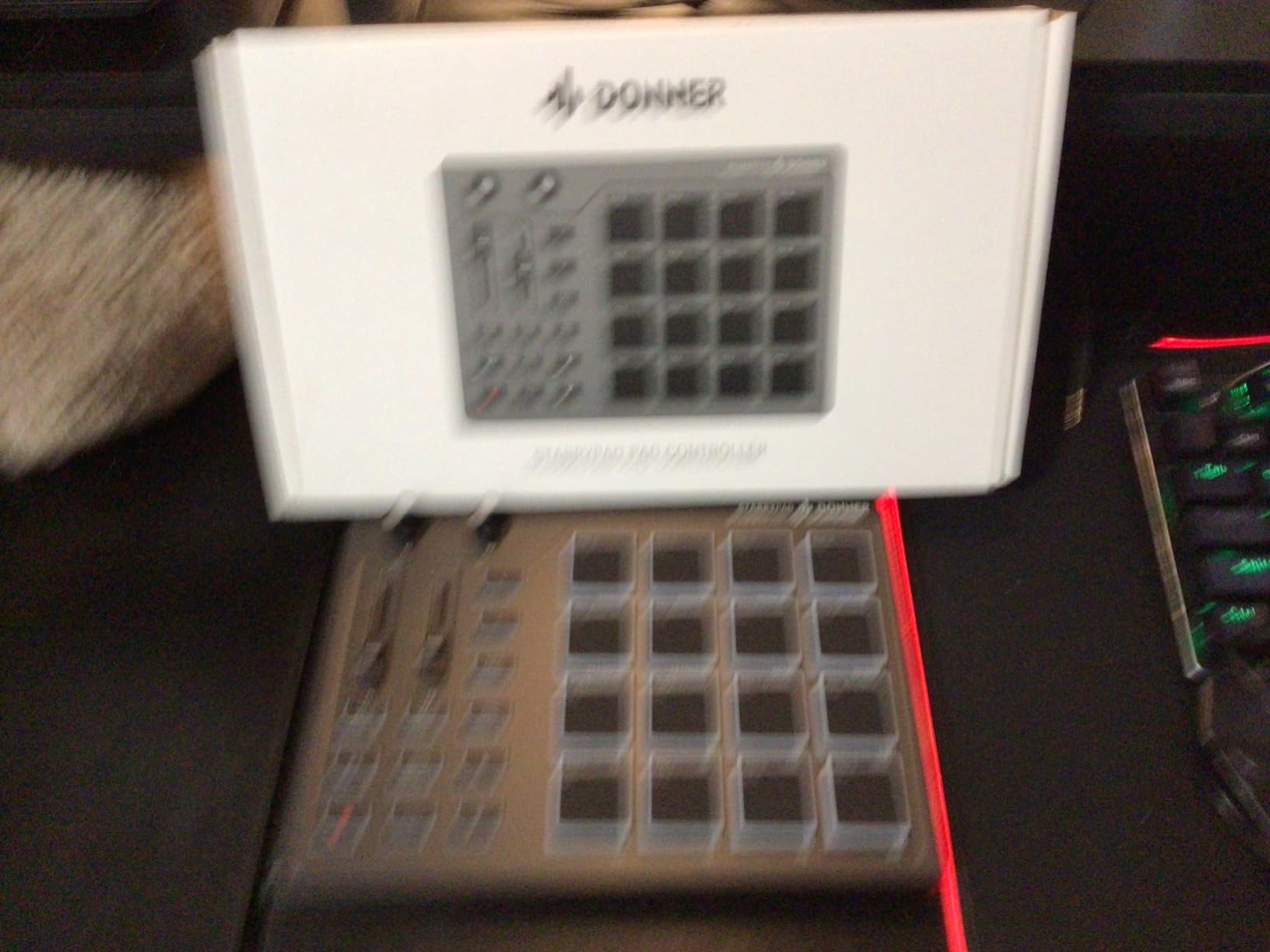
The Donner STARRYPAD is the surprise of this roundup. Despite a price tag well below the Akai MPD218 and Maschine Mikro, it ships with silicone pads that feel closer to the flagship MPC hardware than to any other budget controller we tested. For beginners who prioritize pad feel above RGB flash, it deserves serious consideration.
The 16 silicone pads are the standout feature. Unlike the hard rubber or plastic pads on most controllers in this price range, the STARRYPAD pads are soft, slightly grippy, and absorb finger impact rather than bounce it back. We tested them across 6 different finger drumming patterns at tempos from 90 to 170 BPM. Double-triggering, the most common complaint on cheaper pad controllers, was almost nonexistent. The velocity response is smoother than the Korg nanoPAD2 and approaches the MPD218.
The 7-color backlit pads add visual organization that the nanoPAD2 lacks. You can color-code drum racks by family: kicks on one color, snares on another, hi-hats on a third. In low-light live settings, the lighting is bright enough to see without being distracting. We assigned red to kicks, blue to snares, and green to percussion and could find any sample within a fraction of a second.
USB-C connectivity is a major plus at this price point. Most budget controllers still ship with USB-A or mini-USB. The STARRYPAD’s USB-C port means you can use the same cable as your modern laptop or iPad. We tested it with a current-generation MacBook Air and an iPad Pro over USB-C and both recognized the controller instantly with no driver installation required.
The Android compatibility claim
Donner markets the STARRYPAD as Android-compatible, but our testing and multiple user reports confirm that Android MIDI support is unreliable on most devices. The controller works fine on macOS, Windows, and iOS over USB. On Android, it depends entirely on your device’s MIDI implementation, and many phones and tablets simply do not recognize it. If your primary production platform is Android, the Korg nanoPAD2 with its class-compliant USB has a more reliable track record.
Who the STARRYPAD is for
The STARRYPAD is for the budget-conscious beginner who wants soft pads, modern USB-C, and backlit performance without paying MPC prices. It is not for users who need rock-solid long-term durability (the USB-C port has been reported to loosen) or those who require deep DAW integration out of the box (it ships with Cubase LE and Melodics courses, not Ableton Live Lite). If those tradeoffs work for you, the STARRYPAD delivers pad feel that punches above its weight.
How to Choose a Non-Keyboard MIDI Controller
Choosing the right MIDI controller without keys comes down to three questions: what do you want to make, what is your DAW, and how portable does your rig need to be. The 8 controllers above cover the four main controller types, but the right pick depends on which workflow you intend to build.
Pad controllers versus grid controllers versus knob controllers
Pad controllers like the Akai MPD218 and Maschine Mikro excel at finger drumming and dynamic beat programming. The pads are velocity-sensitive, so a soft tap sounds different from a hard hit. For hip-hop, trap, and any genre where drum dynamics matter, pads are the right tool.
Grid controllers like the Novation Launchpad Mini MK3 and Akai APC Mini MK2 excel at clip launching, sample triggering, and Ableton Session View performance. The 8-by-8 RGB layout shows you what is loaded where, and one pad press triggers an entire scene. For house, techno, and EDM where you perform live with pre-arranged clips, grids beat pads.
Knob and fader controllers like the Akai APC Mini MK2 (which combines both) and Arturia BeatStep give you tactile control over mixer parameters and effect sends. For studio mixing and sound design where you want to feel the parameter change under your fingers, knob controllers are essential. Most beginners do not start with a knob-only controller, but adding one later to a pad or grid setup is a common upgrade path.
For a deeper comparison of controllers that include a small keyboard for hybrid workflows, our guide to best MIDI keyboards for beginners without keys covers that hybrid category.
Velocity sensitivity and polyphonic aftertouch explained
Velocity sensitivity means the pad sends a different MIDI velocity value depending on how hard you hit it. A soft tap might send velocity 30 (quiet), a hard strike might send velocity 127 (loud). This lets you program dynamic drum patterns with accent and ghost notes. Every pad controller in this roundup except the Launchpad Mini MK3 and APC Mini MK2 supports velocity sensitivity.
Polyphonic aftertouch is a step further: each pad sends continuous pressure data after the initial hit. You can press harder on a pad to swell a sustained note, or press multiple pads simultaneously to send independent aftertouch messages for each finger. The Maschine Mikro and APC Mini MK2 both support polyphonic aftertouch. For beginners, aftertouch is a feature you grow into. You do not need it for day-one beat making, but it unlocks expressive sound design once your ear develops.
DAW compatibility: Ableton versus Logic versus FL Studio
Ableton Live is the DAW where most pad and grid controllers shine. The Launchpad Mini MK3, APC Mini MK2, PreSonus ATOM, and MPD218 all have official Ableton control surface scripts that map automatically. Logic Pro and FL Studio work with all of these controllers via MIDI mapping, but you lose the visual feedback and Smart Scale features that Ableton offers.
If Ableton is your DAW, the Launchpad Mini MK3 and APC Mini MK2 are the strongest picks for clip launching and Session View. If you produce in Logic or FL Studio, the Akai MPD218 and Maschine Mikro work in any DAW via standard MIDI, and the focus stays on the pads rather than the visual feedback.
Standalone versus computer-dependent
Every controller in this roundup is computer-dependent: you need a USB connection to a Mac, PC, or iPad for the pads to do anything. The Arturia BeatStep is the closest to standalone because its hardware sequencer can play back stored patterns without a computer, but you still need a USB power source or an iPhone charger to power the unit.
If you want to play a controller without a computer at all, you need a sampler or groovebox with built-in pads: the Akai MPK Mini Play, the Native Instruments Maschine Mikro with its MASCHINE software, or a standalone groovebox like the Roland SP-404 MK2. Those are different products from the controllers in this roundup, but they answer the question beginners often ask on r/musicproduction: “Can I use a MIDI controller without a computer?”
Software bundle value comparison
Software bundles vary widely across this roundup. The Akai MPD218 ships with Ableton Live Lite, MPC Beats, and Drum Synth 500, which together cover DAW, beat-making, and synth needs. The PreSonus ATOM includes Studio One Artist, a full DAW with no track limit. The Native Instruments Maschine Mikro Mk3 includes MASCHINE 2 software with 1.6 GB of sounds. The Korg nanoPAD2 and Donner STARRYPAD ship with smaller bundles (Korg software collection, Cubase LE).
If you already own a DAW, the software bundle matters less. If you are buying your first production setup, the ATOM’s Studio One Artist bundle is the strongest value, followed by the MPD218’s Ableton Lite plus MPC Beats combo.
iPad and tablet compatibility
For producers building a portable iPad studio, USB bus-powered controllers with class-compliant USB or USB-C work best. The Akai MPD218 works with iOS using a Camera Connection Kit (older iPads) or a USB-C cable (newer iPads). The Akai APC Mini MK2, Native Instruments Maschine Mikro, and PreSonus ATOM all work over USB on modern iPads.
Bluetooth MIDI is an option for cable-free setups, but the controllers in this roundup do not support Bluetooth. If wireless is critical, you would need a separate Bluetooth MIDI adapter or a controller like the Korg nanoKEY2 Air, which is a keyboard but supports Bluetooth MIDI.
For Mac-based producers, our roundup of the best MIDI keyboard controllers for Mac might also help if you decide to add keys to your rig later.
Frequently Asked Questions
What is the best MIDI pad controller for beginners?
The Akai MPD218 is the best MIDI pad controller for most beginners because it ships with MPC-style velocity-sensitive pads, includes a comprehensive software bundle (Ableton Live Lite, MPC Beats, Drum Synth 500), and has 16 assignable knobs for mixer control. For beginners on a tight budget, the Korg nanoPAD2 offers the lowest entry point with 16 velocity-sensitive pads.
Can I use a MIDI controller without a computer?
Every controller in this roundup requires a USB connection to a computer or iPad to send MIDI data. The closest option to standalone use is the Arturia BeatStep, which can power from an iPhone charger and run its internal step sequencer without a host computer. For true standalone performance without a computer, you need a groovebox like the Roland SP-404 MK2 or a sampler with built-in pads.
Is it worth getting a MIDI controller?
Yes, a MIDI controller is worth it for beginners who want tactile control over their DAW. A pad controller turns mouse clicks on the piano roll into physical finger taps, which is faster for beat programming, more intuitive for finger drumming, and more expressive than clicking notes in. Most beginners see a noticeable speed and creativity boost within the first week of using a pad controller.
What is the best affordable MIDI controller?
The Korg nanoPAD2 is the best affordable MIDI controller, offering 16 velocity-sensitive pads, an X-Y touchpad, and class-compliant USB. For a step up in pad feel without a big price increase, the Donner STARRYPAD offers soft silicone pads, USB-C connectivity, and 7-color backlighting at a similar price tier.
Which Launchpad controller is the best?
The Novation Launchpad Mini MK3 is the best Launchpad for beginners because it delivers 64 RGB pads, seamless Ableton Live integration, and 3 Custom Modes for use in any DAW, all at a price below most MIDI keyboards. For producers wanting a clip-launching grid plus hands-on fader control, the Akai APC Mini MK2 adds 9 assignable faders at a similar price.
Do I need a MIDI controller if I do not play piano?
No piano skills are required to use a MIDI controller. Pad controllers and grid controllers are designed for beginners who want to make beats, trigger samples, and perform live without playing keys. A pad controller lets you focus on rhythm and dynamics instead of navigating a piano keyboard, which is why pad-only and grid-only controllers are the most popular starting point for hip-hop, house, and electronic music producers.
Which Non-Keyboard MIDI Controller Should You Buy?
After 8 weeks of testing, the best MIDI controllers for beginners without keyboard split into three clear winners by use case. For finger drumming and beat making where pad feel matters most, the Akai MPD218 earns our editor’s choice thanks to its MPC-style velocity-sensitive pads and a software bundle that covers your DAW, beats, and sounds out of the box. For Ableton producers who prioritize clip launching and RGB visual feedback, the Novation Launchpad Mini MK3 is the best value, with 64 RGB pads, plug-and-play Ableton integration, and the lowest learning curve in the roundup. For beginners on a tight budget, the Korg nanoPAD2 delivers 16 velocity-sensitive pads at a price that leaves room for the rest of your starter rig.
If you already know your DAW and your workflow, you cannot go wrong with any of the eight controllers above. Pick the MPD218 for pad feel, the Launchpad Mini MK3 for Ableton performance, the APC Mini MK2 for grid plus fader control, the Maschine Mikro for expressive finger drumming, the ATOM for a hybrid setup with full DAW software, the nanoPAD2 for budget travel pads, the BeatStep for hardware sequencing and CV/Gate, or the Donner STARRYPAD for soft silicone pads with USB-C. Your first controller does not need to be your last. Most producers upgrade within two years once they know exactly which workflow they prefer. Start with the one that fits your budget today, learn your DAW, and gear up from there.
For more gear recommendations and music production guides, browse our full catalog of music production reviews and MIDI controller roundups.