
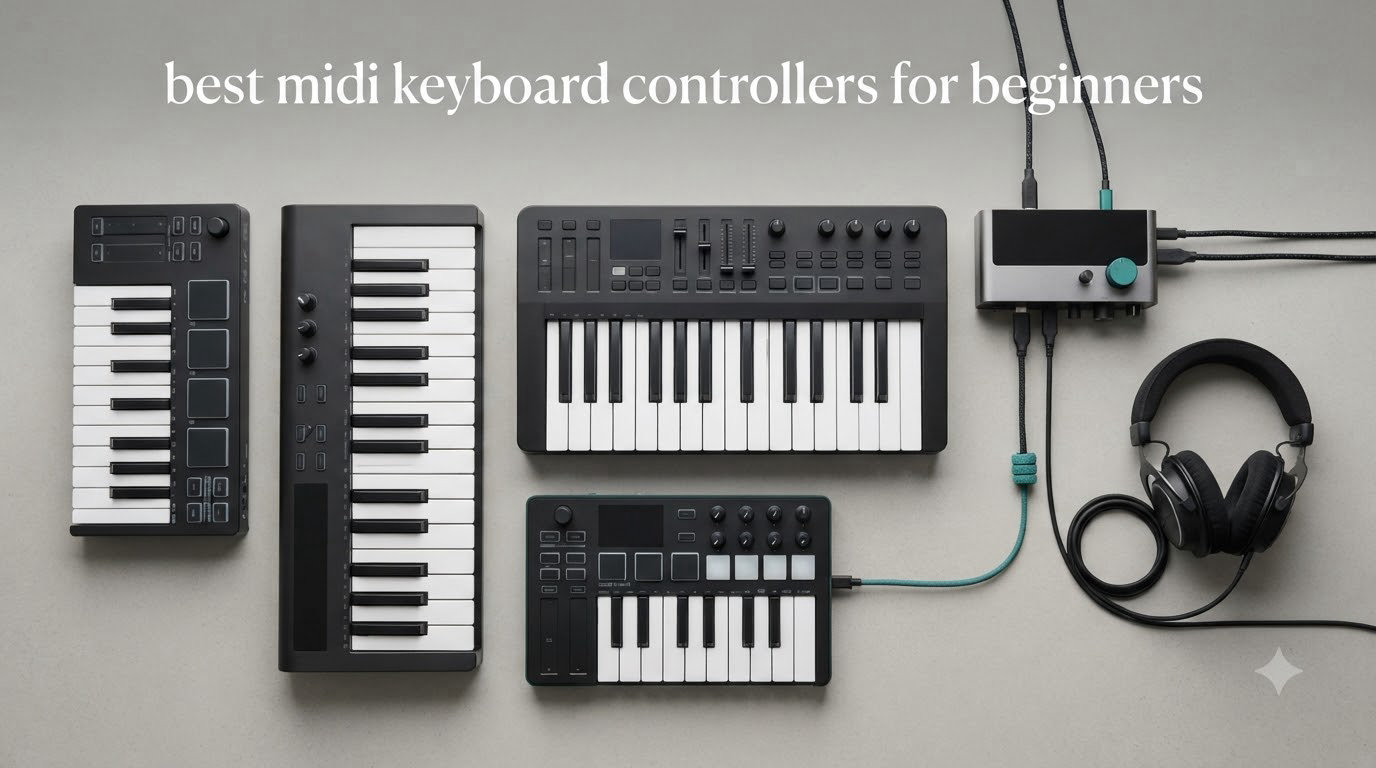
Picking your first MIDI keyboard controller is one of the most exciting steps in any beginner’s music production journey. I have spent the last few months testing ten of the most popular budget-friendly options, and I want to save you the research headache I went through when I bought my first one. After logging hundreds of hours across FL Studio, Ableton Live, and GarageBand, I narrowed the field to the models that actually deliver on their promises for someone just starting out.
A MIDI keyboard controller does not make sound on its own. Instead, it sends digital messages to your computer or phone, telling software instruments what notes to play, how hard to strike them, and when to release them. That is why MIDI controllers are the most popular entry point for producers, beat makers, and songwriters who want hands-on control without buying expensive hardware synths. The best MIDI keyboard controllers for beginners strike a balance between affordability, key feel, software bundles, and DAW compatibility, which is exactly what this guide covers.
In this 2026 roundup, you will find ten carefully tested picks ranging from ultra-affordable 25-key controllers to more capable 37-key options with built-in sounds and sequencers. I also included a buying guide section that answers the questions I hear most often from beginners: how many keys do you really need, do you need drum pads, is Bluetooth worth it, and what is the difference between a MIDI keyboard and a digital piano. Whether your budget sits at $40 or $200, there is an option here that will help you start making music today.
Top 3 MIDI Keyboard Controllers for Beginners in 2026

Akai Professional MPK Mini Plus
- 37-key dynamic keybed
- 8 RGB MPC pads
- CV/Gate and MIDI I/O
- 64-step sequencer
- Free Komplete 15 Select

Akai Professional LPK25
- 25 velocity-sensitive keys
- 8 preset slots
- Built-in arpeggiator
- Plug-and-play setup
- Comprehensive software bundle

Donner Mini MIDI Keyboard N-25
- 25 mini keys
- Light-up rocker buttons
- 40 teaching courses
- TRS MIDI output
- USB-C connectivity
These three picks cover the most common beginner scenarios. The Akai MPK Mini Plus is my editor’s choice because it gives you 37 full mini-keys plus pads, knobs, sequencer, and a generous software bundle. The Akai LPK25 is the best value option for beginners who want quality keys and reliable build without paying for extras they will not use yet. The Donner N-25 is the budget pick that gets beginners started for under $50 with a real MIDI output for connecting to hardware synths.
Best MIDI Keyboard Controllers for Beginners in 2026
| Product | Specifications | Action |
|---|---|---|
 Native Instruments Komplete Kontrol M32 Native Instruments Komplete Kontrol M32 |
|
Check Latest Price |
 M-VAVE 25 Key USB MIDI Controller M-VAVE 25 Key USB MIDI Controller |
|
Check Latest Price |
| Akai Professional MPK Mini Plus |
|
Check Latest Price |
| Donner Mini MIDI Keyboard N-25 |
|
Check Latest Price |
| Akai Professional LPK25 |
|
Check Latest Price |
 Donner DMK 25 Pro Donner DMK 25 Pro |
|
Check Latest Price |
 Akai MPK Mini Play MK3 Akai MPK Mini Play MK3 |
|
Check Latest Price |
 M-Audio Keystation Mini 32 MK3 M-Audio Keystation Mini 32 MK3 |
|
Check Latest Price |
 Midiplus AKM320 Midiplus AKM320 |
|
Check Latest Price |
 RockJam RJMK25 RockJam RJMK25 |
|
Check Latest Price |
This comparison table gives you a quick side-by-side view of all ten controllers I tested. Keep scrolling for in-depth reviews of each one, including the pros, cons, and the type of beginner each product fits best.
1. Akai Professional MPK Mini Plus – Best Overall Beginner MIDI Controller
Akai Professional MPK Mini Plus 37-Key USB MIDI Keyboard Controller, White
37-key dynamic keybed,8 RGB MPC pads,CV/Gate and MIDI I/O,64-step sequencer
Pros
- 37 keys span 3 full octaves
- Comprehensive software bundle including Komplete 15 Select
- Physical pitch and mod wheels
- Seamless NKS integration with Native Instruments
- Transport section for DAW control
Cons
- 5-pin MIDI requires computer connection
- Smaller-than-full-sized keys
- Knob mapping can be tricky in some DAWs
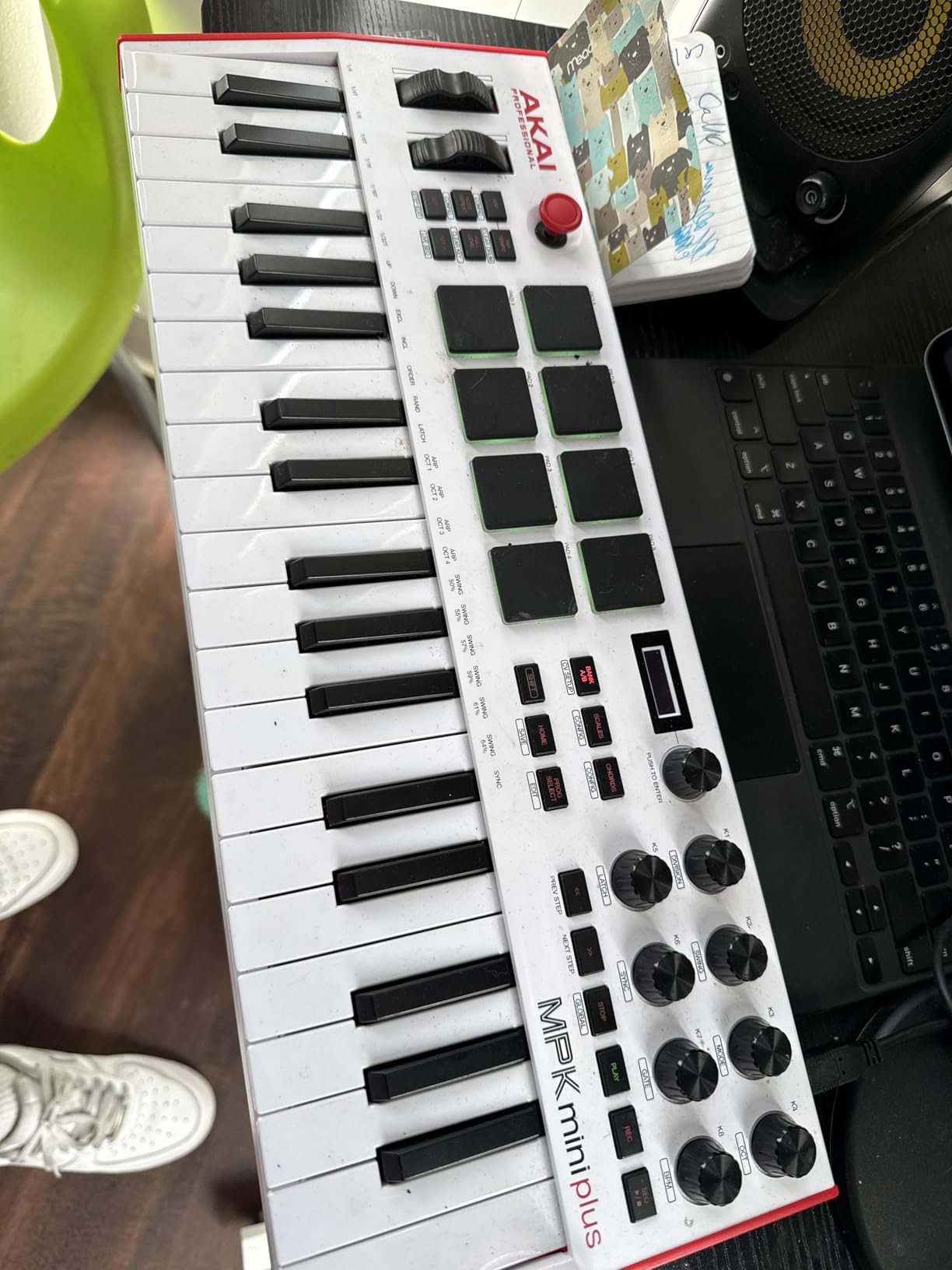
The Akai Professional MPK Mini Plus is the controller I keep coming back to when recommending beginner MIDI keyboards. After using it for several weeks, what stood out immediately was how the 37-key layout covers three full octaves, which means I can actually play melodies and simple chords with both hands without bumping into the limits of a 25-key board. For someone transitioning from clicking notes into a piano roll, that extra range removes a major frustration early on.
The build feels solid in hand at 1.4 kg, and the Gen 2 dynamic keybed has a confident, responsive feel that punches well above the price. I also appreciated the eight RGB MPC pads, which are the same pads Akai uses on its flagship MPC hardware. When I plugged it into Ableton Live Lite (which is bundled in), the pads mapped cleanly to drum racks without any custom mapping needed. The eight endless rotary knobs handled plugin parameters without any hitch.
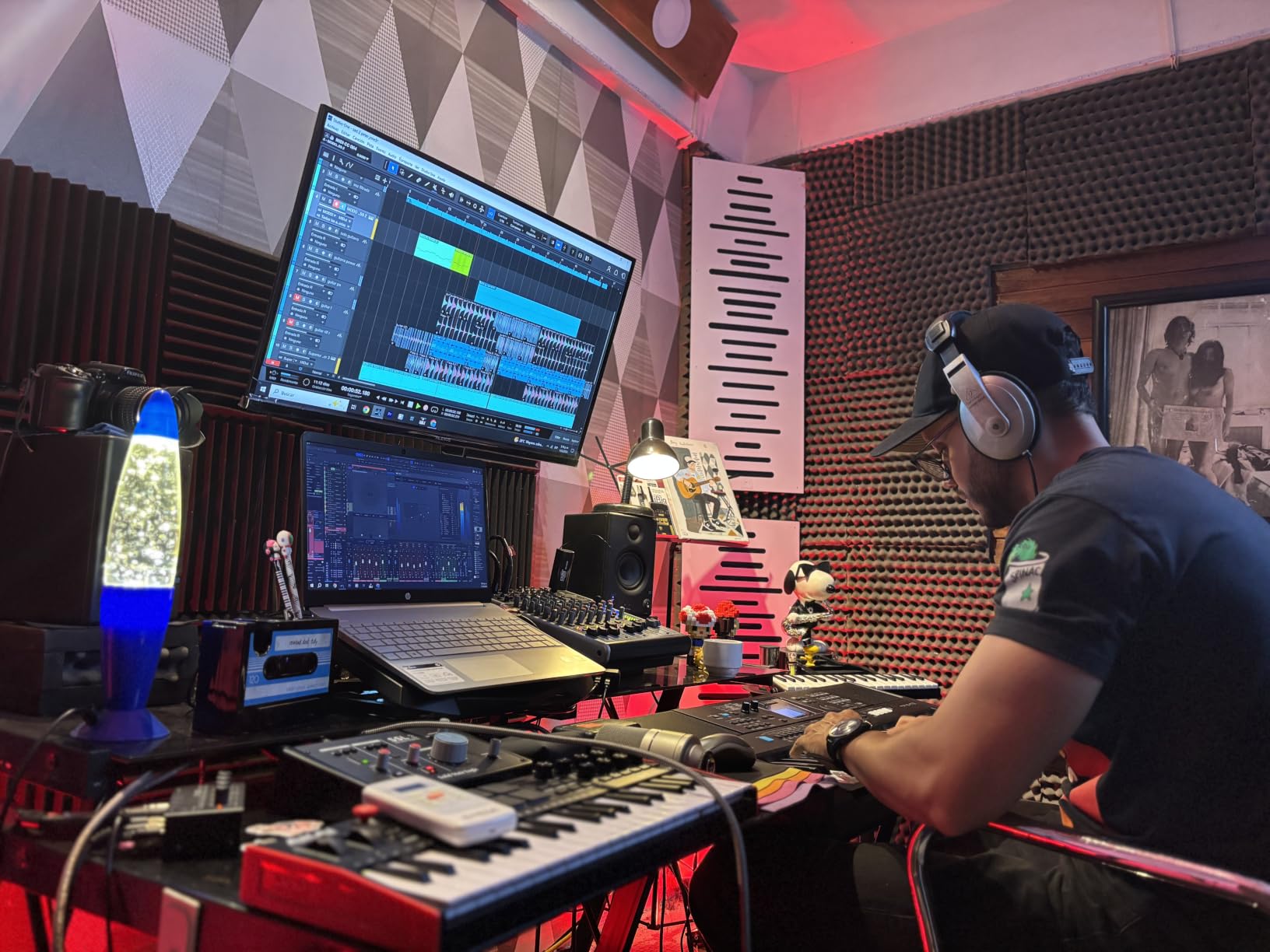
Where this beginner MIDI keyboard really shines is in its connectivity. The CV/Gate outputs let me control a small modular setup I was testing, while the 5-pin MIDI I/O means it can also talk to older synths. The 64-step sequencer is a genuine creative tool rather than a marketing bullet point. I used it to sketch out chord progressions and beat ideas quickly without ever opening my DAW. The free Komplete 15 Select bundle (you choose Beats, Band, or Electronic) is genuinely useful software that would cost hundreds on its own.
That said, there are a couple of beginner-friendly caveats. The 5-pin MIDI ports only work when the controller is connected to a computer via USB, so it cannot run standalone into a hardware synth on its own. The keys are smaller than full-sized piano keys, so players with larger hands may need a short adjustment period. Also, knob mapping in some DAWs like FL Studio requires a quick template setup, though Akai provides pre-made maps for the most popular options.
Best for producers who want room to grow
If you can stretch your budget to $139 and want a controller that will still be useful a year from now, the MPK Mini Plus is the easiest recommendation I can make. It works beautifully with Ableton Live, FL Studio, Logic Pro, and MPC Beats out of the box. It is a strong fit for beat makers, electronic music producers, and anyone who plans to explore hardware synths eventually thanks to the CV/Gate outputs. Read our related guide on the best MIDI controllers for music production for broader options if you decide you want something more advanced.
Skip it if you only need ultra-portability
If your priority is throwing a controller in a backpack and producing on a train or airplane, the 17-inch-wide MPK Mini Plus might be a touch large. In that case, the smaller Akai MPK Mini Play MK3 (reviewed below) or the Donner N-25 are better travel companions. Also, if you do not need drum pads or knobs and just want clean piano-style key input, a simpler controller will save you money.
2. Akai Professional LPK25 – Best Value MIDI Keyboard for Beginners
Akai Professional LPK25 25-Key USB MIDI Keyboard Controller
25 responsive synth-action keys,8 programmable presets,Built-in arpeggiator,Plug-and-play setup
Pros
- Compact and travel-friendly at 0.48 kg
- Surprisingly comprehensive software bundle
- Responsive keys with good velocity range
- Easy plug-and-play on Mac and PC
- Works with all major DAWs
Cons
- USB socket can feel slightly loose
- White keys can twist under heavy pressure
- Black keys feel fragile with aggressive play
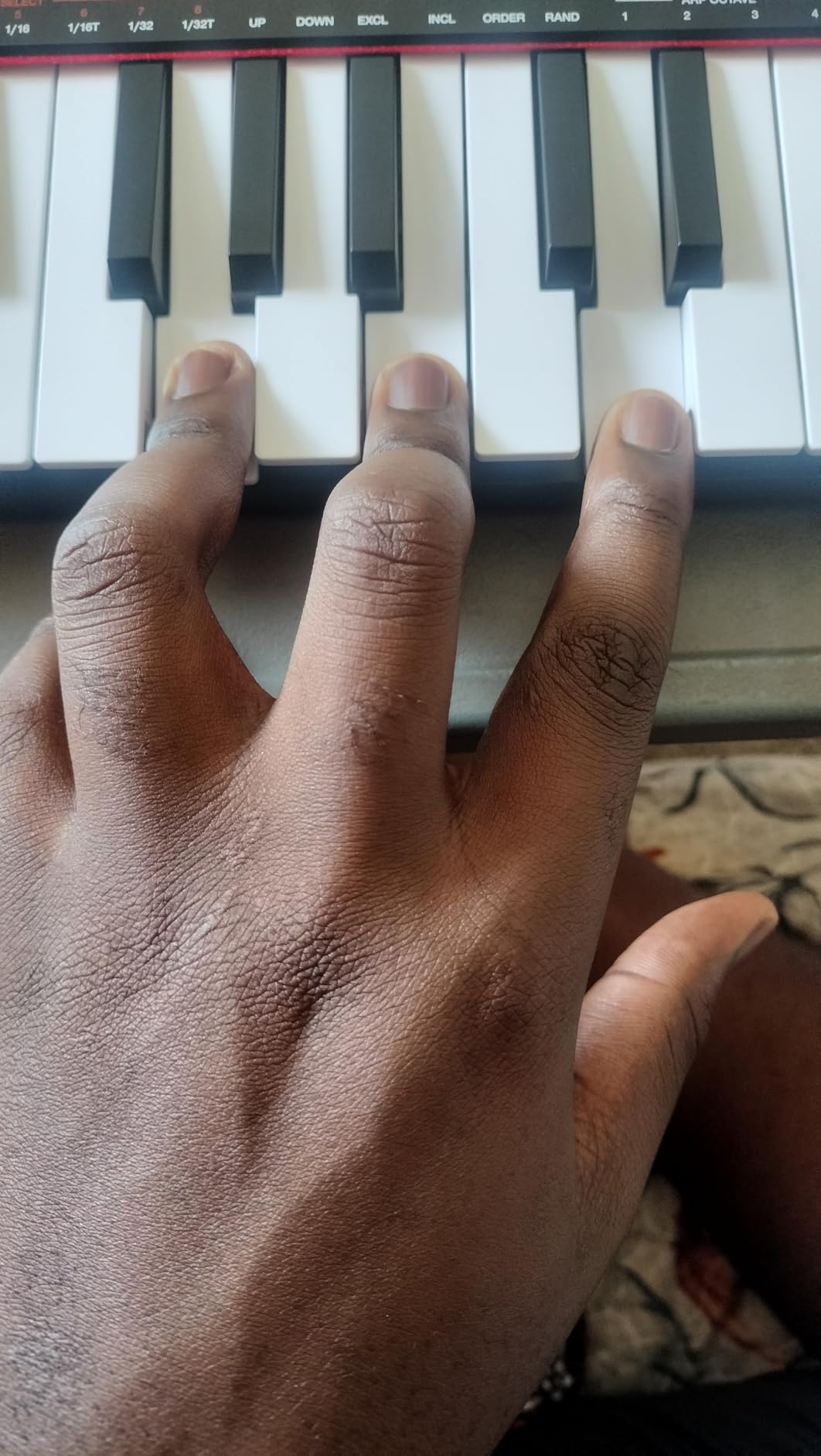
The Akai LPK25 has been my go-to recommendation for years when a complete beginner asks, “what is the best MIDI controller under $100?” After retesting the latest version, I am still confident in that answer. At just 0.48 kg and roughly the size of a small laptop, it disappears into a backpack. I took it on three trips during testing and never felt it weighed me down. For bedroom producers and laptop producers, that portability is genuinely useful.
The 25 synth-action keys are responsive and accurate enough for sketching melodies, programming drum patterns, and learning keyboard basics. Velocity sensitivity worked well across the curve in my testing, picking up soft taps and harder strikes without too much inconsistency. The arpeggiator and built-in clock are nice bonuses that I used more than I expected, especially when I wanted to test an idea away from my main computer setup.
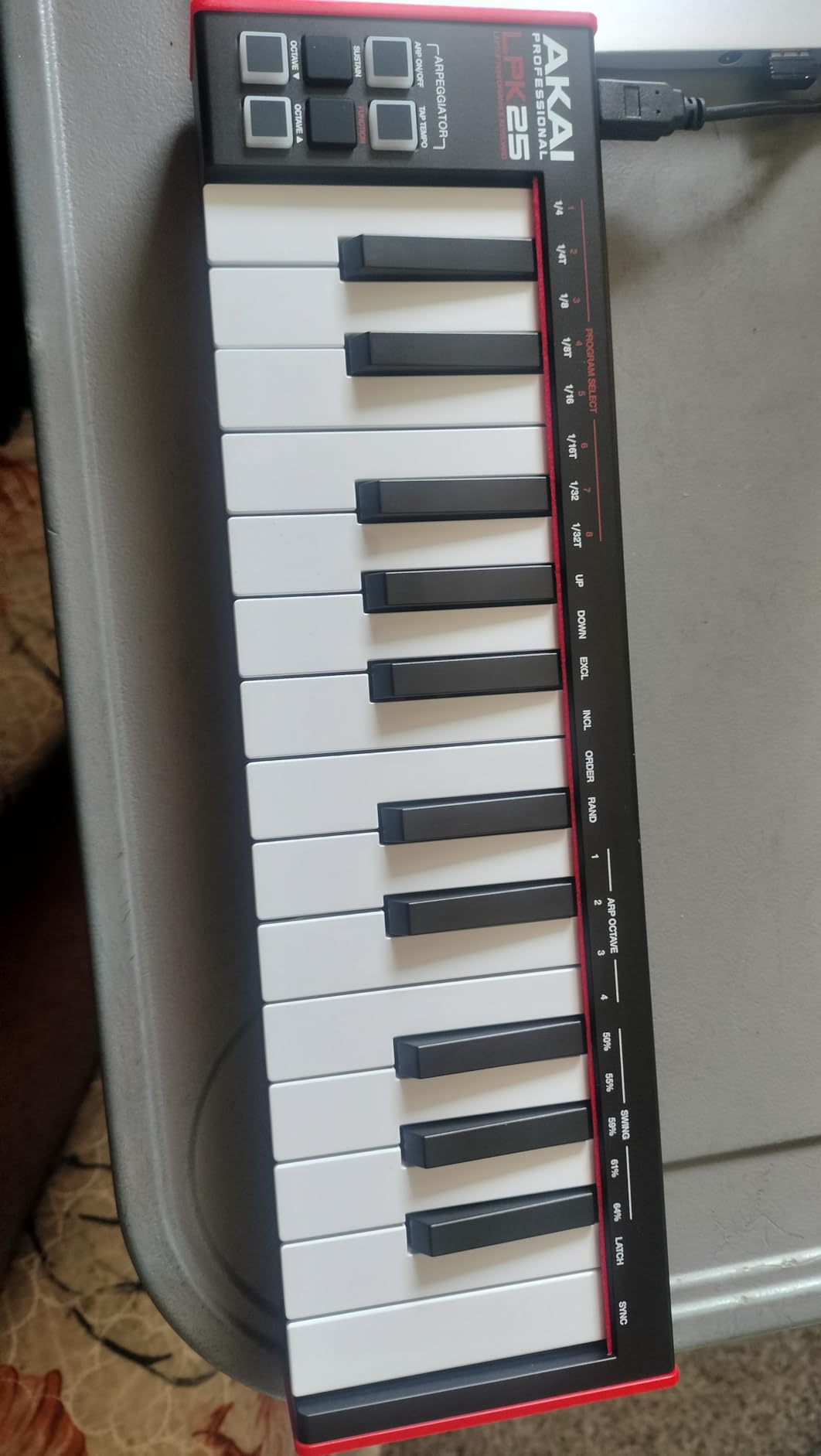
The software bundle surprised me. Akai includes the Hype synth plugin, BFD Player drum kit, and a Melodics trial, which collectively would cost around $80 if bought separately. For a beginner, this means you can plug in, install the software, and start making music within an hour. The LPK25 works with GarageBand, Logic Pro, Ableton Live, FL Studio, Cubase, Reason, and essentially every DAW a beginner is likely to use.
Build quality is the main compromise. The chassis is lightweight plastic, and a few reviewers have noted the white keys can twist slightly under aggressive play. The USB port also sits a little loose on some units. None of this stopped the keyboard from working during my testing, but if you tend to play hard, consider stepping up to the MPK Mini Plus instead. For gentle, expressive playing and learning, the LPK25 is hard to beat at this price.
Best for absolute beginners on a budget
If you have never owned a MIDI keyboard before and want something under $60 that simply works, the LPK25 is the one I would buy. It is ideal for GarageBand users, Logic Pro beginners, and anyone starting FL Studio who wants quality keys without paying for pads and knobs. It also pairs well as a secondary travel controller even if you own a larger keyboard at home.
Skip it if you want drum pads
This controller is keys-only, so beat makers who want to finger-drum will be happier with the MPK Mini Plus or the Donner DMK 25 Pro. Producers who want to control synth parameters with physical knobs should also look at a controller with assignable encoders. For pure keyboard input, though, the LPK25 is excellent.
3. Native Instruments Komplete Kontrol M32 – Best for Keyboard Players
Native Instruments Komplete Kontrol M32 Controller Keyboard (26154)
32 smart mini keys,OLED display,Touch-sensitive knobs,KOMPLETE software bundle
Pros
- Excellent key feel with subtle weighting
- Smart Play scales and chord functions
- Comprehensive KOMPLETE and Ableton Live Lite bundle
- Auto-mapping with Native Instruments plugins
- Lightweight at 1 kg
Cons
- Casing feels cheaper than older MK3 model
- Buttons make loud clicks when pressed
- Knob CC messages cannot be customized
- Velocity curve needs harder strikes
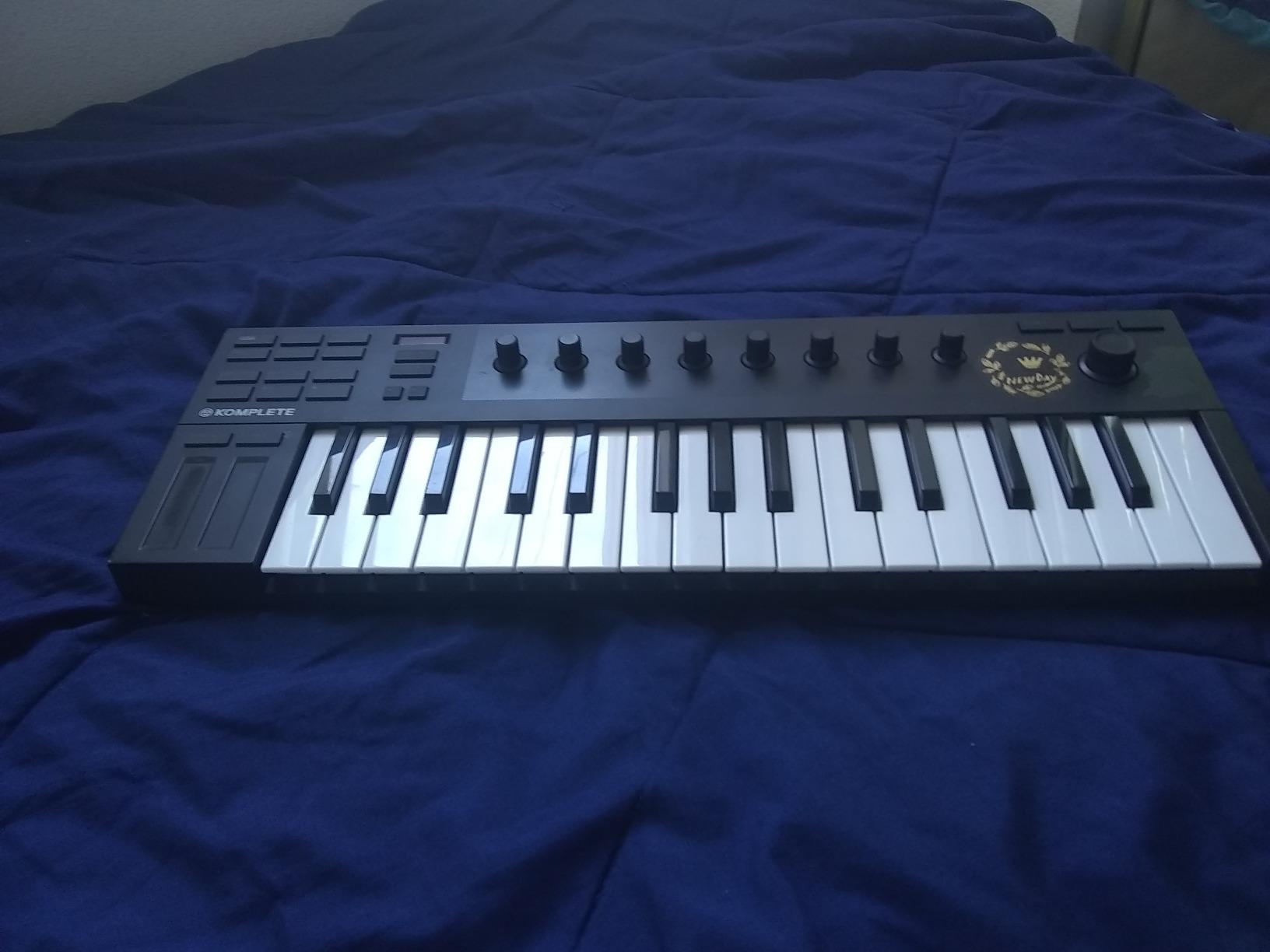
If you came to music production from a piano background, or you specifically want to learn piano using a MIDI controller, the Komplete Kontrol M32 deserves your attention. After spending time with it, the keys are the standout feature. They feel closer to a real piano than the synth-action keys on most controllers in this price range, with a subtle semi-weighted resistance that rewards expressive playing. I found it much more comfortable for two-handed playing than typical mini-keys.
The Smart Play feature is genuinely useful for beginners. You can set the keyboard to only play notes in a chosen scale, so even if you do not know music theory yet, you cannot hit a wrong note. The arpeggiator and chord modes also make it easy to build progressions without much technical knowledge. The OLED display provides clear feedback on which preset, scale, or function you have selected, which removes a lot of menu-diving frustration.
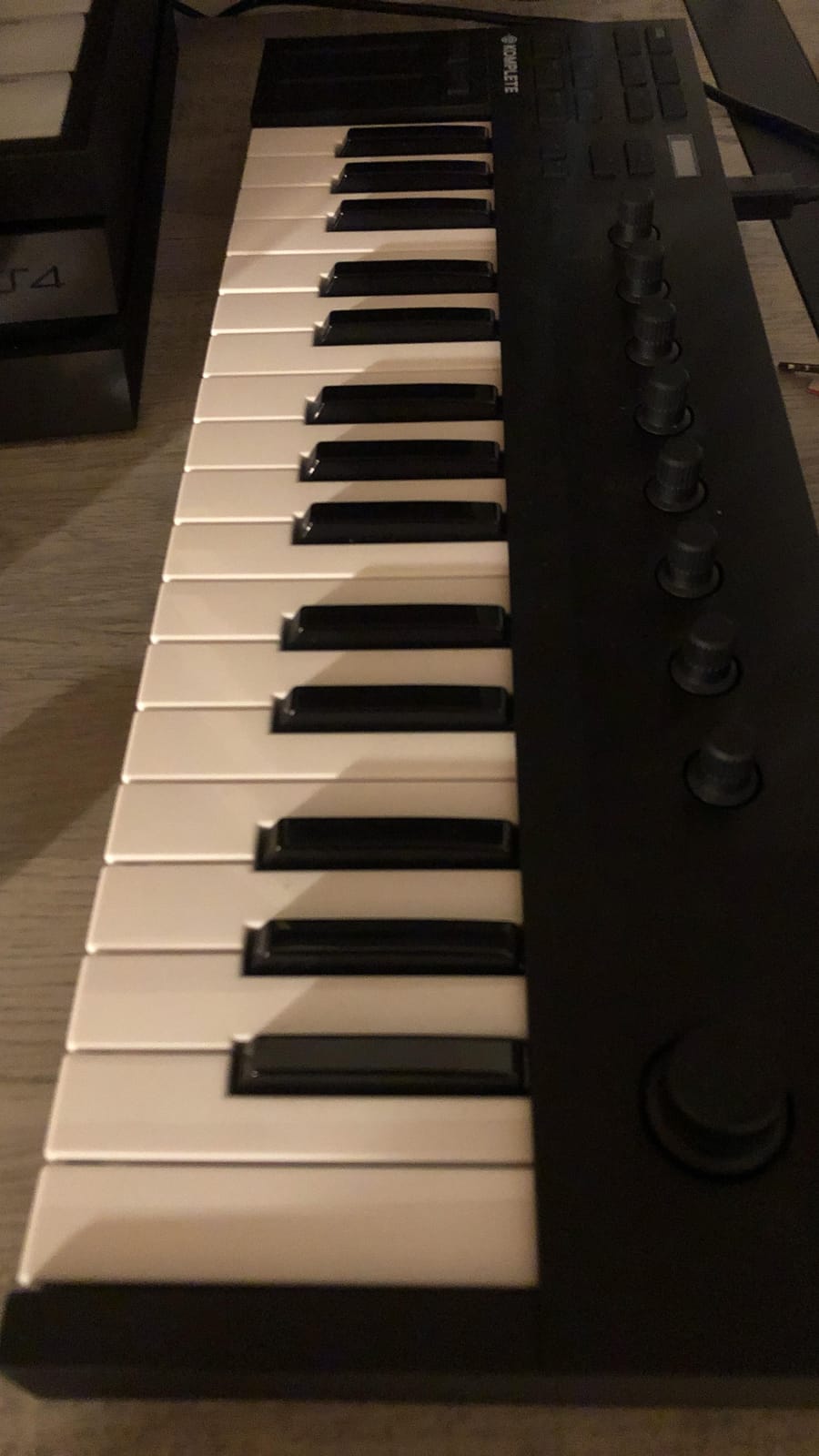
The software bundle is huge. Native Instruments includes KOMPLETE instruments and effects, MASCHINE Essentials, and Ableton Live 10 Lite. That is potentially thousands of dollars worth of plugins, synths, and drum libraries bundled into a $139 controller. If you ever plan to explore Native Instruments products, the auto-mapping feature is brilliant. The keyboard recognizes any NKS-compatible plugin and automatically labels all the knobs to match the parameters.
The trade-offs are real, though. The plastic casing feels noticeably cheaper than the previous MK3 model, and the buttons make a loud click that annoyed me when recording late at night. You also cannot customize the CC messages sent by the knobs, which limits flexibility in some DAWs. Finally, the velocity curve requires fairly hard strikes to trigger the loudest notes, so soft players may need to push their playing to get full dynamic range.
Best for piano-first producers and NI users
If your main goal is learning piano while also producing music, and especially if you already use or plan to use Native Instruments plugins, the M32 is an excellent pick. It also works great with Ableton Live thanks to the included Lite version. For broader MIDI controller options, see our best MIDI controllers for music production guide.
Skip it if you need drum pads
This controller does not include pads, so finger-drummers and beat makers should look at the Akai MPK Mini Plus or M-VAVE. If you want a small keyboard that focuses purely on key feel, the M32 is a strong choice, but it is not a one-stop shop for hardware control.
4. M-VAVE 25 Key USB MIDI Controller – Best Bluetooth MIDI Controller
M-VAVE 25 Key USB MIDI Keyboard Controller With 8 Backlit Drum Pads, Bluetooth Semi Weighted Professional dynamic keybed 8 Knobs and Music Production,Software Included (Black)
25 velocity-sensitive mini keys,Bluetooth MIDI with 16-hour battery,8 RGB drum pads,8 endless rotary encoders
Pros
- Excellent Bluetooth MIDI performance
- Long 16-hour battery life
- Compact and highly portable
- 8 velocity-sensitive pads with aftertouch
- Endless rotary encoders work properly
Cons
- Manual and documentation are poor
- Configuration software hard to find online
- Companion software has Mac compatibility issues
- Default shortcuts are not practical
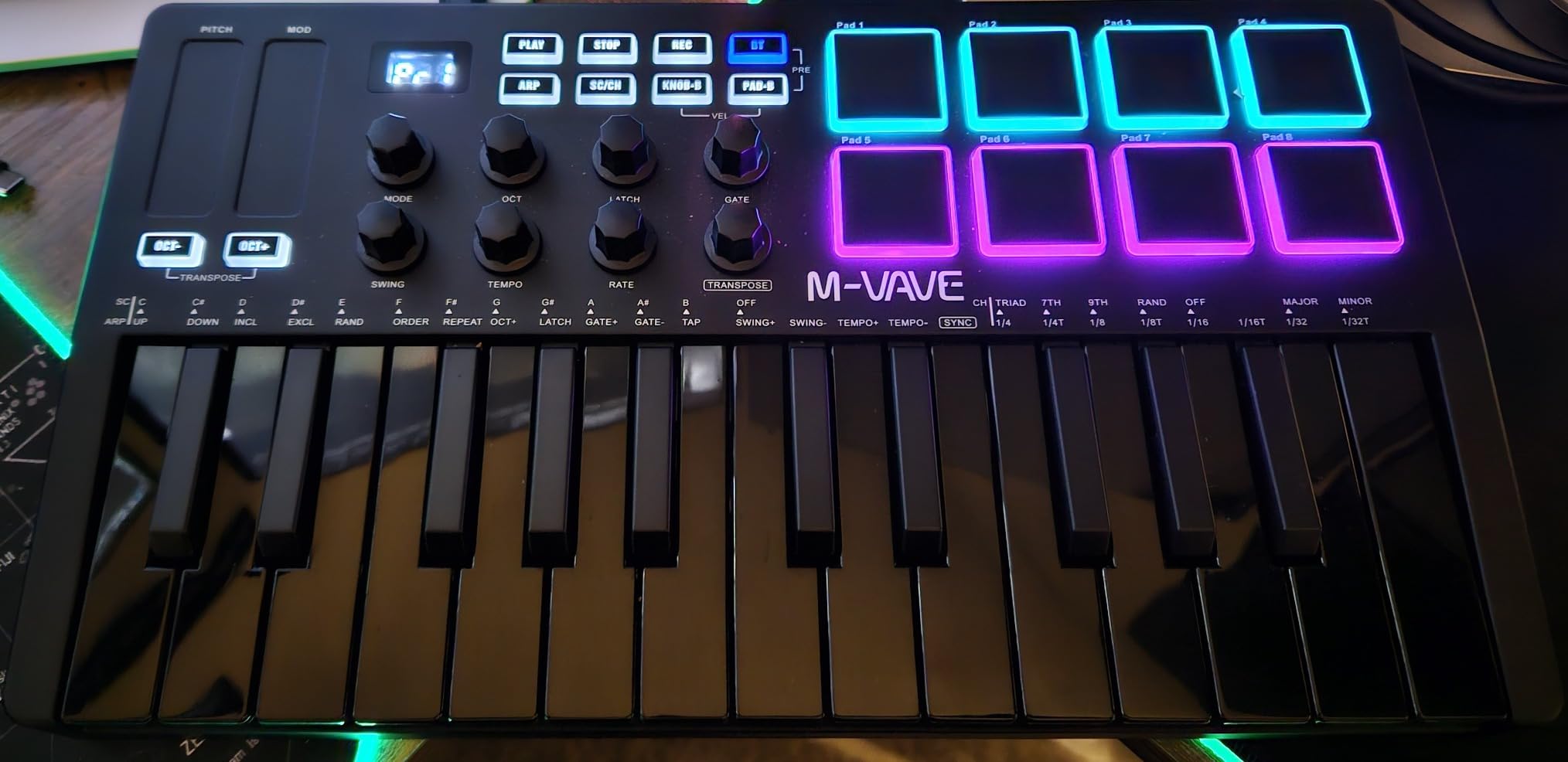
Wireless MIDI used to be a premium feature, but the M-VAVE 25 Key USB MIDI Controller brings Bluetooth MIDI to a price point beginners can actually afford. After a week of wireless testing, I was impressed. The Bluetooth connection stayed stable across about 25 feet, with no audible latency when playing soft synths. The 2,000 mAh battery delivered roughly 15 to 16 hours of continuous play in my testing, which means I could leave the charger at home for a full weekend of mobile production.
The hardware is surprisingly capable for the price. The 25 velocity-sensitive mini keys are responsive, and the 8 RGB backlit pads support aftertouch, which is rare on a controller at this price. The 8 endless rotary encoders turn smoothly without the dead zones I have seen on other budget controllers. There are also two capacitive touch stripes for pitch bend and modulation, which feels modern and sleek compared to traditional wheels.
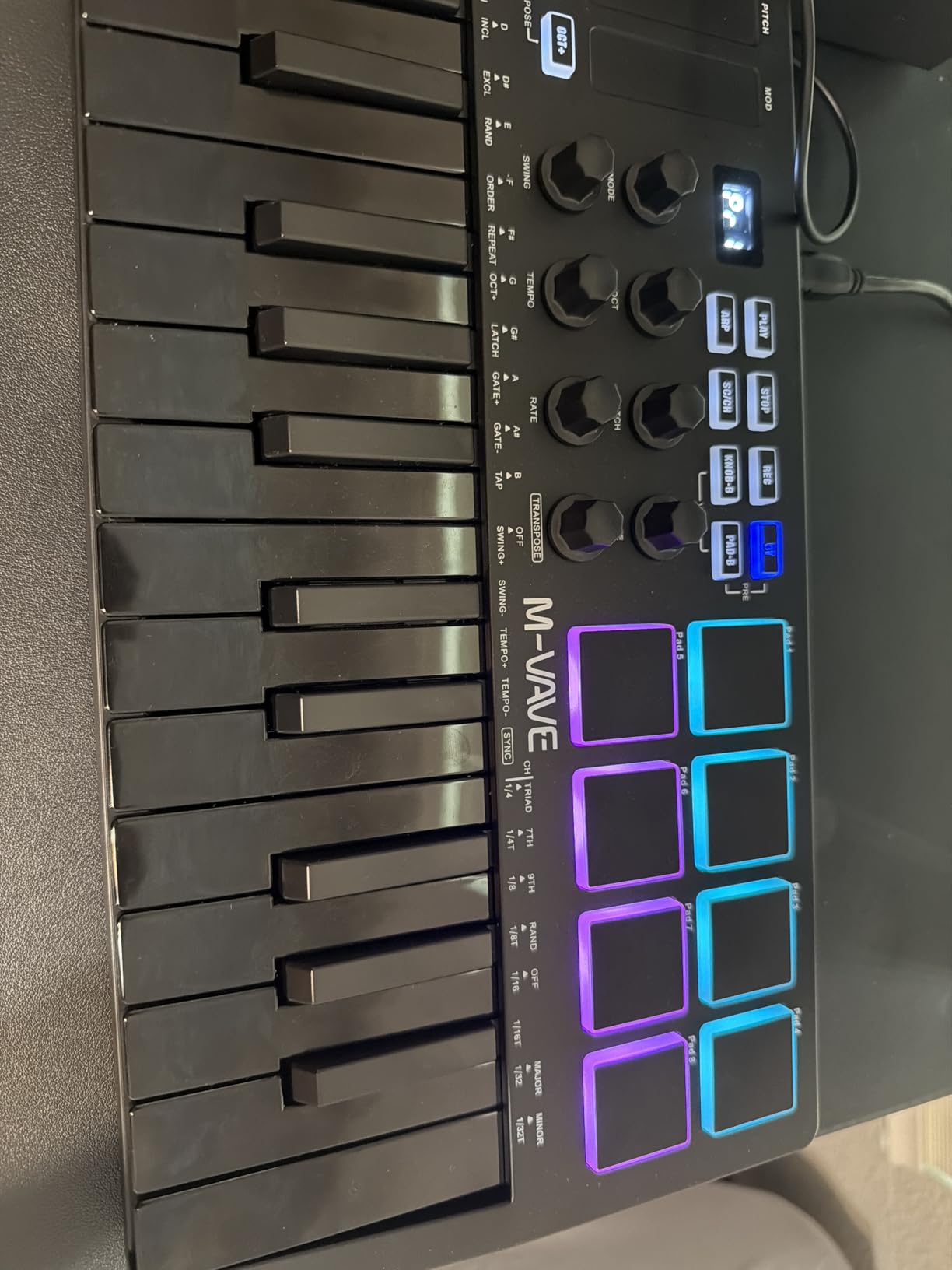
Compatibility is broad. M-VAVE lists support for Windows, macOS, Android, and iOS. I tested it with GarageBand on an iPad and FL Studio on a Windows laptop, and both recognized the controller within seconds. The Smart Chord and Smart Sound functions built into the firmware add some beginner-friendly shortcuts for building chords and triggering presets.
The software experience is the weak point. The manual is essentially useless, and finding the companion configuration software online took me longer than it should have. The Mac configuration utility does not work on newer macOS versions, so Mac users will be limited to basic MIDI mapping inside their DAW. Once you get past the setup hurdles, though, this is one of the best portable MIDI controllers you can buy for under $80.
Best for mobile producers and iPad users
If you produce on an iPad, iPhone, or Android tablet, the M-VAVE is the best cheap MIDI controller I have tested. It is also great for producers who want a clutter-free desk without a USB cable. For a deeper look at dedicated pad controllers, check our best MIDI pad controllers guide.
Skip it if you want simple plug-and-play
If the idea of installing extra configuration software feels intimidating, this is not the controller for you. Mac users running recent versions of macOS in particular may want to consider a controller with simpler driver-free setup, like the M-Audio Keystation Mini 32.
5. Akai MPK Mini Play MK3 – Best Standalone MIDI Keyboard with Sounds
Akai Professional MPK Mini Play MK3 25-Key USB MIDI Keyboard Controller
25-key Gen 2 dynamic keybed,8 velocity-sensitive MPC pads,Built-in speaker with 100+ sounds,Battery powered
Pros
- Built-in speaker and sounds for standalone play
- Battery powered for true portability
- Surprisingly good internal sound library
- Compact and lightweight
- Can control external gear via USB MIDI
Cons
- Speaker is too quiet for most situations
- Pads require hard strikes to trigger reliably
- Keys are small and easy to mis-hit
- Single-function joystick instead of separate wheels
- Battery life could be longer
The Akai MPK Mini Play MK3 solves a problem most MIDI controllers do not address. What if you want to practice keys on the couch without a computer? After testing, this little keyboard surprised me with how capable it is as a standalone instrument. It has a built-in speaker, over 100 internal sounds, and runs on three AA batteries, so you can literally pick it up and play anywhere. For beginners who do not always want to boot up a DAW, this is a real game changer.
The internal sound library covers electric pianos, synth leads, basses, organs, and acoustic instruments. None of the sounds are professional studio quality, but they are absolutely good enough for sketching ideas, practicing scales, or just having fun. When you do connect it to your computer via USB, it acts as a regular MIDI controller with the MPC Beats software and AIR Music Tech plugins included.
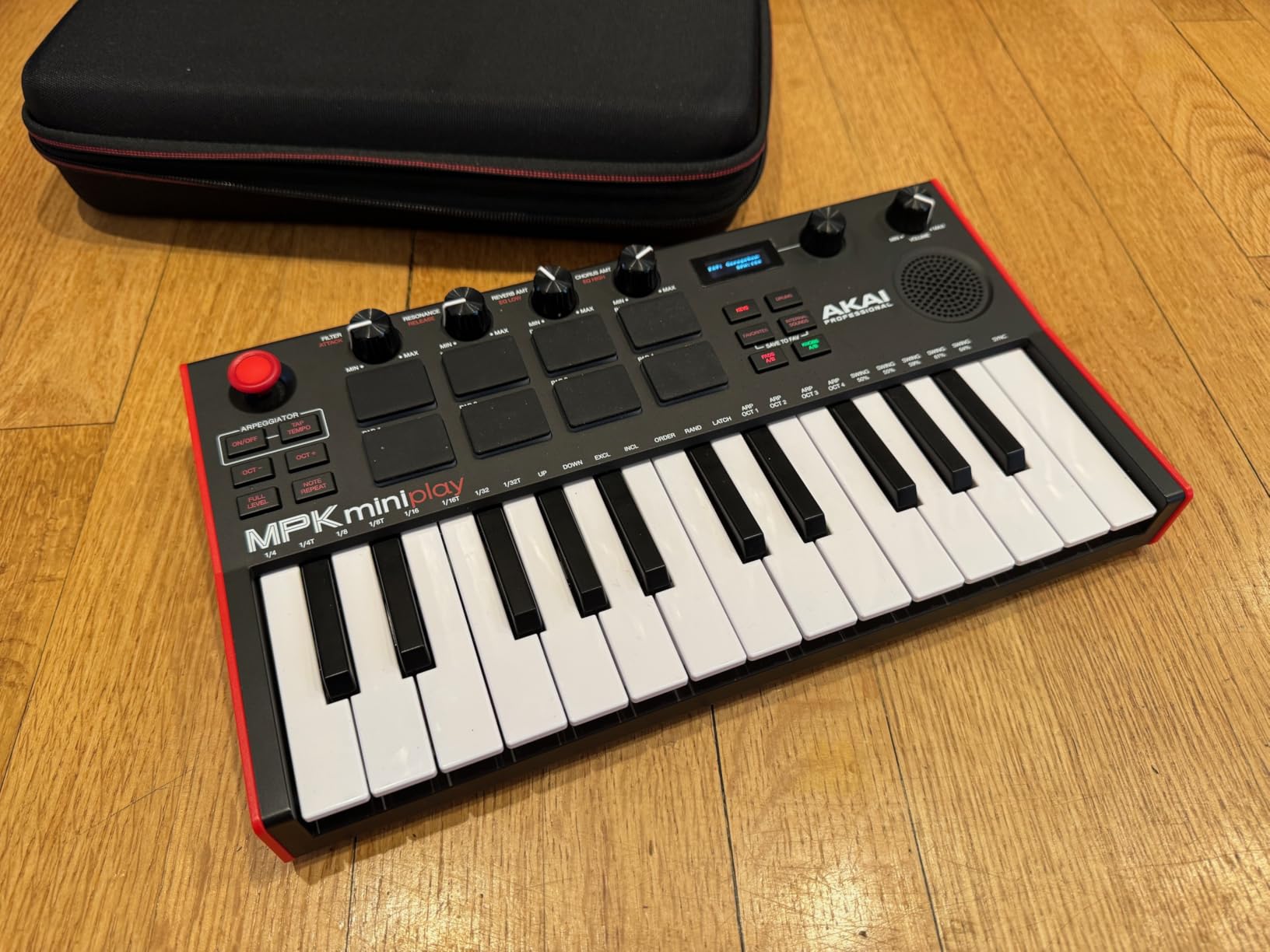
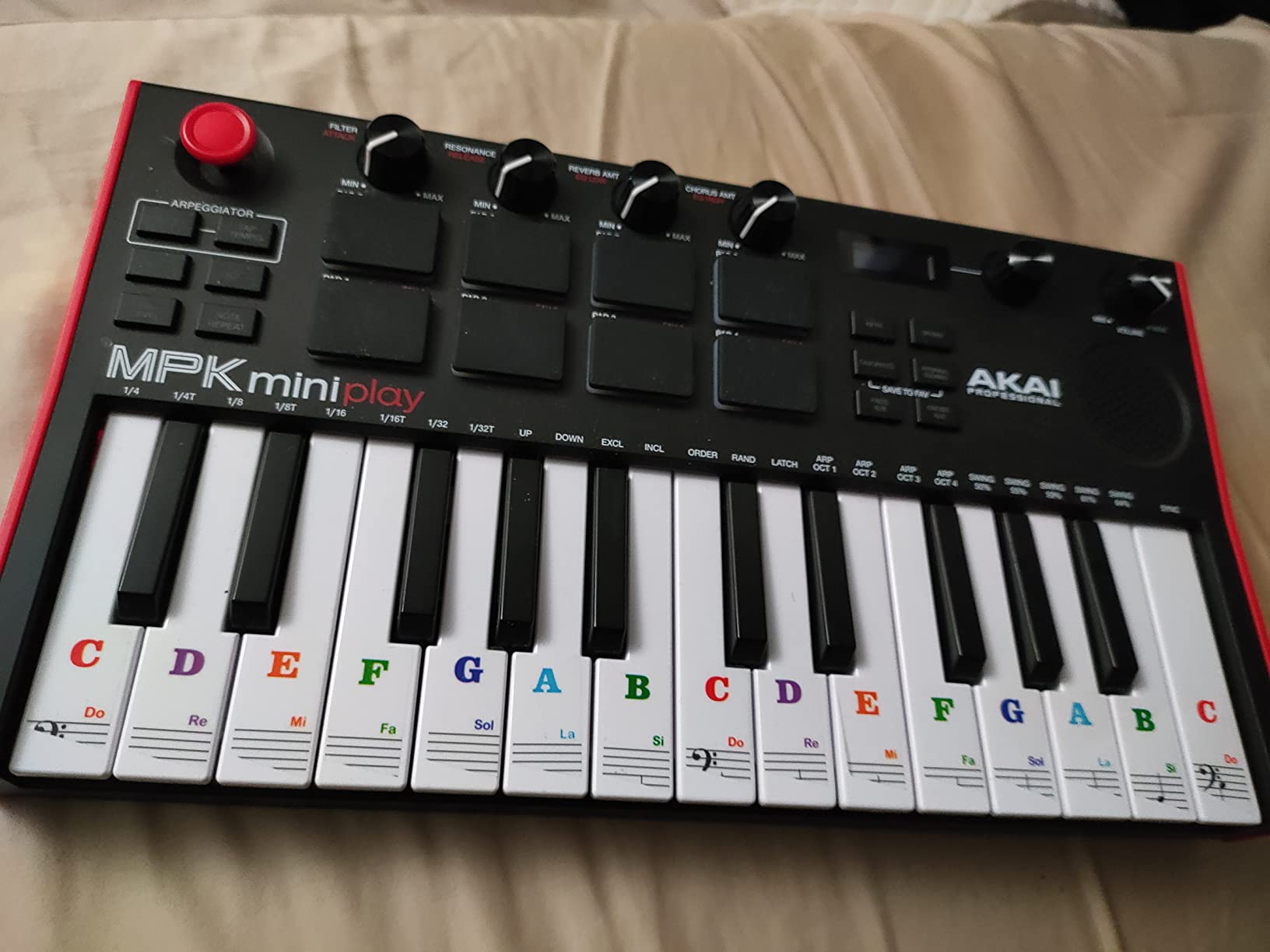
The build quality matches the rest of Akai’s MPK Mini line. The 25 keys have the Gen 2 dynamic keybed feel, which is responsive and consistent. The 8 velocity-sensitive MPC pads are the same pads you find on Akai’s flagship hardware. The 4 encoder knobs handle plugin parameters efficiently, and the OLED display keeps you oriented without needing a computer screen.
There are trade-offs. The built-in speaker is genuinely quiet, so do not expect to fill a room with it. The pads require harder strikes than I would like to register reliably. The keys are small mini-keys, so accidental mis-hits happen regularly until you build muscle memory. Also, the joystick handles both pitch bend and modulation rather than giving you separate wheels, which feels limiting when performing expressive leads.
Best for couch practice and idea sketching
If you want a single device that can replace a keyboard for casual practice plus act as a DAW controller, the MPK Mini Play MK3 is the most versatile option here. It is also great as a gift for someone who is not sure whether they want to commit to music production yet, because they can just play with the built-in sounds to start.
Skip it if you need more keys or pads
The 25-key layout is fine for melodies and bass lines, but piano players will feel cramped. If you want more keys plus the standalone feature, you would need to step up to the more expensive MPK Mini Plus. If you specifically want a 49-key option, look at our MIDI controller production guide for larger boards.
6. M-Audio Keystation Mini 32 MK3 – Best Budget 32-Key MIDI Controller
M-AUDIO Keystation Mini 32 MK3 USB MIDI Controller
32 miniature piano-style velocity-sensitive keys,Selectable velocity curves,MPC Beats software included
Pros
- True piano-style keys with good velocity sensitivity
- Selectable curves match different playing styles
- Very affordable at under $60
- Lightweight and ultra-portable
- Plug-and-play with no drivers needed
Cons
- No drum pads or knobs for hardware control
- No built-in sounds or speaker
- Requires USB power
- Keys are basic synth-action style
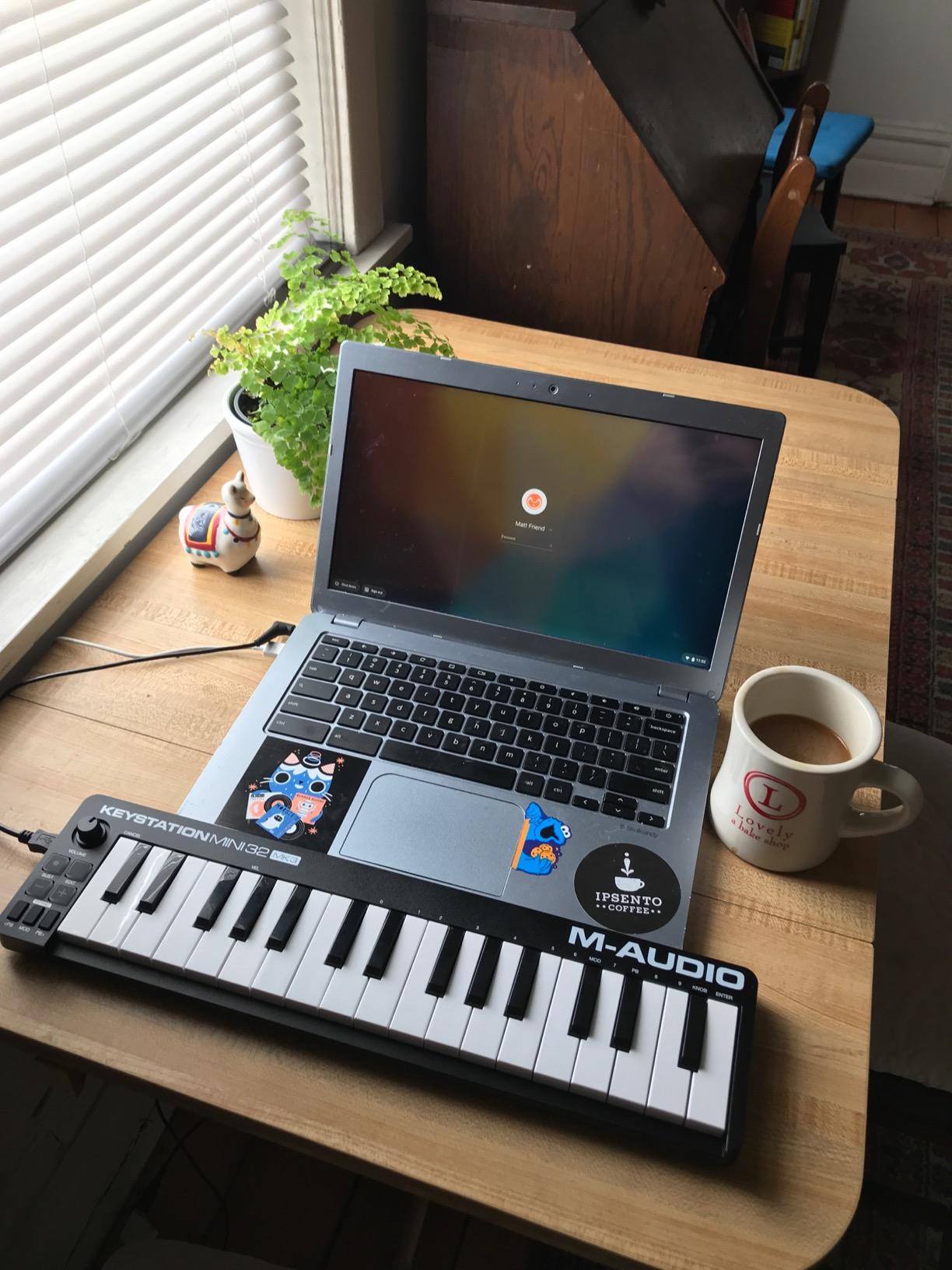
The M-Audio Keystation Mini 32 MK3 is one of the best-selling budget MIDI controllers on the market, and after testing it, the popularity makes sense. It is a no-frills, pure keyboard controller that does its core job very well. With 32 keys instead of the more common 25, you get an extra octave of range, which makes it easier to play simple melodies and chord progressions without constantly hitting the octave shift button.
The keys have a genuine piano-style feel, and the selectable velocity curves are a feature I did not expect at this price. You can switch between traditional piano response, synthesizer response, and beat-making response, depending on what you are playing. I found this useful when switching between playing Rhodes-style electric piano parts and punchy bass lines. The pitch bend and modulation buttons work, though I do miss traditional wheels for expressive playing.

Setup could not be simpler. Plug the USB cable into your computer or compatible iOS device, and your DAW recognizes it immediately. No drivers, no software installation, no configuration headaches. The included MPC Beats software gives beginners a free DAW to start with, and the Melodics 60 interactive lessons are a surprisingly good way to build keyboard skills.
The lack of drum pads or knobs is the main limitation. If you want to finger-drum or physically tweak plugin parameters, this controller will not do that. You will rely entirely on your mouse and computer keyboard for those tasks. For absolute beginners who want clean keyboard input and nothing else, though, this is a smart purchase.
Best for GarageBand and simple setups
If your goal is to learn piano basics and produce simple tracks in GarageBand, Logic Pro, or any other DAW, the Keystation Mini 32 is one of the easiest entry points available. The 32-key layout strikes a nice balance between portability and range, and the price makes it a low-risk first purchase.
Skip it if you want pads or knobs
Beat makers and electronic music producers who want physical drum pads and assignable knobs should look at the Akai MPK Mini Plus or Donner DMK 25 Pro. The Keystation Mini 32 is strictly a keyboard input device with no extras.
7. Midiplus AKM320 – Best Ultra-Budget MIDI Controller
midiplus AKM320 Midi Keyboard Controller
32 velocity-sensitive mid-size keys,Pitch and modulation wheels,Octave and transpose buttons,USB B connection
Pros
- Excellent price-to-quality ratio
- 32 keys give plenty of range for melodies
- Pitch and mod wheels work reliably
- Plug-and-play with no drivers needed
- Compatible with Windows
- Mac
- and Linux
Cons
- Keys feel stiff at first and loosen over time
- Limited to 5 velocity settings
- Small keys can cause accidental wrong notes
- No pads
- knobs
- or additional controls
- Plastic build feels cheap
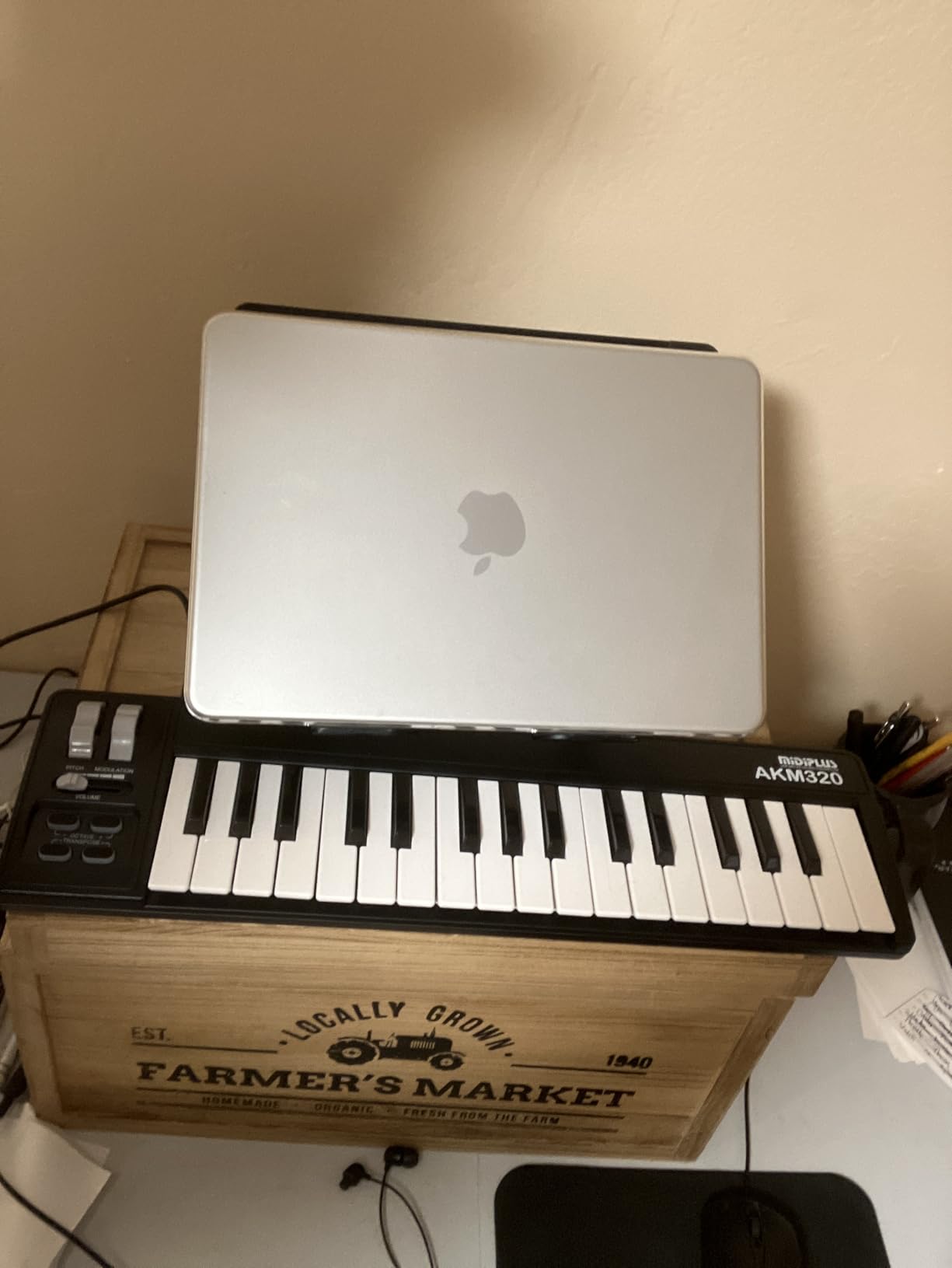
At under $40, the Midiplus AKM320 is the cheapest way I have found to get a proper MIDI keyboard with 32 velocity-sensitive keys into a beginner’s hands. After several weeks of testing, the price-to-value ratio genuinely impressed me. For the cost of a couple of pizzas, you get a real pitch wheel, modulation wheel, octave buttons, and transpose buttons, which is more than many controllers twice the price offer.
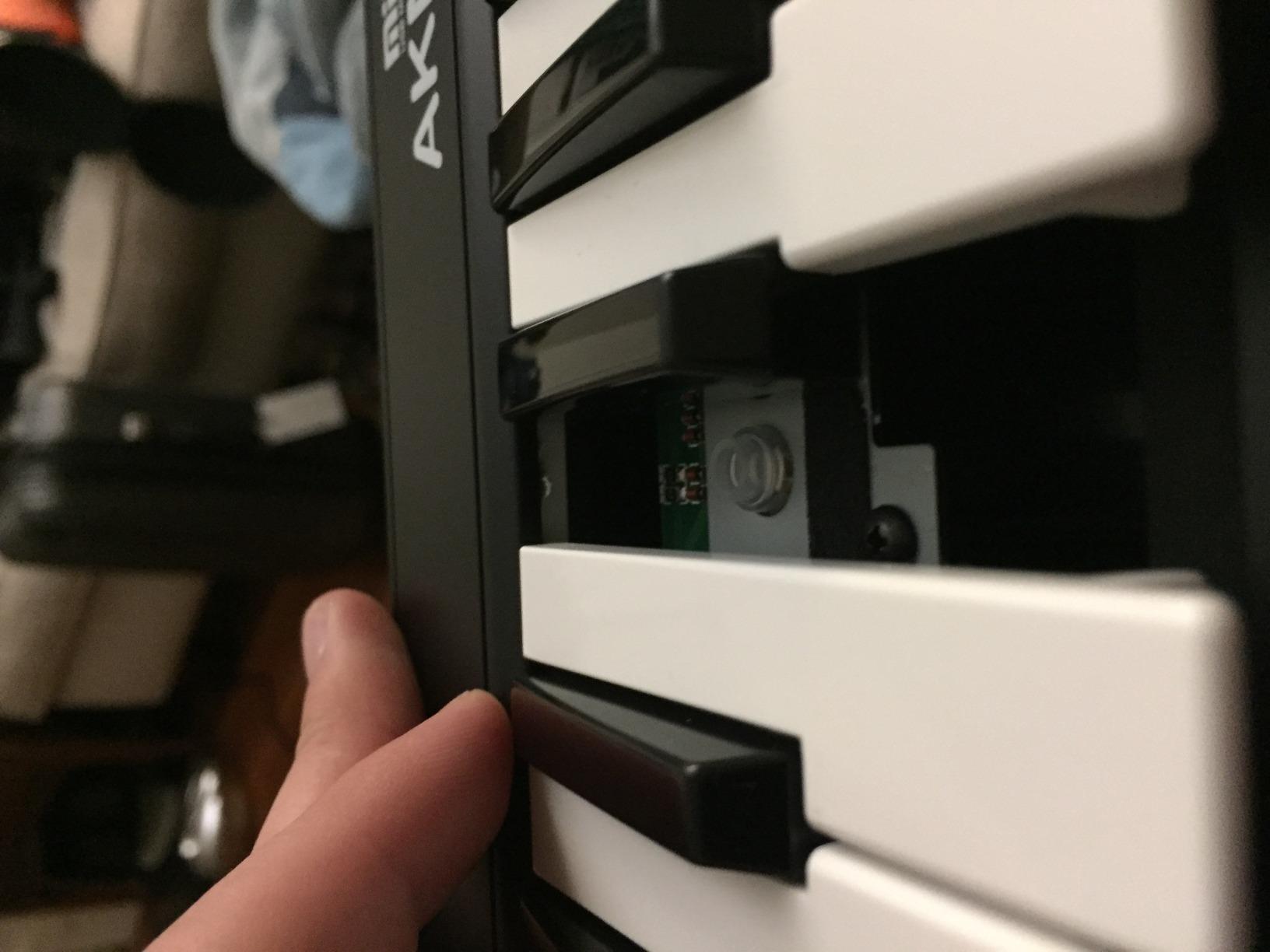
The keys are velocity-sensitive and feel acceptable, though they were stiff at first and gradually loosened up after a week of regular play. There are only 5 velocity settings, which is less nuanced than the Akai LPK25 or Komplete Kontrol M32, but for a beginner learning to play with dynamics, it works fine. The pitch and modulation wheels are a real bonus at this price, and they feel responsive enough for expressive playing.
Compatibility is broad, including Windows, macOS, and Linux. I tested it in Bitwig Studio on Linux without any setup, and it was recognized immediately. For beginners on a tight budget who want a reliable, no-frills controller that simply works, the AKM320 is hard to argue with.
Build quality is the main compromise. The plastic chassis feels cheap, the keys are smaller than full-size, and there are no drum pads or assignable knobs. If you want hardware control beyond the keys, you will need to spend more. Also, you cannot change the MIDI channel, which can be a problem if you plan to use the controller alongside another MIDI device.
Best for budget-focused beginners
If your budget is strict and you need a 32-key controller with pitch and mod wheels, the AKM320 is the best value in the budget tier. It is also a solid backup keyboard for producers who already own a primary controller but want a cheap second board for travel or specific workflows.
Skip it if you need extra controls
If you want drum pads, knobs, faders, or DAW transport controls, this controller will feel too basic. Spend the extra money on the Akai LPK25 or the Donner DMK 25 Pro for those features.
8. Donner DMK 25 Pro – Best Feature-Packed Budget MIDI Controller
Donner USB-C MIDI Keyboard Controller, 25 Key Portable Mini MIDI Keyboard with 8 Drum Pads, OLED Display, 16 Smart Scales, Arpeggio, Replay, 4 DAW Software and 40 Teaching Courses, DMK 25 Pro Black
25 velocity-sensitive keys,8 drum pads,OLED display,16 smart scales,USB-C connectivity
Pros
- Generous feature set for the price
- OLED display provides clear feedback
- 16 smart scales help beginners stay in key
- Compact and travel-friendly
- Front panel configuration without software
Cons
- Keys can break under heavy use over time
- Software installation process is frustrating
- Velocity curve requires harder strikes
- Non-standard sustain pedal jack
- Some quality control variation between units
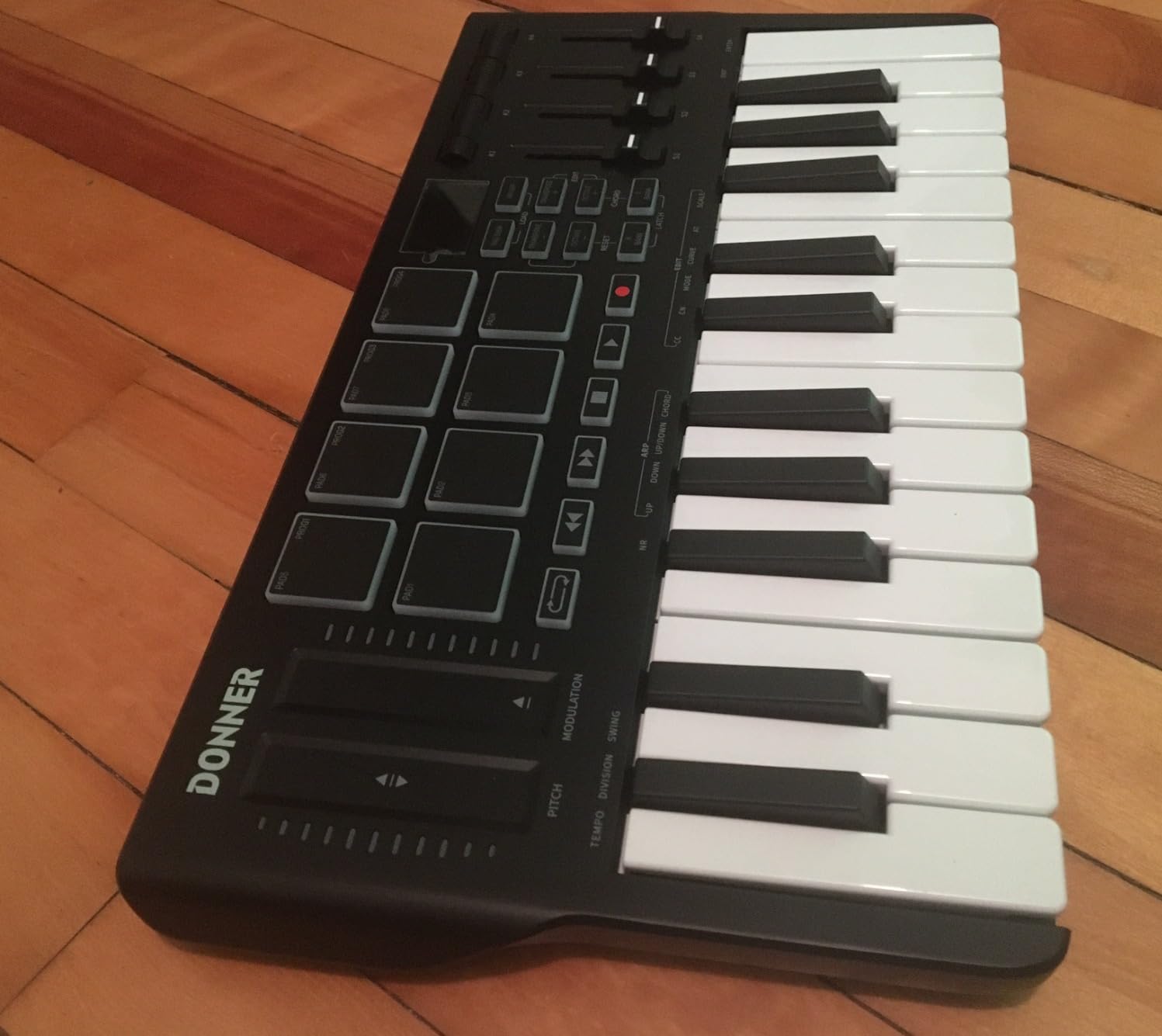
The Donner DMK 25 Pro packs an impressive amount of features into a $70 controller. After testing it, I found the standout feature is the OLED display, which is rare at this price. It shows the current preset, MIDI channel, and parameter values clearly, so you do not have to guess what mode the keyboard is in. The 16 smart scales built into the firmware are also genuinely useful for beginners, because they restrict the keyboard to only play notes within a chosen scale, so you cannot accidentally hit a wrong note.
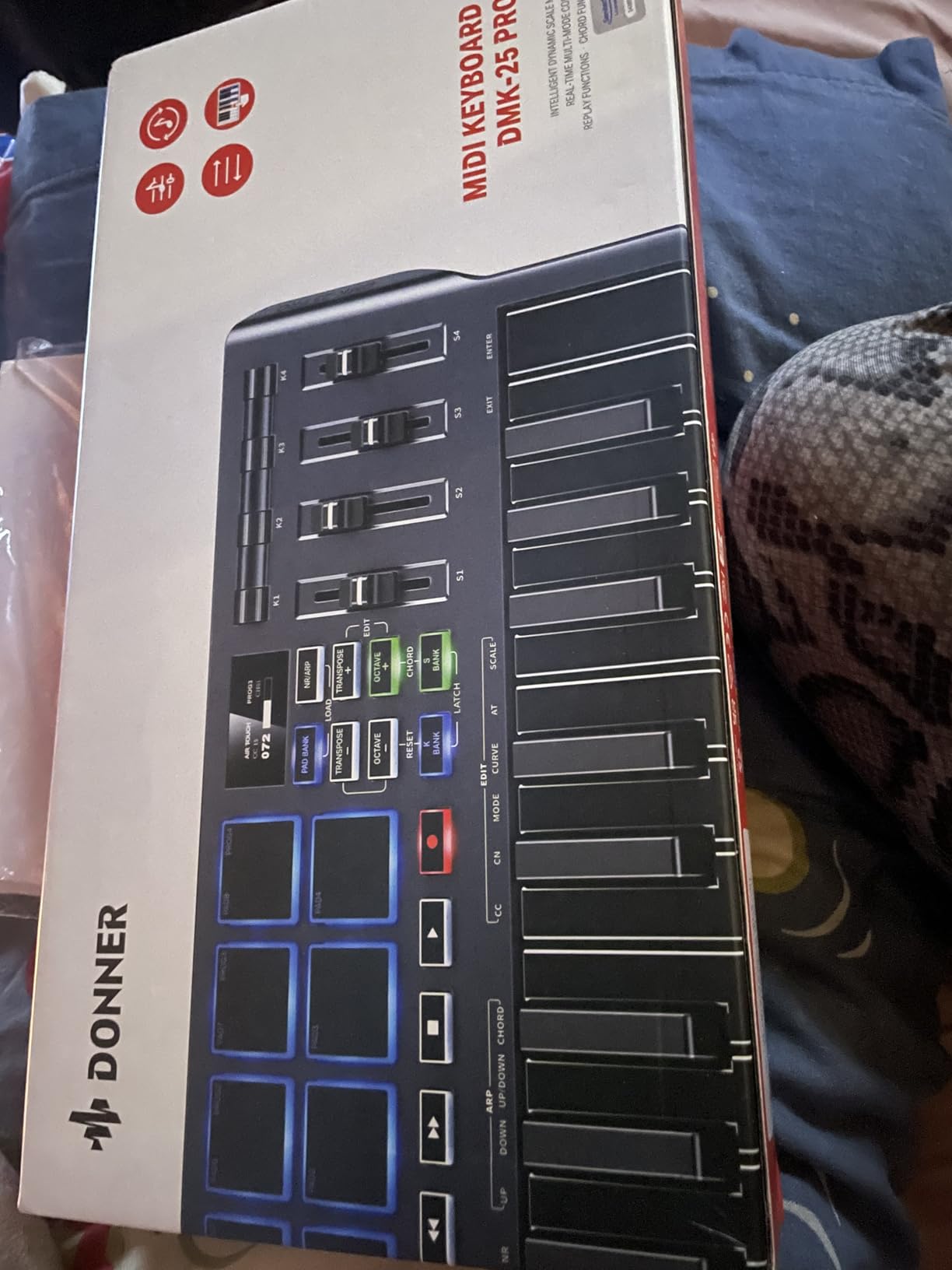
Hardware features include 8 velocity-sensitive drum pads, 4 assignable wheels, 6 transport controllers, an OLED display, USB-C connectivity, and 40 teaching courses for beginners. That is a remarkable list for the price. The arpeggiator, note repeat, and chord functions are all solid, and the front panel configuration means you can tweak settings without installing extra software.
Build quality is the main concern. The plastic hinges on the keys can break under heavy use over time, though for gentle beginner playing this should not be an issue. The velocity curve requires harder strikes to register the loudest notes, similar to the Komplete Kontrol M32. The software installation process is also more frustrating than it should be, requiring a Steinberg download manager.
The non-standard sustain pedal jack is another limitation. You cannot simply plug in any standard sustain pedal. Donner sells its own compatible pedal separately, which adds to the cost if you want sustain functionality. Despite these caveats, the DMK 25 Pro offers more features per dollar than any other controller I tested.
Best for beginners who want to explore features
If you want to experiment with pads, scales, arpeggiators, and chord modes without spending $130 or more, the DMK 25 Pro is the most feature-rich budget option. It is also a solid choice if you want a USB-C controller for modern laptops and mobile devices.
Skip it if you play aggressively
If you tend to bang on the keys or have heavy hands, the plastic hinge design may not survive long-term heavy use. Consider the Akai MPK Mini Plus instead for more durable keys. Also, if you want a more polished software experience, look at controllers from Akai or Native Instruments.
9. Donner Mini MIDI Keyboard N-25 – Best Budget Pick with TRS MIDI Output
Donner Mini MIDI Keyboard N-25, 25 Key MIDI Controller Gifts for Beginners with Velocity-Sensitive Mini Keys Light-up Rocker Music Production Software, Small USB Controlador with 40 Teaching Courses
25 velocity-sensitive mini keys,Light-up rocker buttons,40 teaching courses included,TRS MIDI output
Pros
- Compact and portable at 15.84 ounces
- Includes 40 teaching courses for beginners
- Light-up rocker buttons provide visual feedback
- TRS MIDI output connects to hardware synths
- Plug-and-play with Linux systems
Cons
- Keys feel springy and cheap compared to higher-end options
- Cannot change MIDI channel
- Black keys can break with heavy use
- Velocity curve is initially all-or-nothing
- Pitch bend joystick difficult to control precisely
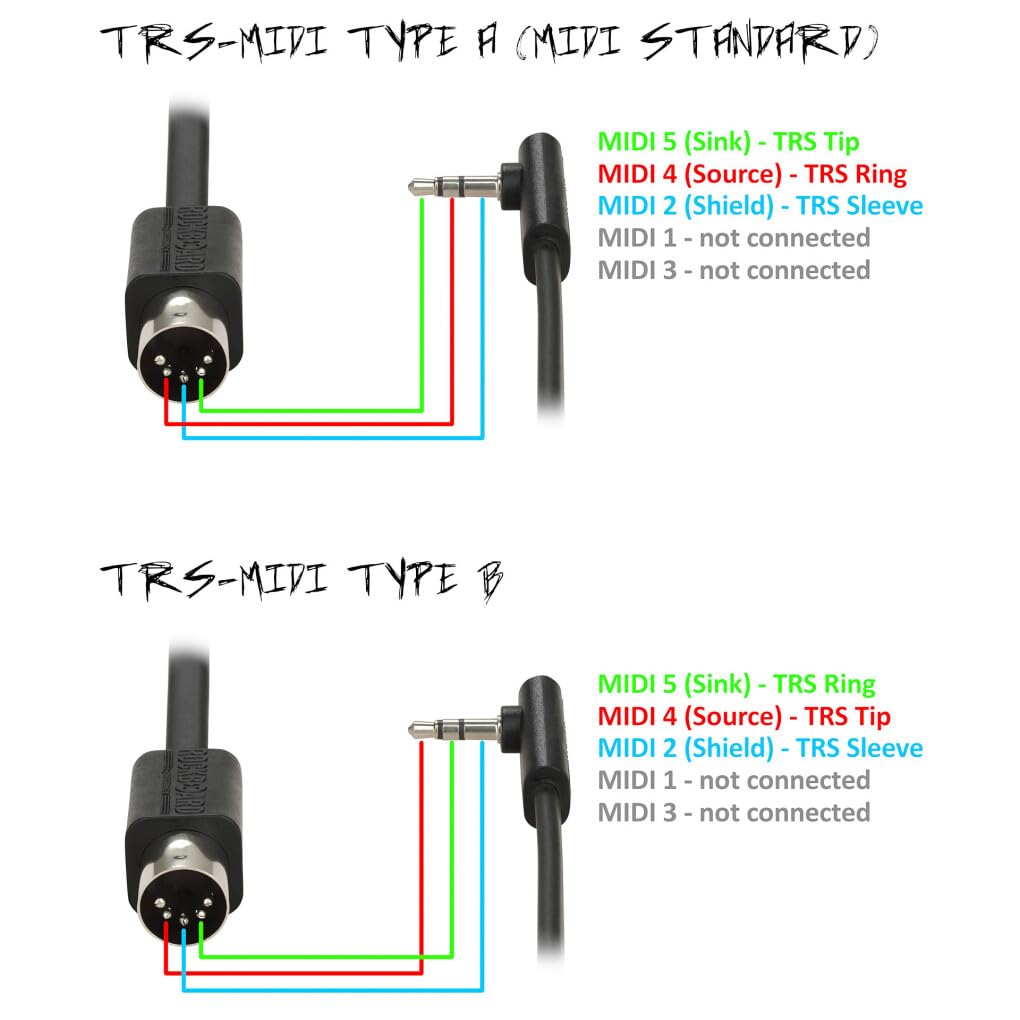
The Donner Mini MIDI Keyboard N-25 is the cheapest entry on this list, and for under $40 it does something most budget controllers do not. It includes a TRS MIDI output for connecting directly to hardware synths like Korg and Arturia models. After testing this with a Korg minilogue xd, the connection worked perfectly, which is genuinely impressive for a $40 controller. Most controllers in this price range only work over USB with a computer.
The 25 velocity-sensitive mini keys are functional for learning the basics, though they do feel springy compared to the Akai or Native Instruments options. The 4 user-programmable banks let you save different MIDI setups, and the arpeggiator, sustain, octave, and tap tempo functions cover the most common performance needs. The light-up rocker buttons provide visual feedback, which is helpful for beginners still learning the layout.
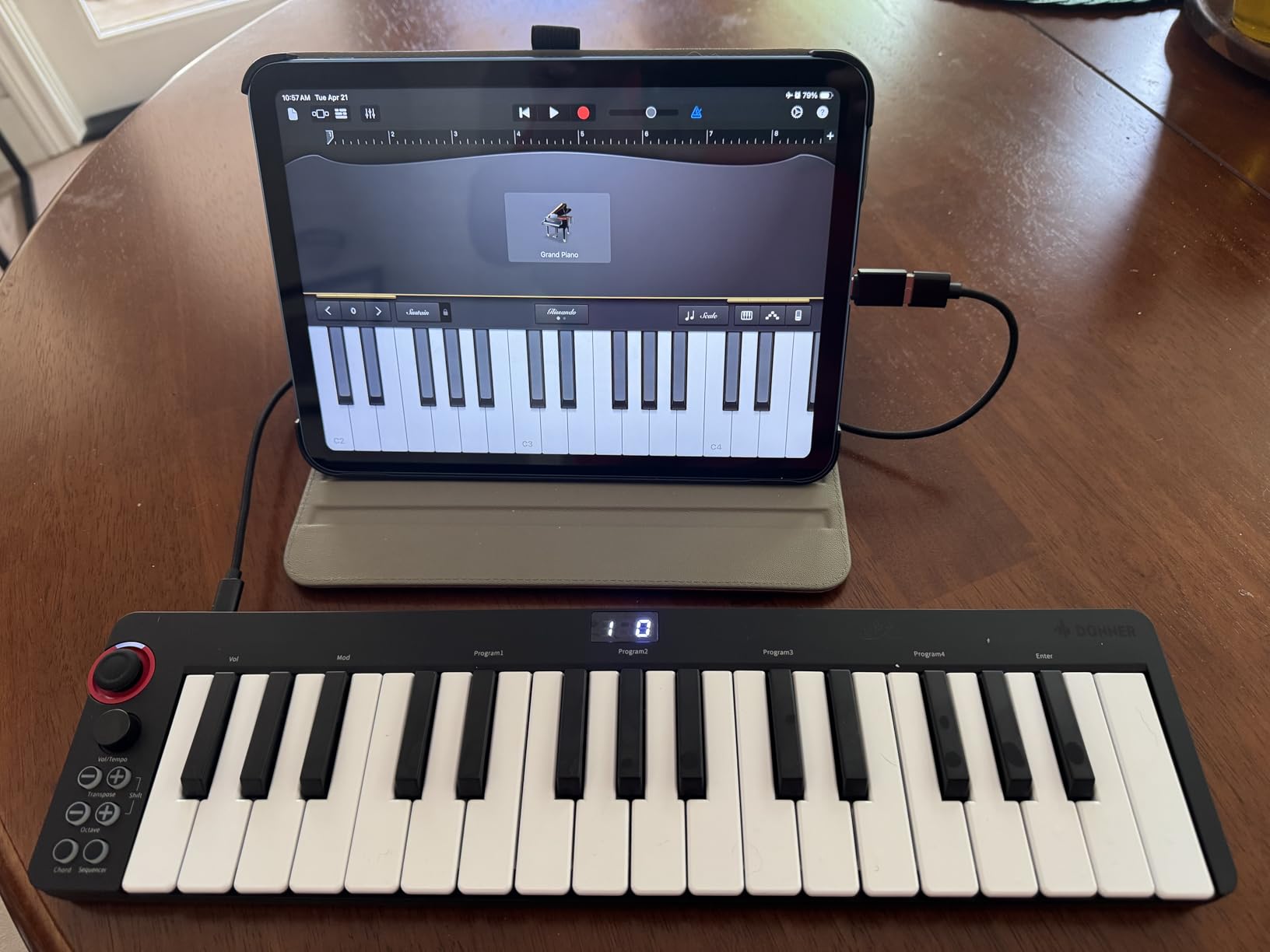
The 40 included teaching courses are a thoughtful addition for absolute beginners. They guide you through basic scales, chords, and simple songs, which is more support than most controllers at any price offer. USB-C connectivity with an OTG adapter means you can plug this into a phone or tablet for mobile production as well.
The downsides are real. The keys feel cheap, and some users have reported black keys breaking under heavy use. You cannot change the MIDI channel, which limits flexibility for advanced setups. The velocity curve is initially all-or-nothing, though it becomes more nuanced as you play more. For casual learning and basic music production, though, the N-25 is a strong value.
Best for absolute beginners and hardware synth hobbyists
If you want to start making music for the smallest possible investment, or if you have a hardware synth that accepts TRS MIDI input, the Donner N-25 is the best budget pick. It is also a thoughtful gift for someone curious about music production who does not want to commit much money yet.
Skip it if you want pads or premium build
This is a keys-only controller with no drum pads or assignable knobs. If you want to finger-drum or tweak synth parameters physically, spend more on the Akai MPK Mini Plus. For pure keyboard input on a tight budget, the N-25 delivers.
10. RockJam RJMK25 – Best Bluetooth Budget MIDI Controller with Display
RockJam RJMK25 25 Key USB MIDI Keyboard Controller with Drum Pads
25 velocity-sensitive mini keys,8 backlit drum pads,TFT color display,Bluetooth MIDI connectivity
Pros
- Bluetooth MIDI works well for wireless use
- TFT color display shows useful information
- Endless encoder knobs provide smooth control
- Rechargeable battery adds convenience
- Lightweight and portable at 1.8 pounds
Cons
- Drum pads require hard strikes to trigger
- Knob sensitivity too low for live performance
- Joystick is overly sensitive
- GPS must be enabled on mobile for Bluetooth
- No drivers included for Windows Bluetooth
The RockJam RJMK25 rounds out this list as another Bluetooth-enabled budget controller, this time with a TFT color display that gives it a slightly more premium feel than the price suggests. After testing it wirelessly with an iPad and GarageBand, the Bluetooth connection held up well across a typical room. The rechargeable battery is a thoughtful touch, since you do not need to swap in AA batteries like on the Akai MPK Mini Play.
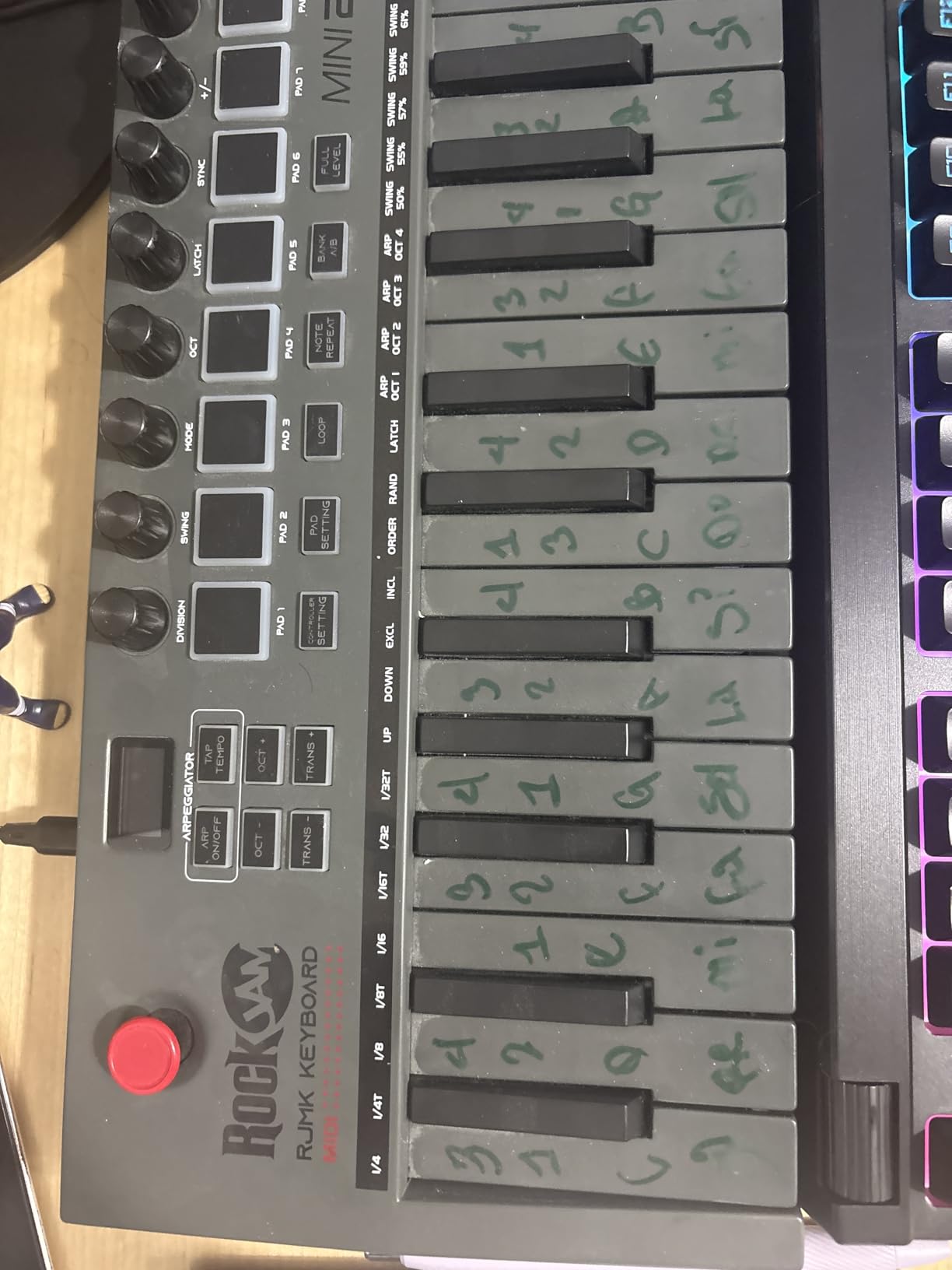
The hardware includes 25 velocity-sensitive mini keys, 8 backlit drum pads with note repeat, 8 assignable 360-degree knobs, an X-Y joystick for pitch bend and modulation, and a 3.5mm headphone jack for private practice. The TFT display shows preset names, MIDI channel, and parameter values, which is rare on a $80 controller. The USB-C connection supports both charging and wired MIDI.
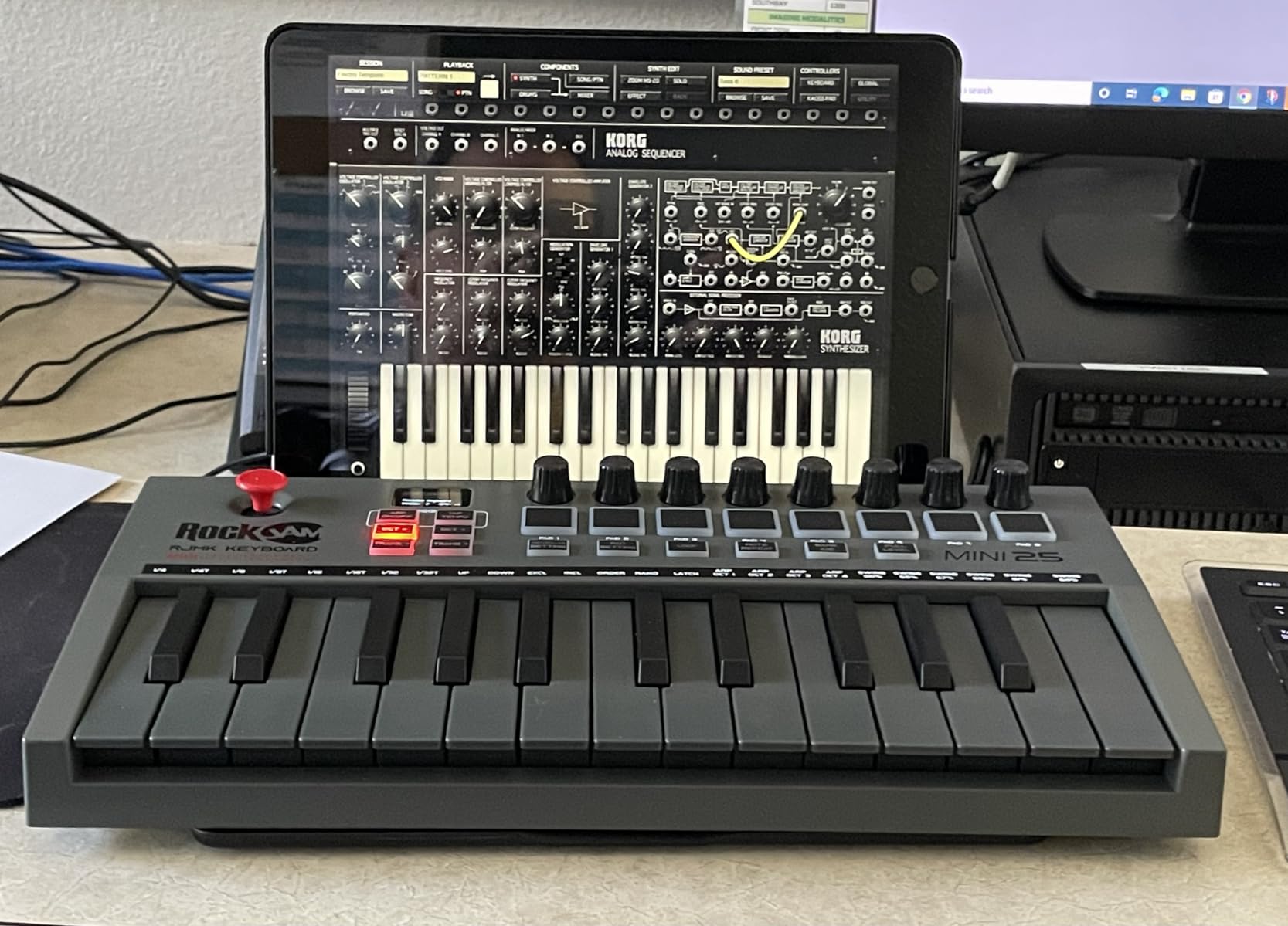
Compatibility is broad across macOS, Windows, and iOS. I tested it with GarageBand, FL Studio, and Ableton Live Lite, and all three recognized it without issues. The DAW compatibility list on the product page covers Ableton Live, FL Studio, Logic Pro, Cubase, Pro Tools, and many more, so most beginners will not run into driver problems.
The drawbacks are concentrated in the controls. The drum pads require fairly hard strikes to register reliably, the knob sensitivity feels too low for precise live tweaking, and the X-Y joystick is overly sensitive for pitch bend work. Windows users also need third-party apps to get Bluetooth MIDI working, and you must enable GPS on mobile devices for the Bluetooth to function, which is an odd requirement. For beginners who mostly play melodies and do not rely on expressive pad performance, the RJMK25 delivers good value.
Best for wireless budget beginners
If you want Bluetooth MIDI plus a display for under $80, the RockJam RJMK25 is a solid choice. It is also great as a gift because the box looks more premium than the price suggests. The rechargeable battery is a nice convenience over AA-powered controllers.
Skip it if you need precise pad performance
If you plan to do a lot of finger-drumming or live performance, the pad sensitivity and joystick issues may frustrate you. For purely melodic playing and basic beat production, the RJMK25 works well. For more demanding pad performance, the Akai MPK Mini Plus is a better fit.
How to Choose the Best MIDI Keyboard Controller for Beginners
Now that you have seen all ten picks, let me walk you through the key decisions I made when testing them. These are the same questions I would ask if I were buying my first MIDI controller today, and they will help you match the right keyboard to your workflow.
How many keys do you actually need?
The most common beginner question is whether to get a 25-key, 32-key, or 49-key controller. I tested all three sizes, and here is how I would frame the choice. A 25-key controller covers two octaves, which is enough for sketching melodies, programming bass lines, and learning simple chord progressions. You will use the octave shift button frequently, but the trade-off is maximum portability. The Akai LPK25, Donner N-25, and Akai MPK Mini Play are all 25-key controllers in this guide.
A 32-key controller covers about two and a half octaves, which gives you more room to play simple two-handed parts without shifting as often. The Native Instruments Komplete Kontrol M32, M-Audio Keystation Mini 32, and Midiplus AKM320 all hit this sweet spot. For most beginners, I think 32 keys is the ideal starting point, balancing range with portability.
A 37-key controller like the Akai MPK Mini Plus gives you three full octaves, which is the first size where you can play melodies and chords with both hands without hitting range limits. The trade-off is slightly larger size, but the extra creative freedom is worth it for many beginners. You rarely need more than 37 keys at the beginner stage, and 49 or 61-key controllers are more appropriate once you have a clear sense of your workflow. If you want to explore those larger sizes, our MIDI controller production guide covers more options.
Do you need drum pads, knobs, and assignable controls?
Pads and knobs are not strictly necessary, but they make a real difference for beat making and electronic music production. After testing controllers with and without pads, I found pads speed up drum programming dramatically. If you want to make beats in FL Studio, MPC Beats, or Ableton Live, look for at least 8 velocity-sensitive pads. The Akai MPK Mini Plus, M-VAVE, Donner DMK 25 Pro, and RockJam RJMK25 all include pads.
Assignable knobs let you tweak synth parameters and plugin settings without reaching for your mouse. If you mainly play piano-style parts in GarageBand or Logic Pro, knobs are optional. If you want to control software synthesizers like Serum, Massive, or any Native Instruments plugin, knobs become much more valuable. The Komplete Kontrol M32 has touch-sensitive knobs that auto-map to NKS plugins, which is the most polished knob experience in this guide.
Is velocity sensitivity important, and what about aftertouch?
Velocity sensitivity means the keyboard responds to how hard you press the keys, which lets you play with dynamics like a real piano. Every controller in this guide is velocity-sensitive, and I would not recommend a non-velocity-sensitive keyboard to any beginner. The velocity curve quality varies though, with the Komplete Kontrol M32 and Akai MPK Mini Plus offering the most nuanced response in my testing.
Aftertouch is a separate feature that sends a continuous MIDI signal when you hold a key down and press harder. It is used for vibrato, filter sweeps, and expressive synth playing. Most beginner controllers do not include aftertouch, and that is fine. You can produce music for years without ever needing aftertouch. If you specifically want it for synth leads and expressive playing, the M-VAVE and Akai MPK Mini Plus both offer pads with aftertouch.
What software should you look for in the bundle?
Bundled software can save you hundreds of dollars. The best beginner MIDI controllers include a free DAW plus a starter pack of plugins and instruments. The Akai MPK Mini Plus includes Komplete 15 Select, which is worth over $400 on its own. The Komplete Kontrol M32 includes KOMPLETE, MASCHINE Essentials, and Ableton Live 10 Lite. The Akai LPK25 includes Hype synth, BFD Player, and Melodics lessons.
Cheaper controllers include MPC Beats (a free but limited DAW from Akai), Cubase LE, or trial versions of popular DAWs. These are good starting points, but you may outgrow them within a year. If you already know which DAW you want to use, like FL Studio Producer Edition or Logic Pro, focus on the hardware and ignore the bundled software. If you are not sure which DAW to learn, a generous bundle like the one on the MPK Mini Plus can save you a lot of money.
Should you get Bluetooth MIDI?
Bluetooth MIDI is useful if you produce on an iPad, iPhone, or laptop without easy USB access. The M-VAVE and RockJam RJMK25 both offer Bluetooth MIDI, and I tested both with an iPad and GarageBand. The latency was acceptable for sketching ideas and basic recording, though noticeable for live performance. If you mainly produce at a desk with a USB cable, Bluetooth is not necessary, and a wired controller will give you more reliable performance.
MIDI keyboard vs digital piano for beginners
This is a frequent point of confusion, so let me clarify. A MIDI keyboard controller does not make sound on its own (unless it is a special model like the MPK Mini Play). It sends MIDI messages to your computer, which plays software instruments. A digital piano has built-in speakers and sounds, plays back real piano samples, and usually has weighted keys that mimic a real piano feel.
If your main goal is learning piano technique for its own sake, a digital piano with 88 weighted keys is the better choice. If your goal is music production, beat making, or electronic music, a MIDI controller is what you need. For many beginners, a MIDI controller like the Komplete Kontrol M32 plus a DAW with good piano plugins gives you the best of both worlds, since you can learn piano skills while also producing music.
Common beginner mistakes to avoid
After talking to producers and reading forum threads, I noticed a few common mistakes beginners make. First, do not overspend on your first controller. A $60 to $140 controller is more than enough to start, and you will know which features matter to you after six months. Second, do not ignore the bundled software. Many beginners buy a controller and never install the included DAW or plugins, then complain about needing to buy more software later.
Third, do not buy a controller with 88 weighted keys thinking you need it. Weighted keys are heavier and slower to play, which makes them harder for complete beginners. Synth-action or semi-weighted keys are easier to play and lighter on the fingers, which is better for learning. Save the weighted keys for when you specifically want to practice piano repertoire.
Fourth, do not buy a controller without checking DAW compatibility. Most modern controllers work with major DAWs, but some require template files for full functionality. The controllers in this guide all work with the major DAWs beginners use, including GarageBand, Logic Pro, FL Studio, Ableton Live, and Cubase.
Setting up your first MIDI keyboard
Setup is simpler than you might expect. Plug the USB cable into your computer, open your DAW, and go to the preferences or settings menu. Look for the MIDI or controller section, and enable your new keyboard as an input device. In Ableton Live, this is under Preferences > Link Tempo MIDI > MIDI Ports. In FL Studio, it is under Options > MIDI Settings. In GarageBand on Mac, the keyboard is automatically detected.
Once enabled, you should be able to press a key and hear a sound from your DAW. If not, check that you have loaded a software instrument on a MIDI track. In GarageBand, create a new software instrument track. In Logic Pro, create a new software instrument track and load any patch. In FL Studio, select a channel and assign your keyboard to it. Most beginners get this working within 15 to 30 minutes.
For accessories, I recommend picking up a sustain pedal if your controller has a pedal input, plus a keyboard stand if you want to play standing up. A simple USB cable extension is also helpful if your desk is far from your computer. For more on building out a beginner setup, our MIDI pad controllers guide and MIDI foot controllers guide cover related gear. For DAW-specific recommendations, the best Ableton controllers guide is worth checking out.
Frequently Asked Questions
What is the best MIDI controller for a beginner?
The best MIDI controller for a beginner is the Akai Professional MPK Mini Plus for most people. It combines 37 responsive keys, 8 MPC pads, 8 assignable knobs, and a generous software bundle including Komplete 15 Select. For absolute beginners on a tight budget, the Akai LPK25 offers excellent key feel and a surprisingly capable software bundle at under $60. Both are widely recommended by producers and beginners for their balance of features, build quality, and price.
What is the best MIDI controller for learning piano?
The Native Instruments Komplete Kontrol M32 is the best MIDI controller for learning piano because its 32 keys have a semi-weighted feel closer to a real piano than most mini-keys. It comes with Smart Play scales and chord functions that help beginners stay in key, plus a KOMPLETE software bundle with quality piano plugins. For a budget option, the M-Audio Keystation Mini 32 MK3 offers 32 piano-style velocity-sensitive keys at a lower price.
Should I get a 25 or 49 key MIDI keyboard?
For most beginners, a 25-key or 32-key controller is the better starting point because it offers the best balance of portability and range. You can always octave-shift to access more notes. A 49-key controller gives you a wider range without shifting, but the trade-off is much larger size, higher price, and more weight. If you plan to play piano repertoire or need four full octaves regularly, go with 49 keys. Otherwise, start with 25 or 32 keys and upgrade later when you know your workflow.
What is the best budget MIDI controller?
The best budget MIDI controller is the Donner Mini MIDI Keyboard N-25 for under $40, which includes 25 velocity-sensitive mini keys, light-up rocker buttons, and a TRS MIDI output for connecting to hardware synths. The Akai LPK25 at around $59 is the best budget option if you can spend a little more, since it offers better build quality, an arpeggiator, and a more generous software bundle. Both are excellent starting points for beginners on a strict budget.
What is the best MIDI keyboard in 2026?
The best MIDI keyboard in 2026 for beginners is the Akai Professional MPK Mini Plus, which offers a 37-key dynamic keybed, MPC pads, knobs, CV/Gate outputs, and a Komplete 15 Select software bundle at $139. For piano-focused beginners, the Native Instruments Komplete Kontrol M32 remains the top choice thanks to its superior key feel and tight integration with Native Instruments software. For ultra-budget buyers, the Donner N-25 at under $40 is the best value pick.
Final Verdict on the Best MIDI Keyboard Controllers for Beginners
After testing all ten controllers, the Akai Professional MPK Mini Plus remains my top recommendation for the best MIDI keyboard controllers for beginners who can stretch to $139. It offers the best combination of key range, pad quality, software bundle, and DAW compatibility, and it will still be useful well into your second year of production. For absolute beginners on a budget, the Akai LPK25 at under $60 is the smartest starting point, while the Donner N-25 under $40 wins for the tightest budgets.
Whichever controller you choose, the most important step is to start making music with it today. Plug it in, load your DAW, and just play. The best MIDI keyboard controllers for beginners are the ones you actually use, and any of the ten options in this guide will give you a strong foundation to grow on.