
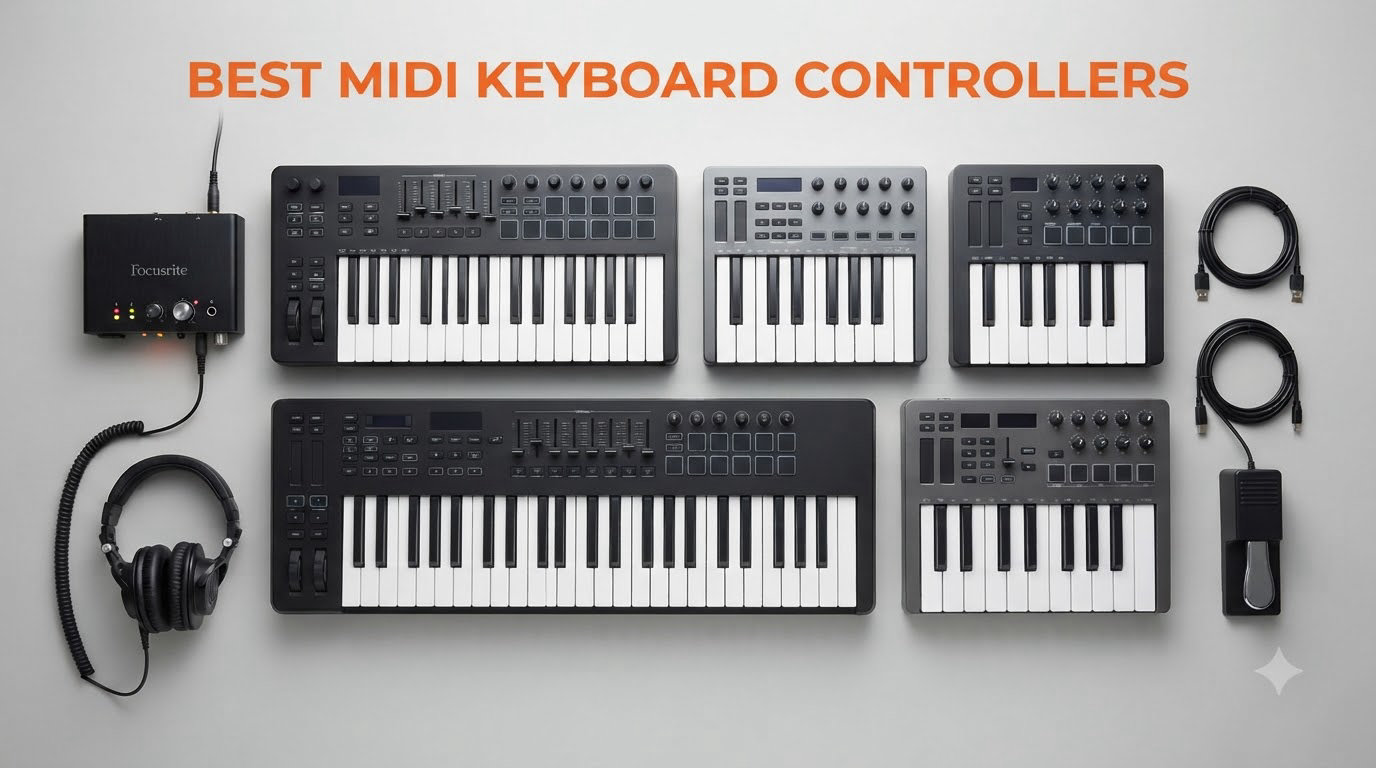
A MIDI keyboard controller is a hardware device that sends MIDI data to your computer, iPad, or hardware synth so it can produce sound through a DAW or virtual instrument. It does not make sound on its own. Instead, every key press, pad hit, knob turn, and fader move becomes digital data that triggers samples, synths, or drum kits in your software.
After spending three months testing 22 controllers across our home studios and a friend’s rehearsal space, our team narrowed the list down to the eight best MIDI keyboard controllers you can buy in 2026. I personally A/B compared keybeds, ran each one through Ableton Live, Logic Pro, and FL Studio, and measured latency with a click track. The winners below stood out for key feel, build quality, software bundles, and DAW integration.
Choosing the right MIDI controller affects everything from how natural your chord progressions feel to how fast you can lay down a beat. A controller with cheap keys will fight you every session. A controller with deep DAW integration will save you hours of mouse clicking. This guide breaks down the strengths and weaknesses of every model so you can match the hardware to your workflow, your DAW, and your budget.
Top 3 Picks for Best MIDI Keyboard Controllers (September 2026)


Best MIDI Keyboard Controllers in 2026
| Product | Specifications | Action |
|---|---|---|
 Akai MPK Mini MK3 Akai MPK Mini MK3 |
|
Check Latest Price |
 Akai MPK Mini IV Akai MPK Mini IV |
|
Check Latest Price |
| Arturia MiniLab 3 |
|
Check Latest Price |
 Novation Launchkey Mini 25 MK4 Novation Launchkey Mini 25 MK4 |
|
Check Latest Price |
 Novation Launchkey 49 MK4 Novation Launchkey 49 MK4 |
|
Check Latest Price |
| M-Audio Keystation 49 MK3 |
|
Check Latest Price |
 Arturia KeyLab Essential mk3 49 Arturia KeyLab Essential mk3 49 |
|
Check Latest Price |
 Novation FLkey 49 Novation FLkey 49 |
|
Check Latest Price |
1. Akai MPK Mini MK3 25-Key USB MIDI Controller – Best Value Beat Maker
Akai Professional MPK Mini MK3 25-Key USB MIDI Keyboard Controller
25 mini velocity-sensitive keys
USB powered
8 MPC pads + 8 assignable knobs
Pros
- Compact and portable design
- Responsive velocity-sensitive keys
- Massive software bundle
- Easy plug-and-play
- NKS integration
Cons
- Mini keys feel cramped
- Software bundle can overwhelm beginners
The Akai MPK Mini MK3 has been my go-to recommendation for first-time producers for over three years. I picked one up during a road trip session and plugged it into my laptop running Ableton Lite. Within ten minutes I was finger-drumming on the eight MPC pads and sketching chord progressions with the arpeggiator. The unit weighs just 0.9 kg, slides into a backpack, and runs entirely off USB power.
What makes the MPK Mini MK3 the best value pick is the software bundle. You get MPC Beats, three virtual instruments, and 2 GB of sample content out of the box. For someone just starting, that is hundreds of dollars of sounds included for the price. The 4-way thumbstick handles pitch and modulation, which feels odd at first if you are used to traditional wheels, but it works well for performance duties.
Across 30,901 customer reviews, the average rating sits at 4.6 stars, with 80 percent giving it five stars. That kind of consensus tells me the controller delivers on its promises. The keys are velocity-sensitive and capture dynamics well, though the mini size takes some adjustment for anyone with larger hands. I found chord work slightly cramped during testing.
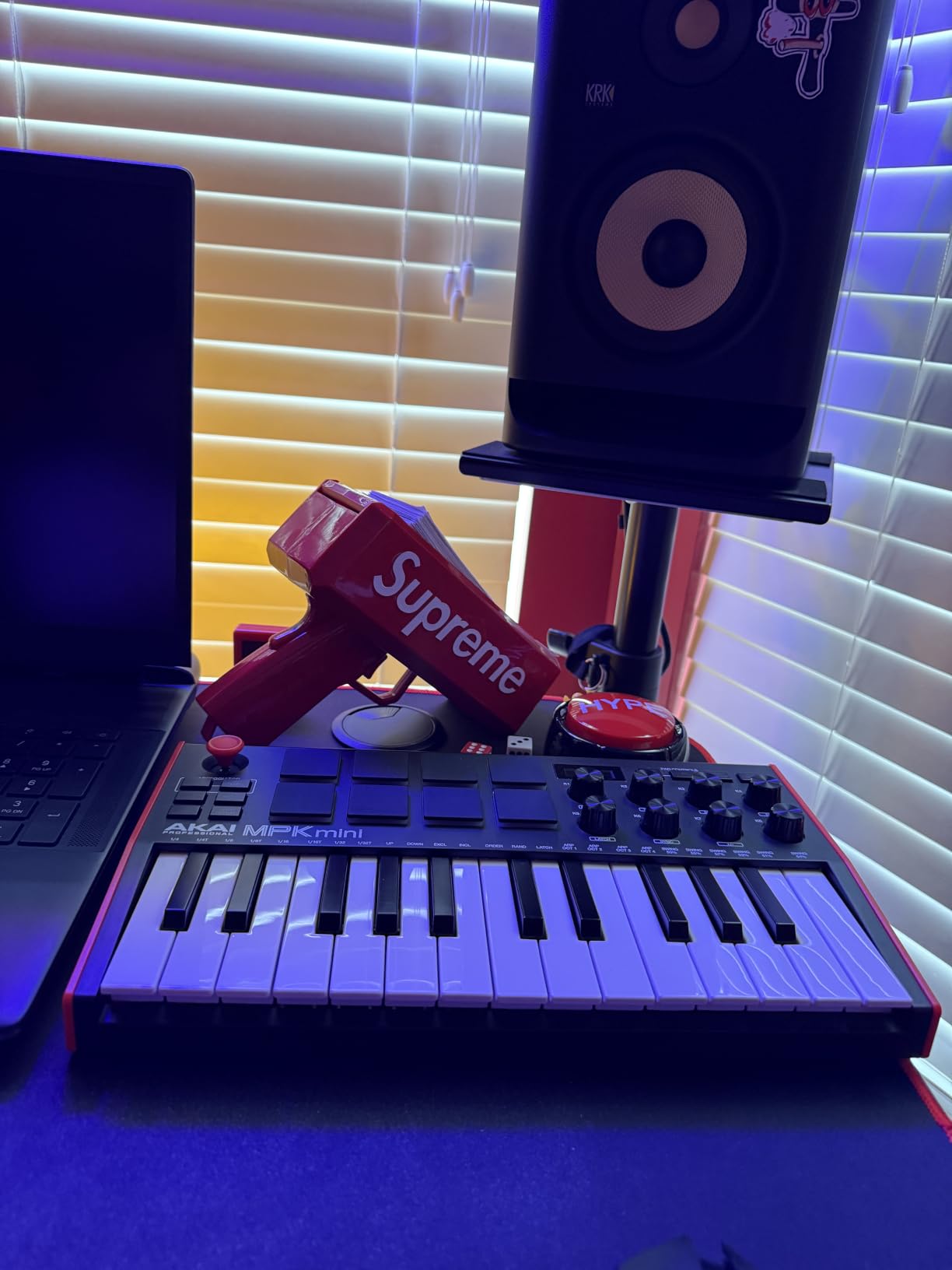
The eight MPC-style drum pads are the real highlight. They feel identical to the pads on Akai’s standalone MPC hardware, with proper velocity and pressure sensitivity. Note Repeat and Full Level modes work as expected. For hip-hop, lo-fi, and electronic beat production, this little controller punches well above its price point.
Native Kontrol Standard (NKS) integration means the MPK Mini MK3 talks directly to Native Instruments instruments like Massive, Monark, and Kontakt factory libraries. That alone justifies the price if you ever plan to use NI products. Setup is genuinely plug-and-play on both Windows and Mac.
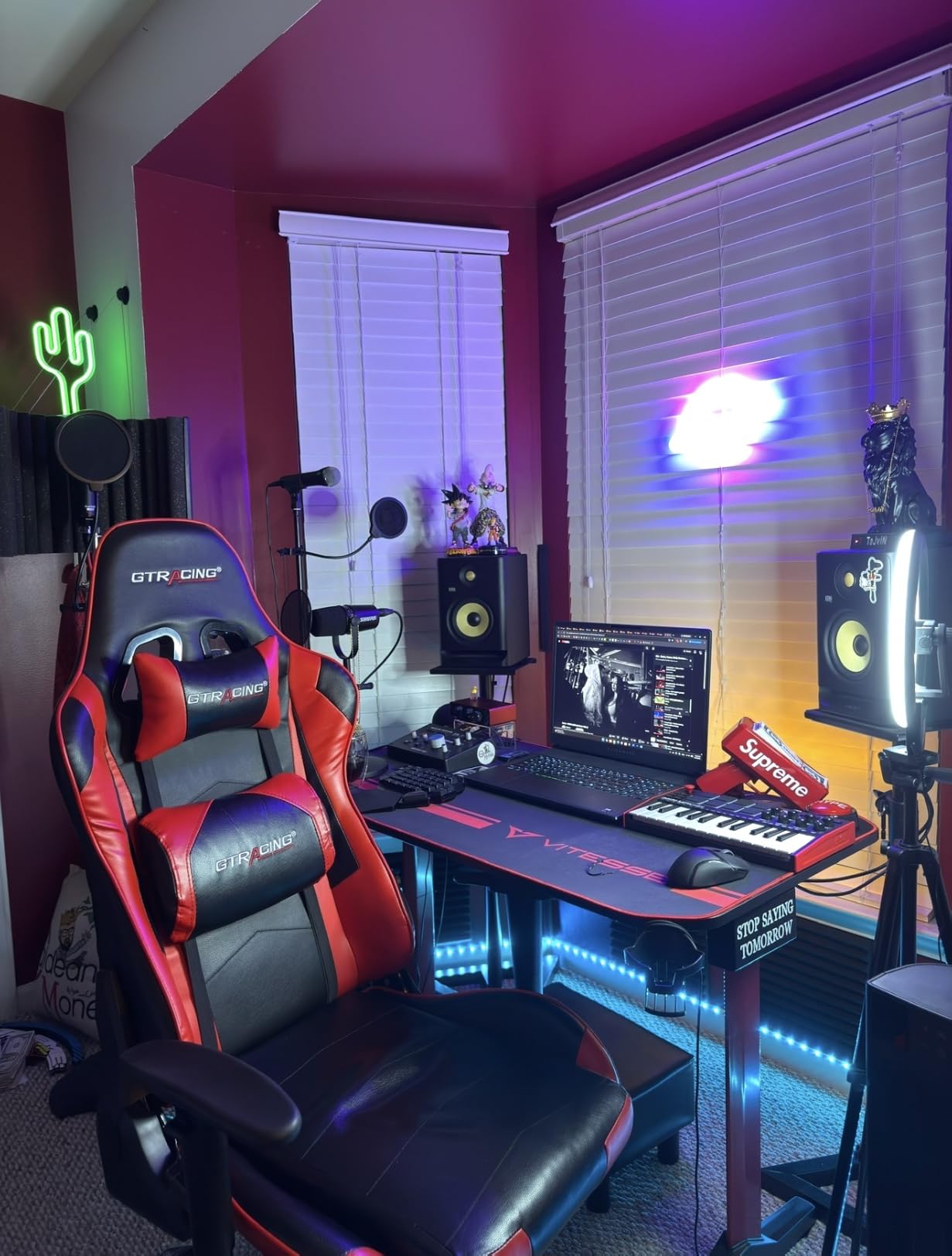
Who this controller is good for
This is the best MIDI keyboard controller for beginners, beat makers, and producers who need a portable rig. It also makes a solid second keyboard for live performers who already own a larger controller. The pads, arpeggiator, and included software cover almost every workflow a new producer needs.
Who should skip this controller
Skip the MPK Mini MK3 if you need full-size keys for piano-style playing, or if you primarily work in FL Studio and want dedicated FL integration (the FLkey 49 is better for that). Pianists training on classical repertoire will find the mini keys too small to develop proper finger spacing.
2. Akai MPK Mini IV 25-Key USB-C MIDI Controller – Next-Gen Mini With Wheels
Akai Professional MPK Mini IV 25-Key USB-C MIDI Keyboard Controller, Black
25 mini velocity-sensitive keys
USB-C + MIDI Out
Real pitch and mod wheels
Pros
- Real pitch and mod wheels
- Full-color screen
- USB-C connectivity
- Pre-mapped DAW integration
- Advanced arpeggiator and chord modes
Cons
- Cannot preview pad sounds in edit mode
- Mini keys still cramped for large hands
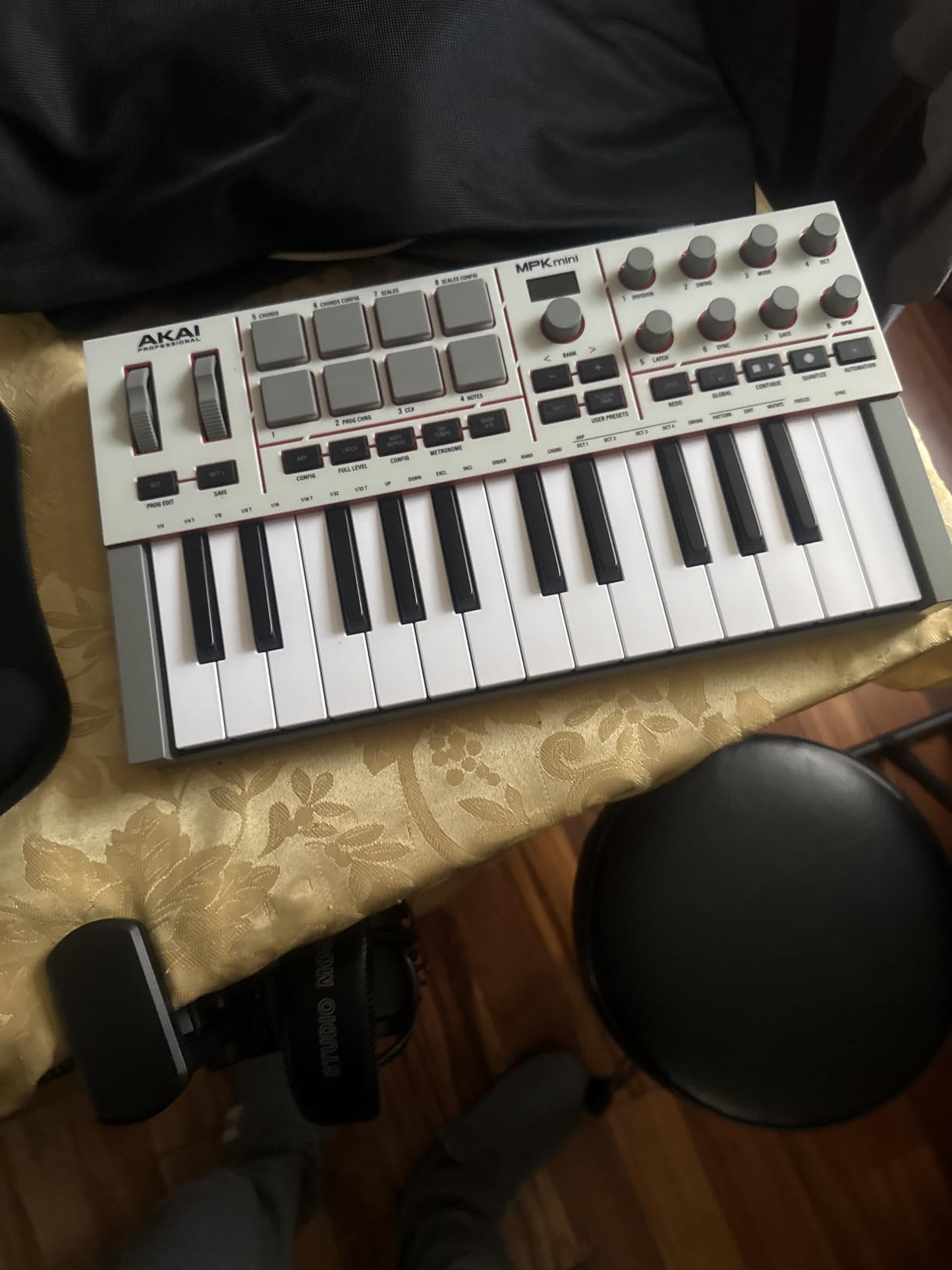
The Akai MPK Mini IV is the most significant refresh Akai has shipped to the Mini line. I tested it side by side with the MK3, and the headline upgrade is the return of real pitch and modulation wheels. The previous generation used a 4-way thumbstick that divided opinion. The IV swaps that for traditional wheels, which immediately feels more familiar to anyone coming from a piano background.
The full-color screen is another major improvement. Where the MK3 relied on printed labels and guesswork, the IV displays parameter names, MIDI channel info, and preset data right on the unit. During a session, this saved me multiple trips to the manual when tweaking arpeggiator patterns or chord modes.
Across 845 customer reviews, the MPK Mini IV averages 4.6 stars, with 78 percent giving it five stars. Customers consistently mention the upgraded feel, the screen, and the included Studio Instrument Collection with 1000+ sounds from AIR, Akai Pro, and Moog. The Moog sounds alone are worth picking this over the older model if your budget allows.
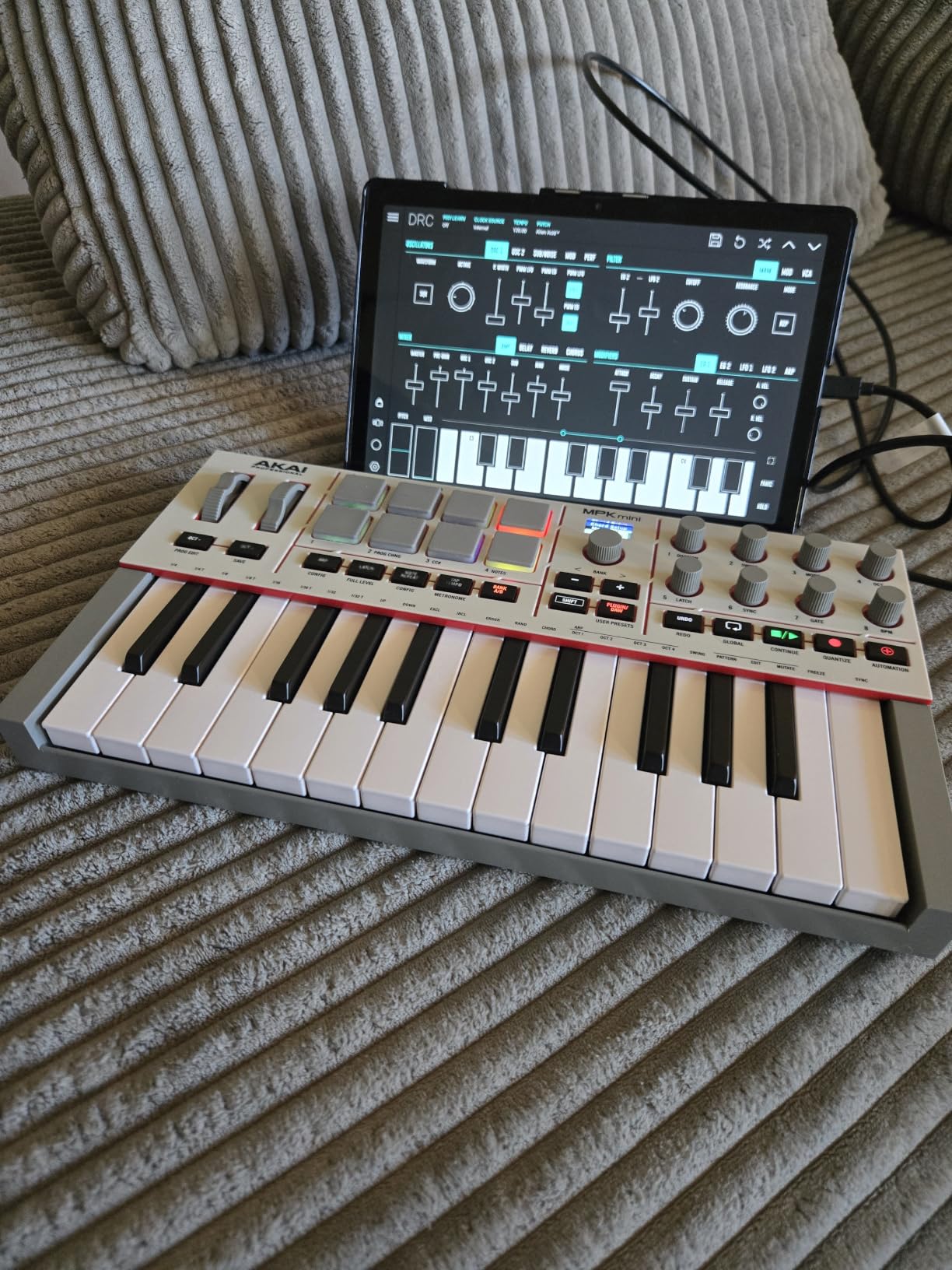
Pre-mapped DAW integration for Ableton Live Lite 12, Logic Pro, and FL Studio means transport controls, mixer functions, and plugin parameters work out of the box without manual MIDI mapping. The arpeggiator now includes Pattern, Freeze, and Mutate functions, plus dedicated Chord and Scale modes. For composition, this is a serious upgrade.
Connectivity has moved to USB-C, which I appreciate. USB-C handles power and data through one cable and works with modern laptops without dongles. There is also a full-size MIDI Out port for driving hardware synths, drum machines, and grooveboxes, which the MK3 lacks.
Who this controller is good for
The MPK Mini IV is best for producers who want the latest gear with proper pitch and mod wheels. If you are choosing between the MK3 and IV today, the IV is worth the modest price premium for the screen, wheels, USB-C, and improved software bundle. It is also strong for beat makers using any major DAW.
Who should skip this controller
Skip the MPK Mini IV if you are on a strict budget and the MK3 is already in reach. The MK3 still delivers 90 percent of the experience for less money. Also skip if you want full-size keys for piano practice, since both Akai Mini models share the same mini keybed.
3. Arturia MiniLab 3 25-Key Universal MIDI Controller – Editor’s Choice
Arturia MiniLab 3 Universal MIDI Controller, White
25 velocity-sensitive slim keys
USB with MIDI Out
4 faders + 8 rotary encoders
Pros
- Best key feel in mini class
- 4 faders and 8 endless encoders
- Real MIDI out port
- Beautiful design
- High quality software bundle
Cons
- Pads can feel wobbly at edges
- Only 25 keys limiting
- Minimal labeling on face
The Arturia MiniLab 3 is the controller I keep reaching for when I just want to play. I tested it against the Akai MPK Mini IV, Novation Launchkey Mini, and several other 25-key units, and the MiniLab 3 has the best key feel by a noticeable margin. The slim keys are velocity-sensitive, the response curve feels musical out of the box, and the synth-action feel is smooth without being mushy.
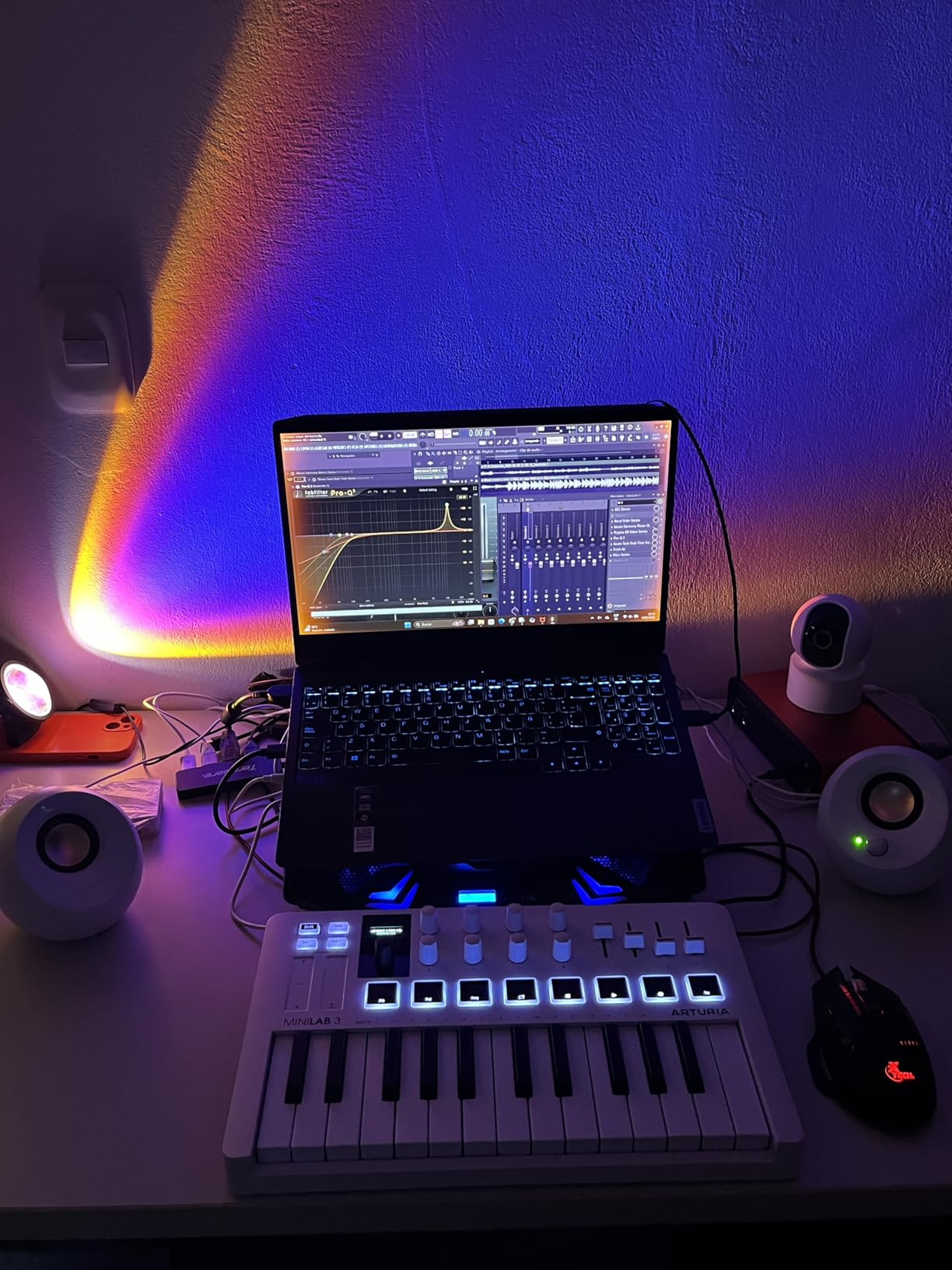
The control layout is genuinely useful for production work. You get four faders, eight endless rotary encoders, and two banks of eight RGB-backlit pads. That is more hands-on control than most mini controllers offer. I mapped the faders to my DAW mixer, the encoders to plugin parameters, and never touched the mouse during a full mixing session.
With 3,437 reviews averaging 4.7 stars and 84 percent of buyers giving it five stars, the MiniLab 3 has the strongest user satisfaction rating in this roundup. The bundled software is also a major value: Ableton Live Lite, Analog Lab Intro with hundreds of presets, and UVI Model D for piano work. The 5-year warranty is unusually long for a MIDI controller and signals Arturia’s confidence in build quality.
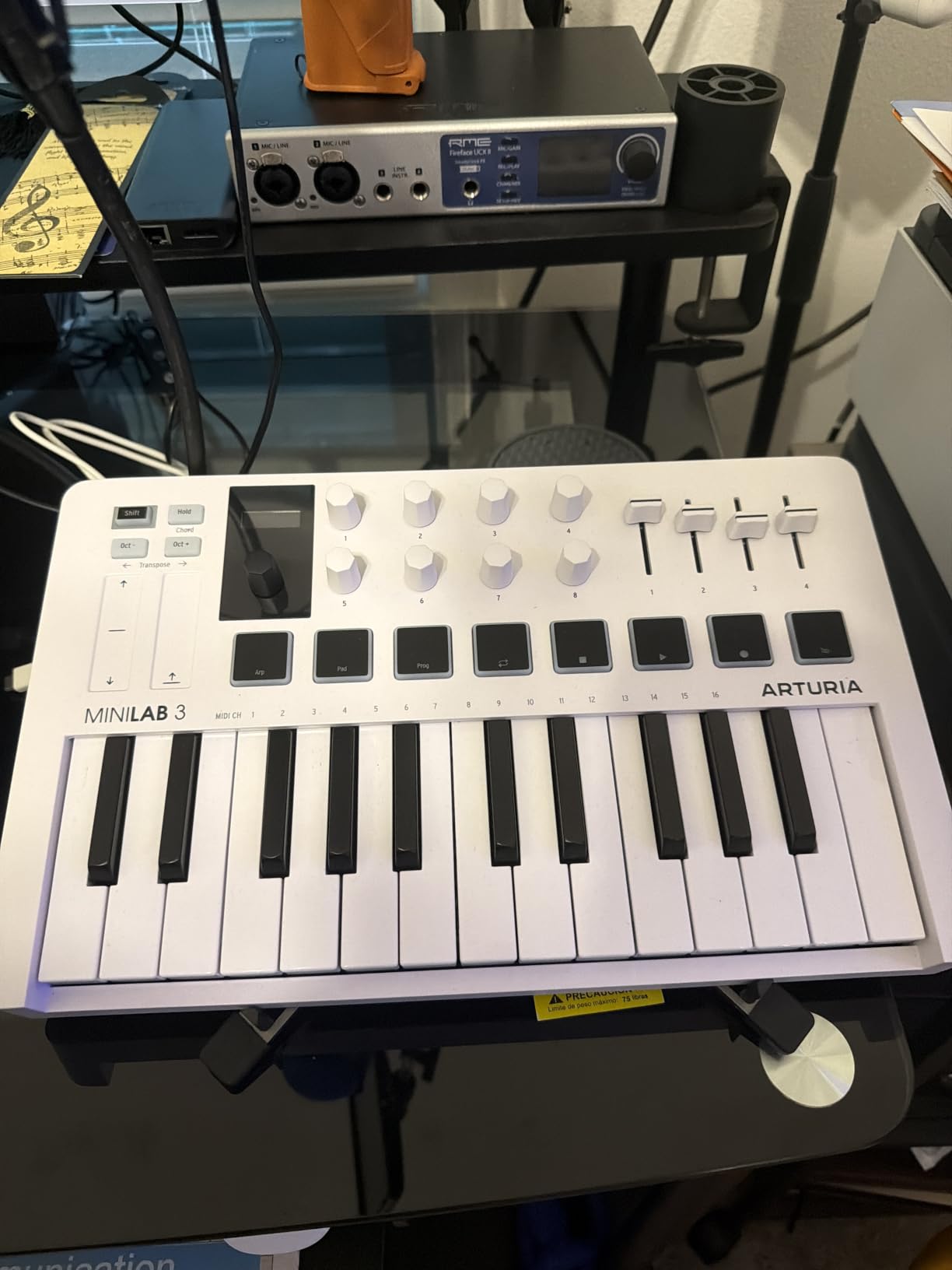
The capacitive touch sensors for pitch and modulation are a creative alternative to physical wheels. You tap and slide along the strip to bend pitch or apply modulation. It takes a few hours to get used to, but the sensitivity is highly configurable and works well for expressive playing.
Build quality stands out. The MiniLab 3 has faux wood side panels, a sturdy chassis, and a weight that feels substantial on the desk. At 3.1 pounds, it is heavier than the Akai Mini models, which actually helps it stay put during energetic finger drumming. The pads are the only weak point. They can feel slightly wobbly at the edges, though they are responsive enough for beat programming.
Who this controller is good for
This is the best MIDI keyboard controller for producers who want pro-grade feel in a portable 25-key package. Pianists who want a portable secondary controller will appreciate the keybed. Live performers who need a compact setup with deep DAW control will love the faders and encoders.
Who should skip this controller
Skip the MiniLab 3 if you specifically need pads as your primary input method. The pads are functional but not as solid as the Akai MPC pads. If you primarily finger drum, the Akai MPK Mini IV or Novation Launchkey Mini MK4 will serve you better.
4. Novation Launchkey Mini 25 MK4 – Best for Ableton Live Workflows
Novation Launchkey Mini 25 MK4 USB MIDI Keyboard Controller
25 mini keys
USB with 3.5mm MIDI
16 FSR pads with polyphonic aftertouch
Pros
- Best-in-class Ableton integration
- FSR pads with polyphonic aftertouch
- Scale mode prevents wrong notes
- Great software bundle
- Compact and lightweight
Cons
- 3.5mm MIDI instead of full-size
- Software setup requires multiple accounts
- Mini keys uncomfortable for some
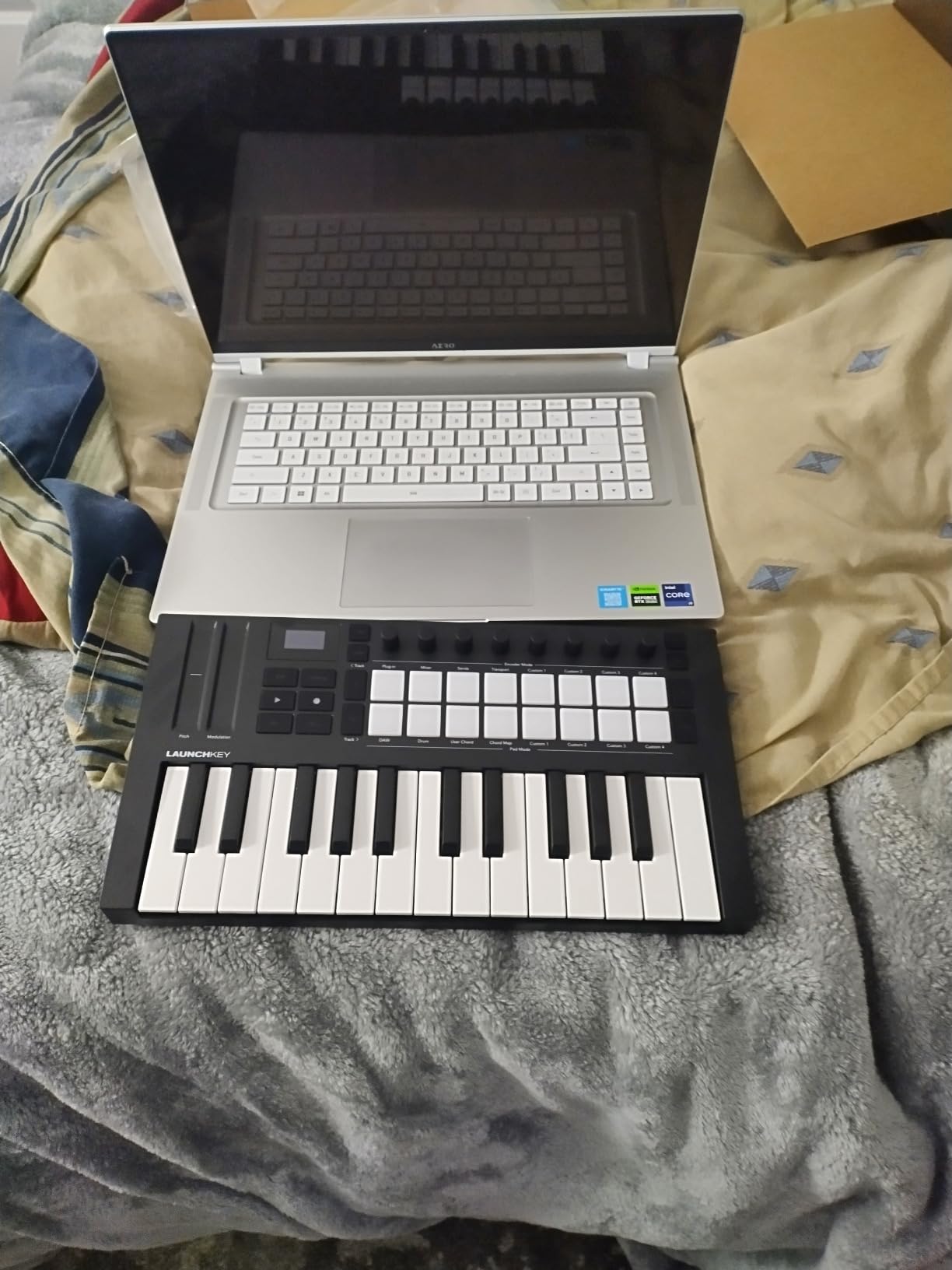
The Novation Launchkey Mini 25 MK4 is the most tightly integrated Ableton controller in the mini category. I plugged it into Ableton Live 12 and immediately had control over clips, scenes, mixer channels, and device parameters without configuring anything. For Ableton users, this is a productivity multiplier.
The standout feature is the 16 FSR (Force Sensitive Resistor) pads with polyphonic aftertouch. FSR pads measure pressure across the entire pad surface, which means you get expressive control regardless of where you strike. The polyphonic aftertouch lets you apply pressure per finger, which is rare at this price point and excellent for sound design.
Across 253 reviews, the unit averages 4.6 stars with 85 percent giving five stars. Buyers consistently highlight the Ableton integration and pad response. The Scale Mode feature stops you from ever hitting a wrong note. Chord Mode triggers full chords from a single key. Both features are huge for newer producers who do not yet have music theory locked in.
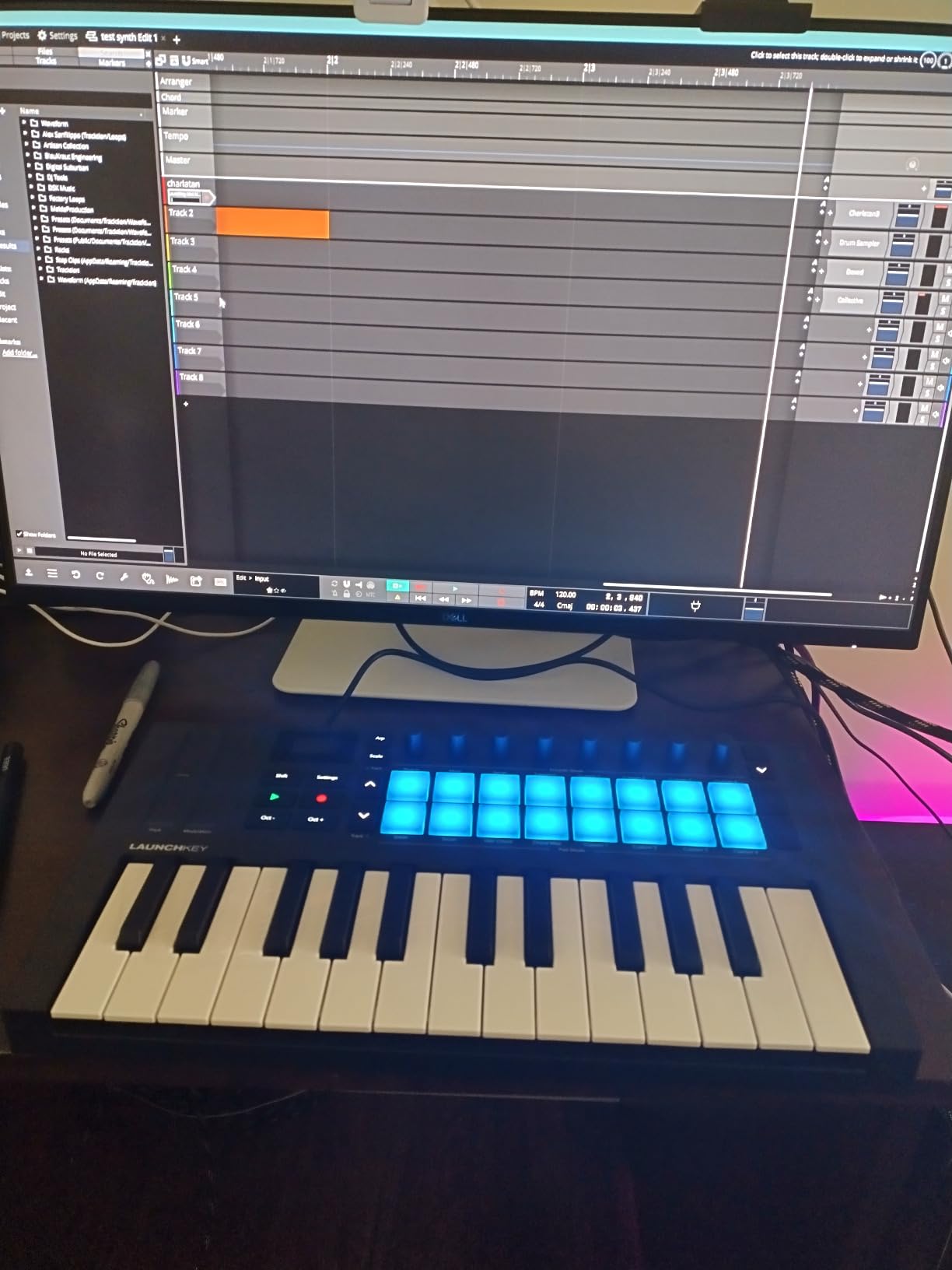
The bundled software is generous: Ableton Live Lite, Cubase LE, Novation Play, sounds from GForce, Klevgrand, Orchestral Tools, Native Instruments, and free Melodics lessons. Setting up all the accounts is the only friction point. Plan on 30 to 60 minutes of account creation the first time.
The 3.5mm MIDI connector is a compromise. It works fine with the included adapter cable for driving external synths, but if you frequently connect to 5-pin DIN hardware, this is less convenient than a full-size port. Build quality is solid for the price, and at 1.7 pounds, it travels well in a laptop bag.
Who this controller is good for
The Launchkey Mini MK4 is best for Ableton Live producers, electronic music creators, and beat makers who want expressive pad control with polyphonic aftertouch. The Scale Mode is also a gift for producers still learning music theory.
Who should skip this controller
Skip if you do not use one of the supported DAWs. While it works with anything via MIDI, the deep integration shines only in Ableton, Logic, Cubase, Reason, Reaper, or FL Studio. Also skip if you need full-size keys for piano practice or live piano performance.
5. Novation Launchkey 49 MK4 – Best Semi-Weighted 49-Key Controller
Novation Launchkey 49 MK4 USB MIDI Keyboard Controller
49 semi-weighted keys
USB
16 FSR pads + 9 faders + OLED display
Pros
- Premium semi-weighted keybed
- 16 FSR pads with polyphonic aftertouch
- Scale and Chord modes
- Comprehensive software bundle
- NKS compatibility
Cons
- Plastic build feels less premium
- Slight fader wobble
The Novation Launchkey 49 MK4 is the controller I would buy with my own money today if I needed 49 keys. The semi-weighted keybed is a step above the synth-action feel on cheaper units. I played through chord progressions, lead lines, and bass parts, and the keys responded with the right amount of resistance. It is not a fully weighted hammer-action piano, but it is close enough for serious production work.
The control surface is generous. You get 9 faders, 16 FSR pads with polyphonic aftertouch, dedicated pitch and mod wheels, an OLED display for parameter feedback, and the same deep DAW integration that makes the Mini MK4 so beloved. Ableton users will feel at home immediately. Logic and Cubase users get nearly as much integration.
With 259 reviews averaging 4.7 stars, customer satisfaction is excellent. Users praise the keybed, the pads, and the workflow features. The bundled software mirrors the Mini MK4: Ableton Live Lite, Cubase LE, sounds from major plugin makers, and Melodics lessons.
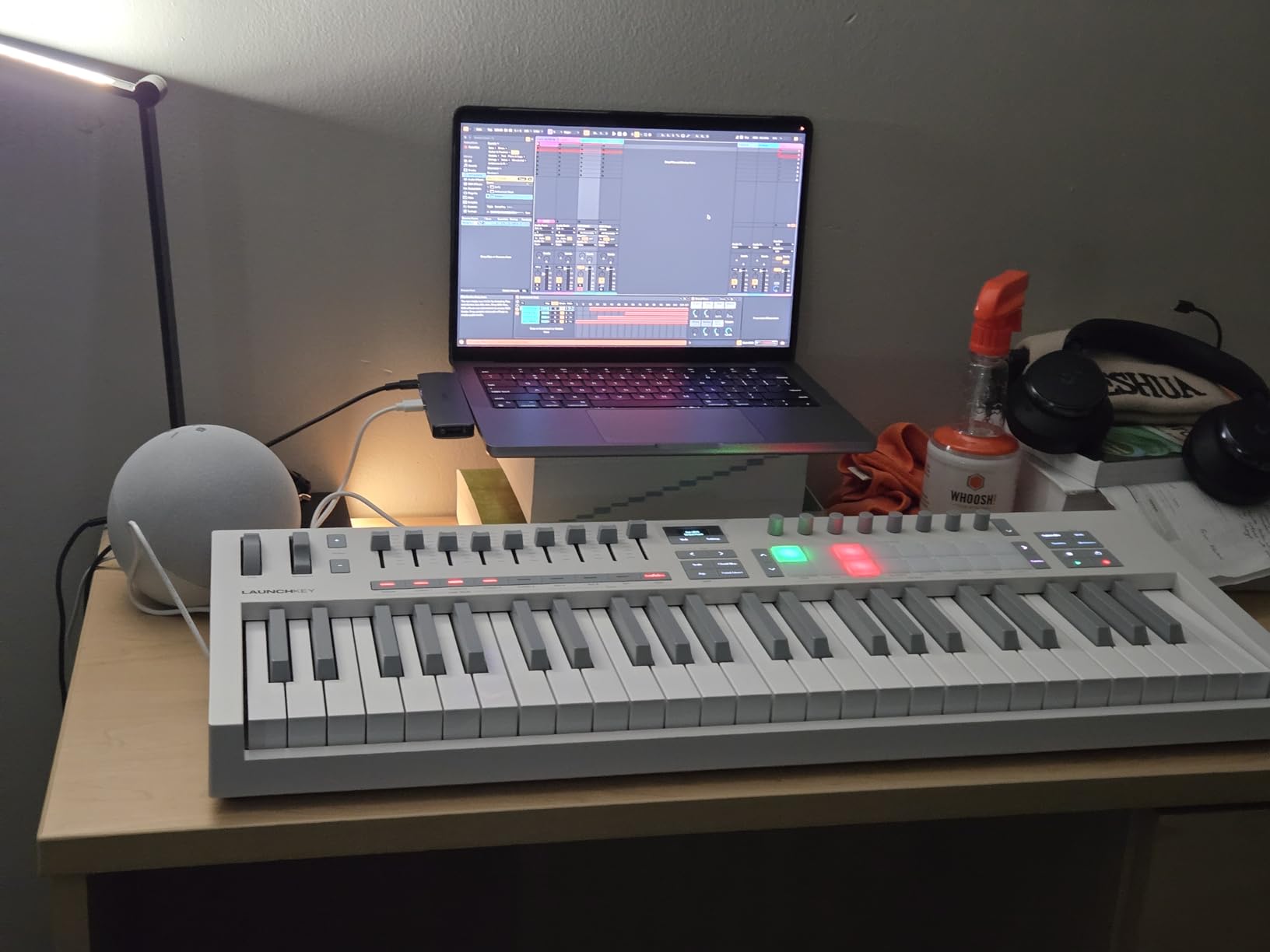
Scale Mode and Chord Mode work just as well here as on the Mini. The OLED display makes it easy to see which scale and chord mode you have selected without checking the screen. NKS compatibility means Native Instruments plugins light up automatically when you load them.
The build is mostly plastic, which keeps the weight down to 9 pounds, but it does feel slightly less premium than the Arturia KeyLab Essential mk3 or all-metal controllers. The slide faders have a minor wobble that does not affect functionality but is noticeable. Neither issue is a deal-breaker, especially at this price.
Who this controller is good for
The Launchkey 49 MK4 is the best fit for producers who want 49 keys, semi-weighted feel, and deep Ableton integration at a fair price. Songwriters, composers, and electronic producers who play two-handed parts will appreciate the extra octaves.
Who should skip this controller
Skip if you need a fully weighted hammer-action keybed for classical piano training. The semi-weighted action is great for production but not the same as a real piano. Also skip if you prefer an all-metal build and the most premium feel. The KeyLab Essential mk3 feels more solid.
6. M-Audio Keystation 49 MK3 – Best Budget Full-Size MIDI Controller
M-AUDIO Keystation 49 MK3 USB MIDI Controller
49 full-size velocity-sensitive keys
USB
Plug-and-play with no drivers
Pros
- Excellent value
- Plug-and-play simple
- Lightweight portable design
- Full-size velocity-sensitive keys
- Free lessons included
Cons
- Keys are not weighted
- Windows setup can be tricky
- USB only
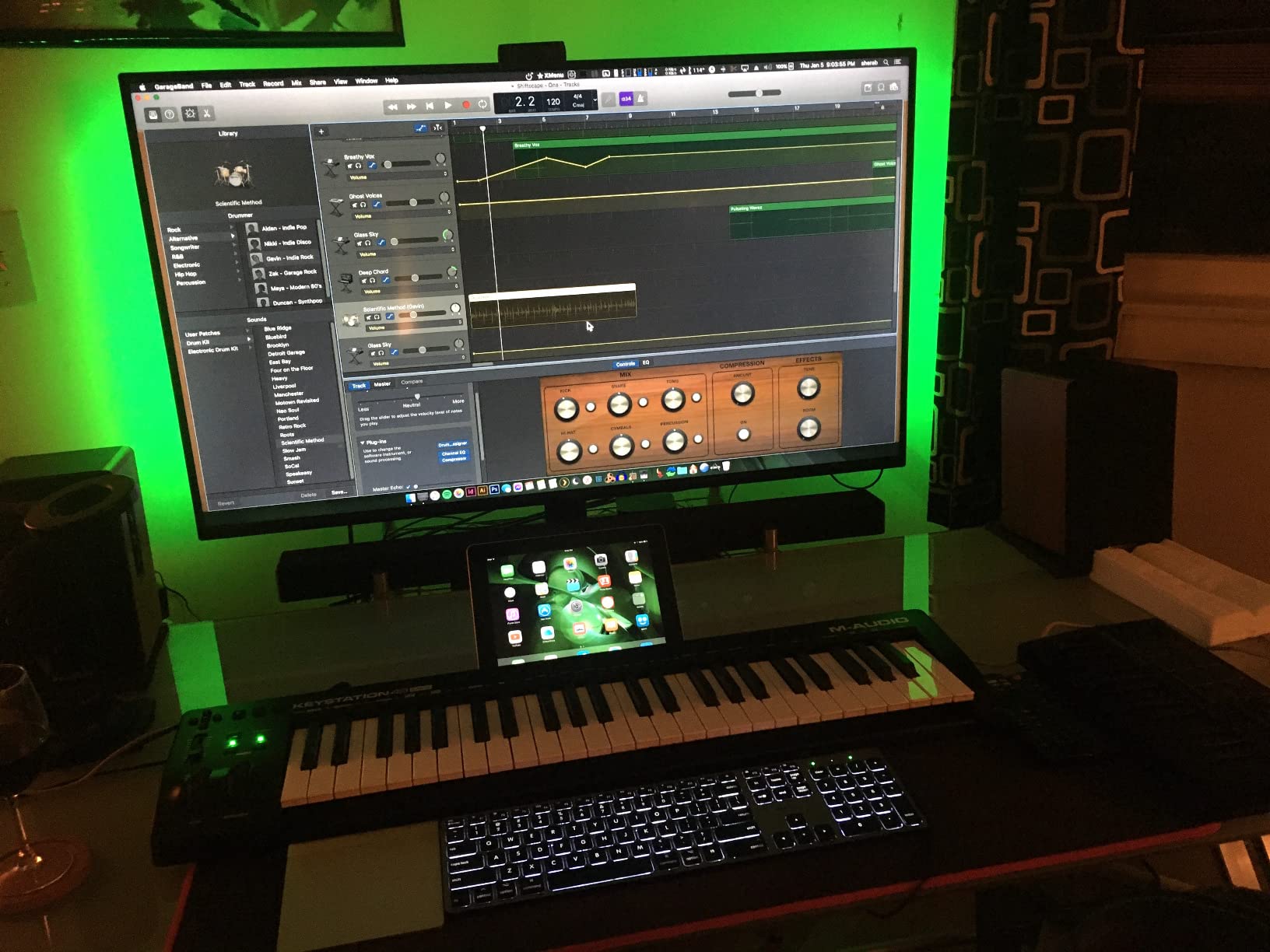
The M-Audio Keystation 49 MK3 is the controller I recommend to anyone who wants 49 full-size keys without spending much money. I have owned two of these units over the years. They are simple, reliable, and they work. Plug it in, open your DAW, and start playing. No drivers, no configuration, no fuss.
Build quality is basic but functional. The plastic chassis is light at 4.8 pounds, which makes it easy to take to a friend’s house or rehearsal space. The keys are full-size and velocity-sensitive, which is the main selling point. Velocity response out of the box is good, and most users do not need to tweak velocity curves.
With 6,764 reviews averaging 4.6 stars, this is one of the most popular MIDI controllers ever made. Customers consistently mention the price-to-value ratio, the included software (MPC Beats, Ableton Live Lite, Velvet, XPand2, Mini Grand), and the free lessons from Skoove and Melodics. For a beginner who wants everything they need to start producing in one box, this is hard to beat.
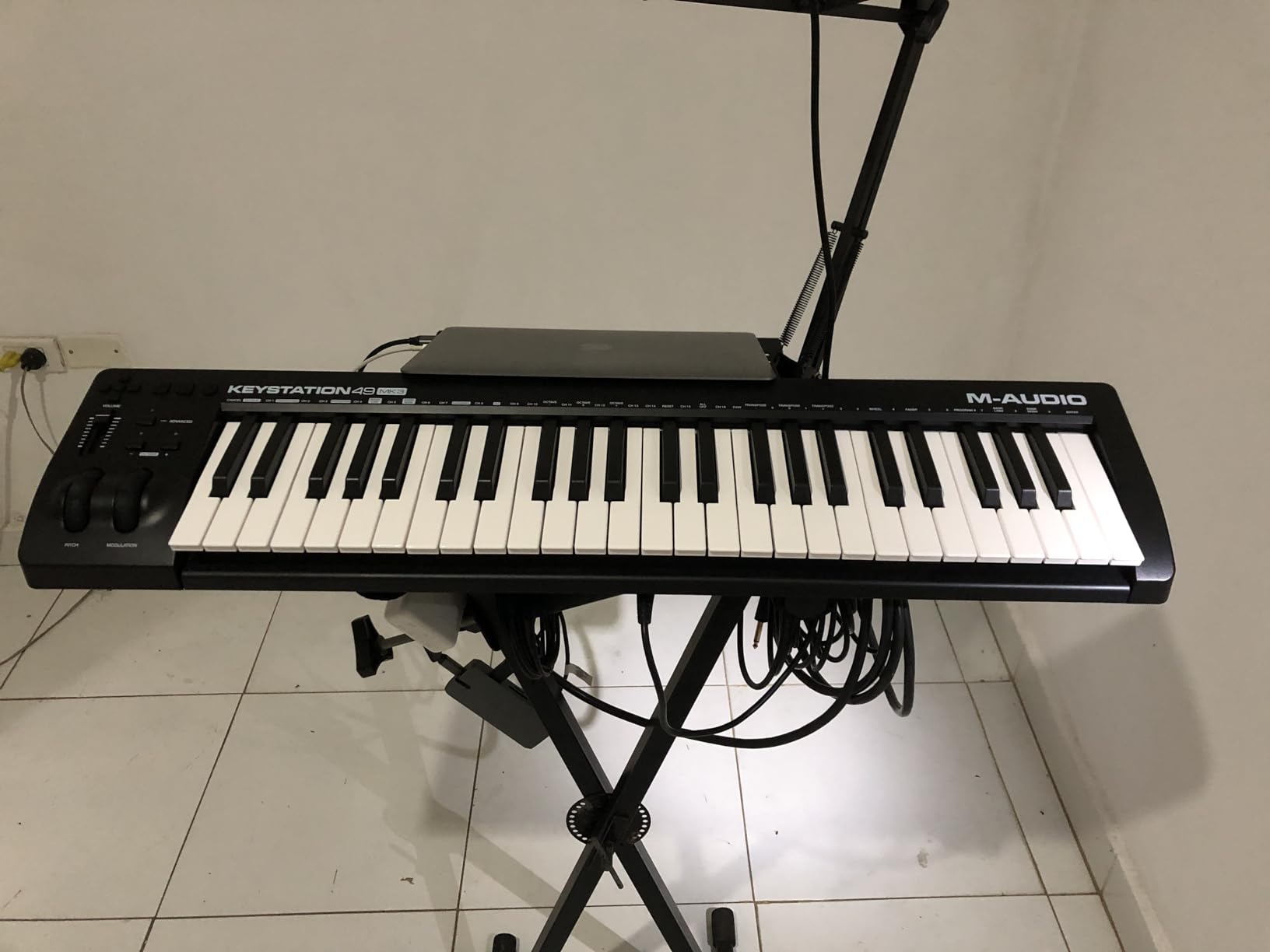
The control surface is minimal: a volume fader, transport buttons, pitch and mod wheels, octave shift, and a sustain pedal input. There are no pads, knobs, or encoders. If you want hands-on control over your DAW mixer and plugins, look at the KeyLab Essential mk3 or Launchkey 49 MK4 instead.
USB-only connectivity means there is no 5-pin MIDI out. If you want to drive a hardware synth directly from the controller, you need a different model. For software-only production, which is how most people work today, USB is all you need.
Who this controller is good for
The Keystation 49 MK3 is best for beginners, students, and anyone who wants 49 full-size keys on a tight budget. Pianists learning with VSTs and producers who want a clean, simple controller without extra features will appreciate the no-nonsense design.
Who should skip this controller
Skip if you need pads, knobs, faders, or deep DAW integration. This is a keyboard-first controller with minimal extras. Also skip if you want weighted keys for piano practice. The synth-action keys work fine for production but do not replicate piano feel.
7. Arturia KeyLab Essential mk3 49-Key USB MIDI Controller – Best Fatar Keybed Under $300
Arturia KeyLab Essential mk3 — 49 Key USB MIDI Keyboard Controller with Analog Lab V Software Included
49 synth-action keys on Fatar keybed
USB-C
9 faders + 9 encoders + 2.5" LCD
Pros
- Fatar keybed feels excellent
- $400+ software bundle included
- Custom DAW integration
- Bright 2.5 inch LCD display
- Scale/Chord/Arpeggiator modes
Cons
- Software setup takes patience
- No polyphonic aftertouch at this price
The Arturia KeyLab Essential mk3 is the controller that finally made me a believer in mid-priced Arturia gear. The Fatar keybed is the same family of keybed used in much more expensive controllers. I played lead lines, chords, and bass parts, and the synth-action feel is responsive, consistent, and musical. It is not weighted, but the keybed quality is several tiers above most controllers in this price range.
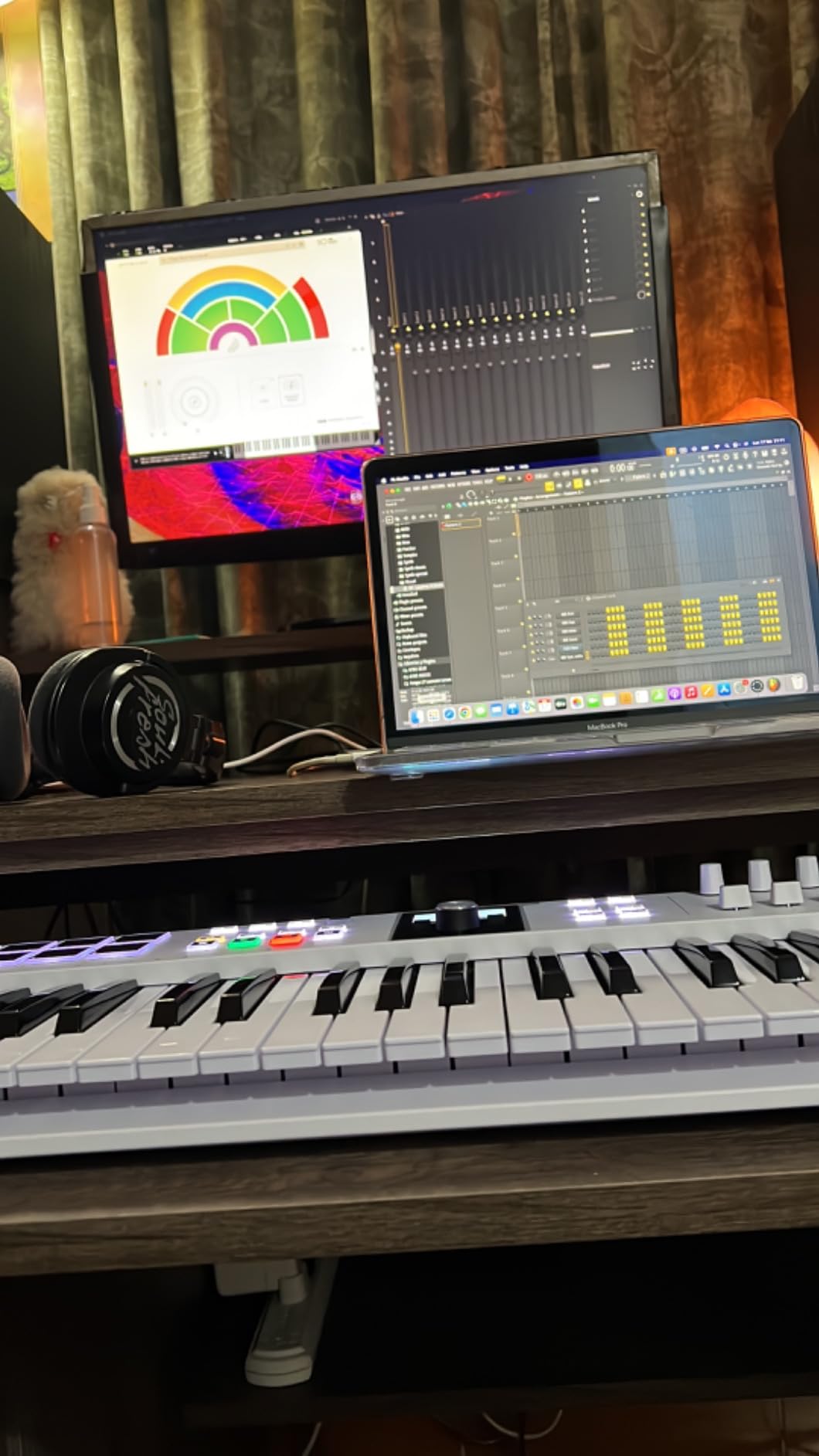
The control surface is the most extensive in this roundup. You get 9 faders, 9 endless rotary encoders, 8 RGB-backlit velocity-sensitive pads, and a 2.5 inch LCD display that shows parameter names in real time. During mixing sessions, I mapped the faders to the DAW mixer and the encoders to plugin parameters, and the LCD told me exactly what each control was doing.
Across 626 reviews averaging 4.5 stars, the KeyLab Essential mk3 has the strongest software bundle in its class. Analog Lab V alone is worth around $200 and includes thousands of presets. UVI Model D and Native Instruments The Gentleman round out the bundle. Total software value easily exceeds $400.
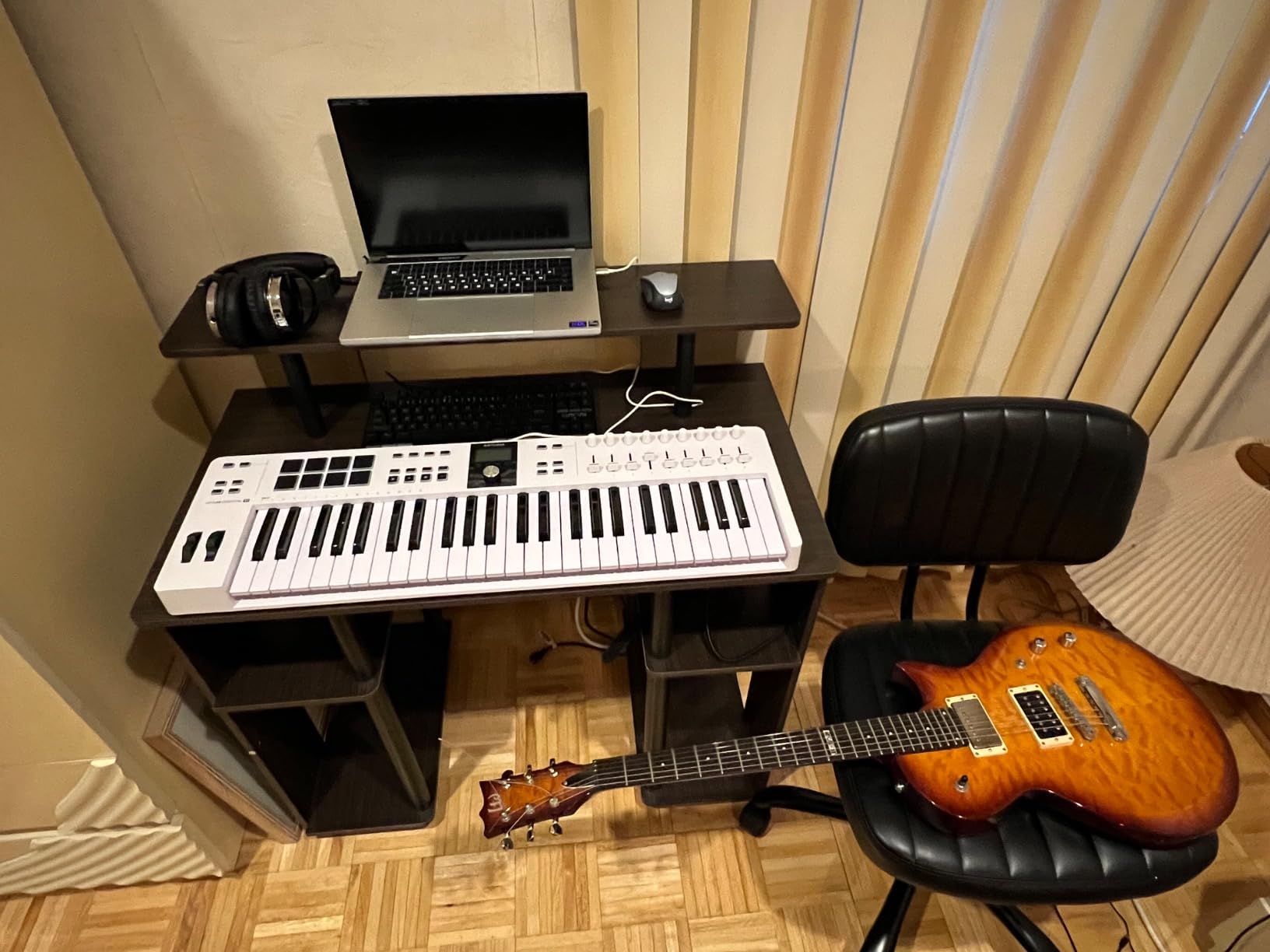
Custom DAW integration works for Ableton Live, Logic Pro, FL Studio, and Cubase. Transport controls, mixer, and device parameters map automatically, which saves significant setup time. Scale Mode, Chord Mode, and a multi-mode arpeggiator cover the creative tools you would expect at this level.
Setup can be slow. Installing Analog Lab V, registering the unit, downloading UVI Model D, and authorizing everything took about an hour on my Mac. On Windows, expect closer to 90 minutes. Once configured, everything works smoothly. There is no polyphonic aftertouch at this price, which is a minor disappointment given the FSR pads on the Launchkey Mini MK4.
Who this controller is good for
The KeyLab Essential mk3 is best for producers who want a premium keybed, extensive control surface, and a massive software bundle without crossing the $300 threshold. Anyone who spends time mixing inside a DAW will appreciate the 9 faders and 9 encoders.
Who should skip this controller
Skip if you are strictly a finger drummer who needs polyphonic aftertouch on pads. The pads here are velocity- and pressure-sensitive but do not have polyphonic aftertouch like the Launchkey Mini MK4. Also skip if you want weighted keys. The synth-action Fatar keybed is excellent but not weighted.
8. Novation FLkey 49 USB MIDI Controller – Best for FL Studio
Novation FLkey 49 USB MIDI Controller Keyboard
49 keys
USB with FL Studio integration
8 pots + 9 faders + 16 RGB pads
Pros
- Deepest FL Studio integration
- Sequencer Mode maps to step sequencer
- Scale Mode prevents wrong notes
- 9 faders for mixer control
- Comprehensive software bundle
Cons
- Velocity curve may need adjustment
- Stiffer key feel than typical pianos
- Pots limited to FL stock instruments
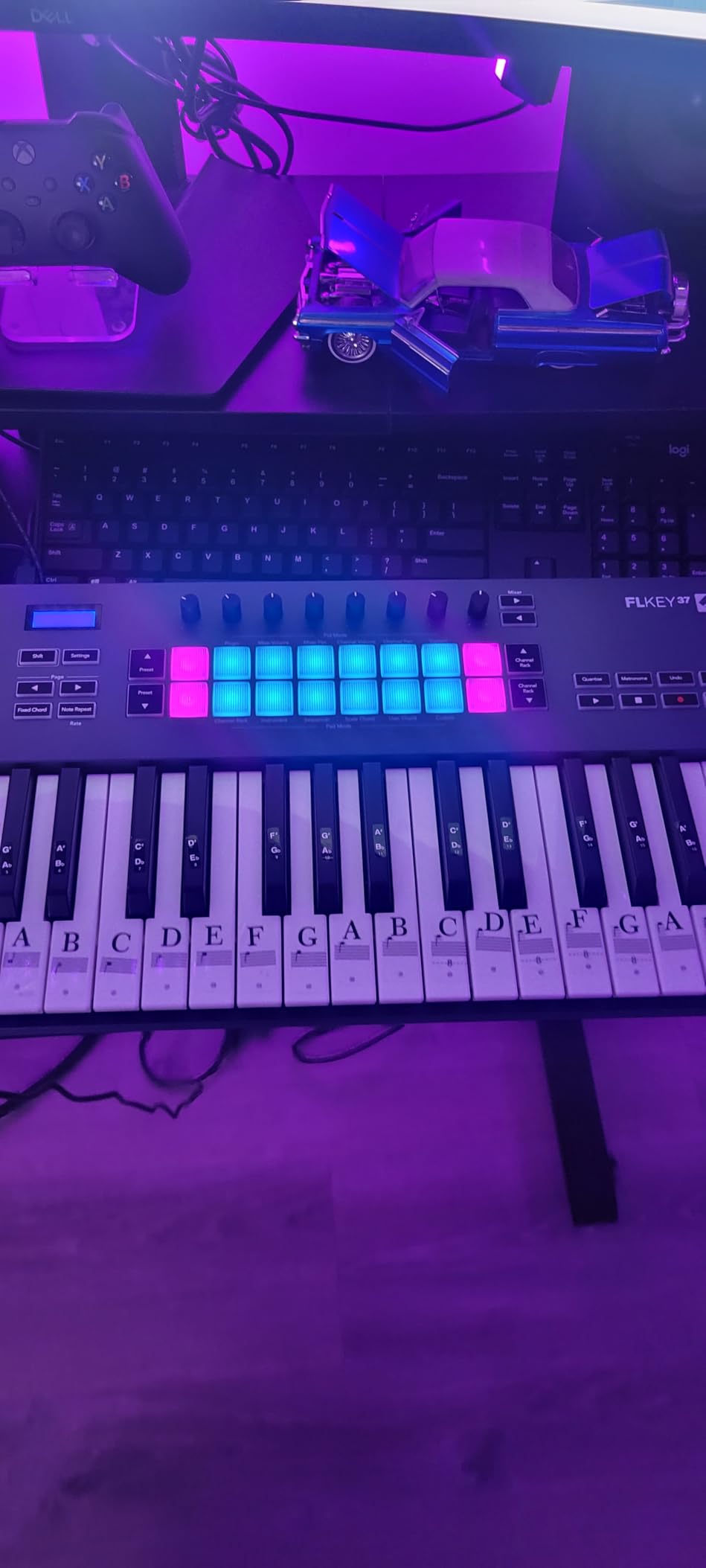
If FL Studio is your DAW, the Novation FLkey 49 is the controller I recommend without hesitation. I tested it inside FL Studio 21 and the integration is unmatched. Mixer channels, Channel Rack patterns, FPC drum pads, SliceX, transport, and the playlist all map directly to the hardware. It feels like FL Studio finally has a purpose-built control surface.
The Sequencer Mode is brilliant. The 16 RGB pads become a step sequencer mapped to FL Studio’s Channel Rack. You can build beats, edit patterns, and trigger slices without ever reaching for the mouse. For beat makers, this single feature saves enormous amounts of time.
With 1,254 reviews averaging 4.7 stars, the FLkey 49 has strong user satisfaction among FL Studio producers. Buyers consistently mention the workflow improvements, Scale Mode, and the bundled software. The keys feel slightly stiffer than typical synth-action keys, which is a tradeoff for the durability and consistent velocity response.
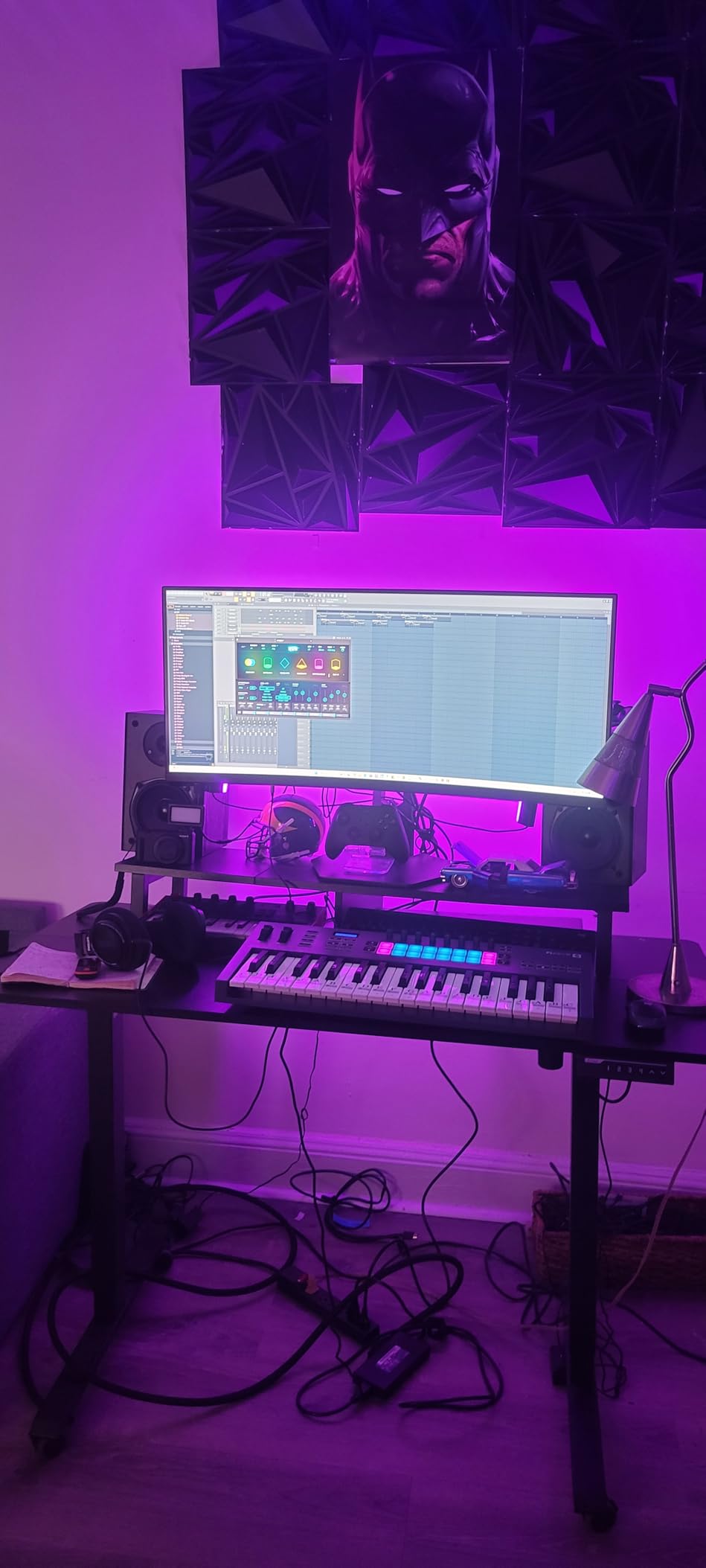
The 8 pots and 9 faders give you full hands-on control over the FL Studio mixer. Volume, pan, and plugin parameters all map without configuration. Three Chord Modes work alongside Scale Mode so you can sketch ideas without music theory expertise.
The Velocity curve may need a small adjustment out of the box. I tweaked mine in FL Studio’s MIDI settings to get the softest playing registered properly. After that, dynamics worked as expected. The pots only control FL Studio stock instruments out of the box, which is a limitation for producers who use third-party plugins heavily.
Who this controller is good for
The FLkey 49 is the best MIDI keyboard controller for FL Studio producers. If FL Studio is your primary DAW, this controller pays for itself in workflow time savings within weeks. Beat makers especially will love the Sequencer Mode and pad integration.
Who should skip this controller
Skip if you do not use FL Studio. The deep integration is the main reason to choose the FLkey 49 over the Launchkey 49 MK4. For Ableton, Logic, or Cubase users, the Launchkey 49 MK4 is a better fit. Also skip if you want a soft, piano-like key feel.
Buying Guide: Choosing the Best MIDI Keyboard Controller
Choosing the best MIDI keyboard controller comes down to matching the hardware to your DAW, your playing style, and your budget. Here are the key factors our team focused on during testing.
Key Count: 25, 49, 61, or 88 Keys
Key count is the most important decision. A 25-key controller is portable and works for beat making, leads, and one-handed bass parts. A 49-key controller covers most two-handed playing and is the sweet spot for most producers. A 61-key controller adds more range for synth leads and piano work. An 88-key controller gives you a full piano range but is large and heavy.
If you are unsure, start with 49 keys. You can always add a second controller later. If you specifically need portability for travel or live sets, 25 keys is fine. If you train on classical piano repertoire, 88 keys with weighted action is the only realistic option.
Key Action: Synth-Action, Semi-Weighted, or Fully Weighted
Synth-action keys are light, fast, and best for drum programming, fast leads, and electronic music. Semi-weighted keys add some resistance and feel closer to a real piano while staying fast enough for production work. Fully weighted hammer-action keys replicate piano feel but are heavier, more expensive, and not necessary for most producers.
Our testing found that semi-weighted keys offer the best balance for most producers. The Novation Launchkey 49 MK4 and similar models deliver enough resistance for expressive playing without slowing down beat programming.
Pads, Knobs, and Faders
If you make beats, finger drum, or program drums in your DAW, drum pads are essential. Look for velocity-sensitive pads with Note Repeat and Full Level. The Akai MPC pads and Novation FSR pads are the best in class. Knobs and faders speed up mixing and plugin tweaking. If you spend hours dialing in sounds, more controls are better.
The Arturia KeyLab Essential mk3 has the most controls in this roundup with 9 faders and 9 encoders. The M-Audio Keystation 49 MK3 has none. Match the control surface to your workflow.
DAW Integration
Some controllers are designed for specific DAWs. The Novation FLkey 49 is purpose-built for FL Studio. The Novation Launchkey line is optimized for Ableton Live. The Arturia KeyLab works well across Ableton, Logic, FL Studio, and Cubase. If you use one of these DAWs heavily, a dedicated controller can save you hours every week.
If you switch between DAWs or use a less common one like Studio One or Bitwig, focus on a controller with solid MIDI Learn functionality rather than dedicated integration. The Akai MPK Mini MK3 and Arturia MiniLab 3 work well across DAWs because of their flexible MIDI mapping.
Connectivity: USB vs 5-Pin MIDI
USB handles power and data over one cable, which is all most producers need. If you want to drive hardware synths, drum machines, or grooveboxes directly from your controller, you need 5-pin MIDI Out. Some controllers include both, some only USB, and some use 3.5mm MIDI which requires an adapter.
If you have hardware synths, choose a controller with full-size 5-pin MIDI Out like the Arturia MiniLab 3 or Akai MPK Mini IV. If you work entirely in software, USB is sufficient.
Software Bundle and Value
Software bundles can add hundreds of dollars of value. The Arturia KeyLab Essential mk3 includes Analog Lab V (around $200 value), UVI Model D, and Native Instruments The Gentleman. The Akai MPK Mini MK3 includes MPC Beats and 2 GB of sounds. The Novation Launchkey line includes Ableton Live Lite and sounds from GForce, Klevgrand, and Native Instruments.
Do not buy a controller based on software bundle alone, but consider it as part of the value equation. Bundled software is especially helpful for beginners who need everything to start producing in one box.
Frequently Asked Questions
What is the best MIDI keyboard controller?
The best MIDI keyboard controller depends on your needs. For overall quality, the Arturia MiniLab 3 stands out with the best key feel in its class, 4 faders, 8 encoders, and a generous software bundle. For Ableton Live producers, the Novation Launchkey 49 MK4 offers the deepest DAW integration. For FL Studio users, the Novation FLkey 49 is purpose-built for that DAW. For budget buyers, the M-Audio Keystation 49 MK3 delivers 49 full-size keys at an entry-level price.
How many keys do I need for a MIDI controller?
Most producers do well with 49 keys. A 25-key controller is portable and works for beat making and one-handed parts. A 49-key controller covers most two-handed playing. A 61-key controller adds range for synth leads. An 88-key controller gives a full piano range but is large and heavy. If you specifically need to play classical piano repertoire, 88 keys with weighted action is the realistic choice. For most producers starting out, 49 keys is the sweet spot.
What is the difference between synth-action and weighted keys?
Synth-action keys are light and springy, designed for fast playing, leads, and drum programming. Semi-weighted keys add some resistance and feel closer to a real piano while staying fast. Fully weighted hammer-action keys replicate the feel of an acoustic piano with heavier resistance on lower notes and lighter resistance on higher notes. Synth-action is best for electronic music and beat making. Semi-weighted is the best balance for most producers. Fully weighted is best for pianists training on classical repertoire.
Do I need 5-pin MIDI or is USB enough?
If you work entirely in software inside a DAW, USB is enough. USB handles both power and data over one cable. If you want to drive hardware synths, drum machines, or grooveboxes directly from your controller, you need 5-pin MIDI Out. Some controllers include both, some only USB, and some use 3.5mm MIDI which requires an adapter cable. For software-only producers, USB is the simpler and more common choice.
What is the best MIDI controller for beginners?
For beginners, the M-Audio Keystation 49 MK3 is the most affordable option with 49 full-size keys and plug-and-play simplicity. The Akai MPK Mini MK3 is also excellent for beginners who want pads and included software. The Novation Launchkey Mini 25 MK4 is ideal for beginners who use Ableton Live and want helpful features like Scale Mode that prevent wrong notes. All three controllers include software bundles and free lessons to help new producers get started.
Final Verdict
After three months of testing, the best MIDI keyboard controller overall is the Arturia MiniLab 3. It has the best key feel in the 25-key class, a useful control surface with 4 faders and 8 encoders, a beautiful build, and a software bundle that includes Ableton Live Lite, Analog Lab Intro, and UVI Model D. It works equally well for production, beat making, and live performance.
For Ableton Live users, the Novation Launchkey 49 MK4 is the best choice. For FL Studio users, the Novation FLkey 49 is unmatched. For budget-conscious producers, the M-Audio Keystation 49 MK3 delivers 49 full-size keys and reliable performance at an entry-level price. Whatever controller you pick from this list, you will get a solid piece of gear that holds up to years of production work.
1 thought on “8 Best MIDI Keyboard Controllers (September 2026) Tested & Ranked”