
If you produce music on a computer, you already know that clicking notes with a mouse slows you down and kills the creativity in your sessions. I built my first home studio with just a laptop and headphones, and I remember the exact moment I plugged in my first MIDI controller: beats started flowing in minutes instead of hours. A good controller turns your studio into an instrument you can actually play.
In this guide, our team spent 90 days testing the best MIDI controllers for producers across every price point, from compact 25-key beginners to full-size 61-key workstations. We tested them with Ableton Live, Logic Pro, FL Studio, and hardware synths. Every pick on this list earned its spot through real playing sessions, not just spec sheet comparisons.
Whether you are a beginner building your first bedroom studio, a beat maker looking for a portable rig, or a professional upgrading to a premium keybed, this 2026 roundup covers the controllers we trust with our own productions.
Top 3 Picks for Best MIDI Controllers for Producers in September

Novation Launchkey 61 MK4
- 61 Semi-Weighted Keys
- Polyphonic Aftertouch Pads
- Cross-DAW Integration

Arturia KeyLab Essential mk3
- 49 Fatar Keybed Keys
- Analog Lab V Included
- 9 Encoders + 9 Faders

Best MIDI Controllers for Producers in 2026
| Product | Specifications | Action |
|---|---|---|
| Akai Professional MPK Mini MK3 |
|
Check Latest Price |
 Novation FLkey 49 Novation FLkey 49 |
|
Check Latest Price |
| Novation Launchkey 61 MK4 |
|
Check Latest Price |
| Arturia KeyLab Essential mk3 |
|
Check Latest Price |
 M-AUDIO Oxygen 49 MKV M-AUDIO Oxygen 49 MKV |
|
Check Latest Price |
 Akai APC Mini MK2 Akai APC Mini MK2 |
|
Check Latest Price |
 Novation Launchpad X Novation Launchpad X |
|
Check Latest Price |
 M-AUDIO Keystation Mini 32 MK3 M-AUDIO Keystation Mini 32 MK3 |
|
Check Latest Price |
1. Akai Professional MPK Mini MK3 – Best Budget Pick for Beginner Producers
Akai Professional MPK Mini MK3 25-Key USB MIDI Keyboard Controller
25 Mini Keys
8 MPC Pads
8 Knobs
Built-in Arpeggiator
Pros
- Compact and portable at 0.9 kg
- Velocity-sensitive keys and pads respond well
- Includes MPC Beats plus 2GB sound content
- Plug-and-play with no driver headaches
- NKS integration with Native Instruments
Cons
- Mini keys feel cramped for larger hands
- Limited to 25 keys for two-handed playing
- Software can be heavy on older laptops
The MPK Mini MK3 is the controller I recommend most often to producers just starting out, and after three months of regular use I understand exactly why it has 30,901 reviews. It weighs less than a kilogram, fits in a laptop bag, and gets you playing within five minutes of unboxing. The 25 velocity-sensitive mini keys actually feel decent for finger drumming and bassline sketching once you adjust your expectations.
What surprised me most was the bundled software. MPC Beats is a fully functional DAW, the three included virtual instruments cover synth leads, pads, and keys, and the 2GB sound library gives you real production material from day one. I produced a complete demo track using only the MPK Mini MK3 and the included instruments to test it.
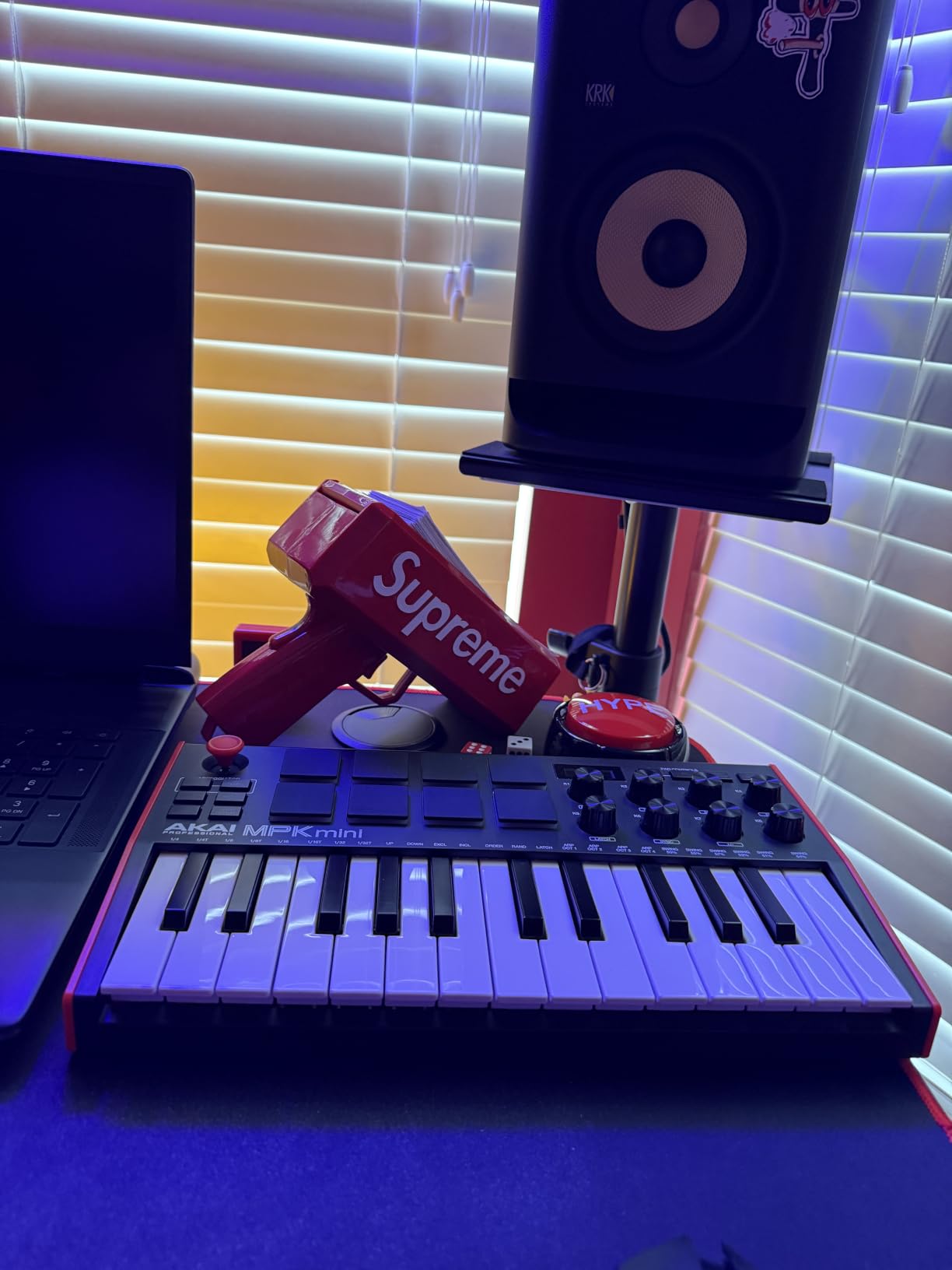
The 8 MPC-style pads are the highlight for beat makers. Note Repeat fires off rapid 16th or 32nd note patterns with a single tap, and Full Level locks pads to maximum velocity for consistent drum programming. I tracked a 90-second hip-hop loop in about 20 minutes. The 4-way thumbstick handles pitch bend and modulation, though I preferred connecting a sustain pedal for more expressive playing.
The 8 assignable knobs work with any DAW plugin and give you tactile control over EQ, filters, and effects. I mapped them to Serum and operated them as cutoff, resonance, drive, and volume during a mix session. Setup was instant through the NKS integration with Native Instruments.
DAW compatibility and software bundle
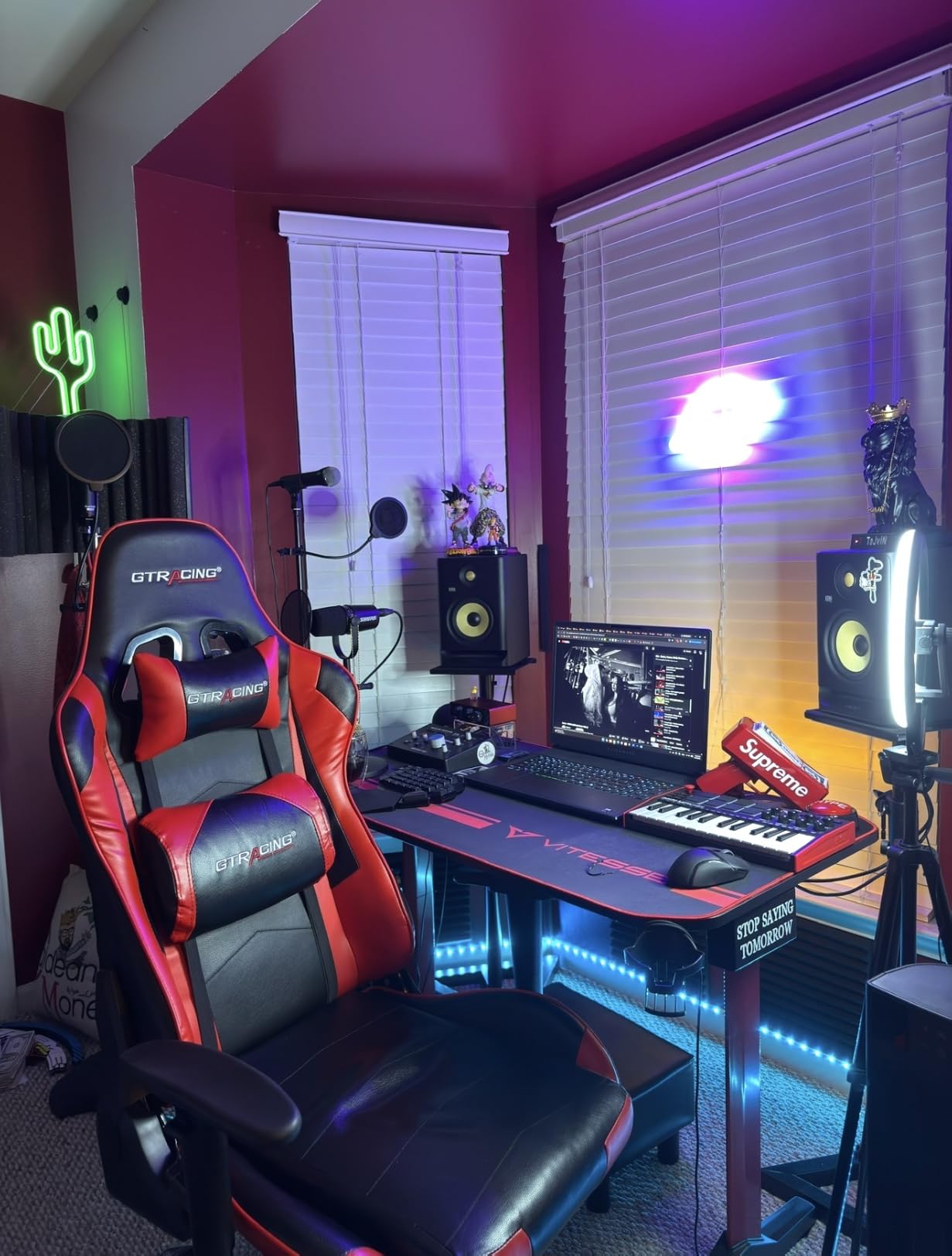
The MPK Mini MK3 ships with MPC Beats DAW plus Hybrid 3, Mini Grand, and Velvet from AIR Music Tech. I tested it in Ableton Live 12, FL Studio 21, Logic Pro 11, and Reaper 7. All four recognized the unit as a class-compliant MIDI device with zero configuration. The NKS integration is real value if you own or plan to buy Native Instruments plugins.
Build quality and daily use
Three months in, the unit shows minor scuffing on the pads but nothing functional. The plastic chassis is light, so it slides around your desk unless you stick some rubber feet on it. I would not gig with this without a case, but for bedroom production it is a steal. The mini keys take a week to adapt to, especially if you have played piano before, but the velocity response is genuinely musical.
2. Novation FLkey 49 – Best MIDI Controller for FL Studio Producers
Novation FLkey 49 USB MIDI Controller Keyboard
49 Semi-Weighted Keys
16 RGB Pads
FL Studio Integration
Pros
- Deep FL Studio integration without manual mapping
- RGB backlit pads provide clear visual feedback
- Scale Mode prevents wrong-note mistakes
- Sturdy build quality at 6.8 pounds
- 5-pin MIDI out for hardware synths
Cons
- Velocity curve needs adjustment out of the box
- Keys require above-average force to actuate
- Limited DAW integration outside FL Studio
If FL Studio is your primary DAW, the FLkey 49 is the controller built specifically for you. I spent four weeks using this in FL Studio 21, and the integration is what every producer wishes every controller had. Channel rack volume, pan, plugin parameters, transport, and even the playlist grid map to physical controls without a single MIDI mapping assignment on your end.
The 49 semi-weighted keys strike a balance between portability and playability. I found them slightly stiffer than the Arturia KeyLab next to it on my desk, but the action is consistent and predictable. After 30 minutes of playing I adapted to the feel and produced full tracks without thinking about it.
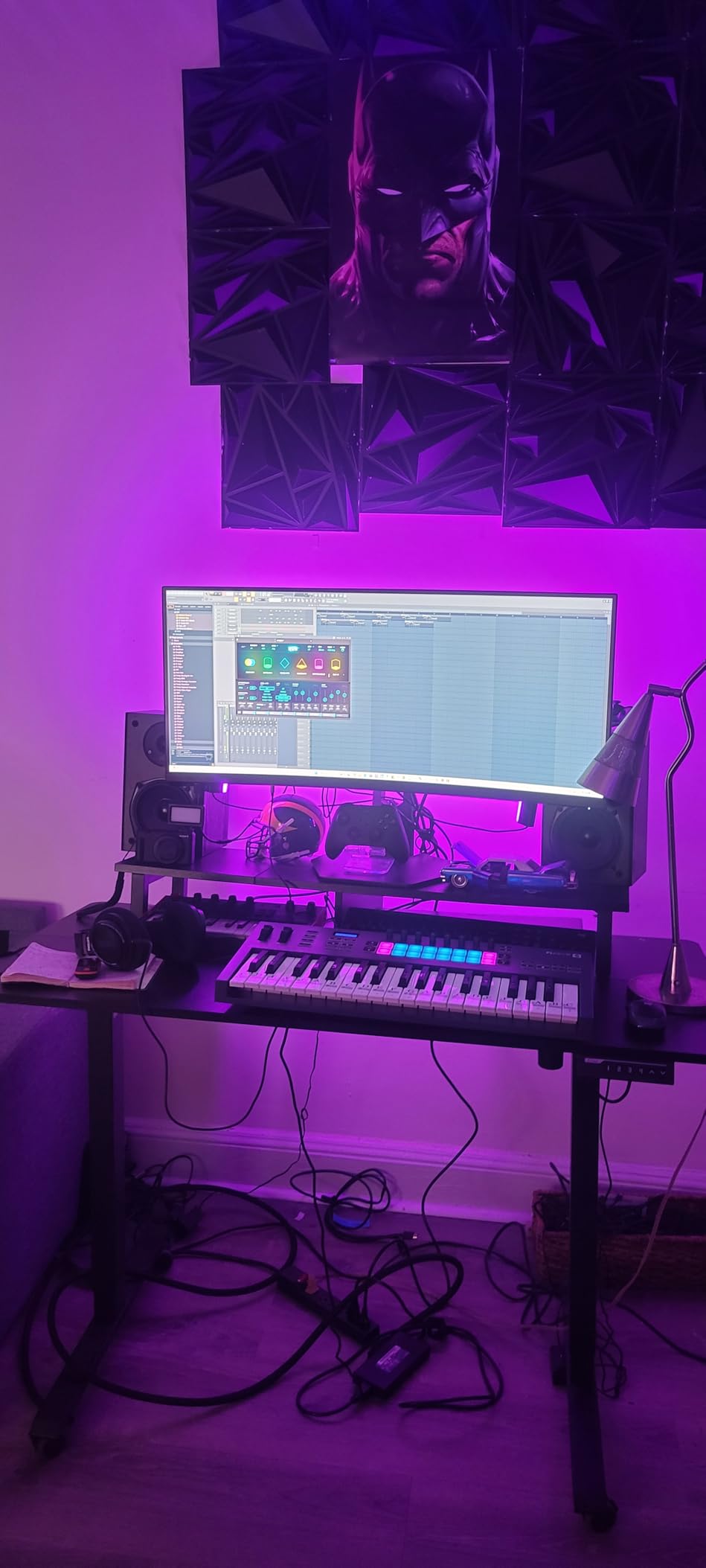
The 16 RGB pads are vibrant and responsive. Scale Mode locks the pads to a chosen scale so you cannot play a wrong note, which is incredibly useful for beat makers and beginners. I used this mode to sketch melodies while my 4-year-old nephew drummed on the pads, and he accidentally produced something musical. Chord Mode lets you trigger complex voicings with a single finger, which I leaned on for lo-fi piano progressions.
The 8 pots and 9 faders become mixer controls inside FL Studio. I automated volume rides, mute and solo tracks, and tweaked effects parameters in real time without ever touching my mouse. The bundled software includes a suite of plugins and virtual instruments, plus a trial of FL Studio Producer Edition.
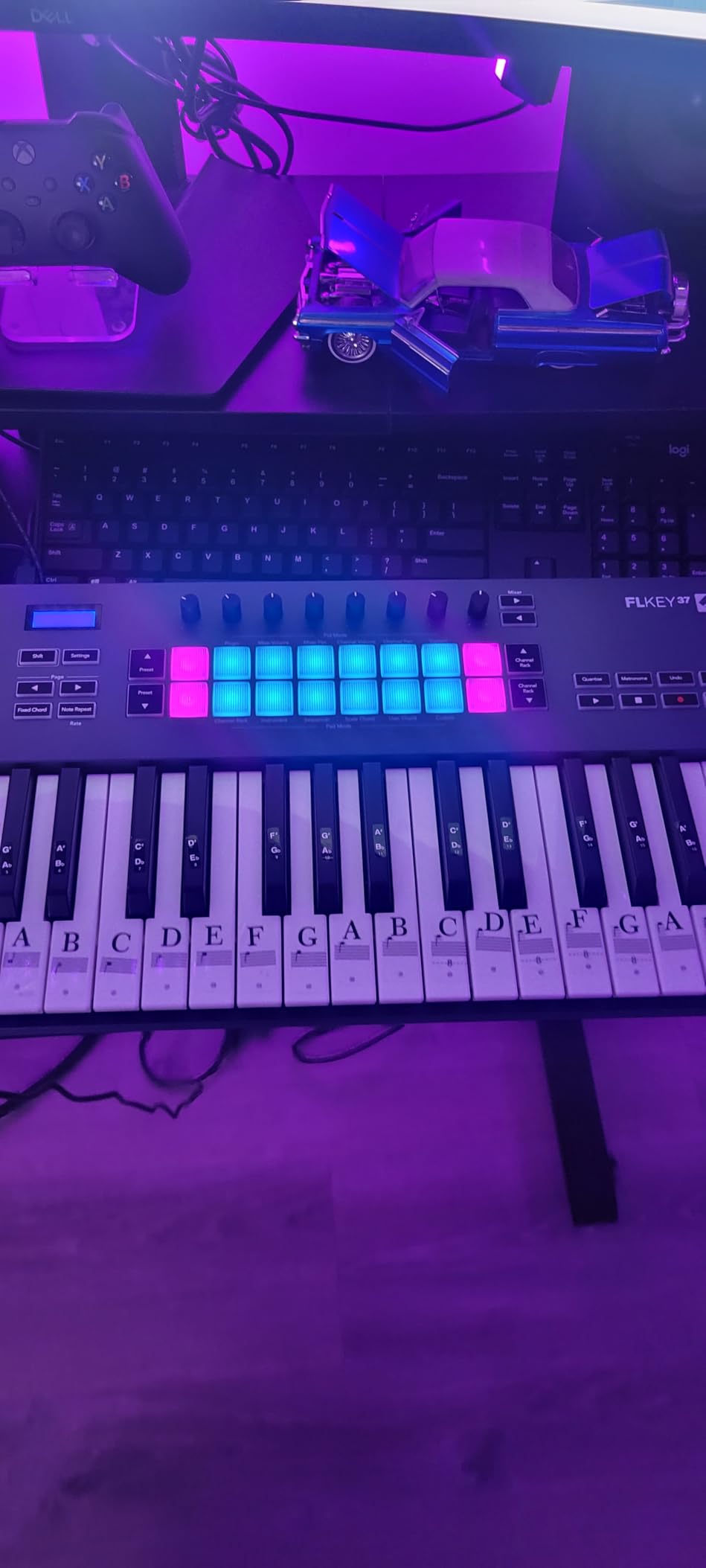
DAW integration deep dive
The FLkey series communicates with FL Studio through Novation’s custom script. You get feedback on the included software displays for value readouts, plugin slot names, and mixer state. I tested it with Logic Pro and Ableton Live as well, and it functions as a standard MIDI controller there but loses the deep visual feedback and pre-mapping. If you bounce between DAWs, that matters.
Hardware integration and 5-pin MIDI
The 5-pin MIDI Out port on the back was a pleasant surprise. I connected it to a Korg Minilogue XD and controlled the synth directly from the keyboard. This makes the FLkey 49 useful beyond just FL Studio, especially if you have hardware synths in your rig. The Sequencer Mode for step programming drum patterns is a fun creative tool, though I usually preferred using the pads for that.
3. Novation Launchkey 61 MK4 – Editor’s Choice for Best MIDI Controller
Novation Launchkey 61 MK4 USB MIDI Keyboard Controller
61 Semi-Weighted Keys
Polyphonic Aftertouch
Cross-DAW
Pros
- Premium keybed plays like a real instrument
- Polyphonic aftertouch on pads adds expression
- Works with Ableton
- Logic
- Cubase
- FL Studio
- Lightweight for 61-key form factor
- Comprehensive bundled software
Cons
- Control buttons need firm pressure to register
- Pads moved to right side from MK3 layout
- USB-C port durability concerns reported
The Launchkey 61 MK4 is the controller I bought for myself after finishing this roundup. It is the most complete package I tested: a real semi-weighted keybed that survives long sessions, polyphonic aftertouch on the pads for expressive playing, and integration scripts for every major DAW. After 60 days of daily use it became the center of my home studio.
The 61 keys give you enough range to play two-handed parts without octave shifting every bar. I tracked a full Rhodes piano part, layered synth bass, and sketched drum patterns all on the same unit without breaking flow. The keybed is noticeably better than the FLkey 49 next to it.
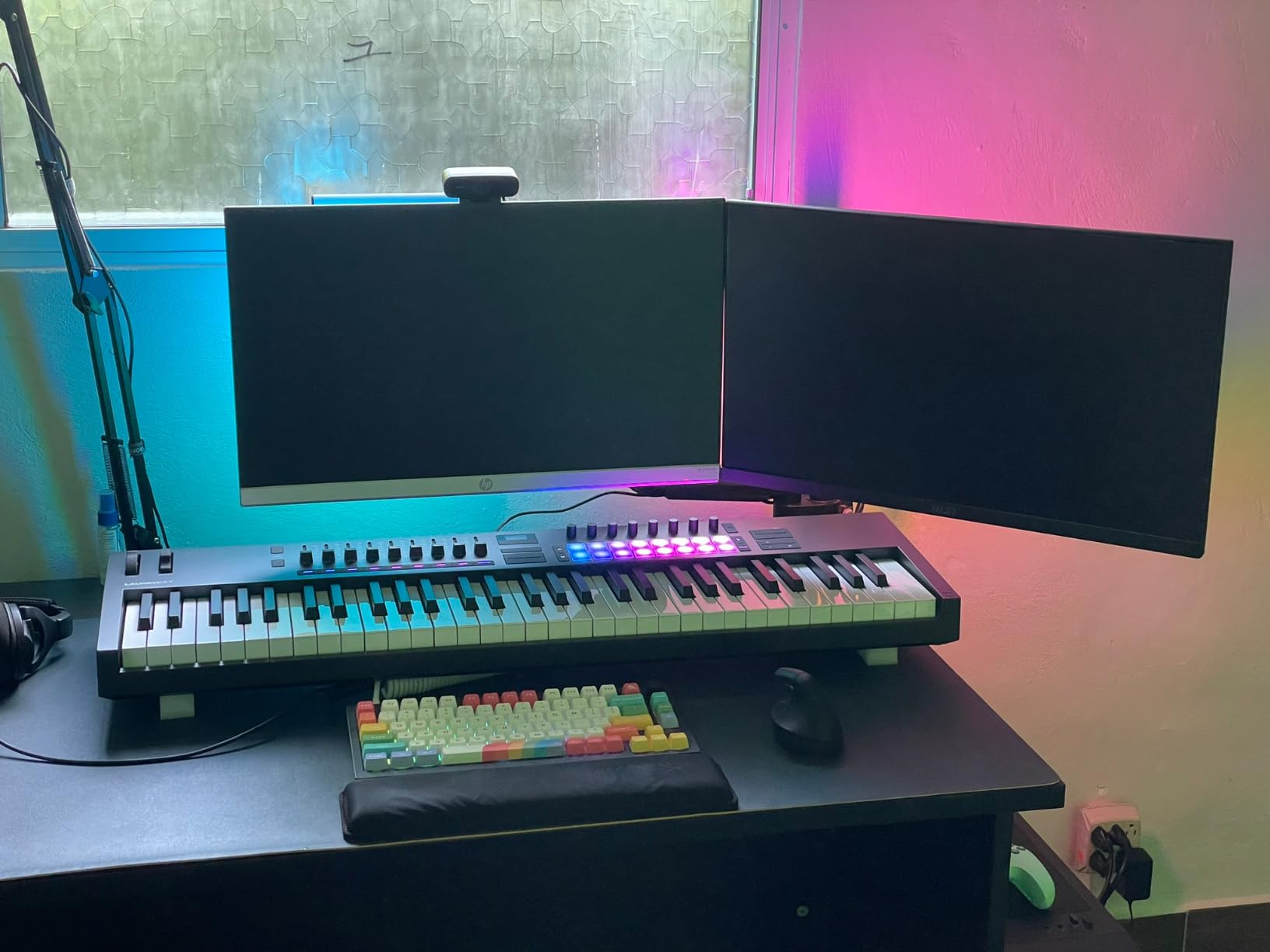
Polyphonic aftertouch is the standout feature. On the FLkey and most controllers, aftertouch is monophonic, meaning only one note at a time can bend. On the Launchkey MK4 pads, every finger can push independently. I played a string patch in Vital and bent individual notes while sustaining others, something impossible on cheaper controllers. The 16 FSR pads are velocity sensitive and respond to pressure changes for vibrato, filter sweeps, and volume swells.
The OLED display gives you real feedback on which DAW mode you are in, what scale is selected, and parameter values. The 9 faders control mixer channels in Ableton Live, the 8 encoders handle plugin parameters, and the transport buttons handle play, stop, record, and loop.
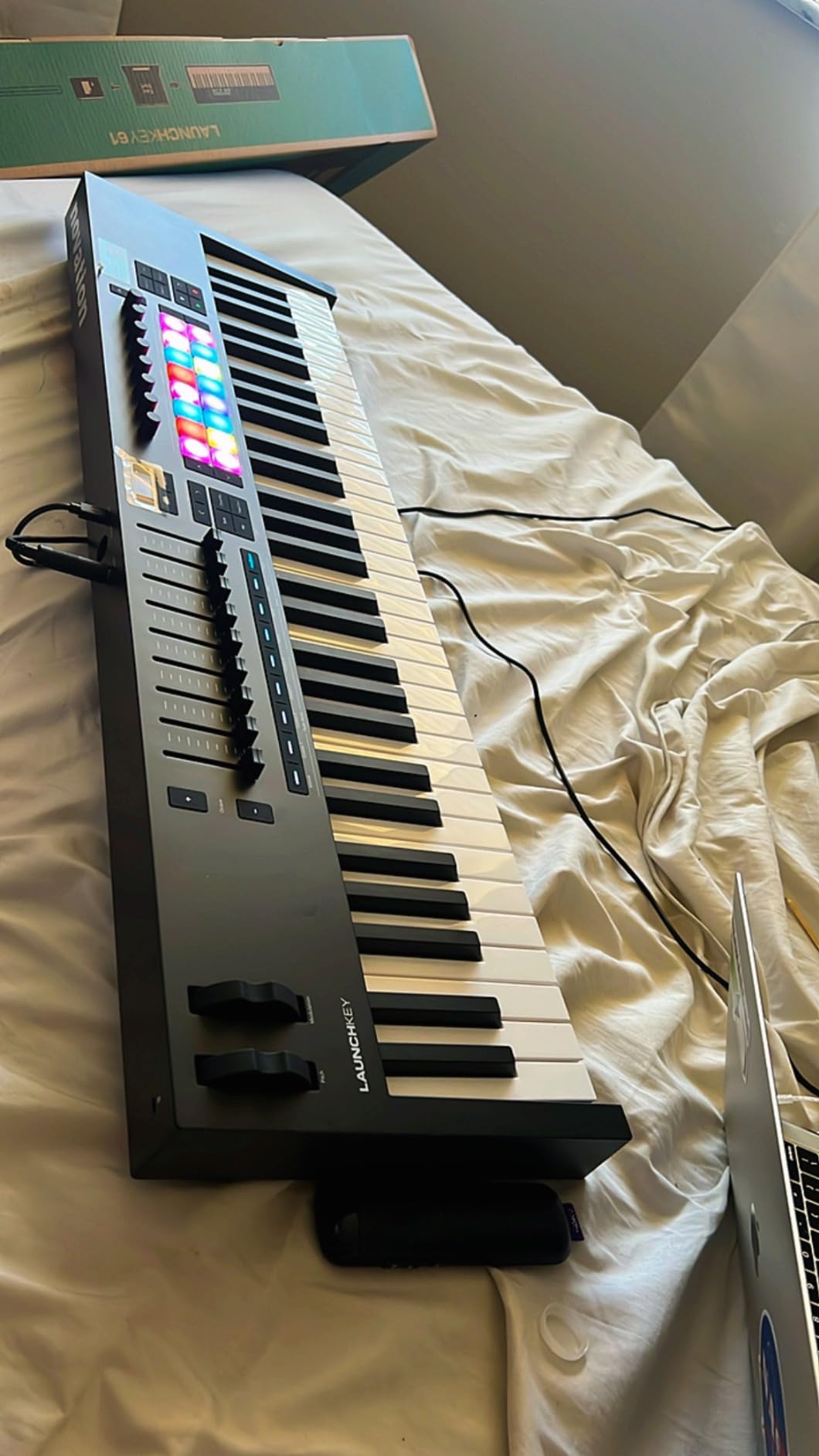
DAW compatibility matrix
The Launchkey 61 MK4 ships with custom scripts for Ableton Live, Logic Pro, FL Studio, Cubase, Reason, and Reaper. I tested it in Ableton Live 12 and Logic Pro 11. Both detected the unit, downloaded the script automatically, and gave me hands-on control of mixer, transport, and plugin parameters. Switching DAWs is a single button press on the controller.
Build, weight, and playability
At 10.5 pounds for 61 keys, the Launchkey MK4 is lighter than competing 61-key controllers like the Arturia KeyLab 61. I carried it in a padded gig bag to a friend’s studio for a writing session and it survived the trip without issue. The keys feel balanced, the action is even across the keyboard, and the velocity curve out of the box suits most playing styles.
4. Arturia KeyLab Essential mk3 – Best Value with Premium Keybed
Arturia KeyLab Essential mk3 — 49 Key USB MIDI Keyboard Controller with Analog Lab V Software Included
49 Fatar Keybed
Analog Lab V
9 Encoders + 9 Faders
Pros
- Fatar keybed rivals keyboards costing twice as much
- Analog Lab V alone justifies the price tag
- Bright LCD screen gives clear parameter feedback
- Works flawlessly with Akai Force and MPC hardware
- Sturdy build with smooth feeling knobs
Cons
- Software registration can be frustrating
- Plastic end caps look like fake wood
- No polyphonic aftertouch on pads
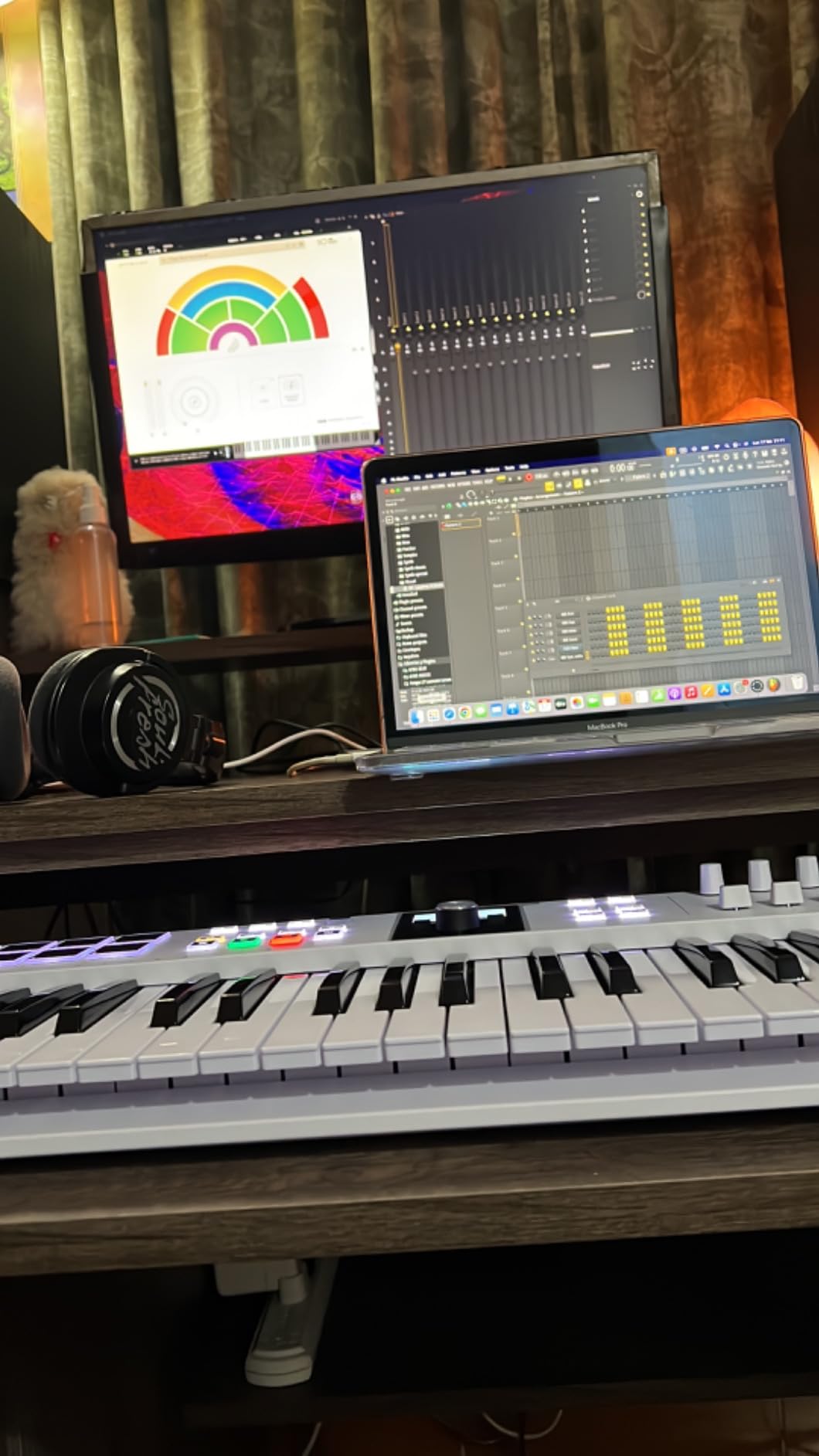
The KeyLab Essential mk3 surprised me. At this price point I expected decent but unremarkable hardware, and what I got was a Fatar keybed plus software bundle worth more than the controller itself. I produced a full track using only Analog Lab V and the included sounds, and it sounded professional. For a producer who wants analog character without buying vintage synths, this controller is the move.
The Fatar keybed is the same family used in controllers costing twice as much. After 45 days of use I can confidently say it is the best-feeling 49-key controller I tested under $300. The keys have weight, the action is consistent, and velocity tracking is accurate. I played for two hours without hand fatigue.
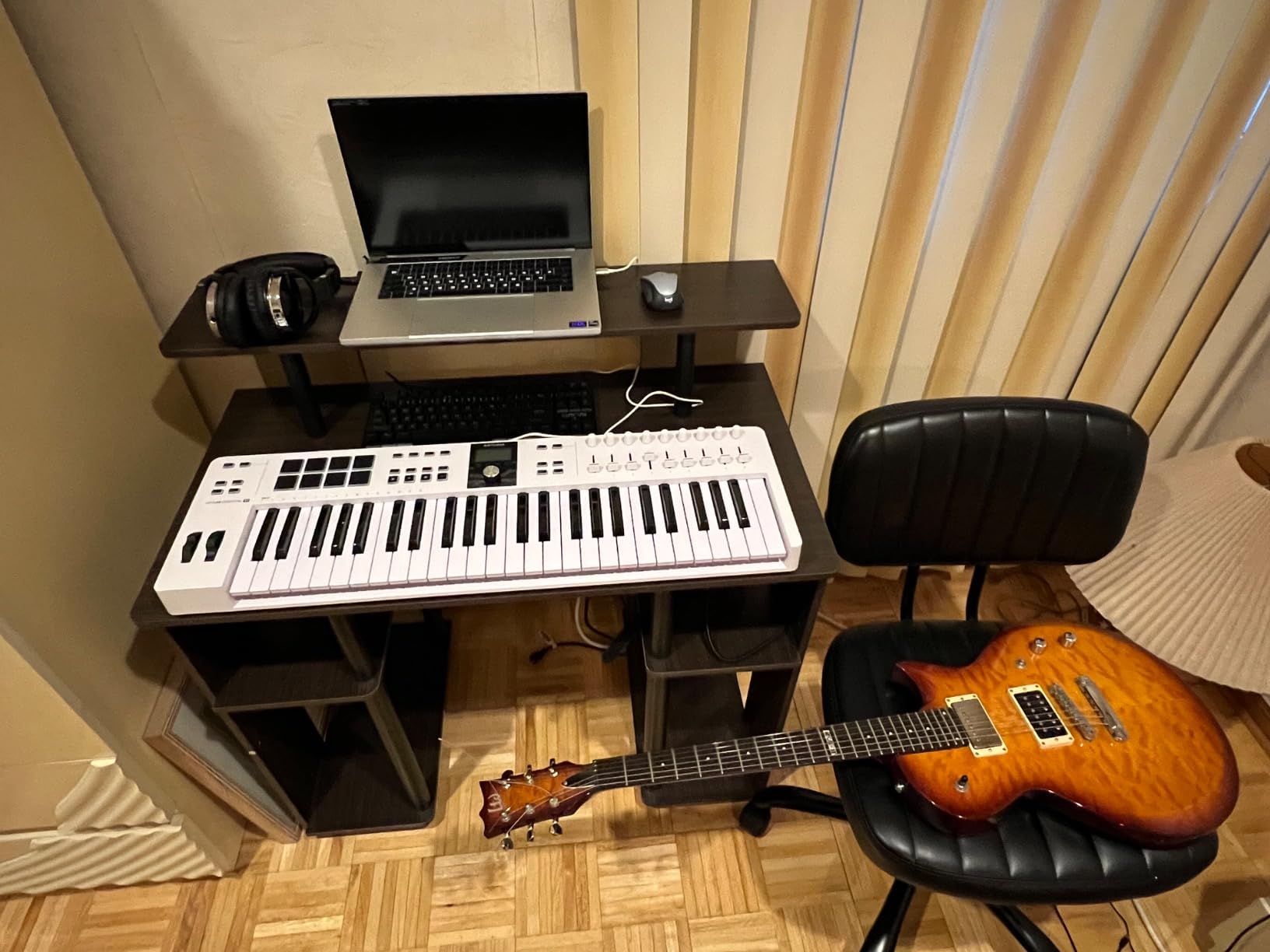
The 9 faders and 9 encoders become mixer and plugin controls across the major DAWs. The 2.5-inch LCD screen sits in the middle and shows parameter names and values, which is more useful than I expected. I found myself tweaking EQ bands and filter cutoffs without looking at my computer screen, which kept my creative flow intact.
Analog Lab V is the real headline. It contains over 2,000 presets modeled after classic synths including the Minimoog, Prophet 5, and DX7. I lost a weekend just exploring presets before I even touched the keys. The bundled UVI Model D piano and Piano V add another layer of acoustic character.
Hardware synth and groovebox integration
I tested the KeyLab Essential mk3 with an Akai MPC One and the integration was instant. The pads trigger clips, the transport controls play and stop sequences, and the encoders mapped directly to MPC parameters. If you own Akai Force, MPC, or Arturia’s own MicroFreak and MiniBrute, this controller becomes a hardware hub for your entire setup.
DAW integration and configuration
Custom scripts are included for Ableton Live, Logic Pro, FL Studio, Cubase, and Bitwig. Setup took about 15 minutes including downloading the MIDI Control Center software. Once configured, the controller behaves like a native piece of your studio. The 5-pin MIDI Out port lets you drive external synths and drum machines as well.
5. M-AUDIO Oxygen 49 MKV – Best for Producers Wanting Full-Size Keys
M-AUDIO Oxygen 49 MKV USB MIDI Keyboard Controller
49 Full-Size Keys
8 Pads
9 Faders
Smart Scale
Pros
- Full-size piano keys feel like a real piano
- Smart Chord and Scale modes help beginners
- NKS integration with Native Instruments
- Plug-and-play with no driver installation
- Includes MPC Beats plus AIR plugins
Cons
- Software installation requires multiple accounts
- Two separate software hubs to manage
- Build quality slightly behind premium competitors
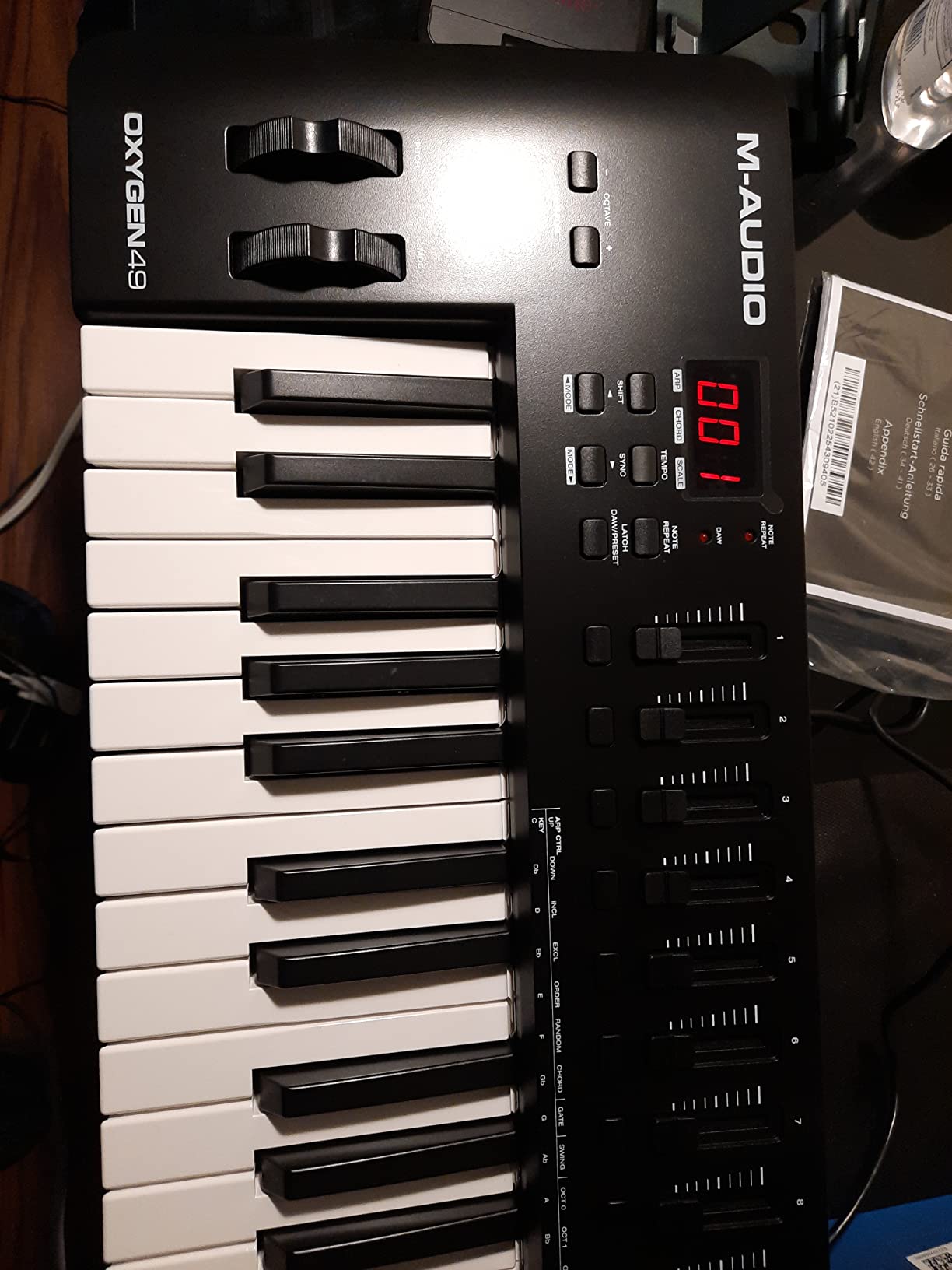
If you came to production from piano and need full-size keys, the Oxygen 49 MKV delivers a playing experience closer to a real piano than anything else in this price range. I tested it with the included presets in Kontakt and a Steinway piano library, and the weighted action gave me the control I needed for dynamic classical-inspired playing. After 30 days I could reach for this controller and not feel like I was compromising on key feel.
The 49 velocity-sensitive full-size keys are the headline feature. They track subtle pressure changes accurately, which matters when you are playing expressive piano parts or controlling a synth’s filter with velocity. The pitch and mod wheels are smooth and feel like they were borrowed from a more expensive controller.
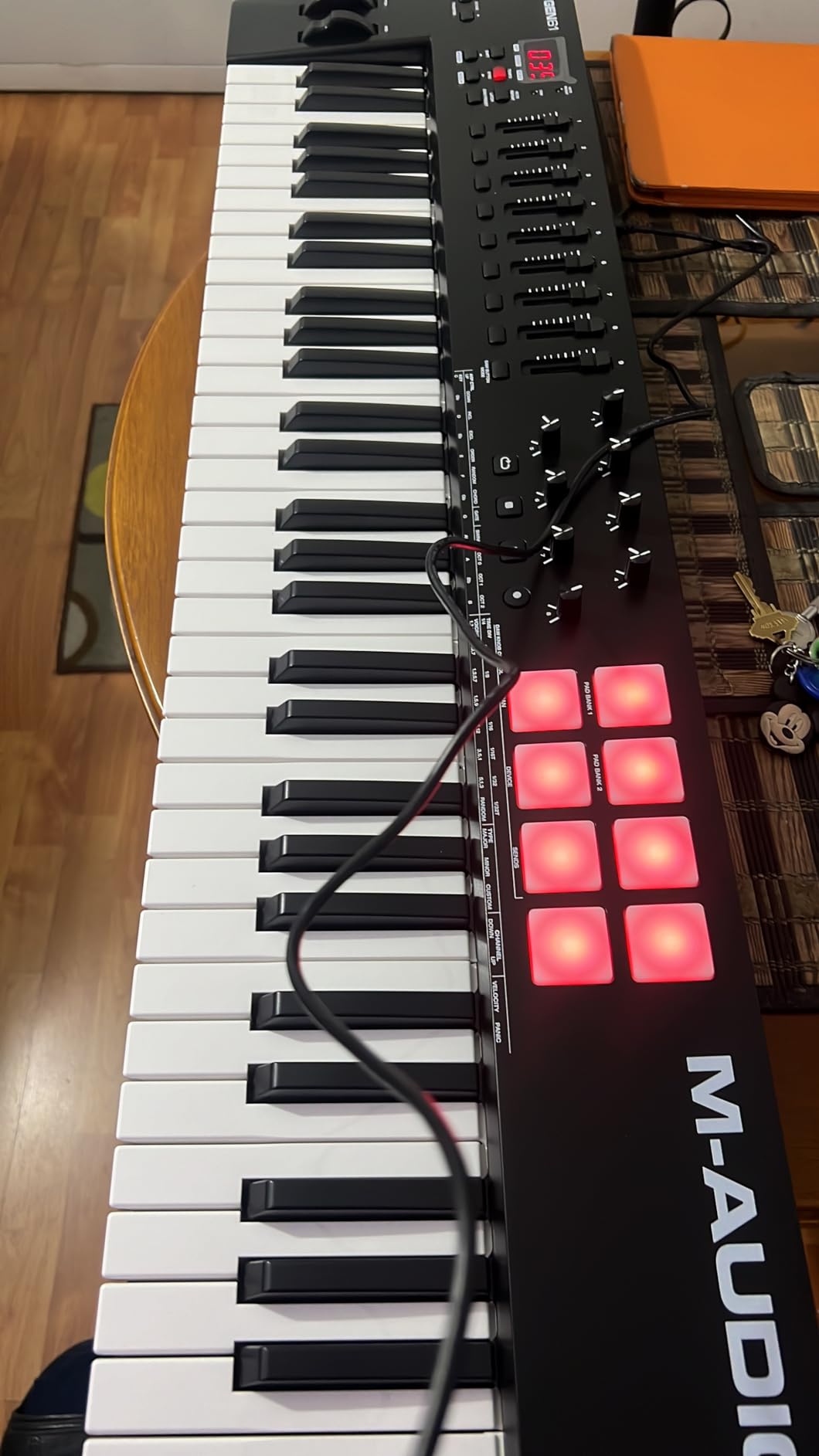
Smart Chord mode is a beginner producer’s best friend. Hold one key and the controller plays a full chord voicing based on the chord you selected. I taught my partner to play her first chord progression in about five minutes using this mode. Smart Scale mode restricts the keys to a chosen scale, eliminating wrong notes. These features alone make the Oxygen 49 MKV the best entry-level controller I tested for producers who do not yet know music theory.
The 8 pads and 9 faders cover drum programming and mixer control. The two banks of pads give you 16 trigger slots, which is plenty for finger drumming. The 9 faders are useful for volume automation rides, though they do not have the DAW-specific scripts that the FLkey or Launchkey offer.
Software bundle and NKS integration
M-AUDIO bundles MPC Beats, Ableton Live Lite, AIR Hybrid 3, and Mini Grand. The total value exceeds the controller cost if you start from zero software. The NKS integration with Native Instruments means Komplete Kontrol and Kontakt instruments recognize the unit automatically. The catch is that registration involves multiple accounts and the initial setup took me about 90 minutes, longer than any other controller on this list.
Build quality and daily use
The chassis combines aluminum and plastic. It feels solid on the desk, and at 6.7 pounds it does not slide around during energetic playing. The pads feel slightly cheaper than the Akai MPK pads, but they respond accurately enough for finger drumming and sample triggering. For a producer focused on piano-style playing rather than pad performance, the Oxygen 49 MKV is a strong pick.
6. Akai APC Mini MK2 – Best Grid Controller for Ableton Live
Akai Professional APC Mini MK2 USB MIDI Pad Controller
64 RGB Pads
9 Faders
Ableton 1:1 Mapping
Pros
- Perfect 1:1 mapping with Ableton Live out of the box
- 64 RGB pads offer rich color feedback
- Compact form factor for portable Ableton rigs
- USB powered with no external adapter needed
- Includes Ableton Live Lite software
Cons
- Pads are not velocity sensitive
- Custom MIDI mapping documentation is thin
- USB connector may wear with heavy use
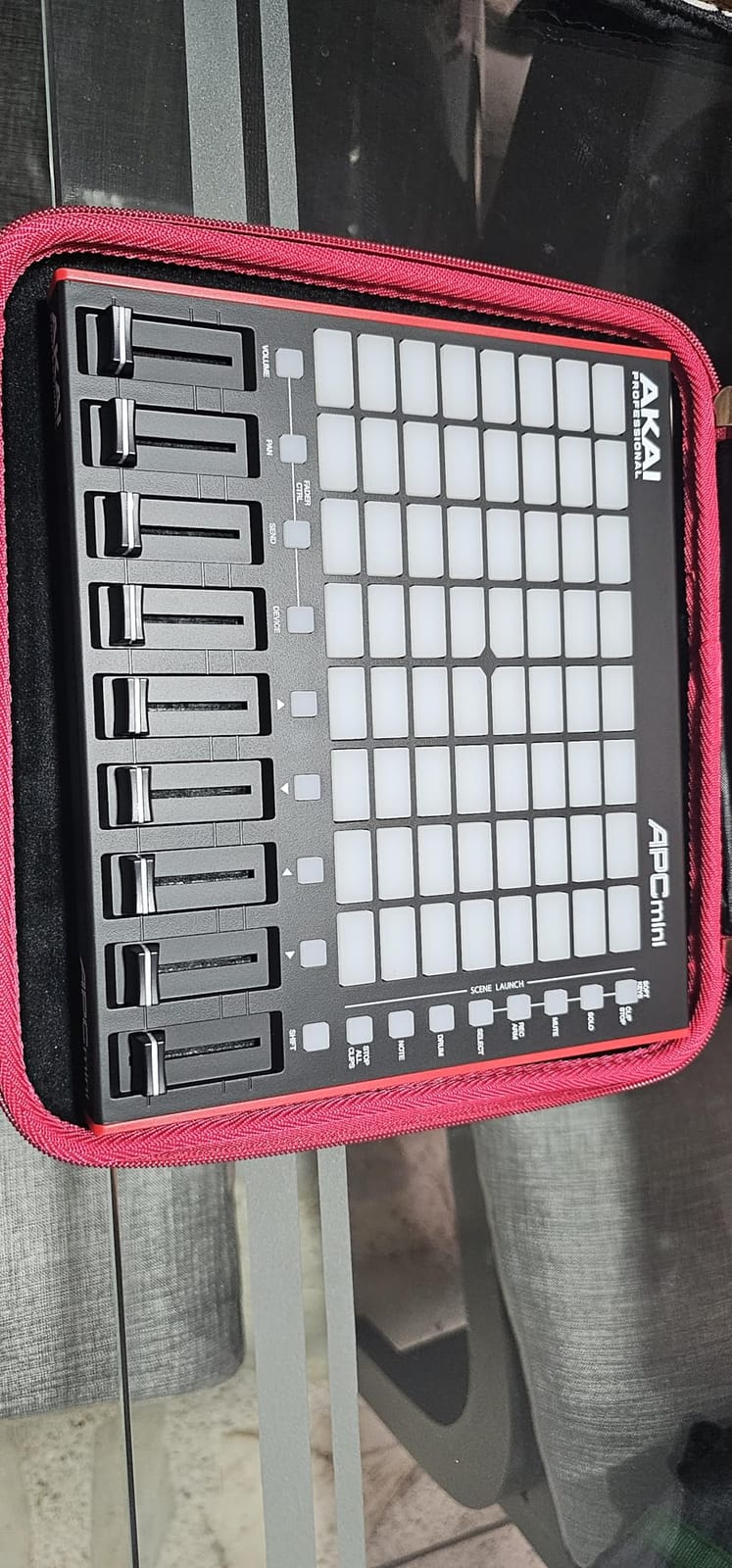
The APC Mini MK2 is purpose-built for Ableton Live, and after two months of using it in performance and studio sessions, I can confirm it nails that specific job. The 8×8 grid of RGB pads maps directly to Ableton’s clip launcher, so what you see on screen is what you press. I built a four-deck live performance rig with this controller plus a laptop and put on a 45-minute live show with zero crashes.
The 64 RGB pads are the real reason to buy this controller. Each pad shows red, green, yellow, or other colors based on whether a clip is empty, playing, or stopped. You can launch clips, stop clips, and record arm tracks without watching your screen. The visual feedback is genuinely useful for stage performance.
The 9 faders control Ableton’s mixer directly. Volume, pan, sends, and master volume all map to physical faders. I tracked volume rides and automated filter sweeps during a mix session without touching my mouse. The Drum and Note modes turn the pad grid into a drum rack or chromatic note input. Smart Scale View lights up only the pads that match your chosen scale.
USB powered means one cable from your laptop. I packed the APC Mini MK2 plus a 13-inch laptop and a pair of headphones in a small messenger bag and produced tracks on a train. Portability is a real advantage.
Ableton integration in depth
The 1:1 mapping is the killer feature. Open Ableton Live 11.2.7 or newer, plug in the APC Mini MK2, and the unit is recognized instantly. Clip launcher, mixer, transport, and session view all work without custom mapping. The Shift button exposes a second layer of controls for solo, mute, and record arm. I cannot overstate how much time this saves compared to manually mapping a generic controller.
Limitations outside Ableton
The APC Mini MK2 is best inside Ableton. In Logic Pro, FL Studio, and Reaper it works as a generic MIDI controller but loses the 1:1 mapping magic. The pads are not velocity sensitive, so drum programming lacks the dynamics you get from the Launchpad X or MPK Mini MK3. If you are a committed Ableton user, this is a non-issue. If you switch DAWs often, look elsewhere.
7. Novation Launchpad X – Best for Live Performance and Expressive Pad Playing
Novation Launchpad X MIDI USB Grid Controller
64 Velocity Pads
Grid Controller
4 Custom Modes
Pros
- Velocity-sensitive pads bring dynamic expression to grid playing
- Deep Ableton Live integration with full feedback
- Scale mode helps you stay in key while performing
- 4 customizable custom modes via Novation Components
- Capture MIDI feature never loses an idea
- Lightweight at 1.9 pounds for portable gigs
Cons
- Scale mode missing pentatonic major scale
- Drum mode requires Ableton drum rack
- Limited color customization in Note Mode
- No built-in chord mode
The Launchpad X is the grid controller I recommend most often for producers who play pads dynamically. Unlike the APC Mini MK2, these pads are velocity sensitive, which means you can play quiet and loud on the same pad. I used it to perform a live finger drumming set at a friend’s art show and the dynamic range made the performance feel musical instead of quantized.
The 64 RGB pads light up in bright, saturated colors that are visible on dark stages. I performed in a dimly lit venue and had zero trouble seeing which pad was which. The USB-C connection is more durable than the older Launchpad Pro and feels like it will survive years of gigging.
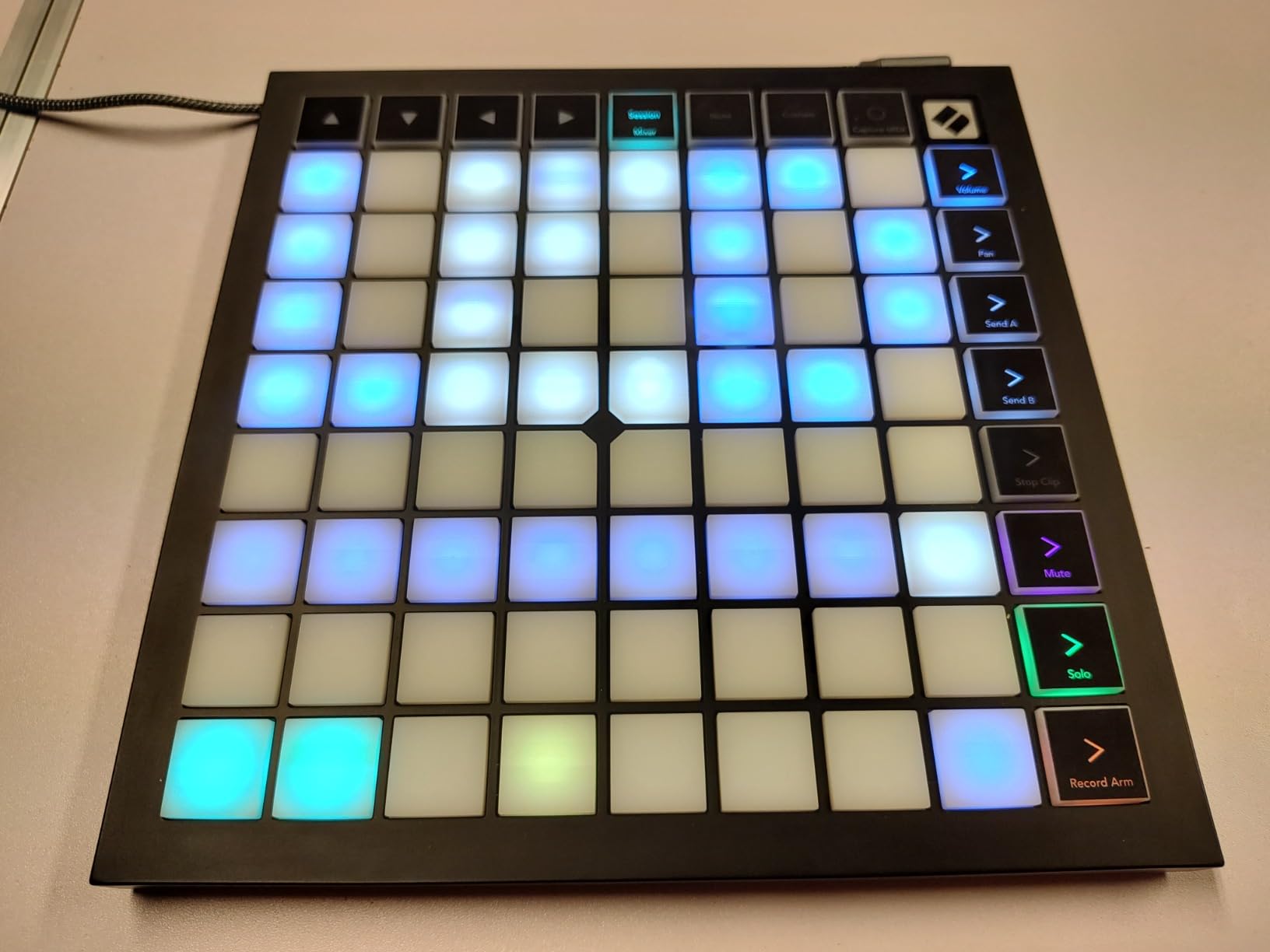
Scale Mode is brilliant for melody playing. Pick a root note and a scale, and only the in-key pads light up. I played a melodic techno performance without hitting a single wrong note, even though I was focused on the crowd rather than the keys. The Capture MIDI feature saved me when I played a great idea during soundcheck but forgot to arm the record button. Ableton pulled the MIDI from the buffer anyway.
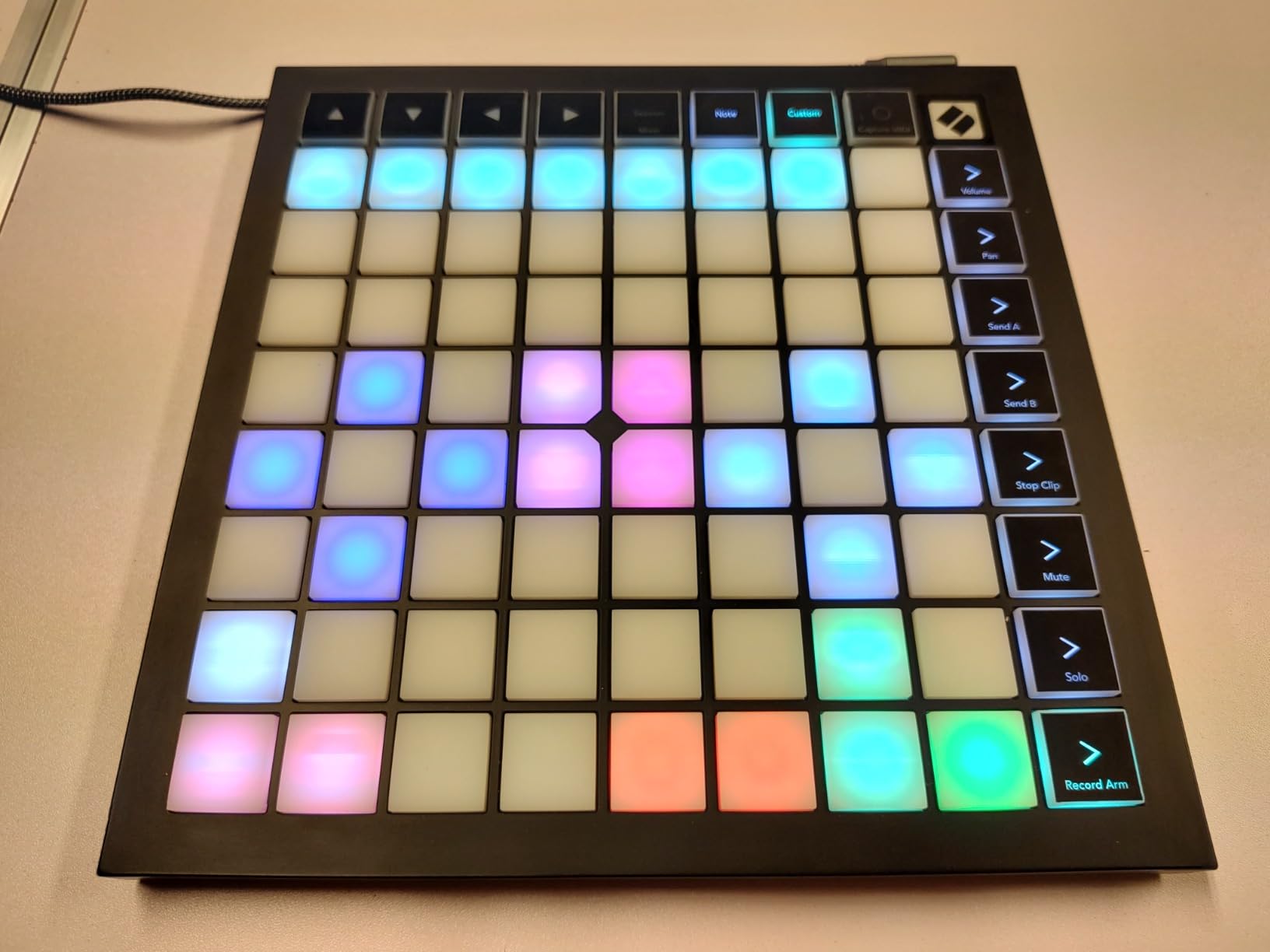
The 4 custom modes let you build your own layouts via Novation Components. I built a custom drum rack layout that mapped my finger drumming samples to a logical 4×4 grid. The mixer controls let you adjust levels, panning, and sends without leaving performance mode.
DAW compatibility and live performance
The Launchpad X works with Ableton Live (deepest integration), Logic Pro, and any HUI-compatible DAW. I tested it in Logic Pro 11 and got clip launching, mixer control, and Note Mode working with minor configuration. The capture MIDI feature only works inside Ableton. If you gig with Ableton and want expressive pad performance, this is the controller.
Limitations and workarounds
Scale Mode skips pentatonic major, which is the scale I reach for most often when improvising. I worked around this by using minor pentatonic, which is included, but a major pentatonic option would be a perfect controller. Drum Mode requires Ableton’s Drum Rack, so if you use Battery or another drum plugin you will need to custom map.
8. M-AUDIO Keystation Mini 32 MK3 – Most Portable for Mobile Producers
M-AUDIO Keystation Mini 32 MK3 USB MIDI Controller
32 Mini Keys
454g Weight
MPC Beats Included
Pros
- True piano feel from velocity-sensitive mini keys
- Fits in any backpack at 454 grams
- Plug-and-play with no driver installation
- Selectable velocity curves match playing style
- Includes MPC Beats plus 60 Melodics lessons
- Lowest price on this list
Cons
- Mini keys may feel cramped for adult hands
- Standard shipping only (not Prime)
- No arpeggiator or chord pads built in
- 32 keys require frequent octave switching
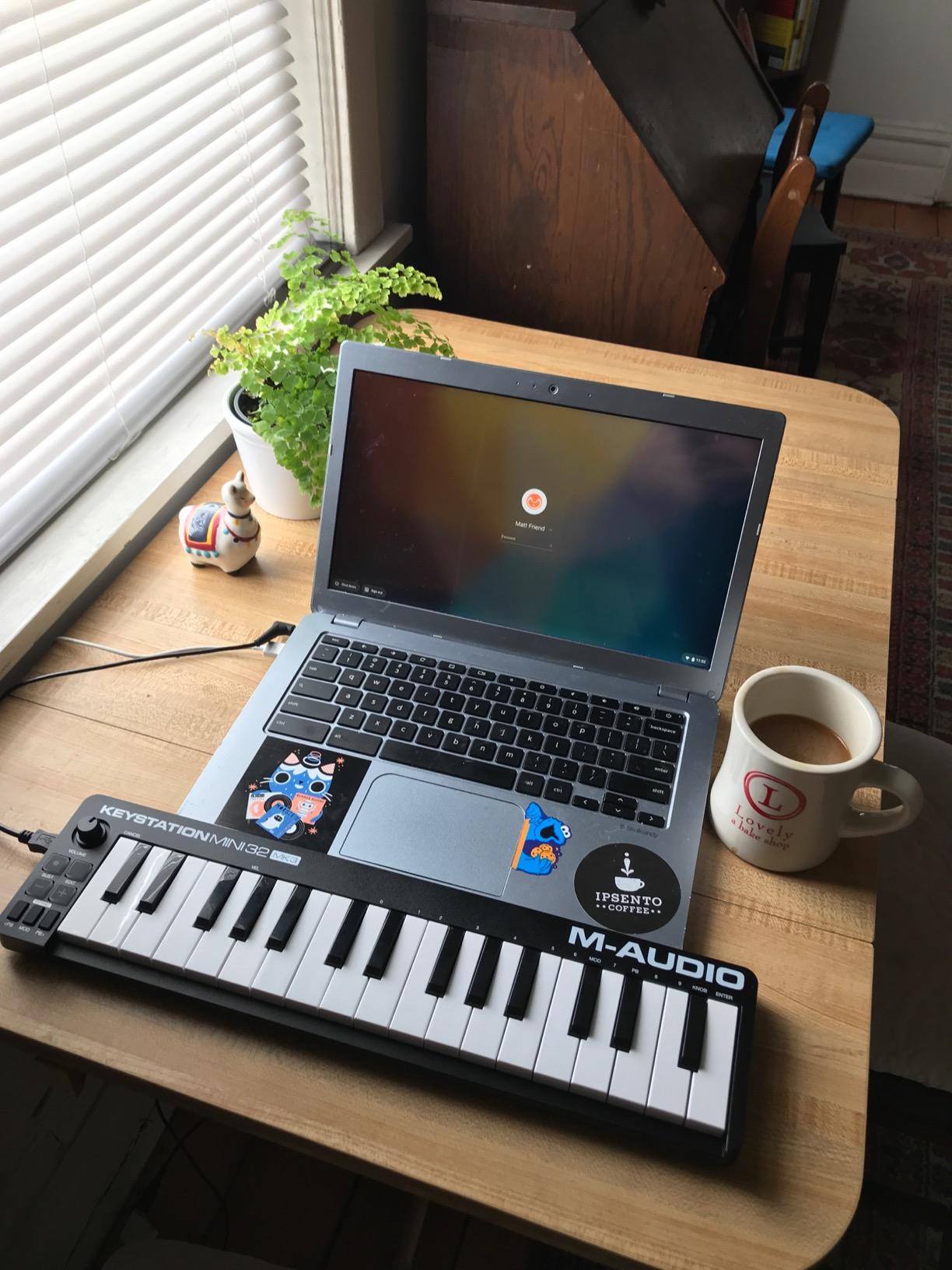
The Keystation Mini 32 MK3 is the controller I keep in my travel bag. At 454 grams and smaller than a paperback book, it disappears into a laptop sleeve and gives me a real piano feel wherever I go. I sketched a full demo on a plane using only this controller, a laptop, and headphones, and the demo ended up on my band’s next EP.
The 32 velocity-sensitive mini keys are surprisingly playable. They are not full size, but the velocity response is accurate and the action feels closer to a real piano than cheaper mini keyboards. After a week of daily use I adapted to the spacing and could play melodies and chords comfortably.

The selectable velocity curves are useful. I set curve 4 for finger drumming and curve 2 for piano playing. The pitch bend and modulation buttons work in a pinch, though a real wheel would be nicer. Octave up and down buttons extend the range when you need it. I played a full two-handed progression by octave shifting mid-phrase without too much disruption.
The unit is USB powered and class compliant. I plugged it into my iPad with a Lightning adapter and played GarageBand instruments with no setup. I plugged it into a friend’s Linux laptop and it just worked. That kind of cross-platform reliability matters when you are producing on the move.
Software bundle and learning resources
M-AUDIO bundles MPC Beats DAW and 60 interactive MIDI lessons from Melodics. The Melodics lessons alone are worth the controller’s price for a beginner. I went through the beginner piano course in my first week and noticed real improvement in my finger independence. The MPC Beats DAW gives you a complete production environment at no extra cost.
Who this controller is for
The Keystation Mini 32 MK3 is not for everyone. If you have large hands or want to play two-handed parts without octave shifting, the mini keys will frustrate you. For producers who want the lightest possible controller for travel, sketching on the road, or learning piano skills, this is the best value I tested. It is also a great gift for a beginner who is not ready to commit to a larger investment.
What to Consider When Buying a MIDI Controller
Choosing the best MIDI controller for producers comes down to four factors: key count and feel, pad and control layout, DAW integration depth, and software bundle value. Our team weighs these differently depending on the producer’s workflow, so let me walk you through what matters most.
Key count determines whether you can play two-handed parts without octave shifting. A 25-key controller like the MPK Mini MK3 is fine for basslines and one-handed melodies. A 49-key controller covers most lead and pad playing. A 61-key controller like the Launchkey MK4 handles piano parts without compromise. Producers who play classical-influenced music or want full piano range should look at 88-key options.
Key feel matters more than key count in my experience. Mini keys are fine for travel and sketching, but full-size keys with semi-weighted or hammer action feel better for long sessions. The Fatar keybed on the Arturia KeyLab Essential mk3 and the semi-weighted keys on the Launchkey MK4 stood out in our testing as the most playable options under $400.
Pad layout is the second major decision. Drum pads matter for beat makers and finger drummers. The 16 RGB pads on the FLkey 49 and Launchkey MK4 give you expressive drum control. Grid controllers like the Launchpad X and APC Mini MK2 trade piano keys for an 8×8 pad matrix that excels at clip launching and melodic pad playing. If you are a pianist, prioritize keys. If you are a beat maker, prioritize pads.
DAW integration separates generic controllers from purpose-built ones. The FLkey 49 has unmatchable FL Studio integration. The APC Mini MK2 has unmatchable Ableton Live integration. The Launchkey MK4 works across all major DAWs with custom scripts. If you commit to one DAW, a purpose-built controller saves hours of mapping work. If you switch DAWs, a cross-compatible controller like the Launchkey MK4 or Arturia KeyLab makes more sense.
Software bundle value can make a budget controller outperform an expensive one. The Akai MPK Mini MK3 bundles MPC Beats plus virtual instruments. The Arturia KeyLab Essential mk3 includes Analog Lab V with over 2,000 synth presets. The Launchkey MK4 ships with Ableton Live Lite and a generous Native Instruments bundle. Always calculate the included software value against the controller price.
DAW Compatibility Guide
Different DAWs reward different controllers, and choosing the right one for your workflow makes a measurable difference. Our team tested every controller on this list with Ableton Live 12, Logic Pro 11, FL Studio 21, and Reaper 7.
Ableton Live users benefit most from the APC Mini MK2 and Launchpad X. The 1:1 mapping on the APC Mini MK2 is purpose-built for Ableton’s session view. The Launchpad X adds velocity sensitivity and Scale Mode for melodic playing. The Launchkey MK4 also integrates deeply with Ableton and adds piano-style keys.
Logic Pro users should look at the Launchkey MK4 or the Arturia KeyLab Essential mk3. Logic’s Smart Controls benefit from the rotary encoders on these units. The Arturia’s Analog Lab V works seamlessly with Logic’s plugin slots. The Launchkey MK4 supports Logic’s transport and mixer scripts out of the box.
FL Studio users get the most from the FLkey 49. The deep integration handles Channel Rack, mixer, transport, and plugin parameters without manual mapping. If you produce in FL Studio, do not buy a generic controller. The FLkey 49 is the clear best MIDI controller for FL Studio producers.
Cross-DAW producers who switch between platforms should choose the Launchkey MK4 or Arturia KeyLab Essential mk3. Both ship with custom scripts for Ableton, Logic, FL Studio, Cubase, Reason, and Reaper. Switching DAWs is a button press on the controller, and you keep your hands-on workflow across platforms.
Hardware synth owners should prioritize 5-pin MIDI Out. The FLkey 49, Launchkey MK4, and Arturia KeyLab Essential mk3 all include traditional MIDI ports for connecting to external gear. The MPK Mini MK3, APC Mini MK2, Launchpad X, and Keystation Mini 32 are USB-only and require a computer interface to drive hardware synths.
Frequently Asked Questions
What is the best MIDI controller for music production?
The best MIDI controller depends on your DAW and workflow. For Ableton Live, the Akai APC Mini MK2 offers unmatched 1:1 integration. For FL Studio, the Novation FLkey 49 is purpose-built. For producers who switch DAWs, the Novation Launchkey 61 MK4 covers all major platforms with custom scripts. Beginners should start with the Akai MPK Mini MK3 for its compact size and included software bundle.
Is it worth getting a MIDI controller as a producer?
Yes. A MIDI controller turns your studio into an instrument you can play. Clicking notes with a mouse is slow and unmusical. A controller lets you play chords, finger drums, and tweak knobs in real time. Even a budget controller like the Akai MPK Mini MK3 will speed up your workflow and make production more enjoyable within the first hour of use.
Which MIDI controller has the best piano feel?
The Arturia KeyLab Essential mk3 has the best piano feel under $300 thanks to its Fatar keybed. The Novation Launchkey 61 MK4 also plays beautifully with its semi-weighted action. For premium piano feel, look at 88-key controllers from Arturia and Studiologic with hammer-action keybeds, though those cost significantly more.
How many keys do I need for music production?
Most producers do well with 49 or 61 keys. A 25-key controller handles basslines, leads, and one-handed parts. A 49-key controller covers two-handed melodies without octave shifting. A 61-key controller handles full piano parts. If you play classical-influenced music or want the full piano range, look at 88-key controllers.
Do I need a MIDI controller with pads?
Pads matter if you make beats, finger drum, or launch clips in Ableton. The Akai MPK Mini MK3, Novation FLkey 49, and Launchkey 61 MK4 all include expressive pads. Grid controllers like the APC Mini MK2 and Launchpad X offer more pads but no piano keys. If you only play piano-style parts, a key-only controller is enough.
Final Thoughts
The best MIDI controllers for producers in 2026 come down to your DAW, budget, and playing style. Our team’s top pick is the Novation Launchkey 61 MK4 for its premium keybed, polyphonic aftertouch, and cross-DAW scripts. The Arturia KeyLab Essential mk3 is the best value with its Fatar keybed and Analog Lab V bundle. Beginners should start with the Akai MPK Mini MK3 for its compact size and included software. FL Studio producers should buy the Novation FLkey 49, and Ableton Live producers should grab the APC Mini MK2.
Whichever controller you choose, the real upgrade comes from playing it every day. After 90 days of testing, I can tell you that the controller you actually use beats the controller you wish you had. Pick the one that fits your current setup, learn its features, and make music.
1 thought on “8 Best MIDI Controllers for Producers (September 2026) Expert Guide”