
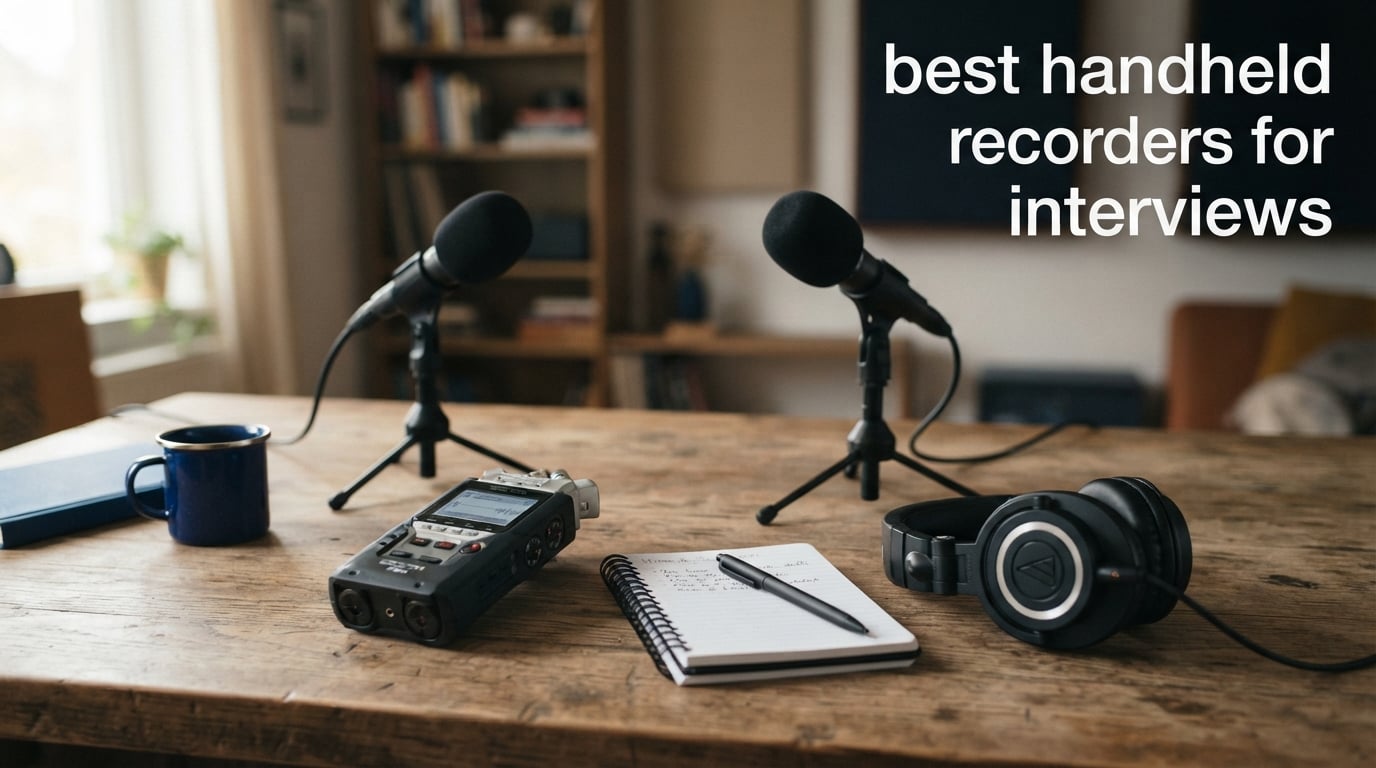
The Zoom H1 XLR is my leading recommendation for interviewers who need two wired microphones: its two locking XLR/TRS inputs, 32-bit/96kHz WAV recording, headphone output, and OLED waveform display fit a two-person setup unusually well. The best handheld recorders for interviews are not all alike, though; a compact digital voice recorder is easier for a one-person conversation, while a field recorder with inputs gives you more control when the room, guest, or microphone plan changes.
A handheld recorder for interviews is a portable audio recording device that captures a conversation through built-in microphones or connected mics and saves a digital file such as WAV or MP3. That file is the starting point for transcription, editing, reference notes, or a finished audio story, so clear voices matter more than a long feature list.
I would choose the recorder around the interview rather than around brand names. A quiet, seated one-to-one conversation can work well with a simple built-in-mic voice recorder, whereas a reporter using two lavaliers needs two inputs or a carefully chosen splitter arrangement.
We compared the published specifications, listed features, ratings, and customer-review summaries for the eight models below. My priorities were intelligible speech, microphone options, monitoring, power, storage, and the practical steps that reduce the chance of losing a conversation; always get the interviewee’s consent before recording and follow the rules that apply where you are.
Table of Contents
The top 3 picks answer the most common interview setups
Choose the Zoom H1 XLR when two wired microphones are part of the plan, the Zoom H2 Essential when you need selectable built-in microphone patterns, and the Zoom H1 Essential when a light 32-bit float recorder is enough. The cards below are a quick route to those three different approaches.
The best handheld recorders for interviews in 2026 are easier to compare by setup
This overview puts all eight audio recorders in one place. Read the input and microphone details first: built-in microphones suit fast, close placement, while XLR/TRS or 3.5mm microphone inputs matter when you already own a lavalier or want a mic for each speaker.
| Product | Specifications | Action |
|---|---|---|
 Zoom H1 XLR Zoom H1 XLR |
|
Check Latest Price |
 Zoom H2 Essential Zoom H2 Essential |
|
Check Latest Price |
 Yegolito 72GB Voice Recorder Yegolito 72GB Voice Recorder |
|
Check Latest Price |
 Tonfarb A20 136GB Recorder Tonfarb A20 136GB Recorder |
|
Check Latest Price |
 Zoom H4 Essential Zoom H4 Essential |
|
Check Latest Price |
 Tascam DR-05XP Tascam DR-05XP |
|
Check Latest Price |
 Tascam DR-07XP Tascam DR-07XP |
|
Check Latest Price |
 Zoom H1 Essential Zoom H1 Essential |
|
Check Latest Price |
1. The Zoom H1 XLR is the best choice for two wired interview microphones
Zoom H1 XLR 2-Channel Recorder for Filmmakers, Musicians & Podcasters
32-bit 96kHz WAV
Two locking XLR/TRS inputs
OLED waveform display
Pros
- Two locking XLR/TRS inputs
- 32-bit 96kHz WAV
- OLED waveform display
- 1TB SDXC support
Cons
- Requires two AA batteries
The H1 XLR has the clearest route to a two-person interview in this group because it provides two locking XLR/TRS combo inputs. I would put one dynamic or condenser microphone on each input, record each voice separately where the recorder’s channel setup permits, and monitor from the 3.5mm headphone jack.
Its published 32-bit/96kHz WAV capability is the main safety feature here. With 32-bit float recording, an unexpectedly loud laugh or a guest who shifts closer to the microphone is far less likely to create a clipped file than on a conventional fixed-level setup.
The 0.4-pound body and 4.21 by 2.44 by 1.55-inch listed dimensions make it a realistic bag recorder rather than a desk-only unit. Zoom lists 10 hours of average battery life from two AA batteries, so I would start a long interview day with fresh cells and carry a spare set.
The OLED waveform display is also useful before the conversation begins because it gives a quick visual check that both microphones are receiving signal. The 3.5mm stereo mic/line input adds another connection option, while SDXC support up to 1TB gives extended-session headroom with a suitable card.
The two-input layout is the reason to choose the H1 XLR
One microphone placed between two people can work in a quiet room, but separate microphones make distance and speech balance less of a compromise. The H1 XLR’s two combo inputs are a better match when you need a mic for the interviewer and a mic for the guest without relying on a single 3.5mm input.
Plan the connection type before the session. XLR/TRS combo ports accept compatible XLR or TRS plugs, but the microphone’s power requirement and cable type still need to match the recorder’s documented setup.
The 32-bit WAV workflow suits unpredictable voices and locations
32-bit float is not a substitute for positioning: keep each microphone close enough that speech is stronger than the room. It does give more recovery room when volume changes suddenly, and 96kHz WAV files preserve an uncompressed starting point for editing or transcription.
For a research interview, I would label the file after transfer, retain the original WAV, and make a separate working copy for transcription. That simple routine avoids overwriting the source recording while notes and edits accumulate.
2. The Zoom H2 Essential is the best built-in-mic option for flexible room coverage
Zoom H2 Essential Handheld Recorder for Musicians, Podcasters & Filmmakers
Three built-in mics
Nine recording patterns
32-bit float at 96kHz
Pros
- Three built-in microphones
- Nine selectable patterns
- 32-bit float 96kHz
- 20-hour battery
- SD backup with USB mic
Cons
- USB compatibility is listed for personal computers
The Zoom H2 Essential is the model I would consider when a conversation may move from a close two-person exchange to a wider room discussion. It has three built-in microphones and nine selectable recording patterns, rather than a single fixed stereo arrangement.
Zoom states that it records up to 32-bit float/96kHz and can capture mono, stereo, and surround sound. For an interview, mono or a focused stereo pattern is generally the sensible starting point because it keeps attention on speech instead of room sound.
The listed 20-hour battery average from two AA batteries is welcome for a full day of short interviews or a longer sit-down. At 0.42 pounds, it stays portable, and the 3.5mm headphone jack lets you listen for air conditioning, traffic, or clothing noise before those sounds spoil a take.
This recorder can act as a USB microphone while saving a backup to an SD card at the same time. That is especially handy for a remote interview or a recorded call where a computer connection is part of the workflow, provided the listed personal-computer compatibility fits your equipment.
The selectable patterns make the H2 Essential adaptable to changing interview spaces
In a small quiet office, I would choose the pattern that keeps the pickup centered on the people speaking. In a roundtable or a room where the speaker positions cannot stay fixed, the extra microphone patterns offer options that a basic dictaphone does not.
More coverage is not automatically better. Wide patterns also catch more keyboard taps, passing voices, and reflections, so choose the narrowest useful pattern and move the recorder closer before turning to processing.
The USB-and-SD backup mode suits computer-based interview work
Backing up to SD while working as a USB microphone creates two copies at the time of recording. That does not replace checking both files afterward, but it is a practical safeguard for a conversation that cannot be repeated.
The H2 Essential also offers audible menu navigation in seven languages, according to its listed specifications. That accessibility feature may matter more than extra recording modes for an interviewer who wants spoken feedback from the device.
3. The Yegolito 72GB recorder is the simplest pick for one-touch voice notes and interviews
72GB Digital Voice Recorder w/USB Type-C, Portable Dictahpone Recording Device, One-Touch Start Voice Active Recorder with Playback, Portable Audio Recorder for Class Meeting
72GB storage
35-hour battery
360-degree mic with DSP reduction
Pros
- One-touch recording
- 35-hour battery
- 72GB storage
- USB-C connector
- Voice-activated mode
Cons
- Slim dimensions may be less comfortable to hold
The Yegolito is a straightforward digital voice recorder with a one-touch start, built-in USB-C connector, 72GB of listed storage, and a 35-hour continuous-recording claim. I would pick it for a prepared one-on-one interview where minimal setup matters more than using separate professional microphones.
Its 360-degree omnidirectional microphone and DSP noise reduction are meant to make nearby voices easier to capture. That does not mean background sound disappears, so placement remains the first defense against coffee grinders, traffic, and other nearby noise.
At the listed 5.5 by 0.5 by 0.5 inches, this is a narrow dictaphone-style device. Set it on a stable surface rather than holding it in your hand, since handling noise can be just as distracting in a transcript as it is in playback.
Voice-activated mode pauses during quiet moments, and timestamp-based filenames plus adjustable segment saving can make a long batch of conversations less confusing to organize. The 3.5mm headphone jack gives you a way to check playback directly after a recording.
The one-touch control is best for interviewers who want fewer setup steps
A recorder that starts with one press helps when the guest is ready to speak and you do not want to search through menus. I would still record a short spoken test before the real discussion, then play it back through headphones to confirm that both voices are clear.
Voice activation is useful for personal notes or gaps between answers, but it can miss the opening of soft speech if the threshold is not right. For a formal research interview, continuous recording is usually the safer approach when storage and power allow it.
The 72GB capacity and USB-C connector simplify file handling
The listed capacity supports up to 7,600 hours at low bitrate settings, but interviewers should choose recording quality for clarity rather than chase the largest hour count. WAV is the listed format, which is a good starting format when clean transcription and editing are the goal.
After transfer through USB-C, rename the file with the date, participant code, and session number in a secure folder. A recorder’s password features or storage are not a replacement for your own consent, retention, and backup policy.
4. The Tonfarb A20 is the best fit when battery runtime and storage are the priority
Tonfarb 136GB Digital Voice Recorder with Playback,9775 Hours Audio Record
68-hour battery rating
136GB total storage
1536 kbps PCM recording
Pros
- 68-hour battery rating
- 136GB storage
- 1536 kbps PCM
- Dual noise-reduction mics
- Voice activation
Cons
- Compatibility is listed for smartphones
The Tonfarb A20 stands out for its listed 68-hour continuous battery life and 136GB total storage, made up of 8GB built in plus a 128GB TF card. I would look at it for several days of interviews, lectures, or meetings where stopping to recharge would be disruptive.
It records MP3, WAV, and WMA, with 1536 kbps PCM HD audio and dual noise-reduction microphones listed in the specifications. WAV is the sensible selection for interviews headed to transcription, while compressed formats can make sense only when smaller files are more important than retaining detail.
The recorder is listed at 100 grams with a 1.44-inch LCD screen and a metal casing. A one-click record/save control is appealing when you need to make a fast recording decision, and the screen can help confirm that the device is in the intended mode.
Other supplied features include voice-activated recording, A-B repeat, and password protection. A-B repeat is useful when checking a difficult sentence during manual transcription because you can replay a short passage without searching through the whole file.
The long listed runtime makes the A20 practical for back-to-back sessions
Battery runtime figures are conditions-based, so I would not treat 68 hours as a promise for every recording mode. Still, that stated duration creates more margin than the 10-hour ratings listed for some portable field recorders.
Check the battery indicator before each session and transfer recordings at the end of the day. Long power life helps only if the files are also copied away from the recorder before a card, device, or cable issue occurs.
The playback controls help when transcription is part of the assignment
A-B repeat supports the unglamorous work of replaying names, quotes, and quiet phrases. The large storage claim also means you can retain original files on the device temporarily, though a second copy on another device is still the safer practice.
The A20 is a built-in-microphone voice recorder, not a two-XLR interview rig. Keep it close and centered between speakers, or use it primarily for one speaker at a time, because no listed external microphone input is provided in the analyzed data.
5. The Zoom H4 Essential is the strongest choice for four-track interview productions
Zoom H4 Essential Handheld Recorder for Musicians, Podcasters & Filmmakers
Four-track 32-bit float
Two XLR/TRS inputs
USB-C audio interface
Pros
- Four-track 32-bit float
- Two XLR/TRS inputs
- Phantom power
- SD backup via USB-C
- 20-hour battery
Cons
- Requires two AA batteries
The Zoom H4 Essential is the recorder I would choose for a planned audio interview with more than a basic single-device workflow. It combines built-in stereo microphones with two XLR/TRS inputs and four-track 32-bit float recording, giving the interviewer room to capture separate sources.
Zoom lists phantom power on the two XLR/TRS inputs. That matters if your chosen XLR microphone requires phantom power, but check the microphone’s power specification and the recorder settings before the interview rather than connecting a mic without a test.
Its stated 20-hour battery average from two AA batteries is strong for a field recorder with this much connection flexibility. The 243-gram listed weight is heavier than a slim dictaphone, yet the added controls and channels are the trade-off for a more deliberate setup.
The H4 Essential can connect by USB-C for recording or streaming while saving a backup directly to SD card. It also has spoken menu guidance, a feature that can make mode selection easier for users who prefer or need audible navigation.
The four-track format gives each important voice more separation
For a two-person interview, one external microphone per speaker can occupy the two XLR/TRS inputs, while the built-in stereo microphones can capture a room reference if the project needs it. Separate tracks make it easier to adjust one person’s level or reduce a cough between answers during editing.
That flexibility also means more setup. I would label every cable, record a 30-second check, listen with headphones, and state the session name aloud at the beginning so the audio files are easy to identify later.
The H4 Essential suits microphones that need a serious connection plan
XLR cables lock more securely than a loose mini-jack and are a familiar choice for microphones used in a fixed interview position. The combination inputs also accept compatible TRS connections, making the recorder adaptable across more sources.
This is more recorder than a quick personal memo needs. If your interviews are always one person speaking near a device on a table, the extra tracks and input options may add complexity without improving the recording as much as better placement would.
6. The Tascam DR-05XP is a direct 32-bit float recorder for close, simple interviews
TASCAM DR-05XP 32-Bit Float Portable Handheld Field Recorder and USB-C Audio Interface — Digital Stereo Recording of Music, Sound, Voice, Audio for Video and Podcasting
32-bit float recording
Built-in omni condensers
USB-C audio interface
Pros
- 32-bit float modes
- 96kHz WAV and MP3
- 125dB SPL microphones
- USB-C interface
- 17.5-hour operation
Cons
- SD card not included
- Batteries not included
The Tascam DR-05XP is a conventional handheld field recorder with current-format advantages: 32-bit float, 24-bit, and 16-bit recording modes; 96kHz, 48kHz, and 44.1kHz choices; and MP3 support. I would use 32-bit float WAV for a spoken interview when I want an uncompressed original and protection against abrupt volume changes.
The built-in omnidirectional condenser microphones are listed to handle up to 125dB SPL. That specification points to headroom for loud sources, but for ordinary dialogue the important move is still setting the recorder close enough to capture speech clearly without placing it in the path of hands, drinks, or a noisy laptop fan.
Tascam lists up to 17.5 hours of operation with two AA alkaline batteries and up to 512GB memory capacity. Those figures make the DR-05XP a reasonable portable recorder for a day of sessions once you bring the separate SD card and batteries noted in the product information.
The 2-in/2-out USB-C audio interface adds a second role at a computer, and the 3.5mm headphone jack supports monitoring. At 0.28 pounds and 5.6 inches tall, it remains easy to place on a small table or carry between locations.
The 32-bit float mode reduces gain-setting pressure before an interview
With 32-bit float recording, you do not have to chase a narrow recording level as aggressively when a reserved speaker becomes animated. It is still smart to listen for unwanted sounds, because recording format cannot remove a refrigerator hum or an interviewer tapping the table.
Use the format choice deliberately. MP3 is available when compact files are useful, but WAV carries more detail for editing and transcription, which is why I would retain WAV as the archive file for a recorded interview.
The DR-05XP works best when the recorder can stay close and still
Omnidirectional built-in microphones hear around the recorder, so the device should sit on a stable surface between speakers, away from the table edge. In a quiet room, that can produce a natural record of the conversation without a complicated external-mic kit.
For public spaces, move closer rather than simply turning up sensitivity. Forum discussions repeatedly point to background noise as a recording failure, and distance gives that noise an unfair advantage over speech.
7. The Tascam DR-07XP is the most flexible 3.5mm external-mic option in this list
TASCAM DR-07XP 32-Bit Float Portable Handheld Field Recorder and USB-C Audio Interface — With Adjustable Mics for Digital Stereo Recording of Music, Sound, Voice, Audio for Video and Podcasting
Adjustable AB/XY mics
32-bit float WAV
3.5mm mic input with plug-in power
Pros
- Adjustable AB/XY microphones
- 32-bit float
- 3.5mm mic input with plug-in power
- USB-C interface
- 512GB card support
Cons
- Batteries not included
- Memory card not included
The Tascam DR-07XP is the most interesting choice here for an interviewer who wants both adjustable built-in stereo microphones and a 3.5mm MIC/EXT IN jack with plug-in power. I would choose it when the conversation sometimes needs a quick tabletop recorder and sometimes calls for a compatible small external microphone.
Its AB/XY condenser microphones can be adjusted, letting you change the stereo relationship rather than accepting a fixed mic angle. For spoken interviews, a focused placement toward the people talking is usually more useful than a wide environmental picture.
The recorder supports 32-bit float, 24-bit, and 16-bit recording, plus 96kHz, 48kHz, 44.1kHz, and MP3 formats. A 3.5mm headphone/line-out connection is provided for monitoring or output, and the USB-C interface can operate as a 2-in/2-out audio interface.
Tascam lists microSD, microSDHC, and microSDXC support up to 512GB, along with up to 17.5 hours from two AA alkaline batteries. The analyzed product information says the batteries and memory card are not included, so account for both before a first assignment.
The 3.5mm mic input is the DR-07XP feature that matters for lavaliers
Plug-in power means the recorder can power compatible small microphones through the 3.5mm input. Check whether a lavalier uses a TRS or TRRS connector and whether it expects plug-in power; the plugs may look similar but are not automatically interchangeable.
A single microphone input does not become two independent channels simply by adding two mics. Forum users commonly mention splitter cables for two lavaliers, but a splitter can mix both voices together, so a recorder with two separate inputs is the cleaner choice when separate tracks matter.
The adjustable microphones are useful when external mics are not practical
When there is no time to wire a guest, place the DR-07XP on a steady surface and direct the adjustable microphones toward the conversation. Keep the recorder equidistant from the speakers when possible and ask people not to touch the table.
The built-in mics can capture a fast setup, while the MIC/EXT IN gives a path to a more directed compatible mic later. That combination makes this Tascam a flexible portable recorder for interviewers building their kit gradually.
8. The Zoom H1 Essential is the lightest route to 32-bit float interview recording
Zoom H1 Essential Recorder for Musicians, Podcasters & Content Creators
32-bit float WAV
X/Y stereo microphones
USB-C microphone mode
Pros
- 32-bit float WAV
- X/Y stereo microphones
- USB microphone mode
- SD card recording
- 1TB support
Cons
- Requires two AAA batteries
- 10-hour battery rating
The Zoom H1 Essential pairs 32-bit float WAV recording with built-in X/Y stereo microphones in a 92-gram body. I would take it when I want a light handheld recorder in a bag for a scheduled one-on-one interview, a quick room-tone capture, or an on-the-spot follow-up conversation.
The H1 Essential records to an SD card and supports memory capacities up to 1TB according to the analyzed listing. It can also work in USB-C microphone mode for calls and streaming, so it has a useful second role when the interview includes a computer.
Zoom lists 10 hours of digital recording time and USB or two-AA battery power in its technical details, while the review data notes two AAA batteries; confirm the battery type in the package documentation before relying on a particular cell. In either case, a spare power plan is sensible for a full reporting day.
The X/Y microphone arrangement is intended to capture natural stereo sound. For dialogue, do not confuse stereo with distance: a recorder placed too far away will record a wider version of the room rather than a clearer voice.
The compact body makes the H1 Essential easy to place without drawing attention
At the listed 5.38 by 2.12 by 1.14 inches, this Zoom is small enough to position between two people without filling the table. I would set it down before the conversation starts, orient the microphones toward the speakers, and make a short monitored test.
That portability is particularly helpful for journalists who already carry a phone, notebook, and camera. Many journalists use smartphone apps too, but a separate recorder gives you an audio-focused device and SD card rather than tying the whole interview to one phone.
The USB microphone mode helps when an interview shifts to a computer
USB microphone mode can make the H1 Essential useful for a remote conversation, a video call, or a narration task after the in-person interview is finished. The SD card recording capability gives the recorder its primary standalone role, while the USB mode broadens its use.
The shorter listed runtime is the compromise to remember. If you expect a long series of sessions, choose a recorder with a longer stated battery figure or build a battery swap into the schedule.
The buying guide starts with the microphone position, not the recorder menu
Place a tabletop recorder on something stable, roughly centered between speakers, and as close as the setting allows without making the conversation awkward. The goal is simple: make the voices much louder than the room, because software cannot fully repair a recording where the café, air conditioner, or nearby crowd is louder than the people being interviewed.
For a one-on-one interview in a quiet room, a built-in-mic handheld recorder can be enough. For a noisy space, a reporter-and-guest arrangement, or a project that needs separate tracks, choose a model with appropriate external microphone inputs and use one microphone close to each speaker.
A clear voice recording starts with distance and monitoring
Do a 30-second test using the same chairs, table, and microphone positions planned for the interview. Put on headphones and listen for HVAC noise, clothing rub, buzzing lights, table vibration, and the level difference between the two voices.
Ask both people to speak at their natural volume during the test. Do not wait until the end to discover that one speaker was consistently much quieter, because a clean interview is easier to transcribe and quote accurately.
WAV is the better archive format when transcription accuracy matters
WAV is an uncompressed recording format, and all eight products list WAV support. It takes more storage than MP3, but it preserves a fuller audio file for editing, replaying difficult phrases, and sending a clear source to transcription software.
MP3 is available on the Tonfarb A20, Tascam DR-05XP, and Tascam DR-07XP. It can be useful for a smaller sharing copy, yet I would keep the original WAV file whenever the recording is important enough to be cited, edited, or stored as research material.
32-bit float is protection against clipping, not protection against bad sound
32-bit float recording, offered by the Zoom H1 XLR, H2 Essential, H4 Essential, H1 Essential, Tascam DR-05XP, and Tascam DR-07XP, gives much more latitude when the recorded level changes unexpectedly. It is especially helpful with guests whose volume ranges from a soft opening answer to an emphatic story.
It cannot remove poor placement, wind, room echoes, or an unconnected microphone. Think of it as a safety layer that reduces the pressure of perfect gain staging, while headphones and a close microphone still do the work of capturing usable speech.
External microphone compatibility should be checked connection by connection
The Zoom H1 XLR and H4 Essential offer two XLR/TRS combo inputs, which are the clearest choices here for two separately connected microphones. The H4 Essential lists phantom power, while the Tascam DR-07XP lists a 3.5mm microphone input with plug-in power for compatible small microphones.
Do not buy a cable solely by how the plug looks. Check whether the microphone uses XLR, TRS, or TRRS, whether it needs phantom power or plug-in power, and whether the recorder input accepts that source; a connection that physically fits is not always the right electrical match.
Storage and power planning prevent ordinary interview-day failures
Format and test the card in the recorder before leaving, then bring a spare card if the conversation cannot be repeated. The Zoom H1 XLR, H4 Essential, and H1 Essential list support up to 1TB, the H2 Essential lists 2TB, and the two Tascams list up to 512GB, but capacity is useful only when the card type is compatible and working.
Battery figures vary from 10 hours on the Zoom H1 XLR and H1 Essential to 68 hours on the Tonfarb A20. Start with charged or fresh power, pack spares for AA- or AAA-powered models, and transfer files after the session rather than treating any recorder as the only copy.
Voice activation should not be used to hide recording from anyone
Voice activation is a convenience function that starts or pauses based on sound, and it appears on the Yegolito and Tonfarb models. It does not make a recorder invisible, and it should never be used to record a person without their knowledge or where consent is required.
For a formal interview, voice activation can also risk losing the start of a quiet answer. Continuous recording with clear consent, a verbal slate at the beginning, and a visible recorder is normally a more reliable and respectful approach.
A transcription workflow works best when files are named and backed up immediately
After the interview, copy the original file to a primary folder and a second secure location, then name it with a consistent date, participant identifier, and session label. Keep the original WAV untouched and create a working duplicate for edits, clips, or transcription uploads.
Listen once before relying on automated transcription. Even strong software struggles when speakers overlap, use unfamiliar names, or sit far from the microphone, so clear capture at the session is the biggest improvement you can make.
The frequently asked questions have direct interview-recording answers
Can I use a voice recorder for interviews?
Yes. A voice recorder can capture an interview when you have the participant’s consent and place it close enough to record both voices clearly. Use headphones for a short test, choose WAV when you need an archive-quality source for transcription, and back up the file after the session.
What is a good recording device for interviews?
A good device matches the microphone setup. The Zoom H1 XLR is a strong choice for two wired microphones because it has two locking XLR/TRS inputs and 32-bit/96kHz WAV recording; a simple built-in-mic recorder is suitable for quiet, close one-on-one conversations.
Can a voice-activated recorder be detected?
Voice activation does not make a recorder undetectable. It only changes when the recorder saves audio based on sound, and it should not be used to record people without their knowledge. Follow consent and recording rules, and use continuous recording for formal interviews when you cannot risk missing a quiet opening response.
Do journalists still use recorders?
Yes. Many journalists use phone apps as well, but a dedicated recorder offers built-in microphones, physical controls, headphone monitoring, removable storage, and in some models external microphone inputs or 32-bit float recording. The right choice depends on the location and whether separate microphones are needed.
The right recorder is the one that captures both voices clearly
The best handheld recorders for interviews in 2026 range from simple long-running voice recorders to dedicated field units with 32-bit float recording and external microphone inputs. I would select the Zoom H1 XLR for two wired microphones, the Zoom H2 Essential for flexible built-in patterns, and the Tonfarb A20 when long listed battery runtime is the deciding factor.
Before choosing, decide where the recorder will sit, how many microphones you need, whether you can monitor with headphones, and how you will copy the file after the session. A short test, informed consent, a close microphone, and two saved copies will do more for a usable interview than a complicated feature list.