
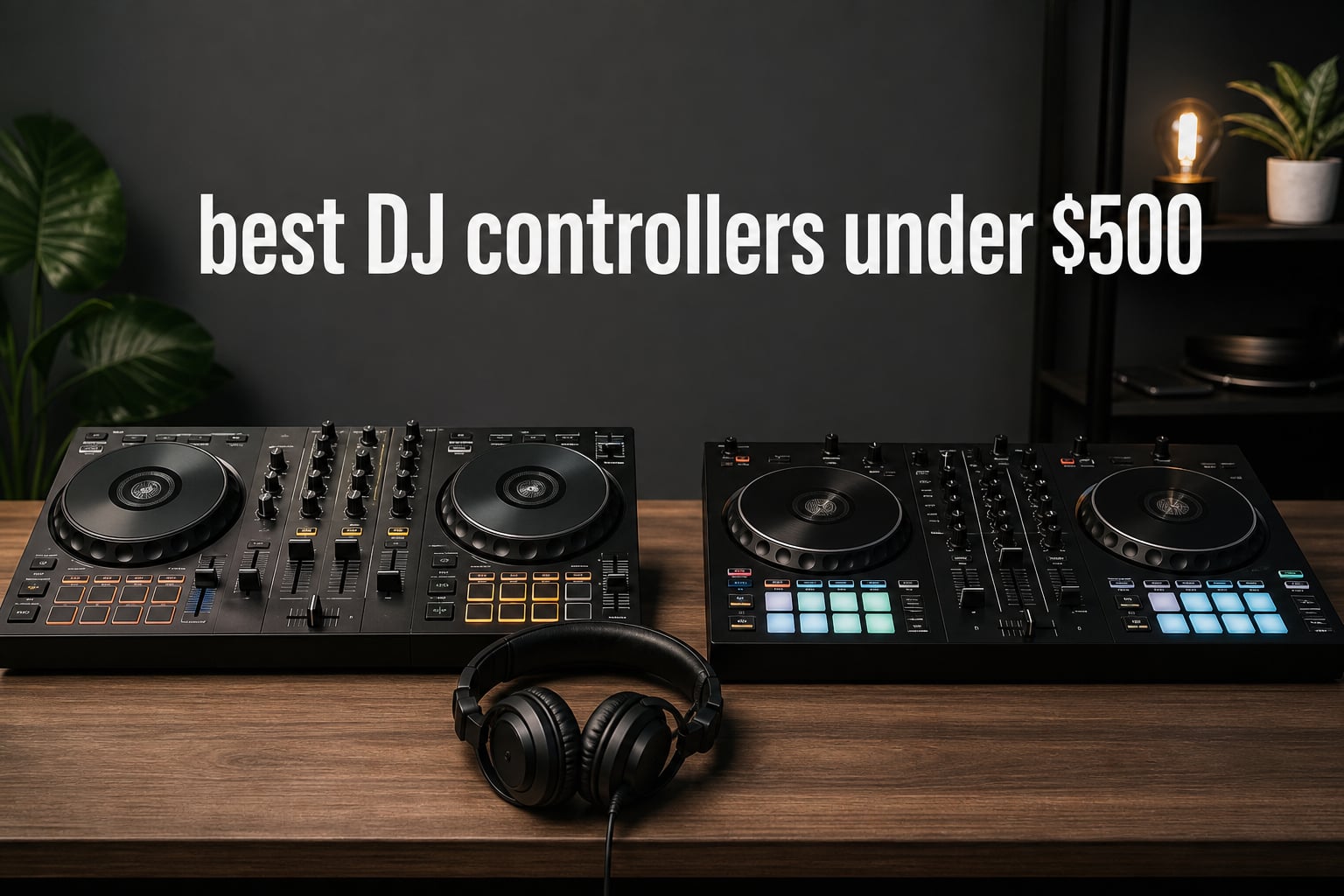
A good DJ controller gives your hands a job that a screen cannot: cueing, nudging a jog wheel, riding a channel fader, and hearing whether two tracks actually belong together. The best DJ controllers under $500 make that hands-on practice possible without asking a new DJ to commit to a club-style system on day one.
All eight choices here are two-channel or four-deck controllers, rather than standalone players. A controller sends its knobs, pads, and jog-wheel movements to DJ software or an app; a standalone system plays without that computer-centered workflow. That distinction matters because your laptop, phone, tablet, music source, and preferred app should shape the pick more than a long feature list.
I ranked the Pioneer DJ DDJ-FLX4 first for its unusually broad device and software support, the Hercules DJControl Inpulse 500 for physical controls and connections, and the Inpulse 200 MK3 for a guided first experience. I also included compact phone-first options and a four-deck specialist, because a beginner DJ controller is not one-size-fits-all in 2026.
There are no verified Lockah internal links available for this subject, so I have not added invented links. Instead, this guide stays focused on the decisions forum users repeatedly raise: Serato versus rekordbox, whether light guides help, whether a plastic controller is enough to learn on, and how quickly a new DJ may want more controls.
The top 3 picks answer most new-DJ needs in 2026
The DDJ-FLX4 is the safest all-round choice for a laptop, phone, or tablet DJ who wants rekordbox and Serato DJ Lite support. The Inpulse 500 is the more mixer-like choice for someone who values a built-in audio interface, larger touch-detect jog wheels, RGB pads, and an external audio input.
The Inpulse 200 MK3 is the compact pick for a complete beginner who wants Beatmatch Guide LEDs, tutorial support, and stem controls without starting with a dense control surface. Scratch-focused learners should also look closely at jog-wheel feel and layout before treating any general-purpose controller as a battle controller.



The best DJ controllers under $500 in 2026 cover eight distinct workflows
Use the overview as a fast filter rather than a winner-takes-all score. Software compatibility, device support, audio connections, and deck count are concrete differences that affect daily practice more than a small rating gap.
| Product | Specifications | Action |
|---|---|---|
| Hercules DJControl Inpulse 200 MK3 |
|
Check Latest Price |
| Pioneer DJ DDJ-FLX4 |
|
Check Latest Price |
| Hercules DJControl Inpulse 500 |
|
Check Latest Price |
 Hercules DJControl Inpulse 300 MK2 Hercules DJControl Inpulse 300 MK2 |
|
Check Latest Price |
 Hercules DJControl Inpulse 200 MK2 Hercules DJControl Inpulse 200 MK2 |
|
Check Latest Price |
 AlphaTheta DDJ-FLX2 AlphaTheta DDJ-FLX2 |
|
Check Latest Price |
 Hercules DJControl Mix Ultra Hercules DJControl Mix Ultra |
|
Check Latest Price |
 Reloop Mixtour Pro Reloop Mixtour Pro |
|
Check Latest Price |
1. Pioneer DJ DDJ-FLX4 is the strongest all-round starter controller
Pioneer DJ DDJ-FLX4 2-Channel DJ Controller, 16 Pads, Graphite
2 channels
rekordbox and Serato DJ Lite
PC to mobile support
Pros
- Works with several device types
- rekordbox and Serato DJ Lite
- streaming support
- portable layout
Cons
- Two channels only
- review data flags a premium position
The DDJ-FLX4 earns the all-round slot because it does not lock a new DJ into one type of device. Its listed support spans PC, Mac, iPhone, iPad, and Android, while its software support includes rekordbox and Serato DJ Lite. That flexibility answers one of the most common community concerns: choosing a controller that will still fit when a practice habit moves from a bedroom laptop to a tablet or mobile device.
It is a two-channel unit with a lightweight professional layout, so its core task is traditional two-track mixing. I would choose it for house, techno, pop, and open-format practice where clean phrasing, cueing, EQ work, loops, and transitions matter more than controlling four decks at once. The listed streaming compatibility covers TIDAL, Beatport Streaming, Beatsource, and SoundCloud Go+, subject to the account and software requirements of the service.
Forum discussions often point beginners to this model because club-layout familiarity has value later. That does not make the controller identical to club equipment, but repeated practice with two decks, mixer controls, and a conventional arrangement can build useful muscle memory.
The DDJ-FLX4 fits DJs who want software freedom
Pick this one when you have not committed to rekordbox or Serato DJ Lite, or when you know you will switch among computer and mobile devices. The broad compatibility is the practical advantage, not a promise that every feature is identical in each app.
It also fits a learner who wants to build a library gradually while retaining access to supported streaming services. Check the current app and streaming-service terms before you depend on streaming for a set.
The DDJ-FLX4 is less suited to four-deck or phone-only specialists
Two channels are enough to learn phrasing, beatmatching, gain staging, EQ transitions, and hot-cue habits. A DJ who already knows they want dedicated four-deck control will run out of physical deck controls sooner.
Likewise, a phone-only DJ who prioritizes cable-free use has a more targeted option below. The FLX4 is broad rather than wireless-first.
2. Hercules DJControl Inpulse 500 is the hands-on mixer-style choice
Hercules DJ Control Inpulse 500, Limited Edition Silver
2 decks
audio interface and external input
16 RGB pads
Pros
- Built-in audio interface
- hardware input mixer
- 16 RGB pads
- touch-detect jog wheels
- spill-protection feet
Cons
- Limited Edition availability may vary
- only two decks
The Inpulse 500 brings more physical mixing-oriented hardware to the table than the smaller beginner models. Hercules lists a built-in audio interface, a hardware input mixer for external audio sources, RCA and TRS outputs, and microphone connection support. Those details matter when practice moves beyond headphones and a laptop into speakers, a mic, or an additional audio source.
I would put this near the top for an aspiring mobile DJ or a learner who dislikes cramped controls. Its large jog wheels use touch detection, while the deck sections include vinyl function, Loop In and Loop Out buttons, a Filter/FX area, and 16 backlit RGB pads. The retractable feet are also a practical touch because they raise the unit away from spills on a working surface.
Its listed external-input capability does not turn it into a standalone DJ system. You still need the relevant computer-and-software workflow for its controller functions, but the hardware routing makes it more adaptable for a simple home or small-event setup.
The Inpulse 500 suits DJs who want room to develop
Choose this controller when larger touch-sensitive jog wheels, performance pads, and mixer connections will make you practice more often. It is a strong fit for mixing electronic music, vocal-driven pop, and event sets where longer blends and microphone use may be part of the plan.
The hardware input mixer makes sense for someone who expects to connect another audio source. That is a real connection advantage over controllers designed only around a compact laptop rig.
The Inpulse 500 is less suited to minimalist travel rigs
This is not the choice I would make for a tiny backpack setup or spontaneous phone-only sessions. The smaller FLX2 and Mix Ultra are more directly built around portability and mobile use.
It also remains a two-deck controller, despite its fuller control surface. A DJ whose entire approach relies on layered four-deck work should consider the Reloop option instead.
3. Hercules DJControl Inpulse 200 MK3 is the clearest guided-learning pick
Hercules DJControl Inpulse 200 MK3 – Ideal DJ Controller with Serato Lite
2 decks
Beatmatch Guide LEDs
stems and virtual sound card
Pros
- DJ Academy tutorials
- compact design
- stem separation
- Beatmatch Guide LEDs
- virtual sound card
Cons
- Built for beginner to intermediate use
- only four pads per deck
The Inpulse 200 MK3 is designed to reduce the blank-page feeling that stops many people from beginning. Hercules includes DJ Academy tutorials, Beatmatch Guide LEDs, an Intelligent Music Assistant, touch-sensitive jog wheels, and four performance pads on each deck. At 2.2 pounds, it is also one of the easier choices to store or carry between a desk and a friend’s home.
The learning aids should be treated as training wheels, not a substitute for listening. Beatmatch lights can show whether tempo and beat alignment need attention, then your ears can confirm the result. That approach is useful for beginners who need feedback while learning what a drifting beat actually sounds like.
Hercules also lists stem separation for live remixing and a built-in virtual sound card for streaming. Those are unusually creative capabilities for such a compact beginner-focused design, though the four-pad-per-deck layout gives you fewer immediate pad controls than the larger Inpulse models.
The Inpulse 200 MK3 helps complete beginners start with structure
Choose it when step-by-step practice matters more than reproducing a large club booth layout. The tutorials, light guides, and track-assistance features directly address the uncertainty many first-time buyers mention.
It is especially sensible for home practice, short sessions, and learning the basic sequence of loading, cueing, matching tempo, aligning beats, and transitioning. Its compact size reduces the barrier to taking it out and using it.
The Inpulse 200 MK3 leaves less space for advanced pad routines
Four pads per deck are enough for basic performance-pad work, but a DJ who wants more immediate pad access may prefer the Inpulse 300 MK2 or Inpulse 500. The small format also gives scratch learners less physical surface than the larger Hercules unit.
This is best viewed as a serious foundation for core skills, not as a guarantee that every DJ will keep the same control surface forever. Your eventual upgrade point depends on the music you play and the features you actually use.
4. Hercules DJControl Inpulse 300 MK2 gives learners more pad control
Hercules DJControl Inpulse 300 MK2 – USB DJ Controller – 2 Decks with 16 Pads and Built-in Sound Card
2 decks
16 pads
Serato DJ Lite and DJUCED
Pros
- 16 sensitive pads
- Beatmatch Guide
- improved jog wheels
- streaming support
- Intelligent Music Assistant
Cons
- PC compatibility is listed
- availability can vary
The Inpulse 300 MK2 sits between a compact first controller and a larger mixer-style unit. Hercules lists 16 sensitive rubber performance pads, which means eight pads per deck, plus improved jog wheels, Beatmatch Guide light guides, and Intelligent Music Assistant support. That is a more generous hands-on performance layout for DJs who want hot cues and pad modes to become part of regular practice.
Software choice is a major strength here. The controller includes Serato DJ Lite and DJUCED, is listed as compatible with Serato DJ Pro, and supports Beatport, Beatsource, SoundCloud GO+, and TIDAL streaming services. A beginner who wants to compare software workflows has an accessible starting point, but should still confirm features and subscriptions in the chosen software.
I would choose this for someone who learns well from visual guidance but does not want the most minimal layout. It has enough pads to make cue juggling, loop practice, and creative transitions feel less constrained while its light guides keep basic beatmatching instruction visible.
The Inpulse 300 MK2 works for pad-focused beginners
Choose the 300 MK2 if you want a middle ground: more performance pads and improved jog-wheel rotation than the smallest Inpulse unit, while retaining learning features. It suits home DJs exploring house, dance, pop, and hip-hop transitions.
The included software and streaming-service compatibility offer a clear route to a first music-mixing routine. Start by learning with files you can reliably access, then add streaming only after checking the relevant service setup.
The Inpulse 300 MK2 is not the widest device-compatibility choice
The supplied data lists PC compatibility, whereas the DDJ-FLX4 and DDJ-FLX2 explicitly list broader phone, tablet, or computer support. If mobile-device flexibility is the non-negotiable requirement, compare those two models first.
The controller is also two-deck by design. That is not a limitation for learning fundamentals, but it is different from a purpose-built four-deck setup.
5. Hercules DJControl Inpulse 200 MK2 is the compact tutorial-first option
Hercules DJControl Inpulse 200 MK2 – Compact Controller – Serato & DJUCED
Compact controller
light guides and stems
Serato DJ Lite and DJUCED
Pros
- DJ Academy videos
- Beatmatch lights
- stem feature
- streaming integration
- compact design
Cons
- May limit advanced users
- PC compatibility is listed
The Inpulse 200 MK2 is the earlier compact learning-focused route in the Hercules range. Its supplied features include Tempo and Beat Align light guides, a stems feature, DJ Academy video tutorials, music streaming integration, and both Serato DJ Lite and DJUCED. That package addresses the usual first-week questions directly: what to press, how to pick a next track, and how two tracks line up.
Light guides can be helpful if used with intent. I would practice a transition with the guides visible, repeat it while watching the software waveforms less, then attempt it by listening. That sequence makes the lights a feedback tool instead of a permanent crutch.
The controller is compact and is listed at 1,394 grams. For a DJ who wants a small controller that can come out for a half-hour practice session, that is a meaningful benefit. It also gives a beginner access to basic stems-based mix variations without moving immediately to a larger unit.
The Inpulse 200 MK2 is right for guided home practice
Pick it when lessons and visual beatmatching support are your highest priorities. The DJ Academy material and paired software licenses make the first practice sessions less intimidating.
It is a logical choice for a new DJ who wants to explore transitions and streaming-supported music mixing at a desk. Its small footprint is useful where a permanent DJ table is not realistic.
The Inpulse 200 MK2 is less right for a long-term large-layout goal
Advanced users may find a compact controller limiting as their pad routines, scratch practice, or connection needs grow. A larger format such as the Inpulse 500 offers more physical control space and a listed hardware input mixer.
The product details name PC as the compatible device, so buyers planning to mix mainly from a phone or tablet should choose a controller with explicit mobile-device support. Do not assume USB alone means every mobile workflow will work.
6. AlphaTheta DDJ-FLX2 is the most flexible compact mobile-controller choice
AlphaTheta Pioneer DJ DDJ-FLX2 2-Channel DJ Controller, Smart Fader, USB-C
USB-C powered
phone tablet PC support
four compatible DJ apps
Pros
- Very compact
- works with several apps
- streaming support
- Smart Fader and CFX
- USB-C power
Cons
- Two channels only
- app requirements affect features
The DDJ-FLX2 makes the strongest case for a compact controller built around modern device flexibility. AlphaTheta lists USB-C power and support for rekordbox, djay, Serato DJ Lite, and Traktor Play, with phone, tablet, PC, and Mac use in its feature set. That combination is unusually useful for someone who starts on a phone and may move to a computer later.
Smart Fader automatically adjusts BPM, volume, and bass for transitions, while Smart CFX supplies effect-based transitions. These tools can help a first-timer hear a more coherent result early on, but I would also make time to learn manual EQ and tempo work. Assisted transitions are most useful when they encourage practice rather than replace it.
Its listed streaming options include Apple Music, Beatport Streaming, SoundCloud, Spotify, and TIDAL. Availability depends on the selected DJ app and service account, so software is still the deciding layer. The controller itself is only 2.65 pounds and has a 15.09-inch length, making it realistic for a small desk or travel bag.
The DDJ-FLX2 serves phone and tablet DJs well
Choose the FLX2 when small size, USB-C power, and app variety come first. It is a direct answer to the beginner who does not own a dedicated DJ laptop yet and wants a controller that can meet them where they are.
It also works for casual sessions using supported streaming services, provided the chosen app supports the specific service. The built-in USB-C cable supports a compact, less cluttered arrangement.
The DDJ-FLX2 gives up mixer scale for portability
The two-channel design and small enclosure make it portable, but they do not offer the same physical spacing as a bigger controller. DJs learning detailed scratch motions or wanting extensive external connections may prefer the Inpulse 500.
Smart features do not remove the need to understand cue points, timing, and gain balance. Treat them as a way to get started, then practice without assistance too.
7. Hercules DJControl Mix Ultra is the phone-first wireless option
Hercules DJLearning Kit MK II, DJ Controller with Speakers and Headphones, Beginner DJ Set with Jog Wheels, 2 Deck DJ Mixer Controller, Portable DJ Equipment for Beginners, Compatible with PC
Bluetooth LE
up to 10-hour battery
Neural Mix and djay app
Pros
- Wireless Bluetooth
- battery-powered
- Neural Mix
- phone and tablet support
- touch jog wheels
Cons
- No PC or Mac support listed
- only eight pads
- smaller review base
The DJControl Mix Ultra is deliberately different from the laptop-oriented controllers in this guide. It uses Bluetooth Low Energy, works with iOS and Android smartphones or tablets, includes the djay app, and has a rechargeable battery listed for up to 10 hours. It is the clearest fit for a DJ who wants to take a mobile setup to a patio, hotel room, or small social setting without organizing a computer rig.
Hercules lists touch-sensitive jog wheels, eight pads, a smartphone stand, a cover, and Neural Mix for isolating drums, melody, or vocals. Neural Mix can make quick mashups and transition ideas more playful, especially for streaming-centered sessions. It is not a replacement for learning song structure, but it can make a mobile set more expressive.
The important constraint is equally clear: the product data lists smartphone and tablet use, not PC or Mac support. That is a purposeful mobile design choice, not a general controller with every workflow attached.
The Mix Ultra works for wireless mobile sessions
Choose this option if your music and DJ life already happen on iOS or Android. The combination of Bluetooth LE and battery operation reduces the cables needed for a casual performance or practice session.
It is also appropriate for people who value portability over a club-style desk layout. The supplied cover and smartphone stand support that use case rather than treating mobile use as an afterthought.
The Mix Ultra does not fit laptop-based practice plans
Do not pick it if you expect to learn on a PC or Mac immediately, because that support is not listed. The DDJ-FLX4 and DDJ-FLX2 explicitly cover computer and mobile-device routes.
Its eight pads and compact control surface are sufficient for mobile creativity, but they are not the most expansive option for a DJ building elaborate pad routines. Choose it for the mobile workflow, not for maximum hardware density.
8. Reloop Mixtour Pro is the specialist four-deck djay Pro controller
Reloop Mixtour Pro High-quality, ultra-portable, all-in-one four-deck DJ
Four-deck control
24-bit USB sound card
USB-C for djay Pro
Pros
- Four-deck control
- integrated 24-bit sound card
- USB-C bus power
- deck LEDs
- low-latency design
Cons
- djay Pro focused
- lower review base
- compact specialist layout
The Mixtour Pro is for the buyer whose main goal is not a conventional two-deck learning surface. Reloop lists four-deck control, dedicated LED indicators for decks three and four, an integrated 4x-out USB sound card with 24-bit Cirrus Logic D/A converters, USB-C bus power, and djay Pro software focus. It was developed in collaboration with DJ and producer Laidback Luke.
Four decks let a DJ prepare and layer more material, such as loops, acapellas, or a third track, but the extra capability also creates more to manage. I would not call it the simplest answer for a first-ever mix. It is the right answer for a portable djay Pro user who already knows why four-deck access matters.
The 956-gram weight and USB-C design make it notably portable for its role. Optional power delivery support is listed up to 85W, while the controller itself can be bus-powered. Its audio interface is a strong technical point for a compact software-centered setup.
The Mixtour Pro fits djay Pro DJs who need four-deck access
Choose it when your workflow is firmly centered on Algoriddim djay Pro and you want dedicated deck-three and deck-four indication. It can suit advanced mixing ideas in a compact arrangement where a traditional wide controller is inconvenient.
The integrated sound card and four outputs make it more technically ambitious than a simple app accessory. It is intended for a DJ who understands routing, software configuration, and layered deck management.
The Mixtour Pro is not the simplest first controller
A complete beginner usually benefits more from a familiar two-deck layout, guided learning tools, or broad software support. The FLX4 and the Hercules Inpulse models make that first stage easier to approach.
The Mixtour Pro is also specifically designed around djay Pro. Buy it only after confirming that djay Pro is the software you want to use, rather than assuming it offers the same cross-platform path as the FLX4.
The right buying guide starts with software and listening habits
The controller is the physical half of a DJ system; the software or app is the other half. rekordbox, Serato DJ Lite, DJUCED, djay, Traktor Play, and djay Pro do not offer the same hardware compatibility, streaming relationships, libraries, or feature access. Pick the controller that explicitly supports the software you plan to open every week.
The software choice should come before brand loyalty
Choose rekordbox or Serato DJ Lite support when you want a conventional laptop-centered path and a familiar layout. The DDJ-FLX4 explicitly supports both, while the Inpulse 300 MK2 and Inpulse 200 MK2 list Serato DJ Lite and DJUCED.
Choose the FLX2 if app variety and phone or tablet use are central, because it lists rekordbox, djay, Serato DJ Lite, and Traktor Play. Choose the Mixtour Pro only when djay Pro is already your intended environment.
The audio connections decide how you will hear and share a mix
A built-in audio interface is important when you need to cue a track privately in headphones while the audience hears the master output. It also matters when connecting speakers and, on some setups, a microphone or external device.
The Inpulse 500 has the clearest connection-focused listing here, including a built-in audio interface, RCA and TRS output types, microphone connectivity, and a hardware input mixer. The Mixtour Pro also lists an integrated 4x-out USB sound card, while compact mobile controllers prioritize a different kind of portability.
The jog wheels should match the skill you want to practice
Jog wheels are not just decorative discs. You use them to nudge timing, find a cue point, and, depending on the controller, practice scratch movements. Touch detection and physical diameter can change the feel, but good beatmatching still comes from listening and correcting in small moves.
The Inpulse 500 explicitly lists large touch-detect jog wheels, while the Inpulse 300 MK2 lists improved jog-wheel rotation and the compact Hercules models list touch-sensitive jog wheels. A scratch-curious buyer should prioritize space and response over extra software features they will never use.
Two channels are enough until your sets need more layers
Two-channel mixing is not a beginner compromise; it is how many DJs build full sets. It teaches cueing, phrase matching, EQ, volume management, loops, and the discipline of choosing the right next track.
You may outgrow two-channel control when you routinely need a third deck for loops or acapellas, or a fourth deck for additional layers. That is when the four-deck Mixtour Pro becomes relevant, but more decks do not automatically make a set better.
The genre changes which controls feel worthwhile
For house and techno, stable beatmatching, clean EQ, loops, and a comfortable two-deck mixer section are usually the priority. The FLX4 and Inpulse 500 fit that style of practice well because they keep the core two-deck workflow obvious.
For hip-hop and open-format mixing, responsive jog wheels, quick cue access, pads, and a layout that invites sharper transitions can matter more. For casual streaming-driven parties, mobile support and simple effects may outweigh a large controller body, making the FLX2 or Mix Ultra more natural choices.
A controller remains a controller, not a standalone player
A DJ controller normally needs software running on a computer, phone, or tablet to play and manage music. That is different from standalone gear, which has its own playback system and does not depend on the same connected-device workflow.
This is not a flaw in controllers. It is why they can offer capable physical control in a compact package, but it means you should check device compatibility, cable requirements, software access, and headphone-and-speaker routing before your first session.
The most common DJ-controller questions have practical answers
What is the best DJ controller under $500?
The Pioneer DJ DDJ-FLX4 is the strongest general recommendation because it supports rekordbox and Serato DJ Lite and is listed for PC, Mac, iPhone, iPad, and Android. Choose the Hercules DJControl Inpulse 500 instead if you value a built-in audio interface, external audio input, RGB pads, and larger touch-detect jog wheels.
What is the easiest DJ controller for beginners?
The Hercules DJControl Inpulse 200 MK3 is the most guided option in this list. Its Beatmatch Guide LEDs, DJ Academy tutorials, Intelligent Music Assistant, touch-sensitive jog wheels, and compact design give a new DJ clear feedback while learning basic transitions.
What DJ software should a beginner use?
Start with the software your chosen controller explicitly supports and that works with your device. rekordbox and Serato DJ Lite are strong conventional routes, DJUCED pairs with several Hercules learning controllers, and djay suits mobile-focused workflows. Learn one interface well before switching.
Do I need a laptop to use a DJ controller?
Not always. The DDJ-FLX4 and DDJ-FLX2 are listed for phone and tablet use as well as computer workflows, while the Hercules DJControl Mix Ultra is made for iOS and Android. Other controllers list PC use, so check the stated device support and app requirements before buying.
Can I learn to scratch on a DJ controller?
Yes, a DJ controller can teach basic scratch timing and fader coordination when it has responsive jog wheels and a suitable layout. The Inpulse 500 lists large touch-detect jog wheels, while the Inpulse 300 MK2 lists improved jog-wheel rotation. Start slowly and build clean, repeatable movements.
The DDJ-FLX4 remains the all-round recommendation in 2026
The best DJ controllers under $500 are the ones that match your software, device, and practice style. Choose the DDJ-FLX4 for broad flexibility, the Inpulse 500 for a more connection-rich physical setup, the Inpulse 200 MK3 for guided first steps, the FLX2 or Mix Ultra for mobile use, and the Mixtour Pro for deliberate four-deck djay Pro work.
Make the final decision after confirming the software and device you will actually use. A controller that fits your routine will teach you more than an impressive feature list that stays in its box.