
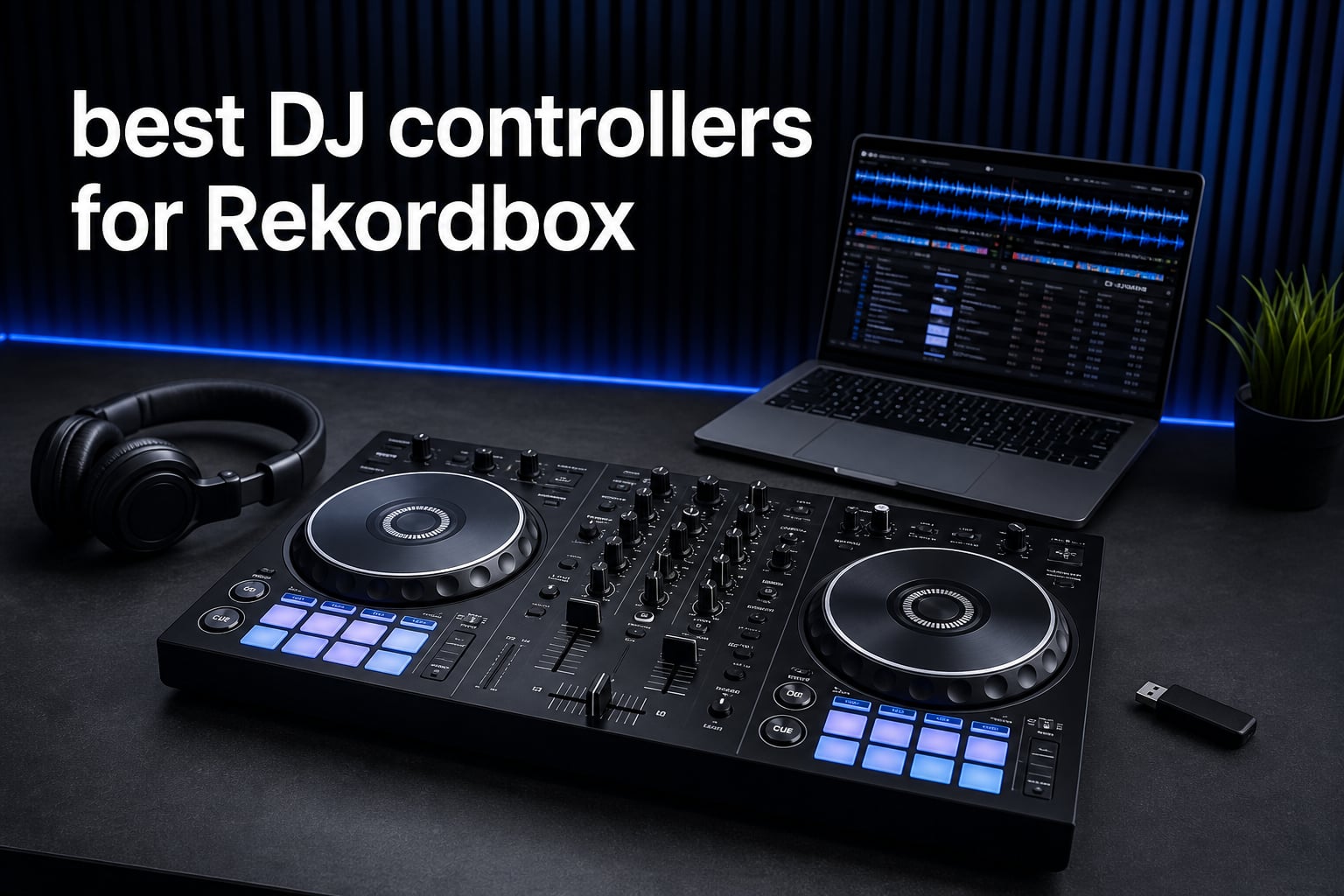
The best DJ controllers for Rekordbox cover very different jobs: learning a first blend at home, practicing a club-style workflow, running four decks from a laptop, or leaving the laptop behind. The right choice is not the controller with the longest feature list; it is the one whose layout, channels, media workflow, and portability match the sets you actually plan to play.
My short answer is the Pioneer DJ DDJ-FLX10 for an experienced laptop DJ who wants four channels and track-separation controls. The Pioneer DJ DDJ-FLX4 is the more sensible starting point for most new DJs, while the AlphaTheta XDJ-AZ is the supplied-data pick for a full standalone, four-deck workflow.
I reviewed all seven Rekordbox-compatible units in the research set, rather than filling the list with near matches. I focused on the supplied specifications, product ratings, review feedback, and the questions DJs repeatedly raise in Rekordbox and Pioneer DJ communities: whether a controller will help with club preparation, whether two channels are enough, and when a standalone system makes sense.
Rekordbox matters because it can be both the place where you organize music and the performance software your controller operates. That shared workflow makes USB preparation and familiar deck controls relevant if your goal is to move toward a club-standard setup, but it does not make every controller equally suitable for that path.
Table of Contents
The three clearest Rekordbox picks suit advanced, beginner, and club-layout needs
These three give the quickest answer for most shoppers. Choose the FLX10 for deep laptop performance tools, the FLX4 for a portable two-deck entry point, or the GRV6 if a CDJ-3000 and DJM-A9-inspired layout is your main learning priority.
These seven Rekordbox controllers cover beginner, laptop, standalone, and mobile sets in 2026
The overview below is a feature map, not a claim that every controller has the same role. A compact two-channel controller makes sense for basic mixing and mobility; a four-channel unit adds layering options; and an all-in-one system changes the performance workflow by supporting playback from USB media.
| Product | Specifications | Action |
|---|---|---|
 Pioneer DJ DDJ-FLX10 Pioneer DJ DDJ-FLX10 |
|
Check Latest Price |
 Pioneer DJ DDJ-FLX4 Pioneer DJ DDJ-FLX4 |
|
Check Latest Price |
 AlphaTheta DDJ-GRV6 AlphaTheta DDJ-GRV6 |
|
Check Latest Price |
 AlphaTheta XDJ-AZ AlphaTheta XDJ-AZ |
|
Check Latest Price |
 Pioneer DJ XDJ-RX3 Pioneer DJ XDJ-RX3 |
|
Check Latest Price |
 AlphaTheta OMNIS-DUO AlphaTheta OMNIS-DUO |
|
Check Latest Price |
 AlphaTheta DDJ-FLX2 AlphaTheta DDJ-FLX2 |
|
Check Latest Price |
1. The Pioneer DJ DDJ-FLX10 is the strongest laptop choice for four-channel Rekordbox performance
Pioneer DJ DDJ-FLX10 4-Channel DJ Controller, Track Separation, Black
4 channels
Track Separation
On Jog Display
Pros
- Four-channel mixing
- Track Separation
- On Jog Display
- DMX lighting control
- Rekordbox and Serato support
Cons
- Limited-edition availability
- Requires a computer
- Advanced feature set
The DDJ-FLX10 is my first recommendation for a DJ whose sets have moved beyond straightforward two-deck transitions. Its four channels give you room for a third-deck loop, an acapella, or a second track without giving up the two main decks, and the unit is explicitly listed for rekordbox and Serato DJ Pro.
The supplied review data records a 4.5 rating from 248 reviews, with 83% marked five-star. That is not a substitute for trying the controls yourself, but it is useful context for a controller aimed at intermediate and advanced performers rather than a first-time buyer.
Track Separation is the key reason to consider this model for creative Rekordbox work. It is described as control over vocals, drums, and instruments, with color-coded LEDs around those controls; that can make a planned vocal swap or drum transition more direct than hunting through a software interface mid-set.
The expanded On Jog Display can show Deck Info, Waveform, Artwood, or a DJ Logo. I would treat that as a workflow tool rather than a decoration: seeing relevant deck data at the jog can reduce how often you look away from the controller, though a laptop remains part of this setup.
The FLX10 fits DJs who want four active channels and expressive track control
This controller suits open-format DJs, remix-minded performers, and anyone who already understands phrasing, cue points, and basic effects. Four channels are useful only when you have a clear job for them, so it is more compelling for layered sets than for a new DJ still learning clean two-track beatmatching.
The 16 performance pads and touch-based control complement that broader performance focus. The DMX-compatible lighting control is also a meaningful extra for DJs coordinating music and lighting through a compatible setup, not a reason to buy it if lighting is outside your work.
The FLX10 needs a laptop and may be more controller than a beginner needs
This is a controller rather than an all-in-one player, so it relies on a PC or Mac performance workflow. If the aim is USB-only sets or avoiding a computer at a gig, the XDJ-AZ and XDJ-RX3 in this list better match that requirement.
The research also identifies this as a limited-edition model, which can affect availability. For a beginner, its channel count and specialized controls can create more choices than help; a two-channel FLX4 or FLX2 leaves more attention for fundamental timing and song selection.
2. The Pioneer DJ DDJ-FLX4 is the best starting controller for most new Rekordbox DJs
Pioneer DJ DDJ-FLX4 2-Channel DJ Controller, 16 Pads, Graphite
2 decks
Multi-device support
Streaming support
Pros
- Beginner-friendly
- PC and mobile support
- Streaming service support
- Portable layout
- Strong review record
Cons
- Two channels
- Basic beside advanced controllers
The DDJ-FLX4 earns its place because it keeps the core job clear: two decks, a familiar performance layout, USB connectivity, and RCA outputs. It is the controller I would point to when someone wants to build Rekordbox habits without committing to a large four-channel surface or standalone system.
Its supplied rating is 4.7 across 2.7k reviews, with 85% five-star feedback. Review notes repeatedly praise device flexibility, the included Serato DJ Lite option, streaming support, and accessibility for newcomers, which lines up with the community view that it remains a sensible first controller.
The FLX4 works with PC, Mac, iPhone, iPad, and Android devices according to the product data. It also supports TIDAL, Beatport Streaming, Beatsource Streaming, and SoundCloud Go+, so a DJ can explore supported streaming sources while learning before a deep locally managed library is in place.
At 2.8 kilograms, it is easy to picture moving between a bedroom desk, a friend’s party, and a practice session. The portable format is helpful, but I would not confuse portability with a stripped-down experience: the practical lesson here is to learn cueing, EQ, phrasing, and transitions on a layout designed for performance.
The FLX4 is right for beginners who want flexibility across devices
This is the cleanest choice for beginner DJs who want to use a computer or compatible mobile device and prefer two-deck mixing. It also works for a returning DJ who does not need four channels, a touchscreen, or standalone playback to make satisfying home and small-event sets.
Community feedback in the supplied research consistently names the FLX4 as the starter recommendation. I agree with the reasoning behind that consensus: it lets you focus on the decisions that carry to any setup instead of using advanced controls simply because they are present.
The FLX4 is limited when you need four-deck layering or USB-only performance
Two channels will handle a great deal of real DJing, but they limit live layering compared with the FLX10 and GRV6. DJs who regularly build three-deck blends, keep an acapella active, or want separate channels for additional sources will outgrow that boundary sooner.
This unit also remains a controller, not a USB-playing all-in-one system. A laptop or supported mobile device is part of the plan, and RCA output is less specialized than the XLR connectivity listed for the OMNIS-DUO.
3. The AlphaTheta DDJ-GRV6 is the club-layout option for creative four-channel practice
AlphaTheta DDJ-GRV6 4-Channel DJ Controller, Groove Circuit, Black
4 channels
Groove Circuit
Full-size jog wheels
Pros
- Club-inspired layout
- Four channels
- Groove Circuit
- Full-size jog wheels
- Rekordbox support
Cons
- 3.8 rating
- Mixed review feedback
- Full functionality may need licenses
The DDJ-GRV6 is the most direct answer for a DJ who wants to practice a layout inspired by CDJ-3000 players and a DJM-A9 mixer while retaining a laptop controller format. Its full-size jog wheels, four channels, performance pads above the decks, and Beat FX placement are all described as part of that club-style workflow.
It also has Groove Circuit, a feature designed to replace drum parts live, shift genres, and build transitions with fills, rolls, and breakdowns. That is a creative performance tool with a specific character, so I would choose it for DJs who genuinely want to manipulate drum energy rather than those who only need reliable basic mixing.
There is an important caution in the supplied review record: this model has a 3.8 rating from 158 reviews, and the listed distribution includes 21% one-star reviews. It would be misleading to bury that detail, especially when the stronger paper specification may tempt a buyer who has not read the feedback.
The GRV6 supports rekordbox, Serato DJ Pro, and supported mobile apps, while its product data lists laptop, PC, smartphone, and tablet compatibility. That flexibility has appeal for a DJ changing workflows, although the research warns that full functionality can involve additional software licenses.
The GRV6 prepares a DJ for a familiar club-style control arrangement
If the main question is “which controller helps me learn Pioneer-style club gear?”, this is one of the clearest answers in the seven-product set. DJs in the supplied community research specifically praised the GRV6 as strong value for learning the CDJ-3000 and DJM-A9 style of arrangement.
That does not make it identical to a club installation. It does mean your hands can practice a related deck-and-mixer relationship at home, including larger jog wheels, pad placement, Beat FX, and four-channel thinking.
The GRV6 deserves extra review checking before a purchase decision
The lower rating and mixed distribution call for more care than the FLX4 or FLX10 review records. Read current owner feedback closely for the aspects that matter to your work, such as day-to-day usability, connection behavior, and the specific software configuration you expect to use.
Groove Circuit is also specialized rather than universal. A DJ focused on long-form house or techno blends may find more value in clean channel mixing and preparation than in live drum replacement, while open-format performers may use the effect more often.
4. The AlphaTheta XDJ-AZ is the full standalone answer for four-deck Rekordbox USB sets
Pioneer DJ XDJ-AZ Professional 4-Deck All-in-One DJ System, 10.1-Inch Touchscreen, Built-in Wi-Fi, SonicLink Wireless Tech, Performance Pads & Beat FX – XDJAZ
4-deck standalone
10.1 inch touchscreen
SonicLink
Pros
- Four-deck USB playback
- Large touchscreen
- Full-size jog wheels
- Wi-Fi and Bluetooth
- Extensive effects
Cons
- 30 pound unit
- Large footprint
- Less portable
The XDJ-AZ is for the DJ who wants a self-contained performance system with four-deck USB playback rather than a controller attached to a computer. Its 10.1-inch capacitive touchscreen, four-deck operation, full-size 206 mm jog wheels, and professional club-standard layout make it the most complete standalone option in the supplied products.
The research reports a 4.7 rating across 47 reviews, with 87% five-star feedback. That is a smaller review sample than the FLX4’s, yet the feedback aligns with the intended use: a professional all-in-one system with a large screen, creative deck capacity, and strong audio specifications.
For browsing, the screen can show up to 13 tracks, and the unit includes Playlist Bank and Touch Preview features. Those functions matter during a USB-based set because selecting and previewing tracks happens at the hardware instead of on a laptop display.
The audio specification listed is a 115 dB signal-to-noise ratio with 0.0018% total harmonic distortion. It also provides six Sound Color FX and 14 Beat FX, including Helix and Mobius, so the mixer section gives a performer meaningful room to shape transitions.
The XDJ-AZ is right for DJs who want laptop-free four-deck performance
Choose this model if independent USB playback is a real requirement and you use four decks enough to benefit from them. Its built-in Wi-Fi, Bluetooth 5.3, and SonicLink wireless technology broaden connection options, while the large screen supports a more self-contained browsing workflow.
I would also favor it for a fixed home studio, a serious event setup, or a DJ who values a club-style all-in-one surface more than easy carrying. Adjustable Jog Feeling on the 206 mm jog wheels gives another practical control point for performers with a firm preference.
The XDJ-AZ is less suitable when frequent transport is the main requirement
The listed weight is 30 pounds and the listed dimensions are 47.01 by 24.02 by 14.02 inches. Those figures do not rule out transport, but they turn carrying, storage, and setup space into genuine buying considerations rather than afterthoughts.
A standalone system also asks for a disciplined USB-preparation routine. If you are comfortable using a laptop and mainly need two decks, a controller can be easier to fit into a small work area and easier to move between sessions.
5. The Pioneer DJ XDJ-RX3 is the focused two-channel standalone choice
Pioneer DJ XDJ-RX3 All-In-One DJ System (Black)
2-channel standalone
10.1 inch touchscreen
Jog displays
Pros
- Laptop-free workflow
- Large touchscreen
- Jog-wheel displays
- Playlist Banks
- Compact all-in-one format
Cons
- Two channels
- 21 pound weight
- Less deck capacity
The XDJ-RX3 takes the standalone idea in a simpler direction than the XDJ-AZ: it is a two-channel all-in-one system built around USB connectivity, a 10.1-inch touchscreen, and touch-sensitive jog wheels with integrated graphic displays. It is a strong fit when laptop-free operation matters more than access to four simultaneous decks.
Its supplied rating is 4.4 from 184 reviews, with 80% five-star feedback. The product feedback describes it as a solid system for DJs advancing their skills, and its feature list supports that view with track-selection tools and visible deck information rather than an overly dense control surface.
The touchscreen has 1280 by 800 resolution, and four Playlist Banks are listed for rapid track selection. That is a meaningful detail for prepared USB sets: it keeps several playlists close at hand instead of treating library navigation as a minor part of a performance.
Pad status display is another practical preparation feature, letting a DJ see performance-pad information while working. With 16 pads, a jog display, and a dedicated screen, the unit places common performance feedback on the hardware itself.
The XDJ-RX3 works for DJs who prefer two decks without a laptop
This is the sensible standalone choice for DJs whose music works best with two active tracks and who want to concentrate on selection, phrasing, EQ, loops, and effects. Two channels are not a compromise when they match your mixing style; they can make a standalone system quicker to understand and operate.
It is also a good stepping stone for someone preparing USB media in Rekordbox and wanting a controlled home practice environment. The touchscreen-and-jog-display combination keeps browsing and deck information close to the controls.
The XDJ-RX3 is constrained if you regularly layer multiple live sources
The two-channel format is the central limitation. DJs who rely on third-deck loops, acapellas, and extended layered transitions should look toward a four-channel controller or the four-deck XDJ-AZ rather than trying to force a two-channel workflow into a different job.
The listed weight is 21 pounds, which is lighter than the XDJ-AZ but still substantial compared with a compact controller. Plan storage, transport, and a stable performance surface before deciding that an all-in-one system is automatically the more convenient option.
6. The AlphaTheta OMNIS-DUO is the mobile Rekordbox option with battery power
AlphaTheta OMNIS-Duo Portable All-in-One DJ System, Bult-in Battery
Battery powered
Up to 5 hours
Bluetooth and XLR
Pros
- Built-in battery
- Compact form
- Bluetooth
- XLR and RCA outputs
- Touchscreen modes
Cons
- Up to 5 hour battery
- Three channels
- 4.0 rating
The OMNIS-DUO answers a need that standard desk controllers do not: it has a built-in battery rated for up to five hours of play. That makes it the distinct mobile choice in this list for informal outdoor sets, gatherings, and locations where cable routing or nearby power is part of the problem.
Its supplied rating is 4.0 from 16 reviews, with a much smaller evidence base than the other models here. The available review data praises its compact transport-friendly design, touchscreen modes, and connection choices, while also flagging the battery limit and plastic enclosure.
Connectivity includes Bluetooth, XLR, RCA, and a 3.5 mm smartphone input in the supplied information. The ability to connect to a battery-powered WAVE-EIGHT speaker is listed too, which shows the product is designed around a portable system concept rather than a conventional fixed booth.
The touchscreen offers Light and Dark modes, a useful detail for changing environments. It is listed as a three-channel device, which gives more room than a two-channel controller but is not the same four-deck proposition as the FLX10, GRV6, or XDJ-AZ.
The OMNIS-DUO suits DJs who need power flexibility for mobile events
Pick the OMNIS-DUO when battery operation changes where you can play, not just because it sounds convenient. It has a clear place for small gatherings, outdoor sessions, and mobile setups where carrying an AC-powered controller, computer, and separate power plan would make the event impractical.
I would plan the whole chain with this controller: music source, speaker connection, output type, charging time, and a backup route if the event could exceed the published battery duration. That planning is what turns battery power from a novelty into a useful capability.
The OMNIS-DUO needs battery and durability trade-offs considered first
Up to five hours of battery life may be enough for a short event but may not cover a long booking, including setup and sound-check time. Bringing power and a charging plan is still sensible, particularly when the schedule is uncertain.
The plastic enclosure and smaller review sample warrant an honest check of your use case. A fixed venue DJ who wants the largest jog wheels, a club-style arrangement, or four-deck playback will find the XDJ-AZ or GRV6 closer to those goals.
7. The AlphaTheta DDJ-FLX2 is the smallest Rekordbox controller for app-based learning
AlphaTheta Pioneer DJ DDJ-FLX2 2-Channel DJ Controller, Smart Fader, USB-C
2 channels
USB-C powered
Smart Fader
Pros
- Very compact
- Multiple app support
- Streaming support
- Smart Fader
- Included DJ course
Cons
- Two channels
- Fewer advanced controls
- May be outgrown
The DDJ-FLX2 is the compact entry route for someone who wants to start with a phone, tablet, or computer. It is a two-channel controller with USB-C power and Bluetooth, and the supplied product data calls it the most compact controller in the AlphaTheta lineup.
It has a 4.5 rating from 436 reviews, with 78% five-star feedback. Review notes point to ease of use, streaming support, and Smart Fader as the attractions, while correctly identifying its two-channel limit and a feature set that may feel restrictive for an intermediate DJ.
Software support is broad in the supplied data: rekordbox, djay, Serato DJ Lite, and Traktor Play are named. It also supports Apple Music, Beatport Streaming, SoundCloud, Spotify, and TIDAL, making it useful for beginners who are exploring supported sources and DJ apps rather than arriving with a fully organized collection.
Smart Fader automatically adjusts BPM, volume, and bass for transitions, while Smart CFX provides effect-oriented transitions. These tools can help a new DJ get moving, but I see them as support wheels: use them while also practicing manual timing, gain control, and EQ decisions.
The FLX2 is right for a new DJ who needs a very small multi-app controller
This is a practical selection for learning at a small desk, taking to a friend’s place, or pairing with a compatible mobile device. Its listed dimensions of 8.19 by 15.09 by 1.9 inches and weight of 2.65 pounds make the portability case much stronger than with the larger controllers here.
The included DJ course is another beginner-oriented detail. A structured lesson can be more valuable than extra knobs in the first few weeks, especially when the goal is to make consistent transitions and understand how the software library, beat grid, cue points, and controller relate.
The FLX2 is not the right platform for advanced club-layout practice
The small form, two-channel design, and beginner-assist features make it different from a club-inspired four-channel controller. DJs who already know they want full-size jog wheels, dedicated four-channel mixing, or a larger performance surface should begin with a controller that matches that destination.
Bluetooth is convenient, but a DJ should always understand the connection method intended for performance and prepare tracks in advance. Streaming availability can vary by supported service and app, so check the exact software workflow you expect to use before relying on it for an important set.
The right Rekordbox controller depends on software workflow, channels, and where you play
Start the decision with the format of your set, not a feature comparison. A laptop controller uses Rekordbox performance software as the control center; an all-in-one system supports a USB-focused workflow; and a battery-powered system solves a different location and power problem.
The software choice should match the devices and music sources you already use
Every product in this guide is presented in the supplied data as Rekordbox-compatible, but their wider support differs. The FLX4 is listed for PC, Mac, iPhone, iPad, and Android; the FLX2 is listed for rekordbox alongside djay, Serato DJ Lite, and Traktor Play; and the FLX10 is listed for rekordbox and Serato DJ Pro.
Compatibility is not the same as identical features across every device or app. Before committing, check the current supported software tier and the device you will actually bring to practice and gigs, especially if you expect a controller to work across a laptop and mobile setup.
Two channels are enough for many sets, while four channels support a specific kind of layering
Two channels let you perform complete, professional mixes: one track can play while the other is cued, and you can use loops, cue points, EQ, and effects to create transitions. The FLX4, FLX2, and XDJ-RX3 are good examples of products that make that focused approach central.
Four channels help when you routinely layer an acapella, loop a percussion part, add a third deck, or keep a backup track ready. The FLX10, GRV6, and XDJ-AZ serve that purpose, but channel count by itself does not improve timing, song selection, or musical judgment.
Standalone playback is best when USB preparation matters more than a laptop screen
The XDJ-AZ and XDJ-RX3 are the standalone systems in this research set. Prepare your library in Rekordbox, export to USB media, and practice browsing, loading, and managing set flow from the unit’s screen instead of treating a computer as the focal point of performance.
That approach is especially relevant for DJs concerned about club preparation. Community discussions repeatedly value controllers and systems that make the transition to Pioneer-style club equipment feel less abrupt; the GRV6 layout, XDJ-AZ, and XDJ-RX3 are the most directly relevant supplied options for that goal.
Track separation matters most for DJs who will actually remix vocals, drums, and instruments
The FLX10 explicitly lists Track Separation for manipulating vocals, drums, and instruments. The GRV6 instead centers on Groove Circuit for replacing drum parts and creating fills, rolls, breakdowns, and genre shifts, so the two products offer different routes to a more hands-on remix approach.
Neither capability replaces careful preparation. Decide whether your sets call for live reworks often enough to justify specialized controls, then test your routine in practice rather than discovering the limits of a complex feature during a public performance.
Mobile DJs should plan outputs, battery duration, and carrying weight before choosing
The OMNIS-DUO is the clear mobile specialist with a battery listed for up to five hours and Bluetooth, XLR, and RCA connection options. Its battery-powered design can simplify certain locations, but it also makes duration and charging part of the event plan.
Size has equally practical consequences. The XDJ-AZ is listed at 30 pounds, the XDJ-RX3 at 21 pounds, the FLX10 at 14.77 pounds, the FLX4 at 2.8 kilograms, and the FLX2 at 2.65 pounds; use those figures to think through cases, vehicles, tables, and setup help.
These Rekordbox controller answers address the questions DJs ask most often
What is the best controller for rekordbox?
The Pioneer DJ DDJ-FLX10 is the strongest overall pick here for advanced laptop DJs because it has four channels, Track Separation, On Jog Display modes, and Rekordbox support. The DDJ-FLX4 is the better starting choice for most beginners, while the XDJ-AZ is the standalone four-deck option.
Which DJ controllers work with rekordbox?
All seven products in this guide are listed as Rekordbox-compatible: Pioneer DJ DDJ-FLX10, DDJ-FLX4, XDJ-RX3; AlphaTheta XDJ-AZ, DDJ-GRV6, OMNIS-DUO, and DDJ-FLX2. Check the current supported device and software configuration for the workflow you plan to use.
What controller do most DJs use?
There is no single controller that every DJ uses. Many DJs choose a laptop controller such as the DDJ-FLX4 or DDJ-FLX10, while DJs prioritizing USB preparation and laptop-free playback may choose an all-in-one system such as the XDJ-RX3 or XDJ-AZ.
Which Pioneer DJ controller has the best sound quality?
The supplied specifications make the AlphaTheta XDJ-AZ the strongest sound-focused option in this list, with a stated 115 dB signal-to-noise ratio and 0.0018% total harmonic distortion. Sound quality at an event also depends on source files, gain staging, cables, speakers, and the room.
The best DJ controllers for Rekordbox in 2026 match a clear next step
For most advanced laptop DJs, I would choose the DDJ-FLX10; for a first controller, the DDJ-FLX4 is the direct pick. Choose the GRV6 for club-layout practice, the XDJ-AZ or XDJ-RX3 for standalone performance, the OMNIS-DUO for battery-powered mobility, or the FLX2 when compact app-based learning comes first.
The best DJ controllers for Rekordbox are the ones you will practice with consistently. Use the comparison above to narrow the format, then check the relevant current listing and confirm that its device and software workflow matches the music, venue, and performance style you have in mind.