
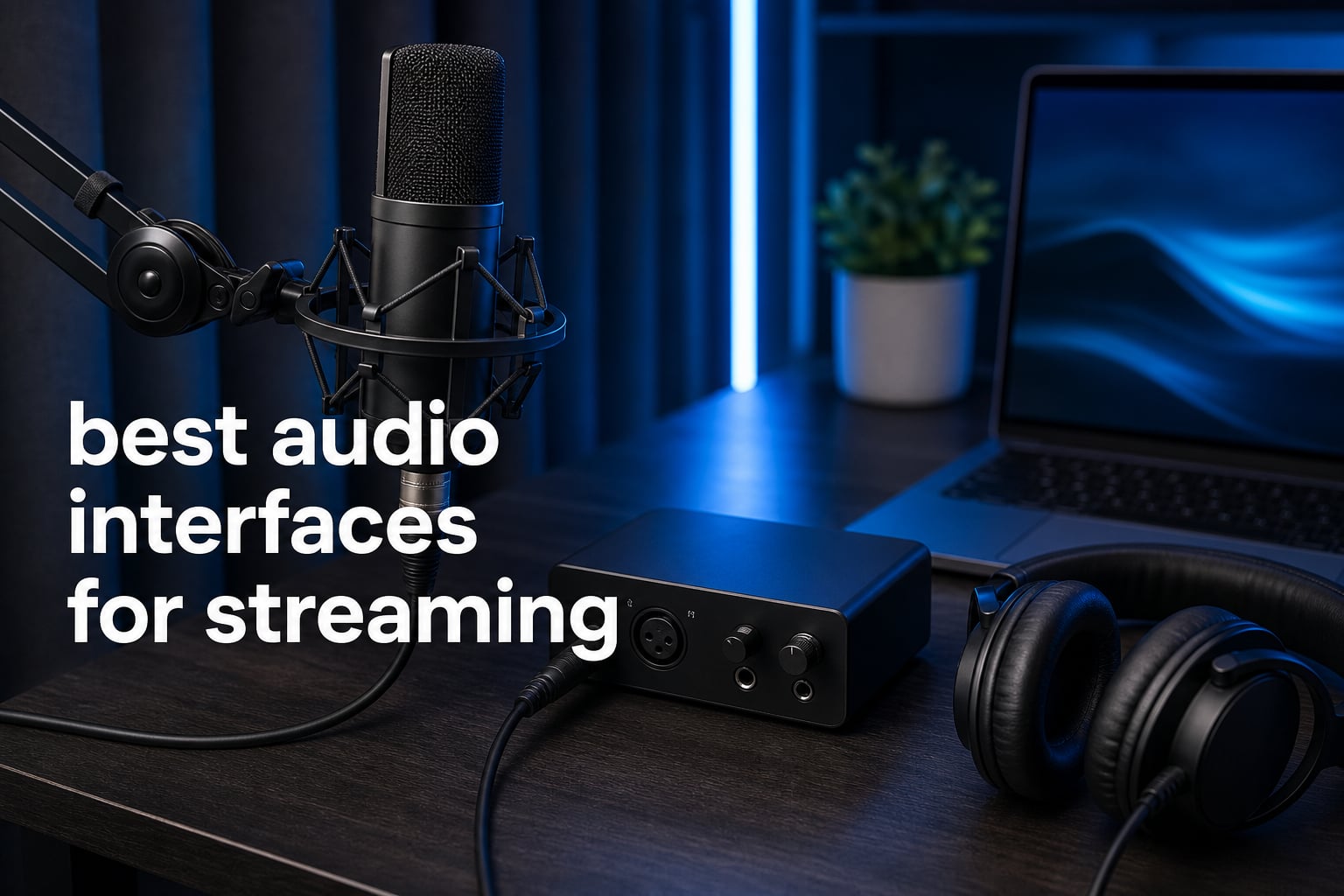
The best audio interfaces for streaming give an XLR microphone the clean gain, direct monitoring, and source control that a computer sound card cannot. For a solo gamer, musician, podcaster, or live host, the right box turns voice audio from an afterthought into a controlled part of the broadcast.
An audio interface for streaming converts a microphone’s analog signal to digital audio, then sends it to your computer over USB. It is useful when you want to use an XLR microphone, listen without a distracting delay, set microphone level accurately, or feed computer audio into a stream through loopback.
I built this list around the things that tend to stop a stream from sounding right: insufficient gain for a dynamic microphone, unclear routing in OBS, only one input when a second guest arrives, and controls that are hard to reach mid-broadcast. We reviewed the verified specifications, compatibility notes, customer-rating data, and stated features for all eight interfaces rather than treating every studio interface as a streaming interface.
A USB microphone remains a sensible one-cable choice, especially if you stream alone and it already sounds good in your room. An XLR interface is the stronger route when you want to choose your microphone, add an instrument or guest, monitor directly, or grow into a podcast and game-streaming audio interface workflow.
Table of Contents
The top 3 picks are the SSL 2+ MKII, MAONO P1, and Focusrite Scarlett 2i2
The SSL 2+ MKII is my pick for creators who want two mic preamps, two headphone outs, and stereo loopback in a compact desktop interface. The MAONO P1 stands out for its stated 70 dB gain, computer-and-mobile flexibility, and Stream Mode, while the Scarlett 2i2 gives a familiar two-input workflow with Auto Gain, Clip Safe, Air mode, and loopback.
The best audio interfaces for streaming in 2026 cover eight distinct workflows
Use this overview as a routing-and-input checklist, not a ranking by a single specification. A small XLR-to-USB adapter can be exactly right for a mobile host, while dual USB and DSP matter much more to someone balancing a console, a second computer, game sound, chat, and a microphone.
| Product | Specifications | Action |
|---|---|---|
 SSL 2+ MKII SSL 2+ MKII |
|
Check Latest Price |
 MAONO P1 Hybrid MAONO P1 Hybrid |
|
Check Latest Price |
 Focusrite Scarlett 2i2 4th Gen Focusrite Scarlett 2i2 4th Gen |
|
Check Latest Price |
 Focusrite Scarlett Solo 4th Gen Focusrite Scarlett Solo 4th Gen |
|
Check Latest Price |
 Shure MVX2U Gen 2 Shure MVX2U Gen 2 |
|
Check Latest Price |
 FIFINE AmpliGame SC3 FIFINE AmpliGame SC3 |
|
Check Latest Price |
 MAONO PS22 Lite MAONO PS22 Lite |
|
Check Latest Price |
 BEACN Studio BEACN Studio |
|
Check Latest Price |
1. SSL 2+ MKII is the polished two-mic interface for shared streams
Solid State Logic 2 MKII Plus USB-C Audio Interface 2×4
2 XLR preamps
Stereo loopback
Two headphone outs
Pros
- SSL mic preamps
- 32-bit 192 kHz converters
- Stereo loopback
Cons
- Two mic inputs only
The Solid State Logic SSL 2+ MKII is the most complete conventional desktop interface here for a creator who regularly shares a mic setup or records a co-host. Its two XLR mic preamps and two discrete headphone outputs make the physical setup more welcoming than a one-headphone interface when two people need to hear the broadcast.
I would choose it for a voice-focused stream where clean capture and sensible monitoring take priority over a bank of streaming sound effects. The 4.8 rating across 358 reviews is a small but encouraging data point beside its unusually full set of desktop connections.
The core specification is 32-bit/192 kHz conversion, alongside 48V phantom power, zero-latency monitoring, and a high-pass filter. Those details make it workable with condenser microphones that need phantom power and with controlled voice setups where low-frequency rumble needs attention before the signal reaches OBS.
Stereo loopback is its major streaming-specific advantage because it can bring selected computer audio back into your recording or broadcast path. It also has four balanced DC-coupled TRS outputs and five-pin MIDI I/O, so a music creator can keep a keyboard or compatible hardware in the same desk setup.
Two headphone outputs make shared monitoring straightforward
Two independent headphone outs are genuinely useful for a two-person podcast, interview, or couch stream. Each person can monitor the same session without adding a splitter as the first workaround.
That does not turn the SSL into a multi-guest mixer: it still has two XLR preamps. Plan on another approach if you need several microphones live at once.
Stereo loopback supports a cleaner computer-audio feed
Stereo loopback gives a route for computer playback to re-enter the interface, which can be helpful for clips, browser audio, game sound, or a remote guest feed. Before going live, I would make a private OBS recording and listen for duplicated desktop audio.
That test matters because loopback can create an echo when both the normal desktop source and the loopback source are active in OBS. Muting one duplicate source is usually the first fix, not adding more gain.
2. MAONO P1 Hybrid is the high-gain choice for computer and mobile streams
MAONO P1 USB Audio Interface with 70dB Gain for PC, Phone, iPad & Guitar
70 dB gain
24-bit 192 kHz
Loopback and Auto-Gain
Pros
- 70 dB microphone gain
- Mobile and computer support
- Loopback
Cons
- Requires routing software for advanced setup
The MAONO P1 Hybrid directly addresses a common streaming problem: a dynamic microphone that needs more gain than a basic interface can comfortably provide. MAONO states up to 70 dB gain and a -130 dB EIN figure, so it is one of the more relevant options for a low-output XLR microphone without automatically adding an inline booster.
Its stated compatibility includes Android, ChromeOS, Windows, iOS, and MFi-certified iPhone/iPad connectivity. I see that as a strong fit for creators who alternate between a desk broadcast, a phone video setup, and an iPad-based recording session.
The P1 has 24-bit/192 kHz audio, Auto-Gain, independent mute controls, direct monitoring, loopback, and a Stream Mode intended to balance audio output. ProStudio2 routing software adds a more deliberate way to manage sources when one simple input meter is no longer enough.
It supports OBS Studio among its listed software, which makes the product more than a generic USB audio interface for streaming. Still, I would spend time with the routing controls before a live event rather than assuming every computer sound source should be audible on stream.
Seventy decibels of gain suits demanding dynamic microphones
Gain is the first specification I check for a dynamic broadcast microphone because turning a weak preamp to its limit can raise the audible noise floor. The P1’s stated 70 dB range gives you more room to set conversational voice level without treating the gain knob as an on-off switch.
Start with the microphone close to your mouth, speak at normal stream volume, and add gain until your software meter has healthy headroom. Auto-Gain may speed up the initial setup, but a short local recording is still the sensible final check.
Hybrid USB connections suit creators who do not stream from one device
Dual USB ports and MFi-certified connectivity make the P1 a practical candidate when a phone or tablet is part of the content plan. Its class-compliant USB approach also lowers the friction of moving between supported devices.
Confirm the selected input in your streaming app after each device change. A mobile device can recognize the interface correctly while an app continues listening to its built-in microphone until you choose the external source.
3. Focusrite Scarlett 2i2 4th Gen is the familiar two-input option for creators
Focusrite Scarlett 2i2 4th Gen USB-C Audio Interface
2 preamps
Auto Gain and Clip Safe
Loopback
Pros
- 120 dB dynamic range
- Auto Gain
- Clip Safe
Cons
- Two mic inputs only
The Focusrite Scarlett 2i2 4th Gen is a logical pick when you want a conventional interface that is also ready for a second microphone or instrument. It has two ultra-low-noise mic preamps, two instrument and line inputs, and listed support for Mac, Windows, and iOS.
The 2i2 has a very large review sample for this group: 2,542 reviews at a 4.6 rating. That does not make it a personal match for every streamer, but it does mean there is a broad base of user experience around a familiar interface format.
Focusrite lists 24-bit/192 kHz conversion, a 120 dB dynamic range, Air mode, Auto Gain, Clip Safe protection, and loopback. Auto Gain is useful at the beginning of a setup, while Clip Safe is designed to help prevent an unexpected loud laugh or shout from becoming a clipped moment.
This is a sensible audio interface for Twitch streaming when your workflow is microphone-first and you do not require built-in EQ, compression, or dedicated game/chat controls. The included software bundle has value for creators who also record music or edit podcast segments, though the interface’s streaming decision should begin with its inputs and routing.
Auto Gain and Clip Safe reduce level-setting stress
Auto Gain can establish a starting point quickly by setting input level from your voice or instrument. Clip Safe adds another layer of protection when your delivery becomes more animated than it was during a quiet soundcheck.
I would still watch the OBS meter, because a safe interface input does not correct a gain boost added later in software. Keep one place responsible for major level changes whenever possible.
Two front-end inputs allow a guest or instrument without rewiring
Two mic preamps are helpful when a co-host joins in, and the instrument or line inputs make the same interface suitable for a musician who streams a guitar performance. This small amount of expansion is why I would pick the 2i2 over a single-input design for uncertain future plans.
It remains a two-input unit, not a substitute for a multi-mic podcast console. Count every live source before selecting it, including a second voice that might only appear occasionally.
4. Focusrite Scarlett Solo 4th Gen is the compact answer for one-mic streams
Focusrite Scarlett Solo 4th Gen USB-C Audio Interface
One mic preamp
Air mode
USB-C bus powered
Pros
- 120 dB dynamic range
- Compact design
- Loopback capability
Cons
- Single mic input
The Focusrite Scarlett Solo 4th Gen cuts the format down to what a solo streamer often needs: one mic preamp, one Hi-Z instrument input, a headphone output, and USB-C bus power. At 14.4 ounces, it makes more sense than a larger interface when desk space and portability are real concerns.
Its 2,570 reviews at a 4.6 rating give it the largest review count in this list. I would treat that as useful context for a widely used basic interface, not as a reason to overlook the hard limit of one microphone preamp.
Like the larger Scarlett, it lists 24-bit/192 kHz conversion, 120 dB dynamic range, improved Air mode, USB-C bus power, and loopback capability. Air mode is intended to add presence and harmonic drive, which may be appealing when a voice sounds a little too dull before it reaches processing in OBS.
The Solo works best when your stream has a single XLR voice and no immediate plan for a co-host on a separate microphone. A USB audio interface streaming setup does not need to be complicated, and the Solo keeps the physical controls focused.
One microphone input keeps the signal path easy to understand
A single preamp removes decisions about assigning a second mic, but it also makes the input path easy to trace when something goes wrong. Plug the XLR microphone into the preamp, connect headphones to the interface, select it in OBS, and verify the meter.
That simplicity works well for voice-over, solo commentary, or a musician who needs one microphone and one instrument input. It becomes restrictive the moment a second XLR voice is part of the regular show.
Bus power supports portable and tidy desk setups
USB-C bus power means the interface gets its operating power through its computer connection. For a creator who moves between a home desk and another recording location, that is one less power adapter to pack.
Keep the interface connected directly to the computer while diagnosing audio trouble. A crowded USB hub can complicate troubleshooting when several cameras, controllers, and storage devices are also drawing attention from the system.
5. Shure MVX2U Gen 2 is the portable XLR-to-USB answer with DSP
Shure MVX2U Gen 2 XLR-to-USB-C Audio Interface
60 dB gain
DSP voice tools
XLR to USB-C
Pros
- Auto Level Mode
- Real-Time Denoiser
- MFi certified
Cons
- Single channel only
The Shure MVX2U Gen 2 is not a traditional multi-input desktop interface; it is a compact XLR-to-USB-C interface for one microphone. That narrow focus is its strength for a creator who wants to bring an existing XLR mic to a laptop, phone, or tablet with less hardware on the desk.
Shure lists up to +60 dB clean gain, 48V phantom power, MFi Apple certification, and support for Android, Windows, iOS, and macOS. It also has a 4.6 rating across 743 reviews, a larger sample than many small creator-focused interfaces.
The standout feature set is digital signal processing: Auto Level Mode, Real-Time Denoiser, and Digital Popper Stopper, with Dark, Natural, and Bright tone options in Auto Level Mode. These tools may make it easier to get a usable voice signal in a less controlled room, although they do not replace microphone placement or a quiet space.
I would shortlist this one for mobile interviews, travel streams, or an uncluttered camera-facing desk where a full interface would be unnecessary. It does not provide the extra mic input, multiple hardware channels, or multi-source control that a growing show can require.
Built-in voice processing helps single-mic creators start faster
Auto Level Mode can control level changes as you speak, and the Real-Time Denoiser is designed to reduce unwanted noise. Digital Popper Stopper targets plosive sounds that occur when air hits the microphone during words with strong P and B sounds.
These are useful starting tools, not a reason to place the mic too far away. Keeping the microphone close and slightly off-axis usually gives any processing less work to do.
MFi certification matters when an Apple device is part of the stream
MFi certification is relevant for creators who intend to connect an iPhone or iPad rather than treating mobile support as a vague promise. The compact 100-gram form also makes the adapter-like design easier to carry than a full desk interface.
Check the streaming app’s input selector before going live, especially on a phone. The system may show the interface as connected while the app needs a separate permission or source selection.
6. FIFINE AmpliGame SC3 is the hands-on control pick for gaming streams
FIFINE Ampligame SC3 Gaming Audio Mixer with Indi-Fader and Volume Control
XLR input
48V power
Fader and sound buttons
Pros
- Individual channel control
- Front mute button
- Custom sound effects
Cons
- XLR cable not included
- Not for USB microphones
The FIFINE AmpliGame SC3 is aimed at streamers who want visible, immediate controls rather than a plain recording interface. Its XLR microphone input, 48V phantom power, volume fader, mute button, monitor button, and sound-effect controls put the live-broadcast actions on the front of the workflow.
It has a 4.4 rating from 4,625 reviews, the largest review count in this group. That is notable for a gaming-oriented mixer, though its category and feature approach are different from the more studio-like USB interfaces above.
FIFINE lists four independent channels for microphone, line in, headphone, and line out, plus six voice-changing modes, twelve auto-tune options, and four pre-recorded customizable sound-effect buttons. The controllable RGB lighting is optional visually, but the physical fader and hardware mute are more meaningful during a fast game or live conversation.
This is the practical choice for a streamer who wants to bring up or mute their voice without leaving the game window. It is not the right fit for a USB microphone, and the product information states that an XLR cable is not included.
A physical fader helps during moments when software is out of reach
A front fader gives you a direct way to adjust a channel level while a stream is running. That can be more comfortable than locating the right software slider while you are also playing, reading chat, or managing a guest.
Set a sensible baseline first, then use the fader for small corrections. Large moves can sound abrupt to viewers and can make it harder to match your recorded clips later.
Gaming sound tools suit a show with active audience interaction
The SC3’s customized sound buttons and voice-change modes are intended for an interactive gaming format where short cues and character voices are part of the entertainment. They are less important for a clean interview or acoustic music broadcast.
Use effects sparingly and verify their level in a private test recording. A sound effect that feels modest in headphones can arrive much louder than your voice in a live mix.
7. MAONO PS22 Lite is the compact loopback interface for a first XLR workflow
MAONO PS22 Lite USB Audio Interface for PC for Guitar & Vocals Streaming
56 dB preamp
24-bit 192 kHz
Loopback and ASIO
Pros
- 48V phantom power
- Routing software
- Direct monitoring
Cons
- Small format limits complex setups
- Driver selection required
The MAONO PS22 Lite combines a compact interface format with the features a new XLR streamer often asks about: an XLR input, 48V phantom power, direct monitoring, an instrument input, and software-based loopbacks. It is a straightforward bridge between a basic microphone setup and a more intentional stream mix.
MAONO specifies a 56 dB preamp, 24-bit/192 kHz recording, 106 dB dynamic range, and ASIO driver support for low-latency output. The 4.4 rating across 475 reviews gives this small interface a meaningful base of user feedback.
Its ProStudio Routing Software is the key streaming feature because it offers virtual channels and loopbacks. That makes the PS22 Lite more relevant to someone who needs to separate an application source from microphone audio than an entry-level interface with no routing path.
The form is small, so I would put it on the list for a solo voice, guitar, or podcast setup rather than a desk with several live mics and many hardware sources. Its data notes that proper connection may require selecting the driver in software, a familiar point of confusion for Windows users.
ProStudio routing gives OBS more source-management options
Virtual channels and loopbacks can help place application audio where you want it instead of sending every computer sound into the stream. For example, you may want browser audio in OBS while keeping a private alert or voice chat out of the broadcast path.
Label each source in OBS and change one routing setting at a time. That slower approach makes it much easier to find the cause if viewers hear game audio twice or a chat application disappears.
ASIO support can help keep monitoring responsive
ASIO drivers are commonly used to provide low-latency audio performance on supported computer setups. That matters when you are speaking, playing an instrument, or monitoring a cue and do not want a delayed version of your own voice in headphones.
Select the MAONO driver in the software that needs it, then set a stable sample rate across the interface and streaming application. Changing several audio settings at once is a quick way to make a simple setup harder to trace.
8. BEACN Studio is the dedicated routing choice for dual-PC and console creators
BEACN Studio (Dark) – USB XLR Audio Interface, DSP Mic Chain, Dual PC
Built-in DSP
Dual USB technology
Eight digital channels
Pros
- On-board voice DSP
- Dual USB connections
- BEACN routing app
Cons
- Requires BEACN software ecosystem
- Single XLR input
The BEACN Studio is the most streaming-specialized interface in this roundup because it combines an XLR input, onboard processing, application-based routing, and proprietary dual USB technology. It is designed for the creator who needs to move audio between computers, consoles, or phones rather than merely connect one microphone to one laptop.
BEACN lists eight channels of digital audio and dual USB technology for up to eight channels between computers, consoles, and phones. That is a far more relevant starting point for a dual-PC setup than trying to force a standard two-input recording interface to handle every game and chat source.
Its onboard DSP chain includes EQ, compression, expander/gate, noise suppression, and low-frequency enhancement. The BEACN App handles routing management, while BEACN Link can assign apps remotely from one computer to another.
The tradeoff is that its strongest functions live inside the BEACN software ecosystem, and it has one XLR microphone input. I would choose it when routing control is the requirement, not when the only goal is recording two microphones with minimum setup.
Dual USB technology fits complex streams with more than one device
Dual USB connections are useful when the game runs on one computer or console while encoding and chat work happen elsewhere. The goal is to keep microphone, game, chat, and stream-return paths controlled instead of relying on improvised cables and duplicate software sources.
Draw your source flow on paper before opening the app: what goes to your headphones, what goes to OBS, and what stays private. A clear plan prevents accidental game-chat loops that are hard to diagnose once a stream starts.
Onboard DSP puts core voice shaping near the microphone path
EQ can shape tonal balance, compression can moderate loudness swings, an expander or gate can reduce quieter background sound, and noise suppression targets unwanted noise. The low-frequency enhancement is another option for shaping voice tone.
Start with light processing and listen on an ordinary headset as well as studio headphones. Overprocessed speech can sound unnatural even when a solo monitor mix feels impressive.
The right streaming interface starts with your microphone and routing needs
The quickest way to choose is to count the live sources you need today, then identify the one feature that would stop your stream from working. For many solo creators that is one clean XLR preamp and direct monitoring; for a dual-PC gamer it is routing; for a shared podcast it is a second mic input and a second headphone output.
Microphone gain should match the mic before you buy
A dynamic microphone often produces a lower output than a condenser microphone, so it may need more clean gain from the preamp. The MAONO P1 states up to 70 dB gain, the Shure MVX2U Gen 2 states up to +60 dB, and the MAONO PS22 Lite states a 56 dB preamp.
Condenser microphones typically need 48V phantom power, which is listed on the SSL 2+ MKII, MAONO P1, Scarlett 2i2, Shure MVX2U Gen 2, FIFINE SC3, and MAONO PS22 Lite. Turn phantom power on only when the microphone and its connection call for it, then keep your monitor level down while switching it.
Inputs and outputs should reflect the whole show, not only your voice
One XLR input is enough for a solo voice stream, which makes the Scarlett Solo or Shure MVX2U Gen 2 easy to understand. Two mic preamps on the SSL 2+ MKII and Scarlett 2i2 give a co-host or second microphone a permanent place in the setup.
For headphone monitoring, the SSL’s two discrete headphone outs are useful where two people need to listen at the desk. An interface can sound excellent and still be awkward if it cannot physically connect the people and devices used on every show.
Loopback and routing decide whether desktop audio reaches OBS cleanly
Loopback is an internal return path that sends selected computer audio back to the interface as an input. It can be useful for music, browser clips, remote guests, or game audio, but it can also cause a doubled signal if OBS captures the original desktop source and the loopback return at the same time.
The SSL 2+ MKII lists stereo loopback, the MAONO P1 lists loopback and ProStudio2 routing, both Scarlett models list loopback capability, and the PS22 Lite lists virtual channels and loopbacks through ProStudio software. BEACN Studio goes further with eight digital channels, dual USB connections, and its own routing app.
For an OBS audio interface workflow, add one source at a time: microphone first, then game or desktop audio, then chat or browser audio. Record a short private clip after each change and listen for missing channels, echo, or sources that should remain private.
Streaming-specific controls differ from standard recording controls
A regular recording interface focuses on clean conversion, preamps, instrument inputs, monitoring, and stable computer connection. A streaming interface may add loopback, separate source channels, mute controls, sound pads, voice processing, or dual-device routing.
The FIFINE SC3 is the clearest live stream mixer example here because it brings a fader, mute and monitor buttons, sound-effect controls, and voice modes to the surface. BEACN Studio takes the software-routing route, while the SSL and Scarlett models retain a more traditional studio-interface layout with loopback support.
Direct monitoring avoids the distracting delay in your headphones
Zero-latency or direct monitoring lets you hear your microphone directly from the interface rather than only after it travels through the computer and software. The SSL 2+ MKII explicitly lists zero-latency monitoring, while the MAONO P1 lists direct monitoring and the PS22 Lite has a direct-monitoring switch.
If you hear your voice twice, one signal may be direct monitoring and the other may be software monitoring in OBS or a recording app. Turn off the extra monitor path instead of accepting the delay as normal.
Sample rate matters less than a stable, matched setup
Several interfaces here support up to 192 kHz, including the SSL 2+ MKII, MAONO P1, Scarlett 2i2, Scarlett Solo, Shure MVX2U Gen 2, and MAONO PS22 Lite. That capability is useful, but live-stream audio quality also depends on microphone position, room noise, gain staging, and the platform’s own audio encoding.
Choose a sample rate that your interface, operating system, and streaming software can use together, then avoid changing it between applications without a reason. A stable configuration is more helpful during a live show than chasing a large specification number.
Mobile and dual-device streaming require explicit compatibility checks
The MAONO P1 lists MFi-certified iPhone/iPad connectivity and support for Android, ChromeOS, Windows, and iOS. The Shure MVX2U Gen 2 is also MFi Apple certified and lists Android, Windows, iOS, and macOS compatibility, which is meaningful for a portable XLR setup.
BEACN Studio is the more specialized pick if the workflow involves two computers, consoles, or phones as audio devices. Check the selected app, input, and monitoring path on every device before a live stream; connected hardware alone does not guarantee the right route.
Audio interfaces improve streaming clarity: common questions
Is the audio interface useful for streaming?
Yes. An audio interface gives an XLR microphone a preamp, level control, and direct monitoring, while some models also add loopback or source routing. It is most useful for streamers who need clearer voice control, an XLR mic, multiple sources, or a more expandable setup than a USB microphone.
What do streamers use for audio?
Streamers commonly use a microphone, headphones, and either a USB microphone or an XLR microphone with an audio interface or streaming mixer. A standard interface suits a simple voice setup, while a routing-focused device can manage game sound, chat, browser audio, and a second computer.
Is XLR better than USB for streaming?
XLR is not automatically better, but it gives you the option to choose from many microphones and pair them with the right preamp, gain, monitoring, and routing controls. A USB microphone is simpler; an XLR interface setup is more flexible when your stream needs expand.
What’s the difference between a streaming interface and a regular audio interface?
A regular audio interface centers on microphone preamps, conversion, inputs, and monitoring. A streaming interface may add loopback, virtual channels, hardware mute controls, sound buttons, voice DSP, or multi-device routing that help separate stream audio from game and chat audio.
Do I need an audio interface for streaming if I already have a USB microphone?
No. Keep a USB microphone if it gives you reliable sound and you do not need a second mic, XLR microphone choice, direct hardware monitoring, or advanced routing. Move to an interface when those limits affect the stream you want to make.
The best choice is the interface that removes your current streaming bottleneck
For the best audio interfaces for streaming in 2026, I would start with the SSL 2+ MKII for a polished two-mic desktop setup, the MAONO P1 for generous stated gain and mobile flexibility, and the Scarlett 2i2 for a proven two-input format with useful level tools. Pick the FIFINE SC3 when hands-on gaming controls matter most, or BEACN Studio when your show lives across two computers or a console.
Choose the number of microphone inputs first, then confirm monitoring, loopback or routing, and device compatibility. A short private recording that checks every source will do more for the first live broadcast than adding features you do not need.