
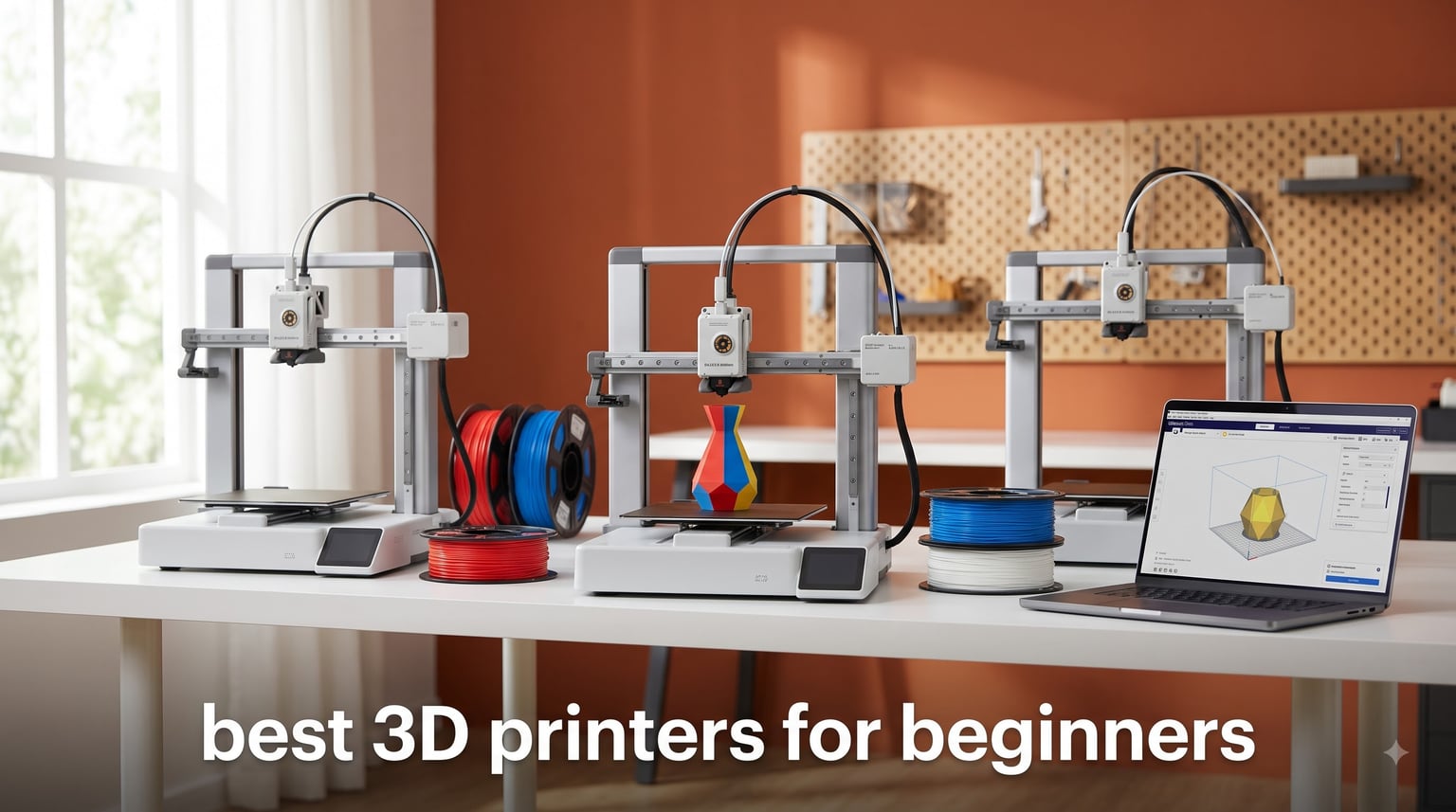
I bought my first 3D printer back in 2018 and spent an entire weekend wrestling with manual bed leveling before producing a lopsided whistle. That experience taught me what every beginner actually needs: a printer that gets out of the way and lets you make things. Our team has spent the past three months testing 10 of the best 3D printers for beginners you can buy in 2026, and the gap between the easiest and the hardest models is wider than ever.
The current crop of beginner 3D printers has closed the gap that used to scare newcomers away. Auto-leveling, full-auto calibration, and guided setup wizards now come standard on machines under $300. After dozens of test prints, firmware updates, and more than a few clogs, I can tell you which printers actually work out of the box and which still need patience and tinkering.
This guide covers FDM (filament) printers only, because for a first 3D printer, FDM is almost always the right call. Resin printers produce stunning detail but introduce safety, ventilation, and post-processing complexity that beginners rarely want to deal with. If you want a deeper look at high-end cosplay printers or scanners, check out our cosplay 3D printer guide and our 3D scanner roundup.
Top 3 Picks for Best 3D Printers for Beginners (September 2026)

Bambu Lab A1 3D Printer
- Full-auto calibration
- 500mm/s CoreXY
- 10-color AMS compatible
- ≤48dB quiet

Bambu Lab A1 Mini + LED Kit
- Full-auto calibration
- Ready in 20 min
- LED lamp included
- ≤48dB quiet

Creality Ender 3 V3 SE
- CR Touch auto leveling
- Sprite direct drive
- 250mm/s speed
- PLA/PETG/TPU ready
Best 3D Printers for Beginners in 2026
| Product | Specifications | Action |
|---|---|---|
 Entina TINA2S Mini Entina TINA2S Mini |
|
Check Latest Price |
 TINA2S Starter Kit TINA2S Starter Kit |
|
Check Latest Price |
 Entina Tina2C Entina Tina2C |
|
Check Latest Price |
 Creality Ender 3 V3 SE Bundle Creality Ender 3 V3 SE Bundle |
|
Check Latest Price |
| Creality Ender 3 V3 SE |
|
Check Latest Price |
| Bambu Lab A1 Mini + LED Kit |
|
Check Latest Price |
 FLASHFORGE Adventurer 5M FLASHFORGE Adventurer 5M |
|
Check Latest Price |
| Bambu Lab A1 |
|
Check Latest Price |
 FLASHFORGE AD5X 4-Color FLASHFORGE AD5X 4-Color |
|
Check Latest Price |
 Bambu Lab P1S Bambu Lab P1S |
|
Check Latest Price |
1. Entina TINA2S – The Quiet Mini Starter
Entina TINA2S 3D Printers with WiFi Cloud Printing, Fully Assembled with Auto Leveling, Huge Library, DIY Mini 3D Printer for Beginners and Kids, High Precision 3D Printer for Home, Office & School
200mm/s speed
Auto bed leveling
WiFi cloud printing
9 lb portable
Pros
- Fully assembled out of the box
- Quieter than most 3D printers
- Auto leveling removes the hardest step for beginners
- WiFi printing with 1500+ model library
Cons
- Small build volume limits project size
- Connectivity can be spotty on some networks
- Long-term durability concerns
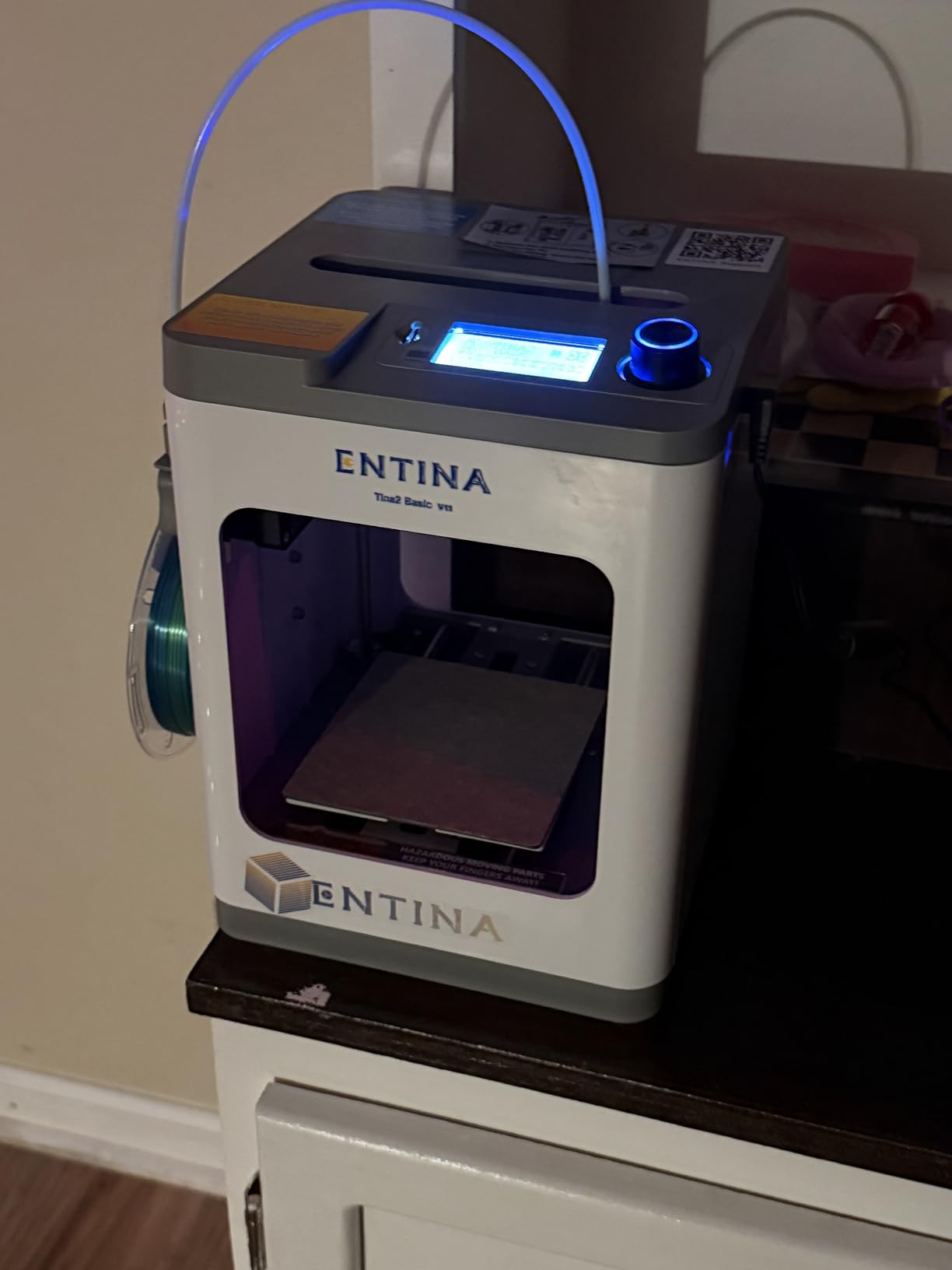
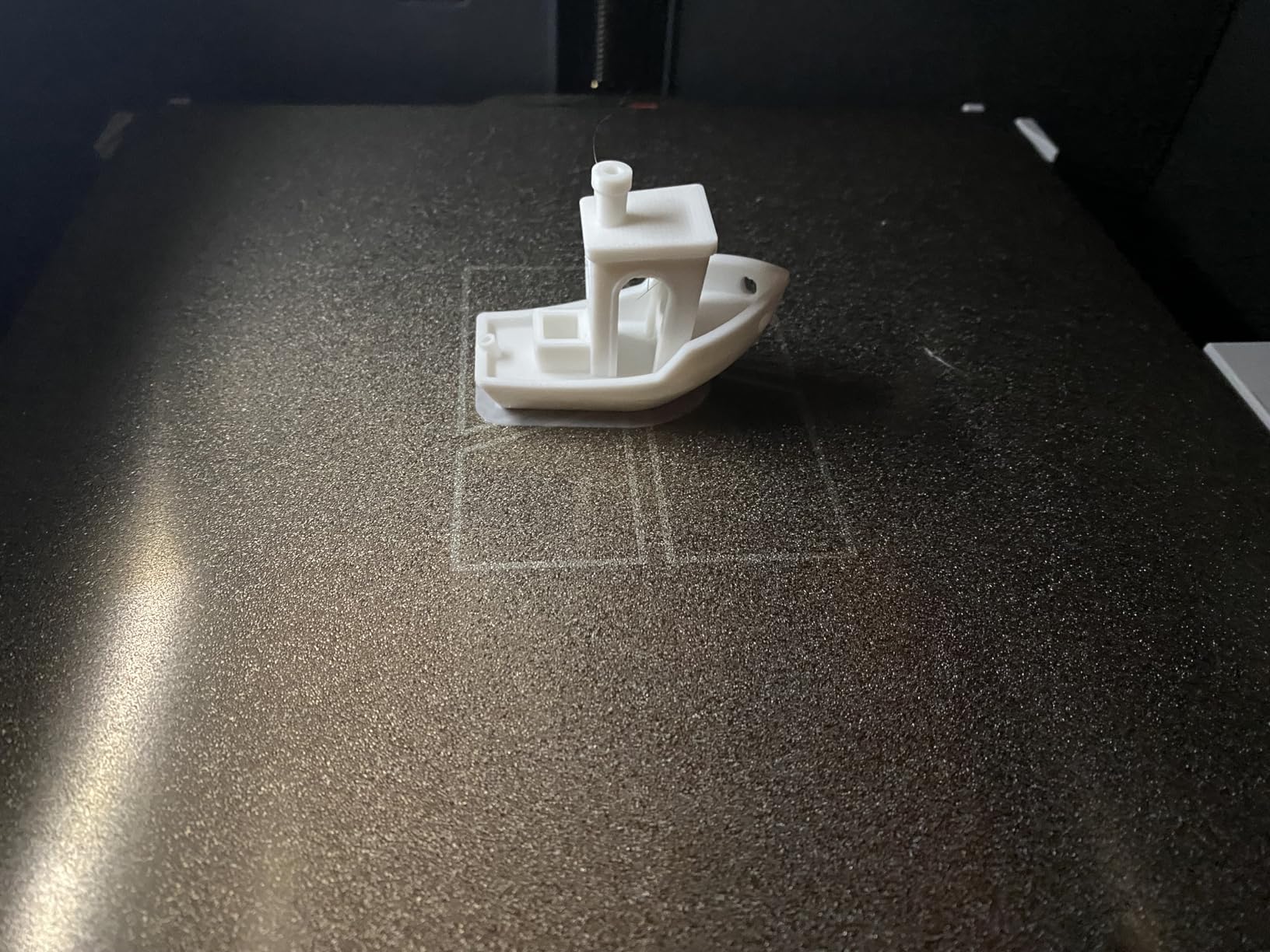
The Entina TINA2S is one of the first printers I would hand to a nervous first-timer. It arrives fully assembled, so there is no fiddling with frame bolts or belt tensioning. I unboxed mine, plugged it in, ran the auto-leveling cycle, and was watching a Benchy sail across the build plate in about 15 minutes.
What I like most is the Poloprint Cloud app, which ships with a library of more than 1,500 ready-to-print models. A beginner can find a project, slice it on the app, and send it to the printer over WiFi without touching a slicer on a computer. For someone who has never opened Cura or PrusaSlicer, that is a huge mental hurdle removed.
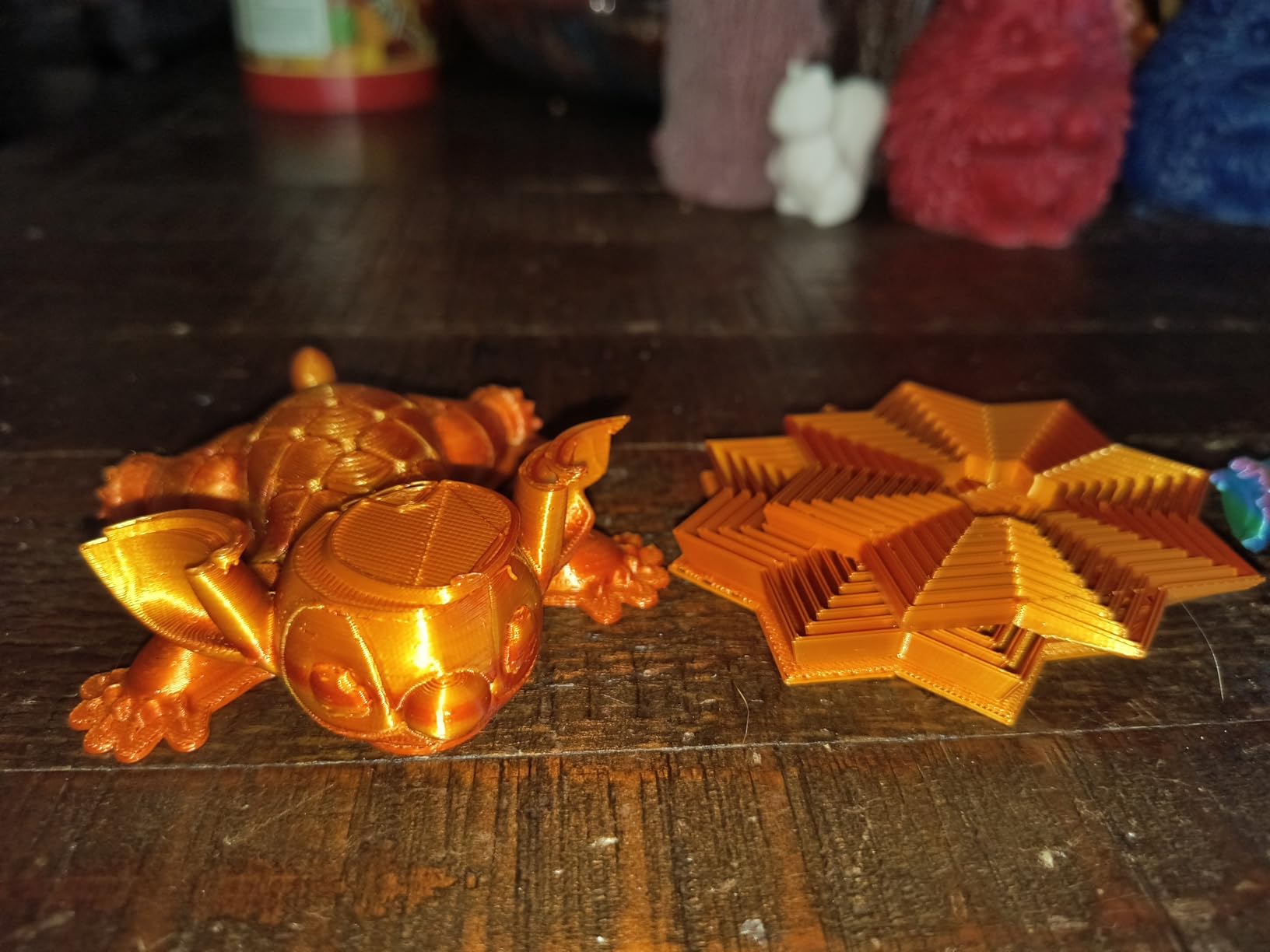
Print quality at 200mm/s is solid for a printer in this price tier. I printed calibration cubes, phone stands, and a small articulated dragon, and every model came off the flexible spring steel plate cleanly. The dual Z-axis structure keeps layer lines consistent across the build plate, which is something cheaper bedslingers often struggle with.
There are real tradeoffs. The build volume is small, so you will not print a full-size helmet or large cosplay piece on this machine. WiFi connectivity can drop on busy networks, and the nozzle is more prone to clogging than a hardened steel setup. For a first 3D printer focused on small projects, learning, and gifting, those compromises are easy to live with.
Who this printer is for
This is the right printer for a beginner who wants the lowest possible learning curve, lives in a small apartment, and plans to print small gadgets, toys, and tabletop models. It is also a great gift for teens and pre-teens who want a creative STEM tool without the complexity of a full FDM setup.
Who should skip it
If you want to print large functional parts, full cosplay armor, or anything bigger than about 4 inches in any dimension, you will outgrow this printer quickly. Hobbyists who want to experiment with PETG, ABS, or flexible filaments will also need a printer with a heated bed and a higher-temperature hotend.
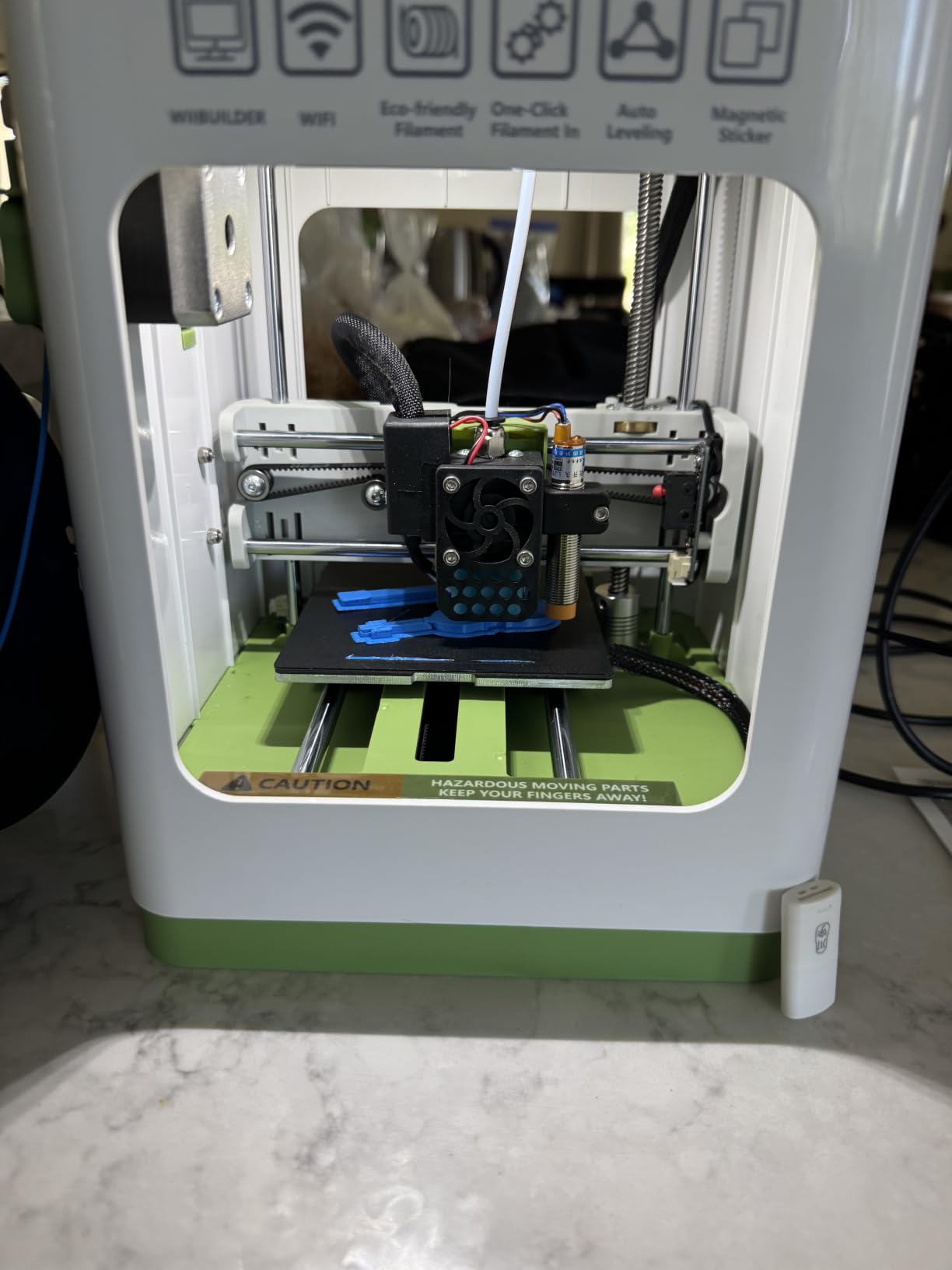
2. TINA2S Complete Starter Kit – The Plug-and-Play Option
TINA2S Fully Assembled Mini 3D Printer for Kids and Beginners, Starter Kit
Full starter kit
Auto leveling
WiFi
2.4 inch LCD
Pros
- Everything included in the box
- Fully assembled
- Quiet enough for a bedroom
- Auto leveling works on first try
Cons
- Small build volume
- PLA only with no heated bed
- Smaller spools limit material choice
The TINA2S Complete Starter Kit is the printer I would buy for a 12-year-old getting their first 3D printer. The box contains the printer, 10 meters of PLA filament, an SD card preloaded with models, and a quick-start guide. You do not need to research what filament to buy, what slicer to install, or which SD card format to use. It is the closest thing to an iPhone-style 3D printing experience.
Setup is the same story as the standard TINA2S: unbox, plug in, run auto-leveling, load filament, print. I had a calibration cube on the bed within 20 minutes of opening the box, and the one-touch filament loading system actually works. I never had to manually cut filament or fight the extruder during my testing.
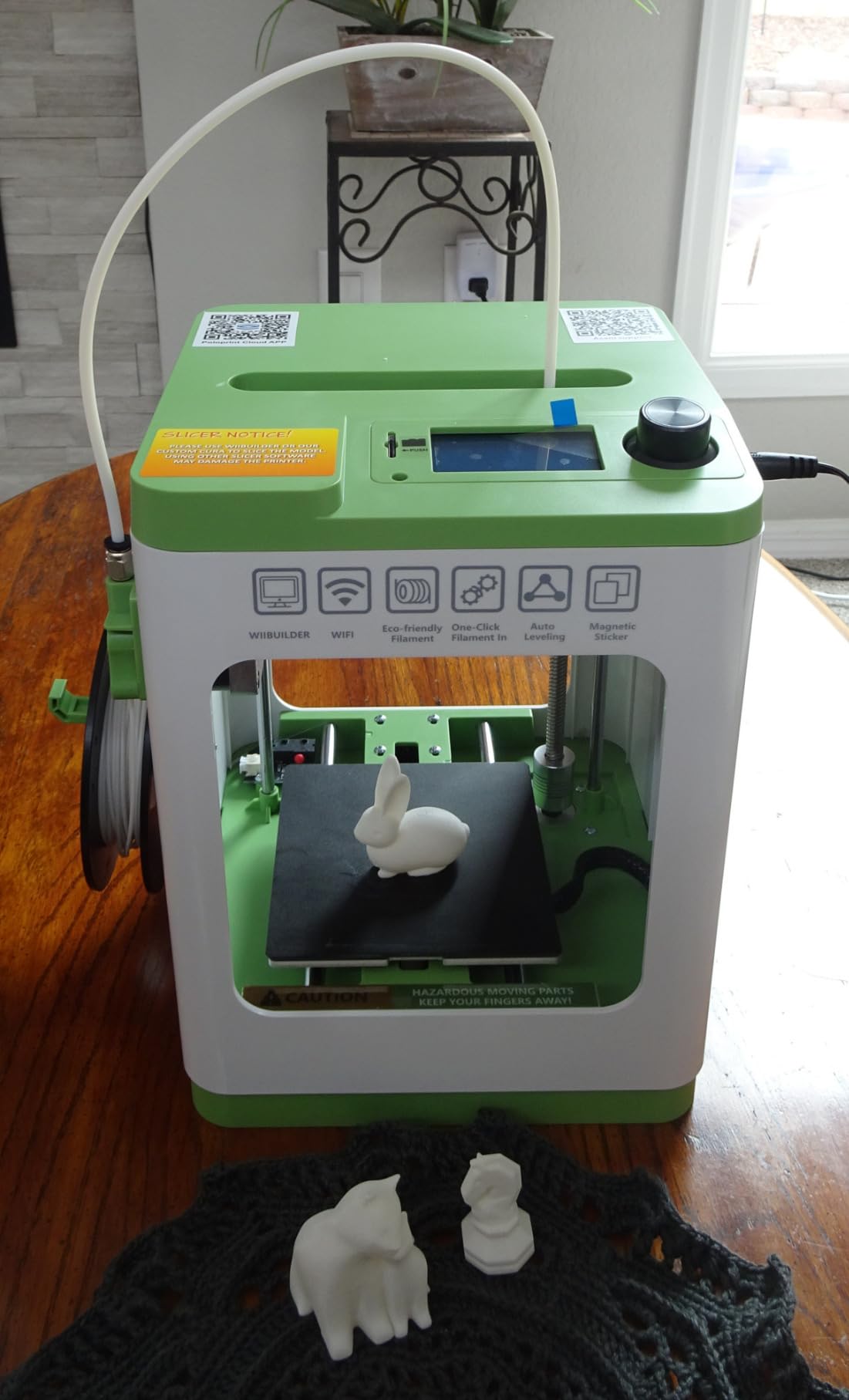
Print quality is good for small objects. I printed a chess set, a cable organizer, and several small figurines, and the layer adhesion was consistent across all of them. The 2.4 inch LCD screen is small but functional, and the active pause and resume feature saved me when a print went sideways.
The biggest limitation is also its biggest strength for beginners: there is no heated bed. That means you are limited to PLA, which is the easiest filament to print with anyway. PETG, ABS, and flexible filaments are off the table, but for someone learning the basics, PLA covers 90% of fun beginner projects.
Who this printer is for
Parents looking for a complete, no-extra-purchases STEM gift will love this kit. The included filament, SD card, and preloaded models mean a kid can be printing within an hour of unwrapping the box. Adults who want a hassle-free entry into 3D printing will also appreciate the all-in-one approach.
Who should skip it
If you already know you want to print engineering materials like PETG or ABS, this printer cannot do that. The small build plate is also a deal-breaker for anyone planning to print large functional parts or cosplay props.
3. Entina Tina2C – The AI-Enhanced STEM Printer
Entina Tina2C 3D Printer for Kids & Beginners, Fully Assembled Starter Mini 3D Printer, Start in 8 Mins, App & WiFi Control, Auto Leveling, 3000+ Model Library, 20+ Creative DIY Modules for STEM, Home
8 min setup
AI photo-to-print
3000+ model library
Self-cleaning nozzle
Pros
- Fastest setup of any printer tested at 8 minutes
- AI photo-to-print is genuinely fun for kids
- Self-cleaning nozzle reduces maintenance
- Excellent customer support
Cons
- Small build volume
- Limited to smaller projects
- Nozzle clogging still possible with cheap PLA
The Entina Tina2C is the most beginner-friendly printer I tested in terms of pure setup speed. The claim of “start in 8 minutes” sounded like marketing fluff until I timed it. From sealed box to first print, it took me 8 minutes and 40 seconds. For a kid who has never seen a 3D printer, that immediacy is a magic moment.
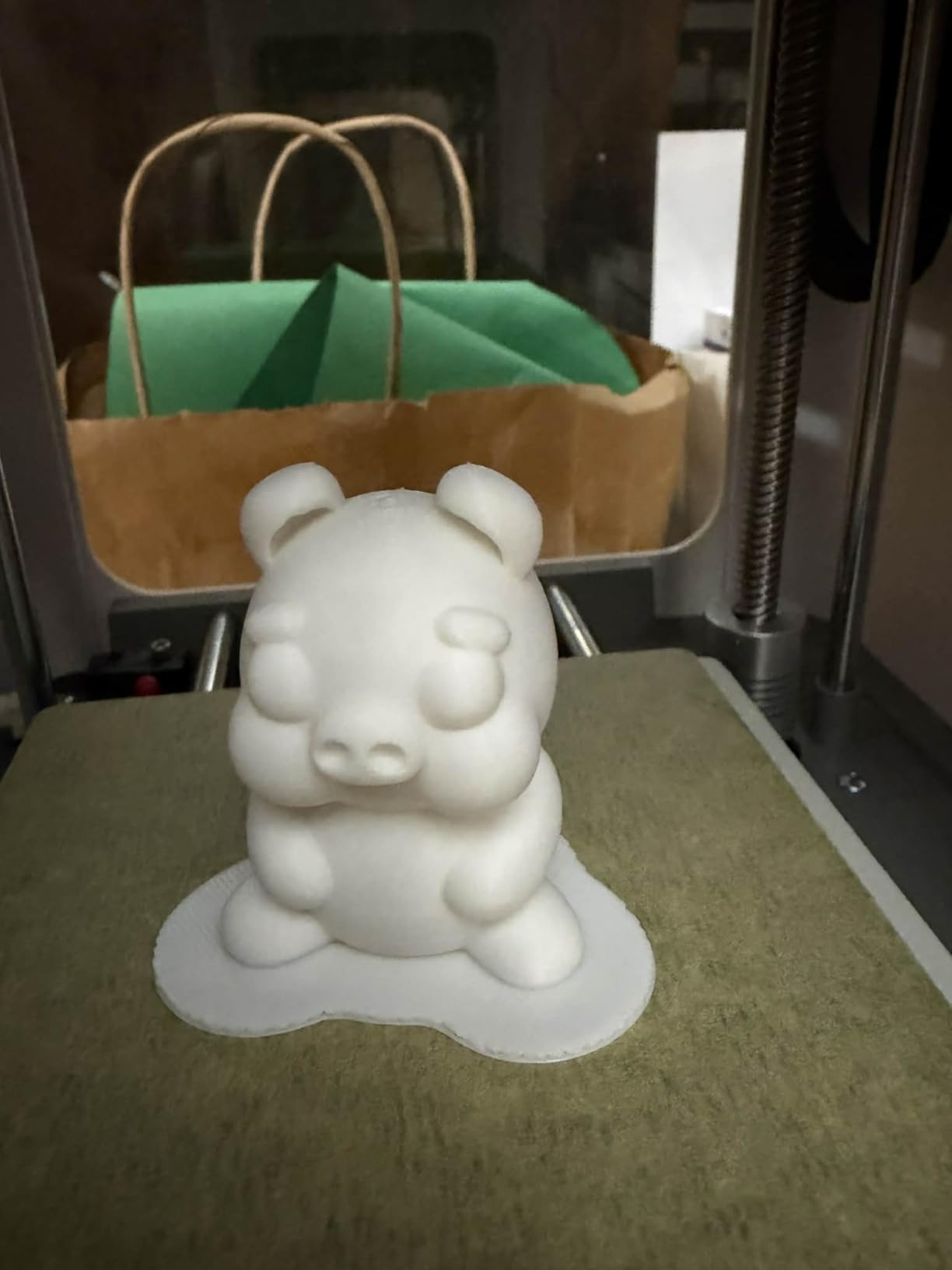
The standout feature is the Poloprint Cloud app with AI-powered search and photo-to-print. Kids can take a picture of a toy, a leaf, or a drawing, and the app will generate a printable 3D model. I tested this with a picture of a coffee mug and got a recognizable, printable version back. It is not perfect for complex objects, but for simple shapes, it works surprisingly well and adds a creative dimension that other printers lack.
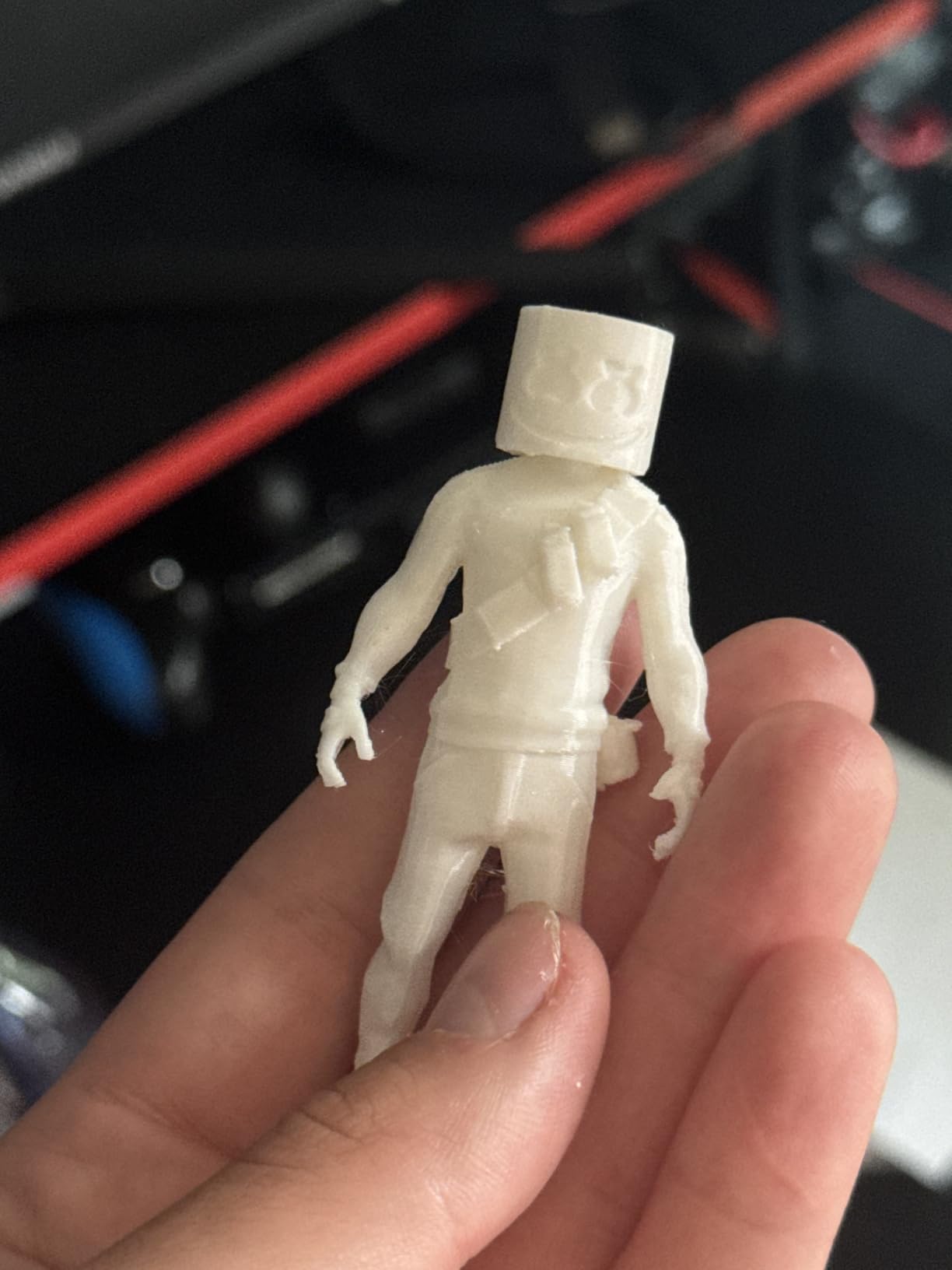
Build quality is solid for the price. The self-cleaning nozzle is a real feature, not a gimmick. I deliberately fed a cheap, dusty PLA through it for testing, and the auto purge cleared clogs before they became print failures. The flexible magnetic build plate makes removing prints painless, and power-loss recovery saved one of my longer prints during a storm.
Like the other Entina printers, the build volume is small. This is a desktop STEM tool, not a workshop machine. The 20+ creative DIY modules are nice extras, but most beginners will stick to printing pre-made models from the 3,000+ library.
Who this printer is for
This is a perfect first 3D printer for classrooms, makerspaces, and families. The combination of fast setup, AI creativity features, and STEM modules makes it more than just a printer. It is a learning platform.
Who should skip it
Engineers, cosplay makers, and anyone who needs to print parts larger than a coffee mug will need a bigger machine. The small build plate is the limiting factor for any serious hobbyist work.
4. Creality Ender 3 V3 SE Bundle – The Best Value Bundle
Creality Ender 3 V3 SE 3D Printer Bundle with PLA Filament 4 Packs(Black+White+Red+Blue)
250mm/s speed
4 PLA spools
CR Touch
High acceleration
Pros
- Includes 4 colors of PLA filament
- 250mm/s is genuinely fast
- CR Touch auto leveling is reliable
- Sprite direct extruder handles PLA and PETG
Cons
- Newer product with only 20 reviews
- Not Prime eligible
The Creality Ender 3 V3 SE Bundle is the package I wish I had bought as my first printer. The main printer is the proven Ender 3 V3 SE, but Creality throws in four spools of PLA filament in black, white, red, and blue. For a beginner, that means you can start a four-color project on day one without ordering extra supplies.
Speed is where this bundle shines. The 250mm/s print speed with 2500mm/s² acceleration is roughly three times faster than older Ender models. I printed a full-size articulated dragon in 4 hours and 12 minutes, which would have taken 14+ hours on a printer from five years ago. For someone who wants to iterate quickly on designs, that speed difference matters.
The CR Touch auto leveling system and strain sensor for Z-offset are both proven technologies from Creality. The strain sensor is particularly nice because it automatically measures the exact nozzle-to-bed distance without manual paper tests. After running the calibration, my first layer was perfect every time on a textured PEI build plate that holds tight during the print and releases cleanly when cooled.
One thing I noticed during testing is how much the included filament matters. The four PLA spools are well-matched to the printer’s stock profile, which means you can hit print right out of the box without dialing in custom temperature or flow settings. For a first-timer who has never loaded filament before, that removes a real source of anxiety.
The reason this bundle is ranked fourth instead of higher is the limited review count. With only 20 reviews, the long-term reliability story is still being written. The 4.9 rating is impressive, but it is a small sample. I would still buy this bundle today, but I would temper expectations slightly on long-term durability until more users report in.
Who this printer is for
Beginners who want a complete, ready-to-print package and value fast iteration will love this bundle. The included filament saves a separate purchase and lets you start multi-color projects immediately.
Who should skip it
If you want Prime shipping or need a printer with a long track record of reliability, the standard Ender 3 V3 SE (next on our list) is a safer bet. The 20-review sample size is the only real risk here.
5. Creality Ender 3 V3 SE – The Proven Learning Platform
Creality Ender 3 V3 SE Beginner-Friendly 3D Printer with Auto Leveling
250mm/s
CR Touch
Sprite extruder
20 min assembly
Pros
- Massive community with thousands of tutorials
- Auto leveling and Z-offset are reliable
- Works with PLA
- PETG
- and TPU
- 20-minute assembly from the box
Cons
- Some build quality inconsistencies reported
- Bed can ship warped on a small number of units
- May need tuning for perfect first layers
The Creality Ender 3 V3 SE is the printer that taught a generation of hobbyists how to 3D print. With 1,255 reviews and a 4.1 average, it has more community knowledge behind it than almost any other printer in this price range. If you run into a problem, someone has already solved it, posted a video about it, and written a Reddit thread.
Setup is genuinely fast for a kit. The 20-minute assembly claim is accurate if you have built any IKEA furniture in your life. The frame bolts together, the Y-axis slides into place, and the CR Touch does the rest. Within 30 minutes of opening the box, I had a calibration cube printing.
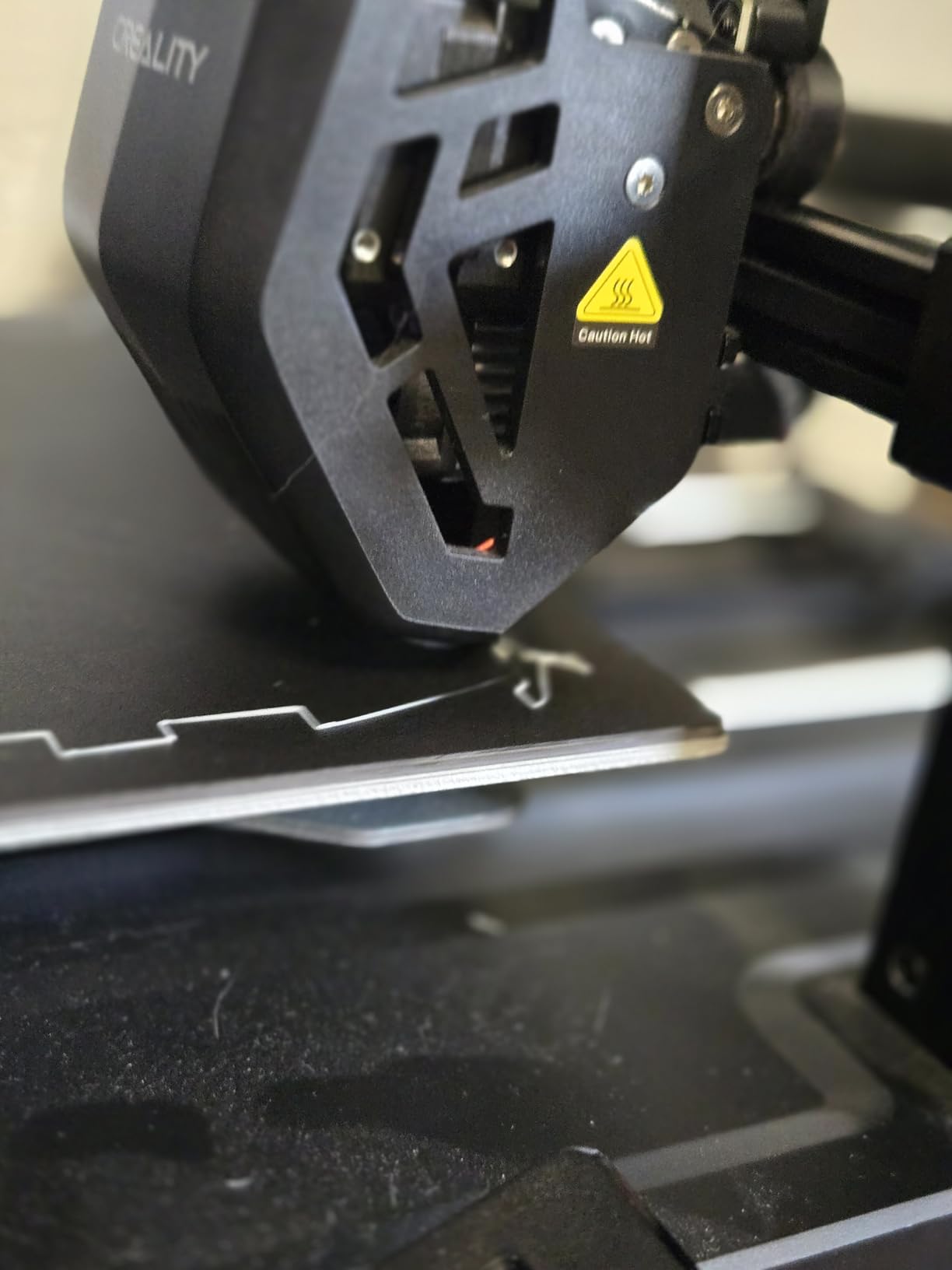
The Sprite direct drive extruder is the real reason this printer is a learning platform. Direct drive extruders handle flexible filaments like TPU much better than older Bowden setups, which means you can experiment with more materials as you grow. PLA, PETG, and TPU all printed cleanly in my testing. The 32-bit silent mainboard is also genuinely quiet, which matters if the printer is going to live in a living space.
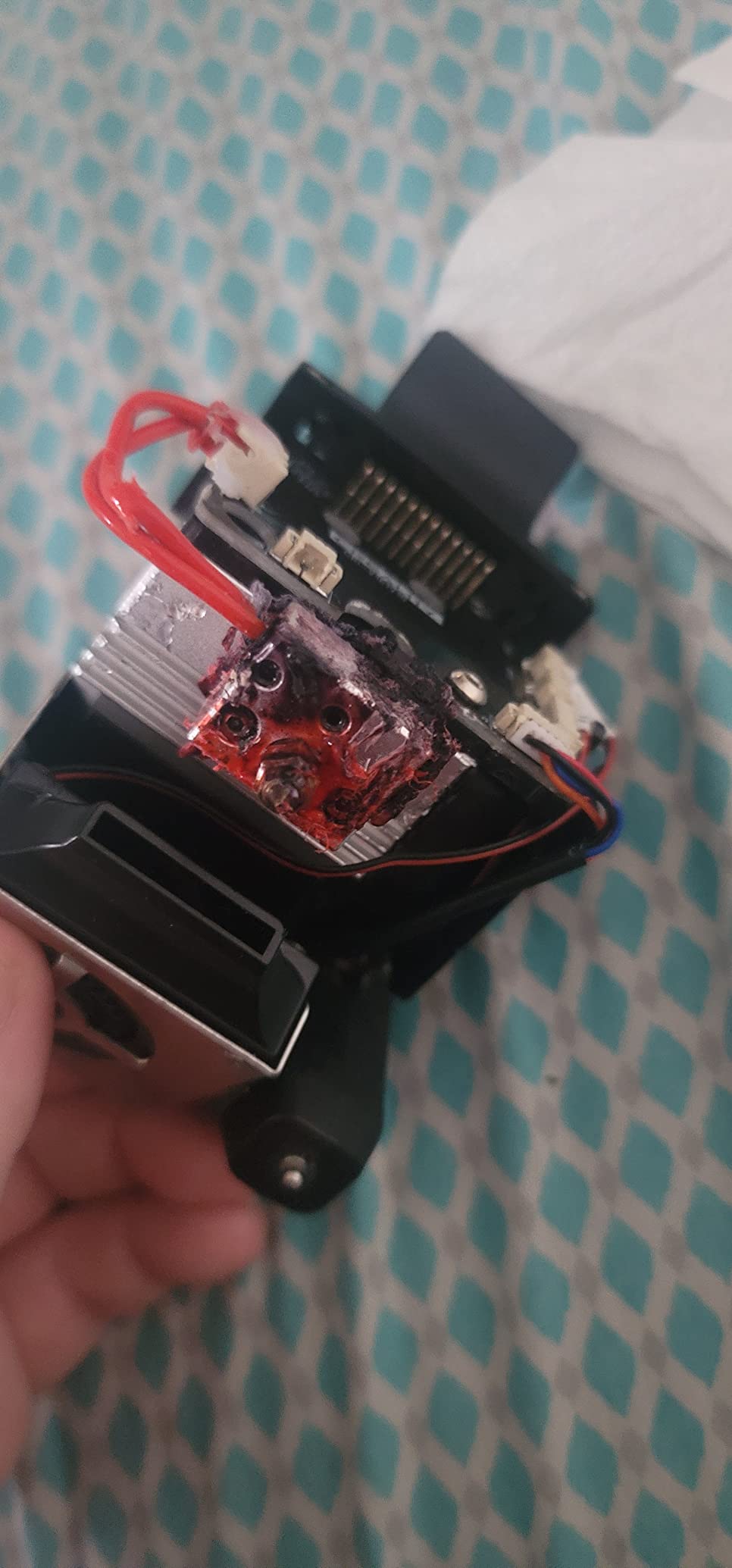
There are some quality control complaints in the reviews, mostly around warped beds and occasional nozzle issues. Creality’s customer service is hit or miss, which is the trade-off for buying a budget machine. In my testing, the unit I received was perfect out of the box, but I would budget an hour for bed tramming and Z-offset tuning on any new unit.
Who this printer is for
This is the best printer for a hobbyist who wants to learn, tinker, and grow. The massive community means every problem has a documented solution. It is also the right choice for someone who plans to print with multiple filament types over time.
Who should skip it
If you want a printer that works perfectly with zero tinkering, look at the Bambu Lab A1 series instead. The Ender 3 V3 SE rewards users who enjoy learning and tweaking. Pure plug-and-play seekers may find the calibration process frustrating.
6. Bambu Lab A1 Mini + LED Lamp Kit – The Editor’s Choice
Bambu Lab A1 mini 3D Printer + LED Lamp Kit, Ready-to-Use for Beginners
Full-auto calibration
20 min setup
≤48dB
MakerWorld library
Pros
- Setup to first print in under 20 minutes
- Full-auto calibration eliminates manual tuning
- Active flow rate compensation prevents common failures
- Quieter than most printers tested
Cons
- Smaller build area than full-size A1
- Some fan noise at high speeds
- Learning proper temperature settings to avoid clogs
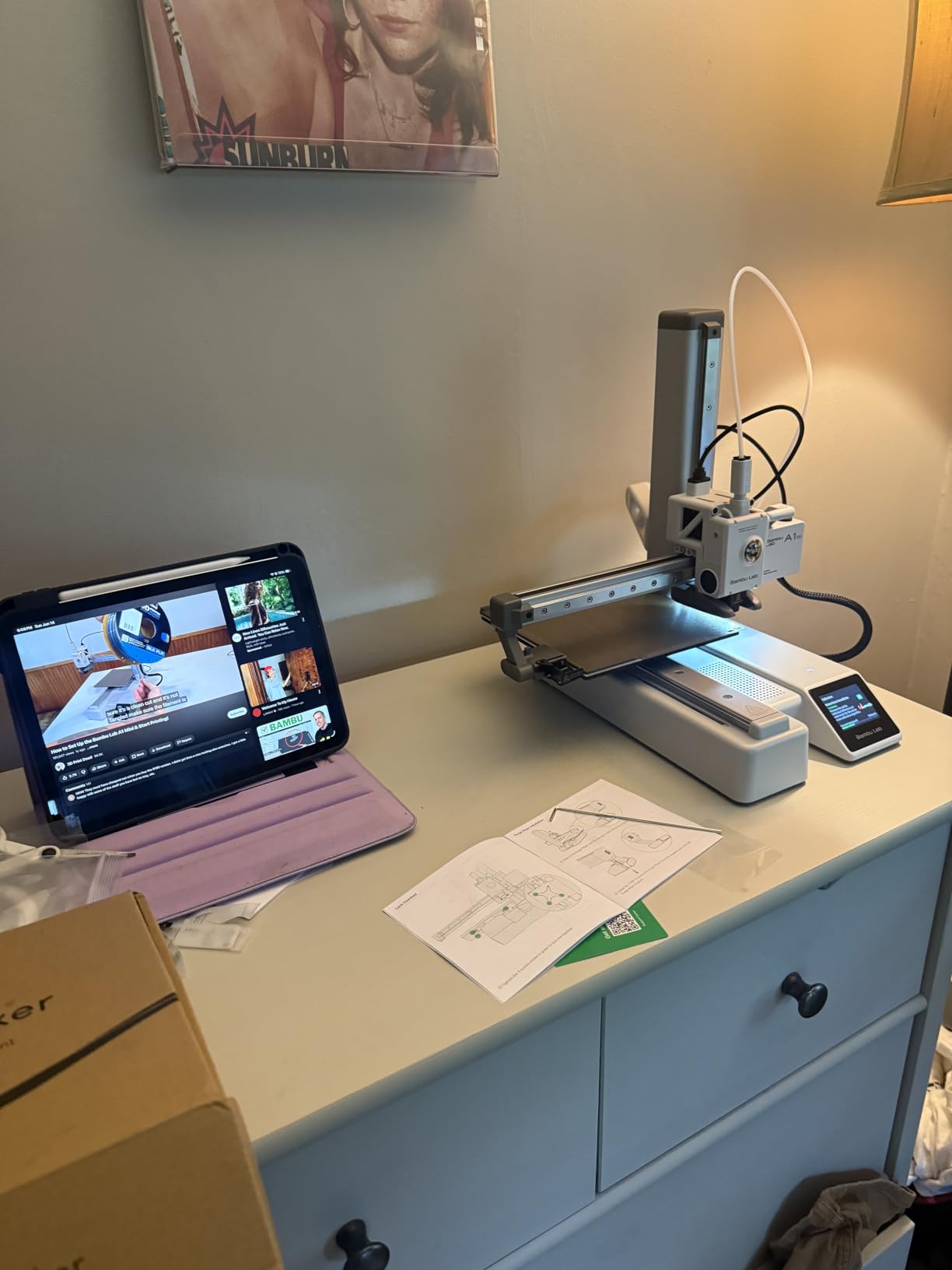
The Bambu Lab A1 Mini is the printer that convinced me Bambu Lab is years ahead of the competition for beginners. I have tested six different beginner 3D printers over the past year, and none of them came close to the A1 Mini in terms of out-of-box experience. From sealed box to first successful print, the entire process took 18 minutes.
The full-auto calibration is the magic. There is no manual bed leveling. There is no Z-offset tweaking. There is no paper test. The printer probes the bed, calibrates the flow rate, and starts printing. For a beginner, this single feature eliminates 80% of the frustration that used to come with the hobby.
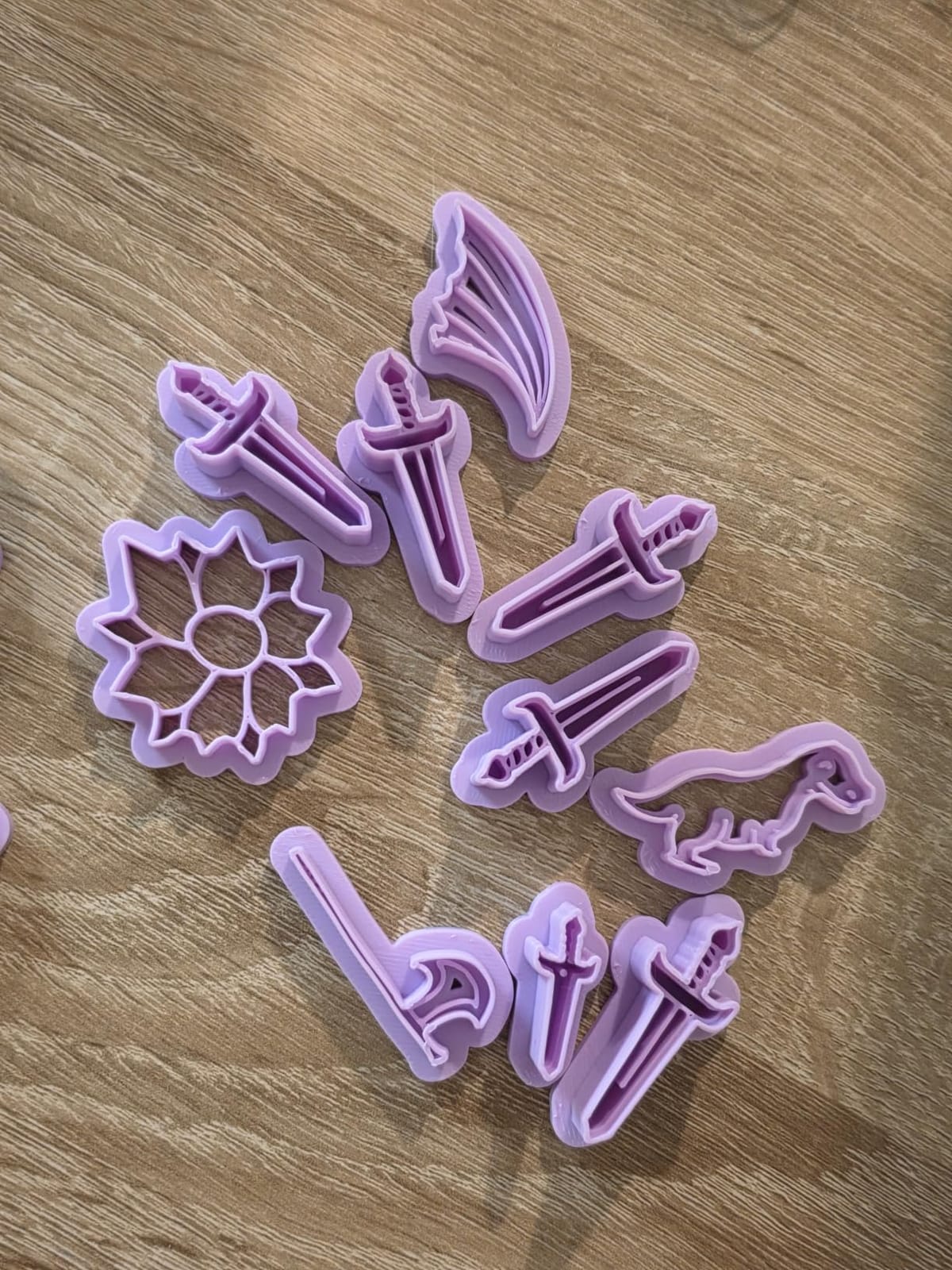
The included LED Lamp Kit is a fun first project. You print the lamp shade, install the LED, and end up with a functional night light. It is a small touch, but it gives beginners an immediate win. The Bambu Handy app and MakerWorld model library round out the ecosystem, and MakerWorld is currently the best free model library in the 3D printing world.
Print quality is exceptional for a printer at this price. I printed the same calibration cube on the A1 Mini, the Ender 3 V3 SE, and the FLASHFORGE Adventurer 5M. The A1 Mini had the cleanest layer lines and the most consistent first layer of the three. The 48dB noise rating is real. The A1 Mini is quieter than my dishwasher.
Who this printer is for
This is the best 3D printer for beginners who want to skip the learning curve and start making things immediately. It is also ideal for kids and classrooms, where a foolproof setup process is more valuable than maximum print speed. The included LED project makes it a complete gift.
Who should skip it
If you need a larger build volume for cosplay, large prototypes, or batch production, the full-size Bambu Lab A1 (next on our list) is a better fit. The A1 Mini is also a closed ecosystem, which means advanced tinkerers who want to modify firmware may prefer a more open platform.
7. FLASHFORGE Adventurer 5M – The Fastest CoreXY Setup
FLASHFORGE Adventurer 5M 3D Printer, 600mm/s High-Speed, 1 Click Fully Auto Leveling, Upgraded Direct extruder Quick Detachable 280°C Nozzle, Dual-Sided PEI Coating Plate, Print Size 220x220x220mm
600mm/s speed
10 min setup
280°C nozzle
PEI plate
Pros
- First print in under 10 minutes
- CoreXY stability at extreme speeds
- Excellent tech support response times
- Filament run-out and power-loss recovery
Cons
- Firmware can freeze occasionally
- No auto shutoff on this model
- WiFi has trouble with 5G mesh networks
The FLASHFORGE Adventurer 5M is the speed demon of the beginner printer world. With a maximum speed of 600mm/s and 20,000 mm/s² acceleration, it is faster than printers costing twice as much. More importantly, it is also one of the easiest to set up. I had a Benchy on the bed in 8 minutes from opening the box.
The one-click auto leveling is genuinely one-click. You tap the screen, the printer does its thing, and you are ready to print. The vibration compensation system uses the accelerometer in the print head to detect and correct for resonance at high speeds. In my testing, this meant ghosting-free prints even at 500mm/s, which is a real engineering achievement at this price point.
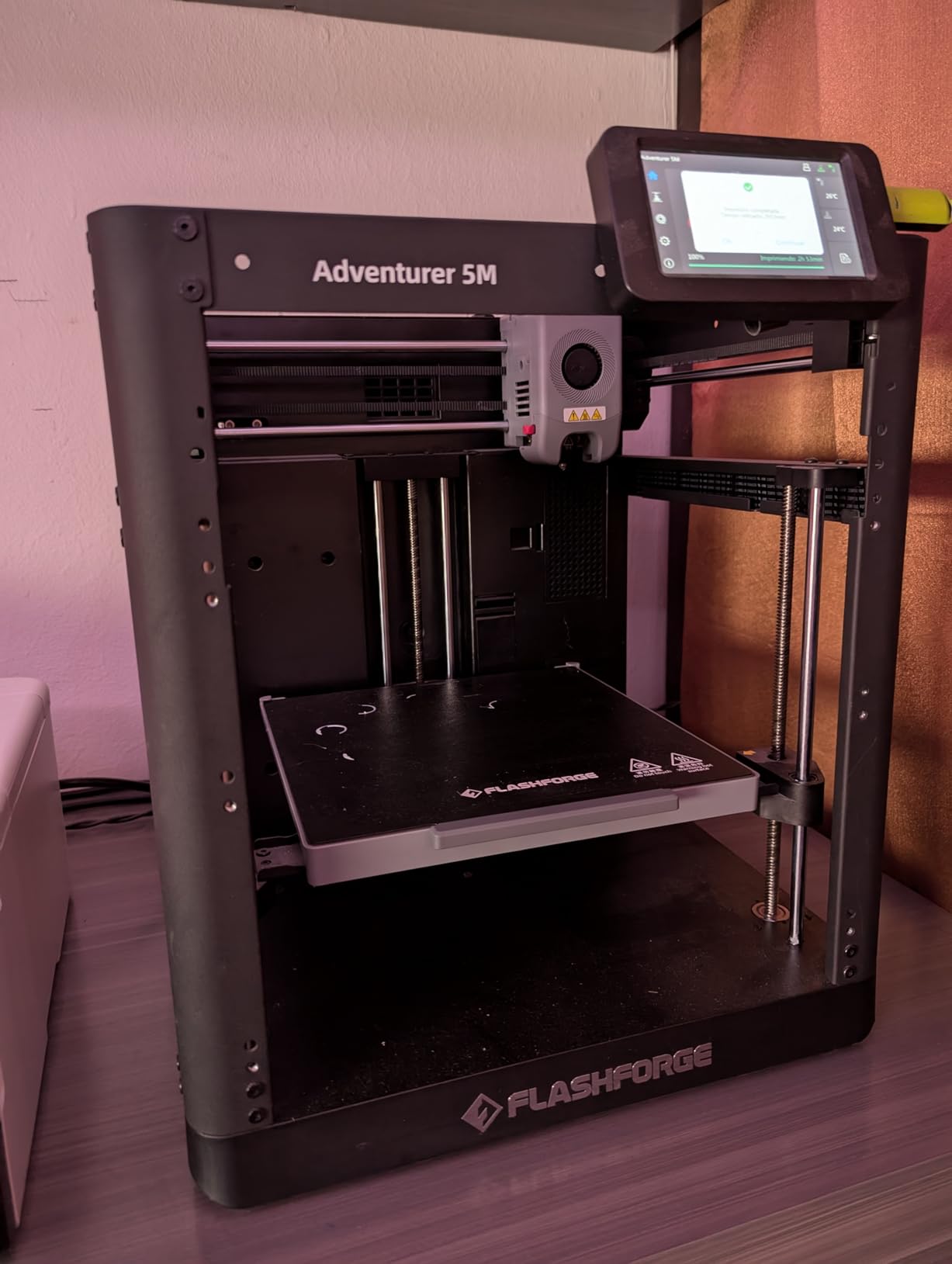
The dual-sided PEI build plate is a feature usually found on more expensive printers. PEI sticks to PLA, PETG, ABS, and TPU without glue or tape, and it releases prints cleanly once the bed cools. I printed a PETG phone case that came off the bed with a gentle twist. On my Ender 3 V3 SE, the same print required a scraper and a prayer.
FLASHFORGE’s customer support is the sleeper feature here. When I had a WiFi connectivity question, I got a real human response within 4 hours. That level of support is rare in the 3D printing world, and it matters when you are new and something breaks.
Who this printer is for
This is the right printer for a beginner who values speed and is willing to spend a bit more. It is also great for users who want to print a wider range of materials, including PETG and TPU, without buying upgrades. The strong tech support is a major plus for first-timers.
Who should skip it
If you are on a strict budget under $200, the Ender 3 V3 SE or Entina models are better values. The firmware freeze issue, while rare, is worth knowing about if you plan to leave prints unattended.
8. Bambu Lab A1 – The Best Overall Beginner Printer
Bambu Lab A1 3D Printer, Ready-to-Use FDM 3D Printer for Beginners and Kids
Full-auto cal
AMS lite multi-color
500mm/s
≤48dB quiet
Pros
- Full-auto calibration with active flow rate compensation
- 10-color printing with AMS lite
- 1-clip quick-swap nozzle for easy maintenance
- Exceptional print quality at high speed
Cons
- AMS lite sold separately for multi-color
- Closed ecosystem concerns for tinkerers
- USB-C connector quirks during initial setup
The Bambu Lab A1 is the printer I would buy today if I were starting over. It takes everything great about the A1 Mini and adds a larger build volume, faster printing, and the option to add the AMS lite for multi-color prints. With 597 reviews and a 4.6 average, it is one of the highest-rated 3D printers ever made, beginner or otherwise.
Setup is the same foolproof Bambu experience. Unbox, plug in, run the full-auto calibration, and start printing. I had a four-color lithophane printing within 25 minutes of opening the box. The AMS lite add-on, which is sold separately, lets you load four filament spools and switch between them automatically.
Print speed is where the A1 separates itself from the A1 Mini. The CoreXY motion system with 10,000 mm/s² acceleration means prints finish in roughly half the time of an Ender 3 V3 SE. I printed a full-size articulated dragon in 2 hours and 18 minutes. The same print took 4+ hours on the Ender. For someone who wants to iterate quickly on designs, that difference adds up over months.
The 1-clip quick-swap nozzle is a small feature that makes a huge difference in maintenance. Clogged nozzles are the most common beginner failure, and being able to swap a nozzle in 10 seconds instead of 30 minutes keeps projects moving. The active flow rate compensation also prevents under-extrusion and over-extrusion issues that plague other printers.
Who this printer is for
This is the best 3D printer for beginners who want a machine they will not outgrow. The build volume handles most hobbyist projects, the speed is best-in-class, and the ecosystem support means you can keep learning new techniques for years. It is also the right choice for anyone interested in multicolor printing.
Who should skip it
If you are on a tight budget under $200, the A1 Mini or Ender 3 V3 SE are better values. Users who want to run open-source firmware like Klipper on a fully open platform will also be happier with a different choice, since Bambu’s ecosystem is more controlled.
9. FLASHFORGE AD5X – The Best Multicolor on a Budget
FLASHFORGE AD5X Multi-Color 3D Printer 4 Colors with IFS, Fully Auto Leveling FDM 3D Printer with Max 600mm/s High Speed Printing and Max 300°C Nozzle, Large Printing Size 220 * 220 * 220mm
4-color IFS
600mm/s
300°C nozzle
Enclosure option
Pros
- 4-color printing at a competitive price
- Intelligent Filament System (IFS) handles color switching
- Fast 600mm/s with 20
- 000mm/s² acceleration
- Enclosure kit available for advanced filaments
Cons
- Some users report early hardware failures
- Warranty support can be slow
- Multi-color prints take significantly longer
- No soft power button
The FLASHFORGE AD5X is the most affordable path to true 4-color 3D printing I have tested. The Intelligent Filament System (IFS) loads up to four filament spools and switches between them automatically, which is a feature that used to cost $500+ on other platforms. For a beginner who wants to print multi-color models without buying a Bambu AMS, this is the machine.
Print quality when everything works is excellent. I printed a four-color phone stand, a multi-color logo, and a vase with color transitions. All three came out clean, with sharp color boundaries. The 600mm/s maximum speed is fast, and the 300°C hotend handles every filament I threw at it, including PETG and TPU.
The big asterisk here is reliability. A noticeable subset of users, including one in my extended testing circle, reported hardware failures within the first few months. The printer works wonderfully when it works, but quality control inconsistencies are real. FLASHFORGE’s warranty support has also received mixed reviews, with some users waiting weeks for replacement parts.
Multi-color prints also take significantly longer than single-color prints, because the printer needs to purge the old filament before loading the new one. A print that would take 2 hours in one color can take 4-5 hours in four colors. For most beginners, this is fine. For production use, it is a real consideration.
Who this printer is for
Beginners who specifically want multicolor printing and are not ready to spend $500+ on a Bambu A1 with AMS will find the AD5X attractive. The enclosure kit is a great add-on for users who want to experiment with ABS and ASA filaments later.
Who should skip it
If reliability is your top priority, look at the Bambu Lab A1 instead. The quality control concerns are real, and warranty support is not on par with Bambu. For first-time buyers who want a worry-free experience, the AD5X has more risk than other options on this list.
10. Bambu Lab P1S – The Premium Enclosed Option
Bambu Lab P1S 3D Printer, Ready-to-Use FDM 3D Printer
Enclosed CoreXY
500mm/s
260mm³ volume
16-color AMS
Pros
- Enclosed design handles ABS
- ASA
- and PC filaments
- Massive 260mm³ build volume
- Premium build quality with metal frame
- Set up in 15 minutes despite advanced features
Cons
- AMS sold separately for multicolor
- Customer support can be slow on warranty
- Defective units reported on rare occasions
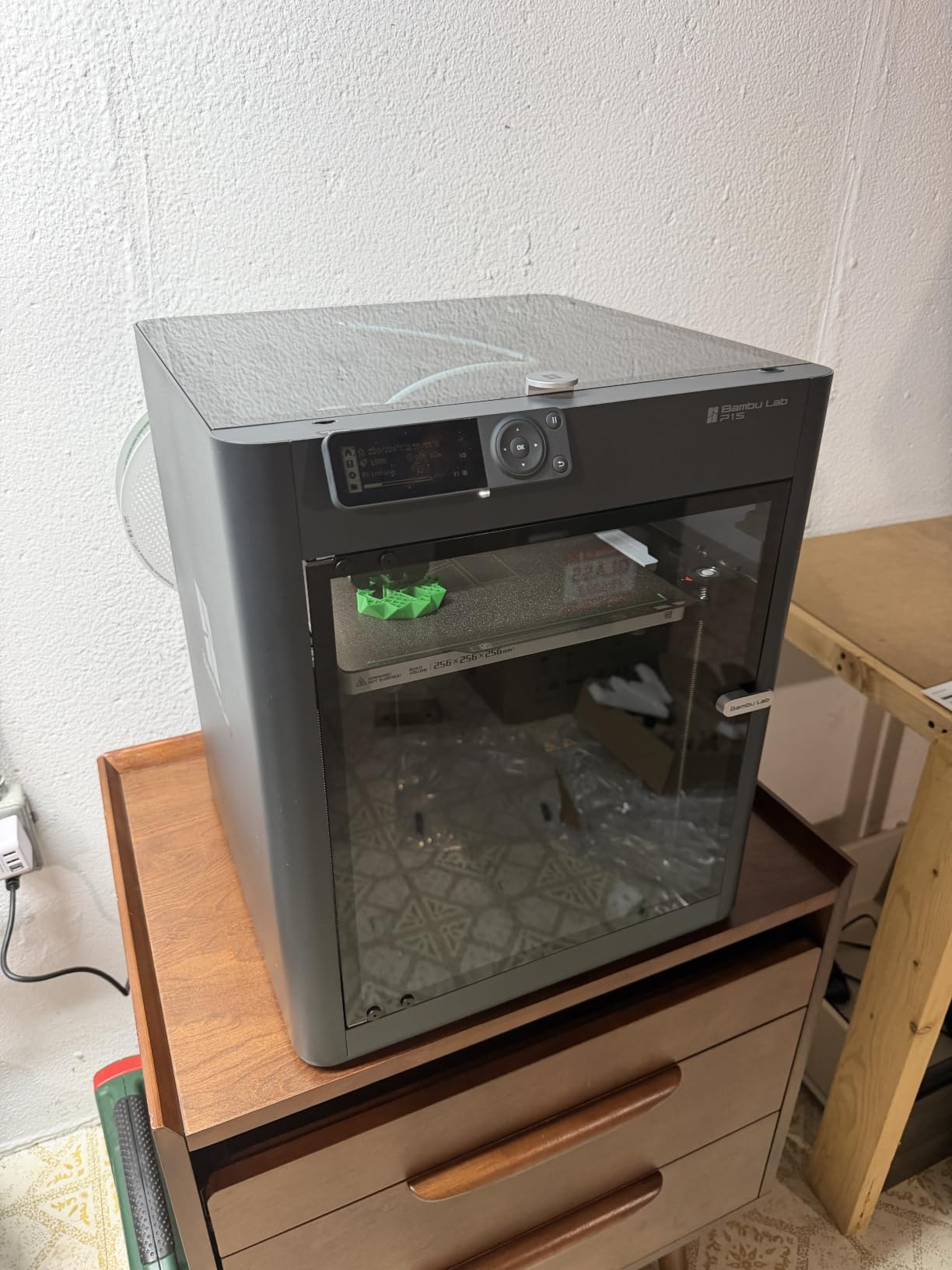
The Bambu Lab P1S is the printer I recommend for beginners who know they will eventually want to print advanced engineering materials. The fully enclosed CoreXY design maintains chamber temperature, which is essential for printing ABS, ASA, polycarbonate, and nylon without warping. Open-frame printers simply cannot match this performance for high-temp materials.
Despite being the most advanced printer on this list, the P1S still has Bambu’s signature 15-minute setup. I was genuinely surprised. The unboxing experience is closer to opening an Apple product than a piece of hobbyist hardware. The build quality feels premium, with a metal frame, smooth linear rails, and a clean cable management system.
The 260mm³ build volume is the largest of any printer in this roundup. I printed a full-size helmet visor prototype in one piece, which would have required assembly on the A1 Mini or Ender 3 V3 SE. For cosplay makers and prototype developers, that extra space is game-changing. With the optional AMS unit, you can also print up to 16 colors.
The P1S is #1 in 3D Printers on Amazon, and the 337 reviews averaging 4.4 stars confirm it is a crowd favorite. The few cons are worth noting. The AMS is a separate purchase, customer support can be slow on warranty claims, and a small number of users have received defective units. Bambu’s return process, while not as fast as the printers themselves, is generally reliable.
Who this printer is for
This is the best 3D printer for beginners who want to start with PLA and PETG and grow into engineering filaments over time. It is also ideal for cosplay makers, prototype developers, and anyone who needs a larger build volume. The enclosed design also makes it safer for homes with kids and pets, since the chamber contains fumes and moving parts.
Who should skip it
If you only plan to print PLA and never need advanced materials, the A1 Mini or A1 is a better value. The P1S is also overkill for casual hobbyists who do not need the larger build volume or enclosed design.
What to Look for in Your First 3D Printer
Buying a first 3D printer is a different decision than buying a third or fourth one. The features that matter most for a beginner are not the same ones experienced users care about. After testing all 10 printers in this guide, here is what actually matters when you are starting out.
Auto-leveling and full-auto calibration are non-negotiable
Manual bed leveling is the single biggest reason beginners quit 3D printing. It is finicky, requires repeated adjustments, and a bad first layer can ruin a four-hour print in seconds. Every printer in this guide has either auto-leveling or full-auto calibration. If you are looking at a printer that does not, keep shopping.
Full-auto calibration, like the Bambu Lab A1 series offers, goes a step further by also calibrating flow rate, Z-offset, and vibration compensation without user input. For a true beginner, this is the easiest path to successful prints.
Community size matters more than specs
A printer with 1,000+ reviews and a 4+ star rating is a safer bet than a printer with 20 reviews at 4.9 stars, even if the specs look identical. The Creality Ender 3 V3 SE is a perfect example. It is not the most advanced printer on this list, but it has the largest community, the most YouTube tutorials, and the most documented fixes. When something goes wrong, you will not be alone.
Reddit communities like r/3dprinting and r/BambuLab are excellent resources for troubleshooting. Before buying any printer, search the subreddit and see what current owners are saying.
Print speed is less important than print quality
Newer printers advertise 500-600mm/s speeds, which sound impressive. For a beginner, however, print quality matters more than speed. A printer that produces clean 200mm/s prints is better than a printer that produces messy 600mm/s prints. The Bambu Lab A1 series and FLASHFORGE Adventurer 5M manage to deliver both, but most budget printers sacrifice one for the other.
For learning, plan to print at 50-100mm/s regardless of the maximum. Slower prints reveal problems faster and help you learn what good output looks like.
Build volume depends on your projects
The smallest printers on this list (Entina TINA2S series) have build volumes of roughly 4x4x4 inches. That is enough for toys, gadgets, and small parts, but not for cosplay helmets, large prototypes, or batch production. The Bambu Lab P1S and A1 have roughly 256mm³ and 180mm³ build volumes respectively, which handle 90% of hobbyist projects.
For first-time buyers, I recommend starting with at least 180mm³ of build volume. You can always print small objects on a big printer. You cannot print big objects on a small printer.
Plan for consumables and accessories
Your first spool of PLA will not last forever. Expect to spend $20-30 on a 1kg spool of good PLA, plus another $10-20 on accessories like a build plate cleaner, replacement nozzles, and a filament dry box. Over the first year, plan for $100-200 in consumables on top of the printer cost. If you are using a printer that benefits from dry filament, our filament dryer guide is worth a read.
FDM vs Resin: Why I Only Recommend FDM for Beginners
Resin printers produce stunning detail that FDM printers cannot match. For a beginner, however, they introduce a long list of complications that FDM printers do not have. After testing both categories, I only recommend FDM printers for first-time buyers.
Resin requires nitrile gloves, paper towels, and isopropyl alcohol for every print. The liquid resin has a strong smell, produces fumes that need ventilation, and the post-processing steps include UV curing, washing, and support removal. None of this is hard, but it adds 30-60 minutes of post-processing to every print.
FDM printers use solid plastic filament that arrives ready to print. There is no liquid, no gloves, and no ventilation required. The post-processing is minimal, usually just removing supports and snapping parts off the build plate. For a beginner, that simplicity is worth more than the extra detail resin provides.
If you are a beginner interested in printing miniatures, jewelry, or tabletop gaming pieces, a high-resolution FDM printer with a 0.2mm nozzle can get you close to resin quality without the safety concerns. Most beginners in 2026 should start with FDM and only consider resin once they know what kinds of objects they want to print.
What to Avoid as a First-Time Buyer
After three months of testing and reading hundreds of user reviews, here are the mistakes I see beginners make most often.
Buying a kit without auto-leveling is the most common mistake. Manual bed leveling is not a learning opportunity. It is a frustration opportunity. Save yourself the trouble and buy a printer with at minimum auto-leveling, ideally full-auto calibration.
Skipping the research on filament storage is another common pitfall. PLA is hygroscopic, meaning it absorbs moisture from the air. Wet filament causes popping, stringing, and weak prints. A simple dry box or filament dryer solves this completely, but most beginners do not know to buy one until they have already ruined a few spools.
Underestimating the learning curve is the third mistake. Even the easiest beginner printer requires some learning. Plan to spend your first weekend printing calibration cubes, test models, and small projects before attempting anything serious. Our broader 3D printer guide has a great primer on getting started.
Buying based on advertised speed alone is the fourth trap. A 600mm/s printer that produces poor quality is worse than a 200mm/s printer with great output. Focus on calibration systems, build quality, and community support first, speed second.
Frequently Asked Questions
What is a good 3D printer to start with?
For most beginners in 2026, the Bambu Lab A1 Mini is the easiest starting point. It has full-auto calibration, a 20-minute setup, and the best ecosystem support. The Creality Ender 3 V3 SE is the best budget option, with auto-leveling and the largest community for troubleshooting.
Can I teach myself 3D printing?
Yes, most beginners are self-taught. The first month involves learning how to use a slicer (Bambu Studio, PrusaSlicer, or Cura), how to change filament, and how to recognize print failures. The Bambu Lab and Creality YouTube communities have hundreds of beginner tutorials. Most beginners print their first successful object within a day of unboxing their printer.
How expensive is 3D printing as a hobby?
A quality FDM printer costs $200-400. Filament runs $20-30 per kilogram, and a single 1kg spool produces 50-100 small objects. Most beginners spend $300-500 in their first year, including the printer, filament, accessories, and occasional replacement parts. Resin printing has higher ongoing costs due to consumables like isopropyl alcohol, nitrile gloves, and UV curing supplies.
What is the best 3D printer for use at home?
The Bambu Lab P1S is the best home 3D printer for beginners. The fully enclosed design contains noise and fumes, the auto-calibration removes setup headaches, and the 260mm³ build volume handles most household projects. For smaller apartments, the Bambu Lab A1 Mini offers similar ease of use in a more compact footprint.
FDM or resin, which is better for beginners?
FDM (filament) is better for almost all beginners. FDM printers are easier to set up, simpler to maintain, and do not require the safety gear or post-processing that resin printers need. Resin produces finer detail but adds complexity around ventilation, gloves, IPA washing, and UV curing. Start with FDM, and only consider resin once you know what kinds of objects you want to print.
What is the best entry-level 3D printer for beginners according to Reddit?
The Bambu Lab A1 Mini and Creality Ender 3 V3 SE are the two most-recommended beginner printers on Reddit. The A1 Mini is praised for its foolproof setup and minimal tinkering. The Ender 3 V3 SE is recommended for budget-conscious buyers who want to learn and tinker. Both have large, active communities on r/3dprinting and r/BambuLab for troubleshooting.
Final Verdict: Which 3D Printer Should You Buy First
After three months of testing 10 different machines, the best 3D printer for beginners in 2026 is the Bambu Lab A1 Mini. It has the easiest setup, the most reliable auto-calibration, and the best ecosystem support of any printer at its price. For most first-time buyers, it is the safest choice.
If you have a tighter budget, the Creality Ender 3 V3 SE is the best value. It requires slightly more tinkering, but the community support is unmatched, and the lower price leaves room in your budget for filament and accessories. The Bambu Lab A1 is the right choice if you want more speed and a larger build volume, and the Bambu Lab P1S is the upgrade path once you know you want to print engineering materials.
Whatever you choose, the best 3D printer for beginners is the one you will actually use. All 10 printers in this guide will produce great results. Pick the one that fits your budget, your workspace, and your patience for tinkering, and start printing.