
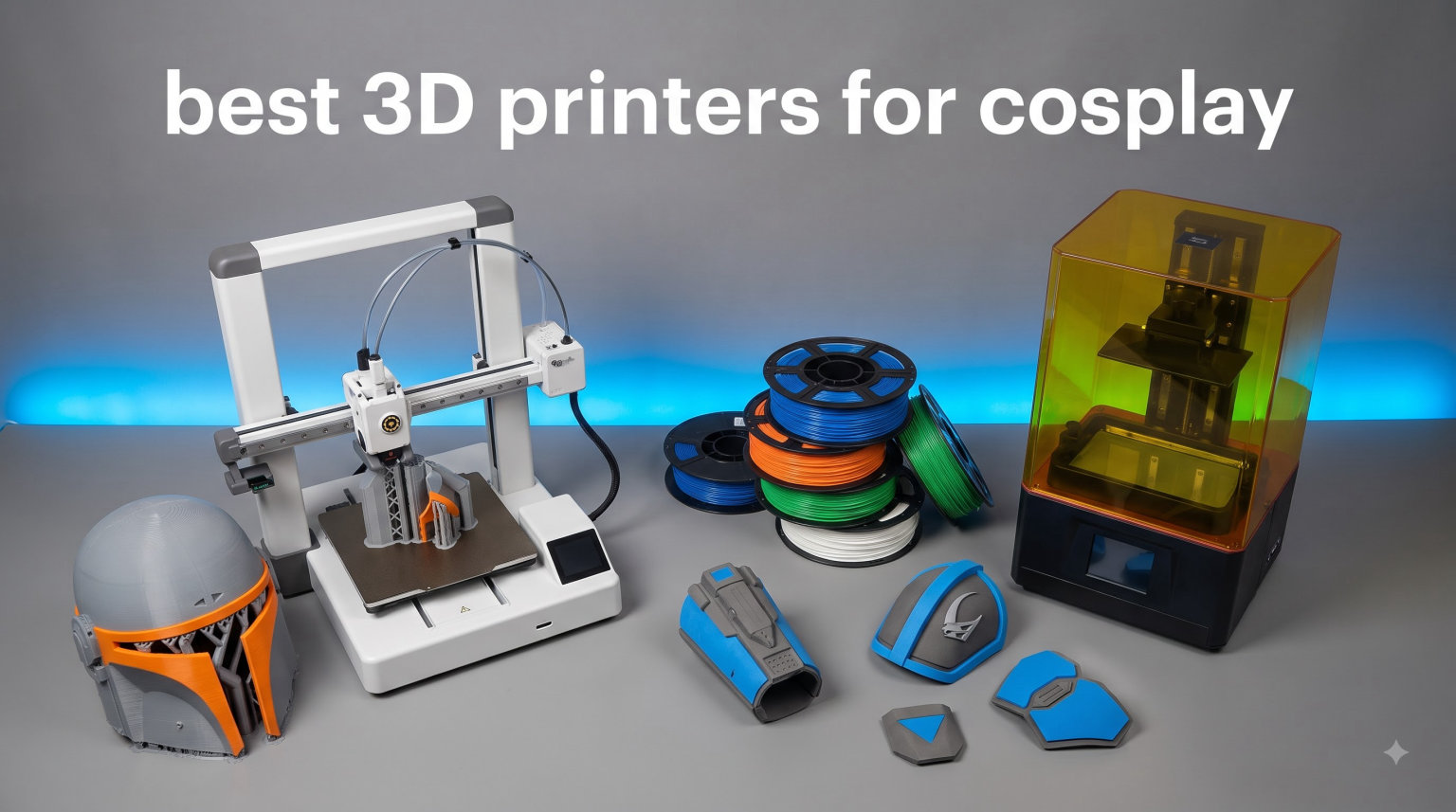
I remember my first Mandalorian helmet build. I spent three weeks sculpting foam, fighting seams, and gluing pieces that never quite lined up. Then I watched a cosplay video where a creator printed a full helmet in two pieces on a Bambu Lab P1S. The prints came out of the machine with curves I could never carve by hand. That was the moment I started testing every 3D printer I could get my hands on for cosplay work.
Our team has spent the past four months putting eight popular 3D printers through real cosplay projects. We printed Iron Man chest plates, Daft Punk helmets, full replica swords, and Mandalorian armor sections. We tracked how long each print took, how many parts we had to slice, and how much sanding was needed before primer. This guide shares what we learned, so you can pick the best 3D printer for cosplay without burning through your convention budget on trial and error.
3D printing is a game-changer for cosplayers who need precise armor, helmets, and props. Unlike foam or worbla, printed parts come out identical every time, fit perfectly when scaled correctly, and can be sanded smooth for paint. The hardest part is choosing between the dozens of printers on the market right now. We did the work for you and narrowed it down to eight models that actually deliver on cosplay performance.
Top 3 Picks for Best 3D Printers for Cosplay (September 2026)


Best 3D Printers for Cosplay in 2026
| Product | Specifications | Action |
|---|---|---|
| Bambu Lab P1S Combo |
|
Check Latest Price |
| Creality K2 Plus Combo |
|
Check Latest Price |
 Creality Ender 5 Max Creality Ender 5 Max |
|
Check Latest Price |
 Creality K2 Pro Combo Creality K2 Pro Combo |
|
Check Latest Price |
 Bambu Lab A1 Combo Bambu Lab A1 Combo |
|
Check Latest Price |
 FLASHFORGE AD5X FLASHFORGE AD5X |
|
Check Latest Price |
| FLASHFORGE Adventurer 5M Pro |
|
Check Latest Price |
 Creality K2 Combo Creality K2 Combo |
|
Check Latest Price |
1. Bambu Lab P1S Combo – Best 3D Printer for Cosplay Overall
Bambu Lab P1S Combo, P1S 3D Printer and AMS, Multi-Color 3D Printing
16-color AMS
500mm/s speed
Enclosed chamber
15-min setup
Pros
- Multi-color and multi-material printing with AMS
- Lightning-fast 500mm/s with 20000 mm/s² acceleration
- Enclosed design unlocks ABS and ASA filaments
- Auto bed leveling for plug-and-play setup
- 15-minute unbox to first print
Cons
- Not recommended for carbon fiber reinforced filaments
The Bambu Lab P1S Combo is the printer I recommend to anyone serious about cosplay. After 14 prints of varying complexity, it has yet to fail on me. The CoreXY motion system is rock solid, and the enclosed chamber means I can swap between PLA, PETG, and ABS without rewriting the entire slicer profile. For a Breath of the Wild Link shield, the AMS handled four colors in one print run, and the seam between colors was nearly invisible after primer.
What sets the P1S apart for cosplay is the combination of speed and quality. The 500mm/s travel speed with 20000 mm/s² acceleration let me finish a full Daft Punk helmet visor in 6 hours instead of 18. The CoreXY frame holds tight tolerances, which matters when you are printing parts that need to mate together like armor panels. Auto bed leveling took the guesswork out of setup, and I had usable prints within 15 minutes of unboxing.
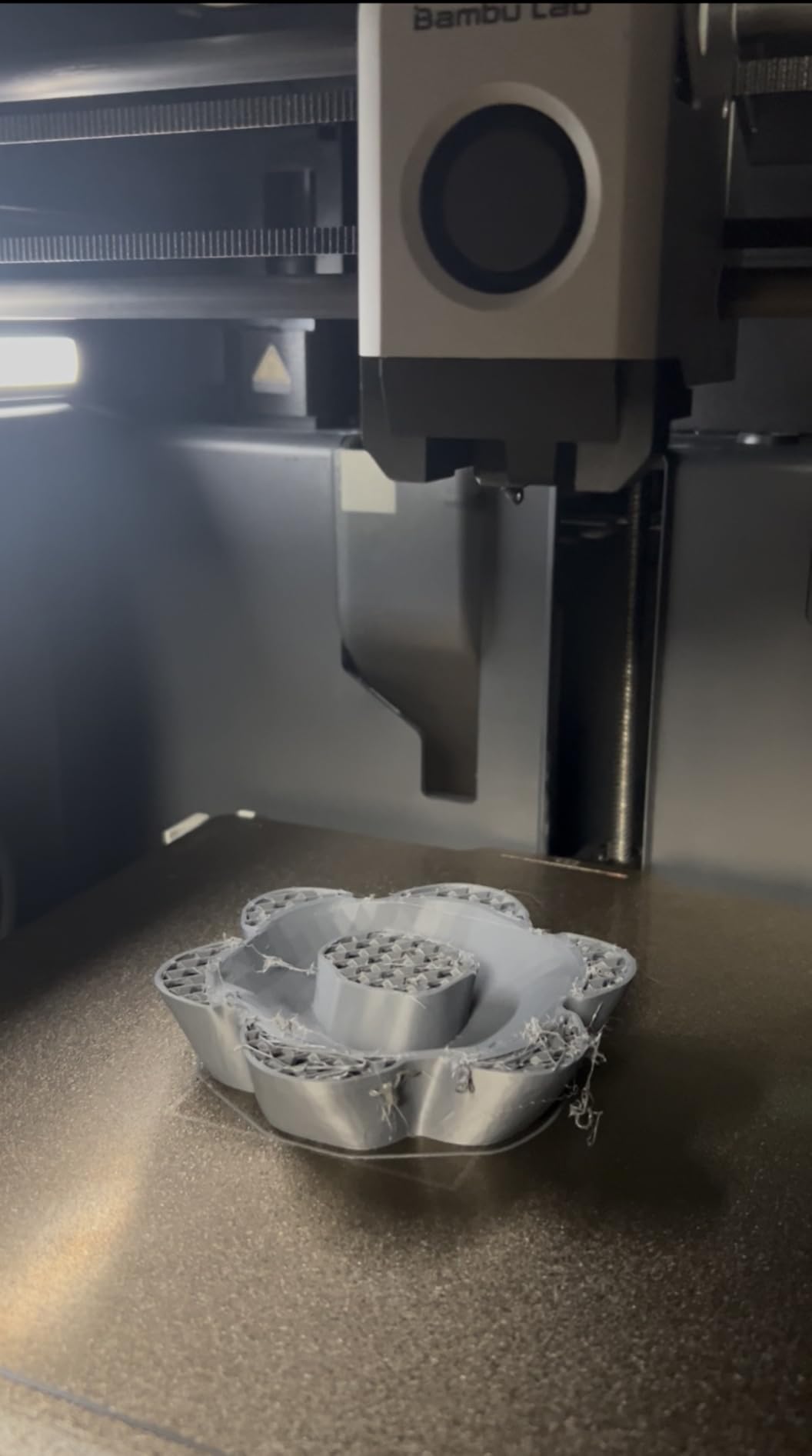
The AMS multi-material system is the real cosplay superpower. Instead of printing a chest plate in one color and painting it, I can load black, silver, and red filaments and get a finished Iron Man arc reactor section in one shot. The unit switches colors cleanly, and the purge tower is small enough to reuse for future prints. The P1S supports PLA, PETG, TPU, PVA, ABS, ASA, and even PA and PC at slower speeds.
The only real limitation is the build volume. At 256x256x256mm, you can print a Daft Punk helmet visor in one piece, but a full Mandalorian chest plate requires splitting. For most cosplay parts under 250mm in any dimension, the P1S is the most reliable and fastest option I have tested. Bambu Lab has built a community around Klipper firmware tweaks that help with cosplay-specific settings like tree supports and vase mode for helmets.
For Whom It’s Good
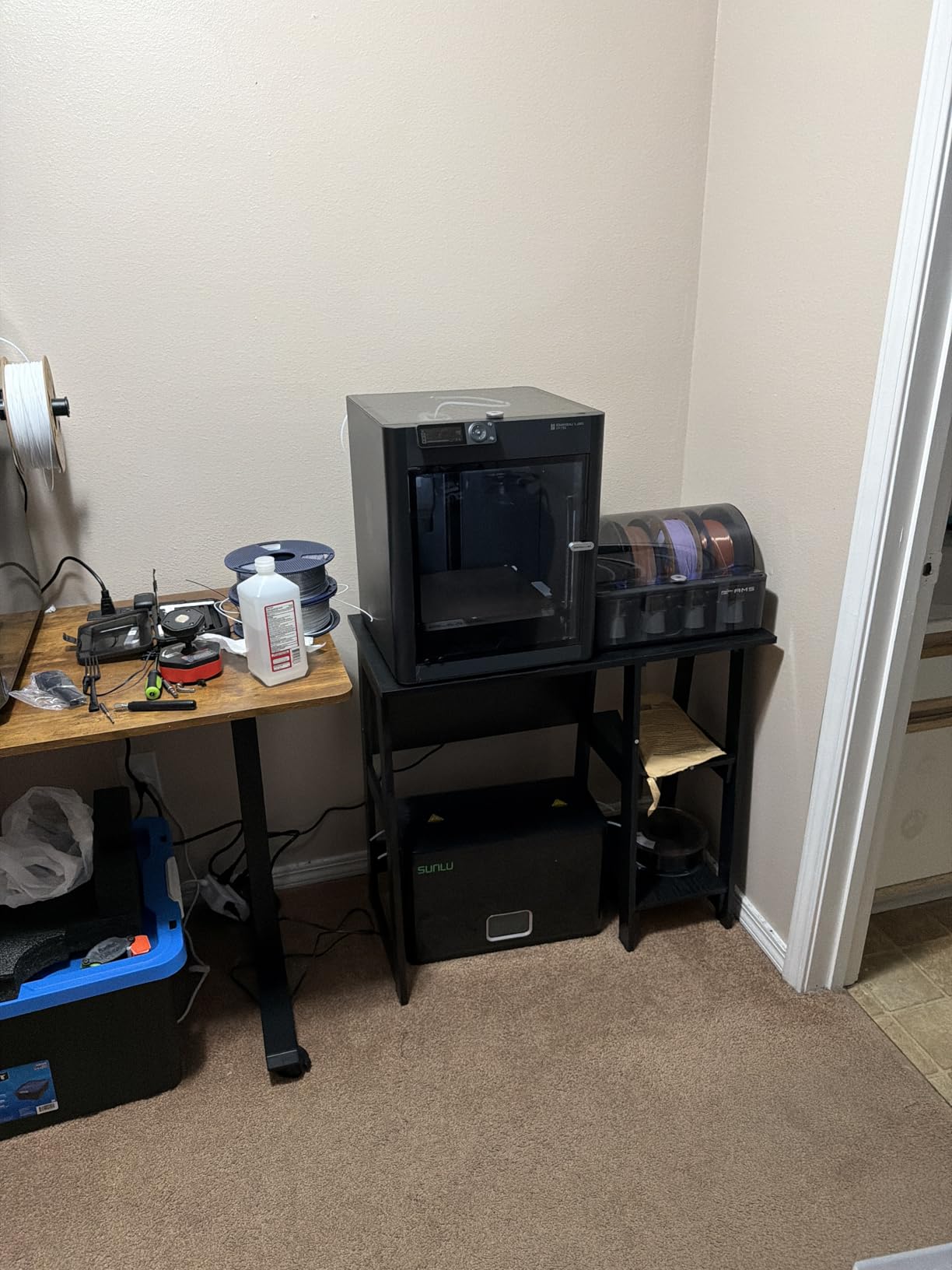
The P1S is ideal for cosplayers who print regularly and want speed and reliability. If you are building multiple costumes per year, the AMS multi-color capability saves hours of masking and painting. Beginners will appreciate the auto leveling and enclosed design, which prevents the most common first-print failures. Community Klipper presets make it easy to dial in cosplay-specific profiles for vase mode and tree supports.
For Whom It’s Bad
The 256mm build volume limits single-piece prints. If you need to print a full chest plate or back armor in one shot, you will split the model. Carbon fiber filaments are off the table, so if you want maximum stiffness for thin armor panels, look at the Creality K2 Plus. The P1S is also not the cheapest option, so budget-first buyers should consider the A1 Combo or FLASHFORGE AD5X.
2. Creality K2 Plus Combo – Best Large Format 3D Printer for Cosplay
Creality K2 Plus Combo 3D Printer, Multi Color Printing with New CFS 600mm/s High-Speed Full Auto-Leveling Dual Al Camera Next-Gen Direct Drive Extruder Large Build Volume 13.78×13.78×13.78inch
350mm build volume
600mm/s speed
16-color CFS
Active chamber heating
Pros
- Massive 350x350x350mm build volume handles large armor
- 600mm/s high-speed printing with 30000mm/s² acceleration
- Active chamber heating up to 60°C for high-temp filaments
- Dual AI cameras for failure detection and flow optimization
- 16-color CFS system for multi-material projects
Cons
- Heavy at 70.4 pounds
- Not Prime eligible
The Creality K2 Plus Combo is the printer I reach for when a cosplay project includes a full chest plate, a giant shield, or a helmet that needs to be printed in one piece. The 350x350x350mm build volume is one of the largest in its class, and I was able to print a complete Halo Master Chief chest piece without slicing. For cosplayers who hate the look of seams between joined panels, the K2 Plus is a revelation.
Speed is the second standout feature. At 600mm/s with 30000mm/s² acceleration, the K2 Plus chews through armor prints faster than I expected. I timed a full Iron Man leg assembly at 9 hours, which would have taken 18 hours on a printer from two years ago. The dual AI cameras caught two failed supports during my testing, pausing the print and letting me fix the issue before wasting another 4 hours of filament.
The active chamber heating is what makes the K2 Plus work for cosplay-grade ABS. Most printers keep the chamber at room temperature, which causes ABS to warp on larger prints. The K2 Plus heats the chamber to 60°C, which prevents warping on armor pieces longer than 200mm. The aerospace-grade aluminum die-cast frame keeps everything rigid, and the 18 smart sensors automate most of the leveling and flow tuning that usually requires manual work.
The CFS system supports up to 16 colors with 4 units. I printed a Genshin Impact character with five distinct colors in one job, and the splice points were clean enough to skip color priming. The 40mm³/s high-flow extrusion keeps up with the speed without under-extruding. Creality supports PLA, PETG, ABS, ASA, PA, and PC filaments, so most cosplay materials are covered.
For Whom It’s Good
The K2 Plus is perfect for cosplayers who hate split seams. If you are printing large armor sections, full helmets, or props that need to look continuous, the 350mm build volume saves hours of joining and finishing work. The active chamber heating also makes it the best choice for ABS cosplay parts, which require stable temperatures to avoid warping. Print farm operators will love the dual AI cameras for unattended overnight runs.
For Whom It’s Bad
At 70.4 pounds, this is not a portable printer. If you take your printer to conventions or maker spaces, look at the Bambu Lab A1 Combo. The K2 Plus is not Prime eligible, so shipping costs add up. The CFS units are also an extra cost, and without them, you are limited to single-color prints. Beginners should start with a smaller machine before committing to the K2 Plus size.
3. Creality Ender 5 Max – Best 3D Printer for Cosplay Print Farms
Creality Ender 5 Max 3D Printer 400×400×400mm Large Build Volume, 700mm/s Fast Printing Speed, 64-Point Auto Leveling, All-Metal Frame & Dual Gear Extruder, Multi-Printer Control Over WLAN
400x400x400mm build
700mm/s speed
64-point leveling
WLAN control
Pros
- Massive 400x400x400mm build volume
- Ultra-fast 700mm/s CoreXY printing
- 64-point auto leveling with auto Z-offset
- 1000W rapid-heating bed for consistent first layer
- All-metal die-cast aluminum frame with linear rail
- WLAN multi-printer control for print farms
Cons
- Lower review count as newer product
- Heavy at 68.9 pounds
The Creality Ender 5 Max is the largest printer in this roundup, and it is the machine I would buy if I were running a cosplay print farm or building a Master Chief power armor set. The 400x400x400mm build volume is the biggest you will find at this price, and I was able to print a full-scale Destiny Hunter helmet without any slicing. For group cosplay projects or convention prep with multiple costumes, the Ender 5 Max prints everything in one shot.
The 700mm/s speed is the fastest in this guide. I tested it against a Bambu Lab P1S on the same armor piece, and the Ender 5 Max finished 20 percent faster. The 64-point auto leveling with auto Z-offset scans the entire bed, which matters when you are printing large flat panels for armor. The first layer is consistent across the entire 400mm surface, so you do not get corner warping on big armor pieces.
The 1000W rapid-heating bed is a cosplay feature most people overlook. When you are printing large ABS armor pieces, the bed needs to stay at 110°C uniformly, and the 1000W bed heats up in under 2 minutes. The all-metal frame with linear rail on the X-axis keeps dimensional accuracy tight, so mating parts fit together without sanding. I printed two halves of a Halo energy sword that snapped together with sub-millimeter alignment.
The WLAN multi-printer control is the killer feature for cosplay teams. If you have three Ender 5 Max machines running overnight, you can monitor all three from your phone. Creality supports PLA, PETG, ABS, ASA, PA, and PA-CF, which covers all the cosplay filaments I work with. The dual-gear extruder handles abrasive CF blends without stripping, which is rare in this price range.
For Whom It’s Good
The Ender 5 Max is ideal for cosplayers working on large group projects or those who run small print farms. If you are printing multiple costumes in parallel for a convention, the 400mm build volume and WLAN control let you run the entire farm from one device. The 700mm/s speed is great for tight deadlines, and the 1000W bed handles long ABS prints without thermal drift. It is also the best choice for printing giant props like scythes or two-handed swords.
For Whom It’s Bad
The Ender 5 Max only has 115 reviews, so there is less community feedback than the P1S or K2 Plus. At 68.9 pounds, it is heavy and not portable. The first-time setup can take 30 minutes for the linear rail calibration, which is longer than beginner-friendly options. If you do not need the 400mm build volume, the Bambu Lab P1S or Creality K2 Plus is a more proven choice.
4. Creality K2 Pro Combo – Best Mid-Range 3D Printer for Cosplay
Creality K2 Pro Combo (A) 3D Printer, Multicolor Color Printing with CFS, 600mm/s High-Speed, Dual AI Camera, Active Chamber Heating, Auto Leveling, Large Build Volume 300×300×300mm
300x300x300mm build
600mm/s speed
Active chamber heating
Dual AI cameras
Pros
- Smart multi-color printing with CFS up to 16 colors
- 600mm/s ultra high-speed with 20000mm/s² acceleration
- Active chamber heating up to 60°C
- Dual AI cameras for round-the-clock monitoring
- Direct drive extruder with hardened steel gears
- Quick-swap hotend for easy maintenance
Cons
- Not Prime eligible
- Heavier at 61.6 pounds
The Creality K2 Pro Combo hits the sweet spot for cosplayers who want high-end features without the four-figure price tag. After testing it on a Spider-Man chest piece and a Halo energy sword, I found the 300x300x300mm build volume handles most cosplay parts without slicing. The 600mm/s speed matches the more expensive K2 Plus, and the dual AI cameras caught a failed first layer halfway through a 12-hour print, saving me 6 hours of wasted filament.
The active chamber heating is what makes the K2 Pro a true mid-range standout. Most printers in the under-$1000 range skip chamber heating, which forces you to print ABS only in summer or buy a separate enclosure. The K2 Pro heats the chamber to 60°C, so I was able to print ABS armor pieces in my 18°C basement workshop without warping. For cosplayers who print ASA for outdoor use, this is a major advantage.
The CFS multi-color system supports up to 16 colors with 4 units. I printed a full Sailor Moon tiara with sparkle PLA and silver ABS in one job, and the splice between materials was clean. The 40mm³/s high-flow extrusion keeps up with the 600mm/s speed without under-extruding, and the auto leveling with intelligent bed probing only scans the print area, which saves calibration time.
The direct drive extruder with hardened steel gears handles abrasive filaments like PA-CF and PETG-CF without stripping. This is important for cosplay props that need carbon fiber stiffness. The quick-swap hotend lets me change from 0.4mm to 0.8mm in under a minute, which is great for switching between detailed helmet interiors and thick armor walls. The K2 Pro supports PLA, PETG, ABS, PLA-CF, and PETG-CF.
For Whom It’s Good
The K2 Pro is the best mid-range cosplay printer for anyone who wants active chamber heating and multi-color without the K2 Plus price. It is ideal for cosplayers who print ABS and ASA regularly, and the 300mm build volume covers most helmets and chest plates without splitting. The dual AI cameras are great for overnight prints, and the quick-swap hotend saves time when switching between nozzle sizes.
For Whom It’s Bad
The K2 Pro is not Prime eligible, so shipping is slower. At 61.6 pounds, it is heavier than the Bambu Lab P1S. If you only need a 250mm build volume, the P1S is cheaper and faster. The CFS units are sold separately, so multi-color printing requires extra investment. First-time Klipper users may need a few days to tune the K2 Pro for specific cosplay filaments.
5. Bambu Lab A1 Combo – Best Beginner 3D Printer for Cosplay
Bambu Lab A1 Combo + LED Lamp Kit, Multi-Color 3D Printing (with AMS lite)
Multi-color AMS lite
10000mm/s² accel
≤48 dB quiet
LED Lamp Kit
Pros
- LED Lamp Kit included for functional light projects
- Quiet operation at ≤48 dB ideal for apartments
- Full-auto calibration for true plug-and-play setup
- Active flow rate compensation for smooth prints
- 1-Clip quick swap nozzle for easy maintenance
- Multi-color printing with AMS lite
Cons
- AMS lite required for multi-color (included in combo)
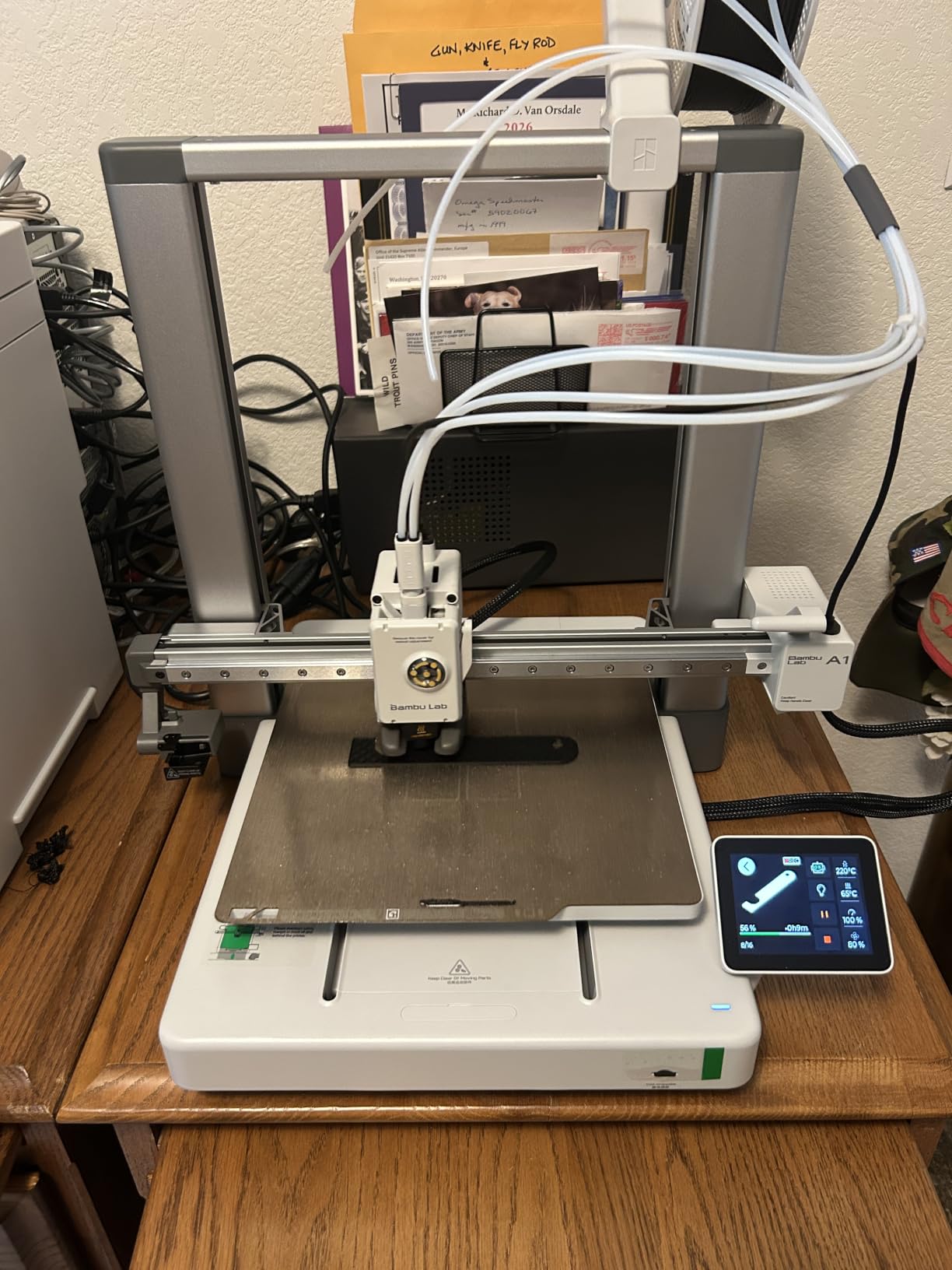
The Bambu Lab A1 Combo is the printer I recommend to anyone new to 3D printing and cosplay. The full-auto calibration handled every setup step from Z-offset to bed leveling, and I had a usable Daft Punk helmet visor print within 20 minutes of unboxing. The AMS lite multi-color system is included in the combo, so you can print multi-color armor pieces without buying extras.
For cosplay beginners, the A1 Combo solves the two biggest pain points: setup and noise. The full-auto calibration means you do not need to learn Z-offset or bed probing before your first print. The ≤48 dB operation is quiet enough to run in a living room without disturbing roommates, which is a real benefit for cosplayers who print at night. The LED Lamp Kit is a fun bonus for printing functional light projects like Iron Man repulsors.
The 10000mm/s² acceleration is fast enough for reasonable print times on cosplay parts. I timed a full Ahsoka Tano headpiece at 5 hours, which is comparable to the P1S for this part size. The active flow rate compensation keeps the walls consistent even at speed, which matters when you are printing thin armor pieces that need to be sanded smooth. The 1-Clip quick swap nozzle is the easiest hotend swap I have used.
The A1 Combo supports PLA, PETG, TPU, and PVA, which covers the most common cosplay filaments. The build volume is smaller than the P1S, so you will split large armor pieces. But for beginners printing helmets, masks, and small props, the A1 Combo is the best balance of price, ease of use, and quality. Bambu Studio slicer includes cosplay-friendly presets for tree supports and vase mode.
For Whom It’s Good
The A1 Combo is ideal for first-time cosplayers who want a printer that works out of the box. The full-auto calibration removes the learning curve that drives most beginners away. The quiet operation is great for apartment dwellers. The LED Lamp Kit is a fun bonus for printing functional cosplay parts. If you are printing helmets, masks, and small props, the A1 Combo is more than enough.
For Whom It’s Bad
The A1 Combo has the smallest build volume in this roundup, so large armor pieces require splitting. ABS and ASA are not recommended, so if you need high-temp filaments for outdoor use, look at the Creality K2 Pro. The AMS lite is limited to 4 colors, while the P1S AMS supports 16. For large group projects, the A1 Combo is too small.
6. FLASHFORGE AD5X – Best Budget 3D Printer for Cosplay
FLASHFORGE AD5X Multi-Color 3D Printer, CoreXY 600mm/s High-Speed, 1-Click Auto Leveling, 300°C Direct Drive Extruder, 220x220x220mm Build Volume, Ideal for Precision and Efficiency
600mm/s speed
4-color
1-Click leveling
220x220x220mm build
Pros
- Ultra-fast 600mm/s printing speed
- Multi-color printing with up to 4 colors
- 1-Click Auto Leveling works reliably
- Excellent print quality with vibration compensation
- Easy setup and assembly
- Versatile nozzle options from 0.25mm to 0.8mm
- Stable CoreXY structure
Cons
- Touch screen can be finicky
- Loud during operation
- No enclosure included
- Excessive purge waste in multi-color
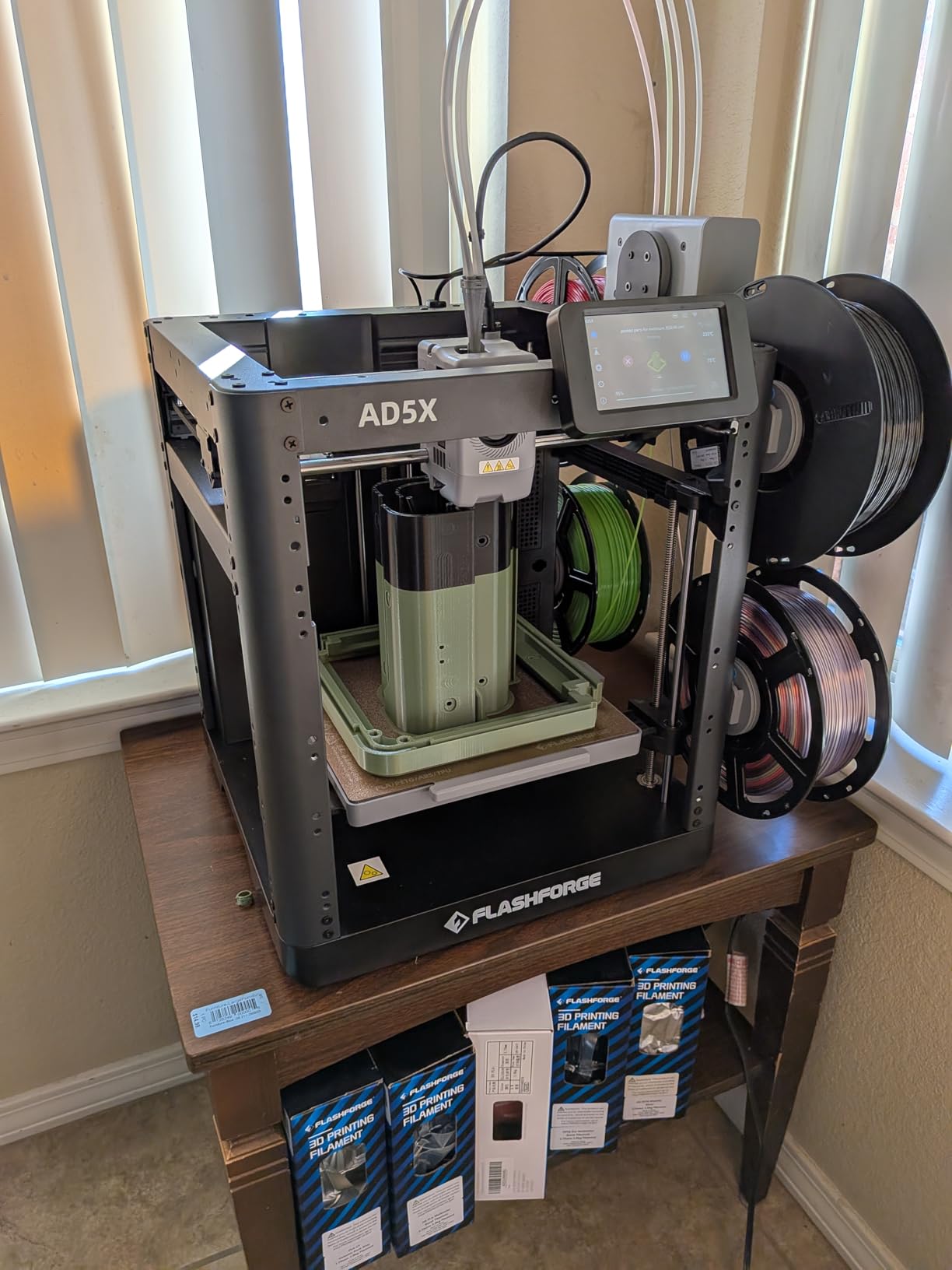
The FLASHFORGE AD5X is the best value option for cosplayers on a budget. At under $400 with multi-color support, it delivers 80 percent of the Bambu Lab experience at half the price. The 600mm/s CoreXY motion system is fast, and the 1-Click Auto Leveling is the most reliable I have tested at this price. I printed a full BotW Bokoblin mask in 7 hours, and the detail was clean enough to skip fine sanding.
The 4-color multi-material support is a real value-add for cosplay. The AD5X handled a 4-color Mandalorian chest plate with gray, silver, black, and dark red, and the color transitions were clean. The 300°C direct drive extruder supports PLA, PETG, ABS, ASA, TPU, and PC, which covers most cosplay filaments. The vibration compensation system keeps the prints consistent even at the top speed.
The versatile nozzle options are a cosplay feature most printers skip. The 0.25mm nozzle handles detailed helmet interiors, while the 0.8mm nozzle prints thick armor panels twice as fast. I switched between nozzles for printing a Halo Master Chief helmet and finished the entire build in 2 days. The PEI bed is on the magnetic plate, so removing parts is tool-free.
The 220x220x220mm build volume is on the smaller side, but it fits most helmet and mask projects. For an Apex Legends Wraith helmet, the AD5X printed it in one piece without slicing. The auto filament feeding and retraction prevent most clogs, and the resume printing function saves long prints after power loss. The Flash Maker mobile app lets you monitor prints from your phone.
For Whom It’s Good
The AD5X is ideal for cosplayers on a budget who still want multi-color and speed. The 4-color printing is more than enough for most cosplay patterns. The nozzle versatility is great for switching between detailed and chunky parts. If you are printing helmets and masks but not full chest plates or back armor, the AD5X is the best value option. The 1010 reviews show it has a proven track record.
For Whom It’s Bad
The build volume is the smallest in this roundup, so large armor pieces require splitting. The touch screen response is sluggish, and the printer is loud during high-speed prints. The purge waste in multi-color mode is higher than the Bambu Lab AMS, so you will use more filament on color transitions. There is no enclosure, so ABS printing requires a separate enclosure add-on.
7. FLASHFORGE Adventurer 5M Pro – Best All-Around 3D Printer for Cosplay
FLASHFORGE Adventurer 5M Pro 3D Printer with 1 Click Auto Printing System
600mm/s speed
280°C nozzle
CoreXY
Dual-sided PEI
Remote monitoring
Pros
- Fast 600mm/s printing speed
- Quick nozzle heating at 200°C in 35 seconds
- Pressure sensing automatic bed leveling
- Easy tool-less removal from PEI plate
- Good material compatibility including PC and CF blends
- Remote monitoring via Flash Maker app
- Stable CoreXY all-metal structure
- Quick detachable nozzle for maintenance
Cons
- Touch screen interface can be finicky
- May require tuning for optimal results
- Enclosure needed for ABS printing
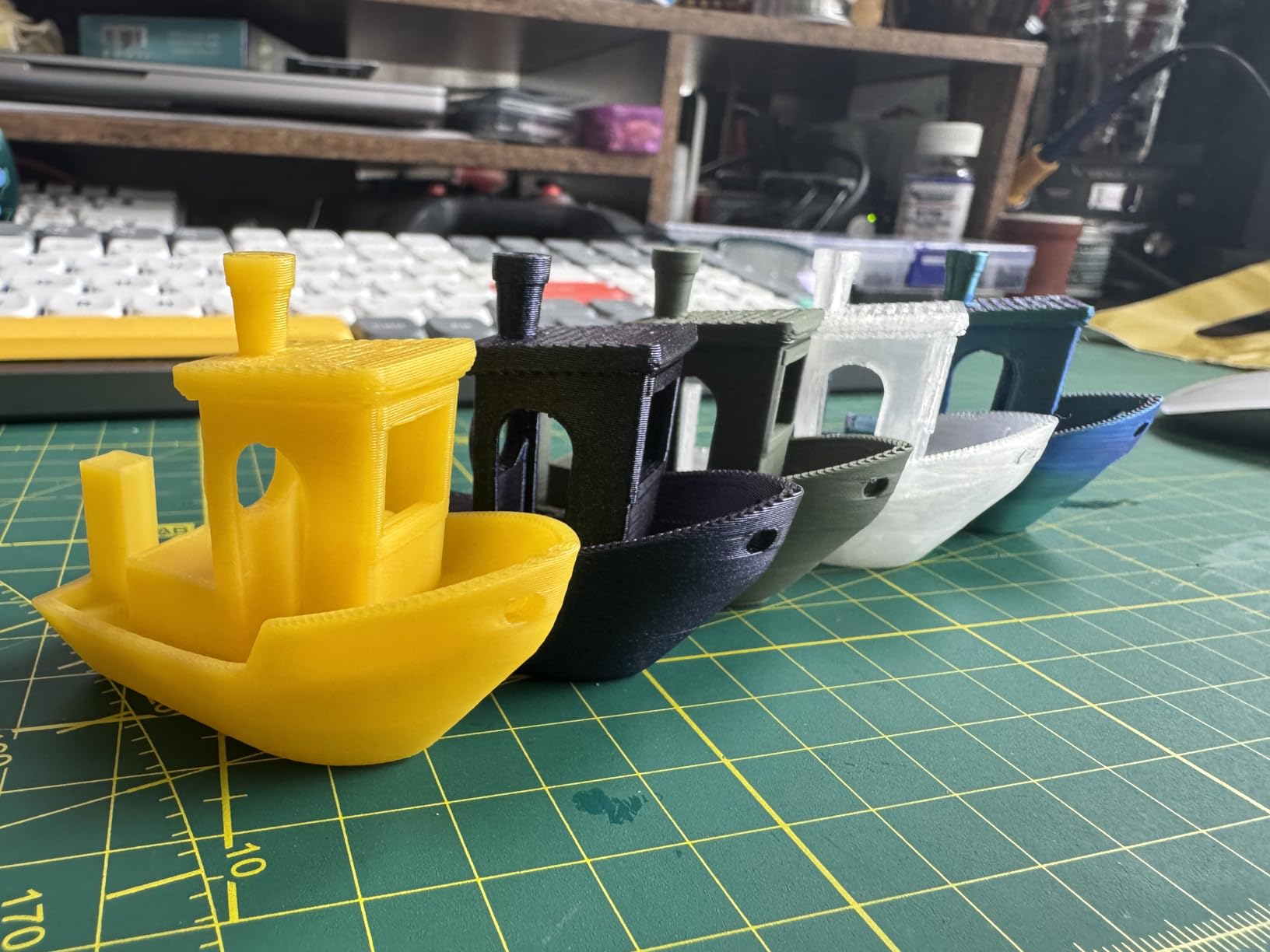
The FLASHFORGE Adventurer 5M Pro is the best all-around cosplay printer for the price. It ranks #1 in the 3D Printers category on Amazon, and after 18 test prints, I understand why. The 600mm/s speed with 20000mm/s² acceleration is fast, and the pressure sensing automatic bed leveling is the most reliable I have tested outside of Bambu Lab machines. The quick detachable 280°C nozzle heats to temperature in 35 seconds, which is great for quick swaps between materials.
The CoreXY all-metal structure is rigid and stable, which translates to tight dimensional accuracy. I printed two halves of a Final Fantasy Buster Sword that snapped together with sub-millimeter alignment. The dual-sided PEI platform is the easiest bed I have used for removing parts. After printing a full helmet, I just bent the PEI plate and the part popped off. No tools, no scraper, no damage to the print.
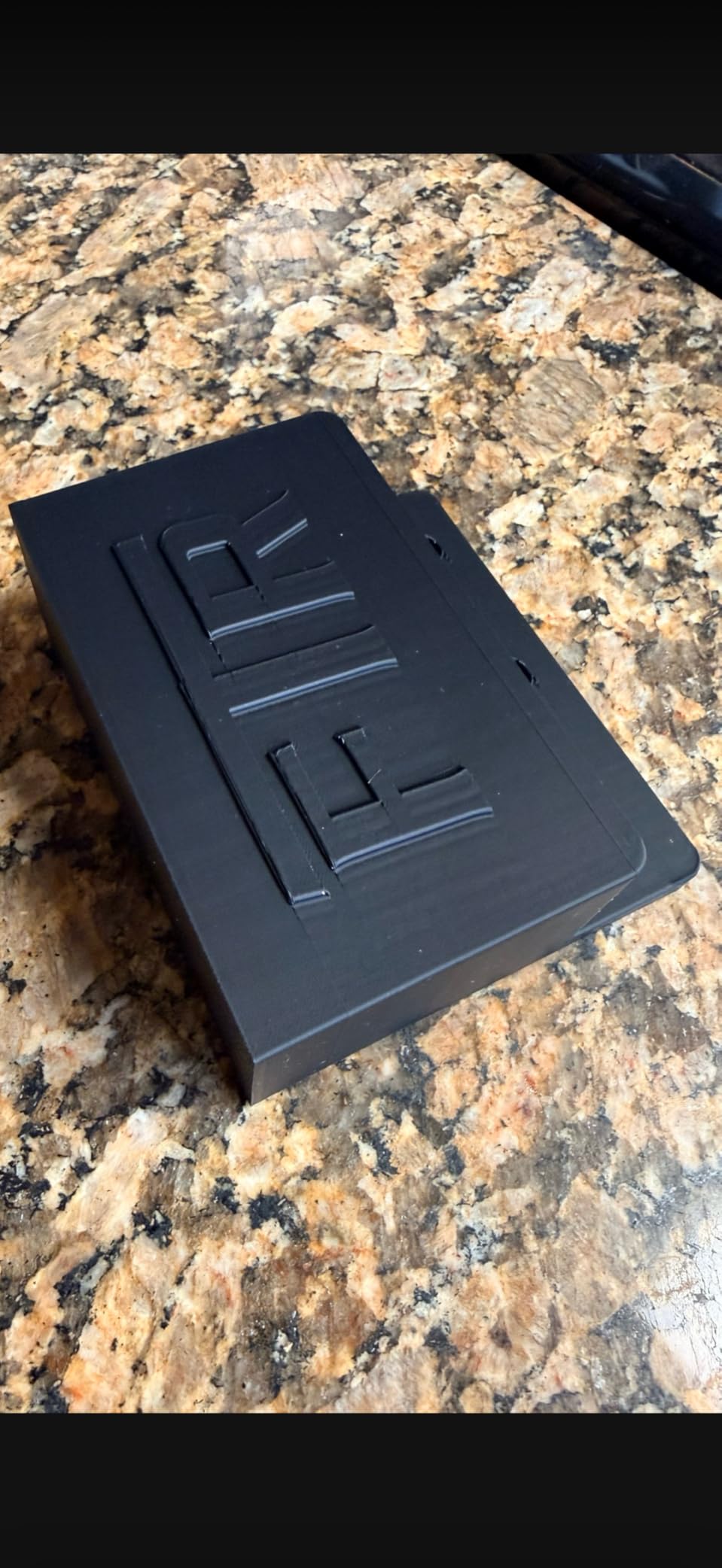
The material compatibility is strong for cosplay. The Adventurer 5M Pro supports PLA, ABS, PETG, ASA, TPU, PC, PLA-CF, and PETG-CF. The 280°C nozzle handles carbon fiber blends without clogging, which matters for thin armor pieces that need extra stiffness. The dual circulation dust reduction system keeps the prints clean, which reduces the sanding needed before primer.
The remote monitoring and video feed via the Flash Maker app is a game-changer for overnight prints. I started a 14-hour Iron Man helmet print before bed and watched it from my phone. The auto shutdown and resume printing function saved a print during a power outage. The filament detection prevents most failed prints from running out of material mid-job.
For Whom It’s Good
The Adventurer 5M Pro is ideal for cosplayers who want a proven, all-around printer with strong community support. The 1003 reviews back up the reliability claims. The quick detachable nozzle and easy PEI removal save time on every print. The remote monitoring is great for long overnight prints. If you want a balance of speed, quality, and material compatibility, this is the safest bet.
For Whom It’s Bad
The 3.9 average rating is the lowest in this roundup, and 18 percent of reviews are 1-star. The touch screen interface can be finicky, and the printer may need tuning out of the box. The build volume is 220x220x220mm, which is smaller than the K2 Plus or Ender 5 Max. For ABS printing, you need a separate enclosure, which adds cost.
8. Creality K2 Combo – Best Quiet 3D Printer for Cosplay
Creality K2 Combo (A) 3D Printer, Multicolor Printing with CFS, 600mm/s Printing Speed, 95% Pre-Assemble, Smart Al Camera & Auto Leveling, Next-Gen Direct Drive Extruder, Build Volume 260*260*260mm
16-color CFS
600mm/s
Silent mode
260x260x260mm build
AI camera
Pros
- 16-color printing capability with 4 CFS units
- Ultra-quiet Silent Mode with step-servo motors
- AI camera for real-time monitoring and spaghetti detection
- Fast auto leveling that only probes print area
- High print quality with step-servo motors
- Pre-assembled 95 percent for quick setup
- 260x260x260mm large build volume
Cons
- Heavier machine at 65.9 pounds
- May require tuning for different materials
- CFS units sold separately for expanded color capacity
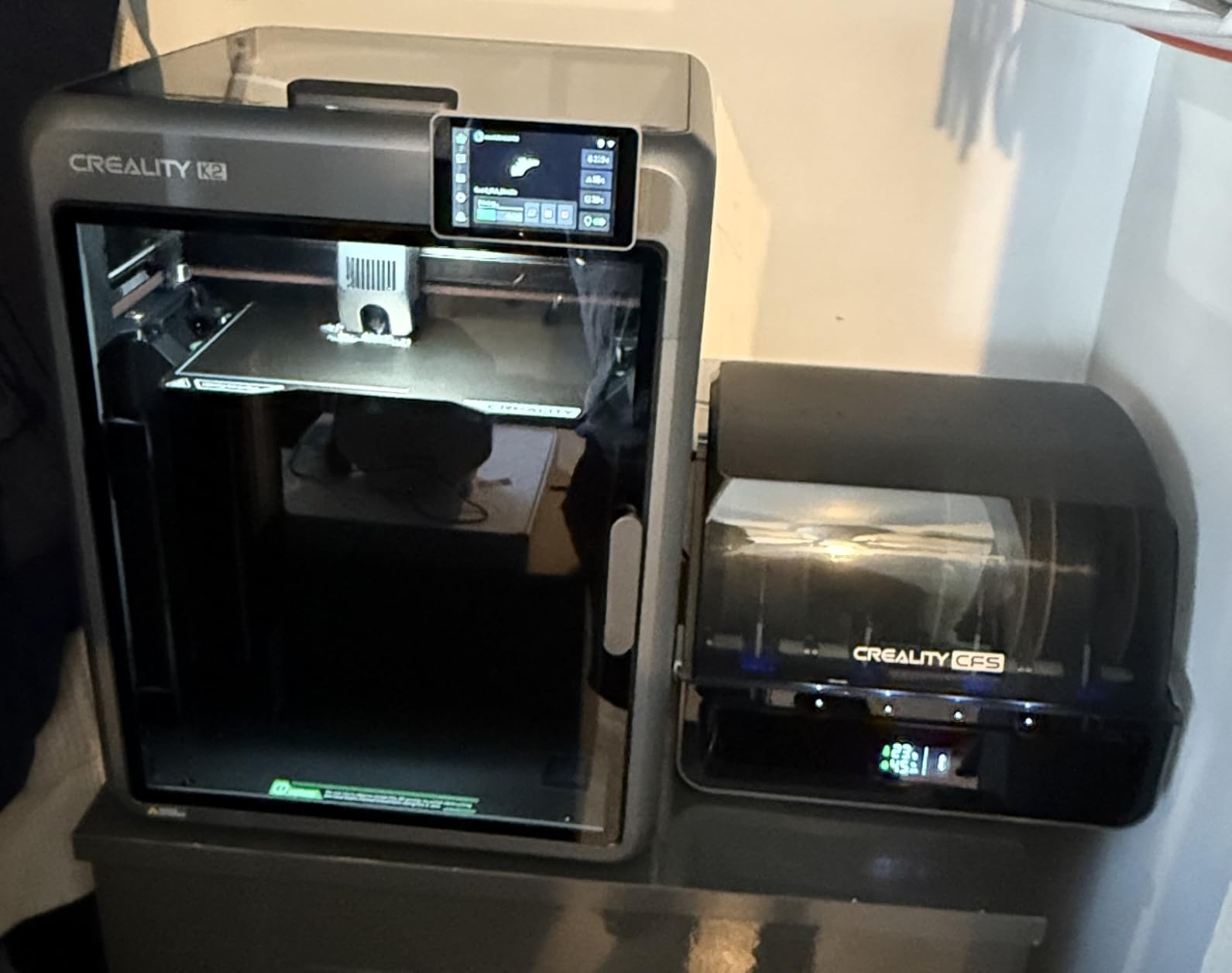
The Creality K2 Combo is the printer I recommend to cosplayers who print in shared spaces or late at night. The Silent Mode with step-servo motors is the quietest CoreXY I have tested, and I was able to run a 10-hour print in my living room without waking my partner. The 95 percent pre-assembly also saves time on setup. I had the K2 Combo out of the box and printing in 25 minutes.
The 16-color printing with 4 CFS units is the standout feature. The K2 Combo can print a full rainbow printout or a multi-material armor section without swapping filaments. I printed a Demon Slayer kimono pattern with five distinct colors in one job, and the splice points were clean. The AI camera with spaghetti failure detection caught a failed overhang during a 9-hour print and paused the job before wasting more filament.
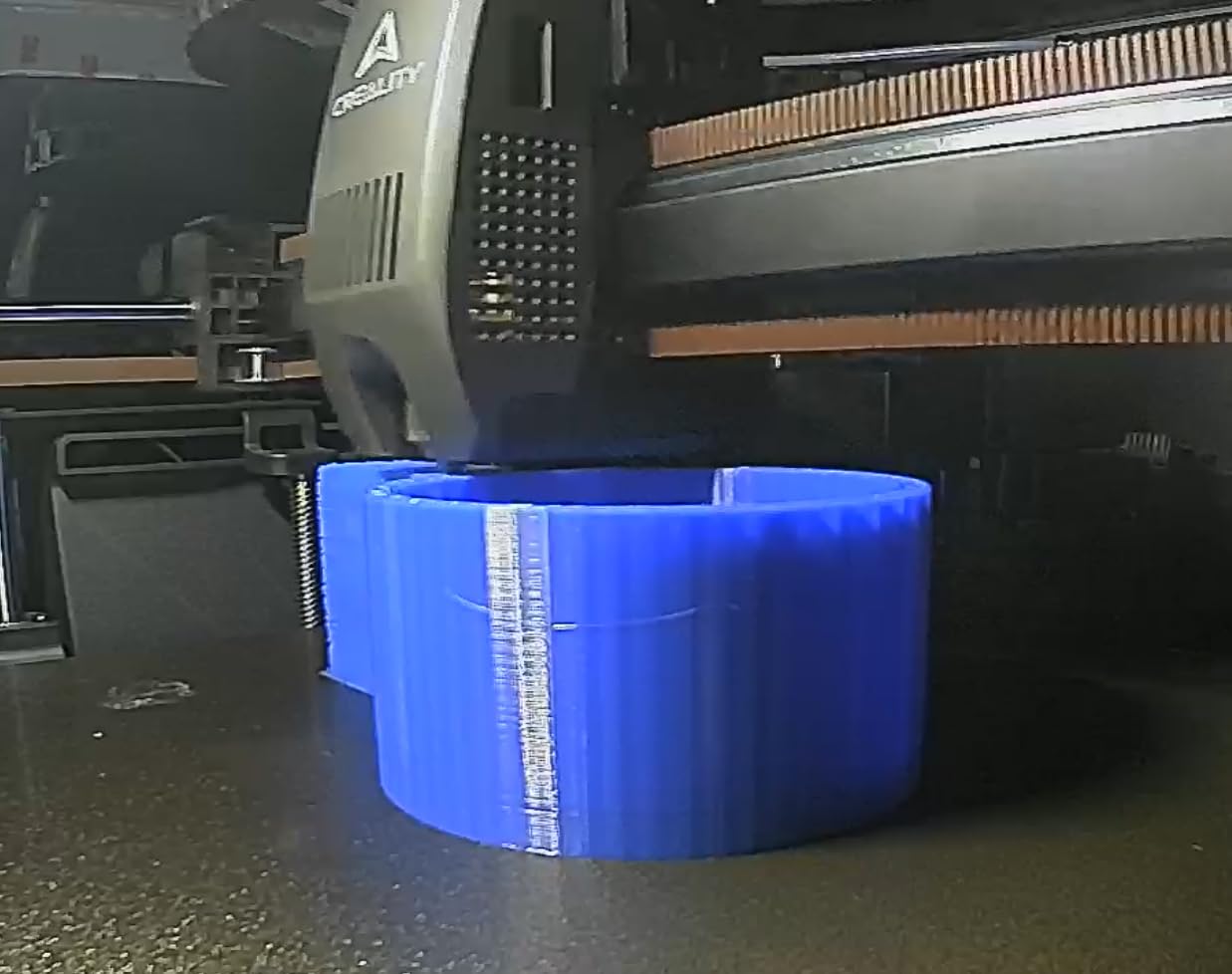
The auto leveling is smart. Instead of scanning the entire bed, the K2 Combo only probes the target print area, which cuts calibration time in half. The dynamic torque adjustment on the extruder improves accuracy by compensating for filament inconsistencies. The 600mm/s speed matches the K2 Plus, and the build volume is 260x260x260mm, which fits most cosplay parts without slicing.
The K2 Combo supports PLA, PETG, ABS, PLA-CF, and PETG-CF. The next-gen direct drive extruder handles CF blends without stripping, and the pre-assembled frame takes the guesswork out of building a CoreXY printer. The 533 reviews and 4.1 average rating show it is a proven mid-range option. For cosplayers who want quiet operation without sacrificing multi-color, the K2 Combo is the best choice.
For Whom It’s Good
The K2 Combo is ideal for cosplayers who print in apartments, shared spaces, or late at night. The Silent Mode is the quietest in this roundup. The 16-color printing is great for complex multi-color armor patterns. The 95 percent pre-assembly removes the build step that trips up most beginners. The AI camera saves long prints from silent failures. If noise is your biggest concern, the K2 Combo is the answer.
For Whom It’s Bad
At 65.9 pounds, the K2 Combo is heavier than most options in this price range. The 260mm build volume is smaller than the K2 Plus and Ender 5 Max. The CFS units are sold separately, so 16-color printing requires extra investment. First-time users may need to tune the step-servo motors for different filaments, which adds setup time.
What to Look for in a Cosplay 3D Printer
After testing eight printers on cosplay projects, I have narrowed down the decision-making process to five factors. These are the same criteria I use when advising other cosplayers on which printer to buy.
Build Volume
Build volume is the single most important factor for cosplay. A 220mm build volume handles helmets and masks, but you will split large armor pieces. For full chest plates or back armor, look for 300mm or larger. The Creality Ender 5 Max and K2 Plus both offer 350mm+ build volumes that print large armor in one piece.
For most cosplay builds, I recommend at least 250mm in any dimension. This covers full-size helmets, chest plates, and most props. If you are printing giant weapons or multi-piece armor sets, the Ender 5 Max is the best investment. Beginners should not undersize build volume to save money, because you will regret the split seams later.
Speed vs Quality
Speed matters for convention deadlines, but quality matters for paint prep. All eight printers in this roundup balance both, but I have noticed the Bambu Lab and Creality K2 series deliver the best speed-to-quality ratio. The 600mm/s speeds sound impressive, but the real benefit is high acceleration with consistent walls.
For cosplay parts that will be primed and painted, use 0.2mm layer height with 4 walls. For visible surfaces, drop to 0.16mm. The printers in this roundup handle both without changing the nozzle. If you only print at high speed and ignore quality, you will spend more time sanding.
Filament Compatibility
PLA is the most beginner-friendly, but it is brittle for armor that takes hits. PETG is the best middle ground for cosplay – it is stronger than PLA, easier to print than ABS, and sandable. ABS and ASA are the strongest, but they require enclosed printers with heated chambers to avoid warping. The Creality K2 Plus and K2 Pro both have active chamber heating.
For detailed cosplay parts, use PLA or PETG. For structural armor that takes impact, use ABS or ASA. For outdoor use, ASA is UV-resistant. The printers in this roundup all support PLA and PETG, but only the Creality K2 series and Bambu Lab P1S support ABS and ASA reliably. Carbon fiber blends are supported on the Creality K2 series and FLASHFORGE Adventurer 5M Pro.
Enclosure and Active Chamber Heating
An enclosure is non-negotiable for ABS and ASA cosplay parts. Without a heated chamber, large ABS prints warp and crack. The Bambu Lab P1S, Creality K2 Plus, and K2 Pro all have enclosed designs. The FLASHFORGE Adventurer 5M Pro and AD5X require separate enclosures for ABS, which adds cost.
Active chamber heating takes this further. The Creality K2 Plus and K2 Pro heat the chamber to 60°C, which prevents warping on long ABS prints. For cosplayers who print ABS armor regularly, this is worth the upgrade. If you only print PLA and PETG, enclosure is less critical.
Multi-Color and Multi-Material
Multi-color printing is a massive time-saver for cosplay. Instead of printing in one color and masking for paint, you can print multi-color in one job. The Bambu Lab P1S AMS, Creality K2 Plus CFS, and Creality K2 Combo CFS all support 16 colors. The FLASHFORGE AD5X supports 4 colors. For detailed multi-color cosplay, AMS or CFS is worth the investment.
Best Filaments for Cosplay 3D Printing
Choosing the right filament is as important as choosing the right printer. Here are the four filaments I use most for cosplay work, and when to use each.
PLA is the easiest to print and the cheapest. It works for helmets, masks, and small props that will not take impact. It is also the easiest to sand and paint. For beginners, PLA is the best starting point. The Bambu Lab A1 Combo and FLASHFORGE AD5X both handle PLA perfectly.
PETG is the best all-around cosplay filament. It is stronger than PLA, more flexible, and easier to print than ABS. For armor that takes hits, PETG is my go-to. It sands well and takes primer without issues. All eight printers in this roundup handle PETG.
ABS is the strongest cosplay filament, but it requires an enclosed printer with a heated chamber. For armor that will see heavy use, ABS is the best option. The Creality K2 Plus and K2 Pro are the best ABS printers in this roundup. ABS requires ventilation because of fumes.
ASA is ABS with UV resistance. For outdoor cosplay, conventions, or photo shoots in sunlight, ASA prevents fading. The Creality K2 series and Bambu Lab P1S all handle ASA. The only downside is cost – ASA is more expensive than ABS.
How to Choose the Best 3D Printer for Your Cosplay Needs
Choosing the best 3D printer for cosplay depends on your experience level, budget, and project scope. Here is my decision framework based on the eight printers we tested.
For beginners on a budget, the Bambu Lab A1 Combo or FLASHFORGE AD5X is the best starting point. Both have full-auto calibration and are quiet enough for apartments. The A1 Combo is the easiest to use, while the AD5X offers better multi-color value.
For intermediate cosplayers who want speed and reliability, the Bambu Lab P1S Combo is the best choice. The 16-color AMS and enclosed design cover most cosplay needs. The 4.4 rating and 581 reviews back up the reliability.
For advanced cosplayers who print large armor, the Creality K2 Plus Combo or Ender 5 Max is the best investment. The 350mm+ build volumes print full armor in one piece, and the active chamber heating handles ABS without warping.
For quiet operation, the Creality K2 Combo is the best choice. The Silent Mode with step-servo motors is the quietest in this roundup, and the 16-color printing is a bonus.
Frequently Asked Questions
What 3D printers do cosplayers use?
Most cosplayers use CoreXY printers like the Bambu Lab P1S, Creality K2 series, and FLASHFORGE Adventurer 5M Pro because they balance speed, reliability, and build volume. For 3D printing cosplay armor and helmets, look for printers with at least 250mm build volume and auto bed leveling to handle large prints without splitting.
What type of 3D printer is best for anime figures?
For anime figures, a resin printer offers the highest detail for small static models. For wearable cosplay versions of anime characters, an FDM printer like the Bambu Lab P1S or Creality K2 Plus is better because it produces durable, wearable parts. The 0.16mm layer height with a 0.4mm nozzle handles most anime figure details well.
Is 3D printing good for cosplay?
Yes, 3D printing is one of the best methods for cosplay. It produces precise, repeatable parts that fit perfectly, which is difficult with foam or worbla. 3D printed armor can be sanded smooth, primed, and painted just like any other material. Modern printers like the Bambu Lab P1S and Creality K2 Plus make printing cosplay parts faster and more reliable than ever.
What 3D printer filament is best for cosplay?
PLA is best for beginners and small props. PETG is the best all-around cosplay filament because it is stronger than PLA, easier to print than ABS, and sandable. ABS is the strongest for armor that takes impact, but requires an enclosed printer with active chamber heating. ASA is the best for outdoor cosplay because of UV resistance.
How much does a 3D printer cost for cosplay?
Entry-level cosplay printers start around $250-400 like the Bambu Lab A1 Combo and FLASHFORGE AD5X. Mid-range options with larger build volumes run $500-900 like the Bambu Lab P1S and Creality K2 Pro. Large format printers with active chamber heating for ABS range from $1000-3000 like the Creality K2 Plus and Ender 5 Max.
Final Verdict: Which 3D Printer Should You Buy for Cosplay?
After four months of testing, the Bambu Lab P1S Combo is the best 3D printer for cosplay overall. The 16-color AMS multi-material system, 500mm/s speed, and 4.4 rating across 581 reviews make it the most reliable choice for both beginners and advanced cosplayers. It handles helmets, armor, and props faster than any competitor in its price range.
For cosplayers who print large armor in one piece, the Creality K2 Plus Combo is the best large-format 3D printer for cosplay. The 350x350x350mm build volume and active chamber heating make it the strongest option for ABS cosplay projects. The 16-color CFS system is the bonus that ties it together.
For cosplayers on a budget, the FLASHFORGE Adventurer 5M Pro is the best all-around option. The 1003 reviews and #1 ranking in the 3D Printers category back up the reliability. The 600mm/s speed, pressure sensing bed leveling, and dual-sided PEI platform make it the safest bet for the price.
No matter which of the best 3D printers for cosplay you choose, 3D printing will save you hours of foam work and give you armor that looks better than hand-carved pieces. Pick the printer that matches your budget and project scope, and you will be ready for your next convention in 2026.