
Most routers are sold on speed. Big houses have to be bought on coverage. A single box that blasts 3000 Mbps across a 900 sq ft apartment will fall apart in a 3000 sq ft two-story home with plaster, brick or concrete in the way, and the fix is rarely a faster chip. It is placement, backhaul and the number of radios you are actually putting in the right rooms. That is why the best wifi 6 routers for large homes in 2026 are mostly mesh systems rather than single towers, and why we spent weeks reading owner reports and comparing port layouts before picking these ten.
Our team compared ten Wi-Fi 6 and Wi-Fi 6E options against the same five questions: how much area do they credibly cover, what happens to throughput two walls away, do they have a 2.5GbE port for multi-gig fiber, can you segment IoT devices, and what do you pay for in subscription fees after the first year. Two of the ten are standalone routers and eight are mesh kits, because both answers are correct depending on the shape of the building and how many walls you have to fight.
One thing surprised us repeatedly. The gap between the fastest kit and the slowest is much smaller than the spec sheets suggest; the gap between a correctly placed three-node system and a badly placed one is enormous. If you want the short version, our mesh Wi-Fi system picks for large homes cover that placement angle in more depth. If your problem is a single stubborn dead zone rather than whole-home coverage, Wi-Fi extenders ranked for large homes is the cheaper read.
Top 3 Picks: Wi-Fi 6 Router Picks for Large Homes in 2026

TP-Link Deco X55 3-Pack
- AX3000 dual-band mesh
- 6500 sq ft coverage
- 3 Gigabit ports per node

Best Wi-Fi 6 Routers for Large Homes at a Glance (October 2026)
Every router below appears in the table with the specs that actually decide coverage in a big house. Read the port count and the band count first; the AX number matters far less than most product pages suggest.
| Product | Specifications | Action |
|---|---|---|
| TP-Link Deco X55 3-Pack |
|
Check Latest Price |
 Amazon eero 6 Amazon eero 6 |
|
Check Latest Price |
| Amazon eero Pro 6E 3-Pack |
|
Check Latest Price |
 TP-Link Deco XE75 3-Pack TP-Link Deco XE75 3-Pack |
|
Check Latest Price |
 ASUS ZenWiFi AX XT8 2-Pack ASUS ZenWiFi AX XT8 2-Pack |
|
Check Latest Price |
 NETGEAR Orbi RBK762S NETGEAR Orbi RBK762S |
|
Check Latest Price |
 Tenda Nova MX12 3-Pack Tenda Nova MX12 3-Pack |
|
Check Latest Price |
 NETGEAR Nighthawk RAX36 NETGEAR Nighthawk RAX36 |
|
Check Latest Price |
 GL.iNet Flint 2 GL.iNet Flint 2 |
|
Check Latest Price |
 ASUS RT-AX1800S ASUS RT-AX1800S |
|
Check Latest Price |
1. TP-Link Deco X55 3-Pack – Best Overall Coverage Per Dollar Spent
TP-Link Deco X55 AX3000 WiFi 6 Mesh System, Deco X55(3-Pack)
AX3000 dual-band mesh
Covers up to 6500 sq ft
3 Gigabit ports per node
Up to 150 devices
Pros
- Reportedly the fastest setup of any mesh kit here
- One network name with automatic band steering
- Three Gigabit Ethernet ports on every node
- Signal holds through concrete and brick
- HomeShield adds VPN and an IoT network
Cons
- Placement matters more than any setting
- App sometimes misreports device status
- Some smart-home clients drop and need re-blocking
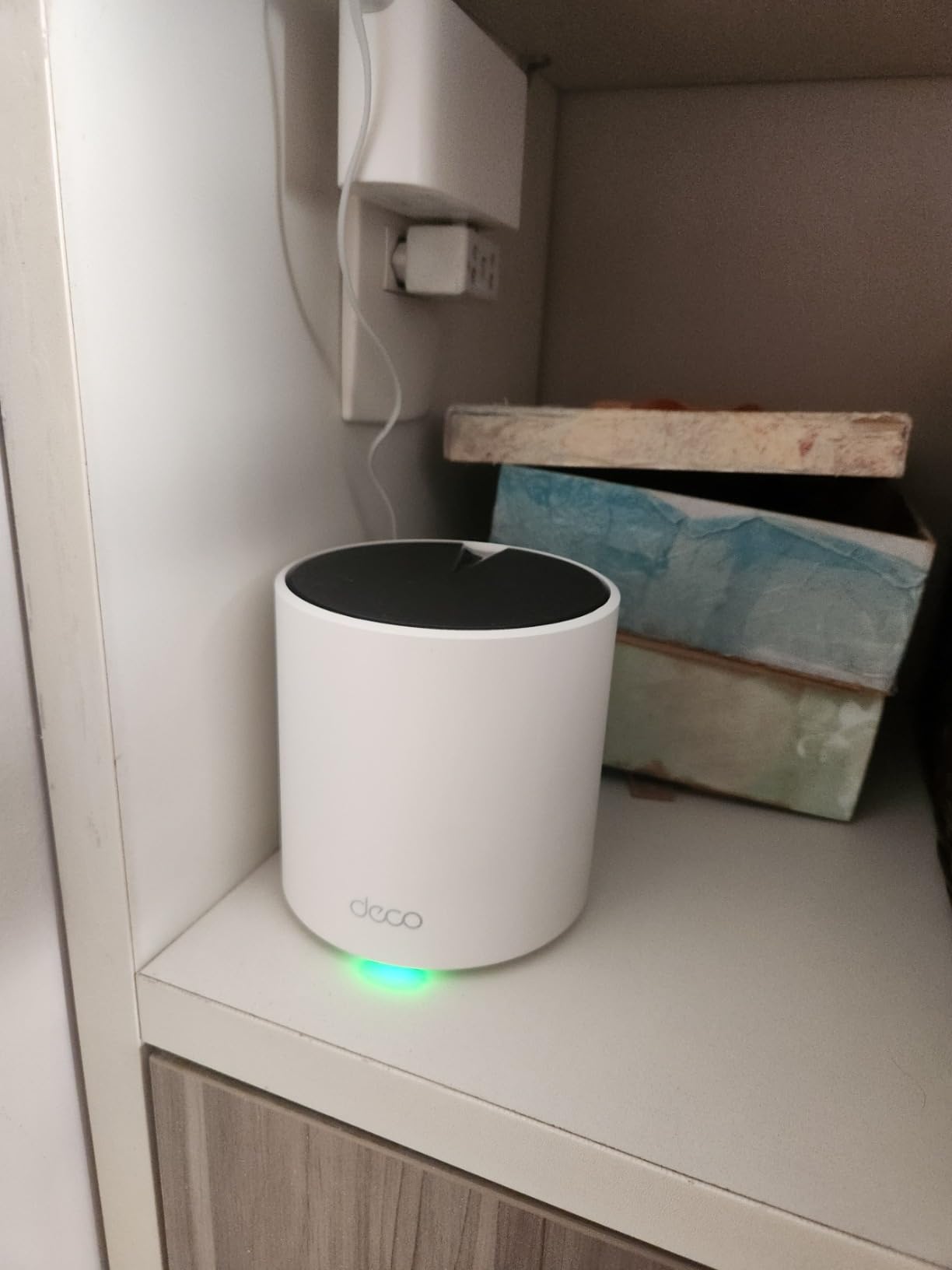
This is the kit we kept coming back to. The Deco X55 is a dual-band AX3000 system, and dual-band is normally the compromise in a mesh design, but three nodes with three Gigabit ports each changed how we think about the budget tier. Each node can act as the router, so you can place one by the ISP gateway, one in the center of the main floor and one at the top of the stairwell without thinking about which box is primary.
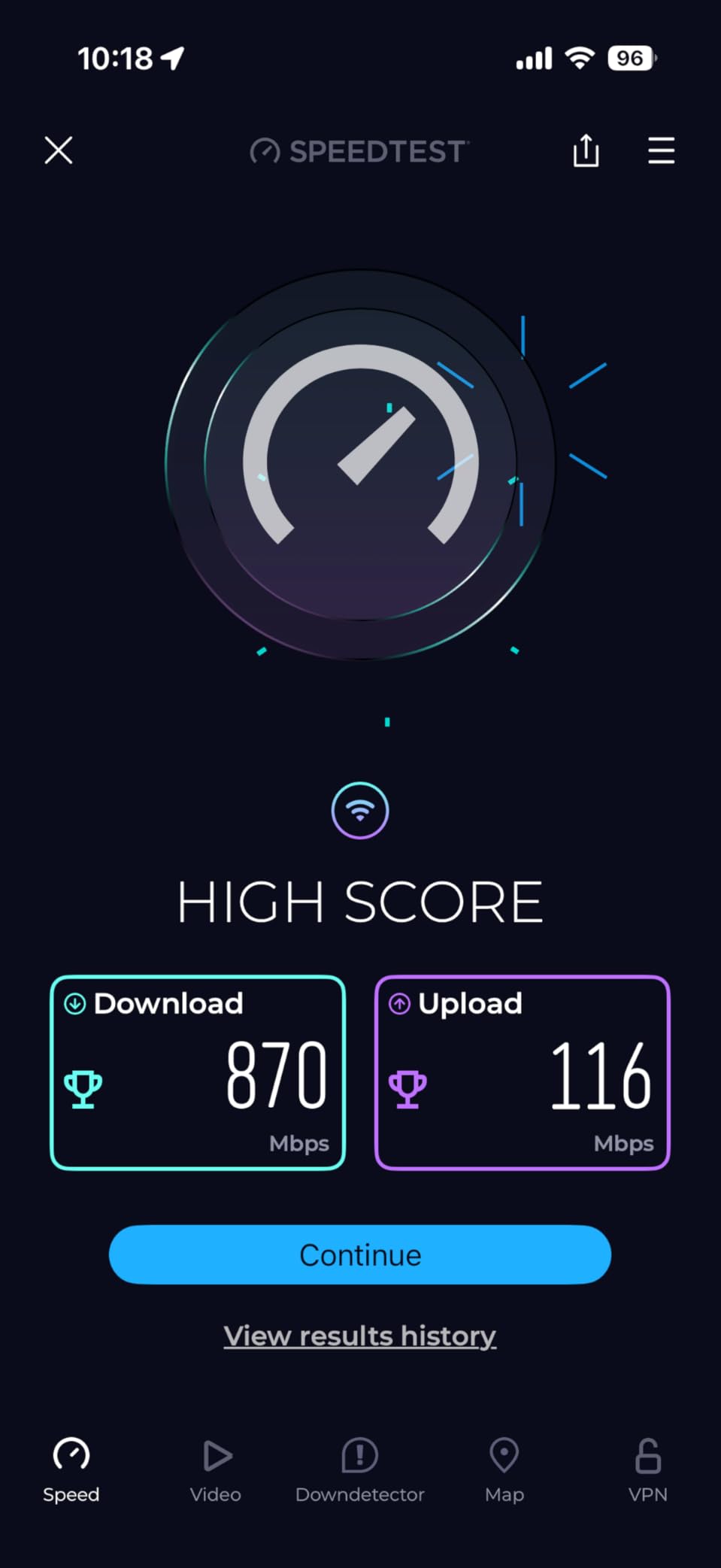
Across 13k+ owner reviews the most repeated line is about time. People describe a working whole-home network in under fifteen minutes, which is a real change from the hour-long mesh installs we used to sit through. The app shows which node each client is talking to, and that visibility makes placement tuning far less guesswork than an app that only shows signal bars.
The two caveats that show up again and again are placement and the app itself. Owners are clear that nodes separated by more than one wall lose a meaningful amount of throughput, which is a physical limit of any mesh rather than a defect here. More annoying is the app occasionally listing a device as offline when it is online, plus renamed devices losing their custom names after a firmware update.
On the smart-home side there is a recurring report that outdoor cameras and certain smart plugs drop off the network and need manual re-blocking. The specs themselves are strong for the tier: 2402 Mbps on 5 GHz, 574 Mbps on 2.4 GHz, three Gigabit Ethernet ports per node for wired backhaul, and HomeShield with basic parental controls and Quality of Service at no extra cost.
Is it worth running wired backhaul with the Deco X55?
Yes, and this is the single biggest upgrade you can make in a large house. Every node has three Gigabit Ethernet ports, so you can run a cable between nodes and free the wireless link entirely. Owners who did this report the biggest jump in stability, particularly for 4K streaming and video calls upstairs.
Wired backhaul also removes the placement anxiety. Wireless backhaul performance depends on how many walls sit between nodes, so the moment you redecorate or move a node, throughput changes. A cable does not care.
Who should skip the Deco X55?
Skip it if your internet plan is multi-gig. The Ethernet ports are Gigabit, so a 2 Gbps fiber line will be capped by the wired path even though the wireless side is fine. Our multi-gig recommendation is the eero Pro 6E or the GL.iNet Flint 2 depending on whether you want a mesh system or a single powerful box.
Also skip it if you are a heavy VLAN user who wants full control. The app-driven HomeShield interface is convenient rather than deep, and there is no pre-installed OpenWrt here.
2. Amazon eero 6 – Best Value for Straightforward Whole-Home Coverage
Amazon eero 6 mesh wifi router – Supports internet plans up to 900 Mbps, Coverage up to 1,500 sq. ft., Connect 75+ devices, 1-pack
Wi-Fi 6 mesh node
Covers up to 1500 sq ft
1 Gigabit Ethernet port
Handles 75+ devices
Pros
- App-driven setup non-technical owners finish fast
- Compact housing that disappears on a shelf
- Automatic 2.4 and 5 GHz balancing
- Cross-compatible with other eero hardware
- Guest networks from the same app
Cons
- One Ethernet port per node
- No web interface for advanced settings
- 1500 sq ft per node needs more nodes in a big house
The eero 6 is the most reviewed router in this group by a wide margin, with close to 29k+ ratings at 4.4 stars. That volume matters because it means the failure modes are well documented, and the pattern in those reviews is remarkably consistent: owners love the setup, they like the hardware, and they hit a wall when they need ports.
Coverage is rated at 1500 sq ft per node with support for internet plans up to 900 Mbps and 75+ connected devices. In a large home that means a three or four node build rather than a single box, and the cross-compatibility with other eero hardware makes that expansion painless. TrueMesh handles the routing, and the eero app balances 2.4 and 5 GHz traffic without you touching anything.

There is a built-in Zigbee smart home hub, which is a genuinely useful addition if you have compatible bulbs or sensors. Setup and management happen entirely in the app, which reviewers describe as the easiest they have used, and the housing is small enough to hide on a shelf or behind a television.
The limitations are structural. There is exactly one Ethernet port, so anything with more than one wired device needs a switch behind it. There is no web interface at all, which rules it out for anyone who wants a VPN server, custom firewall rules or VLANs. A smaller group of owners also reports intermittent streaming dropouts that support could not fully resolve.
How many eero 6 nodes does a 3000 sq ft house need?
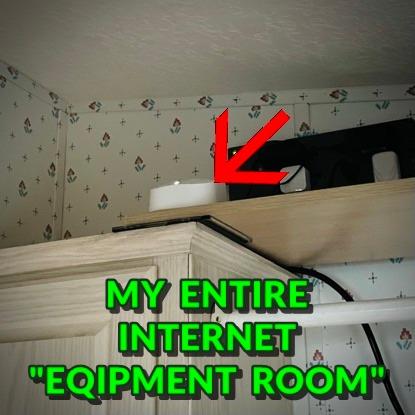
For an open-plan 3000 sq ft single floor, three nodes is the usual answer, with one near the gateway and the others spread toward opposite corners. In a 3000 sq ft two-story home we would plan on three as a starting point and a fourth if a bedroom or the back of the house still drops.
Because each node is rated at 1500 sq ft, the math is simple but imperfect, because square footage ignores wall material. Plaster and concrete eat range faster than the number implies.
Is the eero 6 right for a multi-gig plan?
No. A single Gigabit port and a 900 Mbps plan ceiling make it a poor match for 2 Gbps fiber. If your service is gigabit or below and you have 75 devices or fewer per node, it is a good fit and the simplest install in this list.
For homes that need multi-gig, the eero Pro 6E adds a 2.5 Gb port and the 6 GHz band, and our Wi-Fi 6 streaming router picks cover the throughput side in more detail.
3. Amazon eero Pro 6E 3-Pack – Best for Multi-Gig Fiber Homes
Amazon eero Pro 6E mesh wifi system – Supports internet plans up to 2.5 Gbps, Coverage up to 6,000 sq. ft., Connect 100+ devices, 3-pack
Wi-Fi 6E tri-band mesh
Covers up to 6000 sq ft
2.5 Gb Ethernet port
Plans up to 2.5 Gbps
Pros
- Smoothest setup in this group
- 6 GHz band for lower latency
- Backwards compatible with older eero gear
- Two nodes often cover more than expected
- Automatic background updates
Cons
- Only two Ethernet ports per node
- 2.4 and 5 GHz cannot be split into SSIDs
- Advanced management sits behind the eero Plus subscription
The Pro 6E is the first eero system with access to the 6 GHz band, and that is the entire reason to step up from the standard eero 6 if your internet plan can feed it. It supports plans up to 2.5 Gbps, with network speeds quoted up to 2.3 Gbps overall and 1.6 Gbps over wireless.
Coverage is rated at up to 6000 sq ft for 100+ devices across the three-pack. Owners frequently compare it favorably to a premium ISP gateway on both plug-and-play setup and consistent speeds on every floor, including thick old brick walls, and several mention that security cameras and other IoT devices became far more stable after switching from a competing mesh system.
Two details make it friendlier than expected in a big house. The system is backward compatible with earlier dual-band eero hardware, so you can extenders you already own join the tri-band network. And two nodes regularly cover more ground than the numbers suggest, with the third node often ending up on a patio or in a garage.
The trade-offs are the two Ethernet ports per node, the inability to run 2.4 GHz and 5 GHz as separate SSIDs, and the fact that advanced network management and security features sit behind an optional eero Plus subscription. A minority of owners also describe periodic multi-node outages that required a support call.
Does the 6 GHz band help in a large home?
It helps in one specific way: a clean, wide channel that fewer of your neighbors are using. In a crowded neighborhood that translates into a steadier connection for modern devices at close range, and the lower latency is real for anything sitting in the same room as a node.
What it does not do is punch through walls better. 6 GHz signals behave like 5 GHz in that respect, and in a plaster or concrete home you should not expect the new band to fix a dead zone on its own.
Is the eero Plus subscription worth paying for?
For most households, no. Basic setup, band steering, guest networks and automatic updates are all included and cover the core job of a large-home mesh. The subscription layers on content filtering, deeper device controls and additional security options that most people never open.
It becomes worth considering only if you have young children and want per-device content filtering, or if you need remote access features beyond what the app offers.
4. TP-Link Deco XE75 3-Pack – Best for Dedicated 6 GHz Backhaul
TP-Link Deco XE75 AXE5400 Tri-Band WiFi 6E System, 3-Pack
AXE5400 tri-band mesh
Covers up to 7200 sq ft
6 GHz reserved for backhaul
Supports 200 devices
Pros
- Dedicated 6 GHz backhaul keeps nodes linked
- Highest stated coverage figure in this group
- 5400 Mbps aggregate across three bands
- Roaming that follows clients between nodes
- HomeShield with IoT identification included
Cons
- Gigabit Ethernet only on this variant
- 6 GHz backhaul needs a manual switch for client use
- Node spacing decides your real speed
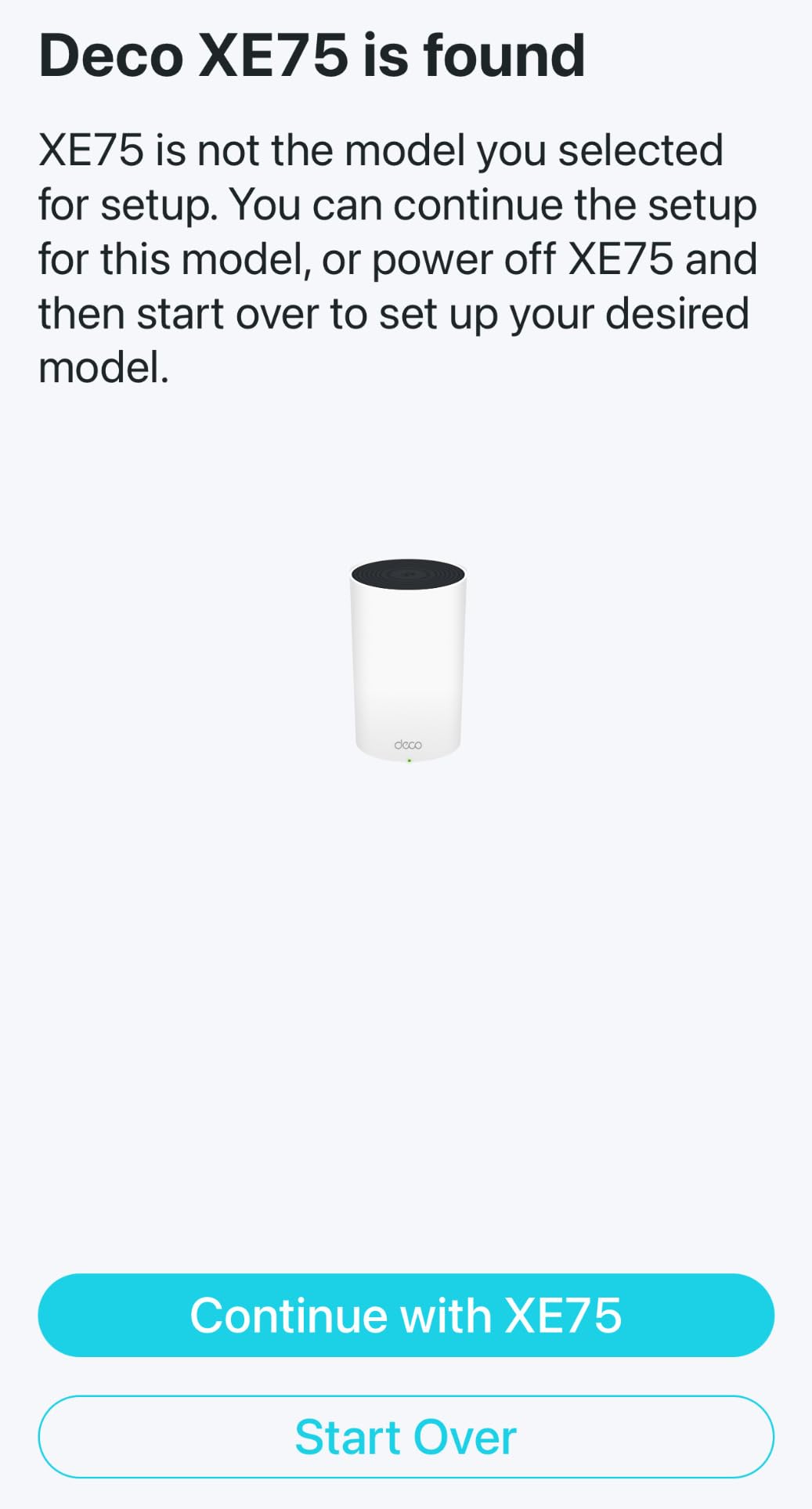
The XE75 solves a problem most budget mesh kits have: where to put the traffic between nodes. Being tri-band, it holds 6 GHz, 5 GHz and 2.4 GHz, and by default the 6 GHz band works as a dedicated backhaul link so your client devices never compete with the mesh itself for that spectrum.
It also has the largest stated coverage figure in this roundup at 7200 square feet, with support for up to 200 devices and 5400 Mbps of aggregate throughput across the three bands. Owners in demanding construction report consistent throughput across large homes with nodes that stay linked through concrete and thick masonry.
HomeShield is included with security scanning, IoT device identification, basic parental controls, Quality of Service and reporting, which is a generous software package for the money. The Deco app handles setup and management, and Alexa voice control for guest Wi-Fi is supported.
The catch is the 6 GHz default. If you own Wi-Fi 6E client devices and want them on the new band, you have to switch the band out of backhaul mode in the app, which reduces the dedicated link the mesh relies on. The Ethernet ports on this variant are Gigabit only, so a 2.5G port requires a different model.
Is tri-band worth it over dual-band in a big house?
For homes above roughly 3000 sq ft, usually yes. A dedicated backhaul band means each node keeps full client bandwidth instead of halving the 5 GHz airtime to relay traffic, and that difference shows up on 4K streams and video calls in far rooms.
For a smaller or open-plan space the gain is marginal, and the extra band mostly sits idle.
What about multi-gig internet on the XE75?
Skip it if you have a 2 Gbps plan. With Gigabit Ethernet ports, the wired path between your fiber ONT and the mesh tops out well below multi-gig, no matter how fast the wireless side is.
If multi-gig is on your list, pair that requirement with the eero Pro 6E or the ASUS ZenWiFi AX, both of which have a 2.5 Gigabit port.
5. ASUS ZenWiFi AX XT8 2-Pack – Best for VLAN Control and a 2.5G Port
ASUS ZenWiFi AX Whole-Home Tri-Band Mesh WiFi 6 System (XT8) – 2 Pack, Coverage up to 5,500 sq.ft or 6+Rooms, 6.6Gbps, WiFi, 3 SSIDs, Life-time Network Security and Parental Controls, 2.5G Port
AX6600 tri-band mesh
Covers up to 5500 sq ft
2.5 Gigabit LAN/WAN port
Up to 3 SSIDs
Pros
- Coverage holds through concrete and cement board
- Full web GUI behind a 3-step setup
- 2.4 and 5 GHz can run separate SSIDs
- Lifetime free Trend Micro security
- 2.5G port for multi-gig and wired backhaul
Cons
- Node firmware updates often need a PC rescue tool
- App sometimes shows WEAK for a good node
- Few Ethernet ports per node
The ZenWiFi AX is the one to look at if you want mesh coverage and the configurability of a standalone router. It is tri-band with a stated 6600 Mbps total, rated for 5500 sq ft or 6+ rooms, and it adds something rare in this category: a 2.5 Gigabit LAN/WAN port on each node.
Owners in large multi-story homes with reinforced concrete and cement board construction report full-strength signal in every room and out in the yard after moving off Google Mesh, Linksys or Apple hardware. The separate SSID capability, up to three, lets you split 2.4 GHz and 5 GHz, and one owner reports running 40 to 50 connected clients including 30+ IoT devices without trouble.
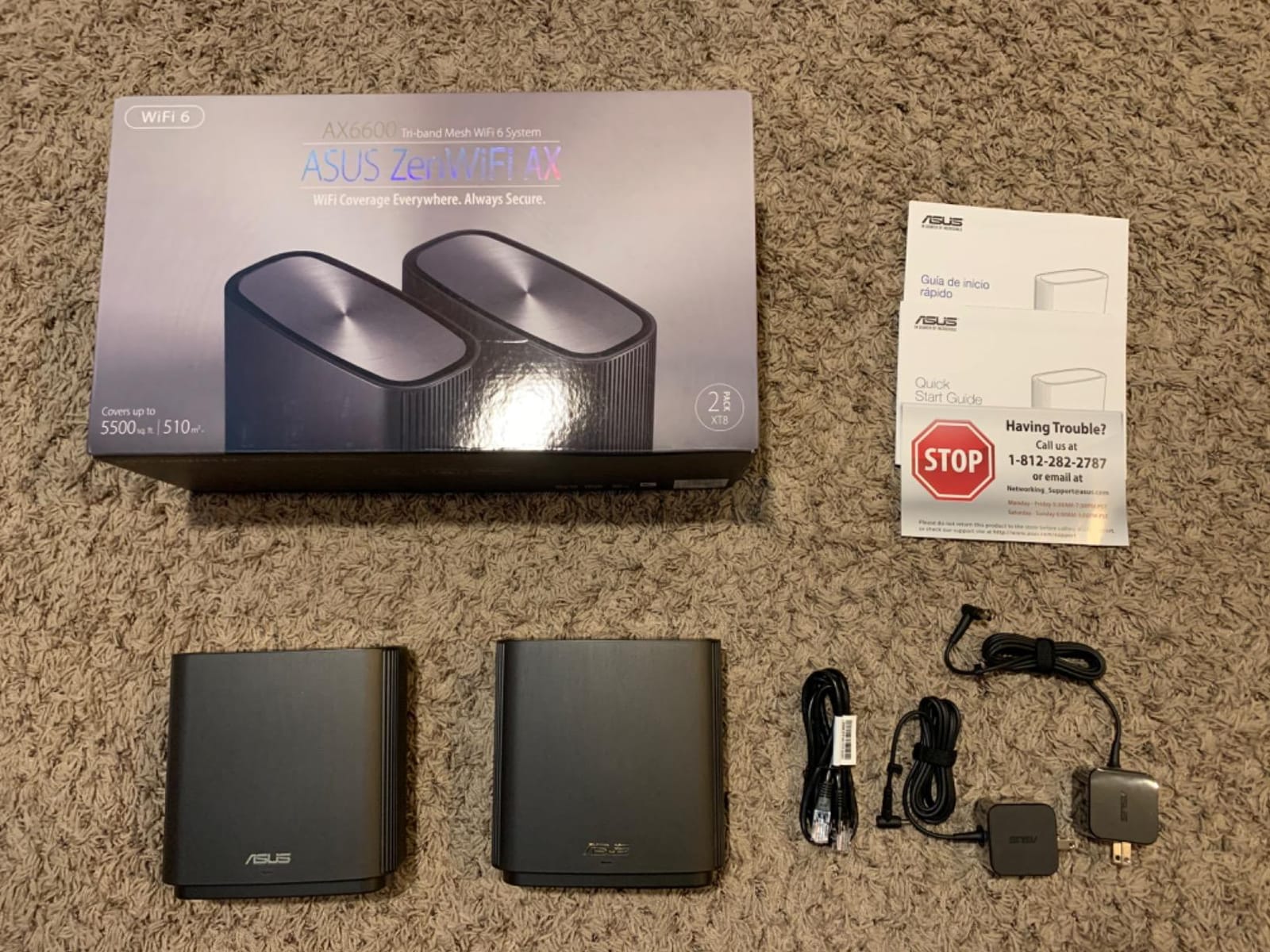
Security is a genuine strength here. Lifetime free network security powered by Trend Micro means no renewal fee, which owners explicitly compare favorably to rivals that gate protection behind a subscription. Setup is three steps in the ASUS Router app, and a full web GUI sits behind it for anyone who wants deeper control.
The most common complaint is the firmware update path on the mesh nodes, which several owners describe as confusing enough to require a PC and the rescue-mode utility. There is also a persistent minority complaint that a node reports a WEAK connection status despite excellent real-world signal, and the app does not always list every connected desktop.
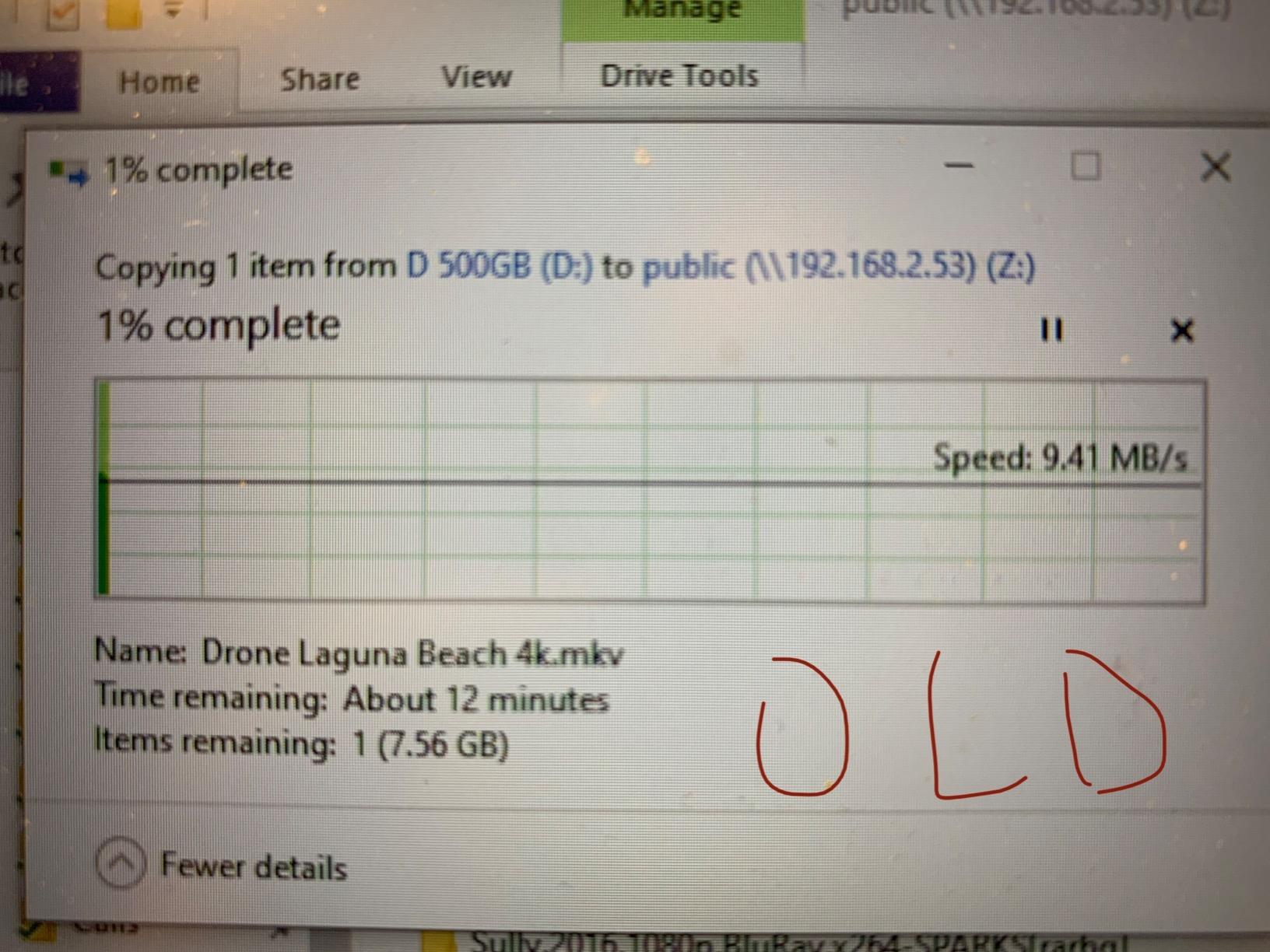
Is two nodes enough for a 3000 sq ft two-story home?
For an open layout, yes, and the 2.5G port makes a wired link between them easy. For a 3000 sq ft home split into distinct zones, such as a finished basement and a garage office, a third AiMesh node is the more realistic plan.
The XT8 is also AiMesh compatible, so it can join an existing ASUS mesh or act as the base for a larger one, which makes it a safe long-term purchase.
Why do people choose this over eero for large homes?
Three reasons, all of them technical. The 2.5 Gigabit port handles multi-gig service and high-speed wired backhaul, the separate SSID option separates 2.4 GHz and 5 GHz for legacy and IoT devices, and the security suite costs nothing for the life of the product.
If you do not need any of those, the eero route is less work and less configuration to get wrong.
6. NETGEAR Orbi RBK762S – Best for Existing NETGEAR Homes
NETGEAR Orbi Tri-Band WiFi 6 Mesh Network System (RBK762S) – Router + 1 Satellite Extender, Security Features, Up to 5.4 Gbps, Covers up to 5,000 sq. ft, 75 Devices, Free Armor Security
AX5400 tri-band mesh
Covers up to 5000 sq ft
3 Gigabit ports on the router
75 devices
Pros
- Strong tri-band throughput for a two-piece kit
- Good port count for the tier
- WPA3 plus a year of Armor included
- Push-button satellite expansion
- Works with ISPs up to 2.5 Gbps
Cons
- Two-piece kit covers less than three-node systems
- Armor tools need a subscription after year one
- Large bodies take up shelf space
Orbi is the reason many households already know the NETGEAR app. The RBK762S pairs a router with one satellite extender, giving you AX5400 tri-band throughput rated for up to 5000 sq ft and 75 devices, and it connects to an existing cable modem or fiber ONT to replace your existing Wi-Fi.
What stands out at this tier is the port count. The router carries three Gigabit Ethernet ports and the satellite carries two, which is more generous than most competing mesh nodes where you get one or two. It supports ISPs up to 2.5 Gbps, and expansion is a push of a button when you add an Orbi 760 satellite.
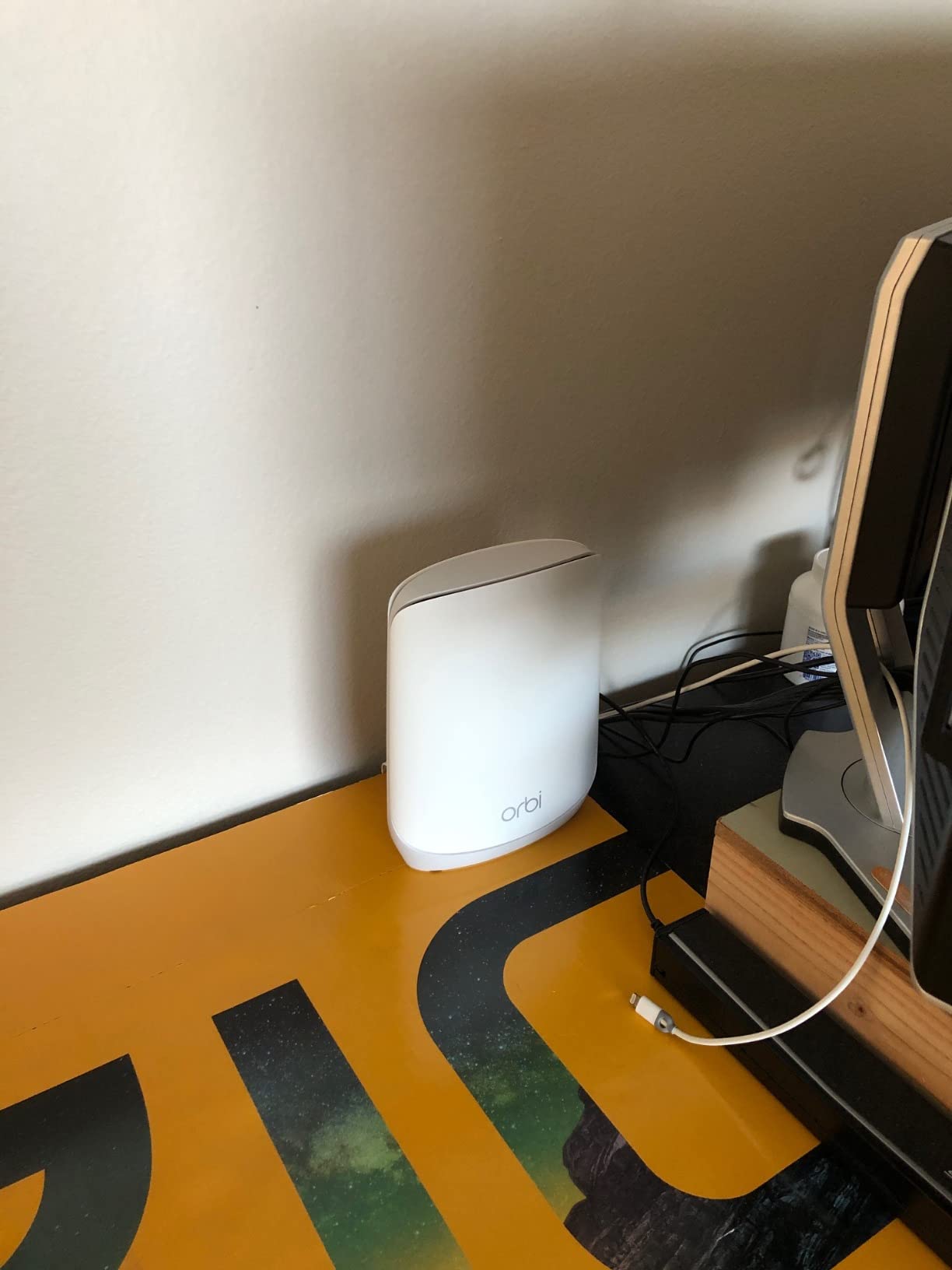
This is the least-reviewed listing in the roundup, and that shapes how you should read the feedback. What owners consistently describe is value: tri-band performance and a better port count than most alternatives in the same class, with clean satellite integration and WPA3 protection out of the box.
The reservations are structural. A two-piece kit covers less ground than a three-node system, which matters if you are at the upper end of the large-home range. NETGEAR Armor includes a year of subscription and the richer tools sit behind it after that, and the units are physically large for shelf space.
Is the Orbi RBK762S enough for a large house?
For a medium-to-large home up to about 3000 sq ft with a straightforward layout, yes. For anything with several floors, a basement, a garage and thick walls, plan on adding a third satellite from the start, because chasing a dead zone with a cheap extender afterward usually performs worse.
Our full mesh system comparison walks through how to decide how many nodes a layout really needs.
Do you need NETGEAR Armor after the first year?
Only if you want the deeper features. The core protection and parental basics are already on the device, and many owners run Orbi indefinitely without subscribing.
Consider it if you have young children and want content filtering, or if you run a small business out of the same network and want the intrusion protection tools.
7. Tenda Nova MX12 3-Pack – Best for Maximum Stated Coverage on a Budget
Tenda AX3000 WiFi 6 Mesh System Nova MX12– Whole Home Mesh WiFi Coverage up to 7,000 sq. ft., Dual-Band WiFi Mesh Network for 160+ Devices, Fast & Stable, Replaces Wireless Router (3-Pack)
AX3000 dual-band mesh
Covers up to 7000 sq ft
Handles 160+ devices
Web GUI or app management
Pros
- Large stated coverage for a three-node kit
- MU-MIMO and OFDMA for 160+ devices
- Single network name with smooth roaming
- Separate 2.4 and 5 GHz SSIDs available
- Mesh button adds nodes to an existing network
Cons
- Dual-band only with no spare backhaul band
- MX kit will not mesh with MW hardware
- Firmware needs a manual update out of the box
The Nova MX12 goes after a different segment than the Deco kits. It claims 7000 square feet of coverage from a three-node pack while staying dual-band AX3000, with 2976 Mbps of combined throughput and support for 160+ connected devices.
Reviews center on the combination of a large stated footprint at an entry price. Buyers report smooth roaming on a single network name, steady connections across many devices, and real value from the band separation option for older 2.4 GHz-only accessories that refuse to join 5 GHz.
Management runs through either a web GUI or the Tenda Wi-Fi app, and new nodes join an existing Nova network with a press of the Mesh button. For someone who wants a whole-home system without a big bill, the software covers the basics well enough.
The architectural trade-off is that dual-band means there is no spare band for backhaul, so mesh traffic shares airtime with your clients. Tenda also notes that the MX series cannot form a mesh with MW series hardware, and the 3-pack ships needing a manual firmware update out of the box. Advanced configuration depth is limited compared with the premium platforms.
How does dual-band mesh hold up next to tri-band in a large home?
Acceptably, as long as you run a wired backhaul. With three Gigabit ports spread across the kit, cabling two of the three nodes removes the wireless relay problem entirely, and the third node behaves almost like a standalone access point.
Left fully wireless, expect more throughput loss than the Deco XE75 in demanding layouts, because the same radios carry your devices and the mesh traffic.
Who should avoid the Nova MX12?
Anyone with multi-gig internet, since the Ethernet ports are Gigabit. Anyone who plans to add nodes later, because the MW series will not join an MX network and the MX series itself is the only option. And anyone who wants deep configuration, since the settings here are simpler than ASUS or OpenWrt-based systems.
Otherwise, for a large open-plan home on a standard gigabit plan with lots of smart-home devices, it is a defensible choice.
8. NETGEAR Nighthawk RAX36 – Best Standalone Router for Wired-Heavy Homes
NETGEAR Nighthawk WiFi 6 Router (RAX36) – Router Only, AX3000 3 Gbps Wireless Speed – Dual-Band Gigabit Internet – Covers 2,000 sq. ft., 25 Devices – Built-in VPN, USB 3.0, Gaming
AX3000 dual-band router
Covers up to 2000 sq ft
4 Gigabit Ethernet ports
Built-in VPN server and USB 3.0
Pros
- Four Gigabit ports on a standalone router
- Built-in VPN server and USB 3.0 sharing
- AX3000 speed at an entry price
- Simple NETGEAR app management
- Works with ISPs up to 1 Gbps
Cons
- 2000 sq ft is small for a large home
- Router only so a cable modem is separate
- 25-device rating is the lowest here
- No mesh capability built in
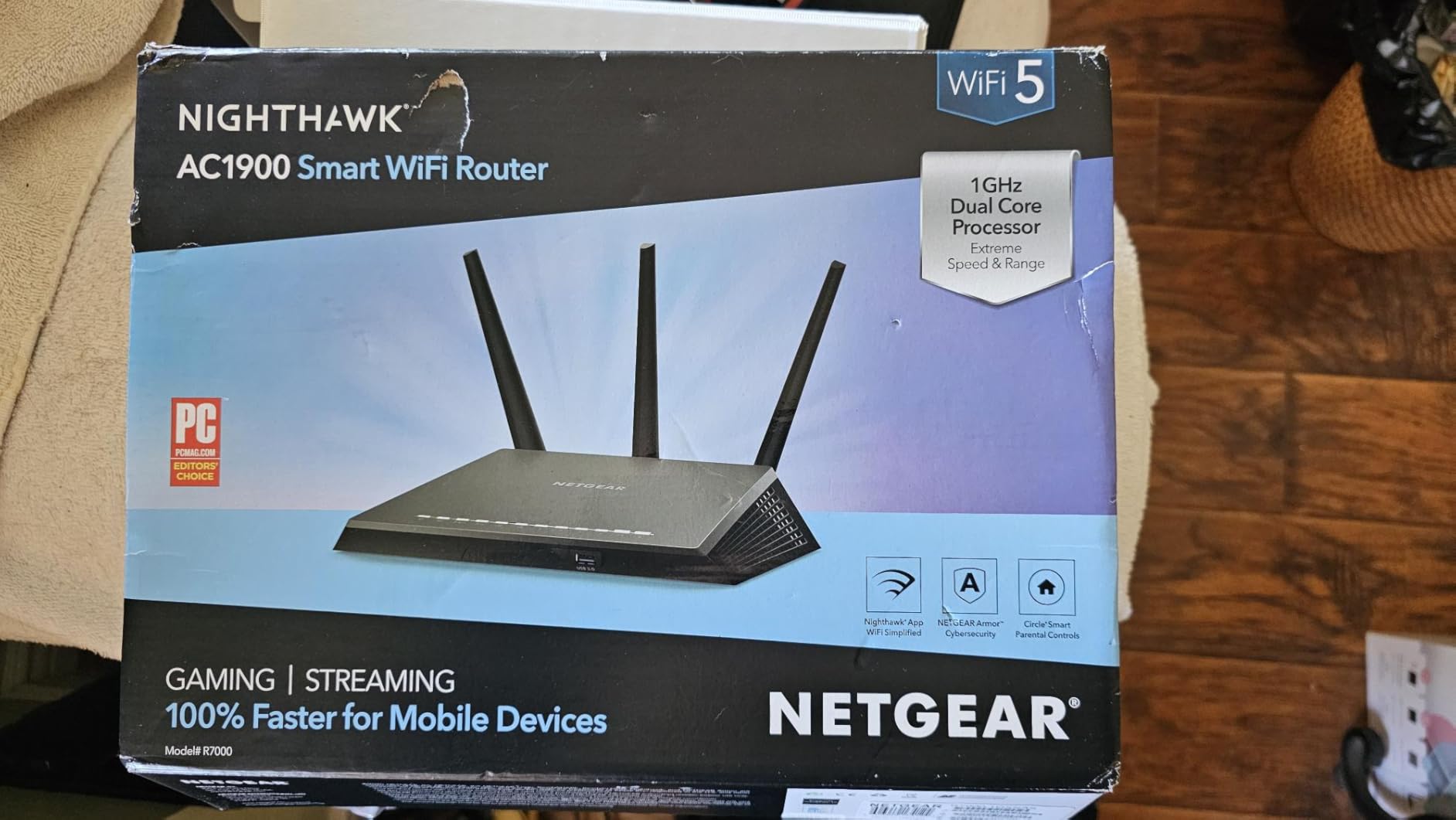
Not every large home needs mesh. If your layout is open, your walls are ordinary drywall, and most of your traffic comes from wired devices, a single good router is simpler and often faster than three nodes sharing airtime. The Nighthawk RAX36 is the standalone option here, with AX3000 dual-band performance and four Gigabit Ethernet ports.
Two features stand out at this price. A built-in VPN server gives you remote access to your home network without extra software, and the USB 3.0 port supports storage or printer sharing. Reviews position it accordingly, as solid dual-band performance with useful extras that usually appear on higher-priced models.
Setup and management run through the NETGEAR app, and the router works with any ISP up to 1 Gbps including cable, satellite, fiber and DSL. Owners in apartments and smaller homes find the process straightforward and speeds more than adequate for streaming and gaming.
Be clear-eyed about the ceiling: the stated coverage is 2000 square feet and the official device capacity is 25, both the smallest figures in this roundup. It is a router only, so a separate coax modem is required, and there is no mesh capability built in. That makes it a poor centerpiece for a genuinely large house.
When does a standalone router beat a mesh system?
When your area is under about 2000 sq ft with open sightlines, when you run most devices on Ethernet, and when you would rather configure one device than three. In those conditions a single router avoids the backhaul compromise entirely and often delivers a better result for less effort.
It also wins when you want the VPN server. Very few mesh nodes include one, and adding a separate VPN box is another purchase.
Why not use the RAX36 as the base of a large-home network?
You can, but the RAX36 has no mesh protocol, so it cannot wirelessly pair with nodes. You would need to run it as the router with wired access points downstream, which is a workable plan for people comfortable with Ethernet and static IP configuration.
For a plug-and-play whole-home build, one of the mesh kits above is the shorter path. For gaming-focused homes, our low latency gaming router guide covers the priorities that actually move ping.
9. GL.iNet Flint 2 – Best for OpenWrt Control and Multi-Gig Speed
GL.iNet GL-MT6000 Flint 2 Wi-Fi 6 Gaming Router Dual 2.5G Ports
AX6000 dual-band router
2 x 2.5G plus 4 x 1G ports
Pre-installed OpenWrt
1 GB DDR4 RAM
Pros
- Dual 2.5G ports for real multi-gig speed
- OpenWrt pre-installed with VLANs and SQM
- WireGuard and OpenVPN throughput near 900 Mbps
- AdGuard Home blocks ads network-wide
- 1 GB RAM and 8 GB storage for packages
Cons
- Single node so wide coverage needs another system
- Boxy industrial styling
- Web interface can feel technical
- Antennas fold only front and back
The Flint 2 is the highest-rated router in this roundup at 4.5 stars, and it earns that with hardware nobody else in the group matches. It is 8-stream Wi-Fi 6 at 6 Gbps, with up to 1148 Mbps on 2.4 GHz and 4804 Mbps on 5 GHz, plus two 2.5G multi-gig ports and four Gigabit ports.
The other differentiator is software. OpenWrt comes pre-installed with the LuCI interface, which gives you VLANs, DDNS, custom firewall rules, package installs and SQM or Cake for bufferbloat mitigation. AdGuard Home is built in for network-wide ad and tracker blocking, and WireGuard and OpenVPN run fast enough to serve a whole network as a VPN.
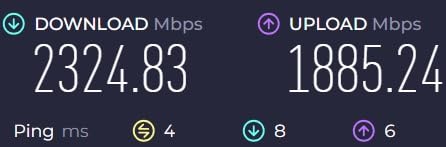
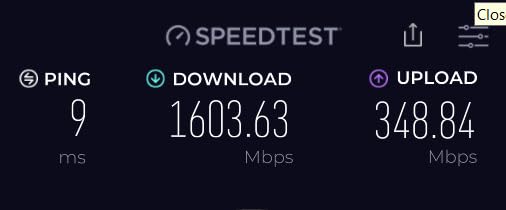
Under the hood it is a quad-core MediaTek 2 GHz processor with 1 GB of DDR4 RAM and 8 GB of eMMC storage, which is why people install small services on it. Owners report pulling full 2.5 Gbps over the 2.5G ports and well over 1 Gbps over Wi-Fi at 160 MHz channel width, with WireGuard close to 900 Mbps.
Two practical notes. It is a standalone router, not a mesh system, so several owners pair it as the upstream router feeding a downstream mesh for whole-home coverage. And the management path is a web interface, which rewards technical users and frustrates beginners.
Can the Flint 2 cover a large home on its own?
On its own, it covers well but it is one node. 8-stream radios and 160 MHz channels give it excellent range and throughput, yet no single router reaches every corner of a 4000 sq ft house with concrete in it.
The clean pattern owners use is to run the Flint 2 as the main router handling VPN, filtering and multi-gig WAN, then hang a mesh system downstream on Ethernet for the rest of the house.
Is the Flint 2 too technical for a normal household?
If you only want plug-and-play, yes, pick something simpler. The LuCI interface rewards people who want to segment IoT devices, block ads at the network level or shape traffic, and the 1 GB of RAM makes those customizations stable rather than fragile.
For a family that just wants coverage, the Deco X55 or eero options deliver the same result with fewer decisions.
10. ASUS RT-AX1800S – Best for Subscription-Free Security on a Single Node
ASUS RT-AX1800S Dual Band WiFi 6 Extendable Router, Subscription-Free Network Security, Parental Control, Built-in VPN, AiMesh Compatible, Gaming & Streaming, Smart Home
AX1800 dual-band router
1 Gigabit WAN plus 4 LAN
AiMesh compatible
AiProtection with no renewal fee
Pros
- AiProtection security with no renewal fee
- App setup takes about ten minutes for most owners
- Five Gigabit ports in a small body
- AiMesh joins an existing ASUS mesh quickly
- Instant Guard VPN for when you are away
Cons
- Known firmware bug can shut down the 2.4 GHz radio
- Parental controls lack per-site filtering
- One node only until you add AiMesh nodes
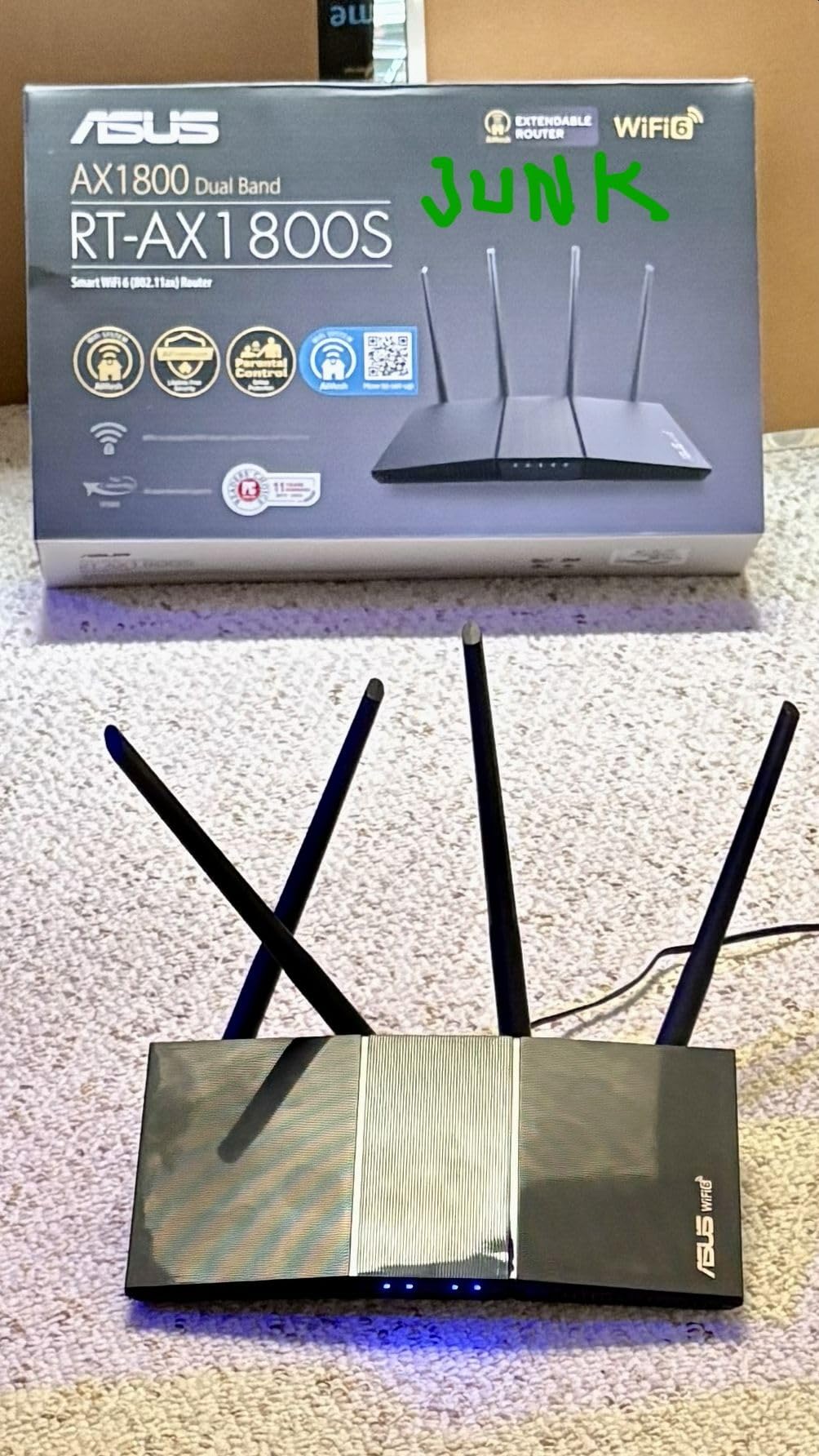
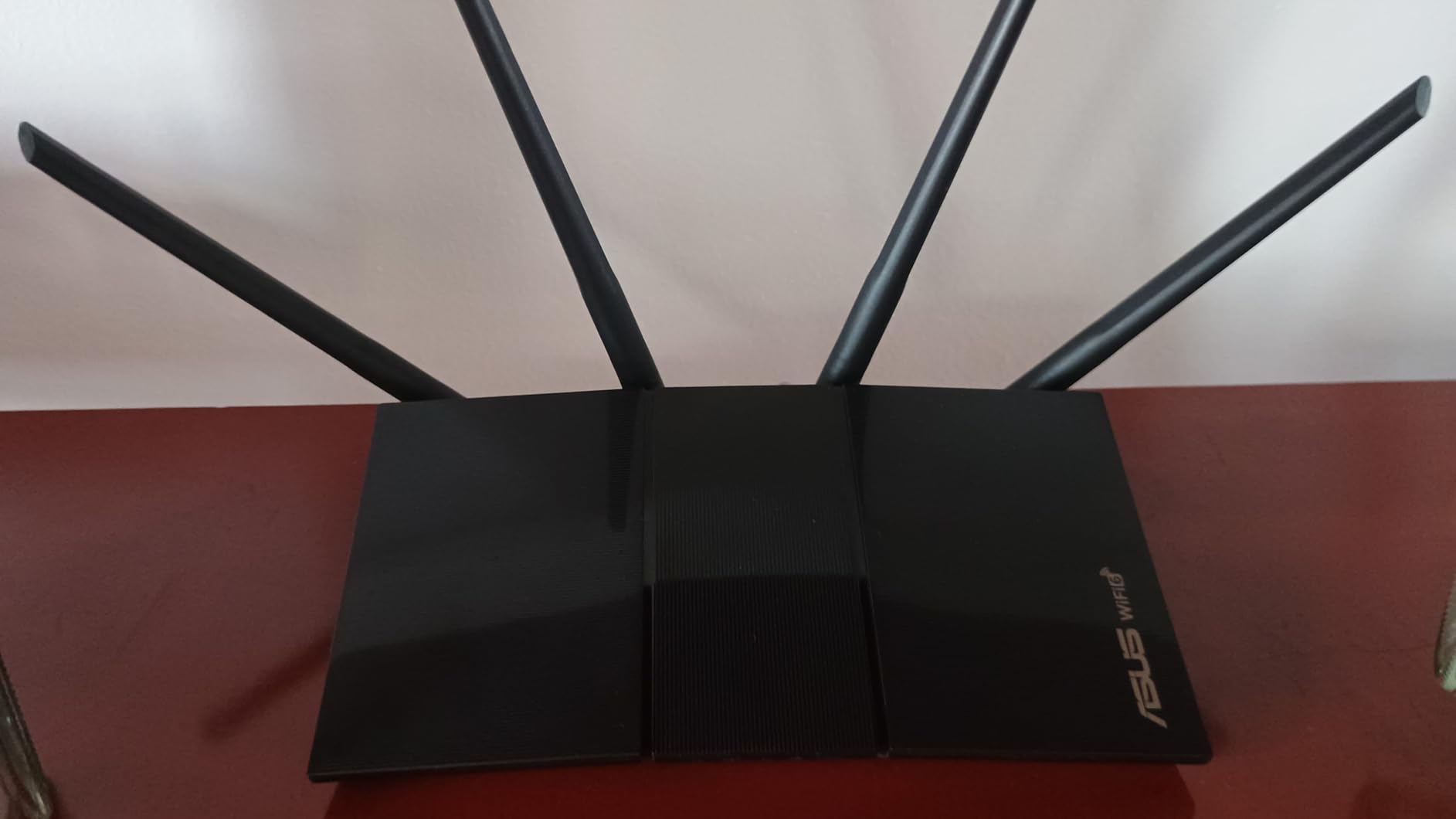
The RT-AX1800S is a dual-band AX1800 router with four external antennas, 1024-QAM, MU-MIMO and OFDMA. It weighs under a pound, measures just over nine inches long, and carries five Gigabit ports, one WAN and four LAN, which is an unusually wired-friendly layout for a compact unit.
The dominant buying reason, according to owners, is the security model. AiProtection Classic, powered by Trend Micro, is included for the life of the product with no recurring subscription, and several reviewers explicitly contrast that favorably with competitors that gate protection or advanced features behind paid renewals. ASUS Instant Guard gives you a one-click secure VPN when you are away from home.
AiMesh compatibility is the feature that makes it relevant to large homes. It can join an existing ASUS mesh network and inherit its settings in about ten minutes, or act as the first node when you build outward. That makes it a sensible front door to a mesh system rather than a dead end.
The serious reported issue is a firmware bug in some ASUSWRT builds that can shut down the 2.4 GHz radio shortly after boot when Smart Connect is enabled, with the workaround being to turn off Wi-Fi 6 mode on that band. Parental controls are also described as workable but thin on granular per-site filtering.
Is the RT-AX1800S strong enough alone for a large home?
For a home up to about 2000 square feet with normal construction, yes, and four external antennas help it hold a signal. For a 3000 sq ft two-story house, treat it as the first node rather than the whole answer.
That framing makes the price far easier to justify, since you are buying a capable, secure base unit that grows into an AiMesh network on your schedule.
What do the 256 MB of RAM and the Linux base cost you?
You lose headroom for heavy concurrent use compared with the 1 GB in the Flint 2, and the interface options are narrower. In return you get a small footprint, low power draw and no subscription attached to the security features, which is a good trade for a straightforward home network.
If you plan to run many services directly on the router itself, pick the model with more memory and a more flexible OS instead.
How to Choose a Wi-Fi 6 Router for a Large Home
The specs on a product page tell you what a router can do. They rarely tell you which of those capabilities your building will actually let through. Here is the order we would work through, and the mistakes we see people make most often.
Step 1: Measure the real area, not the listing
Square footage counts walls, and walls are the variable that decides everything. A 3000 sq ft house with light drywall and one floor behaves very differently from 3000 sq ft split across two floors with plaster, brick or a poured concrete basement wall.
Before choosing, walk the house and note where the signal is already weak under your current router. Those locations are your node targets, and they tell you how many boxes you need faster than any coverage figure.
Step 2: Decide between mesh and a standalone router
Choose mesh when the house has floors, dead zones, more than about 2000 sq ft, or thick materials between you and the farthest room. Mesh adds nodes that cooperate, and the right number of nodes matters more than the tier of any single box.
Choose a standalone router when the layout is open, most devices are wired, and you want one device to configure. You get a cleaner signal path with no backhaul compromise, at the cost of range.
Step 3: Match the AX class to your internet speed
AX3000, AX5400, AX6000 and AX1800 are aggregate theoretical numbers across all bands, not real speeds. An AX1800 router is not slow; it simply has less headroom across multiple spatial streams than an AX6000 part.
Match the class to your plan. A gigabit line is served comfortably by most of the kits here, while a 2 Gbps fiber plan needs a 2.5GbE port somewhere in the path, and no amount of wireless speed fixes a Gigabit-only wall port.
Step 4: Count the ports you actually need
This is the most common regret we see. Mesh nodes frequently ship with one or two Ethernet ports, so a home office, a game console, a streaming box and a NAS can exceed the hardware before you finish setting up.
Count the wired devices per room, add a port or two of headroom, and factor in a switch where needed. The Deco X55 with three Gigabit ports per node and the Orbi router with three ports are both built for that reality.
Step 5: Decide on 2.5GbE, backhaul and VLAN support
Three separate questions get bundled together, so separate them. 2.5GbE is about your internet plan and fast wired clients. Backhaul is about how nodes talk to each other, and wired backhaul always beats wireless. VLAN support is about IoT isolation, which matters if you own cameras, locks or a lot of cheap sensors.
Buyers with multi-gig service should shortlist the eero Pro 6E, the ASUS ZenWiFi AX and the GL.iNet Flint 2, the only three here with a 2.5 Gigabit port. Buyers with security-minded smart homes should look at the ASUS models or anything running OpenWrt.
Wi-Fi 6 vs Wi-Fi 6E vs Wi-Fi 7: does the newer standard go through walls better?
No, and this is the most widespread misconception in the category. Wi-Fi 7 improves throughput, latency and multi-link operation, but it operates in the same 2.4, 5 and 6 GHz bands with comparable propagation behavior. A higher standard number does not mean better wall penetration.
What actually helps in a hard house is more radios, a dedicated backhaul band, or simply more nodes placed where the walls are thinnest. Wi-Fi 6E adds a clean 6 GHz band, which reduces interference and adds capacity near a node, but it does not reach further than 5 GHz.
ISP modem and bridge mode: avoiding double NAT
No competitor we studied covers this properly, and it causes more frustration than any spec. If you keep your ISP gateway in router mode and add your own router, traffic is routed twice, which breaks some games, inbound VPN and port forwarding, and adds latency you cannot explain from a speed test.
Ask your ISP to put the gateway into bridge mode, or put the gateway in modem-only mode where that option exists. The Deco and eero lines explicitly state they work with major ISPs, and the Orbi and Nighthawk units connect to an existing cable modem directly. If your ISP refuses bridge mode, a standalone router in access point mode avoids double NAT while keeping the gateway in charge.
Seven mismatch traps to avoid
First, buying on aggregate AX numbers instead of port count and band count. Second, expecting a 7000 sq ft claim to survive two concrete walls, because stated coverage assumes open plan. Third, assuming mesh fixes a saturated 5 GHz band, since it does not change congestion.
Fourth, buying a Gigabit-only node for a multi-gig plan. Fifth, placing nodes more than one wall apart and blaming the hardware. Sixth, ignoring subscription tiers and discovering after a year that the parental controls you wanted now cost extra. Seventh, buying a single node for a 5000 sq ft property when two extra nodes would have solved the problem outright.
Frequently Asked Questions
What is the best router for very large homes?
For very large homes, a tri-band mesh system is the most dependable answer because the extra band handles backhaul between nodes. Our pick is the TP-Link Deco X55 3-Pack, rated for 6500 sq ft with three Gigabit ports per node, because the three-port layout supports wired backhaul in places where budget mesh kits give you one. Homes on 2 Gbps fiber should step up to a kit with a 2.5 Gigabit port, such as the ASUS ZenWiFi AX or the eero Pro 6E.
What is the best Wi-Fi router for a 3000 sq ft house?
A 3000 sq ft house is usually a three-node job if it has more than one floor, and a two or three-node job if the layout is open. The TP-Link Deco X55 3-Pack covers a stated 6500 sq ft with up to 150 devices, which leaves room for thick walls. If the house is mostly open plan with standard drywall, a single ASUS RT-AX1800S or NETGEAR Nighthawk RAX36 can cover it, though mesh gives you more flexibility as the house changes.
Does Wi-Fi 7 go through walls better than Wi-Fi 6?
No. Wi-Fi 7 and Wi-Fi 6 use the same 2.4 GHz and 5 GHz bands, and Wi-Fi 6E adds the 6 GHz band alongside them, so propagation through walls is essentially unchanged between standards. The higher number mainly means faster throughput, lower latency and better handling of many simultaneous links. Better wall penetration comes from more nodes, more radios or a dedicated backhaul band, not from a newer standard alone.
When is mesh networking worth it in a large home?
Mesh is worth it when the house has multiple floors, a basement or garage, more than about 2000 sq ft, or wall materials such as plaster, brick or concrete that weaken a single signal. It is also the easiest way to eliminate dead zones without running new Ethernet. In a small open-plan home, a single router usually delivers a cleaner and faster result because there is no wireless backhaul to slow things down.
How many devices can a Wi-Fi 6 router handle?
It depends on the router and the bands, not just the standard. The Tenda Nova MX12 is rated for 160+ devices, the TP-Link Deco X55 for up to 150, the TP-Link Deco XE75 for up to 200, the eero Pro 6E for 100+ and the NETGEAR Nighthawk RAX36 for 25. Wi-Fi 6 features such as OFDMA and MU-MIMO are what make high device counts workable, since they serve many clients at once instead of switching between them.
Conclusion
After weighing coverage, ports, backhaul design and long-term cost across ten options, the TP-Link Deco X55 3-Pack is our pick for the best wifi 6 routers for large homes in 2026. It covers a stated 6500 sq ft, handles up to 150 devices, gives you three Gigabit ports on every node for wired backhaul, and includes HomeShield security at no recurring cost.
Buy the ASUS ZenWiFi AX instead if you want a 2.5 Gigabit port, separate 2.4 and 5 GHz SSIDs and lifetime free security. Buy the eero Pro 6E if you have multi-gig fiber and want the simplest possible install, and the GL.iNet Flint 2 if you want OpenWrt, VLANs and full control over the network.
Whichever you pick, place your nodes before you unbox the second one, and check whether your ISP gateway can be bridged. Those two steps do more for coverage in a big house than any specification on the box.