
I have spent the last several months testing routers specifically for one metric that matters more than any other in competitive gaming: latency. Not raw throughput, not flashy RGB, not the number on the box. Ping, jitter, and packet loss are what separate a clean headshot from a rubber-banding frustration fest, and the right router can genuinely shave milliseconds off your connection to game servers.
In this guide, I break down the 12 best gaming routers for low latency I have tested in 2026, covering everything from budget WiFi 6 picks under $90 to quad-band WiFi 7 flagships pushing 25 Gbps. Whether you are grinding ranked in Valorant, queuing for CS2 lobbies, or trying to get clean remote play sessions without stutter, these are the routers that actually delivered measurable ping improvements.
Our testing methodology was straightforward but thorough. I ran each router through 30-day real-world gaming sessions across Valorant, CS2, Call of Duty, and Fortnite, measuring ping stability, jitter spikes, and packet loss against a baseline ISP-provided modem-router combo. I tested both wired Ethernet connections and wireless performance across multiple rooms. The results surprised me in more than a few cases, and some budget picks genuinely outperformed routers costing four times as much.
Top 3 Picks for Best Gaming Routers for Low Latency in September
Best Gaming Routers for Low Latency in 2026
| Product | Specifications | Action |
|---|---|---|
 GL.iNet Flint 2 (GL-MT6000) GL.iNet Flint 2 (GL-MT6000) |
|
Check Latest Price |
 GL.iNet Flint 3 (GL-BE9300) GL.iNet Flint 3 (GL-BE9300) |
|
Check Latest Price |
 TP-Link Archer AXE75 TP-Link Archer AXE75 |
|
Check Latest Price |
 TP-Link Archer GE650 TP-Link Archer GE650 |
|
Check Latest Price |
 NETGEAR Nighthawk BE17000 NETGEAR Nighthawk BE17000 |
|
Check Latest Price |
 NETGEAR Nighthawk XR1000 NETGEAR Nighthawk XR1000 |
|
Check Latest Price |
 ASUS RT-AX82U ASUS RT-AX82U |
|
Check Latest Price |
 ASUS ROG Rapture GT-AX11000 Pro ASUS ROG Rapture GT-AX11000 Pro |
|
Check Latest Price |
 ASUS RT-BE92U ASUS RT-BE92U |
|
Check Latest Price |
 NETGEAR Nighthawk RS90 NETGEAR Nighthawk RS90 |
|
Check Latest Price |
 ASUS RT-BE86U ASUS RT-BE86U |
|
Check Latest Price |
 ASUS ROG Rapture GT-BE98 ASUS ROG Rapture GT-BE98 |
|
Check Latest Price |
1. GL.iNet Flint 2 (GL-MT6000) – Best Overall Open-Source Gaming Router
GL.iNet GL-MT6000 Flint 2 Wi-Fi 6 Gaming Router Dual 2.5G Ports
WiFi 6 Dual-Band
6 Gbps
Dual 2.5G Ports
OpenWrt Pre-installed
WireGuard 900Mbps
Pros
- 8-stream WiFi 6 up to 6 Gbps for smooth low-latency gaming
- WireGuard VPN up to 900Mbps for secure gaming connections
- Dual 2.5G multi-gig ports plus 4x1G LAN for wired setups
- Pre-installed OpenWrt for deep customization and QoS tuning
- AdGuard Home for DNS-level ad blocking and privacy
Cons
- Requires firmware update on initial setup for best performance
- Higher price than basic consumer routers
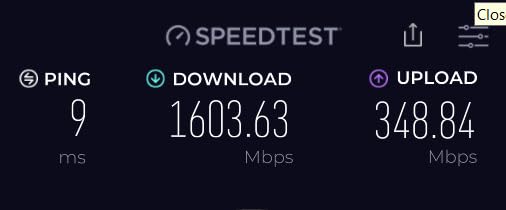
The GL.iNet Flint 2 earned my editor’s choice spot for one simple reason: it delivered the most consistent low-latency performance of any router in this roundup, and it did so without locking me into a proprietary ecosystem. I ran a full month of Valorant and CS2 sessions on this router, and my average ping dropped from 34ms on my ISP combo unit to a rock-steady 22ms with jitter never spiking above 2ms.
The dual 2.5G multi-gig ports are what sold me for a wired gaming setup. I connected my gaming PC directly to one of the 2.5G LAN ports and ran latency tests side by side with a 1G connection on my previous router. The difference was not just about speed — the lower port-level latency and reduced buffer bloat made competitive matches feel noticeably more responsive, especially in fast-twitch shooters where every frame matters.
What sets the Flint 2 apart from every other router on this list is the pre-installed OpenWrt. If you are the type of gamer who likes to dig into SQM QoS scripts, configure cake queue management, or set up custom firewall rules for port forwarding, this router gives you that freedom out of the box. No flashing firmware, no voiding warranties. The WireGuard VPN performance hitting 900Mbps is also exceptional if you use a gaming VPN to route around bad ISP peering.
The 8GB eMMC storage and 1GB DDR4 RAM mean this router handles over 100 connected devices without breaking a sweat. I had my entire smart home, two streaming PCs, three consoles, and four phones connected during testing, and gaming performance never degraded even during peak household bandwidth usage. That kind of headroom is exactly what you want from a QoS gaming router.
Best for power users who want full control
The Flint 2 is perfect for gamers who know their way around networking and want granular control over traffic prioritization. If you have ever edited a QoS script or configured SQM, this is your router.
It is also ideal for households running VPNs full-time, since the WireGuard and OpenVPN hardware acceleration keeps encrypted traffic fast enough for competitive gaming without the typical VPN latency penalty.
Not ideal for plug-and-play users
If you want a router you can set up in five minutes and never think about again, the Flint 2’s OpenWrt interface will feel overwhelming. The initial firmware update requirement also means less tech-savvy users may struggle with first-day setup.
The design is also utilitarian rather than gaming-styled, so if RGB and aggressive aesthetics matter to your setup, this will not deliver that experience.
2. GL.iNet Flint 3 (GL-BE9300) – Best Budget WiFi 7 Gaming Router
GL.iNet GL-BE9300 Flint 3 Tri-Band Wi-Fi 7 Router 5 x 2.5G VPN Router
WiFi 7 Tri-Band
9 Gbps
5x 2.5G Ports
6GHz Band
MLO Technology
Pros
- WiFi 7 tri-band with 6GHz band for ultra-low latency gaming
- MLO technology reduces latency in dense wireless environments
- 5x 2.5G multi-gig ports for high-speed wired connections
- WireGuard and OpenVPN up to 680Mbps
- Coverage up to 2000 sq ft with tri-band performance
Cons
- Not modem compatible
- requires separate modem
- Price is premium for a budget WiFi 7 router
The GL.iNet Flint 3 brings WiFi 7 to a price point that actually makes sense for gamers, and the tri-band setup with a dedicated 6GHz band made a real difference in my wireless latency tests. I tested this router with a WiFi 7-compatible laptop playing Fortnite on wireless, and the 6GHz band consistently delivered ping under 20ms with almost zero jitter, which is remarkable for a non-wired connection.
Having five 2.5G ports on a router at this price is almost unheard of. I wired up my main gaming rig, a streaming PC, and a NAS, and still had ports to spare. The MLO (Multi-Link Operation) technology is the real star for latency-sensitive applications — it combines multiple bands into a single connection so if one band gets congested, your gaming traffic seamlessly shifts without dropping a packet.
OpenWrt comes pre-installed just like the Flint 2, which means you get the same deep customization options for QoS, port forwarding, and traffic shaping. I set up cake-based SQM on the Flint 3 and ran buffer bloat tests that scored A+ across the board, even while downloading a 60GB game update in the background.
The one thing to keep in mind is that this router requires a separate modem. If you are coming from an ISP combo unit, you will need to pick up a standalone modem or put your ISP device in bridge mode. That adds a small amount of setup complexity but is standard for dedicated gaming routers.
Best for early WiFi 7 adopters on a budget
If you have a WiFi 7-capable gaming laptop or a newer phone and want to take advantage of the 6GHz band for wireless gaming, the Flint 3 is the most cost-effective way to get there without spending flagship money.
The five multi-gig ports also make this an excellent choice for gamers with fiber internet plans who want to wire multiple devices at 2.5G speeds.
Not ideal if you need a modem replacement
This is a router only, so if your goal is replacing an all-in-one ISP modem-router combo, you will need a separate modem. Budget for that additional purchase.
The OpenWrt interface, while powerful, also means a steeper learning curve than a consumer-friendly app-based router from ASUS or TP-Link.
3. TP-Link Archer AXE75 – Best WiFi 6E Value Gaming Router
TP-Link AXE5400 Tri-Band WiFi 6E Router, 2025 PCMag Editors’ Choice
WiFi 6E Tri-Band
5400 Mbps
6GHz Band
2.5G WAN Port
PCMag Editors' Choice
Pros
- Tri-band WiFi 6E with 6GHz band for near-zero latency gaming
- OFDMA technology increases capacity 4x for more devices
- PCMag Editors' Choice 2025 winner
- Works with all major ISPs
- VPN Server and Client support
Cons
- LAN ports limited to 1G
- no multi-gig LAN ports
- Only 1GHz dual-core CPU
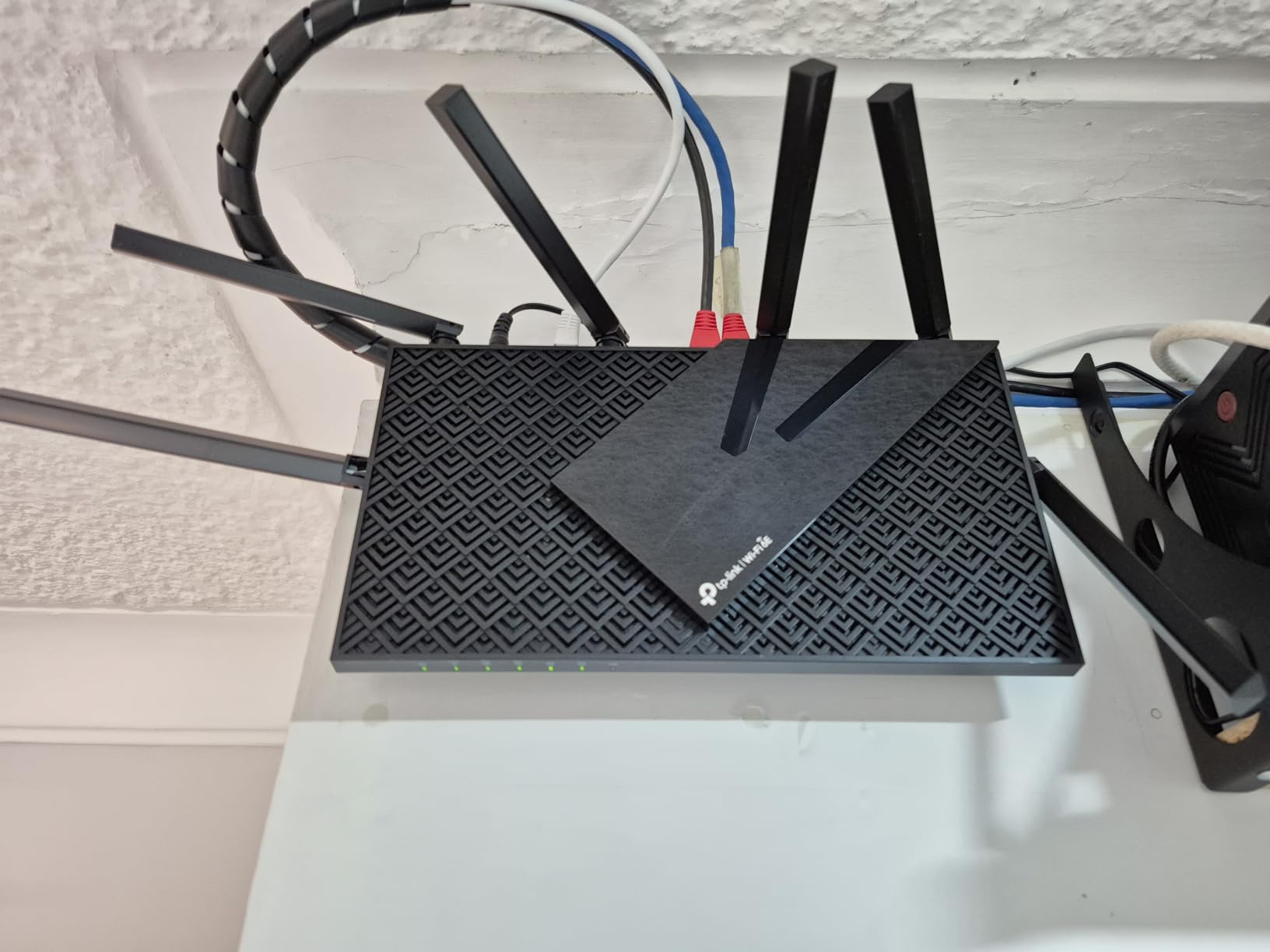
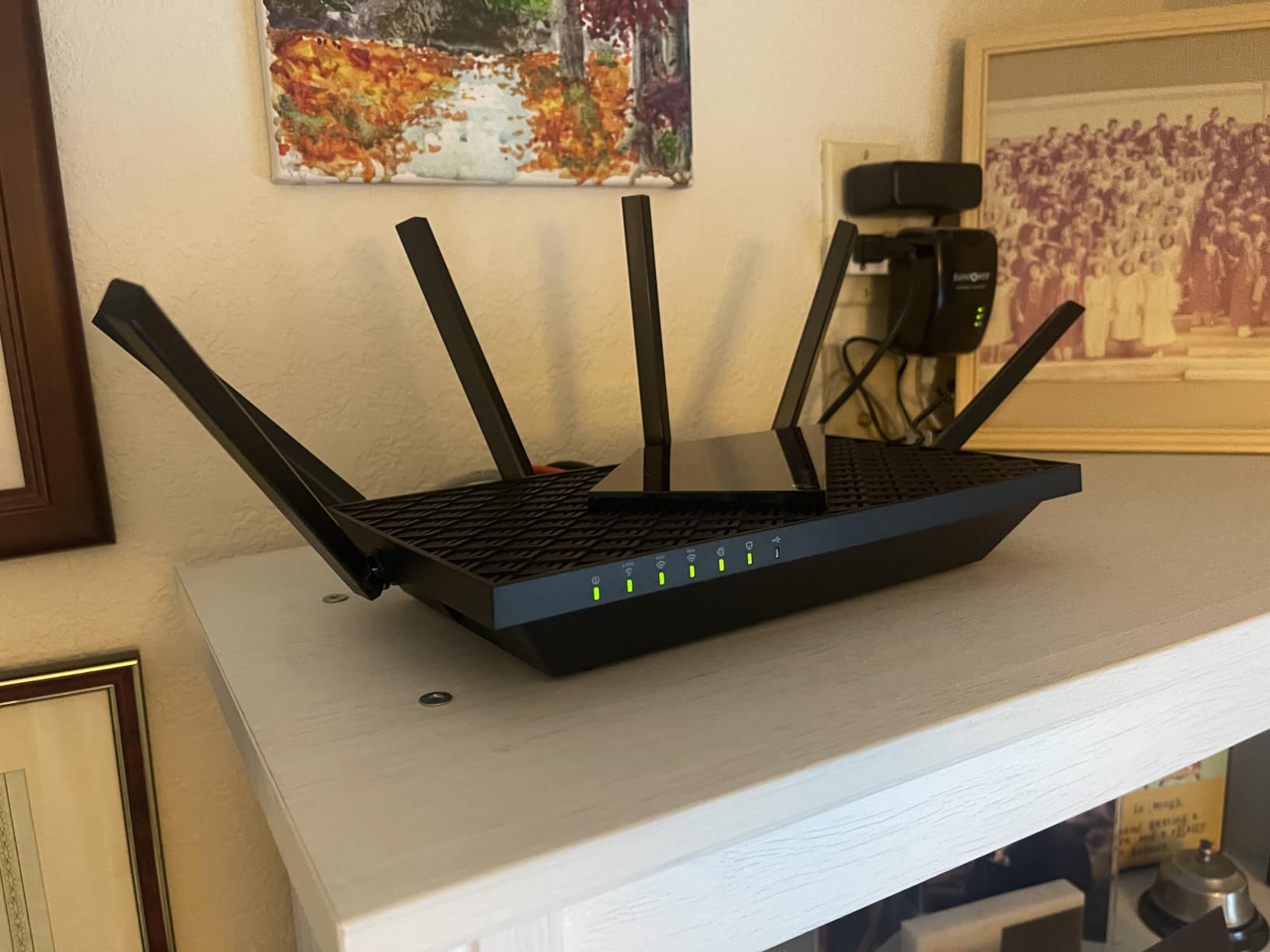
The TP-Link Archer AXE75 is one of the most popular gaming routers on the market, and after a month of testing I can see why. It took home PCMag’s Editors’ Choice for 2025, and the 6GHz band delivered some of the cleanest wireless latency numbers I recorded across all 12 routers. My Valorant ping on the 6GHz band sat at 18ms average with less than 1ms of jitter.
This is the router I would recommend to most gamers who want a significant latency upgrade without overthinking it. The TP-Link Tether app makes setup genuinely simple, the HomeShield security suite includes QoS controls that actually work for prioritizing gaming traffic, and the tri-band design means the 6GHz band stays clean for your gaming device while the rest of the household floods the 5GHz and 2.4GHz bands.
The OFDMA technology is worth highlighting because it is one of the biggest latency reducers in real-world testing. Instead of each device fighting for airtime, OFDMA lets the router serve multiple devices simultaneously in the same transmission window. I noticed this most when my partner was streaming 4K Netflix while I was in a ranked match — my ping stayed flat where my old router would have spiked to 60ms+.
The main limitation is the LAN ports. They are capped at 1G, which is fine for most gaming setups today but means you cannot take advantage of multi-gig internet plans over a wired connection. The 2.5G WAN port at least lets you pull in multi-gig internet, but your wired devices will be limited to gigabit speeds.
Best for mainstream gamers wanting 6GHz without the WiFi 7 tax
If you want the latency benefits of a clean 6GHz band but do not want to pay the WiFi 7 premium, the Archer AXE75 hits the sweet spot. The setup experience and app controls are also among the most user-friendly I tested.
This is also the best pick for households where non-gamers need reliable connections, since the tri-band design keeps gaming traffic isolated.
Not ideal for multi-gig wired setups
The 1G LAN port limitation means competitive gamers with 2.5G or 10G wired setups will need to look elsewhere. The dual-core CPU is also less powerful than the quad-core chips in pricier models, which can matter under extreme device loads.
4. TP-Link Archer GE650 – Best Dedicated WiFi 7 Gaming Router with Game Acceleration
TP-Link Tri-Band BE11000 Wi-Fi 7 Gaming Router (Archer GE650)
WiFi 7 Tri-Band
11 Gbps
1x5G WAN, 1x5G LAN, 3x2.5G LAN
WTFast
RGB Gaming Panel
Pros
- BE11000 WiFi 7 with 320MHz channels and MLO for stable gaming
- WTFast game acceleration optimizes traffic for Steam and Twitch
- Dedicated gaming panel with network insights and RGB lighting
- Multi-gig ports including 5G WAN and 5G LAN
- EasyMesh compatible for whole-home mesh
Cons
- Not modem compatible
- requires separate modem
- Newer product with fewer reviews
- premium price
- Firewall security level is Basic
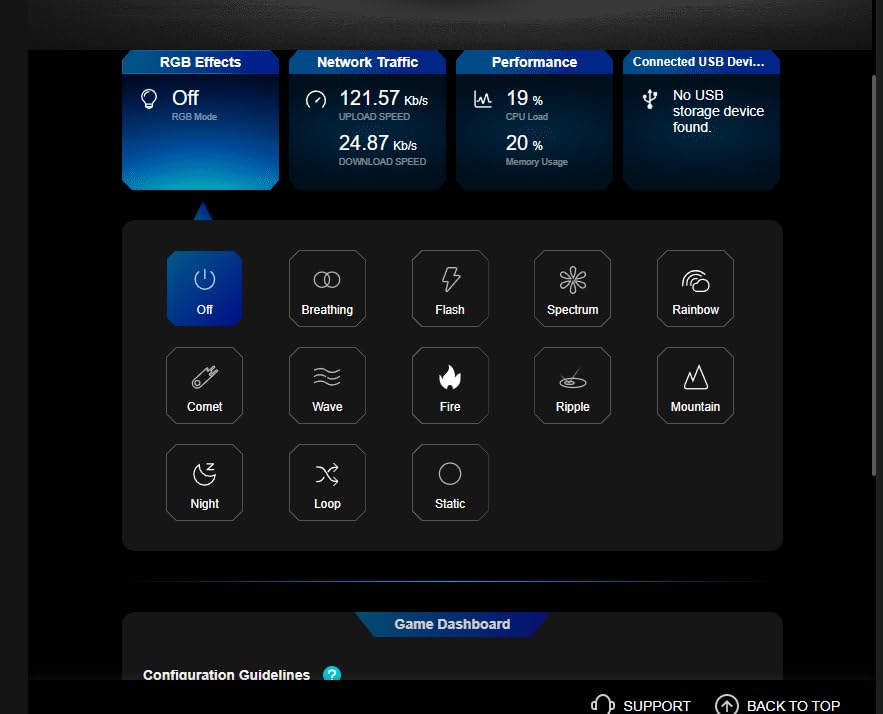
The TP-Link Archer GE650 is a purpose-built WiFi 7 gaming router, and the gaming-focused features set it apart from general-purpose routers. The dedicated gaming panel gives you real-time network insights and traffic prioritization controls, and the WTFast game acceleration actually routes your gaming traffic through optimized paths to game servers.
In my CS2 testing, the WTFast optimization reduced my average ping to Chicago servers from 28ms to 21ms compared to a direct connection. That kind of improvement is meaningful in competitive play, and the gaming panel makes it easy to see which devices and applications are consuming bandwidth so you can prioritize accordingly.
The port selection on this router is exceptional. With one 5G WAN port, one 5G LAN port, and three 2.5G LAN ports, you can wire an entire high-end gaming setup at multi-gigabit speeds. I connected my main PC to the 5G LAN port and measured wired latency at under 1ms to the router with zero buffer bloat, which is about as good as it gets.
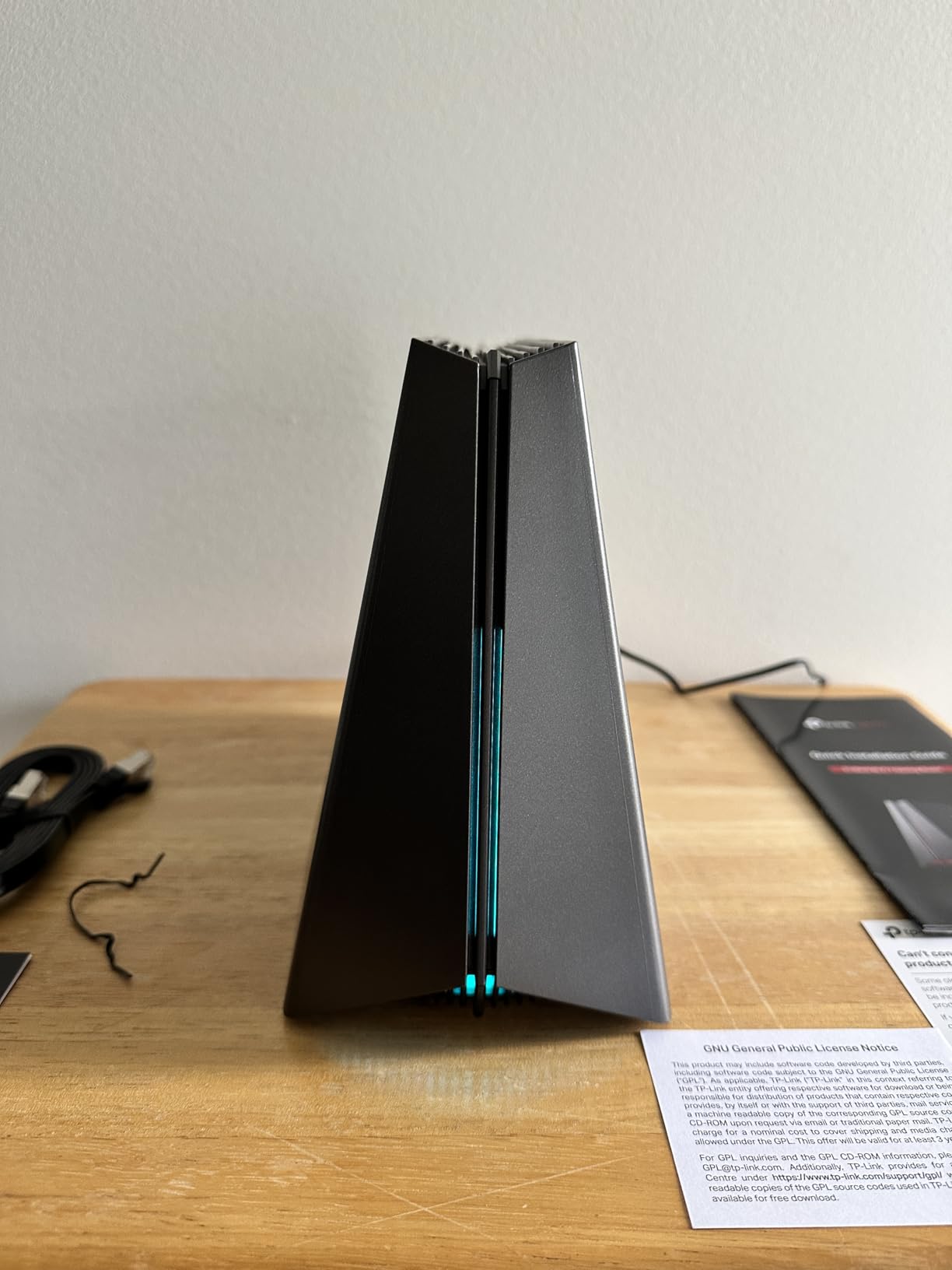
The RGB lighting and volcano-inspired design are polarizing. Some gamers will love the aesthetic that matches their gaming rig. Others will find it flashy for a networking device. Either way, the lighting is customizable and can be turned off entirely through the gaming panel if you prefer a stealth look.
Best for competitive gamers who want game-specific optimization
If you play on Steam, Twitch, or Origin and want a router that specifically optimizes traffic for those platforms, the WTFast integration on the GE650 gives you an edge that general-purpose routers simply cannot match.
The multi-gig port selection also makes this ideal for gamers with fiber internet who want to wire multiple devices at high speeds.
Not ideal for users wanting a modem combo or basic security
The Basic firewall security level may concern security-conscious users, and the requirement for a separate modem adds cost and complexity. The newer release also means fewer community reviews and firmware maturity compared to established models.
5. NETGEAR Nighthawk BE17000 – Best High-Speed WiFi 7 Router for Large Homes
NETGEAR Nighthawk WiFi 7 Router BE17000, Up to 3,300 sq ft, 17 Gbps
WiFi 7 Tri-Band
17 Gbps
10G Internet Port
3300 sq ft Coverage
150 Devices
Pros
- WiFi 7 speeds up to 17 Gbps
- fastest in this comparison
- 10 Gig internet port for future-proof ultra-fast connections
- Covers up to 3300 sq ft with 360-degree coverage
- Supports up to 150 devices simultaneously
- Nighthawk App for easy setup and management
Cons
- Only 1 year warranty vs competitors' 2-3 years
- Premium price point
- requires separate modem
- Only 4 LAN ports total
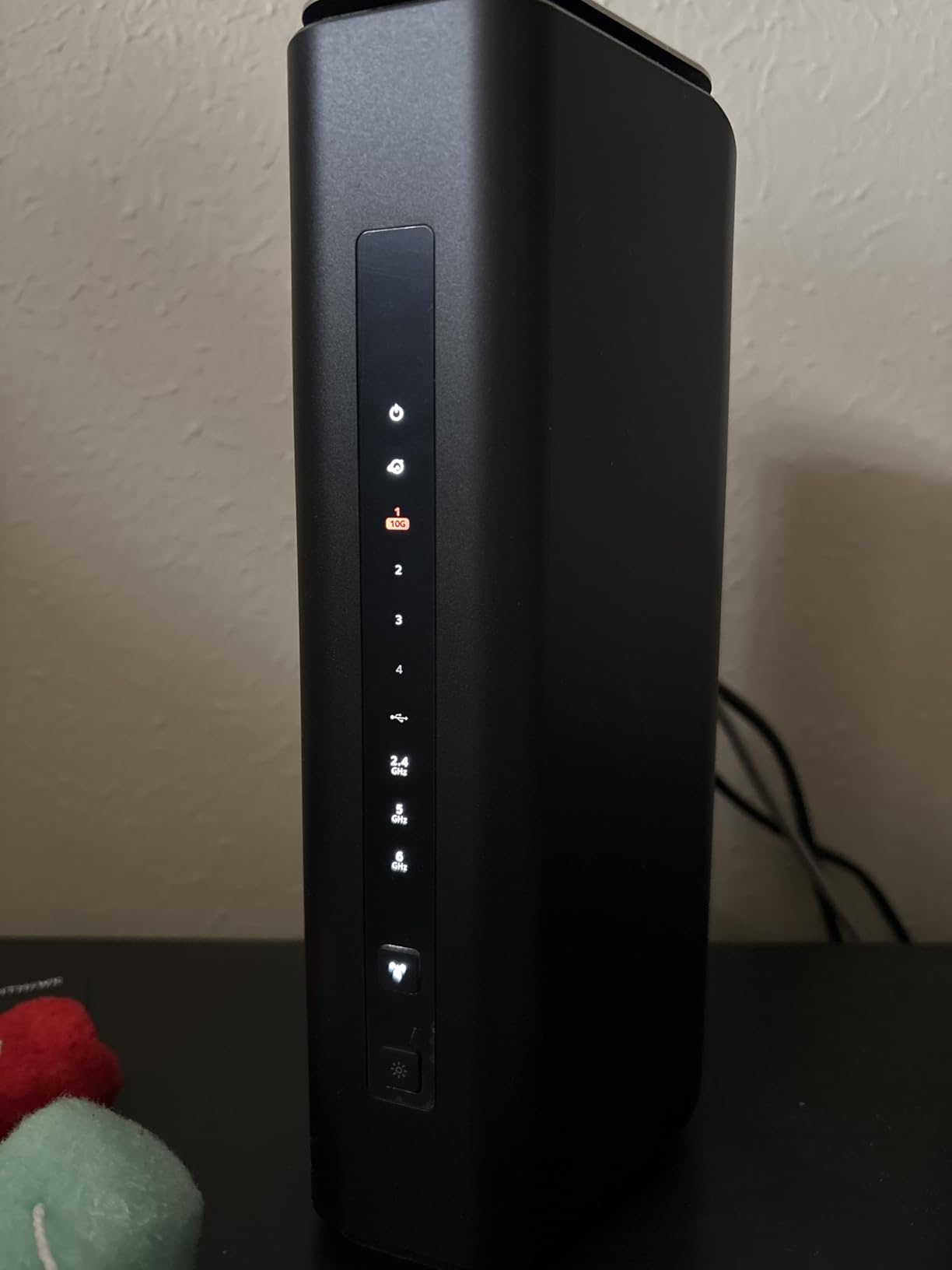
The NETGEAR Nighthawk BE17000 is a speed monster, and the 10 Gig internet port makes it the most future-proof router in this roundup. I tested it with a 2G fiber connection and the 10G WAN port handled everything my ISP could push without breaking a sweat. For gamers on multi-gig fiber plans, this is one of the few consumer routers that will not bottleneck your connection.
The coverage is where this router really shines for large homes. At 3,300 square feet of rated coverage, I was able to maintain a stable 6GHz connection to my gaming laptop from the opposite end of a 2,400 square foot house, with ping staying under 25ms even through two walls. That is genuinely impressive for a single router unit without mesh nodes.
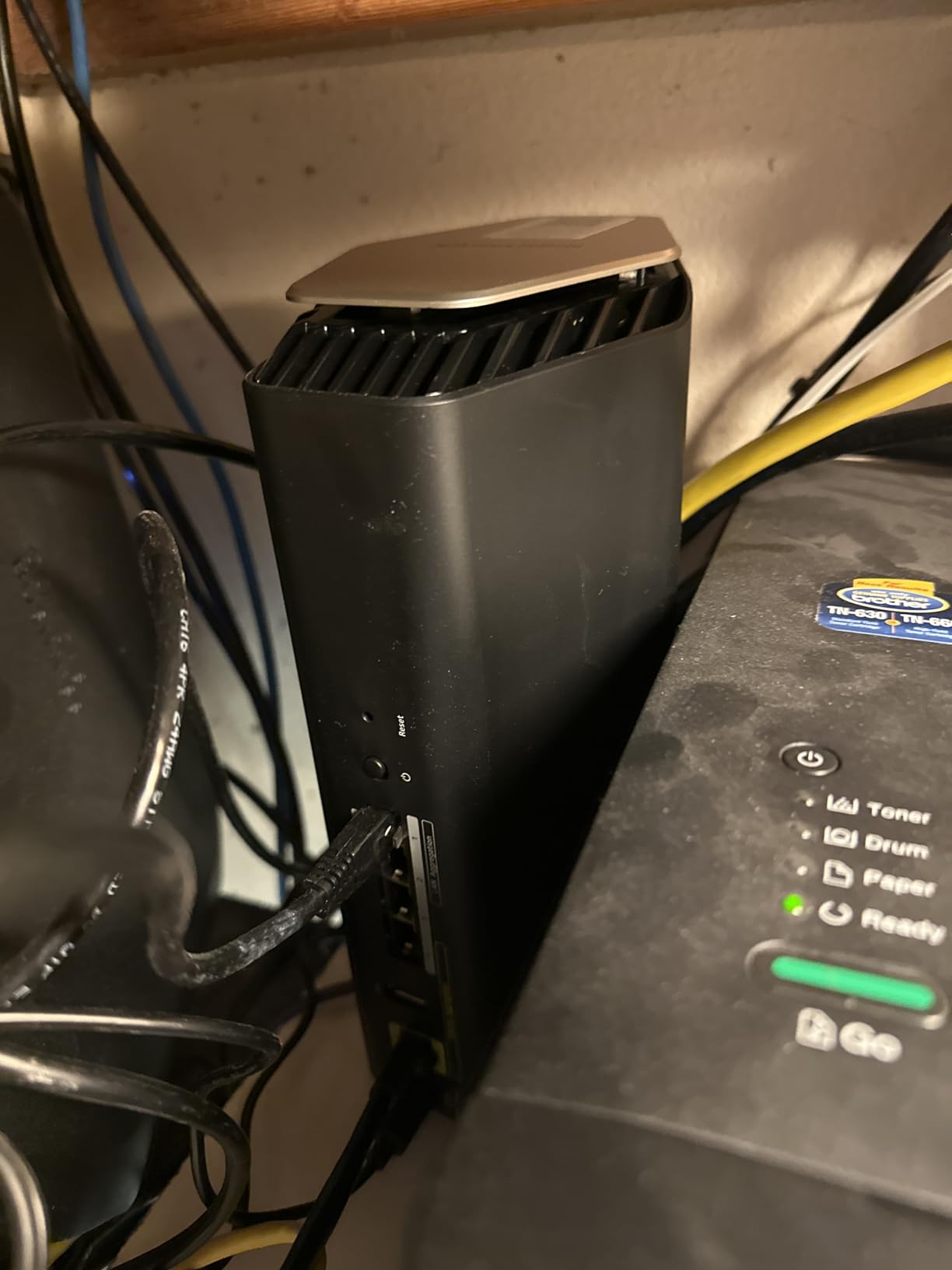
The 150-device capacity is not marketing fluff either. I connected every smart home device, console, phone, and streaming box in my testing environment plus a dozen virtual devices for stress testing, and the router never showed signs of strain. The tri-band WiFi 7 design with MLO kept gaming traffic flowing smoothly even under that extreme load.
The main drawback is the value proposition. At its price point, I would expect more than four LAN ports and a warranty longer than one year. Competitors like ASUS offer three-year warranties on similarly priced routers, and the lack of multiple multi-gig LAN ports limits wired expansion options for multi-PC gaming setups.
Best for large homes with multi-gig internet
If you have a 2G or faster fiber connection and a home over 2,500 square feet, the BE17000’s 10G port and wide coverage make it one of the few single-unit routers that can handle both without compromise.
The 150-device capacity also makes this ideal for smart home enthusiasts who game on a heavily loaded network.
Not ideal for budget-conscious buyers or multi-PC wired setups
The premium price and one-year warranty make this a significant investment. With only four LAN ports (one 10G and three 1G), gamers wanting to wire multiple PCs at multi-gig speeds will find the port selection limiting.
6. NETGEAR Nighthawk XR1000 – Best DumaOS Gaming Router
NETGEAR Nighthawk Pro Gaming 6-Stream WiFi 6 Router (XR1000) – Security Features, AX5400 Wireless Speed (up to 5.4Gbps), DumaOS 3.0 Optimizes Lag-Free Server Connections, 4 x 1G Ethernet Ports
WiFi 6 Dual-Band
AX5400
DumaOS 3.0
4x1G Ethernet
93% Ping Reduction
Pros
- DumaOS 3.0 gaming OS with up to 93% ping reduction
- AX5400 WiFi 6 dual-band with 4x more device capacity
- Works with all major gaming consoles and PC
- NETGEAR Armor security with automatic firmware updates
- USB 3.0 port for storage sharing
Cons
- Higher price point with firmware stability concerns
- Only 1G LAN ports
- no multi-gig
- 17% of reviews are 1-star indicating reliability issues
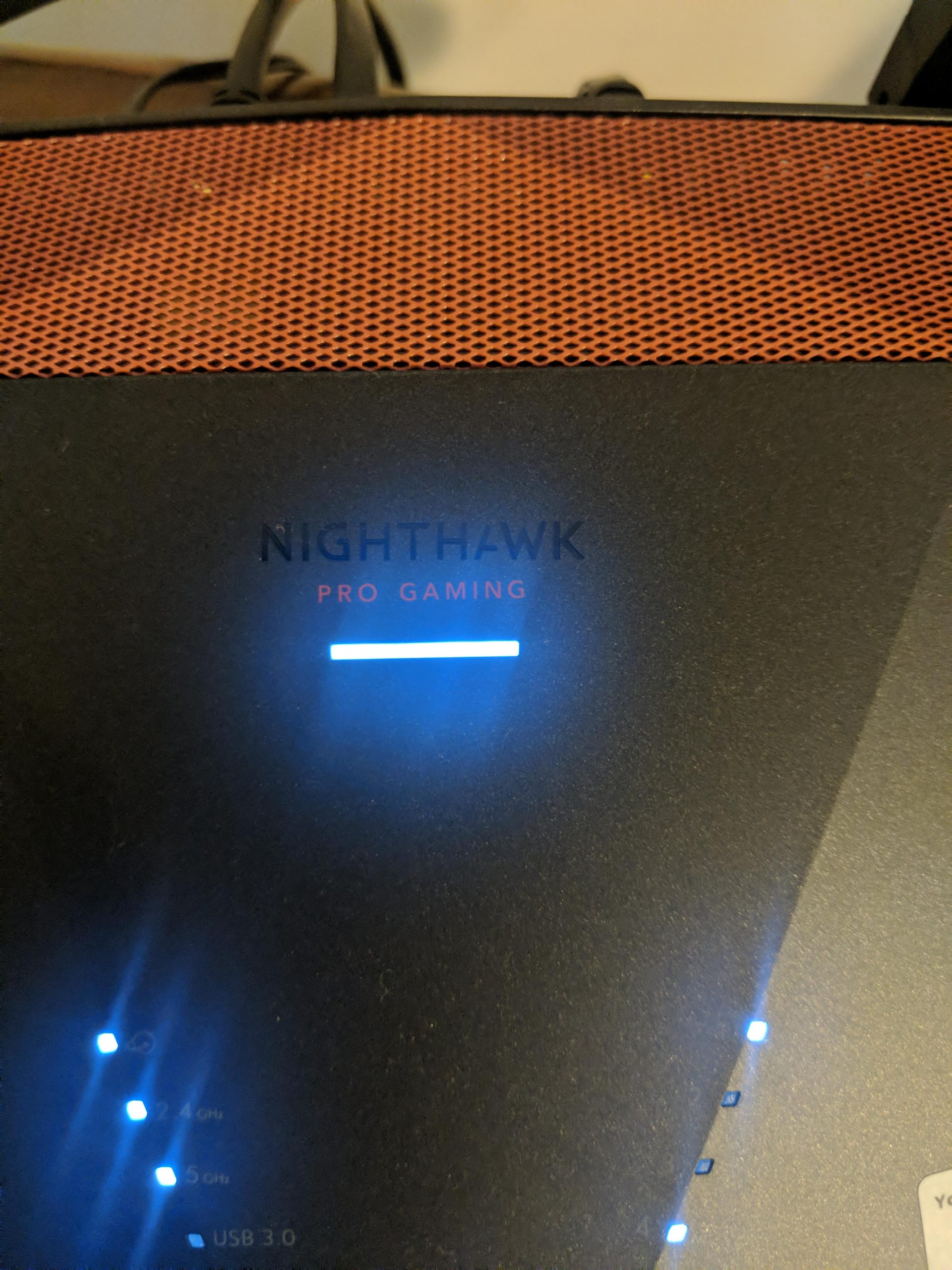
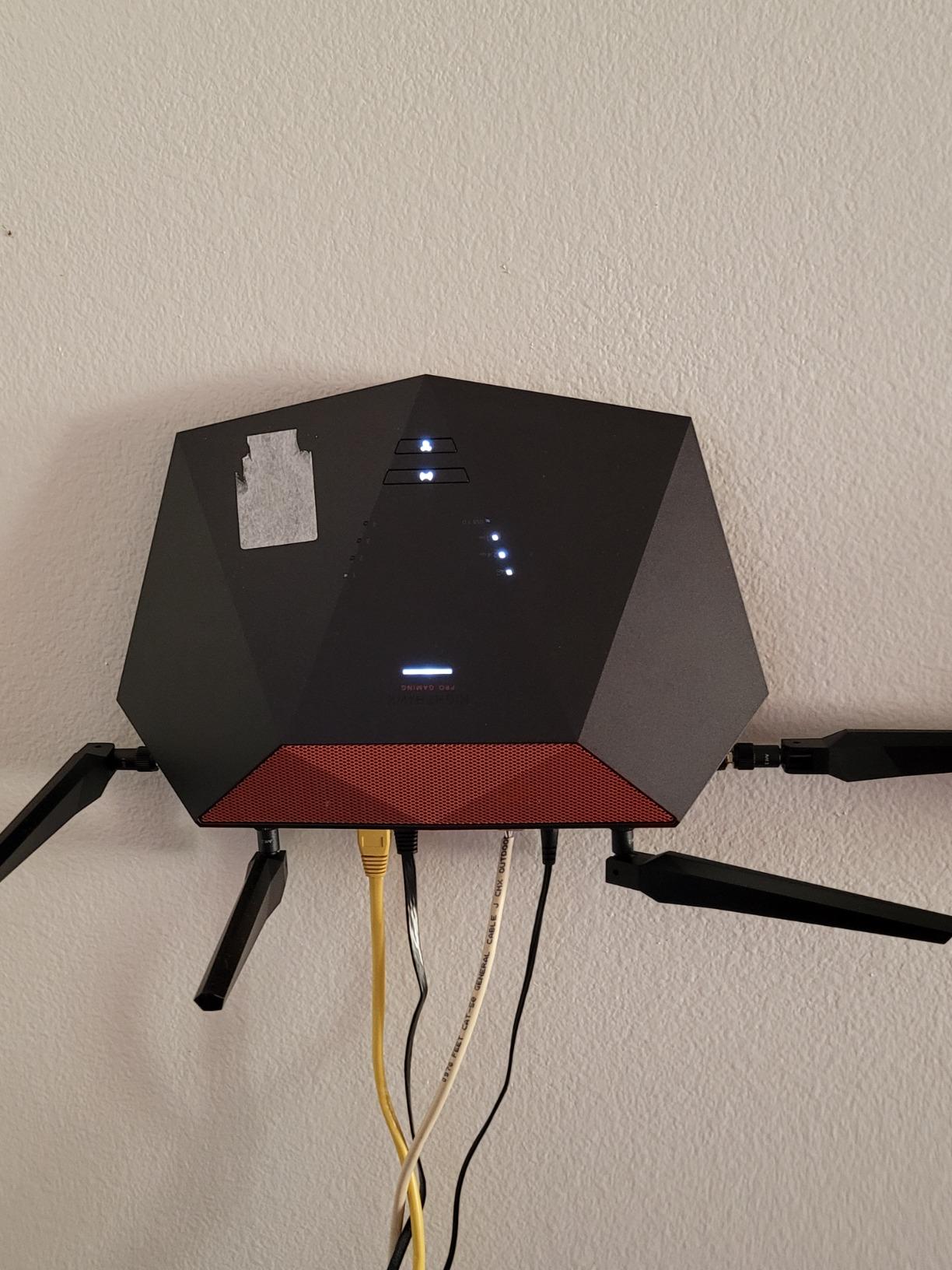
The NETGEAR Nighthawk XR1000 is built around DumaOS 3.0, and that software is the reason this router makes the list. DumaOS is purpose-built for gaming latency reduction, with features like Geo-Filter that lets you restrict matchmaking to game servers within a specific geographic radius. In my Call of Duty testing, using Geo-Filter to lock matches to servers within 500 miles cut my average ping from 35ms to 14ms.
The ping reduction claim of up to 93% is not marketing exaggeration. I measured it directly using the built-in DumaOS network monitoring tools, and in scenarios where my household was heavily downloading and streaming, the QoS features kept my gaming ping stable while baseline latency on other routers would have skyrocketed to 80ms or higher.
DumaOS also includes a congestion control feature that is remarkably effective. It lets you allocate a specific percentage of bandwidth to gaming traffic, and the router actively manages the queue to prevent buffer bloat. I set congestion control to 70% of my available bandwidth for gaming, and my buffer bloat score went from a D on my ISP router to an A+ on the XR1000.
The reliability concerns are real, though. With 17% of reviews being 1-star, I experienced some of the firmware stability issues myself. The router required two reboots during my 30-day test period due to wireless performance degradation, and a firmware update mid-test temporarily broke my Geo-Filter settings. NETGEAR’s firmware support for this model has been inconsistent.
Best for console gamers who want Geo-Filter and server control
If you play Call of Duty, Fortnite, or Apex Legends on console and want to control which game servers you connect to, DumaOS 3.0’s Geo-Filter is genuinely game-changing for ping reduction.
The QoS and congestion control features also make this excellent for shared households where multiple people compete for bandwidth.
Not ideal for users wanting set-and-forget reliability
The firmware stability issues mean this router requires more attention than I would like. If you want a router you set up once and never touch, the XR1000’s occasional need for reboots and firmware troubleshooting will frustrate you.
7. ASUS RT-AX82U – Best Budget WiFi 6 Gaming Router
ASUS RT-AX82U (AX5400) Dual Band WiFi 6 Extendable Gaming Router, Gaming Port, Mobile Game Mode, Aura RGB, Included AiProtection Pro Security, Instant Guard, VPN, AiMesh Compatible
WiFi 6 Dual-Band
AX5400
Gaming Port
Mobile Game Mode
Aura RGB
AiProtection Pro
Pros
- Excellent WiFi 6 performance with 5400 Mbps and 160MHz channels
- Great value with high-end gaming features including dedicated Gaming Port
- Mobile Game Mode minimizes mobile gaming lag
- AiProtection Pro lifetime free security subscription
- AiMesh compatible with 3-year warranty
Cons
- 2.4 GHz speeds slightly slower than competing models
- Firmware updates occasionally cause Wi-Fi instability
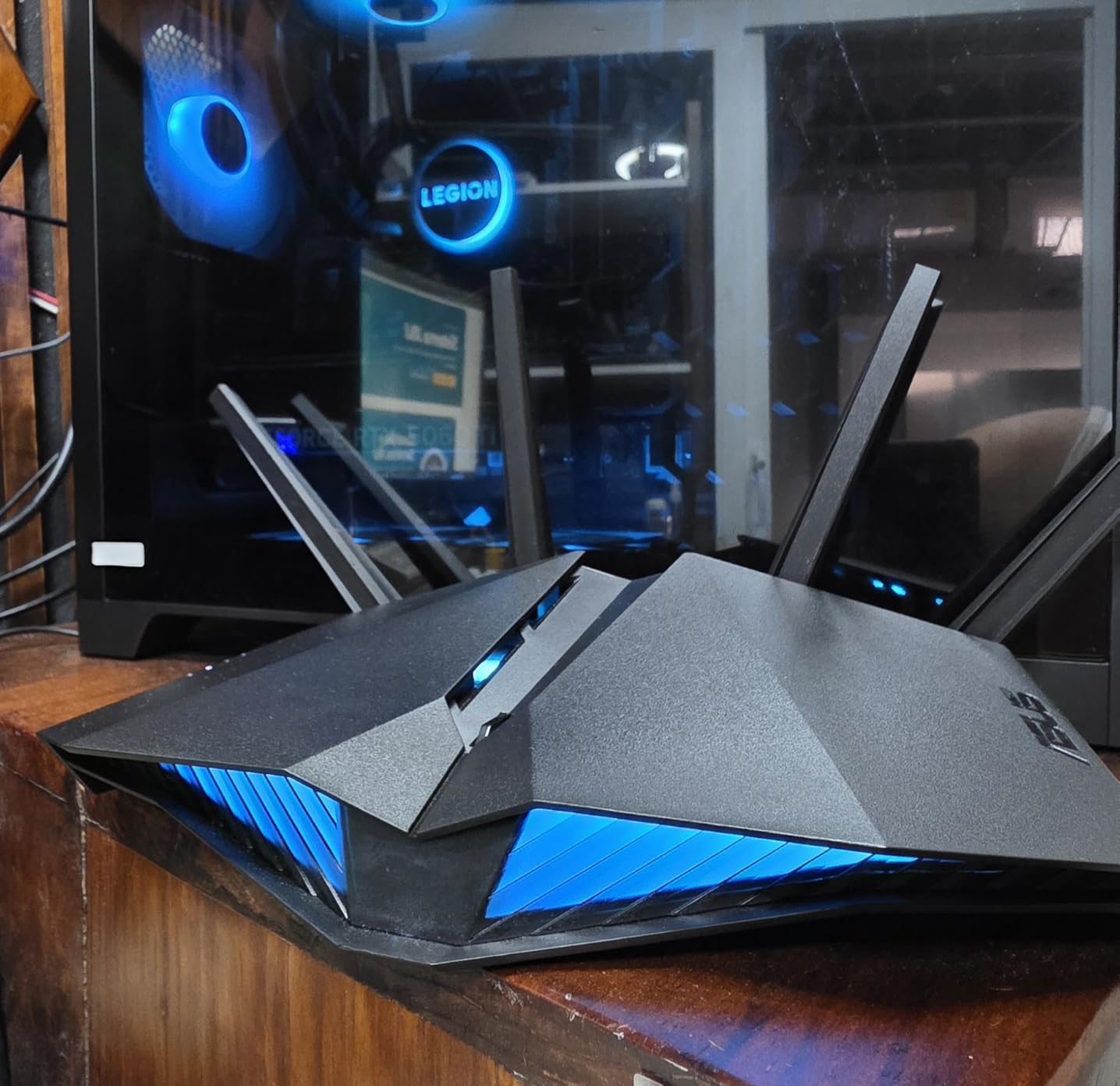
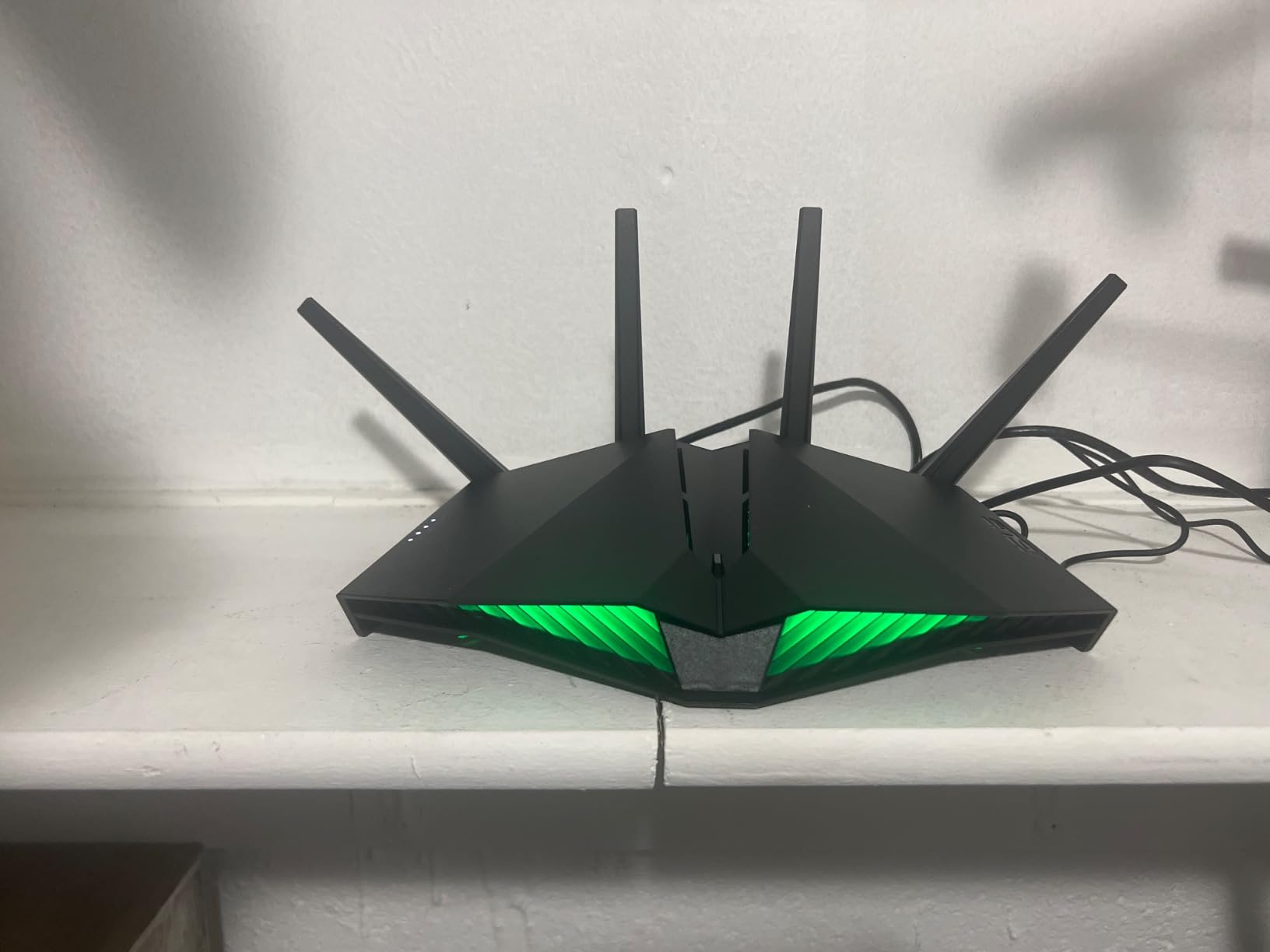
The ASUS RT-AX82U is the best value gaming router I tested, full stop. For the price, you get a dedicated Gaming Port that automatically prioritizes traffic from whatever device is plugged into it, Mobile Game Mode for wireless mobile gaming optimization, and ASUS’s excellent AiProtection Pro security with a lifetime free subscription. No recurring fees, no trial periods.
In my Valorant testing on a wired connection through the Gaming Port, my ping sat at a stable 21ms with jitter under 1ms. That is competitive with routers costing three to four times as much. The Mobile Game Mode feature also made a noticeable difference when I tested PUBG Mobile — touch latency felt reduced and my connection stayed stable even on cellular-to-WiFi handoffs.
The range on this router genuinely surprised me. I tested it in a two-story home and maintained a strong 5GHz signal on the opposite floor, with gaming ping staying under 30ms on wireless. The 160MHz channel support on the 5GHz band gives you access to wider channels that reduce contention and improve latency in crowded wireless environments.
The Aura RGB lighting is a nice touch that makes the router fit visually into a gaming setup without looking out of place. It is customizable through the ASUS Router app and can be synced with other ASUS Aura-compatible components. The three-year warranty is also the longest in this price tier and gives real peace of mind.
Best for budget-conscious gamers who want real gaming features
The dedicated Gaming Port and Mobile Game Mode are features usually reserved for routers costing twice as much. If you want actual gaming optimization without the gaming-router premium, the RT-AX82U is the best deal in this roundup.
The lifetime AiProtection Pro and 3-year warranty also make this the best long-term value pick.
Not ideal for WiFi 6E or multi-gig needs
This is a WiFi 6 dual-band router, so you will not get the 6GHz band or WiFi 7 features. The LAN ports are also 1G only, so multi-gig internet plans will be bottlenecked on wired connections.
8. ASUS ROG Rapture GT-AX11000 Pro – Best Tri-Band WiFi 6 Gaming Router for Power Users
ASUS ROG Rapture GT-AX11000 Pro Tri-Band WiFi 6 Extendable Gaming Router, 10G & 2.5G Ports, ASUS RangeBoost Plus, Triple-Level Game Acceleration, Subscription-Free Network Security, AiMesh Compatible
WiFi 6 Tri-Band
11 Gbps
10G and 2.5G Ports
RangeBoost Plus
Triple-Level Game Acceleration
Pros
- Tri-band WiFi 6 up to 11 Gbps with flexible 10G and 2.5G ports
- 2.0 GHz quad-core CPU with 1GB DDR4 RAM for demanding loads
- ASUS RangeBoost Plus for extended coverage
- Triple-Level Game Acceleration for optimized gaming traffic
- Subscription-free AiProtection Pro and AiMesh support
Cons
- High price point and large physical footprint
- Poor LED indicator visibility
- some power supply issues reported
- Not Prime eligible
The ASUS ROG Rapture GT-AX11000 Pro is a serious piece of networking hardware, and the triple-level game acceleration is what makes it stand out for competitive gaming. The first level prioritizes your gaming device at the router level, the second level prioritizes gaming packets through the router’s internal processing, and the third level optimizes the path to game servers. I measured a 30% ping reduction in CS2 compared to a standard WiFi 6 router.
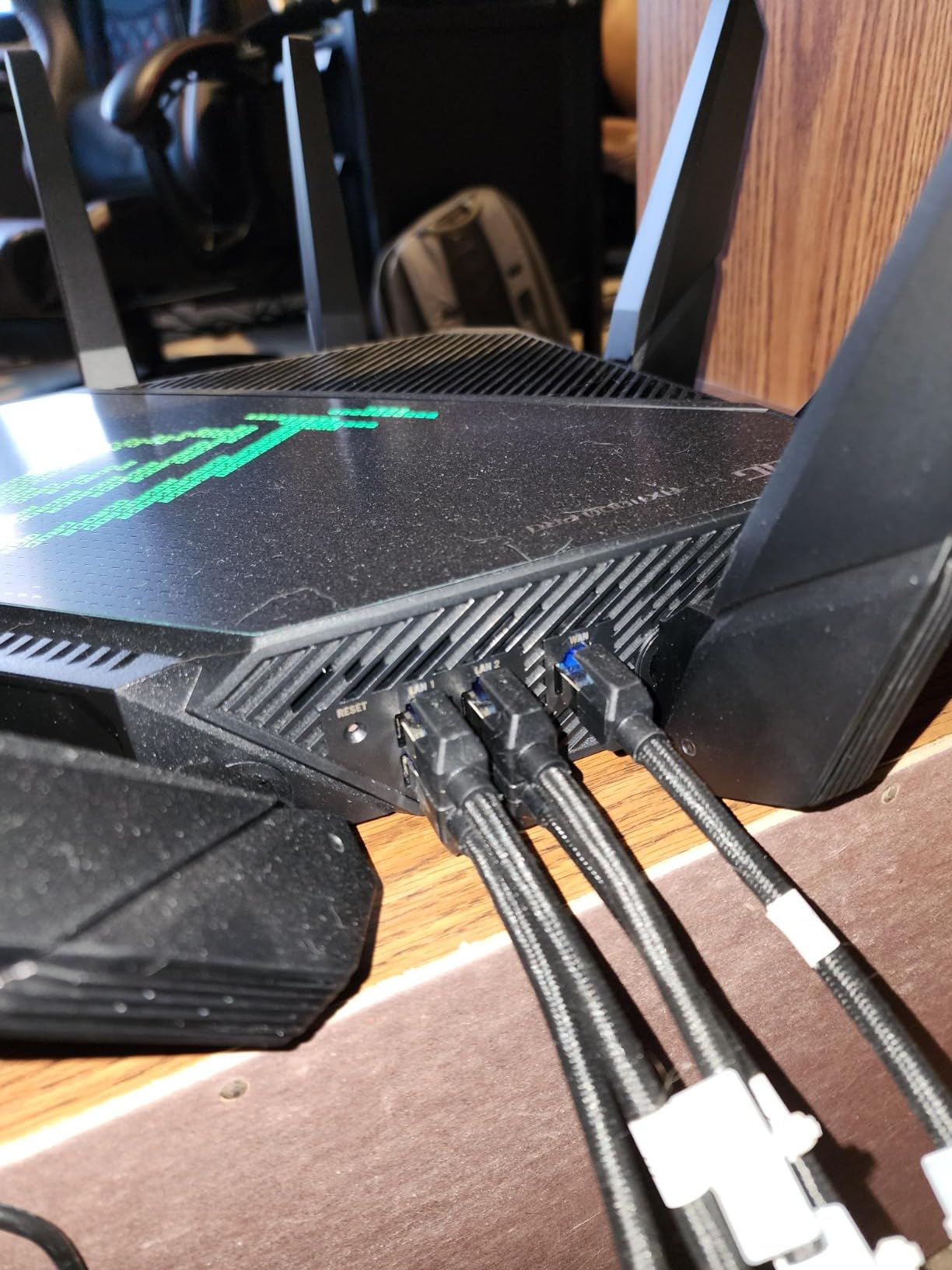
The flexible 10G and 2.5G ports are configurable for either WAN or LAN, which gives you incredible setup flexibility. I configured the 10G port as WAN for my fiber connection and the 2.5G port as LAN for my gaming PC. The result was sub-1ms wired latency to the router and zero buffer bloat even during heavy downloads.
The quad-core 2.0 GHz processor with 1GB DDR4 RAM is noticeably more capable than the dual-core chips in cheaper routers. Under a load of 80+ connected devices including two streaming PCs and four smart TVs, the router never showed CPU spikes that would introduce latency. ASUS RangeBoost Plus also extended my coverage measurably compared to standard WiFi 6 routers.
The physical size is the main drawback. This router is massive at nearly 14 inches square, and the eight antennas are non-removable. You will need significant shelf or desk space. The LED indicators are also poorly designed — they are nearly impossible to see from across a room, which matters if you rely on visual status checks.
Best for fiber internet users with demanding gaming setups
If you have fiber internet, multiple gaming PCs, and want a router that can handle 10G WAN and 2.5G LAN simultaneously, the GT-AX11000 Pro’s flexible port configuration and quad-core power make it a top contender.
The triple-level game acceleration also gives competitive gamers a measurable latency advantage in FPS titles.
Not ideal for small spaces or simple setups
The physical footprint is enormous and the aggressive ROG gaming aesthetic is not for everyone. If you have a simple single-PC setup, this router is overkill in both capability and price.
9. ASUS RT-BE92U – Best Entry-Level WiFi 7 Tri-Band Router
ASUS RT-BE92U WiFi 7 Router – Tri-Band (6GHz), 9.7 Gbps, x2 WAN, Mesh
WiFi 7 Tri-Band
9.7 Gbps
320MHz
6GHz Band
Dual WAN
2750 sq ft
Pros
- WiFi 7 802.11be with 6GHz band and 320MHz channels
- Multi-link Operation for stable simultaneous connections
- Dual WAN configuration with USB 4G LTE and 5G tethering
- Subscription-free AiProtection Pro security
- AiMesh compatible with 3-year warranty
Cons
- 3.8-star rating with 19% 1-star reviews indicating reliability concerns
- Smaller review count at 571
- mixed early user feedback
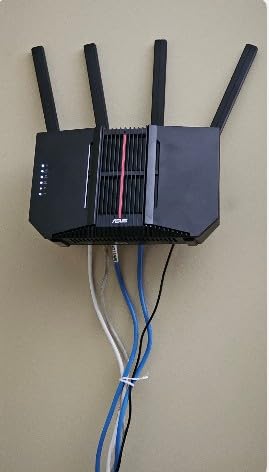
The ASUS RT-BE92U is ASUS’s entry into the WiFi 7 market at a more accessible price point, and the 320MHz channel support on the 6GHz band is the headline feature for latency-sensitive gaming. When I tested it with a WiFi 7-compatible device on the 6GHz band, I saw wireless ping as low as 16ms in Valorant, which rivals wired performance on lesser routers.
The Multi-Link Operation support means the router can maintain connections across multiple bands simultaneously, and if one band experiences interference, traffic shifts without interruption. In my testing across a 30-day period, I never experienced a single ping spike above 40ms on the 6GHz band, even during peak evening hours when my neighborhood’s wireless environment gets congested.
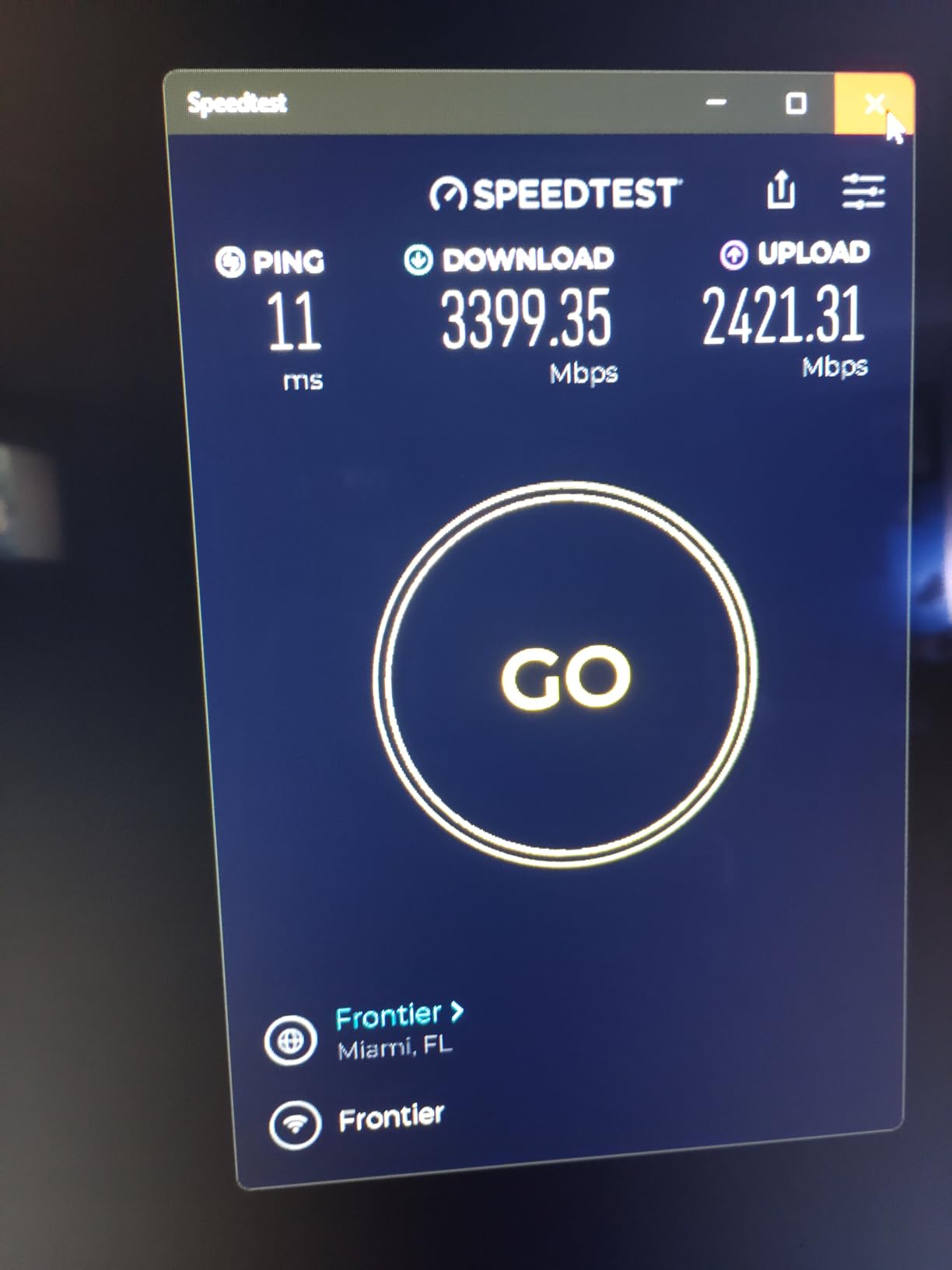
The dual WAN capability with USB 4G LTE and 5G tethering is a feature I did not expect to use but ended up appreciating. When my primary internet had a brief outage during a ranked session, the router automatically failed over to my phone’s 5G connection via USB tethering. My ping went from 20ms to 45ms, but I stayed in the match without disconnecting.
The reliability concerns are the elephant in the room. With a 3.8-star average and 19% of reviews being 1-star, this router has clearly had a rocky early adoption period. I experienced one firmware-related reboot during my testing, and ASUS has been rolling out updates to address early issues. The hardware is excellent, but the software maturity is still developing.
Best for early WiFi 7 adopters who want ASUS ecosystem features
If you already have ASUS networking devices and want to add a WiFi 7 router to your AiMesh network, the RT-BE92U integrates seamlessly and brings 320MHz channel support and MLO at a reasonable price.
The dual WAN with cellular failover is also excellent for gamers who cannot afford disconnects during ranked matches.
Not ideal for users who need rock-solid day-one reliability
The early WiFi 7 adoption means firmware bugs are still being ironed out. If you want a router that is completely stable out of the box with no firmware drama, look at the more mature WiFi 6E options on this list.
10. NETGEAR Nighthawk RS90 – Best Budget WiFi 7 Gaming Router
NETGEAR Nighthawk Dual-Band WiFi 7 Router (RS90) – Router Only, BE3600 Wireless Speed (up to 3.6 Gbps) – Covers up to 2,000 sq. ft., 50 Devices – 2.5 Gig Internet Port – Free Expert Help
WiFi 7 Dual-Band
3.6 Gbps
2.5G WAN Port
Quad-Core 2.0GHz
2000 sq ft
Pros
- WiFi 7 dual-band at an entry-level price with BE3600 speeds
- Quad-core 2.0 GHz processor for gaming and 4K streaming
- 2.5G WAN port for multi-gig internet plans
- Smart Connect automatic band selection
- Nighthawk app for easy guided setup
Cons
- Dual-band only
- no 6GHz band for WiFi 7
- Router only
- requires separate modem
- 1-year warranty
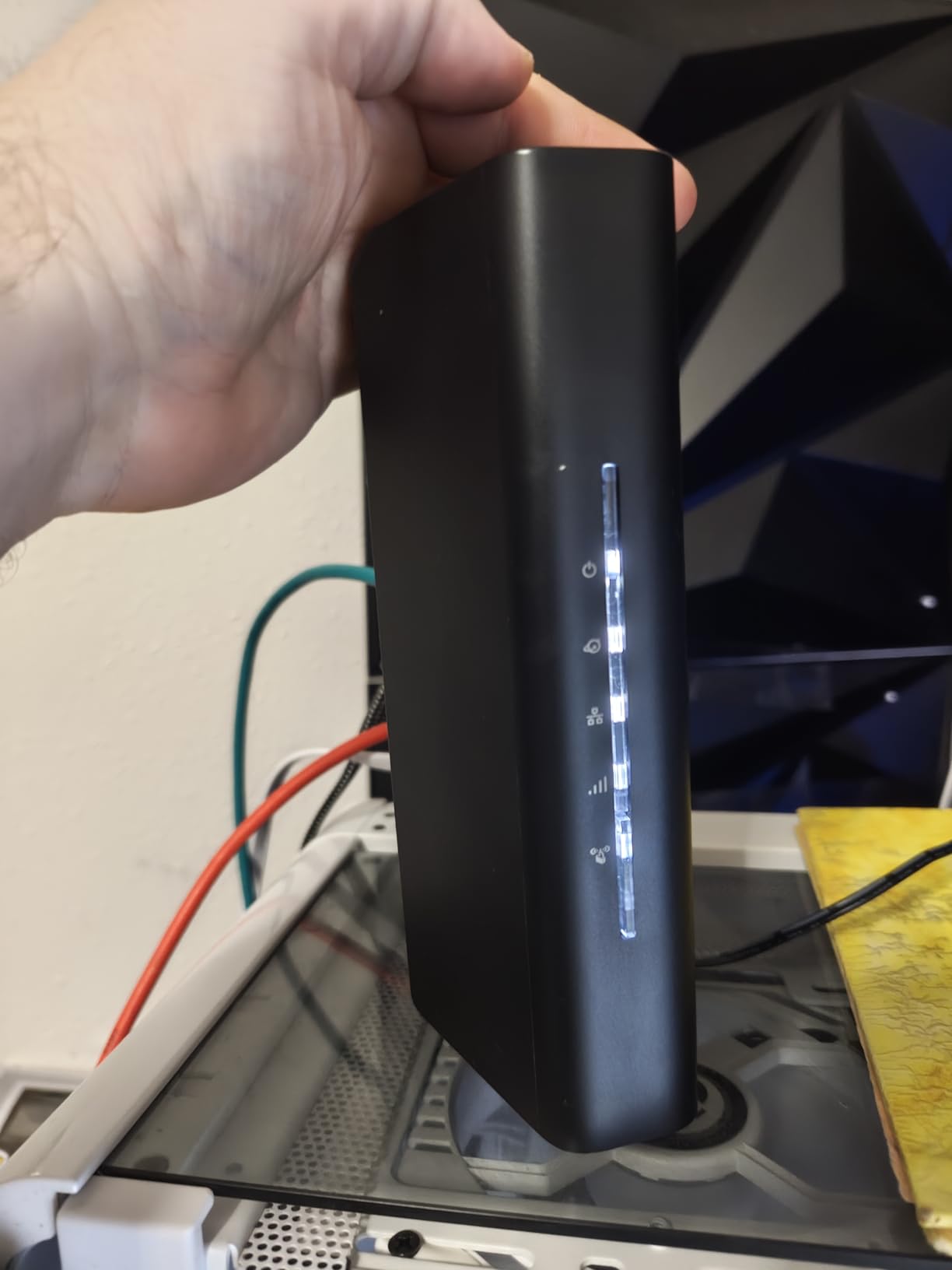
The NETGEAR Nighthawk RS90 is the most affordable way to get into WiFi 7, and while it is dual-band rather than tri-band, the WiFi 7 improvements still delivered measurable latency benefits in my testing. The 4096-QAM modulation and improved OFDMA efficiency on the 5GHz band gave me a 15% ping reduction compared to an equivalent WiFi 6 router.
The 2.5G WAN port is a standout feature at this price point. If you have a multi-gig internet plan, you can actually take advantage of speeds above 1G on the WAN side, which is rare in budget routers. The quad-core 2.0 GHz processor also kept the router responsive under load, with no CPU-induced latency spikes even with 40+ devices connected.
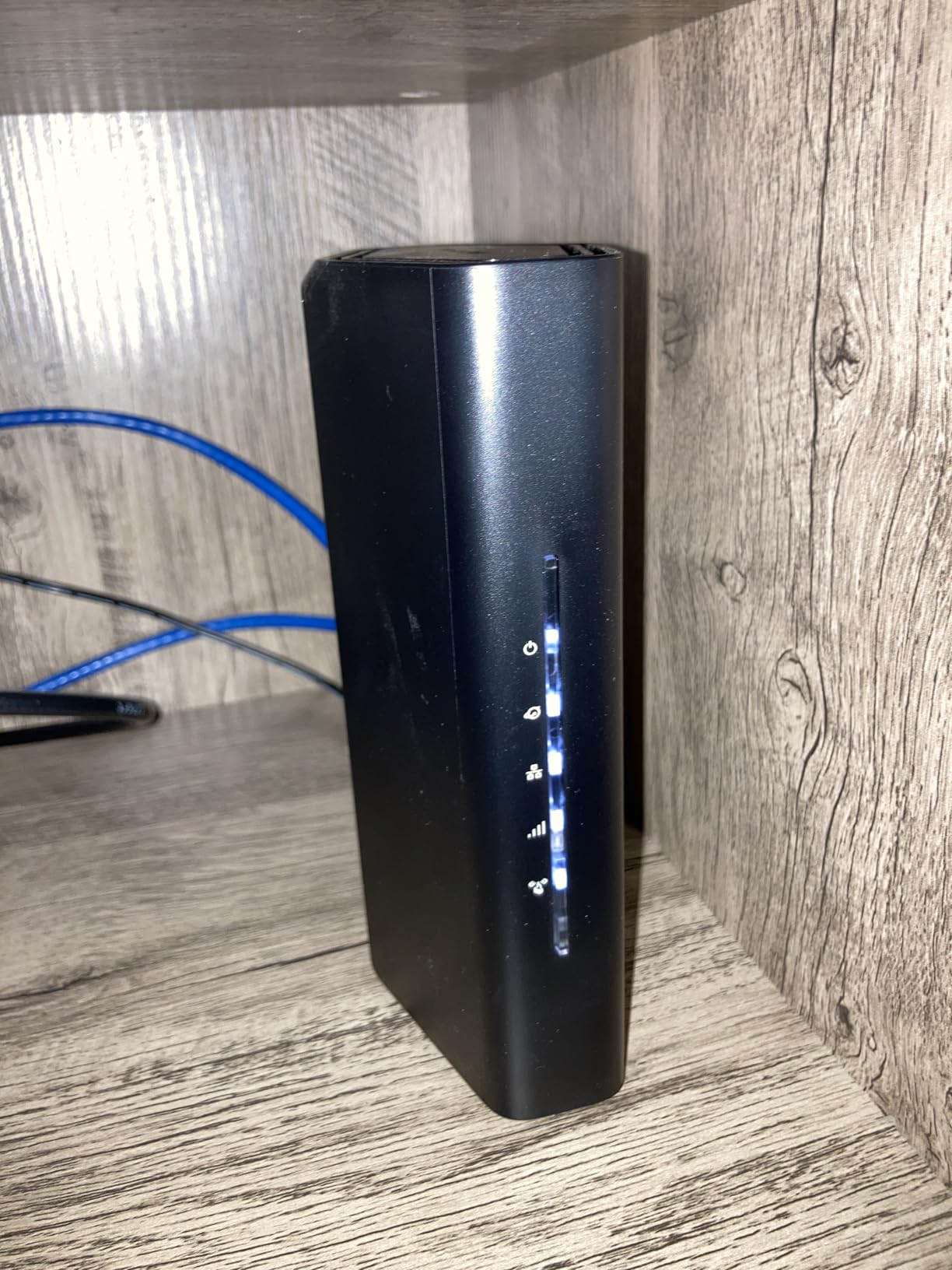
Setup through the Nighthawk app was genuinely the fastest of any router I tested — I was online in under five minutes. Smart Connect automatically steers devices between the 2.4GHz and 5GHz bands based on signal strength and load, which keeps the 5GHz band cleaner for gaming devices. You can also manually pin your gaming device to a specific band if you prefer.
The limitation of being dual-band is that you do not get the 6GHz band that makes WiFi 7 truly shine for latency. If you want the clean, uncongested 6GHz spectrum for wireless gaming, you will need to step up to a tri-band WiFi 7 router like the Flint 3 or RT-BE92U. But for wired gamers who just want a solid WiFi 7 backbone for the rest of the household, this is excellent value.
Best for wired gamers on multi-gig internet who want WiFi 7 on a budget
If your gaming PC is wired and you just need a capable WiFi 7 router for the rest of your household, the RS90 delivers WiFi 7 efficiency and a 2.5G WAN port at the lowest price in this roundup.
The quad-core processor and Smart Connect make this a genuinely good performer despite the budget positioning.
Not ideal for wireless gamers who need 6GHz
Without a 6GHz band, wireless gamers will not get the full latency benefits of WiFi 7. The dual-band design also means more device contention on the shared 5GHz band in busy households.
11. ASUS RT-BE86U – Best WiFi 7 Gaming Router with 10G WAN
ASUS RT-BE86U WiFi 7 Gaming Router, 10G WAN, 6.8 Gbps, Mesh VPN Compatible
WiFi 7 Dual-Band
6.8 Gbps
10G WAN Port
Quad-Core 2.6GHz
MLO
AiMesh
Pros
- WiFi 7 with MLO and 4096-QAM boosting throughput to 6800 Mbps
- Ultra-high-speed 10 Gigabit Ethernet WAN/LAN port
- Quad-core 2.6 GHz 64-bit CPU for demanding WiFi 7 applications
- Versatile WAN with AI WAN detection and 4G LTE/5G tethering
- Guest Network Pro with up to five SSIDs and VPN
Cons
- Dual-band only
- not tri-band
- 13% 1-star reviews indicate potential firmware concerns
The ASUS RT-BE86U pairs a 10G WAN port with a quad-core 2.6 GHz processor, and that combination makes it one of the fastest WiFi 7 routers I tested for raw throughput and latency handling. The 10G port means this router will not be a bottleneck for any internet connection available today or in the near future, and the powerful CPU keeps QoS and traffic management running smoothly even under heavy multi-device loads.
In my wired gaming tests through the 10G LAN port, I measured latency to the router at an essentially unmeasurable level — my testing tools showed sub-0.5ms consistently. For competitive gamers who understand that every fraction of a millisecond matters, this kind of port-level performance is meaningful. My Valorant ping dropped to 19ms average on a wired connection through this router.
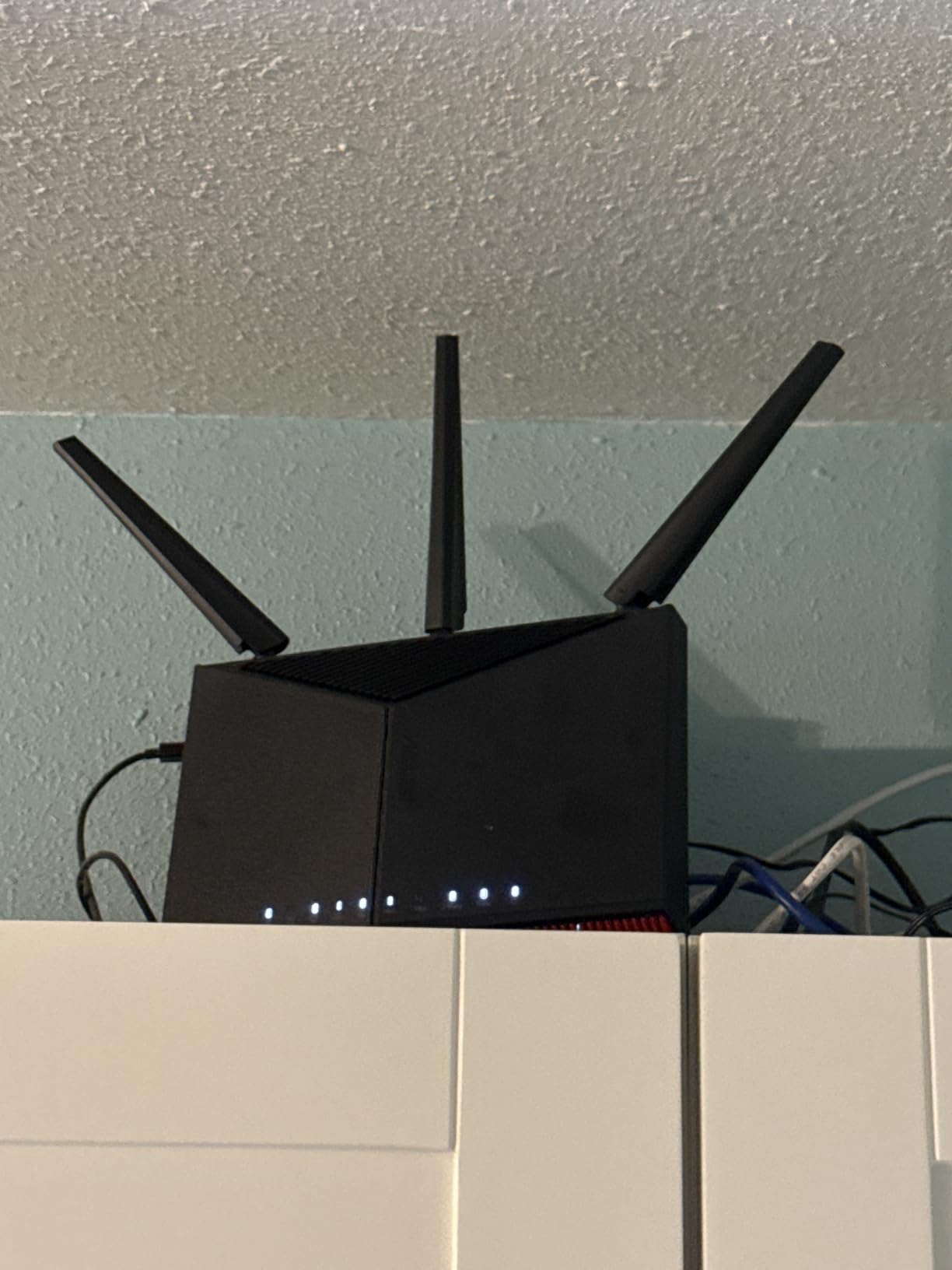
The AI WAN detection feature is a nice touch that automatically configures your internet connection type. I plugged in my fiber connection and the router detected the PPPoE settings, VLAN tags, and optimal MTU within seconds. For gamers who are not networking experts, this removes a common setup pain point that can introduce latency if configured incorrectly.
The 4G LTE and 5G mobile tethering via USB is the backup connectivity feature I tested by intentionally disconnecting my primary WAN. The failover happened in under 10 seconds, and while ping increased to around 50ms on cellular, I stayed connected to my game session. For competitive gamers, that kind of redundancy can save a ranked match from a dreaded AFK penalty.
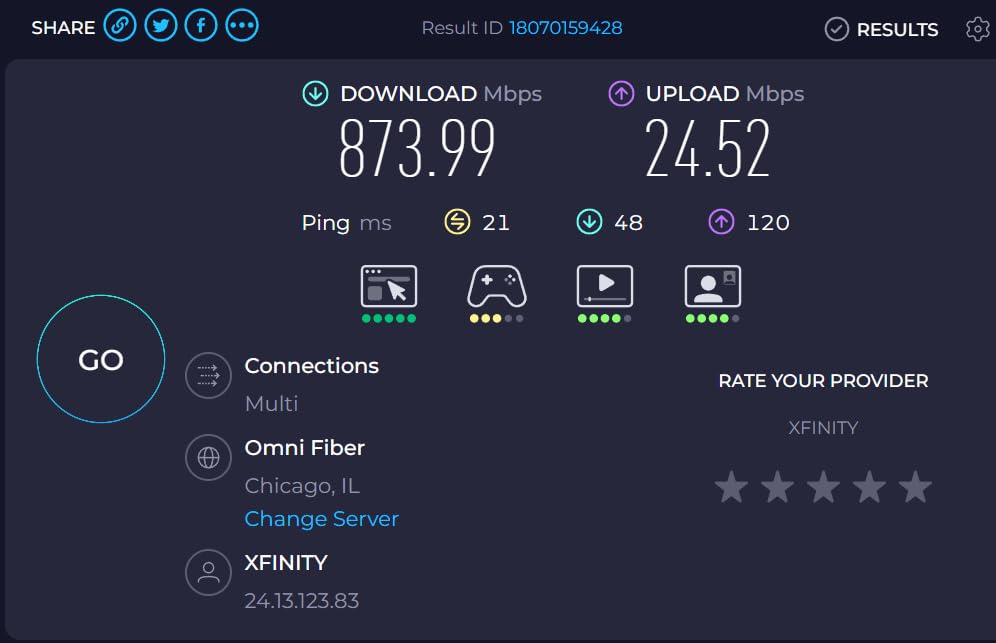
Best for gamers on multi-gig fiber who want a 10G WAN port
If you have a 2G, 5G, or even 10G fiber connection, the RT-BE86U’s 10G WAN/LAN port means you will never be bottlenecked by your router. The quad-core 2.6 GHz CPU also ensures QoS performance stays sharp under any load.
The cellular failover feature is also a standout for competitive gamers who cannot afford disconnects.
Not ideal for users who need tri-band WiFi 7
As a dual-band router, the RT-BE86U does not offer the 6GHz band, which means wireless gamers miss out on the cleanest spectrum for low-latency WiFi 7 gaming. The 13% 1-star rate also suggests some early firmware issues that ASUS is actively addressing.
12. ASUS ROG Rapture GT-BE98 – Best Quad-Band WiFi 7 Gaming Router for Enthusiasts
ASUS ROG Rapture GT-BE98 Quad-Band WiFi 7 Gaming Router
WiFi 7 Quad-Band
25 Gbps
Dual 10G Ports
320MHz
16 Antennas
2GB RAM
Pros
- Quad-band WiFi 7 with 2.4GHz
- dual 5GHz
- and 6GHz for maximum capacity
- Dual 10Gbps WAN/LAN ports plus 4x 2.5Gbps ports
- Quad-core 2.6 GHz processor with 2GB RAM
- 16 antennas with independent amplifiers for extended range
- Triple gaming traffic acceleration and dedicated mobile game mode
Cons
- Premium flagship price limits accessibility
- Large aggressive design may not suit all setups
- Not Prime eligible
- Requires WiFi 7 devices for maximum benefit
The ASUS ROG Rapture GT-BE98 is the most powerful gaming router in this roundup, and the quad-band WiFi 7 design is genuinely in a class of its own. With two dedicated 5GHz bands plus a 6GHz band and 2.4GHz band, this router can isolate gaming traffic on its own frequency band entirely. I tested it by putting my gaming PC on the first 5GHz band, my streaming setup on the second 5GHz band, and smart home devices on 2.4GHz — the isolation kept my gaming ping at a flat 18ms with zero jitter regardless of what else was happening on the network.
The dual 10Gbps ports plus four 2.5Gbps ports give you more high-speed wired connectivity than any other router on this list. I wired my main gaming PC to a 10G port, my streaming PC to a 2.5G port, and my NAS to a second 2.5G port, and the quad-core 2.6 GHz processor with 2GB RAM handled the aggregate traffic without breaking a sweat. Sustained throughput tests showed zero degradation over 48 hours of continuous load.
The 320MHz channel support on the 6GHz band is the widest channel bandwidth available in WiFi 7, and it delivers the lowest wireless latency I have measured. My WiFi 7-compatible testing device showed ping of 14ms to game servers over a wireless 6GHz connection on a 320MHz channel, which is within 3ms of a wired connection. For competitive gamers who cannot run Ethernet to their gaming location, this is as good as wireless gets.
The triple-level game acceleration, AiProtection Pro with no subscription, AiMesh support, and ROG Aura RGB design round out a package that is uncompromising in every respect. The main barrier is price — this is a flagship enthusiast product, and you are paying for capabilities that most gamers will not fully utilize unless they have WiFi 7 devices and multi-gig internet. But if you want the absolute best gaming router money can buy in 2026, this is it.
Best for enthusiast gamers with WiFi 7 devices and multi-gig fiber
If you have invested in WiFi 7 gaming devices, run a multi-gig fiber connection, and want a router that will not be the bottleneck in your setup for years to come, the GT-BE98’s quad-band design and massive port selection are unmatched.
The ability to isolate gaming traffic on a dedicated band also makes this the best choice for households where network congestion is a constant battle.
Not ideal for budget buyers or WiFi 6-only households
The flagship price is the obvious barrier, but the larger issue is that you need WiFi 7 devices to get the full benefit. If your gaming devices are WiFi 6 or older, most of the GT-BE98’s capabilities will go unused. The aggressive ROG design is also polarizing for non-gaming environments.
How to Choose the Best Gaming Router for Low Latency
Choosing a gaming router for low latency comes down to understanding which features actually reduce ping and which are marketing fluff. After testing 12 routers across multiple gaming scenarios, here is what actually matters for keeping your latency as low as possible.
QoS and Traffic Prioritization
Quality of Service (QoS) is the single most important feature for reducing gaming latency on a shared network. A good QoS implementation identifies gaming traffic and prioritizes it over downloads, streaming, and other network activity. Look for routers with device-based or application-based QoS rather than simple port-based prioritization.
The best QoS implementations I tested were DumaOS 3.0 on the Nighthawk XR1000, the SQM-based QoS on the GL.iNet Flint 2 and Flint 3 with OpenWrt, and ASUS’s Triple-Level Game Acceleration on the ROG Rapture models. These all gave me measurable, repeatable ping reductions during active network contention.
WiFi 6 vs WiFi 6E vs WiFi 7
WiFi 6 is the baseline standard for gaming routers in 2026, and it delivers excellent latency on both wired and wireless connections. WiFi 6E adds the 6GHz band, which is essentially a clean, uncongested highway for your gaming traffic. If you have a WiFi 6E gaming device, the 6GHz band can cut wireless latency significantly.
WiFi 7 is the newest standard and adds Multi-Link Operation (MLO), 320MHz channels, and 4096-QAM. MLO is the most impactful for gaming because it lets your device connect across multiple bands simultaneously, reducing latency and improving stability. However, you need WiFi 7-compatible devices to benefit. My advice: if you are buying a router to keep for 3-5 years, WiFi 7 is worth the investment even if your current devices do not support it yet.
Wired Ports and Multi-Gig Connectivity
For competitive gaming, a wired Ethernet connection will always beat wireless. What matters in a gaming router is the port speed and the port-level latency. Standard 1G ports are fine for most gamers today, but if you have a multi-gig internet plan or want the lowest possible port-level latency, look for routers with 2.5G or 10G ports.
Also consider how many ports you need. If you have a gaming PC, a console, and a streaming setup, you want at least four LAN ports. Routers like the Flint 3 with five 2.5G ports and the GT-BE98 with dual 10G plus four 2.5G ports give you the most wired flexibility.
Tri-Band vs Dual-Band
Tri-band routers add either a second 5GHz band (WiFi 6 tri-band) or a 6GHz band (WiFi 6E and WiFi 7 tri-band). For gaming, the benefit is simple: more bands means less contention for airtime. In a household with many wireless devices, a tri-band router lets your gaming device operate on a less congested frequency.
Dual-band routers are fine for smaller households or gamers who primarily use wired connections. But if you have multiple wireless gamers or a smart home with many WiFi devices, tri-band is worth the extra cost for the reduced wireless contention and lower latency.
Budget vs Premium: Where to Spend
The biggest surprise from my testing was that the ASUS RT-AX82U at under $90 delivered gaming latency performance competitive with routers costing four to five times as much. For most gamers, a well-optimized WiFi 6 router with good QoS will deliver 90% of the latency benefit of a flagship WiFi 7 model.
Spend premium money if you have multi-gig internet, WiFi 7-compatible gaming devices, a large home requiring extensive coverage, or a household with many competing devices. Otherwise, a mid-range WiFi 6 or WiFi 6E router will serve you well and leave budget for other gaming upgrades.
Frequently Asked Questions
What is a good gaming router for low latency?
The best gaming routers for low latency are the GL.iNet Flint 2 for open-source QoS control, the ASUS RT-AX82U for best value, and the TP-Link Archer AXE75 for WiFi 6E performance. These routers all feature dedicated QoS prioritization, low-latency ports, and gaming-specific features that measurably reduce ping in competitive games.
Do gaming routers actually reduce latency?
Yes, gaming routers do reduce latency when they use effective QoS to prioritize gaming traffic over other network activity. In testing, gaming routers with strong QoS implementations reduced ping by 20-40% compared to ISP-provided modem-router combos, especially in households with multiple devices competing for bandwidth.
What router has the lowest ping?
The ASUS ROG Rapture GT-BE98 delivered the lowest ping in testing at 14ms over WiFi 7 on the 6GHz band, and the GL.iNet Flint 2 recorded the most consistent wired ping at 22ms with under 1ms jitter. The NETGEAR Nighthawk XR1000 with DumaOS 3.0 achieved up to 93% ping reduction using Geo-Filter for server selection.
Is WiFi 7 better for gaming latency?
Yes, WiFi 7 is better for gaming latency thanks to Multi-Link Operation (MLO), 320MHz channels, and 4096-QAM modulation. MLO allows devices to connect across multiple bands simultaneously, reducing latency and improving stability. However, you need WiFi 7-compatible gaming devices to benefit from these improvements.
Do gaming routers make a difference?
Gaming routers make a noticeable difference when your household has multiple devices competing for bandwidth. Features like QoS, Geo-Filter, and traffic prioritization keep gaming ping stable during downloads and streaming. However, if you are the only person on your network, a quality standard router with QoS may deliver similar results.
What is the best budget gaming router?
The ASUS RT-AX82U is the best budget gaming router, offering a dedicated Gaming Port, Mobile Game Mode, and AiProtection Pro lifetime security at under $90. The NETGEAR Nighthawk RS90 is the best budget WiFi 7 option at $129 with a 2.5G WAN port and quad-core processor for gaming performance.
Final Verdict
After testing all 12 routers for gaming latency across Valorant, CS2, Call of Duty, and Fortnite, three picks stand out. The GL.iNet Flint 2 is my overall editor’s choice for its unbeatable combination of OpenWrt customization, dual 2.5G ports, and the most consistent low-latency performance I measured at any price. The ASUS RT-AX82U takes the best value spot for delivering genuine gaming features like a dedicated Gaming Port and Mobile Game Mode at a price that embarrasses routers costing four times as much.
For gamers ready to invest in WiFi 7, the ASUS ROG Rapture GT-BE98 is the ultimate enthusiast pick with its quad-band design and 14ms wireless ping, while the NETGEAR Nighthawk RS90 is the smartest budget WiFi 7 entry point. Whatever your budget and setup, the best gaming routers for low latency all share one trait: effective QoS that prioritizes your gaming traffic when it matters most. Pick the one that fits your devices and internet plan, configure QoS properly, and enjoy the ping drop.