
Short answer: the Canon MegaTank G3270 is the best wireless printer for most Macs in 2026, because it prints, copies and scans over Wi-Fi with native AirPrint, ships with a refillable ink tank that cuts your per-page cost, and needs no extra driver on a Mac. If you print mostly black-and-white documents, the Brother DCP-L2640DW is the stronger long-term buy. The Canon PIXMA TS3720 is the most compact way into wireless printing on a Mac.
Mac printing has quietly become easy. AirPrint is built into every Mac, iPhone and iPad, and it uses Bonjour discovery and IPP to talk to a printer directly over your network. You add the printer in System Settings and print. No installer, no vendor driver, no CD. That is the standard every printer on this list meets, because a printer that forces you to hunt down a macOS package is a bad match for a MacBook Air or Mac mini.
We went through the review data on ten current wireless printers, weighing the Mac-specific details that most roundups skip: whether AirPrint works without a helper app, whether the wireless radio is dual-band, how the scanning workflow behaves next to Apple’s built-in Image Capture, and what happens to the connection after a macOS update. All ten below are wireless, Mac-ready, and available as of 2026.
Two things shape nearly every recommendation here. First, inkjet versus laser decides your running cost far more than the sticker price does, and the refillable tank models win on colour-heavy printing. Second, duplex printing is the single feature owners notice most after the first week, and it is still absent from several popular entry-level models.
Top 3 Picks: Wireless Printers for Macs in 2026

Canon MegaTank G3270
- Refillable ink tank
- Wireless print copy scan
- Up to 2 years of ink included


Best Wireless Printers for Macs Compared in October
| Product | Specifications | Action |
|---|---|---|
| Canon MegaTank G3270 |
|
Check Latest Price |
| Brother DCP-L2640DW |
|
Check Latest Price |
| Canon PIXMA TS3720 |
|
Check Latest Price |
 Brother HL-L2460DW Brother HL-L2460DW |
|
Check Latest Price |
 Canon PIXMA TS6520 Canon PIXMA TS6520 |
|
Check Latest Price |
 HP LaserJet MFP M140w HP LaserJet MFP M140w |
|
Check Latest Price |
 Epson WorkForce WF-2850 Epson WorkForce WF-2850 |
|
Check Latest Price |
 Brother MFC-L2820DW Brother MFC-L2820DW |
|
Check Latest Price |
 HP LaserJet Pro 3001dw HP LaserJet Pro 3001dw |
|
Check Latest Price |
 Epson WorkForce Pro WF-3823 Epson WorkForce Pro WF-3823 |
|
Check Latest Price |
1. Canon MegaTank G3270 – the best wireless printer for most Macs
Canon MegaTank G3270 All-in-One Wireless Color Printer
Inkjet color all-in-one
4800 x 1200 dpi
11 ppm black, 6 ppm color
100 sheet tray
13.2 pounds
Pros
- Refillable ink tanks with up to 2 years of ink included
- Prints up to 6000 black and white pages per set of inks
- Wireless print copy and scan with a 1.35 inch LCD
- Energy Star and EPEAT Qualified
Cons
- Single-sided printing only with no automatic duplex
- Small 100 sheet paper tray
- No Ethernet port so wired use is USB only
This is the printer we keep coming back to. On a Mac it appears in the print menu the moment it joins the network, and the copy and scan buttons work from the flatbed without installing anything beyond the Canon app you may never open. That is the whole promise of AirPrint, and the G3270 delivers it in a 13.2-pound body that fits on a small desk.
The reason it beats the inkjet competition is the tank. Canon rates it at up to 2 years of ink in the box, and up to 6000 black-and-white or 7700 colour pages from one set of inks. When you work through the math on colour-heavy documents, a cartridge inkjet at the same usage level costs several times more over three years. Print resolution of 4800 x 1200 dpi handles text and everyday photos cleanly.
Speed is the trade-off. At 11 pages per minute in black and 6 in colour, this is not a machine for a 200-page report while you wait. Owners also flag the 100-sheet tray as small for a family that prints weekly, and the missing duplexer means re-inserting paper for the back of every page.
Setup is where the tank pays off most: a backlit 1.35-inch square LCD walks you through Wi-Fi without a computer, and the printer supports borderless output on 4 x 6, 5 x 7, 5 x 5 square, 8 x 10 and Letter media. The wireless radio is 2.4GHz only, which is worth noting on very crowded modern networks.
Who the Canon MegaTank G3270 suits
A Mac user in a mixed Apple household: the G3270 prints from the MacBook, an iPhone and an iPad with the same AirPrint tap. It is equally at home in a home office that produces invoices, meal plans and school projects, where the running cost matters far more than raw speed.
If you mostly print photos, note the resolution is 4800 x 1200 dpi rather than the 5760 x 1440 dpi on the Epson models, and there is no dedicated photo tray. The quality is good for prints and craft projects, not gallery-grade enlargements.
Where the MegaTank G3270 falls short
Single-sided printing is the big one. There is no automatic duplex, so a two-sided document means flipping the stack by hand every time. If you print contracts, coursework or anything double-sided regularly, look at a model with a duplexer.
There is also no Ethernet port. Wireless is the intended route, and over 2.4GHz that works, but a wired fallback is useful in offices with weak coverage. The 100-sheet capacity means frequent refills for busier homes.
2. Brother DCP-L2640DW – best wireless printer for a Mac home office
Brother DCP-L2640DW Wireless Compact Monochrome Multi-Function Printer, Copy, Scan, Duplex, Mobile Printing
Monochrome laser all-in-one
36 ppm
50 page ADF
1200 x 1200 dpi
Dual-band Wi-Fi, Ethernet, USB
Pros
- Fast 36 ppm monochrome laser output with automatic duplex
- 50 page automatic document feeder for multi-page scanning
- Dual-band 2.4GHz/5GHz Wi-Fi plus Ethernet and USB
- Brother Mobile Connect app handles print scan and supplies
- TN830 toner does not dry out in storage
Cons
- Initial Wi-Fi setup can take several attempts
- Firmware updates need a machine password that is hard to locate or change
- Scanning-to-PC save dialog is reported to freeze sometimes
Laser toner changes the psychology of a Mac printer. It does not clog if you go two months without printing, and per-page cost on black-and-white work is low enough that most owners stop counting. At 36 pages per minute with automatic duplex and a first page in 8.5 seconds, this handles a stack of contracts without breaking stride.
The wireless side is unusually flexible for a machine at this level. It carries dual-band 2.4GHz and 5GHz Wi-Fi alongside a real Ethernet port and USB, which matters in a home office with a mesh router and a MacBook Air that hops between bands all day. The 50-page automatic document feeder handles multi-page scanning and copying without you standing there.
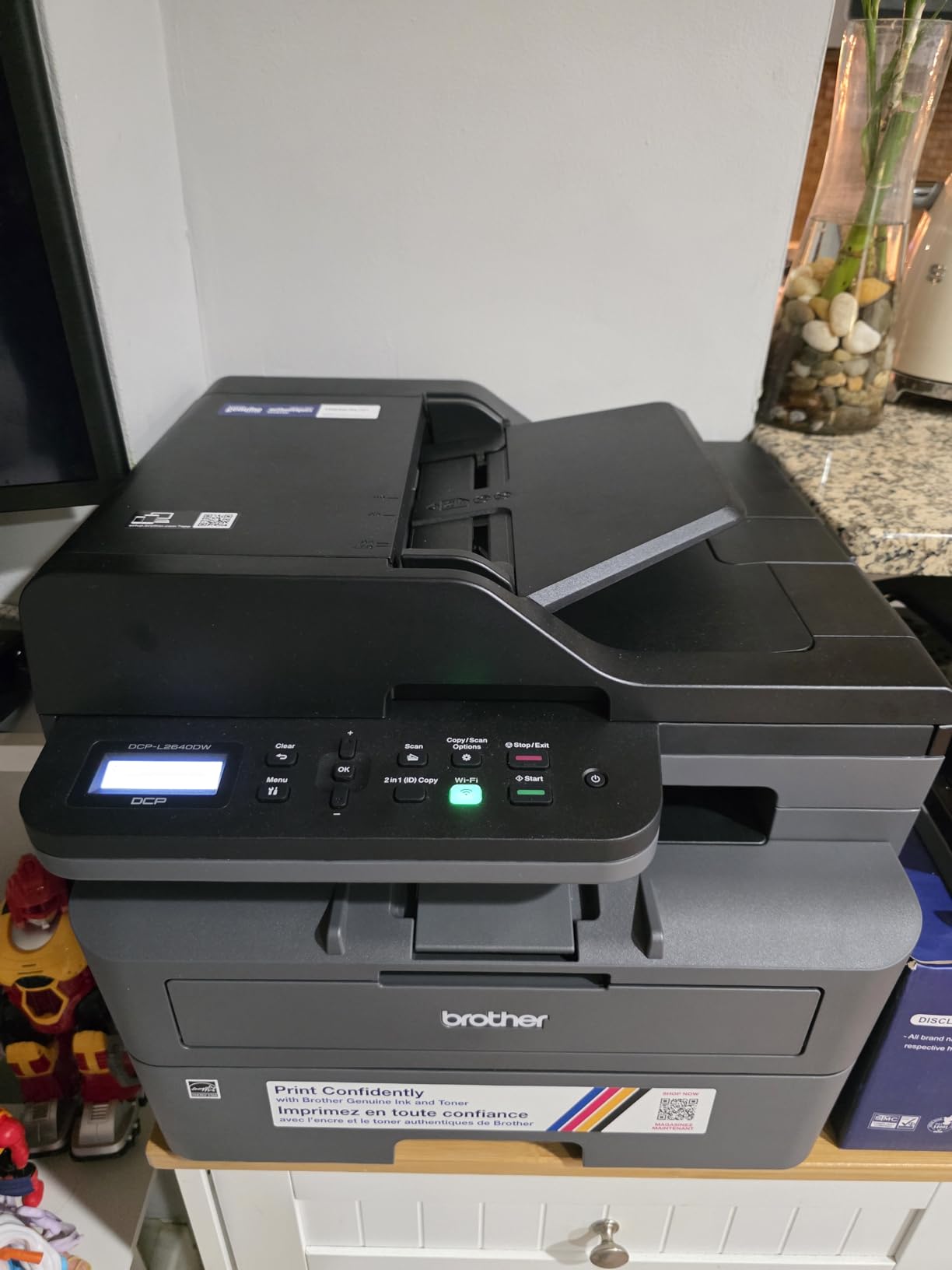
Mac workflow is straightforward through AirPrint, and the Brother Mobile Connect app covers printing, scanning and toner ordering from an iPhone when you are away from the desk. The control method is worth noting: the on-device menu is a small LCD with buttons, and reviewers find the app far easier to navigate than the hardware.
Two workflow issues recur in the reviews. Some owners report the wireless connection needing several attempts during first-time setup, and a small number say the scan-to-PC save dialog freezes and needs a restart. The machine password required for firmware updates is also a recurring stumbling block, because a failed password change can lock you out of the update flow entirely.
Who the Brother DCP-L2640DW suits
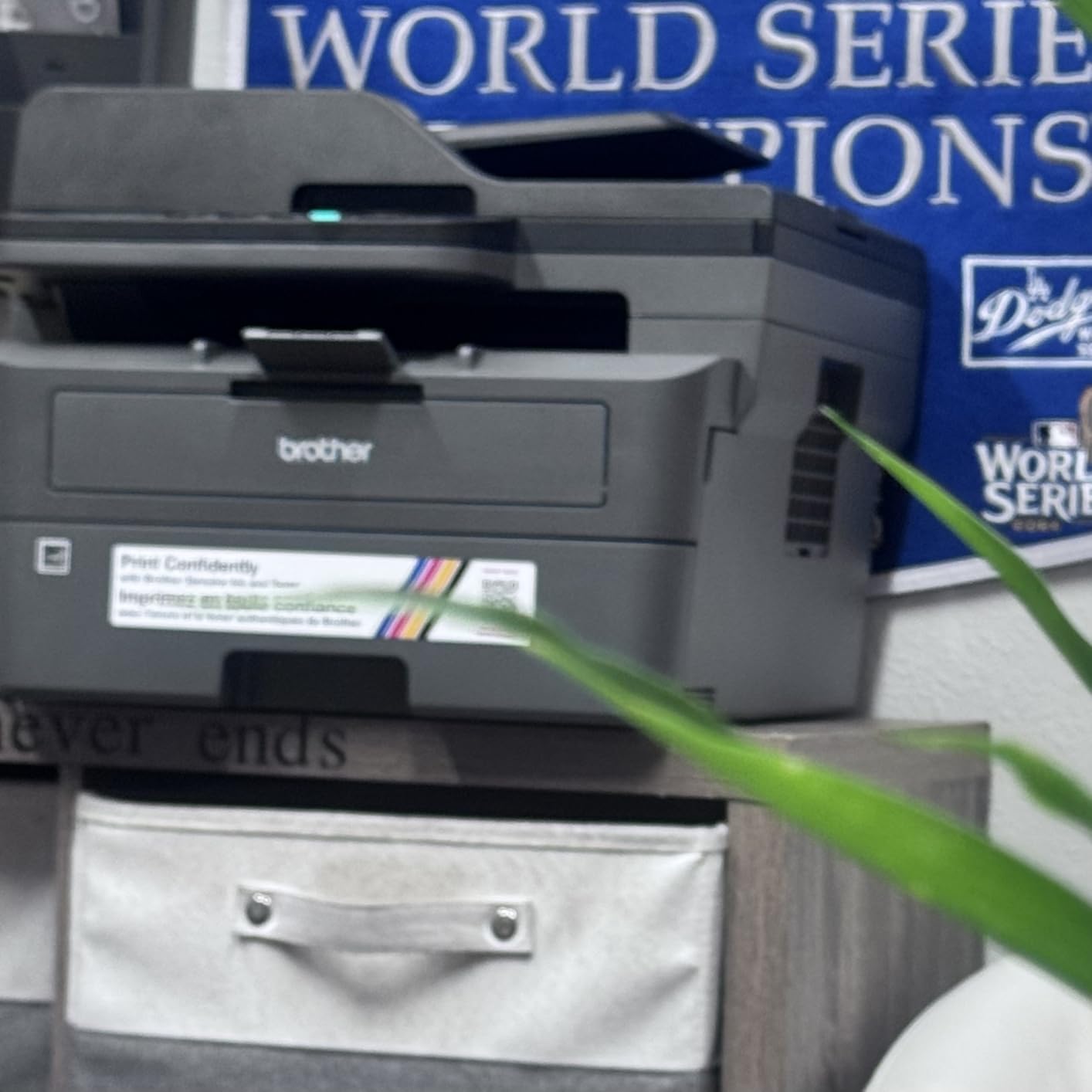
Anyone printing contracts, invoices, code listings and coursework in black and white, several days a week. The 250-sheet paper tray means you load paper far less often than with the smaller inkjets, and duplex printing on a 36 ppm engine is the combination that makes this the practical home office choice.
It is also a good fit for a Mac mini or Mac Studio that lives in a small office, because Ethernet and dual-band Wi-Fi together cover nearly any network layout. Power draw is rated at 470 watts during operation, so keep it in a ventilated spot rather than a closed shelf.
Where the DCP-L2640DW falls short
It is monochrome only. There is no colour path at all, so photos, charts and highlighted documents are off the table. If colour shows up even occasionally, an inkjet is a better fit for a Mac setup.
At 25 pounds and 15.7 by 16.1 inches, it is compact for a laser but not small. Copy resolution is 600 x 600 dpi, which is fine for documents and short of what you want for archiving photos.
3. Canon PIXMA TS3720 – the budget pick for a dorm room or first Mac
Canon PIXMA TS3720 Wireless All-in-One Printer for Basic Home Printing, White
Color inkjet all-in-one
4800 x 1200 dpi
7.7 ppm black, 4 ppm color
60 sheet tray
8.7 pounds
Pros
- Very compact body at 8.7 pounds
- AirPrint Mopria and Canon PRINT support for Mac iOS and Chromebook
- Dual-band 2.4GHz/5GHz Wi-Fi for a stable connection
- Borderless 5 x 7 inch and square 5 x 5 inch photo printing
Cons
- Single-sided printing only
- Small 60 sheet input capacity
- Modest 7.7 ppm black and 4 ppm color speeds
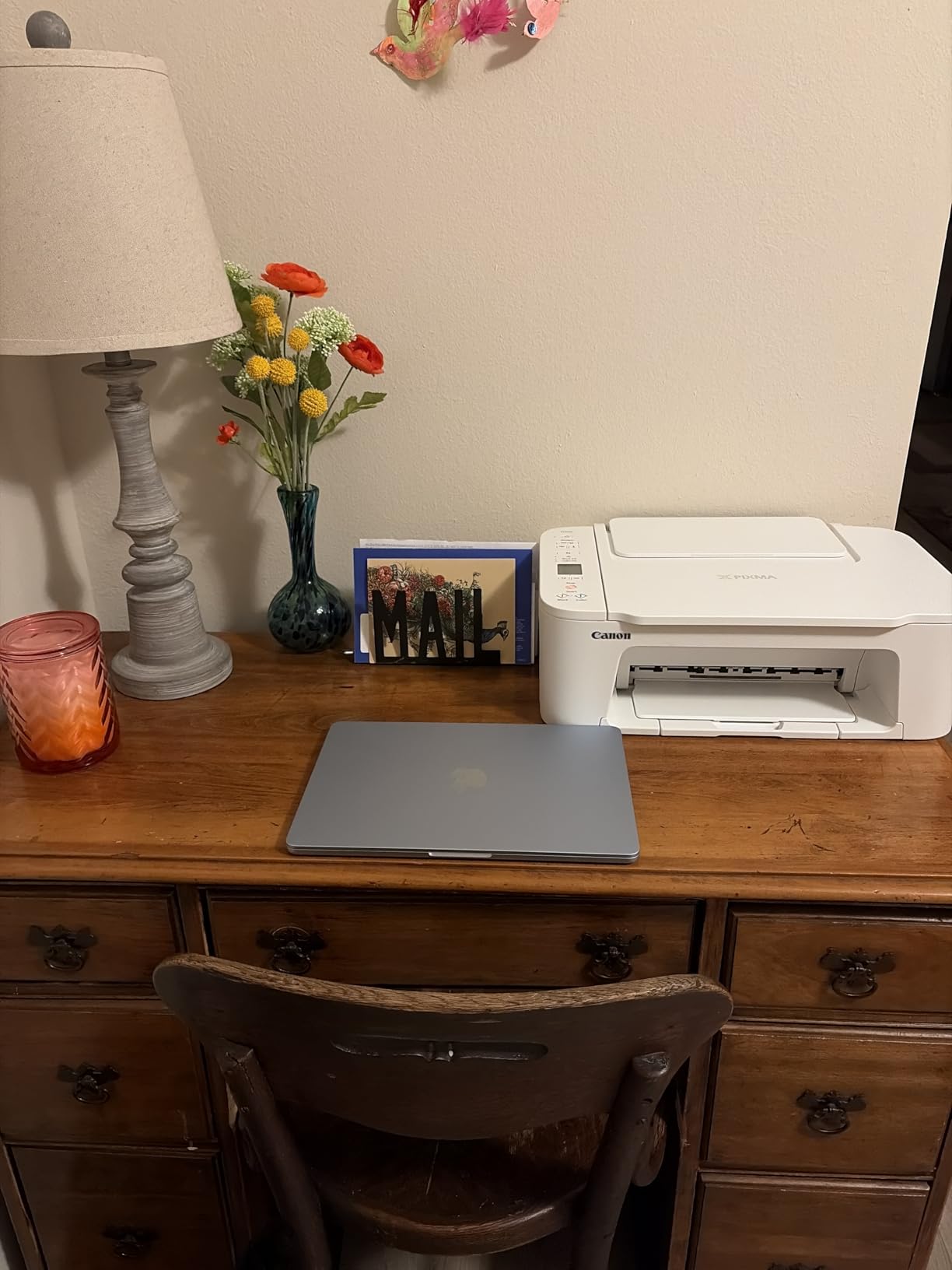
At 8.7 pounds and 5.8 inches tall, this is the printer that disappears into a dorm room or a small apartment. On a Mac it sets up without a computer, and once it joins the network it handles print, copy and scan with AirPrint, Mopria Print Service and the Canon PRINT app covering every Apple device you own.
For light use, the two-cartridge PG-275 and CL-276 system is straightforward. You replace the colour you need, the cartridges are easy to fit, and the printer covers borderless output on 5 x 7 inch photo paper and square 5 x 5 inch formats for scrapbook work and cards.
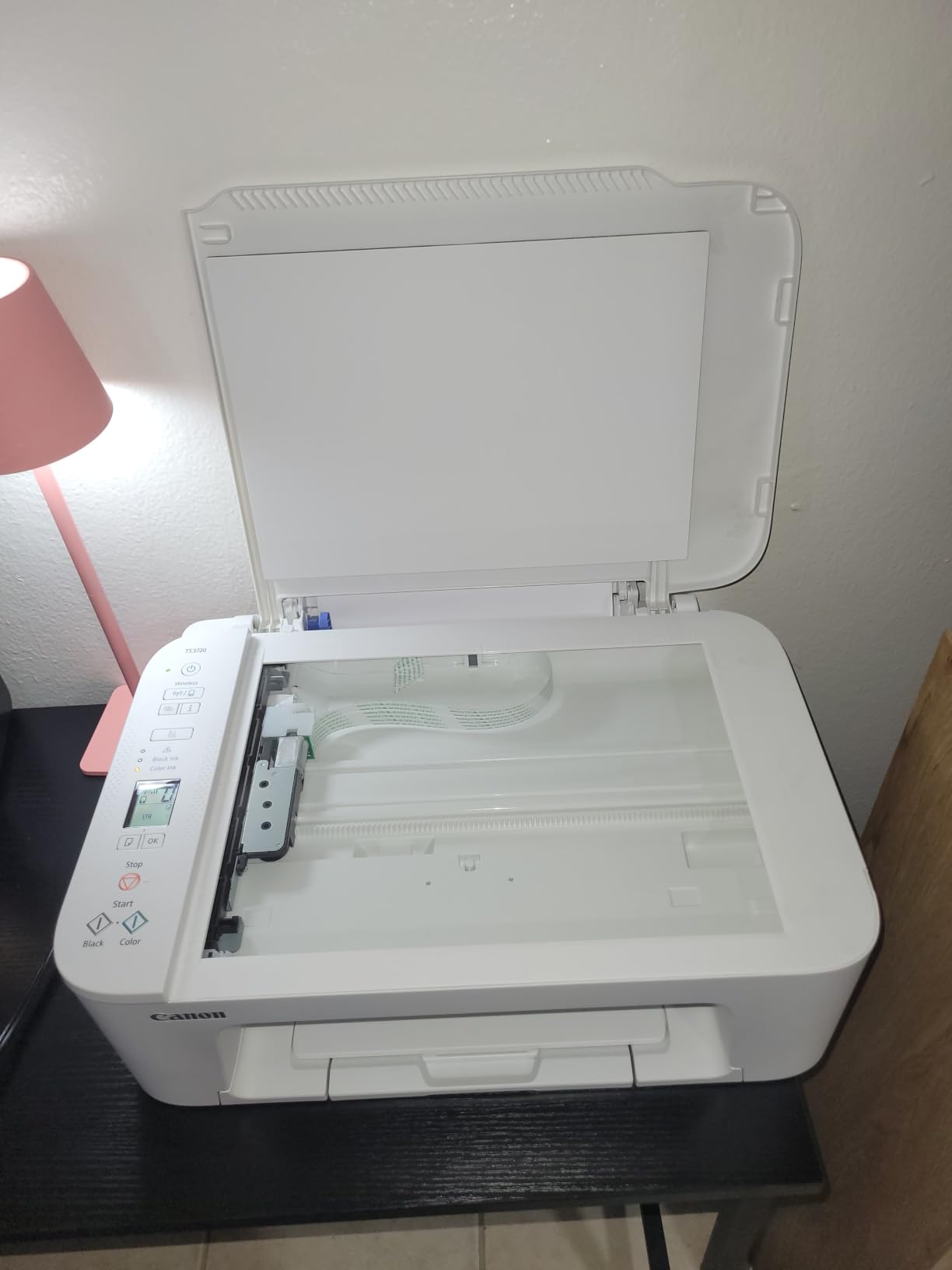
Dual-band Wi-Fi is a genuine plus at this level, because 5GHz support cuts the dropouts people hit with 2.4GHz-only models in dense apartment buildings. The 1.5-inch segment LCD is small but shows ink status, and it also works with Chromebooks if the household is mixed.
Where it runs out is speed and capacity. At 7.7 pages per minute in black and 4 in colour, a 20-page handout takes a couple of minutes. The 60-sheet input tray is the smallest here, so expect to refill weekly, and there is no duplexer, so double-sided documents take twice the paper.
Who the Canon PIXMA TS3720 suits
A student with a MacBook Air, a renter who prints assignments and boarding passes, or anyone who wants colour photos from a phone without a large machine on the desk. It is also a sensible backup printer for a home office that mostly uses a laser.
If your printing is occasional, inkjet cartridge costs will never become a problem. The running cost story only becomes painful when you are producing pages every week.
Where the PIXMA TS3720 falls short
Sixty sheets and no duplexer are the two limits that show up in reviews most often. Colour output is adequate for 5 x 7 inch prints and school projects rather than detailed photography, and the 4800 x 1200 dpi maximum resolution is at the lower end of what Canon does elsewhere.
There is no Ethernet port, and the tray does not auto-extend, so the footprint is small by default but grows when loaded with paper.
4. Brother HL-L2460DW – the best wireless printer for black-and-white volume
Brother HL-L2460DW Wireless Compact Monochrome Laser Printer with Duplex, Mobile Printing, Black & White Output | Includes Refresh Subscription Trial(1), Works with Alexa
Monochrome laser print only
36 ppm
Automatic duplex
1200 x 1200 dpi
250 sheet tray
Pros
- Fast 36 ppm monochrome output with automatic duplex
- 15.6 pound body suits a laser with a 250-sheet tray
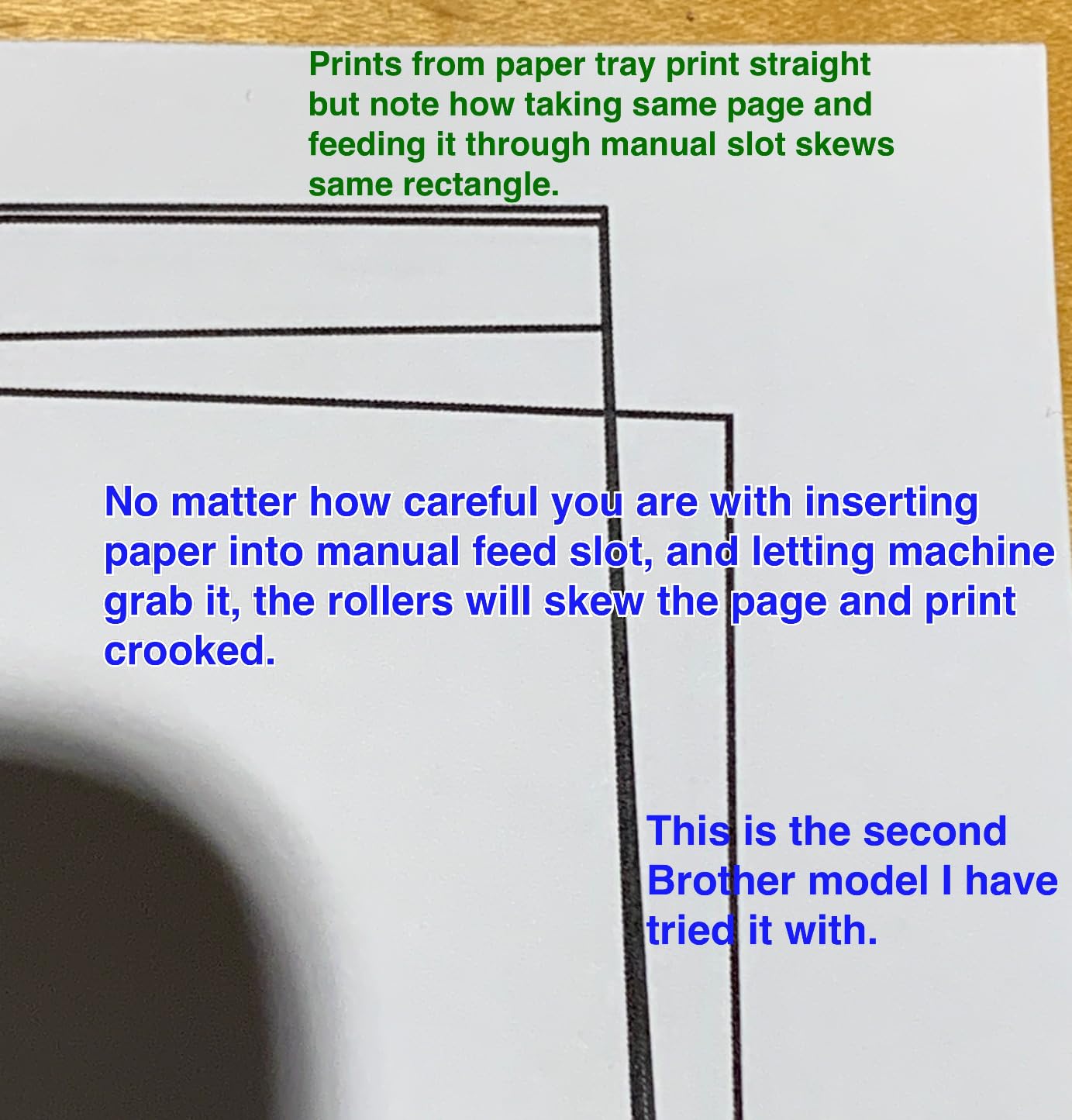
- 250 sheet tray plus a manual feed slot for envelopes and specialty paper
- Dual-band Wi-Fi with Ethernet and USB and Mobile Connect
Cons
- Print-only device with no scanner copier or fax
- Monochrome output only
- On-screen Wi-Fi setup is tedious using the physical buttons
This is the printer to buy when you have already made the inkjet-to-laser switch and never looked back. Several owners in the reviews describe converting specifically to stop paying cartridge costs, and 36 pages per minute with automatic duplex is fast enough for a small team sharing one machine.
At 1200 x 1200 dpi the text output is noticeably crisper than 600 dpi laser printers, which matters when you are printing invoices, forms or long documents on a Mac and previewing at full size. The 250-sheet main tray plus a manual feed slot for envelopes and specialty stock covers most home office paper handling.
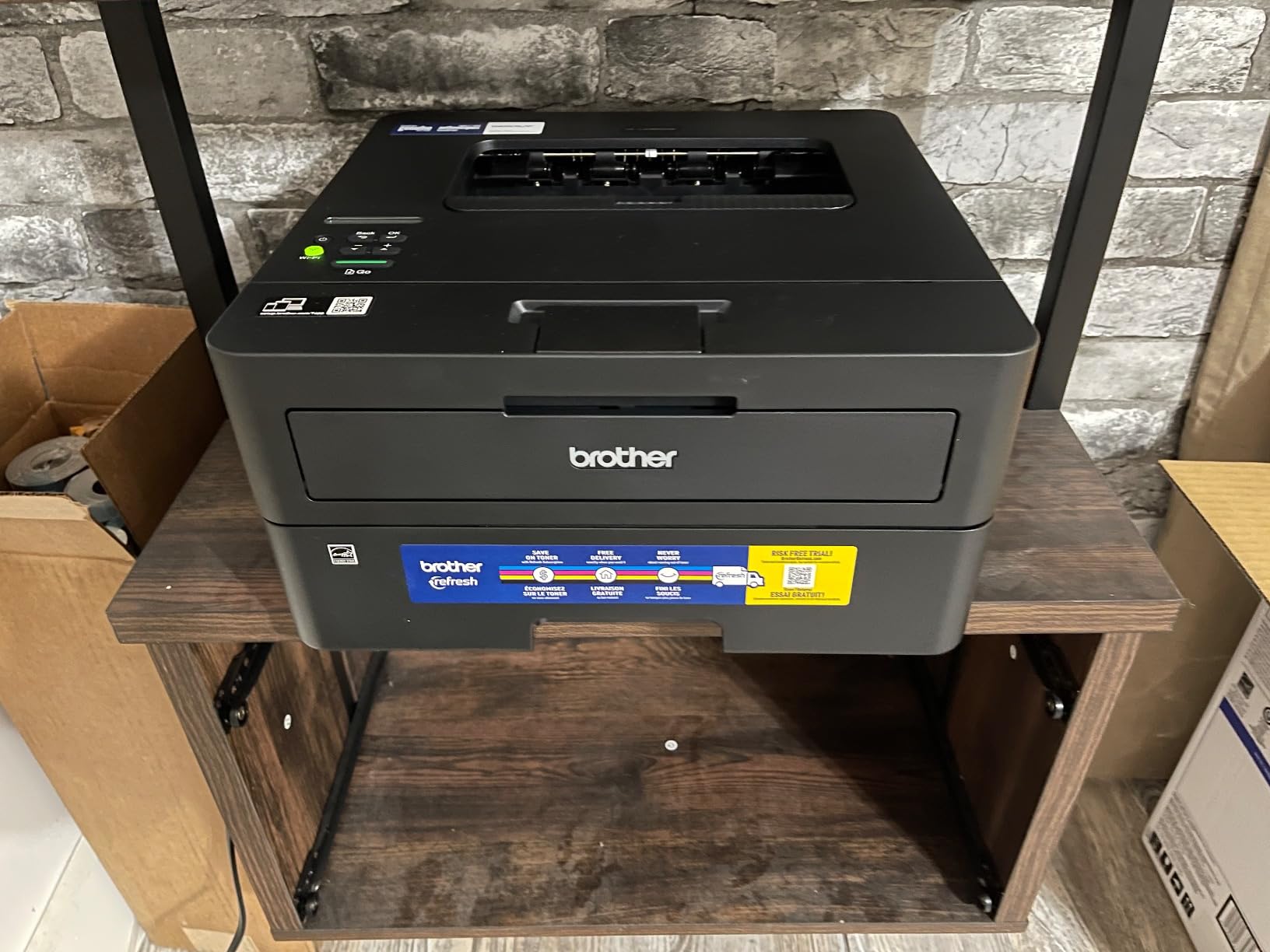
It lists laptops, PCs, smartphones, tablets and iPhone among compatible devices, and AirPrint handles Mac and iOS output without an app. Brother Mobile Connect adds remote printing and toner level tracking. The listed compatible toner is the Brother Genuine TN830 and TN830XL range, which is widely available and inexpensive per page.
The physical design is worth flagging. It is a basic plastic body with a small display and simple buttons, and reviewers specifically call the on-device Wi-Fi setup tedious. Setting it up from a Mac through AirPrint and the mobile app is a much better experience than fighting the buttons on the front panel.
Who the Brother HL-L2460DW suits
A home office, a small studio, or a shared room where everyone prints black-and-white documents, forms and shipping paperwork. At 15.6 pounds and 14.2 by 14 inches it moves between a shelf and a desk more easily than the larger Brother multifunctions.
If you scan regularly, look past this one. It is a print-only device with no flatbed, no feeder and no fax, and owners who bought it for scanning regret that quickly.
Where the HL-L2460DW falls short
No colour, no scanning, no copying. That single line covers most of what an all-in-one gives you, so this is a printer for people with a very specific, print-heavy, monochrome workload.
The bundled Refresh EZ Print trial also draws complaints about per-page charges and cancelling. Decline it at setup if you plan to buy toner yourself, and check the terms before you accept.
5. Canon PIXMA TS6520 – best wireless inkjet with automatic duplex
Canon PIXMA TS6520 Wireless Color Inkjet Printer, Duplex Printing, Copier/Scanner, 1.42″ OLED Display, Compact, White
Color inkjet all-in-one
Automatic duplex
1200 x 1200 dpi
14 ppm black, 9 ppm color
OLED display
Pros
- Automatic two-sided printing which is unusual at this tier
- 4.2 star average with about 70 percent five-star ratings
- 1.42 inch OLED shows ink levels and status
- Dual-band Wi-Fi with AirPrint Mopria and Canon PRINT
- 3 year manufacturer warranty
Cons
- Single 1-sheet sheet capacity in the specifications
- One combined color tank is less economical for heavy color
- Photo output is adequate rather than photo-lab quality
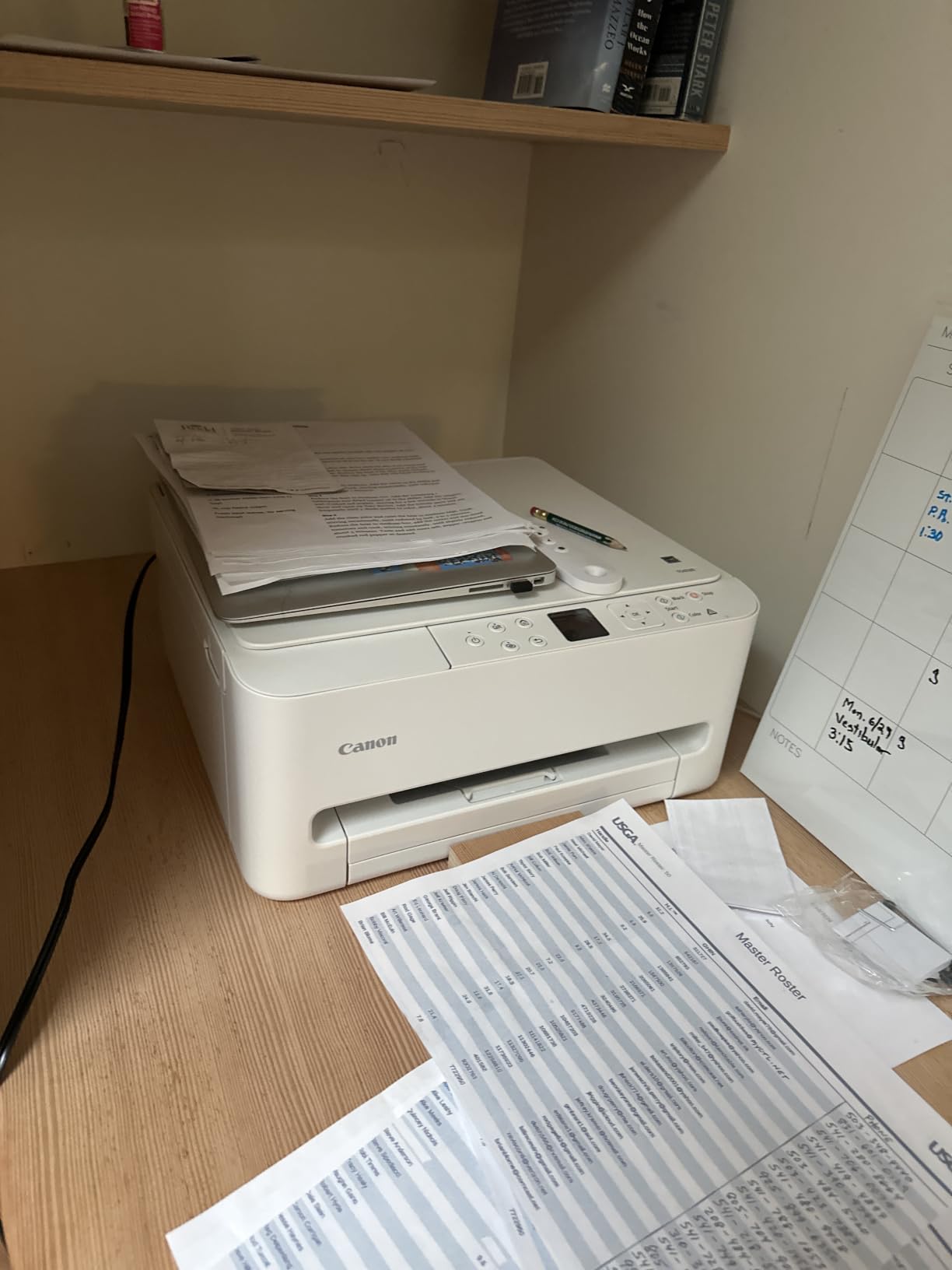
Automatic duplex on an inkjet is still uncommon at this level, and that single feature separates the TS6520 from most of the compact all-in-ons competing with it. Paired with a 1.42-inch monochrome OLED that shows ink levels at a glance, it is the printer we would pick for a Mac user who wants colour and two-sided pages without moving to a laser.
It holds a 4.2-star average with roughly 70 percent five-star ratings and only about 12 percent one-star feedback, which puts it among the best-rated units in this roundup. Speed is respectable for an inkjet: 14 pages per minute in black, 9 in colour, and a first page in 7.5 seconds black or 9.5 seconds colour.
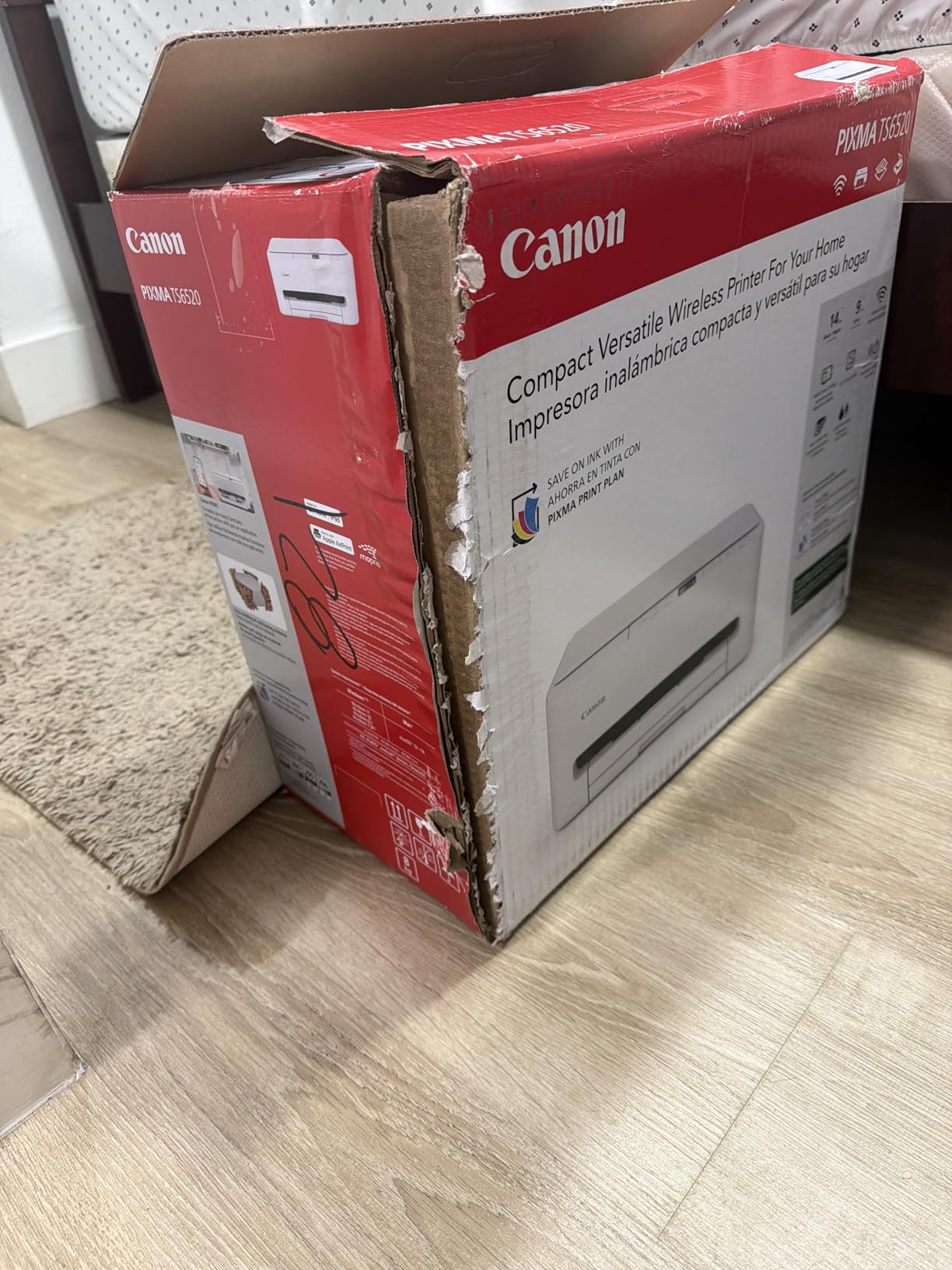
On the Mac side, dual-band Wi-Fi plus AirPrint, Mopria and the Canon PRINT app cover printing from a MacBook, an iPhone and an iPad, and the voice control method lets you trigger jobs through Siri Shortcuts-style voice commands. The scanner and copier sit in a compact 14.8 by 14 inch footprint with a total weight of 15.4 pounds.
The ink system is the catch. It uses one PG-295 pigment black tank and a single CL-286 dye colour tank, so the colour cartridge is a combined unit. That is fine for occasional colour and expensive if you print colour all week, which is exactly the situation a refillable tank model handles better.
Who the Canon PIXMA TS6520 suits
A home office that needs colour, scanning and copying plus duplex output, in a space too small for a laser all-in-one. The 3-year manufacturer warranty is longer than the 1-year cover on most models here, which adds real value for a machine that sits on a desk and gets handled daily.
It is a good partner for a MacBook Air user who prints reports, teaching materials and the occasional chart, and the OLED takes the guesswork out of checking ink before a big job.
Where the PIXMA TS6520 falls short
The specification sheet lists a single-sheet capacity, which limits how much you can print without pausing to refill the tray. Plan on loading paper mid-job for anything longer than a short document.
Maximum print resolution is 1200 x 1200 dpi, lower than the 4800 x 1200 dpi on Canon’s own MegaTank and 5760 x 1440 dpi on the Epson models. Photo prints are fine for documents and casual use, but not for large bordered images you intend to frame.
6. HP LaserJet MFP M140w – a compact wireless laser for a Mac desk
HP Laserjet MFP M140w Wireless Black & White Printer, Print, scan, Copy, Fast speeds, Easy Setup, Mobile Printing, Best-for-Small Teams
Monochrome laser all-in-one
21 ppm
600 x 600 dpi
99 sheet tray
11.9 pounds
Pros
- Tiny 10.4 inch deep footprint for a laser printer
- Print scan and copy in an 11.9 pound unit
- AirPrint and Mopria work out of the box on Mac
- ID card copy puts both sides of a small document on one sheet
Cons
- No automatic duplex printing
- Small 99 sheet paper capacity
- 600 x 600 dpi is the lowest resolution in this group
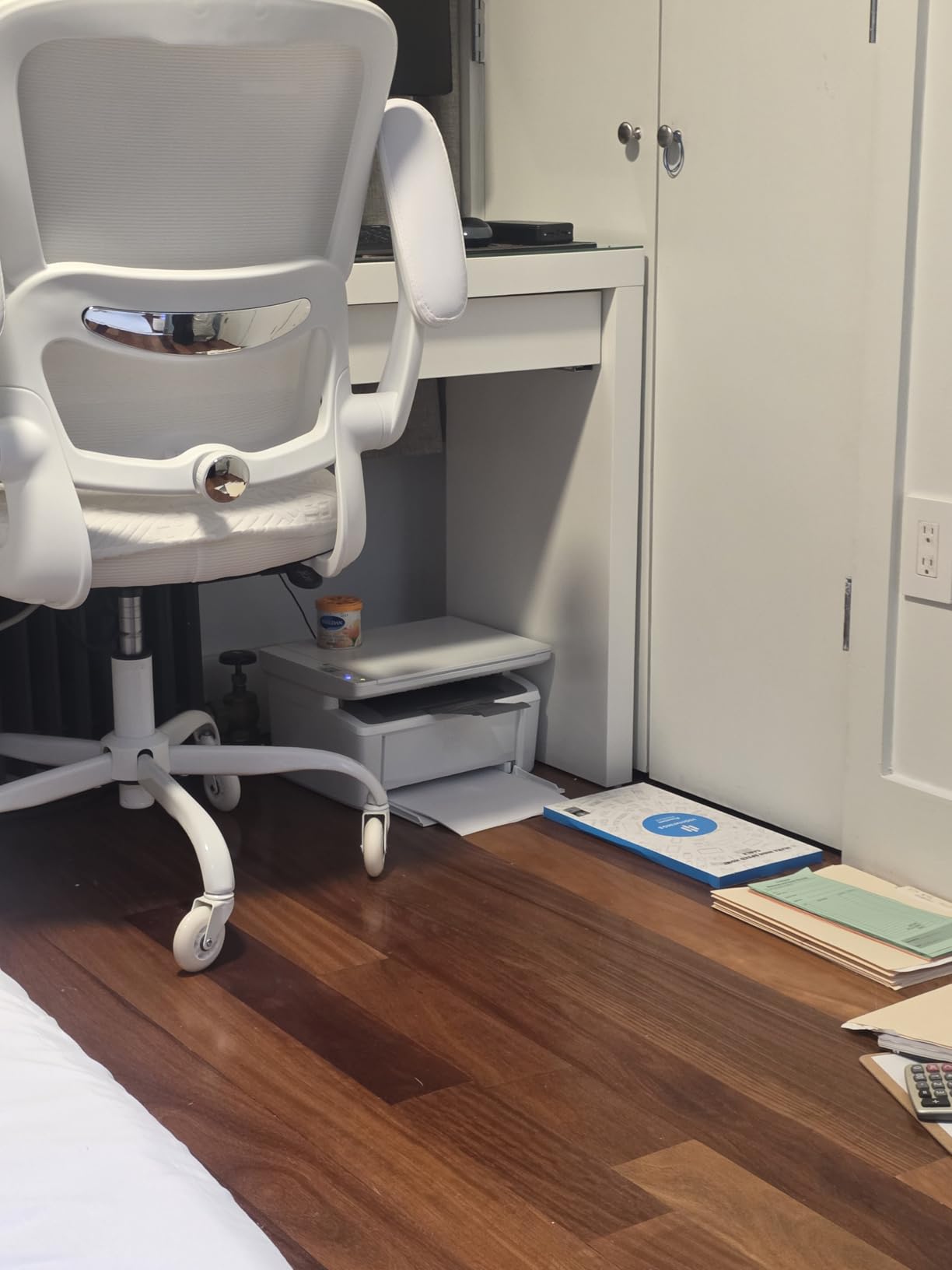
HP markets this as the smallest laser printer in its class, and at 10.4 inches deep and 11.9 pounds it earns the claim. On a MacBook Air user setup where desk space is the real constraint, that footprint is often the deciding factor over raw speed.
It lists Apple AirPrint and Mopria certification directly, plus the HP Smart app for scanning to the cloud and printing from a phone. Chromebooks and Android devices work out of the box too, which makes it a safe pick for a shared household rather than a single-user desk.
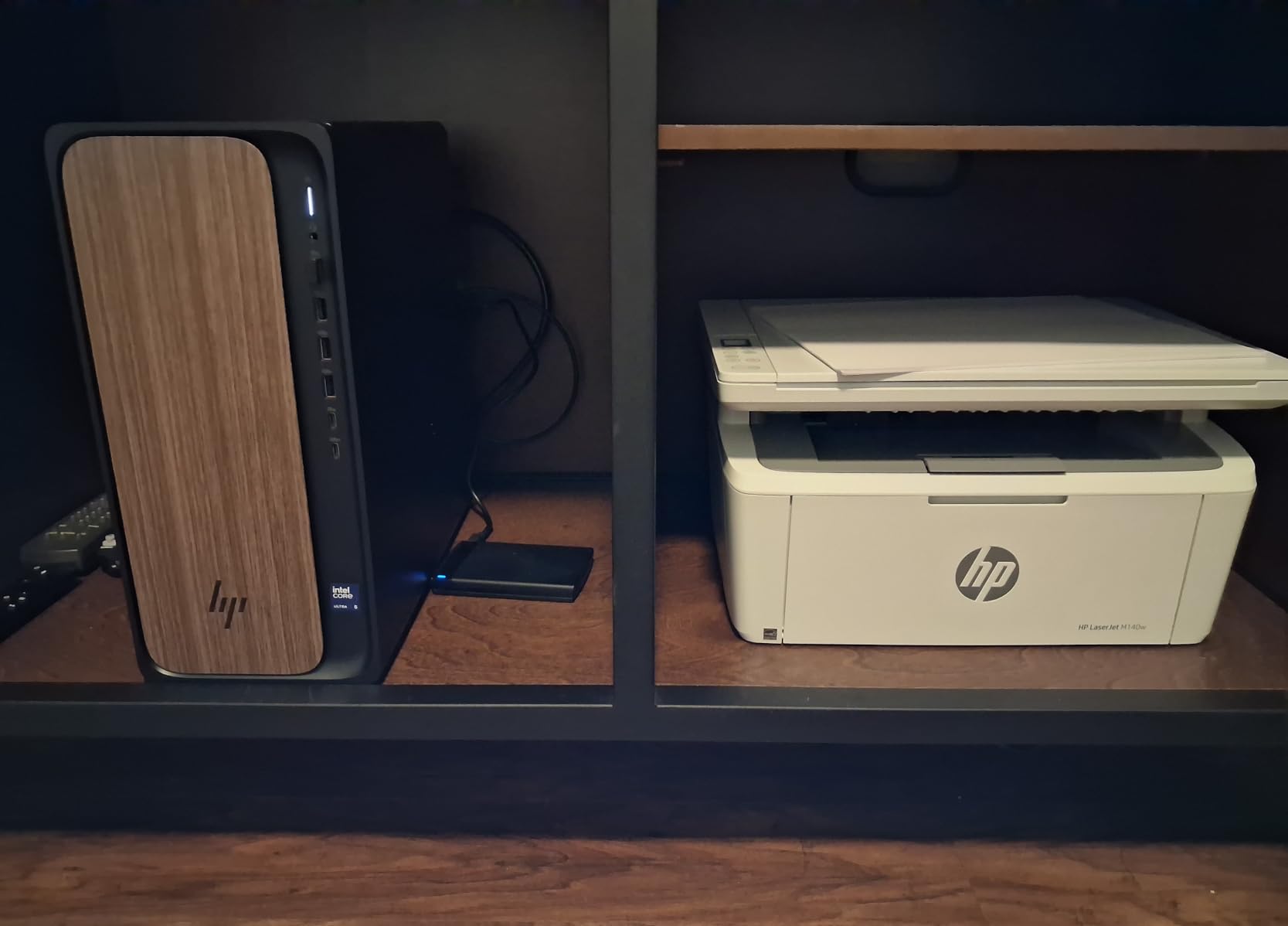
Print, scan and copy in one unit at 21 pages per minute with a first page in 8.3 seconds is fast enough for forms and short runs. The ID card copy function, which places both sides of a small document on one sheet, is genuinely useful for licences, references and travel documents.
Resolution is the tradeoff for the size: 600 x 600 dpi is the lowest in this group, so expect plain text rather than crisp graphics. The 99-sheet paper tray is also small, and there is no duplexer, so two-sided documents mean flipping pages manually.
Who the HP LaserJet MFP M140w suits
A small or shared office, a home study, or an iMac user who wants laser text quality in a compact box without spending on a full-size monochrome all-in-one. The wireless radio includes a self-reset function, which helps when the printer has been idle for weeks.
If you need a scanner and copier on a Mac, this delivers both without extra hardware. If you need fax, it does not include that.
Where the LaserJet MFP M140w falls short
No automatic duplex, a 99-sheet tray and 600 x 600 dpi output define this as a basic document printer. Colour is also absent, so any charts or images in your documents print in black.
HP’s cartridge restriction is the bigger long-term consideration. The printer requires cartridges containing original HP chips, and firmware blocks non-HP chips, which rules out many third-party refill options. Factor that into the running cost over several years.
7. Epson WorkForce WF-2850 – the colour inkjet with a built-in fax
Epson Workforce WF-2850 Wireless All-in-One Printer with Scan, Copy, Fax
Color inkjet all-in-one
Fax included
5760 x 1440 dpi
10 ppm black, 4.5 ppm color
Color LCD
Pros
- The only colour inkjet here with built-in fax alongside print scan and copy
- Automatic two-sided printing
- Individual Claria cartridges so you replace only the colour you need
- Voice printing through Alexa Siri and Google Assistant
- Heat-free technology with a permanent printhead
Cons
- Rear paper feed jams reported by multiple owners
- Firmware updates can stop the printer recognising aftermarket cartridges
- Setup depends on downloading software from the Epson website
Fax is the feature that keeps this model relevant for a home-office Mac user who still needs a phone line for documents, and among the colour inkjets here it is the only one that includes it. The Brother MFC-L2820DW covers print, scan, copy and fax too, but as a monochrome laser. If you run a home business that still signs physical documents, or you deal with a school or clinic that requires a fax line, this is the Mac-compatible unit that covers print, scan, copy and fax in a single 11.5-pound body.
Print quality is the strongest inkjet specification here: 5760 x 1440 dpi in both black and colour, above the other inkjets on this list. A colour LCD handles navigation, and voice-activated printing works with Alexa, Siri and Google Assistant, which pairs naturally with Apple workflows.
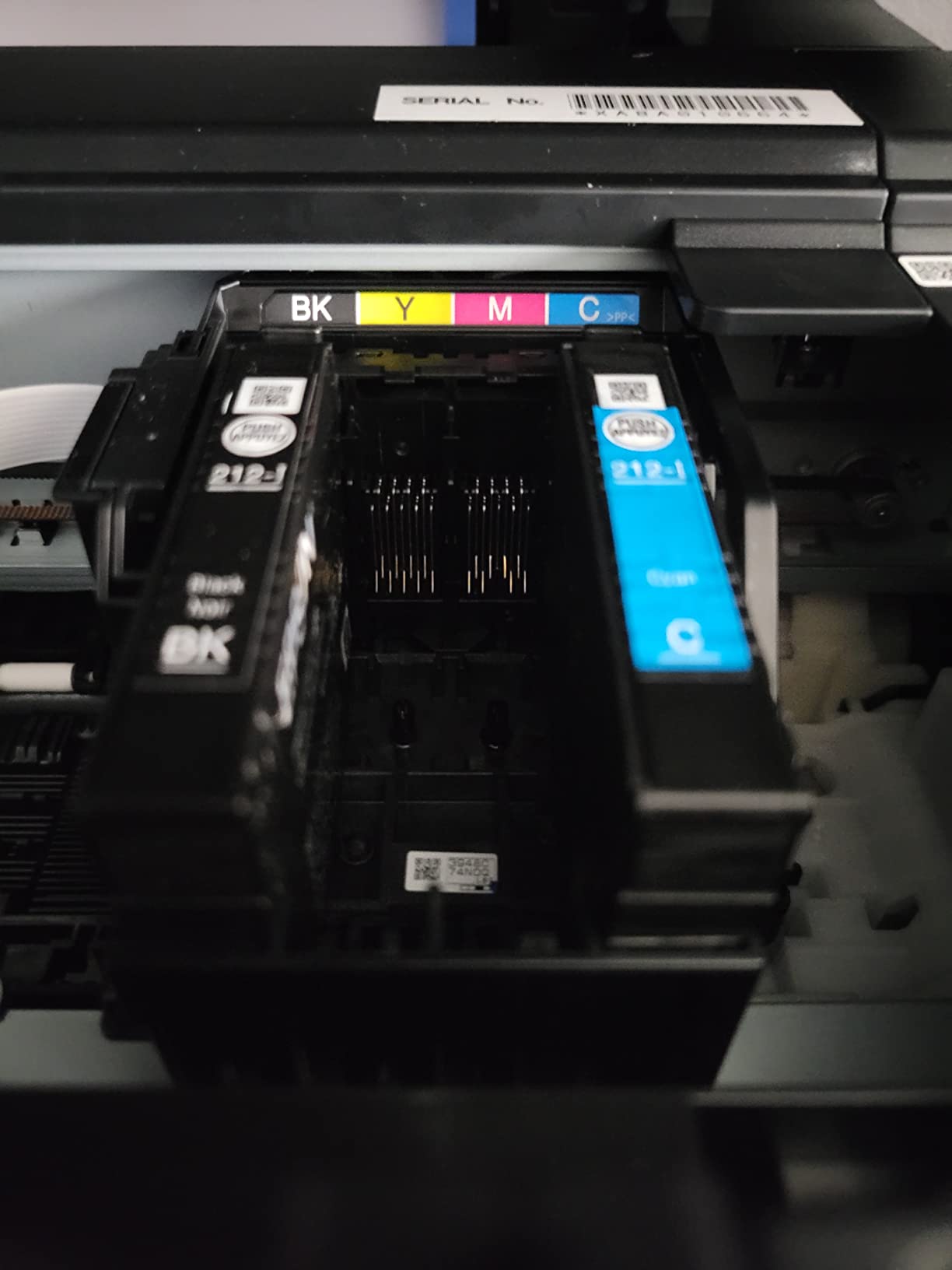
Epson’s heat-free PrecisionCore-style architecture uses a permanent printhead designed to last the life of the printer, so there is no periodic head replacement to budget for. Individual Claria cartridges mean a magenta-heavy project does not force you to replace black, cyan and yellow at once.
The recurring negatives are mechanical. Several owners report jams at the rear paper feed, and a few describe the touch keypad stopping mid-print and needing a driver reinstall. Setup also depends on downloading software and drivers from the Epson website, with no printed manual in the box, so allow time for that step even though AirPrint handles basic printing once the printer is online.

Who the Epson WorkForce WF-2850 suits
Home businesses, remote administrative roles and students or researchers who still need fax alongside colour printing and duplex output. The 100-sheet tray and automatic duplex keep everyday document handling reasonable, and wireless printing works from both Mac and iOS devices.
At 5760 x 1440 dpi it also suits anyone printing colour charts, craft projects or images where resolution matters more than speed.
Where the WorkForce WF-2850 falls short
The rear feed jams are the most common complaint, and the printer sits 22.8 inches deep, so leave room behind it for paper access. It also runs at 10 pages per minute in black and 4.5 in colour, which is slow for long colour jobs.
Be aware that firmware updates have been reported to stop the printer recognising aftermarket ink cartridges. If you buy third-party ink, expect to manage that interaction rather than ignore it.
8. Brother MFC-L2820DW – the best wireless all-in-one for a small business
Brother MFC-L2820DW Wireless Compact Monochrome All-in-One Laser Printer with Copy, Scan and Fax, Duplex, Black & White | Includes Refresh Subscription Trial(1), Works with Alexa
Monochrome laser all-in-one with fax
34 ppm
50 page ADF
2.7 inch touchscreen
250 sheet tray
Pros
- Print scan copy and fax in a compact monochrome laser body
- 4.3 star average with 71 percent five-star feedback
- 2.7 inch touchscreen with scan to Google Drive Dropbox Evernote and OneNote
- Automatic duplex with a 50 page ADF and 250 sheet tray
- Quiet operation with no recurring jams for most owners
Cons
- Wireless sometimes has to be recovered after a PC restart
- Paper jams must be cleared from the back of the unit
- No automatic double-sided scanning
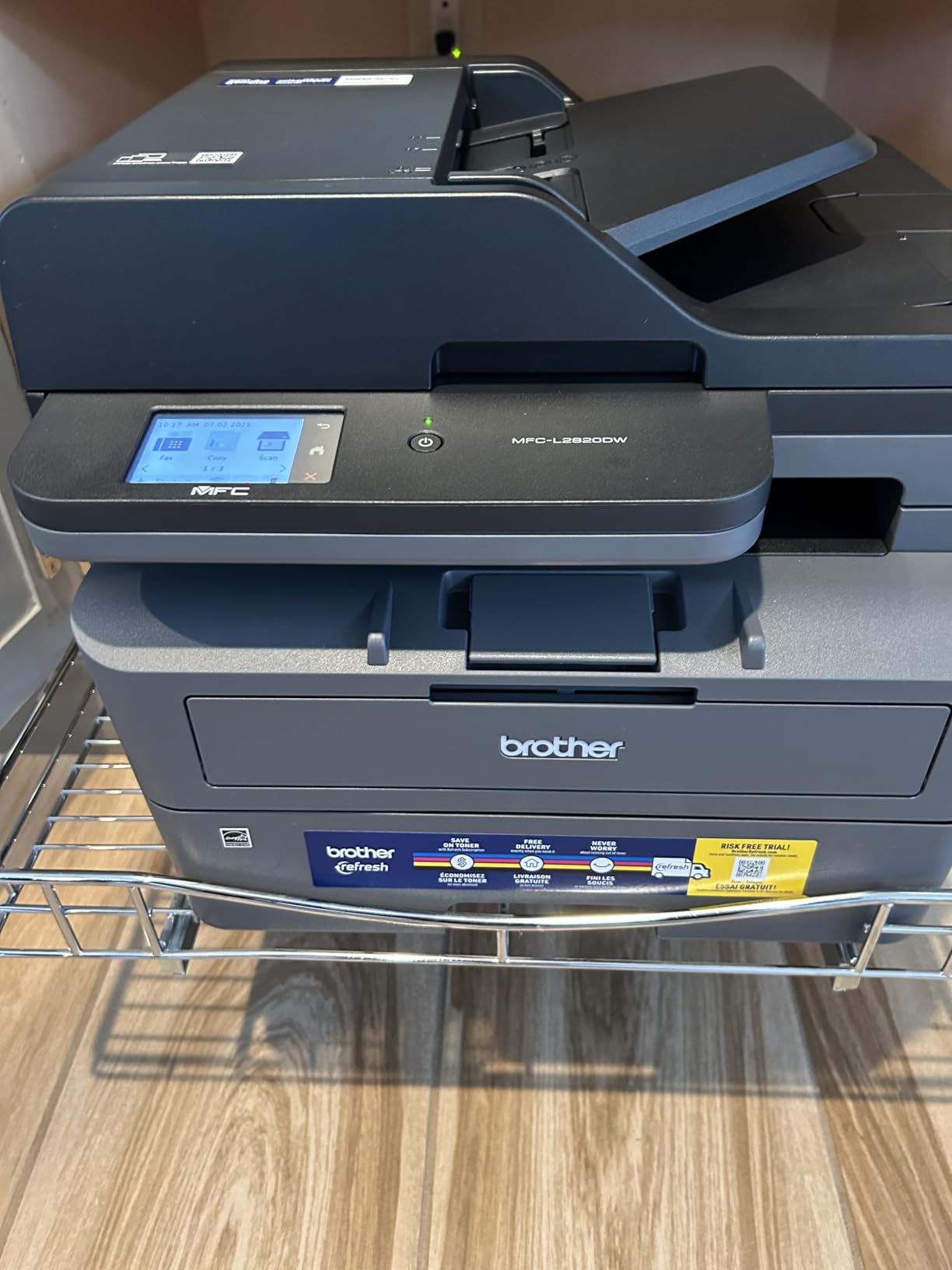
This is the most complete monochrome machine here and the highest-rated in the group, at 4.3 stars with 71 percent five-star feedback and only 9 percent one-star. It combines print, scan, copy and fax in a 22.5-pound body with a 2.7-inch touchscreen, which is the closest thing on this list to a small office multifunction device.
Print speed is 34 pages per minute with automatic duplex, a 50-page automatic document feeder and a 250-sheet tray, plus a 250-sheet output capacity that means fewer mid-job pauses than most. The touchscreen also handles cloud destinations, including scanning straight to Google Drive, Dropbox, Evernote and OneNote.
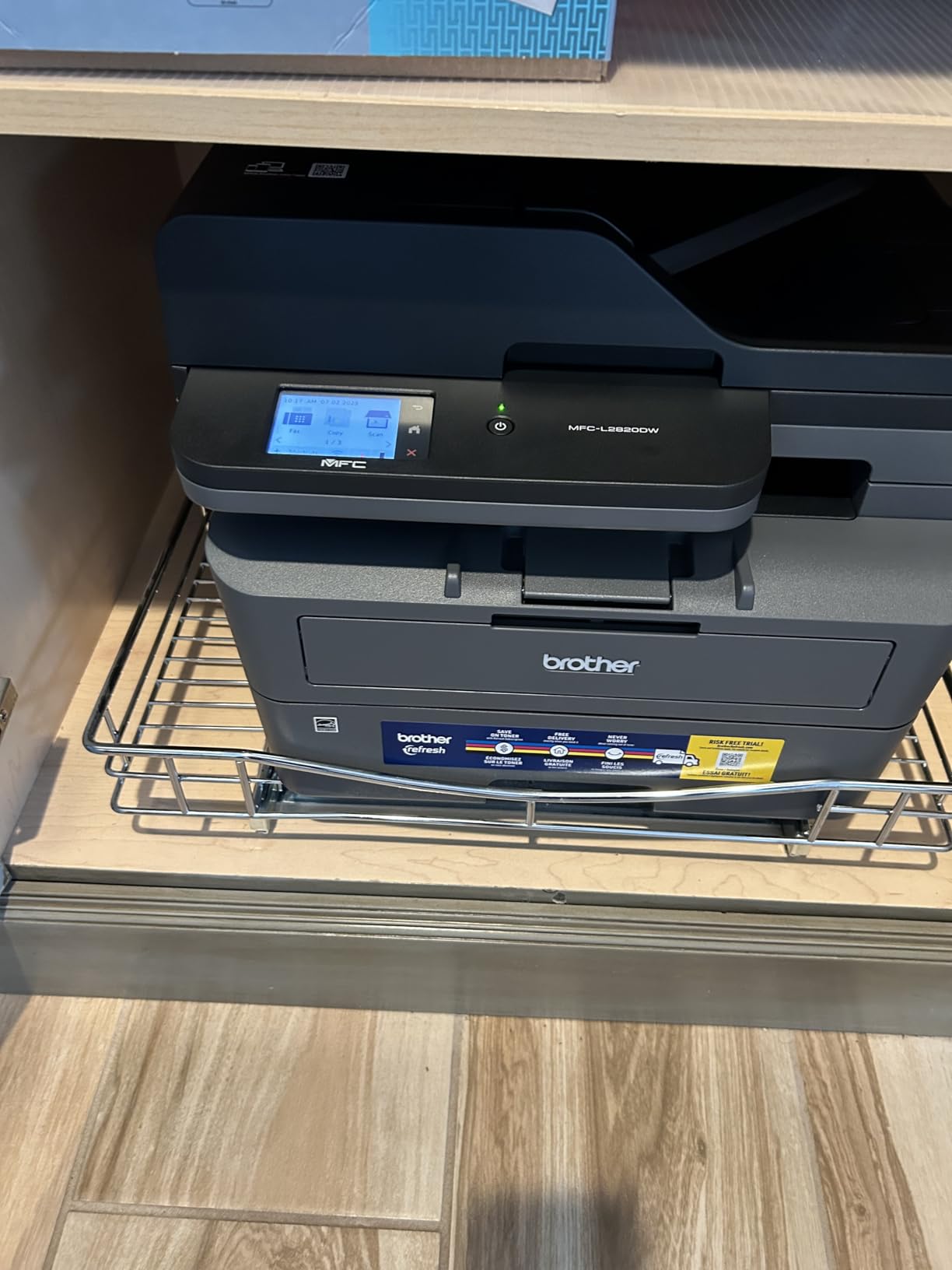
Owners report straightforward wireless setup across Windows, Linux, Mac, Android phones and tablets, which is unusual for a machine with this much going on. On a Mac, AirPrint handles printing while Brother Mobile Connect covers remote management and supply ordering, and it works with Alexa for voice jobs.
The two issues in reviews are practical. Some users have to manually recover the wireless connection after the computer restarts, delaying the first print of the day, and jams are cleared from the rear of the unit, which is awkward when the printer sits against a wall. There is also no automatic double-sided scanning, and the fax function needs a line cord and phone line connection.
Who the Brother MFC-L2820DW suits
A two-to-five-person office, a home business handling invoices and customer paperwork, or a Mac user who wants one machine for print, scan, copy and fax. Dual-band Wi-Fi plus Ethernet covers most office networks, and the touchscreen makes it usable without a computer for anyone less technical.
Quiet operation is worth calling out if the printer sits near your desk on a call. Most owners report no recurring jams, which is a different story from several other all-in-ones here.
Where the MFC-L2820DW falls short
It is monochrome only, and the resolution of 1200 x 1200 dpi is for text rather than images. Copy resolution drops to 600 x 600 dpi, and the ADF scans one side at a time.
At 470 watts during operation and 15.7 by 16.1 inches, it needs a proper surface and ventilation. Leave clearance at the back if you can, given the rear jam access.
9. HP LaserJet Pro 3001dw – the best wireless printer for a locked-down office network
HP Laserjet Pro 3001dw Wireless Black & White Printer, Best-for-Office (3G65OF)
Monochrome laser print only
35 ppm
Automatic duplex
1200 x 1200 dpi
250 sheet tray
Pros
- Automatic duplex at up to 35 ppm among the fastest monochrome output here
- First page out in roughly 6.6 seconds
- AirPrint on Mac Android Chromebook and Microsoft out of the box
- Ethernet and Bluetooth alongside Wi-Fi
- HP Wolf Pro Security with customizable settings
Cons
- Print-only device with no scanner copier or fax
- Reported difficulty staying connected on mesh Wi-Fi routers
- Requires cartridges with original HP chips
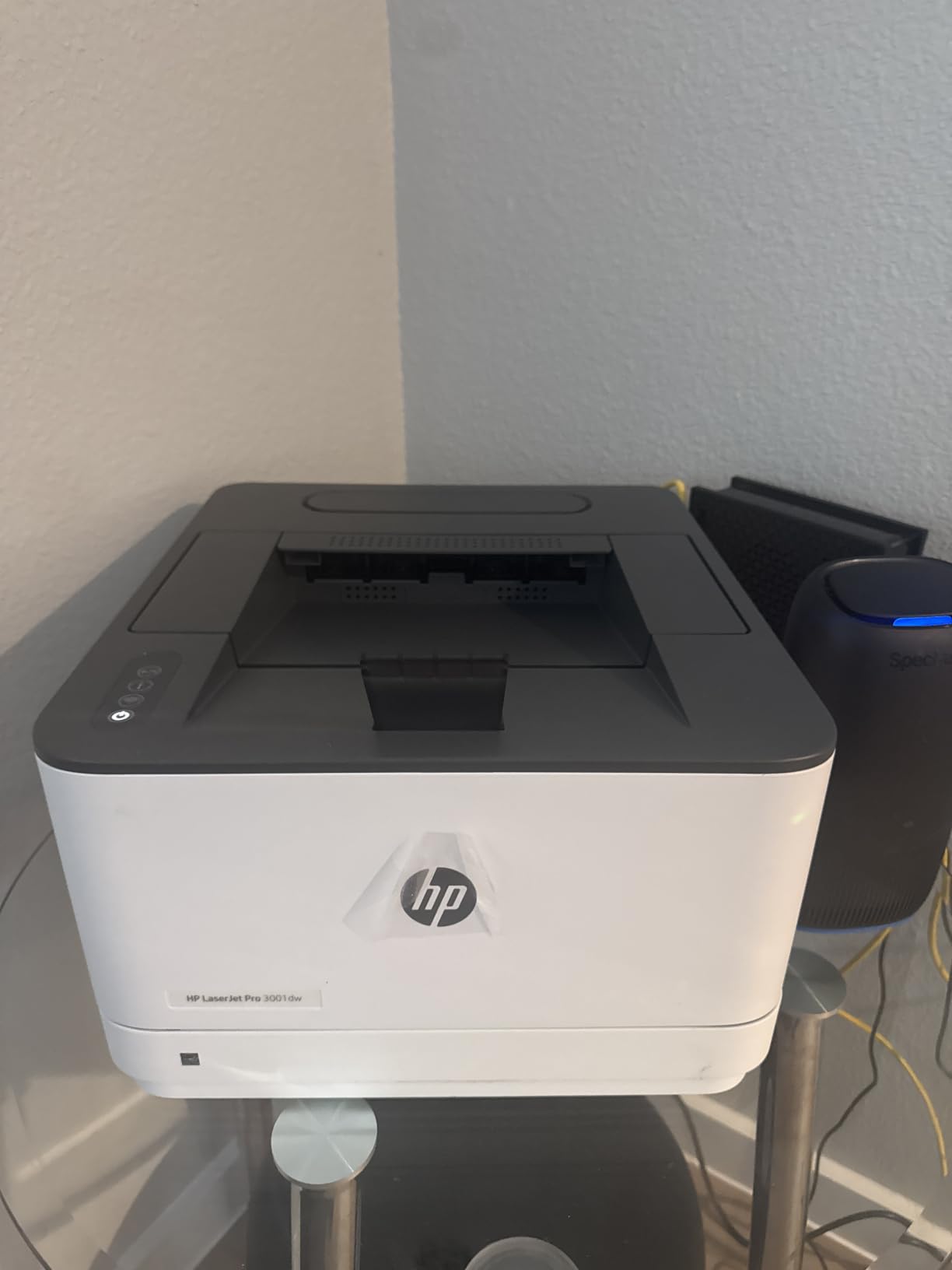
Security is the reason to look at this one. HP Wolf Pro Security gives you a set of customisable protection settings for the printer itself and the data moving through it, and for a home office or small team running macOS devices on a shared network, that is a real differentiator rather than a marketing line.
On output, 35 pages per minute with automatic duplex and a first page in about 6.6 seconds is fast, and 1200 x 1200 dpi gives clean text. The 250-sheet tray handles thicker paper and heavier art projects better than the slimmer trays on the entry-level models, and it lists Mac, AirPrint, Android, Chromebook and Microsoft support out of the box.
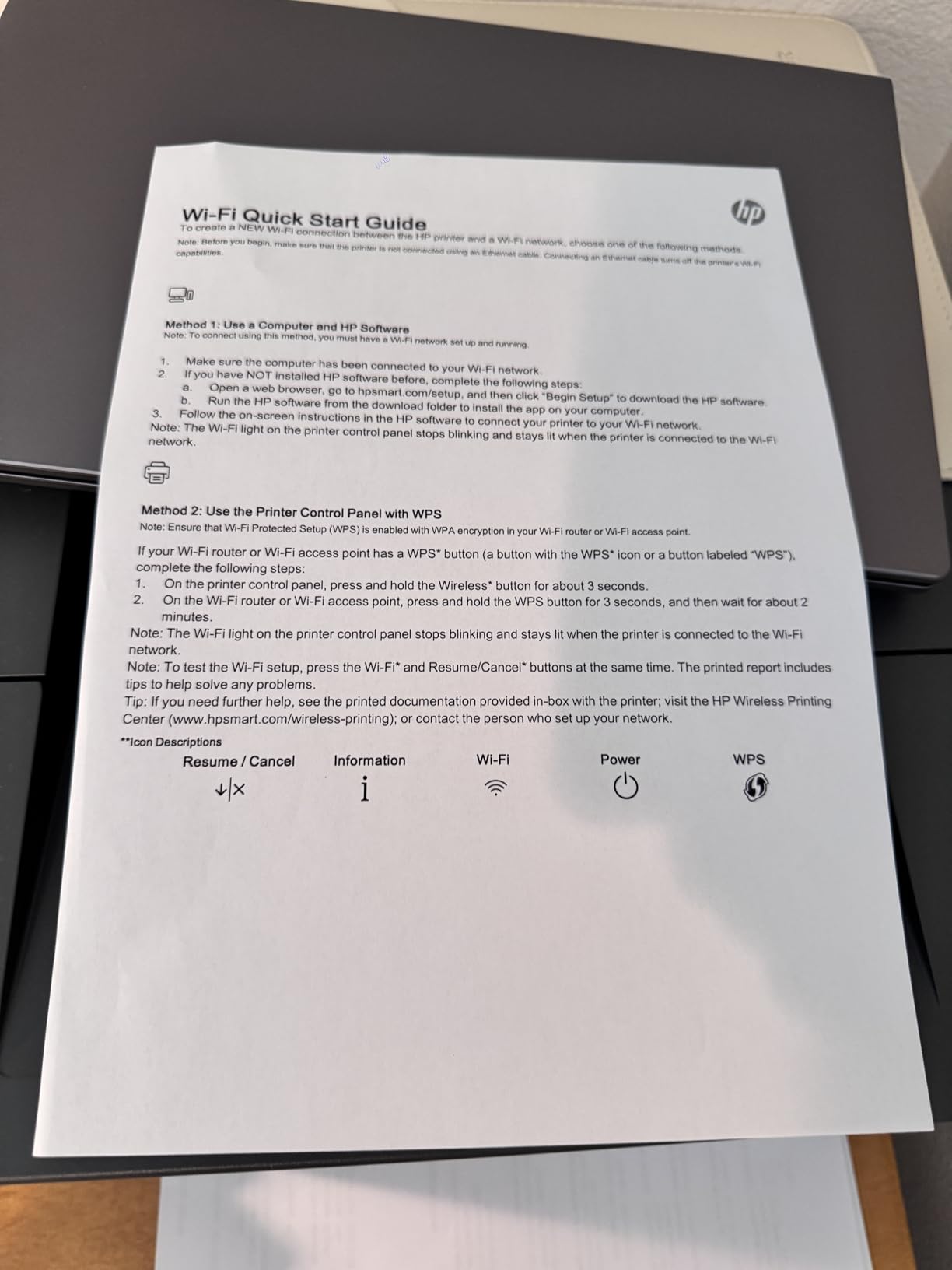
Connectivity is unusually broad for a print-only laser: Ethernet, USB, Wi-Fi and Bluetooth all in one body. Bluetooth is the useful one on a Mac, since it offers a fallback path when the network is the problem rather than the printer.
Mesh Wi-Fi is the recurring problem in the reviews. Several Mac users report the printer dropping off a mesh network and needing to be powered on before each job, and some end up connecting by Ethernet instead. If your home or office runs a mesh system, test this before committing.
Who the HP LaserJet Pro 3001dw suits
Small teams of up to about seven people, shared offices and remote workers who print high volumes of monochrome documents, forms and shipping labels. It is aimed at business use rather than photo work, and the security tooling suits an IT-conscious household.
The first-page time of around 6.6 seconds matters if you are printing one page at a time, which is how most people use a shared office printer.
Where the LaserJet Pro 3001dw falls short
Print-only, so no scanning, copying or fax. The mesh Wi-Fi behaviour described above is the most common practical complaint, and there is no duplex support for A5 paper even though the tray is marked for A5.
Like the smaller HP laser in this roundup, it requires cartridges with original HP chips, and firmware blocks non-HP chips or circuitry. That restriction narrows your refill options and affects long-term cost.
10. Epson WorkForce Pro WF-3823 – the fastest colour inkjet here
Epson Workforce Pro WF-3823 Wireless Color All-in-One Inkjet Printer
Color inkjet all-in-one
21 ppm black, 11 ppm color
Automatic duplex
35 page ADF
250 sheet tray
Pros
- Fast colour output at 21 ppm black and 11 ppm color for the tier
- Automatic duplex plus a 35 page automatic document feeder
- 250 sheet paper capacity
- 2.7 inch colour touchscreen with Epson Smart Panel
Cons
- 19.4 pound body is one of the heavier models here
- ADF is single-sided so multi-sided scanning needs manual flipping
- Works only with Epson Genuine T822 cartridges
Colour inkjets are usually slow, and this one is not. At 21 pages per minute in black and 11 in colour with automatic duplex, it is the quickest colour engine among the inkjets here, and 4800 x 2400 dpi resolution with DURABrite Ultra instant-dry pigment inks gives smudge-resistant output you can handle straight off the tray.
It also carries a large paper capacity for an inkjet, at 250 sheets in and 250 out, plus a 35-page automatic document feeder and a 2.7-inch colour touchscreen. For a Mac user who prints colour charts, teaching handouts and scanned paperwork every week, that combination is unusually complete.

Setup is flexible, which helps on a Mac. Epson Smart Panel handles configuration from the app, and Bluetooth Low Energy allows wireless setup from a smartphone before you join the printer to Wi-Fi. Wi-Fi Direct gives a direct link when the network is not an option, and Ethernet is there for a fixed desk.
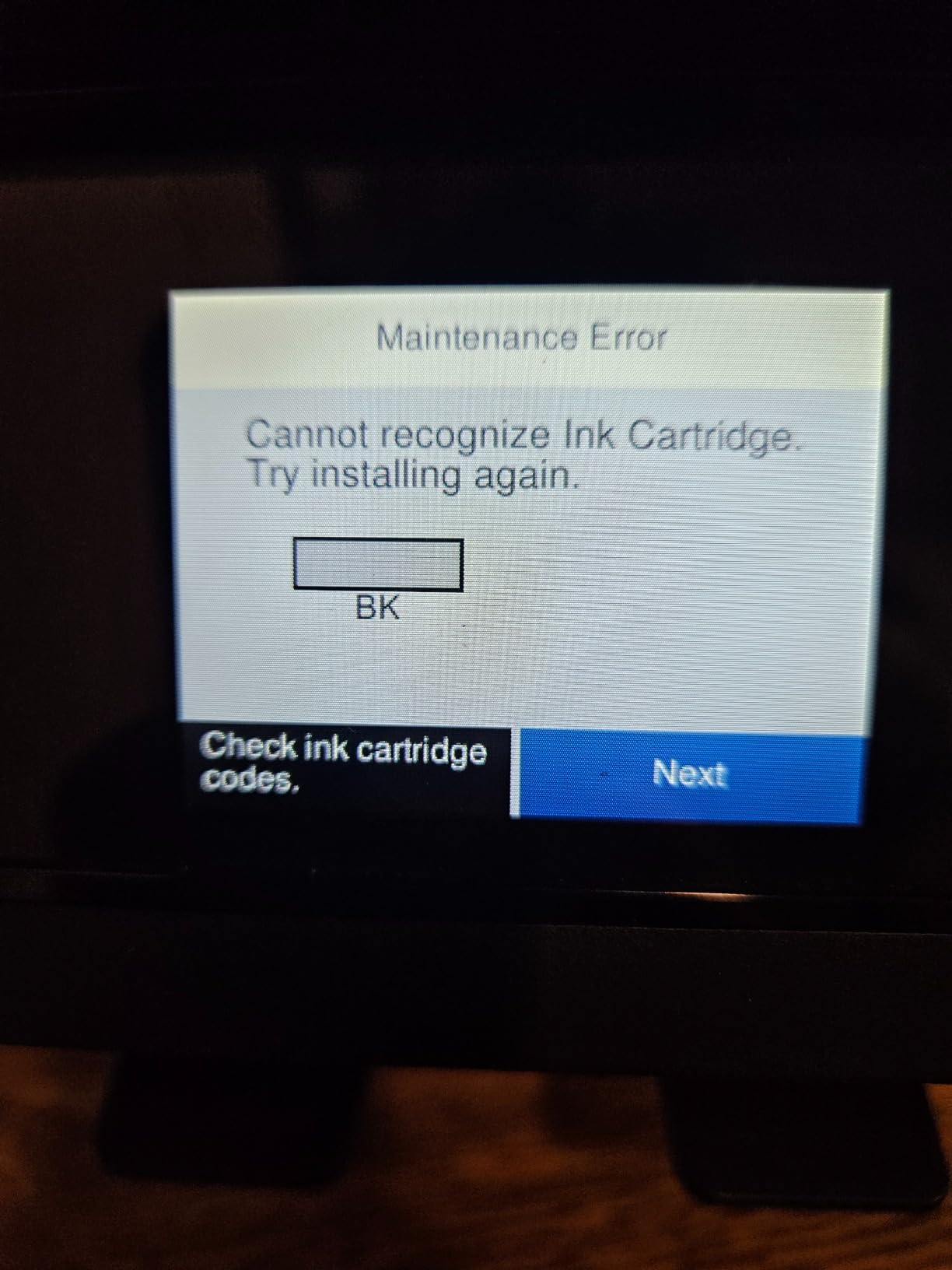
Secure wireless features and Secure Data Erase are worth noting if the printer is shared, since they let you clear stored scan data. The trade-offs are size and consumables: at 19.4 inches deep and 19.4 pounds it is one of the larger and heavier models here, and it is designed to work with Epson Genuine T822 cartridges only, with non-genuine ink potentially causing damage that the warranty does not cover.
Who the Epson WorkForce Pro WF-3823 suits
A busy home office or small studio that needs colour speed, duplex printing and a real document feeder in one machine, particularly if you have a desk area that can take a 19.4-inch footprint. It suits a Mac user who scans and prints in the same session rather than treating scanning as a rare event.
Single-sided ADF scanning is a limitation, but with duplex printing on the print side and a colour touchscreen, most mixed workflows stay manageable.
Where the WorkForce Pro WF-3823 falls short
Size and cartridge policy are the two issues. The body is deep and heavy compared with the compact Canon models, and the T822-only design removes the option to buy cheaper third-party cartridges, which pushes the running cost up for heavy colour users.
It is also a cartridge inkjet rather than a tank model, so the long-term cost per page is higher than the MegaTank G3270 if you print colour at volume.
How to Choose a Wireless Printer for Your Mac
Start with AirPrint, because everything else is a preference. Every printer here supports AirPrint natively, which means your Mac discovers it over Bonjour and prints over IPP without an installed driver. Verify AirPrint support on the manufacturer’s specification page before you buy, and treat any listing that only mentions a Windows driver as a red flag. If you also make prototypes or enclosures, our guides to the best 3D printers for beginners and the best 3D printers tested and ranked cover the additive side of the same desk space and driver questions.
Inkjet or laser: decide by running cost, not purchase price
Laser printers use toner that does not dry out in storage, print text at speed and cost far less per page on black-and-white work. Inkjets win on colour, photos and paper formats. If you print mostly black-and-white documents, the Brother DCP-L2640DW, HL-L2460DW and HP LaserJet Pro 3001dw are the sensible side of the divide.
If colour is part of the job, the economics shift. A refillable tank model such as the Canon MegaTank G3270 is rated for up to 6000 black-and-white or 7700 colour pages from one set of inks, and that difference compounds over three years. Cartridge inkjets like the PIXMA TS3720 cost less up front and are the right call if you stay occasional.
For a broader look at the laser side, our guides to the best monochrome laser printers and the best colour laser printers cover the toner-versus-inkjet tradeoff in more detail.
Duplex and the automatic document feeder
Automatic duplex printing is the feature owners most often wish they had checked. Among the ten printers here, duplex is present on the Brother DCP-L2640DW, HL-L2460DW and MFC-L2820DW, the HP LaserJet Pro 3001dw, the Canon PIXMA TS6520, and both Epson WorkForce models. It is absent on the Canon MegaTank G3270, the PIXMA TS3720 and the HP LaserJet MFP M140w.
An automatic document feeder is a separate question. If you scan multi-page documents, look for a sheetfed ADF with a stated page capacity: 50 pages on the two Brother multifunctions, 35 pages on the Epson WorkForce Pro WF-3823, and a flatbed-only design on the Canon models and the HP M140w. A single-sided ADF, as on the WF-3823, means flipping pages manually.
Wireless standards and mesh networks
Prefer dual-band 2.4GHz and 5GHz Wi-Fi when you can. The 2.4GHz band reaches further but is crowded, and 5GHz is faster and cleaner in a modern home or office. Printers with dual-band support here include the Brother DCP-L2640DW, HL-L2460DW and MFC-L2820DW, the Canon PIXMA TS3720 and TS6520, and the HP LaserJet Pro 3001dw.
The Canon MegaTank G3270 is 2.4GHz only, and the Epson WorkForce WF-2850 lists Wi-Fi without band details. On a mesh network such as Eero, Orbi or Google WiFi, wireless discovery is the usual reason a Mac reports that no AirPrint printers are found; giving the printer a wired Ethernet connection, or moving it to the main access point, resolves most cases. Before you buy, it is worth checking the printer’s own Wi-Fi setup flow, since on a Mac the printer-side setup is what puts AirPrint on the network in the first place.
Paper handling, size and Mac-specific extras
Check the tray capacity against your real volume. Sixty sheets on the PIXMA TS3720 means weekly refills for a busy household, while 250 sheets on the Brother HL-L2460DW, the MFC-L2820DW and the Epson WF-3823 covers most weeks. For Mac and iPhone printing, look at paper format support: the MegaTank G3270 and the Epson WF-2850 cover square and card stock, which the Canon PIXMA models handle less extensively.
Two Mac-specific details deserve attention. First, the mobile app: Brother Mobile Connect, Canon PRINT, HP Smart and Epson Smart Panel each cover printing, scanning and supply ordering, and a cleaner app makes a Mac workflow noticeably smoother. Second, scanning on a Mac involves a choice between the vendor app and Apple’s built-in Image Capture, which is free and driver-free but exposes fewer settings.
Cost per page and consumable policy
Cost per page is rated yield divided by consumable cost, and it is the number that decides your three-year total. Brother TN830 and TN830XL toner is inexpensive per page, which supports the laser recommendation. Both HP lasers in this roundup require cartridges with original HP chips, and the Epson WorkForce Pro WF-3823 is designed for Epson Genuine T822 cartridges, so third-party options are limited on those models.
Watch for subscription trials bundled with new printers. The Brother HL-L2460DW and MFC-L2820DW ship with a Refresh EZ Print trial, and owners report complaints about per-page charges and cancelling. If you buy your own toner, read the terms before you enrol.
Finally, consider network security for a shared home office. Change the default administrator password, keep firmware current, and use WPA3 on your Wi-Fi network. The HP LaserJet Pro 3001dw goes furthest with HP Wolf Pro Security and customisable settings, which matters if untrusted devices share the network.
Frequently Asked Questions
What is the best WiFi printer for a MacBook?
The Canon MegaTank G3270 is the strongest all-round choice for a MacBook, with native AirPrint, wireless print, copy and scan, and a refillable ink tank rated for up to 6000 black-and-white pages per set of inks. For black-and-white documents only, the Brother DCP-L2640DW prints at 36 pages per minute with automatic duplex.
Which printer works well with a Mac?
Every printer in this roundup supports Apple AirPrint natively, which means the Mac discovers it over the network and prints without an installed driver. The Canon PIXMA TS3720, TS6520, Brother DCP-L2640DW, HL-L2460DW, MFC-L2820DW, HP LaserJet MFP M140w, HP LaserJet Pro 3001dw and Epson models all connect over dual-band or standard Wi-Fi and appear in the Mac print menu once joined to the network.
What is the difference between a wireless printer and a WiFi printer?
There is no practical difference. A wireless printer and a WiFi printer both connect to your network over a radio instead of a USB cable, and the terms are used interchangeably. What matters is whether the printer supports AirPrint, which is the driver-free protocol a Mac uses to find and drive the printer.
Do Brother printers work with Apple AirPrint?
Yes. The Brother DCP-L2640DW, HL-L2460DW and MFC-L2820DW all support AirPrint natively alongside dual-band Wi-Fi, Ethernet and USB. The Brother Mobile Connect app covers printing, scanning and toner ordering from a Mac, iPhone or iPad. One reported issue is the machine password required for firmware updates, which can be difficult to locate or change.
Why won’t my Mac recognize my printer?
Most cases come down to network discovery. Put the printer and the Mac on the same Wi-Fi band, confirm the printer is awake and not in deep sleep, and restart the printer. On mesh networks, moving the printer to the main access point or connecting it by Ethernet usually fixes it. If the printer has just been unboxed, complete its own Wi-Fi setup from its touchscreen or app first, then add it in System Settings on the Mac.
Which printer brand is most compatible with Apple devices?
Canon and Brother are the two most consistent across the printers analysed here. Canon models list AirPrint, Mopria and the Canon PRINT app directly and cover borderless photo formats, while Brother models pair AirPrint with dual-band Wi-Fi, an Ethernet port and the Brother Mobile Connect app. HP supports AirPrint and Mopria but restricts both of its lasers to cartridges with original HP chips, which affects long-term running cost.
The Best Wireless Printers for Mac in 2026
The Canon MegaTank G3270 takes our top spot for 2026 because it balances the three things a Mac user actually needs: native AirPrint with no driver, a wireless print-copy-scan body that fits a normal desk, and a refillable tank that keeps colour printing affordable over time. At a 4.1-star average across more than 5,000 reviews, it is also the most proven unit in this group.
Match your pick to the job instead. Black-and-white heavy work goes to the Brother DCP-L2640DW for a home office or the HL-L2460DW if you never scan. A small business that needs fax and a touchscreen gets the Brother MFC-L2820DW, which carries the highest rating here at 4.3 stars. The Canon PIXMA TS6520 is the pick when you want automatic duplex in an inkjet, and the PIXMA TS3720 is the most compact option for printing from a Mac, an iPhone and an iPad at once.
Whichever you choose, set it up over AirPrint first, decline any bundled print subscription, and check the duplex and paper capacity against your real workload before the first big job.