
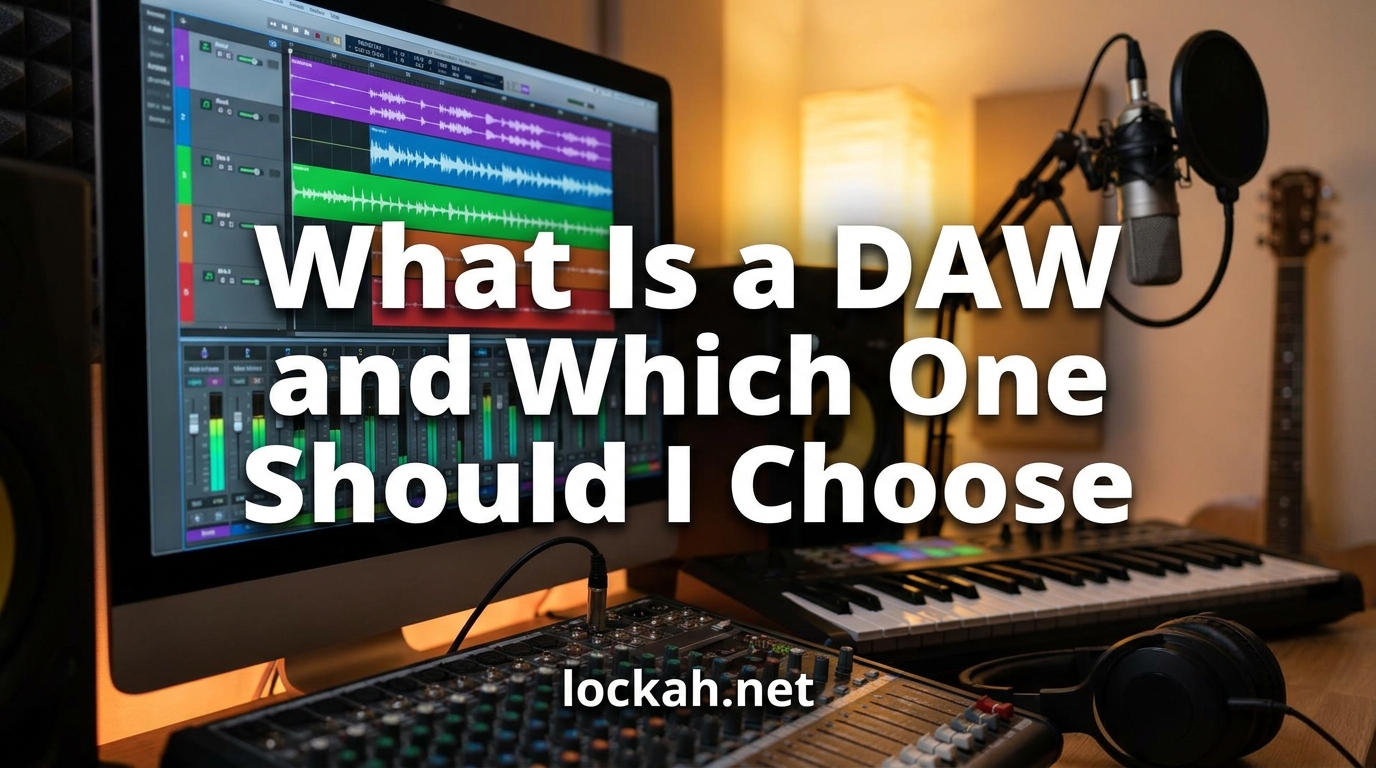
A DAW (Digital Audio Workstation) is software that lets you record, edit, arrange, and mix audio and MIDI tracks to create music on your computer. It serves as the central hub for music production, combining recording capabilities, virtual instruments, effects processing, and mixing tools in one interface. If you have ever wondered what is a DAW and which one you should choose, this guide will walk you through everything you need to know.
I remember feeling completely overwhelmed when I first started looking at music production software. There were dozens of options, each with passionate defenders claiming theirs was the only “real” choice. After testing multiple DAWs over three years and talking to producers across genres, I can tell you that the “best” DAW depends entirely on your specific needs.
Let me break down exactly what a digital audio workstation does, what features matter most, and how to pick the right one for your music production journey in 2026.
Table of Contents
What Is a DAW (Digital Audio Workstation)?
A DAW is specialized computer software designed for recording, editing, and producing audio files. The term “Digital Audio Workstation” refers to the complete environment where music production happens – from initial recording through final mastering.
Think of a DAW as your virtual recording studio. Instead of needing a massive room filled with mixing consoles, tape machines, and rackmount effects, you get all those capabilities in software form on your laptop. Modern DAWs can handle everything from recording a single acoustic guitar to producing complex electronic tracks with hundreds of virtual instruments.
The Core Components of Every DAW
Every digital audio workstation includes several essential elements that work together. The multitrack recorder captures audio from microphones or instruments and stores each source on separate tracks. The MIDI sequencer lets you create and edit musical performances using virtual instruments. The mixer combines all your tracks with volume control, panning, and effects. The arrangement window provides a timeline where you organize song sections like intro, verse, and chorus.
Most DAWs also include a library of virtual instruments and audio effects. These software synthesizers, drum machines, samplers, reverbs, compressors, and EQ plugins replace thousands of dollars worth of hardware equipment.
How Does a DAW Work?
Understanding the basic workflow helps demystify the software. When you record audio into a DAW, your audio interface converts analog sound waves into digital data. The DAW stores this data as audio files on your hard drive and displays waveforms on tracks in the arrangement view.
For MIDI recording, the process differs slightly. Instead of capturing actual audio, the DAW records performance data – which notes you played, how hard you hit them, and how long you held them. This MIDI data then triggers virtual instruments to generate sound.
Once recorded, you enter the editing phase. You can cut, copy, paste, and arrange audio and MIDI regions on the timeline. Quantization fixes timing issues by snapping notes to the grid. Automation lets you program changes over time – like fading volume or sweeping a filter.
Finally, the mixing stage combines all tracks into a stereo output. You adjust levels, add effects, and create space in the mix so every element sits properly. The DAW then renders your project into a finished audio file ready for distribution.
6 Factors to Consider When Choosing a DAW
Choosing the right music production software comes down to matching features to your specific situation. Here are the six factors that matter most when deciding which DAW should I choose.
1. Your Operating System
Not all DAWs work on every computer. Logic Pro only runs on macOS, while Cakewalk is Windows-exclusive. Most major DAWs like FL Studio, Ableton Live, and Cubase support both Windows and Mac. Reaper even supports Linux.
Before falling in love with a specific DAW, verify it runs on your current computer. Switching operating systems just for music software rarely makes financial sense unless you are already considering an upgrade.
2. Your Budget
DAW pricing ranges from free to over $600, with several models in between. Free options like GarageBand and Cakewalk provide genuine professional capabilities. Mid-tier paid DAWs like FL Studio Producer Edition ($199) or Ableton Live Standard ($449) unlock advanced features. Premium options like Pro Tools Ultimate ($599/year) target professional studios.
Some DAWs offer rent-to-own plans or subscription models. Others, notably FL Studio and Reaper, include free lifetime updates after purchase. Consider not just the upfront cost but the total cost of ownership over several years.
3. Your Music Genre
Different genres emphasize different production techniques, and some DAWs handle these better than others. Electronic music producers often prefer Ableton Live for its session view and clip-based workflow. Hip-hop beatmakers gravitate toward FL Studio for its step sequencer and sampling tools. Rock and acoustic recording musicians typically choose Logic Pro or Pro Tools for their superior audio editing and comping features.
If you plan to produce multiple genres, prioritize flexibility over specialization. Ableton Live and Logic Pro both handle diverse styles well.
4. Your Workflow Preferences
Every DAW organizes information differently, and these interface choices dramatically affect your speed and enjoyment. Some DAWs use a single-window design where everything lives in one view. Others use multiple windows that you arrange across your screen. Some prioritize linear timeline editing, while others emphasize pattern-based or loop-focused workflows.
Download free trials and spend a few hours with each contender. Your gut reaction to the interface matters more than feature lists. If a DAW feels confusing or clunky during the trial, it probably will not get better with practice.
5. Built-in Instruments and Effects
The quality and quantity of included sounds varies enormously between DAWs. Logic Pro ships with over 70GB of samples, loops, and instruments. Reaper includes almost nothing and expects you to add third-party plugins. Most DAWs fall somewhere in between.
Consider whether you want an all-in-one solution or prefer building a custom setup. Beginners often benefit from comprehensive built-in libraries. Experienced producers with established plugin collections care less about stock content.
6. Plugin Compatibility
Plugins extend your DAW with additional instruments and effects. The VST format dominates Windows, while Audio Units (AU) is standard on Mac. Some DAWs support multiple formats, while others are more limited. Pro Tools uses its proprietary AAX format exclusively.
If you already own plugins, verify compatibility before switching DAWs. If starting fresh, any modern DAW supports enough plugin formats to keep you covered.
Popular DAWs Compared
Let us examine the major players in the music production software market. Each has distinct strengths that suit different users.
Logic Pro (Mac Only)
Apple’s flagship DAW offers exceptional value at $199. It includes a massive sound library, excellent MIDI editing, powerful mixing tools, and seamless integration with Apple’s ecosystem. Logic Pro particularly shines for songwriting, film scoring, and recording live instruments. The Drummer feature generates realistic drum performances automatically, while Flex Time and Flex Pitch provide industry-leading audio editing.
Logic Pro works best for Mac users who want a complete production environment without additional plugin purchases. The learning curve sits in the middle – easier than Pro Tools but more complex than GarageBand.
FL Studio (Windows/Mac)
Formerly known as FruityLoops, FL Studio built its reputation on electronic music and hip-hop production. The pattern-based workflow and step sequencer make beat creation incredibly fast. The piano roll remains the best in the industry for MIDI editing. Lifetime free updates mean your purchase lasts forever.
FL Studio suits producers who work primarily with MIDI and samples rather than recorded audio. The workflow differs significantly from traditional DAWs, which creates a steeper learning curve for users coming from other software but feels intuitive to complete beginners.
Ableton Live (Windows/Mac)
Ableton revolutionized music production with its unique Session View, which treats musical ideas as individual clips that you trigger in real-time. This approach makes Ableton the undisputed king of live performance and electronic music production. The tight integration with Ableton Push hardware and Max for Live programming environment extends capabilities enormously.
Ableton Live works best for electronic musicians, DJs, and anyone who performs their music live. The arrangement view handles traditional recording adequately, though audio editing lags behind Logic Pro and Pro Tools.
Pro Tools (Windows/Mac)
Avid’s Pro Tools remains the industry standard for professional recording studios, particularly in film, television, and commercial music. Unmatched audio editing capabilities, superior mixing tools, and rock-solid stability make it the choice for engineers who process large track counts daily. The cloud collaboration features enable seamless remote sessions.
Pro Tools demands the highest financial commitment, with subscription models starting at $9.99/month for basic features up to $599/year for the full Ultimate version. The steep learning curve and rigid workflow suit professionals more than hobbyists.
Cubase (Windows/Mac)
Steinberg’s Cubase pioneered many features now standard in DAWs, including VST plugin support. It offers deep MIDI capabilities, excellent scoring features for notation, and comprehensive audio editing. Cubase particularly appeals to composers who need advanced MIDI manipulation and scoring integration.
Cubase pricing ranges from $99 for Elements to $579 for the full Pro version. The interface feels denser than competitors, which suits detail-oriented users but may overwhelm beginners.
Reaper (Windows/Mac/Linux)
Reaper represents the best value in music production software. The $60 personal license provides a fully functional professional DAW with capabilities matching software costing ten times more. Reaper’s customization lets you configure nearly every aspect of the interface and workflow. The lightweight codebase runs efficiently even on older computers.
Reaper includes no virtual instruments or loops, expecting you to provide your own plugins and content. This bare-bones approach appeals to experienced producers who know exactly what tools they want. The evaluation period lasts 60 days, and the software continues working afterward with occasional reminders to purchase.
Best Free DAWs for Beginners (2026)
You do not need to spend money to start making music. Several excellent free DAWs provide genuine professional capabilities.
GarageBand comes pre-installed on every Mac and offers a complete music production environment with excellent virtual instruments, realistic Drummer tracks, and an intuitive interface. Many professional producers started here before upgrading to Logic Pro.
Cakewalk by BandLab provides Windows users with a formerly premium DAW now available completely free. It includes professional mixing tools, advanced MIDI editing, and comprehensive plugin support. The Skylight interface organizes everything clearly.
Waveform Free from Tracktion offers a fully functional DAW with no track limits, no plugin restrictions, and no time limits. It includes useful creative tools like the Micro Drum Sampler and Collective instrument.
LMMS works across Windows, Mac, and Linux with a focus on electronic music production. The built-in synthesizers and beat-baseline editor make it ideal for EDM and hip-hop beginners.
Best DAW by Genre
While any capable DAW can produce any genre, certain software aligns better with specific musical styles.
Electronic Music and EDM: Ableton Live dominates with its clip-based workflow and real-time performance capabilities. FL Studio ranks second for its pattern sequencing and extensive plugin support.
Hip-Hop and Trap: FL Studio remains the go-to choice, used by producers from Metro Boomin to Murda Beatz. Logic Pro offers strong alternatives with its Drum Machine Designer and Quick Sampler.
Rock and Acoustic Recording: Pro Tools and Logic Pro lead here with superior audio editing, comping features, and mixing workflows designed for tracking live instruments.
Film Scoring and Orchestral: Cubase and Logic Pro excel with advanced MIDI routing, expression mapping, and video synchronization features essential for scoring.
Live Performance: Ableton Live stands alone with its Session View designed specifically for triggering loops and clips during performances.
Professional DAW Usage Examples
Seeing what successful artists use can provide inspiration, though remember that the tools matter less than the creator. Billie Eilish and Finneas produced their Grammy-winning album entirely in Logic Pro, proving that professional results come from skill rather than expensive gear.
Lady Gaga’s productions typically involve Pro Tools for vocal recording and editing, then Ableton Live for electronic elements and sound design. Kanye West has used various DAWs throughout his career, including Ableton Live and Pro Tools, often working with multiple engineers who bring different software preferences.
Dr. Dre built his legendary productions using Pro Tools, establishing it as the standard for professional hip-hop and rap recording. However, younger producers increasingly favor FL Studio and Ableton Live for beat-making.
The pattern here is clear: professionals choose tools that match their workflow, not brands that promise magical results. Start with what you can afford and learn it deeply.
Getting Started With Your First DAW
Once you choose your music production software, resist the urge to learn everything immediately. Focus on these fundamentals first.
Learn to create a new project and set up your audio interface. Record a single audio track to verify everything works. Practice basic editing: cutting, copying, pasting, and fading regions. Explore the included virtual instruments and create a simple MIDI part.
Master the mixer basics: adjusting volume, panning tracks left and right, and adding a reverb effect. Export your first complete song, even if it sounds rough. Finishing projects matters more than perfecting individual elements.
Most importantly, commit to your choice for at least six months. Switching DAWs every few weeks prevents deep learning. Every professional DAW can produce radio-ready music once you learn it properly.
Frequently Asked Questions
How to decide which DAW to use?
Start by considering your operating system, budget, and music genre. Download free trials of your top 2-3 choices and spend a weekend with each. Choose the one that feels most intuitive for your workflow. Remember that the best DAW is the one you actually use.
What is the best DAW for beginners?
GarageBand for Mac users and Cakewalk for Windows users offer the best free starting points. Both provide professional capabilities without cost barriers. If buying immediately, FL Studio Fruity Edition or Reaper offer excellent value for beginners.
What is the friendliest DAW?
GarageBand wins for absolute beginners with its intuitive interface and gentle learning curve. Among paid options, FL Studio receives praise for its approachable workflow, particularly for electronic music and hip-hop production.
Which DAW does Billie Eilish use?
Billie Eilish and her producer Finneas create their music entirely in Logic Pro. They recorded her debut album in Finneas’s bedroom using Logic Pro, demonstrating that professional results require skill and creativity more than expensive studios.
What DAW does Lady Gaga use?
Lady Gaga’s productions typically use Pro Tools for vocal recording and Ableton Live for electronic production elements. Like many major artists, her sessions involve multiple engineers using different software depending on the production stage.
Which DAW does Kanye use?
Kanye West has used various DAWs including Ableton Live and Pro Tools throughout his career. He typically works with multiple producers and engineers, each bringing their preferred software to collaborative sessions.
What DAW does Dr. Dre use?
Dr. Dre primarily uses Pro Tools for his productions, which helped establish Pro Tools as the industry standard for professional hip-hop and rap recording. His preference influenced generations of producers who followed his workflow.
What is the easiest music making DAW for beginners?
GarageBand provides the gentlest introduction to music production with its simplified interface and included tutorials. For Windows users, Cakewalk offers professional features with accessible learning resources. Both are completely free.
Conclusion
What is a DAW and which one should I choose? A DAW is your digital music production studio, and the right choice depends on your computer, budget, genre, and personal workflow preferences. Start with free options like GarageBand or Cakewalk to learn the fundamentals without financial risk.
When ready to invest, consider Logic Pro for Mac users wanting comprehensive features, FL Studio for beatmakers and electronic producers, Ableton Live for live performers, or Reaper for maximum value and customization. Pro Tools suits professionals needing industry-standard tools, while Cubase excels for composers and scoring work.
Remember that every DAW on this list has produced chart-topping hits. Your skills and dedication matter infinitely more than your software choice. Pick one, learn it deeply, and start creating. The best DAW is the one that helps you finish songs.