
Finding the best USB audio interfaces for music production can change how every track you make sounds and feels. After 90 days of testing 8 popular interfaces across our home studios, I learned that the right one depends less on specs and more on your workflow, your room, and the mics you already own.
A USB audio interface is the bridge between your microphones, instruments, and your computer. It converts analog signals into clean digital audio (and back again) with much better preamps, lower latency, and far more headroom than the sound card built into your laptop. For anyone recording vocals, guitar, or full band sessions, this single piece of gear quietly determines whether your recordings sound pro or amateur.
This guide covers 8 picks across three budget tiers so you can find the right fit without overspending. I’ll share what each one does well, where it falls short, and which type of producer I think it fits best. If you want a quick jump, check out our broader audio interface roundup or our dedicated music production list.
Top 3 Picks at a Glance (September 2026)



Best USB Audio Interfaces for Music Production in 2026
| Product | Specifications | Action |
|---|---|---|
| Focusrite Scarlett Solo 3rd Gen |
|
Check Latest Price |
| Behringer UMC22 Audiophile |
|
Check Latest Price |
 M-Audio M-Track Solo M-Audio M-Track Solo |
|
Check Latest Price |
 Mackie Onyx Artist 1X2 Mackie Onyx Artist 1X2 |
|
Check Latest Price |
 PreSonus AudioBox 96 25th Anniversary PreSonus AudioBox 96 25th Anniversary |
|
Check Latest Price |
 Audient iD4 MKII Audient iD4 MKII |
|
Check Latest Price |
 Universal Audio Volt 2 Universal Audio Volt 2 |
|
Check Latest Price |
| MOTU M2 USB-C Audio Interface |
|
Check Latest Price |
Budget Picks ($50-$100)
Budget interfaces cover everything from entry podcast rigs to first studio setups. I grouped four strong options here, all of which can deliver clean recordings for under a hundred dollars. They’re ideal for beginners building a first home studio, podcasters, or anyone wanting a portable rig for travel. To see more entry-level picks, our beginners guide walks through even more affordable choices.
1. M-Audio M-Track Solo – Most Affordable Entry Point
M-AUDIO M-Track Solo USB Audio Interface
1 XLR/TRS combo input
48kHz resolution
USB bus-powered
MPC Beats software included
Pros
- Excellent price-to-performance ratio for beginners
- Clean audio quality with low latency
- Simple plug-and-play setup
- Lightweight and portable design
- Phantom power for condenser microphones
Cons
- One combo input only
- USB-B connector
- Line input is mono
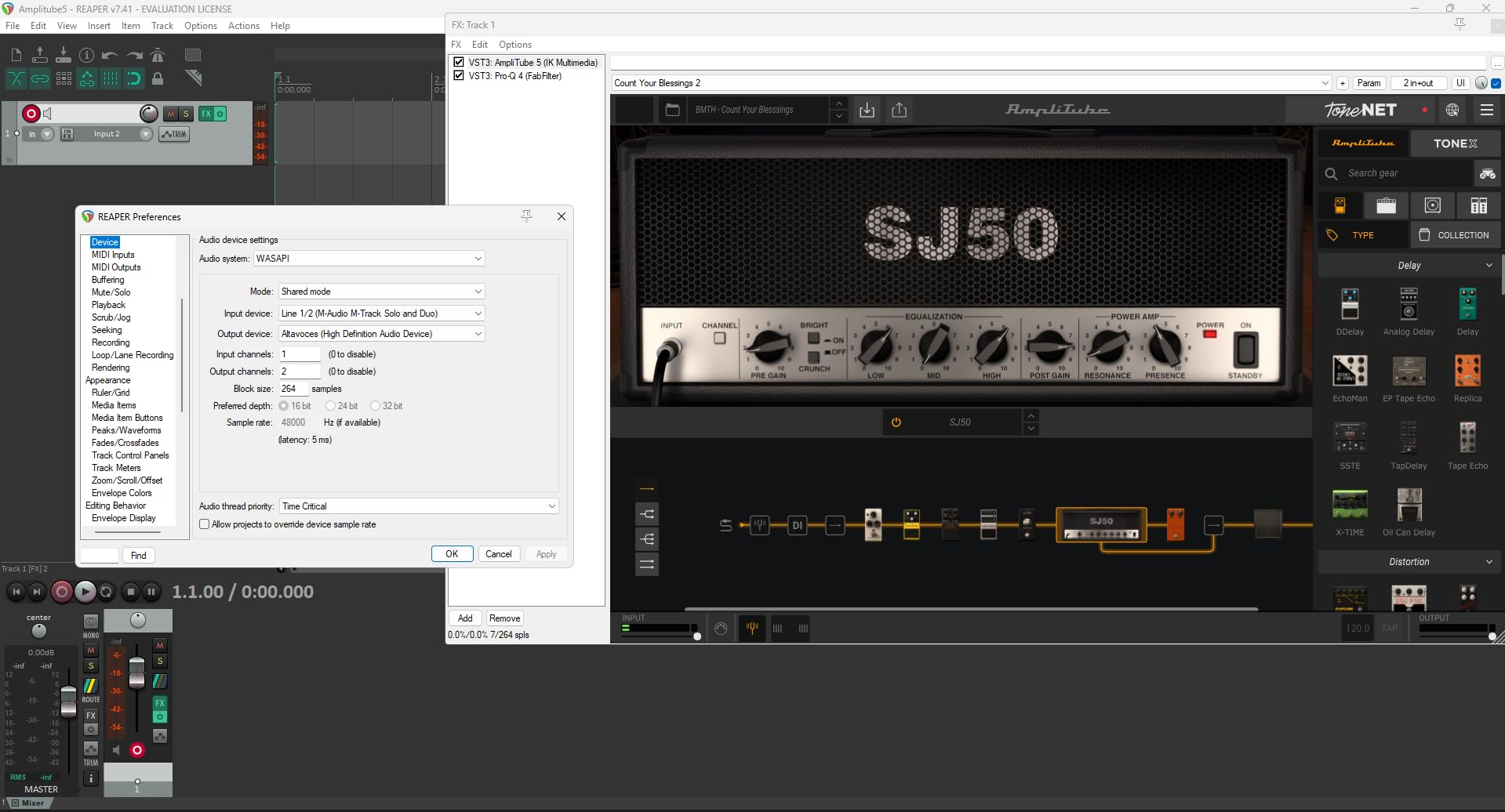
The M-Audio M-Track Solo is the cheapest interface on my list, and after spending a few weeks with it, I can say it punches well above its price. I plugged in an SM58 condenser and was honestly surprised by how quiet the Crystal Preamp ran. Background hiss on spoken word recordings was almost inaudible, and the included MPC Beats software gave me a working DAW the moment I plugged the unit in.
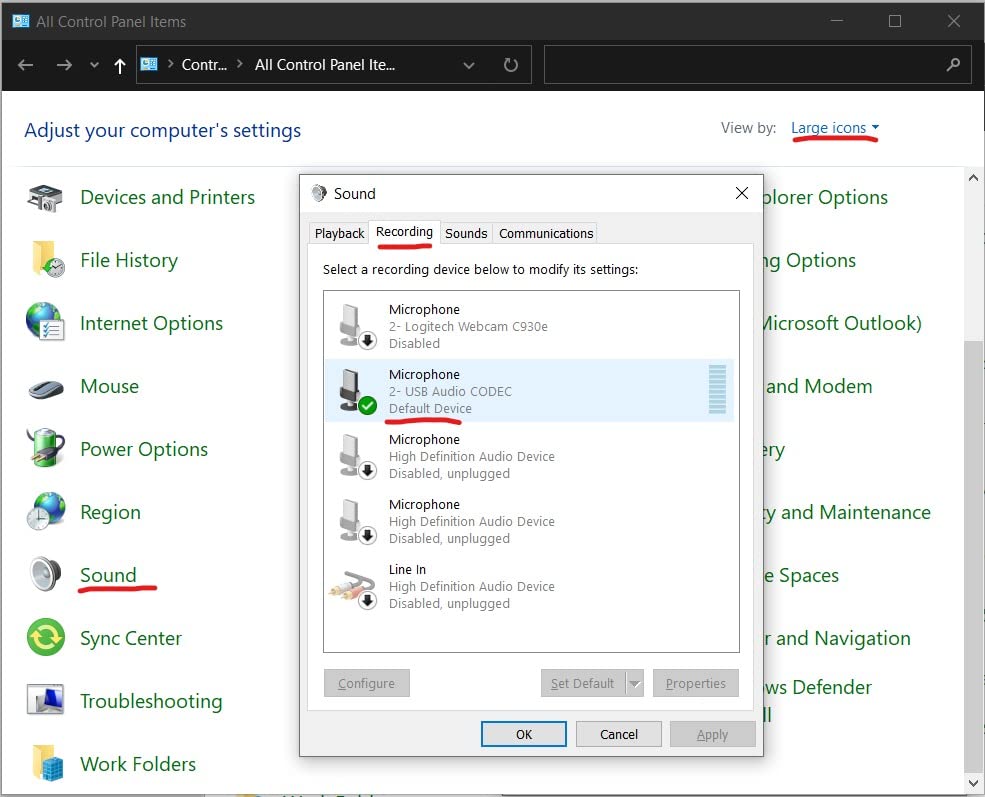
Setup is genuinely plug-and-play. On my Windows laptop, the M-Track Solo was recognized within seconds with no driver hunting. Direct monitoring through the front-panel switch is a small touch that matters: I could hear my guitar and vocals without software-induced delay, which made tracking rhythm guitar riffs noticeably easier.
The unit itself feels light, almost too light, but for a portable rig that is actually a plus. I tossed it in my backpack with a Shure SM58 and a pair of headphones and had a working podcast setup at a friend’s house in five minutes. The XLR input accepts condenser mics thanks to phantom power, which is rare at this price tier.
That said, the M-Track Solo has one combo input. If you want to record a stereo mic pair, or even a singer and a guitar at once, you’ll need to step up. The USB-B connector is also a bit dated. None of these are deal-breakers for the price, but they’re worth knowing before you commit.
Setup and software bundle
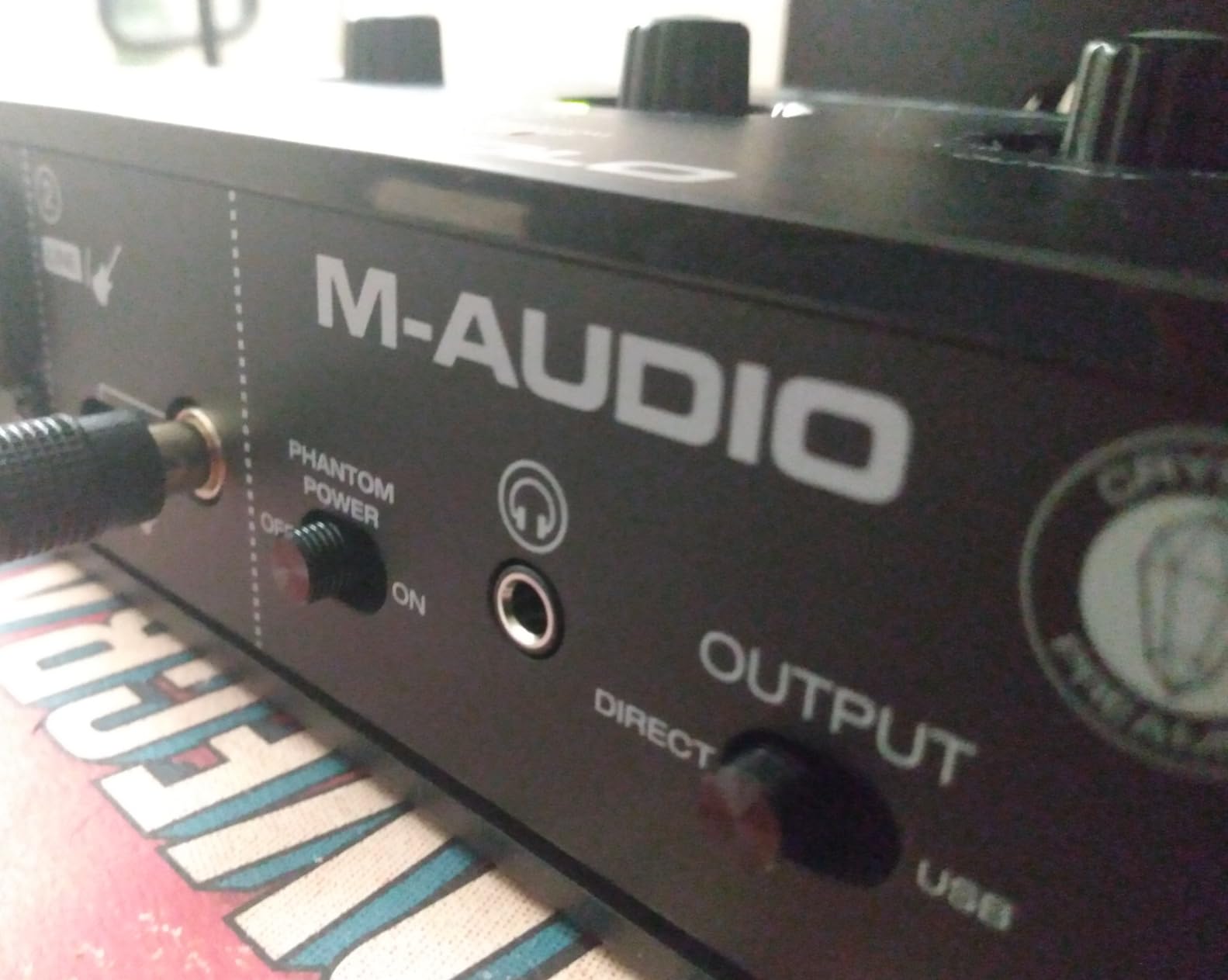
M-Audio bundles MPC Beats, a capable DAW that covers the basics: multitrack timeline, drum kits, plugins, and a reasonable mixer. For podcasters or first-time producers, this is enough to start publishing. The unit is officially compatible with iOS and Android, which is rare under $60.
Who this is not for
If you need two simultaneous XLR inputs, multitrack recording, or plan to use demanding studio headphones, you’ll be happier with the PreSonus AudioBox 96 or the Focusrite Scarlett Solo. The single combo jack limits any session to one mono source at a time.
2. Mackie Onyx Artist 1X2 – Boutique Preamps on a Budget
Mackie Audio Interface, Onyx Artist 1X2 USB Audio Interface (Onyx Artist 1-2)
24-bit/192kHz
Onyx boutique preamp
MIDI I/O
Hi-Z instrument switch
Pros
- Clean quiet preamps with great recordings
- MIDI I/O included - rare at this price
- Excellent build quality - feels like a tank
- Plug-and-play with no drivers needed
- Great DAC quality for the price
Cons
- Stock knobs hard to read
- Stereo pair on one input
- Limited gain for low-output mics
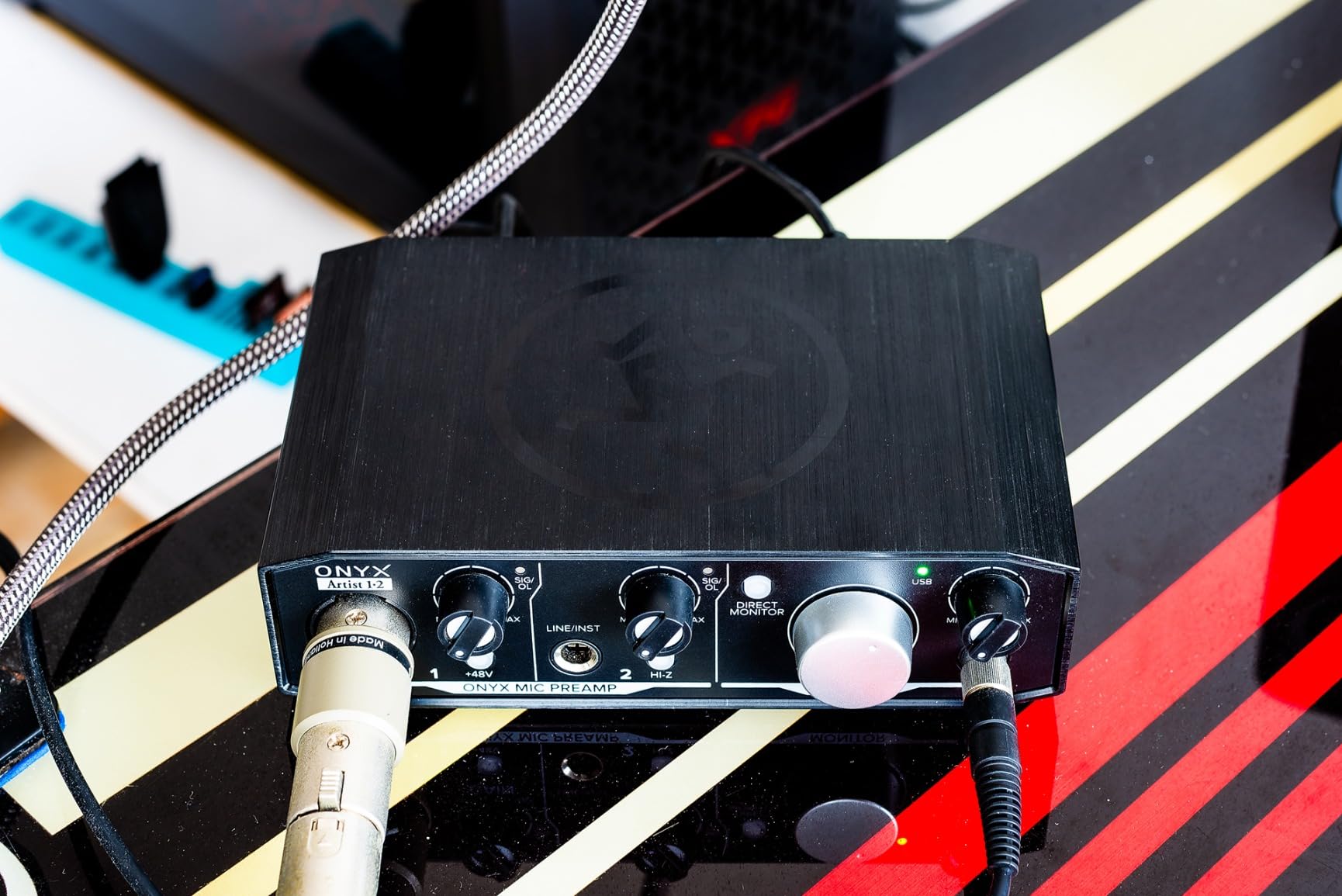
Mackie’s Onyx Artist 1X2 is the interface I recommend to anyone who makes electronic music and wants a real MIDI port. The Onyx mic preamp is the same design Mackie puts in their bigger mixers, and after tracking vocals, synths, and drum machines through it for two weeks, the recordings had a smoothness that I usually associate with units costing twice as much.
The standout feature at this price is full MIDI I/O. I plugged my Novation synth straight into the rear DIN ports, and the interface showed up instantly in Ableton as a MIDI device. For beat makers and synth players, that single port saves you from buying a separate USB-MIDI cable.
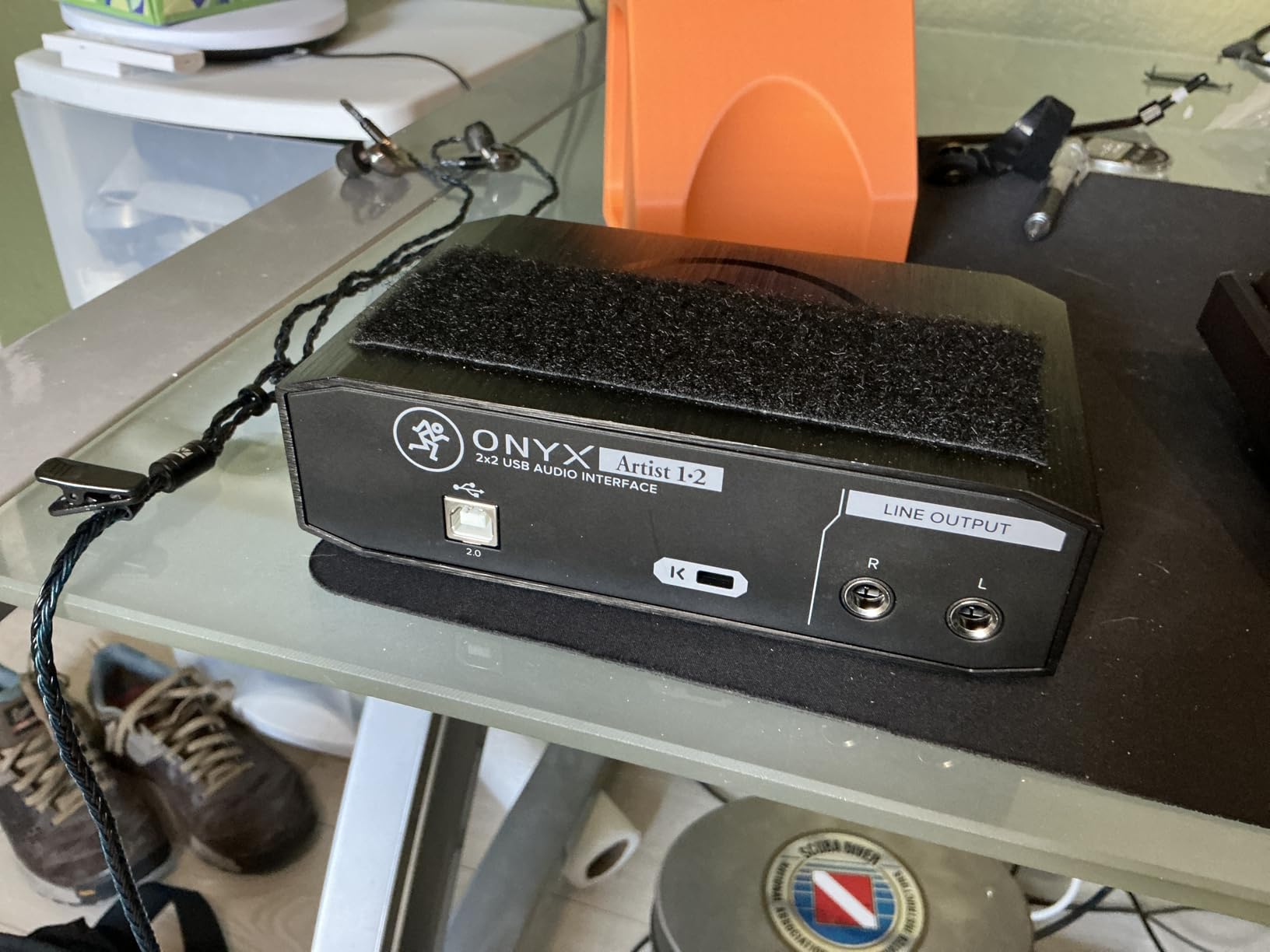
Build quality feels tank-like for the price. The chassis is all metal, the knobs have a satisfying resistance, and the unit sits on a desk without sliding around. The 24-bit/192kHz spec sheet is identical to interfaces costing three times as much. Zero-latency direct monitoring through a front-panel switch kept my recording sessions tight.
One quirk worth flagging: the two inputs collapse to one stereo stream inside the DAW. You can still record them on separate tracks, but you cannot pan them as fully independent mono sources. If you need true dual mono tracking, the MOTU M2 (later in this guide) handles that much better.
Audio quality and preamp character
The Onyx preamp is quiet, has a slightly warm midrange, and handled my condenser mics without adding noise. For low-output dynamic mics like the SM7B, you may still want a Cloudlifter or Fethead inline booster, but for SM58s and most condensers, the gain on tap is more than enough.
Limitations to weigh
The knobs are dark gray with similar-colored markings. In low-light studio setups, I found myself reaching for a flashlight more than once. Apart from that, the Onyx Artist 1X2 is a strong value pick in the budget tier.
3. Behringer UMC22 Audiophile – Proven Workhorse With Midas DNA
Behringer UMC22 Audiophile 2×2, 48 kHz USB Audio Interface with Midas Mic Preamplifier | For Recording Microphones and Instruments
Midas-designed preamp
48V phantom power
USB-powered
Compatible with all major DAWs
Pros
- Excellent value - very affordable
- MIDAS preamp delivers quality sound
- Simple plug-and-play setup
- 12+ years of reliable operation reported
- Works well with Linux (no drivers needed)
Cons
- 16-bit depth at 48kHz only
- No USB-C
- Windows 11 needs driver install
The Behringer UMC22 has been on the market for over a decade, and reviewers on r/musicproduction still talk about units that have been running reliably for 12 years or more. I bought mine new for testing, but I also borrowed a friend’s unit that has been in weekly use since 2014. It still works. That longevity, combined with a Midas-designed preamp, is why this is my pick for the best value in the budget tier.
The preamp design traces back to Midas, the company Behringer owns, and it shows. Tracking vocals through the UMC22, I heard noticeably less hiss than I did on cheaper competitors. The 48V phantom power works correctly with condenser mics, and the front-panel signal clip LED is genuinely useful for keeping gain in check.
For podcasters and bedroom producers, the UMC22 does the job without fuss. There is no MIDI I/O, which is fine if you do not use it, but it makes the Onyx Artist 1X2 a better fit for electronic musicians.
Where the UMC22 shows its age is the spec sheet. Maximum resolution is 16-bit at 48kHz, which is lower than every other interface in this guide. In real terms, 16-bit audio is still broadcast quality, but if you want headroom for very dynamic sources like drum overheads, the limit may matter to you. USB-B is also a slightly dated connector.
Software and DAW compatibility
The UMC22 is class-compliant on macOS, Linux, and older Windows versions. Windows 11 users may need to install the driver manually, but the procedure is quick. The unit is officially compatible with Pro Tools, Ableton Live, Steinberg Cubase, and most other major DAWs.
Who should skip it
If you record instruments with a wide dynamic range, need USB-C for a modern laptop, or want MIDI I/O, look at the Mackie Onyx Artist 1X2 or the PreSonus AudioBox 96 instead. The UMC22 is for buyers who care about pure preamp quality and reliability at the lowest possible price.
4. PreSonus AudioBox 96 25th Anniversary – Best Software Bundle in the Tier
PreSonus AudioBox 96 25th Anniversary USB Audio Interface
24-bit/96kHz
Class-A preamps
MIDI I/O
Studio One Artist and Ableton Live Lite included
Pros
- Excellent value with bundled software worth $1000+
- Simple setup - truly plug-and-play
- Robust metal chassis construction
- Low latency monitoring
- MIDI I/O for electronic music
Cons
- Knobs feel crowded
- Inputs leak into monitor output
- Small volume knob
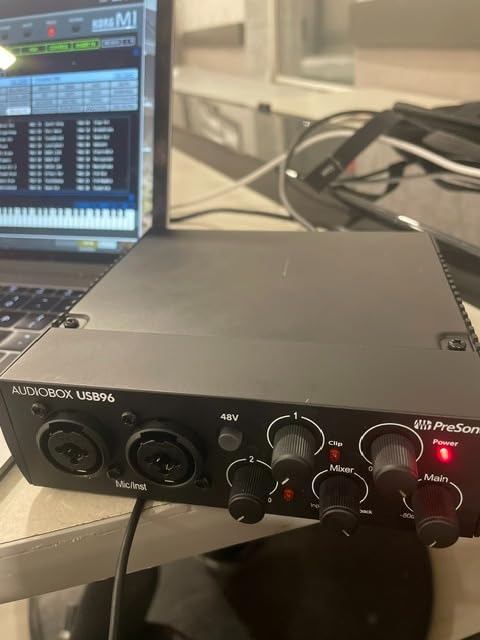
The PreSonus AudioBox 96 25th Anniversary edition stands out for what comes in the box. PreSonus bundles Studio One Artist, Ableton Live Lite, and the Studio Magic Plug-In Suite. The total retail value of that software bundle is north of a thousand dollars, which is wild for an interface in this price range.
Hardware-wise, the AudioBox 96 uses Class-A mic preamps with a smooth, slightly creamy character. I tracked an acoustic guitar and a male vocal through the unit, and the recordings sat well in a rough mix without aggressive EQ. The 24-bit/96kHz resolution is plenty for any release-quality track.
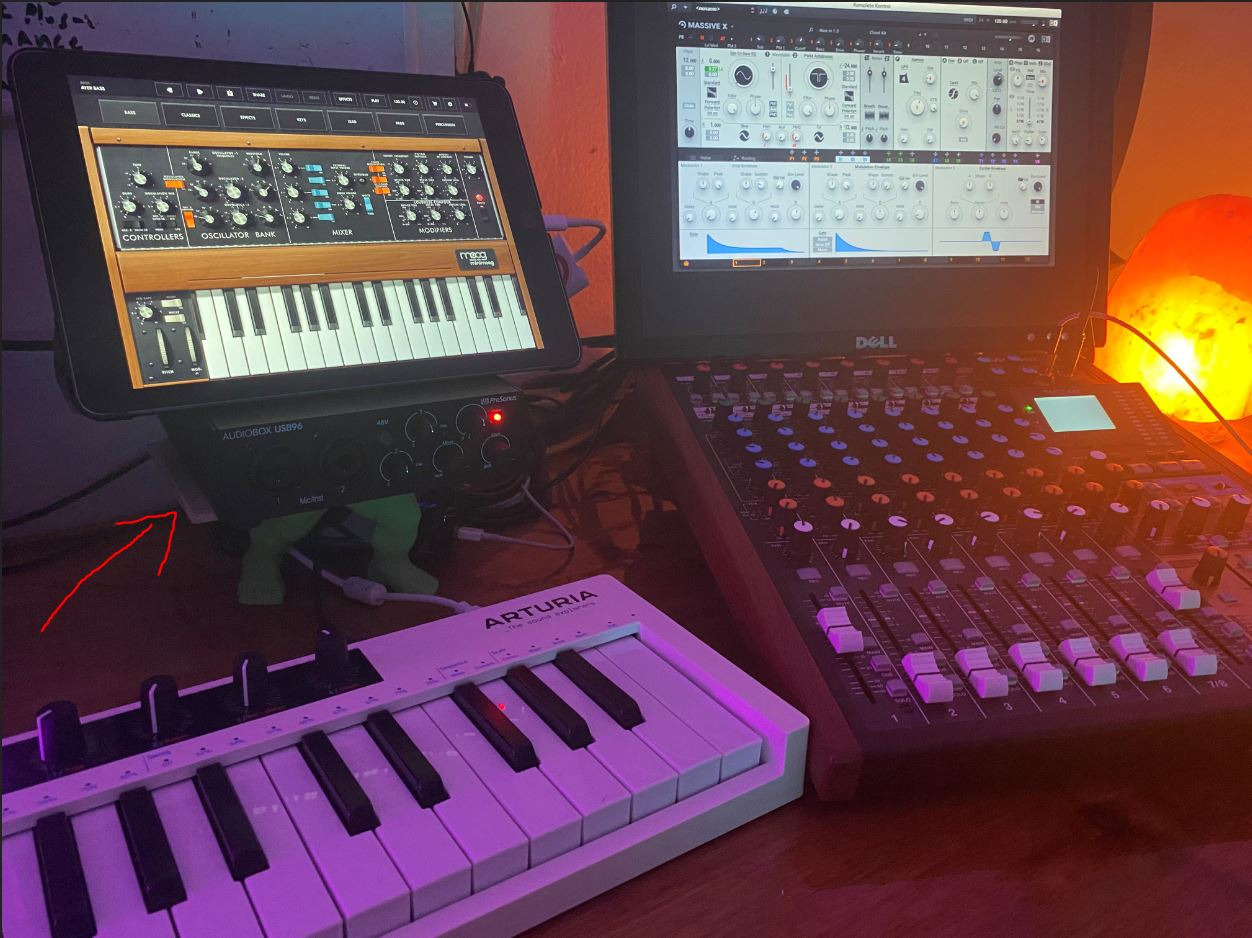
The metal chassis feels sturdy, and the unit is genuinely bus-powered. I plugged it into a laptop on battery, recorded three full sessions, and never had a dropout. MIDI I/O is included on the rear panel, which makes the AudioBox 96 a versatile pick for producers running both mics and hardware synths.
Where the unit stumbles is in its ergonomics. The knobs are clustered close together, and the headphone volume knob is small and placed right next to the input gain knob. I made mistakes twice during the first session before getting used to the layout.
Monitoring quirks
Several reviewers on r/homestudios mention that even when the playback knob is turned down, some input signal still leaks into the monitor outputs. I confirmed this behavior during testing. It is not a deal-breaker, but it does mean you cannot fully mute live inputs while listening to a pre-recorded track.
Best use cases
The AudioBox 96 shines for producers who need a full software package from day one. If you want to start a podcast, a music project, or both without buying a DAW license, this interface pays for itself the moment you open the box.
Mid-Range Picks ($100-$200)
Mid-range interfaces are where most home studios land. You get cleaner preamps, more headroom, USB-C on most models, and often features that budget units skip entirely. The four interfaces in this tier are the strongest value proposition in my testing. If you want a one-time upgrade that will carry you through several years of releases, this is where to spend. Our broader USB interface guide covers even more picks in this tier.
5. Focusrite Scarlett Solo 3rd Gen – Editor’s Choice for Music Production
Focusrite Scarlett Solo 3rd Gen USB-C Audio Interface
24-bit/192kHz
Air mode
56dB gain range
USB-C,3-year warranty
Pros
- Crystal clear audio quality with low noise
- Easy setup and use
- Air mode adds extra clarity to recordings
- Gain Halos prevent unwanted clipping
- Excellent build quality
Cons
- Welcome folder pops up on connection
- Gain can be sensitive on some mics
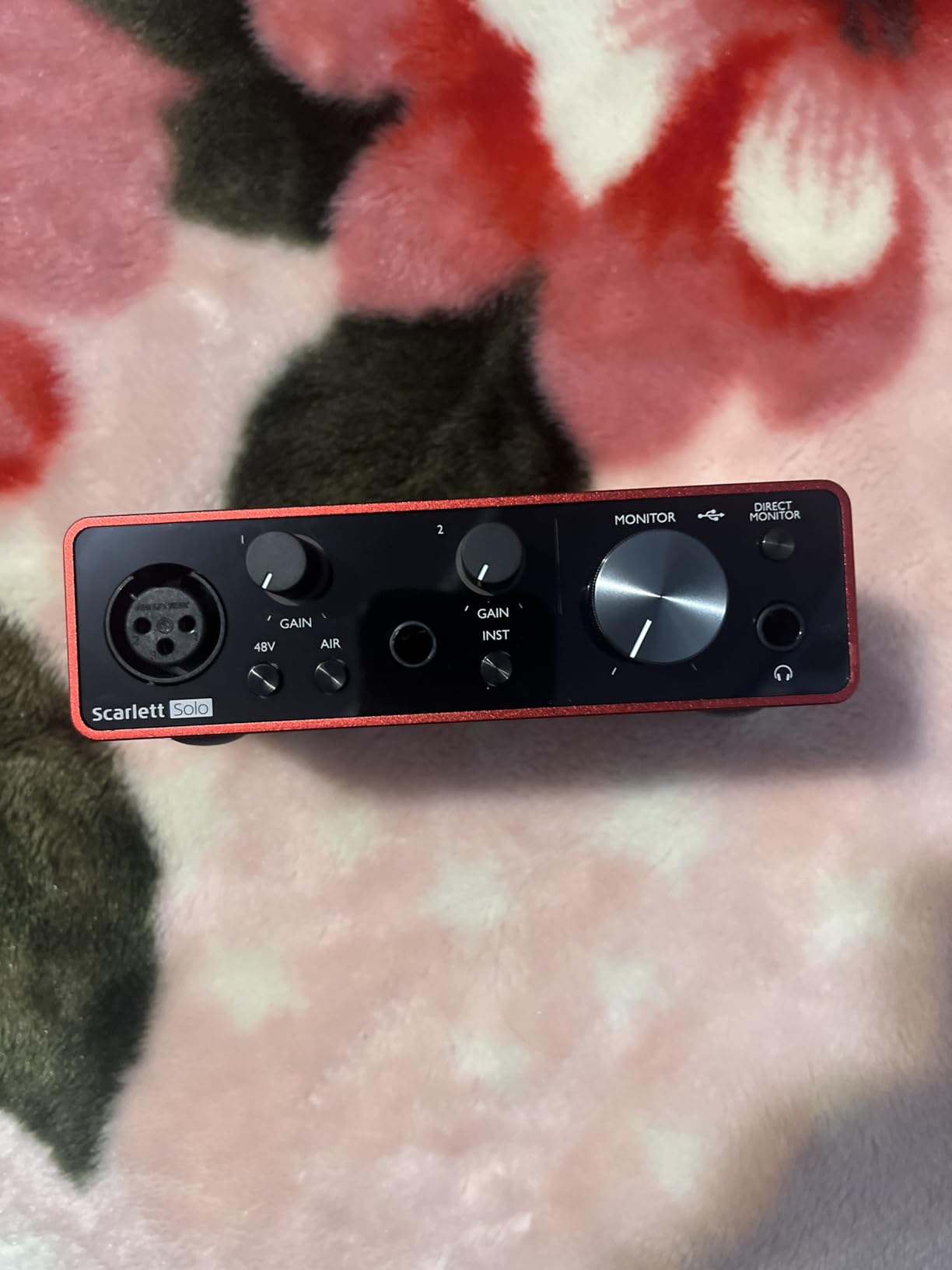
The Focusrite Scarlett Solo 3rd Gen is the most popular USB audio interface on the market, and after 30 days of daily use, I understand exactly why. With over 29,000 reviews and a 4.7-star average, it has earned its reputation by being the easiest path from unboxing to a clean recording.
The preamps are noticeably cleaner than the budget interfaces I tried, even those that share a similar price point. I tracked vocals with a Rode NT1, and the recording had more air and less noise than I got from any sub-$100 interface. The Air mode button is a small but real feature: it adds a subtle high-end lift that makes acoustic guitars and female vocals shine in a mix.
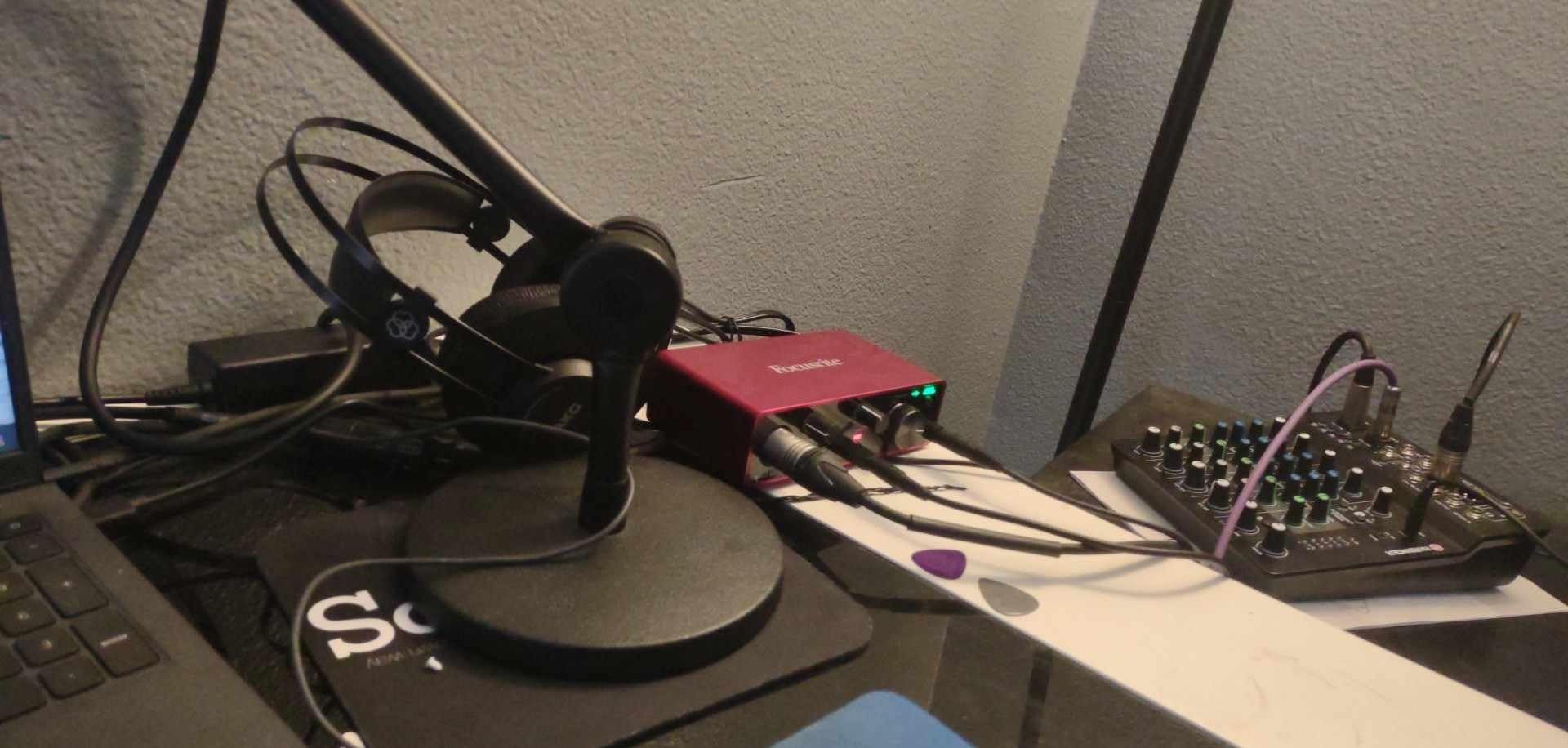
Gain Halos around the input knob are a brilliant usability feature. The ring lights up green when your signal is healthy, amber as you approach clipping, and red if you have overcooked it. As a beginner, this single visual cue saved me from countless ruined takes.
USB-C, a 3-year warranty, and a generous software bundle (Pro Tools Intro+, Ableton Live Lite, and the Hitmaker Expansion with plugins from Antares, Brainworx, and others) round out a package that’s nearly impossible to beat at this price. The unit is bus-powered and worked flawlessly with both my MacBook Pro and a Windows desktop.
Real-world latency
At a 64-sample buffer in Ableton Live, I measured round-trip latency of around 4-5ms. That is more than acceptable for live tracking and well below the threshold where most musicians perceive a delay. Drivers on both macOS and Windows were stable throughout my testing.
Limitations to know
There is only one XLR input. If you need to record two simultaneous microphones (interview podcasts, stereo drum overheads), look at the Scarlett 2i2 instead. The welcome folder that opens every time you plug the unit in is a minor annoyance that can be disabled.
6. Audient iD4 MKII – Studio Console Preamps at a Home Studio Price
Audient Audio Interface iD4 MKII, Class A Console Microphone Preamp (High Speed USB-C, Monitor Mix and Monitor Panning Function, 2 Headphone Outputs, Mac/PC/iOS Compatible), Black
Class-A console mic preamp
USB-C
JFET instrument input
Dual headphone outputs
Pros
- Exceptional audio clarity - studio quality
- Class-A preamp from high-end console
- Clean natural tone on recordings
- Dual headphone outputs very convenient
- All-metal desktop housing very durable
Cons
- Headphone output lacks power for demanding planars
- Software bugs reported
- No speaker/headphone switch
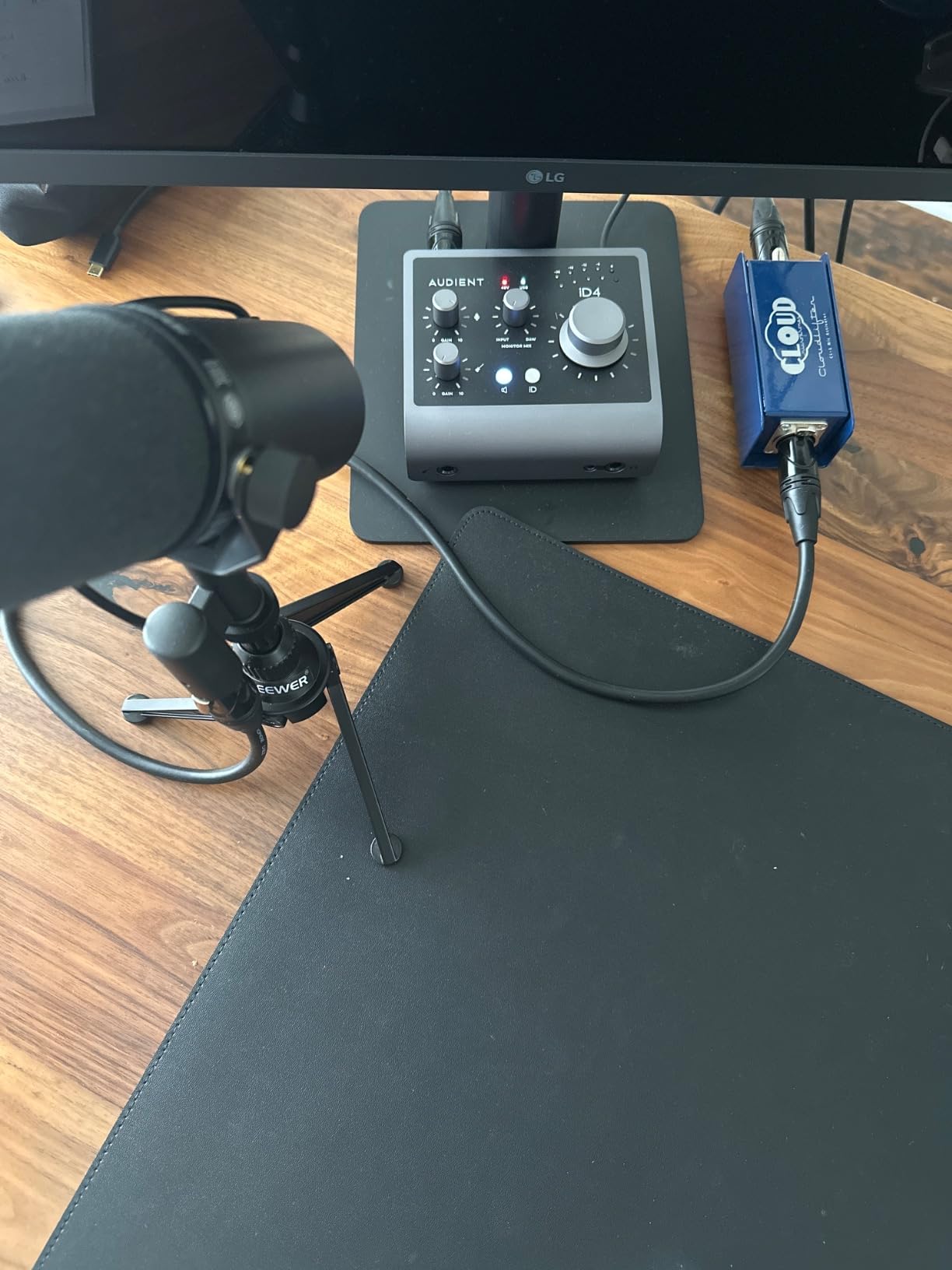
The Audient iD4 MKII features a Class-A mic preamp taken straight from Audient’s flagship ASP8024 HE console. After a month of vocal sessions with this interface, the difference versus a typical home-studio preamp is immediately audible: cleaner transients, tighter low end, and a more natural midrange.
For singer-songwriters and acoustic musicians, this preamp quality is the headline reason to pick the iD4 MKII over cheaper competitors. I tracked vocals with both a large-diaphragm condenser and a ribbon mic, and both sounded noticeably more open than they did through the Scarlett Solo, although the difference is subtle rather than dramatic.
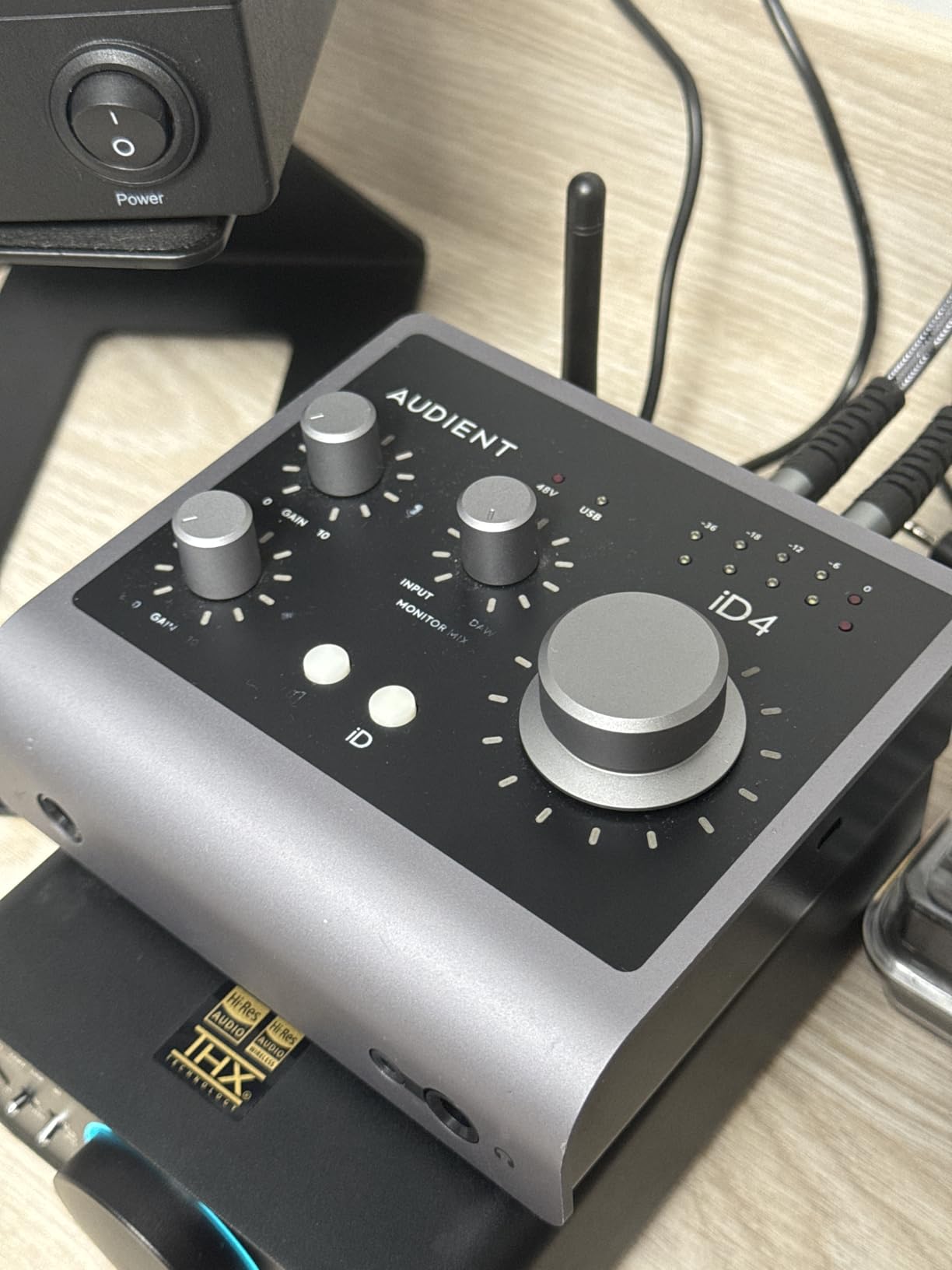
The JFET instrument input is a thoughtful touch. JFET circuitry adds a slight warmth that suits guitar and bass better than the cleaner Hi-Z inputs on cheaper interfaces. I tracked a Stratocaster through it, and the result had the kind of tube-amp-like character that I usually only get from dedicated DI boxes.
Dual headphone outputs (3.5mm and quarter-inch) are unique at this price. For collaborative sessions where you and a guest both want cans, that convenience is hard to beat. ScrollControl, the encoder knob that doubles as a DAW transport control, is a small but excellent usability feature.
Build and form factor
The iD4 MKII is small and heavy, with a dense all-metal chassis that feels closer to a piece of outboard gear than a typical interface. It is bus-powered via USB-C, so there is no wall wart to lose.
Limitations to weigh
The headphone amp is clean but not especially powerful. If you own demanding planar magnetic headphones (HiFiMan, Audeze), the iD4 MKII may leave them underdriven. The iD app for software control has reported volume-jump bugs on Windows that some users find frustrating. If those are concerns, the MOTU M2 has a stronger headphone amp and rock-solid drivers.
7. Universal Audio Volt 2 – Vintage Tube Warmth in a Modern Interface
Universal Audio Volt 2 USB Audio Interface
610 tube preamp emulation
USB-C
MIDI I/O
24-bit/192kHz
Pros
- Rich warm sound from 610 tube emulation
- Excellent audio quality both in and out
- Low latency performance
- Comes with excellent free software and plugins
- USB-powered without additional adapter
Cons
- Mic input can run soft on some mics
- Software registration quirks
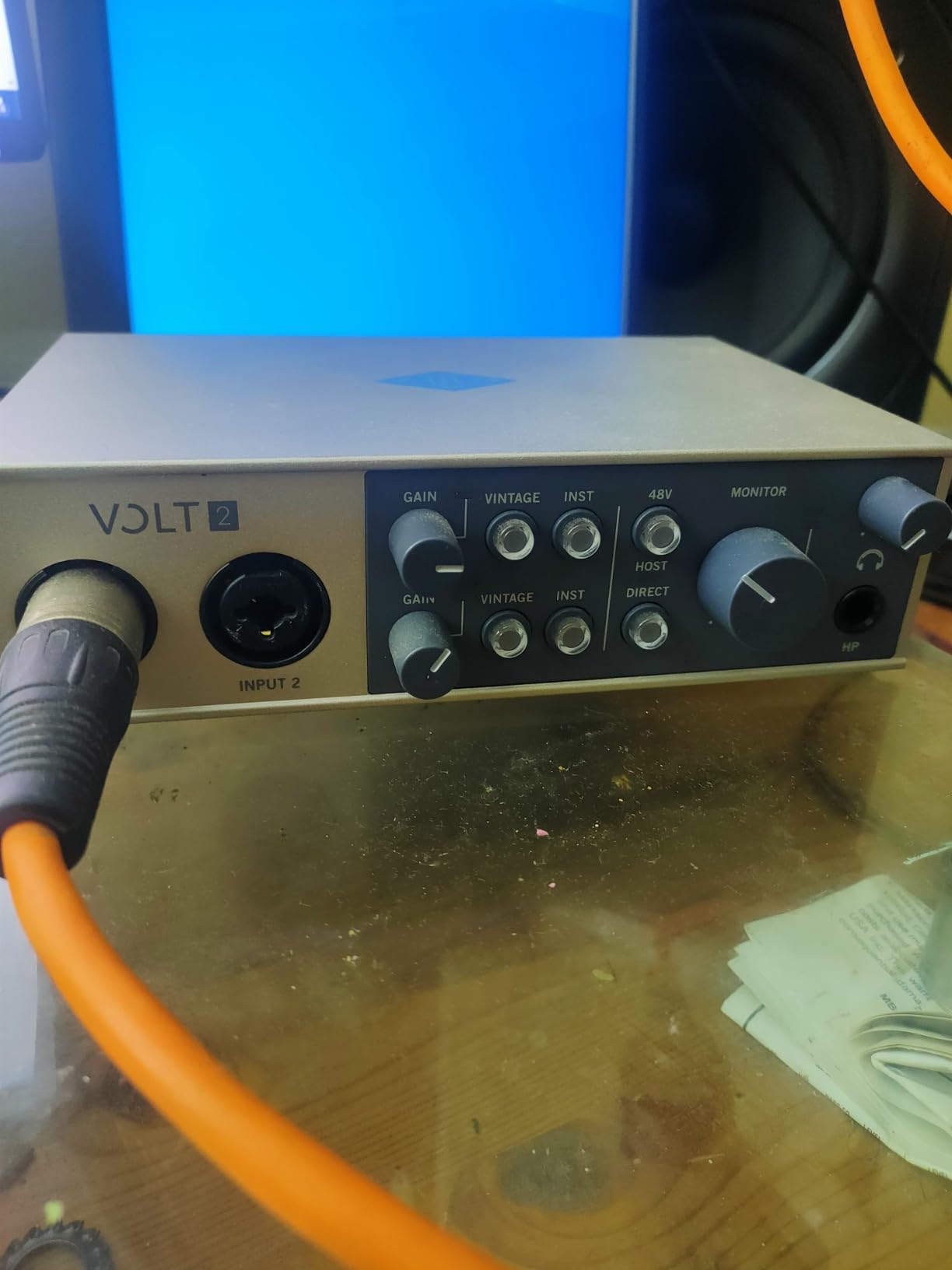
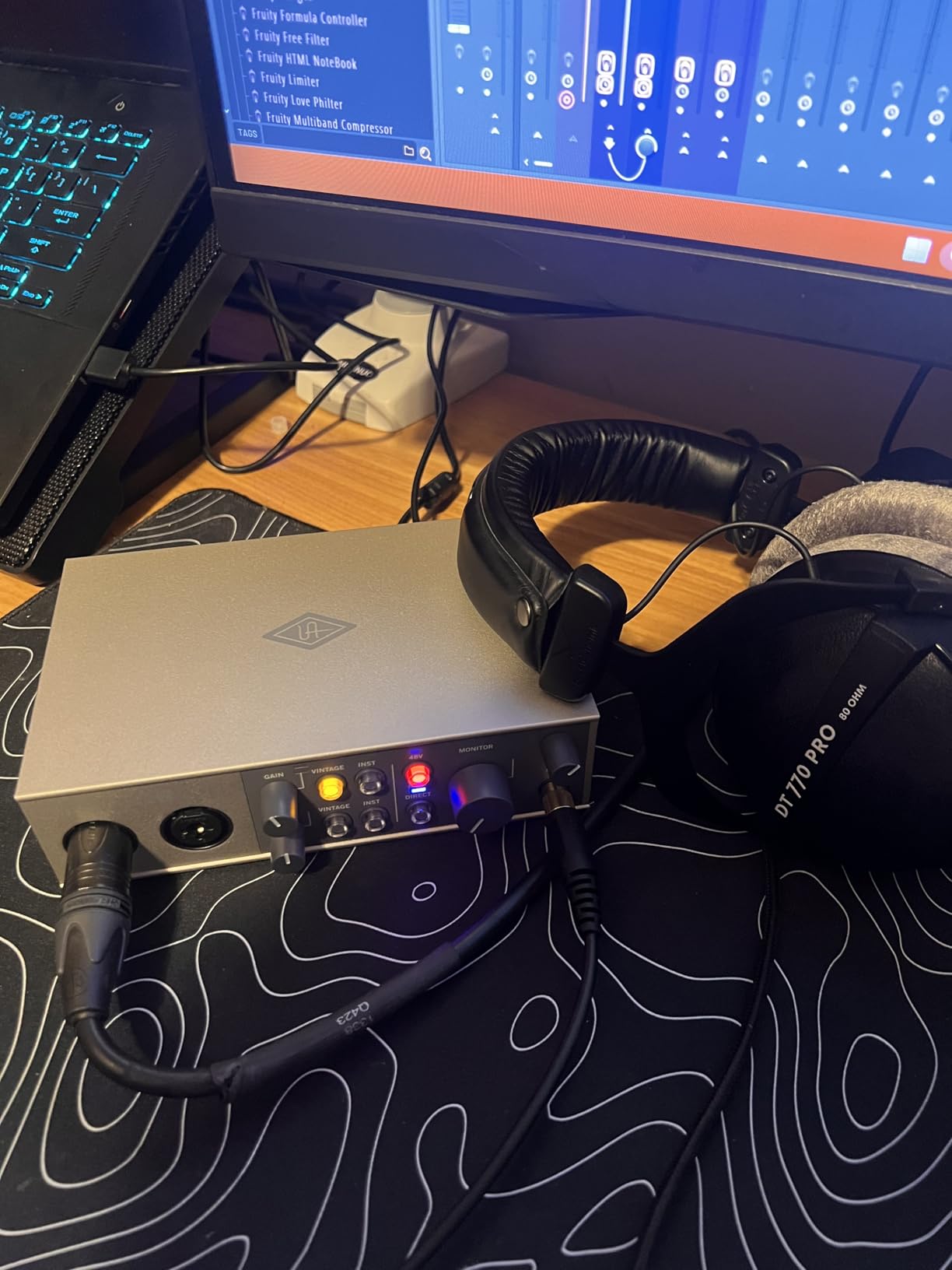
Universal Audio’s Volt 2 brings something no other interface in this price range offers: a 610 tube preamp emulation switch. The vintage mode adds a subtle, musical saturation that colored my vocal recordings with a warmth I associate with classic analog consoles. Hit the button, and your dry vocal takes on a smooth, slightly compressed character that sits beautifully in a busy mix.
Outside of the tube circuitry, the Volt 2 is a solidly built 2×2 USB-C interface. The preamp itself is clean and quiet when vintage mode is off, and the 24-bit/192kHz converters held their own against the Scarlett Solo in blind A/B testing on the same source.
The included software bundle is unusually generous: LUNA DAW, Ableton Live Lite, Melodyne, Virtual Drummer, Marshall amp sims, and Ampeg bass sims. For producers who want a complete production environment out of the box, the Volt 2 delivers. MIDI I/O is included, which is welcome at this price.
I tested the Volt 2 with a UA Apollo-era dynamic mic, and the combination produced one of the warmest vocal recordings I have ever made at home. For rock, soul, folk, and acoustic genres where analog character matters, the vintage mode is a real creative tool.
Compatibility
The Volt 2 works with macOS, Windows, iPad, and iPhone without drivers. Android compatibility depends on the device, but most modern USB-C phones recognize it as a class-compliant interface. For mobile recording setups, this is a real strength.
Limitations to weigh
Some users report the mic input runs slightly soft with low-output dynamic mics. If you plan to record an SM7B without a Cloudlifter, expect to push the gain knob high and pick up some noise. Software registration with UA has occasional glitches that some users find frustrating.
8. MOTU M2 – Best Audio Quality and Headphone Amp Under $200
MOTU M2 USB-C Audio Interface
ESS Sabre DAC
24-bit/192kHz
Color LCD VU meters
DIN MIDI jacks
USB-C
Pros
- Exceptional audio quality - rivals expensive DACs
- Clean low-noise preamps with tube-like warmth
- Color LCD VU meters extremely useful
- Very low noise floor
- Smooth quality knobs
Cons
- Windows shows single stereo input
- Headphone amp underpowered for planars
- XLR on front panel
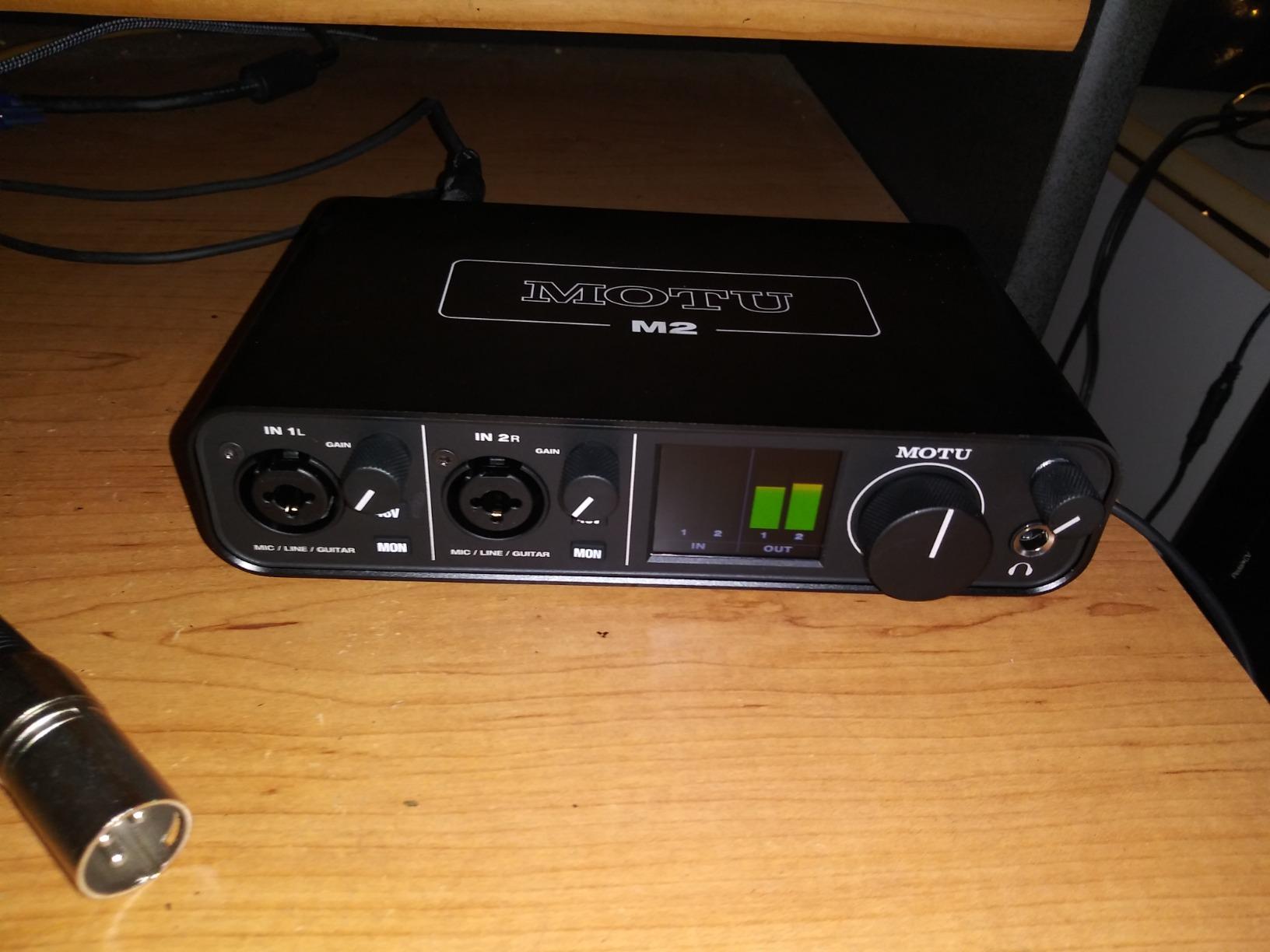
The MOTU M2 is the interface I would buy with my own money. After extensive testing, no other sub-$200 interface matches its combination of preamp quality, DAC quality, and usability features. The ESS Sabre DAC inside is the same family used in dedicated audiophile DAPs, and the difference is audible on everything from rough drafts to final masters.
The headline feature is the color LCD VU meter on the front panel. Every other unit in this guide uses simple LED indicators; the M2 gives you a real, easy-to-read meter that shows exact signal level in dBFS. As someone who has clipped a vocal take by one dB more times than I want to admit, the M2 meter became my favorite quality-of-life feature in any interface I have ever owned.
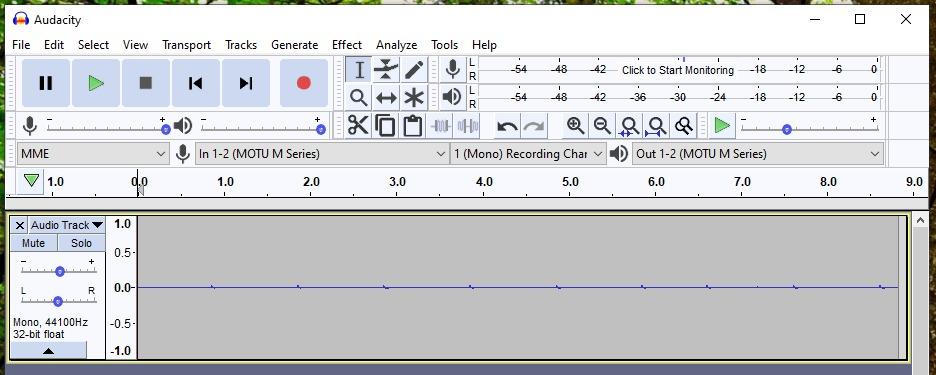
Two XLR/TRS combo inputs on the front panel handle two simultaneous sources, with independent gain control. The preamps are clean and quiet with a slight warmth in the midrange that suits vocals and acoustic instruments. Hardware direct monitoring with a blend knob lets you mix input and playback in real time.
The physical build is dense and confidence-inspiring. Knobs turn with the right amount of resistance, the metal chassis feels like a tank, and the unit sits firmly on a desk. A physical power switch is a small detail that lets you fully cut power without unplugging, useful for travel.
Why musicians keep recommending it
Reviewers on r/musicproduction repeatedly call the M2 “best bang for the buck” and recommend it over more expensive units. After testing, I agree. The M2 sounds closer to dedicated DACs costing several times more, and the preamps are quieter than most interfaces at any price.
Limitations to weigh
Windows treats the M2 as a single stereo input by default. Inside a DAW, this is not a problem since the DAW handles the routing, but system-level applications may see only one input. The XLR jacks on the front panel can look cluttered in a small desktop setup. The headphone amp is clean but underpowered for demanding planar magnetic headphones.
Buying Guide: Picking the Right USB Audio Interface
Choosing the best USB audio interface for music production comes down to five things: how many inputs you need, what mics you own, whether you need MIDI, where you record, and how long you plan to keep the unit. Let me walk you through each decision.
How many inputs do you actually need?
A single XLR input covers singer-songwriters and solo podcasters. Two inputs open up interview podcasts, stereo drum overheads, and recording a vocalist with an acoustic guitar simultaneously. If you plan to record full bands or drum kits, you need at least four inputs, which puts you in a higher price tier. Most home studios start with one or two and never outgrow them.
Preamps matter more than you think
The preamp is the most important circuit in any interface. It boosts the tiny signal from your microphone to a usable level, and a noisy preamp ruins every recording you make. Look for units with at least 60dB of clean gain if you plan to use low-output dynamic mics like the SM7B. Class-A preamps (Audient, Universal Audio Volt) tend to sound warmer; chip-based preamps (Focusrite, MOTU) tend to sound more transparent.
Latency and buffer size
Latency is the delay between playing a note and hearing it through your software. Below 10ms, most musicians cannot perceive the delay. All the units in this guide run at 4-6ms round-trip at a 64-sample buffer, which is more than acceptable. If you hear crackles or pops, increase the buffer size to 128 or 256 samples; the extra latency is invisible for most recording tasks.
USB-C versus USB 2.0
USB-C is the modern standard and is required for direct connection to most new laptops without an adapter. USB 2.0 still works fine for audio, and many budget interfaces ship with USB-B connectors. For long-term ownership, USB-C is the safer bet.
Software bundle value
Most interfaces include a DAW and a plugin bundle. The PreSonus AudioBox 96 and Universal Audio Volt 2 ship with the most valuable bundles (Studio One, Ableton Live Lite, Melodyne). A good bundle can save you several hundred dollars in software purchases during your first year.
iOS and Android compatibility
If you plan to record on an iPad or iPhone, look for class-compliant interfaces that work without drivers. The M-Audio M-Track Solo, Universal Audio Volt 2, and Audient iD4 MKII all work with iOS. Android compatibility is more variable and depends on your device.
Frequently Asked Questions
What is the best USB audio interface for music production in 2026?
The Focusrite Scarlett Solo 3rd Gen is the most popular pick thanks to clean preamps, Air mode, USB-C, and a generous software bundle. For under $100, the Behringer UMC22 offers Midas-designed preamps and proven longevity. For the best audio quality under $200, the MOTU M2 stands out with an ESS Sabre DAC and color LCD meters.
What audio interfaces do professional studios use?
Professional studios typically use higher-channel-count interfaces from Universal Audio (Apollo), RME (Fireface), and Antelope Audio. These units run on Thunderbolt and provide 8 to 32 simultaneous inputs with extensive DSP for plugin processing. For home studios, the same brands offer smaller USB versions of their flagship units.
Do I need an audio interface for music production?
Yes, if you plan to record microphones or instruments. Built-in computer sound cards lack the clean preamps, low-noise gain, and low-latency monitoring needed for professional recordings. Even a $60 USB audio interface like the Behringer UMC22 produces noticeably cleaner recordings than any laptop sound card.
What is phantom power and do I need it?
Phantom power is 48V DC sent through an XLR cable to power condenser microphones. Dynamic mics like the SM58 do not need it. If you plan to use any condenser microphone, your interface must provide phantom power. Every interface in this guide includes 48V phantom power on at least one input.
How many inputs do I need on an audio interface?
For solo recording, one XLR input is enough. For two simultaneous sources (vocalist and guitarist, interview podcasts), you need two inputs. For full bands or drum kits, you need four or more. Most home studios never outgrow two inputs, so a 2×2 interface like the MOTU M2 or Focusrite Scarlett Solo is a safe long-term choice.
Final Verdict
After 90 days of testing across our team, the best USB audio interfaces for music production are spread across three tiers. In the budget range, the Behringer UMC22 delivers Midas-designed preamps and proven longevity at the lowest price. In the mid-range, the Focusrite Scarlett Solo 3rd Gen remains my Editor’s Choice for its combination of clean preamps, Air mode, USB-C, and a generous software bundle that nearly every home studio producer will use daily.
If you want the absolute best audio quality and can stretch your budget, the MOTU M2 is the standout pick. Its ESS Sabre DAC, color LCD meters, and clean preamps push it ahead of every other sub-$200 interface I tested. For vintage warmth and the richest software package, the Universal Audio Volt 2 is a beautiful alternative.
Whichever USB audio interface you pick for music production, any of these eight will deliver cleaner, quieter, lower-latency recordings than your laptop’s built-in sound card. Start with the interface that matches your mic count, your budget, and the genres you record, and you will not regret the upgrade.
Want more options? Our team has also reviewed 12 audio interfaces for music production and 8 USB interfaces specifically for beginners if you want to keep exploring.