
The best studio monitor controllers give you a physical, repeatable way to set listening level, mute the room, hear a mix in mono, and move between sources or speakers without touching the interface. That sounds basic until a session is moving fast and a software fader, an interface knob, and a speaker’s rear-panel control are all fighting for authority.
A monitor controller sits between the source and your powered studio monitors. At its simplest, it is a desktop volume control; at its most involved, it can add multiple monitor outputs, cue routing, headphone amps, USB audio, metering, talkback, and digital inputs.
I built this guide from the listed specifications, features, ratings, and review counts for ten available models rather than filling gaps with claimed lab results. My first filter is practical: buy the controller that solves a real routing or level-control problem, because more buttons do not automatically make a better monitoring path.
That distinction matters in 2026. Forum discussions repeatedly bring up unexpected failures, self-noise in inexpensive active units, and frustration with controls nobody uses. I would favor a simple passive box for one pair of speakers and one source, then step up to an active controller only when speaker switching, talkback, headphones, or source selection are part of the daily routine.
Table of Contents
The Top 3 Studio Monitor Controllers Answer Three Different Studio Needs
The Behringer XENYX CONTROL2USB is my broadest pick here because its listed 192 kHz USB interface, VCA level control, and built-in talkback cover a busy desktop setup. The PreSonus Monitor Station V2 is the routing-first choice for producers who need several sources, monitor pairs, and headphone feeds, while the Behringer MONITOR1 makes sense when a passive, direct volume path is the whole brief.

These are not interchangeable recommendations. Choose the CONTROL2USB if USB and communication matter, the Monitor Station V2 if routing and artist monitoring matter, and the MONITOR1 if you only need tactile attenuation between a source and one monitor chain.
These Studio Monitor Controllers in 2026 Cover Simple Knobs to Full Control Centers
The comparison below puts all ten models in one place. I have kept the feature labels tied to the supplied product data, so you can spot the difference between a passive attenuator and a controller that also functions as a USB-facing studio hub.
| Product | Specifications | Action |
|---|---|---|
 Behringer XENYX CONTROL2USB Behringer XENYX CONTROL2USB |
|
View on Amazon |
| PreSonus Monitor Station V2 |
|
View on Amazon |
 Behringer MONITOR1 Behringer MONITOR1 |
|
View on Amazon |
 PreSonus Central Station Plus PreSonus Central Station Plus |
|
View on Amazon |
 PreSonus MicroStation BT PreSonus MicroStation BT |
|
View on Amazon |
 StudioMan M04 StudioMan M04 |
|
View on Amazon |
 Behringer MONITOR2USB Behringer MONITOR2USB |
|
View on Amazon |
 DYNASTY PROAUDIO PMC-2 DYNASTY PROAUDIO PMC-2 |
|
View on Amazon |
 DYNASTY PROAUDIO PMC-1 DYNASTY PROAUDIO PMC-1 |
|
View on Amazon |
 Mackie Big Knob Studio Mackie Big Knob Studio |
|
View on Amazon |
1. Behringer XENYX CONTROL2USB Is the Best Full Desktop Studio Hub
Behringer CONTROL2USB High-End Studio Control with VCA Control and USB Audio Interface
192 kHz USB interface
VCA level control
Talkback mic
3 monitor channels
Pros
- 192 kHz USB audio
- VCA level control
- Built-in talkback
- All-in-one control center
Cons
- USB-centered connectivity
- No customer images supplied
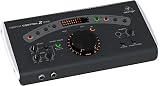
The XENYX CONTROL2USB is the most complete starting point for a producer who wants monitor management and USB audio in one desktop unit. Its listing calls it an all-in-one master volume controller, source selector, monitor switcher, and talkback box, which is a useful combination for recording sessions where the engineer and performers need to communicate.
Behringer specifies VCA control rather than calling this a passive attenuator. That makes it a better fit when you want a central feature set, not merely a big knob placed between an interface and powered speakers.
The 192 kHz maximum sample-rate specification is a meaningful differentiator within this list, and the unit is listed with three channels. Its 4.6 rating is based on 255 reviews in the supplied product data, the largest review count among the full-function controllers featured here.
I would still map the studio before buying: USB is the stated audio input and Personal Computer is the listed compatible device. If your system depends on several analog or digital sources, confirm every connection in the chain rather than assuming a control-center label means every format is covered.
The CONTROL2USB is right when one desk must handle monitoring and communication
Choose this Behringer when a talkback mic, a source selector, and monitor switching are active parts of your recording workflow. It suits a compact tracking room better than a passive controller that only changes volume.
The large feature set also makes it sensible for a producer moving from a direct interface-to-monitor connection to a more organized signal flow. I would use the VCA control and talkback as the reasons to choose it, not as extras to leave unused.
The CONTROL2USB needs a USB-centered setup and deliberate routing checks
This is not the model I would select just to control one analog stereo pair. A small passive controller has fewer stages and fewer controls to learn when that is the job.
It is also wise to check how its computer connection fits your DAW and operating system, since Windows and Ableton Live 10 or later are named in the supplied specifications. Keep volume low for the first power-up and verify mute and monitor selection before a loud session.
2. PreSonus Monitor Station V2 Is the Best Choice for Multi-Source Routing
PreSonus Monitor Station V2 Desktop Studio Control Center (MONITO STAT V2)
Four stereo inputs
Three speaker pairs
Four headphone amps
Talkback mic
Pros
- Four stereo input pairs
- Three speaker outputs
- Four headphone amplifiers
- Dim mono and mute
Cons
- Desktop footprint
- 96 kHz maximum sample rate
The PreSonus Monitor Station V2 is built for the moment a home studio has outgrown one interface output and one speaker pair. The listed configuration accepts four stereo input pairs plus an S/PDIF digital input, then offers three separately selectable stereo speaker pairs with their own level controls.
That flexibility is paired with a large Main control and dedicated mute, mono, and dim switches. I like that layout for mixing because a mono check and a quick dim are listening tools, not decorative front-panel additions.
Four independent-source stereo headphone amplifiers are the headline for tracking. The cue section adds source selection and input/output-level control, while the onboard electret-condenser talkback microphone gives the engineer a direct communication path.
The supplied data lists TRS, RCA, and coaxial inputs plus a 96 kHz maximum sample rate. It has a 4.6 rating from 200 reviews, and its five-pound listed weight suggests a substantial desktop control center rather than a tiny travel accessory.
The Monitor Station V2 works best when performers and several monitor pairs share a room
This is the straightforward pick if you need to audition mixes on more than one speaker pair, hand out multiple headphone feeds, and speak to performers. A solo producer can still use it, but the additional routing earns its space when sessions involve people.
It also answers the common request for a monitor controller with multiple speaker outputs without forcing you into a passive one-source design. The control surface can replace a patching habit with a repeatable button press.
The Monitor Station V2 asks for a connection plan before it reaches the desk
Four stereo sources and three monitor pairs create many possible cable paths. Label sources and monitor outputs, then establish a safe reference level for each pair before relying on speaker switching during a mix.
Users who only need a volume knob may find this much control unnecessary. The small-studio benefit comes from using its cue, headphone, dim, mute, mono, and talkback facilities as part of a real session routine.
3. Behringer MONITOR1 Is the Best Simple Passive Volume Controller
Behringer MONITOR1 Premium Passive Stereo Monitor and Volume Controller
Passive stereo attenuation
XLR combo inputs
XLR outputs
Large volume knob
Pros
- No active circuitry
- Large precise knob
- XLR combo inputs
- Compact format
Cons
- Single stereo monitoring path
- No speaker switching
The Behringer MONITOR1 strips the task back to passive stereo level control. Its listing describes active-free circuitry intended to keep the signal path simple, with a large knob for precise level adjustments.
Two XLR combo inputs and a 3.5 mm stereo input give it a practical mix of pro and consumer source connections. On the output side, it provides two XLR outputs and a 3.5 mm stereo output for the monitor chain.
For a desktop volume control, the compact 8.19 by 4.96 by 4.02 inch listed dimensions are attractive. It is rated 4.6 from 105 reviews, which is a solid indication that its simple role appeals to owners.
Passive controllers are often preferred in forum conversations because they avoid powered circuitry in the attenuation path. That does not mean every setup will behave the same, so I would connect it with balanced cabling where possible and listen for clean level tracking across your normal working range.
The MONITOR1 fits a single-source, single-pair home studio
This is the sensible answer when an interface already handles conversion and routing, but its physical volume control is awkward or too close to a computer. It adds hands-on attenuation without duplicating a full studio management system.
The 3.5 mm input also helps a desktop setup that alternates between a laptop or consumer source and balanced studio gear. It is an especially clear fit for a musician who values fewer decisions between playback and monitors.
The MONITOR1 does not replace a multi-speaker control center
There is no listed talkback, headphone amp bank, USB interface, or multi-pair speaker selection. If those are non-negotiable for tracking, move to the Monitor Station V2 or a similarly equipped active controller.
Check the actual plug types on every source before ordering cables. XLR combo inputs accept more than one physical connector type, but a good connection plan still matters more than a clever adapter stack.
4. PreSonus Central Station Plus Is the Best Passive-Path Control Center
PreSonus Central Station Plus: Studio Control Center with Remote Control
Passive audio path
Three analog inputs
Two 192 kHz digital inputs
Three speaker outputs
Pros
- Passive signal path
- Three speaker outputs
- Analog and digital inputs
- Talkback and LED meters
Cons
- Larger system commitment
- Headphone details are not listed
The PreSonus Central Station Plus is for studios that want a wider monitor matrix while keeping its stated audio path passive. PreSonus lists three stereo analog input sets, two 192 kHz S/PDIF digital input sets, and three stereo speaker output sets with select switches and trim pots.
Its product data specifically says that the transparent passive path has no op amps or integrated circuits. That is the kind of engineering claim that appeals to mixers focused on a direct path, though I would treat it as one selection factor alongside the connections and controls you will actually use.
There is an onboard talkback microphone and talkback input, plus dual 30-segment fast-acting LED meters with peak hold. The included CSR-1 remote puts control away from the main unit, a useful practical feature when the hardware lives outside immediate arm’s reach.
Coaxial and optical S/PDIF are listed alongside 1/4 inch and RCA connectivity. The unit’s 4.5 rating comes from 41 reviews, a smaller sample than some compact choices here, so I would put extra weight on matching its I/O layout to your room.
The Central Station Plus suits studios that need passive-path routing at the center
Select this PreSonus when you have analog and S/PDIF sources, more than one monitor destination, and a reason to use remote control and meters. It is aimed at a control-room workflow rather than a minimal desktop setup.
The individual speaker-output trim pots can help establish a consistent auditioning level across speaker pairs. That makes A/B checks more meaningful than simply judging whichever pair happens to be louder.
The Central Station Plus needs space and a defined input list
Its capabilities are only helpful if your sources match its analog and S/PDIF formats. A USB-only workflow may be better served by a controller with a stated USB interface rather than adding conversion around this unit.
The remote-control arrangement also changes desk planning. Decide where the main hardware, remote, speaker cables, and talkback line will live before committing to this larger control-room approach.
5. PreSonus MicroStation BT Is the Best Compact Controller with Bluetooth
PreSonus MicroStation BT 2.1 Monitor Controller with Bluetooth Connectivity
Bluetooth stereo input
2.1 monitor control
Balanced 1/4 inch TRS
Headphone aux output
Pros
- Bluetooth source option
- Compact 2.1 design
- Balanced TRS connections
- Headphone aux output
Cons
- One compact monitoring zone
- No multi-pair switching listed
The PreSonus MicroStation BT takes a different path from the larger studio hubs by making wireless playback part of a 2.1 monitor controller. A Bluetooth button lets you toggle between Bluetooth and analog sources, and the pairing button is there for connecting a Bluetooth-enabled device.
Its analog connections include balanced left/right 1/4 inch inputs and a stereo 1/8 inch TRS input. The full-range left/right balanced 1/4 inch outputs are intended for professional studio or media reference monitors.
The stereo 1/8 inch TRS output can feed headphones or a consumer recording and streaming device, according to the listing. With 4.75 by 4.75 by 2.5 inch listed dimensions and a 454-gram weight, this is clearly designed for a small desktop footprint.
Bluetooth is useful for quickly checking a reference from a phone or tablet, but I would not confuse that convenience with a critical wired monitoring path. The product data shows a 4.4 rating from 263 reviews, the largest review count in this roundup.
The MicroStation BT is right for compact reference playback and 2.1 monitoring
Pick this controller when your room is small, you use one main monitor pair, and you want a low-friction way to bring in a phone or tablet reference. It also makes sense for a creator who moves between production and casual playback on the same speakers.
The 2.1 designation makes it the relevant option here for a setup built around stereo monitors and a subwoofer-oriented system. Confirm the rest of the speaker system’s controls when planning integration.
The MicroStation BT keeps routing intentionally simple
This is not a substitute for three monitor pairs, an advanced cue section, or a talkback system. If tracking artists and comparing several speakers are regular tasks, its compact role will feel limiting.
Keep the Bluetooth source for reference and convenience checks, then use the balanced analog path for your primary production source. That division makes it easier to understand which part of the setup you are hearing.
6. StudioMan M04 Is the Best Passive Option for Two Inputs and Four Outputs
StudioMan M04 Passive Monitor Controller – 2 Input 4 Output Studio Volume Controller with Mute Button, 1/4″ Unbalanced Connectors for Powered Studio Monitors & Power Amplifiers (2 IN 4 OUT)
Passive design
Two inputs
Four outputs
One-click mute
Pros
- No power required
- Two-input routing
- Four-output routing
- Mute button
Cons
- Unbalanced 1/4 inch connectors
- Limited review sample
The StudioMan M04 offers an unusual balance of passive operation and expanded physical routing. Its listing promises two inputs and four outputs, so the primary appeal is reducing the need to unplug gear when switching between connected sources or destinations.
StudioMan describes the unit as 100 percent passive, requiring no power, with precise volume control and a one-click mute button. The stated goal is low-loss signal transmission without sound coloration, which positions it as a practical analog routing box rather than a feature-packed interface.
The important limitation is equally clear: it uses unbalanced 1/4 inch connectors. That is not automatically wrong for short, appropriate cable runs, but it should be a deliberate match for your existing setup rather than an afterthought.
Its supplied rating is 4.4 from 19 reviews. The small review sample does not make it a poor choice; it does mean I would inspect the connection format and return terms carefully, especially when a controller becomes the center point of the monitor chain.
The StudioMan M04 is useful when passive routing matters more than digital features
This model is a good match for an analog desktop that needs two inputs and several output destinations but does not need USB, Bluetooth, talkback, or headphone distribution. The mute function is a welcome safety control in a simple signal path.
It can also reduce wear on source and speaker connectors by keeping the common routes permanently plugged in. That is a meaningful convenience for a workspace that changes between production, playback, and hardware instruments.
The StudioMan M04 needs short, sensible unbalanced cable runs
Because the listed connectors are unbalanced 1/4 inch, this is not the first pick for every long cable run or fully balanced studio layout. Trace your outputs and speaker inputs before deciding whether its connection type fits the room.
The unit does not list a headphone amp, talkback mic, mono switch, or digital input. Choose it for passive routing and volume control, not in the expectation of a complete recording-studio communication system.
7. Behringer MONITOR2USB Is the Best Compact USB Monitor and Headphone Controller
Behringer MONITOR2USB High-End Speaker and Headphone Monitoring Controller with VCA Control and USB Audio Interface
USB audio interface
VCA control
Speaker monitoring
Headphone monitoring
Pros
- USB connection
- VCA volume control
- Speaker and headphone focus
- Compact footprint
Cons
- 48 kHz maximum sample rate
- Limited feature detail supplied
The Behringer MONITOR2USB is the smaller USB-oriented sibling to the CONTROL2USB concept. Its listing calls it a high-end speaker and headphone monitoring controller with VCA control and a USB audio interface.
The stated maximum sample rate is 48 kHz, and it is listed with 12 channels. Its compact physical measurements are 5.47 by 9.57 by 5.47 inches, with a listed weight of 3.31 pounds.
That feature combination makes it relevant to a computer-based producer who wants a dedicated controller around both speakers and headphones. The rating is 4.3 from 93 reviews, so it sits slightly below the higher-rated Behringer and PreSonus alternatives while still covering a focused set of functions.
I would interpret the available data conservatively because the supplied feature list is short. The core case is clear—USB, VCA control, speaker monitoring, and headphone monitoring—but verify the exact I/O arrangement needed for your interface, microphones, and monitors.
The MONITOR2USB suits a computer producer who needs speaker and headphone control
This controller makes sense when your main source is a computer and you want more physical control over monitoring than a small interface provides. It keeps the selection centered on USB-based workflow instead of a passive analog-only path.
The headphone focus is useful for late-night work and checking a mix away from the monitors. That said, the supplied data does not detail multiple independent headphone feeds, so tracking several performers points back to the Monitor Station V2.
The MONITOR2USB requires a close look at the rest of its signal chain
The listed 48 kHz maximum sample rate may matter if your established sessions work at a higher rate. Check that practical constraint before treating its USB connection as a universal solution.
It is also not the model to choose solely for an analog passive path. Its VCA design and USB audio role are the reasons to consider it over a simpler MONITOR1 or a DYNASTY passive controller.
8. DYNASTY PROAUDIO PMC-2 Is the Best Passive Controller for Mixed Analog Sources
DYNASTY PROAUDIO PMC-2 Premium Passive 2 x 2 Studio Monitor Volume Controller
Passive 2 x 2 control
XLR TRS RCA inputs
3.5 mm input
Metal enclosure
Pros
- Passive operation
- Several analog input formats
- Balanced ins and outs
- Durable metal enclosure
Cons
- Two by two routing
- No talkback or headphone amp listed
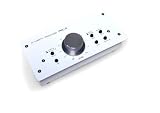
The DYNASTY PROAUDIO PMC-2 is a passive two-by-two monitor volume controller designed around analog flexibility. The supplied features list balanced ins and outs with XLR and phone jack connections, then add RCA line and 3.5 mm TRS inputs for consumer and pro sources.
That combination can simplify a desk that alternates between an audio interface, a media device, and other analog playback gear. No power supply is required, and the metal enclosure is a practical durability point for a controller that will be handled often.
The stated dimensions are 3.6 by 7.6 by 2.2 inches. Its 4.2 rating is based on 164 reviews, which is a broader owner sample than several other compact models in this guide.
Passive does not mean every connection decision disappears. I would identify which sources need XLR, phone jack, RCA, or 3.5 mm before buying, then keep adapters and cable conversions to a minimum wherever possible.
The PMC-2 is right when XLR, phone jack, RCA, and mini-jack sources meet
This DYNASTY model is appealing for a mixed-format desk where one simple controller must accommodate professional balanced gear and consumer playback devices. It gives a passive route without locking you into one connector family.
It is also a useful option for a home studio that wants a metal desktop box and does not need a computer interface built into the controller. The key benefit is connection flexibility, not elaborate monitoring functions.
The PMC-2 stays a two-by-two passive control rather than a session hub
There is no listed talkback, cue mix section, monitor matrix, or headphone amplifier. Those omissions are expected in a small passive volume controller, but they define the boundary of the model’s role.
If one source and one monitor path are all you need, the PMC-1 may be the cleaner route. If you need several speakers or performers, choose a full control center rather than trying to build those jobs around a two-by-two box.
9. DYNASTY PROAUDIO PMC-1 Is the Best Passive Controller with Mono and Mute
DYNASTY PROAUDIO PMC-1 Premium Passive Stereo Monitor Volume Controller With Large Volume Knob For Extremely Precise Level Adjustments
Passive stereo control
XLR TRS inputs
TRS outputs
Mono and mute
Pros
- Passive design
- Large volume control
- Mono monitoring
- Mute button
Cons
- Single-path routing
- No USB or talkback
The DYNASTY PROAUDIO PMC-1 stays close to the classic passive controller formula but adds two practical mix-check controls. The supplied specifications list a mute button and selectable stereo or mono monitoring, while the product features call out XLR/TRS input jacks and TRS outputs.
Mono is not just a studio buzzword. It lets you hear whether central elements of a mix hold together when the stereo spread disappears, and that makes it one of the most useful functions a simple desktop controller can offer.
The PMC-1 has a large volume knob for precise attenuation and a metal enclosure. Its 4.2 rating is based on 164 reviews, matching the PMC-2’s listed owner count.
The product data also mentions 3.5 mm mini-jack connections intended to reduce noisy interference. I would regard connector format and cable quality as part of the system rather than relying on any single feature claim to solve noise problems.
The PMC-1 fits mixers who want passive level control plus a mono check
Choose the PMC-1 when one monitor route is enough but reaching for mono and mute during a mix would improve your routine. That is a more specific job than simply turning the level up and down.
It is well suited to a desktop producer who already has interface routing and headphone output handled elsewhere. The controller then becomes a compact listening checkpoint instead of a second interface.
The PMC-1 leaves advanced routing and communication outside the box
There is no listed USB audio, talkback microphone, Bluetooth input, or multiple monitor-pair selection. It is deliberately focused, so buyers should not expect it to manage a tracking session with several artists.
It also uses a wired connection scheme, which is exactly what many passive-controller buyers want. If source switching is more important than mono, the PMC-2’s broader input description may be a better match.
10. Mackie Big Knob Studio Is the Best Controller for USB Recording and Mic Inputs
Mackie Big Knob Series, 3×2 Studio Monitor Controller 192kHz USB I/O (BIG KNOB STUDIO)
192 kHz 24-bit USB
Two Onyx mic preamps
Three sources
Two monitor pairs
Pros
- 192 kHz USB recording
- Two mic preamps
- Three source choices
- Two monitor pairs
Cons
- Two monitor pairs only
- Lower listed rating in this group
The Mackie Big Knob Studio is more than a monitor controller because its listing includes a flexible two-by-two USB recording interface. It supports 192 kHz, 24-bit recording and playback and adds two Onyx microphone preamps with phantom power for condenser microphones.
For monitoring, it offers professional source and monitor selection across three sources and two monitor pairs. That puts it in a useful middle ground for a solo creator who wants interface and monitor control features together without stepping into the largest routing systems in this guide.
Mackie states compatibility with major DAWs on Mac and Windows. The unit has a listed 3.9 rating from 158 reviews, so I would pay attention to the actual interface features you will use instead of selecting it solely because the Big Knob name is familiar.
At 13.4 by 8.7 by 5.6 inches and 5.1 pounds, it is a sizable desktop component. Plan enough space for microphones, monitor cables, and front-panel access before treating it as a casual add-on to a crowded workstation.
The Big Knob Studio is right when a monitor controller must also record microphones
This Mackie is the practical fit for a producer who wants two microphone preamps with phantom power in the same system as USB recording and speaker selection. It can reduce the number of separate boxes on a recording desk.
The three-source and two-monitor-pair arrangement is enough for many project studios. It is particularly relevant if the choice is between adding a controller to an existing interface or consolidating both roles in one hardware unit.
The Big Knob Studio makes sense only when its recording side is useful
If your existing interface already has the inputs and preamps you want, a passive controller or dedicated monitoring hub may be a cleaner choice. Buying overlapping functions can create extra routing decisions instead of simplifying the room.
The supplied 3.9 rating is lower than the other reviewed products, although it still draws on 158 reviews. Read the current product information, check compatibility, and match the two-pair limit to your actual speaker plan.
Choose Studio Monitor Controllers by Signal Path, Routing, and Daily Workflow
A studio monitor controller is hardware placed between your source and speakers to control level and, depending on the model, select sources and speakers. Its practical value is immediate: one reliable volume control, a quick mute, and a known place to check mono can make monitoring safer and more repeatable.
Start by listing what is already in your signal path: audio interface outputs, monitor inputs, headphones, playback devices, subwoofer, microphones, and any second or third speaker pair. Then choose the least complicated controller that connects those parts without forcing unnecessary adapters or duplicate conversion.
A passive controller is best when a clean, simple analog volume path is the goal
Passive monitor controllers such as the Behringer MONITOR1, StudioMan M04, and DYNASTY PMC models attenuate an analog signal without requiring power for that core task. They are usually the right category when one source and one monitor chain need a more tactile level knob.
They do not create USB audio, headphone distribution, talkback, metering, or elaborate speaker switching by themselves. Their strength is restraint, and forum discussions show why some users prefer that restraint when self-noise and feature overload are concerns.
An active controller is best when routing, talkback, headphones, or USB are part of the session
Active monitor controllers add powered circuitry and, in some models, conversion and interface functions. The CONTROL2USB, Monitor Station V2, Central Station Plus, MONITOR2USB, MicroStation BT, and Big Knob Studio each extend beyond a bare volume control in different ways.
Choose active functionality for a named reason: several speaker pairs, a cue mix, headphone feeds, talkback, Bluetooth reference playback, digital inputs, or USB recording. Do not assume more features improve sound; they improve workflow only when you will use them.
Multiple speaker outputs are best when you can level-match the monitors first
Switching between speakers is useful only when each pair is set to a sensible reference level. The Monitor Station V2 provides individual speaker-output level controls, and the Central Station Plus has output trim pots; those are practical aids for making comparisons less dependent on loudness.
For a small room with one main pair, speaker switching might add clutter rather than insight. I would rather have a single well-set monitor path and a dependable mono button than several pairs that are not calibrated to one another.
Headphone and talkback features matter most during tracking, not solo mixing
Four independently selectable headphone amplifiers and a built-in talkback mic make the Monitor Station V2 particularly oriented toward artists in the room. The CONTROL2USB and Central Station Plus also list onboard talkback functions, while the Big Knob Studio combines monitoring with microphone preamps.
If you only mix alone, these features can be unnecessary. If you record performers, clear talkback and reliable cue control may matter more to a session than an extra source input ever will.
Connections should decide the shortlist before brand preference does
Look for balanced XLR or TRS connections when they match your interface and monitors, and do not overlook digital formats if your system uses S/PDIF. The MicroStation BT adds balanced 1/4 inch paths and Bluetooth, while the PMC-2 is notable for combining XLR, phone jack, RCA, and 3.5 mm inputs.
Before connecting anything, turn the controller down, mute the monitor path if possible, and bring levels up gradually. This basic routine protects ears and speakers from surprises after a new cable, source, or routing change.
Desktop space should match the controller’s role instead of becoming a compromise
Compact passive boxes make sense directly beneath a screen or keyboard, where a large knob is easy to reach. Larger devices such as the Monitor Station V2, Central Station Plus, and Big Knob Studio deserve a planned position with cable clearance and room to reach the controls.
Rackmount versus desktop is not a quality contest. Put the controls you reach during a mix on the desk, and place the hardware that mainly handles fixed routing where it can stay connected without blocking the work surface.
These Studio Monitor Controller FAQs Give the Direct Buying Answers
What are good monitor controller options for home studio setup?
For a simple home studio, a passive controller such as the Behringer MONITOR1 or DYNASTY PROAUDIO PMC-1 gives tactile volume control without adding extensive routing. Choose the PreSonus MicroStation BT for compact Bluetooth and 2.1 duties, or the PreSonus Monitor Station V2 when several sources, speaker pairs, headphones, and talkback are part of the setup.
Do you need a studio monitor controller?
You need a monitor controller when your interface volume control is inconvenient, you need a reliable mute or mono check, or your room has more than one source or speaker pair. A controller is less necessary when one interface output already provides a comfortable, safe, and repeatable level control for one pair of monitors.
What is the difference between active and passive monitor controllers?
A passive monitor controller attenuates an analog signal without power and is usually focused on level control and simple switching. An active monitor controller uses powered circuitry and can add features such as USB audio, talkback, headphone amps, metering, digital inputs, Bluetooth, and complex source or speaker routing.
Which monitor controller suits a full-featured studio setup?
The Behringer XENYX CONTROL2USB suits a USB-centered setup that needs VCA control and talkback. For broader routing, the PreSonus Monitor Station V2 lists four stereo input pairs, three speaker pairs, four headphone amplifiers, and talkback, while the PreSonus Central Station Plus adds passive-path analog and S/PDIF routing with meters and remote control.
The Best Studio Monitor Controllers Depend on What Your Studio Actually Needs
For an all-around USB-centered monitor hub, I would start with the Behringer XENYX CONTROL2USB. The PreSonus Monitor Station V2 is the more convincing choice when several monitor pairs, performer headphones, cue control, and talkback need to work together.
For a direct passive signal path and one-monitor workflow, the Behringer MONITOR1 and DYNASTY PMC-1 keep the job refreshingly focused. The best studio monitor controllers in 2026 are not necessarily the ones with the longest feature list; they are the models whose connections and controls solve your daily monitoring problem without adding another one.
Review your sources, speakers, headphones, and desk space one more time, then choose the controller whose stated capabilities match that map. A clear monitoring chain is one of the most useful pieces of music-production equipment you can put between a mix and your ears.