
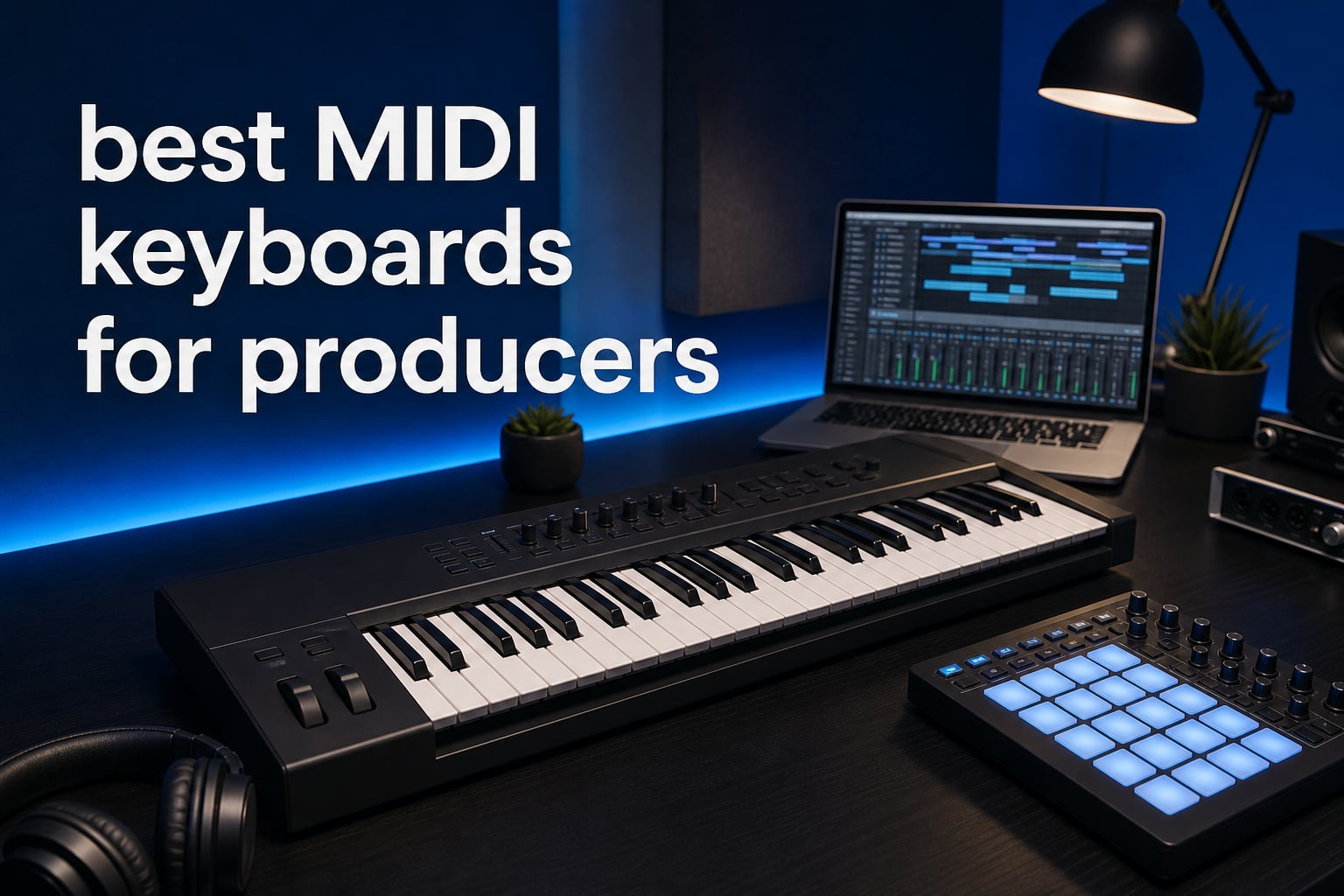
Finding one of the best MIDI keyboards for producers is less about chasing the longest feature list and more about matching the controller to the way you write tracks. A beatmaker who programs drums needs responsive pads and quick note repeat, while a composer may need 49 or 61 full-size keys for two-handed chord work.
A MIDI keyboard is a piano-style controller that sends note, velocity, and control data to a DAW or external instrument. It does not make sound on its own; it triggers virtual instruments, records performances, and can put transport, mixer, and plug-in control within reach.
I would begin with the physical questions: can your desk take a 61-key board, do you play piano parts, and do you want to leave a controller connected to hardware synths? Those answers settle more than a long specification sheet, especially when mini keys feel cramped to players used to full-size keys.
For this 2026 guide, we compared 10 verified controllers across key count, key feel, pads, knobs, faders, sequencers, DAW support, and external connectivity. The shortlist includes compact USB MIDI keyboard choices for small desks, 49-key music production keyboard options with aftertouch, and 61-key controllers for larger arrangements.
One practical pattern from producer discussions is clear: ready-made DAW control matters more than extra controls that must be mapped from scratch. We also kept the mini-key trade-off visible, because portability can be a win for a mobile setup and a daily frustration for a trained player.
These Are the Top 3 MIDI Keyboard Picks for Producers in 2026
The Novation Launchkey 49 MK4 is our broadest recommendation because it combines a 49-key semi-weighted keybed, 16 FSR pads with polyphonic aftertouch, nine faders, and support for Ableton, Logic Pro, Cubase, and other major DAWs. It is the middle ground for producers who want to play parts and mix without filling the desk with separate controllers.
The Arturia MiniLab 3 is the compact all-round pick when space is tight, with 25 slim keys, eight RGB pads, eight encoders, four faders, MIDI out, and a stated five-year limited warranty. The Akai MPK Mini IV is the portable beatmaking option, pairing mini keys with MPC pads, a display, USB-C, full-size MIDI Out, and pre-mapped integration for Ableton Live, Logic Pro, and FL Studio.
These MIDI Keyboards Cover Producer Workflows in 2026
The comparison below puts every verified model in one place. Look first at the number and type of keys, then at the controls you will actually touch during a session: pads for drums, faders for mixes, encoders for instruments, and ports for gear outside the computer.
| Product | Specifications | Action |
|---|---|---|
 Novation Launchkey 49 MK4 Novation Launchkey 49 MK4 |
|
Check Latest Price |
 Novation FLkey 61 Novation FLkey 61 |
|
Check Latest Price |
 Arturia KeyStep Pro Arturia KeyStep Pro |
|
Check Latest Price |
 Arturia MiniLab 3 Arturia MiniLab 3 |
|
Check Latest Price |
 Akai MPK Mini Plus Akai MPK Mini Plus |
|
Check Latest Price |
 M-Audio Oxygen 61 MKV M-Audio Oxygen 61 MKV |
|
Check Latest Price |
 Akai MPK Mini IV Akai MPK Mini IV |
|
Check Latest Price |
 Arturia KeyLab Essential 49 mk3 Arturia KeyLab Essential 49 mk3 |
|
Check Latest Price |
 M-Audio Oxygen Pro 49 M-Audio Oxygen Pro 49 |
|
Check Latest Price |
 Arturia KeyLab 61 mk3 Arturia KeyLab 61 mk3 |
|
Check Latest Price |
1. Novation Launchkey 49 MK4 Is the Best Overall Producer Controller
Novation Launchkey 49 MK4 USB MIDI Keyboard Controller
49 semi-weighted keys
16 FSR pads
9 faders and NKS
Pros
- Semi-weighted waterfall keys
- Polyphonic-aftertouch pads
- Major DAW support
- NKS-ready
Cons
- 9-pound controller
The Launchkey 49 MK4 makes the strongest case for a producer who wants one controller to cover writing, drums, clip work, and mixer moves. Its 49 semi-weighted waterfall-style piano keys give you four octaves without the width of a 61-key board.
The 16 FSR pads have polyphonic aftertouch, which means each pad can send pressure expression independently after it is struck. That is useful for expressive drums, clip launching, and sound design rather than treating the pads as simple on-off triggers.
Major-DAW support makes it a flexible studio center
The verified support list includes Ableton, Logic Pro, Cubase, and HUI, while the feature list also identifies FL Studio among its DAW integrations. I would choose this controller when switching DAWs or collaborating makes a single-brand workflow too limiting.
Eight endless encoders, nine faders and buttons, transport functions, scale and chord modes, an arpeggiator, and step sequencing let a producer move from a chord sketch into automation without reaching for a mouse every few seconds.
Forty-nine semi-weighted keys fit hands-on arranging
Forty-nine keys are enough for bass in the left hand and a lead or chord voicing in the right, with octave buttons for the rest of the range. That makes the Launchkey a better daily keyboard for melodic work than a 25-key mini MIDI keyboard.
At 9 pounds, it is still movable but not the controller I would pack for every session away from the studio. The reported 4.7 rating from 1,000 reviews supports its broad appeal, though desk width should be measured before choosing it.
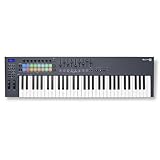
2. Novation FLkey 61 Is the Direct Choice for FL Studio
Novation FLkey 61 USB MIDI Controller Keyboard
61 keys
16 RGB pads
9 faders for FL Studio
Pros
- 61 full-size keys
- FL Studio integration
- 16 RGB pads
- 9 faders
Cons
- Primarily focused on FL Studio
- Windows platform listed
The FLkey 61 is the clear best MIDI controller for FL Studio producers in this group because its controls are built around that DAW rather than generic assignment. It brings 61 keys, 16 RGB pads, nine faders, eight knobs, transport controls, and Channel Rack and mixer control into one board.
That layout has a practical benefit for pattern-based work: drums can live on the pads while faders address a mix and the keybed handles chords, bass, or top-line melodies. The onboard sequencer mode, scale mode, and three chord modes can also shorten the route from an idea to a playable pattern.
FL Studio control keeps patterns and mixer work close
The controller is specifically listed with FL Studio and HUI support, and the feature set names mixer and Channel Rack controls. Producers who build arrangements in FL Studio will spend less time creating manual mappings than they would with a general-purpose board.
Sixteen RGB pads are a serious addition for FPC and SliceX work, as well as drum programming more broadly. Forum feedback often puts pad response ahead of key count for beatmakers, and this model gives both a full keyboard span and pad access.
Sixty-one keys suit full arrangements at a fixed desk
With 61 keys, this is the controller here for producers who regularly voice extended chords, play two-handed parts, or compose across several octaves. It weighs 7.6 pounds and measures 37.48 inches wide, so it belongs on a dedicated workstation more than a small travel table.
The product record reports a 4.7 rating across 1,240 reviews. Its important limit is focus: the integration is primarily for FL Studio, so Logic or Ableton users should favor the Launchkey 49 MK4 or another controller with verified support for their DAW.
3. Arturia KeyStep Pro Is the Best Hardware Sequencing Choice
Arturia KeyStep Pro 37-key Controller & Sequencer – Chroma
37 keys with aftertouch
4-track sequence
16-track drums
Pros
- Four polyphonic tracks
- 16 drum tracks
- Aftertouch keys
- USB MIDI CV controller
Cons
- 13 reported reviews
- No Prime eligibility
The Arturia KeyStep Pro is for the producer whose center of gravity is hardware rather than a screen. It combines 37 velocity-sensitive keys with aftertouch, a four-track polyphonic sequencer, and a 16-track drum sequencer in a controller intended for USB, MIDI, and CV work.
Instead of using a keyboard only to enter notes into a DAW, you can treat it as a composition hub for several melodic instruments and a drum machine. That distinction matters if the goal is computer-free sequencing or a hybrid setup with desktop synths and modular gear.
Four melodic tracks and drum sequencing serve hardware sessions
The four-track polyphonic sequencer can hold separate musical parts, while the 16-track drum sequencer leaves room for a fuller rhythm program. I would put it first for a producer who needs a repeatable pattern source before opening a DAW.
The listed metronome is helpful when the controller becomes the timing reference for a group of instruments. Aftertouch and velocity-sensitive keys add performance detail to the notes you capture, not merely pitch information.
USB MIDI and CV make it a bridge beyond plug-ins
CV/Gate is the important phrase for modular or analog-synth owners: it carries control-voltage and gate signals rather than only computer MIDI data. A controller with that capability can talk to compatible hardware without adding a separate converter.
The review sample is much smaller here, at 13 reports, even though the listed rating is 4.8. It weighs 2.7 kilograms, and its feature depth is more useful to a hardware producer than to someone who only needs a compact laptop keyboard.
4. Arturia MiniLab 3 Is the Best Compact All-Rounder
Arturia MiniLab 3 Universal MIDI Controller, White
25 slim keys
8 RGB pads
8 encoders and 4 faders
Pros
- RGB pressure pads
- Encoders and faders
- MIDI Out
- Five-year warranty
Cons
- Slim keys
- Only 25 keys
The Arturia MiniLab 3 gives a laptop producer a complete control surface in a 14-inch-wide body. Its 25 velocity-sensitive slim synth-action keys are joined by two banks of eight RGB velocity- and pressure-sensitive pads, eight rotary encoders, four faders, and a browsing knob with a mini display.
This is not just a tiny keybed with a few buttons. The separate faders and encoders make it practical to shape an instrument or balance a small mix, while the arpeggiator, pitch and modulation touch strips, and MIDI out make the controller more flexible than its size suggests.
Hands-on controls make a small desk more productive
For compact music production, four faders are an unusually useful inclusion. They can take on track level or instrument duties while the encoders handle filters, sends, or plug-in parameters.
The MiniLab 3 includes Ableton Live Lite, Analog Lab Intro, and UVI Model D in the verified software list. That is a meaningful starting set for a new producer who does not yet have an instrument library, and the 5-year limited warranty adds reassurance for a daily desk controller.
Slim keys favor portability over piano technique
Twenty-five keys require frequent octave changes for bass-and-chord playing, and the slim key width will not suit every hand. I would call it a smart compact controller for beats, sketching, and travel, not a replacement for a full-size piano-style keybed.
The reported 4.7 rating comes from 3,389 reviews, the largest review count in this group. That broad sample fits its role as an approachable producer MIDI controller, provided you accept the short, slim key format.
5. Akai MPK Mini Plus Is the Best Compact Hardware Bridge
Akai Professional MPK Mini Plus 37-Key USB MIDI Keyboard Controller
37 mini keys
64-step sequence
MIDI CV and Gate I/O
Pros
- CV and Gate I/O
- 64-step sequencer
- MPC pads
- Compact 37-key range
Cons
- Mini keys
The Akai MPK Mini Plus expands the familiar compact-controller format with 37 mini keys and serious connections for external instruments. Its 64-step sequencer has one drum track and one melody or chord track with up to eight notes, alongside MIDI I/O and CV/Gate I/O.
That combination makes it one of the most sensible choices for producers who want three octaves in a small footprint but also want to sequence a synth or modular voice. Eight RGB MPC pads, eight assignable knobs, a transport section, and chord and scale modes keep the computer workflow covered as well.
Thirty-seven keys add room without making a large controller
The extra octave over a 25-key controller matters when you want to audition a bass movement and a chord shape without repeated octave switching. It remains compact at 17.9 inches wide and 1.3 kilograms, so it works for a portable production setup.
The keybed is still mini-sized, which is the primary compromise. Producers with classical or piano training should treat the added range as a convenience, not assume it will feel like 37 full-size keys.
CV Gate and MIDI I/O support synth-first workflows
The product data confirms both MIDI I/O and CV/Gate, a combination that lets this controller reach software, conventional MIDI devices, and compatible analog hardware. It can serve as a simple control bridge where a computer-only USB keyboard cannot.
NKS integration and included MPC Beats software extend the plug-in side of the setup. With a 4.6 rating based on 2,121 reviews, it is a strong fit for a producer whose setup is moving from laptop-only production toward hardware instruments.
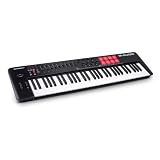
6. M-Audio Oxygen 61 MKV Is the Best 61-Key Production Hub
M-AUDIO Oxygen 61 MKV USB MIDI Keyboard Controller
61 full-size keys
8 pads
8 knobs and 9 faders
Pros
- Full-size 61-key layout
- NKS integration
- Assignable controls
- Smart Chord and Scale
Cons
- Windows platform listed
- Large fixed-desk format
The M-Audio Oxygen 61 MKV is a straightforward full-size controller for arranging songs in a DAW. It brings 61 velocity-sensitive piano-style keys, eight backlit drum pads with Note Repeat, eight assignable knobs, nine assignable faders, pitch and modulation wheels, and a sustain pedal input.
Its Smart Chord and Smart Scale modes, arpeggiator, and auto-mapping for DAW controls and plug-in parameters aim at producers who want musical assistance and physical mixing access in the same board. NKS integration is also included for users building around Native Instruments sounds.
Full-size keys and a pedal input suit expressive parts
A 61-key controller gives enough range for piano, strings, pads, bass, and lead recording without staying in octave-button mode. The sustain pedal input is a small but important feature when recording parts that need natural piano-style phrasing.
At 38.4 inches wide and 7.6 pounds, the Oxygen 61 MKV is designed for a stable studio position. I would choose it for a desktop DAW workspace where full-size playing matters more than carry-around convenience.
NKS and auto-mapping help software-heavy producers
NKS integration connects the controller to the Native Instruments control standard, while the listed complimentary NKS bundle includes a Komplete 15 Select option. The included software set also names MPC Beats, Ableton Live Lite, and AIR Music Tech software.
The product record reports a 4.6 rating from 1,012 reviews. Its listed platform is Windows, so prospective Mac users should verify their intended system before treating it as the right USB MIDI keyboard for their studio.
7. Akai MPK Mini IV Is the Best Portable Beatmaking Pick
Akai Professional MPK Mini IV 25-Key USB-C MIDI Keyboard Controller, Black
25 mini keys
MPC pads
USB-C and full-size MIDI Out
Pros
- Portable 1-kilogram body
- MPC pads and screen
- Pre-mapped DAW support
- USB-C MIDI Out
Cons
- 25 mini keys
- Mini-key feel
The Akai MPK Mini IV is the compact option for producers who want a current USB-C controller with Akai-style pad workflow. It has 25 velocity-sensitive mini keys, eight velocity- and pressure-sensitive MPC pads with RGB feedback, eight 360-degree knobs, a full-color screen, pitch and modulation wheels, and full-size MIDI Out.
At 1 kilogram and 13.88 inches wide, it is an easy controller to keep beside a laptop or take between writing sessions. The arpeggiator adds Pattern, Freeze, and Mutate functions, while chord and scale modes help when an idea arrives faster than your theory recall.
Pre-mapped DAW integration favors fast setup
The verified feature list names pre-mapped DAW integration for Ableton Live, Logic Pro, and FL Studio. That breadth is unusually helpful for a compact board because it allows a producer to change software without abandoning the controller’s central functions.
A push-turn encoder and color screen make navigation more direct than a basic mini controller. For beat makers, the combination of MPC pads and control knobs matters more day to day than having an extra octave.
MIDI Out keeps a travel controller useful at home
Full-size MIDI Out means the MPK Mini IV can control an external compatible synth as well as computer instruments. USB-C makes the computer connection current, and NKS integration gives another route into Native Instruments software.
The record lists a 4.6 rating from 727 reviews and a software collection with more than 1,000 sounds. The limitation remains physical: 25 mini keys are excellent for portability, but keyboard-focused producers should move to a 49- or 61-key model.
8. Arturia KeyLab Essential 49 mk3 Is the Best Software-Centered 49-Key Pick
Arturia KeyLab Essential mk3 — 49 Key USB MIDI Keyboard Controller with Analog Lab V Software Included
49 aftertouch keys
9 encoders and faders
8 RGB pads
Pros
- Aftertouch keybed
- Nine faders and encoders
- Analog Lab V presets
- USB-C and MIDI DIN
Cons
- PC compatibility listed
- White finish may show wear
The KeyLab Essential 49 mk3 is a good producer MIDI controller for someone who wants 49 velocity-sensitive keys with aftertouch and a large software library in the same package. It includes nine encoders, nine faders, eight RGB-backlit velocity- and pressure-sensitive pads, and a 2.5-inch LCD screen.
Arturia also lists custom DAW integration for Ableton Live, Logic Pro X, and FL Studio. Scale mode, chord mode, and an arpeggiator round out a controller that suits songwriting, pop production, electronic music, and instrument-led sessions.
Aftertouch and displays make sound shaping more expressive
Aftertouch lets a key send additional pressure data after the initial press, which can be mapped to a filter, vibrato, volume, or another sound parameter. For producers who record synth performances rather than only edit MIDI notes, it is a feature worth seeking out.
The 2.5-inch LCD gives real-time feedback, while the fader and encoder count is balanced for a small mixer and plug-in control. I would favor that layout over a controller with many pads but no faders when mix automation is part of the daily process.
Analog Lab V gives keyboard players a broad starting palette
The included Analog Lab V library has 2,000 presets according to the product record, joined by UVI Model D and NI The Gentleman pianos. That software focus makes sense for producers who want playable keyboard sounds as soon as the controller is connected.
USB-C and MIDI DIN support both computer and external MIDI use. The listed 4.6 rating across 623 reviews is solid, but the verified compatibility field says PC, so confirm your own computer and DAW before deciding.
9. M-Audio Oxygen Pro 49 Offers the Best Tactile Control Layout
M-AUDIO Oxygen Pro 49 USB MIDI Keyboard Controller
49 semi-weighted aftertouch keys
16 pads
9 faders and MIDI Out
Pros
- Semi-weighted aftertouch keys
- 16 RGB pads
- Nine faders
- 5-pin MIDI Output
Cons
- Windows platform listed
- Heavier 4.2-kilogram body
The Oxygen Pro 49 puts a dense set of production controls around a 49-key semi-weighted keybed with aftertouch. You get 16 RGB backlit velocity-sensitive drum pads with Note Repeat, eight assignable knobs and buttons, nine assignable faders, pitch and modulation wheels, a sustain input, and 5-pin MIDI Output.
That makes it a candidate for a producer who does both keyboard playing and pad performance but does not want to add a separate pad grid. Smart Chord, Smart Scale, and the arpeggiator can help turn a rough idea into a more structured phrase quickly.
Semi-weighted keys and aftertouch reward expressive recording
Semi-weighted keys give more physical resistance than mini keys while remaining closer to a synth-action controller than a hammer-action digital piano. Paired with aftertouch, that can make soft instruments and synth lines feel more controllable in a recorded pass.
The 49-key span is a useful compromise for smaller studios: enough room for two-handed parts, less width than a 61-key board. Its 4.2-kilogram weight favors a desk setup rather than constant travel.
Sixteen pads and nine faders handle beats and mixes together
The 16-pad layout supplies more drum targets than an eight-pad compact controller, and Note Repeat is especially relevant for hi-hat rolls and repeat-triggered percussion. Nine faders are enough to make channel levels or grouped stems feel physical rather than mouse-bound.
NKS support, a complimentary Komplete 15 Select bundle, MPC Beats, Ableton Live Lite, and AIR Music Tech software give it a software-oriented foundation. Its listed rating is 4.5 from 1,355 reviews; check the Windows platform listing if your studio uses another operating system.
10. Arturia KeyLab 61 mk3 Is the Best Premium 61-Key Controller
Arturia KeyLab mk3 USB MIDI Keyboard Controller, 61 Key – White
61 semi-weighted aftertouch keys
12 pads
color display and MIDI DIN
Pros
- Premium aluminum and wood body
- 61 aftertouch keys
- 12 RGB pads
- Analog Lab Pro
Cons
- 18.7-pound weight
- Lower reported rating
The Arturia KeyLab 61 mk3 is the substantial 61-key choice for producers who want a premium-feeling controller at the center of a permanent studio. It has 61 semi-weighted keys with aftertouch, 12 pressure-sensitive RGB pads with four banks, nine faders and potentiometers, a 3.5-inch color display, USB-C, and MIDI DIN.
Its aluminum and wood construction is a marked contrast with lightweight plastic compact controllers, while Analog Lab Pro, Ableton Live Lite, and NI The Gentleman give the board a wide set of keyboard sounds to play. This is designed around a long-form composition and sound-design desk rather than a backpack.
Sixty-one semi-weighted keys support serious composition
The 61-key span gives room for full voicings, lower bass notes, and lead work without constant octave changes. Semi-weighting and aftertouch also make it more appropriate for producers who want to perform expressive synth parts instead of entering notes one at a time.
At 18.7 pounds, it should be treated as an installed controller. I would measure the desk and allow space for the 34.4-inch width before selecting it, particularly if monitors, a computer keyboard, and audio gear share the same surface.
Display, pad banks, and MIDI DIN suit a deep studio setup
The 3.5-inch full-color display works with eight contextual buttons, and four pad banks increase the 12 physical pads into a larger organized trigger layout. Nine faders and nine potentiometers add direct access for mix and sound controls.
The reported rating is 4.3 from 178 reviews, lower than several compact models here, so it is not a universal pick. It is a specialized option for producers who prioritize its materials, 61-key semi-weighted format, display, bundled Analog Lab Pro, and MIDI DIN connection.
Choose a MIDI Keyboard by Key Feel, DAW, and Studio Plans
Start with the part of your workflow that slows you down. A controller should reduce friction while you write, program drums, control instruments, or connect hardware; it does not need to perform every possible function.
Key count should match the notes you play at once
Twenty-five keys work for bass lines, simple chords, lead melodies, drum programming, and a mobile laptop rig. You will use octave buttons often, which is fine when the keyboard is a sketch tool but less comfortable when recording two-handed performances.
Thirty-seven keys add an octave and are a practical middle size for compact desks. The KeyStep Pro and MPK Mini Plus show why that range is attractive for electronic producers, though both use compact key formats rather than standard full-size piano keys.
Forty-nine keys are the all-purpose sweet spot for many producers. They allow left-hand bass with right-hand chord or melody work, and the Launchkey 49 MK4, KeyLab Essential 49 mk3, and Oxygen Pro 49 add enough physical controls to handle a project without a second surface.
Sixty-one keys make more sense for piano-informed writing, complex chords, orchestral parts, and complete arrangements. The FLkey 61, Oxygen 61 MKV, and KeyLab 61 mk3 need more desk space, but they reduce the interruption of shifting octaves while composing.
Key action should follow your playing background
Mini and slim keys keep a controller compact, but producer feedback is divided: they are easy to carry and can feel limiting to a player accustomed to normal piano width. Choose them for portability and pad-led production, not because the small format is automatically better for beginners.
Synth-action keys are light and fast for leads, basses, and electronic parts. Semi-weighted keys add resistance and can feel more satisfying for expressive recording, as seen on the Launchkey 49 MK4, Oxygen Pro 49, and KeyLab 61 mk3.
Velocity sensitivity matters on every keybed because it sends how hard you played, changing a virtual instrument’s volume, tone, or articulation. Aftertouch goes a step further by sending pressure after the key is down, which can make a synth line or pad move in a more musical way.
Pads and physical controls should match how you finish tracks
If drums are central to your work, inspect the pad layout before obsessing over key count. Eight pads can be enough for a compact beat setup, while 16 pads give more direct drum assignments, clip targets, and banks for performance.
Pressure-sensitive pads add an expressive control layer after the strike, and polyphonic aftertouch lets pads respond separately. The Launchkey 49 MK4’s FSR pads are notable for this, while the MPK family’s MPC pads are suited to finger-drumming workflows.
Faders matter when you want to ride levels, sends, or plugin macros with both hands. Nine faders on the Launchkey, FLkey, Oxygen 61, KeyLab Essential, Oxygen Pro, and KeyLab 61 mean a producer can map a small mixer bank without leaning on one encoder.
Endless encoders are useful for plug-in parameters because they do not jump from one absolute position to another when changing tracks. Screens and browsing encoders are also more useful than they look: they help you know what a control is addressing without repeatedly checking the computer display.
DAW integration should be verified before the controller arrives
For Ableton Live, the Launchkey 49 MK4 is listed with Ableton support, the MiniLab 3 includes Ableton Live Lite, and the MPK Mini IV names pre-mapped Ableton integration. The KeyLab Essential 49 mk3 also names custom Ableton integration.
For Logic Pro, the Launchkey 49 MK4, KeyLab Essential 49 mk3, and MPK Mini IV have verified Logic-related support. A Logic producer who writes piano parts should choose between 49 and 61 keys first, then favor a board with the controls they will map and use.
For FL Studio, the FLkey 61 is the direct specialized answer because it names FL Studio integration along with Channel Rack, mixer, and transport controls. The Launchkey 49 MK4, KeyLab Essential 49 mk3, and MPK Mini IV also list FL Studio support, but their appeal is broader across DAWs.
No controller can remove the need to learn a DAW, but good integration reduces manual setup. Confirm the operating-system and software compatibility statements in the product record as well, especially on models whose listing emphasizes Windows or PC use.
External ports decide whether a controller can grow with hardware
USB MIDI is enough for a computer-centered setup. A MIDI DIN or 5-pin MIDI output becomes important when connecting a compatible hardware synth, sound module, or other MIDI device directly.
The MiniLab 3 and MPK Mini IV include MIDI out, while the Oxygen Pro 49 includes 5-pin MIDI Output. The KeyLab Essential 49 mk3 and KeyLab 61 mk3 list MIDI DIN, and the MPK Mini Plus and KeyStep Pro extend further with CV/Gate capability.
CV/Gate is relevant only if you use compatible analog or modular gear. It is not a reason to choose a controller for ordinary plug-in production, but it can prevent needing another interface when a hardware rig grows.
Also look for a sustain pedal input if you record piano-like passages. The Oxygen 61 MKV and Oxygen Pro 49 list one, and that simple input can have more effect on a performance than another bank of controls.
Software and future features should serve your next few projects
A bundled instrument set can matter most when you are starting out. MiniLab 3 includes Ableton Live Lite, Analog Lab Intro, and UVI Model D; KeyLab Essential 49 mk3 adds Analog Lab V with 2,000 presets, UVI Model D, and NI The Gentleman.
Native Instruments users should look for NKS integration, listed on the Launchkey 49 MK4, MPK Mini Plus, Oxygen 61 MKV, MPK Mini IV, and Oxygen Pro 49. This standard can make supported software control feel more connected to the hardware.
Arpeggiators, scale modes, chord modes, and step sequencers are not shortcuts for a lack of ideas. They are tools for generating a rhythmic starting point, holding a harmonic rule, or capturing a repeatable pattern while your attention stays on sound selection and arrangement.
My final rule is simple: buy enough key range and enough direct control for your present work, then choose ports and aftertouch only when your next setup truly needs them. A controller you use every session is more useful than a larger one whose features never leave the manual.
These Answers Settle the Main MIDI Keyboard Questions
What MIDI keyboards do producers use?
Producers use compact 25-key controllers for beat making and travel, 49-key controllers for all-round writing, and 61-key controllers for two-handed composition. The best choice depends on the DAW, desired pads and faders, key feel, and whether external MIDI or CV/Gate hardware is involved.
Who makes the best MIDI keyboards?
Arturia, Novation, Akai Professional, and M-Audio all make strong producer controllers in this group. Novation stands out for DAW-focused control, Arturia for software and hardware-oriented choices, Akai for MPC pad workflows, and M-Audio for extensive fader and pad layouts.
What is the best keyboard for producing music?
The Novation Launchkey 49 MK4 is the best all-round choice here because it combines 49 semi-weighted keys, 16 FSR pads with polyphonic aftertouch, nine faders, and verified major-DAW support. Pick the FLkey 61 instead for an FL Studio-focused 61-key workflow, or the KeyStep Pro for hardware sequencing.
Which MIDI keyboard works best for composing songs in Logic?
For Logic Pro composition, the Novation Launchkey 49 MK4 and Arturia KeyLab Essential 49 mk3 both list Logic support and offer 49-key layouts suited to chords and melodies. The Akai MPK Mini IV also lists pre-mapped Logic Pro integration when portability and pad work are the priority.
The Right MIDI Keyboard Depends on How You Produce
The best MIDI keyboards for producers in 2026 cover very different jobs. Choose the Novation Launchkey 49 MK4 for a flexible all-round studio controller, the FLkey 61 for deep FL Studio work, and the KeyStep Pro when sequencing hardware is the main goal.
For a compact desk, the MiniLab 3 gives you slim keys, pads, faders, encoders, MIDI out, and useful included software. The MPK Mini IV is the better fit when portable MPC pads, USB-C, a screen, and pre-mapped DAW control are at the top of the list.
Before ordering, measure the desk, decide whether mini, full-size, or semi-weighted keys match your playing, and confirm your DAW and external connection needs. That short checklist will point you to the controller you will actually keep in reach when a new track starts.