
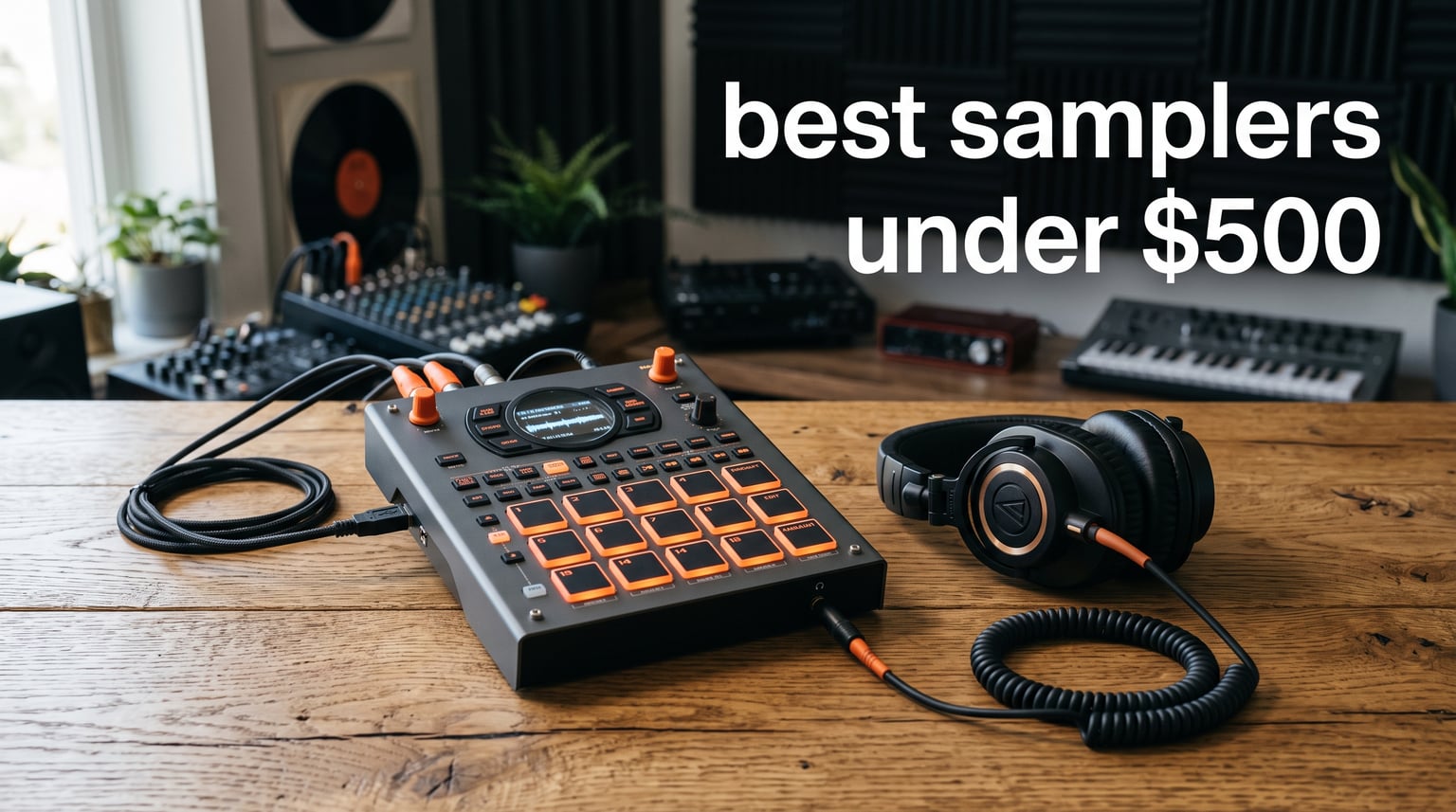
Finding the right hardware sampler used to mean spending well over a thousand dollars. I remember eyeing the classic MPC units for years before I could justify the cost. The good news is that the market has completely shifted, and you can now get serious standalone beat-making power for a fraction of what pros paid a decade ago.
Whether you are chopping breaks for hip-hop beats, building textures for ambient tracks, or performing live loops on stage, there is a sampler in this price range that fits your workflow. The challenge is sorting through the options, because not every affordable sampler handles the same tasks equally well. Some are built for studio production, others shine on stage, and a few are perfect travel companions for capturing ideas anywhere.
I put together this guide to the best samplers under $500 to cut through the noise. Our team looked at real user feedback from producer forums, compared specs side by side, and weighed factors like workflow, sound quality, and portability. If you want to understand the roots of this craft, the sampling techniques in hip-hop history are a great place to start. Below you will find ten standout picks, each with honest pros and cons based on actual ownership and community experience.
Top 3 Picks for Best Samplers Under $500 in 2026
Not everyone wants to read through ten full reviews before making a decision. I get it. So here are the three samplers that stood out the most across our testing and research, each excelling in a different category.
The Akai Professional MPC Sample takes the top spot for bringing the legendary MPC workflow into a portable, battery-powered unit with 16 pads and over 100 factory kits. The Roland SP-404MKII remains the performance king, with its iconic effects, velocity-sensitive pads, and massive 16GB of internal storage. And for unbeatable value, the Korg Volca Sample 2 delivers serious fun at a price that leaves room in your budget for accessories.

Akai Professional MPC Sample
- 16 MPC pads
- Rechargeable battery
- 100+ factory kits
- 60 effect types
These three cover the spectrum from professional production to budget-friendly beat-making. Now let us look at how all ten options stack up against each other.
Best Samplers Under $500 in 2026
Here is a complete comparison of every sampler we reviewed. Use this to quickly scan features, then dive into the individual reviews below for the full breakdown.
| Product | Specifications | Action |
|---|---|---|
| Akai MPC Sample |
|
Check Latest Price |
 Roland SP-404MKII Roland SP-404MKII |
|
Check Latest Price |
 Novation Circuit Tracks Novation Circuit Tracks |
|
Check Latest Price |
 Ableton Move Ableton Move |
|
Check Latest Price |
 Elektron Model:Samples Elektron Model:Samples |
|
Check Latest Price |
 TE EP-133 K.O. II TE EP-133 K.O. II |
|
Check Latest Price |
 Roland AIRA P-6 Roland AIRA P-6 |
|
Check Latest Price |
 Korg Volca Sample 2 Korg Volca Sample 2 |
|
Check Latest Price |
 Yamaha SEQTRAK Yamaha SEQTRAK |
|
Check Latest Price |
 TE PO-33 K.O.! TE PO-33 K.O.! |
|
Check Latest Price |
1. Akai Professional MPC Sample – Iconic MPC Workflow in Your Pocket
Akai Professional MPC Sample Portable Sampler
Portable standalone sampler
16 MPC pads
Rechargeable battery
2.4 inch color display
100+ factory kits
60 effect types
Pros
- Iconic MPC workflow in compact format
- Standalone battery-powered operation
- Built-in speaker and microphone
- 16 responsive MPC pads
- 4 onboard FX processors with 60 effect types
Cons
- MIDI adapter not included
- microSD card not included
The MPC Sample brings everything I love about the MPC lineage into a genuinely portable package. Akai packed a rechargeable battery, built-in speaker, and internal microphone into a unit weighing under two pounds. You can literally sample a sound from your room, chop it, sequence it, and play it back without plugging anything in.
Those 16 MPC pads feel exactly like what you would expect from Akai. They are responsive, velocity-sensitive, and perfect for finger drumming. The 2.4-inch color display is small but surprisingly usable for navigating kits and editing parameters on the fly.
What really sold me is the depth of the sound engine. You get over 100 factory kits to start with, plus real-time timestretch and repitch that actually sound clean. The four internal effects processors give you 60 effect types to play with, including Flex Beat, vinyl emulation, and tape saturation.
The main downside is that Akai does not include a MIDI adapter or a microSD card in the box. You will want to factor those into your budget. For forum users, the workflow is the big draw here. The MPC community on Reddit consistently praises the sample-chop mode and how quickly you can go from raw audio to a finished loop.
Who Should Buy the MPC Sample
This is my top pick for beat makers who want the classic MPC feel without being tethered to a power outlet. If you produce hip-hop, lo-fi, or any sample-based genre and want a device that travels with you, the MPC Sample nails it.
It also works well as a gateway into the Akai ecosystem. The workflow translates directly to larger MPC units like the MPC Live or MPC One, so learning here pays off later.
Learning Curve and Workflow
The MPC workflow has a reputation for depth, and that is accurate. There is a learning curve if you are coming from a simple pad controller. However, Akai includes Melodics finger drumming lessons, which helps you get productive faster.
Once you internalize the menu structure and sample-chop shortcuts, the workflow becomes second nature. Most owners report reaching a comfortable level within a couple of weeks of regular use.
2. Roland SP-404MKII – The Legendary Performance Sampler
Roland SP-404MKII Creative Sampler and Effector
Performance beat maker
17 velocity pads
16GB storage
OLED display
32-voice polyphony
Vinyl Simulator effects
Pros
- Legendary SP sampler workflow
- 17 velocity-sensitive RGB pads
- 16GB internal storage
- Extensive onboard effects including classics
- Multiple power options including USB-C and AA batteries
Cons
- Only 1 left in stock frequently
- Case not included
The SP-404 series has a cult following for good reason. Roland took everything producers loved about the original and the MKII upgrade added serious horsepower. You get 17 velocity-sensitive RGB pads, a crisp OLED display for waveform editing, and 16GB of internal storage loaded with 144 samples right out of the box.
I have watched live performers rely on the SP-404MKII for years, and the consensus is clear: nothing else in this price range handles live performance as gracefully. The 32-voice polyphony means you can stack layers without dropouts, and the quick startup time means you are ready to play in seconds.
The effects section is where the SP-404MKII truly shines. Roland included the classic Vinyl Simulator and DJFX Looper, plus new additions like Lo-fi, Cassette Simulator, and a dedicated Vocoder. These are not afterthought effects. They shape the character of your sound in ways that define entire genres.
The auto-chop mode and auto BPM detect save serious time when working with sampled breaks. Forum users consistently mention how fast the workflow becomes once you memorize the button combinations. The main drawback is availability, as stock tends to fluctuate, and you will want a protective case since one is not included.
Best Use Cases for the SP-404MKII
Live performance is the obvious answer, and the SP-404MKII is arguably the best sampler under $500 for stage use. The pad feel, effects, and reliability make it a favorite among touring beat makers and DJs.
It also excels at lo-fi hip-hop production, thanks to those character-rich effects. If your sound leans warm, dusty, and textured, this sampler delivers that aesthetic without plugins.
Power and Connectivity Options
One of the smartest design choices is the flexible power system. You can run the SP-404MKII from USB-C, six AA batteries, or the included AC adaptor. This means you can busk with it, perform on stage without worrying about outlets, or keep it stationary in your studio.
Connectivity is solid with USB-C for audio and MIDI. Just be aware that advanced integration requires some setup, and the workflow is more self-contained than DAW-dependent.
3. Novation Circuit Tracks – Groovebox With Sampling Power
Novation Circuit Tracks Groovebox Sequencer and Synthesizer
Groovebox sequencer
2 synth tracks
4 drum tracks
2 MIDI tracks
32 RGB pads
32-step sequencer
Pros
- Two synth tracks and two MIDI tracks for versatile production
- Four drum tracks with velocity-sensitive pads
- 32-step sequencer chainable to 256 steps
- Full-size MIDI in out and thru
- Rechargeable battery for portable use
Cons
- Ships in 6-7 months long lead time
- Not Prime eligible
The Novation Circuit Tracks is technically a groovebox rather than a pure sampler, but its four sample-based drum tracks earn it a spot in this roundup. You get two dedicated synth tracks, four drum tracks, and two MIDI tracks for controlling external gear, all in one unit.
What makes the Circuit Tracks special is the sequencer. The 32-step sequencer chains up to 256 steps per track, and features like microtiming, probability, and pattern mutate let you create evolving generative patterns. I found the workflow incredibly fast for sketching out ideas without getting lost in menus.
The 32 RGB velocity-sensitive pads feel great under your fingers. Full-size MIDI in, out, and thru ports plus analogue sync out make this a serious hub for a hardware setup. You can load your own samples through the Novation Components online platform.
The big caveat right now is availability. The lead time of six to seven months is a real issue if you need a sampler soon. The rechargeable battery and intuitive design keep getting praise from the producer community, especially among beginners who want immediate results.
How the Circuit Tracks Handles Sampling
Sampling on the Circuit Tracks happens through the Components software. You upload your sounds to the four drum tracks, then trigger and sequence them from the pads. It is not as deep as a dedicated sampler, but it is enough for most beat-making workflows.
The focus here is on fast, fun production rather than surgical sample editing. If you want to chop breaks with precision, look elsewhere. If you want to jam out ideas quickly, this is hard to beat.
Integration With DAWs and Hardware
The Circuit Tracks supports Ableton Live, Logic Pro, Cubase, and HUI out of the box. The full MIDI implementation means you can sequence external synths and drum machines, making it a capable centerpiece for a compact hardware rig.
Analogue sync out lets you lock it to vintage gear or modular systems. This is where the Circuit Tracks becomes more than a sampler and turns into a full production command center.
4. Ableton Move – Standalone Groovebox With Sampling Built In
Ableton Move Standalone Instrument with Live 12 Intro
Standalone groovebox
32 pads with aftertouch
4 flexible tracks
1500+ sounds
64GB storage
Live 12 Intro included
Pros
- Fully standalone with built-in battery speaker and microphone
- 32 velocity-sensitive pads with polyphonic aftertouch
- Includes Ableton Live 12 Intro software
- 1500+ sounds and 64 GB storage
- Wireless Ableton Cloud integration
Cons
- Limited to 4 tracks
- Software limited to Live 12 Intro version
The Ableton Move is the newest entry in this lineup, and it brings the Ableton workflow into a truly standalone device. You get a built-in rechargeable battery, speaker, and microphone, plus 32 velocity-sensitive pads with polyphonic aftertouch. This is a complete production environment that fits in a backpack.
What sets the Move apart is the inclusion of Ableton Live 12 Intro, which adds serious value. You get over 1,500 sounds and 5GB of content to work with, plus full Drift synth editing on the device itself. The four flexible tracks can each be a drum kit, sampler, or synthesizer.
The sampling workflow is excellent. You can sample through the built-in microphone, a 3.5mm input, or USB-C, then slice and arrange directly on the device. The nine touch-sensitive encoders give you hands-on control over parameters without diving through menus.
The main limitation is the four-track ceiling. If you are used to building complex arrangements, you may feel constrained. The wireless Ableton Cloud integration is a genuine innovation though, letting you move sets between the hardware and your computer seamlessly.
Sampling Workflow on the Ableton Move
Sampling feels natural here because Ableton built their session-view philosophy into the hardware. You capture audio, chop it, assign it to pads, and sequence it using the 16-step sequencer. The on-device slicing saves a trip to your computer.
The built-in microphone is surprisingly useful for capturing found sounds and quick vocal snippets. It will not replace a proper studio mic, but for sketching ideas it works well.
Software Ecosystem and Transfer
The included Ableton Live 12 Intro license is a big deal. You get a capable DAW for when you want to expand your productions on a computer. The Move Manager handles set transfers, so your hardware sketches can become full productions without rebuilding everything.
Wireless Ableton Link keeps everything in sync across devices. If you already live in the Ableton ecosystem, the Move feels like a natural extension rather than a separate tool.
5. Elektron Model:Samples – Six-Track Sample Powerhouse
Elektron Model:Samples Six Track Sample Based Groovebox
Six-track groovebox
96 projects
64MB sample memory
1GB storage
Velocity pads
MIDI I/O
Pros
- Six-track design for complex arrangements
- 96 projects with 96 patterns each
- Resonant multimode filter per track
- Assignable LFO per track
- Pre-loaded with pro-quality samples
Cons
- Limited stock only 8 left
- USB only connectivity
Elektron has a reputation for building deep, powerful instruments, and the Model:Samples brings that philosophy to a more accessible price point. You get six tracks of sample-based sequencing, each with its own resonant multimode filter and assignable LFO. That is serious sound-shaping power for under $350.
The unit handles 96 projects with 96 patterns each, which is enough capacity for most producers to never run out of space. I appreciate that Elektron includes pre-loaded pro-quality samples and patterns, so you can start making music immediately instead of loading sounds first.
Real-time and grid recording give you flexibility in how you build patterns. You can play parts in live or program them step by step. The six velocity-sensitive pads are not as numerous as some competitors, but they are responsive and well-built.
The Elektron community is passionate about this device. Users praise the sound quality and the depth of the sequencing engine. The main complaints center around the USB-only connectivity and occasional stock shortages.
Sound Design Depth Per Track
Each of the six tracks gets a resonant multimode filter and an assignable LFO. This means you can sculpt each sample independently, creating movement and texture without external effects. The parameter-locking sequencer lets you record changes to any parameter on any step.
This is where Elektron machines separate themselves from simpler samplers. You are not just triggering samples. You are composing evolving soundscapes where every note can have different filter settings, pitch, and effects.
Comparing Model:Samples to Other Elektron Gear
The Model:Samples is the entry point to the Elektron ecosystem. It shares workflow DNA with the more expensive Digitakt and Octatrack, so skills transfer if you upgrade later. The sequencing philosophy is the same, just with fewer tracks and a more focused feature set.
If you want the Elektron workflow without the four-figure price tag, this is your ticket. Just know that the learning curve is real, and the manual is your friend.
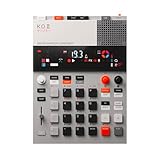
6. Teenage Engineering EP-133 K.O. II – Punchy Portable Sampler
teenage engineering EP–133 K.O. II 128MB sampler, drum machine and sequencer with built-in microphone and effects
128MB sampler
999 sample slots
12 punch-in effects
Built-in microphone
Battery powered
Sequencer
Pros
- Double the memory of previous version
- 12 punch-in 2.0 effects plus 6 built-in effects
- Built-in microphone and line-in for sampling
- Battery powered 4x AAA or USB-C
- OS 2.0 update with resampling chopping and song mode
Cons
- May have a learning curve for beginners
The EP-133 K.O. II is Teenage Engineering’s follow-up to the cult-classic PO-33, and it is a serious step up. You get 128MB of sample memory, 999 sample slots, and a four-group sequencer with 99 patterns per group. The built-in microphone and line-in make capturing sounds effortless.
What makes the K.O. II special is the character of its effects. The 12 punch-in 2.0 effects and 6 master effects give your samples a gritty, punchy quality that works beautifully for lo-fi and electronic production. The redesigned paper-foam box even doubles as a travel case.
The OS 2.0 update added resampling, chopping, pumpin sidechain, and song mode, which transformed this from a fun toy into a legitimate production tool. Battery power via four AAA batteries or USB-C means you can produce anywhere.
Teenage Engineering products always generate polarized opinions, and the K.O. II is no different. Some users love the design and sound, while others question the value proposition. The learning curve can trip up beginners who expect a more guided workflow.
The Punch-In Effects That Define Its Sound
The punch-in effects are the heart of the K.O. II experience. These are performance effects you trigger by holding pads, and they add percussive sweeps, reverse hits, and glitchy textures to your patterns. The next-generation versions in the K.O. II sound noticeably better than the original.
Combined with the pumpin sidechain effect from OS 2.0, you can create tracks with serious groove and movement without touching external plugins.
Portability and Battery Performance
At just over 1.6 pounds, the K.O. II is easy to throw in a bag. The AAA battery power means you are never hunting for an outlet, and USB-C gives you a modern charging option. The built-in speaker is usable for quick checks, though you will want headphones for serious work.
This is the sampler I would grab for capturing ideas on the train, in a hotel room, or sitting on the couch. It rewards a playful, experimental approach to beat-making.
7. Roland AIRA Compact P-6 – Pocket-Size Granular Sampler
Roland AIRA Compact P-6 Creative Sampler
Pocket-size sampler
Granular sound design
64-step sequencer
20 master effects
Built-in mic
3 hour battery
Pros
- Pocket-size sampler with Roland technology
- Built-in mic for quick sample capture
- Chop function for slicing samples
- Dedicated filter and envelopes for each sample
- 64-step sequencer and 20 master effects
Cons
- Software compatibility may require checking
- Warranty details require contacting manufacturer
The Roland AIRA Compact P-6 proves that big sampling power can come in a tiny package. This pocket-size sampler weighs under a pound but packs granular sound design, a 64-step sequencer, and 20 master effects. The built-in microphone lets you capture sounds wherever inspiration strikes.
I was genuinely impressed by the granular sound parameters. You can take a single sample and stretch, freeze, and scatter it into completely new textures. The chop function makes quick work of slicing loops, and step sampling lets you create split samples for more complex arrangements.
The dedicated filter and envelopes per sample give you real sound-shaping control. This is not a toy despite its size. The resample function lets you capture internal audio, meaning you can build layers of processed sound and then sample that result.
The P-6 Sample Tool software for macOS and Windows handles sample management. Some users have reported compatibility hiccups, so check your system requirements before committing. The three-hour battery life is solid for a device this small.
Granular Sound Design on a Budget
Granular sampling at this price point is rare. The P-6 lets you manipulate samples at the grain level, creating textures that range from lush pads to glitchy mayhem. If you are into sound design and experimental production, this capability alone justifies the price.
The parameters are accessible enough for beginners to explore, but deep enough for experienced sound designers to get lost in. Pair it with the built-in effects and you have a surprisingly capable texture-creation tool.
Expanding the P-6 With External Gear
The USB-C port handles both audio and MIDI, so you can connect the P-6 to other hardware or your computer. It plays well with other AIRA Compact units if you want to build a modular portable rig.
Sync functionality means you can lock it to other sequencers or drum machines. For a pocket-size device, the connectivity options are thoughtful and practical.
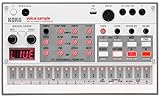
8. Korg Volca Sample 2 – Best Budget Sampler for Beginners
Korg Volca Sample 2 Digital Sample Sequencer Drum Machine w/Pattern Chain Mode and 16-step Sequencer
Digital sample sequencer
8-voice polyphony
16-step sequencer
Digital reverb
Librarian software
Integrated speaker
Pros
- Compact and powerful sample-based drum machine
- 8-voice polyphony
- 16-step sequencer with pattern chain
- Double the memory of previous models
- Dedicated Librarian software for Mac and PC
Cons
- Warranty requires contacting seller directly
The Korg Volca Sample 2 is the sampler I recommend most often to people just starting out. At well under $150, it delivers 8-voice polyphony, a 16-step sequencer with pattern chain mode, and double the sample memory of the original Volca Sample. The integrated speaker means you can play immediately without grabbing headphones.
This is the best samplers under $500 pick for anyone who wants to learn sampling fundamentals without a big investment. The workflow is simple enough to grasp in an afternoon, but the pattern chain mode and start delay function give you room to grow.
The digital reverb and rich double filter add character that you would not expect at this price. The dedicated Librarian software for Mac and PC makes loading your own samples straightforward, which addresses one of the biggest complaints about budget samplers.
Forum users consistently mention the Volca Sample 2 as the ideal first hardware sampler. The main limitation is that the micro USB port is the only connectivity option, and the warranty situation requires contacting the seller directly rather than having a clear manufacturer policy.
Why Beginners Love the Volca Sample 2
The simplicity is the selling point. Every function has a physical knob or button, so you learn what each parameter does by twisting and listening. There is no menu diving required to get started making beats.
The included sample library covers the basics, and the Librarian software lets you swap in your own sounds as your skills develop. This is a sampler that grows with you rather than one you outgrow quickly.
Using the Volca With Other Gear
The Volca Sample 2 syncs with other Volca units and compatible gear via the sync jack. This means you can build a compact, affordable hardware setup by combining multiple Volcas. The battery power option makes it great for portable or busking setups.
If you eventually upgrade to a more powerful sampler, the Volca remains useful as a secondary sound source or effects unit. That longevity makes the low price even more appealing.
9. Yamaha SEQTRAK – All-in-One Music Ideastation
Yamaha SEQTRAK Mobile Music Ideastation, Advanced Sequencer, Onboard Sampling, Built-In Speakers and Microphone, Orange
Mobile music ideastation
Advanced sequencer
Onboard sampling
Built-in speaker and mic
Rechargeable battery
USB connectivity
Pros
- All-in-one system with drums synths sound design and sequencing
- Advanced sequencer for composition and arrangement
- Compact and lightweight with built-in speaker and microphone
- Rechargeable battery for portable use
- Available in Orange and Black colors
Cons
- Some users may prefer more dedicated controls
The Yamaha SEQTRAK takes a different approach by combining sampling, synthesis, drum programming, and sequencing into one compact unit. Yamaha calls it an Ideastation, and that description fits. You get a built-in speaker and microphone, rechargeable battery, and an advanced sequencer for arranging complete tracks.
The three-part user interface keeps things organized with dedicated sections for different functions. I found the onboard sampler straightforward for capturing sounds, and the integration with the sequencer means you can build full compositions without external gear.
The SEQTRAK comes in Orange and Black color options, which is a nice touch for anyone who cares about aesthetics. The rechargeable battery and compact size make it genuinely portable, and Yamaha includes a dedicated MIDI cable and USB-C cable in the box.
The main criticism from users is that the controls are somewhat shared across functions, which means more menu navigation than some prefer. The 4.1-star average rating reflects these workflow compromises, though most owners appreciate the all-in-one concept.
The All-in-One Ideastation Concept
Yamaha designed the SEQTRAK for capturing and developing musical ideas quickly. Rather than focusing purely on sampling, it gives you drums, synths, and sampling tools in one device. This makes it ideal for songwriters who want a portable sketchpad.
The advanced sequencer supports full composition and arrangement, so you can take an idea from a raw sample to a structured track without switching devices.
Sampling Capabilities and Limitations
The onboard sampler is capable but not as deep as what you find on dedicated samplers like the MPC Sample or SP-404MKII. You can capture and trigger sounds, but advanced editing features are limited. This is a tool for fast idea capture rather than surgical sample manipulation.
If your primary need is deep sampling, look elsewhere. If you want a portable device that handles multiple production tasks including sampling, the SEQTRAK is worth considering.
10. Teenage Engineering PO-33 K.O.! – Ultra-Portable Budget Sampler
teenage engineering pocket operator PO-33 K.O.! micro sampler and drum machine with built-in microphone, sequencer and effects
Micro sampler
Built-in microphone
40 second sample memory
16 built-in effects
1 month battery life
Melodic and drum modes
Pros
- Pocket-sized and ultra-portable
- Sample any sound source via line in or built-in mic
- Melodic mode for chromatic melodies and drum mode for beats
- 16 built-in effects
- 1 month battery life with 2 year standby
Cons
- Limited to 40 second sample memory
The Teenage Engineering PO-33 K.O.! is the cheapest sampler in this roundup, and it has the reviews to back it up. Over 2,200 ratings with a 4.6-star average tells you this little device punches far above its weight. You get a built-in microphone, 16 effects, melodic and drum sampling modes, and a battery life measured in weeks.
Do not let the credit-card size fool you. The PO-33 K.O.! lets you sample any sound source through the 3.5mm line-in or the built-in microphone. The melodic mode plays samples chromatically across the pads, while drum mode handles percussion duties.
With eight melodic sample slots and eight drum slots, you have enough space for a basic beat or loop. The 16 built-in effects add character, and the folding stand, clock, and alarm functions are quirky Teenage Engineering touches that some users genuinely enjoy.
The obvious limitation is the 40-second total sample memory. This constrains how much audio you can work with, making the PO-33 better suited for quick ideas and simple patterns than full productions. For the price though, it is hard to complain.
Who the PO-33 K.O.! Is Perfect For
This is the ultimate starter sampler for someone who wants to try hardware sampling without any financial risk. It is also a fantastic travel companion for experienced producers who want a scratchpad that fits in a pocket.
Many users buy the PO-33 alongside a more powerful sampler, using the pocket operator for quick captures and the main sampler for serious production. The two play well together thanks to sync functionality.
Limitations to Know Before Buying
The 40-second memory is the headline constraint. You will be working with short samples and simple patterns. The lack of a proper screen means navigation relies on button combinations and the segmented display.
There is also no way to save projects externally. If the batteries die completely during use, you could lose your work. Keep spare AAA batteries handy and back up patterns regularly if this becomes your primary creative tool.
Buying Guide: How to Choose the Best Sampler Under $500
Choosing from the best samplers under $500 comes down to understanding your workflow and matching it to the right device. I have broken down the key factors that actually matter when making this decision.
Standalone vs Controller Operation
The first question is whether you need a sampler that works without a computer. Standalone samplers like the MPC Sample, SP-404MKII, and Ableton Move run on battery power and need no external connection. This is essential for live performance or production away from your desk.
Controller-style samplers and grooveboxes like the Novation Circuit Tracks can work standalone but may need a computer for sample management. Decide where you will use the device most before committing.
Pad Count and Feel
More pads means more simultaneous control. The MPC Sample offers 16 pads, the SP-404MKII has 17, and the Ableton Move packs 32 with polyphonic aftertouch. The Elektron Model:Samples uses six pads, which is fewer but sufficient for its track-based workflow.
Pad quality matters as much as quantity. Velocity sensitivity changes how expressively you can play. If you plan to finger drum, prioritize pads with good dynamic response.
Sample Memory and Storage
This is where budget samplers differ dramatically. The SP-404MKII leads with 16GB of internal storage. The Ableton Move has 64GB. The Elektron Model:Samples offers 64MB of sample memory plus 1GB of storage. The PO-33 K.O.! has just 40 seconds of total sample memory.
Think about how you work. If you chop long breaks and layer many samples, prioritize storage. If you work with short one-shots, even limited memory may suffice.
Effects Processing Quality
Onboard effects can define the character of your productions. The SP-404MKII is famous for its Vinyl Simulator and lo-fi effects. The MPC Sample offers 60 effect types across four processors. If you want to explore reverb effects in music production, look for samplers with quality reverb algorithms.
The difference between premium and budget samplers often shows up in effect quality, not raw sampling capability.
Connectivity and Ecosystem
Check MIDI connectivity for integrating with other hardware. Full-size MIDI ports on the Circuit Tracks beat the adapter-requiring setup on the MPC Sample. USB-C is becoming the standard and offers both audio and MIDI in a single connection.
If you plan to integrate your sampler into a DAW workflow, consider the software ecosystem. The Ableton Move pairs naturally with Ableton Live, while the MPC Sample connects to the MPC software. If you want to learn to make dubstep tracks, DAW integration becomes more important.
Portability and Power Options
Battery-powered samplers open up creative possibilities. The MPC Sample, SP-404MKII, Ableton Move, and all the Teenage Engineering units run on batteries. Consider battery life if you plan to perform or produce away from outlets.
Built-in speakers are useful for quick checks and casual sessions. They will not replace proper monitoring, but they make a sampler more immediately playable.
Beginner vs Advanced Workflow
For beginners, the Korg Volca Sample 2 and PO-33 K.O.! offer the gentlest learning curves. Everything has a physical control, and the workflows are intuitive. The Elektron Model:Samples and MPC Sample have steeper curves but reward the investment with deeper capabilities.
Be honest about how much time you want to spend learning. A complex sampler you never use is worse than a simple one you play every day.
FAQs
What is the best sampler on the market?
The Akai Professional MPC Sample is the best sampler under $500 on the market right now, combining the iconic MPC workflow with portable battery-powered operation, 16 responsive pads, over 100 factory kits, and 60 effect types in a compact standalone unit.
What is the cheapest sampler worth buying?
The Teenage Engineering PO-33 K.O.! is the cheapest sampler worth buying at around $99. It offers a built-in microphone, 16 effects, melodic and drum sampling modes, and over 2,200 positive reviews. The Korg Volca Sample 2 at around $130 is the next step up with more memory and features.
Is the Roland SP-404MKII worth it?
Yes, the Roland SP-404MKII is worth it for live performers and producers who want its legendary effects and workflow. With 16GB of storage, 32-voice polyphony, and the iconic Vinyl Simulator, it remains the top choice for stage performance and lo-fi production under $500.
Can I make professional beats with a budget sampler?
Yes, you can absolutely make professional beats with a budget sampler. Producers release commercial tracks made on the MPC Sample, SP-404MKII, and even the Korg Volca Sample 2. Sound quality, effects processing, and workflow matter more than price when it comes to professional results.
Which sampler is best for beginners?
The Korg Volca Sample 2 is the best sampler for beginners thanks to its simple knob-per-function interface, affordable price, built-in speaker, and intuitive 16-step sequencer. The Teenage Engineering PO-33 K.O.! is another strong beginner option for those wanting to test the waters at the lowest possible cost.
Conclusion
The best samplers under $500 in 2026 cover an impressive range of workflows and budgets. For the complete package, the Akai MPC Sample delivers the iconic MPC experience in a portable, battery-powered form. The Roland SP-404MKII remains unbeaten for live performance and character-rich effects. And the Korg Volca Sample 2 offers unmatched value for beginners and budget-conscious producers.
Your choice comes down to how you work. Pick a standalone unit if you produce away from your desk. Choose based on effects if your sound depends on texture and character. And prioritize workflow simplicity if you are just starting out. Whatever you decide, any of these ten samplers will give you serious creative power without breaking the bank.
Ready to dive deeper into production? Check out our music production guides for more tips on building your setup and developing your sound.