
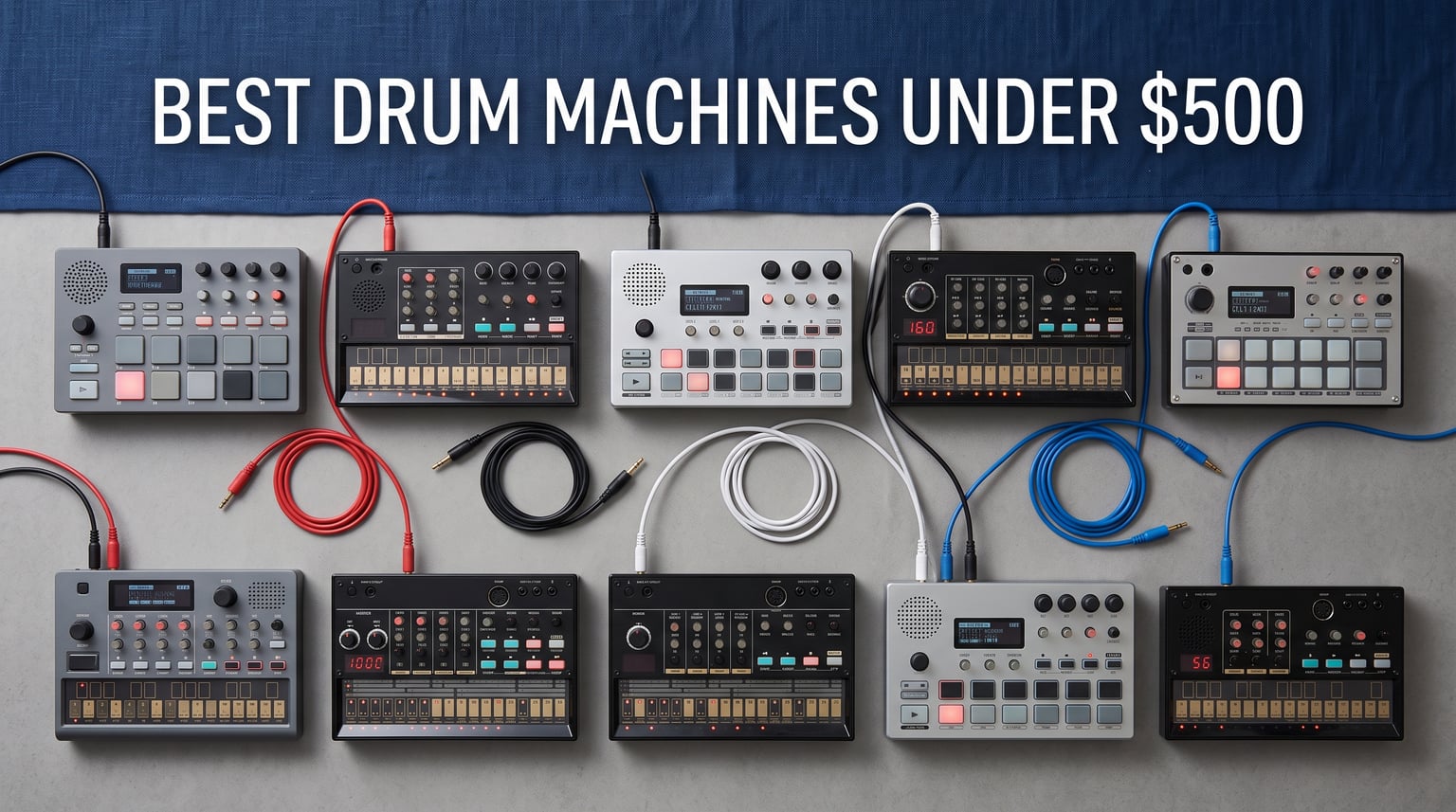
The best drum machines under $500 are not all trying to do the same job. Some are pad-based samplers that capture sounds, some generate electronic drums, and one here is built to give a guitarist hands-free backing parts; picking the right workflow matters more than chasing a familiar name.
My short answer is this: choose Akai Professional MPC Sample for a compact standalone sampler, Ableton Move for a portable Ableton-centered instrument, Roland’s T-8 for classic TR rhythm plus TB-303-style bass, and BeatBuddy for foot-controlled accompaniment. Each of those answers comes from confirmed controls, sequencing, sound sources, and connections rather than a vague spec-sheet score.
A drum machine is a hardware instrument that triggers sampled or synthesized percussion from pads or a sequencer. For context on why the TR sound family still matters to electronic music, read our history of the iconic TR-909.
- Akai Professional MPC Sample: best portable sampling and finger-drumming choice.
- Ableton Move: best four-track option for Ableton Live users.
- Roland AIRA Compact T-8: best compact rhythm-and-bass machine for classic electronic patterns.
- Singular Sound BeatBuddy: best hands-free choice for players who need song-based drum accompaniment.
Table of Contents
The Top 3 Picks Give You Three Distinct Workflows
These three cover sampling, Ableton-centered creation, and classic programmed rhythm. The cards below are a fast way to match your intended workflow before reading the full reviews.


These 10 Drum Machines Are the Quick Overview for 2026
The comparison includes every selected model, from compact sketchpads to deeper samplers. It also makes clear where a device’s documented feature list is narrow, which is useful information rather than a gap to gloss over.
| Product | Specifications | Action |
|---|---|---|
| Akai Professional MPC Sample |
|
Check Latest Price |
 Ableton Move Ableton Move |
|
Check Latest Price |
| Roland AIRA Compact T-8 |
|
Check Latest Price |
 Behringer RD-78 Behringer RD-78 |
|
Check Latest Price |
 teenage engineering EP-133 K.O. II teenage engineering EP-133 K.O. II |
|
Check Latest Price |
 Sonicware CyDrums Sonicware CyDrums |
|
Check Latest Price |
 Singular Sound BeatBuddy Singular Sound BeatBuddy |
|
Check Latest Price |
 Sonicware Lofi-12 XT Sonicware Lofi-12 XT |
|
Check Latest Price |
 Behringer LM Behringer LM |
|
Check Latest Price |
 Stylophone Beat Stylophone Beat |
|
Check Latest Price |
1. The Akai Professional MPC Sample Is the Best Portable Sampling Pick
Akai Professional MPC Sample Portable Sampler
16 pads
Built-in mic and speaker
USB-C audio/MIDI
60 effects
Pros
- 16 responsive MPC pads
- Rechargeable battery
- Built-in microphone
- USB-C audio/MIDI
- 100+ factory kits
Cons
- MIDI adapter is not included
- Small 2.4 inch display
I would put the MPC Sample first when the goal is to make beats from found sound, a voice, or an external source without opening a laptop. Its 16 responsive MPC pads, built-in microphone, microSD storage, and battery-powered design form a complete compact sampling setup.
The sound side is wider than a basic drum pad: Akai lists more than 100 factory kits, instant sample chopping, real-time time-stretching and repitching, plus four internal effects processors offering 60 effect types. That makes it a sampler and effects processor as much as an electronic drum machine.
Its physical details support a grab-and-go role. At 0.9 kilograms and 9.29 by 7.64 by 1.97 inches, it has a speaker for immediate sketching and a headphone output for quieter work.
The MPC Sample Is Best When You Want to Build Beats From Audio
The pad layout makes sense for finger drumming, chopping a phrase, and loading a kit in the same small unit. I particularly like the stated stereo 1/4 inch TRS line input and output because they give a direct route for sampling from or playing into other audio gear.
For a computer setup, its USB-C connection carries audio and MIDI. That is a confirmed route into a DAW, while the standalone speaker and battery mean a session does not have to begin at the desk.
The MPC Sample Is Less Suitable When DIN MIDI Is Your Only Connection
Akai notes that MIDI in and out needs a 1/8 inch to MIDI DIN adapter, and that adapter is not included. Plan for that accessory if the rest of your rig uses traditional five-pin MIDI sockets.
The 2.4 inch color display is compact, so I would favor it for hands-on beat capture and performance over a screen-heavy editing task. Readers who need a fixed palette of synthesized drum voices may also prefer the Roland or Behringer choices below.
2. The Ableton Move Is the Best Choice for Ableton Live Users
Ableton Move Standalone Instrument with Live 12 Intro
32 aftertouch pads
Four tracks
64 GB storage
USB-C audio interface
Pros
- 32 polyphonic-aftertouch pads
- Live 12 Intro included
- 1500+ sounds
- Built-in battery and speaker
- Wi-Fi integration
Cons
- Four-track structure
- Limited review history
Ableton Move is the clearest match for someone who already thinks in Ableton Live clips and instruments. It has four flexible tracks that can host a drum kit, sampler, or synthesizer, and its included Ableton Live 12 Intro gives the hardware a documented software companion.
The 32 velocity-sensitive pads add polyphonic aftertouch, while nine touch-sensitive endless encoders provide direct shaping controls. With 1,500-plus sounds, 64 GB of onboard storage, up to two effects per track, and 12 built-in effects, this is a compact groovebox rather than only a drum trigger.
I would use the 16-step sequencer for a fast loop, then sample through the built-in mic, 3.5 mm input, or USB-C. Audio tracks support tempo sync and time-stretching, which makes audio material part of the four-track plan instead of an afterthought.
The Move Is Best When Your Projects Continue in Ableton Live
Its USB-C audio-interface function and stated wireless Ableton integration are the strongest reasons to choose Move for a Live-based studio. Wi-Fi, Ableton Cloud, Move Manager, and Link Audio are all listed features, so transferring a creative idea toward a Live workflow is central to its design.
The rechargeable battery, microphone, and speaker also make it practical away from a computer. I would treat it as a way to start a set of parts anywhere, then develop them in the included Live environment.
The Move Is Less Suitable When You Need Many Separate Hardware Parts
Four flexible tracks are flexible, but they are still four tracks. A producer whose arrangement depends on a large number of independently programmed drum voices should decide whether that compact structure fits their writing style.
The review sample is also small at 39 reviews, even though its 4.8 rating is strong. For a purchase decision, the verified feature set is more informative here than treating that rating as a long-term durability verdict.
3. The Roland AIRA Compact T-8 Is the Best Classic Rhythm-and-Bass Pocket Machine
Roland AIRA Compact T-8 Beat Machine
TR drums and TB-303 bass
64 patterns
USB-C audio/MIDI
4.5 hour battery
Pros
- TR-808 TR-909 and TR-606 sounds
- TB-303 bass
- Probability and sub steps
- USB-C audio/MIDI
- Rechargeable portability
Cons
- Compact controls
- No stated individual outputs
The Roland T-8 is the direct answer for a portable machine that combines rhythm programming with a bass part. Its documented sound set includes TR-808, TR-909, and TR-606 drums alongside TB-303 bass, recreated through Roland’s Analog Circuit Behavior technology.
This is also the one I would hand to someone seeking a recognizable TR-808 style or TR-909 style starting point without a large box. It holds 64 user patterns of up to 32 steps and includes probability, sub-step, last-step, and velocity controls for moving beyond a rigid loop.
Performance tools include step loop, mute, fill, reload, and pattern shift. Delay, reverb, overdrive, and sidechain compression give the compact instrument a way to process its own parts before they leave the unit.
The T-8 Is Best When You Need Drums and Bass in One Small Device
The six rhythm tracks plus bass sound are a focused recipe for house, techno, electro, or a quick jam. I like that it supports real-time recording as well as the TR-REC step approach, since those are two genuinely different ways to begin a pattern.
Audio, MIDI, and sync I/O are listed, as is class-compliant USB-C audio/MIDI. Its 4.5-hour battery figure and 1.3-pound weight reinforce the travel-friendly purpose.
The T-8 Is Less Suitable When You Need Detailed Multichannel Routing
The verified listing does not claim individual outputs, so I would not buy it expecting to mix each drum voice on a separate external mixer channel. Its strongest story is one compact, performance-ready rhythm-and-bass output.
Small controls reward familiarity with the pattern functions. Beginners can start with a simple 16-step beat, but should expect to spend time learning how probability, sub steps, and pattern shifts affect a live sequence.
4. The Behringer RD-78 Is the Best Simple Analog-Pattern Starting Point
Behringer RD-78 Classic Analog Drum Machine with 15 Drum Sounds, 34 Rhythm Presets, 16-Step Sequencer for Music Production and Live Performance
15 analog drum sounds
34 presets
16-step sequencer
2 pound steel build
Pros
- 15 analog sounds
- 34 rhythm presets
- Simple 16-step sequencing
- Compact durable design
- Clear beginner-friendly layout
Cons
- Limited 42-review sample
- No detailed connectivity list
The Behringer RD-78 is the most direct choice here for a no-frills analog drum machine workflow. It offers 15 authentic analog drum sounds, 34 rhythm presets, and a 16-step sequencer in a compact, two-pound steel-bodied unit.
I would start with one of the 34 presets, then use the 16-step layout to learn what changes when a kick, snare, or percussion sound lands on a different step. That immediate cause-and-effect is why simple step sequencing can be friendlier than a menu-driven machine.
There is no sampler claim in the product data, so its appeal is about its supplied analog sounds rather than loading personal recordings. That is a useful boundary for a player who wants to program rhythms quickly instead of managing files.
The RD-78 Is Best When You Want a Straightforward Step Sequencer
The listing calls the interface simple and intuitive for beginners and professionals. I see its main fit as a first hardware sequencer for a producer who wants to hear and edit a pattern without navigating a deep operating system.
Its compact durable format also suits a small home studio or performance rig where a metal enclosure is welcome. The included preset patterns can supply a starting pulse when inspiration has not arrived yet.
The RD-78 Is Less Suitable When Connectivity Details Decide Your Rig
The available product data confirms a USB connector type but does not spell out MIDI behavior, audio routing, USB audio, or individual outputs. I would check the manufacturer documentation before making it the center of a MIDI-heavy or multichannel recording setup.
The rating is 4.6 from 42 reviews, which is promising but a modest sample. Its strengths are easy to state from the listing; broader claims about advanced integration would not be supported by the data available here.
5. The teenage engineering EP-133 K.O. II Is the Best Compact Character Sampler
teenage engineering EP–133 K.O. II 128MB sampler, drum machine and sequencer with built-in microphone and effects
128 MB memory
999 sample slots
4 groups x 99 patterns
Built-in mic
Pros
- 128 MB memory
- 999 sample slots
- Sampling mic and speaker
- Resampling and chopping
- MIDI and sync I/O
Cons
- Only 31 reviews
- Powered by AAA batteries or USB-C
The EP-133 K.O. II is a sampler-first alternative for people who want compact hardware with a distinctive performance angle. It supplies 128 MB of memory, 999 sample slots, a built-in microphone and speaker, plus a reworked sequencer organized as four groups by 99 patterns.
The feature list supports more than simple playback. It includes 12 punch-in 2.0 effects, six built-in effects, sampling through line input or the microphone, and OS 2.0 functions for resampling, chopping, pumpin sidechain, and song mode.
Its voice allocation is stated as 12 stereo voices or 16 mono voices. I would keep that limitation in mind when arranging dense material, but it is still a serious amount of pattern capacity in a unit measuring 10.24 by 10.24 by 1.18 inches.
The EP-133 K.O. II Is Best When Sampling and Pattern Volume Matter Most
The four-group, 99-pattern structure gives a clear home for different sections, while the stated song mode reaches up to 9,801 bars. That combination makes sense for a producer who wants a compact beat making machine that can retain more than one loop idea.
Sync in and out plus MIDI in and out are confirmed, so it has a conventional path into a clocked hardware setup. USB-C power is available, and the unit can also run from four AAA batteries for portable use.
The EP-133 K.O. II Is Less Suitable When You Want a Large Review Record
Its 4.6 rating comes from 31 reviews, which is far less feedback than the older, more widely reviewed products in this list. I would read that as limited social proof, not as proof of poor performance.
Its data emphasizes sampling, effects, and sequencing rather than a roster of synthesized analog voices. If your priority is a dedicated analog drum sound with familiar knobs, the RD-78 presents a more direct fit.
6. The Sonicware CyDrums Is the Best Expressive Drum-Synthesis Choice
Sonicware CyDrums [Expressive Drum Synthesizer] Neo-Hyperactive Drum Machine, Wavetable x Velocity & Pressure Modulation, Wavetable Synth, Built-in speaker & Battery-powered
Wavetable drum synthesis
8 tracks
Probability patterns
32 GB card included
Pros
- Velocity and pressure modulation
- 22 sound structures
- 8-track sequencer
- Generative pattern tools
- Effects routing
Cons
- Only 23 reviews
- Longer stated shipping window
- No detailed connection list
Sonicware CyDrums is the most synthesis-oriented drum machine in this group. Its headline feature is wavetable sound generation shaped by velocity and pressure modulation, with 22 sound structures tailored to each instrument for what the manufacturer describes as expressive 4D drum sounds.
The sequencing engine has eight drum tracks and supports randomization and probability. VariSpeed and Snip Loop add performance-oriented functions, while two insert effects, reverb, and master effects can be routed in flexible ways.
I would look here when stock drum samples feel too fixed and you want a sound engine that can react to how you strike or program it. A 32 GB SDHC card loaded with preset programs comes in the box, and the unit is battery-powered with a built-in speaker.
The CyDrums Is Best When You Want to Shape Electronic Drums as You Play
Velocity and pressure modulation suggest a more expressive route than simply selecting a static kit. That is appealing for sound design, live variation, and producers who want a single programmed rhythm to evolve through performance.
The eight-track sequencer and probability tools also address a frequent forum concern: repetitive patterns. I would use probability sparingly at first, then add variation only where the groove needs movement.
The CyDrums Is Less Suitable When You Need a Well-Documented I/O Plan
The product information confirms a 1/4 TRS phone connector type but does not lay out MIDI, USB audio, or individual-output functions in the provided details. Check the full manual if external routing is a deciding factor.
The 4.6 rating is based on 23 reviews, so it has limited social proof. Its short feature list is still specific enough to identify its character: this is for expressive wavetable drum creation, not a general sampler with a giant library of supplied hits.
7. The Singular Sound BeatBuddy Is the Best Hands-Free Backing Drummer
Singular Sound BeatBuddy 10th Anniversary Edition Drum Machine Pedal
Foot-controlled drum machine
200+ songs
10 drum kits
LCD metronome
Pros
- Hands-free pedal operation
- 200+ songs across 24 genres
- 10 realistic kits
- 3.2 million song storage
- Metal construction
Cons
- No pad-based sequencing focus
- Warranty details need seller contact
The BeatBuddy is the outlier that earns its place because it solves a different musical problem: controlling accompaniment while both hands remain on another instrument. Its pedal format has two foot switches, an LCD visual metronome, 200-plus songs across 24 genres, and 10 ultra-realistic drum kits.
I would choose it for rehearsal, solo performance, or songwriting with guitar rather than for programming a dense electronic pattern from pads. The product data describes award-winning sound quality intended to mimic a real drummer, which fits that use case well.
Storage is substantial at up to 3.2 million songs and 300 drum sets. The compact metal unit weighs 1.2 pounds and is powered by 9V DC at 100 mA, with the power supply included.
The BeatBuddy Is Best When Your Feet Need to Control the Arrangement
Hands-free control is its entire advantage. A player can operate drum parts from the pedal while holding an instrument, and the screen’s metronome gives a visual pulse during practice or a set.
The supplied song and genre material makes it an especially logical choice for accompaniment rather than electronic sound design. I would see the 200-plus-song library as a fast way to get from a chord progression to a structured practice groove.
The BeatBuddy Is Less Suitable When You Want Pads and Step Programming
Nothing in the verified features presents it as a 16-pad sampler or a step-sequencer workstation. If you want to place kicks, snares, and samples step by step, the MPC Sample, Move, or a Sonicware unit is a more natural direction.
USB Mini-B and 1/4 inch TS connectors are listed, but extended DAW or multichannel-routing claims are not. Warranty information also requires contacting the seller directly, so clarify that detail before committing.
8. The Sonicware Lofi-12 XT Is the Best Lo-Fi Sampling Workstation
Sonicware Lofi-12 XT [Low-res Digitized Sampler] 12/24kHz Early-Digital Sound Sampling+12-bit Sampler mode, Compact/Lightwight/Battery-powered《Try Now, Intro Deal!》
12-bit sampling
8-track sequencer
2500+ samples
Battery-powered
Pros
- 12 and 24 kHz sound modes
- 8-track sequencer
- 2500+ samples
- Extensive effects
- SD card and adaptor included
Cons
- Only 20 reviews
- Low-stock notice
- Deliberately low-resolution sound
The Sonicware Lofi-12 XT is the clear recommendation when clean, contemporary drum playback is not the goal. It samples at 12 or 24 kHz and has a 12-bit sampler mode intended for early-digital character, so the texture is a design decision rather than a compromise.
Its eight-track sequencer supports continuous beat making, and more than 2,500 included samples provide material before you record anything new. The effects list is unusually deep: eight insert effects, delay, reverb, and master effects are all specified.
The unit also records a background mix-tape, runs on battery power, and includes both an SD card and AC adaptor. At 550 grams, it keeps the portable scale of the Sonicware format while concentrating on a specific sonic aesthetic.
The Lofi-12 XT Is Best When You Want Intentional Early-Digital Texture
I would choose it for hip hop production, experimental beats, or electronic music where a low-resolution sample is part of the arrangement’s identity. The 12-bit mode gives that choice a direct hardware workflow rather than relying on a later effect alone.
Eight tracks and the background recording function also make it suitable for building a full sketch. Its inclusion of an SD card and AC adaptor removes two basic setup items from the initial plan.
The Lofi-12 XT Is Less Suitable When You Need Transparent High-Fidelity Drums
The 12 and 24 kHz modes are the point of this machine, so I would not select it for pristine modern sample playback. A cleaner pad-oriented instrument such as Move or MPC Sample may fit better if character degradation is not wanted.
The 4.4 rating is based on 20 reviews, and the listing has a low-stock notice. Its provided connectivity description is general, so verify specific routing needs before expecting it to replace a studio interface.
9. The Behringer LM Is the Best Hybrid-Sampling Alternative for a Larger Rig
Behringer LM Hybrid Drum Machine
Hybrid sampling drum machine
Bass wood body
18.86 inch width
3.24 kg
Pros
- Hybrid sampling concept
- Bass wood construction
- Polished finish
- Substantial larger format
Cons
- Only 13 reviews
- Limited documented features
- Heavier than portable choices
The Behringer LM is a hybrid sampling drum machine, but it is also the product with the thinnest verified feature list in this roundup. That makes the honest recommendation narrow: consider it if hybrid sampling and its larger bass-wood construction appeal to you, then confirm the deeper workflow from current manufacturer material.
Its dimensions are 18.86 by 10.39 by 2.87 inches and its weight is 3,240 grams. I would plan a stable desk or stand position rather than treat it like a pocket sketchpad.
The listed body material is bass wood with a polished finish. Those construction details distinguish it from the compact plastic models, but they do not tell us its voice count, sequencing depth, effects, storage, or connection map.
The LM Is Best When a Larger Hybrid-Sampling Instrument Fits Your Space
If you prefer a substantial unit and specifically want the hybrid-sampling category, the LM is the verified candidate here. It may make more sense in a fixed studio arrangement than in a battery-powered travel rig.
I appreciate when a list makes uncertainty visible. The published product data is enough to establish its format and construction, but not enough to claim it is the most flexible sequencer or the best choice for a particular DAW.
The LM Is Less Suitable When You Need Feature Certainty Before Buying
With only 13 reviews and three stated feature points, it has the smallest public evidence base in the group. Select a more fully documented option if you need confirmed pads, pattern count, effects, MIDI behavior, or audio routing before choosing.
It is also the heaviest device here at 3.24 kilograms. Players who move between sessions should weigh that fact against battery-powered options such as the MPC Sample, Move, CyDrums, Lofi-12 XT, or T-8.
10. The Stylophone Beat Is the Best Simple Portable Rhythm Sketchpad
Stylophone Beat – Compact Stylus Drum Machine | 4 Drum Kits & 4 Bass Sounds | Rhythm Machine Beat Maker | Drum Loop Machine
Stylus drum machine
4 drum kits and bass sounds
Layer recording
Built-in speaker
Pros
- Very compact stylus format
- Four drum kits and bass sounds
- Layer recording
- Multiple pattern recording
- Built-in speaker
Cons
- Requires three AA batteries
- Limited sound palette
- No stated MIDI workflow
The Stylophone Beat is the simplest machine here, and that is exactly its point. It puts four drum kits, four bass sounds, a stylus-driven interface, a speaker, and layer recording into a 7.09 by 4.8 by 1.5 inch box that weighs 10.1 ounces.
I would treat it as a quick rhythm notebook rather than a complete production center. You can mute sounds, record multiple layers and multiple patterns, use a click track, and lock tempo; those functions are enough to turn a spontaneous pulse into a retained idea.
It accepts wired headphones, which matters because the built-in speaker is not the only listening option. Its 4.6 rating comes from 1,493 reviews, the largest review count among these selected products.
The Stylophone Beat Is Best When You Want Fast, Low-Pressure Beat Ideas
The compact stylus interface and limited four-kit, four-bass-sound selection reduce the number of decisions between an idea and a loop. I would choose it for casual writing, a portable practice pulse, or a simple first rhythm machine.
The click track, tempo lock, and pattern recording give its playful format real utility. It can teach the relationship between layers, muting, and pattern changes without requiring a large screen or complex menu system.
The Stylophone Beat Is Less Suitable When You Need a Full Production Hub
The supplied sound palette is intentionally small, and the verified feature list does not claim MIDI, USB audio, sampling, or advanced sequencing functions. It is not the device I would choose for a detailed DAWless arrangement or a multitrack studio project.
It needs three AA batteries, which are not included. That is a small but practical power requirement to plan for before taking it to a rehearsal or a writing session.
Choose a Drum Machine by Workflow, Sound Source, and Connections
The quickest decision tree is simple. Choose a sampler when you want your own recordings and sound sources, choose a synthesized drum machine when you want to shape electronic voices from the device, and choose a pedal format when playing another instrument has priority.
For sampling, the MPC Sample provides 16 pads, a microphone, line input, effects, and USB-C audio/MIDI. Move has a microphone, 3.5 mm input, USB-C sampling, four flexible tracks, and a direct Ableton Live relationship; the EP-133 K.O. II and Lofi-12 XT take more character-driven sampling paths.
Analog and Digital Machines Are Both Good for Beginners, but the Interface Decides More
An analog drum machine generates its drum sounds through analog circuitry, while a digital drum machine may use samples, modeling, wavetable methods, or other digital sound engines. Neither approach automatically makes a machine easier to learn.
I would guide a beginner toward the interface that makes one beat easy to create. The RD-78’s 16-step concept and presets are direct, while Stylophone Beat limits choices even further; the T-8 is approachable for classic patterns but adds deeper probability and performance functions as skills grow.
A DAW Connection Starts With the Hardware’s Confirmed Audio and MIDI Path
First, connect a device with documented USB audio/MIDI, such as MPC Sample, Move, or T-8, to the computer by USB-C. Next, select that device in the DAW’s audio and MIDI settings, create the appropriate audio or MIDI track, and set the project tempo or clock source according to your setup.
For hardware with documented line outputs, route its output to an audio interface input and record audio into the DAW. Do not assume USB audio, separate drum outputs, or five-pin MIDI from a generic USB connector; check the device manual when the product information does not explicitly confirm it.
Portability Depends on Power as Much as Size
A built-in rechargeable battery is documented for MPC Sample, Move, T-8, CyDrums, and Lofi-12 XT. The EP-133 K.O. II can operate from four AAA batteries or USB-C, while Stylophone Beat uses three AA batteries that are not included.
BeatBuddy uses an included 9V DC supply, and the Lofi-12 XT includes an AC adaptor as well as its SD card. Those distinctions matter: a small unit is only truly easy to take out if its power plan fits the session.
Individual Outputs Matter Only When You Will Mix Drum Voices Separately
Individual outputs let an external mixer or interface receive separate drum voices for independent processing. They are useful for advanced recording, but they are not necessary for writing a strong beat or performing a compact stereo set.
None of the supplied product details here gives a confirmed individual-output list for the ten models. I would not infer that capability from a USB port, a line output, or a professional-looking enclosure; verify the manual before building a routing plan around it.
These FAQ Answers Cover the Most Common Drum-Machine Questions
What is the best drum machine under $500?
Akai Professional MPC Sample is the best all-round pick in this list for portable sampling because it has 16 pads, a built-in microphone and speaker, microSD storage, effects, and USB-C audio/MIDI. Choose Ableton Move instead if Ableton Live integration is your main need, or Roland T-8 for compact classic rhythm and bass programming.
What are the best budget drum machines for beginners?
Behringer RD-78 and Stylophone Beat are the simplest beginner options here. RD-78 has 34 presets and a 16-step sequencer, while Stylophone Beat offers four kits, layer recording, tempo lock, and a compact stylus interface. Pick the one whose controls make you want to program a first pattern immediately.
Which drum machine has the best value for money?
Value depends on the job. MPC Sample combines sampling, pads, effects, battery power, a microphone, speaker, and USB-C audio/MIDI; Ableton Move pairs four tracks and 32 aftertouch pads with Ableton Live 12 Intro. BeatBuddy is the more specialized value choice for hands-free accompaniment and its 200-plus-song library.
Are analog or digital drum machines better for beginners?
Neither is always better. A beginner should choose the workflow that feels clear: an analog-style step machine such as RD-78 offers direct patterns and presets, while digital or sampled machines offer broader sounds and may add menus. Start with the machine that makes a basic kick, snare, and hat pattern easy to hear and edit.
What drum machines do professionals use under $500?
Professionals choose tools that suit the work. In this list, MPC Sample fits pad-based sampling and portable beat creation, Ableton Move fits Ableton-centered writing, Roland T-8 fits classic electronic rhythm and bass, and BeatBuddy fits hands-free performance backing. Professional results come from the arrangement and workflow, not a single universal machine.
The Best Drum Machine Under $500 Is the One That Matches Your Next Session
For the best drum machines under $500 in 2026, I would start with MPC Sample for portable sampling, Move for Ableton Live work, T-8 for classic electronic rhythm and bass, and BeatBuddy for hands-free playing. RD-78, EP-133 K.O. II, CyDrums, Lofi-12 XT, LM, and Stylophone Beat each make more sense when their particular workflow is exactly what you want.
Pick one based on the sound source you want to hear, how you prefer to make a pattern, and the connections you have already confirmed in your setup. That keeps the purchase focused on music-making rather than a feature list that looks impressive but does not fit your hands.
1 thought on “10 Best Drum Machines Under $500 (September 2026) Reviewed”