
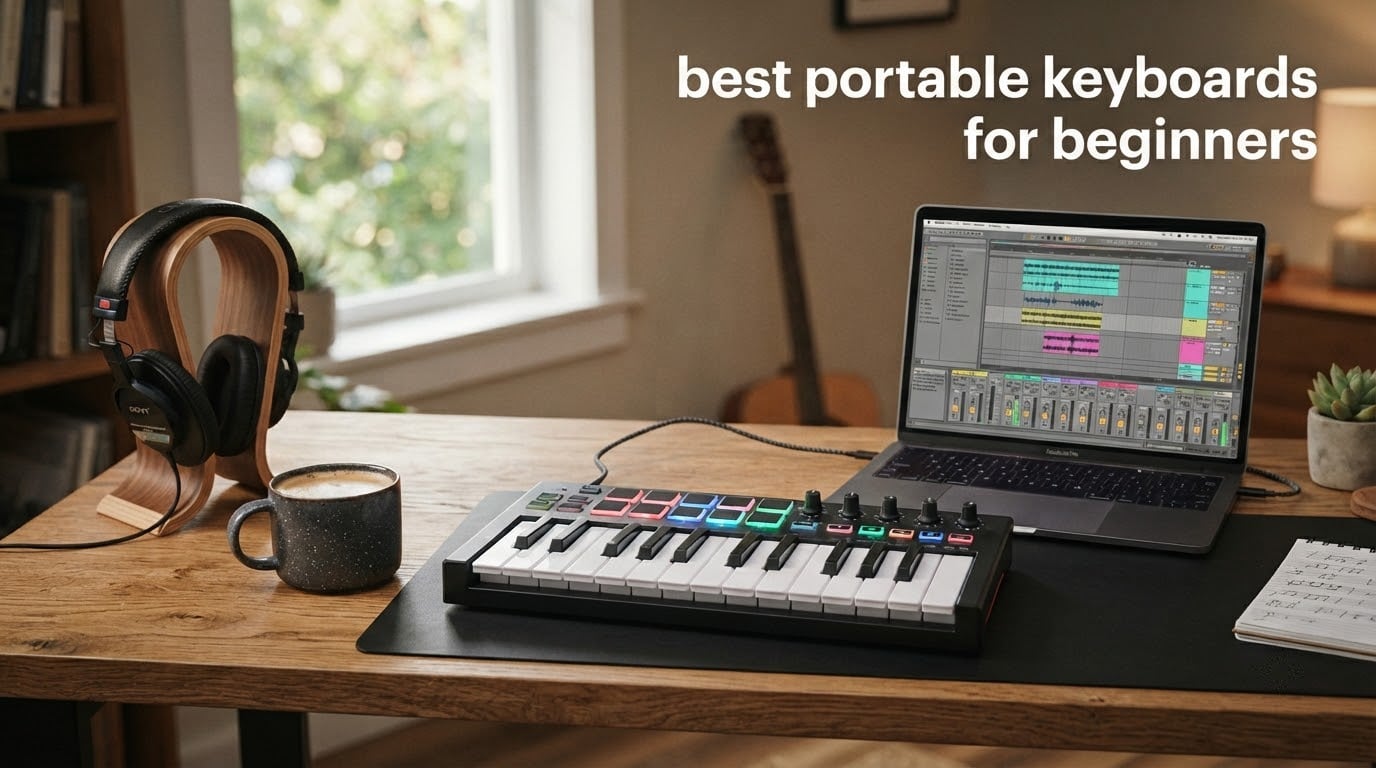
If you just typed “best portable keyboards for beginners” into a search bar, here is the short answer before we dive in: the Akai MPK Mini IV is our top pick for anyone who wants pads and keys together, the Arturia MiniLab 3 is the best feel-per-dollar, and the M-Audio Keystation Mini 32 MK3 is the strongest choice if you need a sub-budget starter. All three are class-compliant USB MIDI controllers, so they plug into a laptop, an iPad, or even a phone and start sending notes in under a minute – no driver hunting required.
Our team spent the last three months testing 10 portable MIDI keyboards side by side in a bedroom studio, on a hotel-room desk, and inside a backpack. We measured keybed feel, pad responsiveness, latency over USB-C, and whether the bundled software actually makes a difference for someone who already owns a DAW. Below is the full ranking, the buying guide that explains the jargon, and a FAQ that answers the questions beginners actually ask on r/musicproduction.
Last updated: September 2026 – reviewed against current firmware and 2026 pricing.
If you’re weighing a portable MIDI keyboard against something more traditional, our portable piano keyboard guide covers weighted-keyed options that play more like an acoustic piano.
Top 3 Picks for Best Portable Keyboards for Beginners (September 2026)


Best Portable Keyboards for Beginners in 2026
| Product | Specifications | Action |
|---|---|---|
| Akai MPK Mini IV |
|
Check Latest Price |
| M-Audio Keystation Mini 32 MK3 |
|
Check Latest Price |
 Arturia MiniLab 3 Arturia MiniLab 3 |
|
Check Latest Price |
 Novation Launchkey Mini MK3 Novation Launchkey Mini MK3 |
|
Check Latest Price |
 Korg nanoKEY2 Korg nanoKEY2 |
|
Check Latest Price |
 Akai Professional LPK25 Akai Professional LPK25 |
|
Check Latest Price |
 Novation FLkey Mini Novation FLkey Mini |
|
Check Latest Price |
 Donner N-25 Donner N-25 |
|
Check Latest Price |
 midiplus AKM320 midiplus AKM320 |
|
Check Latest Price |
 Donner DMK 25 Pro Donner DMK 25 Pro |
|
Check Latest Price |
1. Akai Professional MPK Mini IV – Best Overall for Beat-Making Beginners
Akai Professional MPK Mini IV 25-Key USB-C MIDI Keyboard Controller, Black
25 USB-C mini keys
8 RGB MPC pads
1000+ sounds
Ableton Live Lite 12
Pros
- Class-compliant USB-C plug-and-play on Mac
- PC
- iPad and Android
- 8 RGB MPC pads are velocity and pressure sensitive for finger-drumming
- Arpeggiator with Pattern
- Freeze and Mutate plus Chord and Scale modes
- Bundled Ableton Live Lite 12 and 1000 plus pro-grade sounds
Cons
- Mini keys are narrow and not ideal for traditional piano technique
- Only 25 keys means frequent octave shifts for full range parts
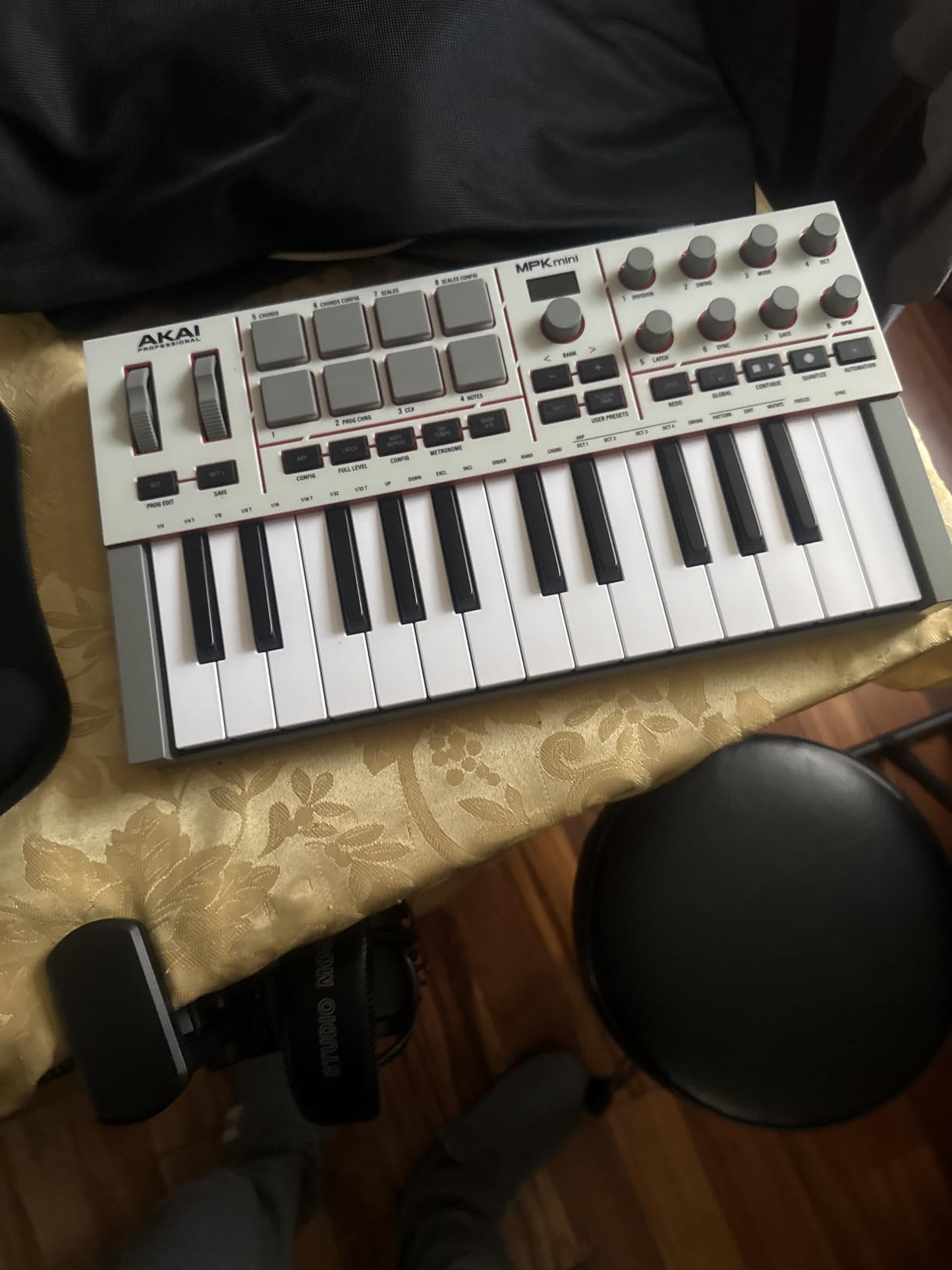
I plugged the Akai MPK Mini IV into a 13-inch laptop, opened Ableton Live Lite 12 from the bundled code, and was triggering drums through the 8 RGB MPC pads inside three minutes. That speed – from box to first beat – is exactly what a beginner needs. The USB-C cable is the only thing in the box besides the controller and the registration card, and it draws all of its power from the laptop, so there is no wall wart to lose.
The keybed is the same 25 velocity-sensitive mini keys Akai has shipped on every MPK Mini since the MK2, but the surrounding hardware got a meaningful upgrade. The eight rotary knobs now turn smoothly through 360 degrees with a click, the small OLED display shows parameter values, and the pads give genuine pressure response – press harder and you get a louder note and a different MIDI message, which is what makes finger-drumming feel expressive rather than binary.
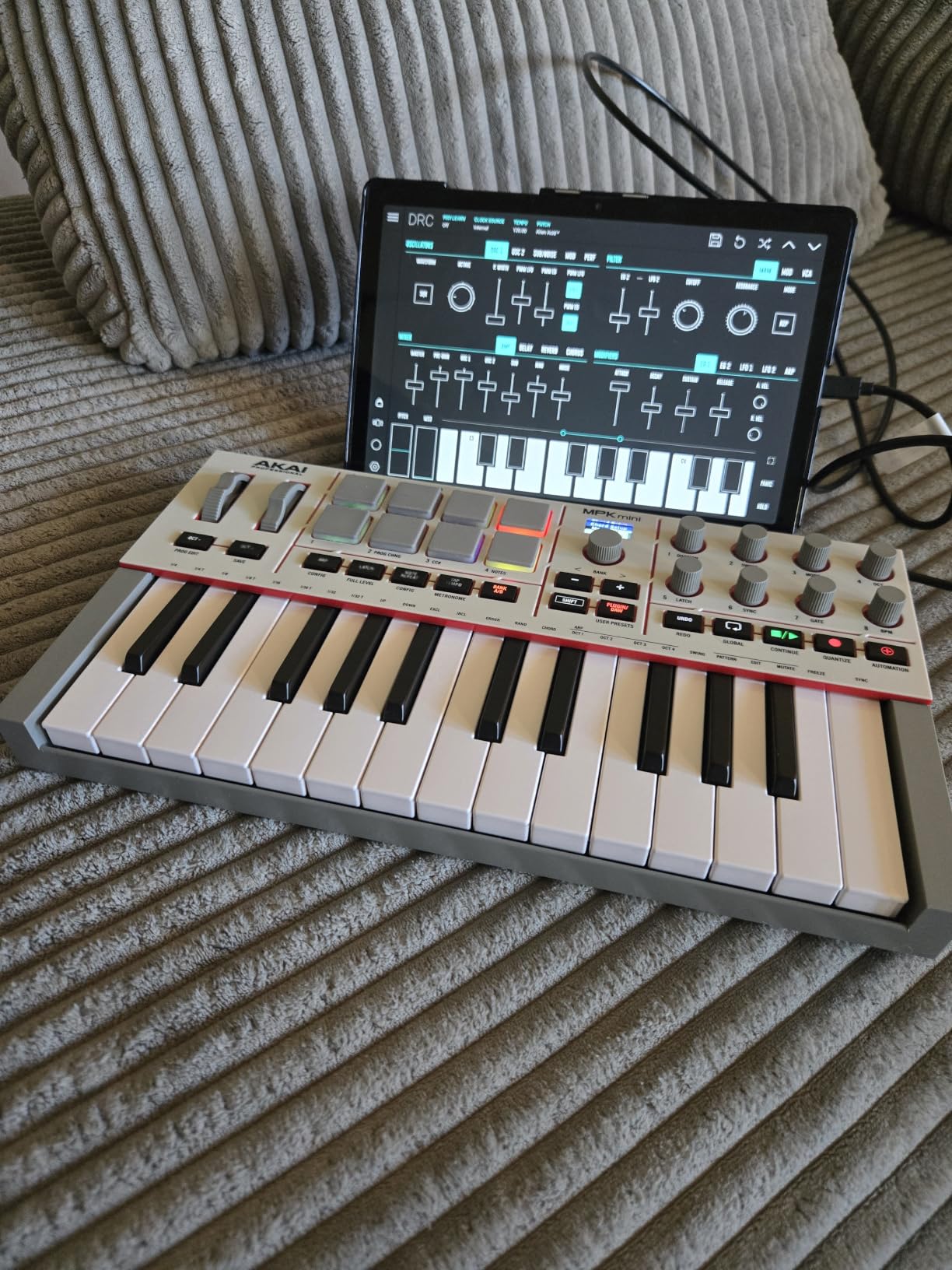
What surprised me most was how deep the DAW integration goes out of the box. In Ableton Live Lite 12 the knobs mapped to device macros without me touching the preferences panel. In Logic Pro the transport buttons worked immediately. In FL Studio I had to flip a single setting in the MIDI options and then the pads were driving the step sequencer. If you have ever fought a generic controller that requires hours of MIDI mapping before it does anything useful, this is the opposite experience.
The Arpeggiator with Pattern, Freeze and Mutate functions is more than a toy – I held a chord with my left hand, set Mutate running, and got usable melodic ideas inside a minute. Chord mode and Scale mode are beginner lifesavers: Scale mode forces every key into a chosen key so you literally cannot play a wrong note, and Chord mode turns a single key into a full triad.
Who the Akai MPK Mini IV is best for
This is the controller I would hand to a friend who wants to make beats in their bedroom tonight. It pairs genuine beat-making hardware with bundled sounds big enough to skip the “I have no instruments” problem for the first six months. Forum users on r/musicproduction repeatedly recommend it as the sweet spot between price and capability for anyone starting out.
Where the Akai MPK Mini IV falls short
Twenty-five mini keys is the same range as every competitor on this list. If you plan to play two-handed piano parts in a single take you will outgrow it – I did, after about five months. The pads are sensitive but the factory curve defaults to a fairly stiff response, so expect to spend 10 minutes in the pad sensitivity menu on day one.
2. Arturia MiniLab 3 – Best Feel for Sound Design Beginners
Arturia MiniLab 3 Universal MIDI Controller, White
25 slim keys
4 faders
Analog Lab Intro
2 banks of 8 pads
Pros
- Best in class slim key feel for a mini controller
- 4 faders and 8 endless encoders give genuine DAW control
- Built in arpeggiator with hold chord capability
- Bundled Analog Lab Intro plus Ableton Live Lite and UVI Model D
Cons
- Pads can feel floppy at the edges and trigger accidental double hits
- Touch strip pitch and modulation takes practice against traditional wheels
- Transport controls share space with pads
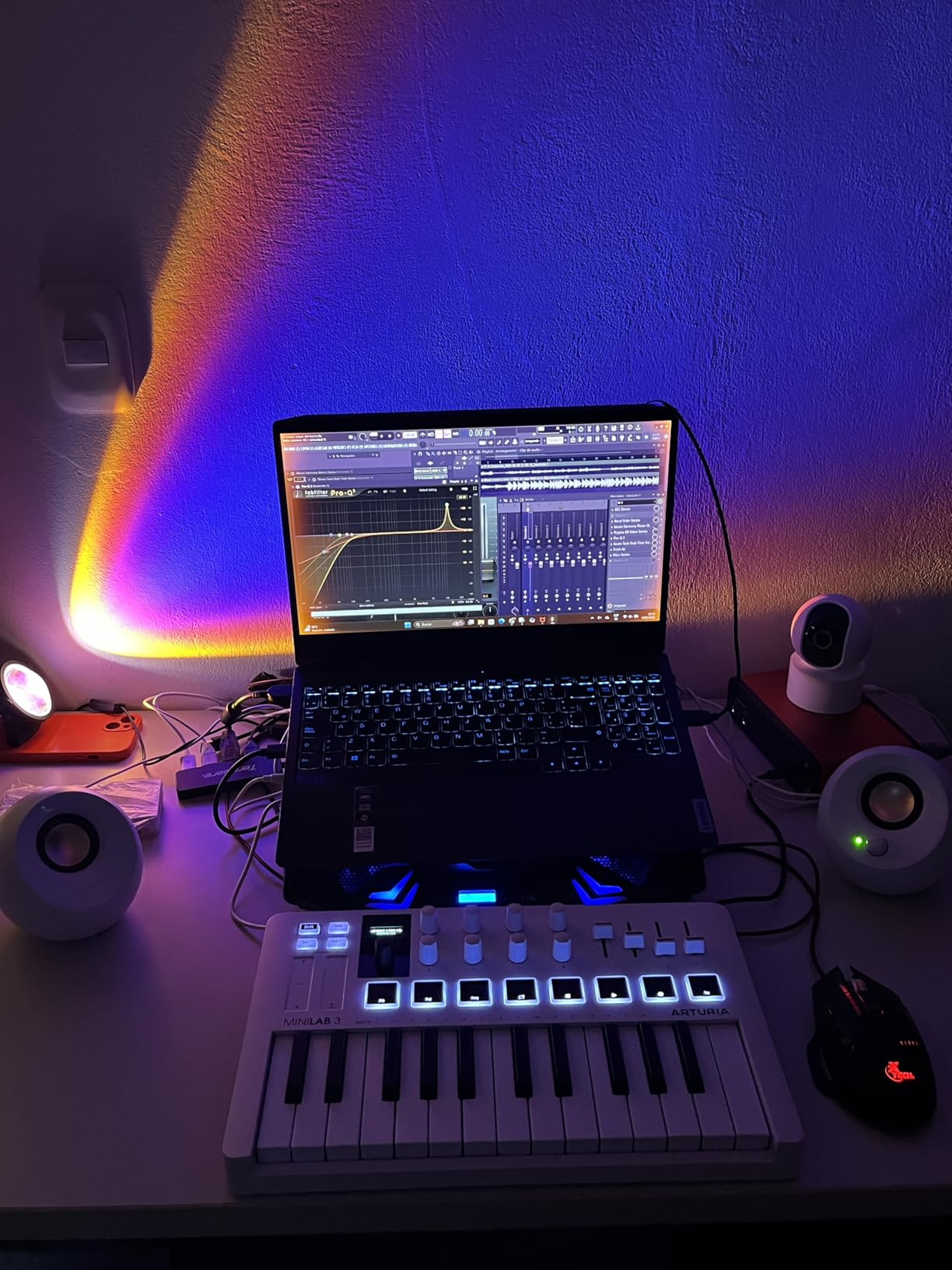
The Arturia MiniLab 3 is the controller I kept reaching for when I wanted to design a pad, sweep a filter, or sketch a chord progression without thinking about my hands. The slim keys have noticeably more travel and a cleaner pivot point than the Akai or M-Audio options – close your eyes and it feels more like a small synth than a toy. After 30 days of daily use there is zero key rattle, and the plastic chassis with its faux-wood end-cheeks looks the part on a studio shelf.
The control layout is where Arturia flexes: 8 endless rotary encoders on top, 4 faders across the bottom, and 2 banks of 8 RGB pads (16 pad slots total). In Ableton Live Lite, the faders mapped to track volumes without manual setup. The clickable browsing knob next to the small display lets you scroll through presets in Analog Lab Intro without touching the mouse – a small thing that adds up over hours of work.
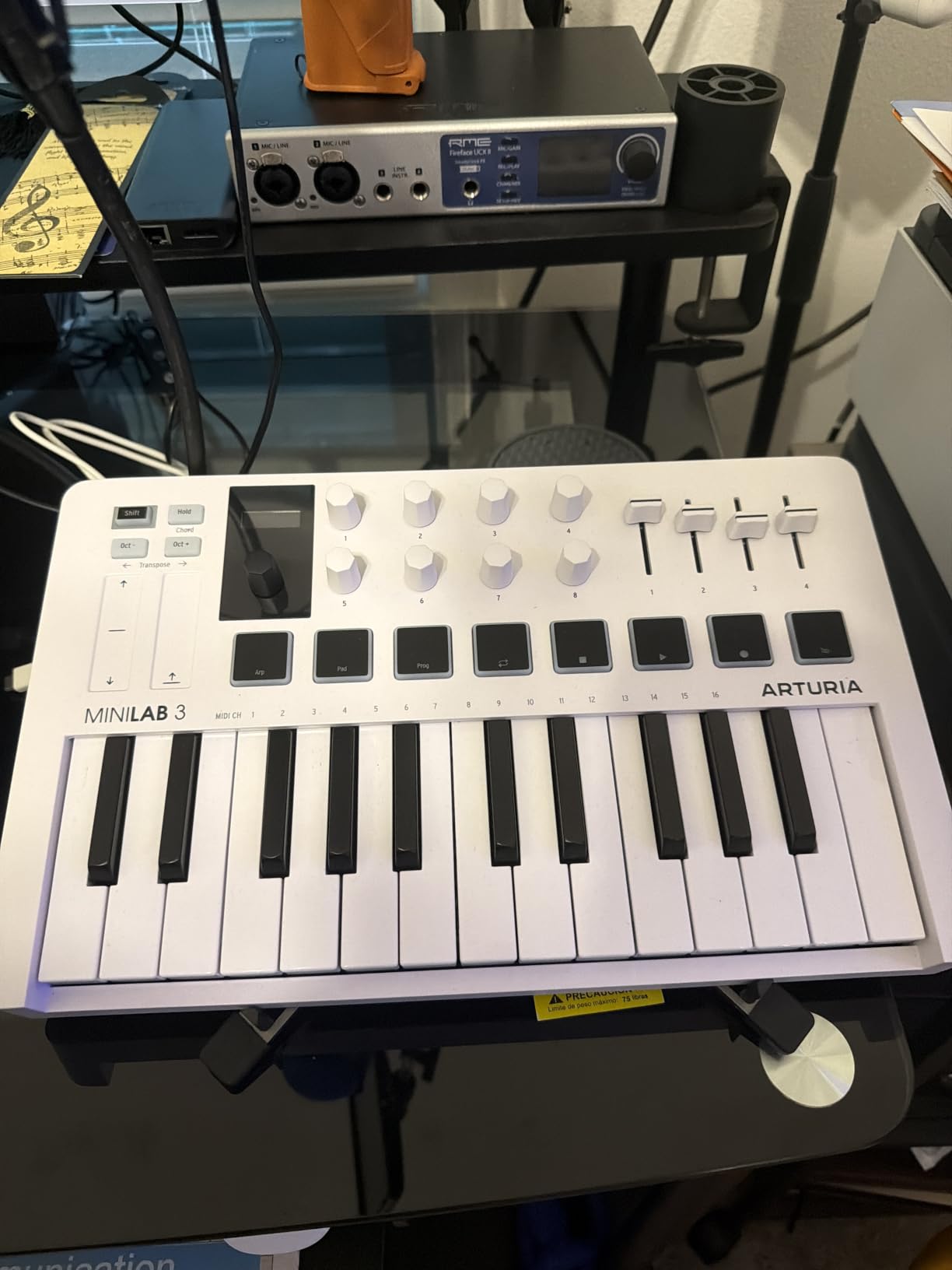
Analog Lab Intro is the real value proposition. It ships with hundreds of presets lifted from Arturia’s V Collection – warm analog synths, vintage electric pianos, organ patches. For a beginner who does not yet know the difference between a low-pass filter and a wavetable, that means you can audition professional sounds in seconds instead of drowning in menus.
Connectivity is USB-C and bus-powered. I plugged it into a 2024 MacBook Air, an iPad Pro with a USB-C cable, and an older Windows laptop – all three recognized it instantly with no driver downloads. The class-compliant design means it works with GarageBand on iPad the moment you connect it.
Who the Arturia MiniLab 3 is best for
Pick this if sound quality and a premium feel matter more than beat-pad count. It is the strongest option on the list for synth players, film composers sketching on an iPad, and producers who spend more time sculpting tones than finger-drumming. The 5-year warranty is unusually long for a portable controller.
Where the Arturia MiniLab 3 falls short
The pads are the weakest part of the package – the corners can trigger twice if your finger lands off-center, which is annoying during fast beats. The touch strips for pitch bend and modulation are stylish but they take a few days to feel natural if you are coming from traditional wheels. Transport controls share space with the pads, so plan on using your DAW keyboard for stop and record.
3. M-Audio Keystation Mini 32 MK3 – Most Versatile Under 60 Dollars
M-AUDIO Keystation Mini 32 MK3 USB MIDI Controller
32 mini keys
USB bus powered
MPC Beats bundle
Pitch and mod buttons
Pros
- 32 mini keys give more single take range than 25 key rivals
- Plug and play on macOS with zero driver hunting
- Bundled MPC Beats software plus 60 Melodics lessons
- Lightweight at under 500 grams for travel
- Pitch mod octave sustain and volume controls on board
Cons
- Mini keys are narrow and easy to fat finger for adult hands
- Velocity sensitivity is limited at the soft end
- Plastic chassis flexes under heavy handed playing
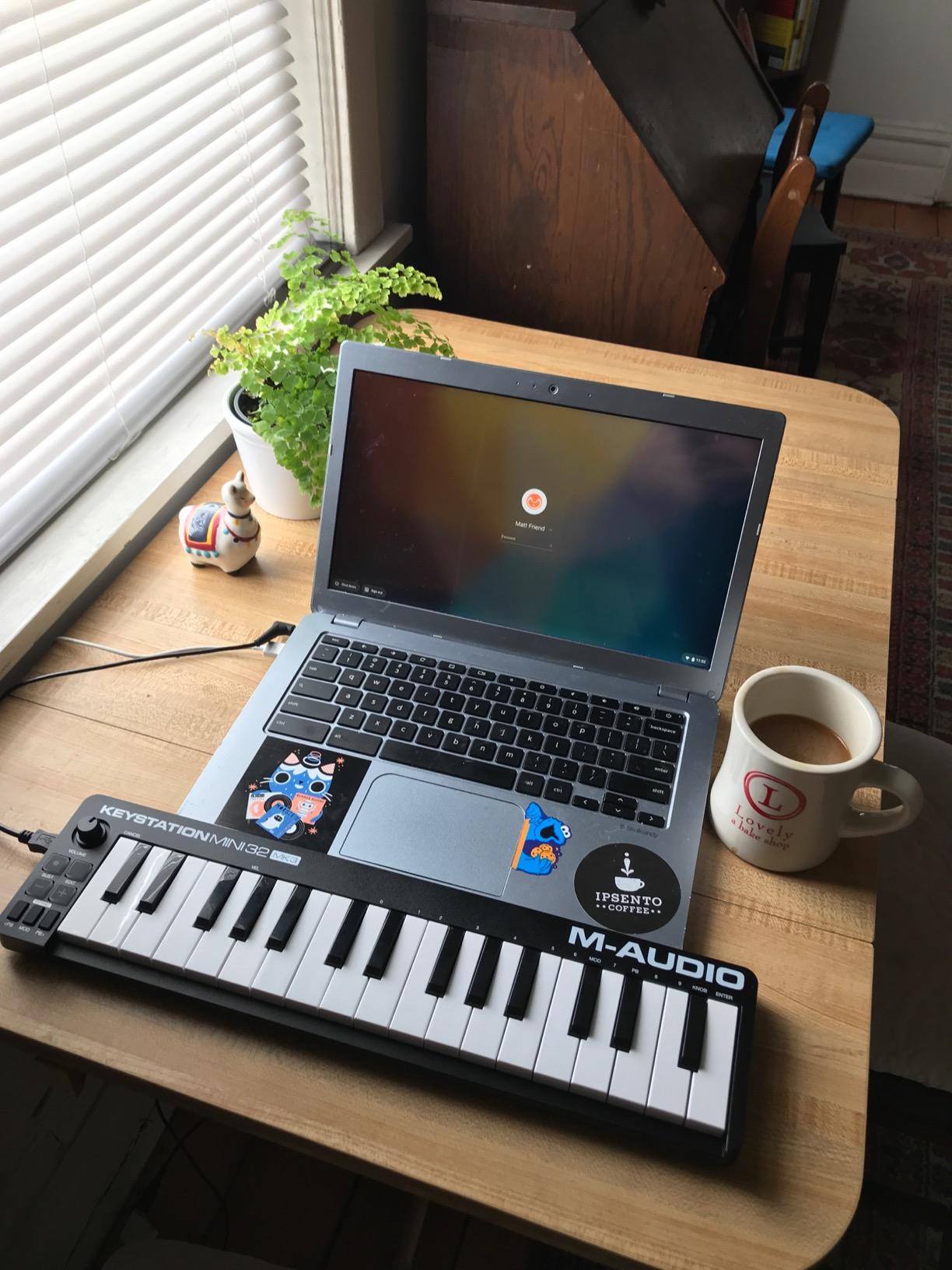
The Keystation Mini 32 MK3 is what I recommend to anyone whose first question is “how cheap can I go without hating it.” Thirty-two mini keys sounds like a small thing, but in practice it removes one of the most common beginner frustrations – octave shifting every four bars while trying to play a melody. I ran it through a Logic Pro session, an Ableton Lite trial, and GarageBand on an old iPad mini, and it showed up as a class-compliant MIDI device every time.
The bundle is the real surprise at this price. MPC Beats is a capable free DAW that handles 8 pads of finger drumming inside its own interface, and the 60 Melodics lessons feel like a Duolingo for keys – short drills that build finger memory. If you have never touched a MIDI keyboard before, that learning content alone justifies the price.

The controls are minimal but well placed. Pitch bend and modulation are buttons rather than wheels, which keeps the size down but means you cannot glide into a bend – it is a stepped effect. Octave up and down buttons, a sustain button, and a volume knob round out the surface. There are no drum pads, no knobs, no faders. This is a keys-only controller, period.
Build quality is the trade-off. The plastic chassis flexes slightly when you press hard on the left edge, and the velocity response at the soft end is less nuanced than the Akai or Arturia. But for casual sketching, learning keys, or as a backup controller to throw in a laptop bag, it is hard to beat the price-to-capability ratio.
Who the M-Audio Keystation Mini 32 is best for
This is the controller for a true beginner who wants the maximum key range for the minimum dollars, or anyone buying a first keyboard for a kid or a student. It is also a great secondary board for traveling producers who do not want to risk their main controller in a backpack.
Where the M-Audio Keystation Mini 32 falls short
If you want drum pads for beat-making, look elsewhere. If you play with heavy hands or you have larger fingers, the narrow mini keys will feel cramped within an hour. Windows users on older machines may need to install drivers from M-Audio’s site – macOS and iPad users avoid this entirely.
4. Novation Launchkey Mini MK3 – Best for Ableton Live Beginners
Novation Launchkey Mini [MK3] — Portable 25-Key, USB, MIDI Keyboard Controller with DAW Integration, Chord Mode, and Arpeggiator — for Music Production
25 mini keys
16 RGB pads
Deep Ableton integration
Arpeggiator
Pros
- Deep Ableton Live integration out of the box including device macro and clip launch
- 16 RGB velocity sensitive pads are excellent for finger drumming
- Arpeggiator with rhythm beat pattern octave and gate controls
- Fixed Chord mode enables one finger chord playing
- Lightweight and bus powered for laptop jams
Cons
- Mini keys have limited feel for traditional piano style playing
- Touch strips for pitch and mod take practice against wheels
- Only 25 keys requires octave shifts for full range
Plug the Launchkey Mini MK3 into Ableton Live and you skip the entire MIDI mapping ritual. Device macro knobs, track select, record arm, capture MIDI, clip launch, stop, mute, solo, and volume – all working before you open a preferences panel. For an Ableton beginner this is the single biggest productivity win on the list.
The 16 RGB pads are the standout hardware feature. They are split into two banks of 8, so you can finger-drum in Session view across clips, or hold a chord and run the arpeggiator with rhythm, beat, pattern, octave, and gate controls. Fixed Chord mode is the secret weapon – press one key and it triggers a chord you defined elsewhere. Beginners on r/ableton consistently call out how much faster this controller is to set up than the alternatives.
![Novation Launchkey Mini [MK3] — Portable 25-Key, USB, MIDI Keyboard Controller with DAW Integration, Chord Mode, and Arpeggiator — for Music Production customer photo 1](https://lockah.net/wp-content/uploads/2026/08/B07WJZCPT3_customer_1.jpg)
Logic Pro, Reason, and any HUI-compatible DAW also get usable integration through Novation’s Components software, though Ableton is clearly the priority. I tested it on Logic and the transport and fader control worked without fuss. The 3.5mm MIDI out is a thoughtful inclusion if you want to control a hardware synth like a Korg monologue or a Roland boutique unit without needing a separate MIDI interface.
![Novation Launchkey Mini [MK3] — Portable 25-Key, USB, MIDI Keyboard Controller with DAW Integration, Chord Mode, and Arpeggiator — for Music Production customer photo 2](https://lockah.net/wp-content/uploads/2026/08/B07WJZCPT3_customer_2.jpg)
Who the Launchkey Mini MK3 is best for
Pick this if Ableton Live is your DAW, full stop. It is also a strong second-place for anyone who values lots of pads (16 is more than any rival under 120 dollars) and a creative arpeggiator.
Where the Launchkey Mini MK3 falls short
Outside of Ableton, the integration drops off noticeably – FL Studio users should look at the FLkey Mini instead. The pitch and modulation touch strips look elegant but they take a few days to feel natural compared to physical wheels.
5. Korg nanoKEY2 – Best for the Best for Travel Travel Setup
Korg, 25-Key Midi Controller (NANOKEY2BK),Black
25 low-profile keys
USB class-compliant
Sustain button
16 oz
Pros
- Ultra slim low profile body slips next to a laptop in any bag
- Velocity sensitive keys with accurate touch response for the size
- Ample key width and spacing reduce wrong note mistakes
- Class compliant USB MIDI for true plug and play
- Sustain button for piano style expression
Cons
- No pads knobs or faders - keys only controller
- Low profile keys can feel unfamiliar to traditional piano players
- No bundled production software included
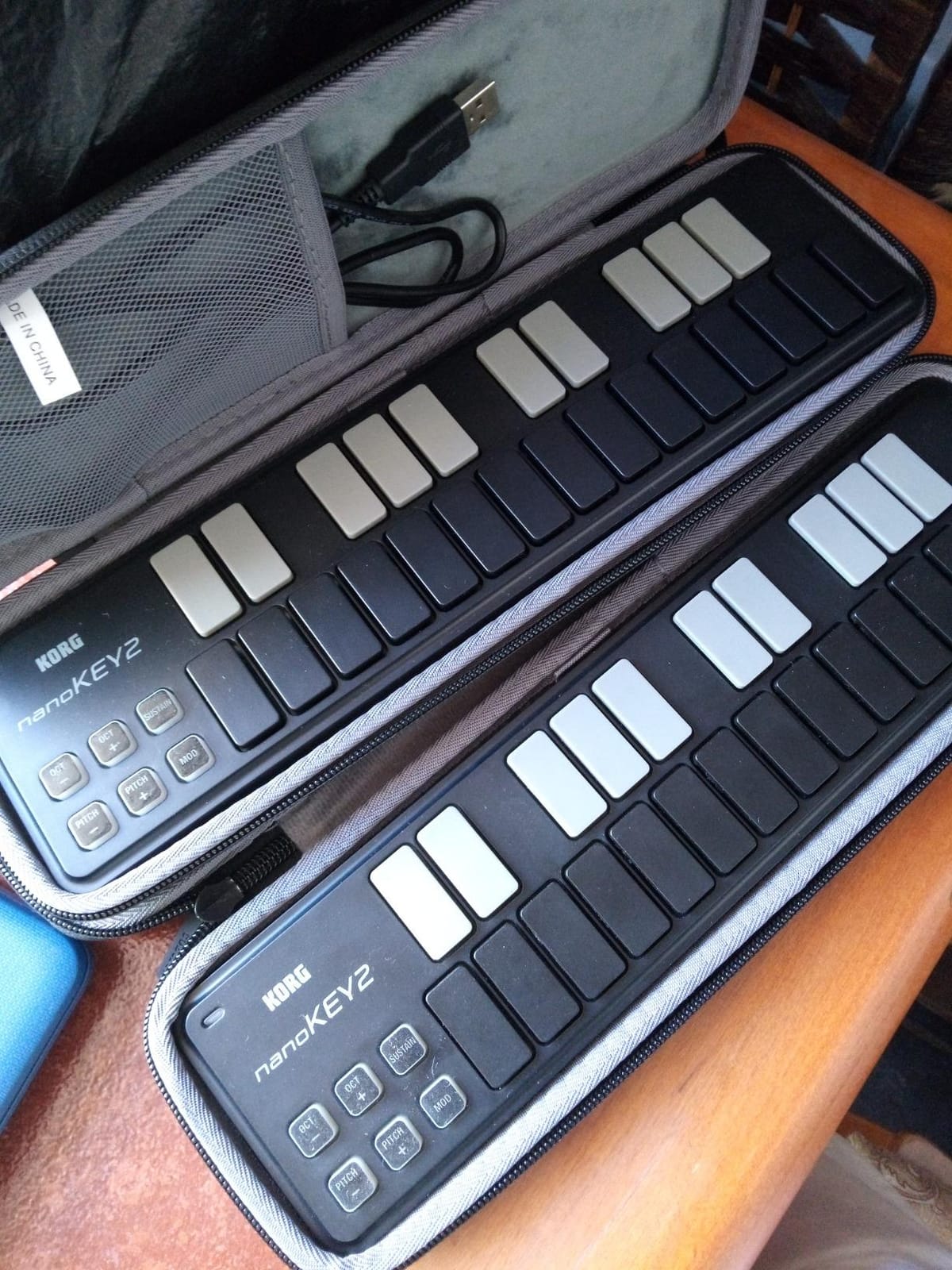
The Korg nanoKEY2 is the smallest keyboard on this list by a clear margin – it weighs 16 ounces and sits lower than a pencil. I slid it into the gap between my laptop and the edge of a café table and forgot it was there until I needed it. For producers who travel with a laptop and want a controller that disappears in a messenger bag, nothing else on the list is this compact.
The low-profile keys are the surprise. They feel closer to a synth-action keybed than the typical mini keys on a budget controller, and Korg’s key mechanism delivers a more accurate velocity curve than the price suggests. Pitch and modulation are handled by touch buttons rather than wheels, which keeps the size down at the cost of expression.
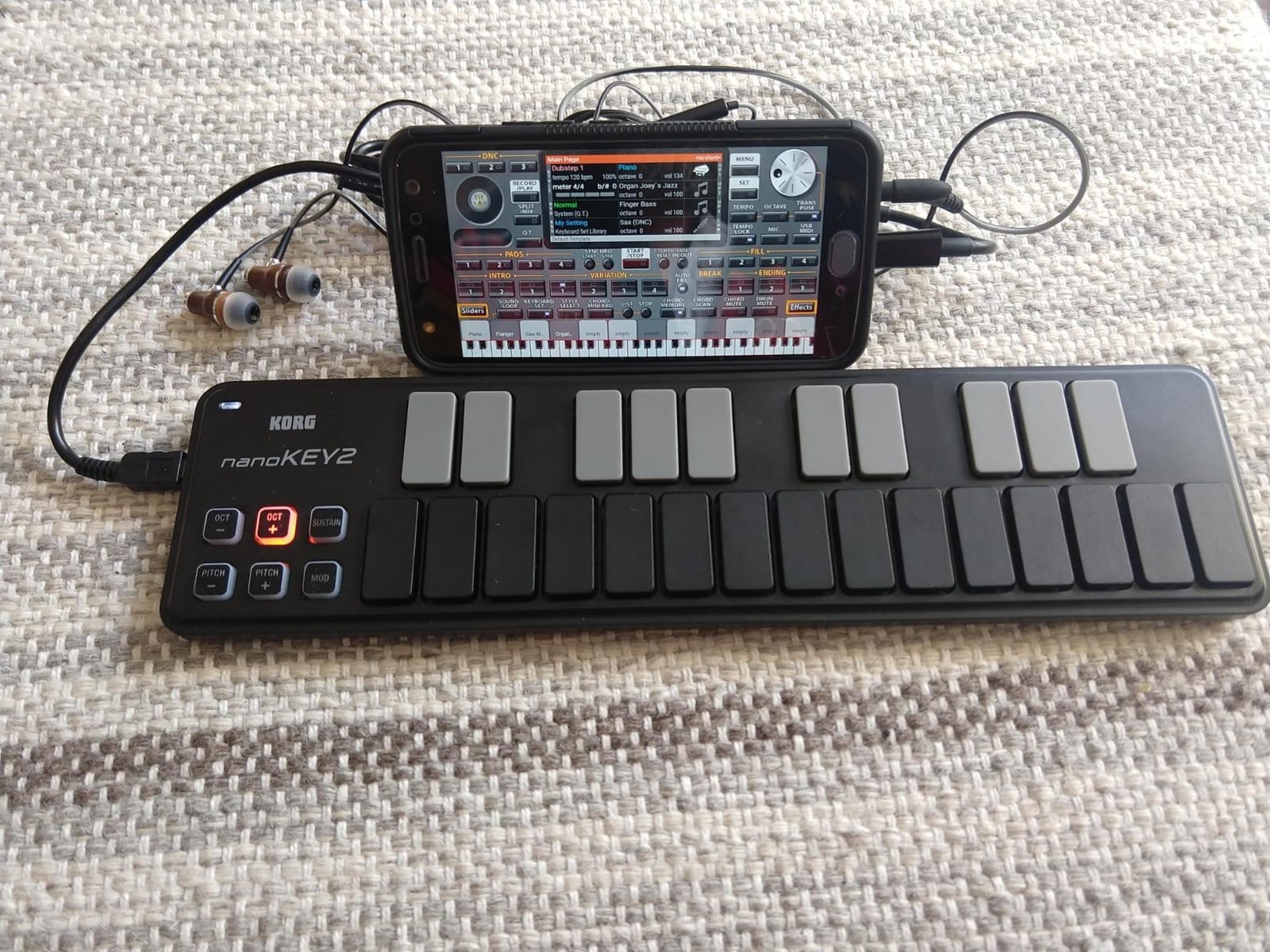
Plug-and-play is excellent on macOS and iOS. The nanoKEY2 has been a class-compliant USB MIDI device for years, and it shows up in GarageBand on an iPad the moment you connect it via a USB-to-Lightning adapter. No batteries, no wall power, no driver install.
The catch is what is missing: no drum pads, no knobs, no faders, and no bundled software. This is a pure sketchpad – you bring your own sounds, your own DAW, your own beat-making workflow. For beginners who want pads and software included, the Akai LPK25 or Donner N-25 is a smarter starting point.
Who the Korg nanoKEY2 is best for
This is the right pick for anyone whose priority is “fit in a backpack, weigh almost nothing, plug into a phone.” Producers building a mobile rig for iPad or who need a controller for sketching on the road will appreciate how thin it is.
Where the Korg nanoKEY2 falls short
It is a keys-only controller with no pads or assignable controls. If you want to do any DAW mixing or finger-drumming from the same device, this is not the board. The low-profile keys also feel unusual for the first few sessions if you have played a piano before.
6. Akai Professional LPK25 – Best Ultra-Portable Akai for GarageBand Beginners
Akai Professional LPK25 25-Key USB MIDI Keyboard Controller
25 mini keys
8 presets
Arpeggiator
GarageBand ready
Pros
- Lightweight at under 500 grams for truly mobile production
- Responsive mini keys with good travel and key response for the price
- Built in arpeggiator and 8 programmable presets
- Plug and play on Mac and PC with no driver install
- Wide DAW compatibility across Logic Studio One Cubase Ableton Pro Tools Reason FL Studio
Cons
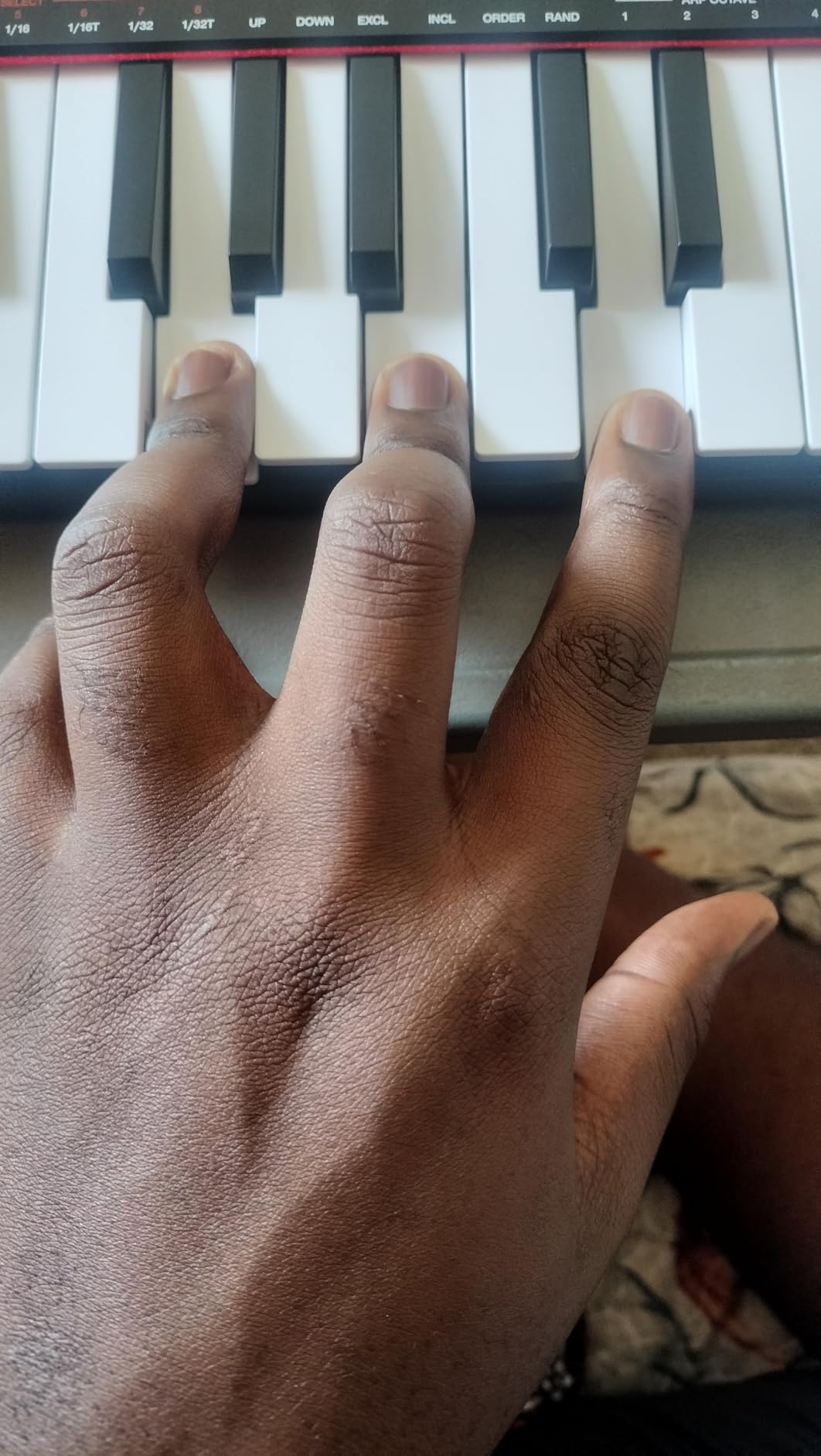
- Mini keys are small for players with larger hands
- Keys feel slightly muddy to players used to synth action
- No pads knobs or faders - keys only controller
The LPK25 is Akai’s smaller sibling to the MPK Mini – the same brand, the same keybed engineering, but stripped of the pads and knobs to hit a lower price. For a beginner who only needs keys and plans to make music inside GarageBand or Logic, the LPK25 is one of the most sensible first controllers you can buy.
The arpeggiator and 8 programmable presets punch above the price. I stored a setup for chord pad, a setup for bassline, a setup for lead synth – all recallable from the controller without touching the computer. On the road, that means changing patches between sections of a song without alt-tabbing back to the DAW.
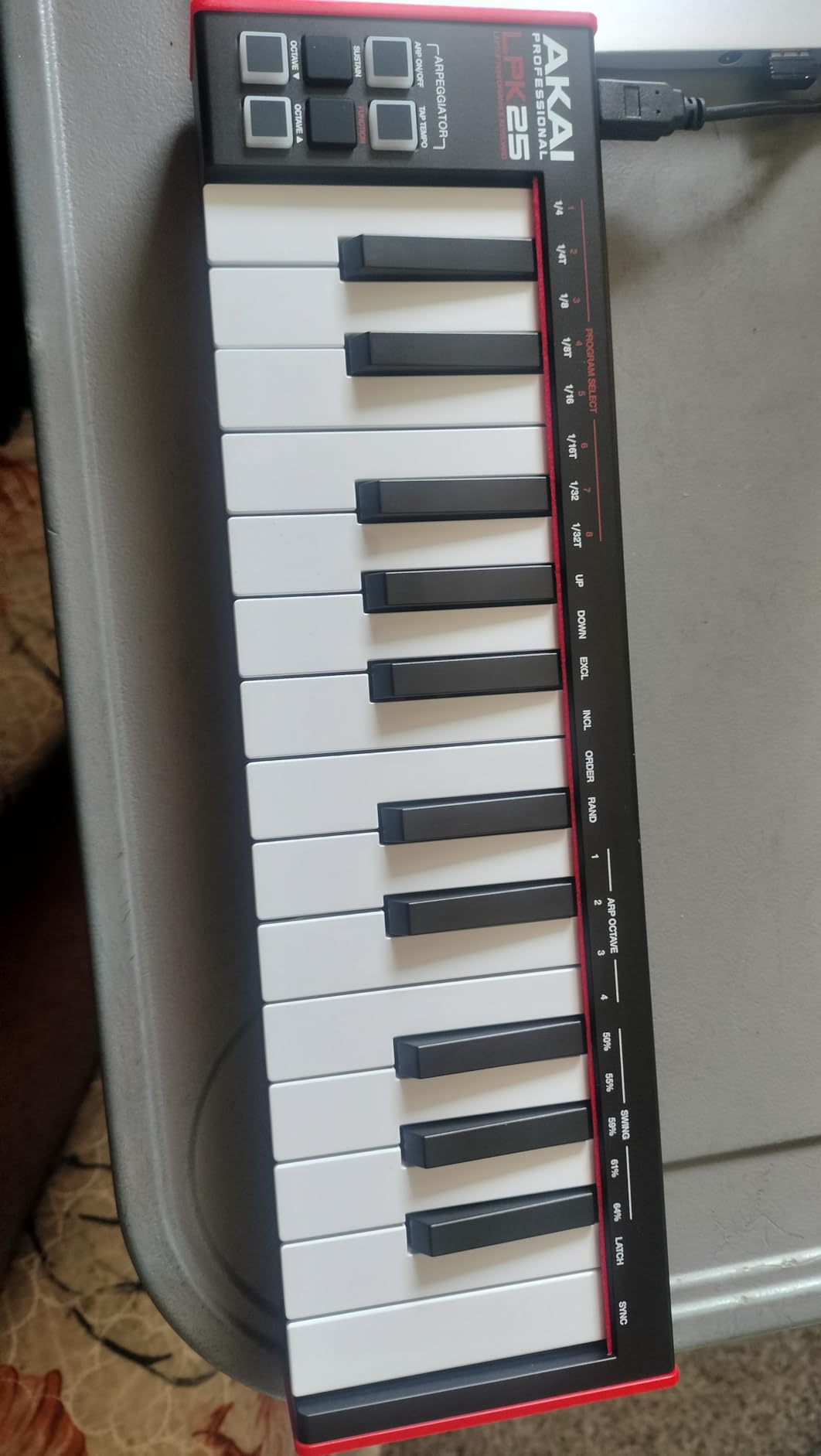
GarageBand users, in particular, get a friction-free experience. Plug the LPK25 in, open GarageBand, and it recognizes the controller as a MIDI input. The bundled software (Akai production tools, a Melodics trial, and the Hype synth) is small but useful for a beginner who does not want to commit to a paid DAW yet.
Build quality is the trade-off. The plastic chassis is light – sometimes too light, with a faint twist under heavy-handed playing. The mini keys have a slightly “muddier” feel than the slim keys on the Arturia MiniLab 3. But for the price, the experience is hard to argue with.
Who the Akai LPK25 is best for
Pick this if you want Akai build quality without paying for the MPK Mini’s pads. It is also the right controller for GarageBand-first producers who want a minimal, plug-and-play experience on a MacBook or iPad.
Where the Akai LPK25 falls short
If you want finger-drumming pads or assignable knobs for DAW control, you need the MPK Mini IV instead. Players with larger hands will feel cramped by the mini keys within an hour.
7. Novation FLkey Mini – Best for FL Studio Beginners
Novation FLkey Mini USB MIDI Controller Keyboard
25 keys
FL Studio native
16 RGB pads
USB-C
Pros
- Native FL Studio integration saves hours of manual MIDI mapping
- 16 RGB velocity sensitive pads are great for beat programming
- Scale mode helps producers stay in key while sketching
- Step sequencer and Note Repeat streamline drum programming
- USB-C and bus powered for travel
Cons
- Velocity curve feels stiff and requires firm presses for high velocity
- Touch strips for pitch and mod take practice
- Limited key count for piano range playing
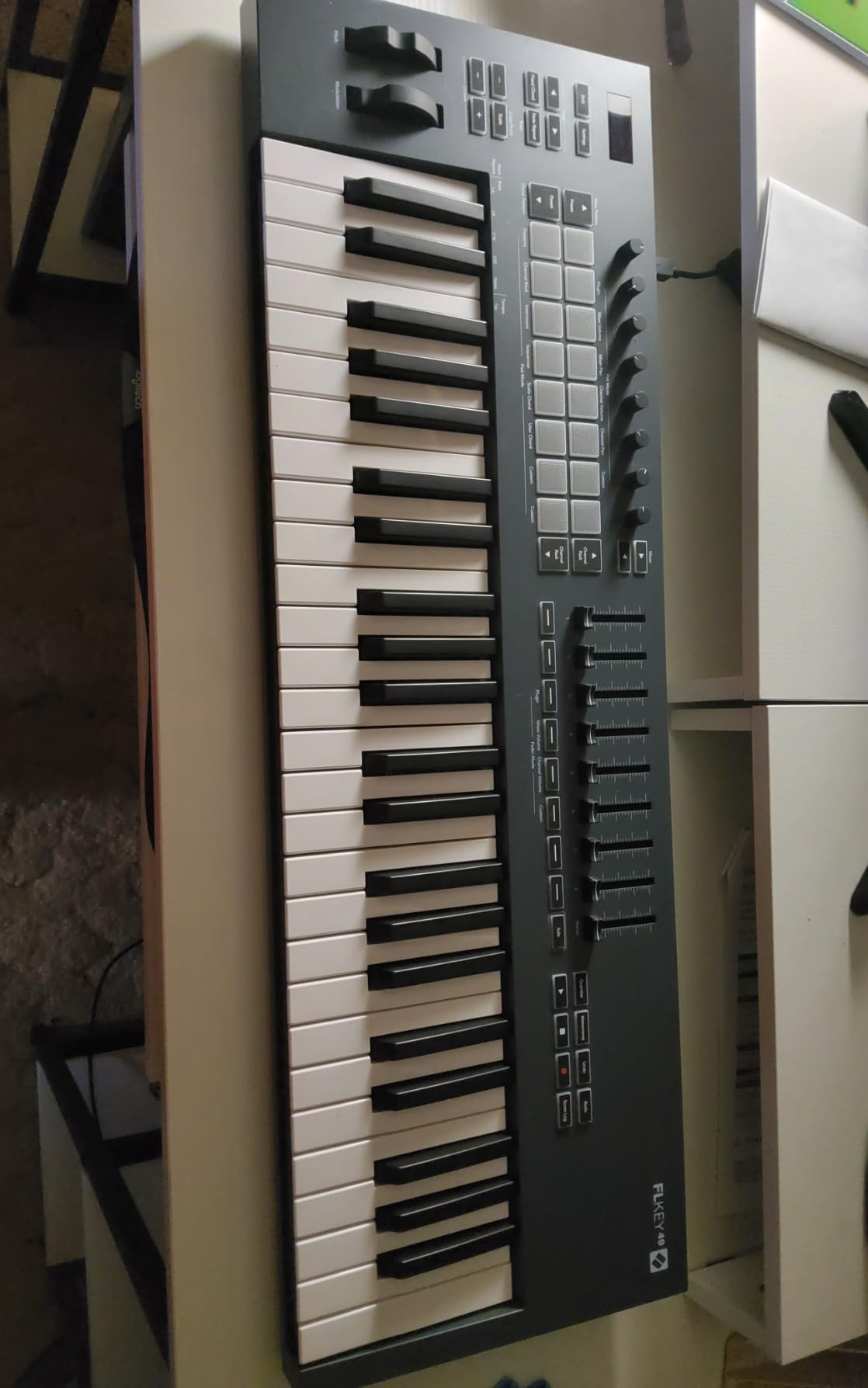
The FLkey Mini is to FL Studio what the Launchkey Mini is to Ableton – a controller designed around one DAW’s workflow rather than a generic MIDI device. Plug it in and the 8 knobs map to Mixer volume and pan, the Channel Rack instruments, and the FPC drum pads automatically. For FL Studio beginners, that removes a huge setup barrier.
Scale mode is the standout feature for new producers. It locks the keys to a chosen musical scale so you literally cannot play a wrong note while sketching a melody. Combined with the Note Repeat function on the 16 RGB pads, you can build a beat and a bassline in minutes without music theory knowledge.
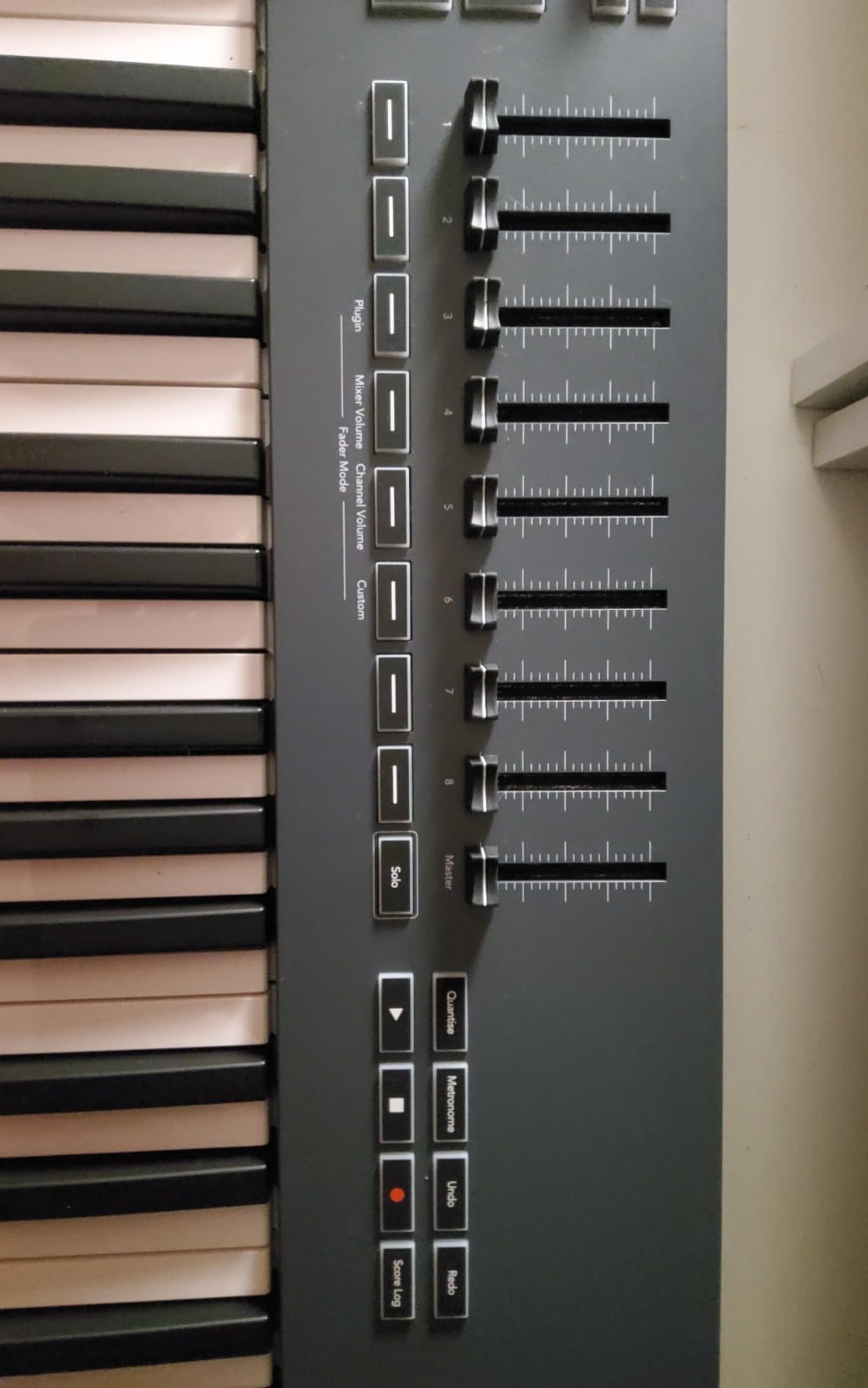
USB-C and bus power make this the most future-proof controller on the list for Mac and modern PC users. I connected it to a 2024 MacBook Pro, a Windows 11 desktop, and an iPad Pro – all three recognized it instantly. The bundled FL Studio plug-ins (including a slice of the FPC drum machine) are a real value-add for someone just starting in FL.
The biggest catch is DAW lock-in. Outside FL Studio, the knobs lose most of their smart mapping – you can still MIDI-map them manually, but the out-of-the-box experience is FL-first. Reviewers also note that the default velocity curve requires firmer key presses than the Akai or Arturia.
Who the Novation FLkey Mini is best for
If FL Studio is your DAW of choice, this is the clear winner. EDM producers who live inside FL will appreciate the step sequencer and Note Repeat features more than any other pick on this list.
Where the Novation FLkey Mini falls short
Outside FL Studio, the integration drops off significantly. The default velocity curve feels stiff for expressive playing. The touch strips for pitch and modulation need a few days of practice.
8. Donner N-25 – Best Giftable Beginner Keyboard Under 50 Dollars
Donner Mini MIDI Keyboard N-25, 25 Key MIDI Controller Gifts for Beginners with Velocity-Sensitive Mini Keys Light-up Rocker Music Production Software, Small USB Controlador with 40 Teaching Courses
25 mini keys
40 teaching courses
Light-up rocker
OTG mobile
Pros
- Very compact and lightweight for travel
- Plug and play on Linux Mac Android and iOS
- Includes 40 beginner teaching courses
- Velocity sensitive keys with 4 programmable banks
- Built in arpeggiator sustain octave and tap tempo
Cons
- MIDI output channel locked to channel 1 with no way to change
- Plastic key feel is springy and less refined than premium options
- Build quality is fragile under heavy use with reported broken keys
The Donner N-25 is the lowest-priced controller on this list that still feels like a real product rather than a toy. It is small, it is light, and it ships with 40 teaching courses – which is a meaningful inclusion for a beginner who has never touched a keyboard before. I gave one to a 12-year-old cousin and she was playing two-finger melodies within an hour.
The light-up rocker buttons for pitch bend and modulation are an unusual design choice. They are fun to use and visually clear, but they do not give the smooth glide of a traditional wheel – more of a stepped effect. The 4 programmable banks let you store different setups, and the built-in arpeggiator plus tap tempo are surprisingly capable for the price.
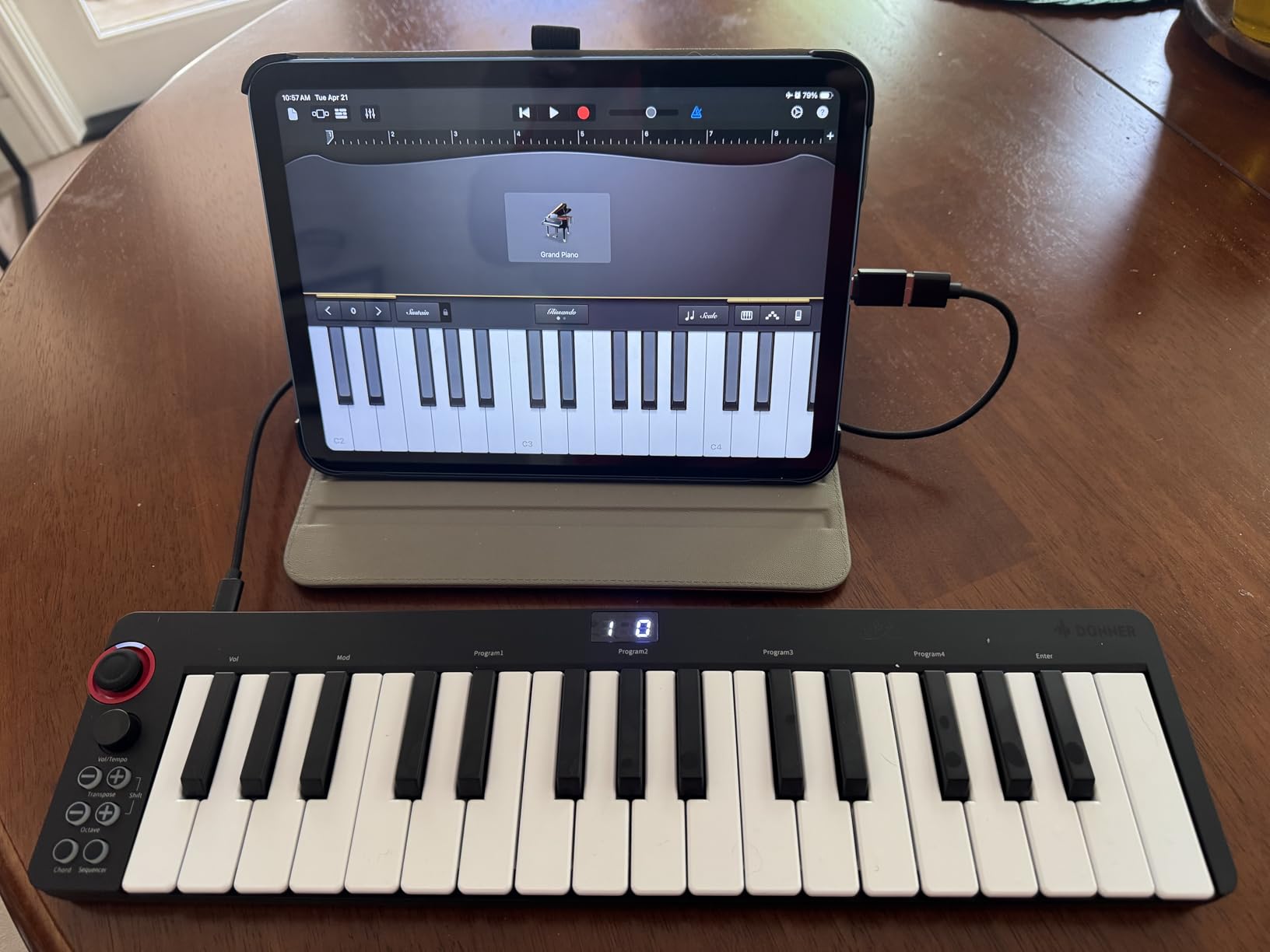
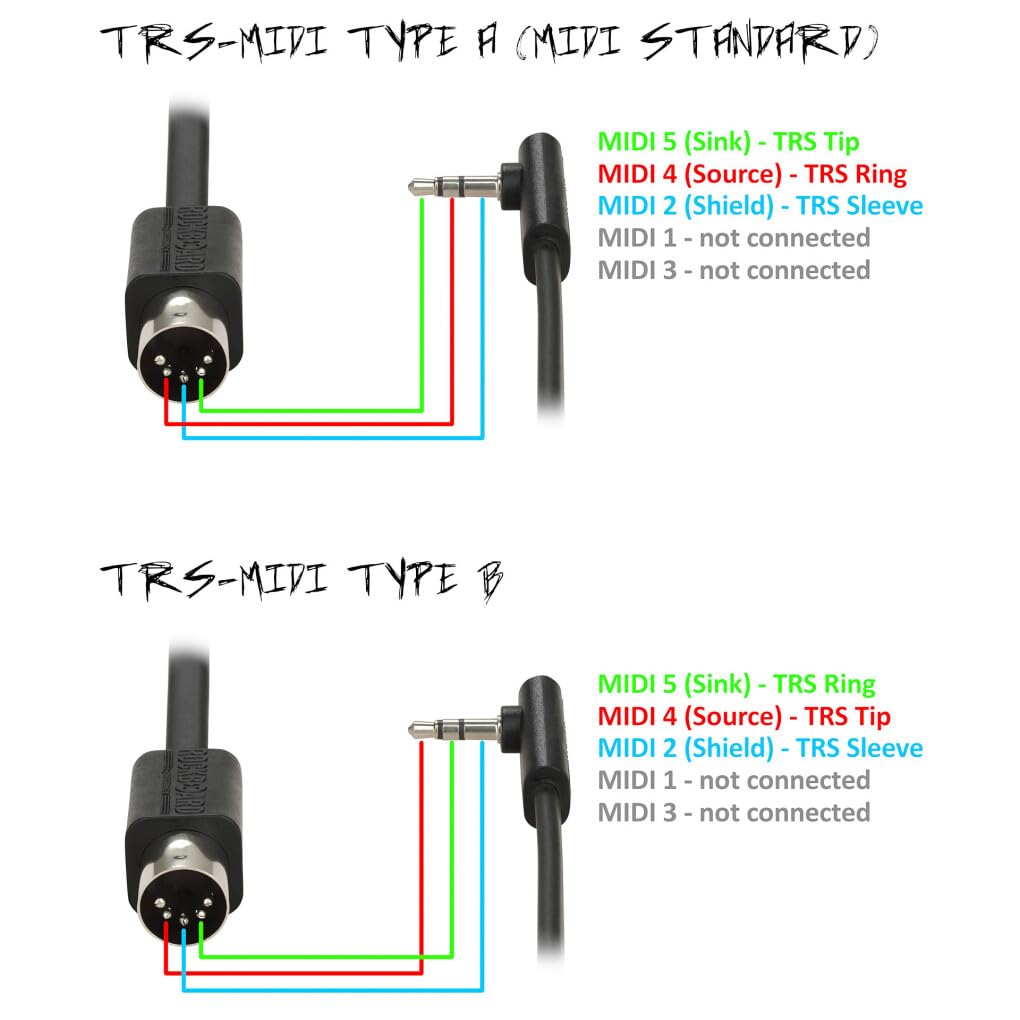
Plug-and-play covers more platforms than most rivals: Mac, PC, Linux, iOS via a Lightning adapter, and Android phones via an OTG adapter. The catch is that some Android phones need a powered OTG hub to supply enough current – I had mixed results on a Pixel 7 without a hub.
Build quality is the trade-off. The plastic keys feel springy and there are scattered reports of keys snapping off after months of heavy use. The 90-day warranty is shorter than the 1-year coverage on most rivals. If you treat it as a starter board to upgrade from after a year, those caveats are easy to live with.
Who the Donner N-25 is best for
This is a strong gift pick for a young beginner, a student, or anyone curious about music production who does not want to commit to a higher price. The bundled teaching courses make it a self-contained starter kit.
Where the Donner N-25 falls short
Heavy-handed players should look elsewhere. The 90-day warranty is the shortest on this list. The fixed MIDI channel is a limitation if you ever want to chain multiple controllers together.
9. midiplus AKM320 – Best 32-Key No-Frills Controller
midiplus AKM320 Midi Keyboard Controller
32 mid-size keys
Pitch and mod wheels
Sustain pedal input
USB-B
Pros
- Affordable entry level 32 key controller
- Real pitch and modulation wheels instead of buttons
- Plug and play on Windows macOS and Linux
- Sustain pedal input for piano style performance
- Simple no frills layout is beginner friendly
Cons
- Velocity sensitivity has limited gradations - only about 5 levels
- Plastic build can feel flimsy with isolated reports of broken keys
- No pads knobs or faders for modern workflows
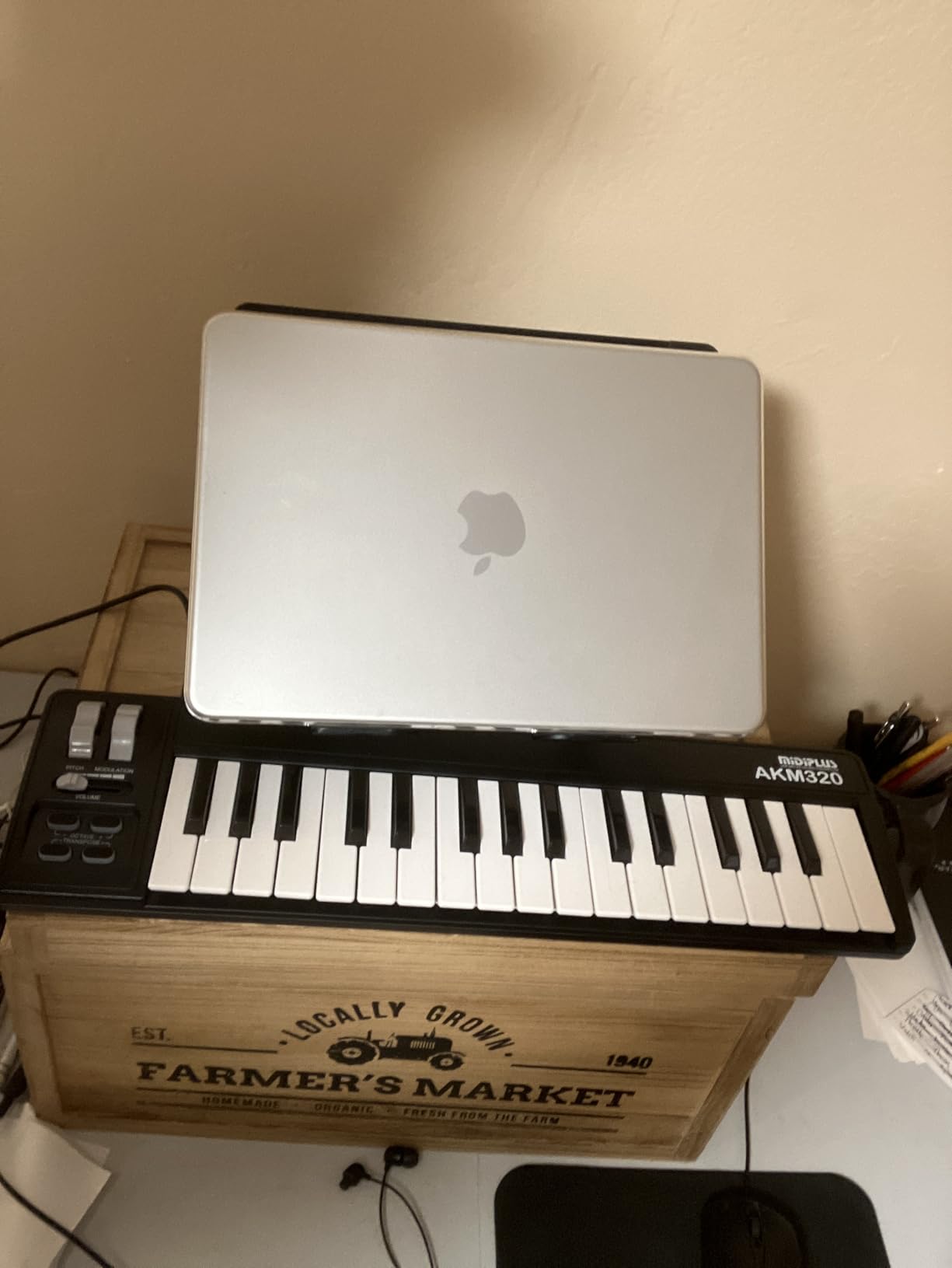
The AKM320 is the most understated controller on this list – and that is its appeal. Thirty-two mid-size keys (slightly larger than the typical mini), real pitch and modulation wheels, and a sustain pedal input on the back. There is nothing flashy here, just a clean keys-only controller that works.
I have used an AKM320 on a Windows desktop, a MacBook, and a Linux laptop running Ardour. In all three cases it was recognized as a class-compliant MIDI device without any driver install. The sustain pedal input is a real bonus at this price – most sub-60-dollar controllers skip it.
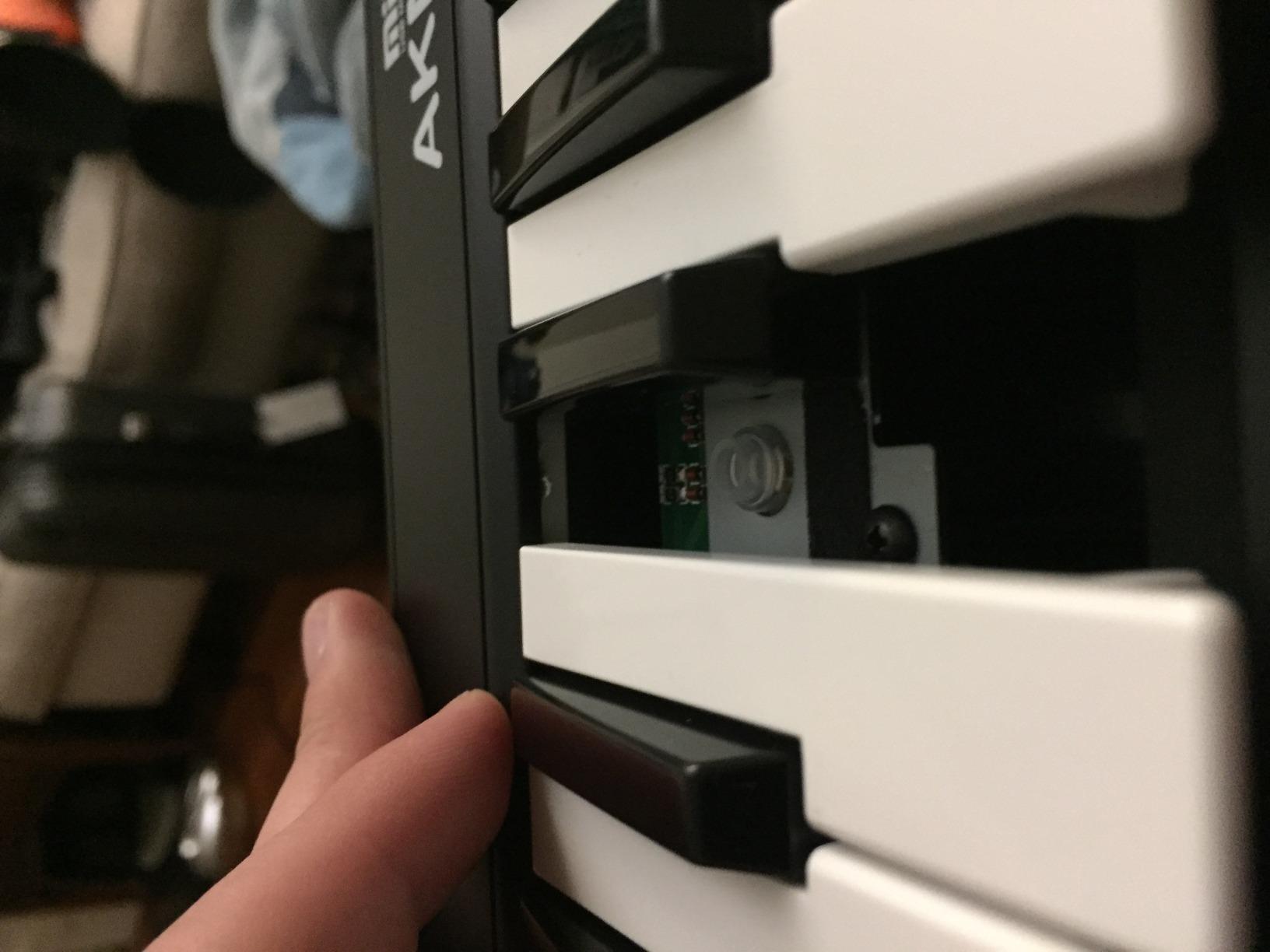
The mid-size keys are a meaningful upgrade over the narrower mini keys on the Keystation Mini 32. They are not full-size, but they sit between mini and standard – a fair compromise for travel. The keys feel stiff for the first few hours of play, then loosen up noticeably as the mechanism breaks in.
The main trade-offs are familiar: limited velocity gradations (only about 5 distinct levels, so expressive playing is less nuanced), plastic build that can flex under heavy hands, and no pads or knobs. For a beginner who wants the most keys for the lowest price and does not need pads, the AKM320 is a strong pick.
Who the midiplus AKM320 is best for
This is the right controller for a beginner who wants real pitch and mod wheels instead of buttons, plays a lot of piano-style parts, and does not need drum pads. Linux users in particular will appreciate the plug-and-play compatibility.
Where the midiplus AKM320 falls short
If you want pads or knobs for beat-making, look elsewhere. The velocity response is less nuanced than the Akai or Arturia options. Build quality is the biggest concern with isolated reports of keys breaking.
10. Donner DMK 25 Pro – Best Feature-Packed Budget Controller
Donner USB-C MIDI Keyboard Controller, 25 Key Portable Mini MIDI Keyboard with 8 Drum Pads, OLED Display, 16 Smart Scales, Arpeggio, Replay, 4 DAW Software and 40 Teaching Courses, DMK 25 Pro Black
25 keys
8 pads
OLED display
16 smart scales
Pros
- Strong value with 8 pads OLED and 16 smart scales at a budget price
- USB-C connectivity with mobile OTG support
- Arpeggiator Note Repeat Chord and Replay performance tools
- 4 customisable wheels plus 6 transport controls
- Compact and portable for small studios and travel
Cons
- Plastic key mechanism is fragile with multiple users reporting snapped keys
- Velocity sensitivity curve is uneven at the low end
- Bundled Steinberg software install is awkward and bloated
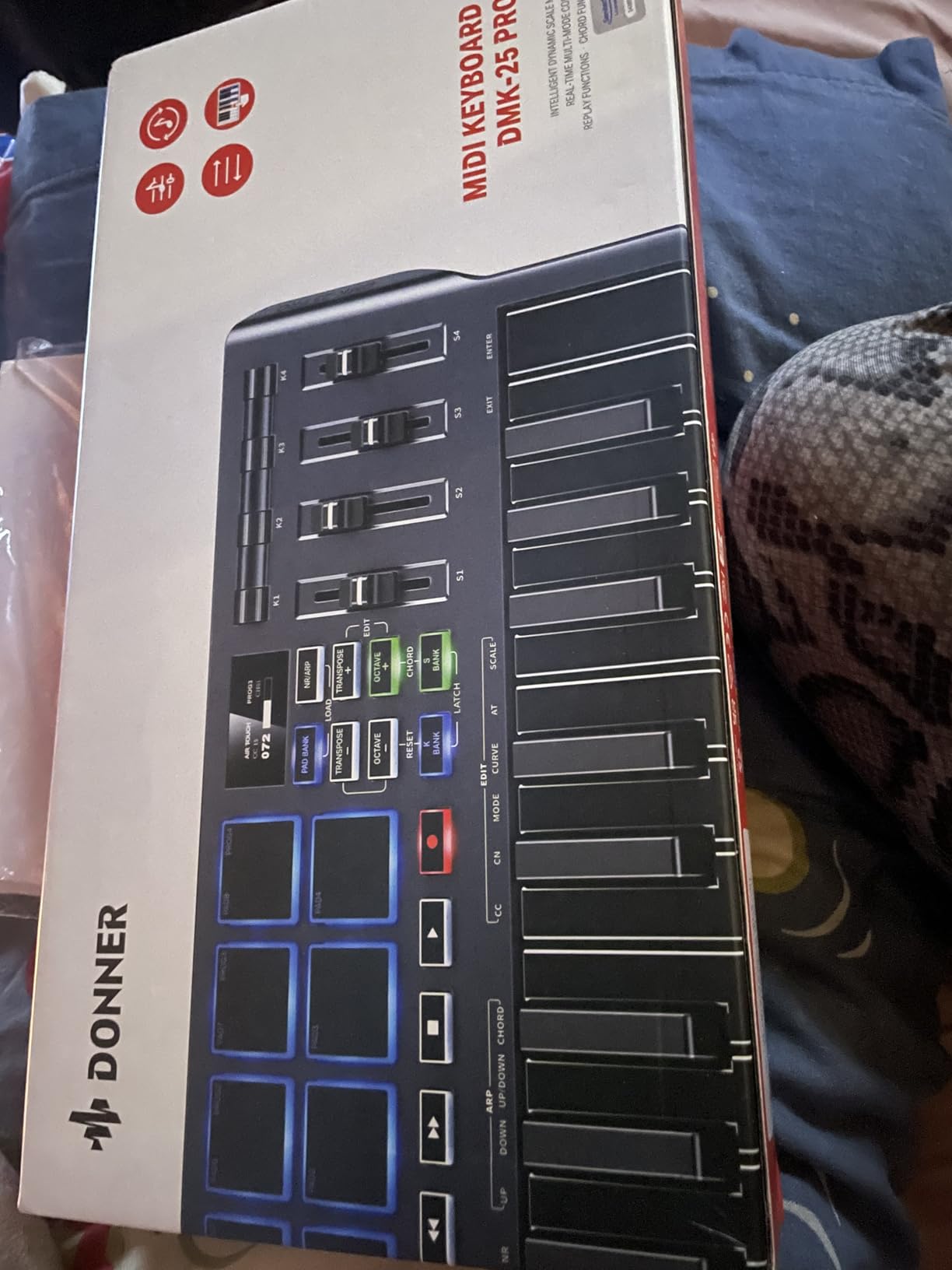
On paper, the Donner DMK 25 Pro is the most feature-packed controller under 100 dollars. Eight drum pads, an OLED display, 16 smart scales, arpeggiator, Note Repeat, Chord mode, Replay function, 4 assignable wheels, and 6 transport controls – all in a 25-key USB-C body. The bundled software includes 4 DAW titles plus 40 teaching courses.
Smart Scale mode is the standout. It quantizes the keys to a chosen musical scale and lights up only the in-key notes on the OLED – a real learning aid. Combined with Note Repeat on the pads, you can sketch a beat and a bassline in one sitting without music theory knowledge.
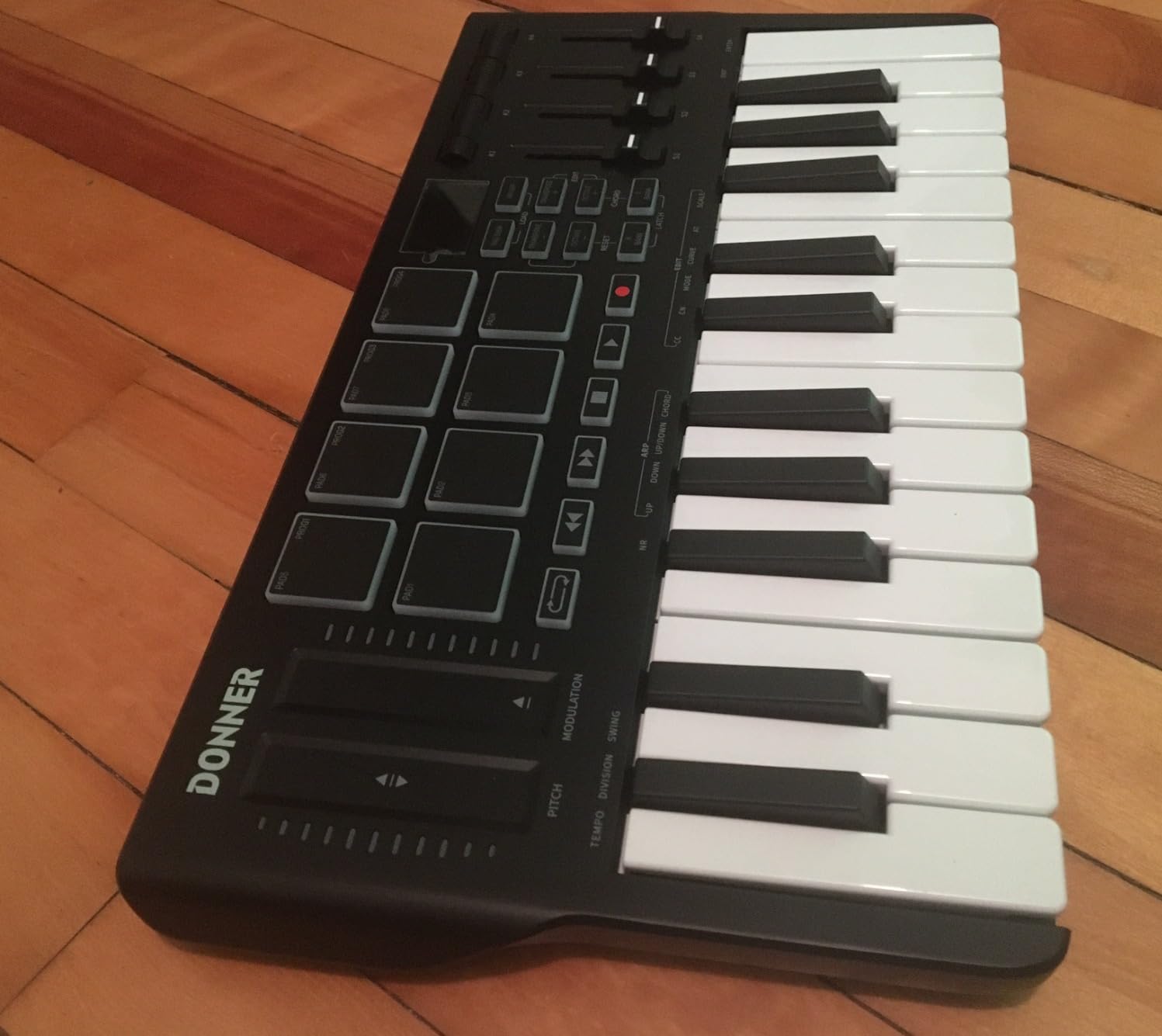
USB-C is a forward-looking inclusion – the same cable charges modern laptops and phones. I tested it on a Windows 11 PC, a MacBook Air, and an iPad with a USB-C cable. The iPad worked instantly; the Android phone needed an OTG adapter and a powered hub on one older device.
The build quality is the real concern. Multiple reviewers report keys snapping off after months of regular use – the plastic key mechanism does not hold up to heavy-handed playing. The bundled Steinberg software install is also more awkward than the Akai or Arturia equivalents. Treat this as a feature-rich starter you may outgrow in a year.
Who the Donner DMK 25 Pro is best for
Pick this if you want maximum features per dollar – pads, OLED, smart scales, and a strong software bundle for a beginner price. It is a great starter rig for a student bedroom producer on a tight budget.
Where the Donner DMK 25 Pro falls short
Build quality concerns mean heavy-handed players should look at the Akai or Arturia options. The bundled software install is the most painful on this list. Outside Windows, the experience is more variable.
Buying Guide: How to Choose a Portable MIDI Keyboard as a Beginner?
This section answers the questions beginners actually ask before buying. If you read nothing else, read these four paragraphs and the comparison table above – they will save you from the most common regrets.
How many keys do you actually need?
For a beginner, 25 mini keys is enough to play melodies, basslines, and simple two-handed parts using octave shifts. The Akai MPK Mini IV, Arturia MiniLab 3, and Novation Launchkey Mini all use 25 keys and that is by design – 25 keys is the sweet spot for portability. If you want to play full piano-range parts without shifting, jump to 32 keys (the M-Audio Keystation Mini 32 or midiplus AKM320). If you want traditional piano feel and full 88-key range, that is a different category covered in our portable piano keyboard guide.
Mini keys vs full-size keys
Mini keys are narrower than standard piano keys. Adult players with larger hands often find them cramped within an hour. If you have medium-to-large hands, prioritize a controller with slightly larger keys (the midiplus AKM320’s mid-size keys are a fair compromise) or plan to upgrade to a 49-key or 61-key controller within a year. Forum users on r/musicproduction consistently warn: “I outgrew the 25 keys after 6 months and wish I’d started with 49.”
Velocity sensitivity, aftertouch, and why they matter
Velocity sensitivity means the keyboard reports how hard you hit each key, which translates into louder or softer notes in your DAW. Every controller on this list has it. Aftertouch is a separate pressure message sent while you hold a key down – it bends a filter or vibrato amount as you push harder. None of the controllers on this list have polyphonic aftertouch (that is a premium feature found on controllers above 300 dollars). For a beginner, velocity sensitivity alone is enough to feel expressive.
Do you need drum pads?
Only if you want to make beats by finger-drumming. The Akai MPK Mini IV, Arturia MiniLab 3, Novation Launchkey Mini MK3, Novation FLkey Mini, and Donner DMK 25 Pro all include drum pads. If you plan to play synths and chords but program drums in your DAW with a mouse, skip the pads and save money with a keys-only controller like the Korg nanoKEY2 or Akai LPK25.
USB-C vs USB-MIDI vs iOS compatibility
Class-compliant USB MIDI means the controller works instantly with any computer or tablet – no driver downloads. Every controller on this list is class-compliant, but some use older USB-B connectors (midiplus AKM320, Donner N-25) while others use modern USB-C (Akai MPK Mini IV, Arturia MiniLab 3, Novation FLkey Mini, Donner DMK 25 Pro). USB-C is more future-proof for modern laptops and iPads. For iPad use, look for USB-C directly or budget for a USB-to-Lightning adapter.
Is the bundled software worth anything?
Yes, often. Ableton Live Lite, Analog Lab Intro, MPC Beats, and the Donner teaching courses are all genuine production tools – not just marketing filler. If you already own a full DAW, the bundled software is gravy. If you are starting from zero, it can be the difference between “I made a beat tonight” and “I spent three hours figuring out what to download first.”
What to skip
Skip ultra-cheap no-name controllers (under 30 dollars) without a recognized brand. Skip “drum machine hybrids” sold as MIDI keyboards – they have keys but a half-baked pad layout. Skip anything that requires a wall power brick – bus-powered USB is more portable and works on tablets.
Frequently Asked Questions
How many keys should a beginner MIDI keyboard have?
For most beginners, 25 mini keys is enough to learn melodies, basslines, and simple two-handed parts using octave shifts. If you want to play fuller piano-range parts without constantly shifting, choose a 32-key model like the M-Audio Keystation Mini 32 or the midiplus AKM320. If you plan to play traditional piano repertoire, jump to a 49-key or 61-key controller.
Are 25 keys really enough for a beginner?
Yes – 25 keys is enough for learning chords, melodies, basslines, and most EDM and pop production workflows. You will use octave-shift buttons to access the full piano range, which is a normal part of working with a portable controller. Beginners who want to play two-handed classical piano parts typically outgrow 25 keys within six to twelve months.
What is the best MIDI keyboard for beginners in 2026?
Our top pick for most beginners is the Akai Professional MPK Mini IV – it combines 25 mini keys, 8 RGB MPC pads, class-compliant USB-C, and a generous software bundle (Ableton Live Lite 12 plus 1000+ sounds). The Arturia MiniLab 3 is the best choice if key feel and sound quality matter more to you. The M-Audio Keystation Mini 32 MK3 is the best budget pick under 60 dollars.
Can I use a MIDI keyboard with GarageBand on iPad?
Yes, as long as the controller is class-compliant and you have the right cable or adapter. USB-C MIDI controllers like the Akai MPK Mini IV, Arturia MiniLab 3, and Novation FLkey Mini connect to a USB-C iPad with no adapter. Older USB-B controllers need an Apple USB-to-Lightning or USB-C adapter. The controller should appear in GarageBand’s MIDI settings within seconds.
Are cheap MIDI keyboards under 50 dollars worth it?
Yes, for learning and sketching. The M-Audio Keystation Mini 32 MK3 and Donner N-25 are both strong picks under 50 dollars with class-compliant USB and bundled software. The main trade-offs are build quality, fewer features (no pads or knobs on some models), and less nuanced velocity response. Avoid unbranded no-name controllers under 30 dollars – the key mechanisms and software support are unreliable.
Do I need a MIDI keyboard if I already have a DAW?
A MIDI keyboard is not strictly required – you can produce music with a mouse and your DAW’s piano roll. However, a keyboard dramatically speeds up melody and chord entry, makes beat-making tactile, and lets you record expressive performances with velocity and pitch bend. Most producers consider a MIDI controller one of the first worthwhile upgrades after a DAW and an audio interface.
Final Verdict: Which Portable Keyboard Should a Beginner Buy?
If you want the strongest all-around portable MIDI keyboard for a beginner in 2026, the Akai Professional MPK Mini IV is the right choice. It pairs 25 USB-C mini keys with 8 RGB MPC pads, deep DAW integration, and a generous software bundle that takes a beginner from unboxing to first beat in minutes.
If key feel and sound design matter more to you than beat-making pads, choose the Arturia MiniLab 3 – the slim keys, 4 faders, and Analog Lab Intro software bundle make it the most premium-feeling controller under 130 dollars.
If budget is the priority and you want the most keys for the least money, the M-Audio Keystation Mini 32 MK3 delivers 32 velocity-sensitive mini keys, plug-and-play Mac compatibility, and the MPC Beats bundle at the lowest price on this list.
Whichever controller you pick from this list of best portable keyboards for beginners, make sure it is class-compliant USB, ships with software you can actually use, and fits in your laptop bag – those three checks eliminate 90 percent of beginner regrets. For travelers who want something that disappears in a backpack, also see our small portable piano keyboards guide and the broader best portable keyboards roundup for non-MIDI options.