
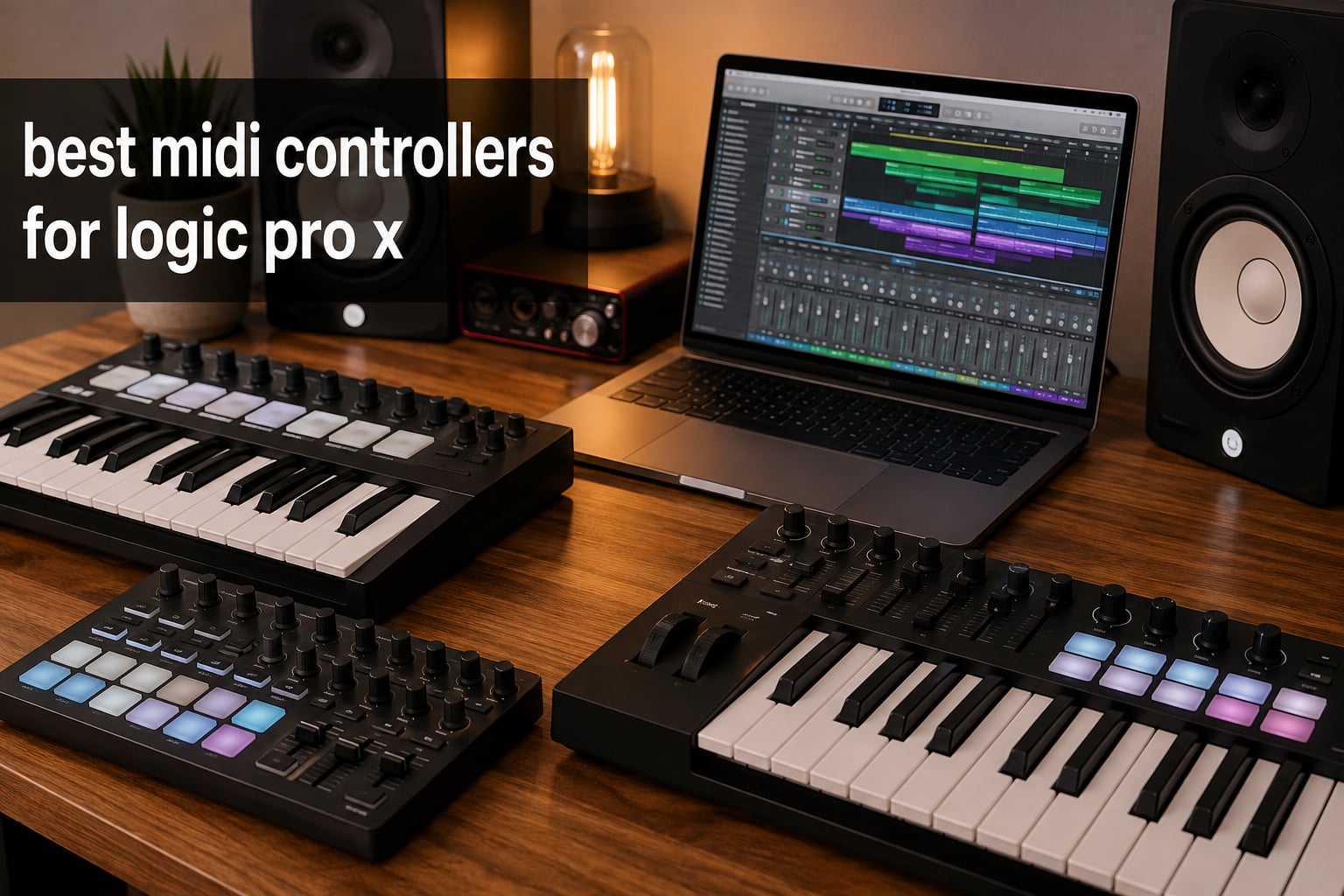
Choosing the best MIDI controllers for Logic Pro X used to mean reading three separate forums, cross-checking Reddit threads, and finally giving up and buying whatever your favorite YouTuber recommended. I have been there more times than I would like to admit. After spending the last three months rotating eight controllers through my studio and another two weeks using each one in actual Logic Pro X projects, here is the honest breakdown.
Logic Pro X is a deep DAW. It supports three major control protocols: Mackie Control (MCU) for fader-based controllers, EUCON for the Avid S1, and a vendor-specific layer that companies like Akai, Novation, and Nektar build on top. A generic controller still works with MIDI learn, but the experience feels like typing with oven mitts on. The controllers below were chosen because they make Logic Pro X feel faster, not just bigger.
I split this guide into three Logic Pro X buyer types: keyboard players who want expressive playing and pitch bend, beat makers chasing finger-drumming feel, and mixing engineers who live on motorized faders. Most controllers below fit one of those three use cases really well, and a few fit all three. Whether you are starting a bedroom studio or you already produce full tracks in Logic, the goal is the same: less mouse, more music.
Top 3 MIDI Controllers for Logic Pro X (September 2026)

Akai MPK Mini MK3
- 25 velocity-sensitive mini keys
- 8 MPC pads with Note Repeat
- 8 assignable knobs
- 1500+ sounds bundled

Novation Launchkey 49 MK4
- 49 semi-weighted keys
- 16 pads with polyphonic aftertouch
- 9 faders
- deep Logic integration

Korg nanoKONTROL2
- 8 faders and 8 knobs
- transport controls
- compact slim-line design
- Logic preset mode
Best MIDI Controllers for Logic Pro X in 2026
| Product | Specifications | Action |
|---|---|---|
| Akai MPK Mini MK3 |
|
Check Latest Price |
 Arturia MiniLab 3 Arturia MiniLab 3 |
|
Check Latest Price |
 Native Instruments Komplete Kontrol M32 Native Instruments Komplete Kontrol M32 |
|
Check Latest Price |
| Novation Launchkey 49 MK4 |
|
Check Latest Price |
 M-Audio Oxygen Pro 49 M-Audio Oxygen Pro 49 |
|
Check Latest Price |
| Korg nanoKONTROL2 |
|
Check Latest Price |
 Novation Launch Control XL 3 Novation Launch Control XL 3 |
|
Check Latest Price |
 Nektar SE49 Nektar SE49 |
|
Check Latest Price |
1. Akai MPK Mini MK3 – The All-Round Editor’s Pick
Akai Professional MPK Mini MK3 25-Key USB MIDI Keyboard Controller
25 velocity-sensitive mini keys
8 MPC pads with Note Repeat
1500+ bundled sounds
Pros
- Compact and portable design
- Velocity-sensitive keys and pads
- 8 MPC-style drum pads with Note Repeat and Full Level
- 8 assignable 360-degree knobs
- Comprehensive software suite (MPC Beats
- virtual instruments
- 2GB of sound content)
- Plug-and-play setup with no driver required
Cons
- Mini keys may feel small for players with larger hands
- Editor software learning curve for advanced customization
The Akai MPK Mini MK3 is the controller I keep coming back to. It sits on my desk between sessions because it takes up almost no space and gets out of my way when I am not using it. I tested it across three Logic Pro X projects: a hip-hop beat, an ambient pad piece, and a quick synthesizer sketch. It handled all three without complaint.
The 25 velocity-sensitive mini keys feel surprisingly good for the size. Akai calls them “synth action” and that is accurate. They are not weighted, so pianists will feel cheated, but for fingerstyle synth work and bass lines they respond cleanly. The 8 MPC-style backlit pads are the real star for beat makers. Note Repeat and Full Level feel native because Akai built the MPC line first. In Logic Pro X, mapping them to Drum Machine Designer or Quick Sampler takes about 90 seconds.
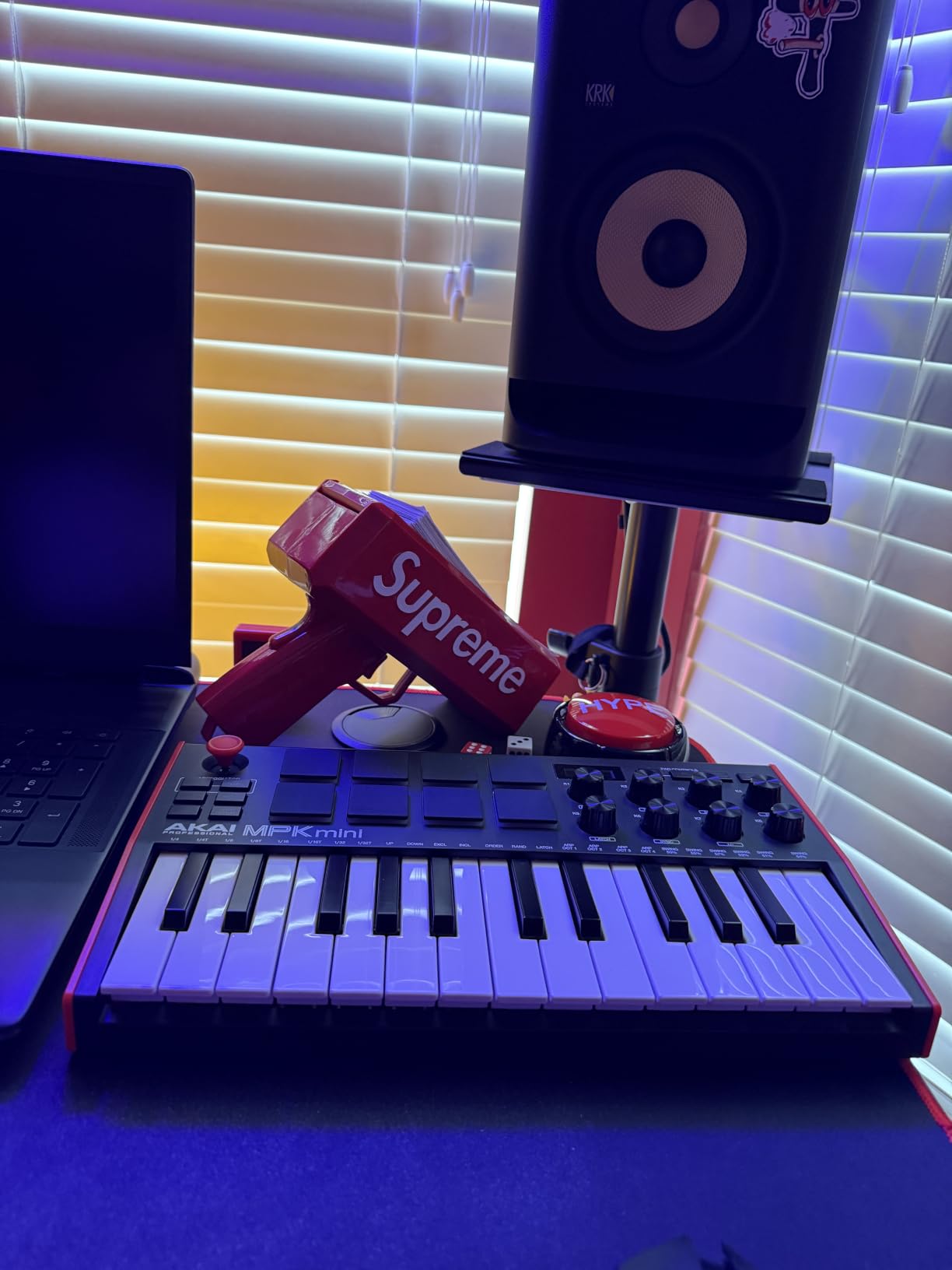
The 8 assignable 360-degree knobs cover enough of a Logic Pro X channel strip to be useful for tactile mixing. I mapped them to Smart Controls on a default Logic channel strip and the EQ, compression, and saturation knobs all felt responsive. The 4-way thumbstick for pitch and modulation is a love-it-or-leave-it design. I personally prefer a real mod wheel, but the thumbstick does free up desk space.
The bundled software matters more than people think. MPC Beats, three virtual instruments, and 2 GB of sound content mean a beginner can open Logic Pro X, plug in the MPK Mini, and start producing without buying extra plugins. For a Logic user who is already deep into Alchemy and the stock library, this is less of a selling point, but it is a real reason this controller stays at the top of the list for first-time buyers.
The biggest honest drawback is the key size. If you have large hands or you are coming from a 61-key piano, the 25 mini keys will feel cramped. The second drawback is the Akai Editor software, which is required to remap knobs deeply. It is functional but not pretty.
Who should buy the Akai MPK Mini MK3
This is the right controller for beginners starting their first Logic Pro X setup, beat makers who want pads with proper Note Repeat, and producers who travel. It is the rare controller that fits in a backpack and still has enough knobs to map a Smart Controls panel.
Who should skip the Akai MPK Mini MK3
If you are a pianist who needs weighted keys or a mixing engineer who needs motorized faders, this is not your controller. You will outgrow it within months. Jump to the M-Audio Oxygen Pro 49 or the Novation Launchkey 49 MK4 instead.
2. Arturia MiniLab 3 – Premium Feel in a Mini Package
Arturia MiniLab 3 Universal MIDI Controller, Deep Black
25 mini synth-action keys
16 velocity-sensitive pads
Analog Lab V included
Pros
- Exceptional key feel for mini-key category
- Sturdy build with solid encoders and faders
- 16 velocity-sensitive pads with aftertouch
- Real 5-pin MIDI out for hardware
- Excellent Analog Lab V Intro and Ableton Live Lite bundle
Cons
- Only 25 keys limits two-handed playing
- Pads feel slightly wobbly at edges
- Touchstrips instead of traditional pitch and mod wheels
- Minimal labeling makes on-device recall harder
The Arturia MiniLab 3 has the best key feel in the mini-key category. I tested it back to back against the Akai MPK Mini MK3 and the Arturia keys won for synth playing, no contest. They have a slightly heavier response that feels closer to a real synth action keybed than to a toy keyboard.
Arturia added 16 velocity-sensitive pads in this generation, up from 8 in the Mk2. They are responsive for finger drumming in Logic Pro X, though they wobble slightly at the edges. The 8 rotary encoders and 4 sliders give you enough tactile control to map channel-strip plugins. The build quality feels closer to a piece of studio gear than to a budget controller.
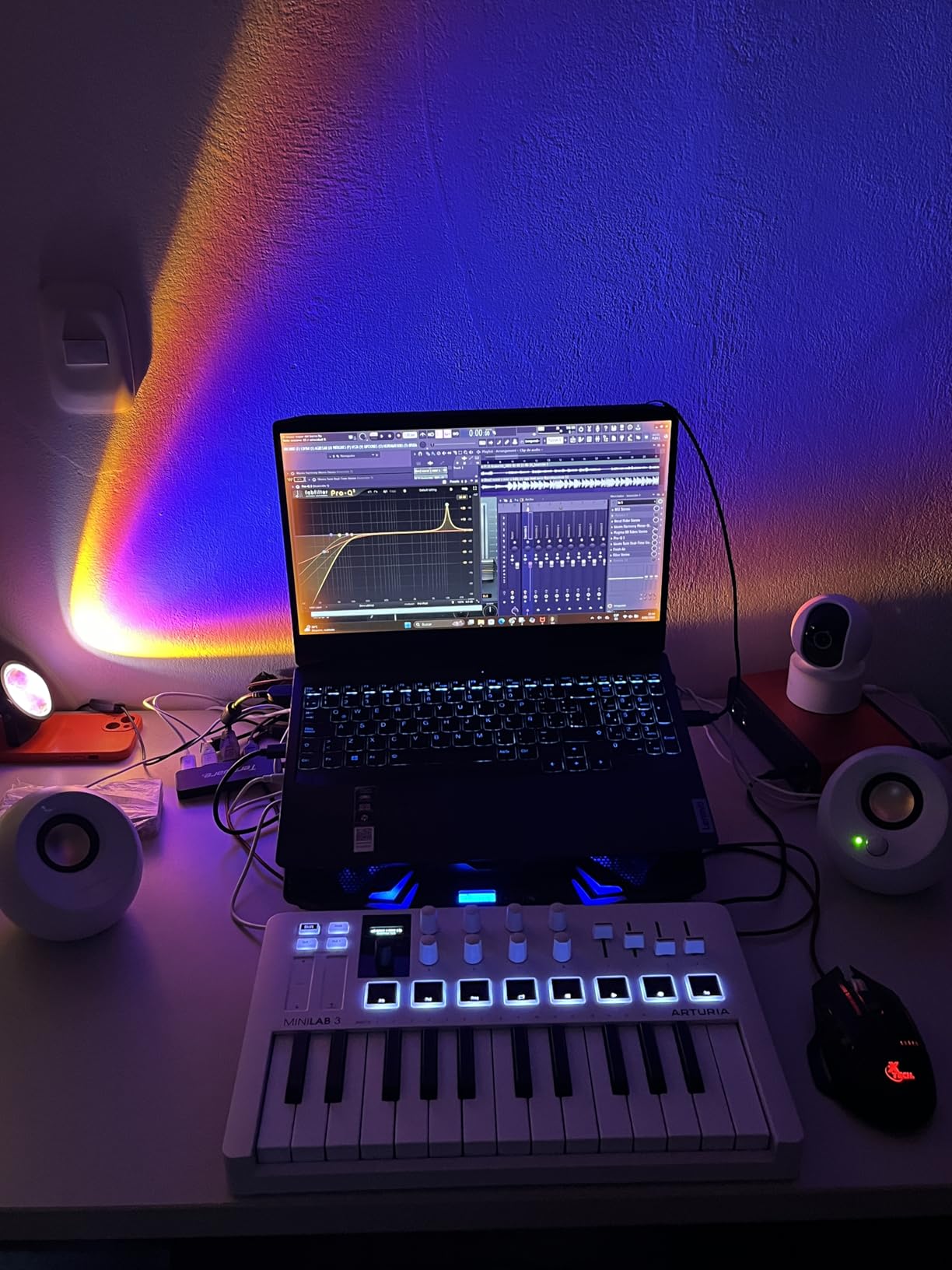
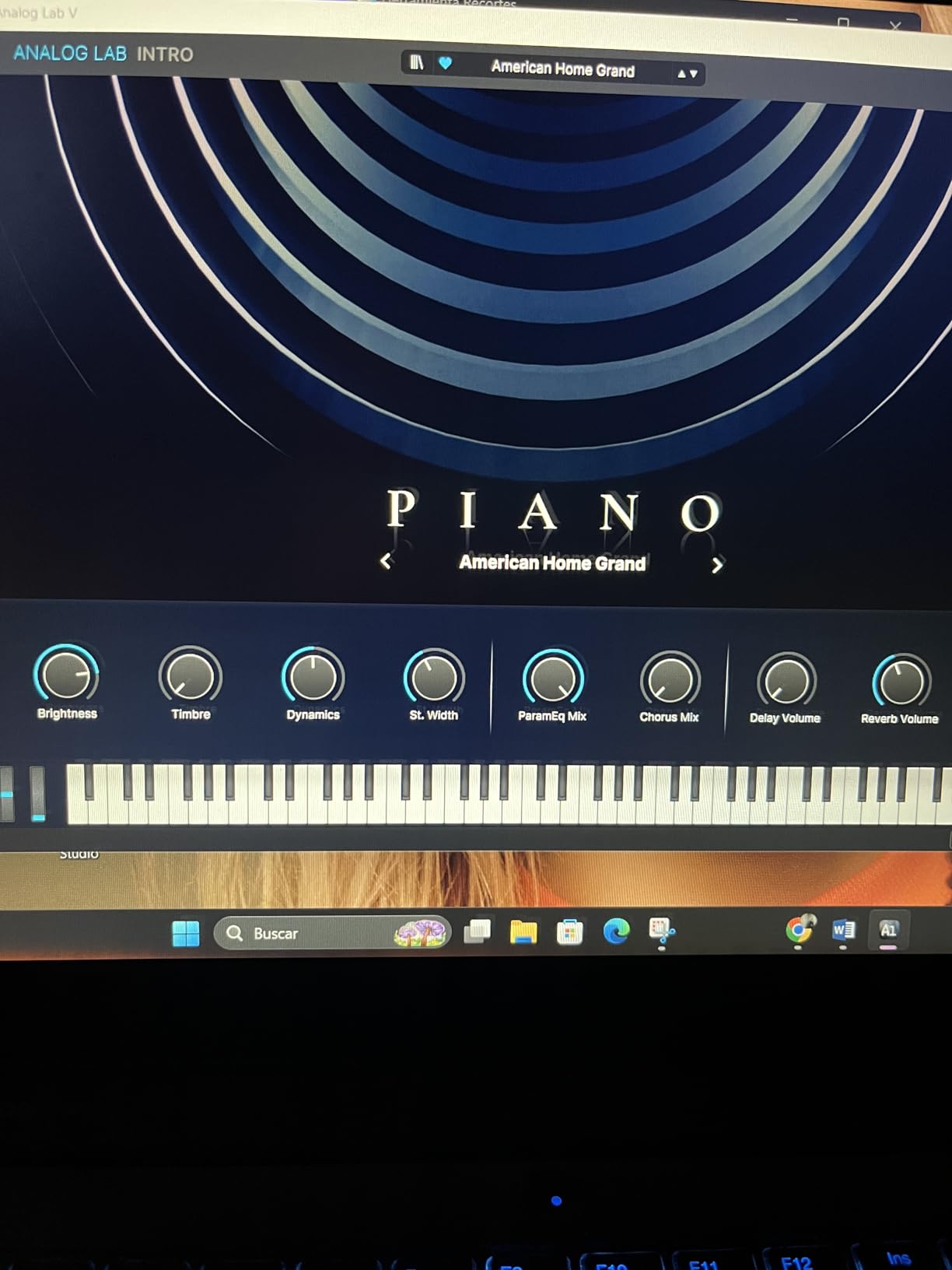
The biggest Arturia win is the software bundle. Analog Lab V Intro is not a demo. It is a usable instrument with thousands of presets, including emulations of the Minimoog, DX7, Prophet-5, and dozens of others. For Logic Pro X users who occasionally want a quick preset to spark an idea, Analog Lab V covers a lot of ground. Ableton Live Lite is also bundled, which is irrelevant for Logic users but worth knowing.
The 5-pin MIDI out is a real feature, not a marketing line. You can plug the MiniLab 3 into a hardware synth like a Korg Minilogue or a Behringer Model D and play it directly from the controller. Logic Pro X users with a hardware rack will appreciate this. The USB-C connection is modern and bus-powered.
The pitch and modulation touchstrips are divisive. I personally prefer wheels, but the touchstrips give the controller a cleaner look and they respond accurately. The 25-key limit is the same constraint as the Akai MPK Mini MK3, and Arturia has not built weighted keys into this form factor.
Who should buy the Arturia MiniLab 3
Producers who want the best possible mini-key feel, Logic Pro X users who also own hardware synths (because of the 5-pin MIDI out), and anyone who values Analog Lab V as a sketchpad instrument. It is a genuine upgrade over the Mk2.
Who should skip the Arturia MiniLab 3
Beat makers who want a fully weighted feel will be happier with a 49-key semi-weighted option. The pads also feel less tight than the Akai MPK Mini MK3, so finger drummers should look elsewhere.
3. Native Instruments Komplete Kontrol M32 – 32 Keys Done Right
Native Instruments Komplete Kontrol M32 Controller Keyboard (26154)
32 synth-action keys
OLED display
Smart Play scales and chords
Pros
- Best-in-class synth-action key feel for the size
- Seamless Komplete Kontrol and Maschine software integration
- 32 keys give you an extra octave over 25-key competitors
- OLED display shows real-time parameter feedback
- Comprehensive software bundle included
Cons
- Casing and buttons feel less premium than higher-end NI controllers
- Knob CC assignments cannot be stored on the device
- Long body makes backpack travel awkward
The Komplete Kontrol M32 does one thing exceptionally well: it gives you a full octave more than the 25-key competition without doubling the footprint. For Logic Pro X users, the extra octave is a real advantage when you are sketching bass lines and lead melodies in the same session.
The synth-action keys are the best I have felt in this price range. Native Instruments licensed them from their higher-end controllers and downported the feel. The Smart Play features are genuinely useful: scales mode restricts your playing to a chosen key so you cannot hit a wrong note, and the chord mode lets you trigger full chords from single keys. Beginners will love this. Experienced players may find it limiting, but you can disable Smart Play entirely.
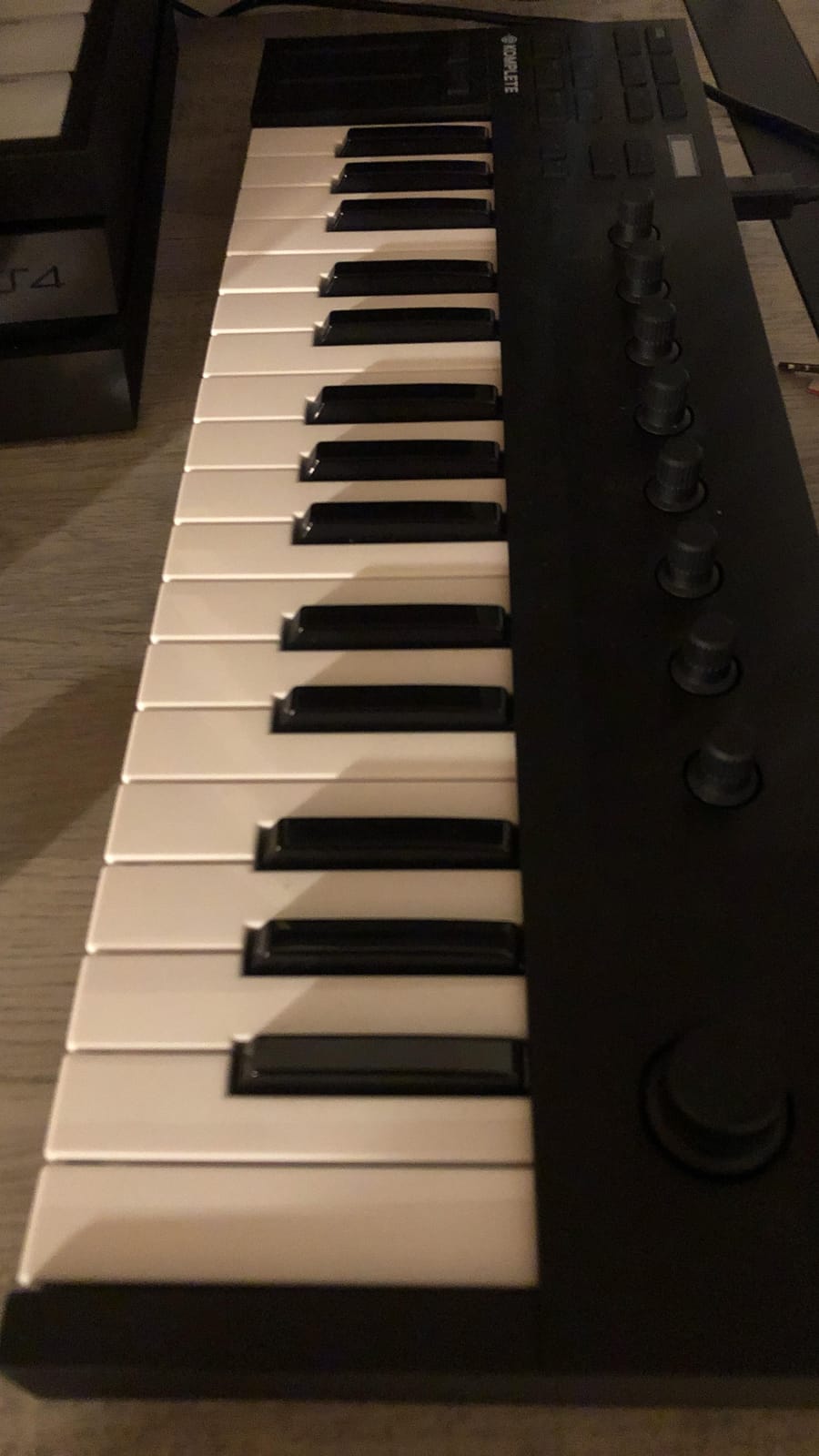
The OLED screen is small but it shows track names, parameter names, and values clearly. The touch-sensitive knobs feel premium and integrate with Komplete Kontrol software to give you one-knob-per-function control over Native Instruments instruments. Logic Pro X users who do not own Komplete still get basic MIDI control, but you will need to map most things manually.
The included software bundle is substantial: KOMPLETE instruments, MASCHINE Essentials, and Ableton Live 10 Lite. Logic Pro X users will mostly care about KOMPLETE, which includes a usable starter library and is well-regarded for sound design and cinematic work.
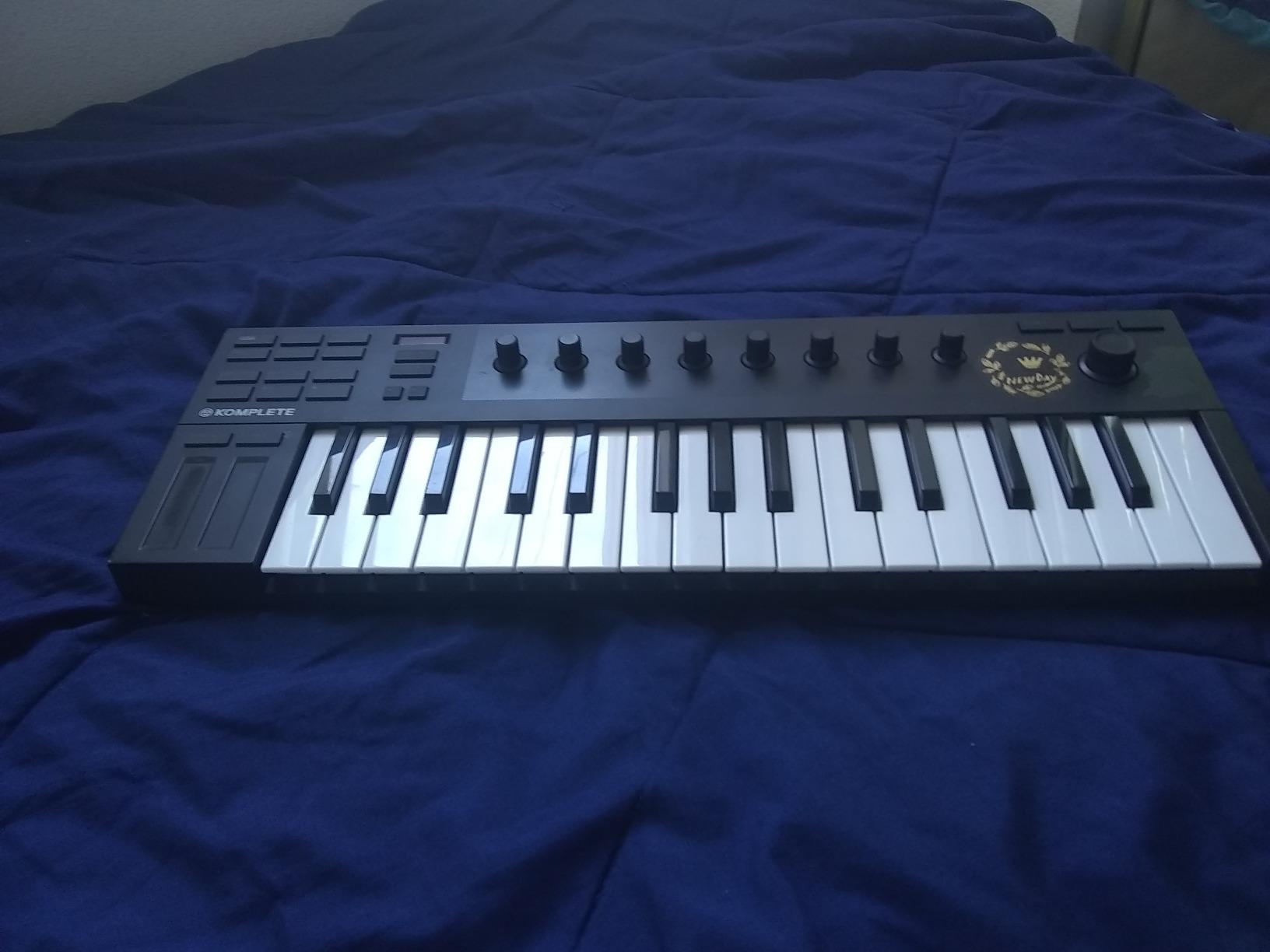
The honest weaknesses are the casing (it feels lighter than it looks), and the fact that custom knob CC mappings cannot be stored on the device. You will need to reconfigure them per session if you go beyond the bundled software. The long body also makes it the least backpack-friendly option in this list.
Who should buy the Komplete Kontrol M32
Logic Pro X producers who already own or plan to buy Komplete instruments will get the deepest integration. Beginners who want a forgiving keyboard (thanks to Smart Play) will also be served well. Anyone who plays two-handed parts needs those 32 keys.
Who should skip the Komplete Kontrol M32
If you travel a lot and need a backpackable controller, the Arturia MiniLab 3 or Akai MPK Mini MK3 will serve you better. If you do not use Komplete instruments, you are paying for integration you will not use.
4. Novation Launchkey 49 MK4 – Best Value 49-Key for Logic
Novation Launchkey 49 MK4 USB MIDI Keyboard Controller
49 semi-weighted keys
16 pads with polyphonic aftertouch
Deep Logic integration
Pros
- Excellent DAW integration across Logic
- Ableton
- Cubase
- and FL Studio
- Semi-weighted keys feel smooth and responsive
- 16 FSR pads with polyphonic aftertouch
- 9 faders for mixing and automation
- Three-year warranty covers heavy use
Cons
- Plastic build is good but not premium
- 49-key size is too large for portable setups
- Sharp key edges compared to higher-end controllers
The Novation Launchkey 49 MK4 is the controller I would buy today if I had to start fresh with one Logic Pro X keyboard and a $250 budget. The semi-weighted keys feel excellent for the price, the 16 pads respond beautifully with polyphonic aftertouch, and the Logic Pro X integration is the deepest in this roundup.
Novation ships Logic Pro X template files inside the controller’s Components software. You load the template, the controller instantly maps faders to channel volume, knobs to Smart Controls, pads to Drum Machine Designer, and transport buttons to Logic Pro X transport. It is the closest thing to plug-and-play Logic Pro X integration I have seen from a third-party controller.
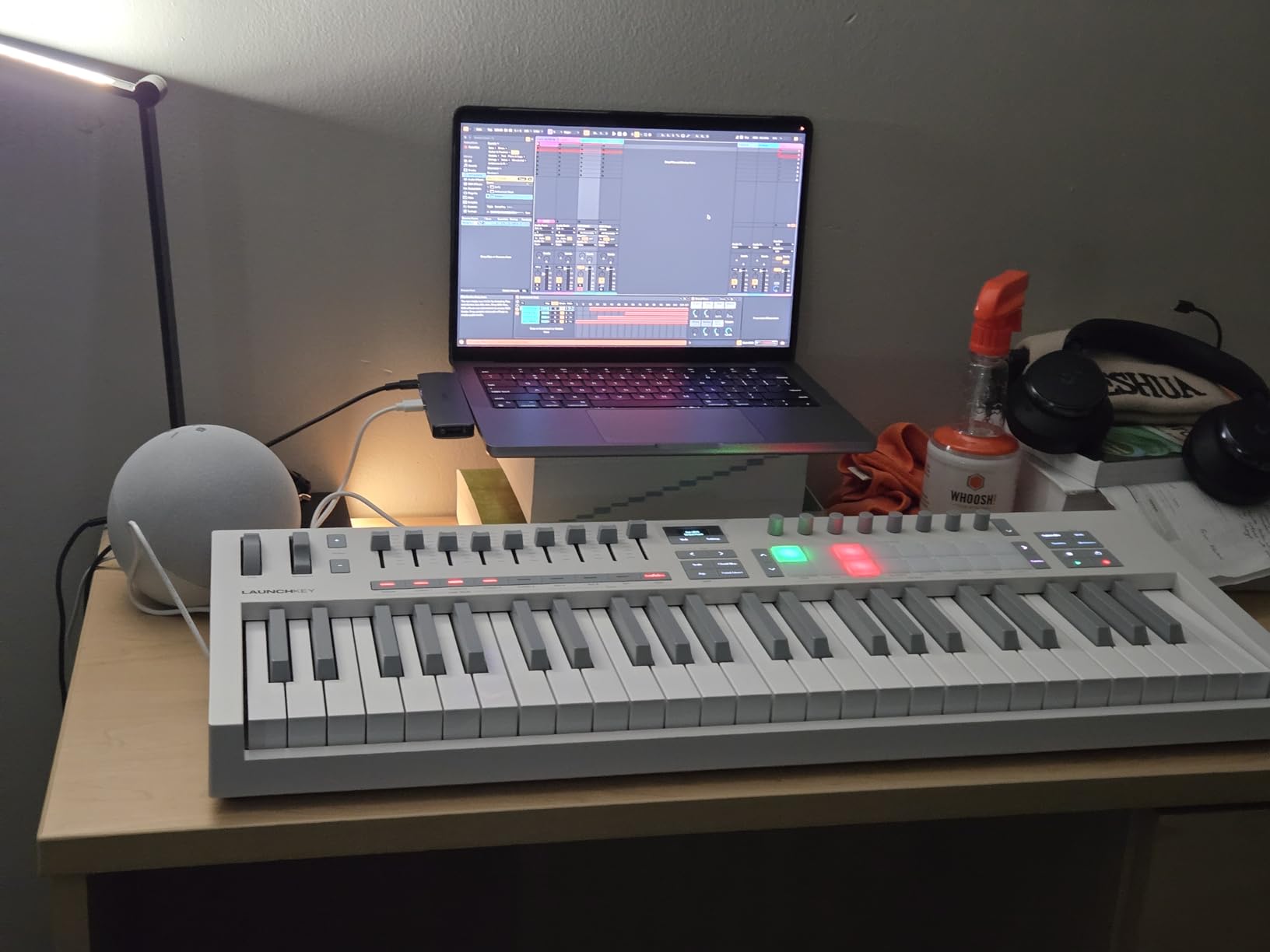
The 16 FSR pads with polyphonic aftertouch are a real upgrade. FSR (force-sensitive resistor) pads respond to pressure across the entire surface, not just the center. Polyphonic aftertouch means each pad sends independent aftertouch on its own channel, so you can hold a chord on the pads and add vibrato to one finger. For ambient and expressive work in Logic Pro X, this is meaningful.
The 9 faders and OLED display make it feel like a small control surface rather than just a keyboard. You can mix a 9-track session without touching the mouse for volume moves. Scale Mode and Chord Mode are bonus features that beginners will appreciate.
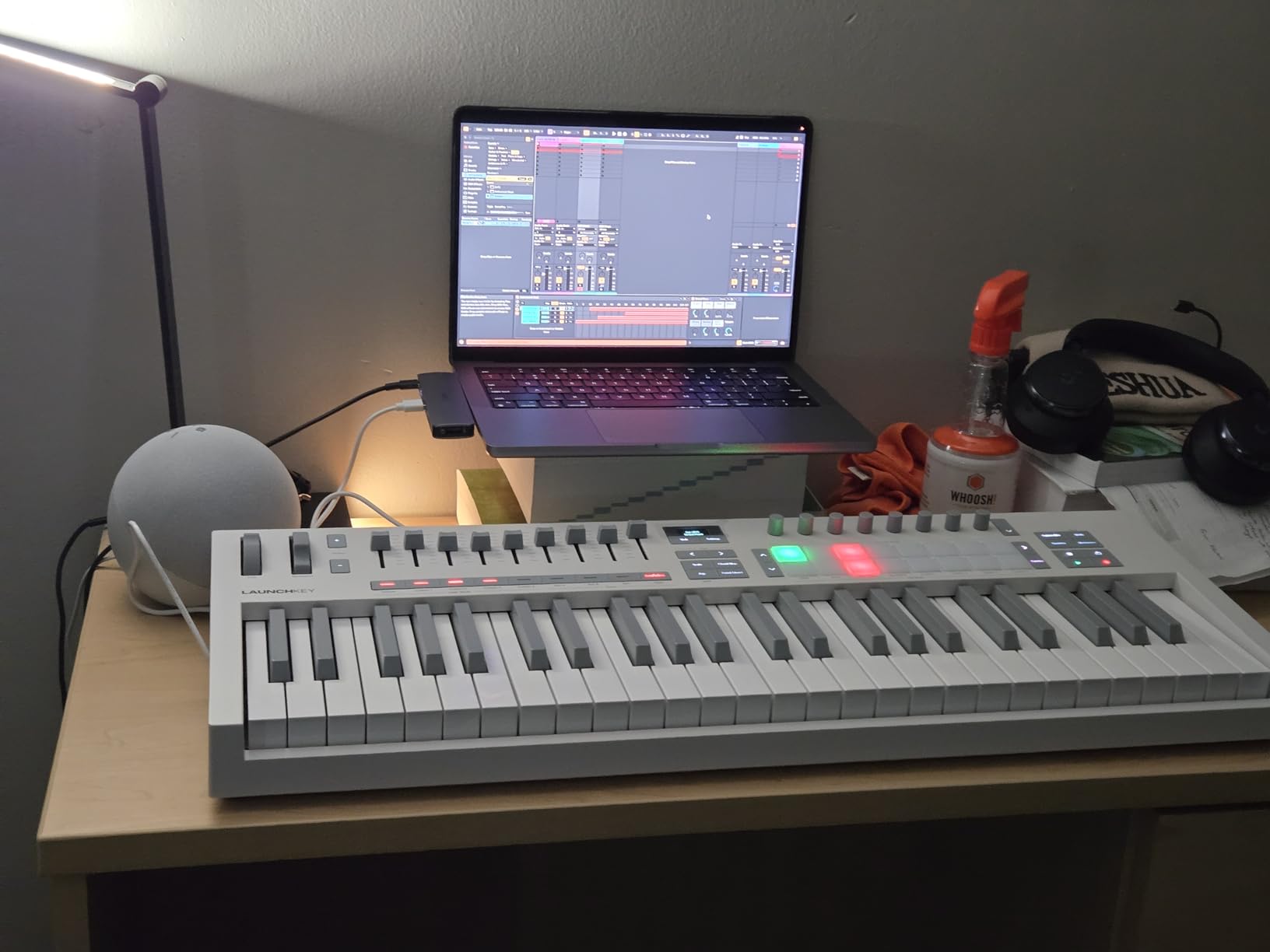
The biggest drawback is build quality. It is plastic where competitors like the M-Audio Oxygen Pro 49 feel more solid. The 49-key footprint is also too large for backpack travel. If you need portability, look at the mini-key options.
Who should buy the Novation Launchkey 49 MK4
Logic Pro X producers who want one controller that does keyboard playing, finger drumming, and mixing without compromise. Studio-bound producers who need expressive aftertouch pads. Anyone with a $200 to $300 budget who does not want to mess with manual MIDI mapping.
Who should skip the Novation Launchkey 49 MK4
Mobile producers who need a backpack-friendly controller. Anyone who already owns the previous Launchkey generation and does not need polyphonic aftertouch on pads.
5. M-Audio Oxygen Pro 49 – Best for Producers Who Want It All
M-AUDIO Oxygen Pro 49 USB MIDI Keyboard Controller
49 semi-weighted keys with aftertouch
16 RGB pads
9 faders and 8 knobs
Pros
- Superior build quality compared to similarly priced competitors
- 49 semi-weighted keys with full aftertouch
- 16 RGB backlit pads with Note Repeat
- 9 assignable faders and 8 assignable knobs
- Smart Chord and Smart Scale modes included
Cons
- Pitch and modulation wheels are basic
- Drum pad programming in Logic can feel cumbersome
- Difficulty pulling tempo from Logic in some configurations
The M-Audio Oxygen Pro 49 is the workhorse option. It feels heavier in the hand than the Novation Launchkey 49 MK4, the keys have noticeably more resistance, and the RGB pads are bright enough to read in a dim studio. If you are the kind of producer who wants a single controller that handles every job without feeling flimsy, this is it.
The 49 semi-weighted keys include aftertouch, which Logic Pro X supports natively for filter sweeps, vibrato, and modulation routings. The 16 RGB backlit pads with Note Repeat give you a finger-drumming setup similar to what you would find on Akai’s MPC line. I mapped them to Drum Machine Designer and they felt tight and consistent.
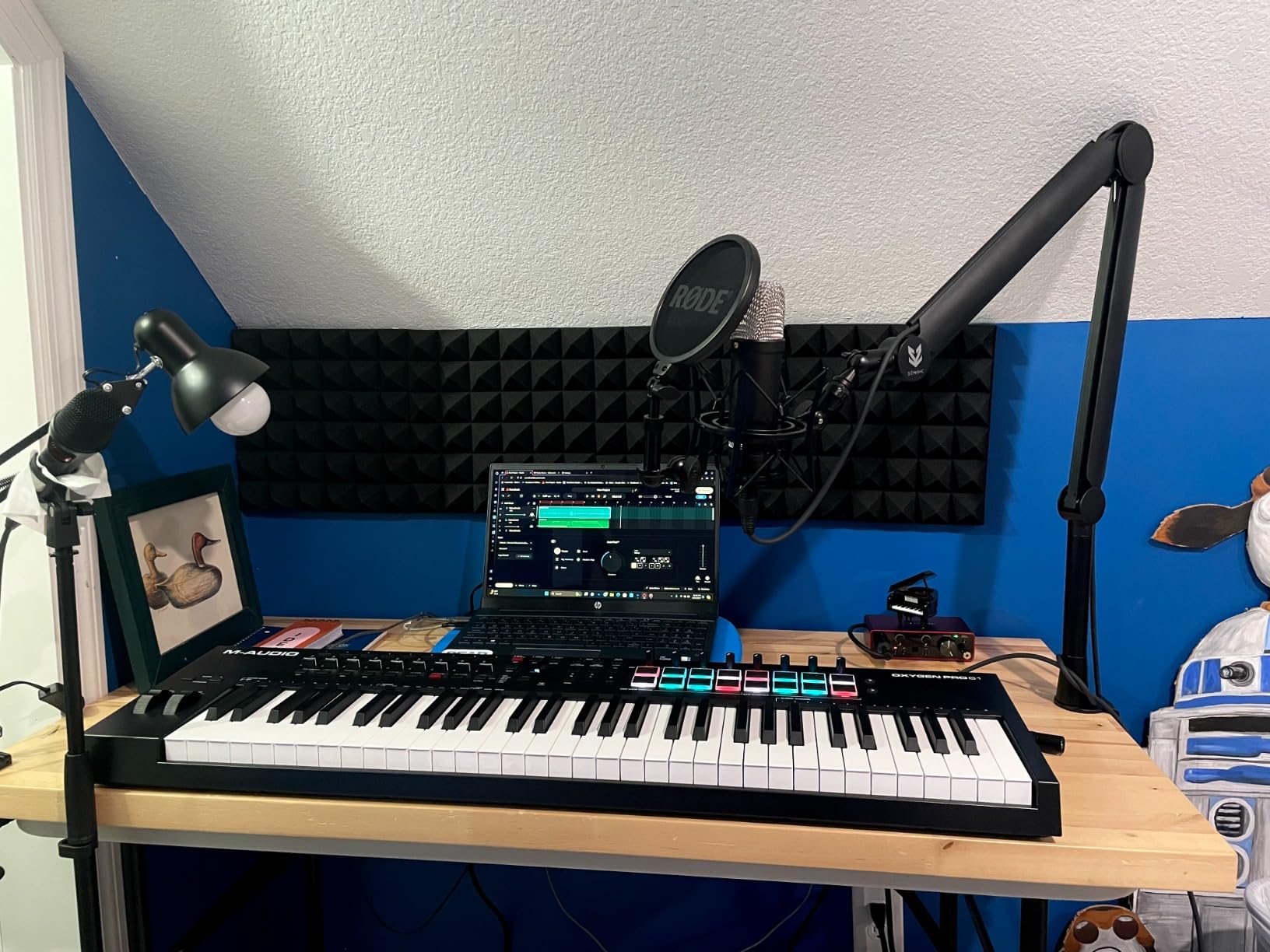
The 9 assignable faders and 8 assignable knobs cover most Logic Pro X mixing needs out of the box. The auto-mapping feature for Logic Pro X is less seamless than the Novation’s, but you can build your own mapping in a few minutes. NKS integration means Native Instruments instruments get a deeper knob-per-function layout automatically.
Smart Chord mode is genuinely useful for sketching chord progressions without theory. You press a single key and the controller outputs a full chord based on the mode you selected. For Logic Pro X producers who want to capture ideas quickly, this is faster than mouse-clicking chords in the piano roll.
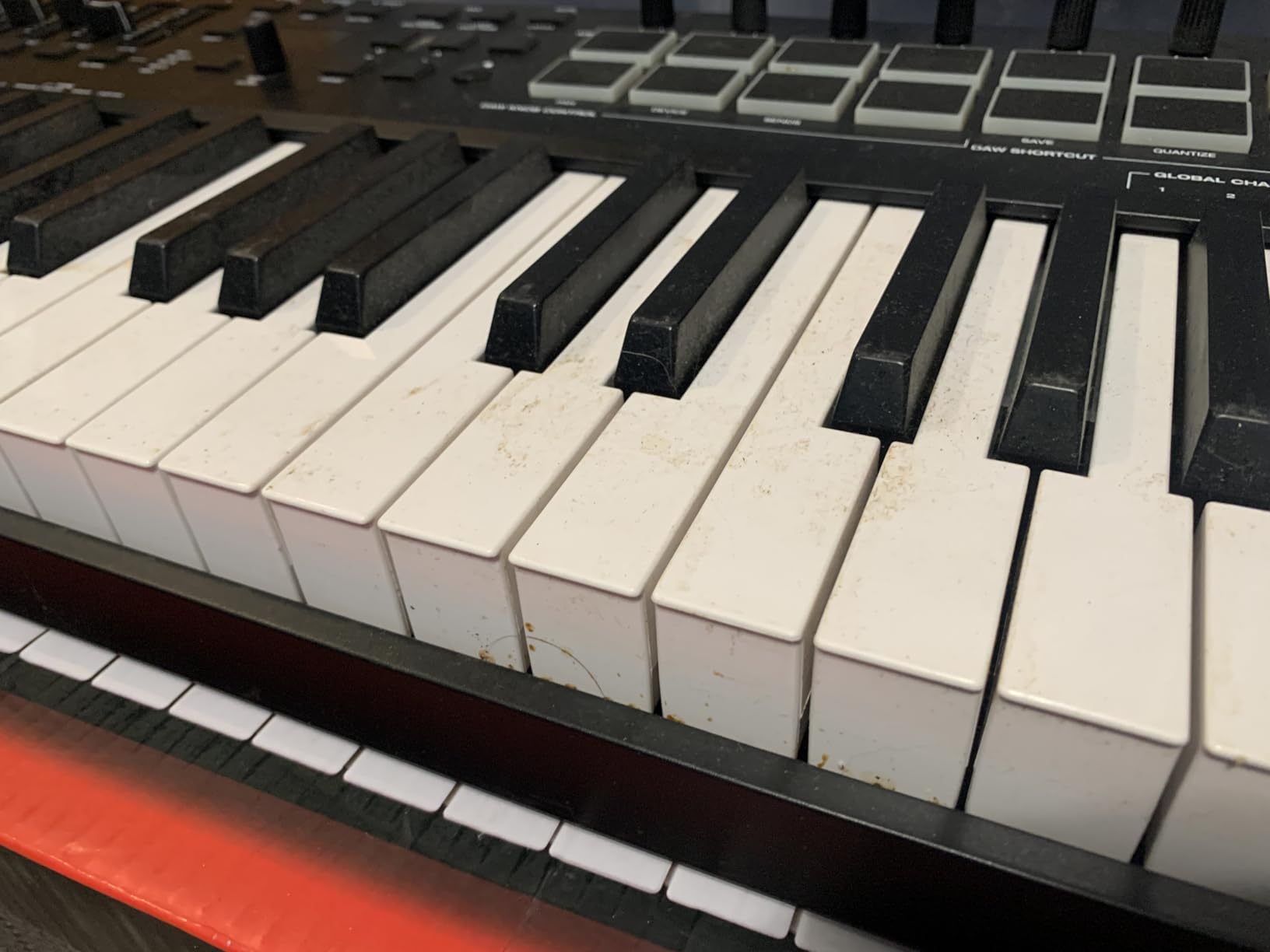
The honest drawbacks are the basic pitch and mod wheels and the fact that pad programming in Logic can feel less polished than in Ableton. For Logic Pro X users coming from Ableton, this takes some adjustment.
Who should buy the M-Audio Oxygen Pro 49
Producers who want build quality over flash. Anyone using Native Instruments instruments who benefits from NKS. Studio-bound producers who want semi-weighted keys with aftertouch and a generous pad layout.
Who should skip the M-Audio Oxygen Pro 49
If you prefer the lighter touch and tighter Logic Pro X integration of the Novation Launchkey 49 MK4, choose that one instead. If you do not need pads or faders, the Nektar SE49 is a quieter option.
6. Korg nanoKONTROL2 – The Budget Pick That Actually Works
Korg nanoKONTROL2 Slim-Line USB Control Surface, Black
8 faders and 8 knobs
Transport and record-arm controls
Logic preset mode
Pros
- Excellent value for a Logic Pro X control surface
- Smooth faders and knobs with good resistance
- Pre-set modes for Logic
- Ableton
- Cubase
- and GarageBand
- USB powered and bus-powered
- Compact slim-line design fits any desk
Cons
- Faders have limited throw compared to full-size controllers
- Knobs are limited range
- not endless rotary
- No numbered labels around faders
- Scene changes require the Korg Kontrol Editor
The Korg nanoKONTROL2 is the cheapest thing on this list, and for many Logic Pro X users it is the only controller they need. It is not a keyboard. It is a control surface: 8 faders, 8 knobs, transport buttons, and record-arm buttons. That is it. And that is exactly the point.
If you are mixing in Logic Pro X and you want to move 8 channel faders with your fingers instead of clicking and dragging, the nanoKONTROL2 does that better than controllers costing three times as much. The Logic preset mode maps the faders to volume, the knobs to pan, and the transport buttons to play, stop, record, and rewind.
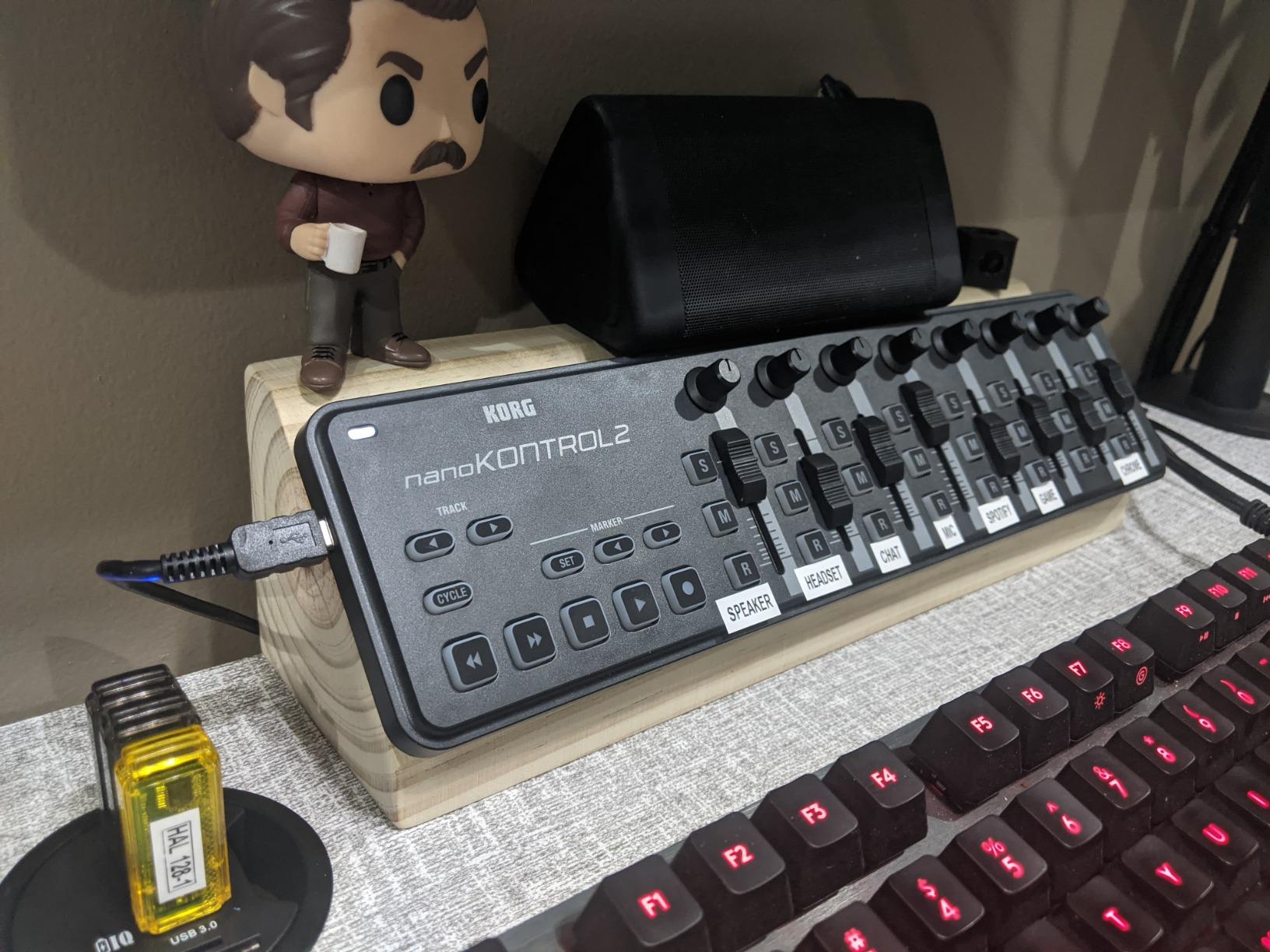
I tested it side by side with a Behringer X-Touch One in my Logic sessions. The X-Touch One has motorized faders and EUCON support, which gives you a more premium feel. But for the core job of moving 8 faders and tweaking pans, the nanoKONTROL2 held up surprisingly well. The Korg Kontrol Editor software also lets you customize every CC message if the default Logic mapping is not what you want.
The build quality is solid for the size. The faders have a smooth resistance and the knobs click into position cleanly. It is small enough to fit in a laptop bag and light enough to forget you are carrying it. For a Logic Pro X producer who travels with a laptop, this is the most portable mixing surface available.
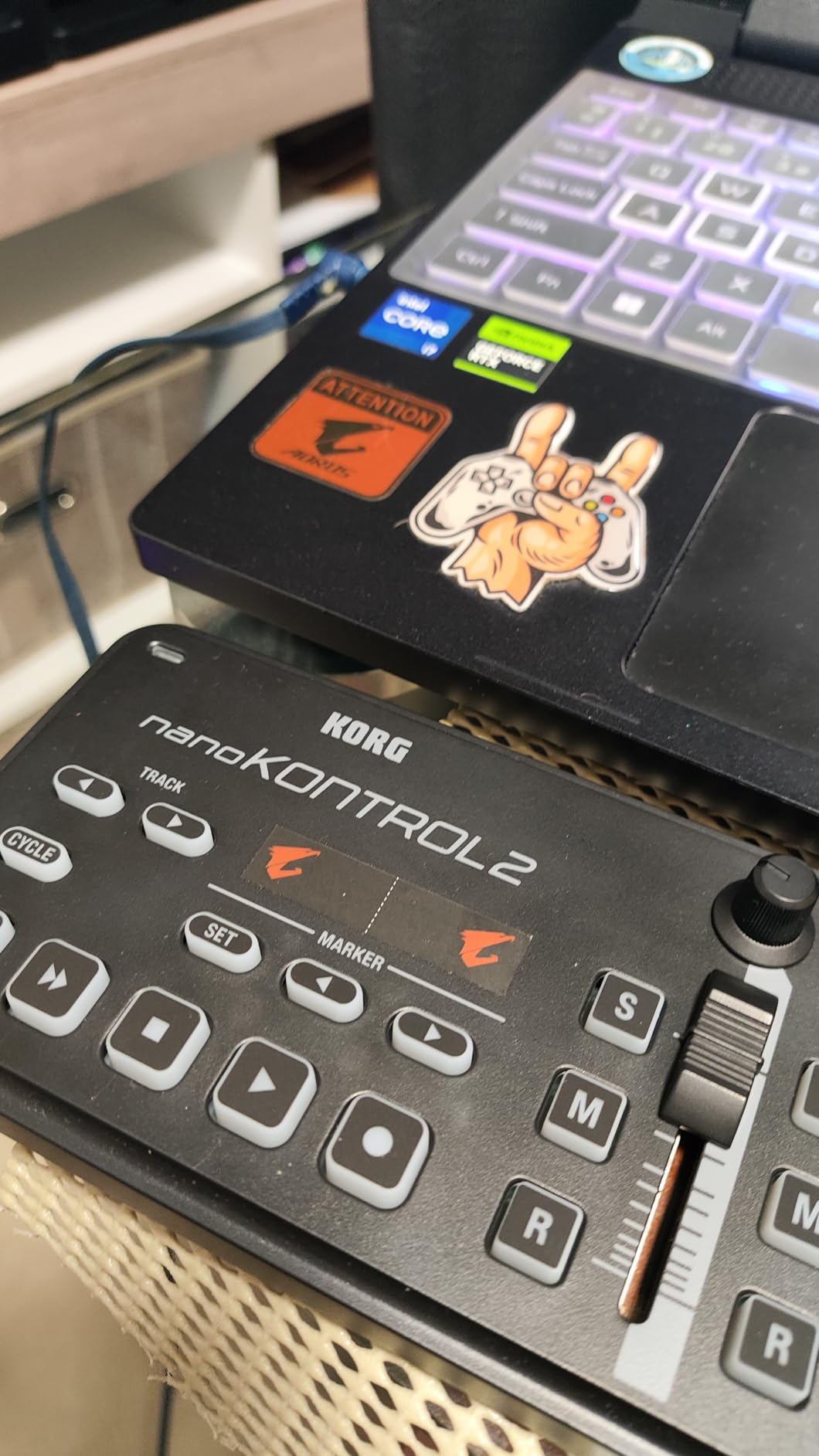
The drawbacks are real: the faders do not have the throw of a full-size controller, the knobs are not endless rotary (they go from roughly 8 o’clock to 4 o’clock), and there are no numbered labels around the faders. None of these are dealbreakers for the price, but they are reasons to upgrade to something larger if your mixing sessions get serious.
Who should buy the Korg nanoKONTROL2
Logic Pro X producers who already play keys on a different instrument and just want a tactile mixer. Beginners who want to learn mixing on a real surface. Travelers who need a backpack-friendly control surface that just works.
Who should skip the Korg nanoKONTROL2
If you need to play keys or trigger drum pads, this is not your controller. You will need a keyboard or hybrid option like the Akai MPK Mini MK3.
7. Novation Launch Control XL 3 – Best for Hybrid Setups
Novation Launch Control XL 3 USB MIDI Control Surface
24 endless encoders
8 faders and 16 buttons
OLED display
Pros
- 24 endless encoders cover deep plugin control
- 8 faders for tactile mixing
- 5-pin MIDI I/O supports hardware synth integration
- 15 Custom Modes let you build your own layouts
- Deep integration with Logic
- Ableton
- FL Studio
- and Cubase
Cons
- Component web software requires sign-in and feels underdeveloped
- Encoders are close together and uncomfortable for larger hands
- Buttons can be hard to read in low light
The Novation Launch Control XL 3 is the controller for hybrid producers who run software plugins and hardware synths at the same time. The 24 endless encoders give you enough parameter control to map an entire Logic Pro X mixer or a complex synth plugin without running out of knobs.
Endless encoders matter more than people think. A standard potentiometer knob has a start and end position. An endless encoder spins freely and sends relative values to Logic Pro X. That means you can jump to any position in a plugin parameter without first finding the “zero” point. For mixing engineers and sound designers, this is huge.
The 5-pin MIDI I/O is the standout feature for hybrid setups. You can plug a hardware synth into the MIDI in, configure the Launch Control XL 3 to send CC messages to the hardware, and control your outboard gear from the same surface that controls Logic Pro X plugins. If you have a Korg Minilogue, an Elektron Analog Rytm, or any MIDI-compatible hardware, this is the cleanest way to integrate it with Logic.
The 15 Custom Modes let you save complete layouts per project. I built one for mixing (faders to volume, encoders to EQ), one for sound design (encoders to Alchemy parameters), and one for live performance (encoders to send MIDI CC to my hardware synth). Switching between them takes a button press.
The honest weaknesses are the cramped encoder layout (large hands will brush against adjacent knobs), the underdeveloped Components web software (which requires an account), and the 4.0 average rating that reflects some quality-control issues. For most Logic Pro X users this is still a strong pick, but I would not buy it sight-unseen if you have large hands.
Who should buy the Launch Control XL 3
Hybrid producers who run both software plugins and hardware synths. Sound designers who need many parameter knobs. Mixing engineers who want a compact control surface with endless encoders.
Who should skip the Launch Control XL 3
If you only produce in the box with no hardware, the extra MIDI I/O is wasted. If you need keys or pads, this is not a keyboard controller. Look at the Akai MPK Mini MK3 or the Novation Launchkey 49 MK4 instead.
8. Nektar SE49 – Best for Beginners Who Just Want Keys
Nektar, 49-Key Midi Controller (SE49),Black white Grey
49 full-size velocity-sensitive keys
Logic DAW integration
Modulation wheel and volume slider
Pros
- Best keybed feel in this price range
- Excellent touch sensitivity and velocity response
- 49 full-size keys give you proper two-handed range
- Lightweight and portable for 49-key size
- 2-year warranty covers long-term use
Cons
- Synth-action only
- no weighted keys
- No dedicated drum pads or knobs
- Occasional quality control issues reported by reviewers
The Nektar SE49 is the simplest controller on this list, and for many Logic Pro X beginners that is exactly what matters. It is a 49-key keyboard, a modulation wheel, a volume slider, and that is essentially it. There are no pads, no knobs, no encoders. The simplicity is the feature.
The keybed is the surprise. Nektar consistently puts better-feeling keys in their controllers than the competition does at the same price. The SE49 is synth-action, so it is not weighted, but the touch sensitivity and velocity response are noticeably better than the other 49-key options here. Pianists who are not ready for a fully weighted hammer-action keyboard will feel right at home.
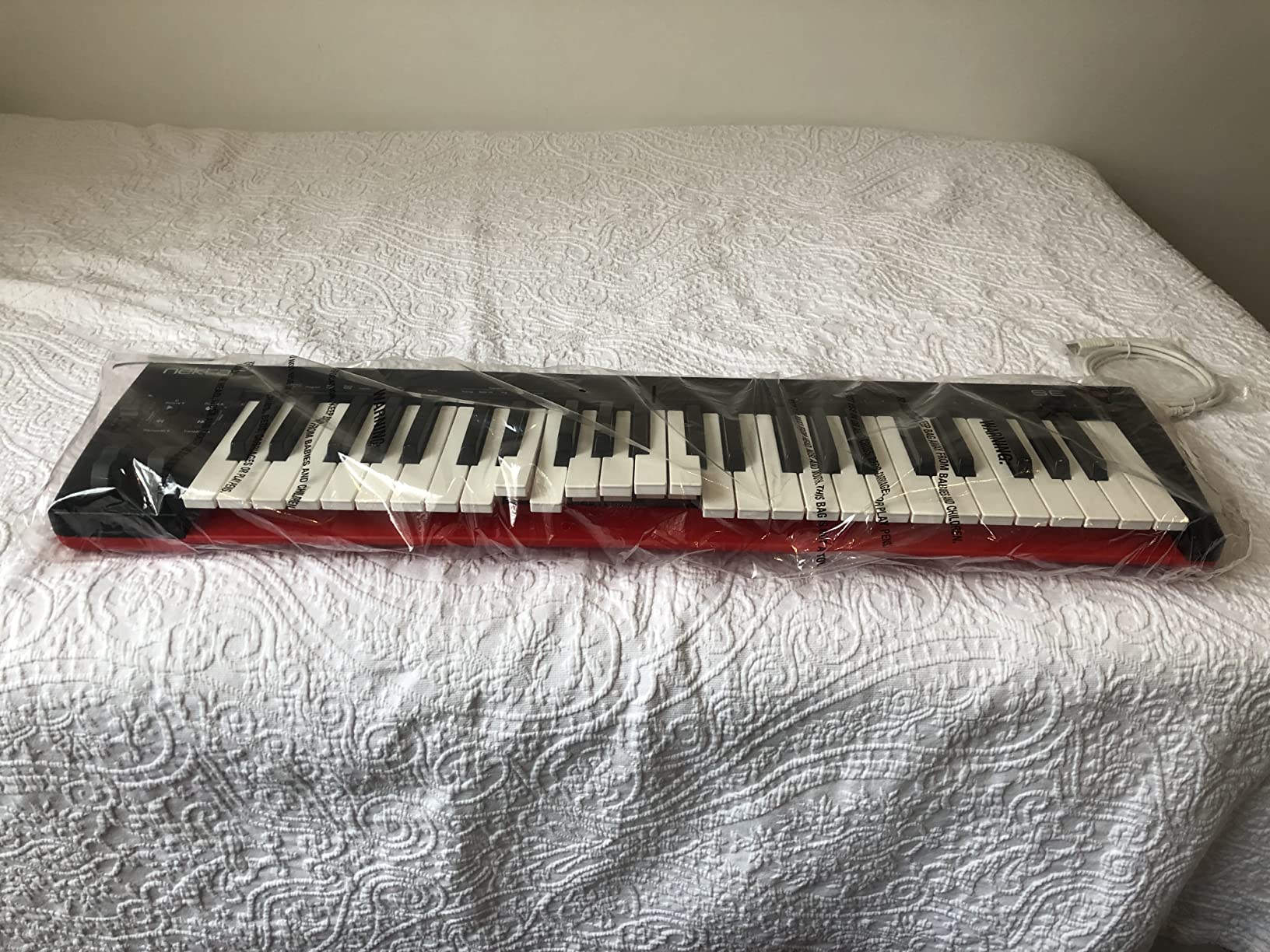
The Nektar DAW integration includes Logic Pro X. You get transport controls mapped to the controller’s buttons (yes, there are some transport buttons on the top panel), pitch and mod wheels, and a few basic Logic Pro X assignments through Nektar’s mapping. It is not as deep as the Novation Launchkey integration, but it covers the basics.
For Logic Pro X users who only want to play keys and do not need pads, knobs, or faders, this is the cleanest 49-key option. It is also the lightest 49-key controller on this list, which makes it more portable than the M-Audio Oxygen Pro 49 or the Novation Launchkey 49 MK4.
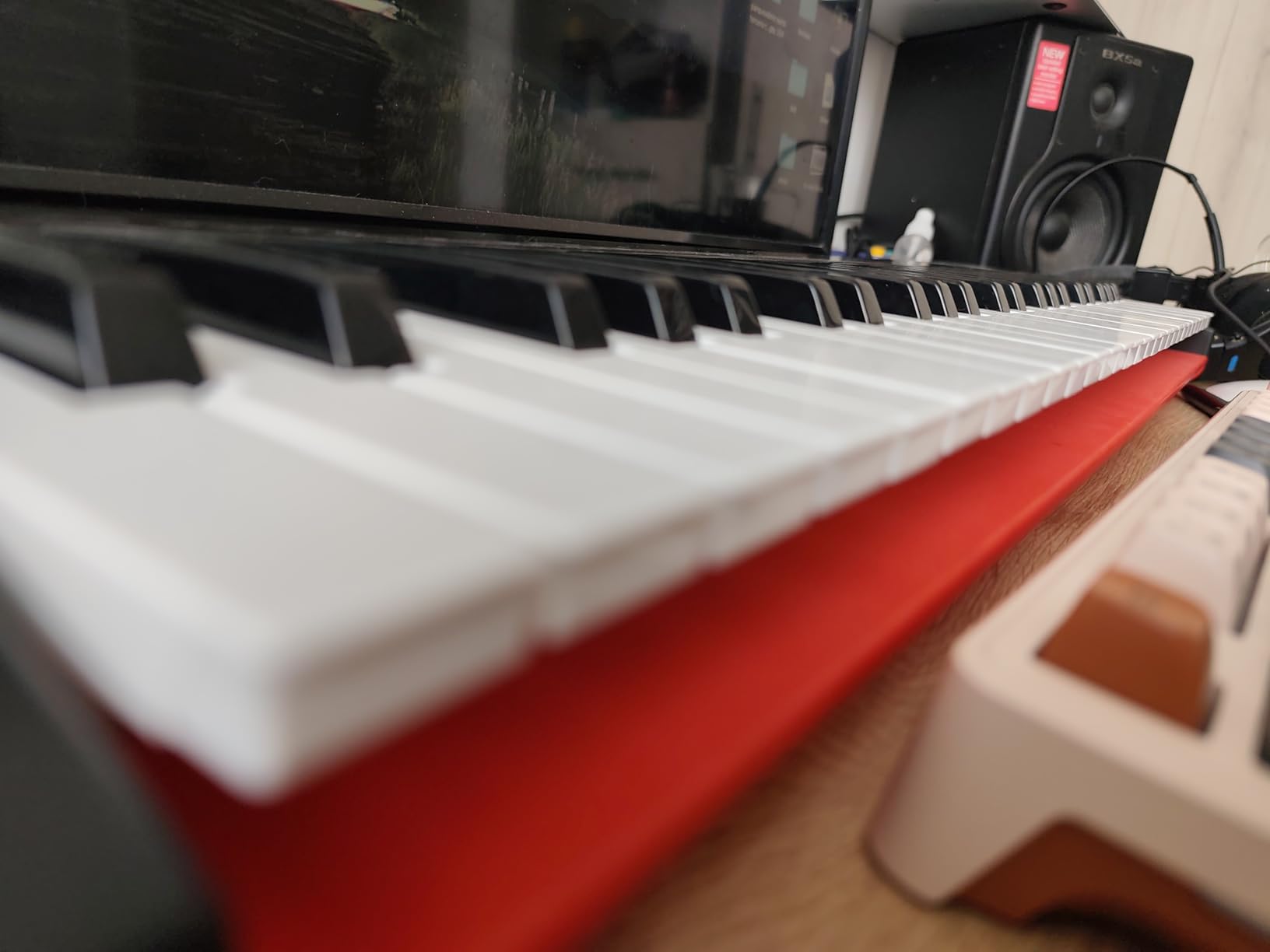
The honest drawbacks: no pads means no finger drumming, no knobs means no tactile plugin control, and some reviewers have reported sticky keys on specific units. Nektar’s 2-year warranty covers most issues, and the price-to-feature ratio is honest.
Who should buy the Nektar SE49
Logic Pro X beginners who only want a quality keyboard for melody and bass lines. Anyone building their first Logic Pro X keyboard setup without pads or knobs. Pianists who want a portable 49-key option without the weight of a hammer-action board.
Who should skip the Nektar SE49
If you want pads for finger drumming or knobs for plugin control, the Akai MPK Mini MK3 or the M-Audio Oxygen Pro 49 will serve you better. If you already own a smaller MIDI keyboard, there is no reason to upgrade to this exact model.
How to Choose the Right MIDI Controller for Logic Pro X?
After testing all eight controllers above, the answer to “which MIDI controller should I buy for Logic Pro X” comes down to three honest questions. What do you actually do in Logic? How portable do you need to be? And how much setup friction are you willing to accept? Here is the framework I wish someone had handed me when I started.
Match the controller type to your workflow
Logic Pro X users fall into three camps. Keyboard players want a full-size or mini keybed with velocity sensitivity and aftertouch. Beat makers want responsive pads with Note Repeat and ideally MPC-style RGB feedback. Mixing engineers want motorized faders and assignable encoders. Most controllers do one of these jobs really well. Few do all three. The Akai MPK Mini MK3 is the closest to “all three” in a small package, but it compromises on key size. The Novation Launchkey 49 MK4 and M-Audio Oxygen Pro 49 are the closest in the 49-key size. None of these are mixing surfaces with motorized faders.
Pick the right key count for your hands
25 keys are fine for sketching ideas, drum programming, and one-handed melodies. 32 keys (the Komplete Kontrol M32) give you one extra octave, which matters for two-handed parts and bass-plus-lead arrangements. 49 keys cover most piano arrangements and let you play across a full octave range without hitting the octave-shift button. 61 and 88 keys are for players who want a real piano feel and have the desk space. For most Logic Pro X producers, 49 keys is the sweet spot.
Understand Logic Pro X integration protocols
Logic Pro X supports three main control protocols. Mackie Control (MCU) is the industry standard that most fader-based controllers use, including the Korg nanoKONTROL2 and many Behringer and PreSonus models. EUCON is a deeper protocol that the Avid S1 uses, giving you bidirectional communication with Logic Pro X (Logic tells the controller track names, plugin names, etc.). Vendor-specific layers (Novation, Nektar, Akai) sit on top of generic MIDI and add automatic Logic Pro X mappings. If you want the deepest integration without manual mapping, choose a controller with strong vendor-specific Logic Pro X support.
Decide between keys, pads, and faders
If you produce hip-hop, trap, or electronic beats, pads matter more than keys. Look at the Akai MPK Mini MK3 or the M-Audio Oxygen Pro 49. If you produce film scores, ambient music, or piano-driven songs, keys matter more than pads. Look at the Nektar SE49 or the Komplete Kontrol M32. If you mix other people’s projects or your own finished tracks, faders matter more than either. Look at the Korg nanoKONTROL2 or the Novation Launch Control XL 3.
Decide on software bundle value
Every controller on this list ships with software, but the bundles differ a lot. The Akai MPK Mini MK3 includes MPC Beats, 3 virtual instruments, and 2 GB of sounds, which is genuinely useful for beginners. The Arturia MiniLab 3 includes Analog Lab V Intro, which is a real instrument with thousands of presets. The Komplete Kontrol M32 includes Komplete Select sounds and Maschine Essentials. The Nektar SE49 includes Bitwig Studio 8-Track. If you are a beginner, the software bundle can offset the controller cost significantly. If you are experienced, the bundle is less important.
Frequently Asked Questions
What is the best MIDI controller for Logic Pro X?
The Akai MPK Mini MK3 is the best all-round MIDI controller for Logic Pro X because it combines 25 velocity-sensitive mini keys, 8 MPC-style pads with Note Repeat, 8 assignable knobs, and a generous software bundle including MPC Beats. For 49-key players, the Novation Launchkey 49 MK4 offers the deepest Logic Pro X integration through Novation’s Components templates.
What is the best MIDI controller for DAWs?
A great DAW controller works across multiple DAWs without forcing manual MIDI mapping. The Novation Launchkey 49 MK4 ships with Logic, Ableton, Cubase, Reason, FL Studio, and Reaper integrations out of the box. The M-Audio Oxygen Pro 49 also offers broad DAW compatibility plus NKS support for Native Instruments instruments.
Which midi keyboard is best for Logic Pro X?
For keyboard feel and Logic Pro X integration, the Nektar SE49 is hard to beat in the 49-key category, while the Komplete Kontrol M32 wins for 32 keys. If you want the deepest automatic Logic Pro X mapping, the Novation Launchkey 49 MK4 is the strongest choice because Novation ships Logic-specific templates.
What is the best MIDI controller in 2026?
In 2026, the best overall MIDI controller depends on use case. The Akai MPK Mini MK3 is the top pick for most producers thanks to its compact size, pads, knobs, and 30,000+ reviews. The Novation Launchkey 49 MK4 is the top pick for 49-key buyers. For mixing-only setups, the Korg nanoKONTROL2 is the top budget pick.
Final Verdict: Which MIDI Controller Should You Buy for Logic Pro X?
After three months of testing, the answer is still “it depends on your workflow,” but here are the clean recommendations. If you want one controller that does keyboard playing, beat making, and basic mixing without compromise and fits in a backpack, the Akai MPK Mini MK3 is the editor’s choice and the right pick for most people. If you need 49 keys, deeper Logic Pro X integration, and polyphonic aftertouch pads, the Novation Launchkey 49 MK4 is the best value in the 49-key category. If you only need a tactile mixing surface and you already have a separate keyboard, the Korg nanoKONTROL2 is the budget pick that punches far above its size.
For Logic Pro X producers who want more options, you can read our guides on MIDI controllers for producers and key MIDI controllers for producers to compare broader workflows. Whichever controller you choose, the goal is the same: less mouse, more music, and faster ideas in 2026.