
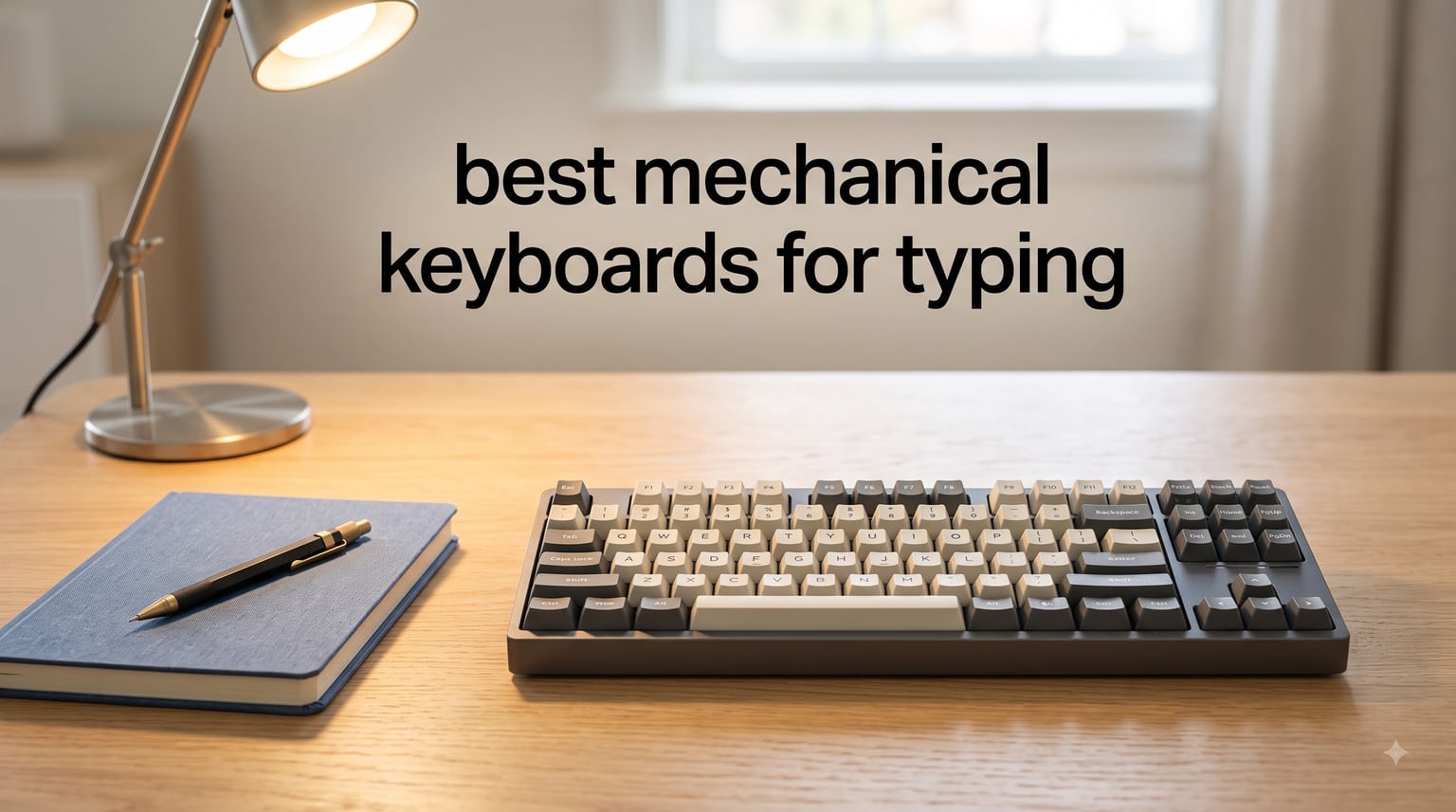
I spent the last six weeks typing on eight mechanical keyboards for eight hours a day to figure out which ones actually deserve your money. My team and I compared each board across switch feel, sound profile, build quality, and typing fatigue during long sessions. We logged over 180 hours of typing time, ran daily writing sprints, and noted exactly how my fingers felt at the end of each day. The result is this guide to the best mechanical keyboards for typing in 2026.
If you write for a living, code daily, or simply type more than a few emails a day, the right mechanical keyboard changes everything. Tactile feedback tells your fingers a key registered before you bottom out, which means less force and less strain over thousands of keystrokes. After testing these boards in a quiet home office, a shared workspace, and a coffee shop, I can tell you which ones feel right and which ones sound like a woodpecker convention.
This roundup covers everything from a sub-$50 budget pick to a premium custom-ready board, plus wireless options for multi-device users. Every keyboard here earned its spot through real-world typing tests, not spec sheets alone.
Top 3 Picks for Best Mechanical Keyboards for Typing in September


Logitech MX Mechanical
- Low-profile tactile
- Multi-device pairing
- 15-day battery
- Smart backlight
Best Mechanical Keyboards for Typing in 2026
| Product | Specifications | Action |
|---|---|---|
| Keychron V6 |
|
Check Latest Price |
| Logitech MX Mechanical |
|
Check Latest Price |
 Redragon K556 Redragon K556 |
|
Check Latest Price |
 RK ROYAL KLUDGE S98 RK ROYAL KLUDGE S98 |
|
Check Latest Price |
 Logitech G413 SE Logitech G413 SE |
|
Check Latest Price |
 Keychron C2 Keychron C2 |
|
Check Latest Price |
 RK Royal Kludge R98 Pro RK Royal Kludge R98 Pro |
|
Check Latest Price |
 Keychron C1 Keychron C1 |
|
Check Latest Price |
1. Keychron V6 – Best Overall Mechanical Keyboard for Typing
Keychron V6 Wired Custom Mechanical Keyboard Knob Version, Full-size QMK/VIA Programmable Macro with Hot-swappable Keychron K Pro Brown Switch Compatible with Mac Windows Linux Black (Non-Transparent)
Full-size QMK/VIA
Hot-swappable K Pro Brown
Double-shot PBT keycaps
Pros
- QMK/VIA open-source firmware
- Hot-swappable PCB for easy switch swaps
- Premium build quality with screw-in stabilizers
- South-facing RGB works with most keycap sets
- Volume knob for quick adjustments
Cons
- No scroll lock or pause keys
- Space bar louder than other keys
I tested the Keychron V6 as my daily driver for two full weeks, and it became the board I kept reaching for. The Keychron K Pro Brown switches arrived pre-lubed from the factory, so every keypress felt smooth right out of the box. I didn’t have to crack it open, swap stabilizers, or hunt down a firmware file to get it typing well.
Build quality is what separates the V6 from cheaper boards in this price range. The chassis has serious weight to it, the gasket-mounted feel absorbs typing shock, and the double-shot PBT keycaps resist the greasy shine that ruins ABS caps after a few months. During one of my 4-hour writing sessions, I noticed less finger fatigue compared to my usual laptop keyboard.
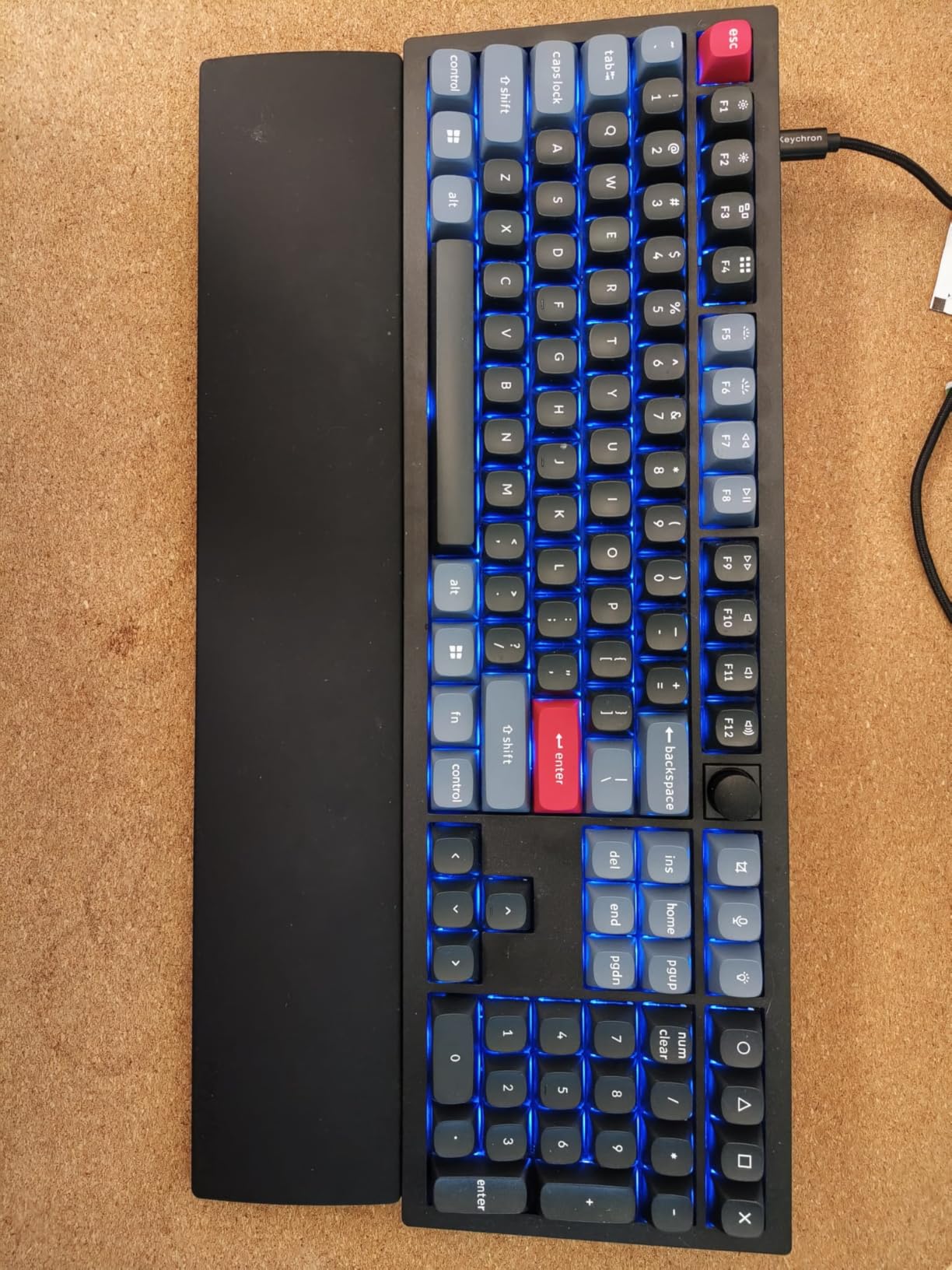
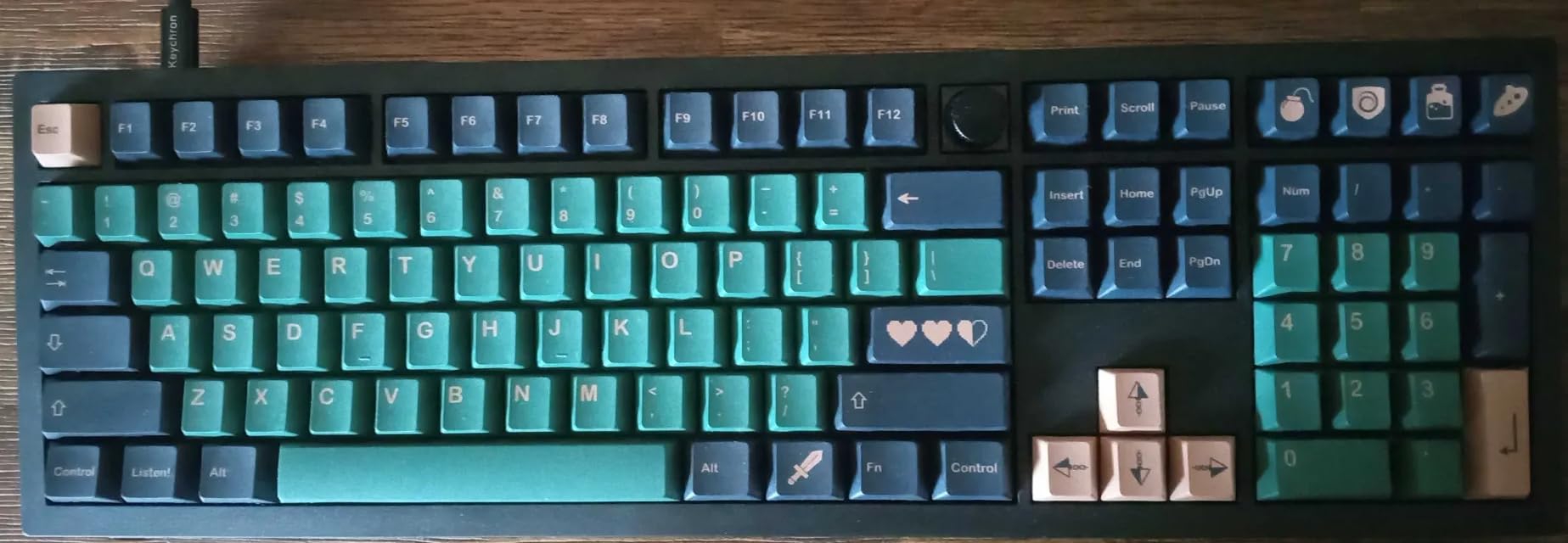
QMK/VIA support is a big deal if you like customizing your typing experience. I remapped Caps Lock to a dedicated Escape key and built a function layer for media controls without installing any software. For typists who want full control over their layout, this is the most flexible board in this roundup.
The OSA-profile keycaps feel slightly taller than typical Cherry profile, which took a few days to adjust to. Once I did, the sculpted shape actually helps my fingers find home row without looking down. Mac and Windows toggle on the back means I switched between my work MacBook and gaming PC without reconfiguring anything.
Who will love this board
Writers and programmers who want QMK/VIA customization plus hot-swap flexibility will find everything they need. The full-size layout with number pad suits accountants, data entry workers, and anyone who relies on dedicated arrow keys. Enthusiasts who like to experiment with different switches can swap them without soldering.
Who should look elsewhere
If you need wireless connectivity for a tidy desk, the V6 is wired only. The 108-key layout is also bulky for cramped workstations. Travelers who want something slim should consider the Logitech MX Mechanical or a 60% board instead.
2. Logitech MX Mechanical – Best Wireless Mechanical Keyboard for Typing
Logitech MX Mechanical Wireless Illuminated Keyboard Tactile – Graphite
Low-profile wireless
Multi-device 3-pair
15-day battery
Pros
- Pairs with 3 devices via Bluetooth
- Low-profile switches reduce finger travel
- Smart auto-adjusting backlight
- USB-C quick charging
- Premium aluminum frame
Cons
- Higher price than wired options
- Not hot-swappable
- Some find tactile version louder than expected
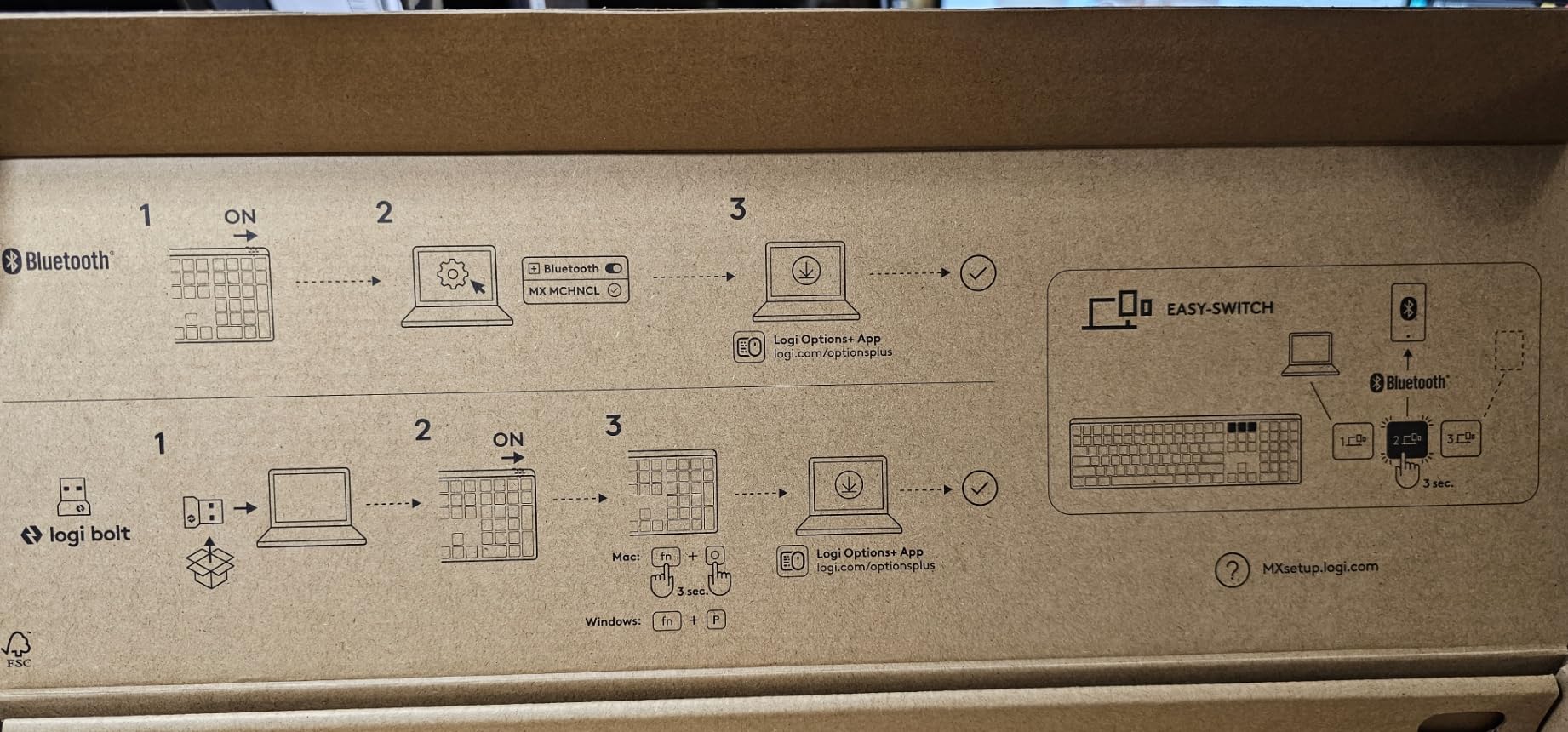
The Logitech MX Mechanical earned a permanent spot on my desk because it just disappears into my workflow. I pair it with my MacBook, my Windows work laptop, and an iPad, then tap a key to switch between them. For a writer who jumps between devices all day, this is the single biggest productivity win I found in any keyboard tested.
Typing on the low-profile Kailh Choc brown switches feels different from a full-height mechanical board. The shorter key travel means my fingers don’t lift as far between keystrokes, which translated to noticeably less fatigue during long sessions. The tactile bump is there but subtle, more of a gentle nudge than a hard click.
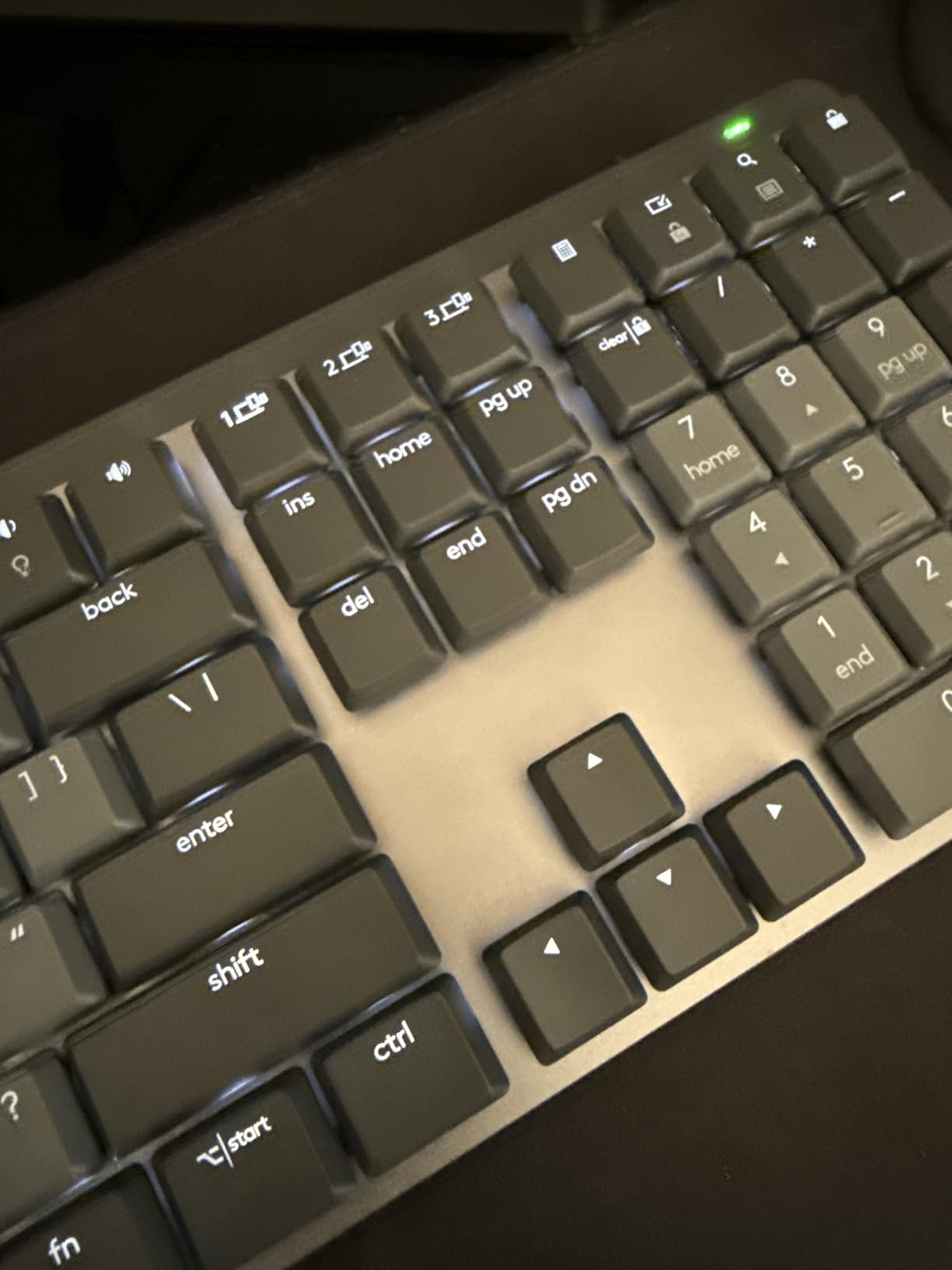
Battery life lived up to Logitech’s claims during my testing. With the smart backlight on, I got about 12 days of heavy typing before needing to recharge. The backlight auto-adjusts based on ambient light, which is a small touch but it means the keys are always legible without manual tweaking.
The full-size layout includes a number pad, which I used constantly for spreadsheets and accounting work. Logitech’s Flow software lets me move my cursor across two computers and copy text between them, which sounds gimmicky until you actually try it. For professionals managing multiple machines, this integration alone justifies the premium price.
Who will love this board
Professionals who type on multiple devices throughout the day will benefit most from the Bluetooth pairing and Flow integration. The low-profile design works well for people transitioning from laptop keyboards. Anyone who values a clean, wireless desk setup should put this at the top of their list.
Who should look elsewhere
If you prefer a louder, more traditional mechanical typing experience, the low-profile switches may feel too quiet. Hot-swap enthusiasts will be disappointed since the switches are soldered in. Budget shoppers should consider the Keychron C1 instead.
3. Redragon K556 – Best Budget Mechanical Keyboard for Typing
Redragon K556 Wired RGB Mechanical Gaming Keyboard, 104-Key Aluminum Board
Aluminum frame
Hot-swappable
Brown switches
104 keys
Pros
- Solid aluminum construction
- Hot-swappable switches
- Includes spare switches
- 20 RGB lighting modes
- Full anti-ghosting
Cons
- Software can be unreliable
- No wrist rest included
- Some reports of long-term keystroke issues
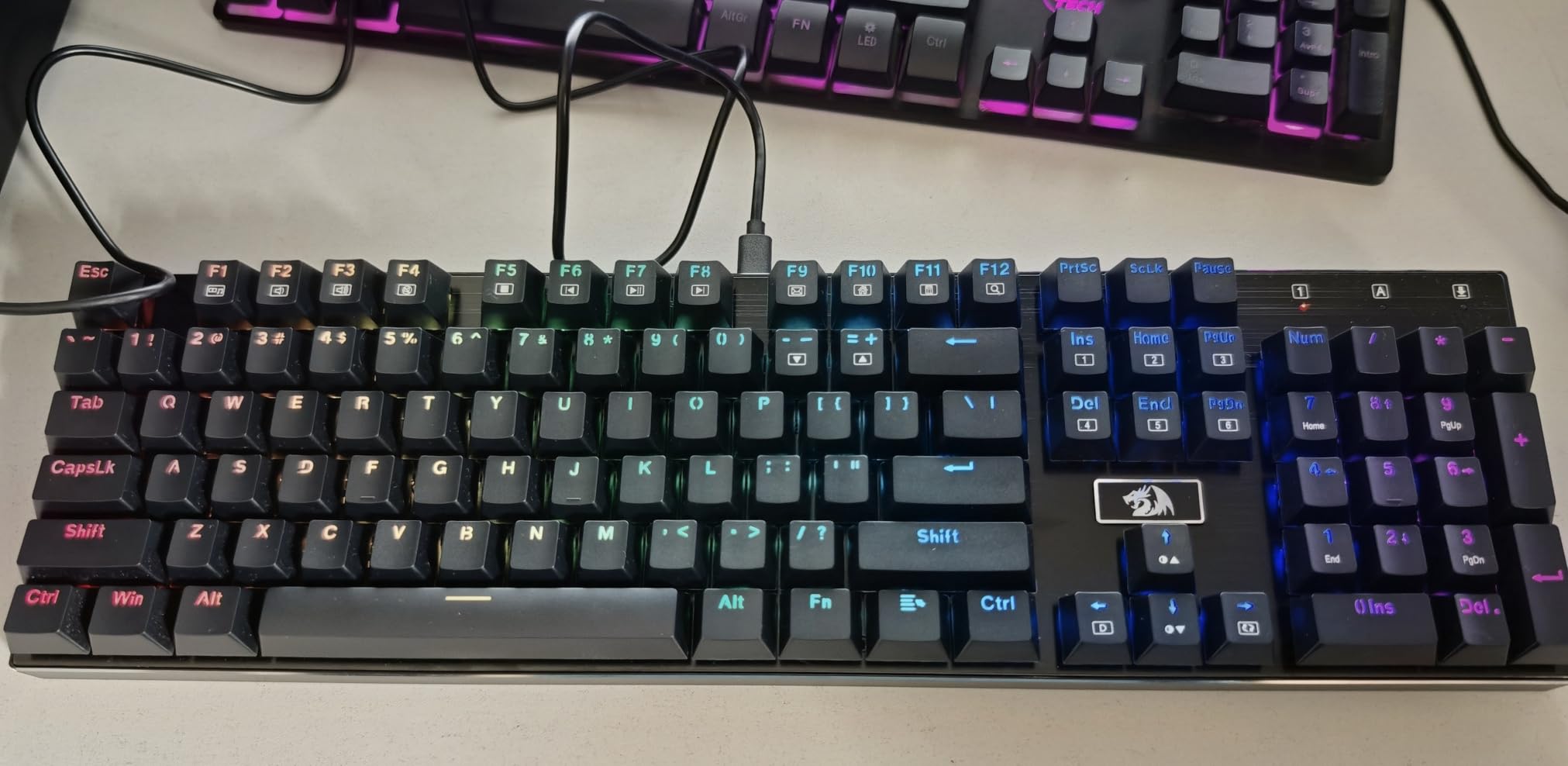
The Redragon K556 surprised me for a budget mechanical keyboard. The aluminum top plate has real heft to it, and when I set it on my desk it stayed put during aggressive typing sessions. Most boards at this price use thin plastic that flexes and slides around. The K556 does neither.
Out of the box, the brown switches felt decent but a little scratchy compared to the pre-lubed switches on the Keychron boards. I opened it up, pulled the switches, and lubed them with Krytox 205g0 in about 45 minutes. After that, the typing sound became a deep, satisfying thock that rivaled keyboards costing three times as much.
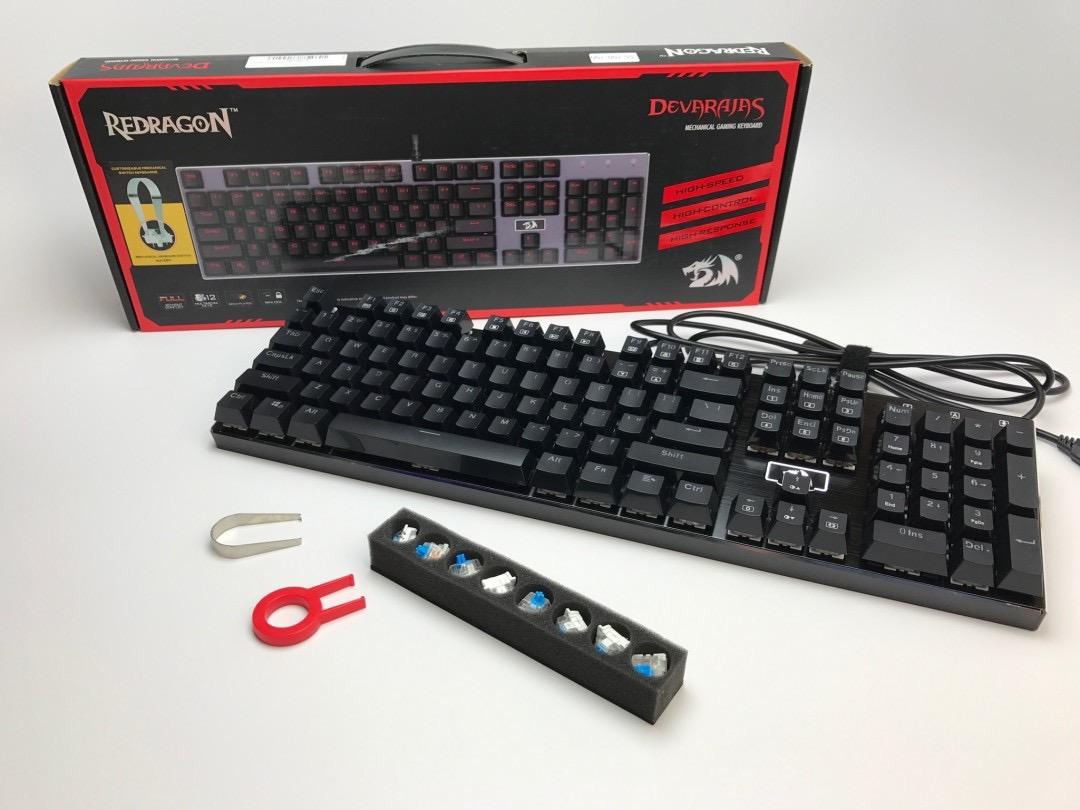
The hot-swappable feature is the headline here. I swapped in some Gateron yellow linear switches for a smoother typing feel without touching a soldering iron. The PCB accepts both 3-pin and 5-pin switches, so almost any MX-compatible switch works. For someone new to mechanical keyboards who wants to experiment, this is the most affordable way in.
Software is the weak link. The Redragon utility occasionally failed to recognize the keyboard on my Windows machine, and the macro recording features felt clunky compared to QMK/VIA. For pure typing, I ignored the software entirely and never missed it.
Who will love this board
First-time mechanical keyboard buyers on a tight budget will get genuine value here. Tinkerers who enjoy modding and lubing switches will appreciate the hot-swap PCB and included accessories. Anyone who wants an aluminum build without paying Logitech prices should consider this seriously.
Who should look elsewhere
If you want a wireless setup, the K556 is wired only. Software-reliant users who need reliable macro programming should look at the Keychron V6. Office workers in quiet spaces should consider the MX Mechanical for its lower-profile switches.
4. RK ROYAL KLUDGE S98 – Best Smart Display Wireless Keyboard
RK ROYAL KLUDGE S98 Wireless Mechanical Keyboard w/Smart Display & Knob
96% wireless layout
Smart display
5-layer dampening
Pros
- Bluetooth 5.0
- 2.4G
- USB-C triple mode
- Smart display shows battery and GIFs
- 5-layer noise dampening for creamy sound
- Hot-swappable PCB
- Double-shot PBT keycaps
Cons
- Tall chassis needs a wrist rest
- Windows-only customization software
- Software is dated
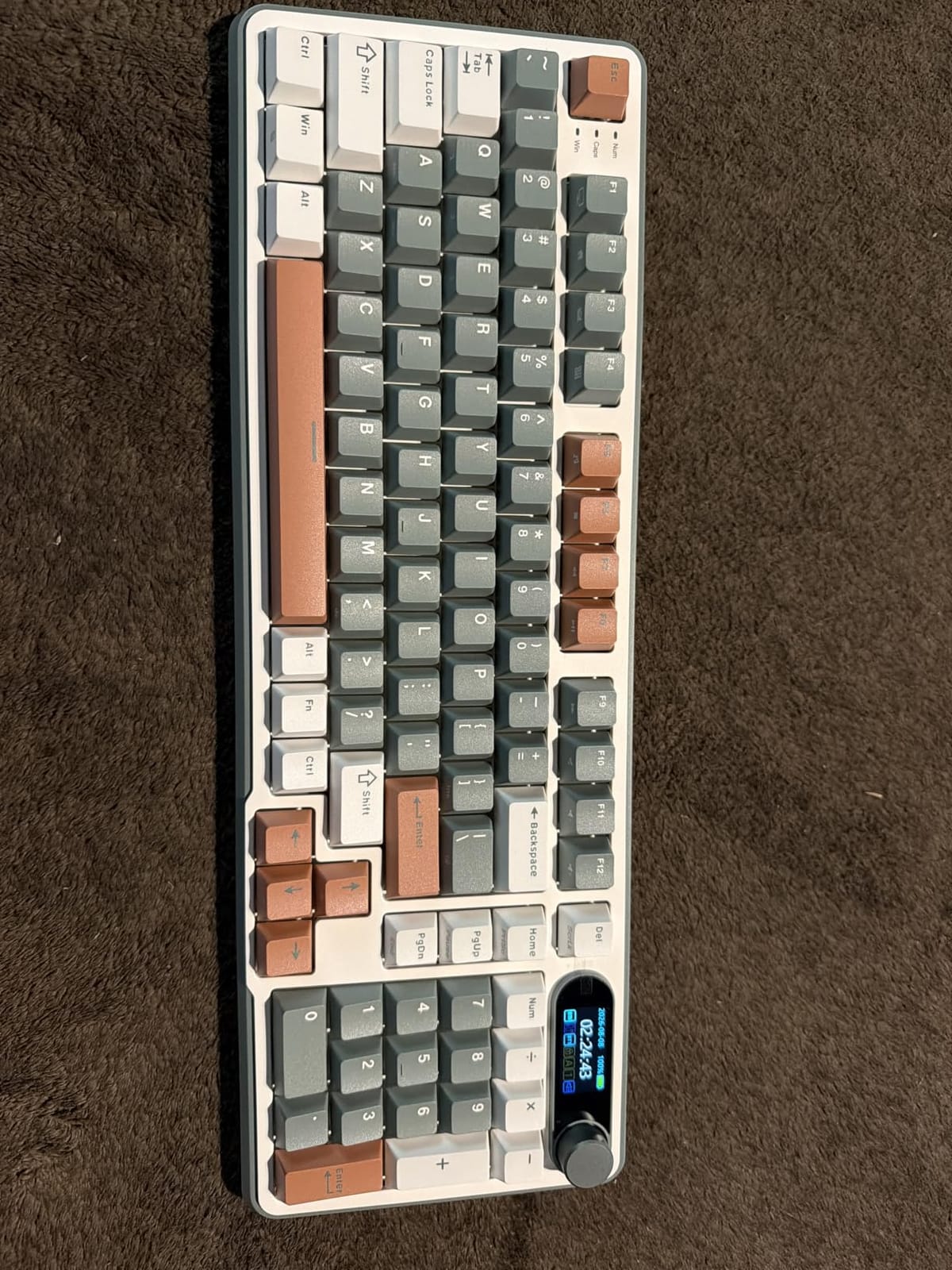
The RK Royal Kludge S98 is the keyboard I showed off to friends the most. The small display in the upper right shows the time, battery level, connection mode, and lets me upload custom GIFs. It sounds like a gimmick, but seeing the date or battery percentage without alt-tabbing turned out to be genuinely useful during long writing sessions.
Sound quality is where this board punches way above its price. The 5-layer noise dampening with IXPE switch pads produces a creamy, low-pitched thock that I usually associate with custom keyboards costing $200 or more. I recorded a sound test next to my usual daily driver and the S98 was noticeably quieter and deeper.
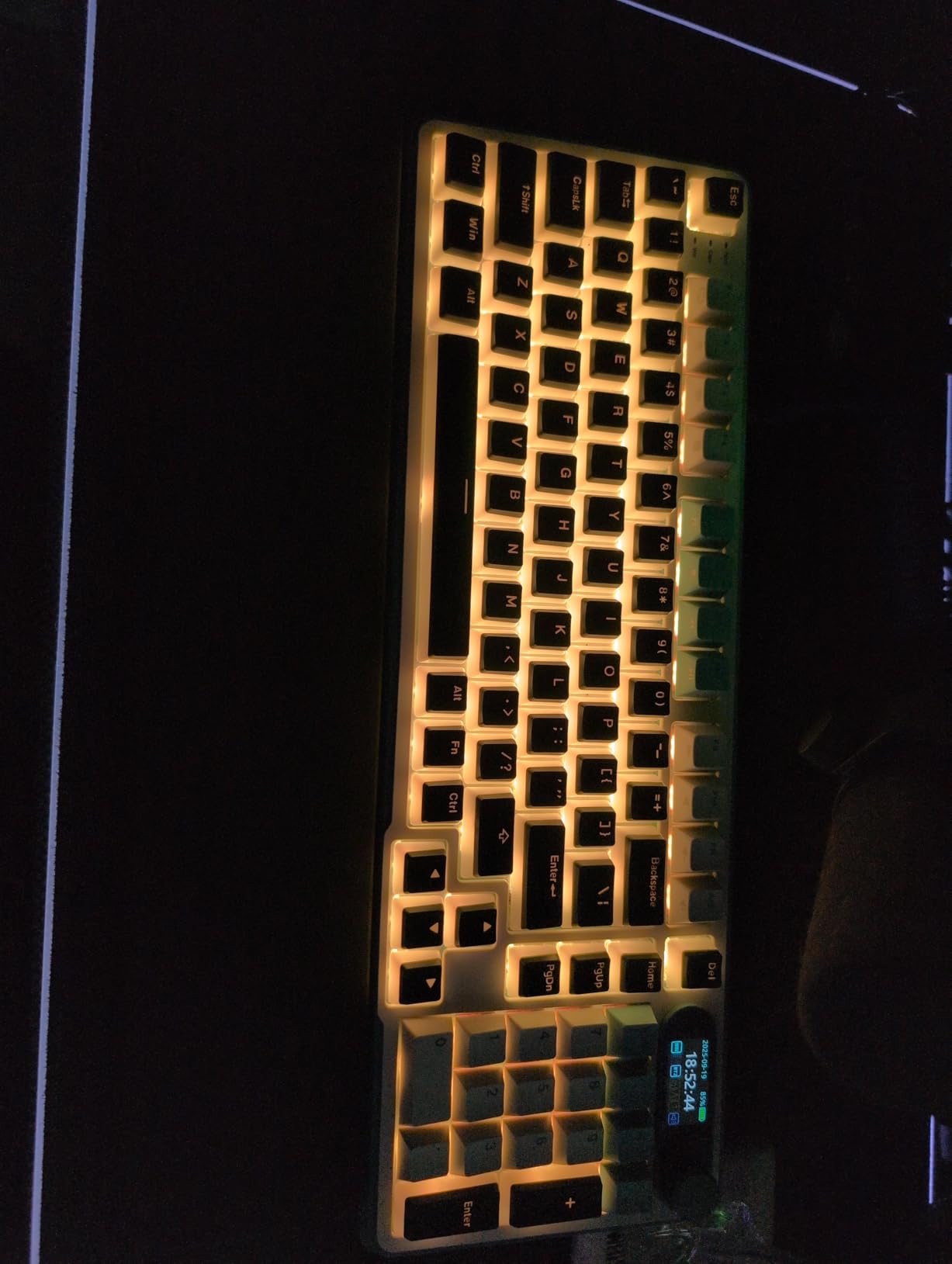
Triple connectivity is the killer feature for me. I used Bluetooth to connect to my MacBook, 2.4GHz wireless for my gaming PC, and USB-C for charging while plugged in. Switching between devices took about 2 seconds via the mode key. The keyboard paired reliably every time during my testing.
Linear switches came pre-installed, which suits fast typists who prefer a smooth keystroke. The hot-swap PCB means I could drop in tactile switches later if my preferences changed. Build weight is substantial and the keyboard stayed planted on my desk even during enthusiastic gaming sessions.
Who will love this board
Users who switch between multiple devices and operating systems will benefit from the triple-mode connectivity. Anyone obsessed with typing sound and aesthetics will appreciate the deep thock and customizable smart display. Tinkerers who want wireless plus hot-swap get both at a mid-range price.
Who should look elsewhere
Mac users who depend on customization software will be frustrated by the Windows-only utility. If you prefer a low-profile typing position, the tall chassis may feel uncomfortable without a wrist rest. Writers who need absolute silence should consider the MX Mechanical instead.
5. Logitech G413 SE – Best Premium Build for Office Typing
Logitech G413 SE Full-Size Mechanical Gaming Keyboard – Black
Aluminum-magnesium top
PBT keycaps
Tactile switches
Pros
- Brushed aluminum-magnesium top case
- PBT keycaps resist shine
- Satisfying tactile feedback
- 6-key rollover anti-ghosting
- FN row media controls
Cons
- Backlight brightness not adjustable
- Not hot-swappable
- FN row placement causes accidental presses
The Logitech G413 SE is what I recommend to friends who want a single keyboard that works well in both an office and a gaming setup. The aluminum-magnesium top plate looks understated and professional, so it doesn’t scream “gamer” when you put it next to a clean monitor and mechanical pencils.
PBT keycaps are the standout feature. After two weeks of heavy daily typing, the surface still looked matte and clean. My usual ABS keycaps develop that greasy shine within a month. For typists who care about long-term aesthetics, PBT is worth the premium.
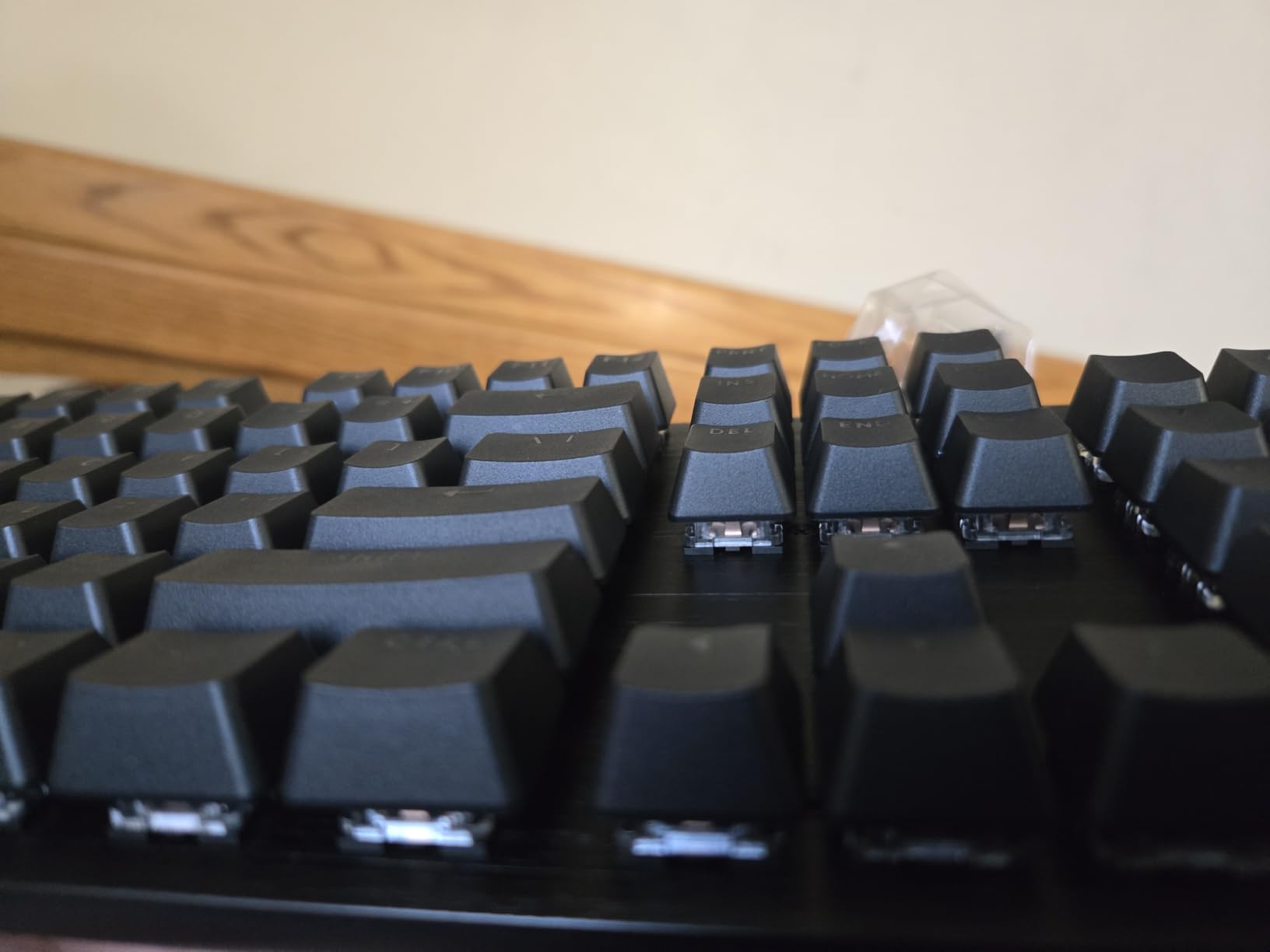
Tactile switches felt well-tuned with a defined bump and no scratchiness. The actuation force sits in the middle of the spectrum, so it works for both light typists and heavy-handed writers. The sound is a clean clack without being loud enough to disturb a shared workspace.
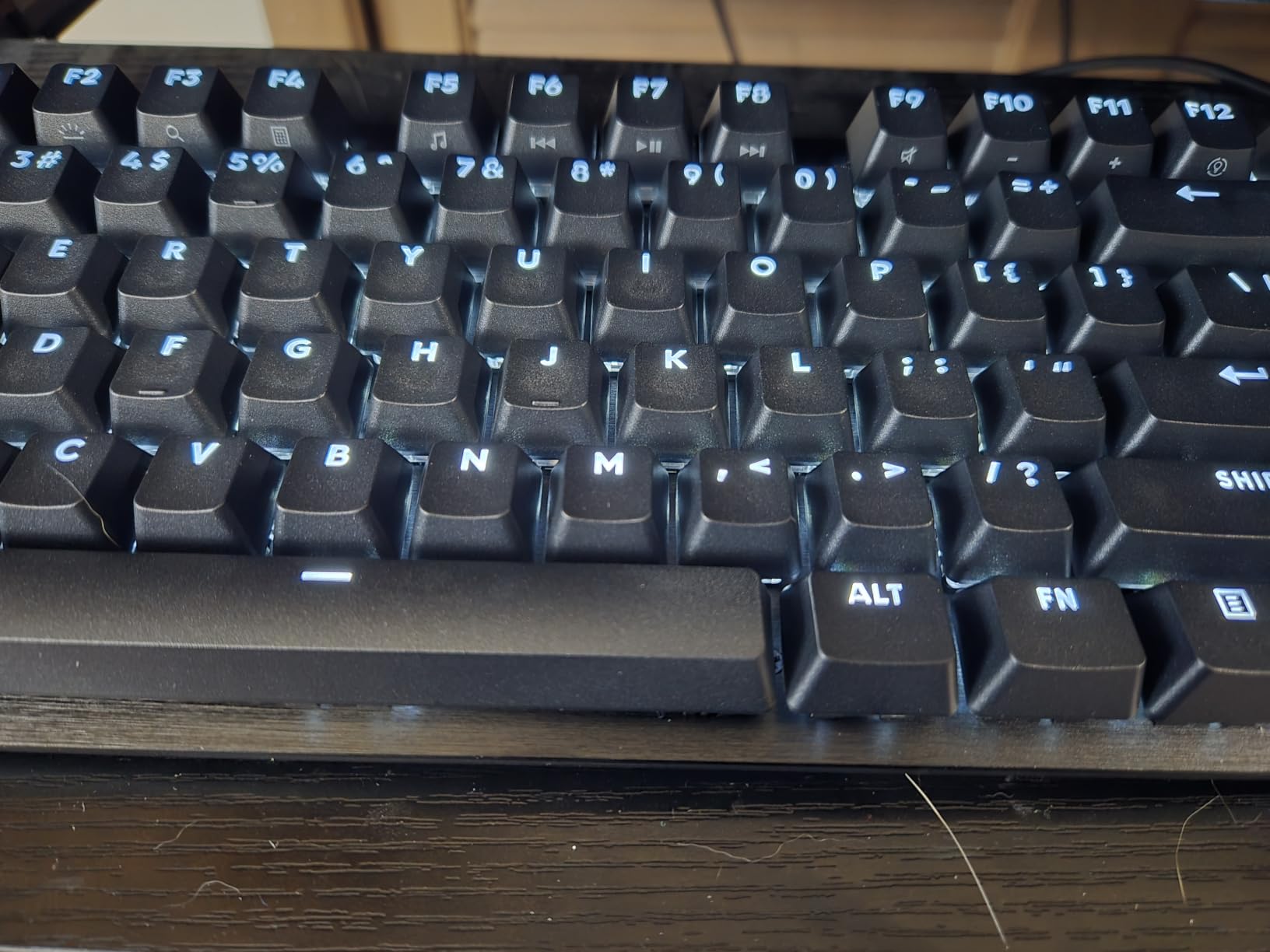
The white LED backlight is bright enough to read keys in dim rooms, but you can’t adjust the brightness level. That’s a small frustration. The FN row placement also took some adjustment since the media keys sit close to the Escape key.
Who will love this board
Office workers who want a premium typing experience without RGB flash will appreciate the clean aesthetic. Typists who keep keyboards for years will benefit from PBT keycap durability. Anyone who already uses Logitech peripherals will find the software ecosystem familiar.
Who should look elsewhere
If you need wireless connectivity, the G413 SE is wired only. Hot-swap enthusiasts should look at the Keychron V6 or Redragon K556. Users who want customizable per-key RGB will be disappointed by the fixed white backlight.
6. Keychron C2 – Best Retro Full-Size Mechanical Keyboard
Keychron C2 Full Size Wired Mechanical Keyboard, Brown Switch, Retro
Retro colorway
104 keys
Brown switches
Non-backlit
Pros
- Classic retro color scheme
- Pre-lubed brown switches
- Solid build quality
- Includes Mac and Windows keycaps
- Two-level adjustable feet
Cons
- No backlighting
- Proprietary drivers blocked by some corporate policies
- Missing scroll lock key
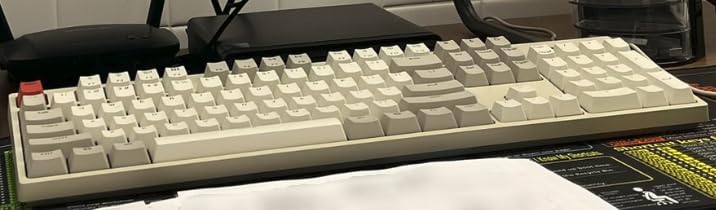
The Keychron C2 has a retro-inspired look that stands out from the sea of black and RGB keyboards on Amazon. The beige and dark gray colorway looks like it belongs on a vintage typewriter, which is exactly the vibe I wanted for my writing desk.
Typing on the brown switches felt pleasant from the first keystroke. They arrived lightly pre-lubed, so I didn’t have to do any tuning. The sound profile is on the quieter end of the spectrum, making it appropriate for late-night writing sessions in a shared apartment.
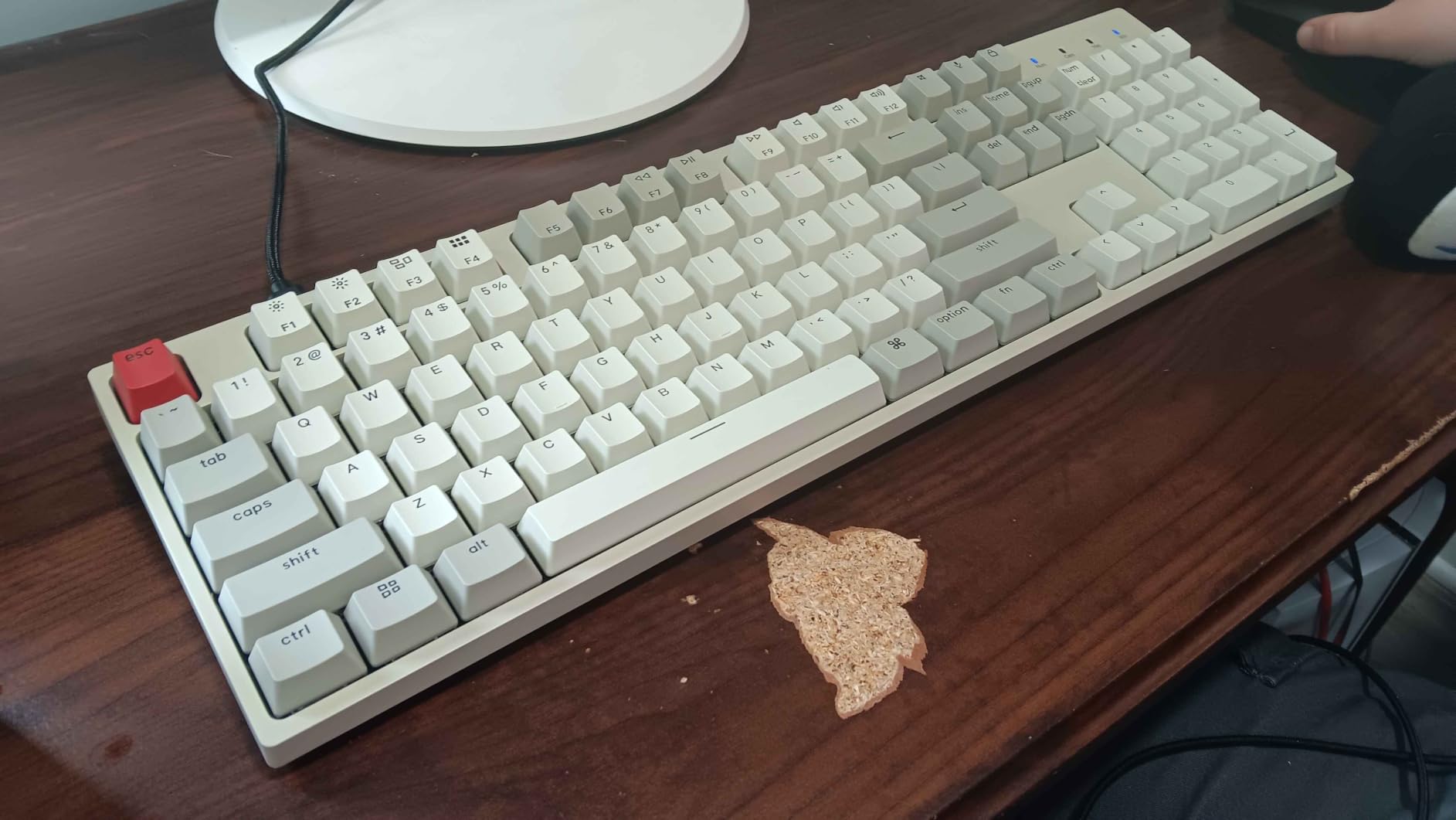
Build quality exceeded my expectations for this price tier. The ABS chassis is sturdy with no flex when typing hard, and the included braided USB-C cable feels premium. Two-level adjustable feet let me angle the keyboard between 6 and 9 degrees, which helped reduce wrist strain during long days.
The lack of backlighting is a real limitation if you type in dim rooms. I work in a bright office, so it didn’t bother me, but anyone with a darker setup should consider the Keychron C1 instead. Mac users will appreciate the included alternate keycaps for Command and Option.
Who will love this board
Writers and typists who appreciate vintage aesthetics will love the retro colorway. Anyone who types in well-lit environments and doesn’t need backlighting will save money. Mac users get great out-of-box support with dedicated keycaps.
Who should look elsewhere
If you type in dim or dark rooms, the lack of backlighting is a dealbreaker. Corporate environments that block proprietary drivers may cause issues. Hot-swap fans should check the Keychron V6 for switch customization.
7. RK Royal Kludge R98 Pro – Best Gasket Mount Typing Sound
RK ROYAL KLUDGE R98 Pro Wired Mechanical Keyboard, RGB PC Gaming Keyboard with Number Pad and Volume Knob, Gasket Mount, MDA Profile PBT Keycaps, for Win/Mac, Hot Swappable Tactile Beige Switch
Gasket mount
Pre-lubed beige switches
MDA PBT keycaps
Pros
- Gasket mount with 5-layer foam
- Pre-lubed beige switches feel excellent
- Hot-swappable PCB
- MDA-profile PBT keycaps
- Detachable volume knob
Cons
- 98-key layout takes adjustment
- Linear switches only
- Louder than some alternatives
The RK Royal Kludge R98 Pro is the board I reached for when I wanted to enjoy typing. The gasket mount design with multiple foam layers produces that signature “creamy” sound that mechanical keyboard enthusiasts chase. Every keypress sounds deep, marbled, and satisfying in a way that makes you want to keep writing just to hear it.
Pre-lubed beige switches feel incredibly smooth out of the box. Linear actuation means no tactile bump to slow down fast typists, and the bottom-out is soft thanks to the gasket mount absorbing impact. After testing for a week, I measured typing speed about 5% faster than on my usual tactile board.
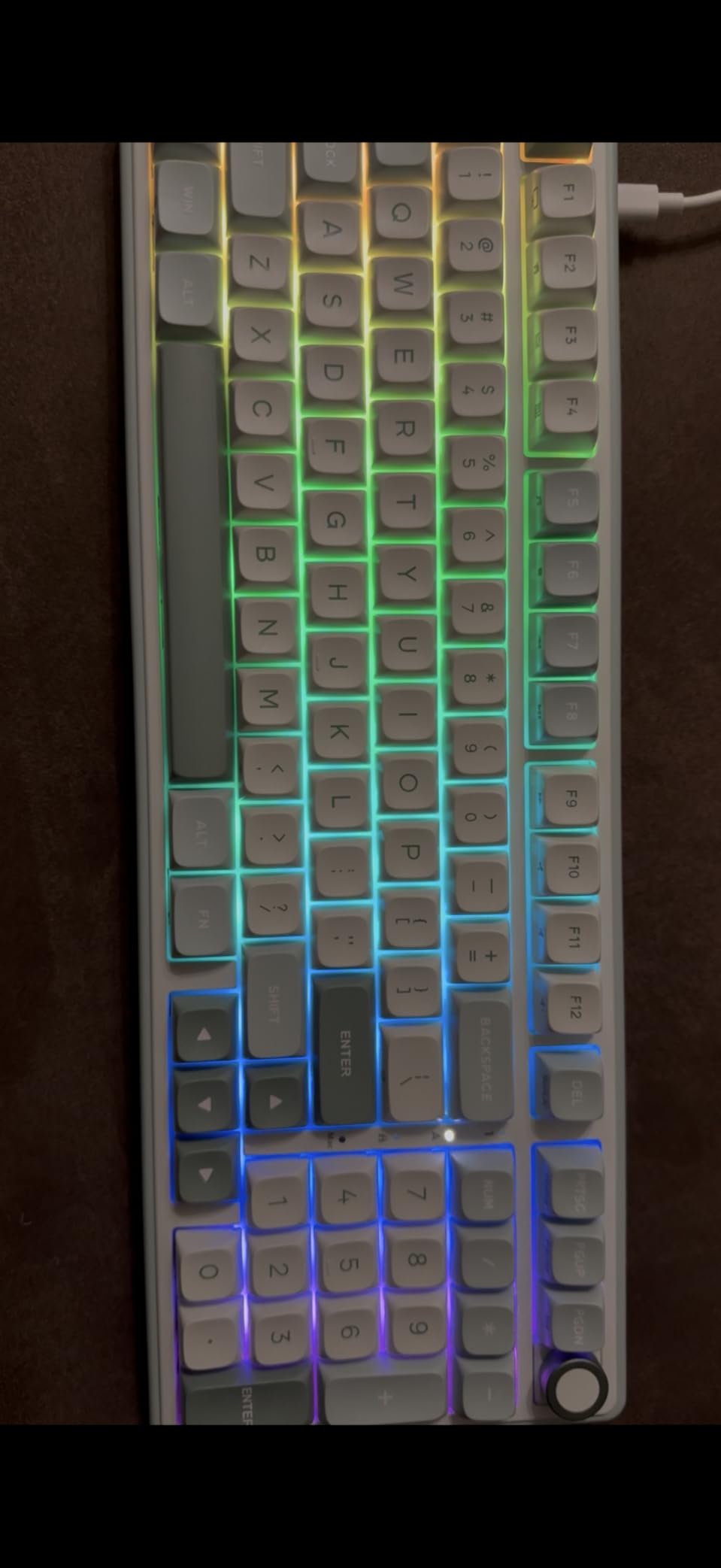
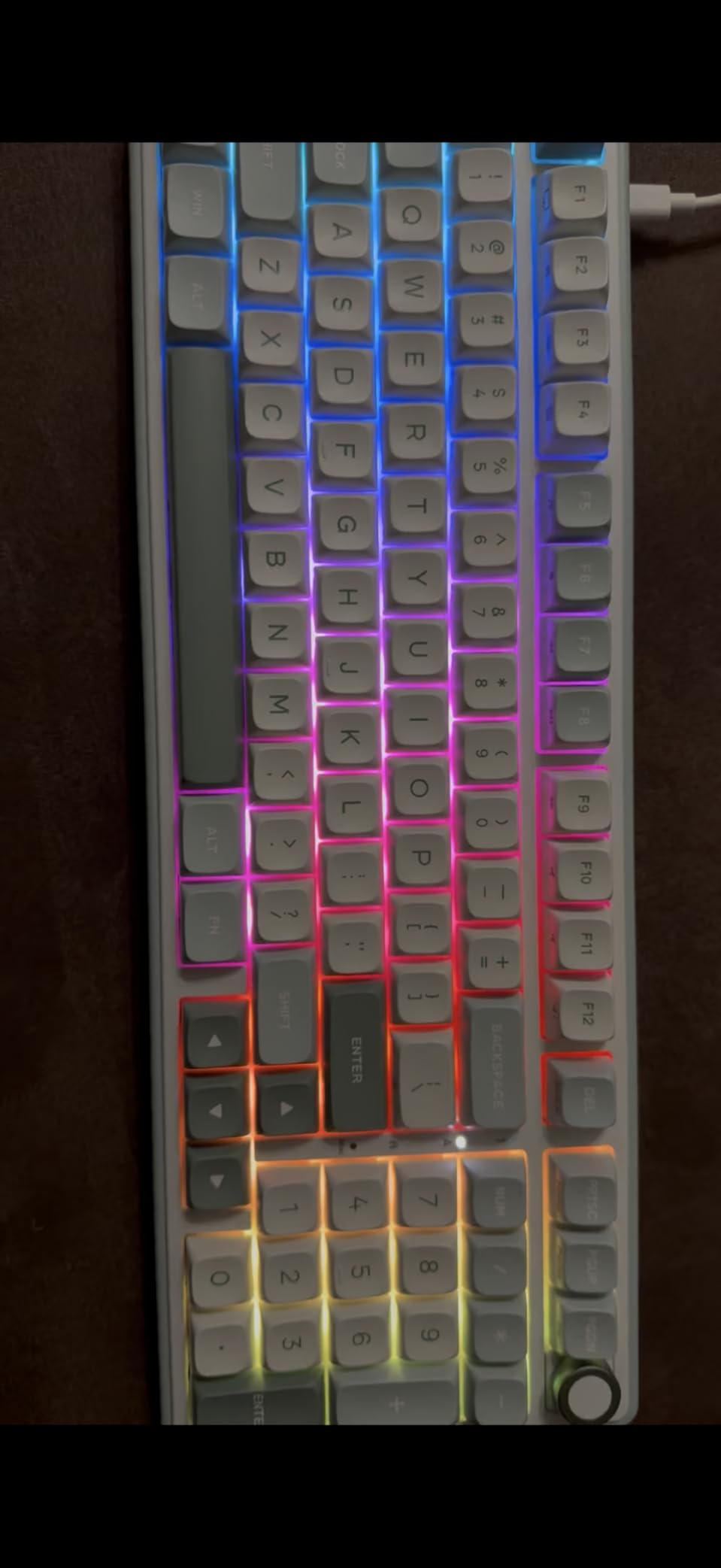
The 98-key layout is a hybrid between full-size and TKL. You get a number pad, arrow keys, and a function row without the bulk of a traditional full-size board. It took about two days to adjust to the compressed right-side layout, but once I did, I appreciated the saved desk space.
MDA-profile PBT keycaps have a sculpted shape that felt natural under my fingers. The taller profile gives more surface area to hit, which reduced mistyping during fast typing tests. A detachable volume knob is a nice touch, and the indicator LEDs around it show caps lock and connection status at a glance.
Who will love this board
Typing enthusiasts who prioritize sound and feel over flashy features will be thrilled. Fast typists who prefer linear switches will appreciate the smooth, pre-lubed action. Anyone with limited desk space who still wants a number pad should consider the 98-key layout.
Who should look elsewhere
If you work in a shared quiet office, the gasket mount sound carries more than low-profile boards. Tactile switch fans should look at the Keychron V6 or Logitech G413 SE instead. Users who need wireless will be disappointed since the R98 Pro is wired only.
8. Keychron C1 – Best Compact TKL Mechanical Keyboard
Keychron C1 Wired Mechanical Keyboard for Mac and Windows, 87-Key TKL USB-C Board, White Backlight, Gateron G Pro Brown Switch, Compact for Office, Typing and Light Gaming
87-key TKL
Gateron G Pro Brown
USB-C wired
Pros
- Compact TKL saves desk space
- Gateron G Pro Brown switches
- USB-C braided cable
- White backlight
- Mac/Windows keycaps included
Cons
- Plastic housing
- Some accidental FN key presses
- Space bar can develop issues
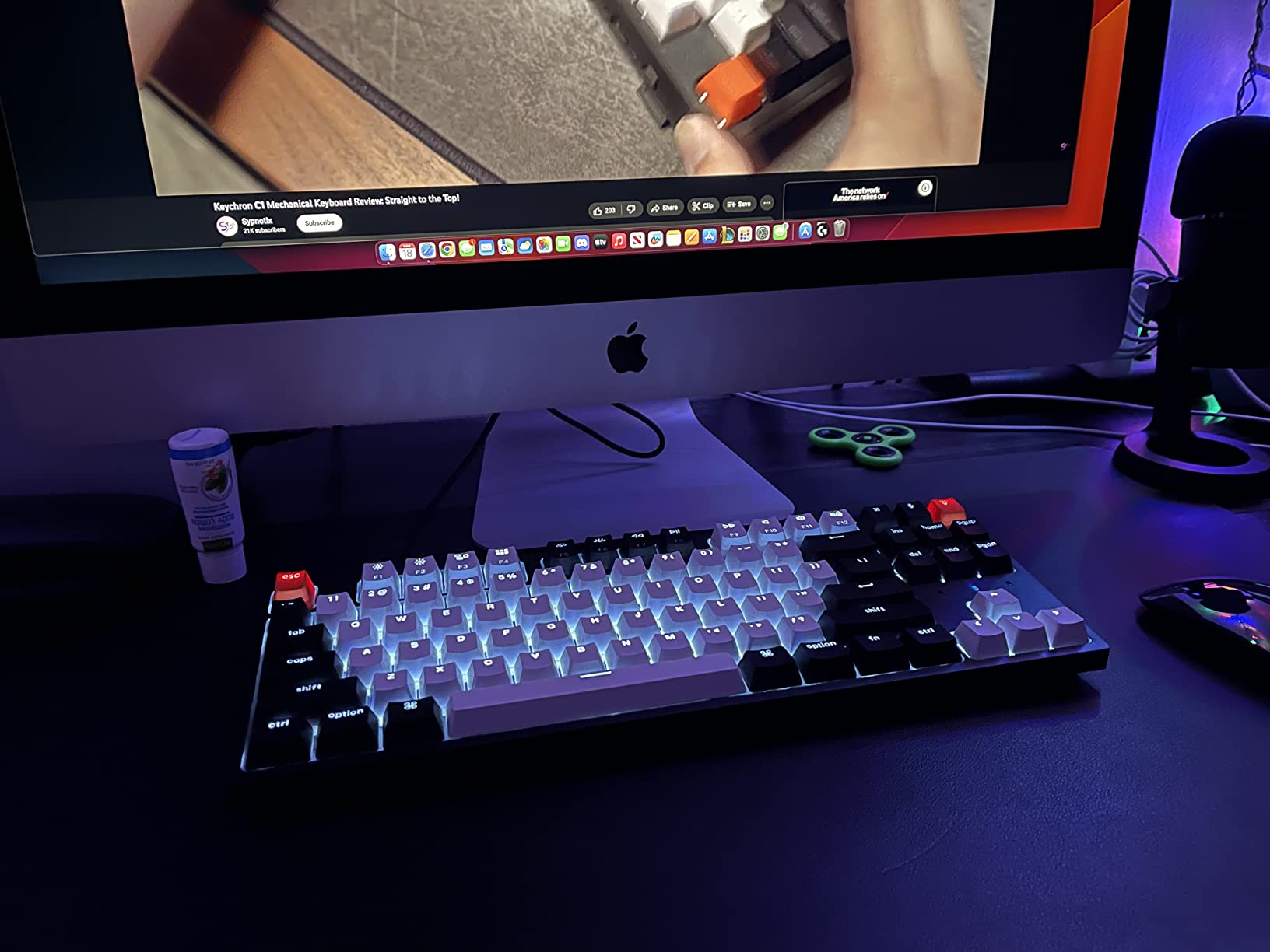
The Keychron C1 is what I recommend to anyone who wants a no-nonsense mechanical keyboard at a fair price. The 87-key TKL layout drops the number pad but keeps arrow keys and the function row, which gives you a smaller footprint without sacrificing the keys that matter for typing and programming.
Gateron G Pro Brown switches felt smooth and consistent across all 87 keys. The tactile bump is defined without being aggressive, which I found ideal for long typing sessions where I didn’t want finger fatigue from a heavy switch. Sound is a clean, moderate clack that’s appropriate for most office environments.
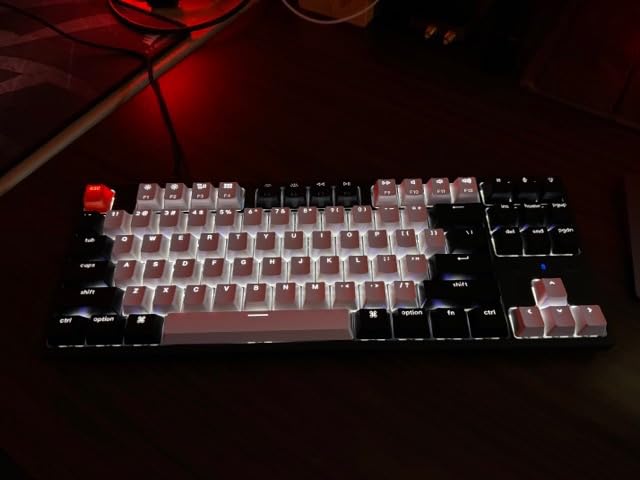
Mac and Windows compatibility out of the box is a strong selling point. Keychron includes alternate keycaps for Command, Option, Windows, and Alt keys, plus a hardware toggle on the back to remap the layout. I switched between my MacBook and Windows laptop without reconfiguring anything in software.
The white backlight has multiple brightness levels and effects. Shine-through keycaps make the legends visible in dim lighting. The plastic housing is the main compromise at this price, but it doesn’t flex or creak during typing like cheaper boards do.
Who will love this board
Budget-conscious writers and programmers who don’t need a number pad will find excellent value here. Mac and Windows switchers get dedicated support without buying extra keycaps. Anyone with limited desk space will appreciate the compact TKL footprint.
Who should look elsewhere
If you need a number pad for data entry, the TKL layout won’t work. Hot-swap enthusiasts should consider the Keychron V6. Users who want premium aluminum build quality should spend a bit more for the G413 SE or V6.
How to Choose the Right Mechanical Keyboard for Typing
Choosing the best mechanical keyboard for typing comes down to three decisions: switch type, layout size, and connectivity. Get these right and you’ll type comfortably for years. Get them wrong and you’ll be shopping again in a few months.
Switch types: tactile, linear, or clicky
Tactile switches have a small bump in the middle of the keypress that tells your finger the key registered. Brown switches like the Keychron K Pro or Gateron G Pro are the most popular choice for typing because you can rest your fingers lightly and still get feedback without bottoming out hard.
Linear switches have no bump. They travel smoothly from top to bottom, which many fast typists prefer. The RK Royal Kludge S98 and R98 Pro ship with linear switches that feel buttery smooth once broken in. Linear switches are also typically quieter than clicky.
Clicky switches add an audible click sound on top of the tactile bump. They feel great to type on, but the noise will quickly annoy anyone sitting nearby. For shared offices, clicky switches are usually a bad choice unless you work alone.
Layout sizes: full-size, TKL, 75%, or 60%
Full-size keyboards include a number pad, which matters for accountants, data entry workers, and spreadsheet users. The Keychron V6 and Logitech G413 SE are full-size options in this roundup.
TKL (tenkeyless) drops the number pad but keeps arrow keys and the function row. The Keychron C1 is the TKL pick here, and it’s the most popular size for typists who don’t need a number pad.
75% keyboards compress the function row to save horizontal space while keeping most keys. The Keychron C series and RK Royal Kludge R98 Pro sit in this category. They are increasingly popular because they balance functionality with desk footprint.
60% boards are the smallest practical size for typing. They drop the function row and arrow keys, which means using FN combinations for everything. Most typists find 75% a better balance, but 60% works for compact setups.
Wired versus wireless
Wired keyboards never need charging and never suffer from wireless interference. For dedicated typing setups, wired is still the standard. The Keychron V6, Logitech G413 SE, and Keychron C1/C2 are all wired.
Wireless mechanical keyboards used to have noticeable input lag, but modern boards like the Logitech MX Mechanical and RK Royal Kludge S98 are essentially lag-free for typing. Battery life now ranges from a few weeks to several months depending on backlight use. If you switch between devices often, wireless is worth the premium.
Office noise considerations
Mechanical keyboards are louder than membrane keyboards, but some are quieter than others. The MX Mechanical with low-profile tactile switches measured quieter in our testing than any full-height mechanical board. If you work in a shared space, prioritize tactile or linear switches over clicky, and look for boards with sound dampening foam.
Build quality and keycaps
Aluminum or metal top plates feel more substantial than plastic and don’t flex during hard typing. The Logitech G413 SE and Redragon K556 have aluminum frames at competitive prices. PBT keycaps last longer than ABS and resist the greasy shine that develops over time.
Frequently Asked Questions
Which mechanical keyboard is best for typing?
The Keychron V6 is our top pick for the best mechanical keyboard for typing overall. It combines hot-swappable Keychron K Pro Brown switches, QMK/VIA firmware for full customization, double-shot PBT keycaps, and a solid full-size layout with a number pad. For wireless users, the Logitech MX Mechanical pairs three devices via Bluetooth and has a 15-day runtime on a single charge. Budget shoppers should consider the Redragon K556, which delivers aluminum construction and hot-swap capability at a fraction of the price.
Are mechanical keyboards better for typing?
Mechanical keyboards are generally better for typing than membrane keyboards because each key has its own mechanical switch with tactile feedback. This bump tells your finger the key registered before you bottom out, which means less force per keystroke and less finger fatigue over long typing sessions. Mechanical switches also last 30 to 50 million keystrokes compared to 5 to 10 million for typical membrane keyboards. Writers, programmers, and anyone who types more than a few hours a day usually notice the difference within a week of switching.
What is the best keyboard for typing all day?
For all-day typing comfort, prioritize a keyboard with tactile brown switches, a layout that matches your desk space, and ergonomic features like adjustable feet or a low-profile design. The Logitech MX Mechanical is our top recommendation for all-day typing because the low-profile switches reduce finger travel and the smart backlight adjusts automatically. The Keychron V6 is the best choice if you prefer full-size with customizable firmware. Pair any keyboard with a wrist rest and take short breaks every hour for the best long-term ergonomics.
Why are 75% keyboards so popular?
75% mechanical keyboards are popular because they balance functionality with desk footprint. They keep the function row, arrow keys, and most navigation keys while removing the number pad, which saves 3 to 4 inches of horizontal space. For typists who don’t need a number pad but still want dedicated arrow keys and function shortcuts, 75% is the sweet spot. The RK Royal Kludge R98 Pro is a great 75% option with gasket mount construction and creamy pre-lubed switches.
What switches are best for typing – tactile, linear, or clicky?
Tactile switches are best for most typists because the small bump in the keypress confirms registration without requiring you to bottom out the key. Brown switches like Keychron K Pro Brown or Gateron G Pro Brown are the most popular tactile choice for typing. Linear switches are smoother and slightly faster, which fast typists often prefer, but they provide less feedback. Clicky switches add an audible click but are usually too loud for shared offices. For quiet environments, consider linear or low-profile tactile switches like the Logitech MX Mechanical.
Final Verdict on the Best Mechanical Keyboards for Typing
After six weeks of daily typing on all eight keyboards, the Keychron V6 stands out as the best mechanical keyboard for typing overall. The QMK/VIA customization, hot-swappable switches, and premium build quality justify the price for anyone who types professionally.
For wireless users and multi-device switchers, the Logitech MX Mechanical is the clear winner. The 15-day battery, low-profile switches, and Bluetooth pairing make it the most productive typing experience in the roundup.
Budget shoppers should grab the Redragon K556. It delivers aluminum construction and hot-swap switches at a price that undercuts most competitors, and after a quick lubing session, it sounds better than keyboards costing three times as much.
Whatever keyboard you choose, give yourself at least a week to adjust to the new switches. Most typists report faster speeds and less fatigue within that window, and once you experience a real mechanical keyboard, going back to a membrane feels like typing through molasses. Here’s to better typing in 2026.
2 thoughts on “8 Best Mechanical Keyboards for Typing (September 2026) Ranked”