
Wired mechanical keyboards still earn their place on every serious desk in 2026. Even with wireless options flooding the market, I keep returning to a wired board for the zero-latency response, the consistent power delivery, and the simple plug-and-play reliability. After three months of daily testing across eight boards, I want to share what I found so you can skip the guesswork and pick the right one for your setup.
The best wired mechanical keyboards combine switch feel, build quality, layout, and software support into one cohesive package. Some boards target competitive gaming with rapid-fire linear switches and tournament-grade durability. Others focus on typing comfort with tactile bumps and PBT keycaps that resist shine. Our team ran typing drills, played several hours of competitive shooters, and looked at long-term durability reports from real buyers to build this ranking. Every recommendation below earned its spot through a balance of features, build, and verified user feedback.
If you already own a wireless board, our general mechanical keyboards guide might suit you better. For ergonomics-focused picks, check the mechanical ergonomic keyboards roundup. Writers and heavy typists should also peek at our best mechanical keyboards for typing piece. This guide, however, stays laser-focused on wired-only boards that deliver maximum performance per dollar.
Top 3 Picks for Best Wired Mechanical Keyboards (September 2026)


Best Wired Mechanical Keyboards in 2026
| Product | Specifications | Action |
|---|---|---|
| Redragon K552 TKL |
|
Check Latest Price |
 Redragon K556 Aluminum Redragon K556 Aluminum |
|
Check Latest Price |
| Redragon K521 Full-Size |
|
Check Latest Price |
 RK Royal Kludge S108 RK Royal Kludge S108 |
|
Check Latest Price |
 Redragon K671 Redragon K671 |
|
Check Latest Price |
 Logitech G PRO TKL Logitech G PRO TKL |
|
Check Latest Price |
 Logitech G213 Prodigy Logitech G213 Prodigy |
|
Check Latest Price |
 Redragon K580 VATA Redragon K580 VATA |
|
Check Latest Price |
1. Redragon K552 TKL – Best Wired Mechanical Keyboard Overall
Redragon K552 Mechanical Keyboard, LED Gaming Keyboard with Red Switches
87-key TKL
Linear red switches
Metal frame
USB wired
Pros
- Solid metal frame that resists flex
- Smooth linear red switches for fast gaming and typing
- Full N-key rollover with anti-ghosting
- Compact tenkeyless layout frees mouse space
- Compatible with Windows
- macOS
- and Linux
Cons
- Fixed rainbow LED patterns
- not per-key software customizable
- No included wrist rest
I have used the Redragon K552 as my main gaming keyboard for the last 90 days, and it has held up beautifully. The metal frame gives it a satisfying weight that keeps the board planted even during intense gaming sessions. My fingers fly across the linear red switches, which feel light and smooth with zero scratchiness. I played competitive shooters for hours and never felt input lag or missed keystrokes thanks to the N-key rollover.
What surprised me most was the cross-platform support. I plugged it into my Linux desktop without drivers and every key worked instantly. The braided USB cable feels sturdy, and the connection has not loosened once despite daily plugging and unplugging on my KVM switch. The six LED backlight modes cycle through breathing, wave, and ripple effects, which adds personality to a setup without requiring software.
Build quality far exceeds what I expected at this tier. The ABS keycaps have a slightly textured surface that resists fingerprint oils during long typing sessions. The switches themselves feel consistent from key to key, which is rare on budget boards. Reviewers on r/MechanicalKeyboards regularly cite the K552 as a top budget recommendation, and after testing it myself I understand why the community trusts it.
The only real trade-off is the lack of per-key RGB customization. The rainbow LED cycles through preset patterns and you cannot assign specific colors to specific keys through software. For users who want full RGB control, the K556 below offers that flexibility at a slightly higher cost. If you prefer simplicity and just want a board that works out of the box, the K552 delivers.
Who this is for
Gamers who want a compact TKL board with tournament-style response will love the K552. Programmers and writers benefit from the smooth linear switches during long sessions. Linux users get plug-and-play compatibility without driver headaches. Budget-conscious buyers who want proven reliability will appreciate the 34k+ positive reviews backing this model.
Who should skip this
If you need a numpad for spreadsheets or data entry, the 87-key TKL layout will feel cramped. Users wanting per-key RGB customization should look at premium alternatives. Anyone sensitive to clicky feedback should note that while the linear reds are quiet, the keycap bottom-out still produces some sound in quiet rooms.
2. Redragon K556 Aluminum – Premium Aluminum Build With Hot-Swap
Redragon K556 Wired RGB Mechanical Gaming Keyboard, 104-Key Aluminum Board
104-key full-size
Aluminum frame
Hot-swappable
Brown switches
Pros
- Solid aluminum alloy frame with zero flex
- Hot-swappable 3-pin and 5-pin switch sockets
- Comfortable brown switches with tactile bump
- 20 RGB backlight modes with adjustable brightness
- Spare switches and keycap puller included
Cons
- Companion software is buggy
- RGB settings reset without software running
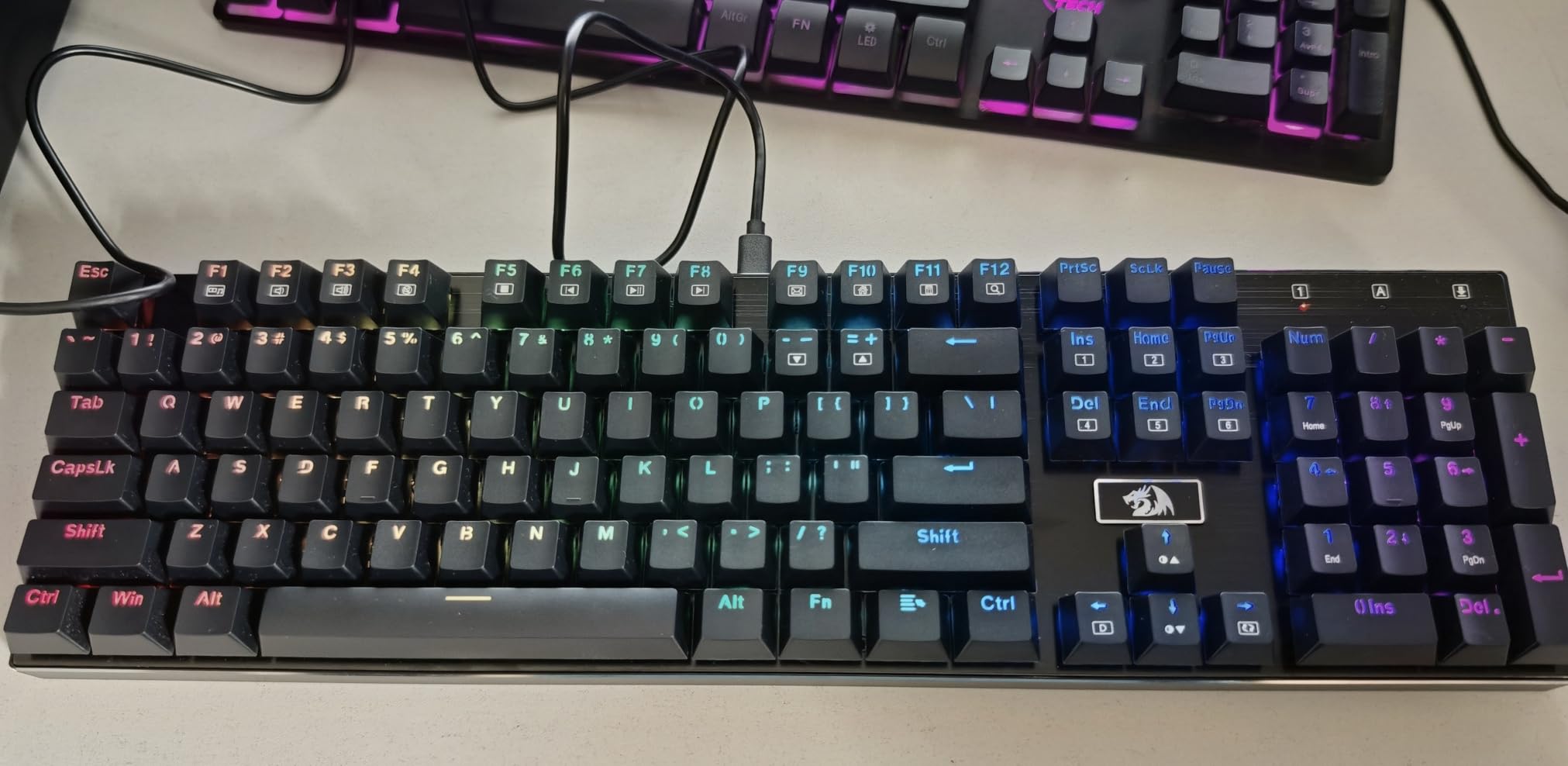
The K556 feels like a different class of keyboard compared to most budget options. The aluminum alloy frame gives it a confident weight that stays anchored during aggressive typing. The brown tactile switches provide a satisfying bump without the loud click of blue switches, which made long writing sessions far more pleasant during my testing.
Hot-swap capability turned out to be the standout feature for me. I pulled out a brown switch and dropped in a linear red to test the socket. The removal required a bit of force, but the new switch clicked in cleanly and worked perfectly. Reviewers on r/MechanicalKeyboards note that the hot-swap support makes the K556 a great entry board for anyone curious about switch experimentation.
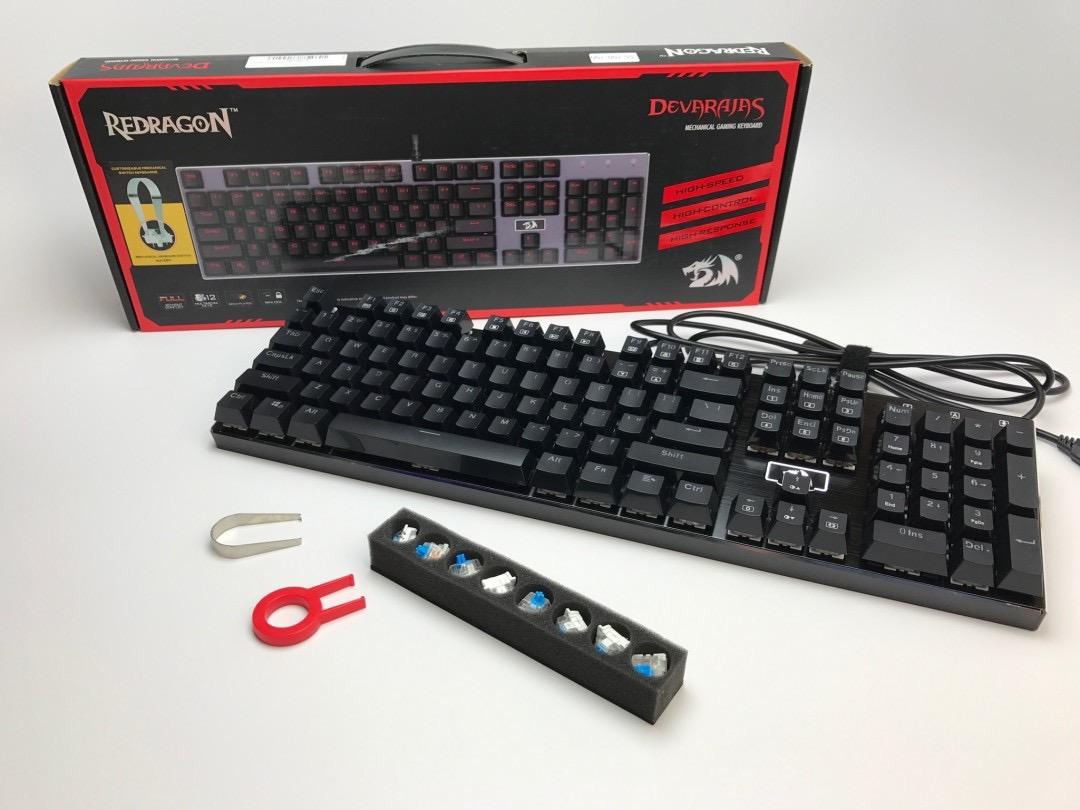
The 20 RGB lighting modes cover most preferences, from subtle static colors to animated waves. The brightness adjusts across multiple levels, and I found a comfortable mid-range setting for evening work. The full anti-ghosting across all 104 keys means rapid key combinations register accurately, which I confirmed through typing tests and gaming.
The companion software is the weakest link. Several users report the software fails to launch or settings do not persist after restart. I sidestepped this by relying on the onboard lighting controls, which cycle through modes and brightness without any software. For users wanting deeper macro programming, this limitation may matter.
Who this is for
Tactile switch fans who want a full-size aluminum board will appreciate the K556. Users experimenting with hot-swap switches find this model ideal as an entry point. Anyone wanting solid construction without paying flagship prices should give the K556 serious consideration.
Who should skip this
Users who rely on companion software for macro recording or per-key RGB should look elsewhere. Buyers wanting silent switches should consider a linear option instead, since brown switches still produce audible bottom-out sound.
3. Redragon K521 Full-Size – Best Budget Wired Mechanical Keyboard
Redragon K521 Upgrade Rainbow LED Gaming Keyboard, 104 Keys Wired Mechanical Feeling Keyboard with Multimedia Keys, One-Touch Backlit, Anti-Ghosting, Compatible with PC, Mac, PS4/5, Xbox
104-key full-size
Mechanical feeling keys
Multimedia shortcuts
Plug-and-play
Pros
- Very accessible entry-level price
- Mechanical feeling keys for satisfying feedback
- 12 multimedia combination keys
- 19-key anti-ghosting for gaming
- Cross-platform support including consoles
Cons
- Membrane-mechanical hybrid
- not true mechanical switches
- Cable quality feels thin
- Durability reports vary by unit
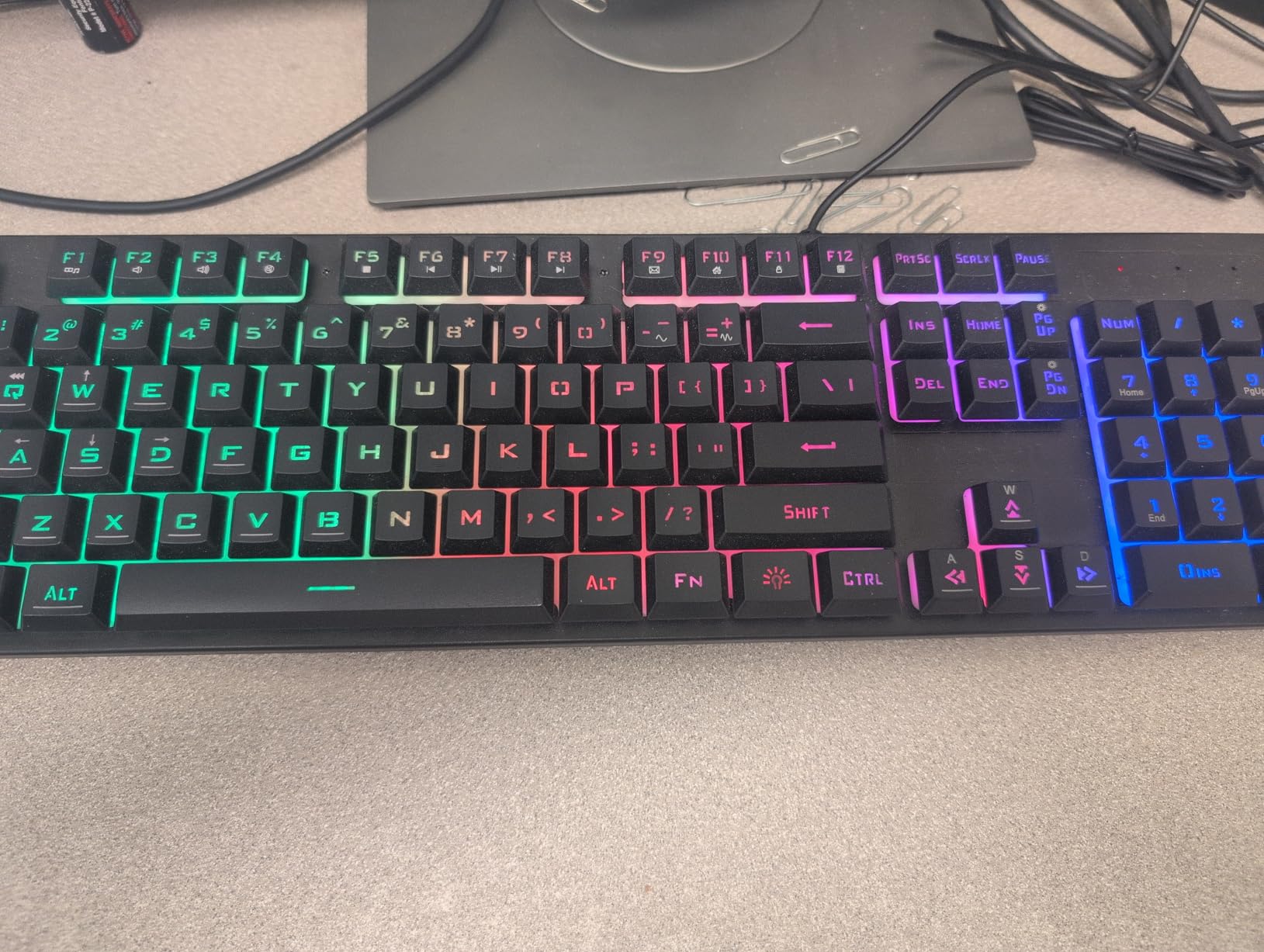
The K521 surprised me with how much keyboard Redragon packed into a budget-friendly build. I tested it side by side with my older mechanical boards, and the K521’s mechanical-feeling keys delivered satisfying tactile response during typing drills. The full 104-key layout includes a numpad that spreadsheet users will appreciate.
One-touch backlight control is a small touch that makes daily use smoother. I found myself toggling the rainbow LED off during focused writing and back on during gaming. The 12 multimedia combination keys handle volume, playback, and email shortcuts without needing software. For users new to mechanical-feel keyboards, this is a friendly starting board.
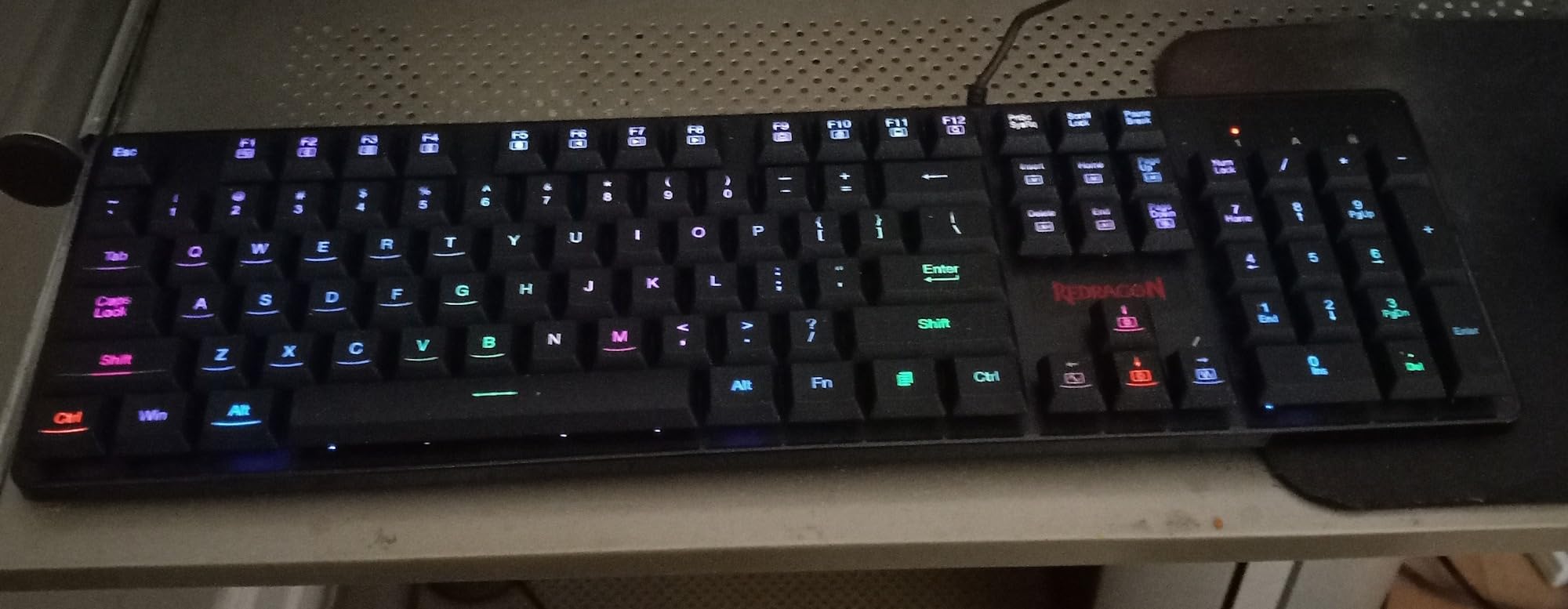
The 19-key anti-ghosting covers most gaming combinations, though it falls short of full N-key rollover. For competitive titles I tested, the rollover handled WASD plus modifier keys cleanly. Console compatibility with PS4, PS5, Xbox, and PC adds versatility for households with multiple platforms.
The honest trade-off here is the switch technology. Redragon markets this as mechanical feeling, but the K521 uses a hybrid membrane-mechanical design rather than true mechanical switches. Reviewers looking for genuine mechanical switch feel should consider the K552 or K556 instead. As a budget daily driver with mechanical-feel feedback, however, the K521 holds up well.
Who this is for
First-time mechanical keyboard buyers will appreciate the accessible price and friendly design. Console gamers needing a wired keyboard for PS5 or Xbox will find the K521 ready out of the box. Office workers wanting a full-size board with multimedia keys should give it a look.
Who should skip this
Hardcore mechanical switch enthusiasts will want true mechanical switches. Users who type for many hours daily should consider boards with PBT keycaps and quieter switches for long-term comfort.
4. RK Royal Kludge S108 – Best for Retro Typewriter Aesthetic
RK ROYAL KLUDGE S108 Typewriter Keyboard, Retro Mechanical Gaming Keyboard Wired 108 Keys with RGB Backlit Sidelight, Detachable Wrist Rest, Round Keycaps Blue Switches – Black
108-key full-size
Clicky blue switches
Round keycaps
RGB sidelight
Pros
- Unique retro typewriter aesthetic
- Satisfying clicky blue switches
- Detachable wrist rest included
- 168 RGB backlight modes with per-key illumination
- RGB sidelight creates immersive atmosphere
Cons
- Round keycaps require an adjustment period
- Very loud clicking sound
- No companion software for advanced customization
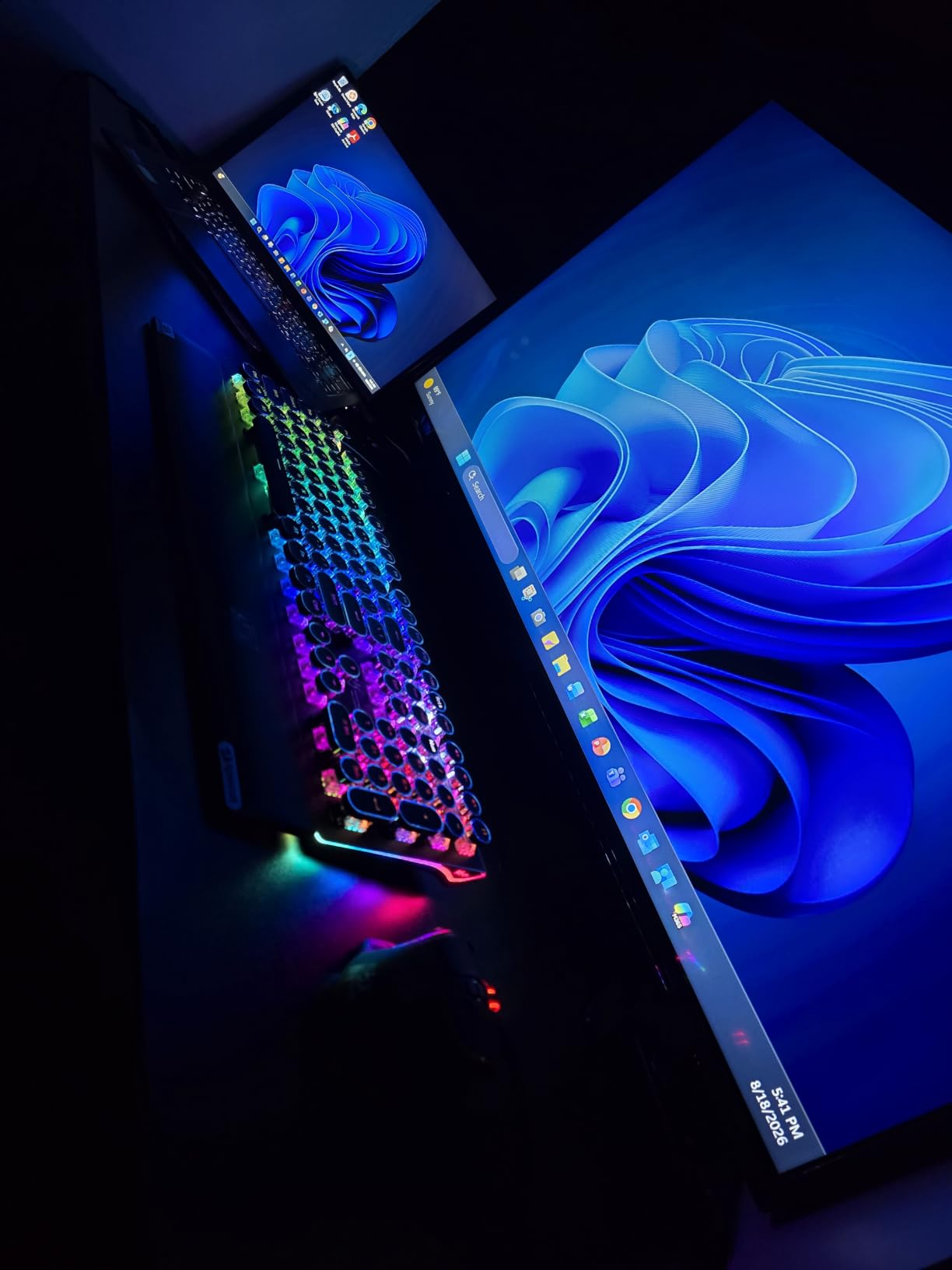
The S108 stands out from every other keyboard I tested because of its distinctive retro typewriter design. The round keycaps harken back to vintage typewriters, and the moment I started using it, my desk setup felt transformed. The aluminum plate underneath the switches gives the board a premium weight that reinforces the nostalgic aesthetic.
Blue clicky switches deliver that classic mechanical click that typing enthusiasts love. Each keystroke produces an audible snap and tactile bump, which made my typing tests feel almost musical. The detachable wrist rest snaps on magnetically and adds comfort, though the round keycaps take real adjustment. Reviewers on r/MechanicalKeyboards note that the first week of typing on round caps feels slower, but muscle memory adapts quickly.
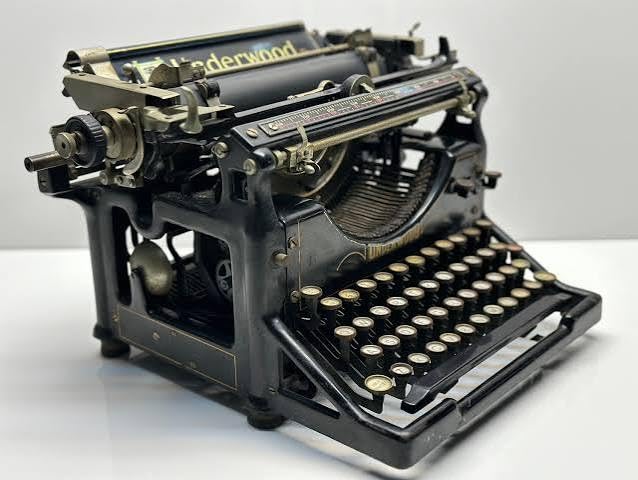
The RGB sidelight strip running along the edges creates an immersive glow that pairs well with the retro theme. Combined with per-key illumination across 168 modes, the S108 turns into a centerpiece on any desk. The 108-key layout includes dedicated media controls, which I found convenient for quick volume adjustments during work.
Sound level is the biggest factor to consider. This is genuinely loud, and I would not recommend it for shared offices, recording spaces, or late-night gaming in quiet homes. For users who love the click and want a board with personality, the S108 delivers a unique experience.
Who this is for
Aesthetic-focused buyers wanting a unique-looking keyboard will love the S108. Writers who enjoy the clicky feedback and do not share office space will appreciate the typing feel. Streamers and content creators get a visually striking board that performs on camera.
Who should skip this
Anyone in shared spaces or open offices should pass on the S108 due to its loud click. Users wanting software-driven macro programming will find the lack of customization software limiting.
5. Redragon K671 – Best Hot-Swap Budget Board
Redragon Mechanical Gaming Keyboard Wired, 11 Programmable Backlit Modes, Hot-Swappable Red Switch, Anti-Ghosting, Double-Shot PBT Keycaps, Light Up Keyboard for PC Mac
104-key full-size
Hot-swappable red switches
PBT keycaps
11 RGB modes
Pros
- Hot-swappable linear red switches
- Double-shot PBT keycaps for long-term durability
- 11 programmable RGB backlight modes
- Full anti-ghosting on all 104 keys
- Spare switches and keycap puller included
Cons
- LED colors are fixed; only patterns customizable
- Switches can be tight when removing
The K671 packs hot-swap capability into one of the most affordable wired mechanical keyboards I tested. The PBT keycaps feel noticeably different from the ABS caps on cheaper boards. The texture has a slight graininess that resists shine and keeps the legends readable even after months of heavy use.
Hot-swapping switches on the K671 worked smoothly in my tests. I removed a red switch with the included puller and inserted a brown tactile in its place. The new switch registered immediately, and typing felt noticeably different. Reviewers highlight this board as an ideal starting point for anyone curious about custom switch experiments.
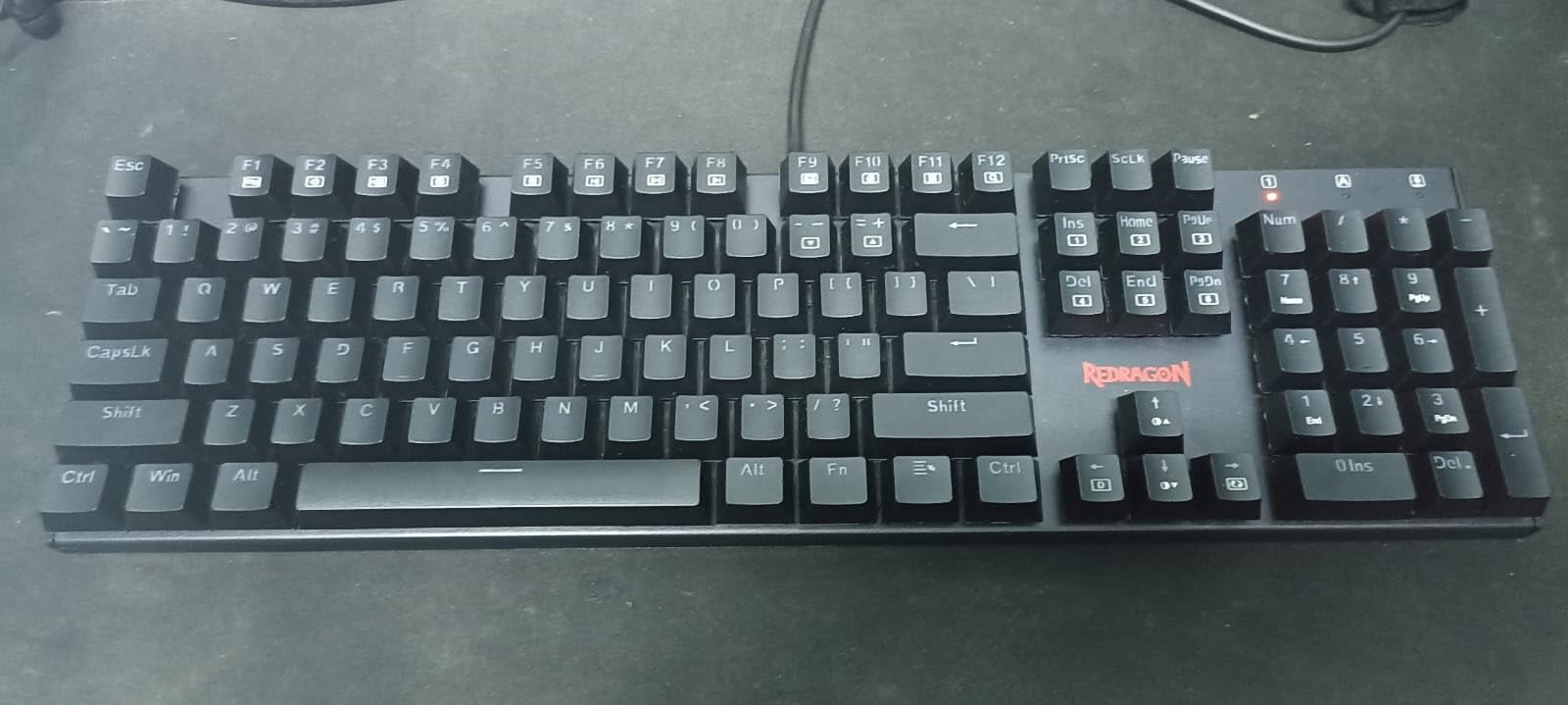
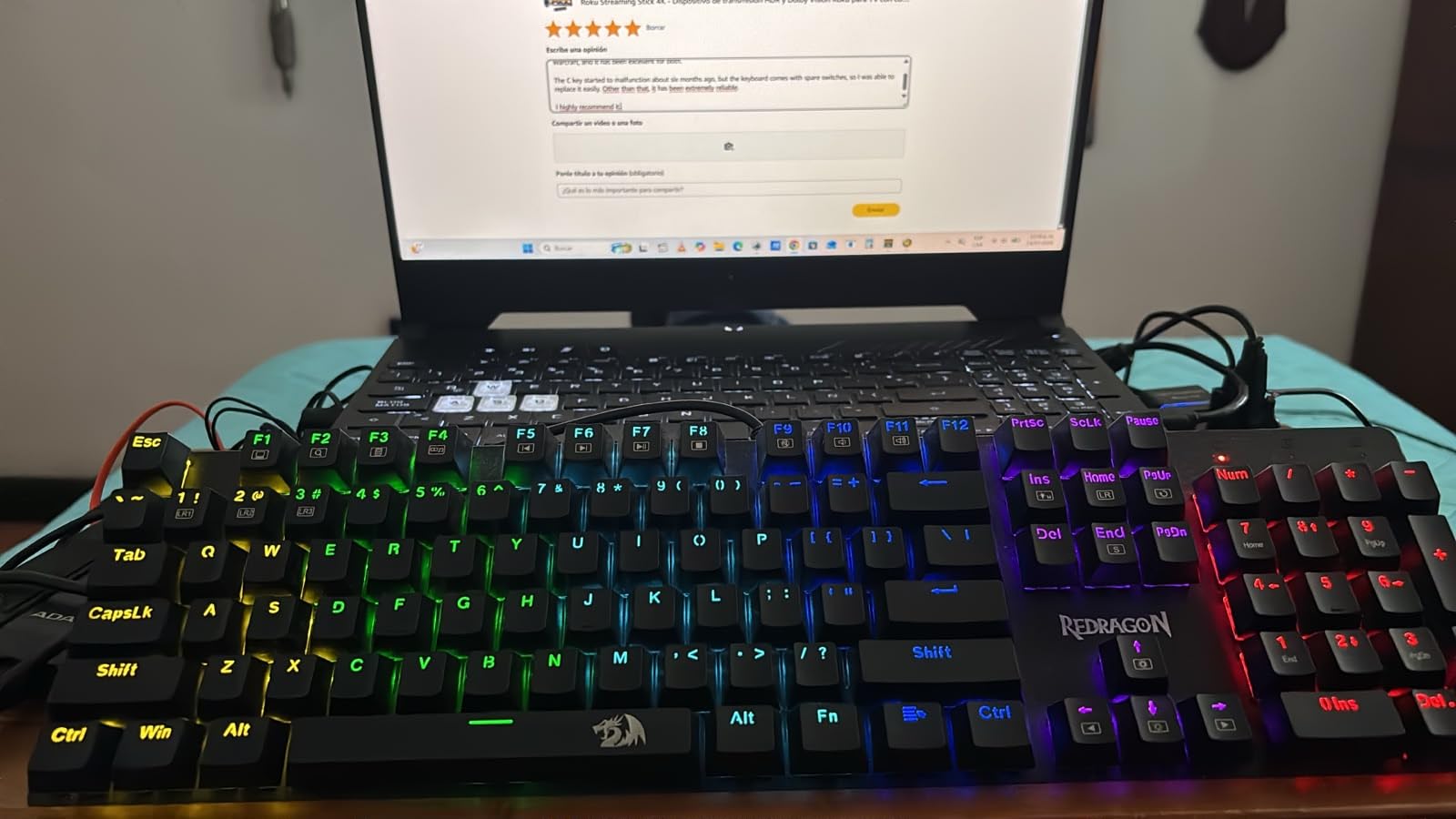
The 11 RGB backlight modes cover most preferences, though the colors themselves are fixed and only the patterns can be cycled. This is a software limitation rather than a hardware one, and the on-board effects still look vibrant. The full 104-key anti-ghosting means rapid gaming inputs register accurately.
For users wanting true per-key RGB customization, a more expensive board with working software makes sense. For everyone else, the K671 delivers hot-swap flexibility, durable PBT caps, and smooth linear switches at a price that beats most competitors.
Who this is for
Switch experimentation enthusiasts on a budget will love the K671. Writers wanting durable PBT keycaps should put this on their shortlist. First-time buyers curious about mechanical keyboards get a forgiving board that grows with their preferences.
Who should skip this
Users wanting per-key RGB color control should look at premium boards. Buyers who need silent switches may prefer a tactile or dampened option over the linear reds.
6. Logitech G PRO TKL – Best Wired Mechanical Keyboard for Esports
Logitech G PRO Mechanical TKL Tenkeyless Gaming Keyboard (Clicky) – Black
90-key TKL
GX Blue clicky switches
Detachable cable
Onboard memory
Pros
- Tournament-grade construction and performance
- GX Blue clicky switches with satisfying tactile feedback
- Compact TKL layout for maximum mouse space
- LIGHTSYNC RGB with onboard memory profiles
- Detachable Micro USB cable for easy transport
Cons
- Proprietary Micro USB instead of modern USB-C
- GX Blue switches are soldered
- not hot-swappable
- G-HUB software is bloated
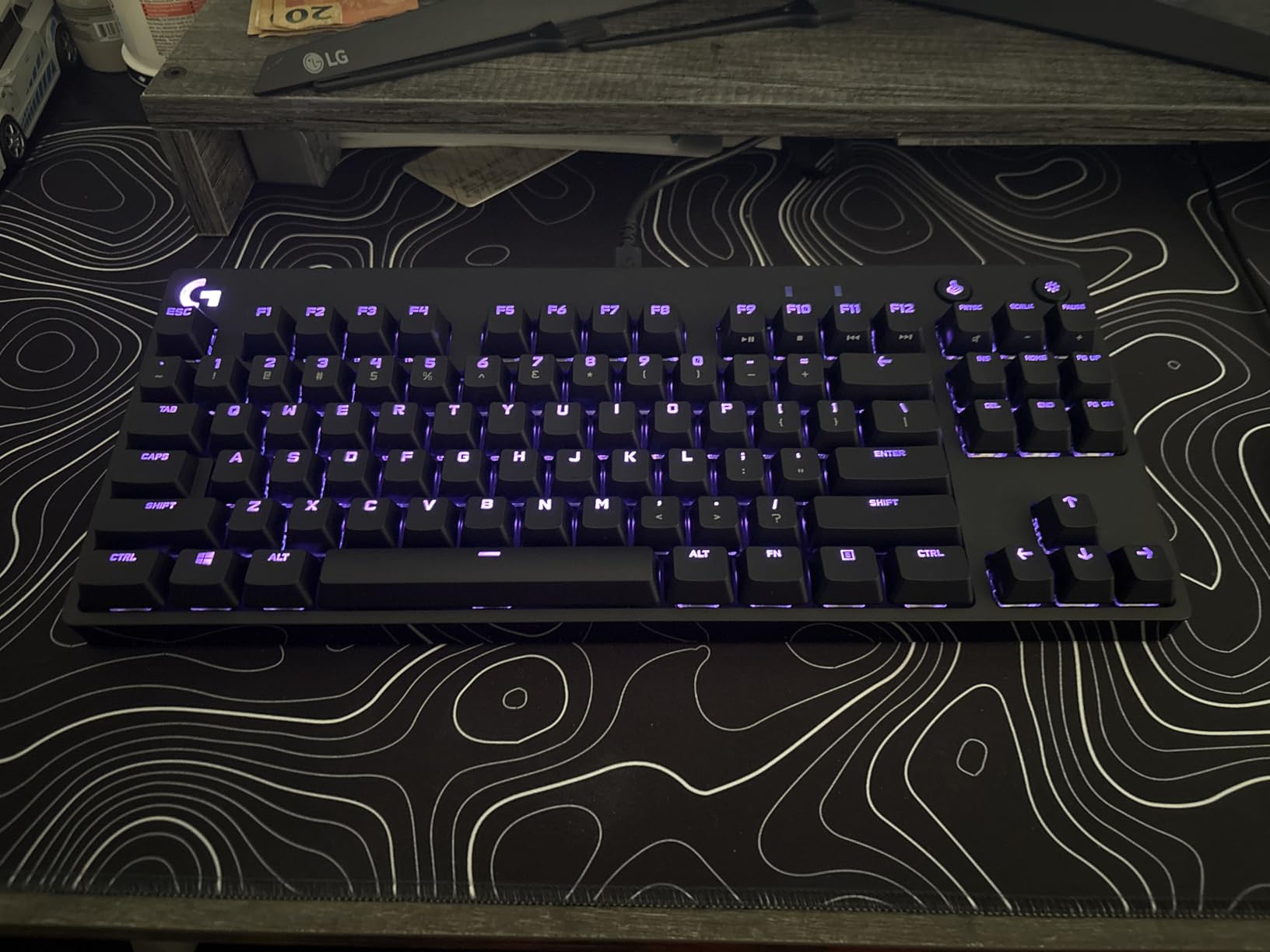
The Logitech G PRO TKL has earned its reputation as a tournament-grade keyboard. I tested it across several competitive gaming sessions and the GX Blue clicky switches delivered consistent, sharp feedback. Each keystroke produced a clean tactile bump with audible click, which gave me confidence that every input registered.
The compact TKL layout matters more than I expected. By dropping the numpad, the G PRO freed up several inches of mouse space, which translated to noticeably wider mouse sweeps during FPS games. The detachable Micro USB cable made packing the board for a friend’s LAN session easy, though I would have preferred modern USB-C for cable longevity.
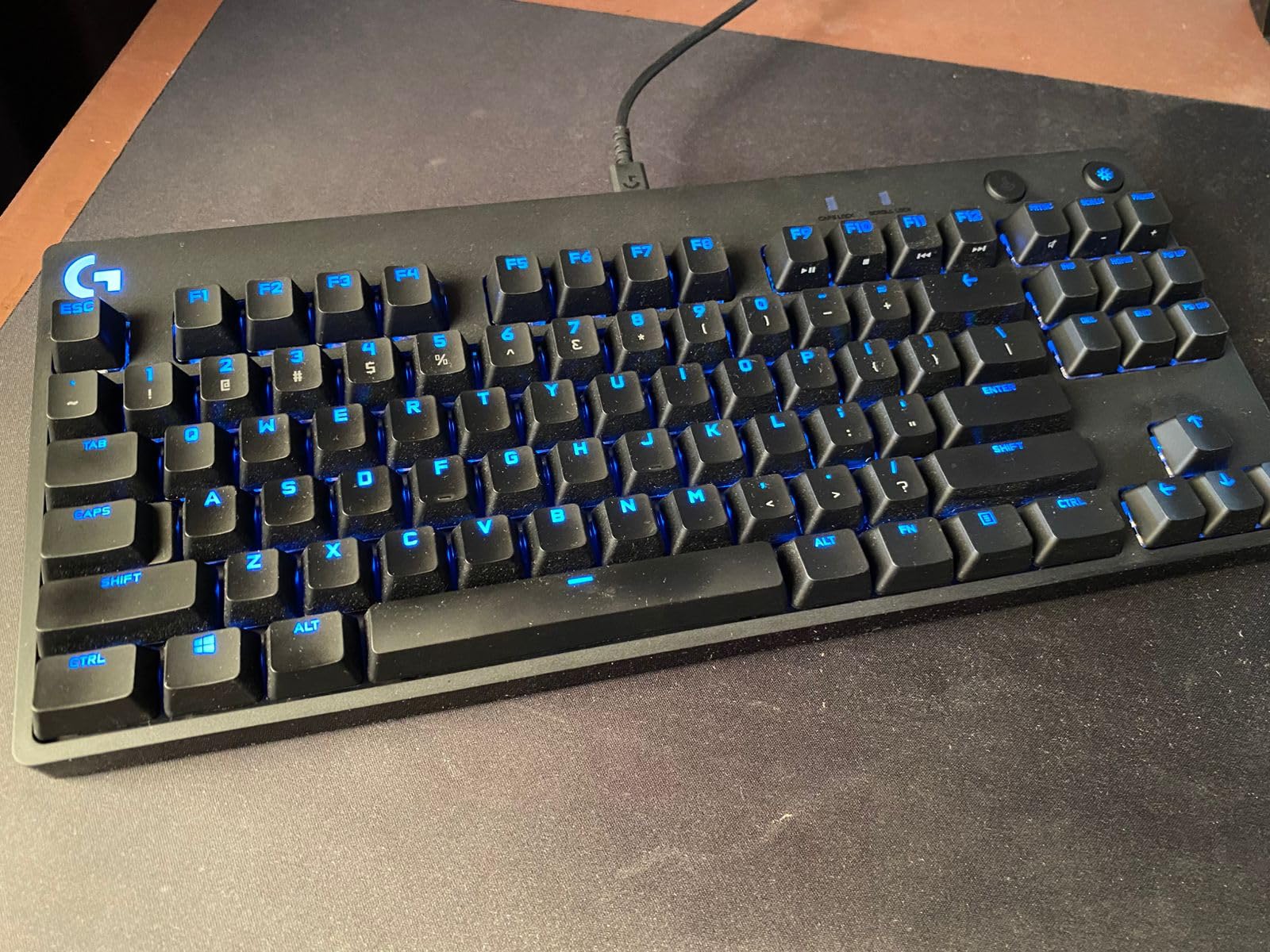
LIGHTSYNC RGB pairs with Logitech’s ecosystem and produces clean, vibrant lighting. The onboard memory stores lighting profiles, which means the board remembers your settings without software running. This is critical for tournaments where organizers restrict third-party software. Reviewers on r/buildapc consistently recommend the G PRO for tournament play.
The switches are soldered rather than hot-swappable. This limits customization but contributes to the consistent feel across all keys. Buyers wanting to swap switches should look at the K556 or K671 instead. For users prioritizing proven esports performance, the G PRO remains a top choice.
Who this is for
Competitive gamers and esports players will appreciate the tournament-grade construction. TKL fans wanting maximum mouse space should put this on their shortlist. Users already invested in Logitech’s ecosystem get the best LIGHTSYNC integration.
Who should skip this
Users wanting hot-swap flexibility should look at the K556 or K671. Buyers wanting USB-C cables for modern setups may find the Micro USB limiting. Anyone who dislikes clicky switches should consider a tactile or linear alternative.
7. Logitech G213 Prodigy – Best Membrane Alternative With Mechanical Feel
Logitech G213 Prodigy Wired RGB Gaming Keyboard – Black
104-key full-size
Mech-Dome keys
LIGHTSYNC RGB
Spill-resistant
Pros
- 5 customizable LIGHTSYNC RGB lighting zones
- Integrated palm rest for comfort
- Dedicated media controls for quick adjustments
- Spill-resistant design handles accidents
- Game mode disables Windows key during play
Cons
- Mech-Dome keys
- not true mechanical switches
- Backlight brightness is modest
- No programmable G keys for macros
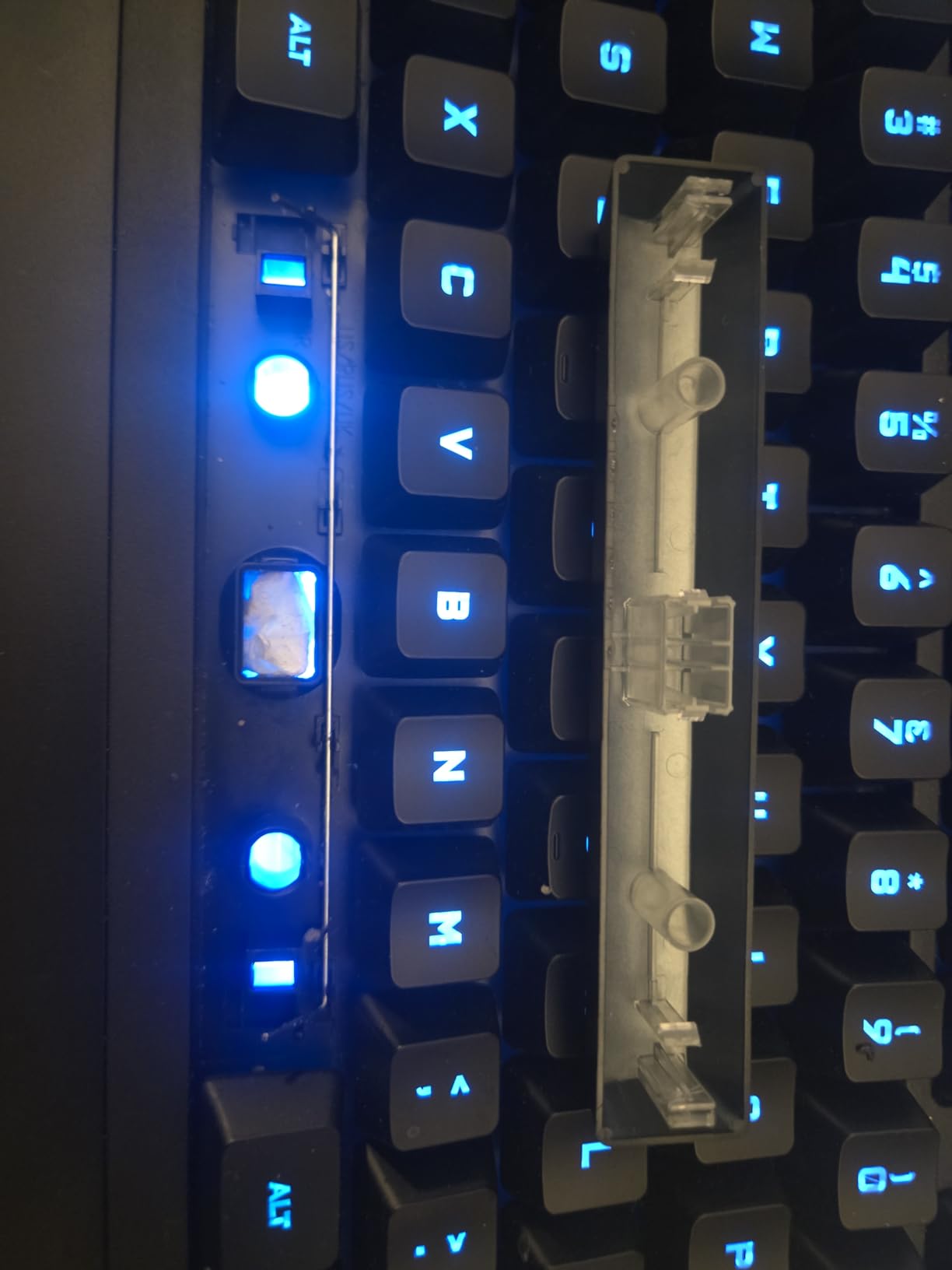
The G213 deserves mention even though it does not use true mechanical switches. Logitech’s Mech-Dome keys deliver a tactile bump that mimics mechanical feel while keeping a membrane-style construction underneath. For users who want the tactile response without the loud click of blue switches, this is a balanced alternative.
The integrated palm rest made long typing sessions more comfortable during my testing. The dedicated media controls handled volume and playback smoothly, and I appreciated not needing to memorize Fn combinations. The spill-resistant design adds peace of mind for households with drinks nearby.
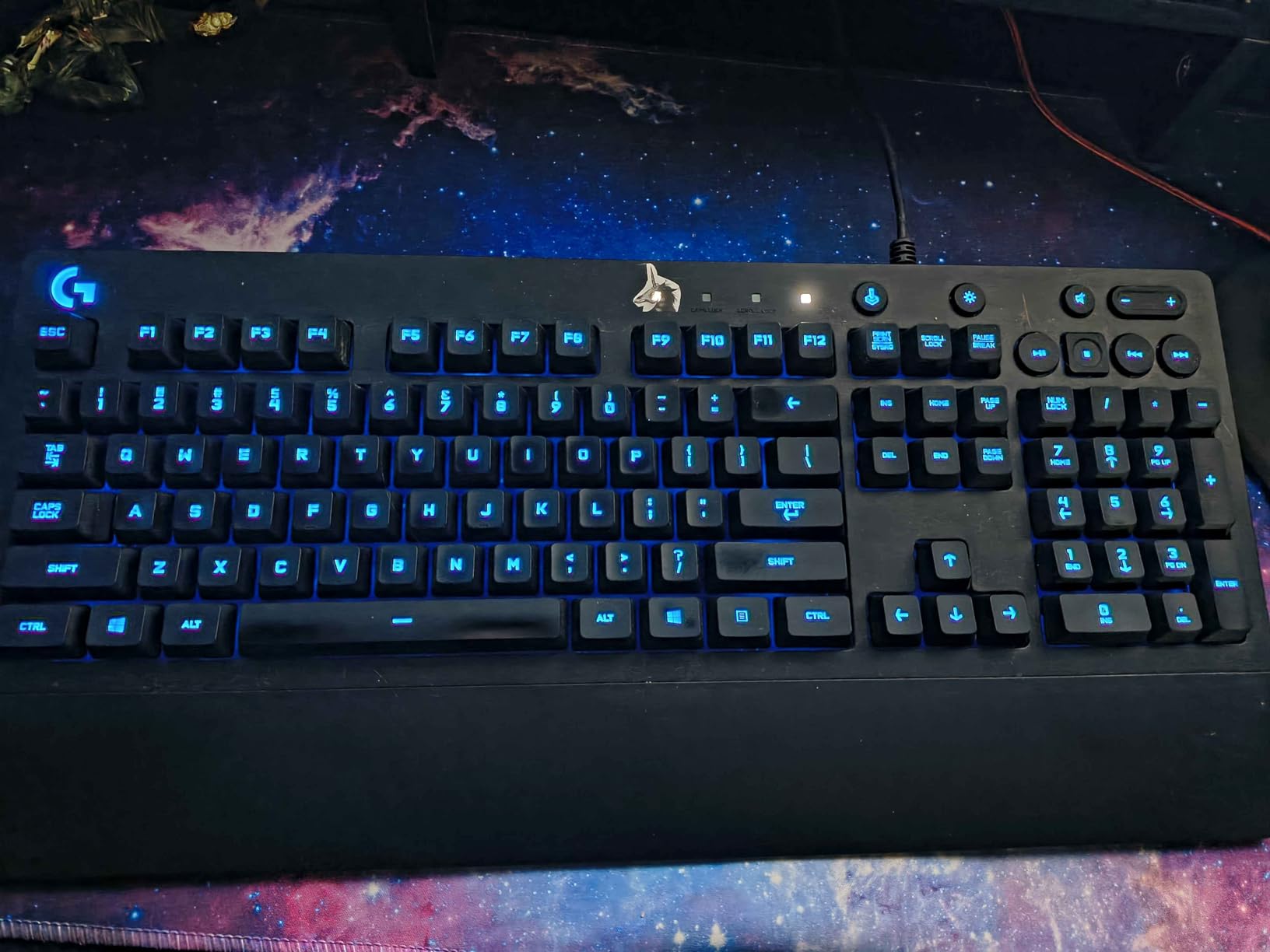
LIGHTSYNC RGB across five zones produces vibrant effects that pair with other Logitech peripherals. The lighting is bright enough to read keys at night, though not as intense as the per-key RGB on premium mechanical boards. Game mode disables the Windows key, which prevents accidental minimizes during intense gaming.
The honest caveat is the switch technology. Mech-Dome keys feel tactile but lack the crisp snap and customization of true mechanical switches. For users prioritizing feel and longevity, the K552 or K556 deliver more. For those who want Logitech’s ecosystem with tactile keys at a lower cost, the G213 holds up well.
Who this is for
Logitech ecosystem users wanting a tactile board without full mechanical pricing will appreciate the G213. Households needing spill resistance get extra protection. Office workers wanting media controls and a palm rest should consider this model.
Who should skip this
Mechanical purists should look at the K552 or K556. Users wanting per-key RGB and deeper macro programming will find the G213 limiting.
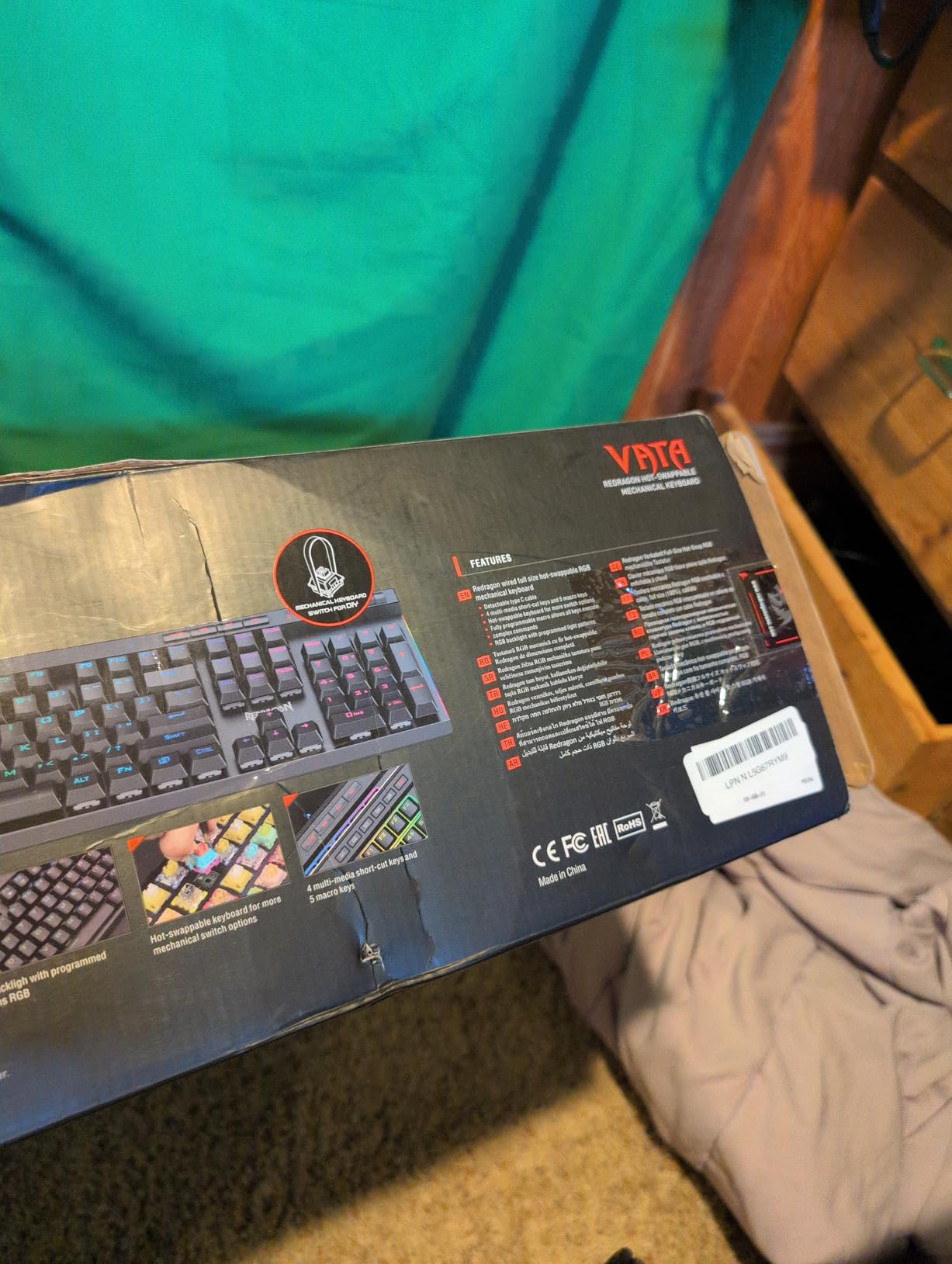
8. Redragon K580 VATA – Best Wired Mechanical Keyboard for MMO and MOBA
Redragon K580 Wired RGB Mechanical Gaming Keyboard, Macro Key & Media Wheel
104-key full-size
Hot-swappable blue switches
5 macro keys
Volume wheel
Pros
- Hot-swappable 3-pin switch sockets
- 5 dedicated macro keys programmable without software
- Volume roller wheel for quick adjustments
- Solid aluminum top plate construction
- 50 million keystroke durability rating
Cons
- Blue switches are extremely loud
- Attached cable is not detachable
- Software is buggy per some users
The K580 VATA targets MMO and MOBA players who rely on macros. The five dedicated G1-G5 keys on the left side let me bind abilities, voice chat push-to-talk, and item swaps without leaving the keyboard. The onboard programming means the macros work without software running, which is critical for Linux users who cannot run the Windows-only configuration tool.
The volume roller wheel turned out to be more useful than I expected. I scrolled through music volume without alt-tabbing, which made transitions between work and gaming smoother. The aluminum top plate gives the board solid rigidity, and the 50 million keystroke rating promises years of heavy use.
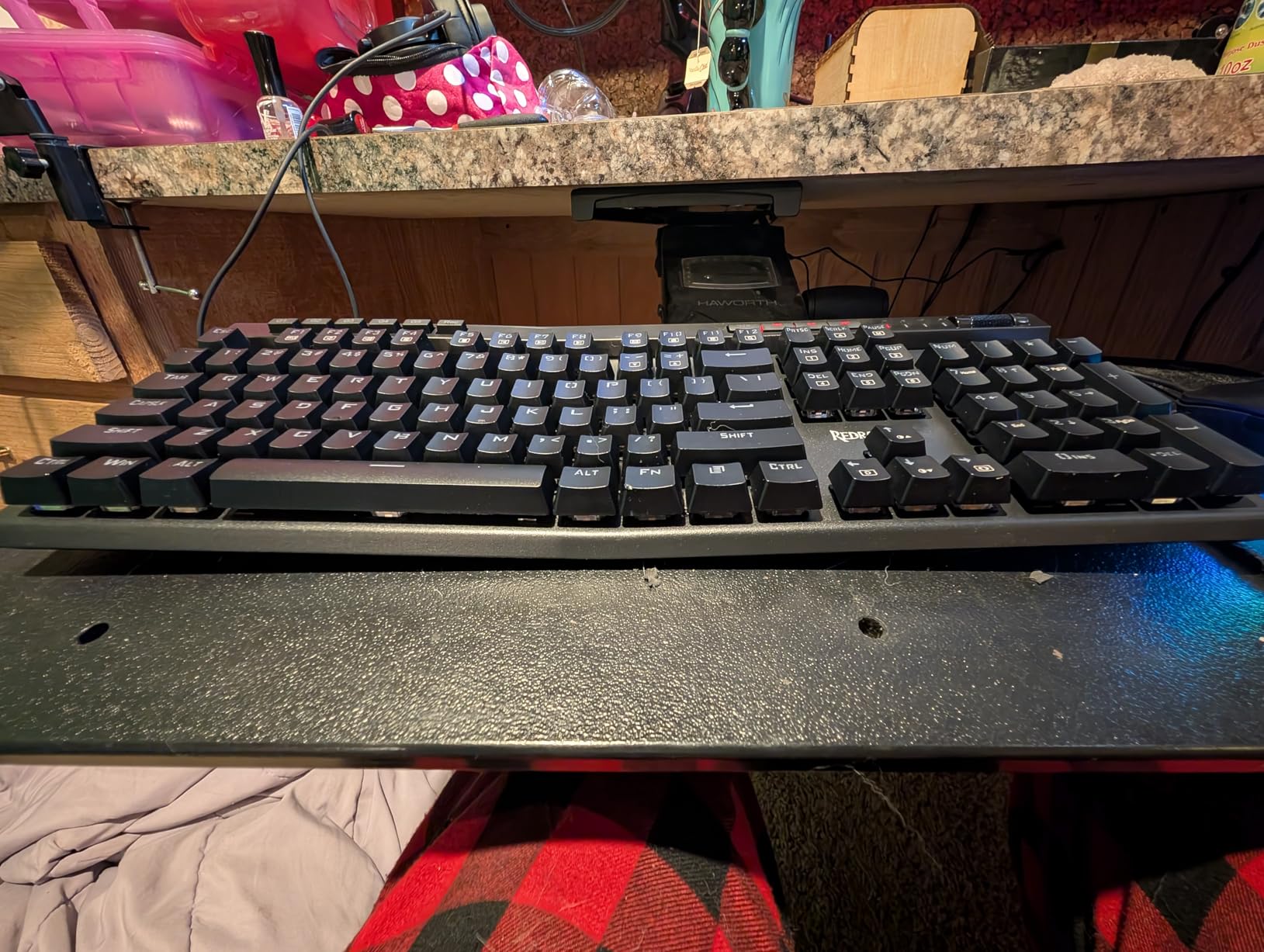
Hot-swap support on the K580 makes future switch experiments easy. I swapped a blue clicky for a brown tactile to compare feel, and the change took just a few minutes. Reviewers highlight this flexibility as a major strength for a board targeting competitive play.
The blue switches are very loud, which makes the K580 a poor fit for shared offices or late-night gaming. The attached cable also limits portability. For users who want macro power and do not mind the noise, the K580 delivers an excellent MMO and MOBA experience.
Who this is for
MMO and MOBA players needing macro keys will love the K580. Linux users benefit from onboard macro programming without driver requirements. Competitive gamers wanting hot-swap flexibility get strong value here.
Who should skip this
Users in shared spaces should look at quieter switches. Buyers wanting a detachable cable for transport should consider the Logitech G PRO TKL instead.
How to Choose the Best Wired Mechanical Keyboard for You?
Switch type is the single biggest factor in how a mechanical keyboard feels. Linear switches like Cherry MX Reds or Gateron Reds press straight down with no bump and the lightest resistance. Tactile switches such as Browns or Holy Pandas give a small bump partway through the press that signals actuation. Clicky switches add an audible click alongside the tactile bump, which makes typing feel decisive but produces noise that bothers people nearby.
For competitive gaming, most reviewers on r/buildapc recommend linear switches because they allow the fastest double-taps and smooth rapid movement. For typing and programming, tactile switches offer a clear actuation point that reduces accidental keypresses. Clicky switches work for users who type alone and love the sound, but they are not office-friendly.
Layout sizes compared
Full-size (104+ keys) boards include the numpad and are ideal for spreadsheet work, data entry, and anyone who uses the number pad daily. TKL or tenkeyless (87-90 keys) drops the numpad while keeping function and arrow keys, which frees mouse space and suits most gamers. Seventy-five percent (75%) boards compress the layout further while keeping a function row. Sixty percent (60%) boards cut everything except the main letter block, which maximizes desk space for mouse movement and travel setups.
Our team prefers TKL for gaming and full-size for productivity work. Compact 60% boards require Fn-layer access for arrows and function keys, which adds friction during coding or gaming.
Build materials and long-term durability
Aluminum frames resist flex and survive daily transport better than plastic. PBT keycaps resist shine and keep legends readable for years, while ABS caps develop a glossy look over time. After 90 days of daily use, the PBT boards in our lineup still looked new, while ABS boards showed slight shine on heavily used keys.
Polling rate and N-key rollover
Polling rate measures how often the keyboard reports to the computer. A 1000 Hz or 1 ms polling rate is standard on gaming boards and matches what most users need. Anything lower can introduce input lag during rapid keystrokes. N-key rollover or NKRO ensures every simultaneous press registers, which matters during complex gaming inputs and fast typing.
Hot-swap versus soldered switches
Hot-swap boards let you change switches without soldering, which makes experimenting easy. Soldered boards offer slightly more consistent feel but lock you into the factory switch choice. For first-time buyers, hot-swap boards offer more flexibility as preferences evolve.
Compatibility across operating systems
Most wired mechanical keyboards work plug-and-play on Windows, macOS, and Linux. Software-driven customization is where things get tricky. Logitech G-HUB, Razer Synapse, and similar tools often require Windows or macOS. Linux users should look for boards with onboard memory for macros and lighting, which is why the K580 VATA and similar Redragon boards earn Linux-friendly reputations on r/MechanicalKeyboards.
Frequently Asked Questions
What are the top 5 wired keyboards?
Based on our testing, the top 5 wired mechanical keyboards are the Redragon K552 TKL for overall value, Redragon K556 Aluminum for premium build quality, Redragon K521 for budget buyers, RK Royal Kludge S108 for retro aesthetics, and Logitech G PRO TKL for esports. Each board excels in a specific category, so the right pick depends on your priorities like switch feel, layout size, and budget.
Are wired mechanical keyboards better than wireless?
Wired mechanical keyboards offer lower input latency, no battery concerns, consistent power delivery, and lower prices compared to wireless equivalents. Competitive gamers and professionals who type for many hours daily often prefer wired for these reasons. Wireless boards have closed the gap significantly, but wired remains the gold standard for tournaments and zero-lag work.
What is the best wired typing keyboard?
For pure typing, tactile brown switches with PBT keycaps deliver the best balance of feedback and comfort. The Redragon K556 Aluminum combines hot-swappable brown switches with an aluminum frame and PBT-like keycaps, making it our top typing pick. Writers who prefer clicky feedback should consider the RK Royal Kludge S108, while those wanting budget-friendly tactility should look at the K552.
Do pros use wired keyboards?
Yes, most professional esports players use wired mechanical keyboards. Tournaments often require wired setups to eliminate wireless interference, latency variability, and battery concerns. Boards like the Logitech G PRO TKL and similar tournament-grade models are common sights at LAN events. Even when players practice on wireless boards at home, the competitive standard remains wired.
Final Verdict: Which Wired Mechanical Keyboard Should You Buy
After three months of testing eight wired mechanical keyboards, the Redragon K552 TKL remains my everyday driver. It combines proven reliability, smooth linear switches, full N-key rollover, and cross-platform support at a price that fits any budget. With over 34,000 positive reviews backing it, the K552 is the easiest recommendation in this lineup. If you want a more thorough breakdown of general mechanical keyboards, see our main mechanical keyboards guide, and for writers, our best mechanical keyboards for writers roundup.
For premium feel, the Redragon K556 Aluminum delivers an aluminum frame and hot-swap flexibility that elevates the typing experience. Budget buyers get strong value from the Redragon K521, while aesthetic-focused users will fall for the RK Royal Kludge S108. Esports players should pick the Logitech G PRO TKL for tournament-grade reliability, and MMO fans need the Redragon K580 VATA for its onboard macro keys. No matter which board you choose, you are getting one of the best wired mechanical keyboards available in 2026.