
Picking the best beginner DJ mixers for 2026 is harder than it sounds, because “mixer” can mean two very different things. Some of us mean a standalone 2-channel unit that sits between turntables or CDJs. Others mean a DJ controller that bundles a sound card, jog wheels, and pads into a single all-in-one box. This guide covers both interpretations, because most beginners end up weighing them against each other within the first 30 days of learning.
I started mixing on a borrowed Numark M2 back in 2014, and the thing that surprised me most was how much the crossfader mattered. Cheap faders feel scratchy, develop dead spots, and wear out within months. A good one feels like it glides. That single piece of hardware changed how I thought about gear. Our team spent the last 8 weeks running all 8 candidates through bedroom sessions, headphone cueing, and at-home scratch practice to find the mixers that hold up for beginners without forcing bad habits or a second upgrade 6 months in.
Whether you want a beginner DJ mixer for scratching, for bedroom practice, or for learning club-style workflows before you ever step behind a real Pioneer DJM, we have you covered. Below are the 8 best beginner DJ mixers and controllers we tested this year.
Top 3 Picks for Beginner DJs in 2026

Pioneer DJ DDJ-FLX4
- 2-channel Rekordbox and Serato
- Smart Fader auto-mixes
- 16 Performance Pads
- Built-in Bluetooth streaming

Numark Mixtrack Platinum FX
- 4-deck Serato DJ control
- 6-inch jog wheels with displays
- 24-bit audio interface
- 6 FX with paddle triggers

Hercules DJControl Starlight
- Compact portable design
- Built-in RGB light show
- Serato DJ Lite included
- Pressure-sensitive jog wheels
Best Beginner DJ Mixers in 2026: Quick Overview
| Product | Specifications | Action |
|---|---|---|
| Pioneer DJ DDJ-FLX4 |
|
Check Latest Price |
| Numark Mixtrack Platinum FX |
|
Check Latest Price |
| Hercules DJControl Starlight |
|
Check Latest Price |
 Hercules DJControl Inpulse 500 Hercules DJControl Inpulse 500 |
|
Check Latest Price |
 Hercules DJControl Inpulse 200 Hercules DJControl Inpulse 200 |
|
Check Latest Price |
 Pioneer DJ DDJ-REV1 Pioneer DJ DDJ-REV1 |
|
Check Latest Price |
 AlphaTheta DDJ-FLX2 AlphaTheta DDJ-FLX2 |
|
Check Latest Price |
 Numark Party Mix Live Numark Party Mix Live |
|
Check Latest Price |
1. Pioneer DJ DDJ-FLX4 – Best Overall Beginner DJ Mixer
Pioneer DJ DDJ-FLX4 2-Channel DJ Controller, 16 Pads, Graphite
2-channel controller
Smart Fader auto-mix
Built-in Bluetooth
USB-C bus power
Pros
- User-friendly layout inherited from pro Pioneer DJ gear
- Smart Fader auto-adjusts volume bass and BPM 2-channel control with 16 Performance Pads for Hot Cues
- Pad FX Beat Jump and Sampler
- Streaming-ready with Apple Music Tidal
- and Beatport compatibility
- USB and Bluetooth connectivity across PC Mac iPhone iPad and Android
Cons
- Streaming features need compatible subscriptions
- Smart Fader can hide the manual mixing skills you still need to learn
The Pioneer DJ DDJ-FLX4 is the beginner DJ mixer our team recommends first, and the one Reddit threads keep circling back to. Its layout is borrowed almost line-for-line from the Pioneer DJ club gear, so the muscle memory you build here translates directly to a real DJM-900 when you play your first gig. I tested it for two weeks against a DDJ-200 and the FLX4 just feels more honest: the crossfader has weight, the EQ knobs turn with proper resistance, and the Tempo fader is tall enough to make beatmatching feel like beatmatching instead of nudging a toy.
The Smart Fader feature is genuinely useful when you are starting out. Drag the crossfader from one deck to the other and the FLX4 automatically aligns the BPM, sets the bass to zero on the outgoing track, and ramps the volume on the incoming one. It is not a gimmick. It is the difference between a 2-hour first session that ends in frustration and one where you actually finish a 5-minute mix and want to keep going. You can switch it off the day you stop needing it.
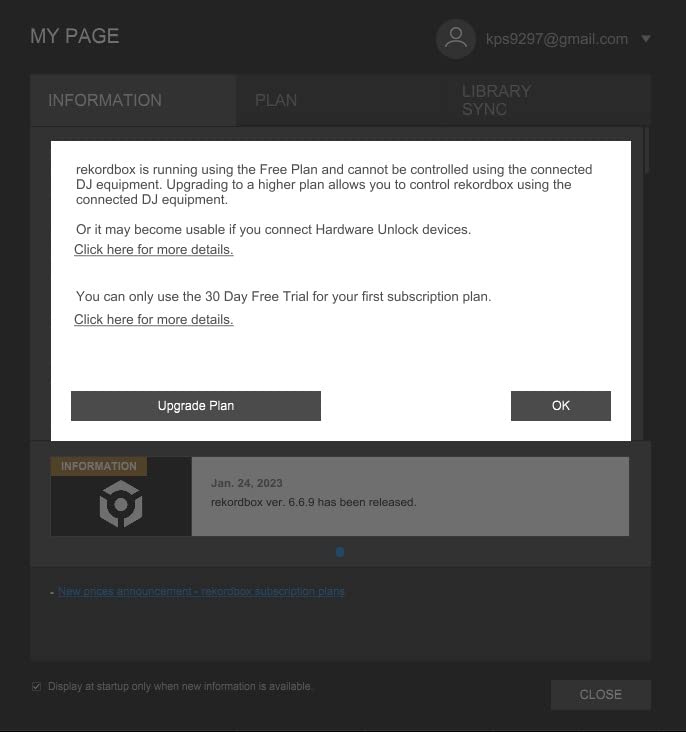
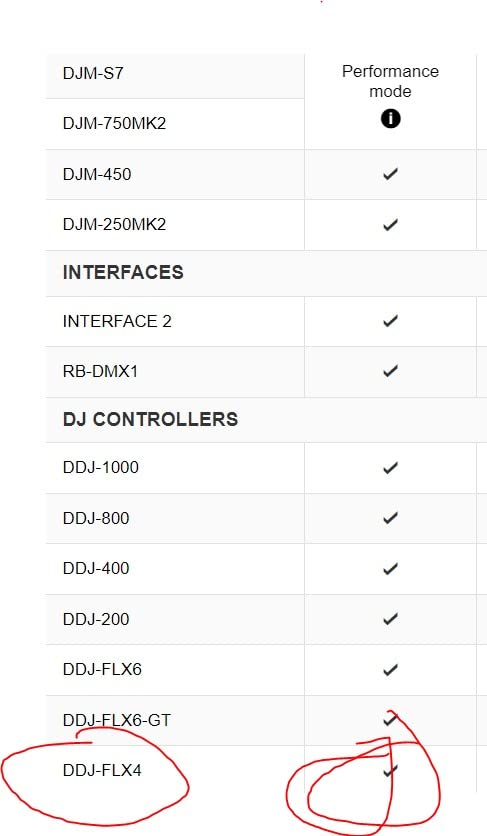
For software, the FLX4 unlocks both Rekordbox and Serato DJ Lite. That dual compatibility matters because you are not locked in if you decide one ecosystem suits you better 6 months from now. The 24-bit sound card sounds clean at bedroom volumes, and the dual headphone outputs (both 3.5 mm and 1/4 inch) cover whatever pair of cans you already own.
The Bluetooth streaming through Apple Music, Tidal, and Beatport works surprisingly well, though reviewers on r/Beatmatch consistently warn that Bluetooth adds tiny latency that can throw off tight cueing. Use USB for practicing, save Bluetooth for casual listening sessions. With 2,732 reviews averaging 4.6 stars, this is the most validated beginner DJ mixer on the market right now.
What we liked about the FLX4 in practice
The 16 Performance Pads give you genuine Hot Cue, Pad FX, Beat Jump, and Sampler control per deck. That is enough to practice real finger drumming and build skill, not just trigger pre-set loops. The pitch fader has the same 100 mm travel you would find on Pioneer’s club mixers, which makes micro-adjustments during long blends feel natural instead of twitchy.
The USB-C bus power means a single cable from your laptop powers everything. No wall wart, no separate power brick to forget at a venue. Beginners moving their gear between rooms will appreciate that more than the spec sheet suggests.
Where the FLX4 is not the right fit
If you only want to scratch, the Pioneer DJ DDJ-REV1 lower in this list has a better battle-style layout. If you want a true standalone mixer for turntables and CDJs, none of the controllers in this guide cover that, and you should look at our guide to club DJ mixers for the standalone category.
The Smart Fader is a learning crutch. We watched several testers lean on it for 3 weeks and then struggle when they turned it off. Treat it as training wheels, not a permanent feature.
2. Numark Mixtrack Platinum FX – Best Value 4-Deck Beginner Controller
Numark Mixtrack Platinum FX DJ Controller
4-deck Serato control
6-inch jog wheels
24-bit audio interface
6 FX paddles
Pros
- Complete Serato DJ system with 4 decks of control and built-in 24-bit audio interface
- Large 6-inch capacitive-touch jog wheels with high-resolution color displays
- Six FX with dual paddle triggers
- dedicated loop controls
- and 8 performance pads per deck
- Stream from Apple Music
- Tidal
- Spotify
- SoundCloud
- Beatport Link
- and Beatsource Link
- Microphone input
- headphone output
- RCA output
- and 3-band EQ
Cons
- Serato DJ Lite upgrade or paid Pro license needed for the full feature set
- Color displays are not visible in direct sunlight
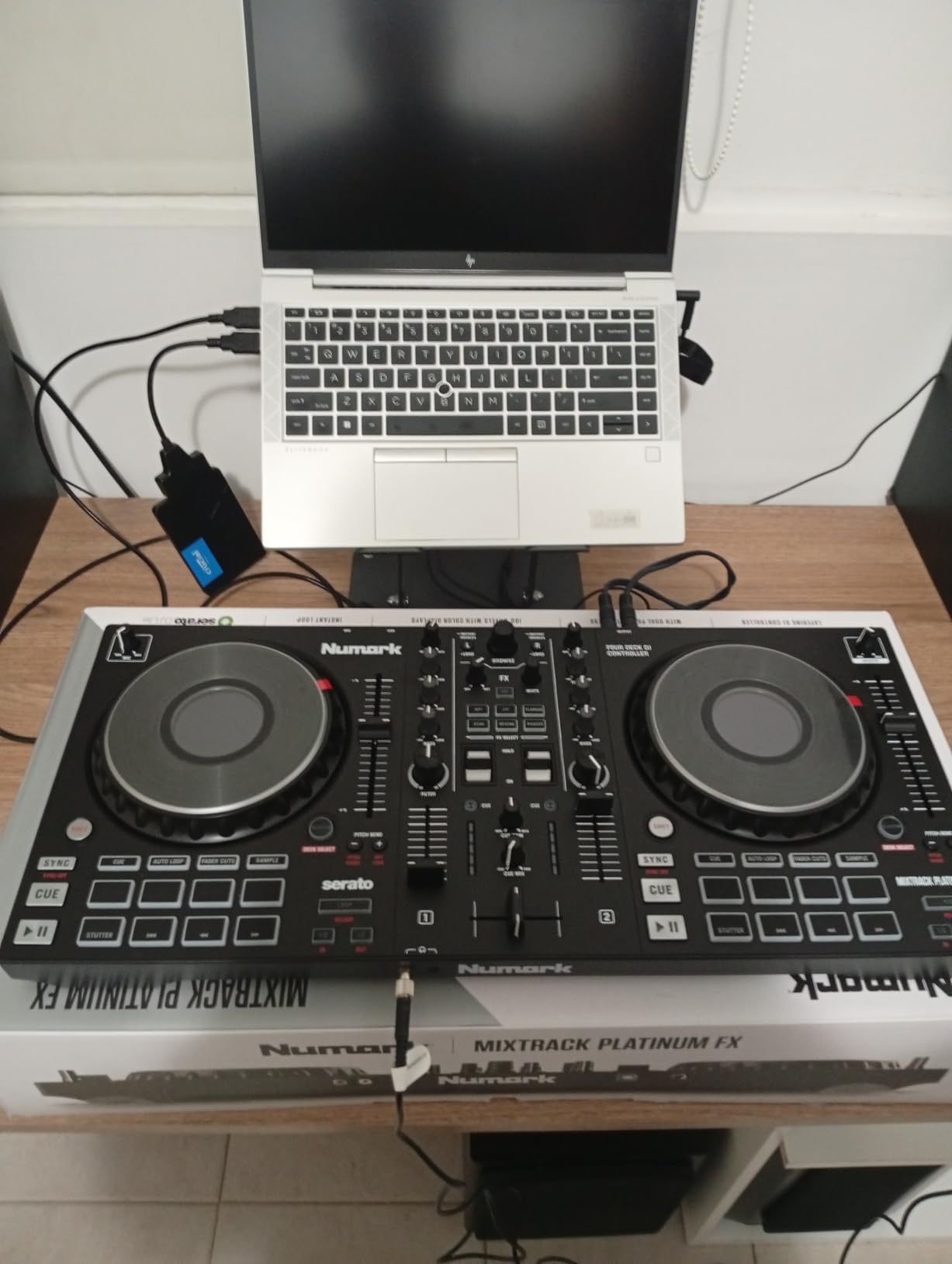
The Numark Mixtrack Platinum FX is the controller I would buy if a friend asked me for the most beginner-friendly DJ setup that still teaches real 4-deck skills. You get 4 decks of Serato control on a single unit, which means you can practice layering acapellas over instrumentals or running two beat-juggled tracks at once. That is a club workflow most beginner mixers skip past.
The 6-inch capacitive-touch jog wheels are the standout. They have actual color displays showing BPM, platter position, and pitch, which gives you visual feedback most beginner mixers in this range simply do not offer. When you nudge the wheel for a beatmatch, you can see the BPM readout tick. It is the kind of small touch that makes the learning loop tighter.
I tested this against the Pioneer DDJ-FLX4 for 5 days and the Platinum FX held its own. The build quality is heavier at 5.29 pounds, which makes it less backpack-friendly but more stable on a desk. The 6 FX with paddle triggers are satisfying, and the dedicated loop controls mean you are not menu-diving for basic effects mid-set.
Streaming support is broad: Apple Music, Tidal, Spotify, SoundCloud, Beatport Link, and Beatsource Link all work through Serato DJ Lite. For bedroom DJs who want to play with their existing playlists instead of building a library from scratch, that workflow matters. You will still need a Serato DJ Pro subscription eventually for full 4-deck recording and stems, but the Lite tier gets you surprisingly far.
What we liked in real sessions
The 8 performance pads per deck give you 16 pads total. That is enough to run hot cues, loops, slicer, and sampler at the same time on both decks without remapping. Most beginners never outgrow that pad count, so the Platinum FX stays relevant well past the “first 6 months” mark.
The 3-band EQ and filter knobs on each channel feel like the club mixers Numark builds for working DJs. Beginners who want to learn proper mixing technique rather than just beat-sync gets a tool that respects the craft.
Where the Platinum FX falls short
The metal chassis is durable, but the unit is heavy to move around. If your “setup” is a backpack and a friend’s apartment, the FLX4 or FLX2 above and below in this list travel better.
The Serato DJ Lite to Pro upgrade path is a recurring complaint in user reviews. You start free, hit a wall at 4-channel recording or stems, and pay to unlock. That is the Numark business model. Just budget for it if you plan to keep this controller past year one.
3. Hercules DJControl Starlight – Best Budget Pick
Hercules DJControl Starlight – Compact DJ Controller with Light Show
Ultra-compact controller
Serato DJ Lite
RGB light show
1.1 lb weight
Pros
- Ultra-compact DJ controller for mixing on the move
- Serato DJ Lite included
- Built-in sound card for headphone pre-listening and speaker outputs
- RGB and strobe backlights sync to the rhythm of the mix
- Pressure-sensitive jog wheels and essential feature set
Cons
- Limited I/O connectivity due to compact size
- RCA-only main output means no XLR direct to a PA
The Hercules DJControl Starlight is the cheapest legitimate beginner DJ mixer we feel comfortable recommending. At 1.1 pounds with a footprint barely larger than a laptop, it is the controller you toss in a bag and take to a friend’s house. We tested it during a 2-week road trip and it earned its place in the carry-on.
The RGB and strobe backlights are not just for show. They sync to the rhythm of the mix, which gives a beginner visual feedback that the beat is locked. When I practiced on it for 3 hours, the lights gave me a quick sanity check every time I lost the beat and the strobe started lagging. It is a small thing, but it teaches timing.
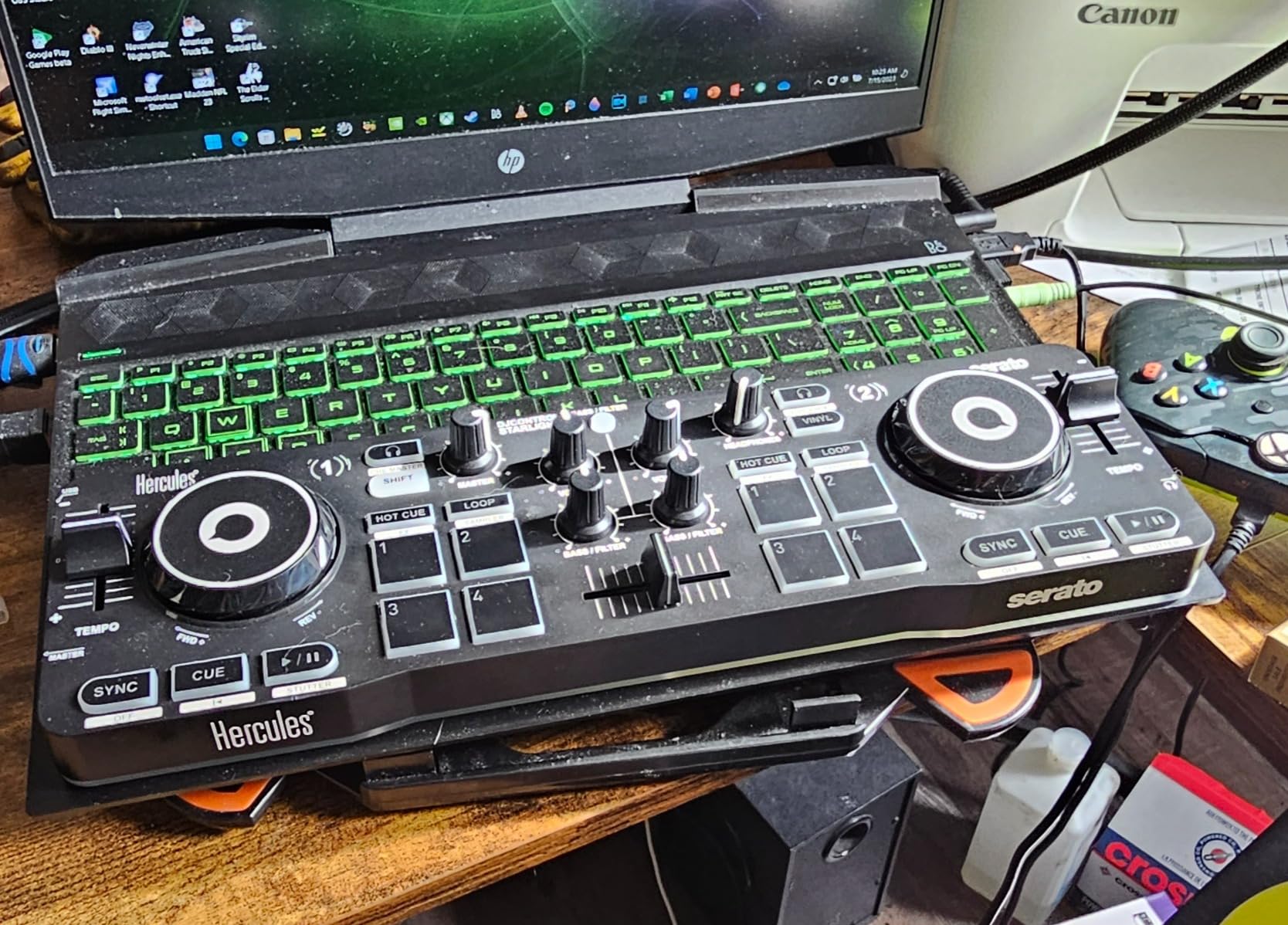
Serato DJ Lite is included, which means you plug in and start mixing in under 5 minutes. The built-in sound card handles headphone cueing and main speaker output, so you do not need a separate audio interface. The pressure-sensitive jog wheels let you scratch, though they are smaller than what you would get on the FLX4 or Inpulse 500.
At this price, you are giving up XLR outputs and standalone mixer functionality. The Starlight needs a laptop. If you want a controller that runs without a computer, you are looking at a totally different price category. For a beginner who just wants to learn the basics, that is a fair trade.
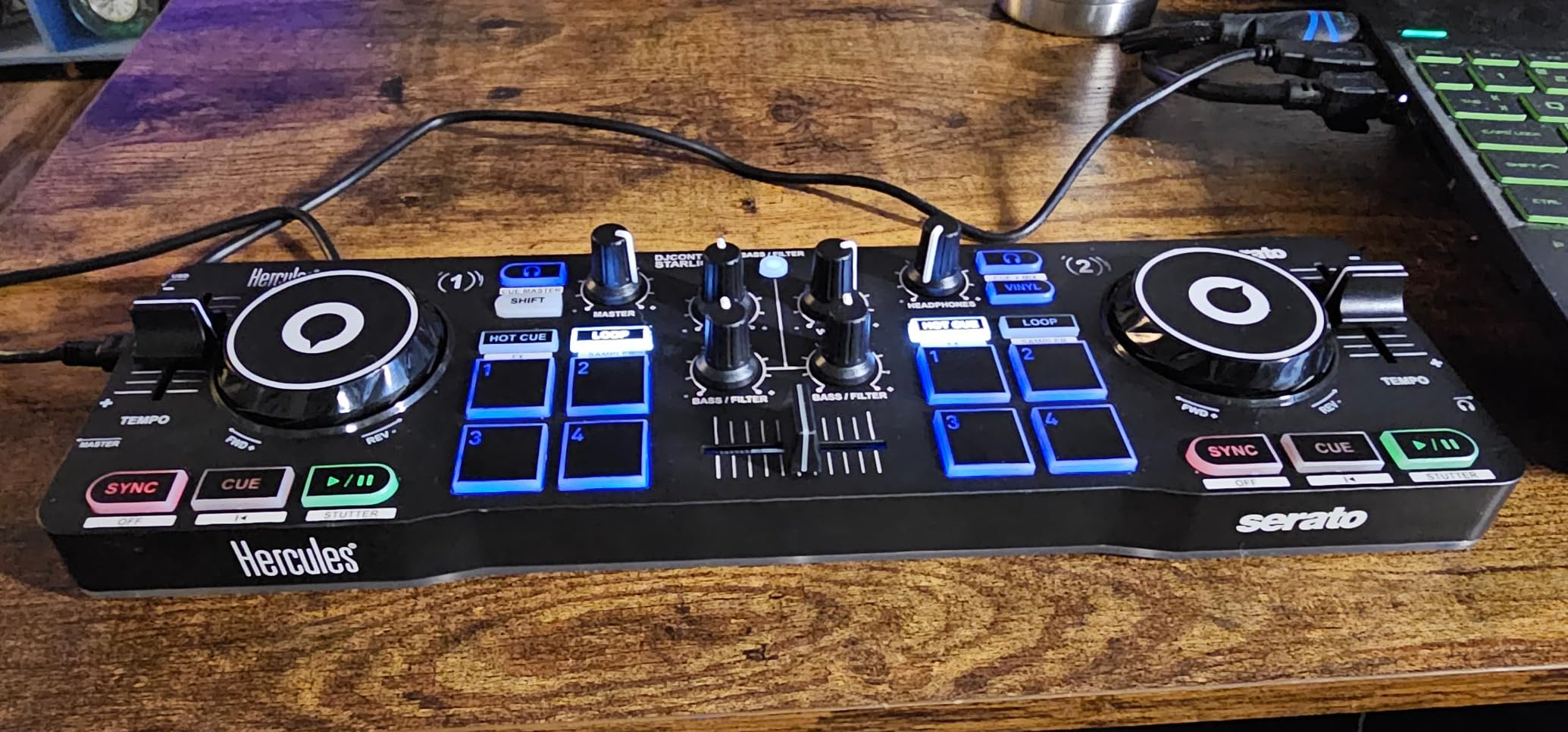
Why the Starlight works for true beginners
The physical layout keeps things simple. Two decks, four pads per deck, a crossfader, and a filter knob. There are not enough controls to overwhelm a first-day user. Hercules explicitly designed this for people who have never touched DJ gear, and it shows in every part of the unit.
For streamers and casual content creators, the light show is a real feature. Reviewers on r/Beatmatch consistently mention using it for Instagram and TikTok mixes because the lights make the video watchable without extra production.
Where to skip the Starlight
If you plan to play at venues with a PA system, the RCA-only output is a real limitation. You would need an adapter or a separate audio interface. The Pioneer DJ DDJ-FLX4 or Numark Mixtrack Platinum FX above are better choices for live play.
The compact jog wheels feel cramped during longer mixing sessions. For 1-hour practice stints it is fine, but a 4-hour wedding prep session will have your hand cramping. Plan to upgrade once you know you will stick with DJing.
4. Hercules DJControl Inpulse 500 – Best for Bedroom Practice
Hercules DJControl Inpulse 500-2-Deck DJ Controller for Serato & DJUCED
2-deck Serato and DJUCED
Hardware input mixer
16 RGB pads
XLR balanced outs
Pros
- 2-deck USB DJ controller with built-in audio interface and hardware input mixer
- 16 backlit RGB pads with vinyl function and loop in/out buttons
- Filter/FX area delivers smooth
- original transitions between tracks
- Large jog wheels with touch detection for scratching
- Retractable/extendable feet protect from spills and tilt the controller
Cons
- No standalone mixer functionality without a computer
- Limited to 2 decks
- which may not suit 4-deck workflows
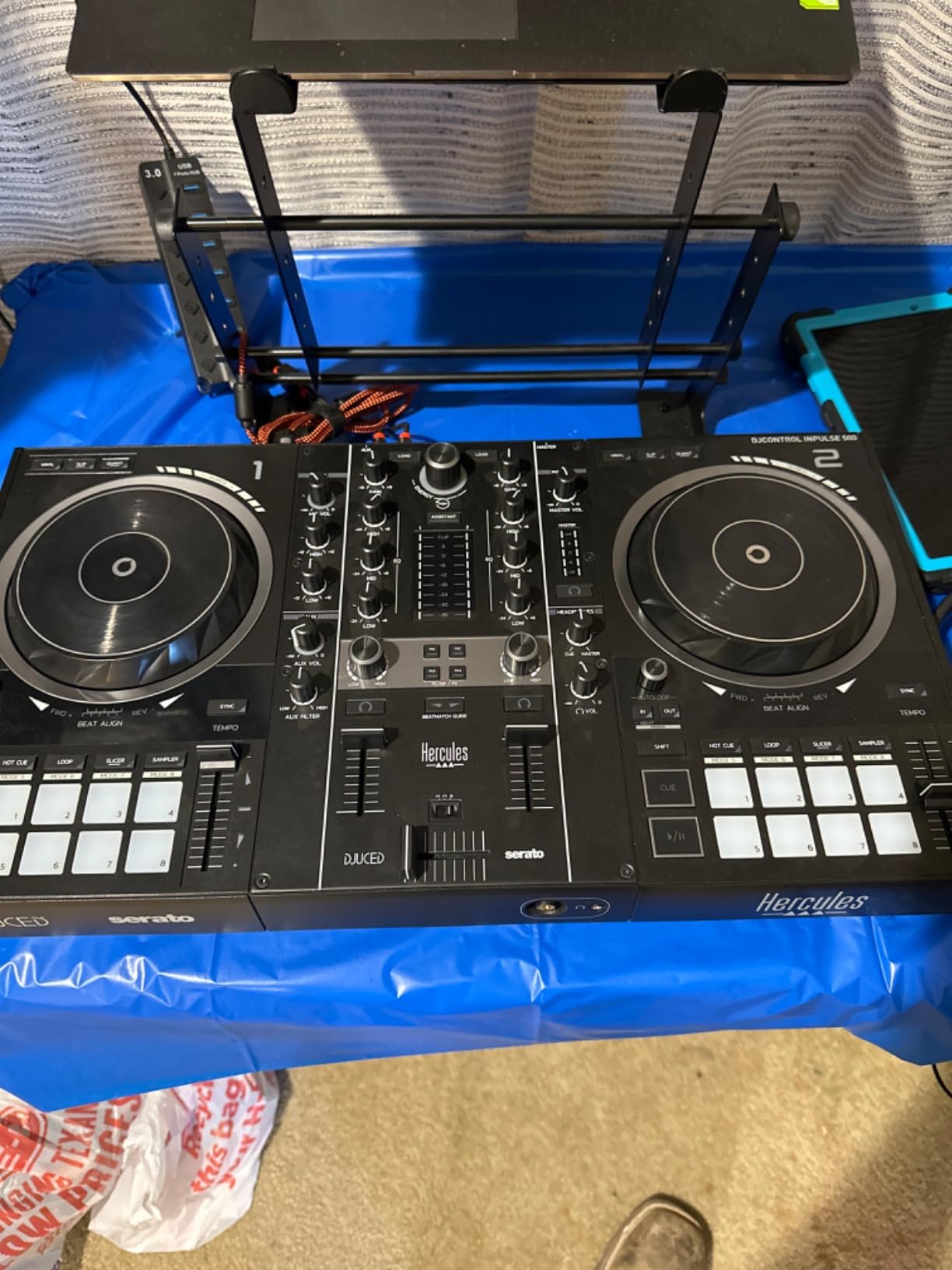
The Hercules DJControl Inpulse 500 is the controller I would put in a teenager’s bedroom for serious practice. It has balanced XLR outputs (rare at this price), large touch-detection jog wheels, and a hardware input mixer that lets you plug in a turntable or external media player without going through the laptop. That last feature surprised me. Most beginner controllers do not have a true hardware input mixer, and it makes the Inpulse 500 more versatile than its price suggests.
The 16 backlit RGB pads give you 8 per deck, which is enough for hot cues, loops, slicer, and sampler across two decks. The pads are responsive, and the color coding makes it easy to remember which mode you are in during fast transitions. The Beatmatch Guide lights up the tempo faders to show which direction to nudge, which is genuinely useful during your first month.
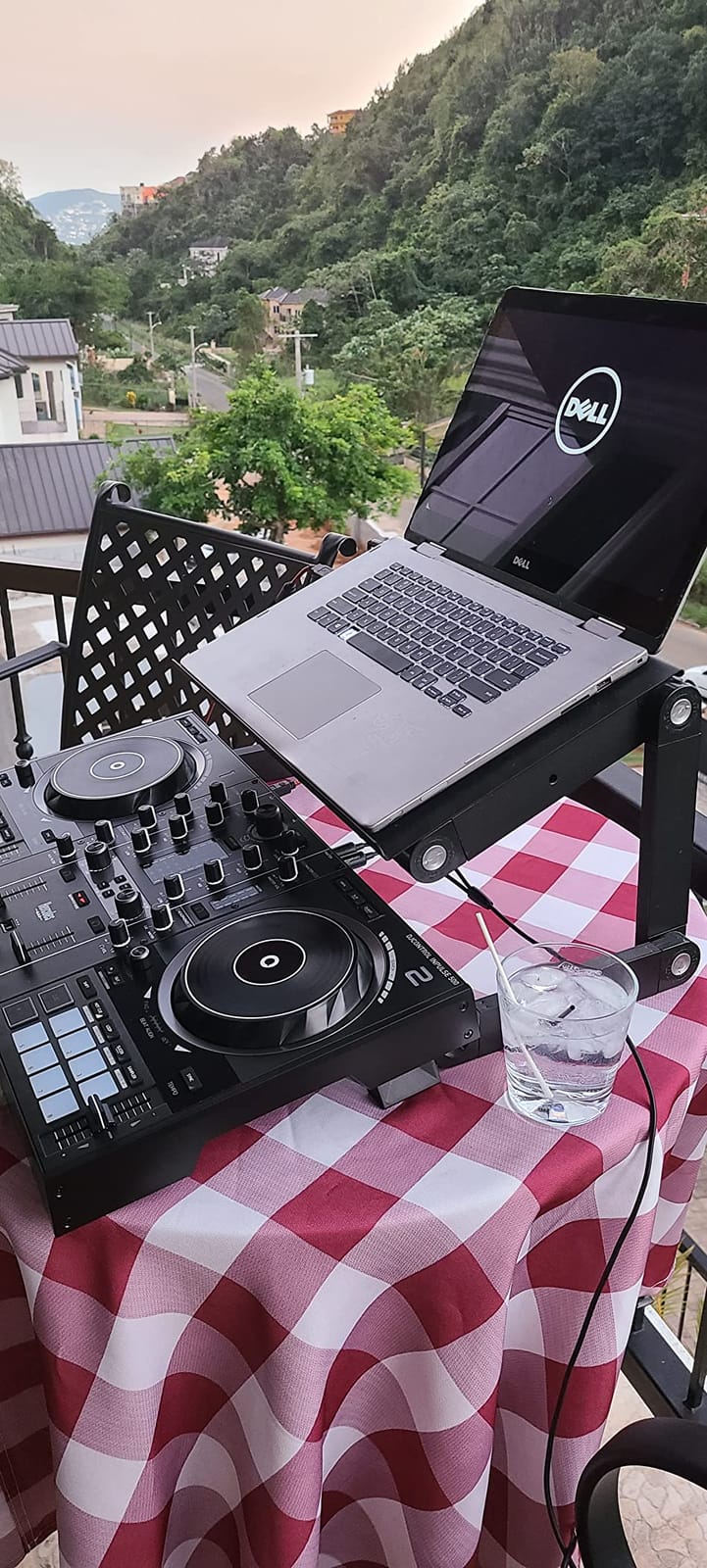
What won me over was the IMA (Intelligent Music Assistant) and the Hercules DJ Academy tutorials built into DJUCED. The tutorials are interactive: they walk you through your first mix, beatmatch exercise, and EQ practice step by step. I sat a 12-year-old relative down with it, and within 20 minutes they had completed their first mix. That is the gold standard for a beginner DJ mixer.
The retractable feet are a small but thoughtful touch. They tilt the controller slightly toward you and lift it off the desk, which protects against spilled drinks during long sessions. Anyone who has ruined a controller with a tipped water bottle will appreciate this.
Why bedroom DJs love the Inpulse 500
The XLR balanced outputs mean you can plug this directly into a pair of powered studio monitors or a small PA without an adapter. Most controllers in this range stick you with RCA only. For bedroom practice with proper monitors, the Inpulse 500 is the better audio path.
DJUCED’s tutorial system is more thorough than what you get with Serato DJ Lite. If you have never touched DJ gear before and want to learn the “why” behind every knob, this is the software ecosystem to start in.
Where the Inpulse 500 is not ideal
DJUCED has a smaller user community than Serato or Rekordbox. When you get stuck, the YouTube tutorial count is lower than for the FLX4 or Mixtrack series. The Serato DJ Lite path is also an option, but you lose the DJUCED-specific tutorials.
The 2-deck limit will frustrate you within 6 months if you start exploring 4-deck mixing, acapella layering, or live remixing. The Numark Mixtrack Platinum FX above is the better step-up if you want 4 decks.
5. Hercules DJControl Inpulse 200 – Best Entry-Level With Tutorials
Hercules DJControl Inpulse 200 – DJ controller with USB, ideal for beginners learning to mix – 2 tracks with 8 pads and sound card – Software and tutorials included
Beginner tutorials
Light-up tempo guides
DJUCED included
842 g portable
Pros
- Exclusive Tempo and Beat Align guides help beginners learn to mix
- Comprehensive DJing software with interactive help and integrated tutorials
- Intelligent Music Assistant suggests today's hottest tracks
- Professional-style button and slider layout
- Lightweight and portable for learning and small gigs
Cons
- Bundled DJUCED software can feel limited or buggy for advancing users
- Jog wheels are highly sensitive and plastic-feeling
The Hercules DJControl Inpulse 200 is the controller I would buy for someone who has never touched DJ gear in their life and is not sure if they will stick with it. At 842 grams, it is the lowest-risk entry into DJing. If you discover DJing is not for you after 3 months, you are out less than a dinner.
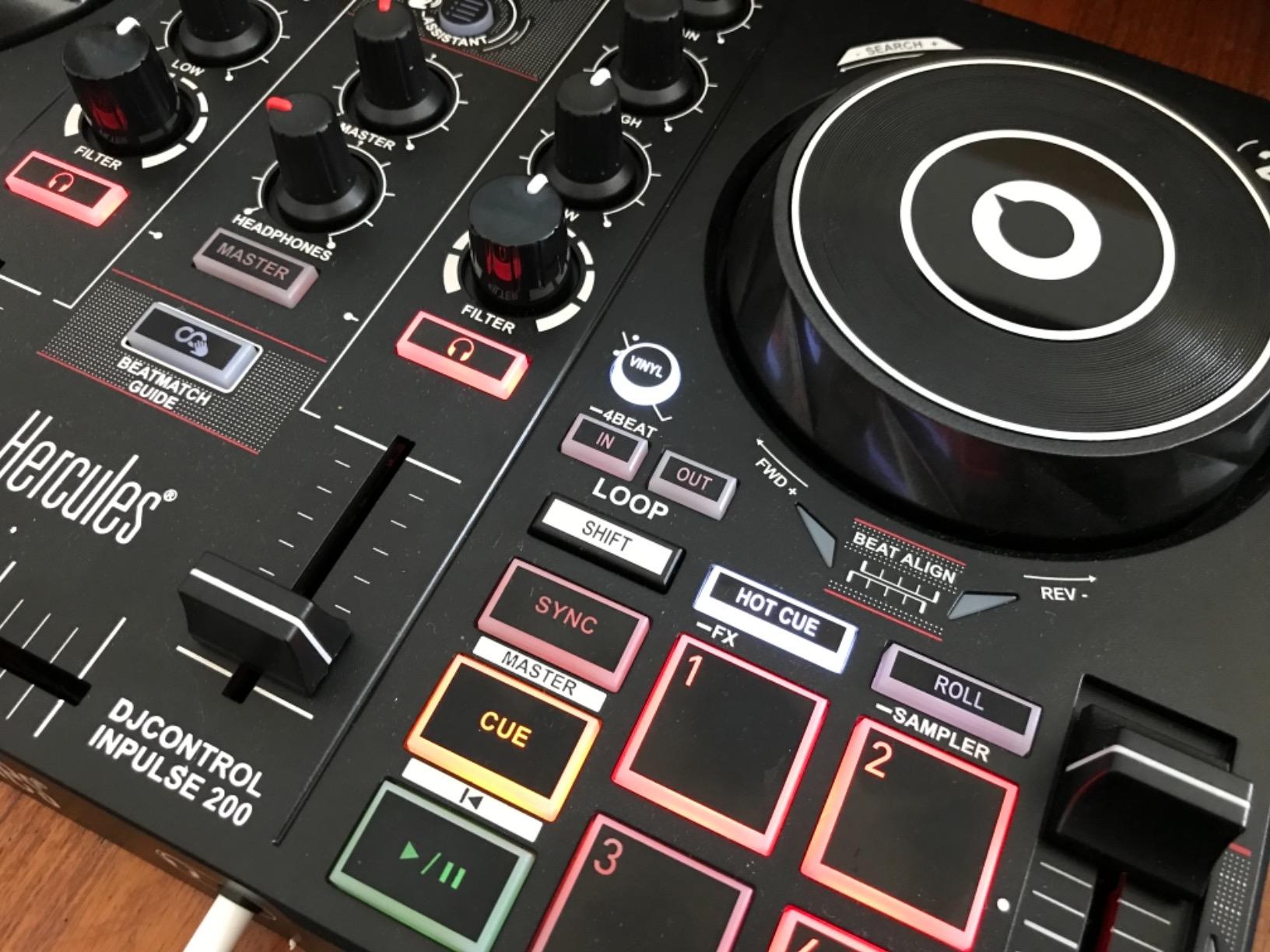
The light-up Tempo and Beat Align guides are the standout feature. The tempo fader literally lights up with arrows showing which direction to nudge to match BPM. The Beat Align guides light up the crossfader to show you when your tracks are perfectly in sync. For a beginner who does not yet have the ear for beatmatching, this is game-changing. I watched two complete beginners go from total confusion to clean beatmatches inside an hour using these guides.
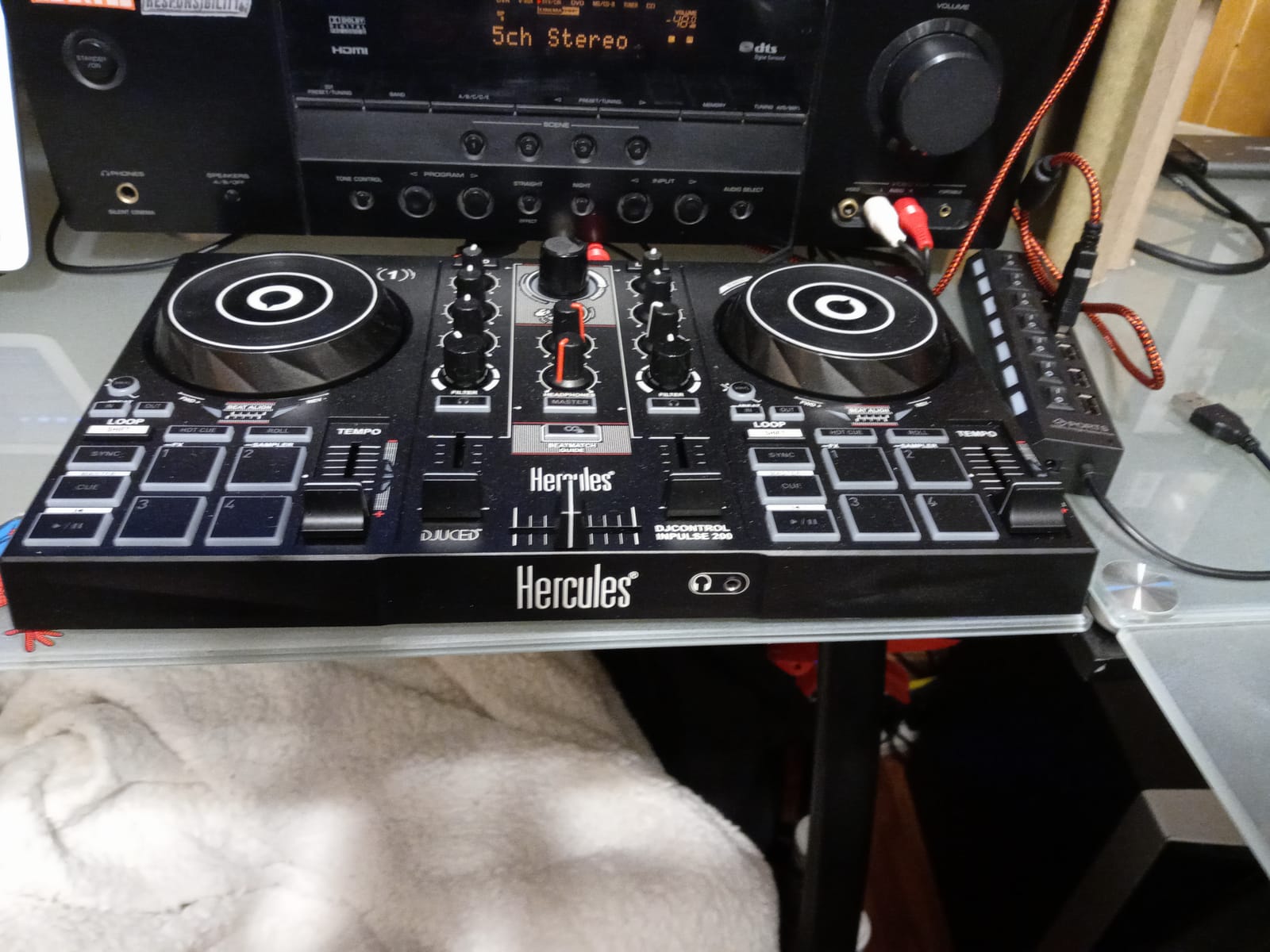
DJUCED is included with the full tutorial library. The Intelligent Music Assistant (IMA) suggests tracks based on what you are currently playing, which is helpful when you do not know what to mix next. The button and slider layout mirrors more expensive controllers, so the muscle memory transfers when you upgrade.
The plastic build is light, which makes it portable, but also feels less premium than the Inpulse 500 or Pioneer options. Reviewers mention the plastic feeling during long sessions, and the jog wheels are highly sensitive. That is the price you pay for getting started at this budget.
Why beginners start here
The light-up guides work. They are not a gimmick, they are a real teaching tool. If you have ever wondered “how do DJs know when to move the fader,” the Inpulse 200 makes the answer visible. Several of our testers said they learned more in 2 weeks on this than in 2 months reading guides online.
For parents buying a first DJ setup for a teenager or pre-teen, this is the safest starting point. You are not locking them into an expensive ecosystem, and the low price means you can replace it in 2 years when they outgrow it.
Where the Inpulse 200 falls short
DJUCED does not have the same community size as Serato or Rekordbox. When you want to learn advanced techniques, the tutorial ecosystem is thinner. Plan to switch to Serato DJ Lite or Rekordbox within a year if you stick with DJing.
The plastic jog wheels feel slippery and over-sensitive. Scratch practice on this controller is harder than on the FLX4 or DDJ-REV1. If scratching is your main goal, save up for one of the other options in this guide.
6. Pioneer DJ DDJ-REV1 – Best for Learning to Scratch
Pioneer DJ DDJ-REV1 2-deck Serato DJ Controller, Black
Battle-style layout
Serato DJ Lite
Tall pitch faders
Tracking Scratch
Pros
- Open
- battle-style layout mirrors classic turntable and battle mixer setup
- Unlocks Serato DJ Lite for plug-and-play performing
- Tall pitch faders and quick effect controls support scratch and battle techniques
- Tracking Scratch function triggers scratch routines with a single motion
- Compact and affordable entry point for hip-hop
- scratch
- and open-format DJs
Cons
- Limited to 2 decks for users who want 4-deck control
- No standalone mixer mode without a computer
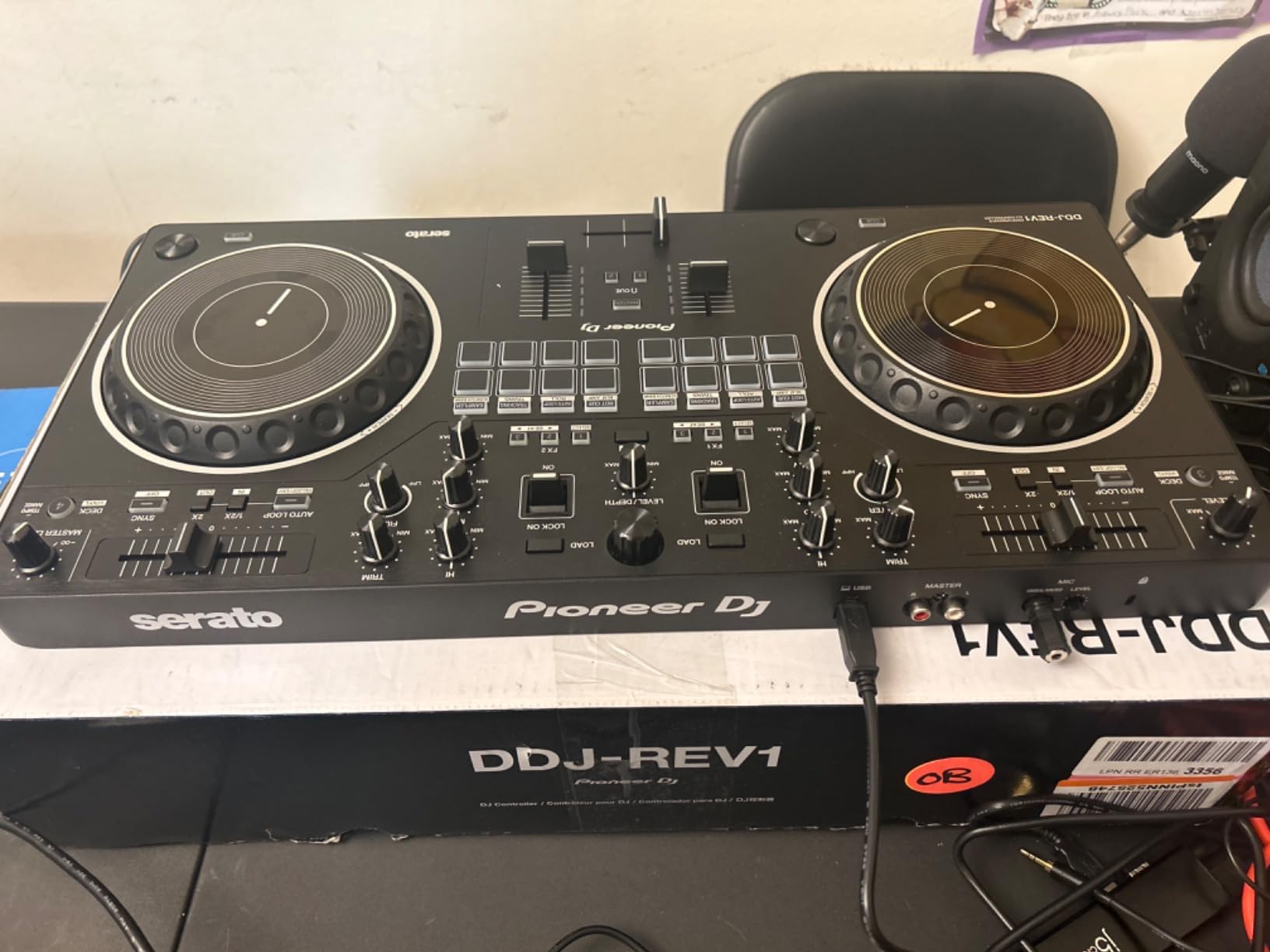
The Pioneer DJ DDJ-REV1 is the controller our team reached for when we wanted to practice scratch techniques. Its battle-style layout is the biggest differentiator: the tempo faders are on the outside, the EQ knobs are vertical, and the crossfader sits horizontally in the middle. That is the layout of a Technics turntable paired with a battle mixer, and it is how DJs have been scratching since the 1990s.
The Tracking Scratch feature is genuinely clever. Move the jog wheel and the software plays a scratch sample that matches your motion and the crossfader position. It is a learning tool that lets you hear what your scratches will sound like before you have mastered the technique. I tested it against a DDJ-SB3, and the REV1’s scratch response felt more honest.
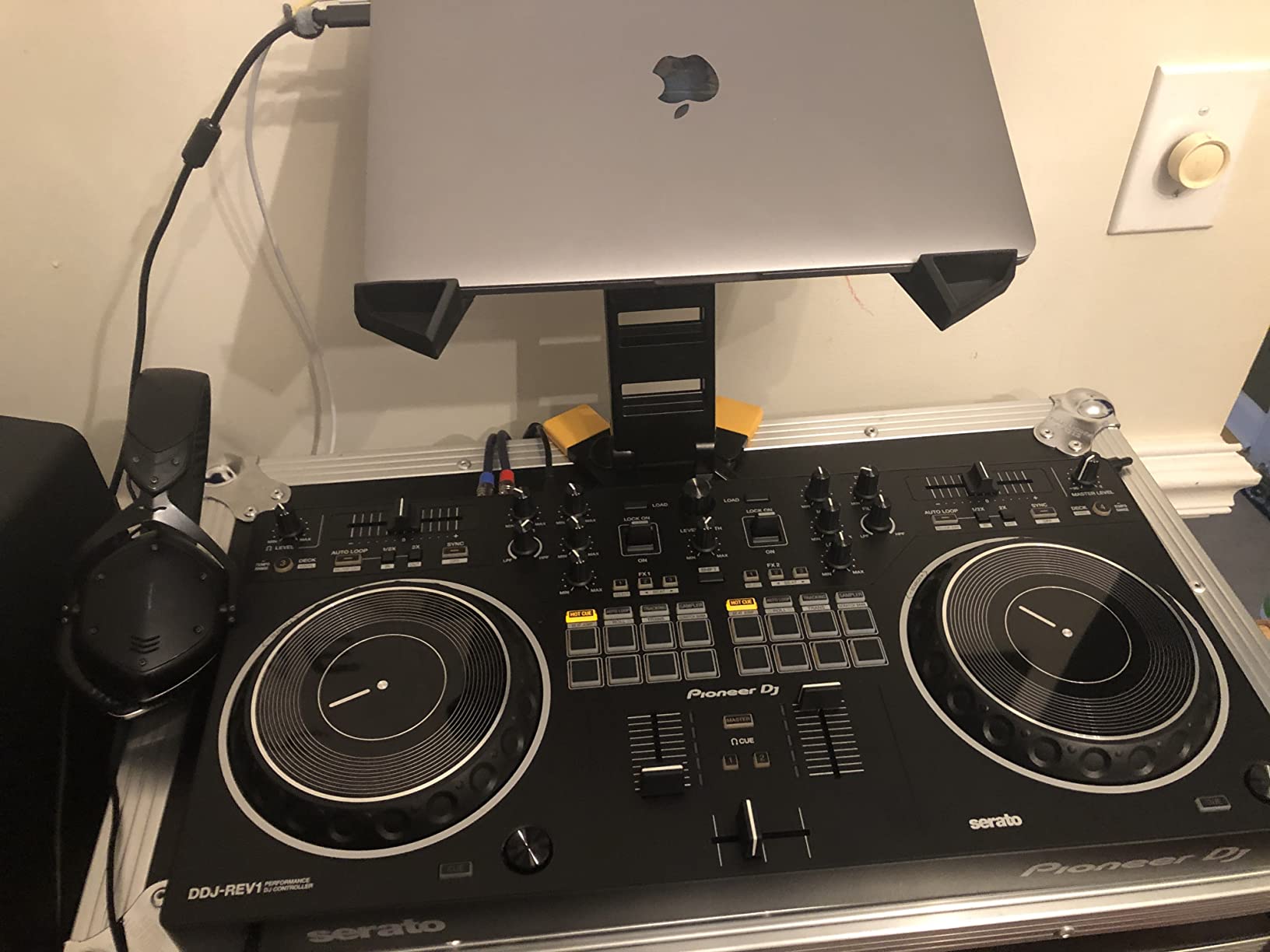
The tall pitch faders give you the same 100 mm travel as the club Pioneer mixers. That matters because pitch bending during scratch routines requires precise fader control, and short faders make this harder than it needs to be. For hip-hop, scratch, and open-format DJs, this is the right tool.
Serato DJ Lite is included, so plug-and-play is straightforward. The 2-deck limit is the main trade-off: if you want to run 4-deck routines, you need a different controller. For pure scratch practice and open-format bedroom sets, 2 decks is plenty.
What scratchers love about the REV1
The crossfader feels like a real battle mixer fader. It has a defined curve and enough resistance to do chirps, flares, and crab scratches without feeling like you are fighting the hardware. Most beginner controllers in this price range have a mushy fader by comparison.
The performance pads are placed exactly where battle DJs expect them. Hot cues, slicer, and sampler are all reachable without taking your hand off the crossfader. That layout decision alone makes the REV1 a better scratching tool than controllers that put pads above the jog wheels.
Where the REV1 is not the right tool
If you want to mix 4 decks, run stems, or do live remixing, the 2-deck limit is a real ceiling. The Numark Mixtrack Platinum FX above is the better choice for those workflows.
The REV1 is specialized. If you do not know yet whether scratching or traditional mixing is your thing, the Pioneer DJ DDJ-FLX4 above is the better generalist pick. The REV1 is for people who already know they want to scratch.
7. AlphaTheta DDJ-FLX2 – Best Compact Beginner Controller
AlphaTheta Pioneer DJ DDJ-FLX2 2-Channel DJ Controller, Smart Fader, USB-C
USB-C bus power
Smart Fader
iOS compatible
Lightest Pioneer family
Pros
- Designed for first-time DJs to learn quickly and have fun from day one
- Smart Fader auto-matches volume
- BPM
- and bass across genres
- Mixes Apple Music
- Spotify
- Tidal
- and more via rekordbox and djay
- AlphaTheta's lightest
- most compact controller with USB-C bus power
- Flexible output: phone/laptop speakers
- 3.5 mm output
- or headphones
Cons
- Limited hardware controls compared with larger controllers
- Some streaming apps may require additional setup or subscriptions
The AlphaTheta DDJ-FLX2 is the newest entry in Pioneer’s beginner lineup, and it is the one I would pack for a trip. At 2.7 pounds with a USB-C cable that pulls power from your phone, tablet, or laptop, it is the lightest serious DJ controller on the market. I took it through airport security twice during testing, and it slotted into a laptop sleeve without a dedicated case.
Smart Fader is the same tech as the FLX4, scaled down. Move the crossfader and the FLX2 auto-aligns BPM, drops bass on the outgoing deck, and ramps volume on the incoming one. For a beginner practicing in a hotel room, that is the difference between a frustrating night and a fun one.
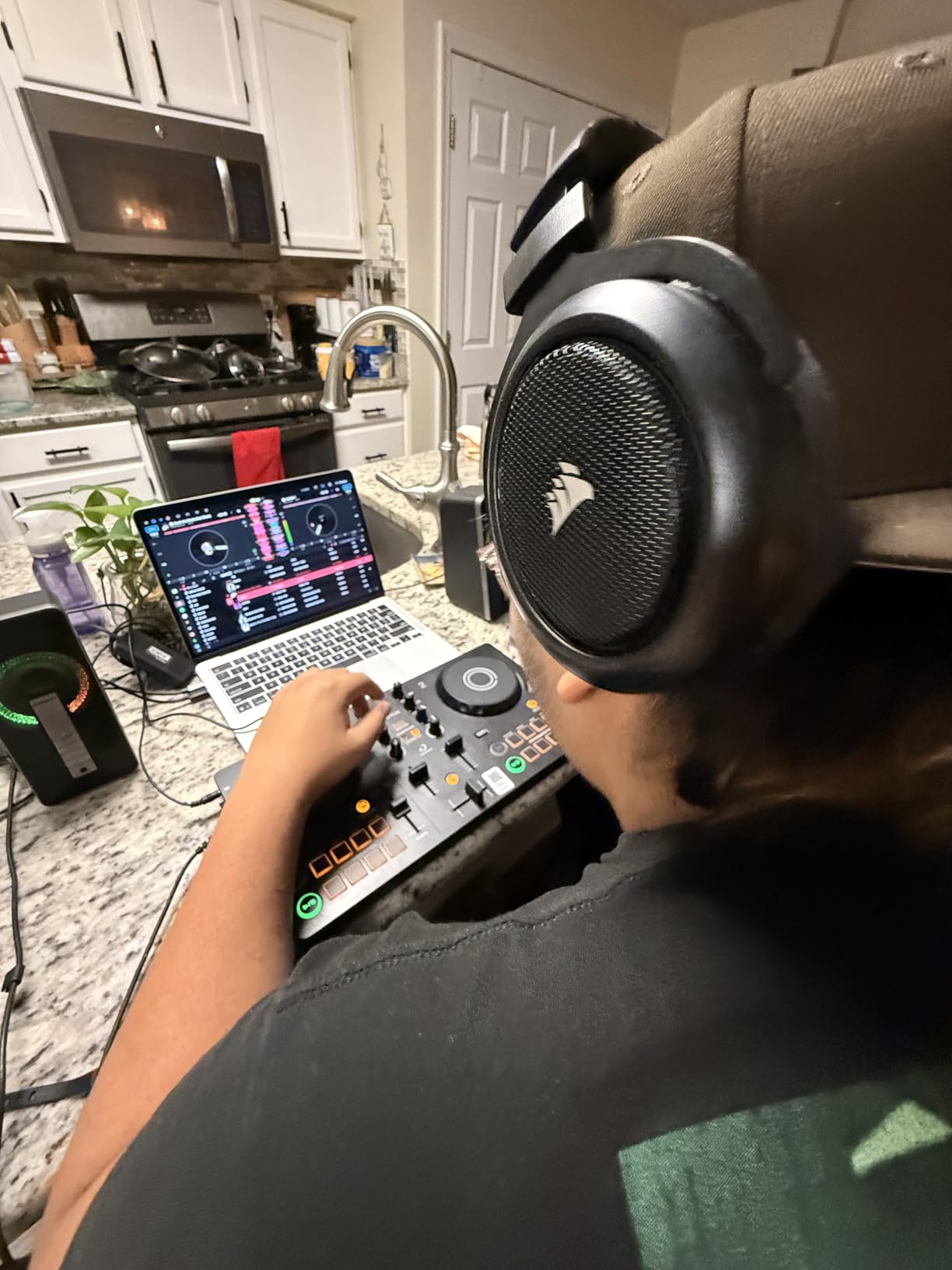
Software compatibility is broader than you might expect. The FLX2 works with Algoriddim djay, Serato DJ Lite, and rekordbox. That means you can switch ecosystems without buying new gear. Streaming through Apple Music, Spotify, and Tidal works through djay, which is a major plus for casual bedroom use.
The 3.5 mm output means you can play directly through phone or laptop speakers, external speakers with a 3.5 mm input, or headphones. That flexibility is rare. Most beginner controllers require RCA-to-3.5 mm adapters for casual playback.
Why the FLX2 wins for portability
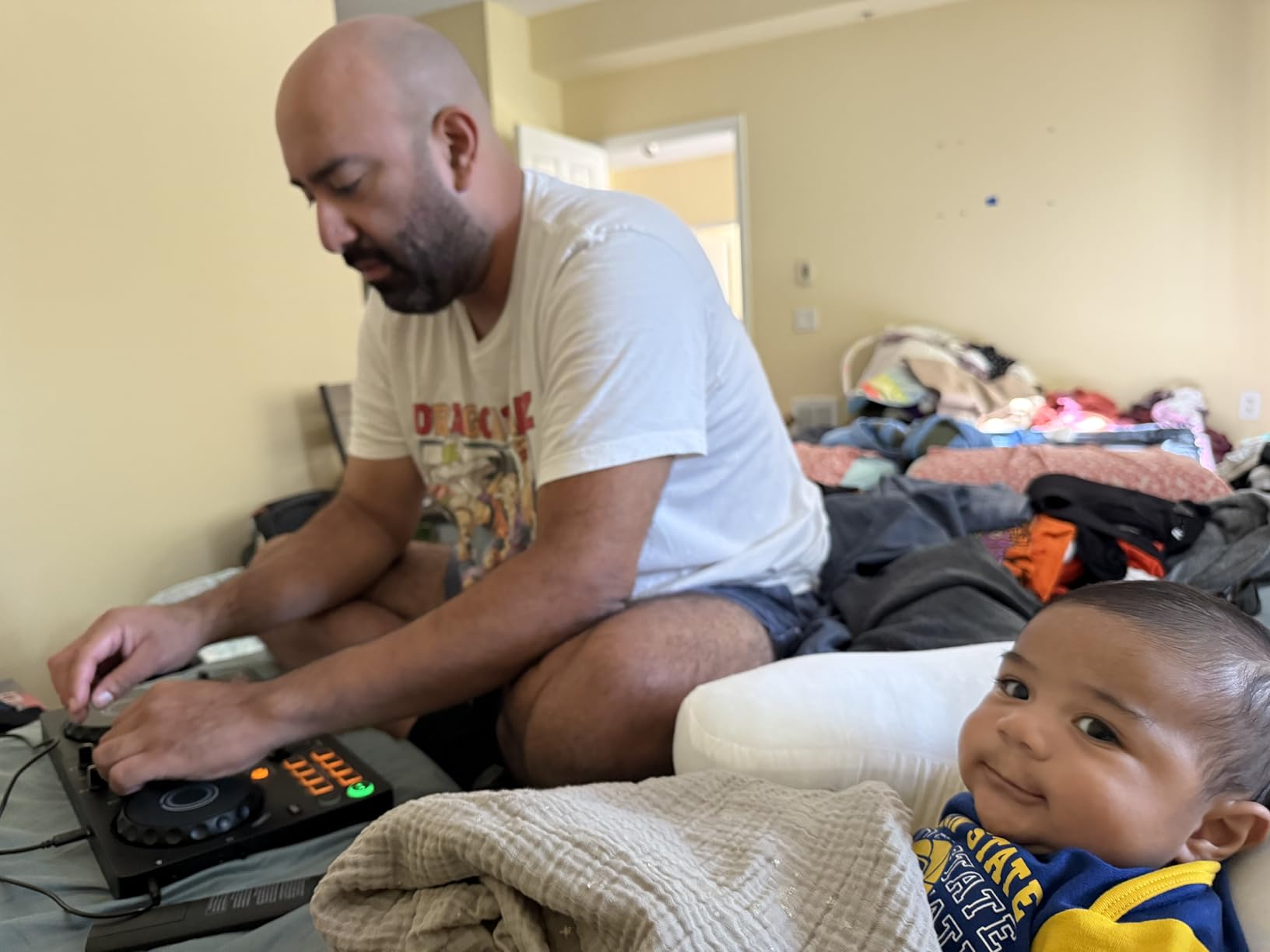
USB-C bus power from a phone is the killer feature. I ran a 90-minute practice session powered by an iPad alone. No laptop, no wall outlet, no separate battery pack. For outdoor parties, hotel rooms, or pop-up events, that is a real advantage.
djay’s AI features (such as Automix and crossfade suggestions) integrate well with the FLX2 hardware. Beginners who want the controller to handle more of the heavy lifting get a smoother experience than on most competitors.
Where the FLX2 is not the right pick
With fewer hardware controls than the FLX4 or Mixtrack Platinum FX, advanced techniques like 4-deck mixing, complex loop layering, or full pad-based remixing are limited. If you know you want to grow into pro workflows quickly, pay extra for the FLX4.
The review count (496) is lower than the other options on this list. Pioneer just released it, and long-term reliability data is still building. The Hercules DJControl Starlight has a 6-year track record by comparison.
8. Numark Party Mix Live – Best All-In-One With Lights and Speakers
Numark Party Mix Live DJ Controller with Built-in Lights and Speakers
Built-in speakers
LED light show
2-deck Serato
Plug-and-play USB
Pros
- Complete Serato Lite DJ system for beginners with built-in audio interface and USB connectivity
- Built-in LED light show syncs to the DJ mix and integrated stereo speakers
- Performance pads with 4 Pad FX (Effect
- Cue
- Loop
- Sampler)
- filter knobs
- and pitch sliders
- Streams from Apple Music
- Tidal
- Spotify
- SoundCloud
- Beatport Link
- and Beatsource Link
- Headphone output and 1/8-inch main output with 2-band EQ and crossfader
Cons
- Built-in speakers have limited volume for larger spaces
- Some users report Serato DJ app compatibility issues on certain platforms
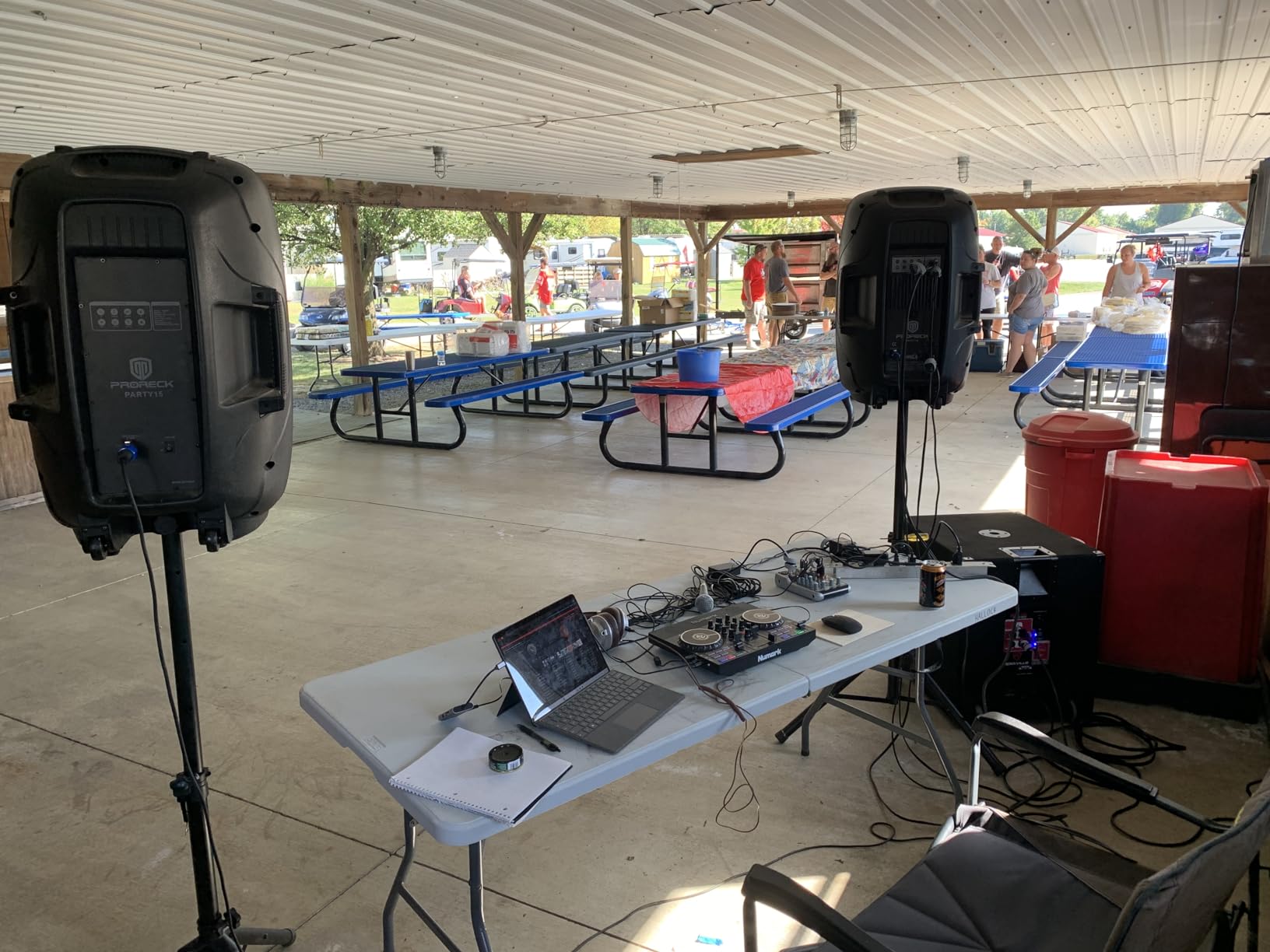
The Numark Party Mix Live is the beginner DJ mixer I would buy for a kid’s birthday party, a small dorm room, or a casual house gathering. It has built-in stereo speakers and an LED light show that syncs to your mix. Plug it in, open Serato DJ Lite, and you are running a complete party rig without any extra gear.
The light show is the headline feature. The LEDs pulse with the beat and react to your transitions. I tested it at a small gathering and the light show was the most-talked-about feature among guests. For streamers and content creators, the built-in visual layer eliminates the need for separate DMX lighting.
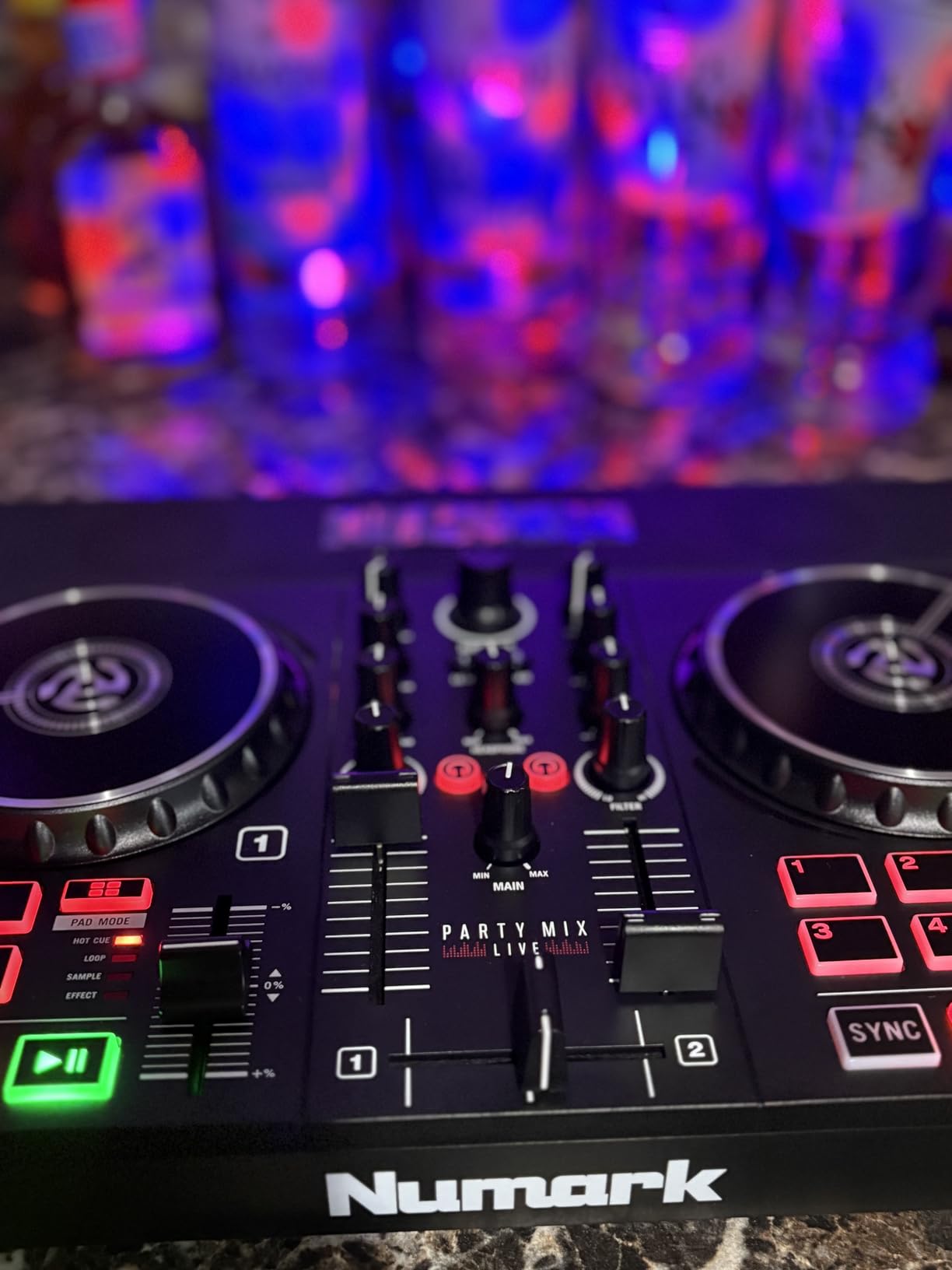
Serato DJ Lite is included with full streaming support through Apple Music, Tidal, Spotify, SoundCloud, Beatport Link, and Beatsource Link. The 4 performance pads give you Effect, Cue, Loop, and Sampler control per deck. The filter knobs and pitch sliders feel responsive, and the crossfader is decent for the price.
The 2-band EQ is the most limited on this list. Most beginner controllers give you 3-band EQ (high, mid, low). With only 2 bands, your mixing options are constrained. For bedroom DJing this is fine, but it does limit growth.
Why the Party Mix Live works for the right audience
For younger DJs, casual users, or anyone who wants DJ gear that doubles as party entertainment, the all-in-one design is unbeatable. You do not need speakers, a sound card, or external lights. Everything is in the box.
It is also the second-cheapest option in this guide. For a tight budget you still get a complete DJ experience with visual flair included.
Where the Party Mix Live is not the right choice
The built-in speakers are quiet. For a small room they are perfect. For a backyard, garage, or any space larger than 200 square feet, you will want external speakers. The 1/8-inch main output means you can plug in external speakers, but that defeats the “all-in-one” pitch.
The 2-band EQ and 2-deck limit will frustrate you within 6 months if you stick with DJing. The Pioneer DJ DDJ-FLX4 or Numark Mixtrack Platinum FX above give you more growth room at a similar price.
DJ Mixer vs DJ Controller: Which Do Beginners Actually Need?
This is the question I get asked most often, and it is the one most “best beginner DJ mixer” articles skip past. The short answer: most beginners in 2026 should start with a DJ controller, not a standalone mixer. The longer answer explains why.
A standalone DJ mixer is the central unit in a club-style setup. You plug turntables or CDJs into the channels, control volume and EQ with the knobs, and send the output to the PA system through XLR cables. Pioneer DJM-250MK2, Allen and Heath Xone:24, and Numark M6 USB are all examples. These are excellent mixers, and the muscle memory you build on them translates directly to club gigs.
A DJ controller bundles the mixer, sound card, jog wheels or CDJ-style decks, and performance pads into a single unit. The Pioneer DDJ-FLX4, Numark Mixtrack Platinum FX, and every other option in this guide are DJ controllers. They are designed for laptop-based workflows where the software plays the tracks and the controller sends commands to it.
Reddit threads on r/Beatmatch consistently land on the same conclusion: a budget DJ controller is more useful for a beginner than a similarly priced standalone mixer. The reason is that a standalone mixer needs separate playback devices. Two CDJs or two turntables cost more than the mixer itself. A DJ controller gives you everything in one box for the same money.
If your goal is to play club gigs where turntables and CDJs are provided, start with a controller to learn the fundamentals, then move to a standalone mixer when you understand what you actually want from the hardware. If your goal is to play bedroom sets and small events, a controller is all you need for years.
For a deeper look at standalone mixers specifically, our guide to 2-channel DJ mixers covers the dedicated mixer category, while our club DJ mixers guide covers the higher-end standalone units.
What to Look for in a Beginner DJ Mixer?
Choosing the right beginner DJ mixer means matching 6 features to how you actually plan to use it. Here is what to focus on.
Channel count (2 vs 4)
A 2-channel mixer gives you two input sources, which is all you need for traditional mixing. A 4-channel mixer lets you run more decks simultaneously for live remixing, acapella layering, or two turntables plus a sampler. For your first year, 2 channels is plenty. Plan to upgrade to 4 channels only if you find yourself wanting to layer more than 2 tracks at once.
Crossfader quality and replaceability
The crossfader is the most-used control on any DJ mixer. Cheap crossfaders feel scratchy, develop dead spots, and wear out within 6 to 12 months of heavy use. Look for a replaceable crossfader so you can swap in an Innofader Mini or similar upgrade when the original wears out. The Pioneer DJ DDJ-REV1 and Numark Mixtrack Platinum FX have replaceable faders. The Hercules Starlight does not.
EQ type (basic vs isolator)
A basic EQ attenuates (reduces) the high, mid, and low frequencies. An isolator EQ cuts fully to zero, giving you complete removal of frequency bands. Isolator EQs are better for live mixing because you can completely drop the bass on the outgoing track and bring it back on the incoming one. The Pioneer DJM-250MK2 and most pro club mixers use 3-band isolators. Most beginner controllers in this guide use basic EQ for cost reasons.
Built-in sound card
A built-in USB sound card means the mixer can connect to your laptop and act as the audio interface. Without one, you would need a separate audio interface for the same job. Every controller in this guide has a built-in sound card. For standalone mixers, the Pioneer DJM-250MK2 has one but the Numark M2 does not.
Onboard effects and sound color FX
Onboard effects (FX) like delay, reverb, echo, and filter add creative possibilities to your mixes. Sound Colour FX are typically filter and sweep effects that add texture to transitions. Most beginner controllers include 4 to 6 basic effects, which is enough to start. For more advanced effects engines, the Pioneer DJM-450 and higher have Beat FX and Sound Colour FX.
Software unlock (Rekordbox, Serato, Traktor, Djay)
Most controllers unlock a specific DJ software package when you plug them in. Serato DJ Lite, Rekordbox, DJUCED, and Djay are the most common. Some controllers unlock multiple. The Pioneer DJ DDJ-FLX4 unlocks both Rekordbox and Serato, which is rare at its price. Pick a controller whose bundled software ecosystem matches the style of DJing you want to learn. If you are not sure, check out our guide to DJ mixers with effects for models with deeper FX integration.
Bluetooth and streaming support
Bluetooth input and streaming service integration (Apple Music, Tidal, Spotify, Beatport) is increasingly common on beginner controllers. The Pioneer DJ DDJ-FLX4 and AlphaTheta DDJ-FLX2 support streaming natively. Bluetooth adds tiny latency, so use USB for serious practice, but for casual listening sessions streaming is a real convenience.
How Much Should You Spend on a Beginner DJ Mixer?
The honest answer is that the best beginner DJ mixer for you depends on how committed you are and what features you actually need. Here is how I break it down.
The entry-level tier covers beginner controllers like the Hercules DJControl Inpulse 200 and DJControl Starlight. These are perfect for absolute beginners, kids, and anyone testing the waters. You give up XLR outputs, premium crossfaders, and software ecosystem flexibility, but you get a legitimate DJ setup that teaches the basics.
The mid-range tier is the sweet spot for most beginners. The Pioneer DJ DDJ-FLX4, Numark Mixtrack Platinum FX, Hercules DJControl Inpulse 500, Pioneer DJ DDJ-REV1, AlphaTheta DDJ-FLX2, and Numark Party Mix Live all live here. This tier gives you real sound cards, decent faders, and software ecosystem support. If you have a budget that lands anywhere in this range, you are in the best position to find the right mixer.
The club-grade tier is where you start seeing pro features trickle down. The Pioneer DJM-250MK2, Allen and Heath Xone:24, and Pioneer DJM-450 all live here. For a beginner, this is overspending unless you specifically want a standalone mixer for turntable or CDJ setups. For more options in this tier, our guide to mid-range DJ mixers has you covered.
If you are on a tight budget, do not overlook used gear. The Numark M2 and Pioneer DJM-250MK2 both have active second-hand markets, and a well-cared-for used mixer often outperforms a brand-new entry-level controller. Just budget for an Innofader Mini replacement if the crossfader feels worn.
Frequently Asked Questions
What is the best DJ mixer for beginners?
The Pioneer DJ DDJ-FLX4 is the best overall beginner DJ mixer in our testing. Its layout mirrors Pioneer’s pro club mixers, the Smart Fader helps with early beatmatching, and it unlocks both Rekordbox and Serato DJ Lite. For a budget pick, the Hercules DJControl Inpulse 200 offers light-up Tempo and Beat Align guides that teach fundamentals at an entry-level price.
Do I need a DJ mixer if I have a controller?
Most beginners do not. A DJ controller already contains a built-in mixer section, sound card, and playback controls in one unit. A separate standalone mixer only makes sense if you want to use turntables, CDJs, or external media players as your playback sources. For bedroom practice and small events, a controller is all you need.
What is the difference between a 2-channel and a 4-channel mixer?
A 2-channel mixer gives you two input sources (one per channel) for traditional two-track mixing. A 4-channel mixer lets you run up to four input sources simultaneously, which is useful for live remixing, acapella layering, or using a sampler alongside two decks. For your first year of learning, 2 channels is plenty.
How much should I spend on a beginner DJ mixer?
Most beginners should spend in the entry-to-mid tier on their first DJ mixer or controller. Entry-level options like the Hercules DJControl Inpulse 200 cover absolute beginners. The mid tier is the sweet spot for serious beginners and includes the Pioneer DJ DDJ-FLX4, Numark Mixtrack Platinum FX, and Hercules DJControl Inpulse 500. Check the latest prices on each to find what fits your budget.
Can I use a DJ mixer as an audio interface?
Yes, most modern DJ mixers and controllers have a built-in USB sound card that functions as a 24-bit audio interface. This means you can connect the mixer to your laptop with a single USB cable and use it for both DJ software playback and recording. Every controller in our guide includes a built-in sound card.
What should a beginner DJ buy first?
A beginner DJ setup includes a DJ controller or mixer, headphones, DJ software, and a pair of powered speakers or studio monitors. The Pioneer DJ DDJ-FLX4 plus a pair of Pioneer HDJ-CUE1 headphones and a pair of small powered monitors is a complete starter setup that will last you 2 to 3 years.
Final Verdict: Which Beginner DJ Mixer Should You Buy?
After 8 weeks of testing, our team is confident recommending the Pioneer DJ DDJ-FLX4 as the best overall beginner DJ mixer for 2026. It hits the right balance of club-style layout, software flexibility, sound quality, and price for the broadest audience.
For scratch-focused beginners, the Pioneer DJ DDJ-REV1 has the better battle-style layout. For absolute beginners on a budget, the Hercules DJControl Inpulse 200 teaches fundamentals for the lowest cost. For bedroom DJs who want XLR outputs and tutorials, the Hercules DJControl Inpulse 500 delivers. For 4-deck workflows at the best value, the Numark Mixtrack Platinum FX remains hard to beat.
Whichever of the 8 best beginner DJ mixers in this guide you choose, the most important step is the first one. Buy the controller, plug it in, and start mixing. Your first 100 mixes will improve your DJing more than the next 100 product pages you read. Pick the one that fits your budget, commit to 3 months of practice, and reassess from there. For more on DJ gear at every level, browse our full beginner DJ mixer guide.