
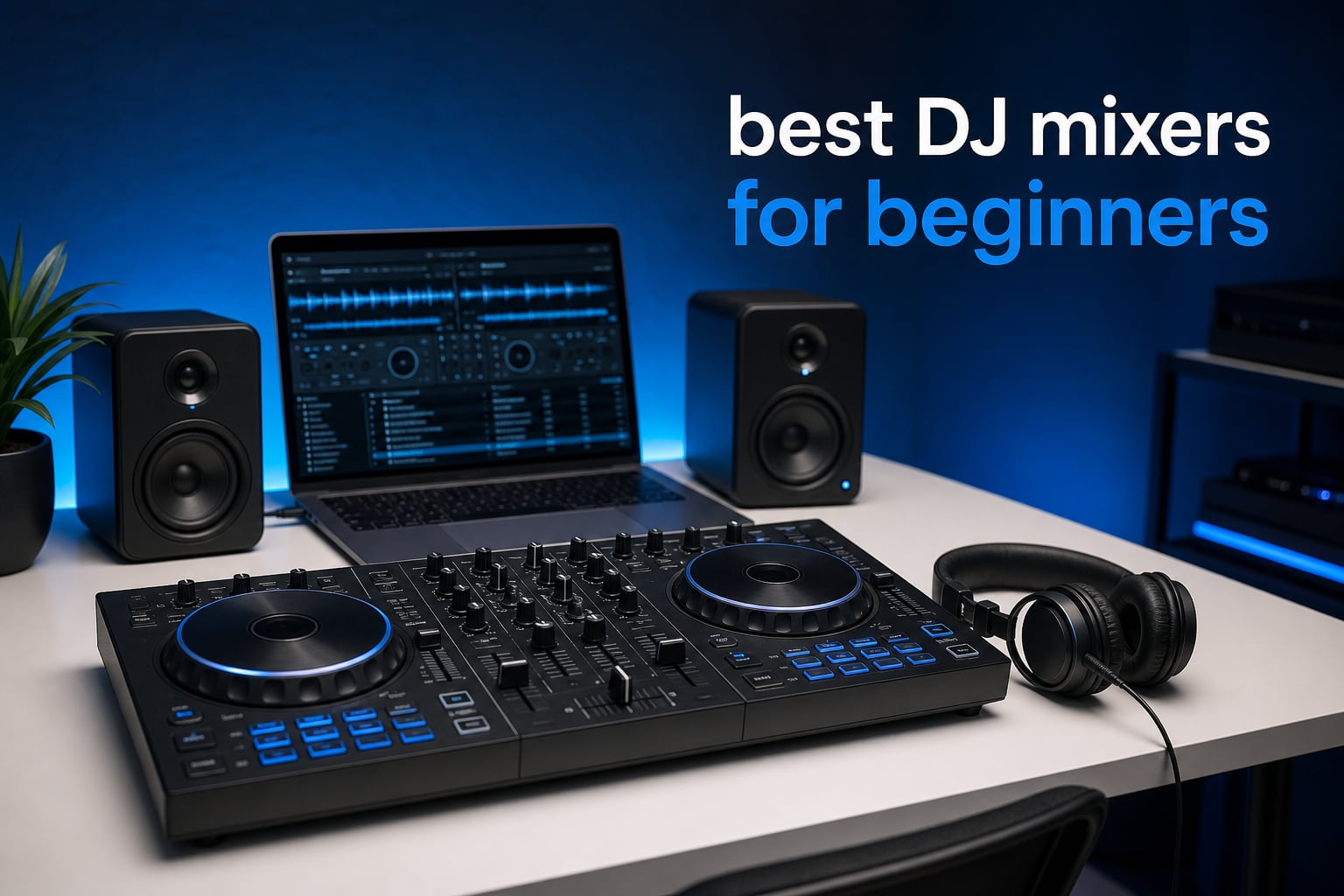
Choosing among the best DJ mixers for beginners is simpler once you separate a mixer from a controller. A standalone mixer blends audio from external players or turntables; every product here is a DJ controller, which combines mixer controls, decks, jog wheels, and software control in one beginner-friendly unit.
I would start with a two-deck controller, headphones, and a laptop, phone, or tablet that the controller actually supports. That setup teaches cueing, EQ, phrasing, and beatmatching without turning the first week into a wiring project.
For this guide, I compared the eight verified controllers on learning assistance, software compatibility, deck control, outputs, portability, and the limits a new DJ should know about. The short answer is that the Pioneer DJ DDJ-FLX4 is the broadest first choice, while Hercules offers unusually useful visual learning aids and AlphaTheta makes mobile mixing especially approachable.
Community discussions keep returning to the same worry: buying gear that becomes restrictive too soon. The right answer is not to buy the most complicated unit; it is to choose controls you will practice often, then learn clean transitions before chasing effects.
Table of Contents
The top 3 best DJ mixers for beginners give three clear starting paths
The DDJ-FLX4 is my all-round recommendation because it works with a wide range of devices and includes Serato DJ Lite. The Inpulse 200 MK3 is the pick for a learner who wants Beatmatch Guide LEDs and tutorials, while the DDJ-FLX2 suits someone who plans to mix from a phone or tablet as often as a computer.
- Best all-round first controller: Pioneer DJ DDJ-FLX4 for its familiar club-style layout and broad device support.
- Best guided learning choice: Hercules DJControl Inpulse 200 MK3 for its tutorials, Beatmatch Guide LEDs, and compact size.
- Best mobile-friendly choice: AlphaTheta DDJ-FLX2 for USB-C power, supported DJ apps, and Smart Fader assistance.

Pioneer DJ DDJ-FLX4
- PC Mac mobile support
- Serato DJ Lite
- professional layout
- streaming support

Hercules DJControl Inpulse 200 MK3
- Beatmatch Guide LEDs
- DJ Academy tutorials
- Stems controls
- portable body

The best DJ mixers for beginners in 2026 cover every common first setup
This overview puts the core facts in one place. Software compatibility matters as much as the physical controls, so decide whether you prefer Serato, rekordbox, DJUCED, djay, or Traktor Play before committing to a controller.
| Product | Specifications | Action |
|---|---|---|
| Hercules DJControl Inpulse 200 MK3 |
|
Check Availability |
| Pioneer DJ DDJ-FLX4 |
|
Check Availability |
 Numark Mixtrack Platinum FX Numark Mixtrack Platinum FX |
|
Check Availability |
 Hercules DJControl Inpulse 500 Hercules DJControl Inpulse 500 |
|
Check Availability |
 Hercules DJControl Inpulse 300 MK2 Hercules DJControl Inpulse 300 MK2 |
|
Check Availability |
 Pioneer DJ DDJ-REV1 Pioneer DJ DDJ-REV1 |
|
Check Availability |
| AlphaTheta DDJ-FLX2 |
|
Check Availability |
 Numark Party Mix II Numark Party Mix II |
|
Check Availability |
1. Hercules DJControl Inpulse 200 MK3 is the easiest guided-learning choice
Hercules DJControl Inpulse 200 MK3 – Ideal DJ Controller with Serato Lite
2 decks
Beatmatch Guide LEDs
Stems controls
2.2 lb portable body
Pros
- DJ Academy tutorials
- Beatmatch Guide LEDs
- Stems controls
- very portable
- streaming support
Cons
- Four pads per deck
- small review sample
The Inpulse 200 MK3 makes a strong case for starting small and practicing frequently. Its touch-sensitive jog wheels, four performance pads per deck, and conventional two-deck layout give a new DJ the controls needed for cue points, simple loops, and basic transitions.
What separates it is the teaching focus. Hercules lists step-by-step DJ Academy tutorials, Beatmatch Guide LEDs, and an Intelligent Music Assistant, so the controller gives visual prompts when the timing and tempo relationship between two tracks needs attention.
At 2.2 pounds, it is the most travel-oriented option in this group. That low weight is useful for moving between a bedroom, a friend’s house, and a small gathering, although the compact surface naturally leaves less room around each control.
The learning tools make early beatmatching less abstract
Beatmatching is a skill, not a button, but visual guides can make the first exercises less frustrating. I would use the LEDs to check what I hear, then gradually try transitions without watching them; that turns the aid into feedback instead of a crutch.
The listed Stems controls offer another early creative route: separating vocals and instrumentals in compatible software can make simple transitions more interesting. The controller also supports streaming from services including Spotify, Apple Music, Beatport, SoundCloud GO+, TIDAL, and Beatsource through its supported setup.
The compact format fits learners who practice away from a desk
This is the controller I would pick for a beginner whose main goal is developing timing in short daily sessions. It connects through USB and has a 3.5 mm audio interface listed, so check that your chosen headphones, speakers, and computer connection match the available ports before building around it.
The published review base is only 21 ratings, despite a 4.8 average, so it provides less long-term customer feedback than the established picks below. Four pads per deck are enough for fundamentals, but performance-focused DJs may outgrow that layout sooner.
2. Pioneer DJ DDJ-FLX4 is the strongest all-round first controller
Pioneer DJ DDJ-FLX4 2-Channel DJ Controller, 16 Pads, Graphite
2 decks
Serato DJ Lite
PC Mac and mobile support
professional layout
Pros
- Broad device support
- Serato DJ Lite included
- portable professional layout
- streaming services
- one-year warranty
Cons
- No dedicated advanced deck controls
- more substantial than compact picks
The Pioneer DJ DDJ-FLX4 is the best all-round answer for a beginner who wants familiar DJ controls and room to build habits. Its two-deck layout is deliberately close to the workflow people meet in many DJ booths: jogs, channel controls, EQ, cue buttons, and a crossfader all sit where a learner expects them.
It supports PC, Mac, iPhone, iPad, Android phones, and Android tablets, which gives a first setup useful flexibility. Serato DJ Lite is included, and the controller supports TIDAL, Beatport Streaming, Beatsource Streaming, and SoundCloud Go+ according to the product information.
The 4.7 average from 2.7k+ ratings is also a useful confidence signal compared with newer controllers with smaller feedback pools. I would choose this one for the person who wants to start at home but hopes to recognize the feel of club-oriented DJ gear later.
The software and device support gives beginners room to change direction
Software can be the hidden deciding factor in a first controller. The FLX4 lets you begin with Serato DJ Lite and use more than one type of device, so you are not forced to replace the hardware simply because your preferred practice device changes.
Streaming support can help a learner test track ideas without building a huge local collection on day one. Still, use music you have prepared and analyzed when practicing; reliable beat grids and familiar tracks make learning phrasing far easier.
The layout teaches transferable two-deck technique
Two decks are enough to learn the core sequence: cue the incoming track, match tempo, align phrasing, shape the EQ, and make the handoff with the channel fader or crossfader. I prefer that progression over trying to control four decks before the first two sound consistent.
The controller weighs 2.8 kilograms and uses USB with RCA connectivity listed. Plan the speaker connection before purchase, because RCA is common for a home DJ setup but not the same thing as a balanced XLR connection found on some larger equipment.
3. Numark Mixtrack Platinum FX is the best four-deck progression pick
Numark Mixtrack Platinum FX DJ Controller
4 decks
6 inch jog displays
24-bit interface
six FX
Pros
- Four-deck control
- jog wheel displays
- 24-bit audio
- FX paddles
- eight pads per deck
Cons
- More controls to learn
- bus-powered USB setup
The Numark Mixtrack Platinum FX is for the beginner who knows they want more than a basic two-deck path. It offers four decks of control, eight performance pads per deck, 3-band EQ, filter knobs, channel faders, and a crossfader, so it puts a wide set of creative choices within reach.
Its standout feature is the pair of six-inch capacitive-touch jog wheels with color displays. Numark says the screens show BPM, platter position, beats remaining, and pitch, information that can reduce how often you have to look back at a laptop during a transition.
The 4.6 average from 2.7k+ ratings suggests that this is a well-established controller. It is still important to treat its four-deck capability as headroom, not homework: a new DJ can leave decks three and four alone until the fundamentals on the first pair feel natural.
The jog displays keep key mix information near your hands
Seeing BPM and beats remaining on the jog displays can help a beginner notice whether a track is about to change phrase. I would use the displays to confirm an audible decision, not to replace listening to the kick, snare, and musical structure.
The controller includes a built-in 24-bit audio interface and plug-and-play USB support for Mac and Windows. Its listed connections include a microphone input, headphone output, RCA output, and 1/4-inch connections, making it more adaptable than a tiny portable board.
The four-deck mode rewards a slower learning plan
Four-deck control can mean layering an acapella, a loop, or a third percussion track over a two-track blend. That sounds appealing, but it also raises the number of gain, EQ, and timing decisions a beginner must make in real time.
The six quick-launch effects with dual paddle triggers are a good reason to practice restraint. Learn to make a clean transition with no effect first, then try one deliberate filter or echo at a phrase boundary rather than stacking effects to cover an uncertain mix.
4. Hercules DJControl Inpulse 500 is the most complete home-practice controller
Hercules DJControl Inpulse 500-2-Deck DJ Controller for Serato & DJUCED
2 decks
16 RGB pads
hardware input mixer
touch jog wheels
Pros
- Built-in audio interface
- 16 RGB pads
- hardware input mixer
- Filter FX area
- protective feet
Cons
- 11.6 pound body
- less portable than small controllers
The Hercules DJControl Inpulse 500 is a two-deck controller for someone who wants a more planted practice station. It has 16 backlit RGB pads, touch-detection jog wheels, a built-in audio interface, and a Filter/FX area, giving a new DJ enough tactile controls to keep developing after the first basic transitions.
A hardware input mixer is a particularly useful specification here. It suggests a more flexible role in a home setup than a controller that only handles computer playback, although you should confirm every source and cable you want to connect against the manual.
The product weighs 11.6 pounds, which is a drawback if you expect to carry it everywhere. For a desk or dedicated stand, that same larger footprint can leave more space for deliberate hand movements and reduce the cramped feel some learners dislike.
The pads and dedicated loop controls support structured practice
Sixteen RGB pads give room for cue and performance functions, while Vinyl mode and Loop In and Loop Out buttons offer direct ways to practice small musical decisions. I would make a simple routine: set cue points, build a four- or eight-beat loop, then exit the loop exactly on the next phrase.
The Filter/FX area is intended for smoother transitions between tracks. A filter sweep can be useful when the basslines conflict, but correct gain staging and EQ are still the main tools for a transition that sounds intentional.
The raised-feet design suits a fixed home DJ setup
Hercules lists retractable and extendable feet designed to lift the controller and help protect it from spills. That detail will matter to people practicing near drinks or using a shared table, though electronics should never be treated as spill-proof.
Serato DJ Lite and DJUCED are included, so a beginner can compare two software workflows rather than starting with no software at all. The 4.6 average from 1.4k+ ratings adds a broader customer record than the newest Inpulse 200 MK3.
5. Hercules DJControl Inpulse 300 MK2 is the balanced guided-practice choice
Hercules DJControl Inpulse 300 MK2-2-Deck DJ Controller Serato & DJUCED
2 decks
Beatmatch Guide
16 RGB pads
Serato and DJUCED
Pros
- Beatmatch learning aid
- built-in sound card
- 16 RGB pads
- touch jogs
- two included software options
Cons
- 3.5 mm main output
- moderate review sample
The Hercules DJControl Inpulse 300 MK2 occupies a sensible middle ground between the compact Inpulse 200 MK3 and the larger Inpulse 500. It gives you two decks, touch jog wheels, a built-in sound card, 16 RGB pads, and the same core learning idea: Beatmatch Guide lights that make timing feedback visible.
Serato DJ Lite and DJUCED are included, and Hercules lists compatibility with Beatport ADVANCED, Beatsource, SoundCloud GO+, and TIDAL. That gives a beginner a practical route to learn with prepared tracks or explore supported streaming within the relevant software.
At 5.6 pounds, it is portable without being ultra-light. I see it as a useful fit for a learner who wants more pads and a wider working area than the smallest entry controller, but still needs the board to move easily between rooms.
The Beatmatch Guide supports deliberate timing drills
Start by loading two tracks with a clear steady beat, bring the cue track into your headphones, and adjust the tempo until the guide and your ears agree. Then practice nudging the jog wheel to correct a small drift without stopping the playing track.
The lights are valuable because they make the cause-and-effect relationship easier to spot at first. The goal remains listening: DJs play rooms with sound, not dashboards, so the visual help should become less necessary as your timing improves.
The built-in sound card keeps a first connection plan simple
A built-in sound card means the controller can handle the basic split between a main output and headphone cueing in its supported configuration. The listed 3.5 mm audio output is convenient for compact speakers and adapters, but check your speakers’ input type before assuming a cable is included.
Its 4.6 average is based on 305 ratings, so the feedback pool is meaningful but much smaller than the FLX4, Mixtrack, or Party Mix II. That does not make the controller unsuitable; it simply means the rating represents fewer owners.
6. Pioneer DJ DDJ-REV1 is the right first controller for scratch curiosity
Pioneer DJ DDJ-REV1 2-deck Serato DJ Controller, Black
2 decks
Tracking Scratch
Scratch Bank
microphone input
Pros
- Large jog wheels
- Tracking Scratch
- Scratch Bank
- microphone input
- Serato DJ Lite support
Cons
- Serato-centered workflow
- extra equipment may be needed
The Pioneer DJ DDJ-REV1 is the most clearly scratch-oriented controller in this roundup. Its layout takes inspiration from two PLX turntables and a DJM-S-series mixer, while the large jog wheels and Tracking Scratch feature focus attention on a skill set that differs from smooth house or pop transitions.
Scratch Bank pad mode lets you load scratch samples, and a microphone input can route voice into the master audio through Serato DJ Lite. Those are specific, useful features for a beginner who wants to practice open-format routines, short cuts, and simple crowd interaction.
I would not choose it only because the jogs look impressive; choose it if scratching actually motivates you to practice. Its 4.5 average from 975 ratings is solid, but its Serato DJ Lite and Pro orientation should shape your software decision from the start.
The battle-style layout makes scratch fundamentals easier to approach
A scratch-focused layout puts your attention on the jog wheel, crossfader movement, and sample control. Begin with baby scratches and clean stops before attempting fast patterns, because hand timing and crossfader control need repetition more than a large effects menu.
Tracking Scratch is designed to help with scratching during performance. It is a helpful feature for a learning routine, yet it does not remove the need to set cue points carefully and listen for whether the sample returns exactly where you expect.
The microphone input suits party hosts and practice recordings
A microphone input is useful for an MC-style announcement, a practice recording, or someone learning to manage music and voice together. Keep the microphone level conservative, since abrupt vocal level changes can be more distracting than a slightly imperfect transition.
The controller weighs five pounds and supports PC and Mac via USB. It is portable enough for taking to a casual event, but the available product information notes that some users may need extra equipment for a complete setup, so make a cable checklist first.
7. AlphaTheta DDJ-FLX2 is the clearest phone-and-tablet DJ choice
AlphaTheta Pioneer DJ DDJ-FLX2 2-Channel DJ Controller, Smart Fader, USB-C
2 channels
Smart Fader
Smart CFX
USB-C powered
Pros
- Phone tablet PC support
- multiple DJ apps
- Smart Fader
- USB-C portability
- streaming support
Cons
- Limited advanced controls
- Bluetooth latency can matter
The AlphaTheta DDJ-FLX2 is designed for a beginner who wants to start with the device already in their bag. It works with rekordbox, djay, Serato DJ Lite, and Traktor Play, and its stated compatibility includes smartphones, tablets, PCs, and Macs.
Its Smart Fader automatically assists with BPM, volume, and bass adjustments, while Smart CFX adds transition and effects help. Those features can help a complete beginner make an early mix sound more coherent, particularly when they are still learning why the low frequencies of two songs should not play at full level together.
The compact 2.65-pound body and USB-C power are real advantages for dorm rooms, small bedrooms, and short practice sessions. I would choose it for mobility and multi-app flexibility rather than for a large, club-style hardware layout.
The multi-app support makes software experimentation practical
Software preference is personal: some learners like rekordbox’s organization, others prefer the Serato workflow, and mobile DJs may be drawn to djay. The FLX2 lets you test supported ecosystems without first changing controllers, which is a good answer to a very common beginner concern.
Streaming is also listed through compatible applications for Apple Music, Beatport Streaming, SoundCloud, Spotify, and TIDAL. Confirm the service works in the exact app and region you plan to use, then create playlists with compatible versions of your tracks before a session.
The Smart Fader helps beginners hear the shape of a clean blend
Smart Fader can assist with the coordinated changes that happen during a basic transition: tempo, volume, and bass. I would use it for a few sessions to hear the intended result, then recreate the same shape manually with the channel faders, EQ, and tempo controls.
Bluetooth is listed as a connectivity option, but wireless audio can introduce latency in some situations. For precise cueing and beatmatching, a direct wired monitoring path remains the safer plan whenever the controller and your setup allow it.
8. Numark Party Mix II is the most approachable choice for casual house parties
Numark Party Mix II DJ Controller with Built-in Lights
2 decks
built-in LED lights
touch jog wheels
Serato DJ Lite
Pros
- Built-in light show
- very lightweight
- touch jog wheels
- Serato DJ Lite
- headphone output
Cons
- 2-band EQ
- plastic body
- less advanced feature set
The Numark Party Mix II is built around a simple promise: make the first home DJ session feel fun quickly. Its built-in LED light show syncs to the mix, and the two-deck format includes touch-sensitive jog wheels, performance pads, filter knobs, pitch sliders, and basic library controls.
It includes Serato DJ Lite, an integrated audio interface, a headphone output, and a 1/8-inch main output. At 1.76 pounds, it is exceptionally easy to store or carry, which makes it attractive for a casual party DJ or a learner with very limited desk space.
The 4.3 average across 4.8k+ ratings is the lowest score in this list, even though the review volume is the largest. I would read that as a reason to match expectations to the product: it is a compact, beginner-focused party controller rather than a full-featured long-term performance deck.
The integrated lights make early home sessions more inviting
The LED light show is not a mixing feature, but it can make a first set feel more like an event. That matters for beginners who stay motivated by inviting friends over and practicing a short, prepared run of familiar songs.
The performance pads offer Effect, Cue, Loop, and Sampler modes. Learn the Cue and Loop functions first because they directly support track preparation; add sampler hits later, once they do not interrupt your timing or distract from the music.
The simplified mixer section keeps the first controls manageable
The Party Mix II has a 2-band EQ, channel faders, and a crossfader. A 2-band EQ is less detailed than the 3-band EQ on some controllers, yet it can be enough to learn the habit of making room for the incoming track before bringing it fully into the mix.
The plastic construction and limited advanced controls are the trade-off for its small, lightweight design. For someone who expects to learn scratching, use many performance pads, or connect larger speaker systems, one of the more fully equipped controllers above will be the better fit.
The right beginner DJ controller depends on software, outputs, and learning goals
Do not treat every box labeled “DJ mixer” as the same product category. A controller uses software on a computer or mobile device to play and manipulate digital tracks, while a standalone mixer takes external audio sources such as media players or turntables and blends them; this article’s eight choices are controllers.
That distinction matters because a controller is usually the simpler first purchase for digital music. You get the mixer section, jog wheels, playback controls, and software integration in one device instead of needing separate decks, a mixer, audio interfaces, and additional cabling.
Two decks are enough for learning the skills that matter first
A two-deck controller gives you one track playing and one track ready to cue. That is all you need to practice the full loop of DJing: beatmatch, count phrases, set levels, use EQ, transition, and reset for the next record.
Four-deck hardware, such as the Mixtrack Platinum FX, makes sense when you want to layer loops or samples later. It does not make a beginner better faster on its own, and leaving unused decks alone is perfectly sensible during the first months.
The software choice should come before brand loyalty
Serato DJ Lite is included with several controllers here, including the DDJ-FLX4, Inpulse 300 MK2, DDJ-REV1, and Party Mix II. DJUCED is included with the Inpulse 500 and Inpulse 300 MK2, while the FLX2 supports rekordbox, djay, Serato DJ Lite, and Traktor Play.
Download the supported software, verify your computer or mobile device meets its requirements, and try the music library workflow before making a final choice. The controller should fit the software that makes you want to organize tracks and practice, not the other way around.
The outputs determine whether headphones and speakers will connect cleanly
Every beginner needs a way to cue the next track privately and a way to play the master mix through speakers. Look for the exact headphone and main-output connections, then match them to the inputs on the headphones and speakers you already own or plan to use.
RCA, 1/8-inch, and 1/4-inch connections serve different setups. An adapter can solve a physical mismatch, but it does not change the fact that a controller with more flexible connections may be easier to grow with in a fixed home setup.
The jog wheels, faders, and EQ controls shape how the controller feels
Jogs let you nudge a track into time and can support scratching; larger jogs often give more physical space for that movement. The DDJ-REV1 emphasizes Tracking Scratch, while the Mixtrack Platinum FX adds screens inside its six-inch jog wheels.
For regular mixing, the channel faders, crossfader, and EQ matter more than flashy extras. A three-band EQ lets you manage lows, mids, and highs separately; a two-band EQ is simpler but gives you fewer ways to make two tracks coexist.
Learning features are useful when they teach rather than hide technique
Beatmatch Guide LEDs on the Hercules Inpulse models can show how track tempos align. Smart Fader on the FLX2 can assist with BPM, volume, and bass changes, and tutorials can offer a clear first lesson when the whole controller looks unfamiliar.
Use assistance to understand the result, then repeat the movement manually. That approach builds the listening and hand coordination you need on any future DJ gear, including equipment that does not offer visual guides.
DVS is not a first-week requirement for most digital beginners
DVS, or Digital Vinyl System, lets compatible software control digital files using timecode vinyl or CDs on external decks. It is valuable to DJs who want the feel of turntables while keeping a digital library, but it requires additional compatible hardware, media, and setup knowledge.
For a first controller, learn cueing and clean two-track mixing before worrying about DVS. If vinyl performance becomes your main goal, choose future equipment based on documented DVS compatibility rather than assuming every controller or mixer will support it.
A small starter kit keeps the first sessions focused on music
Start with the controller, supported device, wired headphones, and speakers that accept the controller’s main output. Add a stable table and a simple library of tracks you know well; familiar music makes it easier to notice phrasing and timing.
Buying used can work if you can test every fader, jog wheel, pad, button, port, and power connection. For a first purchase, included software and a current support path can be more useful than chasing an older model simply because other DJs remember it fondly.
The rule of 32 gives beginners a dependable phrasing checkpoint
The rule of 32 in DJing is a practical way to count common musical phrases: many dance tracks group beats into 32-beat sections. At four beats per bar, that is eight bars, often enough time for an intro, build, breakdown, or other obvious musical change.
Listen for those changes rather than counting mechanically forever. Start the incoming track on a phrase boundary, and your transitions will usually feel far more natural than a blend started at a random point in the outgoing song.
The most common beginner DJ questions have straightforward answers
What is a good beginner DJ mixer?
A good beginner DJ mixer is usually a two-deck DJ controller with a headphone cue output, a main speaker output, supported software, usable jog wheels, EQ controls, and a layout that invites regular practice. The Pioneer DJ DDJ-FLX4 is the broad all-round choice here, while Hercules Inpulse controllers add Beatmatch Guide learning support.
What is the rule of 32 in DJing?
The rule of 32 means counting 32 beats, often eight bars of four beats, as a common phrase length in dance music. Starting a transition at the beginning of one of these phrases helps intros, breakdowns, and drops line up in a way that sounds intentional.
What mixer do most DJs use?
Most working DJs use equipment that fits their venue, music format, and software or media workflow, so there is no single mixer for everyone. Pioneer DJ-style layouts are widely recognized in club settings, but beginners should first choose hardware that supports their preferred software and gives them enough controls to practice consistently.
Is 27 too old to start DJing?
No. DJing depends on listening, track selection, timing, preparation, and practice rather than starting at a particular age. Begin with a manageable two-deck controller, learn phrasing and clean transitions, and build short sets from music you already enjoy.
The Pioneer DJ DDJ-FLX4 is the safest all-round recommendation for 2026
Among these best DJ mixers for beginners, the Pioneer DJ DDJ-FLX4 is the easiest broad recommendation because its two-deck workflow, included Serato DJ Lite, device support, and familiar layout give a new DJ room to learn. Pick the Inpulse 200 MK3 or 300 MK2 if guided beatmatching is more useful to you, the FLX2 for mobile-first mixing, the REV1 for scratch practice, or the Party Mix II for compact casual sessions.
Choose the controller that matches your software and speakers, prepare a short set of familiar songs, and practice one clean transition at a time. That is the part of a first setup that turns equipment into DJ skills.
1 thought on “8 Best DJ Mixers for Beginners (September 2026) Reviewed”