
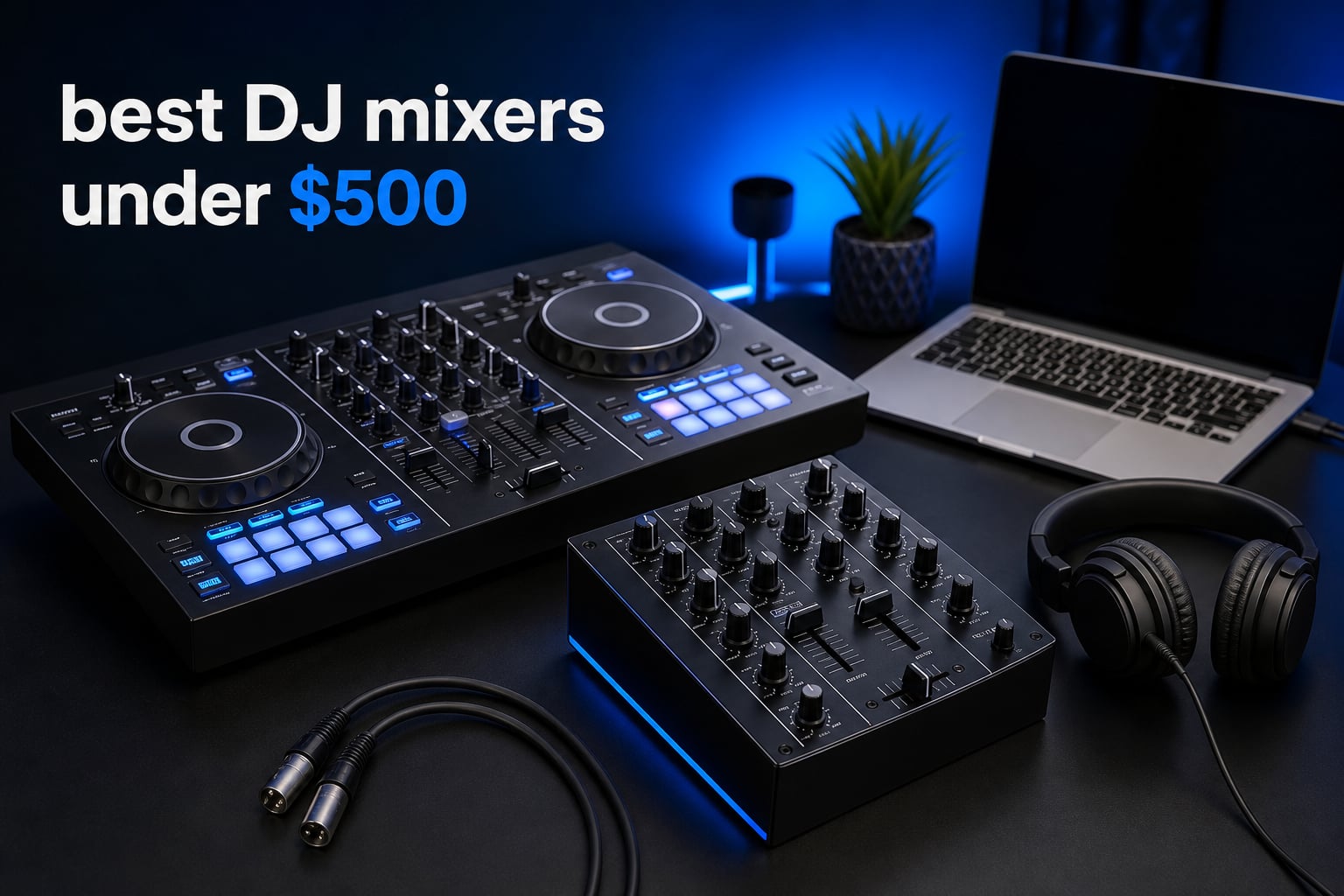
The best DJ mixers under $500 depend first on what you are mixing. A two-deck controller combines decks, jog wheels, pads, and a mixer for laptop or phone DJing, while a standalone DJ mixer accepts separate turntables or media players. Several products in this selection are instead compact live-sound consoles, which makes them more useful for microphones, karaoke, recording, and small events than for beatmatching two tracks.
That distinction matters more than a long feature list. A crossfader, cue controls, jog wheels, and DJ software support change how a beginner learns transitions; XLR inputs, phantom power, and DSP reverb solve a different problem. We reviewed the supplied eight products for their stated connections, channel count, workflow, ratings, and the jobs their designs actually support.
Our short answer is simple: choose the Pioneer DJ DDJ-FLX4 if you want a well-established two-deck DJ controller and broad device support. Choose the Hercules DJControl Inpulse 200 MK3 or AlphaTheta DDJ-FLX2 if guided learning and portability matter most. Pick one of the compact audio consoles only when your setup centers on live microphones, playback, recording, karaoke, or streaming rather than traditional DJ performance.
Community discussions repeatedly raise two sensible warnings. Do not confuse a controller with a standalone mixer, and do not assume every affordable console has the crossfader response or software integration needed for scratch work. Check the gear you already own before choosing: laptop, phone, turntables, microphones, powered speakers, and the cables between them all shape the result.
Top 3 Picks Answer the Fastest Buying Question (September 2026)
These three are the clearest fits for people who want to start mixing music rather than build a live-sound rack. They are controllers, so they need compatible software and a source device rather than external decks.
The DDJ-FLX4 earns the lead because its 4.7 rating is backed by 2.7k+ reviews and its stated compatibility spans computers, phones, and tablets. The two smaller alternatives are more purpose-built for a first session, with beat assistance or Smart Fader controls that reduce the early coordination burden.
Best DJ Mixers Under $500 in 2026 at a Glance
This complete list includes three DJ controllers and five multi-channel audio mixers. “Channels” do not mean the same thing on every unit: controller decks are performance channels for DJ software, while console channels are input paths for microphones, instruments, and playback sources.
| Product | Specifications | Action |
|---|---|---|
 Hercules DJControl Inpulse 200 MK3 Hercules DJControl Inpulse 200 MK3 |
|
Check Latest Price |
 Pioneer DJ DDJ-FLX4 Pioneer DJ DDJ-FLX4 |
|
Check Latest Price |
 AlphaTheta DDJ-FLX2 AlphaTheta DDJ-FLX2 |
|
Check Latest Price |
 Aveek F4 Aveek F4 |
|
Check Latest Price |
 Yamnweo MW-6 Yamnweo MW-6 |
|
Check Latest Price |
 Riworal 6 Channel Mixer Riworal 6 Channel Mixer |
|
Check Latest Price |
 Kaschun KX04 Kaschun KX04 |
|
Check Latest Price |
 TAVOSOP 4 Channel Mixer TAVOSOP 4 Channel Mixer |
|
Check Latest Price |
Ratings in the product data range from 4.1 to 4.8, but review volume varies sharply. Treat newer or lightly reviewed models as a reason to confirm the return terms, power requirements, and the exact inputs you will use before placing an order.
1. Pioneer DJ DDJ-FLX4 Is the Best All-Round DJ Controller
Pioneer DJ DDJ-FLX4 2-Channel DJ Controller, 16 Pads, Graphite
2 decks
Serato DJ Lite
PC, mobile and tablet support
Pros
- Broad device compatibility
- Professional-style layout
- Streaming support
- Large review base
Cons
- Requires compatible DJ software
- Advanced controls take practice
The Pioneer DJ DDJ-FLX4 is the strongest match here for someone learning a conventional two-deck DJ workflow. Its product data lists compatibility with PC, Mac, iPhone, iPad, Android phones, and tablets, plus Serato DJ Lite in the box. That is a more flexible starting point than a mixer that only accepts microphones or line sources.
I would put it at the top for a beginner who wants room to grow without moving immediately to separate players. The layout is described as portable but professional, and its 2.7k+ reviews give the 4.7 rating more context than a rating based on a few dozen buyers. Users specifically praise build quality, layout familiarity, and device compatibility.
Software and music-source support make the DDJ-FLX4 flexible
The supplied listing names TIDAL, Beatport Streaming, Beatsource Streaming, and SoundCloud Go+ support alongside Serato DJ Lite. That gives you several ways to build a library, but each service and software package has its own account, feature, and offline-use rules.
For that reason, I would install the intended DJ app and test its audio output with headphones before a first event. A controller is only as useful as the device, library, and software connection behind it.
Club-style learning makes the DDJ-FLX4 a sensible long-term starter
Forum comments often value Pioneer DJ layouts because the control arrangement feels familiar to people who later use club equipment. That does not make the DDJ-FLX4 a standalone club mixer, but it can make the hand positions and two-deck habits easier to transfer.
It is not the right pick for connecting a pair of turntables directly as a vinyl DJ setup, because the supplied data frames it as a controller. Buy it for software DJing, transportable practice, and small sets where you bring the whole system.
2. Hercules DJControl Inpulse 200 MK3 Makes First Lessons Less Intimidating
Hercules DJControl Inpulse 200 MK3 – Ideal DJ Controller with Serato Lite
2 decks
Beatmatch Guide LEDs
Stems controls
Pros
- Built-in tutorials
- Very light
- Four pads per deck
- Streaming choices
Cons
- Small review base
- Compact control surface
The Hercules DJControl Inpulse 200 MK3 speaks directly to the person who has never lined up two tracks before. Its stated Beatmatch Guide LEDs, Intelligent Music Assistant, DJ Academy tutorials, touch-sensitive jog wheels, and four performance pads per deck are learning aids rather than extra studio-console features.
At 2.2 pounds, it is also the lightest controller in this roundup by the supplied specifications. I like that combination for a bedroom DJ who wants a compact board that can stay connected near a computer instead of becoming another large case to store.
Guided controls help beginners understand beatmatching
The guide LEDs can show timing information, but they are most helpful when treated as feedback rather than autopilot. Practice cueing in headphones, correcting a drift with the jog wheel, and then checking the light; that builds the ear-and-hand connection a DJ needs.
The product also advertises stems controls for separating vocals and instrumentals. Stems performance depends on the chosen software and track processing, so it is wise to learn standard phrasing and EQ transitions as well.
Portability makes the Inpulse 200 MK3 best for personal practice
Its 15.6 by 10.4 by 3.7 inch dimensions and backpack-friendly position make it practical for travel and practice sessions. The supplied listing says it works with streaming sources including Spotify, Apple Music, Beatport, SoundCloud GO+, TIDAL, and Beatsource, though availability can depend on the platform.
The caution is evidence depth: the 4.8 rating comes from 21 reviews. That is encouraging but not the same long-term proof as a product with thousands of reviews, so check software support on your own device before committing.
3. AlphaTheta DDJ-FLX2 Is the Smallest Multi-App Learning Controller
AlphaTheta Pioneer DJ DDJ-FLX2 2-Channel DJ Controller, Smart Fader, USB-C
2 channels
USB-C power
Smart Fader and Smart CFX
Pros
- Very compact
- Four app options
- Phone and PC ready
- Beginner assist tools
Cons
- Small controls
- Some services need extra equipment
The AlphaTheta DDJ-FLX2 is a two-channel controller designed around a small physical footprint and an unusually broad entry path. The supplied technical details list rekordbox, djay, Serato DJ Lite, and Traktor Play, while the controller can connect with a phone, tablet, PC, or Mac.
Its Smart Fader assists with BPM, volume, and bass changes, and Smart CFX helps produce effect-led transitions. Those functions can help a new DJ make a clean first mix, especially when learning where musical phrases begin and end.
App compatibility lets beginners choose a preferred workflow
Software choice is a real buying factor, not a footnote. DJ communities often warn about ecosystem lock-in because libraries, paid upgrades, streaming integrations, and hardware mapping can differ from one app to another.
The FLX2 reduces that first barrier by listing four supported applications. I would still choose one app to learn well instead of changing platforms every week, then verify that its current features meet your needs.
USB-C power and low weight suit phone-first practice
The controller is powered through USB-C and weighs 2.65 pounds, which supports an easy pack-and-play setup. Bluetooth is listed as connectivity, but wireless convenience should not be mistaken for a complete stage audio plan.
Its compact dimensions mean less room between controls than on a larger controller. This is a better match for home learning, casual gatherings, and travel than for a DJ who wants large jog wheels and expansive hands-on control.
4. Aveek F4 Is a Practical Four-Channel Console for Recording and Karaoke
ASUS ROG Strix G16 (2025) Gaming Laptop, 16” FHD+ 16:10 165Hz/3ms, NVIDIA® GeForce RTX™ 5060, Intel® Core™ i7 Processor 14650HX, 16GB DDR5, 1TB Gen 4 SSD, Wi-Fi 7, Windows 11 Home, G615JMR-AS74
4 channels
USB-C recording
48V phantom power
Pros
- Many input types
- USB-C recording
- 99 DSP settings
- 3-band EQ
Cons
- Bluetooth is input only
- Not a DJ crossfader controller
The Aveek F4 is a four-channel audio mixer rather than a two-deck DJ controller. Its stated inputs include two XLR or 6.35 mm line input jacks plus 6.35 mm left/right and RCA left/right inputs, while USB-C supports recording and playback.
That routing is useful when a small party or stream needs microphones, a keyboard, playback, and a computer recording path. The 48V phantom power on channels one and two also gives it a clear role with condenser microphones, a feature the controllers above do not advertise.
Input flexibility makes the Aveek F4 useful for hosted events
This console has a three-band EQ with gain control and a total output fader, so each source can be balanced before it reaches the room or recording. It also offers 99 DSP effect settings with reverb and delay, which can be useful for speech or singing when applied with restraint.
The listing names Bluetooth, USB drive playback, and a built-in HD recording chip. Bluetooth is an input only, so it cannot send a finished mix wirelessly to speakers; plan for a wired output path.
Live-sound features make the Aveek F4 different from a beatmatching setup
A DJ who needs jog wheels, performance pads, a software library, or a proper crossfader mixer should choose one of the controllers instead. This unit does not list those performance controls, so calling it a scratch mixer would set the wrong expectation.
For karaoke, podcasting, basic home recording, or a compact multi-source event system, its channel count and microphone support are the relevant strengths. Read the input labels closely before connecting powered speakers or an amplifier.
5. Yamnweo MW-6 Adds Six Channels for Multi-Source Setups
Yamnweo MW-6 White 6 Channel Professional DJ Audio Mixer, Portable Controller Mixer with DSP 99 Preset Effects for Live Streaming, Podcasting, Family Party, Music Recording
6 channels
USB-B sound card
99 echo modes
Pros
- Six channels
- USB recording
- U disk playback
- Mobile-device support
Cons
- 220V requirement
- Short return period
The Yamnweo MW-6 makes sense when four inputs are not enough. It lists six channels, a USB-B socket with a built-in recording sound card, U disk playback or recording, and 99 digital echo modes, all in a console intended for portable recording, live streaming, and family parties.
I would see this as a source-management tool for a small program: several microphones, an instrument, a playback device, and a recording computer can need more space than a controller provides. Its support statement also mentions iOS, Android, tablets, and MP3 players.
Six channels give the MW-6 room for microphones and playback
More channels are useful only when you actually have more sources to connect. They add knobs, gain stages, and chances for feedback, so label every cable and begin with channel gains low before raising the master level.
The USB recording sound card and U disk functions are useful for simple capture and playback. For a critical recording, make a short test file first and listen back through headphones, because format and level settings matter.
Power compatibility should be checked before choosing the MW-6
The supplied specifications state 220 volts AC, which may not suit every region or venue. This is not a minor setup detail; power mismatch can stop the mixer from being usable and should be resolved with the manufacturer guidance rather than a guess.
It also has a listed 30-day return and exchange policy. That makes a careful arrival check sensible: confirm every input, USB function, and output path during the allowed period.
6. Riworal Six-Channel Mixer Prioritizes XLR Inputs and Phantom Power
6 Channel Audio Interface Sound Board Mixing Console 16-Bit DSP DJ Mixer Audio Reverb Effect +48V Phantom Bluetooth Studio Audio Mixer For Karaoke Studio Streaming Recording
6 channels
4 XLR inputs
48V phantom power
Pros
- Four XLR inputs
- 3-band EQ
- USB playback
- Bluetooth input
Cons
- 90-day warranty
- No DJ software integration
The Riworal six-channel audio interface is the better fit when microphone connectivity matters more than DJ-deck controls. Its product data names four XLR inputs with 48V phantom power, quarter-inch connections, three-band EQ per channel, USB flash-drive playback, Bluetooth streaming, and 16 DSP effects.
That feature combination points toward a small vocal, karaoke, rehearsal, or streaming setup. It does not advertise DJ software, jog wheels, cue performance controls, or a crossfader, so it belongs in the live-audio part of this guide rather than the controller shortlist.
Four XLR inputs make the Riworal useful for microphone-heavy setups
Four XLR inputs can support several microphones at once, which is useful for a small panel, singers, or instruments with suitable outputs. The 48V phantom function is intended for condenser microphones, but it should be switched on only when compatible microphones and cables are connected.
The unit is specified for 110V AC. Confirm your local power standard and speaker connections before an event, especially if the mixer will be part of a portable setup.
DSP effects and USB playback support basic live production
The supplied data lists 16 DSP reverb and delay effects, plus a USB interface for flash-drive playback. Those tools can add a little space to a voice or provide simple intermission playback, but clear gain staging matters more than an effect preset.
Its 4.2 rating comes from 370 reviews, a useful amount of feedback, though the stated manufacturer warranty is 90 days. Buyers who need extended support should weigh that coverage alongside the input count.
7. Kaschun KX04 Fits a Compact Four-Channel Recording Station
Kaschun 4-Channel DJ Audio Mixer, Bluetooth Sound Board with USB MP3 Input
4 channels
USB and Bluetooth
48V phantom power
Pros
- Compact body
- Many connection types
- Headphone monitoring
- One-year warranty
Cons
- Bluetooth is input only
- 62dB noise specification
The Kaschun KX04 is a compact four-channel console with USB, Bluetooth, RCA, XLR, and 6.35 mm connectivity listed in its data. It also includes phantom power, three-band EQ on all channels, headphone monitoring, and a one-year warranty.
At 7.87 by 6.7 by 1.57 inches and 0.61 kg, it is physically much easier to carry than many multi-input boards. I would consider it for a simple desktop recording or karaoke station where saving space matters as much as channel count.
Small dimensions make the KX04 easy to place beside a computer
A compact console is convenient, but it rewards tidy cable management. Use short, labeled leads where possible and leave access to the headphone jack and master controls rather than covering the panel with adapters.
The specified USB audio interface gives it a practical connection to a computer, while USB MP3 input and flash-drive support add playback choices. Bluetooth is again input only, so a wired connection remains necessary for output to speakers or an amplifier.
Headphone monitoring helps set levels before the room hears them
The headphone output can help you listen for distortion, source imbalance, or a missing signal before raising the master. Start with each channel level down, establish a clean source signal, then bring up the master gradually while watching your speaker system.
The listing gives a 62 dB noise-level specification, which may be noticeable in a quiet recording. For voice work, keep cables away from power supplies and test the noise floor before recording an important take.
8. TAVOSOP Four-Channel Mixer Is a Basic Portable Input Hub
TAVOSOP DJ Audio Mixer, DJ Mixers 4 Channel Sound Board with Bluetooth, Sound Mixer Board XRL/1/4″ Interface, USB/MP3 Computer Input 48V Phantom Power Stereo DJ Studio Streaming KTV Stage
4 channels
USB MP3 input
Peak LED indicator
Pros
- Very light
- Peak-level LED
- Sealed rotary controls
- Phantom power
Cons
- Battery-powered
- Limited review base
The TAVOSOP is a four-channel sound board aimed at basic live playback and input mixing. Its stated features include an integrated MP3 module, Bluetooth streaming, USB and flash-reader input, XLR and quarter-inch inputs, 48V phantom power, three-band EQ, an LED peak-level indicator, and sealed rotary controls.
At 550 grams, it is the lightest of the audio consoles in this group. That helps for a mobile karaoke or simple stage-kit role, but its smaller review base of 44 means the 4.1 rating should be read with appropriate caution.
Peak-level monitoring helps prevent obvious overloads
The LED peak indicator is useful because clipping is easier to prevent than repair. Set each source with room below peak, then check the master output at the loudest expected point rather than at quiet speech level.
The sealed rotary controls are described as dust resistant, which is welcome in portable use. They are not a substitute for a protective case and gentle handling, especially when the unit travels with cables and power accessories.
Battery power makes the TAVOSOP a portability-first option
The product data lists battery power and 5 volts, so confirm the exact power arrangement and runtime for your intended use. A portable event setup needs a reliable power plan, particularly if microphones, USB playback, and speakers are all involved.
This is not the pick for scratch DJing, turntable mixing, or software-led sets. It is better described as a small input hub for a user who needs compact connections, simple EQ, and playback options.
Choose the Right Mixer by Starting With Your Sources
Start with the equipment that will feed the mixer. A controller such as the DDJ-FLX4, Inpulse 200 MK3, or DDJ-FLX2 is for DJ software on a computer, tablet, or phone; it supplies deck-style controls and a crossfader workflow. A standalone DJ mixer takes independent turntables or media players, but none of the supplied console products states that it is a turntable-ready battle mixer.
A compact audio console is for combining sources. It may have XLR microphone inputs, phantom power, Bluetooth input, USB playback, recording functions, and DSP reverb, which are all useful in live sound but do not replace jog wheels, performance pads, or software integration.
Channel count answers how many sources you need, not how advanced you are
Two channels are enough for two-deck DJ practice because you are blending one track into another. Four or six console channels help only when you need multiple microphones, instruments, playback devices, or computer sources at the same time.
Do not buy extra channels as a substitute for learning gain, EQ, cueing, and phrasing. A smaller board with the exact inputs you use is often easier to set up correctly than a crowded console with unused controls.
Crossfader quality matters most for DJ transitions and scratching
A crossfader moves between two music channels, while vertical channel faders set the individual levels. For ordinary blends, smooth operation and sensible curve control matter; for scratching, fader response, durability, and replaceability become much more important.
Community discussions flag crossfader durability as a concern on lower-cost gear. The controllers in this list include crossfaders, but the supplied data does not claim innofader compatibility, battle-fader construction, or a dedicated scratch design, so serious turntablists should not infer those features.
EQ and gain are the controls that protect the sound system
Three-band EQ lets you adjust low, mid, and high frequencies. In DJ mixing, this helps make space when bringing in a new track; in live sound, it helps shape a voice or instrument, though aggressive EQ can make feedback and harshness worse.
Gain sets the input level, and the master controls the outgoing mix. Set gain before pushing the master, keep peak indicators out of the red when possible, and use headphones to isolate a problem source before the audience hears it.
Software compatibility should be checked before buying a controller
Controllers are tied to applications more closely than analog consoles are. The DDJ-FLX4 lists Serato DJ Lite and support for several streaming services, while the FLX2 lists rekordbox, djay, Serato DJ Lite, and Traktor Play; the Hercules lists tutorials, stems controls, and several streaming options.
Before choosing, confirm your computer or mobile device is supported by the version of software you intend to run. Streaming support may also depend on subscriptions, location, and changing platform rules, so do not build an event around an untested connection.
Connections and power requirements should be mapped on paper first
Write down every source, output, cable type, and power need before selecting a console. The Aveek, Riworal, Kaschun, and TAVOSOP models list different combinations of XLR, RCA, quarter-inch, USB, Bluetooth, and phantom power, while the Yamnweo states a 220V requirement and the Riworal states 110V AC.
Also remember that Bluetooth is stated as input only on the Aveek and Kaschun. If the plan is to send audio to speakers, check for the correct wired output and use powered speakers or a compatible amplifier as required.
New DJs should choose a controller when they need decks and a console when they need microphones
This is the fastest decision rule in the guide. Pick a controller for beatmatching, cueing, jog-wheel use, pads, and DJ software; pick a console for multiple microphones, recording, karaoke, a small stream, or several audio sources.
For a first DJ setup, add headphones, a source device, appropriate cables, and a way to monitor sound to the planning list. For a live console, add microphones, speaker connections, stands where needed, and a safe power plan.
Frequently Asked Questions Give Direct DJ Mixer Answers
Which DJ mixer brands are most reliable?
Reliability depends on the model, workload, support, and how it is used. In this selection, Pioneer DJ has the largest supplied review base on the DDJ-FLX4, while the other products should be checked for warranty length, power compatibility, and current owner feedback before purchase.
What is the rule of 32 in DJing?
The rule of 32 is a phrasing guide: many dance tracks change musical sections every 32 beats, often after eight bars of four beats. DJs commonly start or complete a transition at these points so the incoming track follows the outgoing track’s structure.
What do professional DJs use to mix?
Professional DJs use standalone mixers with turntables or media players, all-in-one systems, or software controllers, depending on the venue and style. Clubs often provide a mixer and players, while mobile and bedroom DJs may bring a controller, laptop, headphones, and their own sound setup.
Is $100 an hour good for a DJ?
Whether $100 an hour is good for a DJ depends on local demand and what the booking includes. Travel, preparation, music licensing, gear transport, setup time, event duration, and sound-system responsibility can all change what a workable rate looks like.
The Best Choice Is the One That Matches Your Actual Setup
For the best DJ mixers under $500, the Pioneer DJ DDJ-FLX4 is the clearest overall controller choice because the supplied data combines a familiar two-deck layout, broad device support, Serato DJ Lite, and a substantial review base. The Hercules DJControl Inpulse 200 MK3 and AlphaTheta DDJ-FLX2 are compelling first controllers when guided features or ultra-compact USB-C use come first.
The Aveek, Yamnweo, Riworal, Kaschun, and TAVOSOP units belong on the shortlist for audio mixing tasks: microphones, playback, recording, karaoke, streaming, and small multi-source events. Choose by sources and connections, verify software or power compatibility, then test every part of the signal path before the first audience hears it.
2026 is a good time to buy gear that supports the next skill you plan to practice, not a feature you may never use. Pick the product whose stated controls and connections match that next session, and learn it thoroughly before adding more equipment.