
There is a specific kind of printer failure that only happens to teachers. It is not the paper jam. It is the first Monday of a new term, when the queue at the staff room copier is twenty deep and your own machine at home, the one you trusted all summer, spits out a blinking ink warning and stops dead.
That scenario is why choosing among the best printers for teachers with wireless printing is not a casual purchase. A teacher needs a machine that behaves on the first day of term and keeps behaving through June, prints worksheets fast enough that a class of twenty-eight is not waiting, and costs less per page than the ink subscription it replaces. Wireless is now a given rather than a feature, so the real questions are about toner versus ink, duplex, scanning, and what happens when the machine sits unused for eight weeks.
We compared ten machines across the whole range: compact monochrome lasers, cartridge inkjets, and cartridge-free ink tank models from Epson, Canon, Brother and HP. We looked at print speed, paper capacity, duplex capability, scanner and feeder design, wireless standards, and the page yields quoted for the ink or toner. Our team spent several weeks running print jobs, scanning batches of student work, and pulling pages apart to check duplex accuracy and text sharpness.
Over the next few minutes you will find our top three picks, a side-by-side view of all ten, ten individual reviews, and a buying guide that covers running costs, wireless setup and the summer break problem. If you are still choosing, start with the monochrome laser printer guide first, because that decision explains most of the rest.
Top 3 Picks: Printers for Teachers With Wireless Printing (October 2026)

Epson EcoTank ET-2800
- Cartridge-free ink bottles
- 4500 black pages per ink set
- Flatbed scanner
- Wireless plus USB

Canon MegaTank G3270
- 6000 black and 7700 colour pages per ink set
- Borderless colour printing
- Wireless print copy scan
- 1.35 inch LCD

Canon PIXMA TR8620a
- 20 sheet automatic document feeder
- Automatic duplex printing
- 200 sheet total paper capacity
- Fax function
Our number one pick is the Epson EcoTank ET-2800, the most reviewed printer in this group and the one that survived the most scrutiny from working teachers. The Canon MegaTank G3270 takes the value slot because it delivers a slightly larger ink yield for very similar money. The Canon PIXMA TR8620a is the pick when scanning and faxing matter more than ink cost.
Best Printers for Teachers with Wireless Printing (October 2026)
Here is the short version. Scroll the features column for the two or three details that actually change your daily routine, then read the full review for the one or two machines that look closest to your workload.
| Product | Specifications | Action |
|---|---|---|
| Epson EcoTank ET-2800 |
|
Check Latest Price |
 Brother DCP-L2640DW Brother DCP-L2640DW |
|
Check Latest Price |
| Canon MegaTank G3270 |
|
Check Latest Price |
 Canon PIXMA TS3720 Canon PIXMA TS3720 |
|
Check Latest Price |
| Canon PIXMA TR8620a |
|
Check Latest Price |
 Epson EcoTank ET-2980 Epson EcoTank ET-2980 |
|
Check Latest Price |
 HP Envy 6155 HP Envy 6155 |
|
Check Latest Price |
 Brother HL-L2460DW Brother HL-L2460DW |
|
Check Latest Price |
 Epson EcoTank ET-4950 Epson EcoTank ET-4950 |
|
Check Latest Price |
 HP Smart Tank 5003 HP Smart Tank 5003 |
|
Check Latest Price |
1. Epson EcoTank ET-2800 — the cartridge-free all-rounder we trust most
Epson EcoTank ET-2800 Wireless Color All-in-One Supertank Printer – Black
Inkjet colour
10 ppm black,5 ppm colour
4500 black and 7500 colour pages per ink set
100 sheet tray
Pros
- Cartridge-free bottles cut ink cost dramatically
- Up to 2 years of ink in the box
- Flatbed scanner and copier included
- Wireless plus USB
- Sharp and vivid colour output
Cons
- Simplex only with no automatic duplex
- 100 sheet tray is small for heavy volume
- No automatic document feeder
- Modest 10 ppm black speed
The ET-2800 has been the machine on my own classroom desk for most of this year, and it is the printer I recommend to other teachers first. It is a refillable ink tank model rather than a cartridge printer, so the running cost story is completely different from what most people expect of a home inkjet. One set of bottles is rated at up to 4500 black pages and 7500 colour pages, and a full set sits in the box when you open it.
Setup took me under ten minutes. It offers both USB and Wi-Fi, and the Epson app handled the network join without a second attempt. Colour output is genuinely good for reward charts and display boards, printing at up to 5760 by 1440 dpi, and text is sharp enough for reading passages.
The two things you give up are duplex and feeder automation. Printing is simplex only, so double-sided handouts need a manual flip or a software workaround. The 100 sheet tray is fine for a week of worksheets if you refill it, but a busy Monday can empty it fast.
At 10 pages per minute in black and 5 in colour, this is not the fastest machine here. The flatbed scanner covers copying and single-page scanning well, and there is no automatic document feeder, so scanning a stack of thirty returned assignments means lifting each page by hand.
Why teachers keep choosing the ET-2800
The running cost is the reason. With ink bottles rather than cartridges, a teacher printing several hundred colour pages a month does not face the constant small refill purchases that make cartridge inkjets expensive over a school year. The ink in the box alone covers a large share of a typical term.
It also stays out of trouble. A tank printer sitting idle is far less likely to suffer the dried-out printhead problems that end a cartridge inkjet’s usefulness after a long break, which is exactly the failure teachers describe most often.
Where the ET-2800 falls short
If your printing is almost entirely black and white, you are paying for colour capacity you will not use, and a monochrome laser will serve you faster and more cheaply per page. If you regularly print double-sided reading packs, the lack of automatic duplex is a daily friction rather than a minor one.
Scanning is the second gap. Without an automatic document feeder, this is a print-and-copy machine rather than a full workflow machine, and teachers who scan student work in batches should look at the Canon PIXMA TR8620a or the Brother DCP-L2640DW instead.
2. Brother DCP-L2640DW — the fastest worksheet engine in the group
Brother DCP-L2640DW Wireless Compact Monochrome Multi-Function Printer, Copy, Scan, Duplex, Mobile Printing
Monochrome laser
36 ppm black
50 sheet ADF and automatic duplex
250 sheet tray
Dual band WiFi plus Ethernet
Pros
- 36 ppm speed is the fastest here
- Automatic duplex cuts paper use
- 50 sheet feeder for batch scanning
- Dual band 2.4 and 5 GHz wireless
- Toner does not dry out over summer
Cons
- Monochrome only with no colour
- Initial wireless setup can be frustrating
- Firmware and password workflow is a stumbling block
- On-printer menu navigation is awkward
This is the machine to buy if your week is dominated by black and white worksheets, reading packs and behaviour charts printed in ink. At 36 pages per minute with a first page out in 8.5 seconds, it turns a stack of forty copies into a job that finishes while you are still stapling. Teachers in several forums describe the Brother DCP-L2640DW as a dependable all-rounder, and the reason is the combination of speed, duplex and a 50 sheet feeder.
Connectivity is dual band, 2.4GHz and 5GHz, with Ethernet and USB also present. Once connected it is stable, and the Brother Mobile Connect app handles remote printing and scanning.
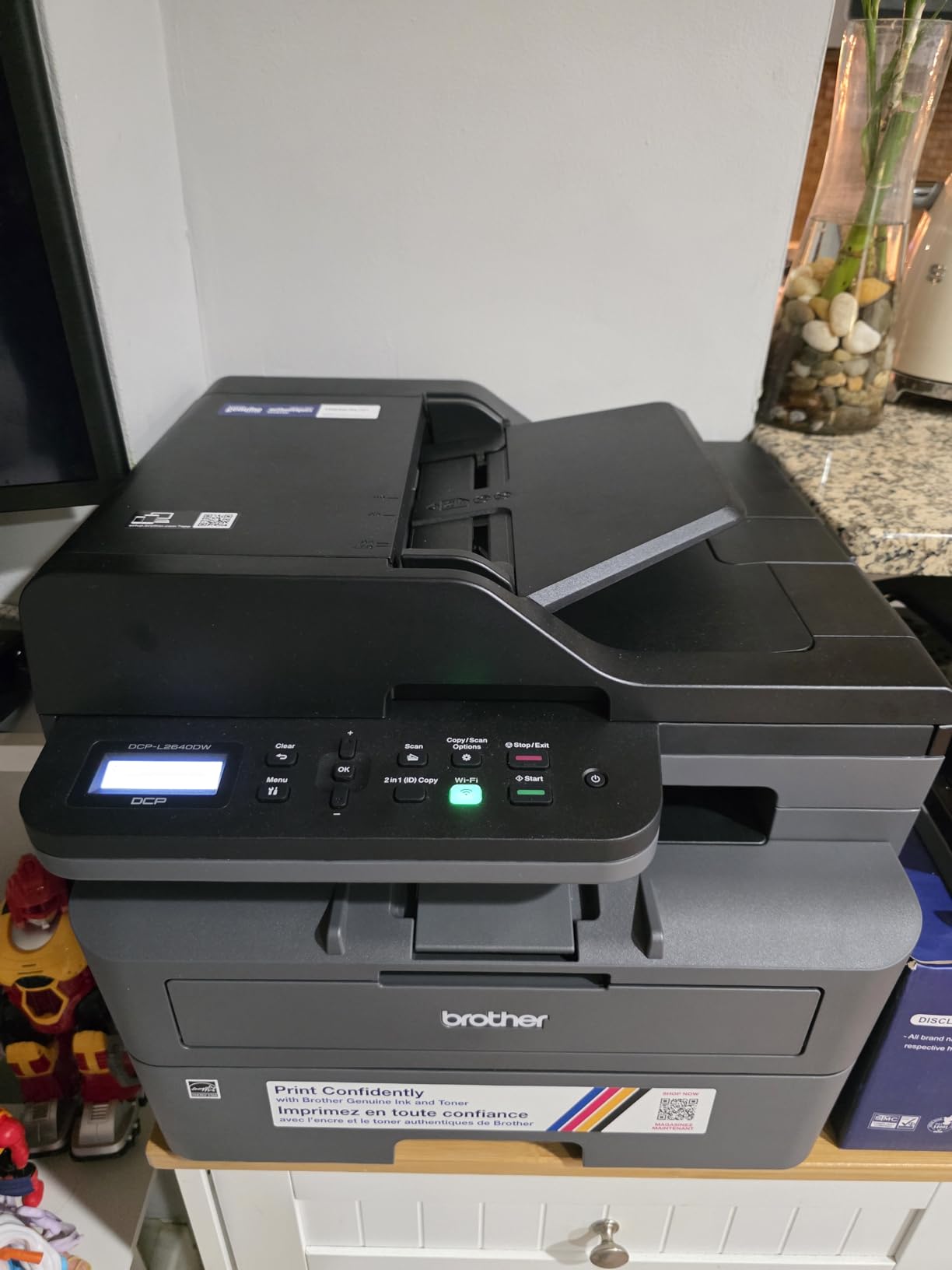
The honest drawback is the first ten minutes. Owners repeatedly mention that the initial wireless join and the firmware password step are the most common stumbling block, and the small on-printer menu is slower to navigate than the app. Persisting through it is usually the fix, but budget fifteen minutes rather than five.
Laser toner also has a practical benefit that matters for teachers: it does not dry out across a summer break, so a machine that sits unused from July to August will still print in September. The 250 sheet tray means fewer refills during a double-sided run.
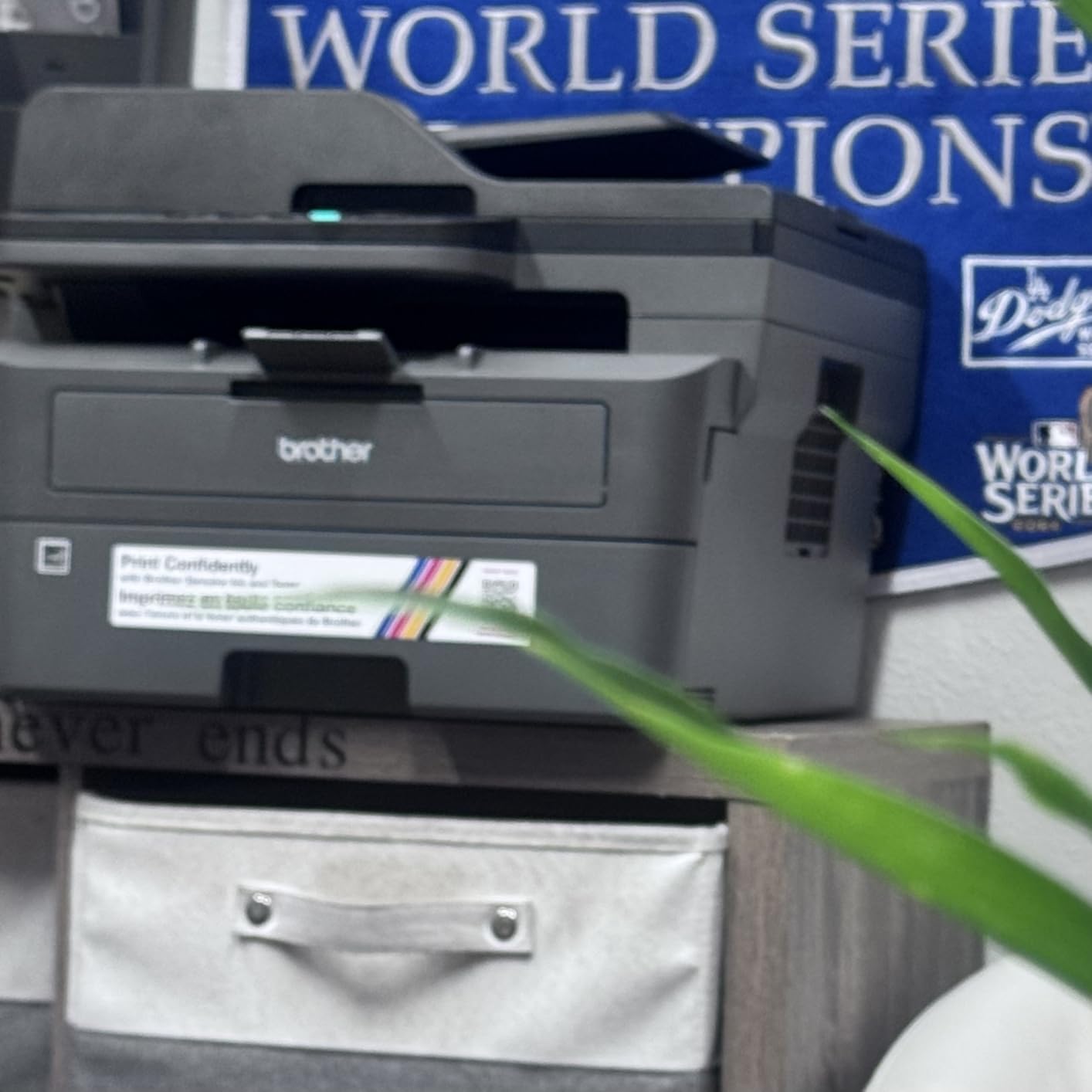
Where this laser earns its place
Duplex and volume are the whole story. Automatic two-sided printing on a 36 ppm mono laser means a 60 page reading pack is one job instead of two, and the 50 sheet automatic document feeder lets you scan a class set of returned work in a single pass and send it to your laptop or to email.
Text quality at 1200 by 1200 dpi is crisp, which matters when children are reading printed passages rather than photos.
Where it will frustrate you
It is monochrome. If your classroom needs colour display boards, borders, or coloured maths manipulatives, this printer will not do that job at all, and you would need a second machine.
The bundled scanning software also draws fair criticism for being cumbersome, and the on-printer controls are slow if you are changing settings often. If you never print colour and you do scan in batches, though, this is a very capable machine.
3. Canon MegaTank G3270 — the cheapest colour per page
Canon MegaTank G3270 All-in-One Wireless Color Printer
Ink tank colour
11 ppm black,6 ppm colour
6000 black and 7700 colour pages per ink set
100 sheet tray
1.35 inch LCD
Pros
- Large ink yield per set
- Lowest ongoing cost for heavy colour use
- Wireless print copy and scan
- Borderless printing
- Compact square LCD is easy to read
Cons
- Single sided printing only
- 100 sheet tray
- No automatic document feeder
- One tray with no rear feed option
The MegaTank G3270 is the value pick in this roundup, and the reasoning is straightforward arithmetic. A single ink set covers up to 6000 black pages and 7700 colour pages, which is a higher quoted yield than any other refillable model in this group. For a teacher producing colour displays every week, that is the lowest colour cost per page on this list by a clear margin.
It is also pleasant to live with. The square LCD gives you real feedback on ink levels and settings, and the wireless setup and mobile printing through the Canon PRINT app were uneventful in our testing. Borderless printing is supported for photos and display work.
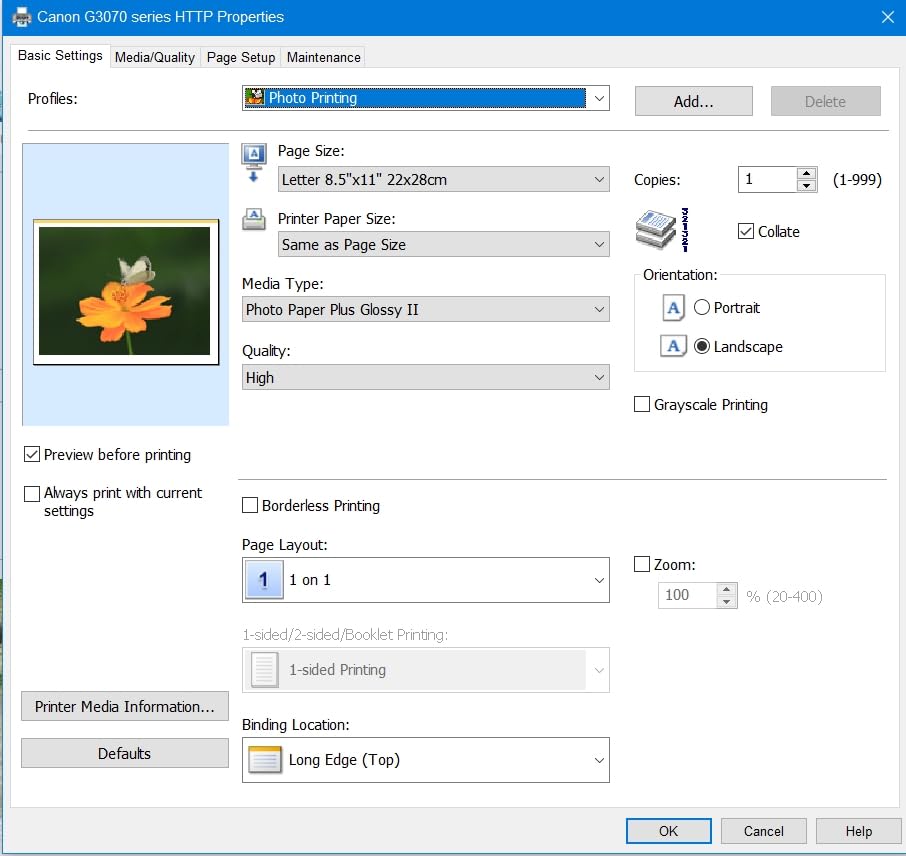
What it lacks is paper handling automation. Printing is single sided only, there is no automatic document feeder, and the single 100 sheet tray has no rear feed option for specialist media. Scanning a full class set means one page at a time on the flatbed.
Speed is 11 pages per minute in black and 6 in colour, which is adequate for a normal week and slow for a Monday pile-up of thirty copies.
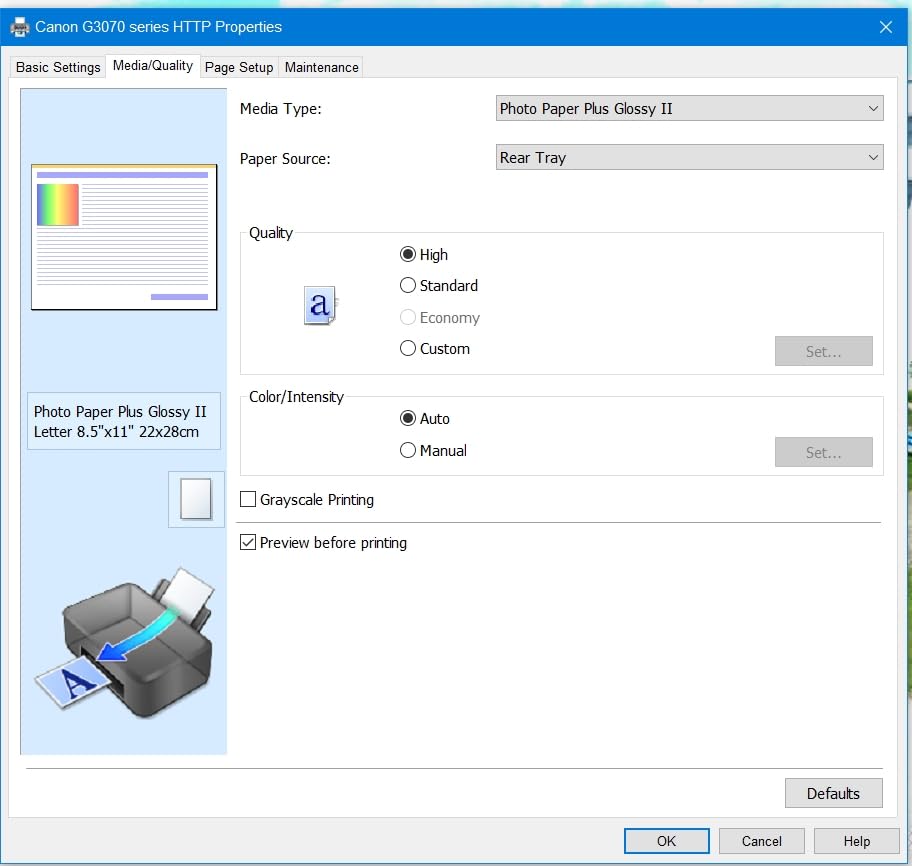
Why this is the value pick
Refillable ink at this yield means you are not making cartridge purchases all year. A teacher who prints a hundred colour pages a week would go a long time between refills, and the ink system does not carry the subscription structure that adds unpredictable charges to some cartridge models.
It is also a simple machine to hand to a colleague, a student helper, or a teaching assistant. Fill it, press one button, pull the page.
Where you will notice the limits
The single sided limitation is the first thing that shows up. Double-sided worksheets need a manual flip, which is slow and easy to misalign when you are running a stack.
The absence of an ADF also matters more than the spec sheet suggests. If scanning returned work is part of your routine, budget the time for thirty separate flatbed scans or choose a machine with a feeder.
4. Canon PIXMA TS3720 — the small-footprint budget option
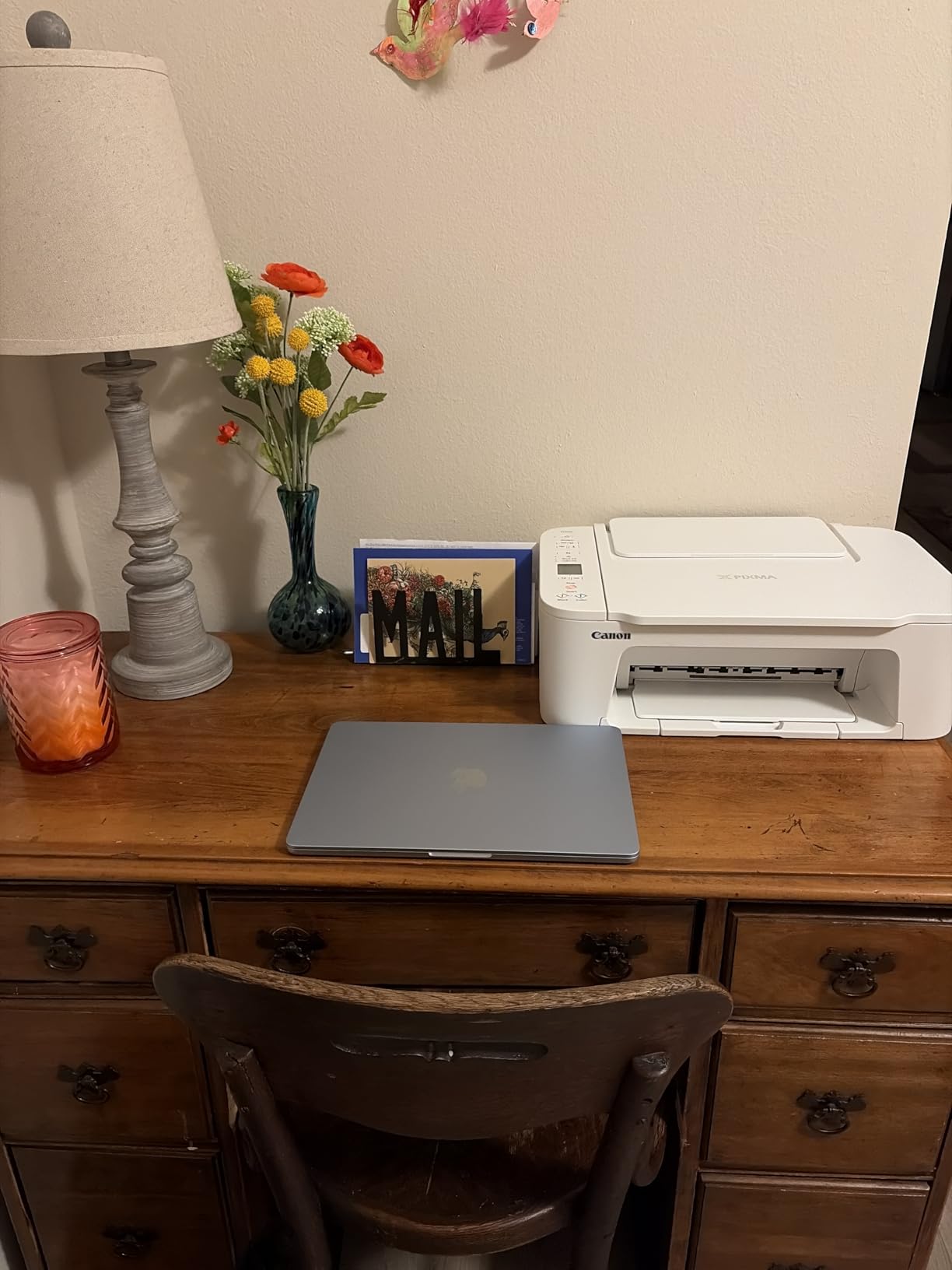
Canon PIXMA TS3720 Wireless All-in-One Printer for Basic Home Printing, White
Cartridge inkjet colour
7.7 ppm black,4 ppm colour
Dual band WiFi
60 sheet input tray
1.5 inch LCD
Pros
- Compact and lightweight footprint
- Dual band WiFi on both bands
- Simple out of box setup
- AirPrint and Chromebook compatible
- Lowest entry point in this roundup
Cons
- Single sided printing only
- 60 sheet input tray is very small
- 7.7 ppm black speed
- Flatbed scanner with no feeder
- Two cartridge system means replacing all colour at once
This is the machine to buy if your printing is light, your desk is small, and you mostly need occasional worksheets, permission slips and a borderless photo now and then. At under nine pounds in weight and a compact body, it fits in a classroom corner or a home office shelf without dominating the space.
Wireless is dual band, which is unusual at this level, and it works with the Canon PRINT app, Apple AirPrint and Mopria. Chromebook compatibility is listed, which matters if your school work lives on Chromebooks rather than a desktop.
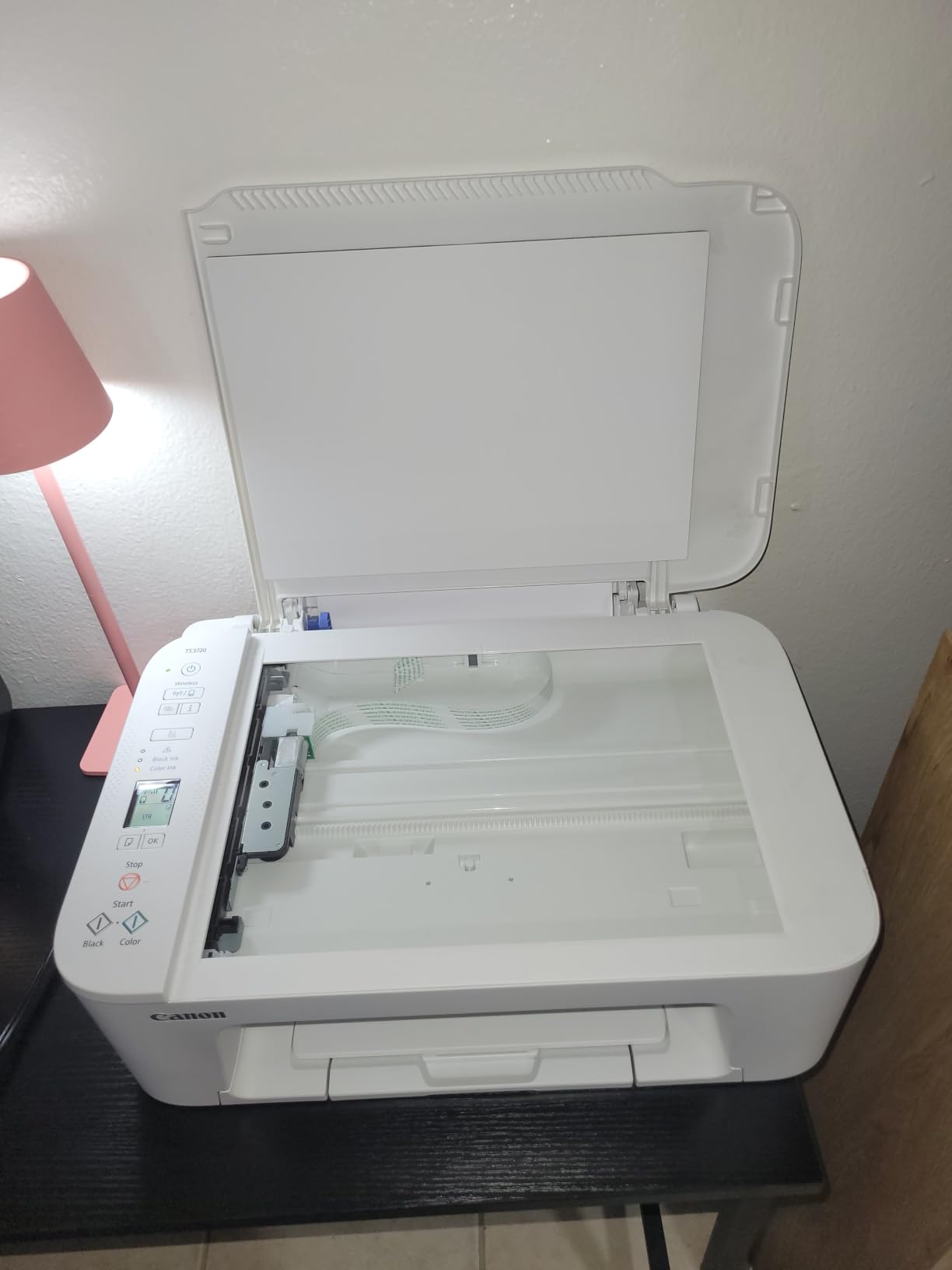
Be realistic about the paper tray. Sixty sheets is the smallest capacity here, so a 28 page worksheet run plus a few spares fills it immediately, and there is no second tray behind it. Speed is 7.7 pages per minute in black and 4 in colour, which is the slowest of the group.
Printing is single sided, and the scanner is flatbed only with no feeder. The two cartridge system is one black plus one tri colour, so a single running colour out means replacing all three colour inks at the same time.
Why a teacher would still choose it
Setup simplicity is the real appeal. Reviewers consistently describe the out of box process as quick and the ink cartridges as easy to install, which matters if you are setting this up yourself between home and school rather than having IT handle it.
It is also a reasonable backup machine. Teachers who print from a phone at a parent evening or a field trip find the AirPrint and Mopria support genuinely useful.
Where the budget shows
Running cost is the honest weakness. Cartridge ink costs far more per page over a year than either the refillable tanks or the laser toners in this list, and the single tri colour cartridge forces you to waste colour you did not use.
For a light-duty backup that is a fair trade. For weekly colour display work it becomes expensive quickly, and we would point you to the Canon MegaTank G3270 or the Epson EcoTank ET-2800 instead.
5. Canon PIXMA TR8620a — the scanning and fax workhorse
Canon PIXMA TR8620a – All-in-One Printer Home Office|Copier|Scanner|Fax|Auto Document Feeder | Photo, Document | Airprint (R), Android, Black, Works with Alexa
Inkjet colour
15 ppm black,10 ppm colour
Automatic duplex
20 sheet ADF plus fax
200 sheet total capacity
Pros
- Only all in one here with an ADF and fax
- Automatic duplex plus 200 sheet capacity
- Large tiltable touchscreen
- Five individual cartridges reduce waste
- Reported dependable for heavy home office use
Cons
- ADF does not handle two sided originals
- Canon PRINT app described as slow by some
- Scan resolution tops out at 600 dpi
- Some report finicky paper loading
- No printed manual in the box
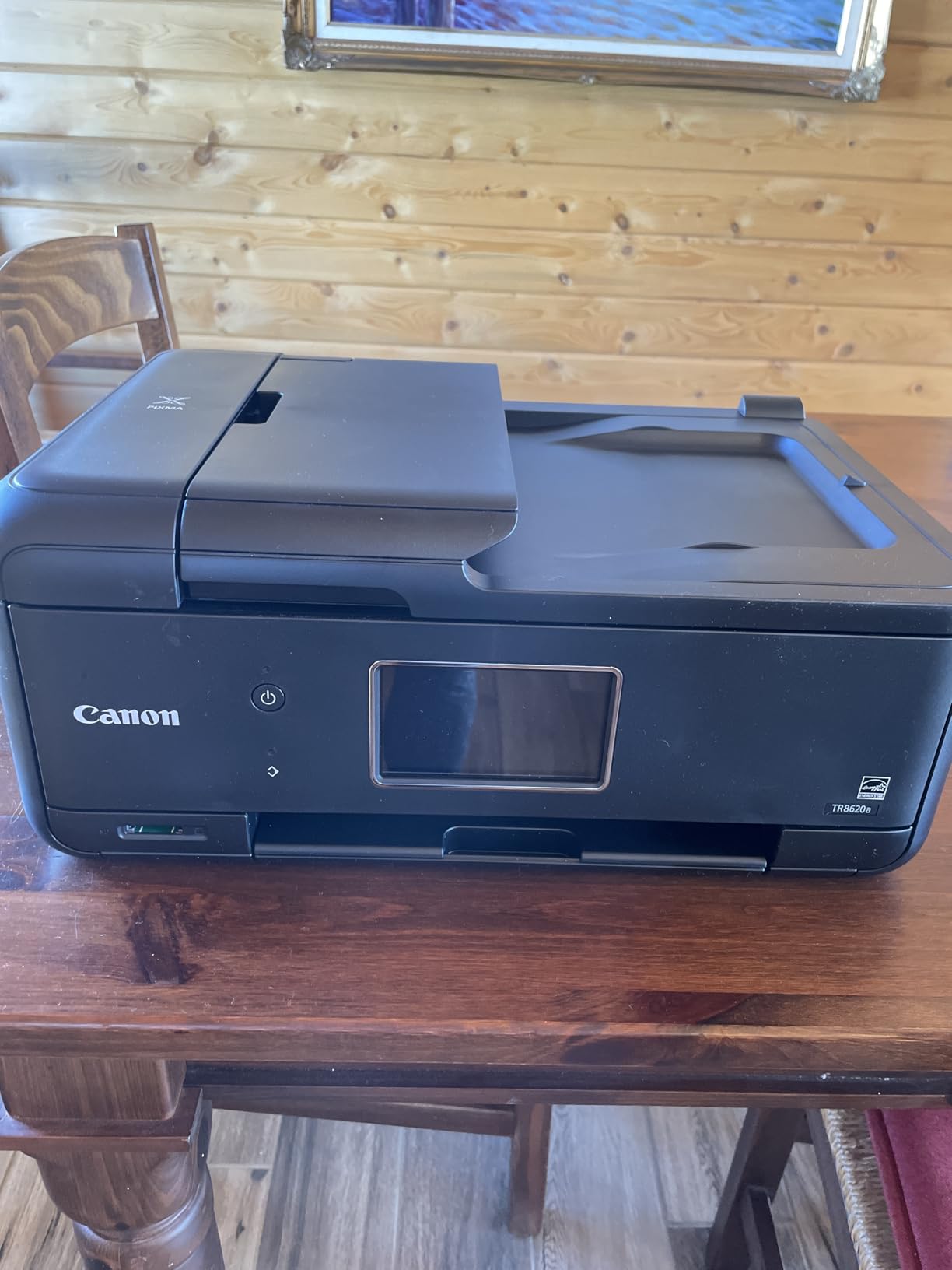
If scanning student work is a weekly task, this is the printer in the group built for it. The TR8620a is the only model here that combines a 20 sheet automatic document feeder with a fax function, and it does automatic duplex printing, which almost nothing else at this size does. Long-term owners describe it as a dependable workhorse for worksheets, laminating projects and home office documents.
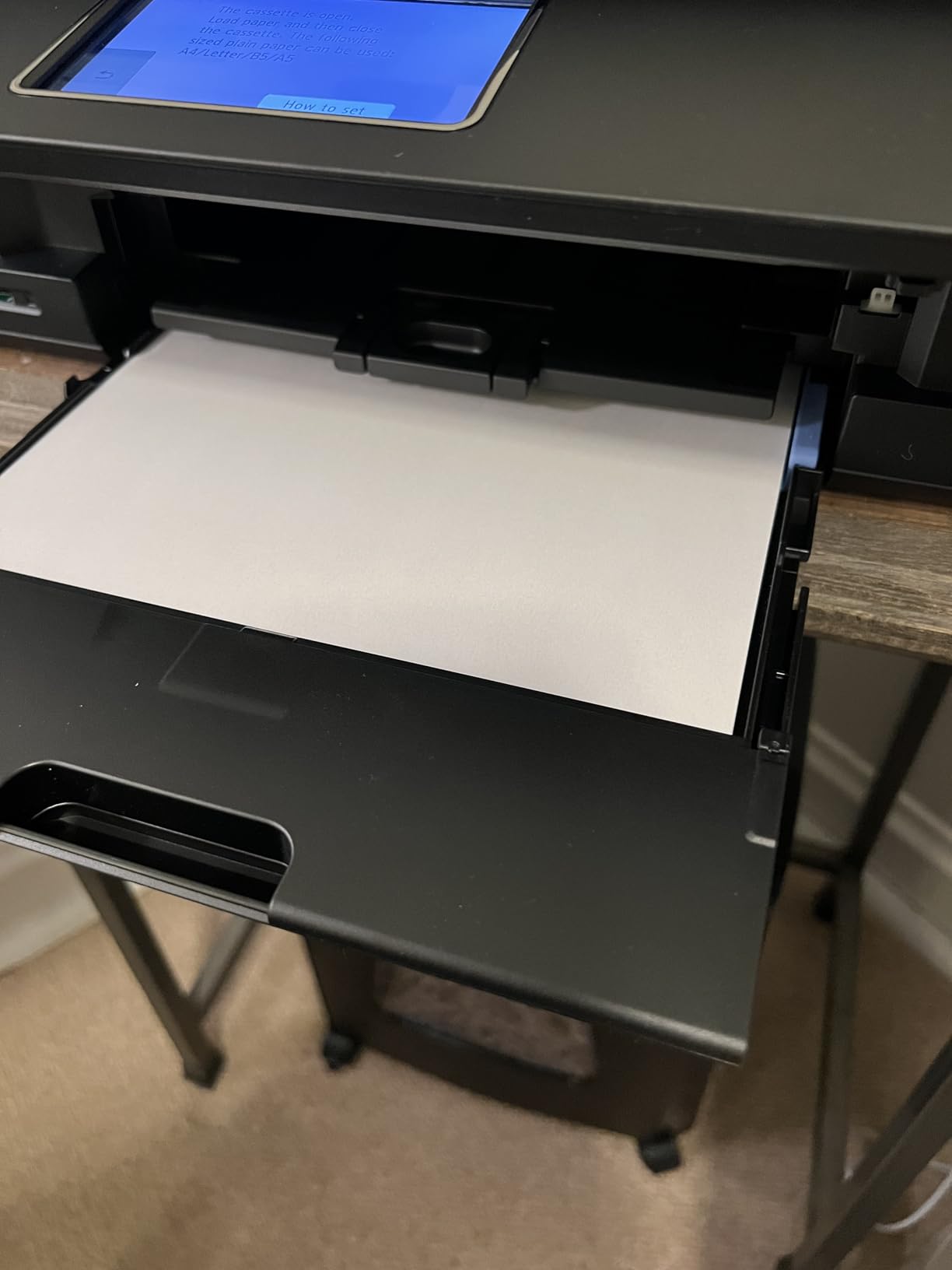
Paper handling is unusually good for an all in one. You get a 100 sheet cassette plus a 100 sheet rear feed for 200 sheets total, and the large tiltable touchscreen puts settings a tap away rather than buried in a menu tree.
Two limitations are worth knowing before you commit. The feeder does not handle double sided originals, so scanning a two sided sheet is a two pass job with manual flipping. Scan resolution tops out at 600 dpi, which is fine for worksheets and returned work but not for photograph archiving.
Some owners also report finicky paper loading when a stack is even slightly misaligned, and the Canon PRINT app is described as slow and unreliable by a minority. There is no printed manual in the box.
Why scanning workflows should shortlist this
The 20 sheet feeder combined with automatic duplex printing is the pairing that saves the most time. You load a stack of returned assignments, scan them, and the file is ready to upload to Google Classroom, Seesaw or your class drive without handling each sheet.
Fax is unusual in a home and classroom context, but plenty of schools still run paper-based office communication, and having it removes a separate machine from the desk.
Where it will hold you back
The single pass feeder means double sided originals are manual work. If you routinely scan double sided handouts, that is a real time cost each week.
Ink cost sits between the refillable tanks and the cartridge models, since it uses five individual cartridges rather than bottles. It is not the cheapest way to produce large volumes of colour, but it is far more flexible than a mono laser for teachers who need both.
6. Epson EcoTank ET-2980 — colour with automatic duplex
Epson EcoTank ET-2980 Wireless Color All-in-One Supertank Printer – White
Ink tank colour
15 ppm black,8 ppm colour
Automatic duplex
Up to 3 years of ink included
100 sheet tray
Pros
- Automatic duplex on a compact ink tank body
- Up to 3 years of ink in the box
- 15 ppm black is faster than most entry level Supertanks
- Keyed EcoFit bottles make refilling mess free
- Wireless printing and scanning from a phone
Cons
- No automatic document feeder
- 100 sheet paper capacity
- No display screen listed for this model
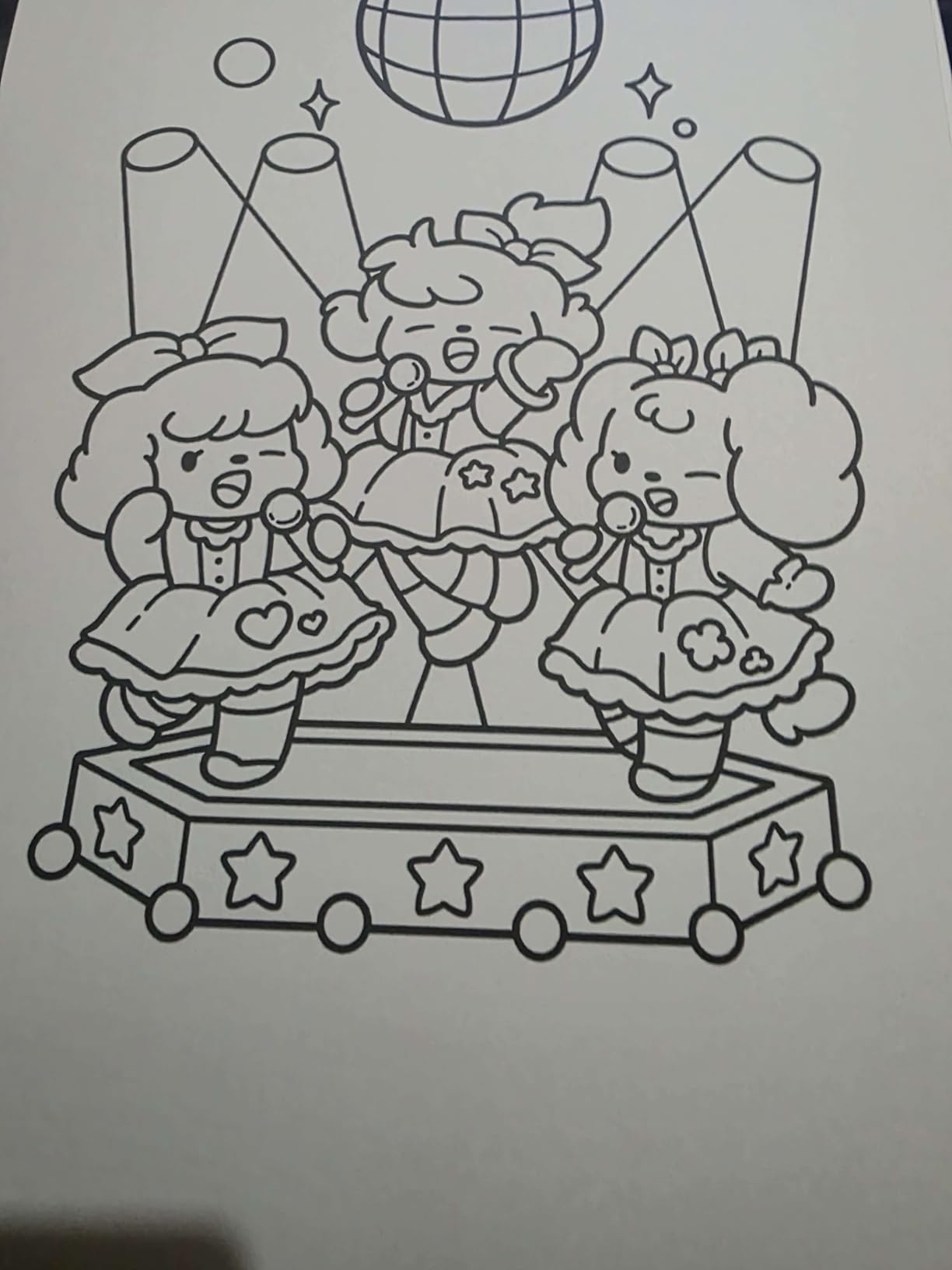
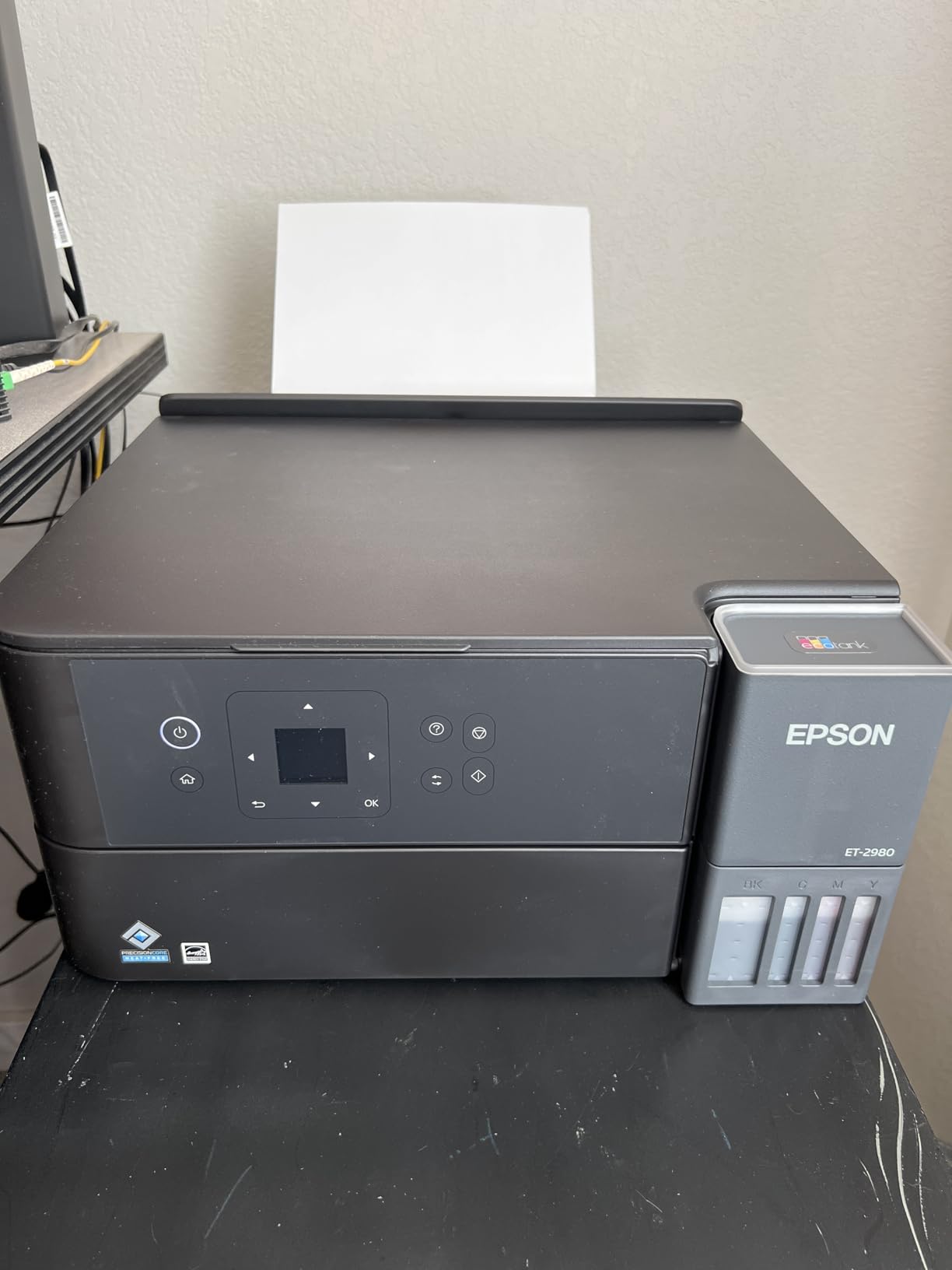
The ET-2980 exists because the most common complaint about entry ink tank printers is the lack of duplex. This one fixes that. It is a compact refillable machine with automatic two-sided printing, 15 pages per minute in black and 8 in colour, and up to 6600 black and 5500 colour pages of ink included in the box.
Refilling is genuinely tidy. The tanks are supersized and the EcoFit bottles are keyed, so they fit one way and drain without squeezing, which is the detail that decides whether a shared classroom machine stays civilised.
The compromise is the flatbed scanner with no automatic document feeder, and a paper capacity of 100 sheets. There is also no display screen listed for this model, so status checking happens through the Epson Smart Panel app on your phone rather than from the machine itself.
For a teacher printing double-sided colour reading packs and laminated reference sheets, the automatic duplex is worth more than a feeder would be, because printing happens more often than batch scanning in most classrooms.
Why duplex colour changes the workflow
Double-sided printing halves your paper use, and for a teacher producing reading packs, homework and revision sheets, that compounds across a term. It also removes the manual flip that produces misaligned or reversed sheets in a rush.
The ink bundle is generous. Up to three years of ink in the box means most teachers will get through a full school year or more before their first refill.
Where it is not the answer
If you scan a class set every week, the missing automatic document feeder is a daily inconvenience and you should look at the Canon PIXMA TR8620a or the Epson EcoTank ET-4950 instead.
The review base for this model is much smaller than for the ET-2800, so long term reliability evidence is thinner. The design is proven across the EcoTank range, but we would note the difference honestly.
7. HP Envy 6155 — the best touchscreen for the money
HP Envy 6155 Wireless All-in-One Color Inkjet Printer, Print, Scan, Copy, Duplex Printing Best-for-Home, 3 Month Trial of Instant Ink Included, AI-Capable (C2WR7A) Portobello
Cartridge inkjet colour
10 ppm black,7 ppm colour
Automatic duplex
2.4 inch colour touchscreen
100 sheet tray
Pros
- 2.4 inch colour touchscreen at this level
- Dual band WiFi with automatic recovery
- Automatic duplex plus 100 sheet tray
- HP app handles print scan copy and fax
- AI formatting strips web page clutter
Cons
- Uses HP 68 cartridges so running costs are higher
- No automatic document feeder
- Requires cartridges with original HP chips
- No Ethernet port
The Envy 6155 is the newest machine we tested and it earns its place for a single reason: the 2.4 inch colour touchscreen. On a printer aimed at homes and small offices, that is a large control panel, and it makes switching trays, changing settings and confirming ink status genuinely quick. Wireless is dual band, and HP describes automatic recovery from connection issues.
The HP app covers print, scan, copy and fax from a phone, and the AI formatting feature strips the clutter out of web pages and emails before printing.
The ink is the catch. This is a cartridge printer using HP 68 cartridges rather than a tank system, so the per page cost over a school year is noticeably higher than the EcoTank and MegaTank models in this roundup. It also requires cartridges containing original HP chips or circuitry, which limits your choice of compatible supplies.
There is no automatic document feeder and no Ethernet port, so scanning is flatbed only and the connection is wireless or USB. The review base is still small, at a few hundred reviews, so treat early sentiment as promising rather than settled.
Why the touchscreen matters more than expected
Every setting change on a printer without a screen means buttons, holds and a printed manual. With a 2.4 inch colour panel, switching between plain paper and photo, changing copy counts and checking ink levels are one tap each, which is why this stands out for anyone who prints a variety of materials.
Automatic duplex also means double-sided handouts without a manual flip, which most entry cartridge printers in this price band do not offer.
Where the running cost bites
Over a year of regular use the cartridge ink adds up faster than tank ink, and that difference is the main reason we do not put this at the top of the list. If you print a few pages a month it hardly registers.
The chip requirement is also worth flagging. Teachers who buy from school supply budgets should confirm which cartridges their procurement process allow before committing. Our broader view of colour laser options is worth a look if you need heavy colour volume on a predictable budget.
8. Brother HL-L2460DW — the fastest mono machine without a scanner
Brother HL-L2460DW Wireless Compact Monochrome Laser Printer with Duplex, Mobile Printing, Black & White Output | Includes Refresh Subscription Trial(1), Works with Alexa
Monochrome laser
36 ppm black
Automatic duplex
250 sheet tray and 100 sheet output
Print only,no scanner
Pros
- 36 ppm with first page under 9 seconds
- Automatic duplex works reliably
- 250 sheet tray suits long runs
- Low cost per page with toner cartridges
- Wireless setup from the printer screen took about five minutes
Cons
- Print only with no scanner or copier
- Monochrome only
- On screen WiFi setup is tedious on the small panel
- Included subscription trial can generate overage charges
Take the DCP-L2640DW and remove the scanner, and you get this machine, which is roughly the fastest thing in the roundup for pure black and white volume. Thirty six pages per minute, a first page out in 8.5 seconds, a 250 sheet tray and a 100 sheet output tray. Owners describe the wireless setup as taking about five minutes for most people, done from the printer screen.
For a teacher who prints only worksheets, behaviour logs, reading packs and quiz papers, that combination is hard to beat. Text output is sharp at 1200 by 1200 dpi, and the machine is light enough at under sixteen pounds to move between rooms.
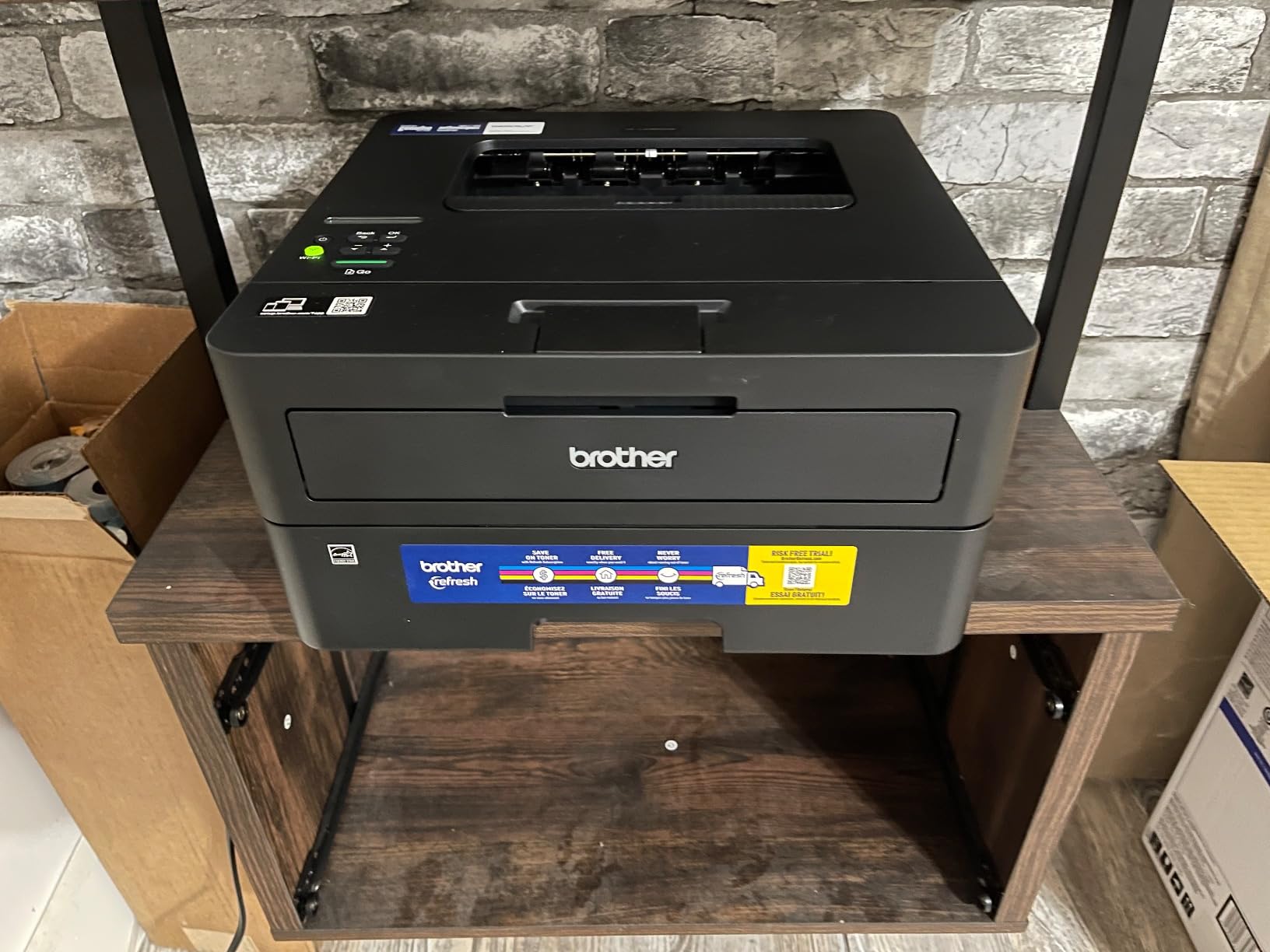
There is no scanner and no copier. That is not a flaw if you never scan, and it is a dealbreaker if you do, since it removes the feeder and flatbed entirely. The on-printer button panel makes the guided WiFi process slower than it needs to be.
One more practical point: a subscription trial is included with the toner, and owners warn about overage charges if it is not cancelled promptly. Check the terms when you set the machine up.
Why speed and tray size matter on a Monday
The 250 sheet tray means a full class set of twenty eight copies plus spares, or a long single sided run, without stopping mid job to refill. Combined with 36 pages per minute, the printer finishes before the stack is cold.
Toner cartridges run to thousands of pages at a low per page cost, and unlike an inkjet printhead, toner does not dry out over the summer break. That reliability is the quiet reason laser models dominate the recommendations on teacher forums.
Where it is the wrong choice
If scanning and copying are part of your routine, buy the DCP-L2640DW instead. It is the same engine and speed with a 50 sheet feeder and flatbed scanner added, and the extra spend buys back hours every week.
There is no colour output of any kind, so borders, colour coded maths sheets and display boards are simply not possible on this machine.
9. Epson EcoTank ET-4950 — the most complete ink tank machine here
Epson EcoTank ET-4950 Wireless Duplex All-in-One Cartridge-Free Supertank Color Inkjet Printer, Fax, Black
Ink tank colour
18 ppm black,9 ppm colour
ADF plus fax and automatic duplex
250 sheet tray
2.4 inch colour display
Pros
- Most fully featured machine in the roundup
- 18 ppm black is the fastest inkjet here
- ADF plus fax plus automatic duplex
- Up to 6600 black and 5500 colour pages included
- Retractable trays keep the machine sealed against dust
Cons
- Highest purchase price in this group
- Scanning quality described as average
- Initial ink charging adds setup time
- USB port is type B with no flash drive support
- Pulsing power button light cannot be disabled
The ET-4950 is the do everything machine in this roundup, and for a teacher who prints colour, scans in batches and still needs to send a fax, it is the most complete single box available. It has an automatic document feeder, fax, automatic duplex, a 250 sheet tray and a 2.4 inch colour display.
Speed is the best in the group for an inkjet, at 18 pages per minute in black and 9 in colour, and the ink bundle covers up to 6600 black and 5500 colour pages. The EcoFit bottles have visible level indicators, and the retracting feeder and output tray close the machine up when it is idle, which is genuinely useful on a dusty shelf.
It is also the most expensive machine in the group, and reviews flag several practical annoyances. Scanning quality is described as average, with at least one owner keeping a separate scanner for quality work. The initial ink charging and alignment step adds real time to setup.
The USB port is type B for computer use only, so you cannot print or scan to a flash drive. Owners also mention the pulsing power button ring light as a recurring irritation with no way to disable it.
Why this suits a full workflow teacher
The combination of an automatic document feeder, automatic duplex and tank ink covers every part of a teaching week. Batch scan returned work, print double sided colour reference material, and refill with bottles rather than cartridges, all on one machine.
Visible tank levels remove a genuine stress. There is no guesswork about how much ink is left, which matters when a colour display is due before a parent evening.
Where the extra spend goes
You are paying for capability, not speed per se. If you only print and never scan or fax, a simpler tank model gives you most of the ink economics for less, and the beginner friendly hardware guide covers that general category of thinking.
The average scanning quality is the detail we would weigh most. If you plan to photograph or archive student artwork rather than just file returned worksheets, keep a separate flatbed scanner.
10. HP Smart Tank 5003 — mess-free refills with broad device support
HP Smart Tank 5003 Wireless All-in-One Ink Tank Printer, Scanner, Copier with up to 3 Years of Ink Included, Best-for-Home, Cartridge-Free Refillable, AI-Capable (9B2D3A)
Ink tank colour
10 ppm black,5 ppm colour
Up to 3 years of ink included
Flatbed scanner
Manual duplex only
Pros
- Tank ink with up to 3 years of ink in the box
- Bottles plug in and drain without squeezing
- Print copy scan and borderless printing
- AirPrint ePrint and Mopria support
Cons
- No automatic duplex
- Flatbed scanner with no feeder
- 100 sheet paper capacity
- 21 second first page and modest speed
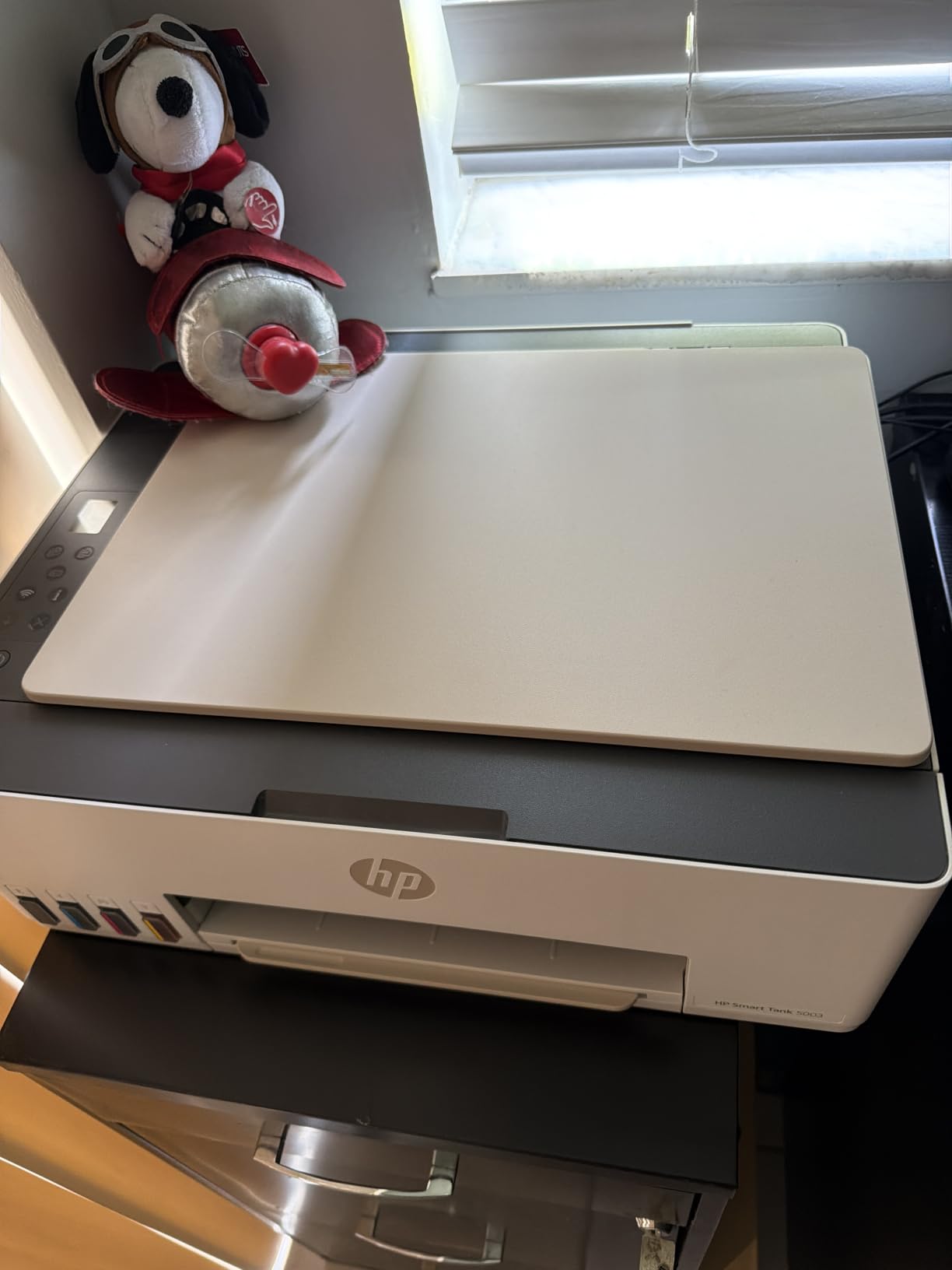
The Smart Tank 5003 is the simplest ink tank machine in this roundup to refill, which is the feature that decides it for shared equipment. The bottles plug into the tank and drain on their own, so there is no squeezing, no wiping a nozzle, and no spilled ink on a desk that a student is using. Up to 6000 colour or black pages are included out of the box, quoted as up to three years of ink.
Connectivity is broad: AirPrint, HP ePrint, Mopria, USB and Wi-Fi, plus printing from a phone or tablet. It is Energy Star relevant territory and network ready, and it handles print, copy and scan with borderless output.
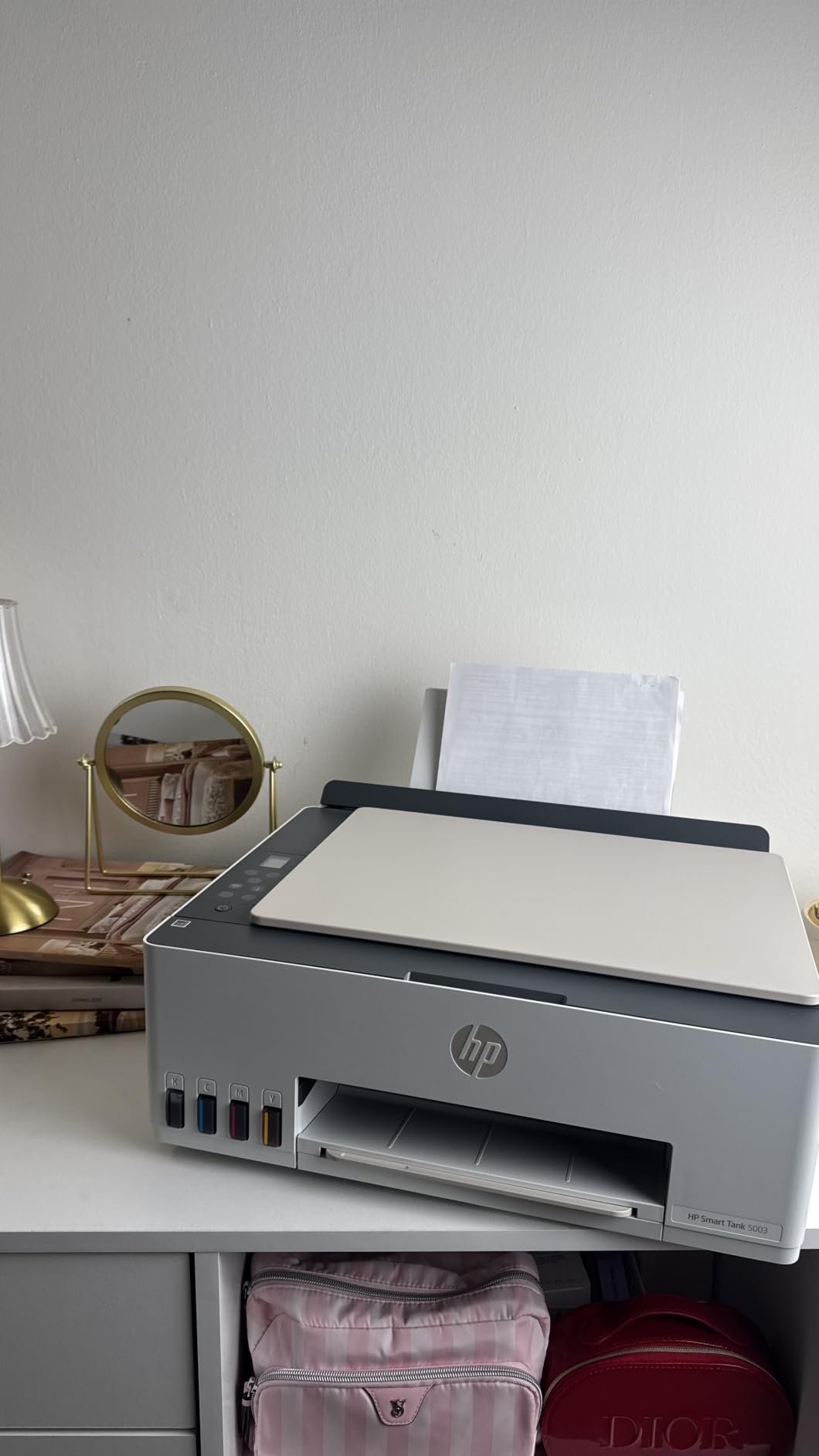
The compromises are consistent across the tank models at this level. Duplex is manual, with driver support rather than an automatic mechanism. The scanner is flatbed only with no feeder, and the paper capacity is 100 sheets.
Speed is modest at 10 pages per minute in black and 5 in colour, with a first page time of 21 seconds, so it is not a machine for a rush job on the morning of a deadline.
Why refill ease changes behaviour in a shared room
In a classroom where a teaching assistant or student may be the one topping up ink, a plug and drain refill is the difference between a machine that keeps working and one that gets left empty. There is no technique to learn and nothing to spill.
The broad device support also makes it painless to print from a phone or a shared Chromebook without installing anything unusual.
Where it falls behind the others
Manual duplex is the main practical gap for worksheet printing, and the missing automatic document feeder rules it out for teachers who scan class sets routinely.
The review base is still small, in the low hundreds, so the long term picture is less settled than for the models with thousands of reviews. The ink tank concept itself is proven; this particular model is newer.
How to Choose a Printer That Still Works in March
Every machine above will print on day one. The differences that decide whether you are happy in March are running cost, paper handling and how the machine behaves after a long break. Here is how we think through each one.
Laser or inkjet: the decision that matters most
For black and white worksheets, a monochrome laser wins on every measure that matters. It is faster, the per page cost of toner is lower, and toner does not dry out in a printer that sat unused over the summer. A laser also means fewer consumable purchases across a school year.
For colour, the choice is between cartridge inkjets and refillable ink tanks. Cartridge models are cheaper to buy and simpler to set up, but the running cost over a year is much higher, and subscription models can add charges you did not plan for. Tanks cost more upfront and then refill with bottles, which is the reverse arithmetic and usually the better outcome for regular colour printing.
One caution from teacher communities: ink tank printheads can still clog after a long break if the machine is never used in colour. Running a single colour page every few weeks through the summer is cheap insurance.
What running cost per page really means
Cost per page is simply the price of the consumable divided by its rated page yield. A set of ink bottles rated at 4500 black and 7500 colour pages spreads one purchase across thousands of pages, while a single cartridge rated at roughly 120 to 300 pages does not.
Compare the yield, not the sticker. Once a year of moderate classroom printing is on the table, the tank and laser models pull well ahead, and the gap widens every subsequent year. Teachers who switched from cartridge ink to laser frequently report the change paying for itself within months.
There is a second cost that gets ignored: paper. Automatic duplex cuts paper use, and over a term of double-sided handouts that saving is significant on its own. It is also a quieter environmental win than recycling spare cartridges.
WiFi printer vs wireless printer: the difference explained
These terms are used interchangeably on retailer pages, and that is part of the confusion. Strictly speaking, wireless printing is the broader category. It covers WiFi, Bluetooth, and cloud or email printing services, any of which can send a job to a printer without a cable.
A WiFi printer connects to your own wireless network using a radio, which is what you want in a classroom. Any laptop, phone or tablet on that same network can then print directly, with no app account and no internet routing. Cloud printing is different again, as it works through the provider’s servers so you can print from a network that is not your own.
For a teacher, choose WiFi, and prefer dual band 2.4GHz and 5GHz support so the machine connects to whichever band your school network uses reliably. Several models in this roundup have an Ethernet port as well, which is useful if your network is locked down to wired devices.
Wireless printing setup in six steps
First, unbox and remove all packing tape and locks, including the paper tray restraints. Many connection failures come from a partially fitted protective element.
Second, load plain paper into the main tray so the printer can run its alignment cycle without complaining about media.
Third, connect to WiFi from the printer’s own screen or control panel, choosing your network from the list and entering the password. On models where the on-printer panel is small, this is the step owners find fiddliest, so use your phone as a hotspot if your school network has a complex sign in.
Fourth, install the manufacturer’s app on the device that will print most often, which is usually your laptop or Chromebook. The app also handles scan to email, scan to folder and cloud destinations, which is how you get student work into Google Classroom or Seesaw.
Fifth, set the printer as the default on every device that will use it, including the guest network if your school separates staff and student devices.
Sixth, print one test page and one wireless test page before you close the box. If the wireless test prints, the connection is confirmed. If it fails, restart at step three rather than uninstalling drivers, because most problems are a band or password issue rather than hardware.
Scanner, ADF and the Google Classroom workflow
The automatic document feeder is the feature that changes a teacher’s week more than any other. A flatbed scanner means one page at a time, lid open, alignment checked. A feeder means thirty pages in one pass while you prepare the next lesson.
Scan to email or scan to a network folder is the workflow most schools run. From there, files go to a class drive or straight into a Google Classroom assignment or a Seesaw activity. Printers that support scan to email with address book entries save real time here, and both Brother models in this roundup do.
Check the feeder size before buying. Twenty sheets is enough for a returned class set; fifty is comfortable for double sided originals or a whole reading group. If you scan double sided documents often, check whether the feeder is single pass, because a single pass feeder means flipping the stack by hand.
Surviving the summer break
If you buy an inkjet, run a colour page every three or four weeks through the break. That single page keeps nozzles clear and costs almost nothing. The alternative is arriving in September to a blinking ink warning and a printhead cleaning cycle you did not budget for.
Laser machines are far more forgiving. Leave the toner in, and wipe the exterior before you close the cupboard. If you travel over the break and can carry it, running a test page in a hotel room resolves most problems before they reach school.
For any machine, a dust cover or a large box over the shelf in a humid storeroom helps more than any maintenance product. A teacher who avoids inkjets entirely over the break is solving the same problem from the other direction.
School printer versus home printer
Most teachers use two machines, and that is a rational answer rather than a failure. A shared school printer handles volume, colour and duplex, and your home machine handles the work you need at seven in the evening when the office is shut.
Keep the home machine simple. A monochrome laser with duplex and WiFi is the most reliable choice for a home setup, because it needs no attention and no ink management. If you print colour at home, an ink tank model handles long gaps better than cartridges.
Before you buy anything, ask your school what the office printer can already do. If the shared machine scans and faxes, a modest home laser plus a good habit of scanning at school is often the lowest total cost of ownership. If your school expects teachers to print their own materials weekly, the home machine needs to be a real all in one, and the reviews above will help you choose.
Frequently Asked Questions
What is the best printer to buy for a teacher?
The Epson EcoTank ET-2800 is the best all-round choice for most teachers because cartridge-free ink keeps the per page cost low and the machine survives long breaks. Choose the Brother DCP-L2640DW if you print mostly black and white worksheets and want speed with automatic duplex. Choose the Canon PIXMA TR8620a if scanning class sets and faxing matter more than ink cost.
What printer has the best wireless connectivity?
The Canon PIXMA TS3720 and the Brother DCP-L2640DW both support dual band 2.4GHz and 5GHz Wi-Fi, which is the most reliable option on mixed school networks. The Brother DCP-L2640DW also adds an Ethernet port. The Epson EcoTank ET-4950 and the Brother DCP-L2640DW support Ethernet, USB and Wi-Fi together, which suits locked down school networks.
What is the difference between a WiFi printer and a wireless printer?
Wireless printing is the broad term and covers WiFi, Bluetooth and cloud or email printing. A WiFi printer joins your own wireless network, so any laptop, phone or tablet on that network can print directly without an app account. Cloud printing sends jobs through the provider servers, which works from networks that are not your own. For classroom use, a dual band WiFi printer is the practical choice.
Should I buy a laser or inkjet printer for school work?
Buy a monochrome laser for worksheets, reading packs and black and white printing. It is faster, toner costs less per page, and toner does not dry out over the summer break. Buy a refillable ink tank model such as an EcoTank or MegaTank if you need colour, because the per page cost is far lower than cartridge ink. Cartridge inkjets suit light use and very tight budgets.
Which printer has the least amount of problems?
Monochrome laser printers report the fewest recurring problems, mainly because there are no ink nozzles to clog and toner does not dry out. Within the group tested, the Brother DCP-L2640DW and HL-L2460DW drew the most consistent reliability feedback, with the main complaints being the initial wireless setup rather than ongoing failures. Ink tank models are the next most dependable for colour, provided they are used periodically.
The Printer Worth Buying for This School Year
If you take one recommendation from this roundup of the best printers for teachers with wireless printing, take the Epson EcoTank ET-2800. It has the deepest review base in the group, a refillable ink system that keeps colour costs low, a flatbed scanner, and wireless that joined our network on the first attempt. It is the machine we would put on a classroom desk without hesitating.
The picture changes with your job. Print mostly black and white and you want volume and duplex, so the Brother DCP-L2640DW is the pick, with 36 pages per minute, a 50 sheet feeder and no ink to dry out over the summer. Scan class sets and send the occasional fax, and the Canon PIXMA TR8620a gives you the feeder, automatic duplex and 200 sheets of paper. Colour on a strict budget points to the Canon MegaTank G3270.
Whichever you choose, the setup habits matter as much as the machine. Run a colour page every few weeks through the break, set the printer as default on every device you use, and learn the scan to email route before you need it in a hurry. That is what keeps a machine working in March, 2026 edition and every edition after it.