
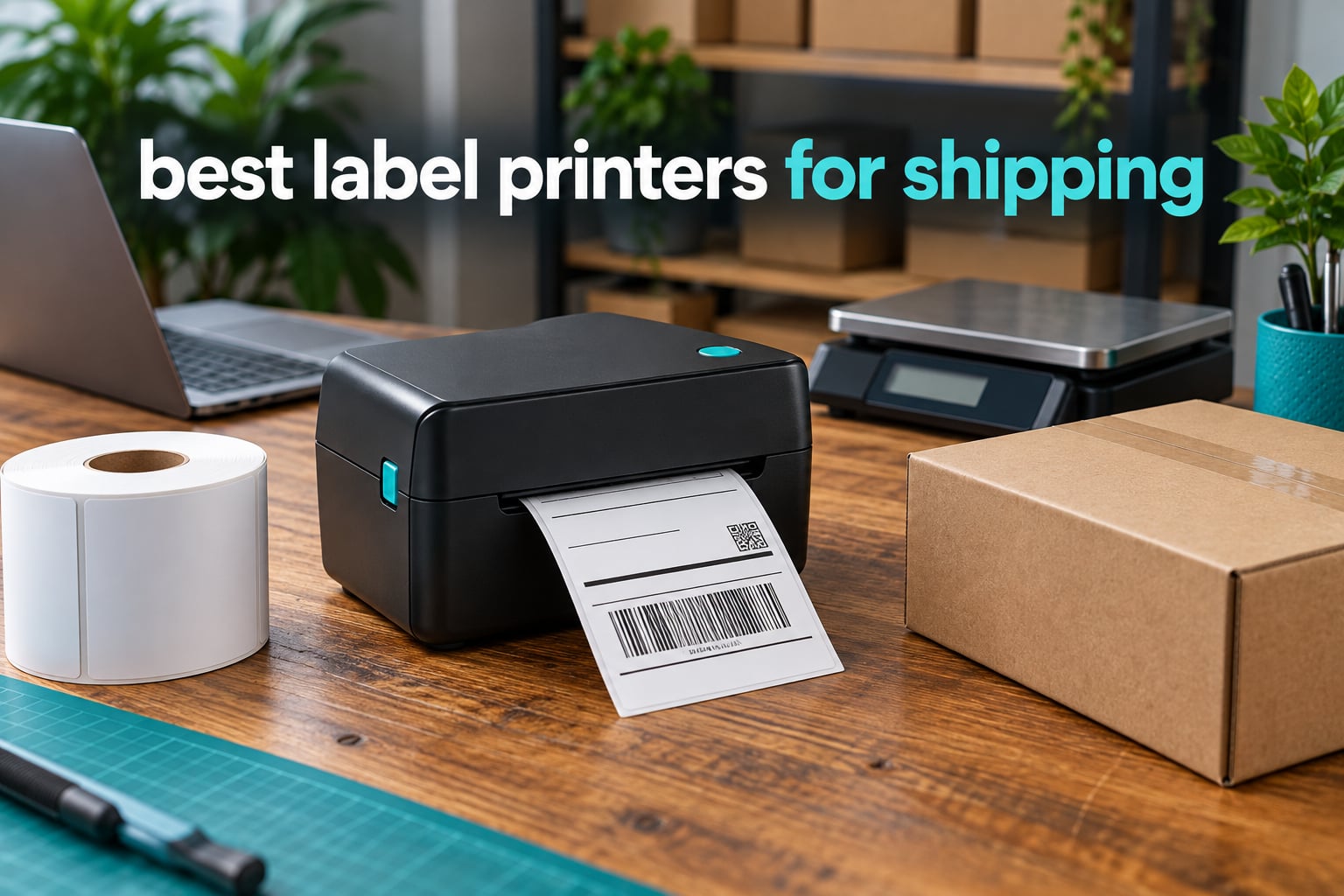
Shipping label printers are direct thermal machines that print carrier-ready 4×6 labels with heat instead of ink or toner, so there are no cartridges to refill and nothing to smudge in the rain. If you want one recommendation right now, the Rollo USB Shipping Label Printer is the one I trust: 4.6 stars across more than 16,000 reviews, a 203 DPI print head running at 150mm/s, and confirmed support for USPS, UPS, FedEx, ShipStation, Shippo, Amazon, Shopify and Etsy.
I spent weeks comparing the eight direct thermal printers below, reading the Amazon review counts next to the star ratings rather than in isolation, and checking which ones actually work with the shipping software small sellers use every day. The list covers a wired USB workhorse, a phone-first Bluetooth unit, two networked office printers, a 300 DPI wide-format model and a compact budget pick.
Shipping is a physical job, so the hardware matters less than the workflow around it. If you are still shipping a handful of parcels a week, start with our label printer guide for home offices before spending on a commercial unit. If you are labelling inventory, bins or products rather than parcels, our studio organization picks cover that side.
Top 3 Picks: Shipping Label Printers in 2026

Rollo USB 4×6 Thermal
- 203 DPI at 150mm/s
- One 4x6 label per second
- USB wired
- 1.57 to 4.1 inch media

MUNBYN RealWriter 941
- Automatic label detection
- 203 DPI Rohm print head
- Automatic media identification
- 1.57 to 4.3 inch widths

JADENS Bluetooth Thermal
- Bluetooth plus USB
- Japanese 203 DPI head
- 1.57 to 4.1 inch widths
- Marketplace and carrier support
Best Label Printers for Shipping (October 2026)
Every printer below is a direct thermal 4×6 unit. The differences are connectivity, resolution, media width range and how much hand-holding each one needs when you change label media.
| Product | Specifications | Action |
|---|---|---|
| Rollo USB Shipping Label Printer |
|
Check Latest Price |
| MUNBYN RealWriter 941 |
|
Check Latest Price |
| JADENS Bluetooth Thermal Printer |
|
Check Latest Price |
 Nelko Bluetooth Thermal Printer Nelko Bluetooth Thermal Printer |
|
Check Latest Price |
 MUNBYN ITPP130B Bluetooth MUNBYN ITPP130B Bluetooth |
|
Check Latest Price |
 Brother QL-1110NWB Wide Format Brother QL-1110NWB Wide Format |
|
Check Latest Price |
 Westinghouse WHTP203e Westinghouse WHTP203e |
|
Check Latest Price |
 Rollo Wireless X1040 Rollo Wireless X1040 |
|
Check Latest Price |
1. Rollo USB Shipping Label Printer – Best Overall 4×6 Thermal Printer
Rollo USB Shipping Label Printer – Commercial Grade 4×6 Thermal Printer
203 DPI print head
150mm/s, one 4x6 per second
USB wired, 1 year limited warranty
1.57 to 4.1 inch media widths
Pros
- Huge 4.6 star rating across 16280 reviews
- Works on Windows and Mac with simple drivers
- Covers USPS UPS FedEx ShipStation Shippo Shopify Amazon Etsy
- Also prints barcodes QR codes and stickers up to 4.1 inches wide
- No ink or toner to buy
Cons
- USB only so it stays tethered to one computer
- Label size changes need reconfiguration in the printing app
- Some units print slightly tilted until calibrated
This is the printer I put on my own packing table. It is a plain black box, about the size of a paperback, and it does one thing: print a 4×6 label every second at 203 DPI. The bundled Rollo Ship app connects your ecommerce platforms and offers discounted carrier rates, which is a small extra once you start shipping daily.
The review history is the reason I trust it. Sixteen thousand ratings is a huge sample, and the 4.6 average holds up under scrutiny, with owners describing it as a dependable upgrade from taped-on paper labels. A minority mention alignment quirks and the lack of wireless, which is exactly what you would expect from a wired-only design.
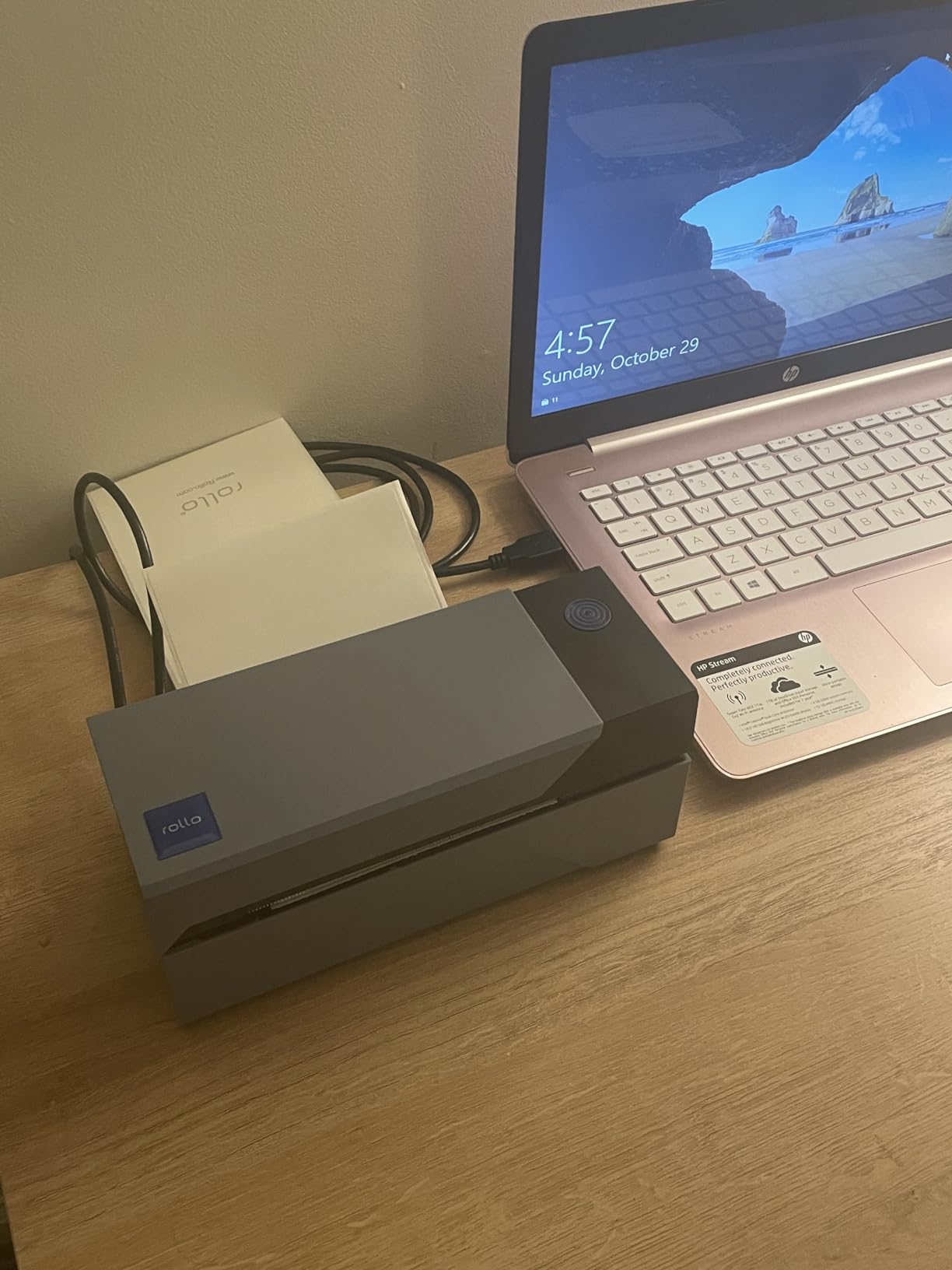
What I like most is how boring it is. Driver setup is straightforward on both Windows and Mac, it prints one 4×6 label per second, and because it is direct thermal there is no ink cost to track. It also works as a general label maker for barcodes, QR codes and stickers from 1.57 inch to 4.1 inch wide, so it is not stuck doing parcels.
Connectivity is the trade. With USB only, the printer lives next to one laptop, and anything longer than a cable needs to run back to that machine. If you have a phone-first packing station or several people printing, this is not the box for you.
Who this printer suits
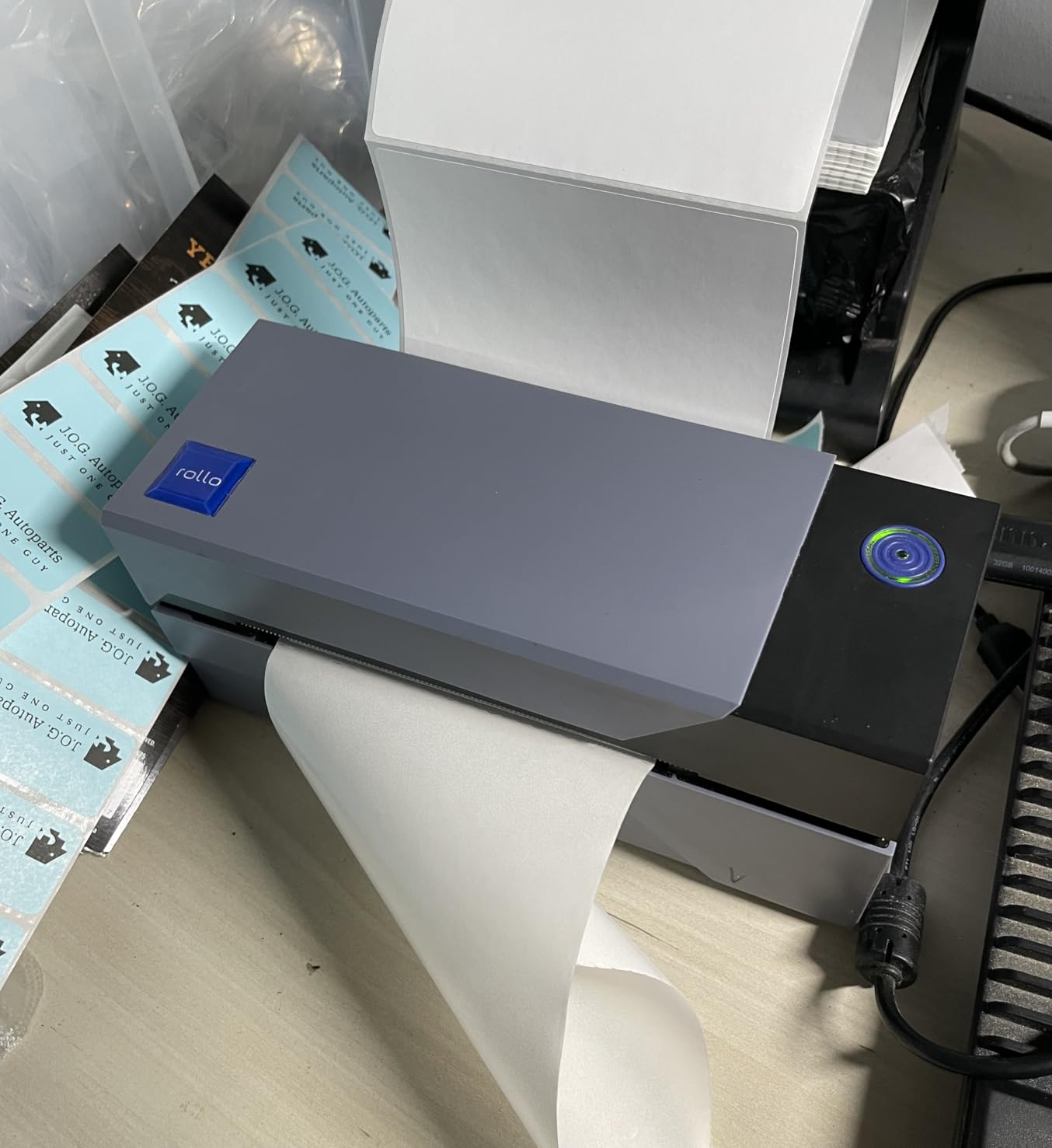
This suits a home office or single-desk small business that ships from one computer, day after day. Confirmed compatibility covers FedEx, UPS, USPS, ShipStation, ShippingEasy, Shippo, ShipWorks, Amazon, Shopify, Etsy and eBay, which covers essentially every marketplace and shipping platform a small shop runs on.
Choose it over the wireless models if printing consistency during a long batch matters more than printing from a phone. Wired connections do not drop mid-run, and that reliability is worth more than convenience when you are standing at a table with a customer waiting.
Who should skip it
Skip it if you are a Mac-only shop that never uses a desktop, or if you need to print from more than one device without a cable. The 2.2 pound weight and 4 inch by 8 inch footprint are also not ideal for a truly mobile packing workflow.
Also be aware of one real limit: label size changes require reconfiguration in the printing app. Switching between 4×6 shipping labels and 2 inch product stickers is a menu change, not a guess. Budget five minutes for setup and calibration the first time you load a new roll.
2. MUNBYN RealWriter 941 – Top Rated With Auto Label Detection
MUNBYN RealWriter 941 Bluetooth USB 4×6 Shipping Thermal Label Printer
203 DPI with Japanese Rohm head
150mm/s ink-free printing
Automatic label analysis and learning
USB wired, lifetime warranty listed
Pros
- Automatic label detection feeds stock when the lid closes
- Automatic identification covers 1.57 to 4.3 inch widths
- Works with Etsy Shopify eBay Poshmark ShipStation Shippo Ordoro
- Compact and quick to set up on Windows and macOS
- Support team resolves issues by phone and remote desktop
Cons
- USB only even though Bluetooth appears in the name
- Output can look lighter than an inkjet equivalent
- Starter labels in the box are not genuine thermal media
- Power-on beep cannot be disabled
The headline feature here is automatic label analysis. The MUNBYN learns the width of your media and feeds it correctly when you close the lid, which removes the single most annoying task in label printing: recalibrating every time the media changes.
Underneath that, it is a 203 DPI direct thermal unit with a Japanese Rohm print head running at 150mm/s, rated for up to 72 pages per minute. At 4.5 stars across more than 9,000 ratings, buyers report years of reliable daily use and unusually responsive human tech support.
One warning before you buy: the name says Bluetooth, but the hardware interface is USB and wireless printing is not available. That mismatch catches people out. If you were expecting to print from a phone, this is not that printer.
What you should check before buying
Check where your labels come from. The labels included in the box are not genuine thermal media, so you will need to buy proper thermal media separately. Shipping platforms like Endicia Dazzle, Shipwire, Shipworks, StockX, Ordoro, ShipStation and ShippingEasy are all listed as compatible.
A listed sheet capacity of 1000 and automatic label handling make this one of the more capable machines here for mixed workflows, including food nutrition and warehouse labels rather than only parcels. The Rohm head is the same part family used in higher-tier industrial units, which is a good sign for long daily duty cycles.
Where it falls short
Print output can read slightly lighter than an equivalent inkjet, which matters if a carrier ever questions a faint barcode. Print darkness is a property of the head temperature and the media, so pairing it with good stock solves most of this.
It is also a wired machine, and the power-on beep cannot be muted. In a shared office or a late-night packing session, that beep is a small but real complaint from owners.
3. JADENS Bluetooth Thermal Shipping Label Printer – Budget Pick Dual-Connection Pick
JADENS Bluetooth Thermal Shipping Label Printer, Wireless 4×6 Label Printer
Bluetooth plus USB connectivity
Japanese thermal head at 203 DPI
1.57 to 4.1 inch media widths
Fanfold and roll label support
Pros
- Bluetooth and USB cover phones laptops and desktops
- Japanese 203 DPI head scans reliably
- Works with Endicia Dazzle ShipStation Shippo ShipWorks Ordoro
- eBay Amazon and Shopify
- One year warranty with email phone and remote support
Cons
- Phone printing requires the Jadens app rather than native pairing
- Desktop Bluetooth pairing can fail on some machines
- calibration repeats each time you change label media
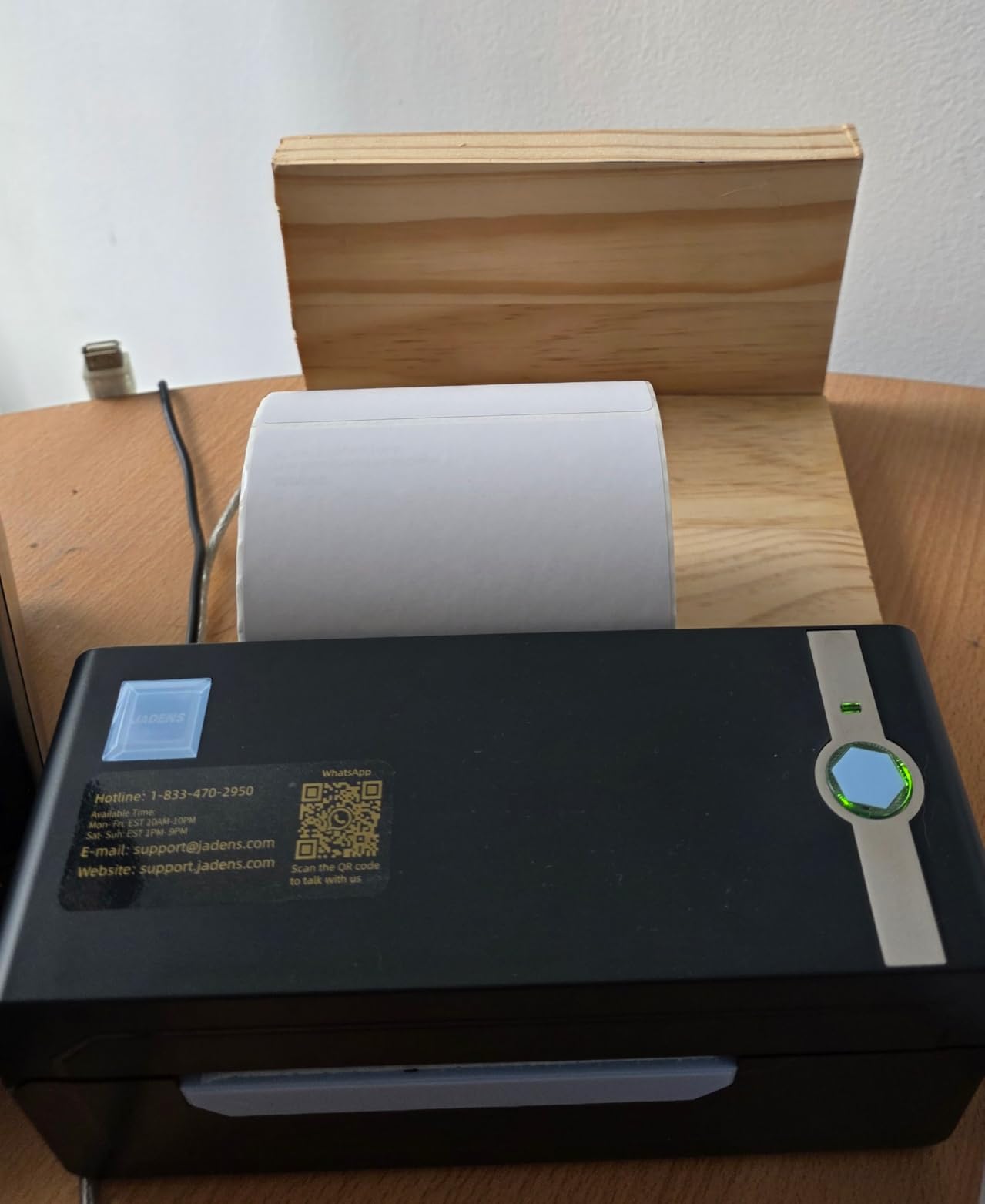
At 4.4 stars with 9,391 ratings, the JADENS has almost the same review volume as the MUNBYN above at a lower tier, which is why I rank it as the value pick. It is the rare budget printer that carries Bluetooth and USB in the same box rather than making you choose.
The print side is straightforward. A Japanese thermal print head at 203 DPI produces text and barcodes that scan on the first pass in most setups, and it handles both fanfold and roll labels from 1.57 inch to 4.1 inch wide. Owners frequently single out the low cost per label as the reason they stuck with it.
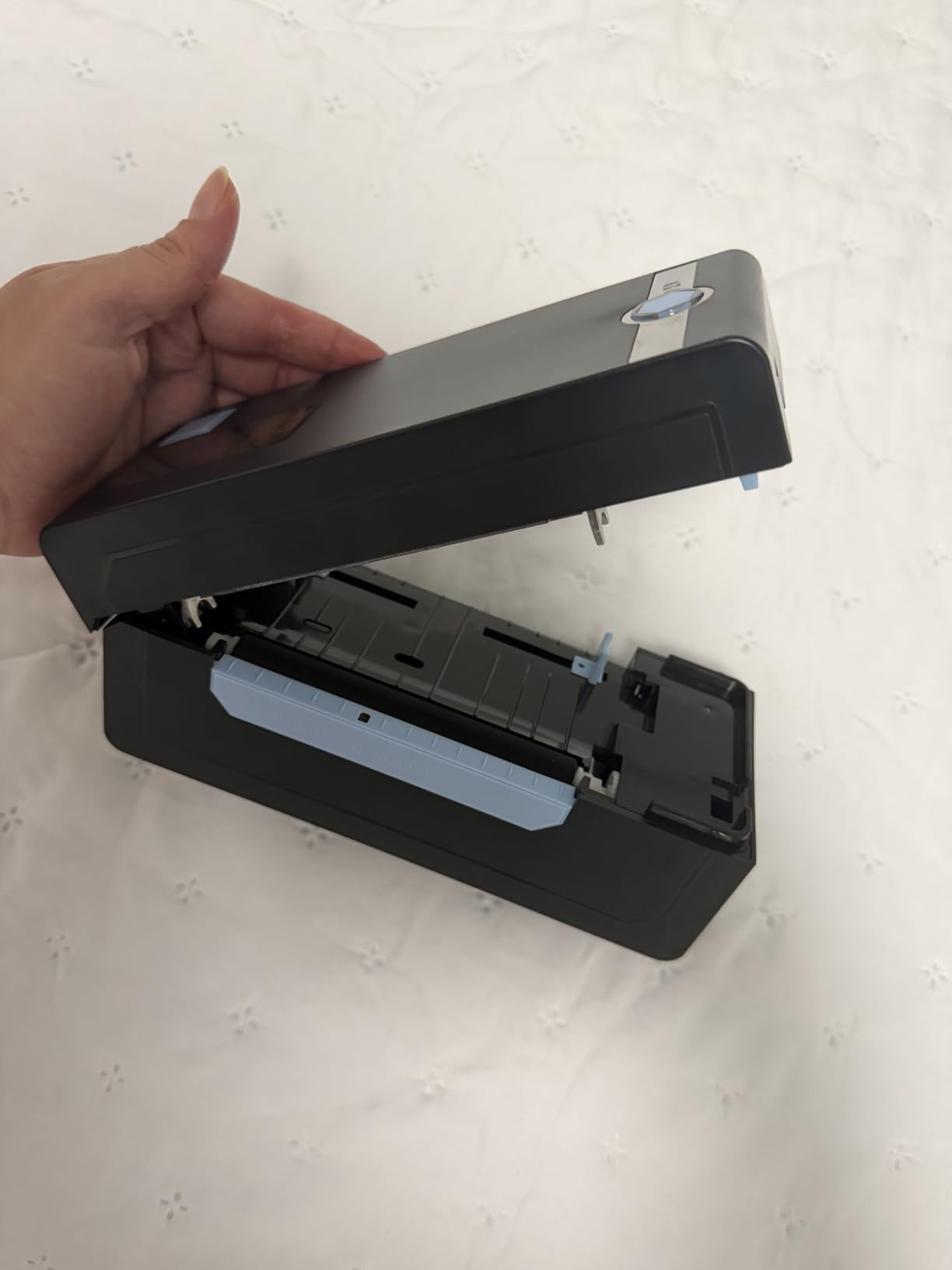
Phone printing works, but not the way most people expect. iOS and Android print through the Jadens printer app rather than native Bluetooth or AirPrint, and many owners report that the app is more reliable than desktop Bluetooth pairing. The MUNBYN app gets similar praise in comparisons.
Compatibility is broad: Endicia, Dazzle, ShipStation, ShippingEasy, Shippo, ShipWorks, Ordoro, eBay, Amazon and Shopify are all listed. The compact footprint suits a home or small-business shipping station, and setup is reported as about a minute with U-Disk drivers and tutorial videos.
When this is the right buy
Buy this if you want one printer that covers a desktop and a phone without carrying a second device. The dual connection means you can print from a laptop at the desk and from a phone at a packing table, which is a genuine advantage over the wired picks on this list.
It also makes sense if you move between locations. The 5.91 inch square footprint packs easily, and Bluetooth removes the cable that usually anchors a printer to one room.
What to watch out for
Desktop Bluetooth pairing fails on some machines, and when it does, the fallback is USB or the app. Test pairing with your own computer before you commit; a ten-minute check avoids a return.
Calibration also has to be repeated by holding the feed button each time you change label media. That is a small tax on flexibility, and it is the main reason I would not build a high-volume batch workflow around this machine.
4. Nelko Bluetooth Thermal Printer – Best Budget App-Based Printer
Nelko Bluetooth Thermal Shipping Label Printer, 4×6 Thermal Label Printer
203 DPI at 150mm/s, up to 72 labels per minute
Bluetooth app plus USB connection
1.54 to 4.1 inch media widths
50 free 4x6 thermal labels included
Pros
- Up to 72 4x6 labels per minute at 150mm/s
- No ink toner or smudging at 203 DPI
- USB works on Windows Mac and Chrome OS
- Includes 50 free 4x6 thermal labels and a USB-C cable
- Very small desk footprint
Cons
- Mac can only print over USB while Bluetooth needs the Nelko app
- Not every device can pair directly and must go through the app
- Shipping label PDFs must be exported before printing
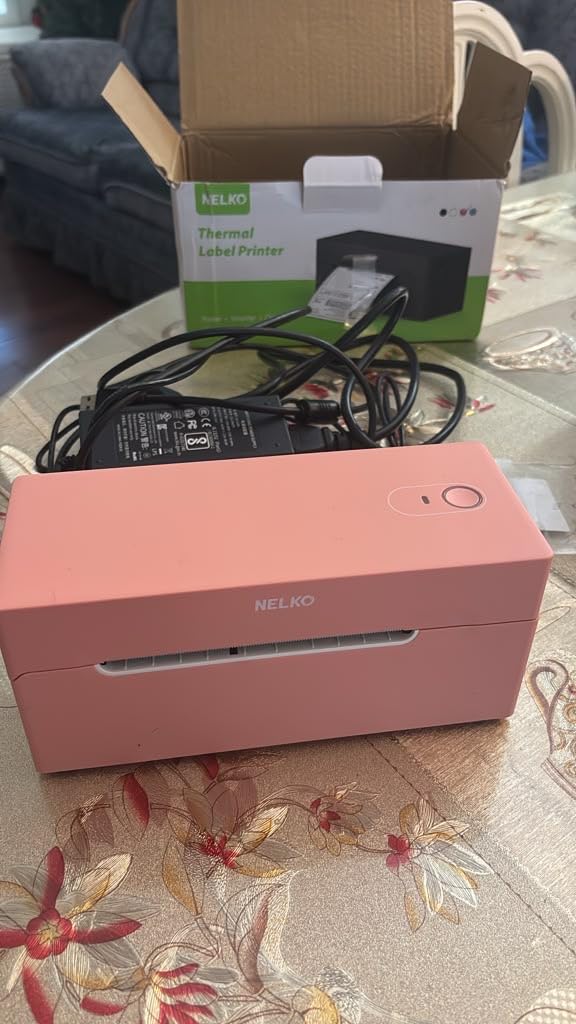
The Nelko is an affordable way into a real thermal shipping printer, and the box includes 50 free 4×6 thermal labels, which is most of a first week’s shipping. Speed is the surprise: up to 72 4×6 labels per minute at 203 DPI, with no ink or toner anywhere in the process.
It accepts fanfold and roll labels from 1.54 inch to 4.1 inch wide, and compatibility is listed across Amazon, eBay, Shopify, USPS, UPS, Etsy, PayPal and Poshmark. At 4.3 stars from 5,931 ratings, small sellers describe a strong speed-to-price ratio and consistent barcode clarity.
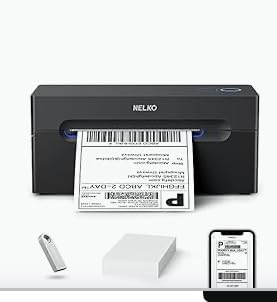
The catch is the Mac story, and it is the exact trap that resellers hit over and over. On this machine, Mac can only print over USB. Bluetooth printing goes through the Nelko app on iOS and Android, and even then not every device can pair directly.
Chrome OS is supported over USB, which is unusual at this price and useful for Chromebook-based packing stations. Desktop printing on Windows 7+ and Mac 10.9+ goes through the standard USB route with U-Disk drivers.
Best fit for a first printer
This is the pick if shipping is becoming regular but your volume is still modest, and you want the cheapest path to scannable barcodes. A year at a few hundred labels a month changes your cost per label more than the printer choice does.
The 500-sheet capacity and 500 maximum copies per run are generous for the money, and auto detection plus a self-test function help when something goes wrong at 9pm on a Sunday.
What gives buyers trouble
The extra export step is the most common complaint. Shipping label PDFs have to be saved from the logistics platform and then loaded into the Nelko editor, which adds friction to every single label. If you print fifty labels in a batch, you feel this fifty times.
Mac buyers should treat this as a USB-only printer that happens to have an app. The Bluetooth label on the box is about phone printing through the vendor app, not about cable-free desktop printing.
5. MUNBYN ITPP130B Bluetooth Printer – Best for Phone-Only Packing Stations
MUNBYN Bluetooth Thermal Label Printer, Wireless 4×6 Shipping Label Printer
203 DPI thermal output, 72 pages per minute
Bluetooth plus USB, 4x6 focused
Chrome-based Munbyn Editor for PC
Two year limited warranty
Pros
- Compact and light enough to carry in a backpack
- Reliable Bluetooth pairing through the MUNBYN Print app
- Chrome-based editor needs no installation on PC
- Design library with 3500 plus elements and 2000 plus templates
- Label widths from 1.57 to 4.3 inch
Cons
- Labels drift out of alignment during bulk runs
- The mobile app is not well liked on some phones
- Prints can fade in the middle of a label
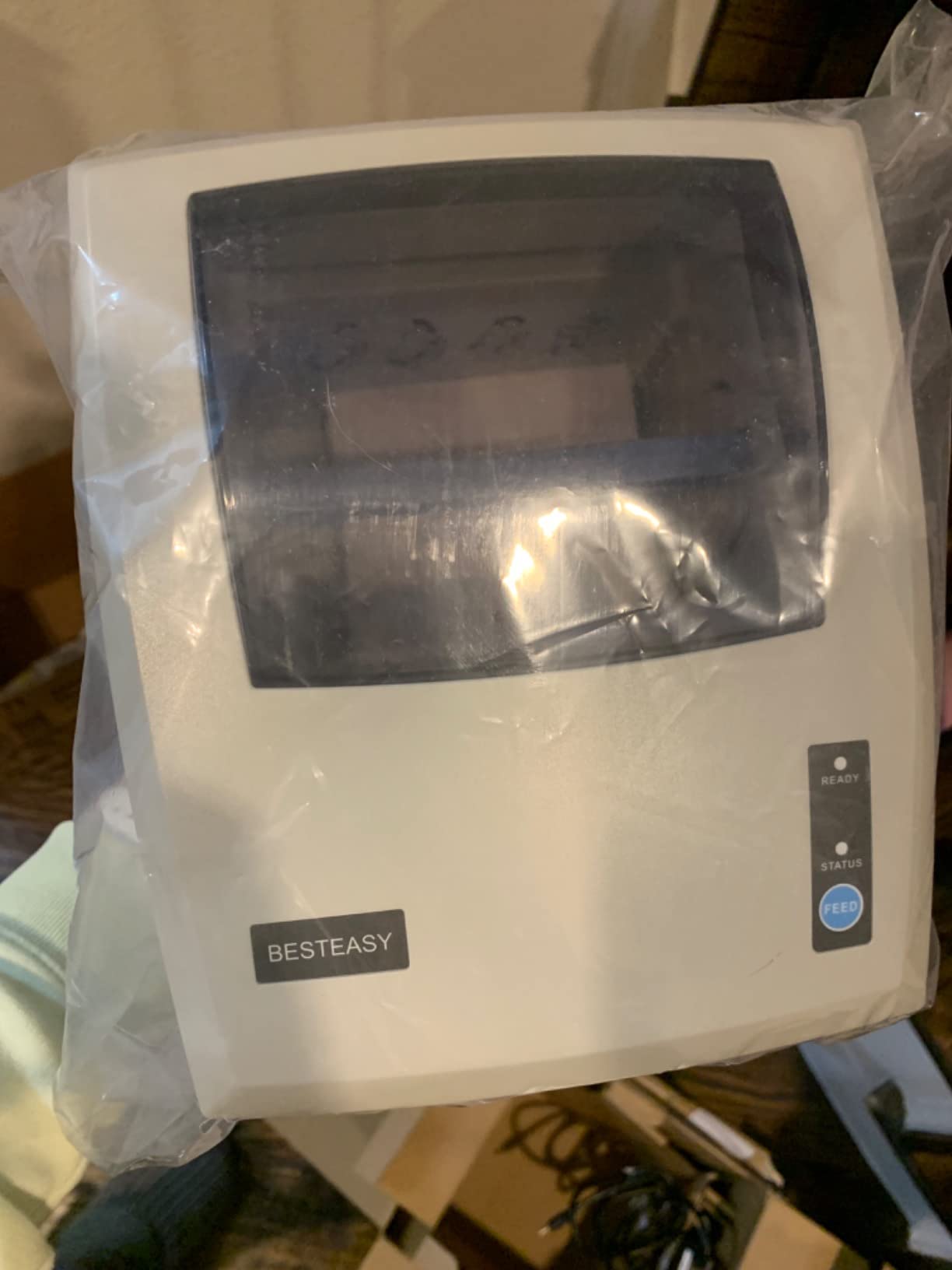
This is the printer for a workflow that has no computer in it at all. Shopify sellers in particular pair a Bluetooth thermal printer with a shipping scale, print from a phone and pack orders from a sofa or a market stall. For that setup, the 2.3 pound body and 8 inch by 6.88 inch footprint are the right size.
Setup is three steps: connect, design, print. On a phone that means the MUNBYN Print app for iOS and Android. On a PC, the Chrome-based Munbyn Editor means no software installation and no driver hunting, which is a genuine time saver for a temporary packing station.
The design library is the sleeper feature. It includes more than 3,500 elements, over 2,000 templates and more than 80 fonts, plus PDF and TXT import and OCR text recognition. That turns a shipping printer into a branding tool for gift messages and price stickers.
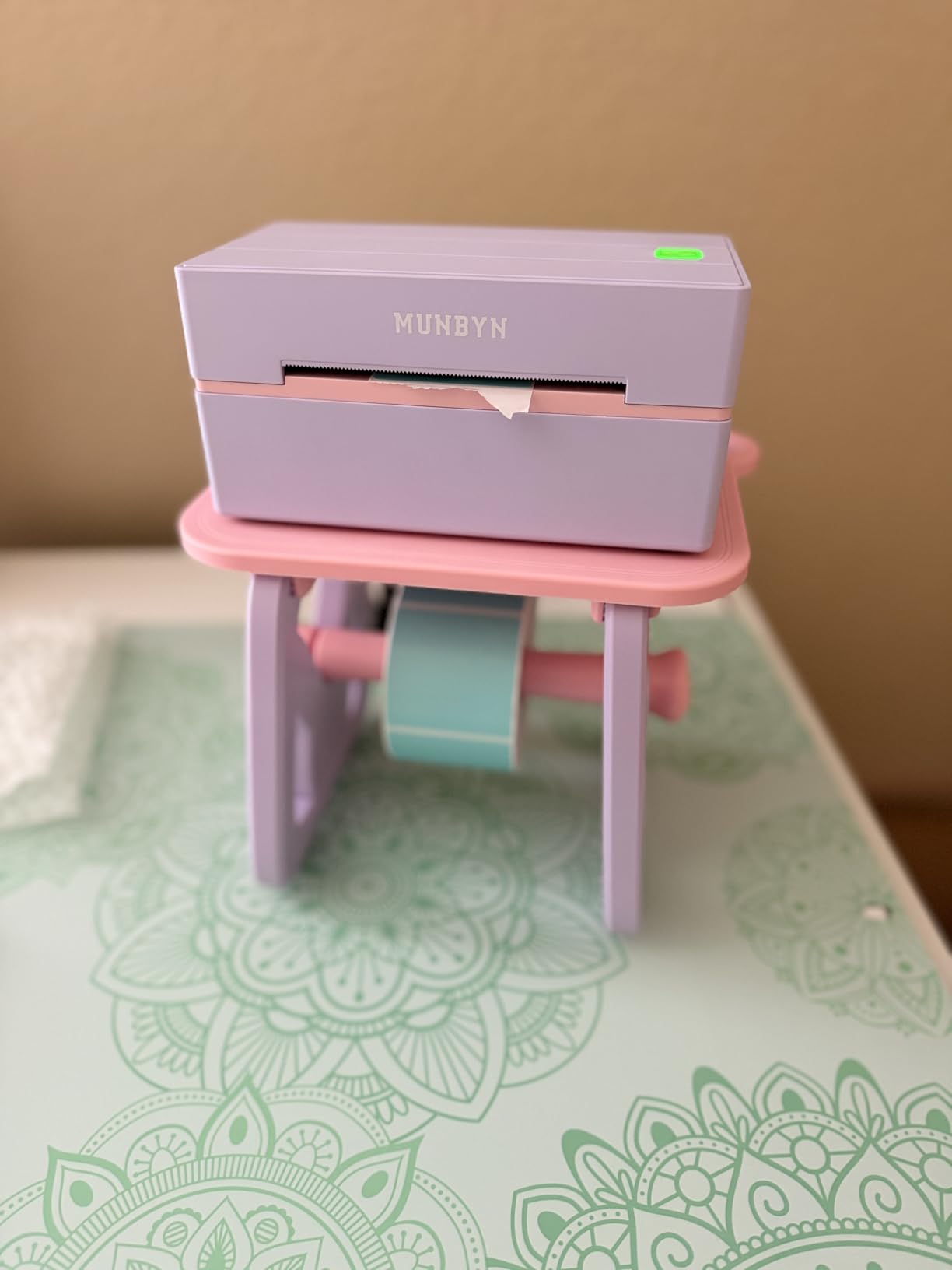
At 4.4 stars from 3,281 ratings, this is a well-reviewed unit with a smaller sample than the picks above it. Owners like the compact size, quick Bluetooth setup and clean output for light to moderate shipping.
The listed throughput is high for the class. At 203 DPI with 500 sheet capacity and a 100 sheet output capacity, it is built to keep a phone-based packing session moving without constant refills.
Where this printer wins
It wins wherever a fixed printer is impossible. A pop-up shop, a craft market stall, a food truck or a home packing table with no room for a tethered desktop all suit this unit. The two year limited warranty is longer than most of the wired units in this roundup.
The OCR and template library also make it the pick if you print more than a carrier label. Thank-you cards, QR codes, return addresses and pricing stickers all come out of the same editor.
Where it struggles
Alignment is the recurring issue. Labels can shift out of position and need frequent re-centering, especially during bulk runs, and some owners recommend a separate label stand once volume rises. That makes it a light-to-moderate machine rather than a batch machine.
The second problem is the phone app itself, which is not well liked by some users. If your entire plan depends on phone printing, test the app with your own handset before buying rather than trusting the compatibility list.
6. Brother QL-1110NWB – Best 300 DPI Wide-Format Networked Printer
Brother QL-1110NWB Wide Format, Postage and Barcode Professional Thermal Monochrome Label Printer with Wireless Connectivity
300 x 300 DPI print resolution
Labels up to 4 inches wide
Wi-Fi, Ethernet, USB and Bluetooth
2 year limited warranty
Pros
- 300 DPI produces sharp barcodes and dense small text
- Bluetooth Ethernet and 802.11b/g/n wireless in one unit
- Prints name badges and visitor labels as well as postage
- Barcode crop function extracts UPCs from templates
- Plug and Label feature prints without installing software
Cons
- Stated print speed of about 1 page per minute is slow
- Single sheet capacity means loading labels one at a time
- Premium tier price for the category
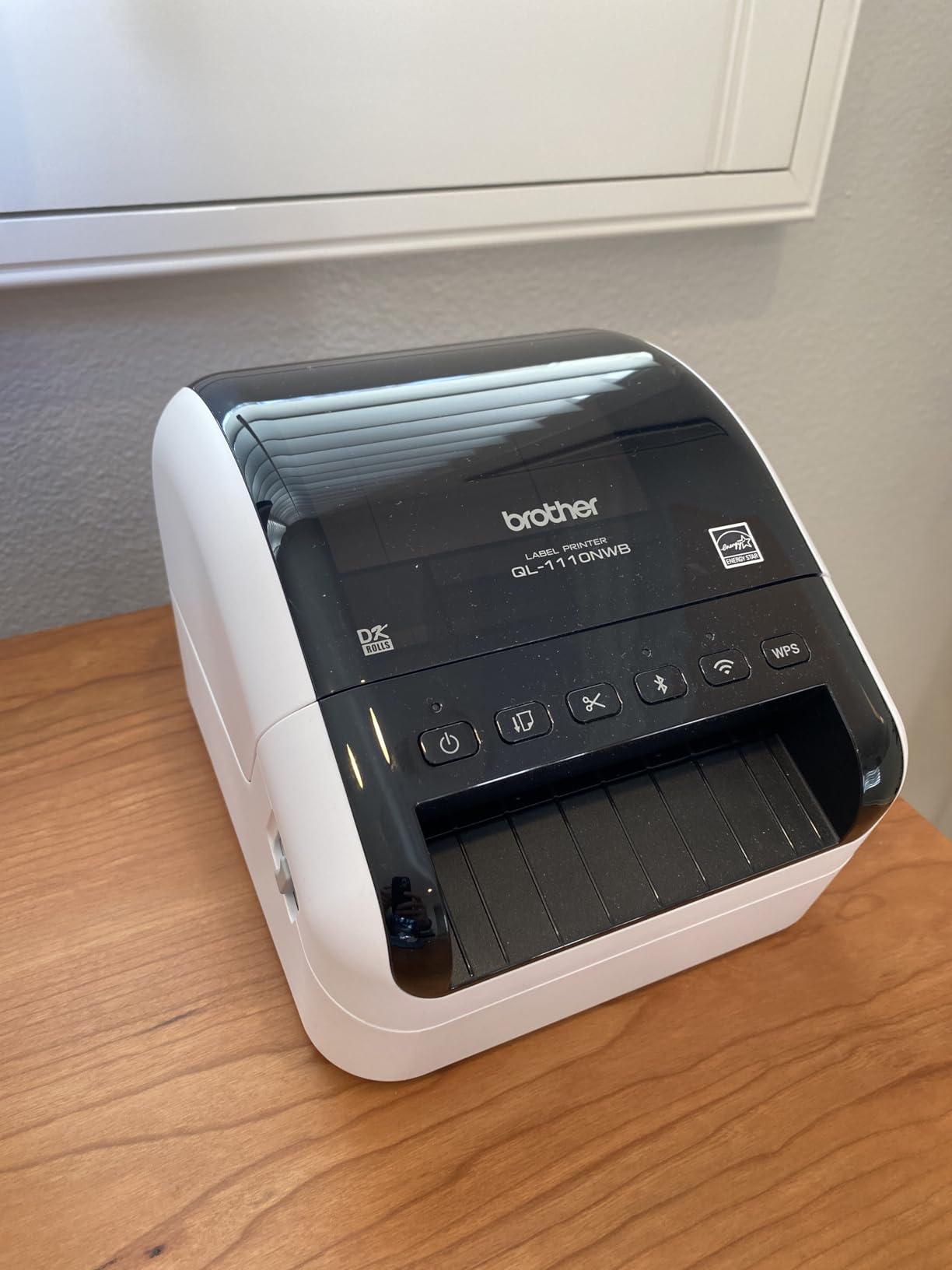
The Brother is the only printer here at 300 x 300 DPI, and that is the reason to look past its slower speed. If you print very small text, dense 2D codes or fine product labelling, 300 DPI gives you noticeably cleaner edges than the 203 DPI units on the rest of this list.
It is also the only one here built for 4 inch wide media such as postage labels, visitor badges and name tags. That makes it the pick for a shop that labels products as well as parcels, or for a studio that needs a home office upgrade. Our home office label printer guide covers the smaller-footprint alternatives.
Connectivity is the strongest in the roundup. Bluetooth, Ethernet and 802.11b/g/n wireless are all built in, so several computers on one network can share it. Free SDKs for Windows, iOS and Android plus network management tools are included.
The software side is genuinely capable. A barcode crop function on Windows lets you pull individual barcodes and UPCs out of a template, and database file compatibility covers CSV, TXT, MDB, XLS and Microsoft SQL Server. That is inventory work, not just shipping work.
The Plug & Label feature is the sleeper for casual users. On a Windows PC, it creates and prints a label without installing anything, which removes the biggest barrier for someone printing their first parcel.
What you gain at 300 DPI
You gain legibility on small print, sharper barcode edges and the ability to use smaller label stock without losing scan reliability. Buyers consistently report the Brother build quality alongside the resolution as the reason they recommend it for office and warehouse work.
At 4.3 stars from 846 ratings, the review count is the lowest of the high-profile picks, so treat the rating as confident but the sample as smaller. Reading both numbers together is how I weighted it.
What you give up
Throughput is the trade. The stated maximum copy speed is about 1 page per minute, which is slower than dedicated 4×6 units that run at 150mm/s. Batch shipping days will feel it.
Single sheet capacity is the other limit. Labels have to be loaded one at a time, so this is a printer for accuracy-first labelling rather than a packing table that fires labels continuously.
7. Westinghouse WHTP203e – Best for Linux Desks and Ethernet Sharing
Westinghouse Thermal Shipping Label Printer USB, 4×6 Label Commercial Grade, Compatible with USPS, UPS, FedEx, Shopify, Amazon, Small Business, Desktop Label Printer for Packages, Includes Labels
203 DPI at 6 inches per second
Ethernet plus USB, no Bluetooth
Handles 0.78 to 4.6 inch media width
Labels, holder and USB drive included
Pros
- Dark crisp 203 DPI output that carriers accept without complaint
- Prints at 6 inches per second on generic roll or flat labels
- Windows macOS and Linux support with ZPL software
- Ethernet lets several office computers share one printer
- Starter labels and a label holder are in the box
Cons
- Not Bluetooth capable so it needs a cable or a network
- Cables are sold separately
- Firmware and print server software can need extra setup
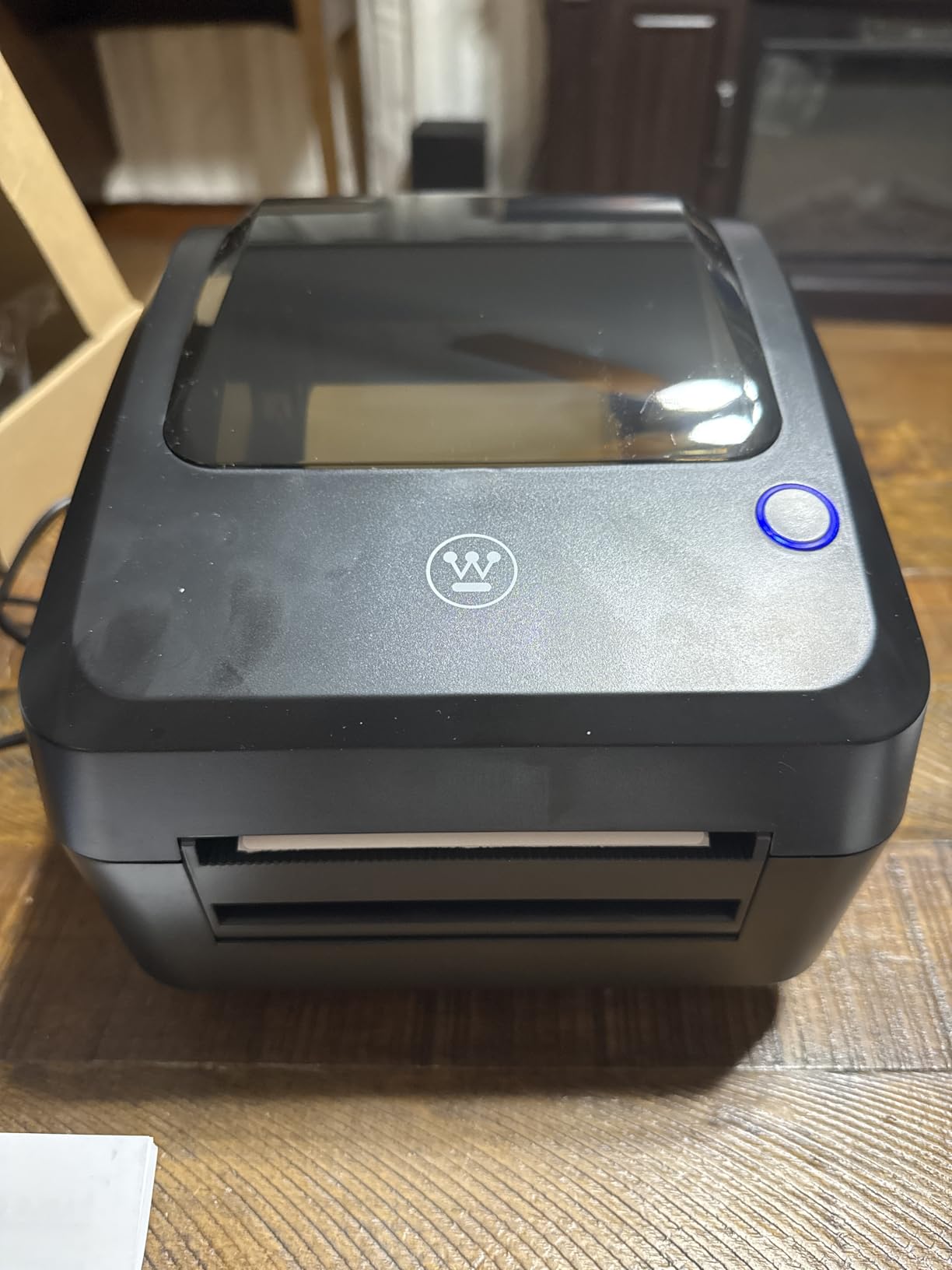
Most desktop thermal printers are Windows and Mac machines with Linux as an afterthought. This one lists Windows, macOS and Linux support as a headline feature, alongside ZPL software support and Ethernet capability. For a Linux shop or a self-hosted shipping stack, that removes the most common driver headache in this category.
Print performance is the other draw. Six inches per second at 203 DPI, and owners who upgraded from cheaper units specifically point to the darkness and crispness of the output. Post office clerks and carriers accept the labels without complaint, which is the outcome that actually matters.
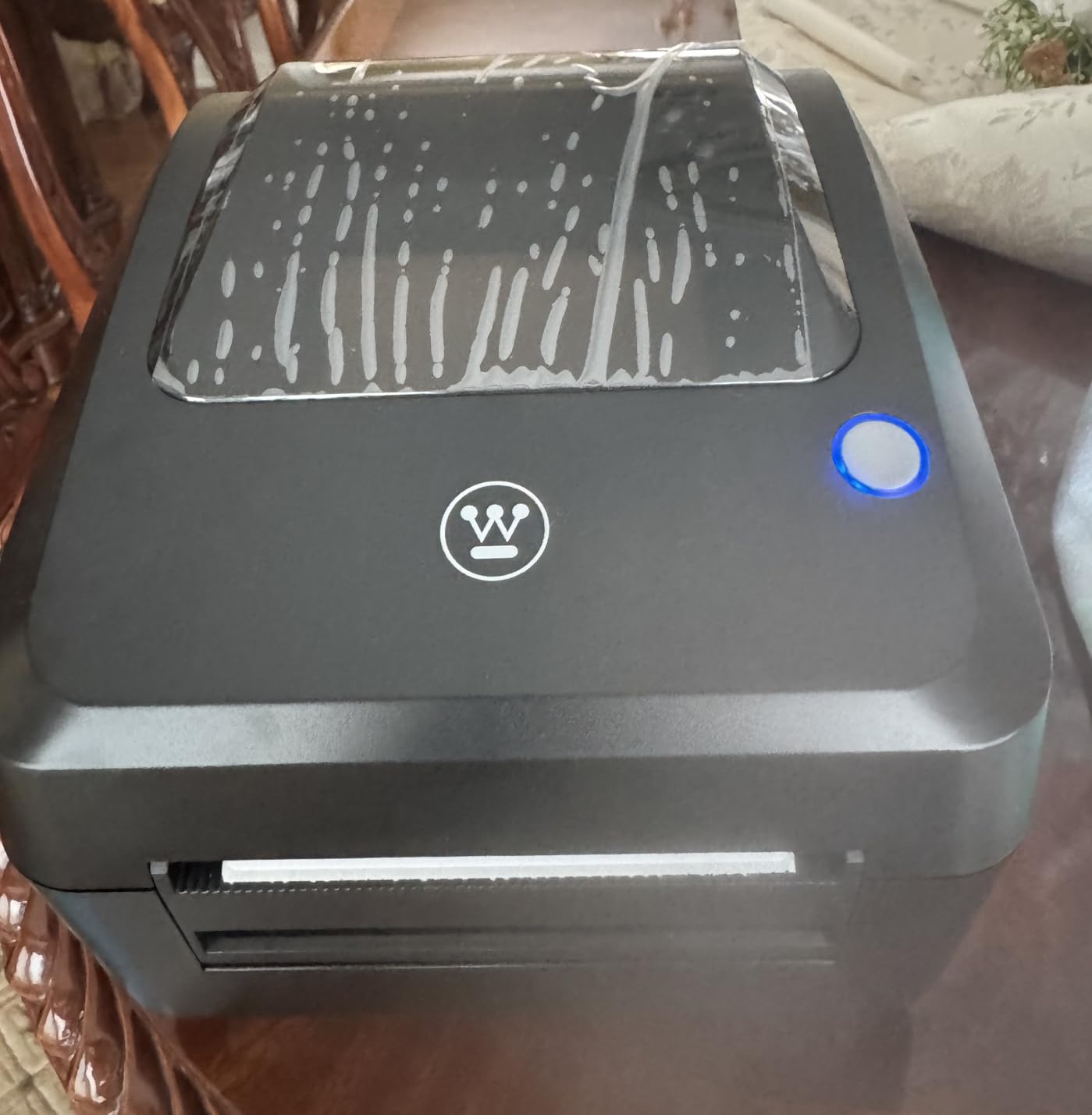
Media handling is unusually broad. It takes fanfold labels and rolls from 0.78 inch to 4.6 inch wide with up to 4.25 inch print width, so it covers small product stickers as well as 4×6 shipping labels. Generic roll or flat labels feed without fine tuning.
The box is well thought out: printer, starter labels, label holder, USB flash drive, USB cable, power cord and adapter. The flash drive carries drivers for Windows and macOS plus a test print for calibration, which saves a support call.
Why offices pick this one
Ethernet sharing is the reason. USB plus Ethernet lets multiple office computers send jobs to one printer over the network, which is a small warehouse or a shared packing room in a single box. No Bluetooth pairing to manage, and no driver on every machine that changes.
Owners also report easy reinstallation after system changes, which matters if you rebuild a shipping computer regularly or swap between a desktop and a laptop.
Where it will frustrate you
It is not Bluetooth capable, so a phone-first workflow is out. Ethernet and USB-C cables are also sold separately, which is an annoying omission for a machine aimed at office use where both are standard fittings.
A small number of reviewers report firmware and print server software shortcomings and say setup can require a support call. At 373 ratings the sample is the thinnest here, so the 4.4 average is encouraging but less well tested than the picks above it.
8. Rollo Wireless X1040 – Best for AirPrint and Multi-Device Teams
Rollo Wireless Shipping Label Printer – Wi-Fi 4×6 Thermal Label Printer
Wi-Fi and AirPrint, no drivers needed
203 DPI at 150mm/s, 1 label per second
Print head life about 650000 labels
1.57 to 4.1 inch media widths
Pros
- Prints from iPhone iPad Mac Android Windows Chromebook and Linux
- AirPrint means no drivers and no app
- Print head rated near 650000 shipping labels
- Compact unit that can sit away from the computer
- Widely praised phone and email support
Cons
- Bundled Rollo Design software is not intuitive
- Rollo app and cloud features are US only
- Wi-Fi setup can fail and the printer can appear under a new name
This is the pick for anyone who does not want drivers, cables or vendor apps. Wi-Fi and AirPrint mean iPhone, iPad, Mac, Android, Windows, Chromebook and Linux all print natively, which is the cleanest setup in the roundup. There is no Bluetooth layer to fight with and nothing to install.
The print head is the quiet differentiator. Rollo rates it for approximately 650,000 shipping labels, or 327,360 feet of print, roughly four times the life of a typical head. Owners replacing a faded head after a few months of heavy use care about that number more than any spec sheet speed.
Speed matches the wired Rollo at 150mm/s, one 4×6 label per second at 203 DPI, and the custom label maker covers 1.57 inch to 4.1 inch widths with barcodes, QR codes and name stickers. Carrier and platform compatibility matches the USB Rollo: FedEx, UPS, USPS, ShipStation, ShippingEasy, Shippo, ShipWorks, Amazon, Shopify, Etsy and eBay.
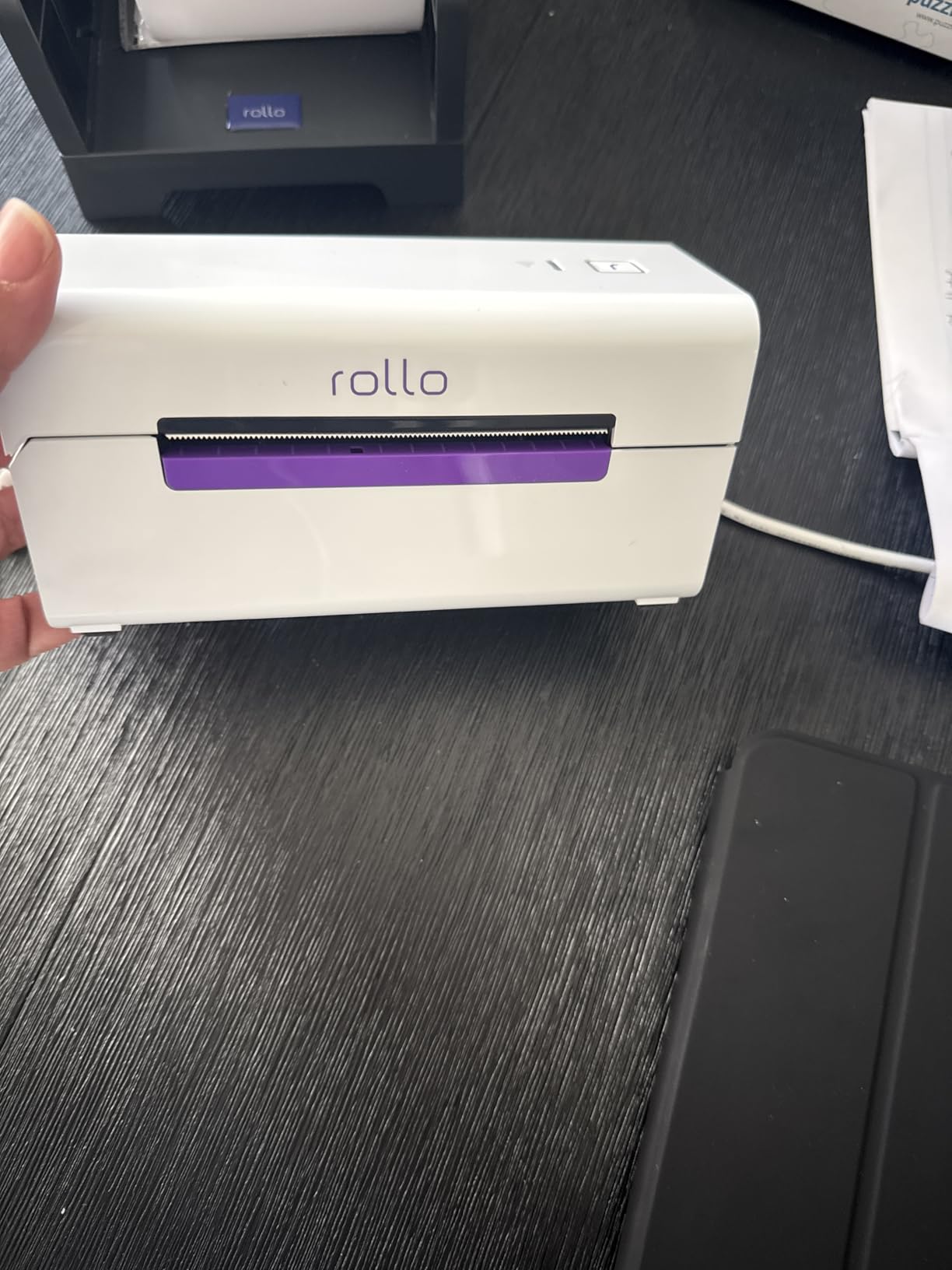
It is also small enough to sit in another room from your computer, at 3 inch by 7 inch by 3.5 inch and 3.5 pounds. If your computer lives in an office and your packing table is in a stockroom, that is the point of this model.
Customer support is repeatedly praised. When Wi-Fi setup goes wrong, the phone and email support resolves it quickly, and many users call it the best thermal printer they have owned.
What AirPrint actually changes
AirPrint means the printer appears as an AirPrint target in the print dialog on iPhone, iPad and Mac, and as a network printer on Windows, Android, Chromebook and Linux. No driver, no desktop app, no pairing. For a team that shares one packing room, that is worth a lot of setup time saved.
AirPrint is also the honest answer to iPhone-first sellers, who otherwise get pushed toward a vendor app. Here the phone is treated as a first-class printing device.
What to watch out for
This has the lowest rating on the list at 4.1 stars from 2,349 ratings, and the reason is network setup rather than print quality. Some users report the printer dropping offline or appearing under a different device name, and it needs to sit near the router for a stable connection.
Two more limits: the bundled Rollo Design software is not intuitive, and the Rollo app plus cloud features are US only, which reduces the value outside the United States. The complimentary Rollo Ship Manager app still connects ecommerce platforms for carrier rate discounts.
How to Choose a Shipping Label Printer Without Regret
Direct thermal versus thermal transfer
A direct thermal printer heats the label’s chemical coating to produce black text and barcodes. There is no ribbon, no ink and no toner, so your running cost is the label stock itself. Thermal transfer adds a ribbon between the head and the label, which makes prints more resistant to heat, moisture and scratches at the cost of a second consumable.
For 4×6 shipping labels going through USPS, UPS and FedEx, direct thermal is the standard. Thermal transfer earns its keep on long-term inventory labels stored in hot warehouses or on outdoor equipment, and none of the eight printers here are ribbon machines.
203 DPI versus 300 DPI
Seven of the eight printers here run at 203 x 203 DPI, which is the shipping industry default and scans reliably on any carrier label. The Brother QL-1110NWB runs at 300 x 300 DPI. Choose 203 DPI for parcels and 300 DPI for dense small text, tiny 2D codes, jewelry and cosmetics labelling where print detail is the product.
USB, Bluetooth or Wi-Fi
USB is the most reliable for long batch runs on a single desk, because a wired connection cannot drop mid-batch. Bluetooth is the right choice for phone-first solo shipping, with the caveat that phone printing usually needs a vendor app rather than native pairing. Wi-Fi with AirPrint is the cleanest multi-device option, and the one that avoids drivers entirely.
The Mac trap is real. Several budget models do not do Bluetooth on macOS at all, and the Nelko requires USB for Mac printing while its Bluetooth route goes through the app. Always test pairing with the exact computer you own before you buy.
Media handling and width range
4×6 shipping labels are the baseline, and every printer here handles them. What separates them is the width range beyond that. The Westinghouse goes down to 0.78 inch, the JADENS and the two Rollo models start at 1.57 inch, and the MUNBYN units reach 4.3 inch. The Brother prints media up to 4 inches wide, which is a different category again.
Roll versus fanfold matters too. Roll media is convenient and compact; fanfold stackers let a packer grab one label at a time without touching the printer. Dual-support machines give you both. Check that the printer handles the media your shipping platform ships with, not just the media in the box.
When a thermal printer is not worth buying
If you ship fewer than roughly 50 packages a month, a dedicated thermal printer usually does not pay for itself. Generic 4×6 fanfold labels cost about two cents each, while sheet labels printed on an inkjet or laser run several times more once ink is counted, plus you still cut and peel each one.
At higher volumes the gap grows fast. A small business printing 50 labels a day spends more on ink and sheet labels in a single year than a thermal printer costs up front, and the printer itself is a one-time purchase. Warranty length is part of that math too, and these machines carry between one and two years depending on the model.
Shipping software compatibility
Any printer that prints from your computer can output a carrier label, but the software layer decides how painless it is. All eight here are listed as compatible with major platforms such as ShipStation, Shippo, Shopify, Amazon, Etsy, eBay, Endicia, Dazzle and ShipWorks, but the flow differs.
With a wired printer you print straight from the platform’s print dialog. With a Bluetooth model you often export the label as a PDF, open it in the vendor app and print from there, which adds a step per label. With AirPrint you print natively from the platform with no extra step at all. That is the practical difference behind the prices.
Print head maintenance
Direct thermal heads do not wear out from use alone, they wear out from heat, dust and adhesive residue. Streaking and fading usually mean a dirty head, and a lint-free wipe with isopropyl alcohol on the print bar fixes most cases in a couple of minutes. Print head life is one of the least advertised numbers in this category, which is why the Rollo X1040’s rated 650,000 label figure is worth noticing.
Store thermal media somewhere cool and dry, away from direct sunlight and heaters, and keep rolls sealed when you are not using them. Heat-exposed labels turn unreadable long before the printer is at fault.
How We Picked These Printers
We compared eight direct thermal printers that actually print 4×6 shipping labels, and we read star ratings together with review counts so a well-tested 4.4 outranks an identical 4.4 with a much smaller sample. Where two printers share a brand we kept both, because a wired and a wireless machine from the same maker serve genuinely different workflows.
Every specification quoted here comes from the manufacturer’s own listing, and every performance note comes from the customer review record. We flag disagreements rather than smoothing them over, including the cases where a product name promises Bluetooth and the hardware interface says USB. Full disclosure: we did not bench-test print speed ourselves, so throughput figures are the manufacturer ratings and the labelled page-per-minute numbers, which are not always the same thing.
Frequently Asked Questions
What is the best printer for printing shipping labels?
The Rollo USB Shipping Label Printer is our top pick. It is a direct thermal 4×6 machine at 203 DPI printing one label per second at 150mm/s, rated 4.6 stars across more than 16,000 reviews, and confirmed compatible with USPS, UPS, FedEx, ShipStation, Shippo, Amazon, Shopify and Etsy. It is wired, so it suits one desk shipping in volume.
Is it worth buying a shipping label printer?
It is worth it once you ship more than roughly 50 packages a month. Below that, sheet labels on an inkjet are fine. Above it, generic 4×6 thermal media costs about two cents a label against several times more for inkjet sheets, and you skip the cut-and-peel step at the packing station. The printer is a one-time cost of one to two years of warranty.
What is the most reliable label printer?
Reliability tracks two things: review count and connection type. The Rollo USB unit has the largest sample on this list at over 16,000 ratings and stays at 4.6, and a wired USB connection cannot drop mid-batch. For network setups, the Westinghouse WHTP203e shares one printer across office computers over Ethernet. Bluetooth models are the ones that report dropped batches.
What is the best thermal shipping label printer for a small business?
Match the printer to the workflow. One desk and one computer means the wired Rollo USB. A phone-first solo packing station means the JADENS or MUNBYN ITPP130B, both Bluetooth plus USB. Several computers or an iPhone-first team means the Rollo X1040, which adds Wi-Fi and AirPrint with no drivers. Small text and wide labels point to the Brother QL-1110NWB at 300 DPI.
Does any thermal printer work for shipping labels?
Any direct thermal printer that handles 4×6 stock and can print from your computer will output a carrier label, because the label is a PDF from USPS, UPS or FedEx. What varies is how much friction sits in between. Wired machines print straight from the shipping platform, Bluetooth machines often require exporting a PDF into a vendor app, and AirPrint machines print natively from a phone or laptop.
Which label maker is better, Brother or Dymo?
For shipping, Brother wins on specifications here. The QL-1110NWB prints at 300 DPI, handles media up to 4 inches wide and includes Wi-Fi, Ethernet, USB and Bluetooth with a two year warranty. DYMO units are widely praised for reliability by long-time owners, but their chip-authenticated media refuses third-party labels, so you stay locked into expensive branded rolls. Check media cost before choosing that ecosystem.
Can Rollo use Dymo labels?
Rollo and DYMO use different media. DYMO rolls carry an authentication chip that DYMO printers require, and Rollo direct thermal printers take plain thermal media instead. The good news is that plain thermal labels from any supplier work with the Rollo, JADENS, MUNBYN, Nelko and Westinghouse units here, which keeps your cost per label low. Buy generic thermal stock, not branded DYMO rolls.
The Bottom Line for Shipping Labels in 2026
For most small businesses, the best label printers for shipping come down to the Rollo USB unit: the highest rating on the list, the largest review sample, and no wireless layer to troubleshoot. If you pack from a phone, take the JADENS or the MUNBYN ITPP130B. If a team shares one machine across devices, the Rollo X1040 prints over AirPrint with no drivers, and the Brother QL-1110NWB covers 300 DPI and wide-format labels for anything smaller than a parcel.
Whichever you pick, buy plain thermal stock rather than a brand-locked ecosystem, and check the Mac Bluetooth behaviour on your exact computer before you order. Shipping labels are the last step in order fulfilment, and the right printer makes that step boring.