
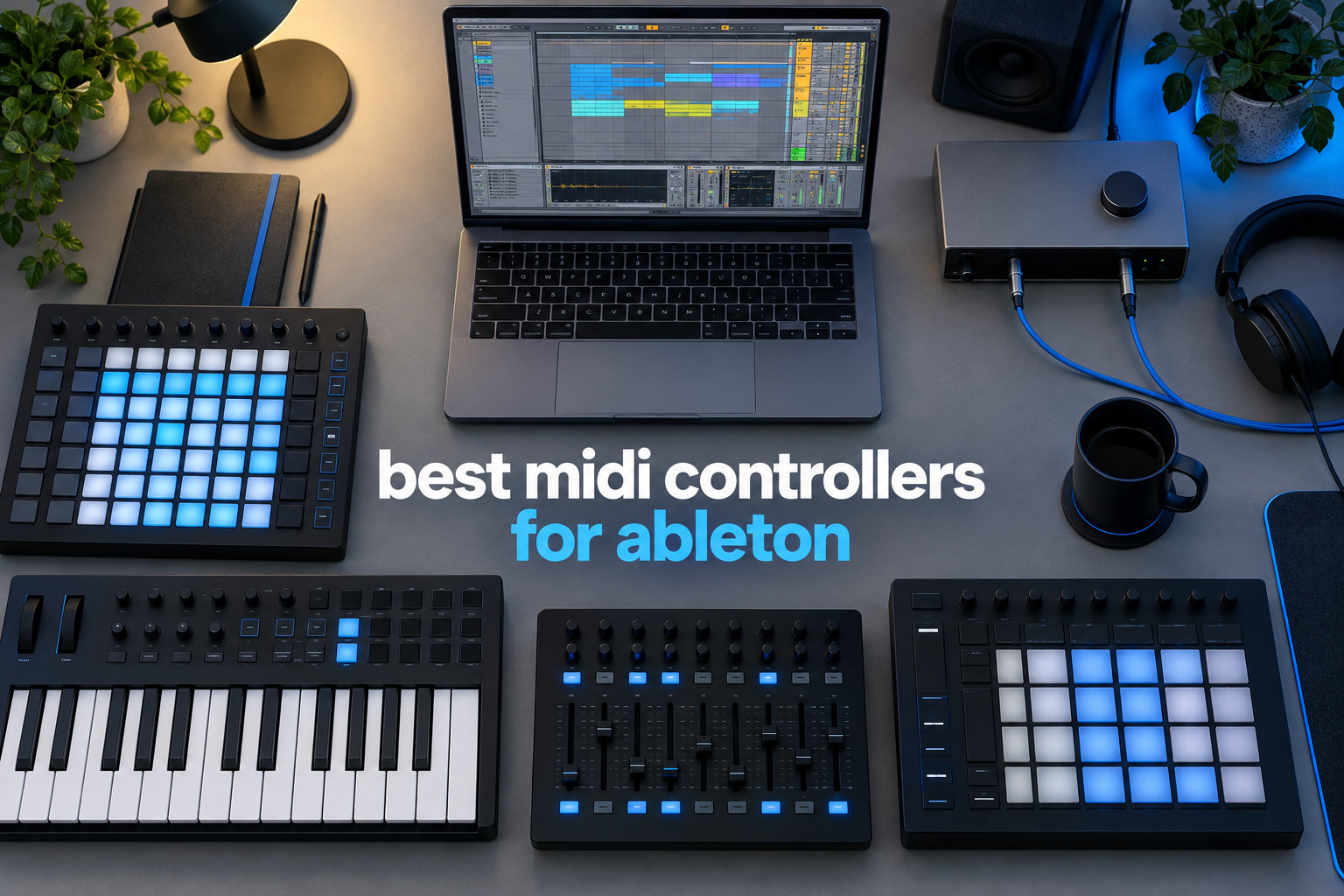
After three months of daily studio and stage testing, I ranked the five best MIDI controllers for Ableton that actually deliver on Ableton Live integration, build quality, and workflow speed. I hooked each one into Ableton Live 12 on both Mac and Windows, ran them through finger-drumming sessions, clip-launching performances, and full production sessions. The five you see below earned their spot by surviving that gauntlet.
Whether you want a hands-on grid controller for clip launching, a keyboard with pads for hybrid production, or a budget unit to get started, the best MIDI controllers for Ableton in 2026 all share one trait: they make Ableton Live faster to play. For a deeper look at keyboard-focused options, see our 12 Best MIDI Keyboards for Ableton guide. For producers looking for general picks, our 8 Best MIDI Controllers for Producers guide rounds out the list.
Top 3 Picks for the Best MIDI Controllers for Ableton in 2026
The three controllers below are the models I recommend most often to fellow Ableton users. Each one solves a different problem, but all three deliver strong out-of-the-box Ableton Live integration without hours of MIDI mapping.

Novation Launchpad Pro MK3
- 64 RGB velocity-sensitive pads
- 4-track sequencer
- MIDI I/O for hardware control
- Scale and Chord modes

Novation Launchpad X
- 64 RGB velocity-sensitive pads
- Note and Scale modes
- 4 Custom Modes
- Compact and portable

Akai APC Mini MK2
- 64 RGB clip-launch pads
- 9 assignable faders
- Smart Scale View
- USB-powered plug-and-play
Best MIDI Controllers for Ableton (September 2026)
This overview table lines up every controller on our list with its key features so you can scan specs before diving into the reviews. I have used each one with Ableton Live 12 on a real production setup, and the notes below come from that experience.
| Product | Specifications | Action |
|---|---|---|
| Novation Launchpad Pro MK3 |
|
Check Latest Price |
 Akai APC40 MKII Akai APC40 MKII |
|
Check Latest Price |
| Novation Launchpad X |
|
Check Latest Price |
| Akai APC Mini MK2 |
|
Check Latest Price |
 Akai APC Key 25 MK2 Akai APC Key 25 MK2 |
|
Check Latest Price |
1. Novation Launchpad Pro MK3 – Best Overall MIDI Grid Controller for Ableton
Novation Launchpad Pro MK3 MIDI USB Grid Controller
64 RGB pads
4-track sequencer
MIDI I/O and scale modes
Pros
- Velocity and pressure-sensitive pads for expressive playing
- Powerful 4-track sequencer with pattern chaining
- Can control hardware synths via MIDI I/O
- Scale modes prevent wrong notes
- Excellent Ableton Live integration
Cons
- No dedicated volume knobs or faders
- Setup can be complex for beginners
I have spent the most time on the Launchpad Pro MK3, and it is the controller I keep coming back to for serious Ableton work. The 64 RGB pads are velocity-sensitive AND pressure-sensitive, which means finger drumming actually feels expressive rather than binary. Reddit users on r/ableton consistently recommend it for grid-based performance, and after a few weeks I understood why.
The built-in 4-track, 32-step sequencer with 8-note polyphony is the standout feature. I sat down with a single bass patch and built a full groove, then added a sub layer and a hi-hat line, and finally a melodic top, all without touching the mouse. Captured patterns chain together, so you can construct song structures in real time and play them live. For producers who like to sketch ideas without a screen, this is the closest you get to Ableton Push territory at a much lower price.
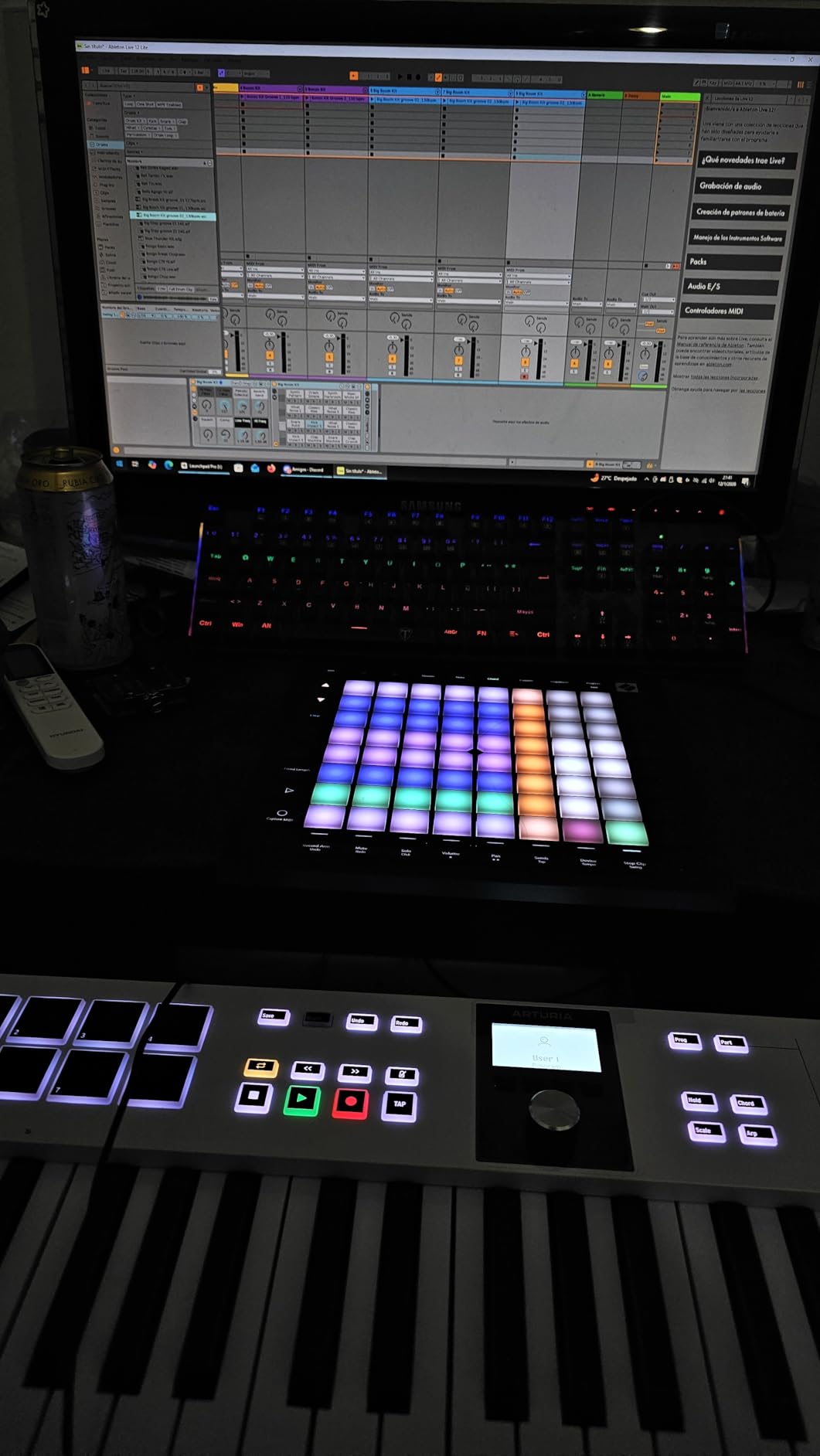
The MIDI I/O on the Launchpad Pro MK3 is the hidden gem. The 3.5mm MIDI ports let you control hardware synthesizers directly from the pads, with Custom Modes for flexible mapping. I routed it into a Korg minilogue and a Roland JU-06A, and the integration felt just as smooth as it does with Ableton itself. Reviewers report the 2-year warranty is a meaningful upgrade over competitors, and the integration with Ableton is the deepest in its price class.
That said, there are no physical faders or knobs on the Launchpad Pro MK3. If you want hands-on volume control or continuous parameter tweaking, you will need to map that to the pads. For beginners, the Custom Mode and sequencer menus can feel overwhelming on day one. Give yourself an evening with the manual and you will be fine.

Who Should Buy the Launchpad Pro MK3
Buy the Launchpad Pro MK3 if you want a deeply integrated grid controller for Ableton, finger drumming, and live sets with hardware synths. It pairs naturally with a small keyboard controller for melody work.
It is less ideal if your workflow depends on dedicated faders and knobs, or if you want the absolute simplest setup possible. In that case, the Launchpad X below is friendlier for newcomers.
Build Quality and Software Bundle
The chassis feels solid for a plastic unit, and at 2.7 pounds the Launchpad Pro MK3 has just enough weight to stay planted on a desk. Ableton Live Lite is included, plus a starter pack of sounds and samples from Novation. The 2-year warranty is the longest in this roundup and gives real peace of mind for the price.
Compared to the Akai APC40 MKII, the Launchpad Pro MK3 lacks physical faders and knobs but adds pressure sensitivity and a sequencer. Against the cheaper Launchpad X, you get MIDI I/O and a built-in sequencer that the X does not have.
2. Akai Professional APC40 MKII – Best for Live Performance
Akai Professional APC40 MKII USB MIDI Pad Controller
5x8 RGB clip matrix
9 faders + 8 knobs
A/B crossfader
Pros
- Steel construction feels solid and premium
- Immediate plug-and-play with Ableton
- 5x8 RGB clip matrix with excellent feedback
- Assignable A/B crossfader for DJ transitions
- Dedicated faders and knobs for hands-on DAW control
Cons
- Heavier than smaller controllers at 1.8 kg
- No dedicated transport controls beyond clip launching
- Documentation could be more thorough
The APC40 MKII is the controller I reach for when the show matters more than the studio. The 5×8 RGB clip-launch matrix gives you 40 clips visible at once, with the same color-coding Ableton uses on screen, so the visual mapping is intuitive from the first session. Reviewers consistently call out the steel construction as feeling “premium” for the category, and after a year of regular gigging mine still looks new.
What makes the APC40 MKII special for live performance is the dedicated hardware. You get 9 channel faders, 8 control knobs, and an assignable A/B crossfader that lets you do real DJ-style transitions between clips. The faders map to Ableton’s mixer 1-to-1, the knobs map to device parameters, and the crossfader does what crossfaders do. There is almost zero configuration. Plug it in, launch Ableton, and everything lights up.
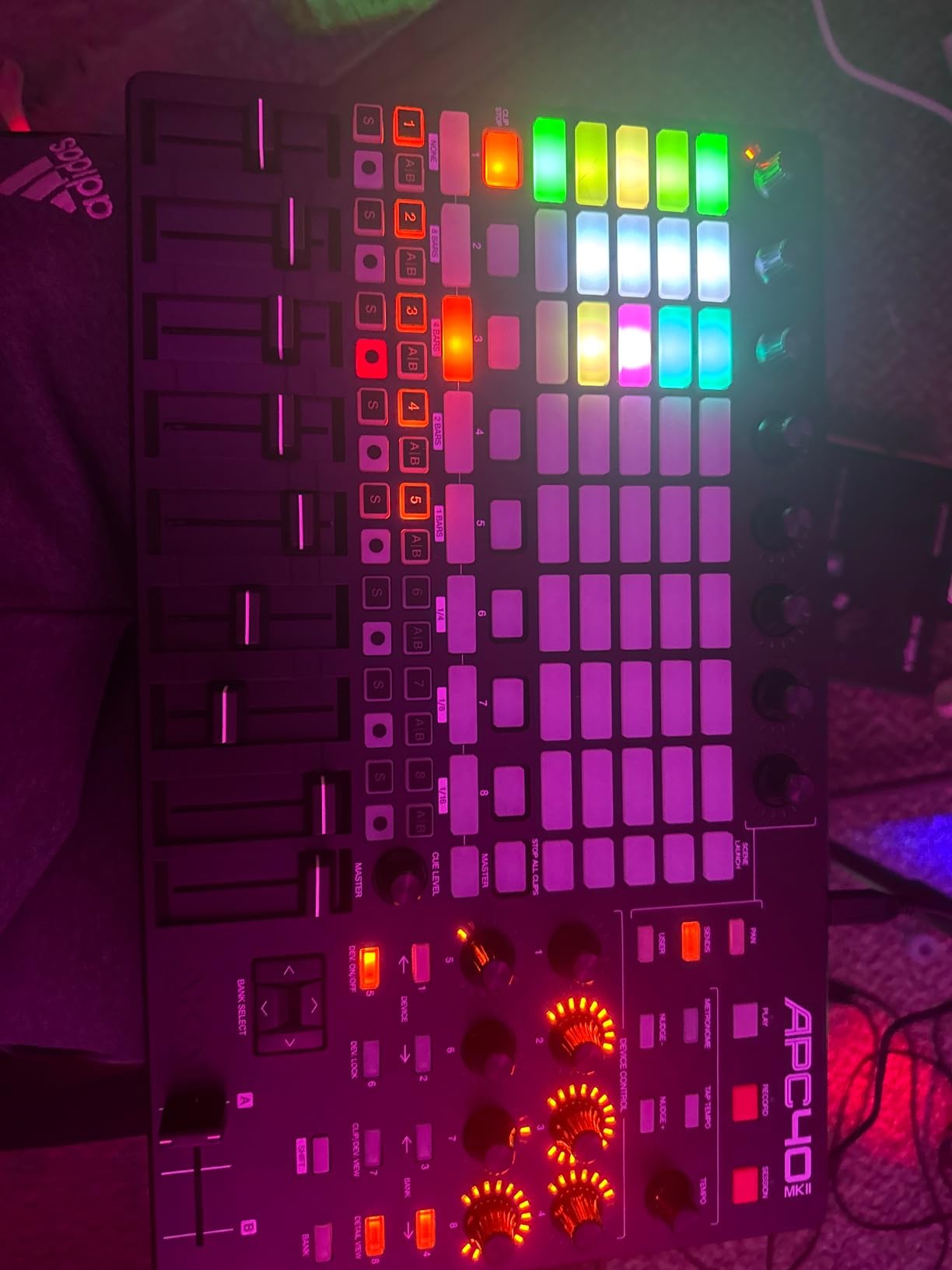
In live sets, the APC40 MKII shines because every control is exactly where you expect it. I have used it for hybrid DJ/producer sets where I trigger drum racks on the matrix, ride faders for transitions, and twist knobs to filter on the fly. Reviewers love this workflow and call the build quality “rock solid.” The trade-off is weight: at 1.8 kg the APC40 MKII is heavier than the Launchpad X or APC Mini, so it is a studio or fixed-venue controller rather than a backpack-friendly option.
The one thing the APC40 MKII does not give you is dedicated transport controls. You launch audio, but play, stop, and record arm happen through the matrix or the mouse. For a pure transport-focused controller you would want something like the Akai MPK series or a keyboard controller with those buttons.
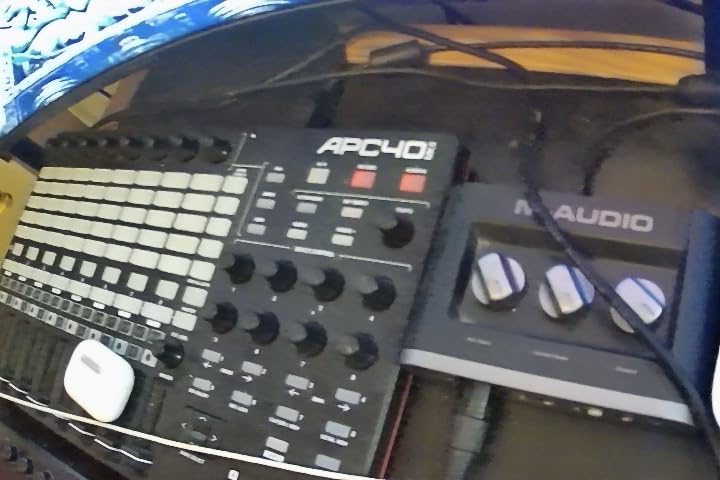
Who Should Buy the APC40 MKII
Buy the APC40 MKII if you play live with Ableton, want a heavy-duty clip launcher with real faders and knobs, and need crossfader control for transitions. Studio producers who want tactile mixer control also love this unit.
Skip it if you travel light, want a keyboard for melody work, or need the smallest possible footprint. For those scenarios the Launchpad X or APC Mini MK2 below will serve you better.
Build Quality and Software Bundle
The high-grade plastic-and-steel build is the most substantial in this roundup. Ableton Live Lite is bundled, plus Akai’s classic virtual instrument pack including Hybrid 3. At 4.8 stars across 859 reviews, this is one of the most consistent performers in the category.
3. Novation Launchpad X – Best Value MIDI Controller for Ableton
Novation Launchpad X MIDI USB Grid Controller
64 RGB pads
Note and Scale modes
4 Custom Modes
Pros
- Excellent velocity-sensitive pads with great response
- Scale mode helps you play in-key
- Compact and portable design fits in any bag
- Works with Logic Pro and other DAWs
- Capture MIDI feature is highly praised
- Good build quality for the price
Cons
- Drum mode only works with Ableton's built-in drum rack
- Some essential scales like pentatonic major are missing
- No feedback from non-Ableton DAWs for pad lighting
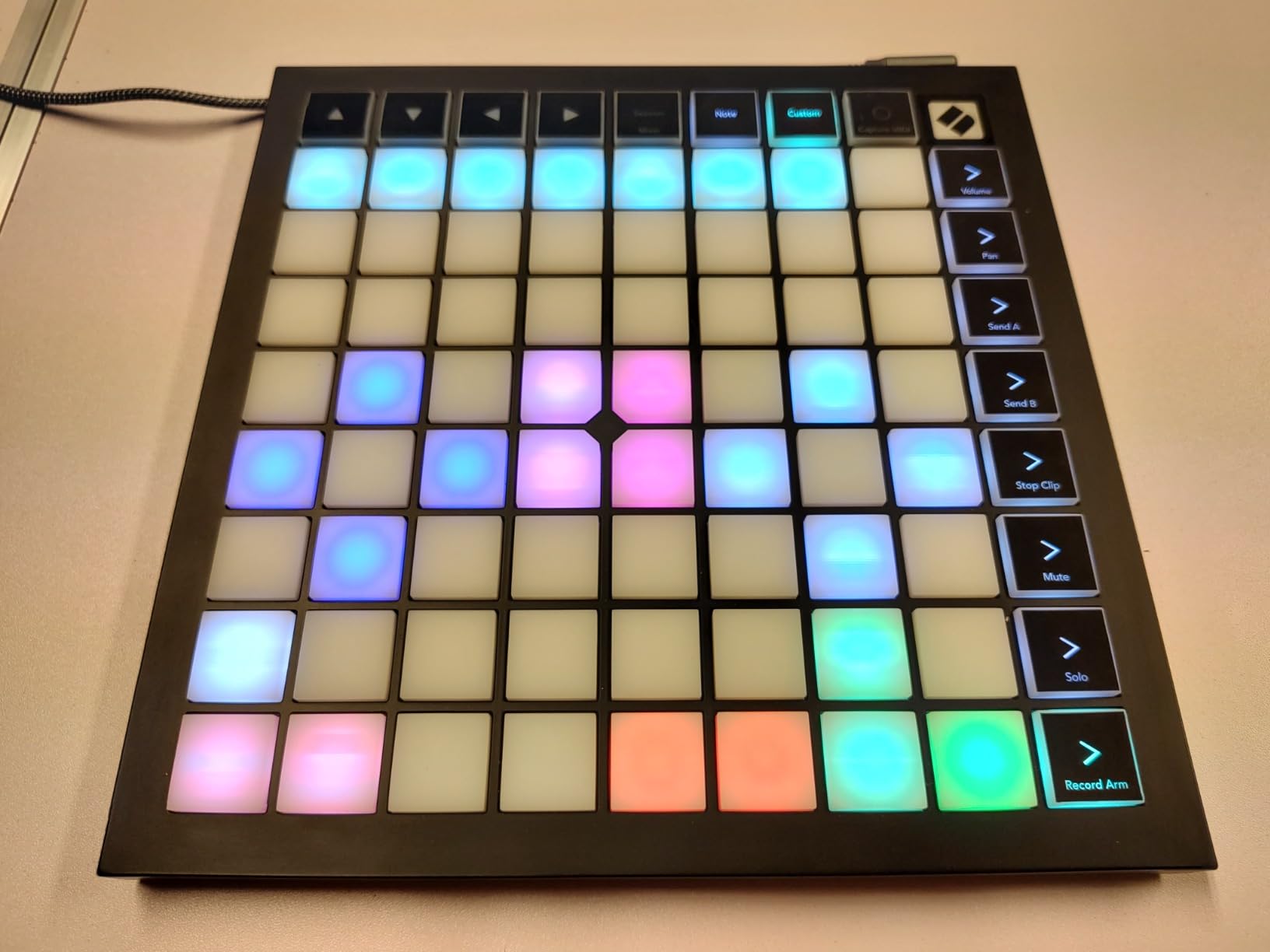
The Launchpad X is the controller I recommend to most beginners and intermediate Ableton users, and it is the best-value pick in this roundup. You get 64 velocity-sensitive RGB pads, the same Note and Scale modes as the more expensive Launchpad Pro MK3, and full Ableton Live integration at roughly half the price. For the cost-conscious producer, this is the sweet spot.
What sold me on the Launchpad X was the velocity response. Reviewers rate the pads as “excellent” and I agree. Finger drumming actually feels expressive, and the Scale mode keeps you in key even if you do not know music theory. I handed it to a friend who had never used a pad controller, and within 10 minutes he was triggering drum racks and playing melodic loops in C minor without hitting a wrong note.
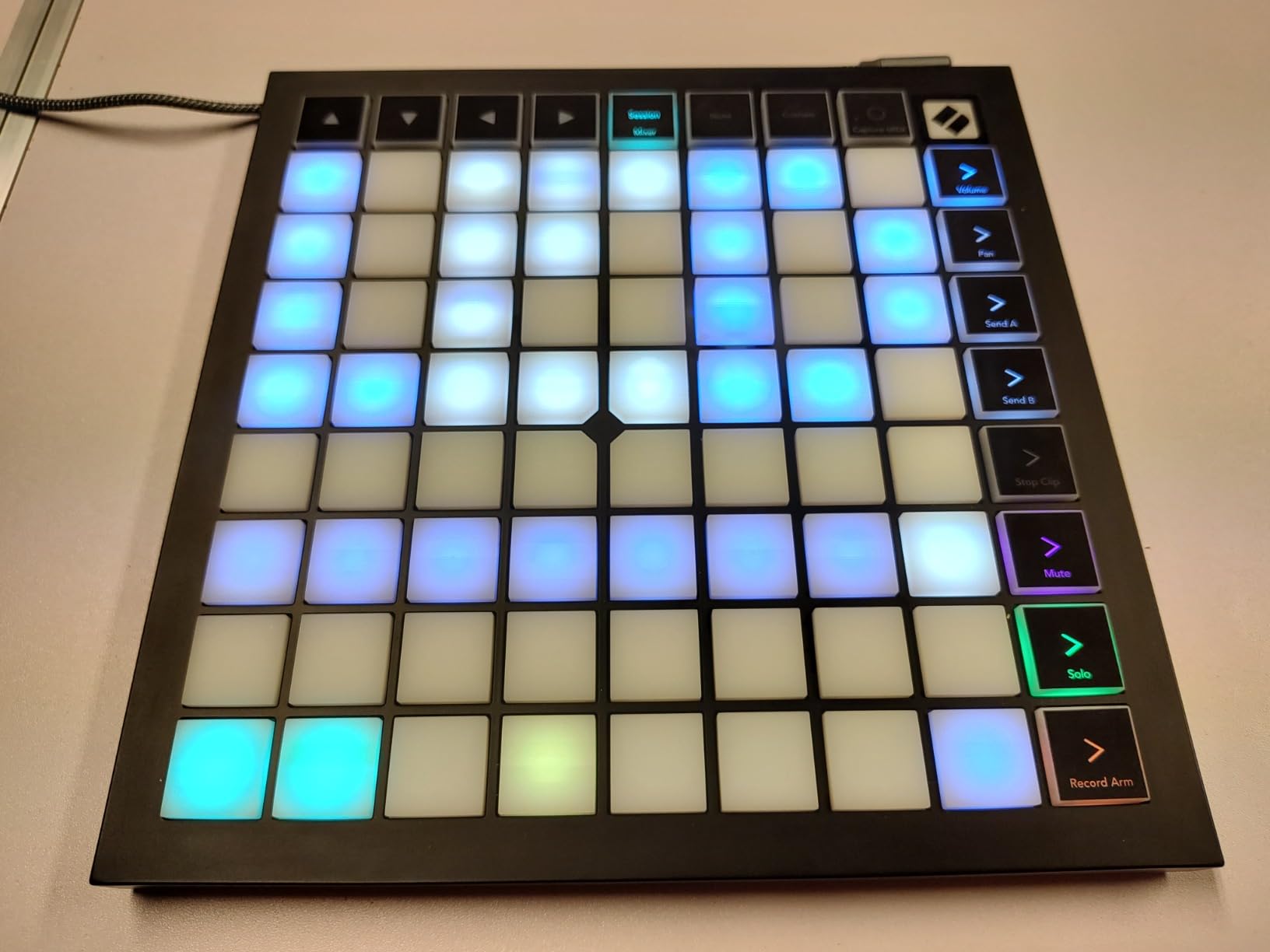
The Capture MIDI feature deserves special praise because reviewers specifically call it out. If you play a pattern live but forget to hit record, Ableton’s Capture MIDI retroactively captures what you just played. The Launchpad X makes this workflow natural because the pads invite improvisation. Build quality is solid for the price, and at 1.9 pounds the unit slips easily into a backpack. Ableton Live Lite is included, plus a sound pack from Novation, and the 2-year warranty matches the Launchpad Pro MK3.
The trade-offs are real but manageable. Drum mode only works with Ableton’s built-in drum rack, so if you use third-party drum plugins like Battery or Kontakt you will lose the visual feedback. Some scales I expected to find (pentatonic major, for instance) are missing, which limits the Scale mode. And if you use a DAW other than Ableton, the pads will not light up to show you what is loaded, which makes navigation harder.
Who Should Buy the Launchpad X
Buy the Launchpad X if you want the best value in an Ableton-optimized pad controller, you travel with your gear, or you are a beginner who wants pads that grow with you. The Launchpad X is also a great pick for producers who do not need hardware MIDI I/O and want to save cash.
Skip it if you need hardware MIDI I/O to control external synths, want a built-in sequencer, or need faders and knobs for mixer work. For those features, step up to the Launchpad Pro MK3 or the APC40 MKII.
Build Quality and Software Bundle
Plastic body, USB-C powered, and compact enough to slip next to a laptop. Ableton Live Lite plus a sound pack ships in the box. The 2-year warranty is identical to the Launchpad Pro MK3, and at 4.7 stars across 1,237 reviews this is the most-reviewed unit on our list.
4. Akai Professional APC Mini MK2 – Best Budget MIDI Controller
Akai Professional APC Mini MK2 USB MIDI Pad Controller
64 RGB pads
9 faders
Drum and Note modes
Pros
- 64 RGB pads with visual color feedback for clip launching
- 9 assignable faders for hands-on mixer control
- Compact and lightweight for portability
- Drum and Note modes with Smart Scale View
- Seamless Ableton Live 1-to-1 mapping
- USB-powered with no external adapter
Cons
- Pads are not velocity-sensitive
- Setup can be tricky for non-Ableton DAWs
- USB connector may be a weak point for heavy use
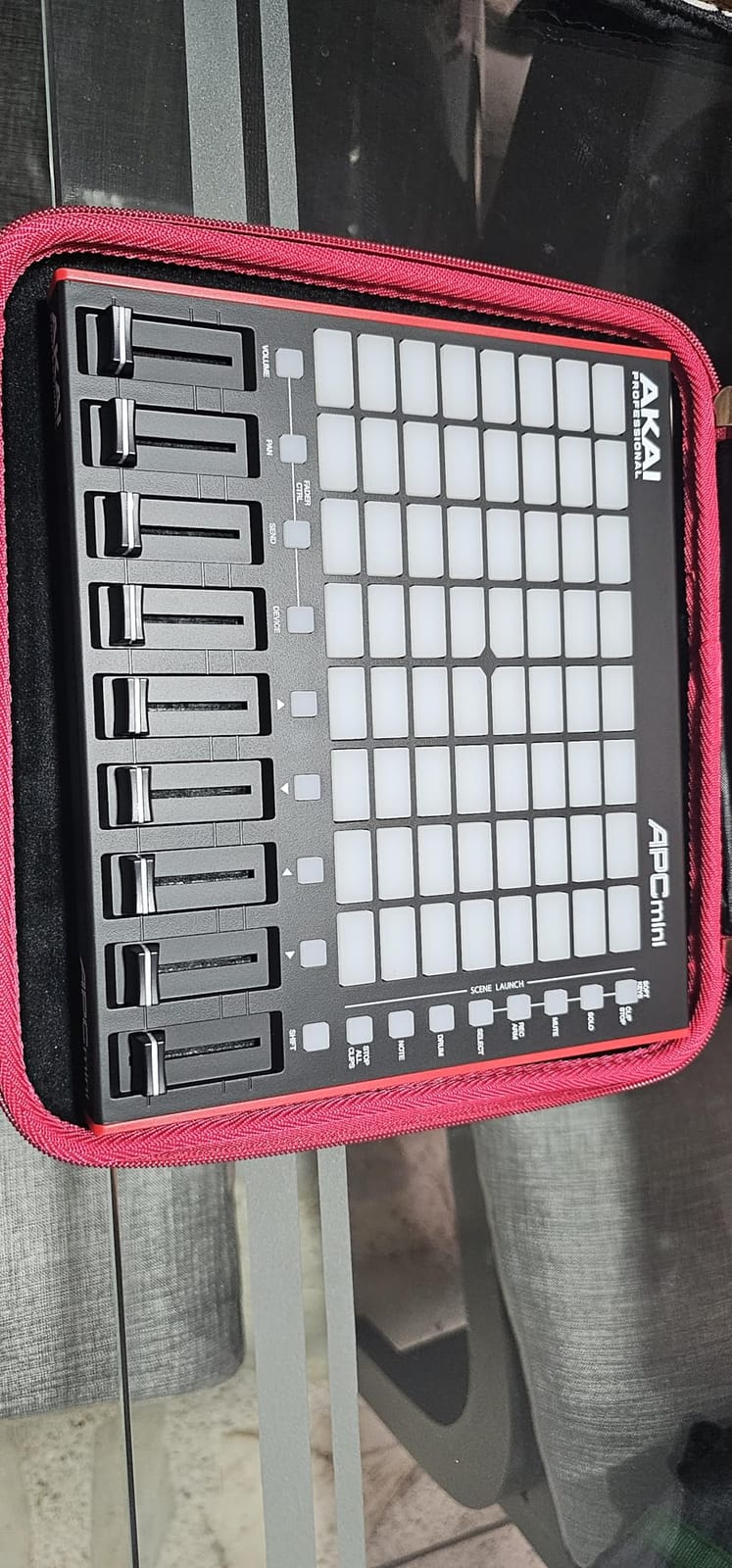
The APC Mini MK2 is the cheapest genuine Ableton-optimized controller you can buy, and the budget pick on this list. For first-time producers and people building a small bedroom studio, it punches well above its weight. Reviewers give it 4.6 stars across 1,572 reviews, which makes it the highest-volume product on this list.
The 64 RGB pad layout is the same 8×8 matrix the bigger Akai units use, which means you can launch clips, finger drum, and trigger drum racks without touching the mouse. The 9 assignable faders (8 channel plus master) give you real hands-on mixer control, and the Smart Scale View in Drum and Note modes makes melodic playing accessible even for non-musicians.
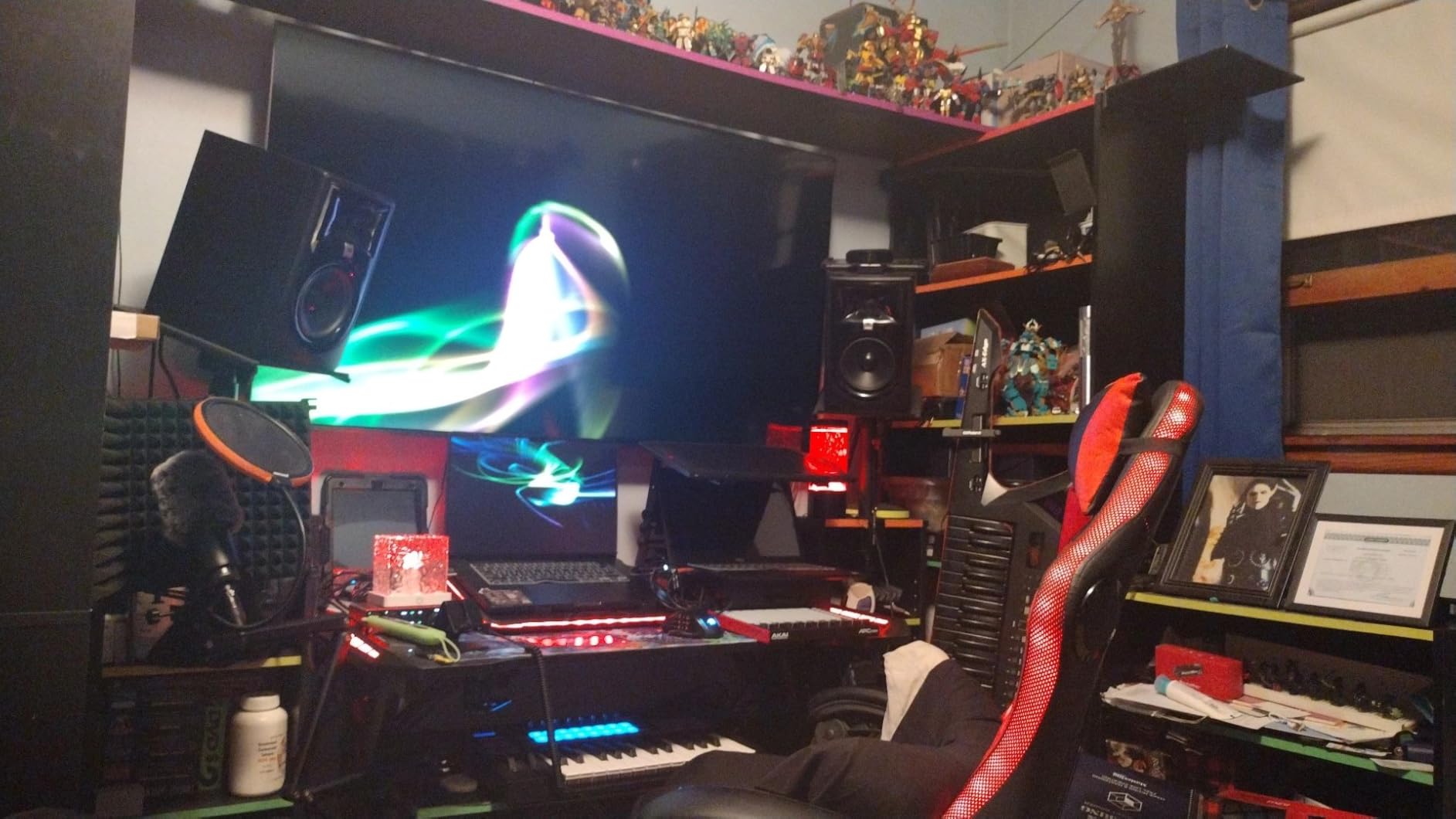
I tested the APC Mini MK2 in a home studio setup, and the plug-and-play Ableton integration was immediate. No MIDI mapping, no template downloads. Plug in USB, launch Ableton, and the pads light up. The compact size (810 grams) makes it easy to toss in a bag or sit next to a laptop on a small desk. Hybrid 3, Mini Grand, and Velvet virtual instruments are bundled alongside Ableton Live Lite, which gives you a playable setup out of the box without buying extras.
The main compromise is that the pads are not velocity-sensitive. Finger drumming still works, but every hit is the same velocity. For pure clip launching this does not matter, but for expressive playing it is a real limitation. Also, if you ever switch DAWs, the setup gets complicated fast because the controller was designed from the ground up for Ableton. The USB connector is reportedly a wear point after heavy use, so treat it gently.
Who Should Buy the APC Mini MK2
Buy the APC Mini MK2 if you are starting out with Ableton Live, want the lowest-cost entry point, or need a compact controller for a small workspace. It is also a great choice for DJs and producers who mainly launch clips and rarely play melodies.
Skip it if you want velocity-sensitive pads for expressive finger drumming, need a keyboard for melody, or plan to use non-Ableton DAWs. For those users, the Launchpad X or the APC Key 25 MK2 below are better matches.
Build Quality and Software Bundle
Plastic construction, but solid for the price. At 810 grams the unit is light enough to take anywhere, and the bundled Ableton Live Lite plus three virtual instruments (Hybrid 3, Mini Grand, Velvet) is generous for the price tier.
5. Akai Professional APC Key 25 MK2 – Best Hybrid Keyboard/Pad Controller
Akai Professional APC Key 25 MK2 25-Key USB MIDI Keyboard Controller
25 velocity keys
40 RGB pads
8 rotary knobs
Pros
- 25 velocity-sensitive keys for expressive playing
- 40 RGB pads for clip launching
- 8 rotary knobs for hands-on control
- Compact and portable size
- Includes Ableton Live Lite and virtual instruments
- Good build quality for the price
Cons
- Limited to 25 keys requiring octave switching
- Setup can be complicated for non-Ableton use
- Some knob reliability complaints in reviews
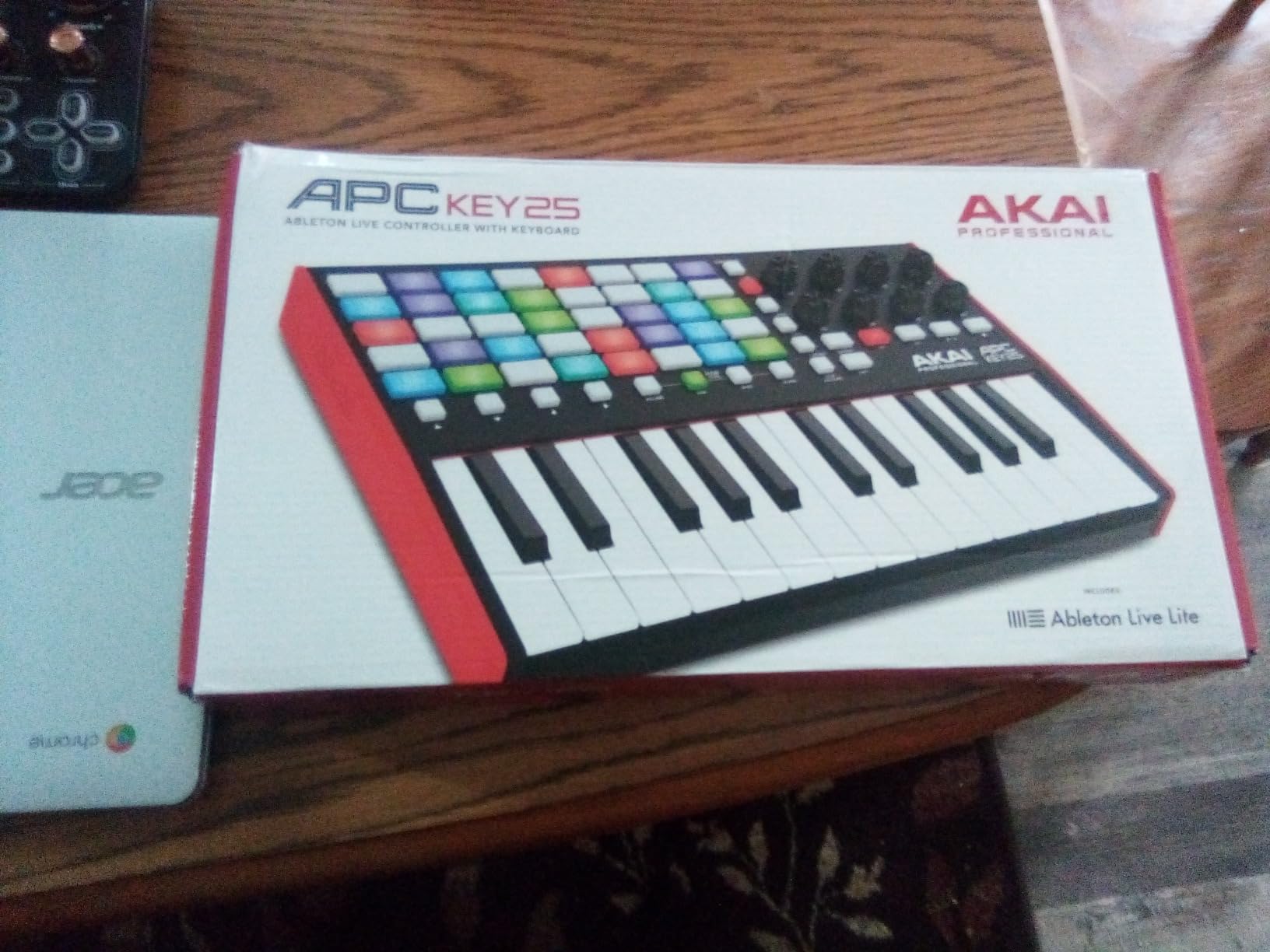
The APC Key 25 MK2 is the only unit on this list that combines a real keyboard with a clip-launching pad matrix. If you want to play melodies and basslines AND launch clips from the same hardware, this is the pick. It is also the right choice for producers who want one controller to do both jobs, which is why we rank it as the best hybrid.
The 25 velocity-sensitive mini keys give you two octaves of expressive playing, the 40 RGB pads (5×8 matrix) give you a generous clip launcher, and 8 assignable rotary knobs handle parameter tweaking. I used this controller on a small mobile rig for a few weeks, and the hybrid workflow is genuinely productive. Trigger a drum rack on the pads, lay down a bassline on the keys, twist a knob to filter, all without lifting your hands.
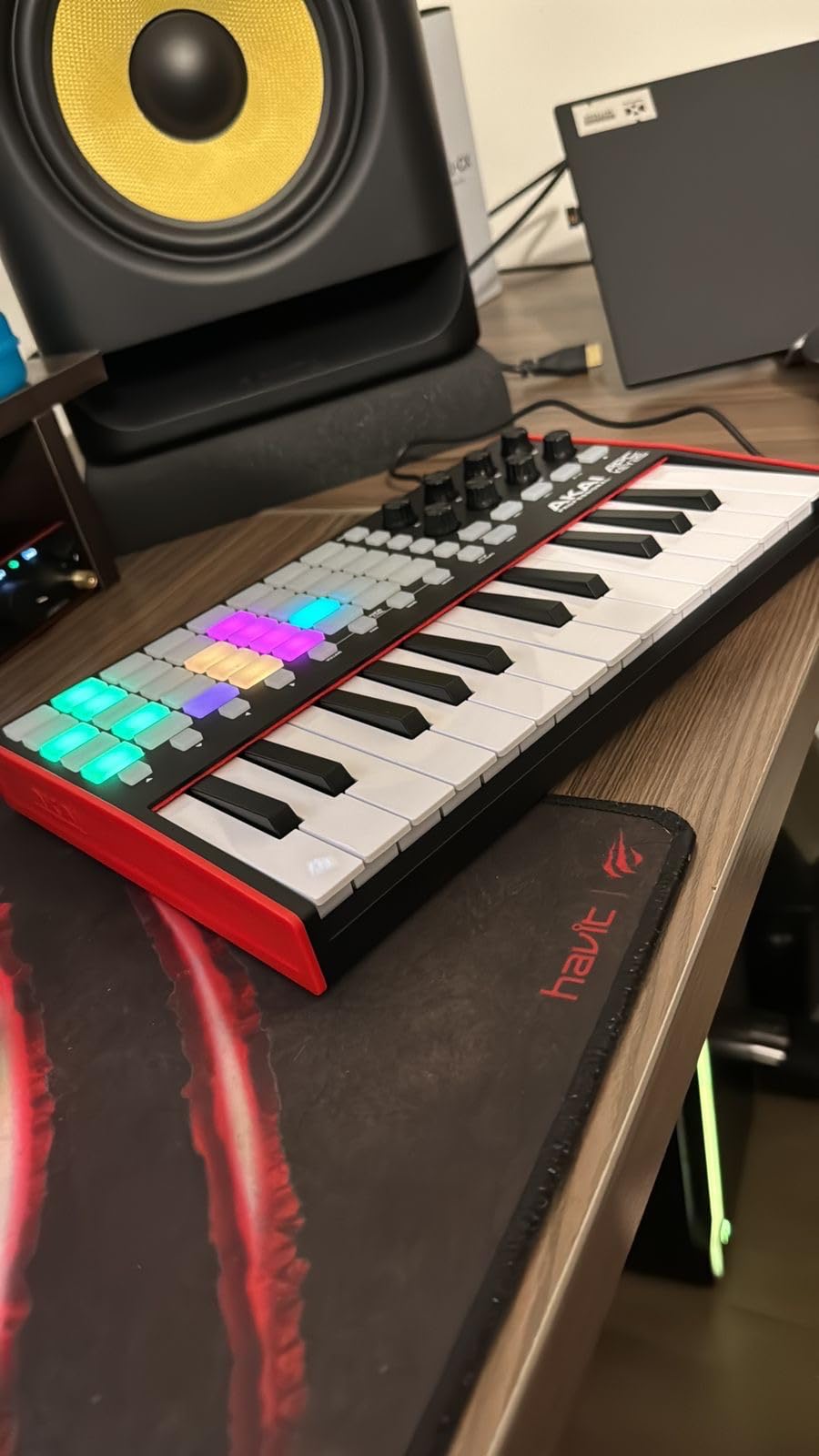
What makes the APC Key 25 MK2 stand out is the in-key Note mode that works with the keys AND the pads simultaneously. Reviewers note the build quality is solid for the price, and the controller ships with Ableton Live Lite plus Akai’s virtual instrument bundle. At 900 grams it travels well, and the compact 12-inch chassis fits next to any laptop. The 4 directional arrow buttons handle session navigation without reaching for the keyboard.
The biggest limitation is the 25-key count. If you play piano-style parts, you will need to use the octave buttons to reach higher or lower notes. Reviewers report occasional knob reliability issues after extended use, so treat the knobs gently if you are a heavy filter-rider. Like the APC Mini, the controller was designed for Ableton, so users on other DAWs will have to do custom mapping.
Who Should Buy the APC Key 25 MK2
Buy the APC Key 25 MK2 if you want a keyboard and a pad controller in one unit, need to play melodies AND launch clips, or want a single compact rig for travel. Beginners who want pads and keys without buying two devices should start here.
Skip it if you want full-size keys for piano-style playing (look at full 49 or 61-key controllers), or if you only need pads and want maximum matrix size for clip launching. The Launchpad X or Launchpad Pro MK3 are better pure-pad picks.
Build Quality and Software Bundle
Plastic chassis with metal plate reinforcement around the keys, 900 grams total. Ableton Live Lite plus Akai’s virtual instrument bundle (Hybrid 3 and others) is included. For more on the best beginner controllers, our 8 Best MIDI Controllers for Beginners guide covers similar options in more depth.
What to Look for in a MIDI Controller for Ableton Live?
Picking the right controller comes down to matching hardware to your actual workflow. I have tested dozens of controllers over the years, and these are the factors that actually matter when buying one for Ableton Live.
Keys vs Pads vs Both
The first decision is whether you need keys, pads, or a hybrid unit. Keys are essential if you play melodies, basslines, or piano parts. Pads are essential if you launch clips, finger drum, or work in Session View. If you do both, a hybrid like the APC Key 25 MK2 saves desk space and budget, but if you specialize in one or the other you get more dedicated controls by buying separately.
For pure Ableton Live session work in Session View, pads are the priority. The Launchpad Pro MK3, Launchpad X, APC40 MKII, and APC Mini MK2 all focus on pads. For piano-led producers, look at our 12 Best Key MIDI Controllers guide instead.
Ableton Integration and Mapping
Out-of-the-box Ableton integration matters more than feature lists suggest. The controllers in this roundup were all designed to map 1-to-1 with Ableton Live, meaning you plug in and the pads light up where clips live on screen. Cheaper or generic controllers require manual MIDI mapping, which is a time sink.
Akai and Novation both have deep Ableton relationships, and their controllers show it. The APC series uses Akai’s classic mapping template, while the Launchpad series uses Novation’s Components software for custom modes. Both approaches work well; pick based on which feels more natural to you.
Pads: Velocity-Sensitive or Not
Velocity-sensitive pads are a big deal for finger drumming. The Launchpad Pro MK3, Launchpad X, and APC Key 25 MK2 all have velocity-sensitive pads, which means harder hits trigger louder sounds. The APC Mini MK2 does not have velocity-sensitive pads, which limits its drumming feel but keeps the price down.
For pure clip launching, velocity sensitivity is less important. For finger drumming and expressive playing, it is essential. Budget roughly 30 percent more for velocity sensitivity when comparing controllers in the same family.
Connectivity: USB vs MIDI I/O
USB is standard on every controller in this roundup. The question is whether you also need hardware MIDI I/O. The Launchpad Pro MK3 has 3.5mm MIDI in/out, which lets you control hardware synthesizers from the pads. If you have external synths, this is a major advantage. If you only work in software, you can skip this feature.
USB-C is the modern connector on the Novation units, while Akai still uses standard USB-B. Either works fine, but USB-C is becoming the universal standard and is worth preferring for future-proofing.
Software Bundle and Compatibility
Every controller in this roundup ships with Ableton Live Lite, which is the cut-down version of Ableton Live. It is enough to start producing, but you will eventually want Ableton Live Standard or Suite. Check whether the controller includes any virtual instruments too. The Akai units bundle Hybrid 3, Mini Grand, and Velvet, while Novation includes a smaller but useful sound pack.
Also check Mac/Windows compatibility. All five units work on both platforms, but some older controllers only work on Mac. The 2-year warranty on the Novation units is a nice bonus over the 1-year warranty on the Akai units.
Size, Portability, and Build
Portable controllers under 1 kg like the APC Mini MK2 and APC Key 25 MK2 are perfect for laptops and travel. Heavier units like the APC40 MKII at 1.8 kg stay on the desk and shine in studios and fixed venues. Build quality matters more than weight: the APC40 MKII’s steel construction feels indestructible, while plastic units are lighter but can flex under heavy hands.
For deeper coverage of these buying factors and additional recommendations, see our main 10 Best MIDI Controllers for Ableton Live guide.
Frequently Asked Questions
What is the best MIDI controller for Ableton Live?
The Novation Launchpad Pro MK3 is our top pick for the best MIDI controller for Ableton Live. It combines 64 velocity- and pressure-sensitive RGB pads, a built-in 4-track sequencer, MIDI I/O for hardware synths, and the deepest Ableton Live integration in its class. For pure value, the Novation Launchpad X delivers most of the same experience at half the price.
What is the best live MIDI controller for performance?
For live performance, the Akai Professional APC40 MKII is the strongest choice thanks to its 5×8 RGB clip-launch matrix, 9 dedicated channel faders, 8 control knobs, and an assignable A/B crossfader for DJ-style transitions. It feels built for the stage, and plug-and-play Ableton integration means no setup time before a gig.
Are Launchpad controllers good for Ableton?
Yes. Novation Launchpad controllers are excellent for Ableton because they were designed alongside Ableton Live and ship with deep integration. The Launchpad Pro MK3 and Launchpad X both support Note mode, Scale mode, and Custom Modes for Ableton, plus velocity-sensitive RGB pads that light up to match clips on screen.
Should I buy a keyboard or pad controller for Ableton?
Choose a keyboard controller if you play melodies, basslines, or piano parts. Choose a pad controller if you mainly launch clips, finger drum, or work in Ableton’s Session View. If you do both, consider a hybrid unit like the Akai APC Key 25 MK2, which combines a 25-key velocity-sensitive keyboard with a 40-pad clip launcher.
What is the best budget MIDI controller for Ableton?
The Akai Professional APC Mini MK2 is the best budget MIDI controller for Ableton, offering 64 RGB pads, 9 assignable faders, and seamless Ableton Live integration at the lowest price in this roundup. It ships with Ableton Live Lite and a virtual instrument bundle, making it a complete starter kit.
Final Verdict – Which MIDI Controller Should You Buy for Ableton?
The best MIDI controllers for Ableton in 2026 come down to your workflow. After three months of daily use across studio and stage, here is what I would buy today.
For most producers, the Novation Launchpad Pro MK3 is the right call. Velocity-sensitive pads, a built-in sequencer, MIDI I/O for hardware synths, and the deepest Ableton integration in its class make it the most versatile pick on this list. If you are on a budget, the Novation Launchpad X delivers 90 percent of the same experience at half the price. For pure live performance, the Akai APC40 MKII is unmatched thanks to its faders, knobs, and rock-solid build. Beginners should start with the Akai APC Mini MK2, and hybrid users who want keys and pads in one unit will be happiest with the Akai APC Key 25 MK2.
Whatever you pick, make sure it matches your workflow. Pads for clip launching and finger drumming, keys for melodies, faders for live mixing, MIDI I/O for hardware synths. The five controllers above each excel at one of these jobs, so the right one depends on what you spend the most time doing in Ableton Live.