
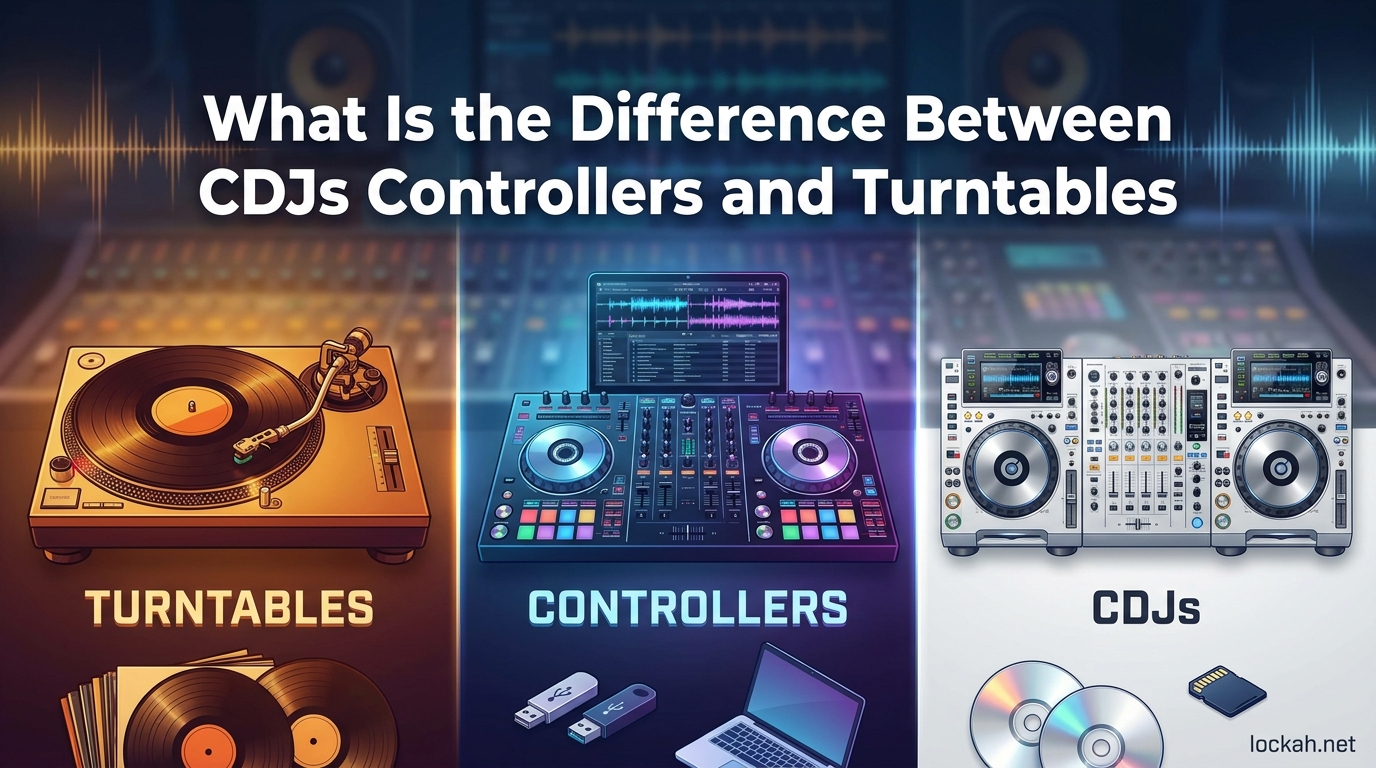
Walking into a DJ equipment store for the first time can feel overwhelming. Three distinct types of gear dominate the market: CDJs, DJ controllers, and turntables. Each serves the same fundamental purpose of playing and mixing music, yet they approach the craft in completely different ways.
I have spent over a decade working with all three formats, from bedroom practice sessions to club residencies. This guide breaks down exactly what separates CDJs, controllers, and turntables so you can make an informed decision about which setup fits your goals, budget, and learning style.
Table of Contents
What Is the Difference Between CDJs Controllers and Turntables?
The core difference lies in how each device handles music playback. CDJs are standalone digital players that read files from USB drives or CDs. DJ controllers are computer peripherals that rely entirely on connected software. Turntables are analog devices that physically spin vinyl records to produce sound.
Beyond the technical distinctions, each format offers a unique tactile experience. CDJs provide professional-grade precision with industry-standard layouts. Controllers deliver affordability and portability for home use. Turntables offer unmatched analog warmth and the authentic feel that vinyl enthusiasts swear by.
What Is a CDJ?
CDJ stands for Compact Disc Jockey, though modern units have evolved far beyond their CD-playing origins. These standalone digital media players represent the industry standard found in clubs and festivals worldwide.
A CDJ functions as a self-contained unit capable of playing digital music files without requiring a computer connection. Most current models support USB drives, SD cards, and even wireless streaming from services like Beatport and SoundCloud. The Pioneer DJ CDJ-3000 and its predecessors dominate the professional market, making CDJ familiarity essential for any DJ aspiring to play clubs.
Key CDJ Features
Large jog wheels dominate the CDJ interface, allowing DJs to nudge tracks, perform scratches, and execute precise beatmatching. The tactile response mimics vinyl manipulation while offering digital precision.
Hot cue buttons enable instant jumping to predetermined points in a track. DJs can set up to eight hot cues per song, creating dynamic performance possibilities beyond simple playback.
Waveform displays show the visual representation of tracks directly on the unit. This visual feedback helps identify breakdowns, build-ups, and transition points without memorizing every track.
Beat sync functionality analyzes BPM and aligns tracks automatically. While purists prefer manual beatmatching, sync capabilities prove invaluable during complex multi-deck mixing.
The Club Standard Phenomenon
Pioneer DJ has established such dominance that their CDJ layout has become the universal language of club DJing. Walk into virtually any nightclub worldwide and you will find their equipment waiting.
This standardization creates both advantages and constraints. Learning on CDJs means your skills transfer directly to club environments. However, the proprietary Pioneer ecosystem locks users into their software (Rekordbox) for library preparation.
What Is a DJ Controller?
DJ controllers combine deck and mixer functionality into a single unit that connects to a computer. Unlike CDJs, controllers have no standalone capability. They send MIDI signals to DJ software like Serato DJ Pro, Rekordbox, or Traktor.
The computer handles audio processing and playback, while the controller provides physical controls for hands-on manipulation. This arrangement makes controllers significantly more affordable than CDJ setups while offering similar creative possibilities.
How Controllers Work
When you touch a jog wheel or press a performance pad on a controller, the hardware sends a digital signal to the software. The software responds by manipulating the audio file accordingly.
This dependency on computers creates both flexibility and limitation. Software updates bring new features without hardware replacement. However, laptop failures or USB disconnections can halt performances entirely.
Controller Key Features
Performance pads typically offer 8 buttons per deck programmed for hot cues, loops, samples, or effects. These pads enable finger-drumming and rapid cue point triggering impossible on traditional gear.
Integrated mixers eliminate the need for separate hardware. Faders, EQ knobs, and crossfaders built into the controller handle all mixing duties.
Software compatibility determines which platforms work with each controller. Entry-level controllers often bundle specific software, while professional units support multiple programs.
Why Controllers Dominate the Home Market
Cost represents the primary advantage. A quality two-channel controller costs under $300, while a single CDJ runs $1,200 or more. For bedroom DJs and hobbyists, this price difference makes controllers the obvious choice.
Portability matters equally. Controllers fold into laptop bags and setup takes minutes. CDJs and turntables require dedicated space and careful transport.
What Is a Turntable?
Turntables represent the original DJ technology. These analog devices play vinyl records by spinning them at consistent speeds while a stylus reads the grooves to produce sound. The tactile, physical nature of vinyl creates an experience no digital format fully replicates.
While digital formats dominate sales today, vinyl has experienced a remarkable resurgence. Many professional DJs maintain vinyl collections, and turntablism remains a respected art form within hip-hop and electronic music culture.
Turntable Drive Systems
Direct drive turntables feature motors connected directly to the platter. This design provides strong torque, quick start-up times, and resistance to feedback. The Technics SL-1200 series established direct drive as the DJ standard.
Belt drive systems isolate the motor from the platter using an elastic belt. These turntables offer reduced motor noise and vibration, making them popular for home listening. However, belt drive lacks the torque and durability needed for scratching or back-cueing.
Essential Turntable Components
The tonearm holds the cartridge and stylus, tracking the record groove with precise pressure. Proper setup requires balancing the tonearm and adjusting tracking force to prevent record damage.
The stylus or needle reads groove variations and converts them to electrical signals. Quality styluses range from $50 to $500, representing ongoing maintenance costs vinyl DJs must consider.
Pitch faders adjust playback speed, enabling beatmatching between records of different tempos. Accurate pitch control separates professional turntables from toy-grade units.
What Is DVS (Digital Vinyl System)
Digital Vinyl Systems bridge analog and digital worlds. Special timecode vinyl records send control signals to computer software, which then plays digital audio files. The DJ manipulates physical vinyl while the computer handles audio playback.
Systems like Serato DVS and Rekordbox DVS allow turntable users to access digital libraries without sacrificing vinyl feel. The timecode records look and handle like standard vinyl but contain control tones rather than music.
This technology solves the weight and cost issues of carrying physical records while maintaining turntable authenticity. However, DVS requires audio interfaces, software subscriptions, and technical knowledge beyond standard vinyl setup.
Side-by-Side Comparison (October 2026)
Understanding the practical differences helps clarify which equipment suits specific situations. This comparison breaks down key factors across all three formats.
| Feature | CDJ | DJ Controller | Turntable |
|---|---|---|---|
| Standalone Operation | Yes | No (needs computer) | Yes (with mixer) |
| Media Type | USB/CD/Streaming | Computer files | Vinyl records |
| Typical Price Range | $1,200+ per deck | $150-$1,000 | $300-$1,500 per deck |
| Portability | Heavy, requires cases | Lightweight, laptop bag | Heavy, requires cases |
| Learning Curve | Moderate | Easy | Steep |
| Industry Acceptance | Club standard | Bedroom/home use | Turntablist/scratch focus |
| Sound Quality | Digital precision | Depends on audio interface | Analog warmth |
| Maintenance | Minimal | Software updates only | Regular stylus/cleaning |
CDJ Pros and Cons
CDJs occupy the professional tier of DJ equipment. Understanding their strengths and limitations helps determine whether investing in this format makes sense for your situation.
Advantages of CDJs
- Industry standard layout ensures skills transfer to any club worldwide
- Standalone operation eliminates computer dependency and potential crashes
- Robust construction withstands constant travel and gigging
- Large jog wheels provide precise control for nudging and scratching
- Waveform displays offer visual track navigation
- Built-in sync and quantize features assist with complex mixing
Disadvantages of CDJs
- High cost makes home ownership impractical for most DJs
- Steep learning curve for complete beginners
- Bulky and heavy, requiring dedicated transport cases
- Pioneer ecosystem locks users into Rekordbox preparation software
- Overkill for casual bedroom DJing
DJ Controller Pros and Cons
Controllers democratized DJing by making the craft accessible to anyone with a laptop. However, the format carries limitations worth considering before purchase.
Advantages of Controllers
- Affordable entry point makes DJing accessible to beginners
- Highly portable for mobile gigs and travel
- Software updates add features without hardware replacement
- Performance pads enable creative finger-drumming and sample triggering
- All-in-one design requires minimal additional equipment
- Beginner-friendly features like tutorial modes and easy sync
Disadvantages of Controllers
- Computer dependency creates potential failure points
- Less professional credibility in traditional club environments
- Smaller jog wheels reduce precise control compared to CDJs
- Cheap models may have poor build quality and drifting pitch faders
- Limited resale value compared to quality CDJs or turntables
Turntable Pros and Cons
Vinyl culture continues attracting new generations despite digital convenience. The format demands commitment but rewards dedicated practitioners.
Advantages of Turntables
- Unmatched tactile experience connects DJs physically to their music
- Analog warmth produces distinctive sound character digital struggles to replicate
- Scratching and turntablism require vinyl for authentic techniques
- Physical record collections create tangible connection to music
- Quality turntables retain value and last decades with proper care
- Standing out in a digital world through vinyl sets
Disadvantages of Turntables
- Steep learning curve makes beatmatching challenging for beginners
- Vinyl records are expensive, heavy, and vulnerable to damage
- Regular maintenance including stylus replacement and cleaning required
- Not practical for mobile DJs due to weight and fragility
- Limited availability of new vinyl pressings for some genres
- Setting up requires more space and additional mixer purchase
Which DJ Equipment Should You Choose in 2026?
Your ideal setup depends on goals, budget, and practical constraints. This section breaks down recommendations by use case.
For Complete Beginners
Start with a DJ controller. The affordability, software integration, and forgiving learning curve provide the best foundation. You can learn beatmatching fundamentals without fighting hardware limitations.
Popular first choices include the Pioneer DDJ-400, Numark Mixtrack Pro, or Roland DJ-202. These controllers bundle software and offer enough features to grow into before needing upgrades.
For Aspiring Club DJs
Gain familiarity with CDJs even if you cannot afford to own them. Practice on controllers using Rekordbox software to prepare libraries in the same format clubs use. Rent CDJs for practice sessions or use them at open deck nights.
The transition from controller to CDJ requires adjustment, but core skills transfer. Understanding Rekordbox preparation, hot cue setting, and basic navigation prepares you for club environments.
For Vinyl Enthusiasts
Choose turntables if the vinyl experience calls to you. The investment extends beyond equipment into record collecting, a hobby itself with deep cultural roots.
Consider DVS integration to expand your library beyond physical records. This hybrid approach maintains vinyl feel while accessing digital convenience.
For Mobile DJs
Controllers win for portability. Laptop and controller fit in a backpack versus multiple cases for CDJs or turntables. Setup time measures minutes rather than half hours.
Budget Considerations
Entry-level controllers cost under $300 and include everything needed to start. Comparable CDJ setups run $2,400+ for two decks and a mixer. Turntable setups start around $800 for two decks plus mixer and records.
Factor in ongoing costs. Controllers require software subscriptions for advanced features. Turntables demand stylus replacements ($50-$200 annually) and record purchases. CDJs have minimal maintenance costs but expensive initial investment.
Learning Curve Comparison
How quickly you progress depends partly on equipment choice. Controllers offer the gentlest introduction with software assistance and intuitive layouts.
CDJs present moderate difficulty. The interface mirrors controllers but with additional complexity and no software safety net. Manual beatmatching becomes essential since sync works differently than on controllers.
Turntables demand the most dedication. Pitch faders require fine motor control, and beatmatching by ear develops slowly over months. However, skills learned on vinyl transfer powerfully to any digital format.
Maintenance and Longevity
Equipment durability affects total cost of ownership. CDJs typically run for years with minimal care, making them staples in rental fleets and clubs.
Controllers vary by build quality. Budget models may develop fader drift or button failures within a few years. Professional controllers from brands like Pioneer and Denon DJ last considerably longer.
Turntables require active maintenance. Styluses wear out every 500-1000 hours of play. Records need cleaning and proper storage. Belts on belt-drive models require periodic replacement. However, quality turntables like the Technics SL-1200 series remain functional for decades with basic care.
Frequently Asked Questions
What is the difference between a turntable and a CDJ?
Turntables play analog vinyl records using a stylus that reads physical grooves in the record. CDJs play digital files from USB drives, CDs, or streaming services. Turntables offer tactile vinyl manipulation and analog warmth, while CDJs provide digital precision, waveform displays, and hot cue functionality. CDJs have become the industry standard for clubs, while turntables remain popular among vinyl enthusiasts and turntablists.
What is the difference between a DJ controller and a turntable?
DJ controllers are computer peripherals that send MIDI signals to DJ software, requiring a connected laptop to function. They combine mixer and deck functions in one affordable unit. Turntables are standalone analog devices that physically spin vinyl records to produce sound without computer dependency. Controllers are beginner-friendly and portable, while turntables offer authentic scratching capabilities and analog sound quality but require more skill and maintenance.
What do most professional DJs use?
Most professional club DJs use CDJs, specifically Pioneer DJ CDJ-3000s or CDJ-2000NXS2s paired with DJM mixers. This setup has become the industry standard found in clubs worldwide. However, many professional DJs also own controllers for practice and mobile gigs. Some specialists, particularly in hip-hop, continue using turntables for scratching and vinyl sets. The equipment choice depends on the specific gig type and DJ style.
What is the difference between a CDJ and a controller?
CDJs are standalone digital media players that operate independently without computers. They read files from USB drives or CDs directly. DJ controllers require a connected computer running software like Serato or Rekordbox to function. CDJs feature larger jog wheels and club-standard layouts but cost significantly more. Controllers offer affordability and portability but lack the professional credibility and standalone reliability of CDJs. Skills learned on either transfer partially to the other.
Can I use a DJ controller at a club?
Most clubs provide CDJs and discourage controller setups due to space constraints and quick changeover requirements. However, some venues allow controllers if you bring your own equipment and setup does not delay the night. Building familiarity with CDJs remains essential for any DJ seeking regular club bookings. Many DJs practice on controllers at home but transition to CDJs for professional performances.
Is it worth learning on turntables as a beginner?
Learning on turntables develops strong foundational skills including precise beatmatching by ear. However, the steep learning curve can frustrate complete beginners. Most experienced DJs recommend starting with a controller to learn basics, then transitioning to turntables if vinyl appeals to you. The skills transfer well, and you will appreciate turntables more after understanding digital DJing fundamentals. Consider your patience level and whether you enjoy the vinyl collecting aspect before committing to turntables as a first setup.
Conclusion
Understanding what is the difference between CDJs controllers and turntables empowers you to make an informed equipment choice. CDJs represent the professional standard with standalone reliability. Controllers democratize DJing through affordability and portability. Turntables preserve analog authenticity for dedicated enthusiasts.
Your skill matters more than your gear. A talented DJ creates compelling sets on any equipment. Start with what fits your budget and goals, then grow into other formats as opportunities arise.
For most beginners, a quality controller offers the ideal entry point. If club residencies beckon, invest time learning CDJ workflows. If vinyl calls to your soul, embrace the turntable journey despite its challenges.