
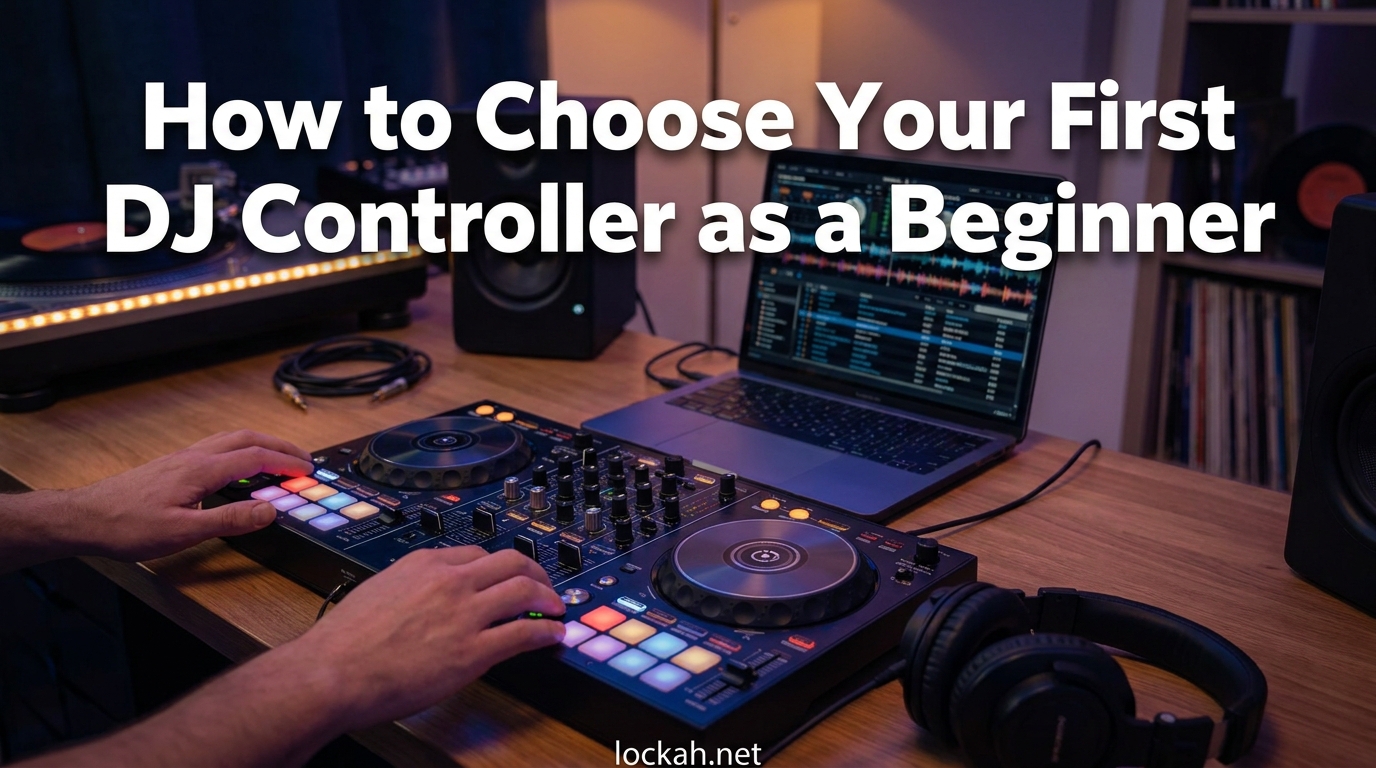
Walking into the world of DJ equipment for the first time feels overwhelming. I remember staring at endless product listings, confused by technical terms like “jog wheels,” “stem separation,” and “4-channel mixing.” If you’re feeling the same way, this guide on how to choose your first DJ controller as a beginner will cut through the noise and give you a clear path forward.
Our team has spent months researching DJ forums, testing entry-level gear, and talking to beginners who just went through this process. We’ve identified the exact decision points that matter and the common traps that waste money. By the end of this guide, you’ll know exactly what to look for, what to ignore, and how to make a choice you’ll be happy with for years.
The DJ controller market has exploded in 2026. You can spend anywhere from $200 to $2000 on your first piece of hardware. The good news? You don’t need to spend a fortune to learn properly. The bad news? Buying the wrong controller can limit your growth or force an expensive upgrade sooner than necessary. Let’s fix that.
Table of Contents
What Is a DJ Controller and Why Does It Matter?
A DJ controller is an all-in-one hardware device that connects to your computer and allows you to physically control DJ software. Think of it as the bridge between digital music files and the hands-on art of mixing. The controller combines two jog wheels (which work like turntables), a mixer section with EQ knobs and faders, and pads for triggering effects, loops, and samples.
When you turn a jog wheel on your controller, the software responds by adjusting the playback speed or position of the track. When you slide the crossfader, the software blends audio between two decks. This physical interaction transforms DJing from clicking a mouse into an intuitive, creative performance.
Choosing the right controller matters because it directly affects your learning curve and future options. A poorly designed controller with cramped controls or missing features can frustrate you and slow your progress. Conversely, the right controller provides room to grow from complete beginner to confident DJ without requiring an immediate upgrade. Reddit users consistently emphasize this point: “What a beginner needs is on literally every controller. Two decks, a two channel mixer, and 3 EQ knobs.” The key is finding hardware that executes these basics well while leaving room for growth.
Budget Breakdown: What You Get at Every Price Point?
Budget is often the first constraint beginners face. DJ equipment ranges from affordable entry-level options to professional gear costing thousands. Understanding what you get at each price tier helps you allocate your money wisely and avoid both under-buying and over-spending.
Under $300: Entry-Level Beginner Controllers
This tier includes controllers like the Pioneer DJ DDJ-200, Numark Party Mix, and Hercules DJControl Starlight. At this price, you get basic functionality: two decks, simple EQ knobs, small jog wheels, and limited performance pads. These controllers teach you fundamentals but often lack professional-grade build quality and advanced features.
The trade-off is durability and long-term viability. Many beginners in DJ forums report outgrowing these controllers within 6-12 months. However, if you’re completely unsure whether DJing is for you, this tier offers a low-risk entry point. As one experienced DJ noted: “It’s better to spend a little bit more and have a good starting controller than spending a bit less and wanting to change controllers soon.”
$300-600: The Sweet Spot for Most Beginners
This is where value meets quality. The Pioneer DJ DDJ-FLX4, Numark Mixtrack Pro FX, and Hercules DJControl Inpulse 500 dominate this range. You get full-size jog wheels, comprehensive performance pads, better build quality, and professional I/O options. These controllers include everything a beginner needs and enough features to grow into for 2-3 years.
The DDJ-FLX4 specifically earns consistent praise across Reddit and DJ forums as the go-to recommendation. It works with multiple software ecosystems, offers stem separation features, and provides a club-standard layout that translates directly to professional Pioneer gear. At around $300, it represents the minimum viable investment for serious learning.
$600-1000: Intermediate and Professional-Grade Options
Controllers like the Pioneer DJ DDJ-FLX6 and DDJ-800 occupy this range. You get 4-channel mixing capability, larger jog wheels, more comprehensive effects controls, and often standalone functionality. These controllers suit beginners who are confident they’ll stick with DJing and want equipment that won’t require upgrading for several years.
This tier also includes the first standalone controllers that work without a laptop. The Denon DJ Prime GO and similar units let you DJ using USB drives or SD cards. For mobile DJs or those who value portability, this functionality justifies the extra cost even for beginners.
$1000+: Professional and Club-Standard Equipment
Pioneer’s DDJ-FLX10, DDJ-1000, and standalone units like the XDJ-RX3 fall into this category. You get motorized platters, professional-grade audio interfaces, and full standalone capability. While beginners can start here, most experienced DJs recommend building skills on more affordable gear first. The “buy once, cry once” philosophy works here, but only if you’re committed to the craft.
Second-Hand Market Considerations
The used market offers significant savings, often 30-50% off retail prices. Controllers like the DDJ-400, DDJ-SB3, and older Numark gear appear regularly on marketplace sites. When buying used, check jog wheel tension, fader smoothness, and pad responsiveness. Ask for video evidence of functionality before purchasing.
Avoid controllers with sticky drink residue, worn fader caps, or damaged ports. Pioneer gear typically holds value and reliability better than budget brands. Budget $50-100 less than new retail for used gear in good condition, and always verify the software license transfers with the hardware.
The Software Ecosystem: Your Most Important Decision
Many beginners focus on hardware while ignoring the software that actually powers their DJing. This is a critical mistake. Your software choice determines your workflow, library management, and future upgrade path. Changing software later means re-learning your entire workflow, so choose wisely from the start.
Rekordbox: The Industry Standard
Pioneer’s Rekordbox dominates club installations worldwide. Learning Rekordbox means learning the workflow you’ll encounter on professional CDJ-3000s and DJM mixers. The software offers three tiers: Free, Core Plan ($10/month), and Creative Plan ($15/month). The free tier handles basic mixing, while paid tiers add cloud sync, video mixing, and advanced library management.
Rekordbox integrates seamlessly with Pioneer controllers and offers unique features like CloudDirectPlay for accessing your library from any compatible device. For beginners aiming toward club or professional gigs, Rekordbox provides the most direct career path. Forum users consistently emphasize: “Rekordbox being ‘industry standard’ is frequently mentioned as important for learning.”
Serato DJ: The Scratch and Open-Format Choice
Serato DJ Pro and Serato DJ Lite power countless scratch DJs and open-format performers. The software excels at vinyl emulation, DVS (digital vinyl system) integration, and intuitive library management. Serato DJ Lite comes free with many controllers, while Pro costs $99 or $10/month for subscription.
Serato’s scratch emulation remains unmatched, making it the choice for turntablists and battle DJs. The software also supports the widest range of third-party hardware. If you plan to focus on scratching, hip-hop, or open-format DJing, Serato offers the best toolset. However, it has less club presence than Rekordbox, which matters if you aspire to play venues with installed gear.
Engine DJ: The Standalone Powerhouse
Denon DJ’s Engine DJ platform powers their Prime series standalone controllers and players. The software is free and requires no subscription, offering full functionality including analysis, library management, and performance features. Engine DJ excels at standalone workflows where you DJ directly from USB drives without a laptop.
For mobile DJs and performers who value independence from laptops, Engine DJ provides a compelling alternative to the Pioneer ecosystem. The software has matured significantly and now rivals Rekordbox for stability and features. However, it has less club installation presence, which matters for certain career paths.
Virtual DJ: The Versatile Alternative
Virtual DJ supports virtually every controller on the market and offers unique features like real-time stem separation, video mixing, and karaoke integration. The software costs $19/month for pro features or $299 for a lifetime license. For beginners wanting maximum flexibility and modern features like AI stem separation, Virtual DJ delivers exceptional value.
The trade-off is workflow differences from club-standard setups. However, Virtual DJ’s sandbox mode and advanced preparation tools make it excellent for practice and experimentation. Many DJs keep Virtual DJ as a secondary software even when primarily using Rekordbox or Serato.
Software Lock-In and Upgrade Paths
One fear beginners express is being locked into a single software ecosystem. While switching software is possible, it requires re-analyzing your entire music library and learning new workflows. This friction keeps most DJs with their initial choice for years. Consider what your local DJ community uses, what clubs in your area run, and where you want to perform in the future.
Software upgrade costs add up. Free tiers typically lack recording, advanced effects, or professional output options. Budget $100-200 annually for software subscriptions if you choose paid tiers. Some controllers include software licenses, so factor this into your total cost comparison.
Key Features Every Beginner Should Understand (2026)
DJ controllers come packed with features, but not all matter for beginners. Understanding which features affect your learning and which are marketing fluff helps you make smarter buying decisions. Focus on these core components when evaluating any controller.
Jog Wheels: Your Primary Control Surface
Jog wheels are the large circular platters you use to control playback, scratch, and nudge tracks into sync. Size matters here. Full-size jog wheels (6+ inches) provide better control for scratching and precise adjustments. Smaller wheels found on budget controllers work for basic mixing but make advanced techniques harder.
Wheel tension and feel vary significantly between brands. Pioneer and Denon DJ wheels typically offer smoother, more professional feel than budget alternatives. If possible, test jog wheels in person before buying. You want responsive control without excessive resistance or looseness.
Mixer Section: EQ, Faders, and Crossfader
The mixer section sits between the two decks and controls how audio blends together. Every beginner controller needs three-band EQ (high, mid, low) per channel, channel faders, and a crossfader. These controls shape your sound and enable smooth transitions between tracks.
Crossfader curve adjustment matters for scratch DJs but less for standard mixing. Channel fader throw length affects precision. Longer fader travel allows finer volume control but requires more hand movement. Most modern controllers offer adequate mixer sections for learning, but premium units provide club-standard layouts that translate directly to professional gear.
Performance Pads: Hot Cues, Loops, and Samples
The grid of rubber pads below the jog wheels triggers hot cues (markers in tracks), loops, samples, and effects. Eight pads per deck has become standard, though some controllers offer more. Pad size and sensitivity affect playability. Larger pads with good velocity response make finger drumming and cue juggling easier.
Beginners primarily use pads for setting hot cues and triggering loops. As you advance, you’ll use them for sample playback, beat slicing, and performance effects. Ensure any controller you consider has responsive, well-placed pads. Unresponsive or poorly positioned pads will frustrate you during practice sessions.
Inputs and Outputs: Connectivity That Matters
I/O determines how you connect speakers, headphones, microphones, and external gear. Minimum requirements for beginners: RCA master outputs (for speakers), 1/4-inch or 1/8-inch headphone jack, and microphone input. Better controllers add XLR outputs, additional line inputs, and booth outputs for monitoring.
USB connectivity is standard, but some controllers offer additional USB ports for connecting phones or backup drives. Bluetooth connectivity appears on newer models for streaming practice sessions. Consider your intended setup: bedroom DJs need less I/O than those planning mobile gigs or live performances.
Motorized Platters: Who Needs Them?
Motorized platters spin like real turntables, providing tactile feedback during scratching and mixing. Found on high-end controllers like the DDJ-REV7 and Rane One, these add significant cost and weight. For beginners, motorized platters are a luxury, not a necessity.
If your primary interest is scratching or turntablism, motorized platters help develop proper technique. For standard mixing and beatmatching, standard jog wheels work perfectly. Most beginners should master fundamentals on standard wheels before considering motorized options. Upgrade to motorized platters once you’ve confirmed DJing is a long-term commitment and scratching is your focus.
Stem Separation: The New Game-Changer
Stem separation uses AI to split tracks into individual elements: drums, bass, vocals, and instruments. This technology appeared in 2026 on controllers like the DDJ-FLX4 and DDJ-FLX10, enabling creative mixing techniques previously impossible. You can isolate vocals, remove drums, or create instant acapellas and instrumentals.
For beginners, stem separation offers creative possibilities without requiring advanced technical skills. It also provides a safety net for challenging transitions. However, don’t choose a controller solely for this feature. Core fundamentals like beatmatching and EQ mixing matter more than AI-powered tricks. Consider stem separation a bonus, not a requirement.
Standalone vs Laptop Controllers: Which Is Right for You?
One of the most significant decisions beginners face is whether to choose a laptop controller or a standalone unit. This choice affects your workflow, portability, and total system cost. Understanding the trade-offs helps you select the approach that fits your lifestyle and goals.
Laptop Controllers: The Flexible Standard
Most beginner controllers require a connected laptop or computer running DJ software. The laptop handles music library management, audio processing, and track analysis. The controller sends control signals to the software, which then sends audio back through the controller to your speakers.
This approach offers maximum flexibility. You can upgrade software features without buying new hardware. Your music library stays on your laptop, easily backed up and managed. Laptop controllers typically cost less than standalone alternatives with equivalent control surfaces. The trade-off is setup complexity and dependence on a functioning computer.
Standalone Controllers: Independence and Portability
Standalone controllers like the Denon DJ Prime GO, Pioneer XDJ-RX3, and Numark Mixstream Pro contain built-in computers and screens. You load music onto USB drives or SD cards, plug them into the controller, and DJ without any external computer. This independence appeals to mobile DJs, outdoor performers, and those who value simplicity.
Standalone units cost more than equivalent laptop controllers, often 2-3x the price. However, they eliminate the need for a dedicated DJ laptop, partially offsetting the difference. The built-in screens are smaller than laptop displays, making library browsing more cramped. For many beginners, standalone controllers represent overkill, but for specific use cases, they’re transformative.
Decision Factors: When to Choose Each
Choose a laptop controller if you primarily practice at home, already own a suitable computer, want maximum software flexibility, or are budget-conscious. Most beginners fall into this category. Laptop controllers provide the best value and room to grow.
Choose standalone if you plan to perform mobile gigs, value quick setup and teardown, want protection from computer crashes during performances, or don’t want to dedicate a laptop to DJing. Wedding DJs, party DJs, and street performers often prefer standalone reliability.
Some controllers offer hybrid functionality, working both standalone and with laptop software. The Pioneer XDJ series and Denon Prime units connect to laptops for expanded functionality while working independently for simple setups. These provide flexibility but at premium prices.
2-Channel vs 4-Channel: Do Beginners Need More Decks?
DJ controllers come with either 2-channel or 4-channel mixer sections. This refers to how many audio sources you can mix simultaneously. Understanding whether you need 2 or 4 channels as a beginner saves money and prevents feature overwhelm.
2-Channel Controllers: The Standard for Learning
Two-channel controllers allow mixing between two decks: Deck A and Deck B. This covers 95% of DJing situations and includes every technique a beginner needs to learn. Beatmatching, EQ mixing, crossfading, and basic effects all work perfectly on two channels. Every fundamental skill transfers directly from 2-channel practice to any professional setup.
The vast majority of beginner and intermediate controllers are 2-channel. This includes the DDJ-FLX4, DDJ-400, and most Numark and Hercules options. For your first 1-2 years of DJing, two channels provide everything you need. Many professional club DJs still primarily use two channels for standard mixing.
4-Channel Controllers: Advanced Mixing and Layering
Four-channel controllers add Deck C and Deck D, enabling more complex mixing scenarios. You can layer multiple tracks, run acapellas over instrumentals, add sample decks, or mix between four full songs. Open-format DJs and those playing long club sets often utilize four channels.
However, four channels add complexity. More decks mean more tracks to monitor, more EQs to adjust, and more decisions to make. Beginners often find 4-channel controllers overwhelming when still mastering 2-channel fundamentals. The extra channels also add cost and physical size.
Our Recommendation for Beginners
Start with a 2-channel controller. Master beatmatching, EQ mixing, and smooth transitions on two decks before considering additional channels. Once you can comfortably mix on two decks without thinking, you’ll know whether your style benefits from extra channels. Most beginners never outgrow 2-channel controllers, and those who do can upgrade after confirming their need through actual practice.
If you’re certain you’ll perform open-format gigs or long club sets requiring layered mixing, consider 4-channel options like the DDJ-FLX6 or DDJ-800. But for bedroom practice, house parties, and standard mobile gigs, 2-channels serve you perfectly for years.
Step-by-Step Decision Framework: How to Choose Your First DJ Controller?
After understanding the landscape, you need a practical process to make your specific choice. This framework guides you from initial consideration through final purchase. Work through each step in order, and you’ll arrive at the right controller for your situation.
Step 1: Define Your Budget Including Software
Set your total spending limit including the controller, required software, and accessories. If your budget is under $300, focus on entry-level options like the DDJ-200 or used DDJ-400s. If you can spend $300-600, the DDJ-FLX4 becomes your primary target. Above $600 opens intermediate options, but ensure you need the extra features before spending more.
Remember software costs. Free tiers work for starting out, but budget $100-200 for software upgrades if you want recording and advanced features. Factor this into your total investment calculation.
Step 2: Choose Your Software Ecosystem
Decide between Rekordbox, Serato, Engine DJ, or Virtual DJ based on your goals. For club aspirations, choose Rekordbox. For scratching and turntablism, choose Serato. For standalone freedom, choose Engine DJ. For maximum features and flexibility, choose Virtual DJ. Your software choice narrows your compatible hardware options significantly.
Consider what your local DJ community uses. Having mentors who know your software accelerates learning. Also check what clubs and venues in your area run. Learning Rekordbox when all local clubs use Serato creates friction you’ll face eventually.
Step 3: Determine Standalone vs Laptop
Assess your primary use case. Bedroom practice and home streaming favor laptop controllers. Mobile gigs, outdoor events, and quick setups favor standalone. If you already own a suitable laptop, that pushes toward laptop controllers. If you need maximum reliability for paid gigs, standalone justifies its premium.
Most beginners should choose laptop controllers. The flexibility, lower cost, and software feature access outweigh standalone benefits until you have specific mobile performance needs. You can always add standalone gear later once your style and requirements are clear.
Step 4: Evaluate Core Features vs Nice-to-Haves
Every controller needs: full-size jog wheels (minimum 5-inch), three-band EQ per channel, quality crossfader, eight responsive performance pads, and adequate I/O for your setup. Prioritize these fundamentals over marketing features like stem separation, extreme effects, or motorized platters.
Test jog wheel feel, fader smoothness, and build quality if possible. These tactile elements affect your daily practice experience more than any software feature. A controller with excellent basics beats one with flashy extras but poor fundamentals.
Step 5: Consider Age and Physical Fit
Younger beginners and those with smaller hands may struggle with full-size professional controllers. Compact options like the DDJ-200 or Hercules Starlight fit smaller workspaces and younger users. However, overly small controllers limit technique development. Strike a balance between size and functionality.
Measure your available desk or practice space. Controllers range from briefcase-size to full mixer width. Ensure your chosen controller fits your physical workspace comfortably with room for laptop, speakers, and movement.
Step 6: Check Future-Proofing and Upgrade Path
Consider whether this controller serves you for 2+ years or requires immediate upgrading. Look for controllers with club-standard layouts, professional I/O, and software compatibility that won’t be abandoned. Pioneer and Denon DJ gear typically holds value and remains supported longer than budget brands.
Research resale values on marketplace sites. Controllers like the DDJ-400 and DDJ-FLX4 hold 60-70% of value used, making upgrades less painful. Obscure or budget controllers often lose value faster, trapping you with gear that’s hard to sell.
Step 7: Make Your Shortlist and Compare
Based on your decisions above, create a shortlist of 2-3 controllers meeting your criteria. Compare specific models using reviews, video demonstrations, and forum discussions. Pay attention to common complaints about build issues, software bugs, or missing features.
If possible, visit a music store to test your finalists in person. Nothing replaces hands-on experience with jog wheel feel, fader resistance, and overall build quality. Even 10 minutes of testing reveals issues no review can capture.
Step 8: Verify Return Policies and Warranties
Before purchasing, check return policies and warranty coverage. Most retailers offer 30-day returns on DJ gear, but confirm this before buying. Pioneer and major brands typically offer 1-year warranties. Used purchases carry more risk, so verify seller return policies or meet in person to test.
Consider buying from authorized dealers for full warranty protection. Gray market imports may save money but void manufacturer support. For your first controller, the peace of mind from proper warranty coverage justifies any minor price premium.
Common Beginner Mistakes to Avoid
After analyzing thousands of forum posts and beginner questions, we’ve identified recurring mistakes that waste money and create frustration. Avoid these pitfalls to ensure your first DJ controller purchase supports rather than hinders your growth.
Mistake 1: Buying Too Cheap and Outgrowing Immediately
The most common regret is buying an ultra-budget controller, then needing to upgrade within 6 months. Controllers under $200 often lack full-size jog wheels, proper I/O, or durable construction. They teach basics but hit walls quickly. As forum users note: “It’s better to spend a little bit more and have a good starting controller than spending a bit less and wanting to change controllers soon.”
Budget at least $300 for a controller that serves you through your first 2 years. The DDJ-FLX4 hits this sweet spot perfectly. Spending $150-200 more upfront often saves $300-400 in rapid upgrade cycles.
Mistake 2: Ignoring Software Ecosystem Lock-In
Beginners often choose controllers based on hardware specs without considering software. Then they discover their software choice limits their future options or requires expensive upgrades. Research your software ecosystem before committing to hardware. Changing software later means re-analyzing your entire library and relearning workflows.
Mistake 3: Overlooking I/O and Connectivity
Some beginner controllers lack proper outputs for connecting to PA systems or lack microphone inputs for announcements. Check that your chosen controller has RCA or XLR outputs compatible with your intended speakers. If you plan to take gigs, ensure you can connect to standard venue sound systems.
Mistake 4: Buying Features Over Fundamentals
Marketing highlights flashy features like stem separation, RGB lighting, or extreme effects. But fundamentals matter more: jog wheel quality, fader smoothness, pad responsiveness, and build durability. A controller with excellent basics and no flashy features beats one with gimmicks but poor construction.
Mistake 5: Not Considering Physical Space
Professional controllers can be 2-3 feet wide. Before buying, measure your desk or practice area. Ensure you have space for the controller, your laptop, speakers, and room to move comfortably. A controller that doesn’t fit your space becomes a daily frustration.
Mistake 6: Skipping the Used Market Without Checking
New gear is shiny, but used controllers offer 30-50% savings. Many beginners assume used gear is risky, but controllers like the DDJ-400 are durable and hold value well. Check marketplace listings before buying new. You might find a nearly-new controller for significantly less.
What to Expect: Learning Curve and Timeline
Setting realistic expectations prevents discouragement. DJing has a learning curve, but it’s not insurmountable. Understanding typical timelines helps you gauge progress and know when you’re ready to upgrade equipment or take gigs.
Weeks 1-4: Basic Operation and Beatmatching
Your first month focuses on software navigation, loading tracks, and understanding basic controls. Beatmatching by ear takes 2-4 weeks of daily practice for most beginners. You’ll struggle with jog wheel control and EQ timing. This is normal. Everyone sounds rough at first.
Months 2-3: Smooth Transitions and Library Management
By month two, beatmatching becomes more automatic. You focus on smooth transitions using EQs and faders. You develop opinions about which tracks work together. Library organization becomes important as your collection grows. Most beginners can mix acceptable 30-minute sets by month three.
Months 4-6: Effects, Hot Cues, and Performance
Month four introduces effects, hot cues, and loops into your mixing. Your sets become more dynamic and intentional. You start developing your signature style. By month six, you can confidently DJ small parties or stream sets without major mistakes.
Year 1 and Beyond: Refinement and Specialization
After the first year, fundamentals are automatic. You focus on advanced techniques, genre specialization, or performance skills. This is when you might outgrow beginner controllers and benefit from upgraded gear. Many DJs find their first controller perfectly adequate for 18-24 months.
Progress depends on practice consistency. Daily 30-minute sessions beat weekly 3-hour marathons. Be patient with yourself. Forum discussions consistently show that beginners who stick with it for 6 months overcome initial struggles and find their rhythm.
Your Complete Beginner Setup: Beyond the Controller
A DJ controller alone doesn’t make a complete setup. You need additional gear to practice effectively and perform. Understanding the full investment prevents surprises and ensures you’re prepared from day one.
Essential: Headphones
Closed-back headphones with good isolation are essential for cueing tracks and beatmatching. Budget $50-150 for entry-level DJ headphones from brands like Audio-Technica, Pioneer DJ, or Sennheiser. Look for rotating ear cups, durable cables, and frequency response emphasizing bass for beat detection.
Essential: Speakers or Monitors
You need speakers to hear your mixes. Studio monitors provide flat, accurate sound ideal for learning. PA speakers work for parties and gigs. Budget $100-300 for entry-level monitors or $200-500 for PA speakers. Many beginners start with existing computer speakers or budget bookshelf speakers, upgrading once committed.
Essential: Cables and Adapters
RCA cables connect your controller to speakers. USB cables connect to your laptop. Budget $20-50 for quality cables. Consider adapters if your speakers use different connections. Don’t use cheap, unreliable cables that fail during practice.
Required: Computer Specifications
For laptop controllers, you need a computer meeting minimum DJ software requirements. Generally: Intel i5 or equivalent processor, 8GB RAM (16GB preferred), and SSD storage. Most computers from 2026 or later meet these specs. Check specific software requirements before purchasing.
Recommended: Laptop Stand
A laptop stand elevates your screen to comfortable viewing height and creates space beneath for cable management or hard drives. Budget $20-50 for a basic stand. This small investment improves ergonomics during long practice sessions.
Recommended: Case or Cover
Protect your investment with a controller case or dust cover. Budget $30-100 depending on protection level. Dust covers work for home setups. Hard cases are essential for mobile DJs. Cases also improve resale value by keeping gear pristine.
Total Beginner Setup Cost
Combining all elements, expect to invest $500-900 for a complete beginner setup including controller, headphones, speakers, and accessories. This assumes mid-range choices in each category. Budget options can reduce this to $350-500, while premium gear pushes it to $1000+. Plan for the full setup, not just the controller, to avoid delays in starting your practice.
Frequently Asked Questions
What DJ controller should I buy as a beginner?
The Pioneer DJ DDJ-FLX4 is the most recommended beginner controller in 2026. It offers the best balance of features, build quality, and room to grow at around $300. For tighter budgets, the DDJ-200 or used DDJ-400 work well. For those wanting maximum features immediately, the DDJ-FLX6 provides 4-channel capability and stem separation.
How much should I spend on my first DJ controller?
Budget $300-600 for a quality beginner controller that will serve you for 2+ years. Controllers under $300 often limit growth within 6-12 months. Spending $300-600 gets you full-size jog wheels, professional I/O, and durability. Only spend more if you’re certain DJing is a long-term commitment and you have specific feature needs.
Do I need a laptop for a DJ controller?
Most beginner controllers require a laptop running DJ software. However, standalone controllers like the Denon DJ Prime GO or Numark Mixstream Pro work without computers, using USB drives or SD cards instead. Choose laptop controllers for flexibility and lower cost. Choose standalone for mobile gigs and simplicity.
What is the best DJ setup for beginners?
The best beginner setup includes: a quality 2-channel controller like the DDJ-FLX4 ($300), closed-back DJ headphones ($80-150), studio monitors or PA speakers ($150-300), and necessary cables ($30-50). Total investment: $560-800. This setup provides everything needed to learn fundamentals and perform small gigs.
Is Rekordbox or Serato better for beginners?
Choose Rekordbox if you plan to play clubs or want industry-standard workflow. Choose Serato if you focus on scratching, hip-hop, or open-format DJing. Both offer free tiers for starting out. Rekordbox has more club installation presence. Serato excels at vinyl emulation and DVS. Your choice depends on your specific DJing goals.
Can I learn to DJ on a cheap controller?
Yes, you can learn basics on controllers under $200, but you’ll likely outgrow them quickly. Budget controllers often have small jog wheels, limited I/O, and less durable construction. Investing $300+ in a quality beginner controller like the DDJ-FLX4 provides room to grow and avoids rapid upgrading.
Do I need 2-channel or 4-channel controller as a beginner?
Start with a 2-channel controller. Two channels cover 95% of DJing situations and include every fundamental technique. Master beatmatching and mixing on two decks before considering 4-channel options. Most beginners never need more than 2 channels. Upgrade to 4 channels only after confirming your style benefits from additional decks.
How long does it take to learn DJing on a controller?
Most beginners achieve basic competency in 3-6 months with consistent practice. Beatmatching takes 2-4 weeks to develop. Smooth transitions come together in months 2-3. After 6 months, you can confidently DJ small events. Mastery takes years, but you can perform competently within your first year.
Conclusion: Making Your Choice with Confidence
Choosing your first DJ controller as a beginner doesn’t have to be overwhelming. By understanding your budget, selecting the right software ecosystem, and focusing on core features over marketing fluff, you can make a confident decision that supports your growth for years.
For most beginners in 2026, the Pioneer DJ DDJ-FLX4 represents the sweet spot. At around $300, it offers full-size jog wheels, professional I/O, stem separation, and compatibility with multiple software platforms. It provides everything you need to learn and enough room to grow before requiring an upgrade.
Remember that your skills matter more than your gear. A skilled DJ on basic equipment outperforms a beginner on professional gear every time. Focus on consistent practice, master the fundamentals, and let your controller choice serve your learning rather than distract from it. The perfect controller is the one that gets you practicing daily and enjoying the journey.
Take the framework from this guide, work through each step, and make your choice. Then stop researching and start mixing. The DJ you become depends on the hours you put in, not the dollars you spend. Welcome to DJing.