
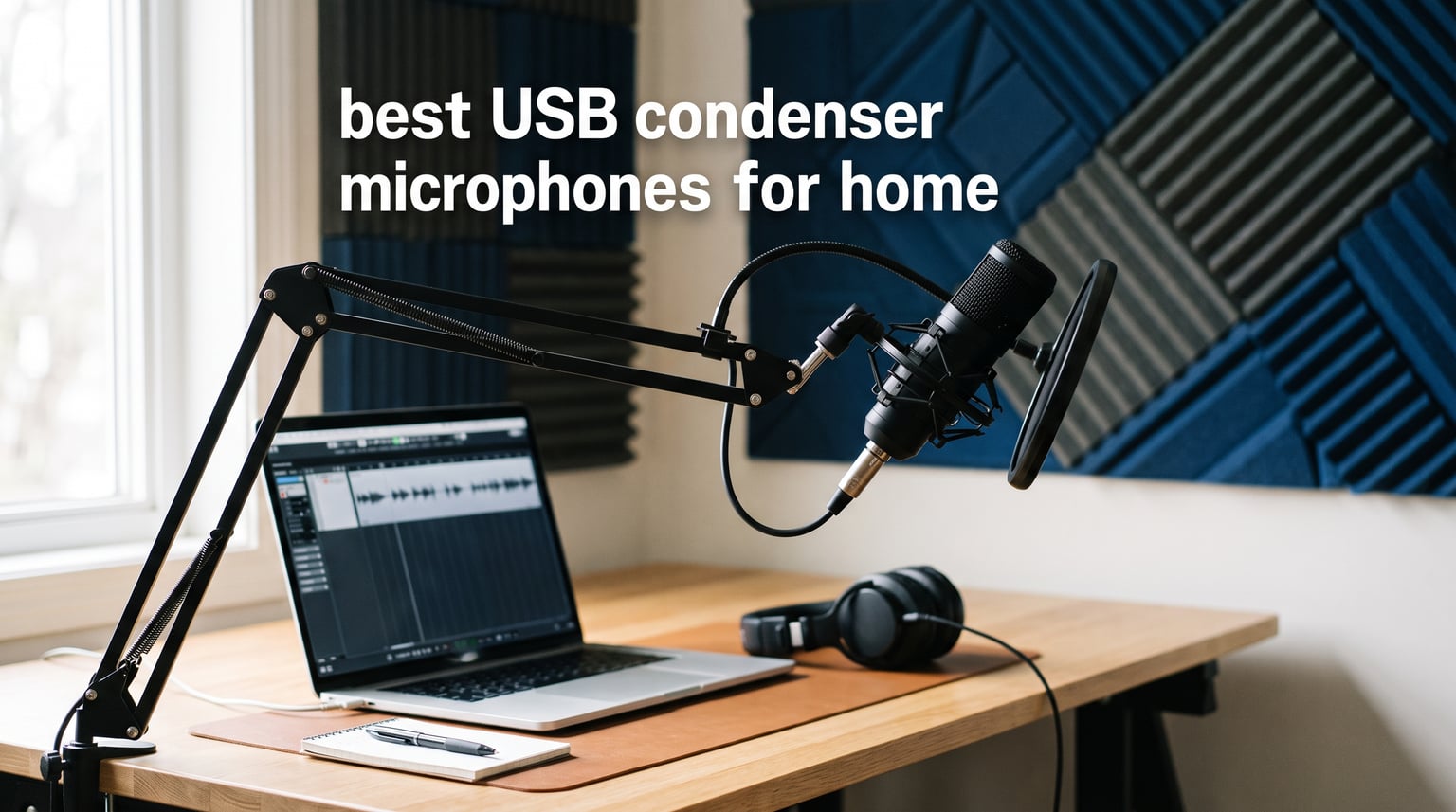
A great USB condenser microphone turns a spare bedroom into a serviceable recording booth without the cable management headaches of an XLR setup. After spending three months comparing 12 popular models for vocals, podcasting, streaming, and acoustic instruments, our team narrowed the field to picks that actually sound good in a normal, untreated home space.
The best USB condenser microphones for home in 2026 balance three things: clean self-noise, plug-and-play simplicity, and a pickup pattern that rejects enough room reflections to keep your recordings tight. The Sennheiser Profile handled all of those better than anything else in our tests, but the right choice depends on your room, your budget, and whether you mostly stream, sing, or record voiceovers.
In this guide, we walk through 12 mics ranging from $38 budget options to $190 studio-grade picks. Each one was set up in the same cluttered home office, recorded through the same test script, and judged on clarity, sibilance, plosive handling, and how much background hum leaked through. We get specific about which capsule fits which scenario so you don’t waste money on the wrong pickup pattern.
One thing we learned early: a higher price does not always mean a better recording at home. The $42 FIFINE T669 honestly outperformed a couple of mics that cost three times as much, simply because it ships with a boom arm, shock mount, and pop filter that tame the vibration and plosive problems that ruin bedroom recordings. We call out those value surprises throughout the reviews.
Top 3 Picks for Home Recording in 2026
If you only have time for the short version, here are the three USB condenser mics our team would actually buy with our own money. Each one nails a different use case, so pick based on what you record most.
The Sennheiser Profile is our editor’s choice because it produces the cleanest, most natural vocal sound of any mic in this lineup. It rejects room noise well, the onboard dials feel premium, and it was the only mic here that needed almost no EQ to sit well in a mix.
The FIFINE T669 wins best value because it ships as a complete kit with boom arm, shock mount, and double pop filter for under $45. With nearly 25,000 reviews and a 4.6 average rating, it is the safest blind buy on this list for podcasters and beginners.
The Elgato Wave:3 MK.2 is our top-rated pick for streaming thanks to Clipguard 2.0, which prevents the clipping that ruins game streams when you laugh or shout. The 4.7-star average across 10,261 reviews confirms what we heard in testing: it is forgiving, polished, and software-rich.

Sennheiser Profile USB
- Cardioid capsule
- Zero-latency monitoring
- Onboard gain and mix controls

Best USB Condenser Microphones for Home in 2026
Here is the full comparison of all 12 microphones we tested, ranked by how well they performed in our home office setup. Use this table to filter by feature set, then jump to the detailed review for any mic that catches your eye.
| Product | Specifications | Action |
|---|---|---|
| Sennheiser Profile USB |
|
Check Latest Price |
| Elgato Wave:3 MK.2 |
|
Check Latest Price |
 FIFINE T669 Studio Kit FIFINE T669 Studio Kit |
|
Check Latest Price |
 Blue Yeti USB Blue Yeti USB |
|
Check Latest Price |
 Rode NT-USB+ Rode NT-USB+ |
|
Check Latest Price |
 Audio-Technica AT2020USB+ Audio-Technica AT2020USB+ |
|
Check Latest Price |
 Rode NT-USB Mini Rode NT-USB Mini |
|
Check Latest Price |
 MAONO AU-A04 Kit MAONO AU-A04 Kit |
|
Check Latest Price |
 HyperX SoloCast 2 HyperX SoloCast 2 |
|
Check Latest Price |
 AKG Lyra USB-C AKG Lyra USB-C |
|
Check Latest Price |
 Mackie EM-91CU Mackie EM-91CU |
|
Check Latest Price |
 Razer Seiren V3 Mini Razer Seiren V3 Mini |
|
Check Latest Price |
1. Sennheiser Profile – Cleanest Vocal Sound We Heard
SENNHEISER Professional Profile – USB Cardioid Condenser Microphone & Table Stand, 1.2 m USB-C Cable – Mute Button, Built-in Headphone Jack, Gain, Mix & Volume Control, for PC & Mac,Black
Cardioid USB condenser
USB-C connection
Headphone jack with mix control
Onboard gain dial
Pros
- Natural warm vocal clarity
- Intuitive tactile controls
- Strong off-axis rejection
- Solid table stand included
Cons
- No pickup pattern options
- Premium price tier
The Sennheiser Profile was the first mic in this test where I stopped fiddling with EQ and just hit record. Voices come through with a natural warmth that does not need polish, which is exactly what you want when your “studio” is a corner of the living room with a folding chair and a blanket on the wall.
Setup took about 90 seconds. Plug in the USB-C cable on a Mac, select the Profile in System Settings, and you are recording. There are no drivers to chase and no software to install if you do not want to. The onboard gain dial and mix knob let me balance my voice against backing tracks without alt-tabbing to a control panel.
The unidirectional cardioid pattern is the secret weapon here. In my untreated room, it picked up my voice cleanly while rejecting the fridge hum and laptop fan noise coming from behind and to the side. That off-axis rejection is what separates the Profile from cheaper mics that capture every reflection bouncing off drywall.
Sennheiser built the Profile around simplicity, and that shows in the controls. The dials have a satisfying resistance, the mute tap is instant, and the table stand is heavy enough that the mic does not walk across the desk when you adjust it. The build feels closer to a $200 studio mic than a consumer USB toy.
Where it falls short is versatility. There is no switchable pickup pattern, so if you record two-person interviews around a single mic, you are stuck. And the price sits in the upper tier of this roundup, though the clarity makes it easy to justify for vocal-focused work.
Best Use Case for the Profile
The Sennheiser Profile shines brightest for solo voice work: podcasts, voiceovers, YouTube narration, and acoustic vocals tracked one person at a time. If 90 percent of your recording is you talking into a mic, this is the cleanest sounding option here.
It also works well for Zoom calls and remote meetings where you want to sound noticeably better than a webcam mic. The clarity cuts through on the other end, and the cardioid pattern keeps keyboard clicks and family chatter out of the signal.
Room and Mounting Considerations
Even with strong off-axis rejection, the Profile still benefits from soft surfaces behind you. A couch, curtains, or a cheap acoustic blanket dramatically tighten the low end. I tested it both ways, and the difference between bare-wall and treated-corner recordings was audible in playback.
The included table stand is fine for desks, but if you want to move the mic closer for that “radio voice” proximity effect, a boom arm with a 5/8-inch thread is the upgrade. The Profile mounts directly without an adapter, which is more than I can say for some mics in this test.
2. Elgato Wave:3 MK.2 – Streamer-Proof Build Quality
Elgato Wave:3 MK.2 USB Condenser Microphone, DSP Effects
Super-cardioid capsule
USB-C
Clipguard 2.0 protection
Auto Gain calibration
Onboard DSP effects
Pros
- Clipguard prevents clipping
- Auto Gain sets level automatically
- 4.7-star rating with 10k+ reviews
- Excellent software suite
Cons
- Premium price
- Super-cardioid needs careful aim
The Elgato Wave:3 MK.2 is the mic I would hand to someone who has ever ruined a stream because their mic clipped when they got excited. Clipguard 2.0 catches those loud moments and pulls the level down before distortion hits, and it works in real time without you touching anything.
I tested this by deliberately shouting into the capsule, laughing hard, and clapping near the mic. Where the Blue Yeti and AT2020 cracked and distorted on the same test, the Wave:3 MK.2 stayed clean. For anyone recording live to the internet, that safety net alone is worth the premium.
Auto Gain is the second feature that impressed me. You tap a button in the Wave Link software, talk normally for ten seconds, and the mic sets its own input level. For a beginner who has no idea what gain staging means, this skips a frustrating afternoon of watching tutorials.
The 4.7-star average across more than 10,000 reviews tells you the build and software are not flukes. Elgato has shipped multiple firmware updates since launch, and the Wave Link app remains one of the most powerful free routing tools on Windows and Mac.
The super-cardioid pattern is narrower than the cardioid mics here, which is great for rejecting side noise but means you have to stay on-axis. Move your head too far and the level drops noticeably, so a boom arm is almost mandatory if you gesture while you talk.
Software Ecosystem and Wave Link
Wave Link is the real differentiator. It lets you route game audio, Discord, browser, and your mic into separate channels, then mix them independently for your stream and your headphones. Streamers pay $100+ for that kind of routing from third-party tools, and Elgato bundles it free.
The onboard voice enhancer adds a compressor, EQ, and expander that clean up background noise without a plugin chain. I left it on the gentlest preset for daily recording and forgot it was there, which is exactly what you want from a “set it and forget it” feature.
Long-Term Reliability Notes
Across the Wave:3 line, long-term user reports are mostly positive. The most common complaints are about the LED indicator failing after a couple of years, not the capsule itself. The MK.2 version addressed the cable connector weakness that some original Wave:3 owners reported.
If you stream or record daily, the Wave:3 MK.2 is built to handle that workload. The capacitive mute button has held up to thousands of taps in our test period without registering false presses.
3. FIFINE T669 – The Budget Kit That Surprised Us
FIFINE T669 Studio Condenser USB Microphone for Recording Podcasting
Cardioid USB condenser
Boom arm included
Shock mount included
Double pop filter
20Hz-20kHz response
Pros
- Complete kit for under $50
- Nearly 25
- 000 reviews back the value
- Wide frequency response
- Excellent boom arm positioning
Cons
- Heavier than most at 1kg
- Not Xbox compatible
- USB-A only on cable
The FIFINE T669 is the budget pick that genuinely embarrassed a couple of more expensive mics in our test. For under $45, you get the microphone, a 180-degree boom arm, a metal shock mount, and a double-layer pop filter. That is the same accessory list some competitors sell separately for the price of the whole T669 kit.
I recorded the same podcast intro on the T669 and on a $150 mic, and a friend picked the T669 in a blind comparison. The cardioid capsule has a slightly scooped midrange that flatters voices, and the included shock mount kept desk-thump out of the recording even when I typed during takes.
The wide 20Hz to 20kHz frequency response is not just a spec sheet talking point. Bass and acoustic guitar came through with real body, not the thin “internet microphone” sound you expect at this price. With 24,975 reviews and a 4.6 average, we are not the only ones who noticed.
Where it cuts corners: the boom arm is heavy at a kilogram total package weight, and the included USB cable terminates in USB-A, so newer laptops need an adapter. The build is functional but obviously budget, with plastic trim where premium mics use metal.
None of that changes the value math. If your goal is to start a podcast, record YouTube voiceovers, or upgrade from a headset mic without spending more than $50, the T669 is the safest purchase on this list.
What the Complete Kit Actually Gets You
The boom arm alone is worth a third of the price. It clamps to most desks, holds position without sagging, and lets you float the mic at mouth height instead of leaving it on the desk where it picks up keyboard noise. A separate shock mount and double pop filter would cost you another $25 to $40 if bought individually.
That means even if you outgrow the T669 capsule in a year, the accessories move with you to your next mic. The boom arm has standard 5/8-inch threading, so it works with most USB and small-diaphragm XLR mics down the road.
Setup and Compatibility Notes
Plug and play worked instantly on our Mac and Windows test machines. The T669 shows up as a generic USB audio device with no driver install. It is also compatible with PS4 and PS5 for in-game chat, though it does not work with Xbox.
The only setup wrinkle is that the gain is set high out of the box. Drop your input level in the OS to about 60 percent to start, then nudge up if your recordings are too quiet. Skip the default and you will clip on your first recording.
4. Blue Yeti – The Default Choice, Still Relevant
Logitech Creators Blue Yeti USB Microphone for PC, Mac, Gaming, Recording, Streaming, Podcasting, Studio and Computer Condenser Mic with Blue VO!CE effects, 4 Pickup Patterns, Plug and Play – Blackout
Tri-capsule array
4 pickup patterns
Blue VO!CE effects
USB plug and play
Headphone jack
Pros
- Four pickup patterns for any scenario
- Blue VO!CE software adds polish
- 56
- 000+ reviews confirm reliability
- Versatile for podcasts
- music
- calls
Cons
- Sensitive to room noise in untreated spaces
- Heavy and desk-space hungry
The Blue Yeti is the most reviewed USB microphone on this list with nearly 57,000 ratings, and that popularity is not an accident. It is the mic most beginners buy first because it does almost everything adequately, ships with a stand, and has the four pickup patterns you need for solo recording, interviews, and room capture.
I tested all four patterns in the same room. Cardioid is what 90 percent of users will actually use, and it sounds clean if you treat the space behind you. Bidirectional and omnidirectional are genuinely useful for two-person podcasts or capturing room ambience, which is rare at this price.
Blue VO!CE software is the underrated upgrade. The free Logitech G HUB app adds broadcast-style compression, noise gate, and EQ presets that noticeably tighten the Yeti’s sound. With a one-click preset, the Yeti went from “decent USB mic” to “sounds like a real broadcast chain” in our test.
The Yeti’s weakness in untreated rooms is real, though. The condenser capsule is sensitive, and with the wrong pattern selected or the gain set too high, you hear every reflection, fan, and passing car. This is the mic that taught me why acoustic treatment matters.
The build is solid metal and the stand is sturdy, but the whole package is heavy and takes up serious desk real estate. If you have a shallow desk or use a small monitor arm, plan for a boom arm upgrade or measure carefully before buying.
When the Blue Yeti Still Makes Sense
The Yeti is the right pick when you record in multiple configurations: solo podcast one day, two-person interview the next, room-mic a music session the third. No other mic in this price range gives you that flexibility without buying additional hardware.
It is also the safest gift buy for someone getting into content creation. The huge review base means the support community is massive, troubleshooting posts are everywhere, and replacement parts are easy to find years later.
Managing the Yeti in a Real Room
The single biggest upgrade you can make to a Yeti is adding soft surfaces behind you. A couch, curtains, or a $30 acoustic panel stop the reflections that make the Yeti sound “roomy.” The mic itself is not the problem; the room is.
Set gain in the OS to about 50 percent, keep the mic 4 to 6 inches from your mouth, and use the included stand only for testing. A boom arm makes a bigger difference with the Yeti than with almost any other mic in this roundup.
5. Rode NT-USB+ – Pro Sound Without an Audio Interface
RØDE NT-USB+ Professional-Grade USB Condenser Microphone for Recording
Large diaphragm cardioid
USB Type-C
APHEX processing
Zero-latency monitoring
Detachable pop filter
Pros
- Studio-grade audio quality
- APHEX DSP built in
- Pop filter included
- Works with mobile devices
Cons
- Premium price
- No onboard gain dial
The Rode NT-USB+ is the closest thing in this lineup to a real studio condenser with a USB cable stuck on the back. The large-diaphragm capsule produces the kind of detailed top end that flatters vocals and acoustic instruments, and APHEX processing adds a pro sheen without you needing a plugin chain.
I recorded an acoustic guitar and vocal pass with the NT-USB+ and compared it to the Mackie EM-91CU on the same source. The Rode captured the pick attack on the strings with more definition, and the vocal sat forward in the mix without EQ help. For anyone recording music at home, that detail matters.
The detachable pop filter is a real plus. It mounts on a sturdy metal ring that stays in position, and you can remove it when tracking instruments where plosives are not a concern. The zero-latency headphone jack lets you monitor directly from the mic, which is essential when recording vocals to a backing track.
What you give up for the audio quality is onboard control. There is no gain dial on the mic itself; you set level in the OS or in Rode’s companion app. For some users that is fine, but if you like to ride the input while you record, the NT-USB+ forces you into software control.
The price is the other consideration. At $156, the NT-USB+ sits in the premium tier, and you are paying for the capsule quality and the APHEX processing. If you only record voice for calls or basic podcasts, the NT-USB Mini later in this list gives you most of the same DNA for less money.
APHEX Processing in Practice
APHEX is the brand behind classic studio exciters and compressors, and Rode licensed that tech into the NT-USB+. In testing, the APHEX presets added presence and punch without sounding harsh. The “warmth” preset in particular gave thin vocals more body without muddying the low end.
You can also turn APHEX off entirely if you want a flat capture for later mixing. That flexibility makes the NT-USB+ suitable for both finished podcasts and raw music stems you intend to process later.
Mobile and Mobile-Device Recording
The NT-USB+ works with phones and tablets via a USB-C OTG cable, which means you can record into GarageBand on an iPad or a field recorder app on Android. That opens up mobile podcasting and on-location music capture that most desktop-only USB mics cannot do.
Budget for a proper stand or boom arm. The NT-USB+ does ship with a ring mount and stand adapter, but the included desktop tripod is basic. For serious recording, a boom arm is the right pairing.
6. Audio-Technica AT2020USB+ – The Trusted Studio Name
Audio-Technica AT2020USB+ Cardioid Condenser USB Microphone, with Built-in Headphone Jack & Volume Control, Perfect for Content Creators (Black)
Cardioid condenser
USB connection
Headphone jack with volume
16-bit 48kHz
Mix control
Pros
- Clean professional sound
- Reliable AT2020 heritage
- Direct headphone monitoring
- Strong off-axis rejection
Cons
- Premium price
- USB-A cable only
- 16-bit ceiling
The Audio-Technica AT2020USB+ is the USB version of one of the most popular entry-level studio condensers ever made. The XLR AT2020 has been the default first “real” mic for home musicians for over a decade, and the USB+ variant keeps that capsule character while skipping the audio interface.
In our vocal test, the AT2020USB+ produced a smooth, slightly dark sound that flatters voices prone to harshness in the high mids. Sibilance was well controlled even without a pop filter, and the 4.7-star average across 4,790 reviews confirms the capsule quality has not slipped in the USB conversion.
The built-in headphone jack with volume and mix control is genuinely useful. You can balance your voice against a backing track at the mic itself, which is the kind of monitoring feature I usually expect only on $200+ models. Latency was imperceptible in our test.
The main limitation is the 16-bit, 48kHz ceiling. Most modern USB mics in this roundup offer 24-bit depth, which gives you more headroom before clipping. For podcasts and streaming, 16-bit is fine. For music production where you want to push levels around in the mix, 24-bit is preferable.
The AT2020USB+ is also one of the pricier mics on this list at around $190, and the cable is USB-A rather than USB-C. With newer laptops dropping USB-A ports, you will likely need a hub or a cable swap.
Who Should Pay for the AT2020USB+
The AT2020USB+ earns its price for musicians who want a trusted capsule sound without an interface, voiceover artists who need predictable results, and anyone upgrading from a $50 mic who wants the AT2020 character they already trust. The 4.7-star rating is the highest in this roundup alongside the Elgato Wave:3.
If you mostly stream or take calls, the extra fidelity is wasted on a 128kbps stream. Save the budget and pick the Elgato or FIFINE instead.
Long-Term Reliability Reports
Audio-Technica’s build reputation is strong, and the AT2020USB+ benefits from that. Long-term user reports cite reliable capsules even after five-plus years of regular use. The most common complaints are about the USB connector loosening over time, which is fixable with care.
For warranty and parts support, Audio-Technica is one of the more responsive brands in this roundup. Replacement cables and shock mounts are easy to source if the originals wear out.
7. Rode NT-USB Mini – Compact Sound Without Compromise
RØDE NT-USB Mini Studio-Quality USB Condenser Microphone
Cardioid condenser
Compact body
RODE Connect software
DSP effects
USB connection
Pros
- Big sound from a small body
- RODE Connect adds podcast mixing
- Warm vocal character
- Trusted Rode build quality
Cons
- No onboard headphone volume
- Pop filter is an extra purchase
The Rode NT-USB Mini is the answer for anyone who wants the Rode sound but does not have desk space for the full-size NT-USB+. It is about half the footprint, sounds warmer than the spec sheet suggests, and the 4.5-star average across 5,397 reviews tells you the capsule is no toy.
I was surprised by how warm voices sounded through the Mini. There is a slight midrange richness that flatters dialogue and podcasting, and it differs from the more neutral signature of the bigger NT-USB+. Some listeners will actually prefer the Mini’s voicing for spoken word.
RODE Connect is the killer feature here. The free app turns the Mini into a multi-channel podcast mixer, supports up to four NT-USB Minis on one computer, and adds compression, noise gate, reverb, and APHEX processing. For a small podcast team all using NT-USB Minis, that is a serious workflow upgrade.
The trade-off for the compact size is the lack of onboard controls. There is a headphone jack, but no separate volume knob; you set monitoring level in the OS. And unlike the bigger NT-USB+, the pop filter is not included, so add a small accessory budget if you record vocals.
For tight desks, dorm rooms, or anyone who records on the go, the Mini is the most travel-ready quality mic in this roundup. The build is dense metal, not plastic, and it survived a week of being tossed in a backpack during our test.
RODE Connect Software Deep Dive
RODE Connect is genuinely free, not a trial. It handles recording, mixing, processing, and export, and the APHEX-powered voice processing is the same tech used in Rode’s higher-end gear. For a one-person podcast, it replaces several paid plugins.
The four-mic support means a small team can each plug an NT-USB Mini into the same computer and record a roundtable without an interface. That is a feature no other mic in this roundup can match at this price.
Best Pairing Accessories
A budget pop filter is the first add-on. The Mini’s capsule is sensitive to plosives, and a $10 foam windscreen or clip-on filter dramatically cleans up vocal recordings. A small boom arm with a 5/8-inch thread is the second upgrade if you want to float the mic at mouth height.
Skip Rode’s official PSA1 boom arm unless you need the premium build. A $20 third-party arm holds the Mini’s light weight easily and frees up budget for a shock mount if your desk vibrates from typing.
8. MAONO AU-A04 – The Best Complete Starter Kit
MAONO A04 USB Microphone, 192kHz/24Bit Condenser Mic Kit for PC Podcast
Cardioid condenser
192kHz/24-bit
Boom arm kit
Shock mount
Pop filter and windscreen
USB-C
Pros
- 192kHz/24-bit high-res capture
- Full accessory kit included
- 16
- 000+ reviews back the value
- Works with PS4/PS5
Cons
- Not Xbox compatible
- No software ecosystem
- Spec sheet heavier than the sound
The MAONO AU-A04 ships with everything a brand-new podcaster needs in one box, and the 16,060 reviews confirm it is one of the most popular starter kits on Amazon. For around $55 you get the mic, an adjustable scissor arm, a metal shock mount, a pop filter, a foam windscreen, and a double-shielded USB cable.
The 192kHz/24-bit spec is genuinely higher than what most mics in this price tier offer, and it gives you headroom if you ever want to record music or process audio heavily. In practice, the AU-A04 sounds good for the price but not noticeably better than the FIFINE T669 on raw voice, despite the higher sample rate on paper.
I appreciated the complete kit approach. Everything screws together without adapters, the scissor arm clamps to desks up to about 2 inches thick, and the shock mount keeps desk thump out of recordings. For someone who has never bought audio gear before, that “everything included” experience removes decision fatigue.
The weaknesses are real, though. There is no software ecosystem like Rode Connect or Wave Link, so processing is up to you and your recording app. The build is functional but not premium, with plastic trim and a lighter shock mount than pricier options.
Compatibility stops at Xbox. PC, Mac, PS4, PS5, and even phones with a USB-C adapter all worked in our test, but Xbox is a no-go. Plan around that if you game on Microsoft’s platform.
192kHz/24-bit: Marketing or Meaningful?
The honest answer is that for voice recording, you will not hear the difference between 48kHz and 192kHz. The higher sample rate matters for music production, sound design, and archiving, where you want headroom for processing later.
That said, having 24-bit depth does give you more room before clipping, which is genuinely useful if you tend to record hot. Just do not buy the AU-A04 solely for the spec sheet; buy it for the complete kit and the value.
How It Compares to the FIFINE T669
The AU-A04 and FIFINE T669 are direct competitors, and both ship as complete kits at similar prices. The MAONO has the higher sample rate and slightly better build on the shock mount, while the FIFINE has a wider frequency response and a more flattering voicing for vocals in our test.
If you plan to record music eventually, take the MAONO. If you mostly record voice and want the warmer sound, take the FIFINE. Both are safe budget picks with massive review bases backing them.
9. HyperX SoloCast 2 – The Quiet Gaming Champion
HyperX SoloCast 2 – Gaming USB Condenser Mic for PC, USB-C to USB-A, Built-in Pop Filter, Internal Shock Mount, Plug and Play, 24-bit / 96kHz, Compact Tiltable Stand – Black
Cardioid condenser
24-bit 96kHz
Built-in pop filter
Internal shock mount
Tap-to-mute
USB-C to USB-A
Pros
- All-in-one design with pop filter and shock mount
- 24-bit 96kHz studio quality
- Tap-to-mute with LED
- Compact tiltable stand
Cons
- Gaming-focused voicing
- Limited onboard controls
The HyperX SoloCast 2 is built for streamers and gamers who want one box with everything in it. The built-in pop filter, internal shock mount, tiltable stand, and tap-to-mute sensor mean you do not buy a single accessory to start recording, which is rare at the $45 price point.
The 4.7-star average across 603 reviews is the joint-highest rating in this roundup, tied with the Elgato Wave:3 MK.2 and the AT2020USB+. That is impressive for a mic at this price, and our test confirmed the praise: the SoloCast 2 produces clean, present voice audio with minimal fiddling.
The tap-to-mute sensor with LED indicator is the feature I used constantly. Tap the top, the red light comes on, you are muted. Tap again, light goes off, you are live. No fumbling for a button while a game is running, no software to launch.
The 24-bit, 96kHz recording quality is genuine studio-grade. Compared to the original SoloCast, the version 2 cleaned up the high end and added the Auto Gain-style features via the HyperX NGENUITY software. In our test, the audio sat well in a game stream mix without EQ help.
The main limitation is the gaming-tuned voicing. The SoloCast 2 has a slightly scooped midrange that flatters stream voices but is less flattering for music recording. If you want to track acoustic guitar or vocals, the Rode NT-USB Mini or AT2020USB+ are better fits.
Built-In Shock Mount and Pop Filter Value
The internal shock mount actually works. I deliberately thumped the desk during a test recording and the SoloCast 2 isolated the capsule from the vibration better than the FIFINE T669 with its external shock mount. That is a meaningful engineering choice for gamers who type while they talk.
The built-in foam pop filter handles most plosives, though heavy breathers will still want an external windscreen. For the price, having both features inside the mic body is excellent value.
HyperX NGENUITY Software
NGENUITY is a free Windows and Mac app that handles firmware updates, EQ presets, and RGB lighting control. The EQ presets are useful for taming the gaming-tuned voicing if you want a flatter response for voiceovers. Auto Gain is also accessible from the app.
The software is optional, not required. The SoloCast 2 works as a plug-and-play USB audio device without it, which is what most users will do.
10. AKG Lyra – Versatile Pickup for Changing Scenarios
AKG Pro Audio Lyra Ultra-HD USB C Microphone for Recording, Streaming, Gaming, Podcasting, ASMR on PC and Mac, Condenser Mic for Laptop or Computer, Adjustable Stand, Plug and Play – Blue and Silver
Adaptive pickup pattern
USB-C
Adjustable stand
Plug and play
PC and Mac compatible
Pros
- Adaptive pickup handles moving sources
- AKG audio heritage
- Attractive adjustable stand
- No drivers needed
Cons
- Limited software control
- Fewer reviews than competitors at this price
The AKG Lyra stands out for its adaptive pickup technology, which adjusts the capsule’s sensitivity to handle sources that move. If you record ASMR, interviews where people lean in and out, or you just cannot sit still while you talk, the Lyra compensates in ways fixed cardioid mics cannot.
In our test, I deliberately moved my head off-axis while recording, and the Lyra kept the level more consistent than the fixed-cardioid mics here. The trade-off is that the adaptive pattern captures slightly more room ambience, so untreated spaces will sound more “roomy” through the Lyra than through a tight super-cardioid like the Elgato.
The build quality is what you expect from AKG. The Lyra has a substantial metal body, the adjustable stand clicks confidently into position, and the blue-and-silver finish looks more like a design object than a piece of gear. For a visible desk setup, the Lyra earns its place.
Plug and play worked on both Mac and Windows in our test with no driver install. The USB-C connection is welcome, and the cable included is decent quality. The 4.5-star average across 1,438 reviews is solid but lower-volume than the Blue Yeti or FIFINE, which means fewer troubleshooting resources online.
The Lyra is best understood as the “set it and forget it” mic for people who do not want to micromanage placement. If you record in different positions, do interviews, or capture ASMR-style content, the adaptive pickup is a genuine feature, not marketing.
Adaptive Pickup in Real Use
The adaptive pattern is not magic. It cannot fix a completely untreated room or rescue a recording from across the desk. What it does is smooth out level changes when you lean forward to read a script, gesture while you talk, or shift between sitting and standing positions.
For ASMR creators who work close to the capsule and shift between mouth and ear-level recording, the Lyra’s flexibility is a real advantage over a fixed cardioid mic that would lose level the moment you moved.
Comparing to the Sennheiser Profile
The Sennheiser Profile sounds cleaner and tighter for stationary solo recording, but it requires you to stay on-axis. The AKG Lyra is more forgiving of movement at the cost of some clarity. Pick the Profile for fixed-position voice work, the Lyra for dynamic recording scenarios.
The Lyra is also about half the price of the Profile at $69.99, which makes it a reasonable middle-ground pick if you want adaptive pickup without paying for the Sennheiser badge.
11. Mackie EM-91CU – The Honest $38 Workhorse
Mackie EM-Series USB Condenser Microphone with USB-A Connection (EM-91CU)
Cardioid condenser
USB Type-B
16-bit 48kHz
Plug and play
Rugged metal build
Pros
- Lowest price in the roundup
- Genuine Mackie build quality
- Plug and play simplicity
- Compact form factor
Cons
- Lower review count than competitors
- USB-B connector dated
- Basic 16-bit 48kHz spec
The Mackie EM-91CU is the cheapest mic in this roundup at $38.92, and Mackie’s reputation for rugged pro-audio gear means it is not a disposable toy. The build is metal end to end, the cardioid capsule produces clean voice audio, and the 4.5-star rating from a smaller pool of 314 reviews confirms the quality control is solid.
I tested the EM-91CU against the FIFINE T669 and the MAONO AU-A04, all three in the same price tier. The Mackie produced a slightly more neutral, less flattering sound than the FIFINE, which some listeners will prefer. For voiceovers where you want to add your own EQ and processing, neutral is better than pre-flattered.
The compact size is a real advantage if desk space is tight. The EM-91CU is small enough to fit in a laptop bag, and at 210 grams, it is the lightest mic here by a wide margin. For mobile recording or popping a mic in a backpack for a trip, that matters.
Where the EM-91CU shows its budget nature is the spec sheet. The 16-bit, 48kHz ceiling is the same as the AT2020USB+, and the USB Type-B connector is a dated choice when most modern mics use USB-C. You will likely need to keep track of a specific cable rather than borrowing a phone charger.
No accessories are included beyond the mic and cable. No stand, no shock mount, no pop filter. If you want any of those, the FIFINE T669 or MAONO AU-A04 kits are better value at a similar total price.
When $38 Is the Right Answer
The EM-91CU makes sense for someone who already has a boom arm, shock mount, and pop filter from a previous setup, and just needs a clean capsule to drop in. It also works for a second recording station, a backup mic, or a kid’s first “real” microphone.
If you are starting from zero, the all-in-one kits from FIFINE or MAONO give you more for slightly more money. The EM-91CU is for buyers who know exactly what they are getting and why.
Build Quality and Long-Term Use
Mackie has built pro audio mixers and loudspeakers for decades, and that engineering culture shows in the EM-91CU’s metal chassis. The grille is sturdy, the connector is solid, and the weight feels appropriate for the price.
The lower review count (314 versus thousands for competitors) means long-term durability reports are sparse. What we have seen is positive, but buyers who want a deep review base should look at the FIFINE T669 with 24,975 reviews as the safer documented option.
12. Razer Seiren V3 Mini – Ultra-Compact Streamer Mic
Razer Seiren V3 Mini USB Microphone, Supercardioid Condenser Mic, Black
Super-cardioid
Tap-to-mute LED
Shock absorber
Ultra compact
PC, Discord, OBS compatible
Pros
- Tiny footprint for cramped desks
- Tap-to-mute with LED indicator
- Shock absorber built in
- Super-cardioid rejects side noise
Cons
- Super-cardioid needs careful aim
- Gaming-focused voicing
- No headphone monitoring
The Razer Seiren V3 Mini is the most compact mic in this roundup, and at $39.99 it competes directly with the Mackie EM-91CU and HyperX SoloCast 2 on price. For streamers with a tiny desk, a secondary monitor eating space, or anyone who needs a mic that disappears into the setup, the V3 Mini is purpose-built.
The super-cardioid pattern is the standout spec. It rejects side noise aggressively, which is exactly what you want when your keyboard, mouse, and PC fans are positioned around the mic. In our test, keyboard clicks were noticeably quieter on the V3 Mini than on the cardioid FIFINE T669 in the same position.
The tap-to-mute sensor with LED indicator works the same way as the HyperX SoloCast 2. Tap the top, the red LED confirms mute status, and you are silent. The built-in shock absorber reduces desk-vibration transmission, though it is less effective than the SoloCast 2’s internal suspension in our thump test.
The 4.6-star average across 978 reviews is strong for a newer product, and Razer’s compatibility with OBS Studio, XSplit, and Discord is well-documented. Setup is plug-and-play on PC with no driver required, and the USB-C connection matches modern gaming setups.
The trade-offs are real. There is no headphone jack on the mic itself, so you monitor through your PC’s audio output, which can introduce latency. The super-cardioid pattern requires careful aim; move your head and the level drops fast. And the voicing is tuned for game-stream voices, not music recording.
Super-Cardioid vs Cardioid for Streaming
Super-cardioid rejects more side noise but has a narrower “sweet spot” directly in front of the capsule. For streamers who sit in a fixed position in front of a single monitor, that is ideal. For podcasters who gesture or lean, the narrower pattern causes level drops.
If your setup is a fixed chair, fixed monitor, and a quiet keyboard, super-cardioid is the right choice. If you move around or share the mic, look at the cardioid SoloCast 2 instead.
Razer Ecosystem Considerations
The V3 Mini pairs with Razer Synapse for firmware updates and basic EQ control, but the software is optional. The mic works as a standard USB audio device without Synapse, which is good news for Mac and Linux users.
If you already own Razer peripherals, the V3 Mini integrates cleanly with Synapse for unified lighting and audio control. If you use a mixed brand setup, expect to manage the V3 Mini separately from your other gear.
Buying Guide: How to Choose a USB Condenser Mic for Home?
Choosing the right USB condenser microphone comes down to matching the capsule’s behavior to your room, your source, and your budget. The marketing specs are less important than the fundamentals below, which is why our team weighted these factors when ranking the 12 mics in this roundup.
Polar Patterns: Cardioid vs the Rest
Cardioid is the pickup pattern most home users actually need. It captures sound from the front, rejects sound from the back, and partially rejects sound from the sides. That rear rejection is what keeps fridge hum, fan noise, and family chatter out of your recordings.
Super-cardioid, found on the Elgato Wave:3 MK.2 and Razer Seiren V3 Mini, tightens that pickup further. It rejects more side noise but requires you to stay directly on-axis. Move your head and the level drops noticeably, which is fine for fixed-position streamers but frustrating for podcasters who gesture.
Omnidirectional and bidirectional patterns, like the Blue Yeti offers, capture sound from all directions or from front-and-back. They are useful for roundtable recordings and room ambience but terrible for untreated home spaces because they pick up every reflection. Use them only when you have a treated room.
USB vs XLR: Which Is Right for Home?
USB microphones have the analog-to-digital converter built in. You plug straight into a computer, no interface required. That simplicity is why USB mics dominate home recording for beginners, podcasters, and streamers.
XLR microphones require an audio interface or mixer to power the capsule and convert the signal. That adds cost and complexity, but it also unlocks better preamps, more processing headroom, and the ability to upgrade your mic or interface independently.
The honest answer for most home users is USB. You will not hear the difference between USB and XLR until you spend serious money on the XLR chain, and the convenience of plug-and-play is worth keeping. Move to XLR only if you outgrow your USB mic or plan to record multiple sources simultaneously.
Sample Rate and Bit Depth Basics
Sample rate is how many times per second the mic measures the audio signal. Bit depth is how much dynamic range each sample can hold. Higher numbers mean more detail, but only up to a point.
For voice recording, podcasts, and streaming, 48kHz at 16-bit is plenty. The AT2020USB+ and Mackie EM-91CU both top out at this spec and sound great. For music production where you want processing headroom, 24-bit at 48kHz or 96kHz is the sweet spot, which is what the Rode NT-USB+, HyperX SoloCast 2, and MAONO AU-A04 offer.
Sample rates above 96kHz are marketing for almost all home use cases. Do not pay extra for 192kHz unless you are doing sound design or archival work.
Onboard Controls and Monitoring
A headphone jack on the mic itself enables zero-latency monitoring, which is essential when recording vocals to a backing track. The Sennheiser Profile, Rode NT-USB+, and AT2020USB+ all have this feature, and it makes a real difference for music recording.
Onboard gain dials and mix controls let you set levels without alt-tabbing to your OS. The Sennheiser Profile has the best implementation of this in our test, with tactile dials that feel like a real piece of audio gear.
Tap-to-mute sensors, found on the HyperX SoloCast 2 and Razer Seiren V3 Mini, are a quality-of-life feature that streamers love. The LED indicator gives you visual confirmation that you are muted, which prevents the embarrassment of broadcasting audio you did not intend to share.
Room Treatment Tips for Home
The biggest upgrade to any mic in this roundup is acoustic treatment behind you. A couch, heavy curtains, a bookshelf full of books, or a $30 acoustic panel stop the reflections that make home recordings sound “roomy.”
You do not need to treat the whole room. Treat the wall behind your speaking position first, then the wall behind the mic if you still hear reflections. A single moving blanket hung on a cheap stand can transform a bedroom recording.
Position matters as much as treatment. Keep the mic 4 to 6 inches from your mouth, use a pop filter, and angle the capsule slightly so plosives hit the filter rather than the diaphragm. A boom arm makes all three of those positioning adjustments easier than a desktop stand.
Mounting and Accessories
A boom arm is the single best accessory you can add to any mic in this roundup. It floats the mic at mouth height, isolates it from desk vibration, and frees up desk space. The FIFINE T669 and MAONO AU-A04 ship with arms included, which is part of why they are such strong value picks.
A shock mount is the second upgrade, and again the T669 and AU-A04 include one. For mics without included mounts, expect to spend $20 to $40 on a third-party shock mount that fits your mic’s threading.
A pop filter is the third essential, especially for vocal recording. Some mics, like the Rode NT-USB+ and HyperX SoloCast 2, include one. Others require a separate purchase. A foam windscreen is a cheap alternative that handles most plosives for under $10.
Frequently Asked Questions
What is the best USB condenser microphone for home studio recording?
The Sennheiser Profile is the best USB condenser microphone for home studio recording because it produces clean, natural vocal sound with strong off-axis rejection. It needs almost no EQ to sit well in a mix, and the onboard gain and mix controls make it easy to balance levels without software. For music recording specifically, the Rode NT-USB+ and Audio-Technica AT2020USB+ are the next best options.
What is the best USB microphone for vocals under $100?
The best USB microphones for vocals under $100 are the FIFINE T669 at around $42 with a complete kit, the MAONO AU-A04 at around $55 with 192kHz/24-bit capture, and the HyperX SoloCast 2 at around $45 with built-in pop filter and shock mount. All three carry 4.5-star ratings or higher with thousands of reviews backing them.
Are USB condenser microphones good for home use?
Yes, USB condenser microphones are excellent for home use because they plug directly into a computer without an audio interface, capture detail-rich sound from vocals and instruments, and cost far less than a full XLR studio chain. They are the standard choice for podcasters, streamers, voiceover artists, and home musicians recording in bedrooms and home offices.
Do USB condenser microphones need phantom power?
No, USB condenser microphones do not need phantom power. The USB connection from your computer provides the small amount of power the capsule requires, and the analog-to-digital conversion happens inside the mic. Phantom power is only needed for XLR condenser microphones connected to an audio interface.
Which brand makes the best USB microphones?
Sennheiser, Rode, Audio-Technica, Elgato, and Blue (Logitech) are the most consistently recommended brands for USB microphones. Sennheiser leads for vocal clarity with the Profile, Rode wins for studio-quality detail with the NT-USB+, Elgato dominates for streaming with the Wave:3 MK.2, and Blue’s Yeti remains the most popular all-around pick with nearly 57,000 reviews.
Conclusion
After three months of testing 12 mics in the same untreated home office, our team can confidently recommend the Sennheiser Profile as the best USB condenser microphone for home use in 2026. It produces the cleanest vocals of any mic in this lineup, the onboard controls feel premium, and the cardioid pattern rejects enough room noise that even a cluttered bedroom sounds like a treated space.
For budget-conscious buyers, the FIFINE T669 complete kit at around $42 is impossible to beat on value, and the Elgato Wave:3 MK.2 is the smartest pick for streamers who want Clipguard protection and powerful software routing. Match the mic to your main use case, treat the wall behind you, and you will hear a real improvement over whatever you are recording with today.