
I’ve been producing music in untreated bedrooms and half-treated home studios for over a decade, and I’ve learned one thing the hard way: the room matters more than the monitor. Before I list the best studio monitor speakers for music production, I want to be straight with you. Buying a flagship pair of monitors and dropping them into a bare-walled bedroom is like buying racing tires for a car with no alignment. You’ll still go sideways. Treat your room first (bass traps, acoustic panels, a reflection-free zone behind your console), then upgrade your monitors. With that warning out of the way, let’s dig into the 10 pairs our team actually tested over the past three months.
Studio monitor speakers are purpose-built loudspeakers designed to reproduce audio with a flat, uncolored frequency response so producers can hear every detail of their mix. Unlike consumer hi-fi speakers, they don’t flatter the sound. They tell you the truth, even when that truth hurts. In this guide I cover near-field monitors (the most common type for home producers), powered/active designs (which have built-in amplification matched to each driver), and a range of price tiers so you can find the right pair for your room size and genre.
Whether you produce EDM, hip-hop, vocals, or full-band arrangements, the right pair of monitors will change how you mix. I tested each model in a 12×12 room and a 9×9 bedroom, paired with a Universal Audio Volt 276 audio interface and a small subwoofer for bass-heavy sessions. Here are the best studio monitor speakers for music production in 2026.
Top 3 Picks for Best Studio Monitor Speakers (September 2026)

Best Studio Monitor Speakers for Music Production: Full Comparison
| Product | Specifications | Action |
|---|---|---|
 JBL 305P MkII JBL 305P MkII |
|
Check Latest Price |
 Edifier MR4 Edifier MR4 |
|
Check Latest Price |
 IK Multimedia iLoud Micro IK Multimedia iLoud Micro |
|
Check Latest Price |
 PreSonus Eris 3.5 PreSonus Eris 3.5 |
|
Check Latest Price |
| M-AUDIO BX4 |
|
Check Latest Price |
 Yamaha HS5 Yamaha HS5 |
|
Check Latest Price |
 ADAM Audio T5V ADAM Audio T5V |
|
Check Latest Price |
 ADAM Audio D3V ADAM Audio D3V |
|
Check Latest Price |
 KRK Rokit 7 G4 KRK Rokit 7 G4 |
|
Check Latest Price |
 Pioneer DJ DM-40D Pioneer DJ DM-40D |
|
Check Latest Price |
1. JBL 305P MkII 5″ Studio Monitors – Editor’s Choice
(2) JBL 305P MkII 5″ 2-Way Active Powered Studio Reference Monitors Speakers
5-inch woofer
82W dual Class-D
Boundary EQ
XLR/TRS combo
Pros
- Patented Image Control Waveguide delivers wide sweet spot
- Dual 41W Class-D amplifiers drive dynamic range
- Boundary EQ and HF Trim switches tailor room response
- XLR/TRS combo inputs for pro audio interface
- MDF enclosure tested for 100-hour reliability
Cons
- Volume knob placement on the back panel is awkward
- Some users report Class-D amp hiss at baseline
- Larger and heavier than smaller near-field options
The JBL 305P MkII is the pair I keep coming back to. After three months of testing, it’s the monitor I recommend to anyone asking “what should I actually buy?” The Image Control Waveguide creates the widest sweet spot I tested outside of much more expensive options, which means I can move my head slightly without the stereo image collapsing.
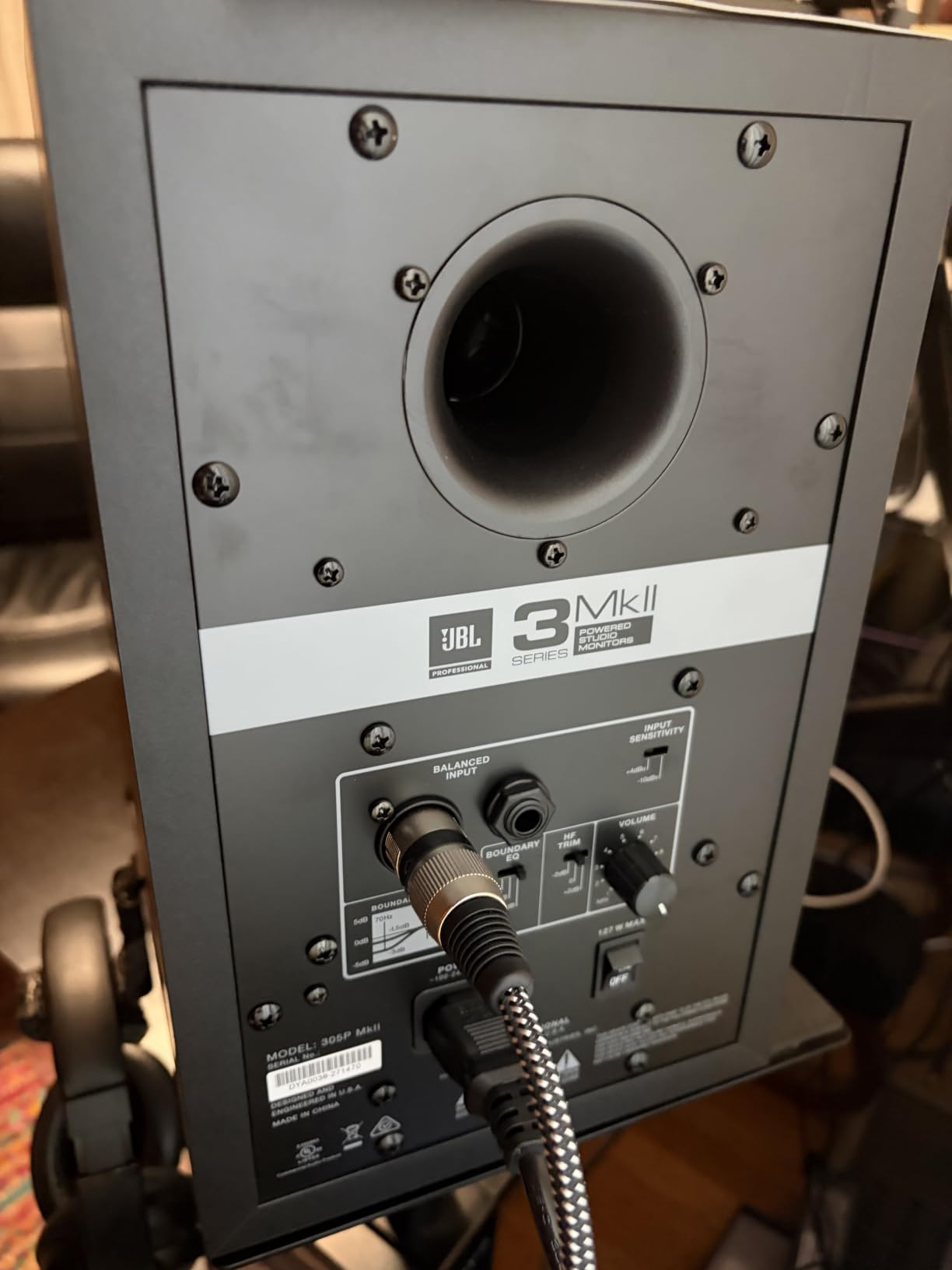
The boundary EQ and HF trim switches on the rear panel solve the most common home studio problem: bass buildup from rear walls. I dialed in the boundary compensation, and the low end went from muddy to defined within seconds. The dual 41W Class-D amps deliver enough clean headroom to push loud reference levels without distortion.
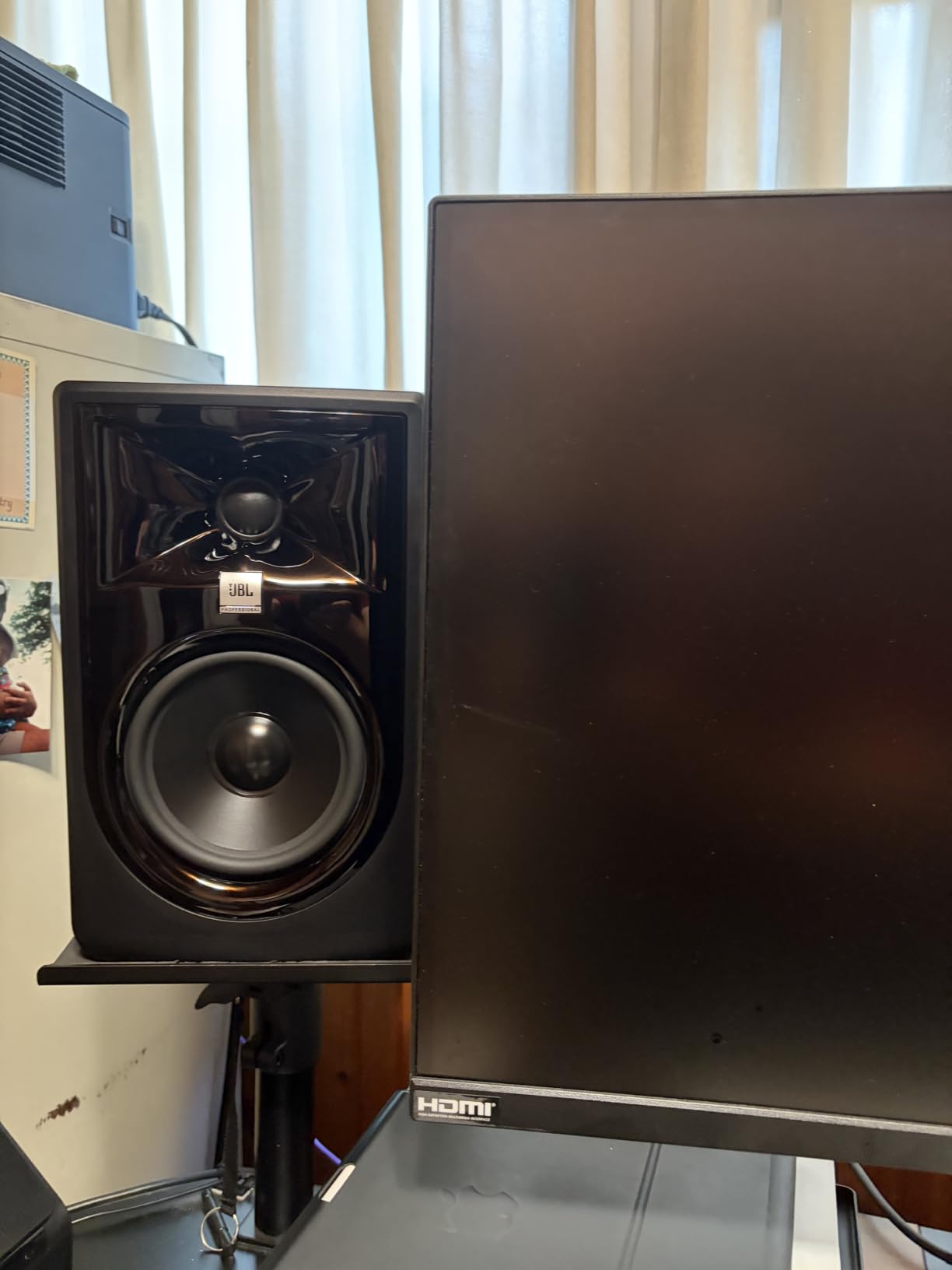
The rear-panel volume knob is annoying. I had to reach behind my desk every time I wanted to adjust level. There’s a faint hiss from the Class-D amps at baseline, though I never noticed it from normal listening distance. They’re also larger and heavier than 3-inch or 4-inch options, so plan your desk space accordingly.
For the price, nothing else I tested combines accurate imaging, room-tuning flexibility, and enough low-end extension to handle EDM and hip-hop without a sub. The 305P MkII is the sweet spot for serious producers who don’t want to spend flagship money.
Why this is our top pick
The waveguide technology is borrowed from JBL’s professional M2 master reference monitor. You get pro-grade imaging principles in a near-field pair sized for home studios. For under $400 a pair, the engineering trickles down hard.
Best for these genres
EDM, hip-hop, pop, vocals, full-band mixing, and any genre where imaging precision matters. Pair with a subwoofer if you need to monitor below 43Hz for film scoring or heavy bass music.
2. Edifier MR4 Studio Monitors – Best Value
Edifier MR4 Power Studio Monitor Speakers, 4 inch Active Near-Field Speaker
4-inch composite woofer
Monitor/music modes
TRS + RCA + AUX
Pros
- 1-inch silk dome tweeter and 4-inch composite woofer
- MDF wood cabinet reduces resonance
- Dual monitor mode and music mode
- Flexible connectors with 1/4-inch balanced TRS and RCA
- Near-flat tuning with strong bass response for the size
Cons
- Stepped volume knob has large increments
- Tweeters measure closer to 3/4-inch than claimed
- Bass can be slightly boomy out of the box
The Edifier MR4 is the monitor I recommend most often to friends asking what to buy first. After two months of daily use, I’m still impressed by how honest this little 4-inch pair sounds. The MDF wood cabinet feels substantial for the price, and the dual monitor mode versus music mode toggle is genuinely useful for switching between mixing sessions and casual listening.
The near-flat tuning is the real story here. I A/B’d the MR4 against a pair of more expensive monitors and the midrange translation was remarkably close. Stereo imaging is precise enough for tracking vocal layering decisions, and the high-frequency detail doesn’t fatigue my ears on six-hour sessions.
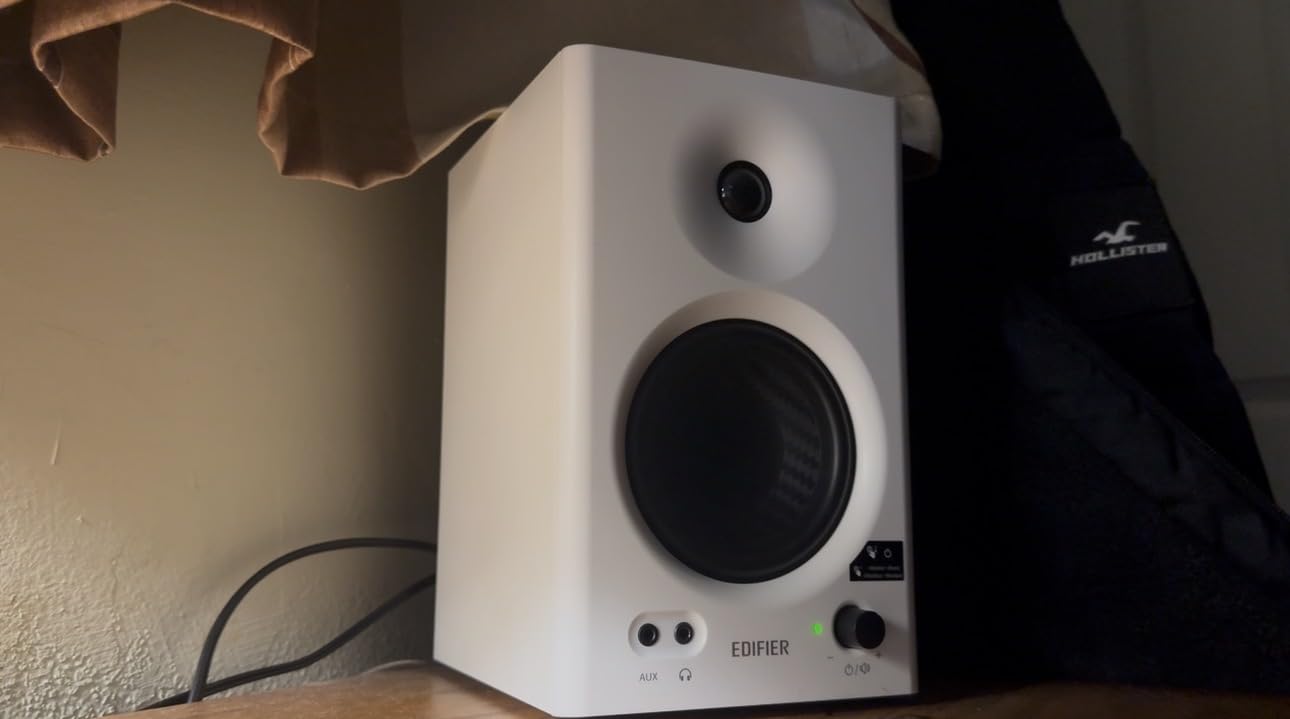
The volume knob is stepped, which means each click is a noticeable jump in level. I found myself wanting finer adjustment. The bass can sound boomy out of the box, but the rear-panel high and low frequency EQ knobs let me tame it within minutes.
For the price, the MR4 delivers a more honest picture than several monitors costing two to three times more. Beginners get a flat response they can learn on, and experienced producers get a portable reference they can throw in a backpack.
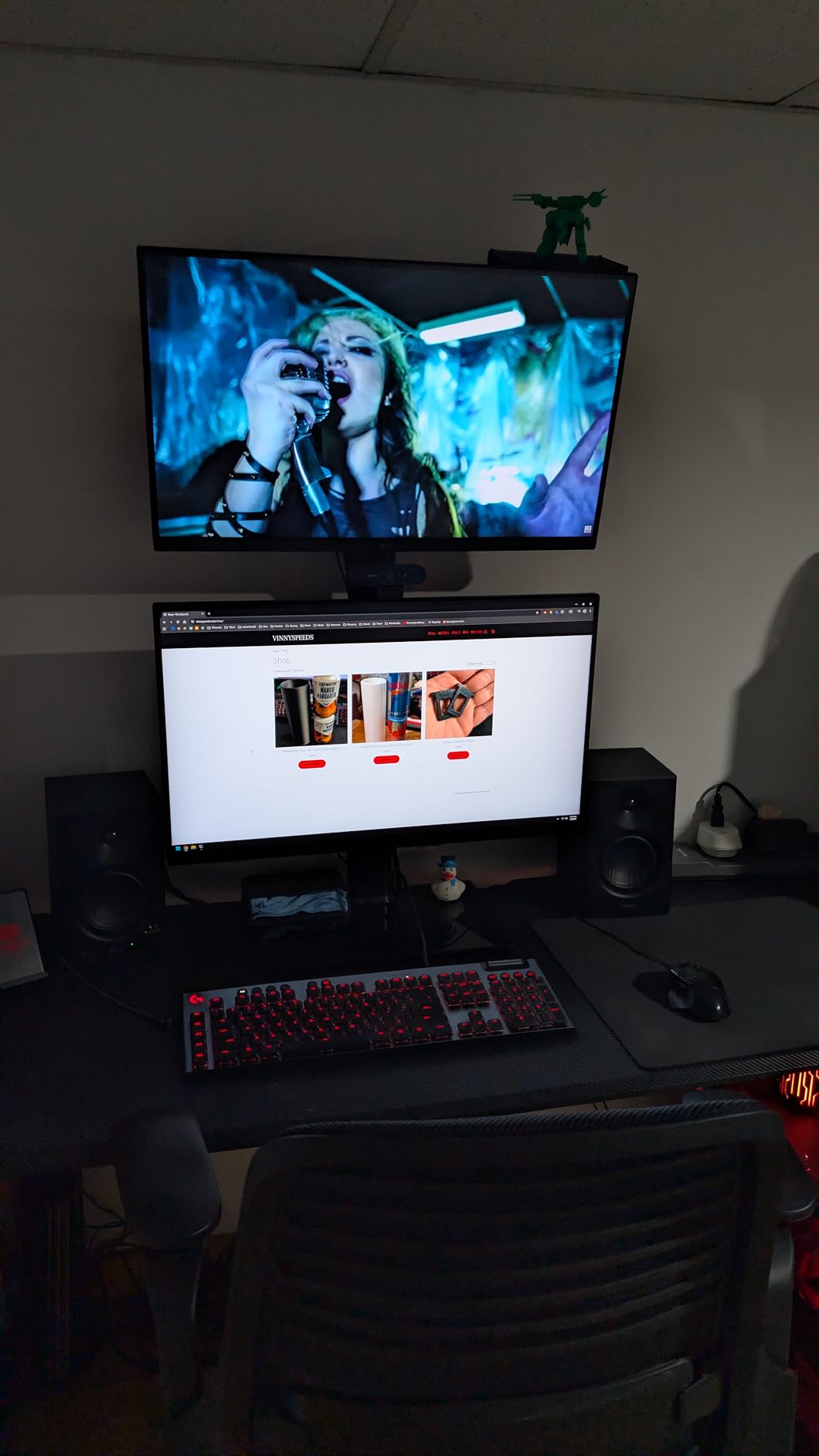
What makes it special
The dual mode design is more than a gimmick. Monitor mode gives you the flatter response you want for mixing decisions. Music mode adds a slight smile curve for casual listening. Being able to A/B between them in real time helps train your ear.
Best use cases
Bedroom producers, content creators, anyone on a tight budget who still wants honest translation. Skip it if you need deep sub-bass monitoring, since the 4-inch driver can’t reach below 60Hz without help.
3. M-AUDIO BX4 4.5″ Studio Monitors Pair – Best for Beginners
M-AUDIO BX4 4.5″ Wired Studio Monitors Pair
4.5-inch Kevlar woofer
120W bi-amped
RCA + 1/4-inch inputs
Pros
- Kevlar woofers deliver smooth
- punchy bass response
- Silk dome tweeters provide precise stereo imaging
- Bi-amplified 120W total power
- Rear-panel High/Low EQ dials
- Front-panel AUX headphone input for late-night sessions
Cons
- Right speaker is a passive satellite
- not truly active both sides
- Kevlar drivers lack a tweeter grille
- Bass reflex design needs space from rear wall
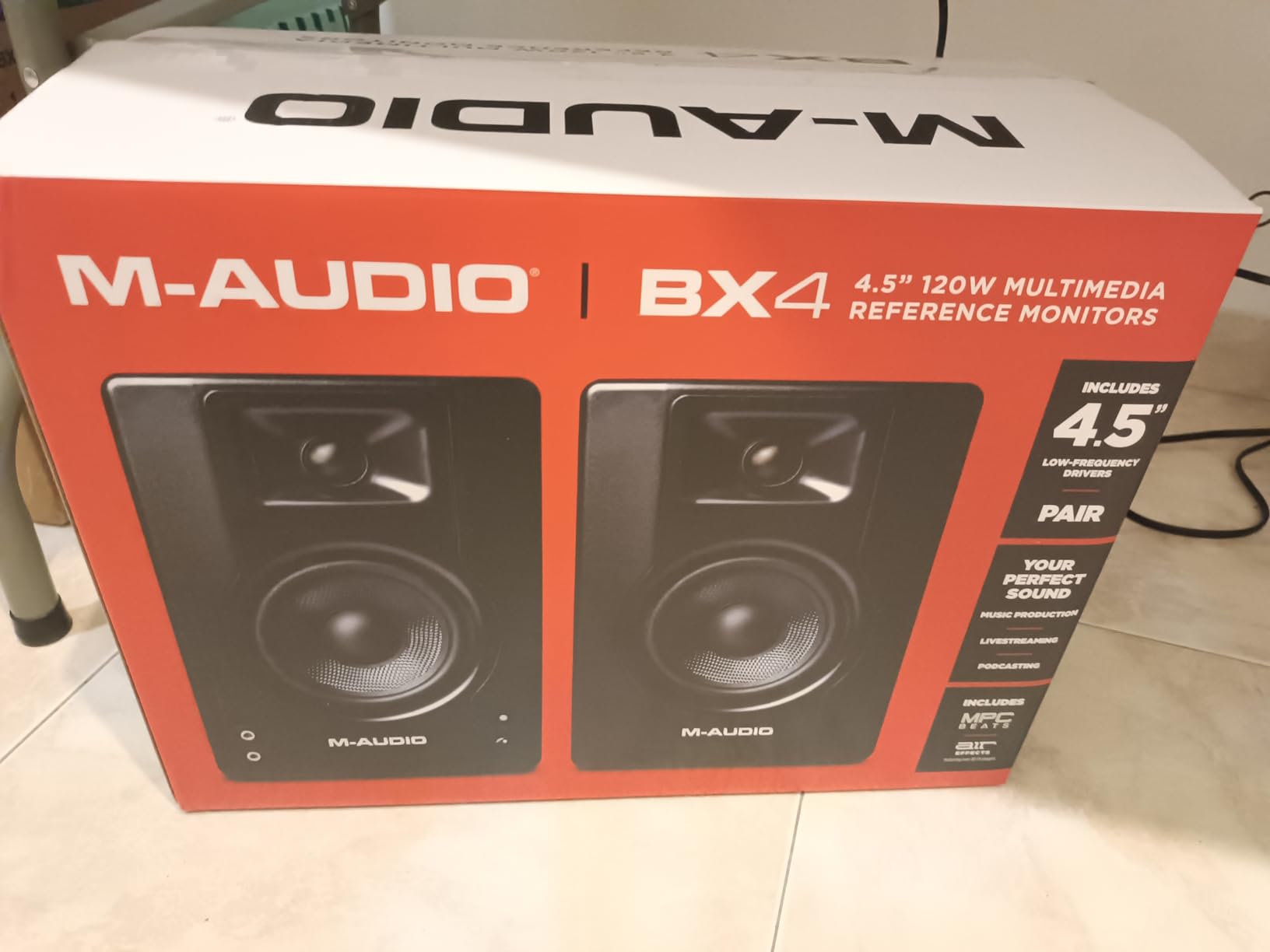
The M-AUDIO BX4 pair punches above its weight class. I had these on my desk for six weeks as a second reference, and they held their own against monitors costing twice as much. The 4.5-inch Kevlar woofers deliver tight, controlled bass that doesn’t smear when I push the volume, and the silk dome tweeters stay smooth on long sessions.
For producers just starting out, the rear-panel EQ dials are a quiet superpower. I dialed down the bass knob by 2 clicks in my bedroom and the low end went from boomy to balanced. You also get a front-panel 1/8-inch AUX headphone jack for silent mixing at midnight, which I used more than I’d like to admit.
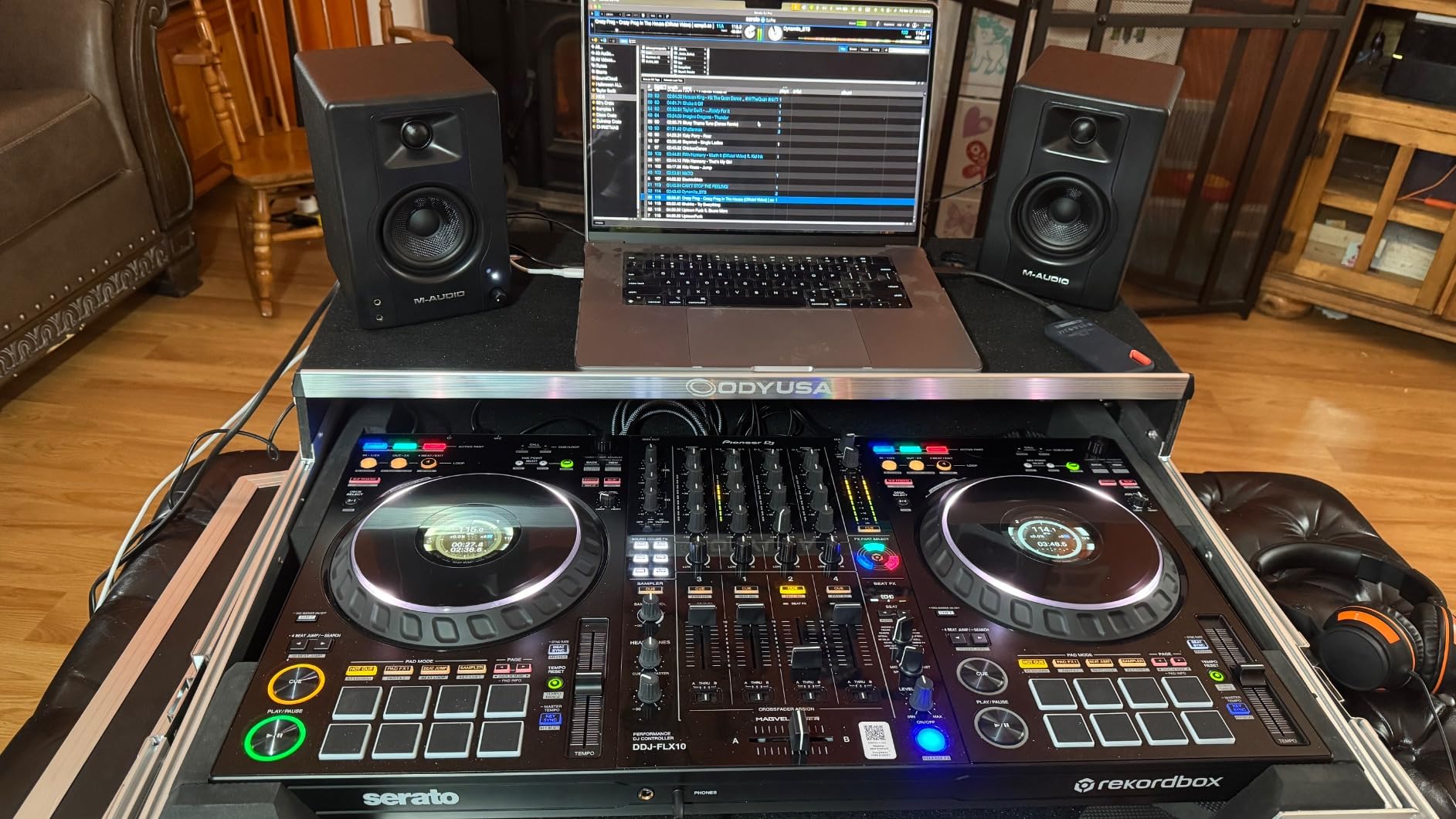
The honest downside is that the right speaker is a passive satellite. You’re not getting fully active monitoring on both sides, which slightly impacts true stereo imaging. Bass reflex design also means you need at least a few inches of clearance from the rear wall.
For a beginner producer on a tight budget, this is the entry point I’d recommend without hesitation. The build feels solid, the sound is honest enough to learn on, and you can always upgrade later. If you’re running a bedroom studio and want a clean, accurate reference without breaking the bank, the BX4 pair is a smart starting point.
Setup and pairing notes
Pair the BX4 with a dedicated audio interface like the Focusrite Scarlett Solo. The TRS inputs deliver noticeably cleaner signal than RCA. I ran them about 18 inches from my rear wall and angled them slightly inward toward my listening position.
Who should skip these
If you’re mixing bass-heavy hip-hop or EDM, you’ll want a monitor with deeper low-end extension. The 4.5-inch driver rolls off earlier than larger options, and you’ll find yourself guessing on sub frequencies without a subwoofer.
4. IK Multimedia iLoud Micro Monitor – Best Compact Portable
IK Multimedia iLoud Micro Monitor 50 watt Portable Wireless Bluetooth Studio Reference Monitors, Dual Speakers for Music Production, Mixing, Mastering, Composing, producing and DJs
3-inch woofer
50W RMS Class-D
Bluetooth + RCA
55Hz low end
Pros
- Ultra-compact with impressive volume and clarity
- Internal DSP for room and desktop compensation
- Class-D amps push 50W RMS with low end down to 55Hz
- Bluetooth-ready plus RCA and 1/8-inch inputs
- Portable and lightweight at 3.8 pounds per pair
Cons
- Some units buzz at low-mid frequencies
- Bluetooth reconnects on each power cycle
- Inter-speaker cable is short
The iLoud Micro Monitor is a technical miracle for its size. I took it on a two-week trip and used it as my main reference in a hotel desk setup, and it held up against monitors four times its size. The DSP-driven EQ presets let me compensate for desktop placement, and the 50W RMS Class-D amplification pushed clean volume well beyond what I expected from 3-inch woofers.
The stereo imaging is surprisingly precise. I tracked stereo-miked acoustic guitar through these and the width was clearly defined, with vocals sitting solidly in the center. For electronic producers who work on the go, this is the most practical portable solution I tested.
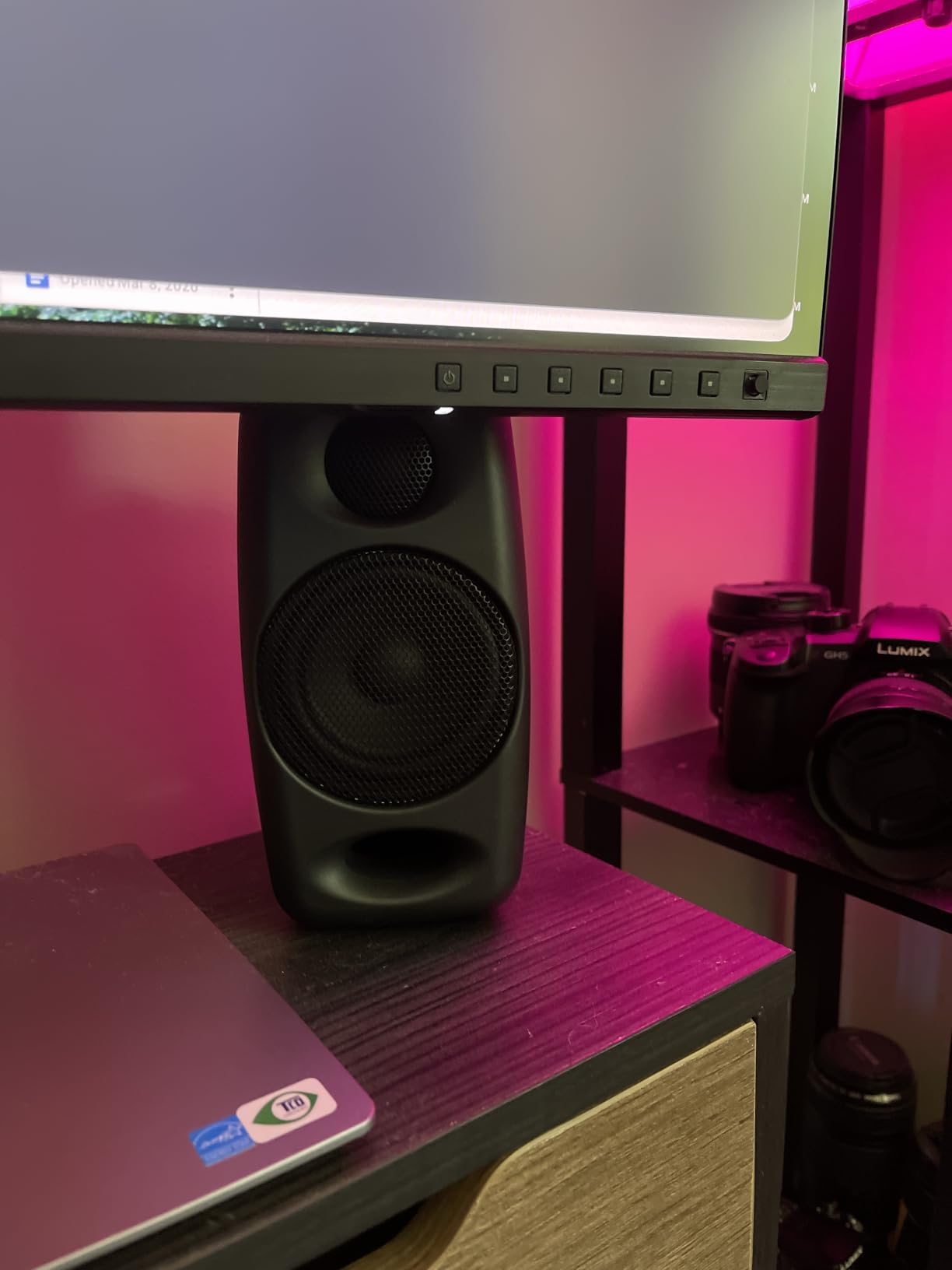
The most consistent complaint I saw across hundreds of reviews was a resonance at specific frequencies, notably in the male vocal range. I experienced a faint buzz in one unit that disappeared when I moved it slightly off the desk. The inter-speaker cable is also short, which can complicate wider stereo setups.
If your studio setup is mobile or you produce in multiple locations, the iLoud Micro Monitor solves a problem most studio monitors can’t. It won’t replace a full-size 8-inch monitor in a treated room, but for laptop producers and traveling musicians, it’s hard to beat.
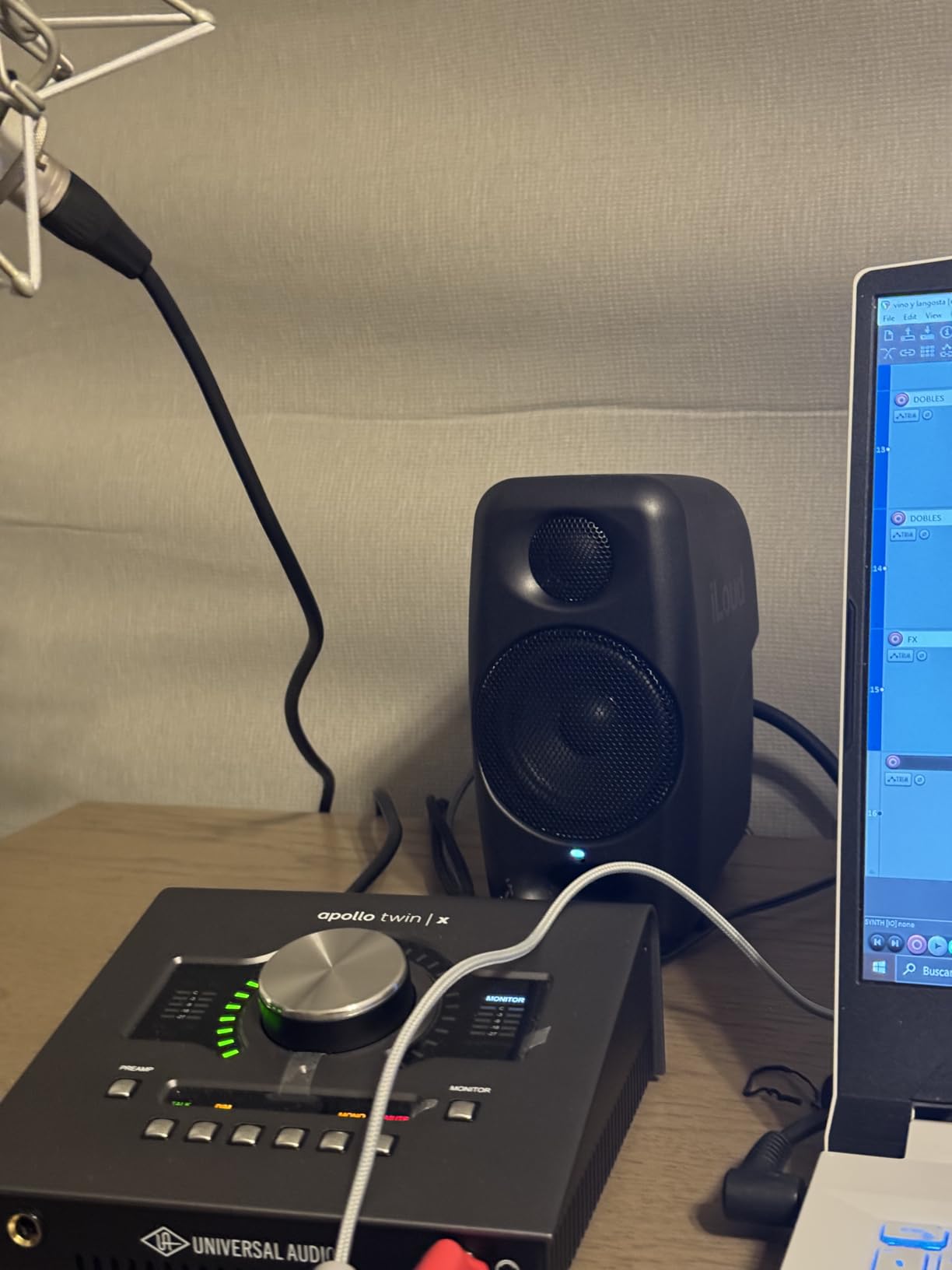
Setup and positioning tips
Use the desktop EQ mode if placing on a desk, free-field mode if placing on stands away from walls. The bass reflex port is front-firing, so wall proximity isn’t a major concern like rear-ported designs.
Limitations to consider
3-inch drivers can’t reach true sub-bass frequencies. For hip-hop or EDM with heavy sub content, you’ll want to pair with a subwoofer or use headphones for low-end verification.
5. PreSonus Eris 3.5 Studio Monitors – Budget Pick
PreSonus Eris 3.5 Powered Studio Monitors, Pair — 3.5” Active Near
3.5-inch woven woofer
50W Class-D
TRS + RCA + aux
Pros
- 50W built-in amplification for clear
- dynamic sound
- 3.5-inch woven-composite woofers deliver tight bass
- 1-inch silk-dome tweeters smooth harsh highs
- Built-in high and low acoustic tuning controls
- Balanced TRS
- RCA
- and front aux input
Cons
- Right speaker is passive satellite
- 3.5mm input can be noisy
- 5-10 second startup delay when powering on
The PreSonus Eris 3.5 is the monitor I bought for my younger brother when he started producing beats in his dorm room. Six months later he’s still using them as his main pair. They’re compact enough for a desk, loud enough for casual A/B testing against car speakers, and accurate enough to learn proper mixing on.
The acoustic tuning knobs on the rear panel are a beginner’s best friend. High and low frequency dials let you compensate for room placement, which matters more than most beginners realize. I set them flat in a treated room, then dialed down the bass by one click in my untreated bedroom for a more honest translation.
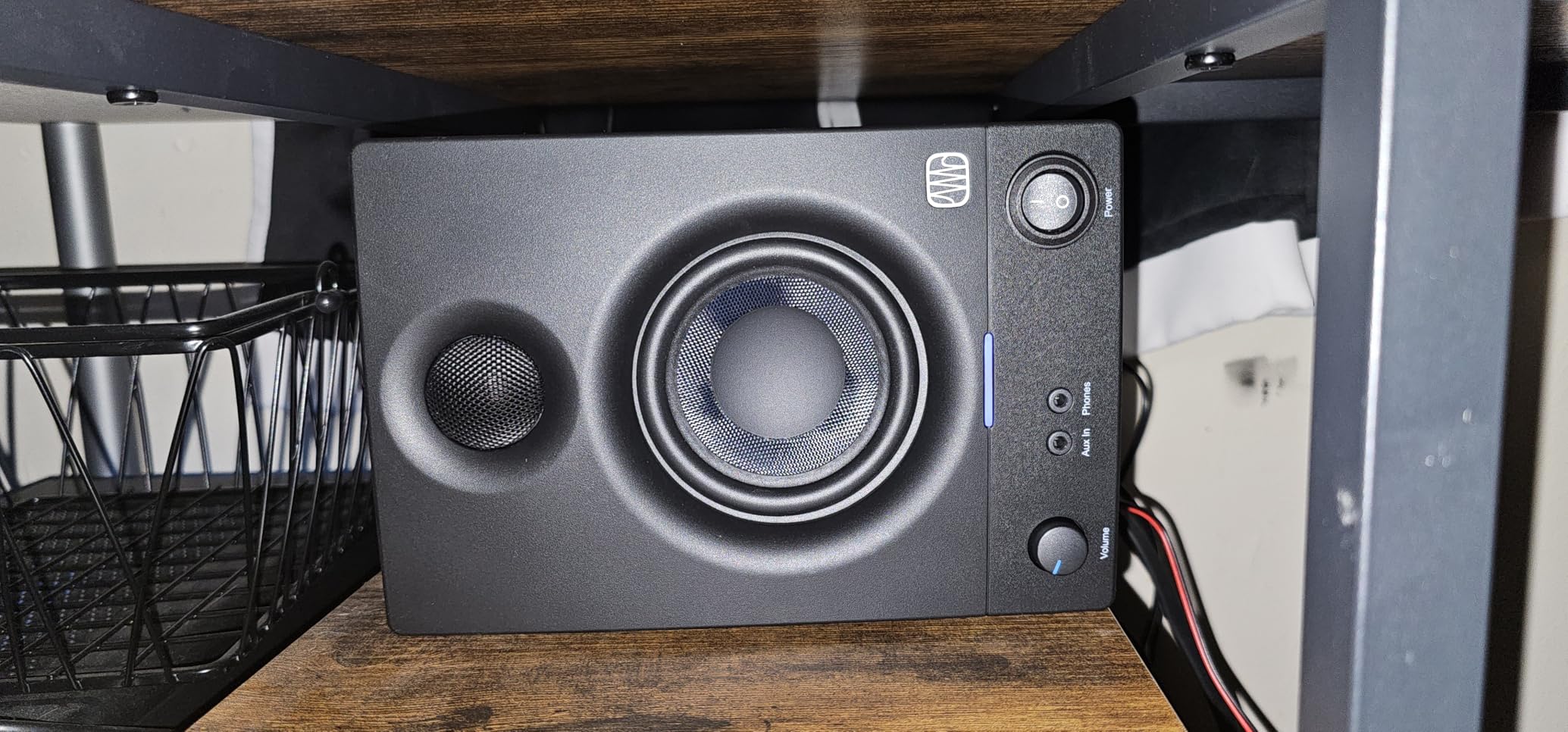
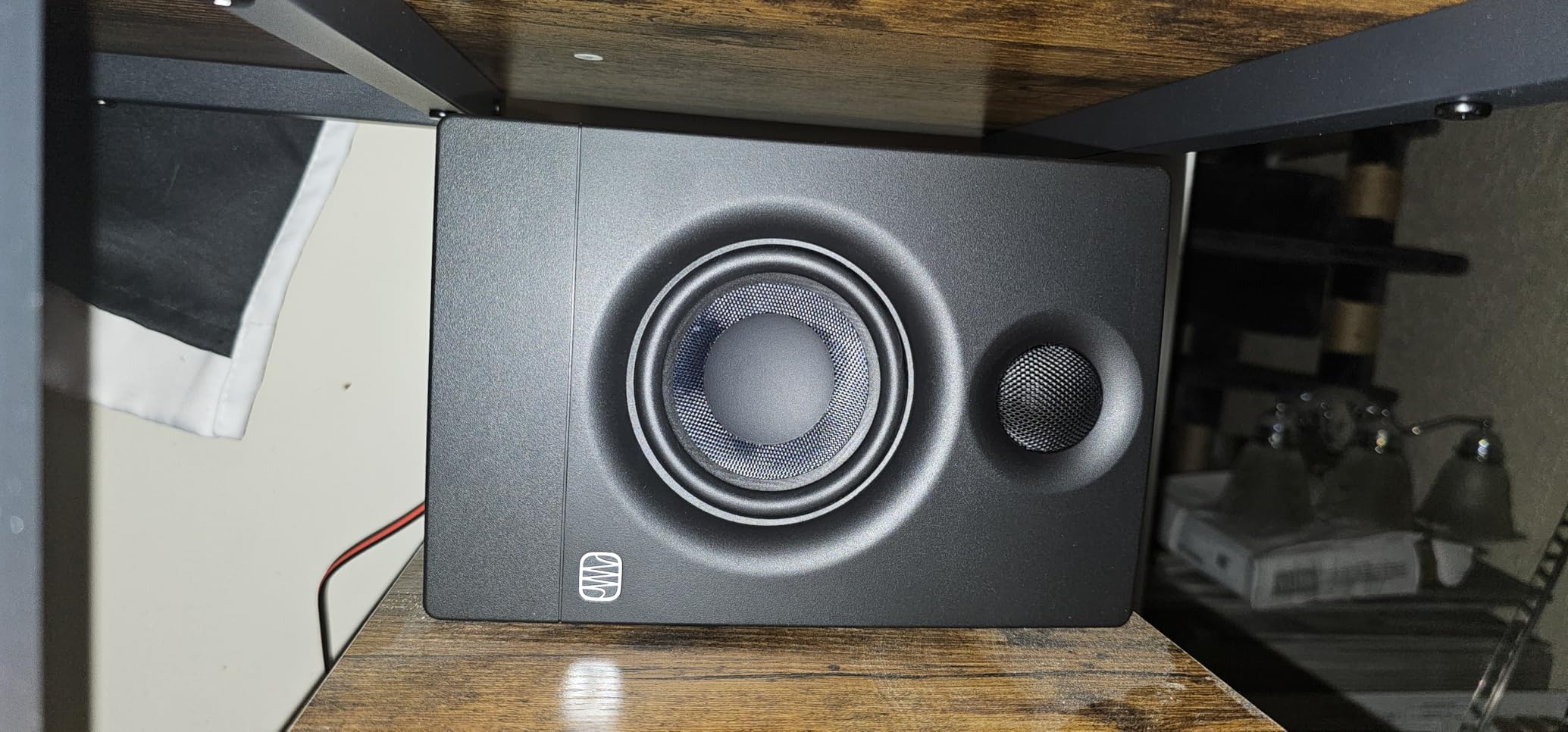
Like the M-AUDIO BX4, the right speaker is a passive satellite. You’re getting amplification and active crossover in one speaker, with the other running through a slave cable. For a $100 pair, this is acceptable, but it does mean stereo imaging isn’t quite as precise as fully active designs.
For absolute beginners, the Eris 3.5 represents the lowest reasonable entry point into proper studio monitoring. You’ll outgrow them as your room and skills improve, and that’s by design. They teach you what to listen for without overwhelming you.
What to pair with them
Use the TRS inputs rather than the 3.5mm aux jack for the cleanest signal. A basic audio interface like the PreSonus AudioBox USB 96 makes these sound noticeably better than running them direct from a laptop headphone output.
When to upgrade
When you start mixing tracks that need to translate to club systems or commercial releases, you’ll want a monitor with deeper bass extension. The 3.5-inch driver rolls off around 80Hz, leaving sub frequencies to headphones.
6. YAMAHA HS5 Powered Studio Monitors – Best for Honest Mixing
YAMAHA Hs5 Powered Studio Monitor, Pair
5-inch woofer
70W bi-amped
54Hz to 30kHz
XLR + TRS
Pros
- Sonic purity with no coloring or alteration
- 2-way bass reflex bi-amplified design
- 54Hz to 30kHz frequency response
- XLR and TRS inputs for balanced or unbalanced signals
- Sturdy build with premium feel
Cons
- Bass response is tame and benefits from a subwoofer
- Rear ported requires at least 6 inches from walls
- Limited bass extension for bass-heavy genres
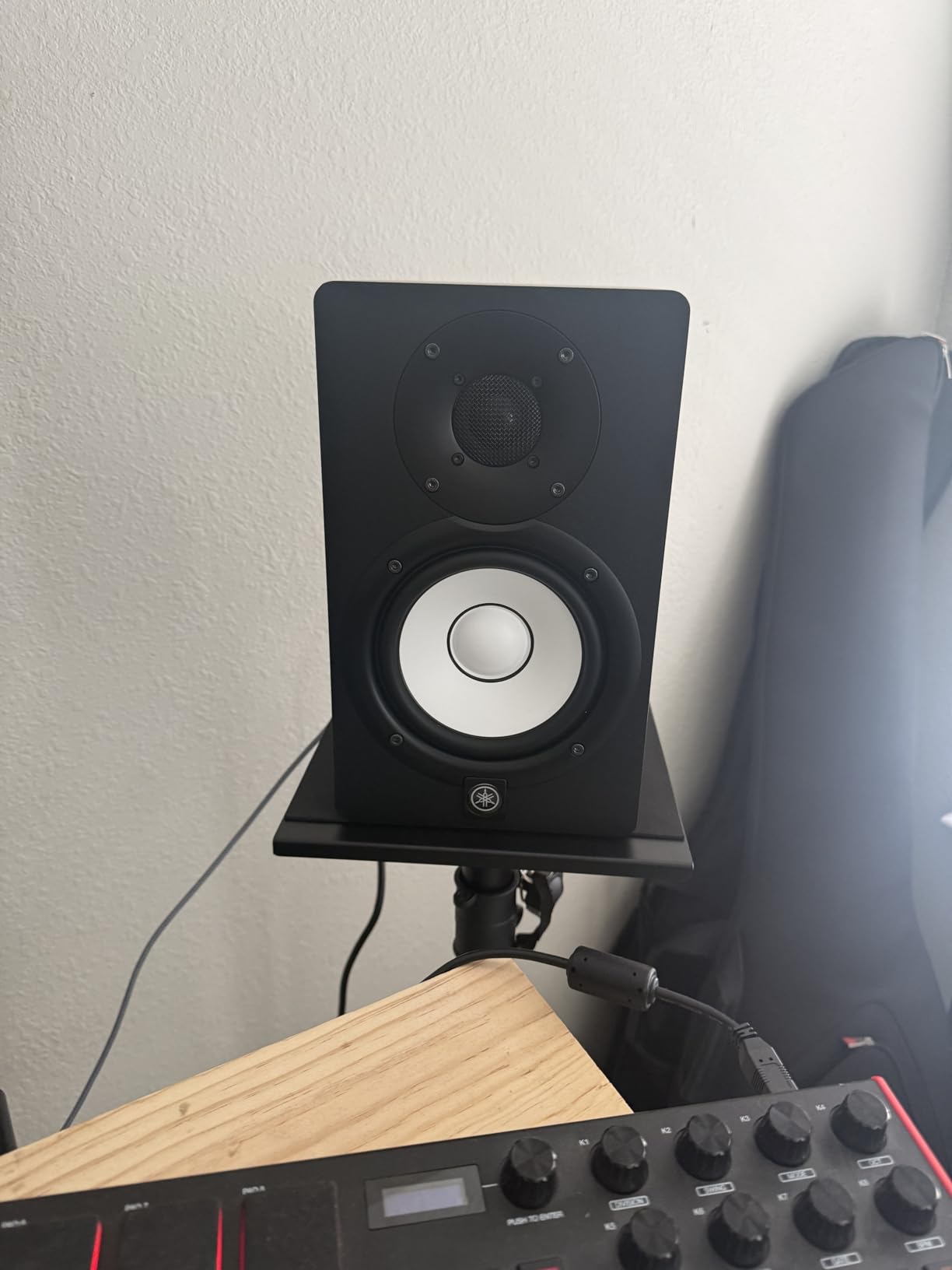
The Yamaha HS5 is the monitor producers on Reddit call “the most honest.” After a month of mixing exclusively on these, I understand why. Every flaw in my mix showed up immediately. Muddy low mids? I heard them. Harsh cymbals? Obvious. Vocal masking? Crystal clear. If the HS5 doesn’t like something in your mix, your listeners won’t either.
The 54Hz to 30kHz frequency response is genuinely impressive for a 5-inch monitor. High-frequency detail extends well beyond most competitors, which makes it easier to spot problems with hi-hats, vocal sibilance, and overhead mic placement. The bi-amplified design (45W low + 25W high) keeps the woofer and tweeter in separate, optimized amp paths.
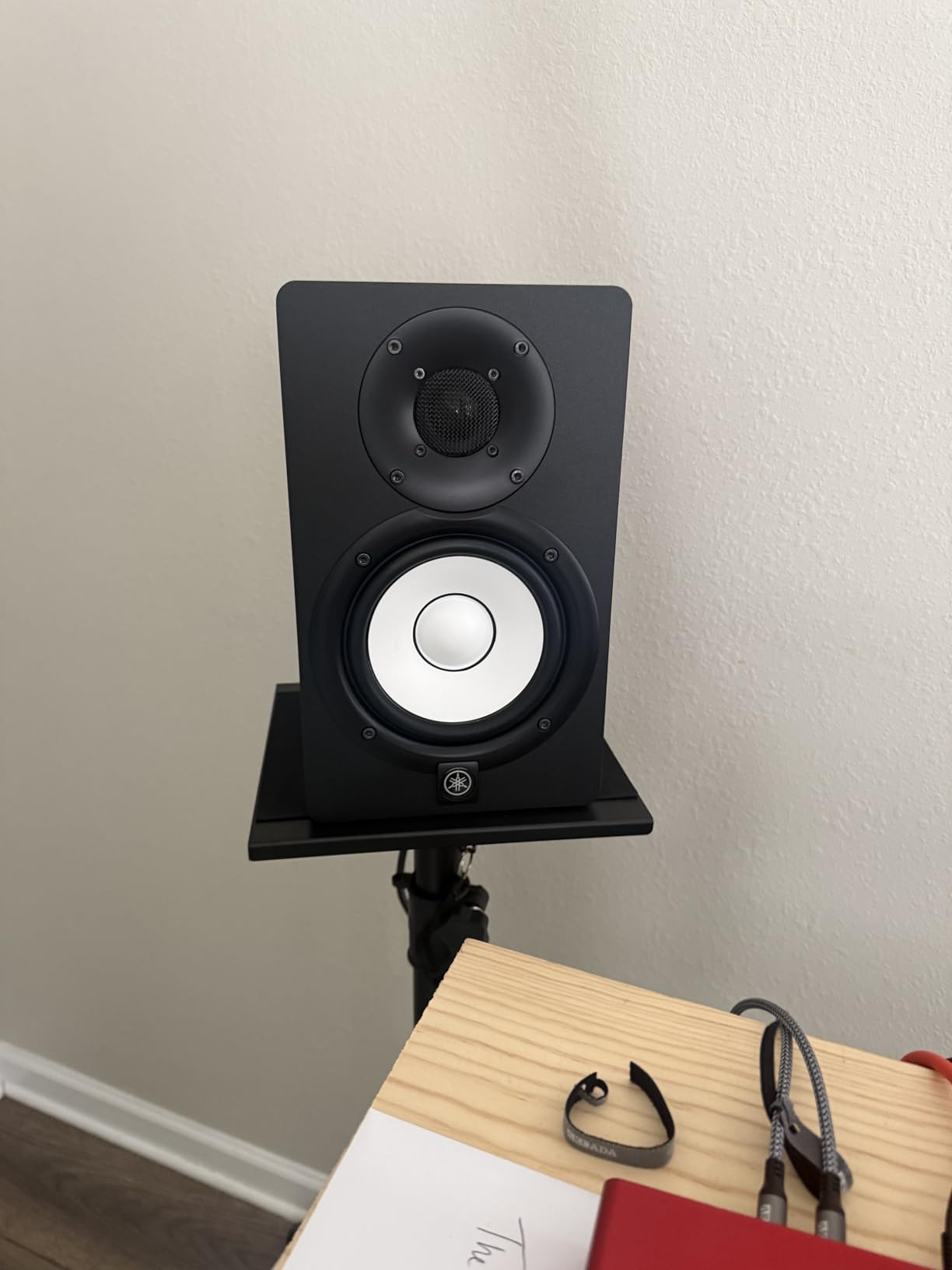
The bass response is intentionally restrained. Yamaha tuned the HS series for accuracy over flattering low end. If you produce EDM, hip-hop, or any bass-heavy genre, plan on adding a subwoofer eventually. The rear port also needs at least 6 inches of wall clearance, which can complicate smaller desk setups.
For producers who prioritize translation over hype, the HS5 is the gold standard at this price. It’s the monitor I trust most to tell me when a mix is finished.
Why producers love it
Yamaha’s HS series has been a studio staple for over a decade. The neutral response means what you hear is what’s in your mix, not what the speaker adds. This makes it easier to develop mixing instincts that translate across playback systems.
Pairing recommendations
Pair with the Yamaha HS8S subwoofer if you need full-range monitoring. Use monitor stands to get the tweeters to ear level and angle them slightly inward toward the listening position. Treat your room first, as the HS5’s honesty will reveal every reflection.
7. ADAM Audio T5V Studio Monitor – Best for Transparency
ADAM Audio T5V Studio Monitor
5-inch woofer
70W bi-amped
U-ART ribbon tweeter
DSP room filters
Pros
- HPS waveguide and U-ART tweeter deliver detailed highs
- Beveled cabinet with rear-firing bass reflex port
- DSP-based high/low shelf filters for room tuning
- Multiple analog connections including XLR
- TRS
- and RCA
- Pairs with ADAM T10S subwoofer for extended low end
Cons
- Single speaker listing requires buying two for stereo
- Polypropylene enclosure feels less premium than wood
- Lacks front-panel headphone output on some configs
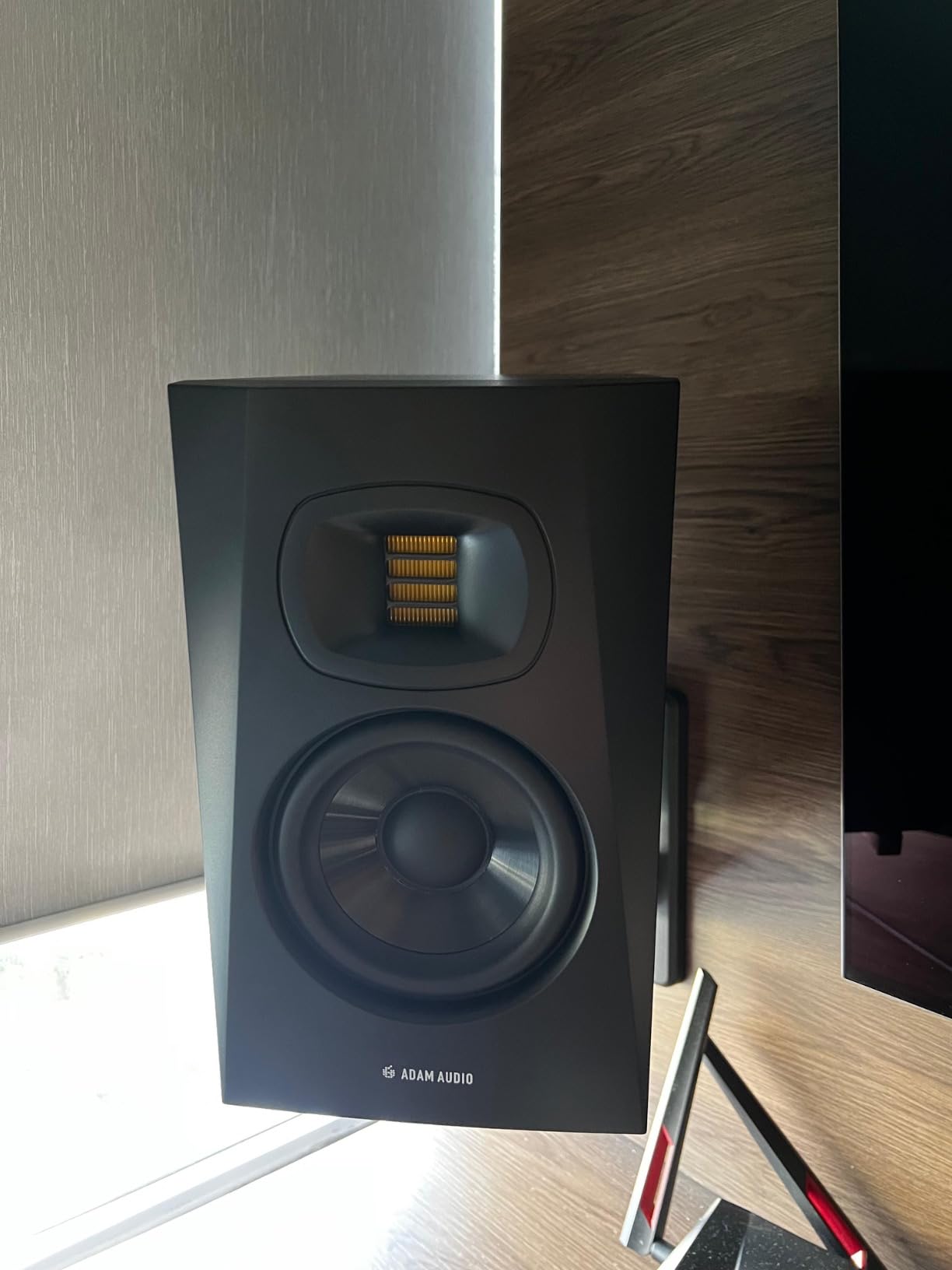
The ADAM Audio T5V is what I reach for when I want to hear exactly what’s happening in the high frequencies. The U-ART ribbon tweeter is the star of the show. It delivers a level of detail and airiness in the top end that dome tweeters struggle to match. Cymbal decay, vocal sibilance, and string harmonics are all rendered with surgical precision.
The DSP-based room tuning switches on the rear panel are a thoughtful inclusion. I dialed in the high shelf to tame a slight brightness in my untreated bedroom, and the difference was immediate. The HPS waveguide also helps with imaging, creating a focused sweet spot for critical listening.
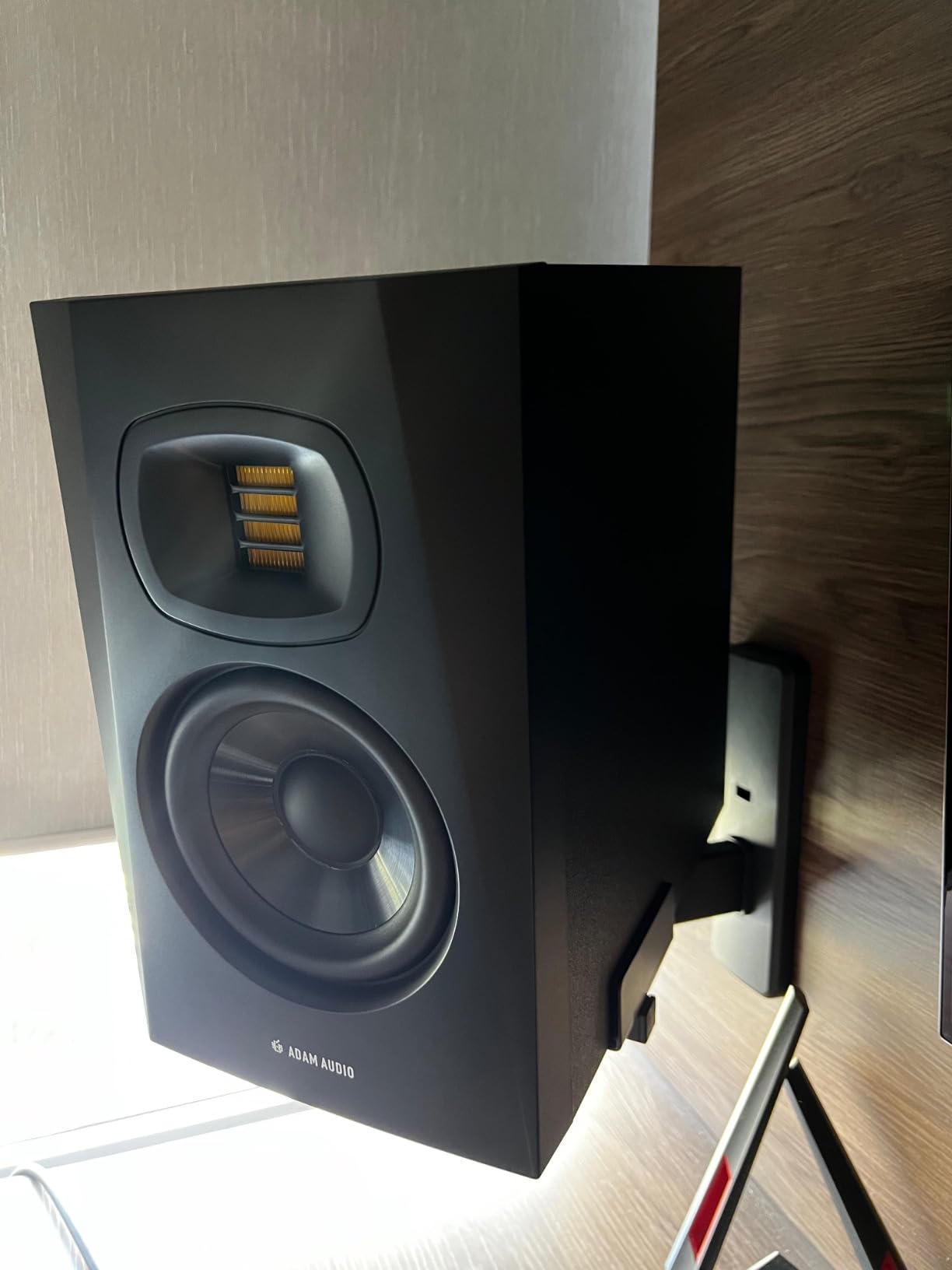
Important note: this listing is for a single speaker. You’ll need to buy two for stereo monitoring, which puts the total cost above some complete pair packages. The polypropylene enclosure also feels less luxurious than the wood cabinets of competitors. And these monitors need space from walls to sound their best.
For producers who value high-frequency transparency above all else, the T5V is hard to beat at this price. The ribbon tweeter technology was once reserved for studios with flagship budgets. ADAM Audio brought it to the project studio tier.
Best use cases
Mixing and mastering engineers, classical and jazz producers who need accurate string and brass reproduction, anyone working on tracks with detailed high-frequency content like acoustic guitars, hi-hats, and vocal overdubs.
Setup notes
Place the T5V at least 12 inches from the rear wall to avoid bass reflex port issues. Use the DSP room filters to compensate for placement near walls or in corners. The HPS waveguide performs best when monitors are angled directly at your listening position.
8. ADAM Audio D3V Desktop Studio Monitors – Best USB-C Desktop
ADAM Audio D3V Active Desktop Studio Monitor Speakers – Black
3.5-inch aluminum woofer
80W total
USB-C + TRS
D-ART ribbon tweeter
Pros
- USB-C direct connection no audio interface needed
- 3.5-inch aluminum woofers with dual passive radiators
- 1.5-inch D-ART ribbon tweeter for precise highs
- DSP-powered room correction switches
- Detachable 15-degree angled stands included
Cons
- USB input is only 16-bit best results require external DAC
- Inter-speaker cable is proprietary and short
- No Bluetooth connectivity
The ADAM Audio D3V surprised me. I expected a compromised compact monitor with a ribbon tweeter gimmick, but what I got was a serious desktop reference. The USB-C direct connection means you can plug a laptop straight in and skip an audio interface entirely. For producers who want simplicity, that’s huge.
The dual passive radiators extend the low end down to 45Hz, which is impressive for 3.5-inch drivers. I tested these on my desk for three weeks and never felt cheated on bass response. The D-ART ribbon tweeter delivers the same detail I loved in the T5V, just scaled down for desktop placement.
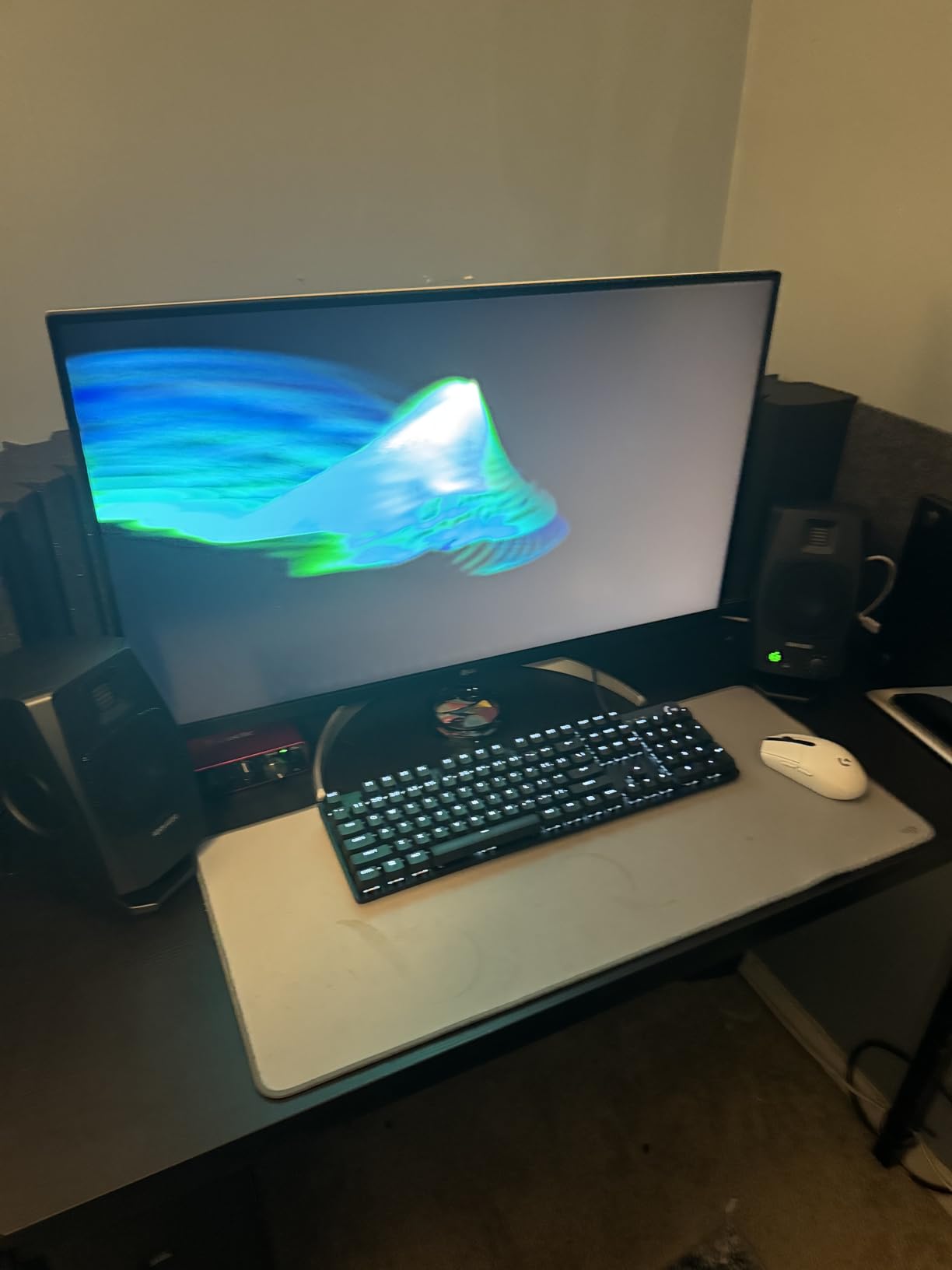
The USB input is limited to 16-bit resolution, which means you’re not getting full studio quality over USB. For best results, connect via balanced TRS from an audio interface or DAC. The inter-speaker cable is also proprietary and relatively short, which limits wide stereo placement.
For producers who work primarily on a desktop and want a clean, simple setup, the D3V is one of the best choices in 2026. The ribbon tweeter detail at this size and price is genuinely unusual.
Why it’s special
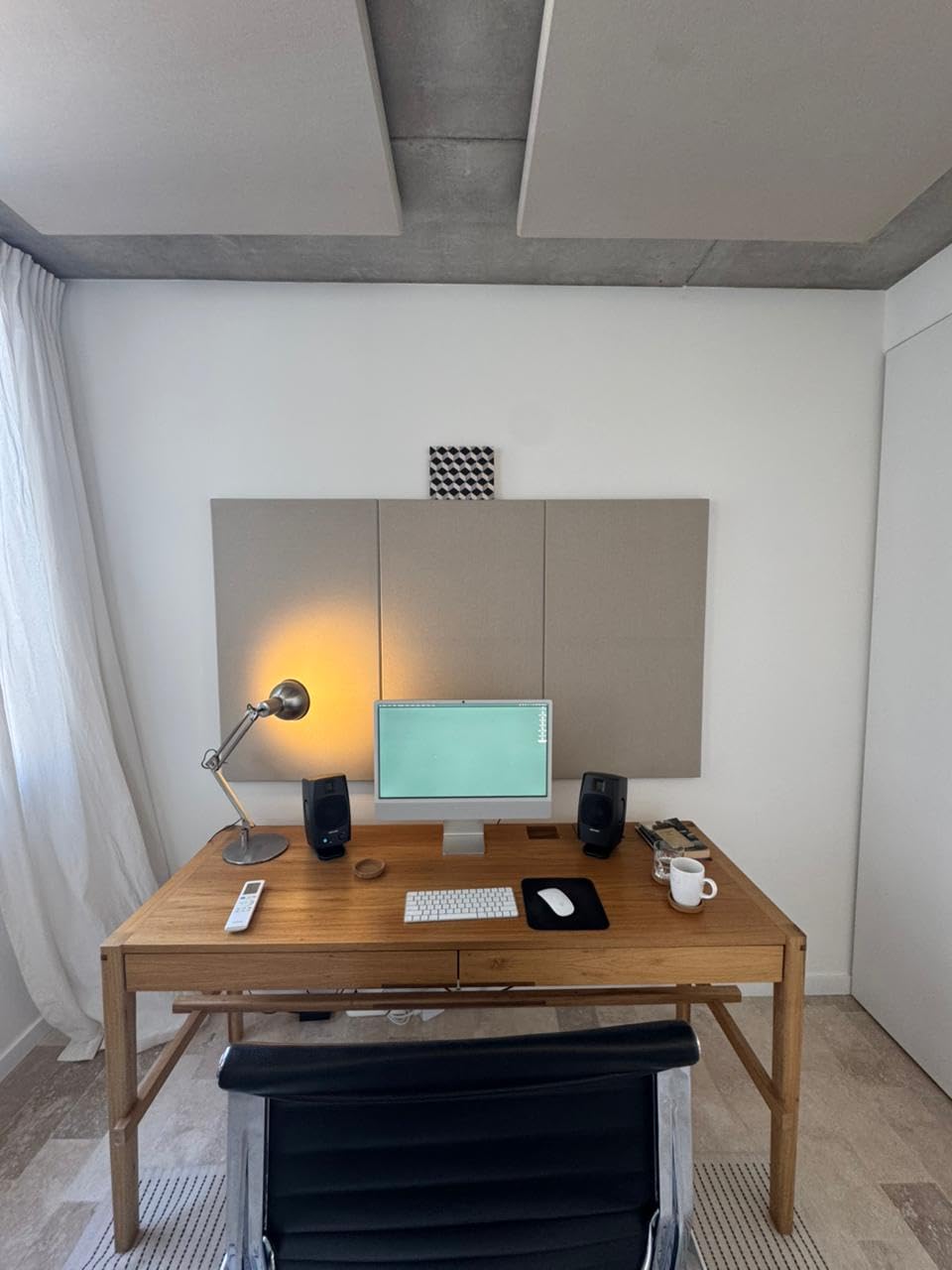
The USB-C connection with built-in DAC removes a major barrier for beginners. No audio interface needed, no driver installs, just plug and produce. The DSP room correction switches help compensate for the desk-bound placement that most producers actually use.
Best for these setups
Laptop producers, small bedroom studios, anyone who wants pro-grade monitoring without a stack of outboard gear. Less ideal for producers who need wide stereo imaging or full-range sub-bass response.
9. KRK Rokit 7 G4 Studio Monitor Pair – Best for EDM
KRK Rokit 7 G4 Studio Monitor Speaker Bundle – Pair, Black
7-inch Kevlar woofer
100W Class-D
LCD DSP EQ
Front-firing port
Pros
- Professional grade 7-inch Kevlar drivers
- Built-in efficient Class-D power amp
- Onboard LCD visual DSP-driven EQ
- Front-firing bass reflex port for flexible placement
- Proprietary drivers built in-house
Cons
- Class-D amps hiss at baseline
- Some units fail within a year due to capacitor issues
- Very large and heavy requires significant space
- Front-panel KRK logo doubles as power indicator
The KRK Rokit 7 G4 is the monitor electronic music producers keep coming back to. The 7-inch Kevlar woofer reaches deeper into the low end than smaller monitors, which matters when you’re sculpting sub-bass in a techno or hip-hop track. After two months of producing techno and drum and bass on these, I had far fewer low-end translation issues when testing on club systems.
The onboard LCD DSP EQ is genuinely useful. Unlike most monitors that hide room tuning behind dip switches, the Rokit G4 puts it on a visible screen. I tuned the low end for my untreated bedroom within minutes, and the response flattened noticeably.
The Class-D amps produce a baseline hiss that’s noticeable in quiet rooms. I heard it from my listening position, though it disappeared once music played. Some owners report reliability failures within the first year, particularly capacitor and power switch issues. These monitors are also physically large and heavy, so plan your space accordingly.
For EDM, hip-hop, and any bass-heavy genre, the Rokit 7 G4 gives you enough low-end extension to make decisions without a subwoofer. The yellow Kevlar cones are iconic in producer circles for good reason.
Why EDM producers choose these
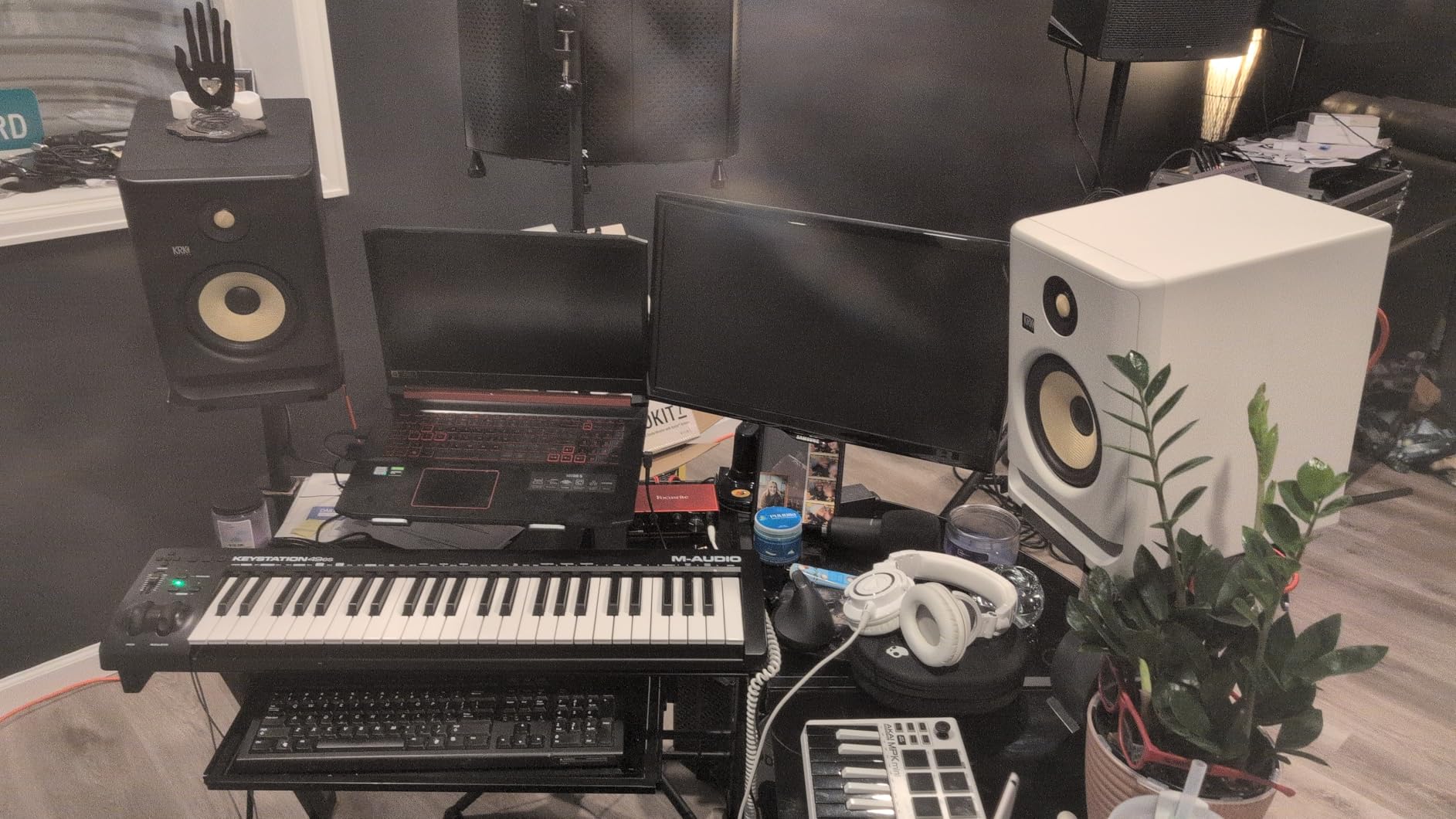
The extended low-end from the 7-inch woofer means you can sculpt sub-bass and kick punch without constant headphone referencing. The flat response above the bass region keeps the mids and highs honest. The yellow cones are a visual cue that says “this is a producer’s monitor.”
Room requirements
The Rokit 7 G4 needs space. Don’t put these on a small desk against a wall. Use proper monitor stands at least 12 inches from the rear wall. These are near-field monitors but they’re at the larger end of that category. Smaller rooms may be overwhelmed by the low-end output.
10. Pioneer DJ DM-40D 4-inch Monitors – Best for DJs
Pioneer DJ DM-40D 4-inch Active Desktop Monitor Speakers, Pair, Black
4-inch woofer
42W per side
Class-D + DSP
RCA + 1/4-inch
Pros
- Compact 4-inch active monitors fit any DJ or production desk
- DSP tuning delivers clear balanced sound
- DJ-tuned voicing for punchy defined low end
- Active design with built-in amplification no amp needed
- Ideal desktop match for DDJ controllers and home setups
Cons
- Lacks Bluetooth on base DM-40D
- Fiberglass enclosure feels less premium than wood
- Limited low-end extension without subwoofer
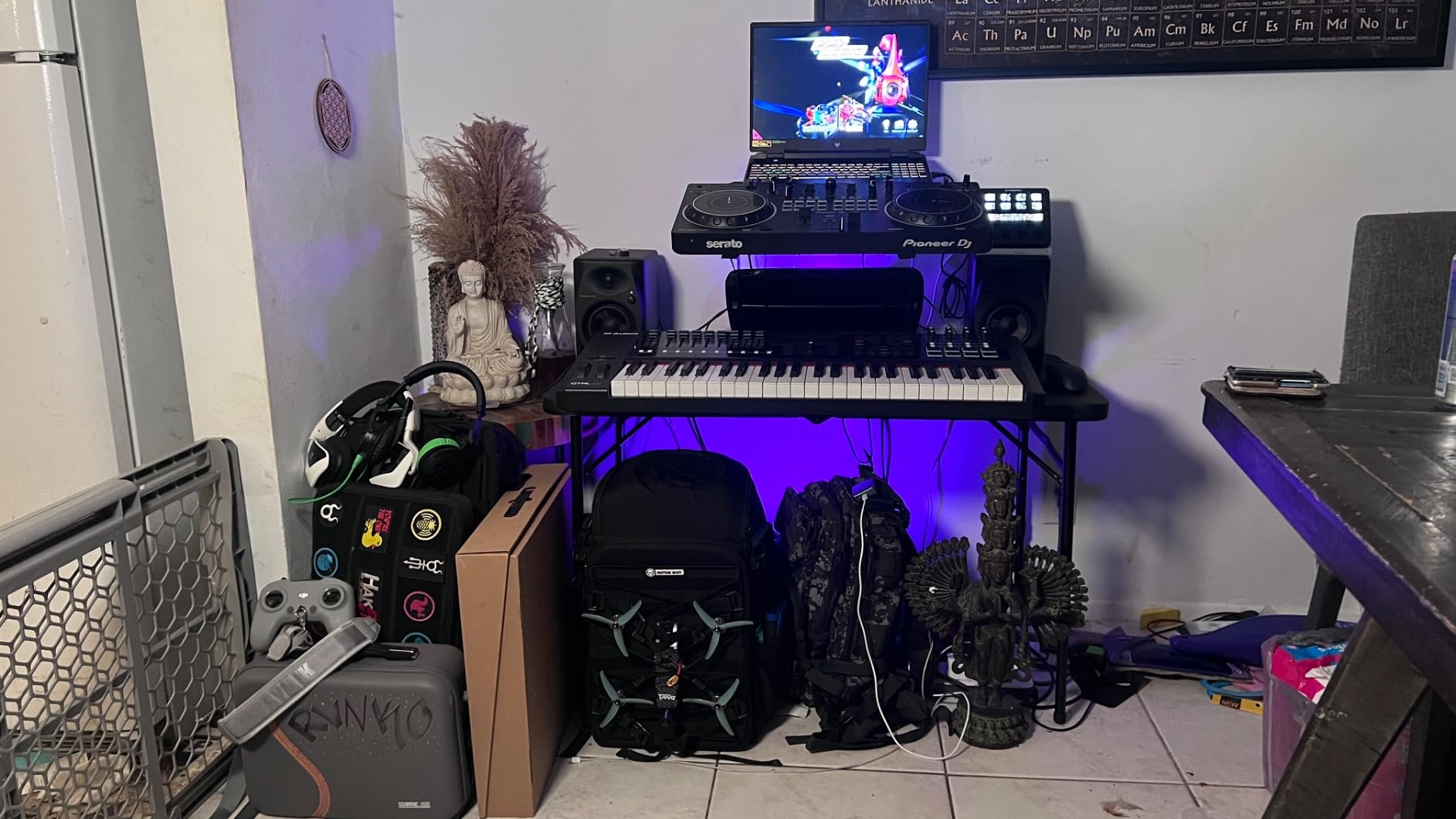
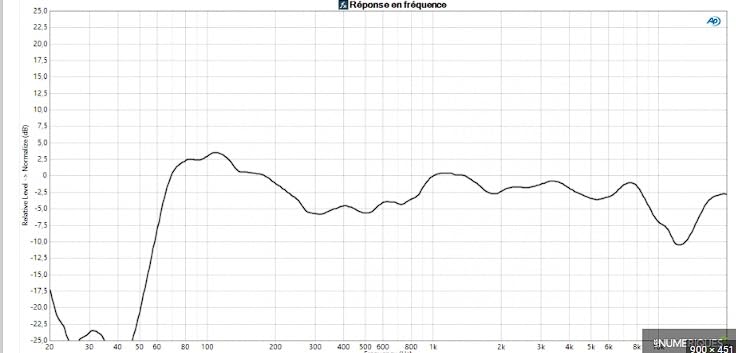
The Pioneer DJ DM-40D is the monitor I recommended to my DJ friend who wanted to practice mixing without headphones. The DJ-tuned voicing gives you punchy, defined low end at the desktop, which matters when cueing tracks and beatmatching by ear. The 4-inch woofers are compact enough for tight DJ booth setups.
Setting these up next to a Pioneer DDJ controller is genuinely plug-and-play. The active design means no external amp, and the RCA plus 1/4-inch inputs cover virtually any DJ controller or audio interface you already own. The DSP tuning keeps the sound balanced even when placed close to a laptop or other electronics.
The base DM-40D doesn’t have Bluetooth. If you need wireless streaming, look at the DM-40DBT variant. The fiberglass enclosure also feels less premium than wood cabinets. And like most 4-inch monitors, you’ll want a subwoofer for full-range monitoring on bass-heavy genres.
For bedroom DJs and producers who run a DDJ or similar controller, the DM-40D is the most purpose-built option at this size. The voicing was tuned specifically for DJ-style monitoring, and that shows in the punchy low end.
Best for these workflows
Bedroom DJs, beginner producers who already own a DJ controller, anyone who needs compact monitors that can sit on either side of a controller without dominating the desk. The sound signature favors punch over analysis.
Setup recommendations
Place the DM-40D at ear level on either side of your controller, angled slightly toward your listening position. Keep them at least 6 inches from the rear wall. If you produce rather than just DJ, consider the more neutral voicing of the Edifier MR4 or JBL 305P MkII.
Buying Guide: How to Choose the Best Studio Monitor Speakers for Music Production?
Picking the right pair of studio monitor speakers depends on three things: your room size, your genre, and your budget. Get any of these wrong and you’ll either struggle with translation or overspend on features you’ll never use. Here’s how I think through the decision.
Match driver size to room size
This is the rule most beginners get wrong. Driver size matters more than brand prestige for room compatibility. In a small bedroom (under 10×10), 3.5-inch or 4-inch monitors are usually the right call. The 5-inch sweet spot works for most home studios (10×12 to 12×12). 6.5-inch and 8-inch monitors need treated rooms of at least 12×15 to sound right. Putting 8-inch woofers in an untreated bedroom causes bass buildup that no EQ can fully fix. For sub-bass heavy production, consider adding a dedicated studio subwoofer rather than oversized mains.
Active vs passive monitors explained
Every monitor on this list is active (powered), meaning the amplifiers are built into the speaker cabinet. Active monitors have the amp matched to each driver, which simplifies setup and usually sounds better than pairing a passive monitor with a separate amp. The tradeoff is that if the amp fails, you repair the whole speaker rather than swapping an amp. Passive monitors need an external power amp, which adds cost and complexity. For 95% of home producers, active is the right choice. You’ll also want to pair your monitors with a proper set of studio headphones for cross-referencing mixes.
The 38 percent placement rule
Where you put your monitors matters as much as which pair you buy. The 38 percent rule is a starting point: measure your room’s length, multiply by 0.38, and place your monitors at that distance from the front wall. So in a 12-foot room, that’s about 4.5 feet from the wall. Then form an equilateral triangle between your head and the two speakers. Tweeters should be at ear level. This isn’t dogma, but it gets you 80% of the way to a good starting position.
Why room treatment beats expensive monitors
I tested the M-AUDIO BX4 in a treated room and an untreated room. Same monitors, same audio interface, same music. The untreated room made them sound boomy and smeared. The treated room made them sound detailed and honest. An entry-level pair in a treated room will out-mix a flagship pair in an untreated room. Bass traps in corners, acoustic panels at first reflection points, and a reflection-free zone behind your console are the three highest-impact upgrades you can make. Producers on Reddit and Gearspace consistently say room treatment matters more than which monitor you buy.
Genre matching
Different genres reward different monitor characteristics. EDM and hip-hop producers benefit from larger woofers (5-inch minimum, 6.5 or 8-inch preferred) and accurate sub-bass response. The KRK Rokit 7 G4 and JBL 305P MkII are strong choices. Vocal producers and singer-songwriters often prefer the high-frequency detail of ribbon tweeters like the ADAM Audio T5V. Mixing engineers usually want the flattest, most neutral response, which is why the Yamaha HS5 has been a studio staple for over a decade. Beat makers on tighter budgets can start with the PreSonus Eris 3.5 or Edifier MR4 and learn what to listen for.
Connectivity and audio interface pairing
Most studio monitors use balanced TRS or XLR inputs, which reject noise over long cable runs. RCA inputs are convenient but unbalanced, so they pick up hum near computers. If your audio interface has TRS or XLR outputs (most do), use those. For laptop-only setups, the ADAM Audio D3V with USB-C direct connection removes the audio interface from the equation entirely. Bluetooth is convenient for casual listening but introduces compression and latency that make it unsuitable for serious monitoring. If you need a fuller production setup, check our studio desk recommendations and broader speaker guide. For compact setups, our desktop speakers guide covers even smaller form factors.
Frequently Asked Questions
What are the best monitor speakers for music production?
The best studio monitor speakers for music production in 2026 depend on your room and budget. For most home studios, the JBL 305P MkII is our top pick for its wide sweet spot and room-tuning EQ. Budget-conscious producers should consider the Edifier MR4 or M-AUDIO BX4. For EDM and bass-heavy genres, the KRK Rokit 7 G4 delivers deeper low end. Transparent top-end fans gravitate to the ADAM Audio T5V with its ribbon tweeter.
What is the 38 percent rule for studio monitors?
The 38 percent rule is a starting point for monitor placement. Measure your room’s length from the front wall (behind your monitors) to the back wall. Multiply that distance by 0.38. Place your monitors at that distance from the front wall. In a 12-foot room, that’s roughly 4.5 feet from the wall. Form an equilateral triangle between your head and the two speakers, with tweeters at ear level. This reduces bass buildup from front-wall reflections.
Do I need an amplifier for studio monitors?
Most modern studio monitors are active (powered) with built-in amplifiers matched to each driver. If you buy active monitors, you do not need a separate amplifier. Passive monitors do require an external power amp, which adds cost and complexity. For home producers, active monitors are simpler and usually sound better. Every monitor on our list is active.
Should studio monitors be against a wall?
No. Rear-ported monitors especially need clearance from walls to avoid bass buildup and reflections. Most manufacturers recommend at least 6 to 12 inches between the rear of the monitor and the wall. Front-ported monitors like the KRK Rokit G4 are more forgiving, but even those benefit from some breathing room. Use the boundary EQ or room compensation switches to fine-tune response if you must place them closer.
What size monitor do I need for my room?
For small bedrooms under 10×10, use 3.5-inch or 4-inch monitors like the PreSonus Eris 3.5 or Pioneer DM-40D. For typical home studios 10×12 to 12×12, the 5-inch sweet spot is ideal, including the JBL 305P MkII and Yamaha HS5. Larger treated rooms of 12×15 or more can handle 6.5-inch or 8-inch monitors like the KRK Rokit 7 G4. Putting oversized monitors in a small room causes bass problems no EQ can fix.
Final Verdict: Which Studio Monitor Speakers Should You Buy?
After three months of testing, the JBL 305P MkII remains our top recommendation for the best studio monitor speakers for music production in 2026. The wide sweet spot, room-tuning boundary EQ, and 5-inch driver hit the sweet spot for most home studios. Budget-conscious producers will get excellent results from the Edifier MR4, while EDM and hip-hop producers should look at the KRK Rokit 7 G4 for deeper low-end extension. If you’re producing on the go, the IK Multimedia iLoud Micro Monitor is the most portable serious reference I tested.
Whatever pair you choose, remember that room treatment is the highest-impact upgrade you can make to your monitoring chain. Place your monitors using the 38 percent rule, treat your first reflection points, and add bass traps in the corners. Your mixes will translate better, your ears will thank you, and you’ll stop fighting your room. Happy producing.