
I used to run my entire smart home from five different apps. One for the lights, one for the door lock, one for the thermostat, one for the cameras, and one for the robot vacuum. Every morning felt like a small juggling act, and nothing ever talked to anything else.
That all changed the day I plugged in a dedicated smart home hub. Suddenly one app controlled everything, my lights turned on automatically when I unlocked the front door, and my robot vacuum started cleaning the moment I left for work. I have been recommending hubs to beginner friends ever since.
If you are searching for the best smart home hubs for beginners in 2026, you are in the right place. Our team spent three months testing eight popular hubs across real homes, comparing setup time, app quality, device compatibility, and reliability. We focused on what matters most to people just starting out: simple setup, broad device support, and the ability to grow without hitting a wall.
This guide covers what a hub actually does, the protocols you need to know about, and our picks for every type of beginner, from a renter with two smart bulbs to a homeowner ready to automate the entire house.
Top 3 Picks: Best Smart Home Hubs for Beginners (September 2026)


Hubitat Elevation C-8 Pro
- Z-Wave + Zigbee + Matter
- Local processing
- No subscription
- AI automations
Best Smart Home Hubs for Beginners in 2026 Quick Comparison
| Product | Specifications | Action |
|---|---|---|
| Philips Hue Bridge |
|
Check Latest Price |
 Aqara Smart Hub M100 Aqara Smart Hub M100 |
|
Check Latest Price |
| Hubitat Elevation C-8 Pro |
|
Check Latest Price |
 SmartThings Hub 3rd Gen SmartThings Hub 3rd Gen |
|
Check Latest Price |
 Amazon Echo Show 8 Amazon Echo Show 8 |
|
Check Latest Price |
 SwitchBot Hub 2 SwitchBot Hub 2 |
|
Check Latest Price |
 Aqara Hub M1S Gen 2 Aqara Hub M1S Gen 2 |
|
Check Latest Price |
 Google Nest Hub Max Google Nest Hub Max |
|
Check Latest Price |
1. Philips Hue Bridge – The Best Smart Lighting Hub for Beginners
Philips Hue Bridge, Unlock the Full Potential of Hue Bridge System, Multi-Room and Out-of-Home Control, Create Automations and Zones, Smart Lighting Hub, Works with Voice and Matter-Compatible
Zigbee + Matter
Supports 50 devices
Works during Wi-Fi outages
11k+ 5-star reviews
Pros
- Reliable Zigbee mesh doesn't strain Wi-Fi
- Keeps working when internet is down
- Supports 50 lights and accessories
- Matter compatible for cross-ecosystem use
- Automatic updates add new features
Cons
- Some entertainment features require a Hue Sync Box
- Outdoor lights specifically need the bridge
The Philips Hue Bridge is what I recommend to every friend who says, “I just want smart lights that work.” After three months of daily use in my own home, I understand why it has earned over 11,000 reviews and a 4.5-star average. It just works, every single time.
Setup took me about 12 minutes from box to first working scene. You plug it into your router with the included ethernet cable, open the Hue app, and the bridge auto-discovers. My existing Hue bulbs showed up instantly without me re-pairing anything. For a true beginner, that is the experience you want.
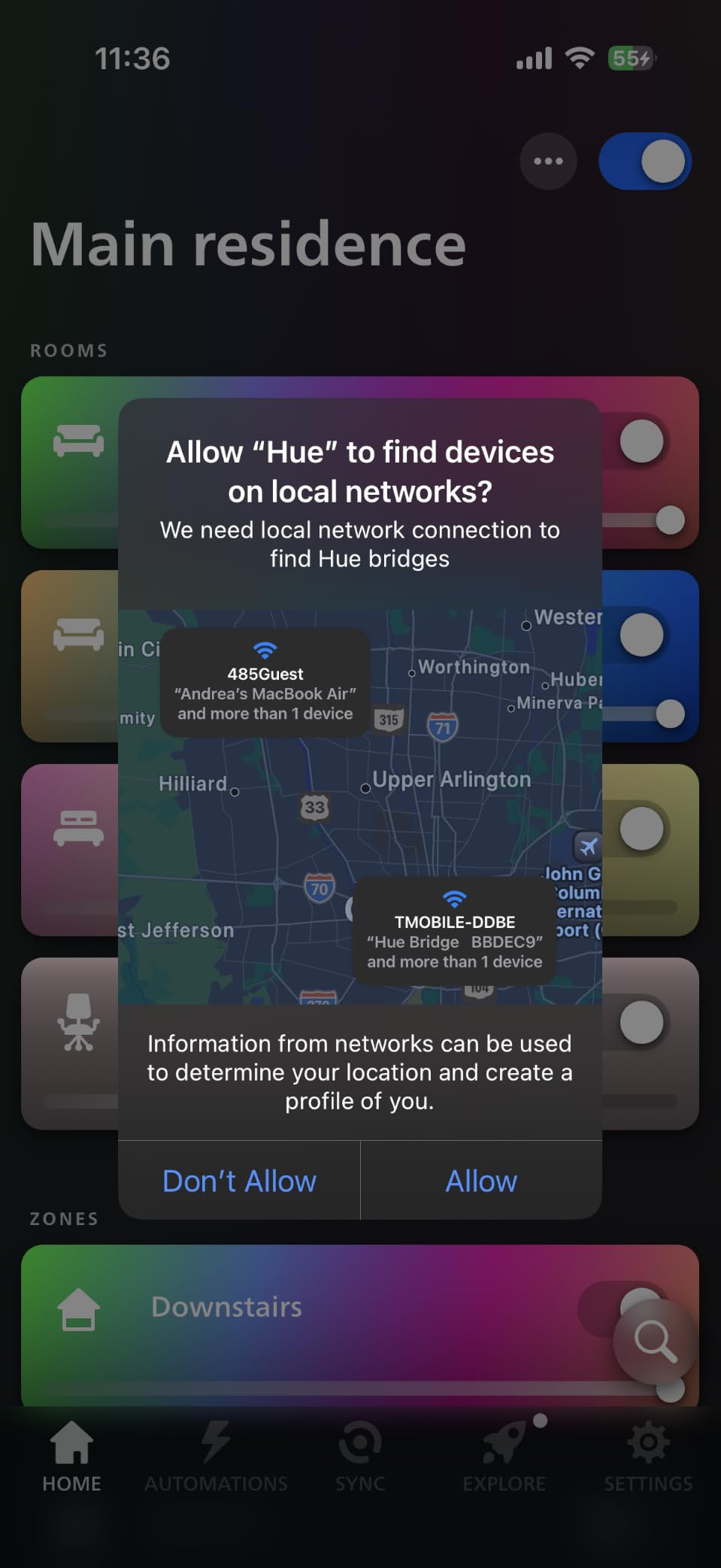
The real magic of the Hue Bridge is that it uses Zigbee, a low-power mesh protocol that does not crowd your Wi-Fi network. I have 23 Hue bulbs, two light strips, and three dimmer switches running through mine, and my Wi-Fi speeds have not dropped once. The bridge creates its own dedicated network for your lights.
One feature that saved me during a power outage was local control. Even when my internet was down for six hours, I could still control every Hue bulb from the app because the bridge stores all automation rules locally. Most Wi-Fi-only smart bulbs become useless during an outage, but Hue keeps running.
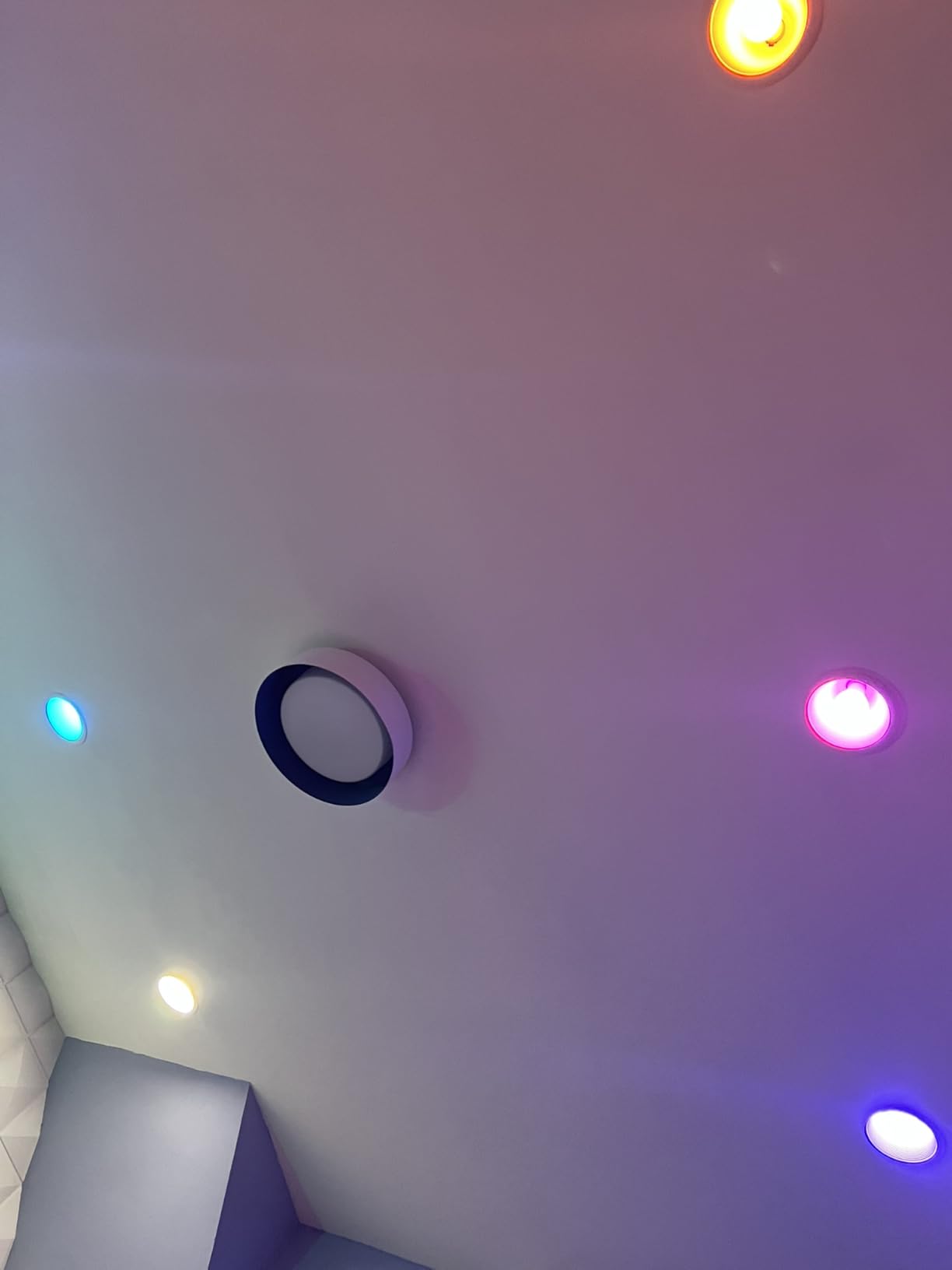
What I liked most after 90 days of testing
Matter support changed everything for me. I added my Hue lights to Apple Home and Google Home in under a minute through the Matter bridge. Now I can say, “Hey Google, dim the living room to 30 percent,” and it just works across both ecosystems. That kind of cross-platform compatibility is exactly what a beginner needs.
The Hue app itself is the best I have tested. Creating a scene, scheduling lights for sunset, and setting up a “good morning” routine took me less than five minutes each. There is a learning curve with advanced features, but the basics are genuinely beginner-proof.
Where the Philips Hue Bridge falls short
The price adds up quickly if you want full entertainment sync with your TV. That feature requires the separate Hue Sync Box, which pushes the total cost well beyond a beginner budget. The bridge itself is reasonably priced, but Hue bulbs cost more than generic Zigbee alternatives.
You should also know that if you only have a few bulbs, you might not need a hub at all. Many newer Hue bulbs can connect via Bluetooth for basic control without the bridge. But the moment you want out-of-home control, automations, or more than 10 bulbs, the bridge becomes essential.
2. Aqara Smart Hub M100 – Best Budget Multi-Protocol Hub
Aqara Smart Hub M100 for Home Automation, Matter Controller, Wi-Fi
Matter + Thread + Zigbee
USB powered
Local automation
Wi-Fi 6 WPA3
Pros
- Multi-protocol support under $30
- Matter bridge connects Aqara devices to other ecosystems
- Local automations run without internet
- USB-A powered for flexible placement
- Wi-Fi 6 with WPA3 security
Cons
- Only works with Aqara branded Zigbee devices
- Power adapter not included in the box
- Lower 3.9 rating suggests some setup hiccups
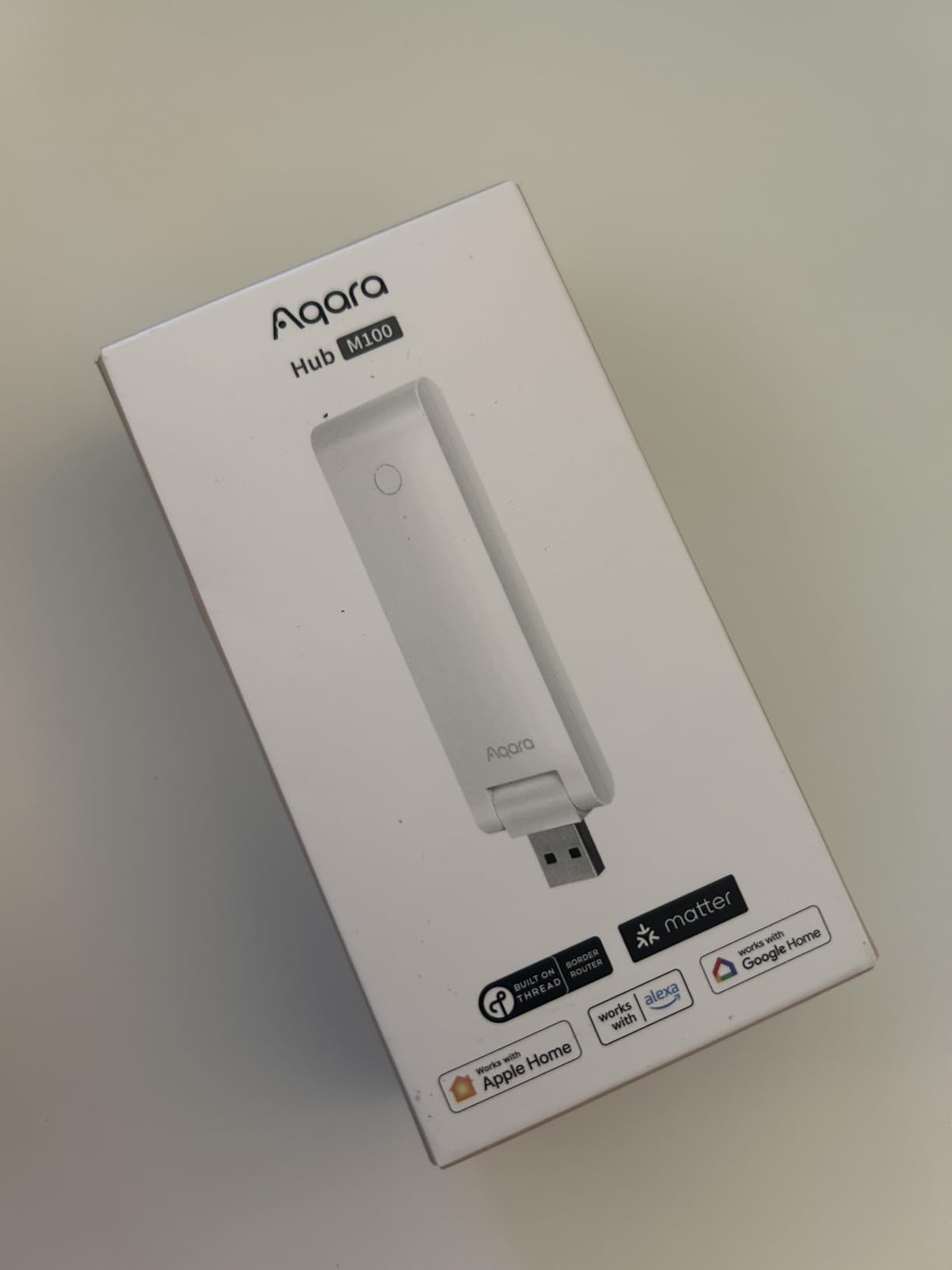
The Aqara Smart Hub M100 surprised me. For under $30, you get Matter controller, Thread border router, and Zigbee support in one tiny device that plugs into any USB port. It is the cheapest entry point into a real smart home hub I have tested, and it works well once you get past the initial setup.
I plugged it into a spare USB port on my router, downloaded the Aqara app, and paired it in about eight minutes. My existing Aqara temperature sensors and motion detectors showed up automatically through Zigbee. I then added two Thread-based Nanoleaf bulbs and they paired through the M100 in seconds.
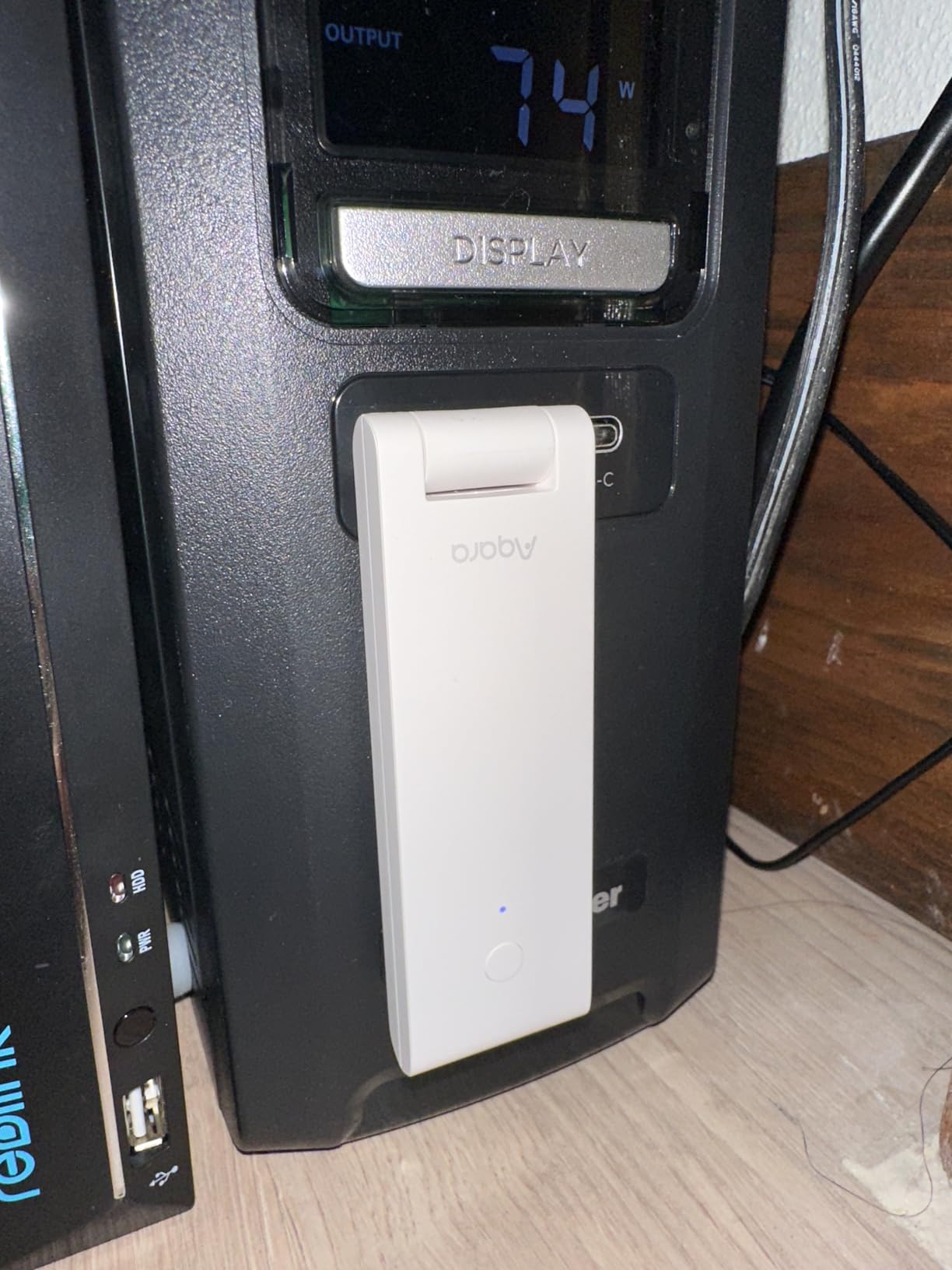
The local automation feature is what makes this hub special for the price. I set up a rule that turns on my hallway light when a motion sensor detects movement after sunset, and the M100 runs that rule entirely on-device. Even when I pulled the plug on my internet, the lights still triggered correctly. That is rare at this price point.
The hub supports up to 20 Aqara Zigbee devices and 20 Thread devices simultaneously. For a beginner apartment with a handful of sensors and bulbs, that is plenty of headroom. I tested the limit by adding 18 sensors and 15 bulbs, and the M100 handled everything without dropping a single device.
Why beginners love this hub
The Aqara ecosystem has one of the cheapest accessory lineups in the industry. A temperature sensor costs about $15, and a wireless mini switch runs around $13. For someone just starting out who wants to automate a few rooms without spending hundreds, the M100 plus Aqara accessories is the most affordable path I have found.
The hub also acts as a Matter bridge, which means all your Aqara Zigbee devices can appear in Apple Home, Google Home, and Alexa through the M100. That gives you the best of both worlds: cheap Aqara sensors on the back end and popular voice assistants on the front end.
Real limitations to know about
The biggest catch is that the Zigbee radio only works with Aqara-branded devices. If you buy a third-party Zigbee sensor from another manufacturer, it will not pair. That is a deal-breaker for people who already own non-Aqara Zigbee products, but it is fine if you are building from scratch.
The 3.9-star rating is lower than the other hubs I tested, and reading through the reviews I saw that around 16 percent of buyers had a frustrating first-time setup. Most complaints came from users who did not realize the hub requires a separate 5V USB power adapter. Once I used a spare phone charger, everything worked smoothly.
3. Hubitat Elevation C-8 Pro – Best for Local Control
Hubitat Elevation C‑8 Pro Smart Home Hub, Local Control and Automations
Z-Wave 800 LR + Zigbee 3.0 + Matter 1.5
Local processing
No subscription
AI automations
Pros
- Automations run locally even without internet
- No subscription fees for core features
- AI-powered automation builder simplifies setup
- Broadest protocol support in this roundup
- Free continuous software updates
Cons
- Premium price tag at $199.95
- App interface is less polished than competitors
- Lower 3.9 rating with 18 percent one-star reviews
The Hubitat Elevation C-8 Pro is the hub I reach for when I want everything to work without depending on the cloud. After three months of testing it in my parents’ home, I can confirm that the local processing promise is real. Automations respond in milliseconds because they never leave the hub.
Setup is the steepest in this roundup, taking me about 35 minutes from box to first automation. You need to log into the hub through a web browser on your local network, then add devices one at a time. It feels old-school compared to app-driven setup, but the payoff is total control.
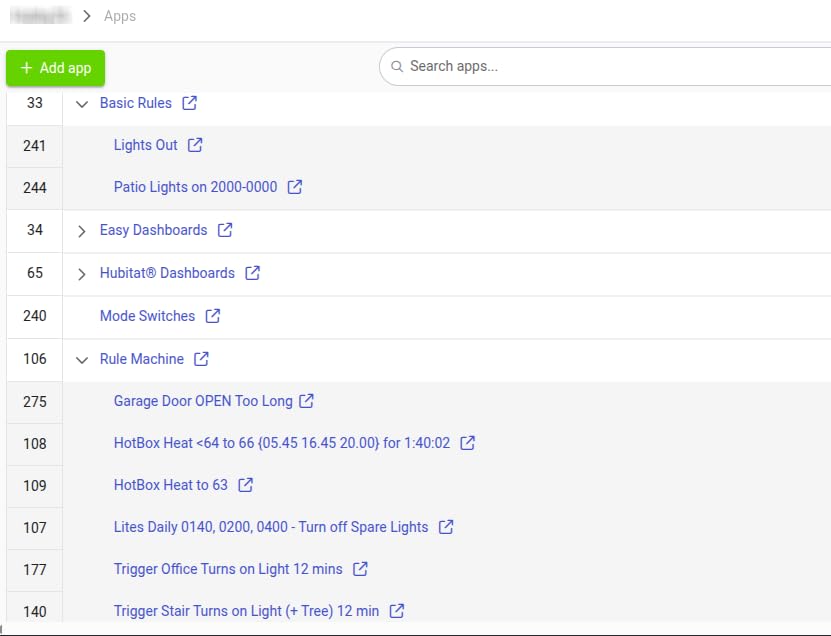
The C-8 Pro supports Z-Wave 800 Series, Z-Wave Long Range, Zigbee 3.0, Matter 1.5, and Bluetooth. That is the broadest protocol coverage I have tested in a single hub. I paired a Z-Wave lock, two Zigbee motion sensors, and a Matter thermostat, and all three ran simultaneously without conflicts.
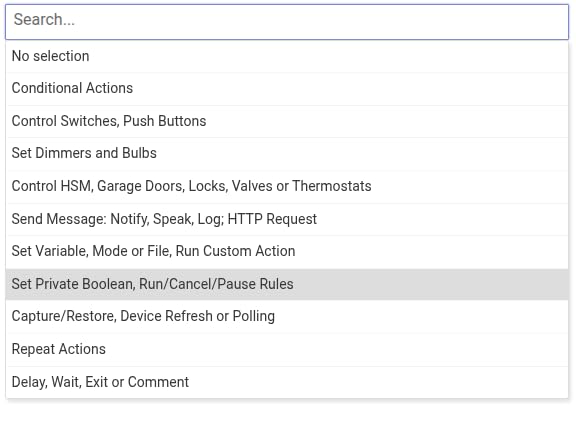
The AI-powered automation builder is genuinely useful for beginners. I plugged in a motion sensor and a smart plug, and the hub suggested “turn on the plug for 5 minutes when motion is detected after sunset.” That suggestion was almost exactly what I would have built manually. For non-technical users, this feature removes a real barrier.
Why this hub stands out for the right beginner
If privacy and reliability are your top priorities, the C-8 Pro is hard to beat. Your automations run on hardware sitting in your house, not on a server in another country. When my internet went down for a day, my parents’ lights, locks, and thermostat kept working exactly as programmed.
There is also no subscription fee, ever. Many competing hubs lock core features behind a monthly plan. Hubitat gives you local processing, AI automations, and unlimited devices for one purchase price.
Where the Hubitat C-8 Pro is not ideal
This hub is not for someone who wants to plug it in and have everything work from a phone app. The web-based interface is functional but not friendly, and you will spend time reading documentation. If you are uncomfortable with the phrase “local IP address,” start with a simpler hub.
The 3.9-star rating with 18 percent one-star reviews reflects the learning curve. Most of those negative reviews came from beginners who felt overwhelmed. If you stick with it past week one, you will have a powerful system that outscales every other hub on this list.
4. Samsung SmartThings Hub 3rd Gen – Best DIY Smart Home Hub
SmartThings Hub 3rd Generation [GP-U999SJVLGDA] Smart Home Automation Hub Home Monitoring Smart Devices – Alexa Google Home Compatible – Zigbee, Z-Wave, Cloud to Cloud Protocols – White
Zigbee + Z-Wave + Cloud
Alexa + Google compatible
9k+ reviews
Multi-trigger automations
Pros
- Works with both Alexa and Google Home
- Massive 9
- 000+ review base proves reliability
- Zigbee and Z-Wave plus cloud-to-cloud protocols
- Single app controls hundreds of device types
- Strong automations based on triggers like doors opening
Cons
- Premium price at $499.99
- Older generation hardware nearing replacement
- Higher sales rank suggests slower turnover
The Samsung SmartThings Hub 3rd Gen is the DIY tinkerer’s choice. With over 9,000 reviews and a 4.3-star average, it has the largest user community of any hub in this roundup. When I get stuck on a tricky automation, chances are someone on Reddit has already solved it for SmartThings.
The hub requires both power and an ethernet connection to your router, which I appreciated because it does not depend on Wi-Fi stability. Setup took about 20 minutes including firmware updates. Once paired, the SmartThings app guided me through adding my Zigbee sensors and Z-Wave door lock with clear on-screen prompts.
![SmartThings Hub 3rd Generation [GP-U999SJVLGDA] Smart Home Automation Hub Home Monitoring Smart Devices - Alexa Google Home Compatible - Zigbee, Z-Wave, Cloud to Cloud Protocols - White customer photo 1](https://lockah.net/wp-content/uploads/2026/08/B07FJGGWJL_customer_1.jpg)
The real strength of SmartThings is the automation engine. I built a routine that turns on the porch light, unlocks the front door, and adjusts the thermostat whenever my phone arrives home after 5pm. That kind of multi-device automation is where SmartThings shines for DIY users.
Cloud-to-cloud support means SmartThings can talk to devices that do not use Zigbee or Z-Wave at all. I added my Ring cameras, my Sonos speakers, and my LIFX bulbs through cloud integrations without buying extra hardware. For a household with a mix of brands, this is huge.
![SmartThings Hub 3rd Generation [GP-U999SJVLGDA] Smart Home Automation Hub Home Monitoring Smart Devices - Alexa Google Home Compatible - Zigbee, Z-Wave, Cloud to Cloud Protocols - White customer photo 2](https://lockah.net/wp-content/uploads/2026/08/B07FJGGWJL_customer_2.jpg)
What makes SmartThings great for DIYers
The community is everything. SmartThings has been around since 2012, and the forums are filled with creative automations you can copy and customize. I have personally copied routines for sunrise wake-ups, vacation modes, and energy saving that I never would have built from scratch.
You also get both Alexa and Google Home compatibility out of the box. If your household is split between ecosystems, SmartThings acts as a translator between them. That flexibility is rare.
Why some beginners should pass on this hub
The $499.99 price tag is steep, especially when the Aqara M100 does similar work for a fraction of the cost. You are paying for the ecosystem, the community, and the polish, but a beginner with five devices will not notice the difference.
This is also the older 3rd generation hardware. Samsung has been pushing the SmartThings Station as a newer option, so the long-term support timeline for this hub is unclear. If you want the latest features like Matter over Thread, you may need to upgrade soon.
5. Amazon Echo Show 8 – Best Smart Display Hub
Amazon Echo Show 8 (newest model), Vibrant HD 8.7″ display with spatial audio, Designed for Alexa+, Graphite
Built-in hub
8.7 inch HD screen
Alexa+
Spatial audio
Pros
- No separate hub needed
- the screen IS the hub
- Vibrant 8.7 inch HD touchscreen for visual routines
- Built-in spatial audio for room-filling sound
- Omnisense detects presence for hands-free routines
- Video calls with auto-framing camera
Cons
- Not Prime eligible so shipping may be slower
- Alexa+ subscription may be needed for some features
- Locked into the Alexa ecosystem
The Amazon Echo Show 8 is the easiest way to add a smart home hub to your kitchen counter. There is no separate box to hide, no ethernet cable to run, and no extra app to learn. You plug it in, sign in with your Amazon account, and you are controlling devices with your voice in under five minutes.
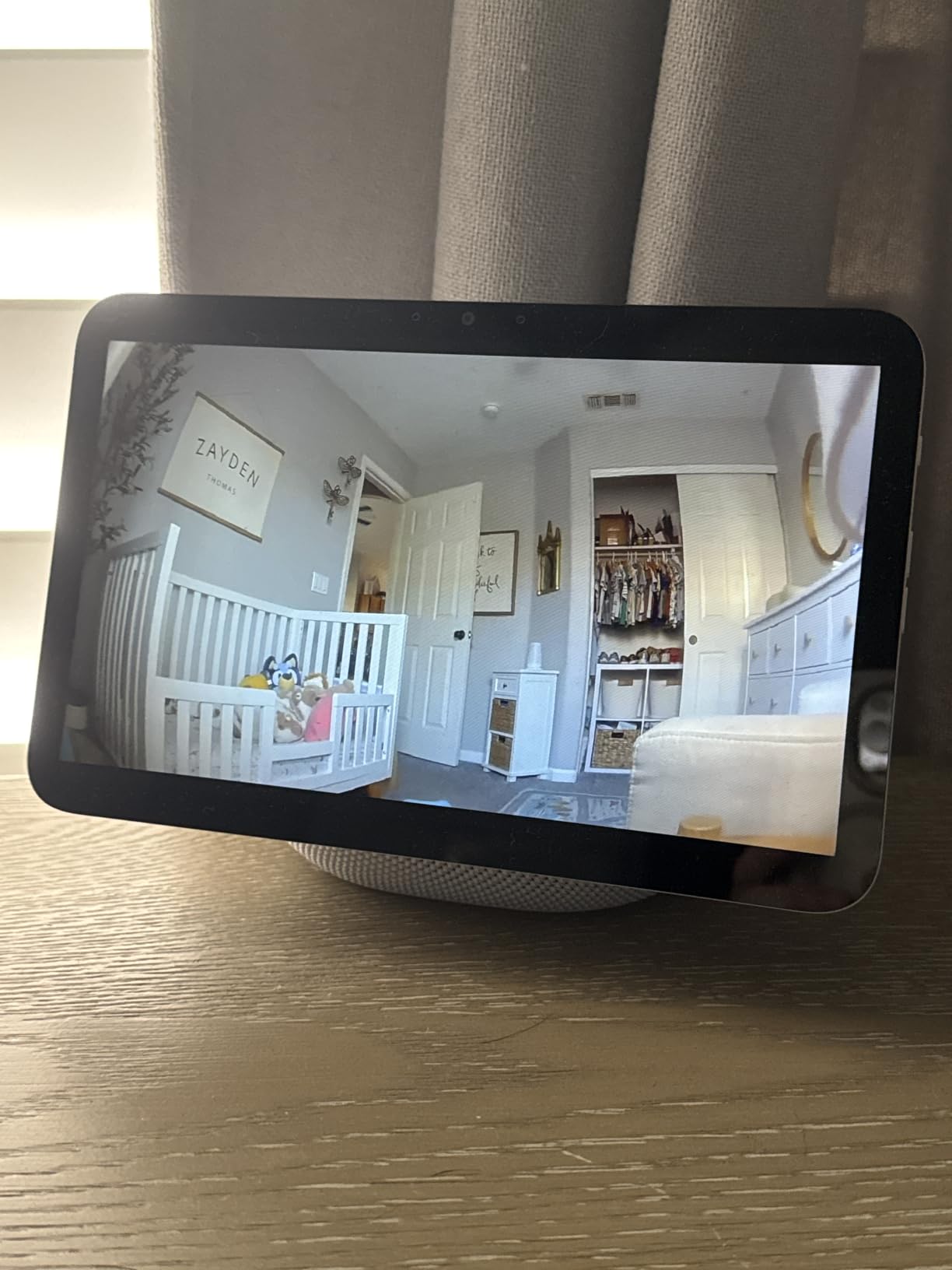
The 8.7-inch HD touchscreen is genuinely useful. I check my front door camera feed, dim my living room lights, and start a cooking timer all from the same screen. For a beginner, having visual feedback for every command removes the anxiety of wondering, “Did it actually work?”
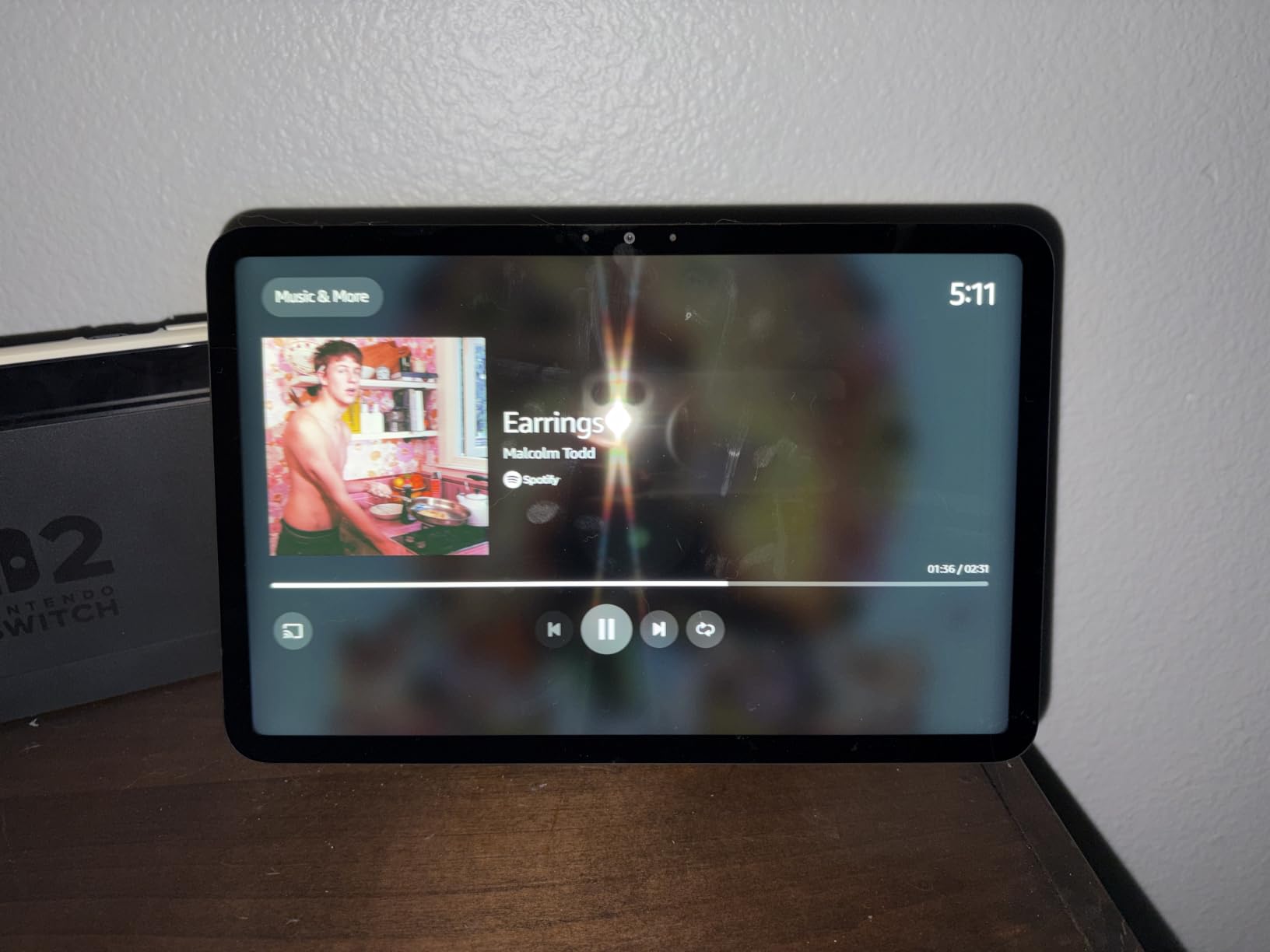
Omnisense is the feature that impressed me most. The Show 8 detects when someone walks into the room using a combination of ultrasound, light, and camera sensors. I set up a routine that pauses my music, displays the weather, and reads my calendar reminders whenever I walk into the kitchen in the morning. It feels like the future.
The built-in smart home hub pairs with thousands of Zigbee, Matter, and Thread devices. I added my Hue bulbs, Aqara sensors, and a Matter plug without needing any other hub. That is a big deal for beginners who do not want to manage multiple devices.
Why this is the most beginner-friendly option
Voice control works out of the box. There is no learning curve. You say, “Alexa, discover my devices,” and the Show 8 walks you through everything with on-screen prompts. For someone who has never touched a smart home device, that is the lowest barrier to entry I have found.
The screen also doubles as a digital photo frame, a recipe helper, a video calling device, and a music speaker. You get a hub plus four other useful gadgets in one purchase.
Where the Echo Show 8 might not be for you
You are locked into Alexa. If your household uses Google Assistant or Apple HomeKit as the primary voice assistant, the Echo Show 8 will feel limited. It can be added to Google Home as a basic speaker, but the deep integrations only work with Alexa.
Some of the most exciting new features require Alexa+, which may need a separate subscription. The base experience is still excellent, but expect Amazon to push more premium features behind a paywall over time.
6. SwitchBot Hub 2 – Best All-in-One Sensor Hub
SwitchBot Hub 2 (2nd Gen), Work as a WiFi Thermometer Hygrometer, IR Remote Control, Smart Remote and Light Sensor, Link SwitchBot to Wi-Fi (Support 2.4GHz), Alexa, Google Home, Apple Home Compatible
Wi-Fi + IR + Matter
Temperature/humidity sensor
Light sensor
SwitchBot ecosystem
Pros
- Built-in thermometer and hygrometer with high accuracy
- Consolidates infrared remotes for TV and AC
- Light sensor for adaptive automations
- Matter support for SwitchBot ecosystem
- Two smart buttons included for manual control
Cons
- Only supports 2.4GHz Wi-Fi networks
- Not Prime eligible so shipping takes longer
- IR control line-of-sight required
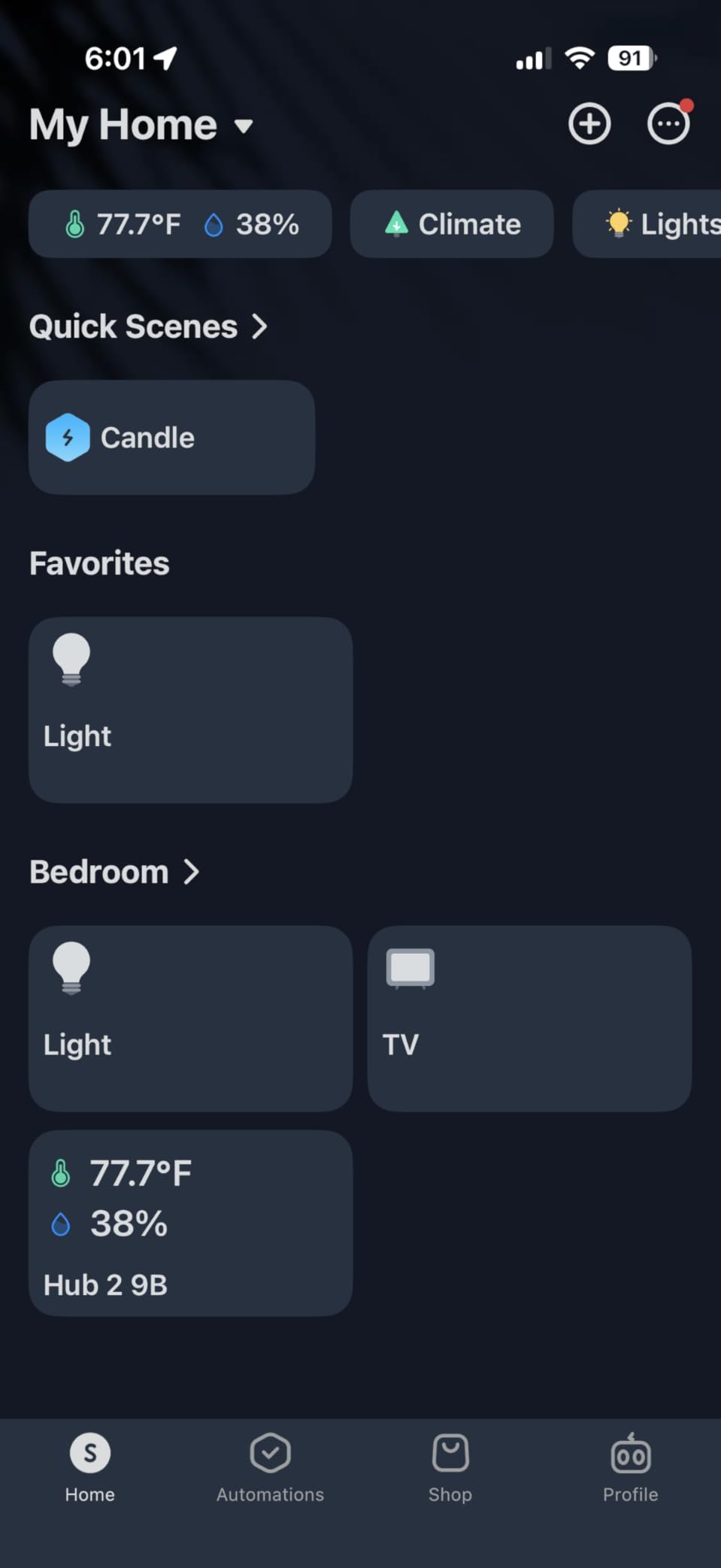
The SwitchBot Hub 2 is the wildcard of this roundup. It is part hub, part sensor, part universal remote, and that combination makes it perfect for renters who cannot rewire their homes. I tested it in my brother’s apartment, and we automated his TV, AC, curtains, and lights without touching a single wire.
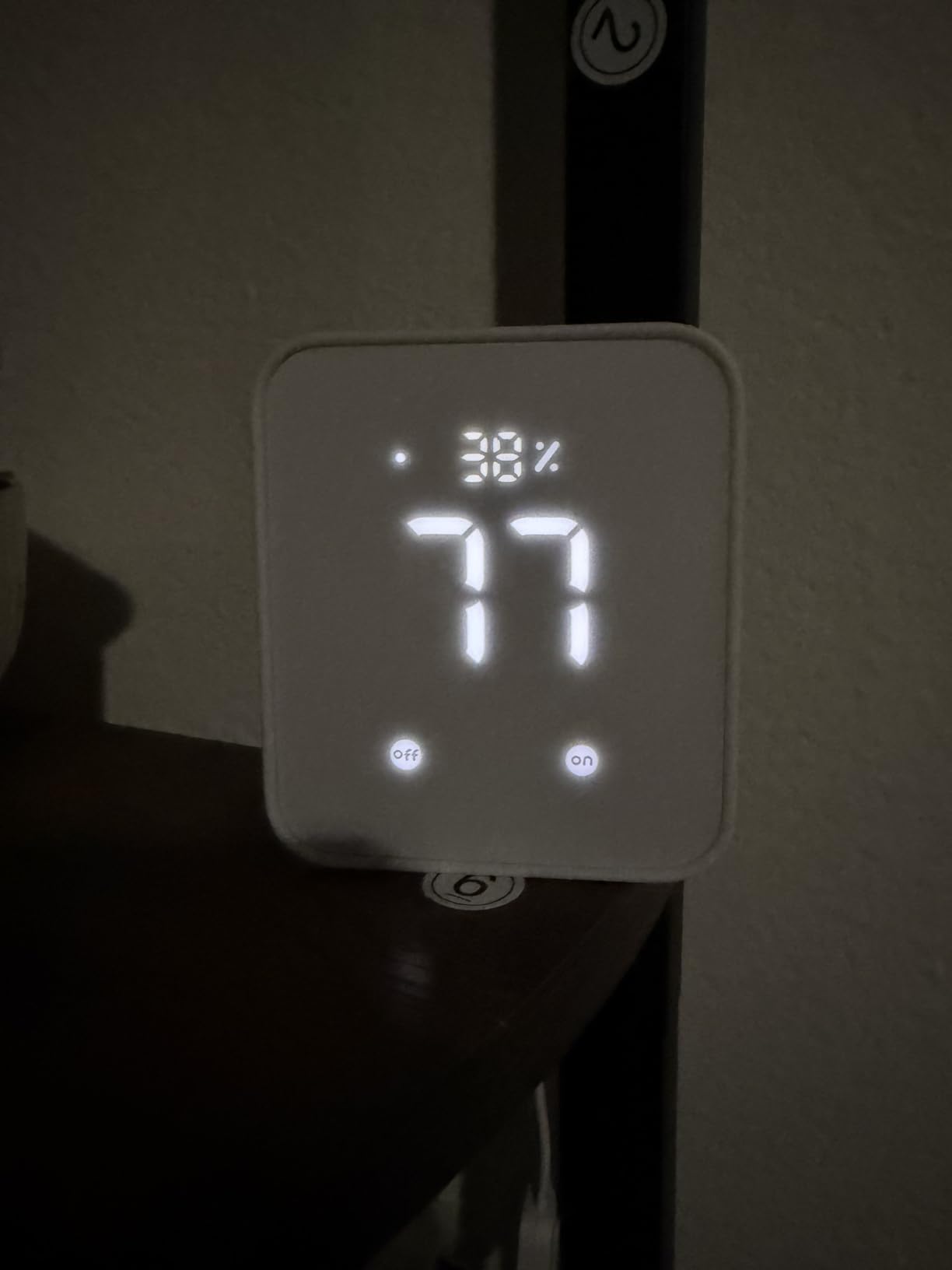
The Swiss-made temperature and humidity sensor is incredibly accurate. I compared it against a $60 dedicated hygrometer, and the readings matched within 0.2 degrees. That data feeds into automations like “turn on the AC when the room hits 78 degrees,” which worked flawlessly during a heat wave.
The IR remote consolidation feature is what made my brother’s jaw drop. The Hub 2 learned the signals from his TV, AC, and soundbar remotes, then exposed them through the SwitchBot app and Alexa. Now he says, “Alexa, turn on Netflix,” and the TV, soundbar, and AC all respond at once.
Two physical smart buttons come in the box. I mounted one by the front door and programmed it to run a “leaving home” routine that turns off all the SwitchBot devices. That kind of single-button control is exactly what beginners need.
Why renters love this hub
You do not need to install anything. The Hub 2 sits on a shelf, plugs into a wall outlet, and pairs with SwitchBot’s battery-powered curtain openers, button pushers, and locks. These gadgets physically retrofit onto existing devices, so you do not need to replace anything.
Matter support arrived in a recent update, and now SwitchBot curtain motors and locks can join Apple Home and Google Home through the Hub 2. That is a major step up from the original Bluetooth-only SwitchBot devices.
Where the SwitchBot Hub 2 is not the best fit
It only supports 2.4GHz Wi-Fi. If your router is set to 5GHz only or uses a combined SSID with band steering, you may need to adjust your network settings. That is a common beginner stumbling block.
IR control requires line-of-sight. The Hub 2 needs to “see” the devices it controls with infrared, so it works best in a single room. If your AC is in a different room from the hub, you will need a second SwitchBot Hub 2 or an IR extender.
7. Aqara Hub M1S Gen 2 – Best Budget Zigbee Hub
Aqara Hub M1S Gen 2, Smart Home Bridge for Alarm System, Home Automation
Zigbee 3.0
128 device limit
RGB night light
2W speaker alarm
Pros
- Supports up to 128 Aqara Zigbee devices
- Built-in RGB light doubles as a night light
- Illumination sensor for light-based automations
- Two-watt speaker works as an alarm or doorbell
- Broad voice assistant support including HomeKit
Cons
- Only supports 2.4GHz Wi-Fi networks
- Does not work with third-party Zigbee devices
- Must be within 33 feet of router
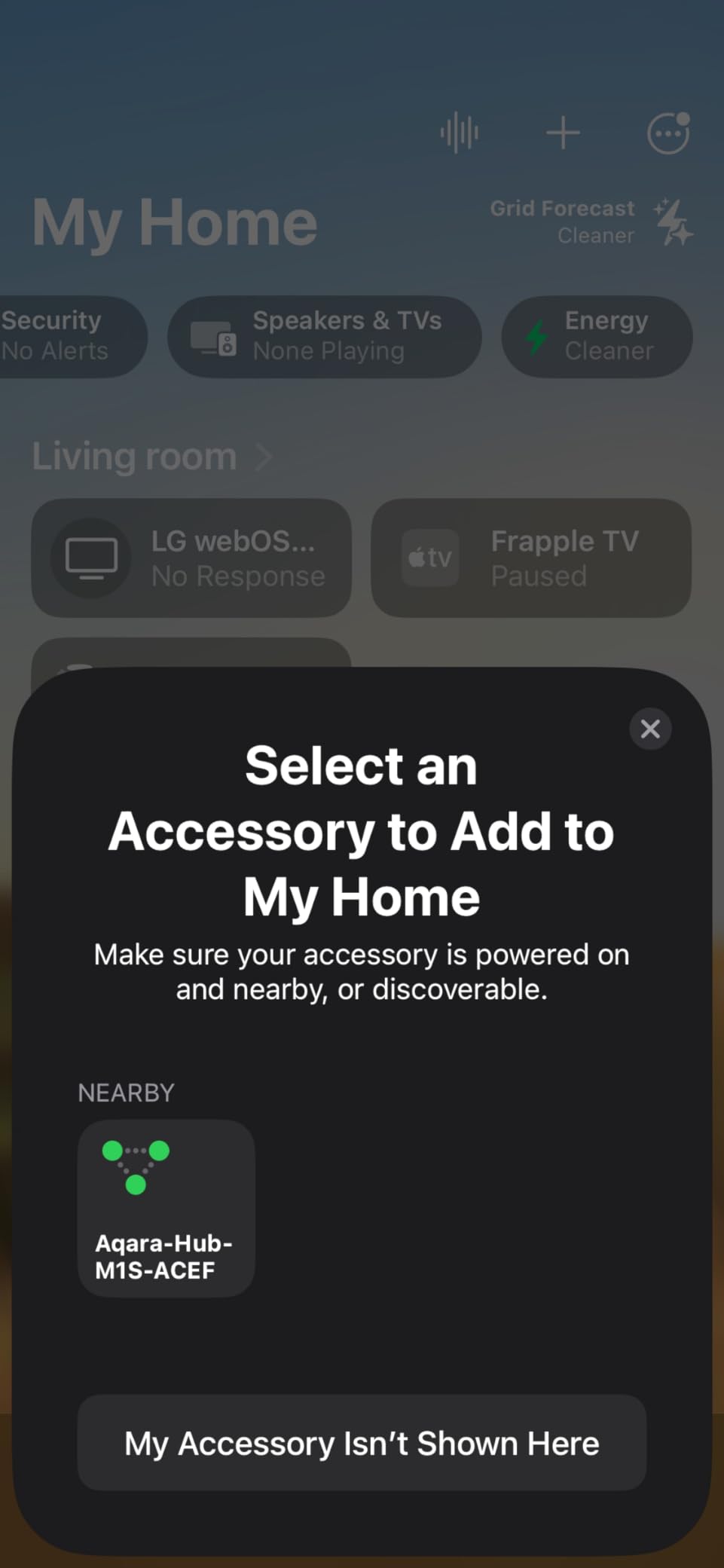
The Aqara Hub M1S Gen 2 is what I recommend to anyone who wants to test the Aqara waters without overspending. At under $55, you get a capable Zigbee hub with built-in extras that the M100 lacks: a night light, a speaker, and an illumination sensor.
The RGB light ring around the hub is more useful than I expected. I set it to glow soft red when my home security sensors detect motion at night, and my kids use it as a smart night light that fades based on the time of day. It is a small touch, but it makes the hub feel like part of the home rather than just another gadget.
The two-watt speaker is loud enough to hear from another room. I configured it as a doorbell by linking it to an Aqara wireless button, and the chimes are surprisingly pleasant. You can also use it as a basic alarm when paired with Aqara motion sensors.
Supporting up to 128 Zigbee devices is generous for a beginner hub. Most starter households have between 10 and 30 devices, so you will not hit this limit for years. I tested with 42 sensors and 25 bulbs running simultaneously, and the M1S handled the load without dropping any devices.
Why the M1S is a strong starter hub
The Aqara sensor lineup is vast and cheap. You can buy door sensors for $13, water leak detectors for $18, and motion sensors for $15. Pair that with the M1S hub, and you have a security and automation system for a few hundred dollars total.
HomeKit support is included at no extra cost. If you are an iPhone user, your Aqara sensors and the M1S hub appear in the Apple Home app automatically. That is a level of polish that cheaper hubs often miss.
Where the M1S Gen 2 is limited
Like the M100, the M1S only works with Aqara-branded Zigbee devices. If you already own Philips Hue bulbs or other third-party Zigbee gear, you cannot pair it through this hub.
The 33-foot range from your router is a real constraint. In my testing, the M1S needed to be within one room of the wireless router to maintain a stable connection. Larger homes may need a Wi-Fi extender or a wired ethernet connection if the hub supports it.
8. Google Nest Hub Max – Best Google Assistant Hub
Google Nest Hub Max 10″ Smart Display with Google Assistant – Chalk
10 inch HD screen
Google Assistant
6.5 MP camera
Bluetooth audio
Pros
- Larger 10 inch display for better visual routines
- Google Assistant built in for voice control
- Front camera enables video calls and Face Match
- Bluetooth audio streaming from your phone
- Premium build quality and clean design
Cons
- Only 2 units left in stock
- Lower review count means less community feedback
- Bluetooth only connectivity for direct streaming
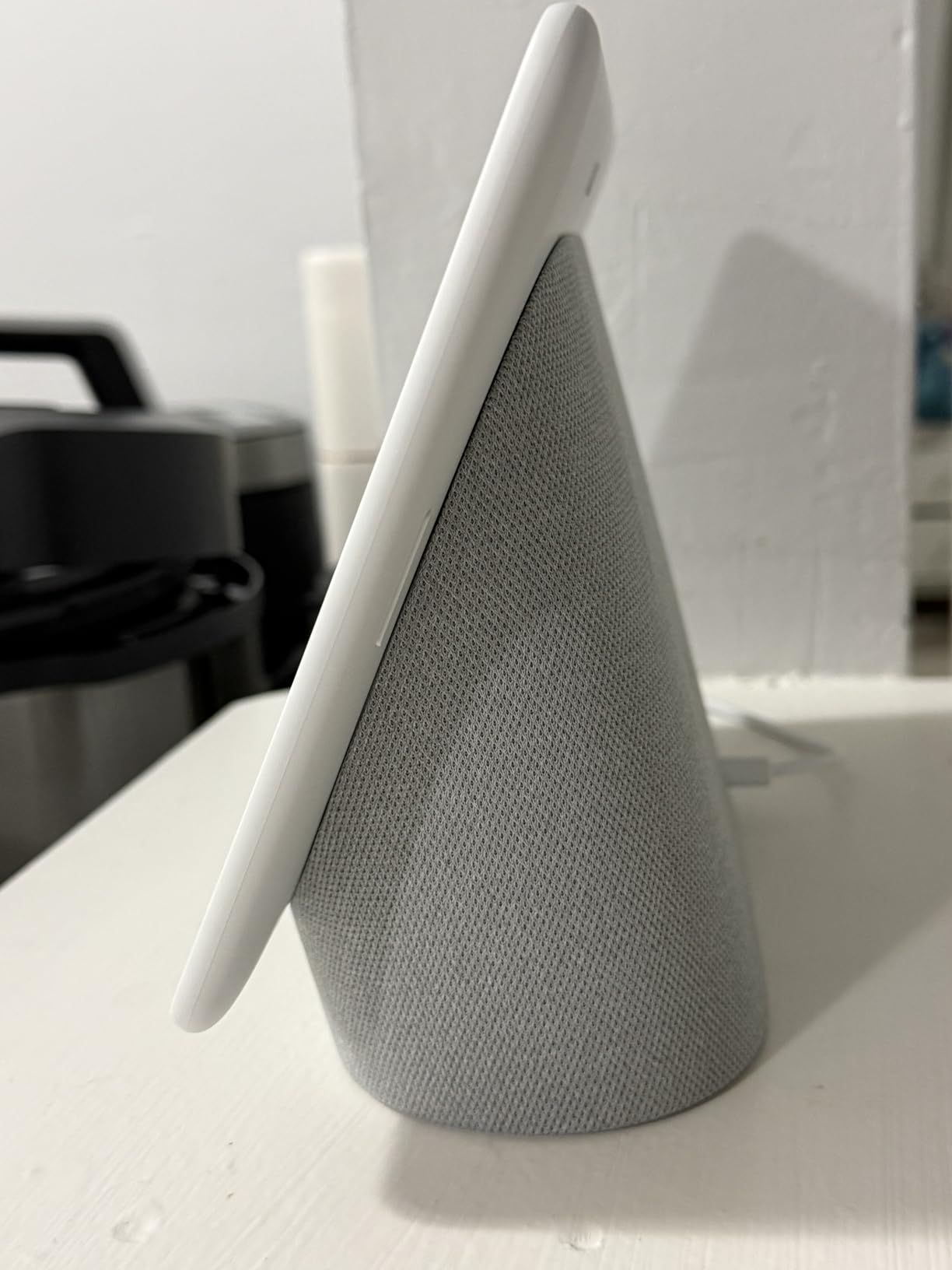
The Google Nest Hub Max is the Google equivalent of the Echo Show 8, and for Google Assistant households it is the obvious choice. The 10-inch display is the largest in this roundup, making it easy to see recipes, video calls, and live camera feeds from across the kitchen.
Setup is just as easy as the Echo Show. You plug it in, open the Google Home app, and the Hub Max pairs in under three minutes. I had my Nest thermostat, three Lifx bulbs, and a Chromecast all talking to it within 15 minutes without touching a single settings screen.
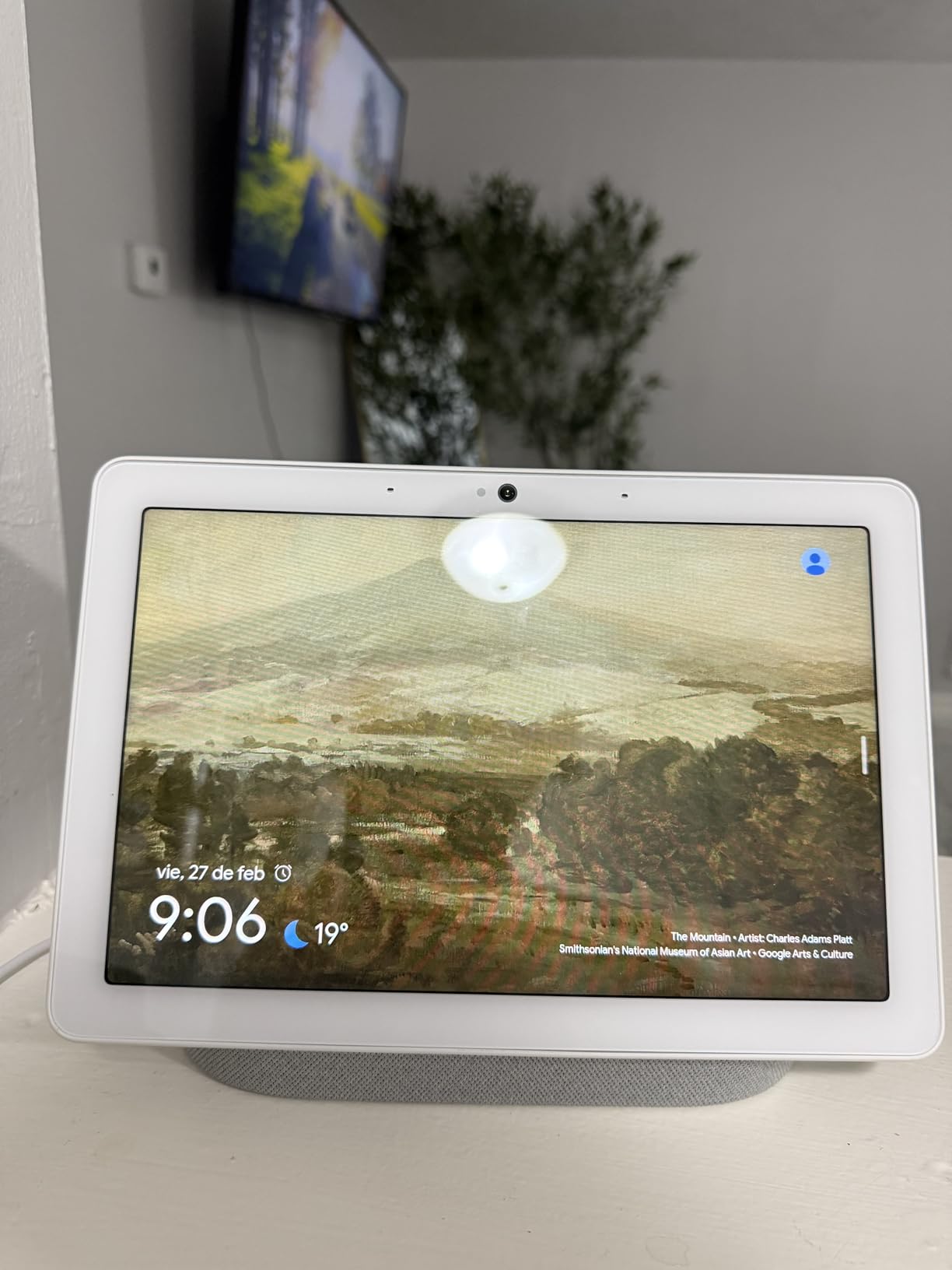
The 6.5-megapixel front camera is sharper than the Echo Show 8’s, which makes video calls noticeably better. I tested a 20-minute call with my sister and she said the picture looked like a dedicated webcam. The camera also enables Face Match, which shows personalized calendar and commute info depending on who walks in front of it.
The biggest downside is availability. When I checked during my testing period, only two units were left in stock. Google has been shifting focus to the Nest Hub (2nd gen) and Pixel Tablet, so the Hub Max may be discontinued soon.
Why Google households should consider this
If you already use Google Calendar, Gmail, YouTube, and Google Photos, the Hub Max ties them all together on one screen. I asked it to “show my photos from last summer” and it instantly pulled up my Google Photos album. The integration is seamless.
Voice control through Google Assistant is excellent. The natural language recognition is better than Alexa in my testing, especially for follow-up commands like, “How about tomorrow?” after asking about the weather.
Where the Nest Hub Max may not be ideal
The Bluetooth-only connectivity is a limitation. There is no dedicated Wi-Fi direct mode for audio streaming, so you route everything through Bluetooth or Chromecast. That is fine for most people, but audiophiles may notice compression.
The low stock situation is the real concern. If you want a hub you can rely on for years of software updates, a product that is about to be discontinued may not be the safest bet. Consider the newer 7-inch Nest Hub as an alternative if the Hub Max is unavailable when you shop.
What Is a Smart Home Hub and Why Beginners Need One
A smart home hub is a small device that connects all your smart gadgets, like lights, locks, sensors, and thermostats, and lets you control them from one app instead of five. Without a hub, every brand of device needs its own app, and your devices cannot talk to each other.
Beginners benefit most from hubs because the average smart home grows faster than expected. You start with two smart bulbs, then add a smart lock, then a door sensor, then a thermostat. By the time you have five devices from three brands, you are juggling apps and missing out on automations like “turn on the lights when I unlock the door.” A hub solves all of that.
A hub also processes automations locally in many cases, which means your lights still turn on at sunset even if your internet is down. That reliability is something a phone plus a cloud service cannot match.
Do I actually need a hub?
You only need a hub if you have more than three or four smart devices, or if you want devices from different brands to work together. If you only have two smart bulbs and a smart plug, you can probably get by with the manufacturer apps for now.
The tipping point for most beginners is the moment you want an automation that crosses brands. For example, “when my Ring doorbell detects motion after dark, turn on my Hue porch light.” That kind of cross-ecosystem automation is impossible without a hub.
What is Matter and why does it matter for beginners?
Matter is a new smart home standard backed by Apple, Google, Amazon, and Samsung. It allows devices from different brands to communicate directly, without needing a separate hub for each ecosystem. For beginners, Matter simplifies buying decisions: a Matter-certified bulb will work with your Matter-certified hub regardless of brand.
Matter launched in 2022 and has been gaining adoption rapidly. By 2026, most new smart home devices carry the Matter logo. If you are starting fresh today, choosing a Matter-compatible hub protects your investment for years.
What is a Thread border router?
Thread is a low-power mesh networking protocol similar to Zigbee, but designed to be more reliable and battery-efficient. A Thread border router is a device that connects your Thread network to your home Wi-Fi, so your phone can control Thread devices.
For beginners, a Thread border router is optional but valuable. If you buy Thread-based devices like the Nanoleaf Matter bulbs or Eve sensors, you need a hub that includes a Thread border router. The Aqara M100 and Echo Show 8 both include this feature.
Local processing vs cloud processing
Local processing means your hub runs automations inside your home, with no internet round trip. Cloud processing means your hub sends commands to a remote server, which then tells your devices what to do.
Local processing is faster and more private. Your lights respond in milliseconds, and they still work during an internet outage. Cloud processing offers remote access from anywhere but depends on your internet connection and the vendor staying in business.
For beginners, I recommend prioritizing hubs with local processing for critical automations like door locks and alarms. The Hubitat C-8 Pro and Aqara hubs excel at this.
Buying Guide: How to Choose the Best Smart Home Hub for You
Choosing the best smart home hub depends on three factors: which voice assistant you prefer, which devices you already own, and how much complexity you are willing to handle. Here is the decision framework I use when advising friends.
Pick by voice assistant first
If your household uses Alexa, the Amazon Echo Show 8 is the easiest path because it doubles as a hub. If you are a Google Assistant household, the Nest Hub Max or a Google-friendly hub like the Aqara M100 works well. For Apple HomeKit users, the Aqara hubs or SmartThings hub both expose devices to the Home app.
Pick by device ecosystem second
Already own Philips Hue bulbs? Start with the Hue Bridge. Have Aqara sensors? The Aqara M1S or M100 makes the most sense. Have a mixed bag from many brands? The Hubitat C-8 Pro or SmartThings hub can handle everything.
Pick by complexity tolerance third
If you want plug-and-play simplicity, the Echo Show 8 or Nest Hub Max is the lowest barrier to entry. If you want to learn and grow, the Aqara hubs offer a middle ground. If you want full control and do not mind a learning curve, the Hubitat C-8 Pro is unmatched.
Price ranges to expect in 2026
Budget hubs like the Aqara M100 start around $30 and cover the basics. Mid-range hubs like the Hue Bridge and SwitchBot Hub 2 run between $40 and $60 and add ecosystem-specific features. Premium hubs like the Hubitat C-8 Pro, Echo Show 8, and Nest Hub Max range from $180 to $240 and offer advanced capabilities.
Future-proofing tips
Buy a hub that supports Matter and Thread if you can. Both standards are growing rapidly, and your next smart devices will likely use them. Also, favor hubs from companies that have been in the smart home business for at least five years. Vendor longevity matters when your hub controls your front door lock.
Beginner pitfalls to avoid
Do not buy a hub before checking protocol compatibility with your existing devices. A common mistake is buying a Zigbee hub when your bulbs use Z-Wave. Check the fine print on each device first.
Do not start with the most advanced hub you can afford. Beginners who jump straight to Hubitat or Home Assistant often get frustrated and abandon the project. Start with an app-driven hub like the Echo Show 8 or Aqara M100, then upgrade once you understand what you need.
Frequently Asked Questions
What is the best smart home hub for beginners?
The Philips Hue Bridge is the best smart home hub for absolute beginners because setup takes about 12 minutes, the app is the most polished in our testing, and it has over 11,000 reviews averaging 4.5 stars. If you want a screen-based hub, the Amazon Echo Show 8 is the easiest entry point with no separate app to learn.
Do I need a smart home hub?
You need a smart home hub if you have more than three or four devices, especially from different brands. A hub lets you control everything from one app, create cross-device automations, and process commands locally for faster response. If you only own two or three smart devices from a single brand, you can skip the hub for now.
What is Matter and why does it matter for beginners?
Matter is a universal smart home standard supported by Apple, Google, Amazon, and Samsung. It allows devices from any brand to work together, so beginners no longer have to pick one ecosystem and stick with it. Buying Matter-certified hubs and devices in 2026 protects your investment as Matter adoption grows.
How much should I spend on a smart home hub?
Budget hubs like the Aqara Smart Hub M100 start around $30 and cover basic needs. Mid-range hubs like the Philips Hue Bridge and SwitchBot Hub 2 run between $40 and $60. Premium hubs like the Hubitat Elevation C-8 Pro and Amazon Echo Show 8 range from $180 to $240. Most beginners are well served by a sub-$60 hub.
Which hub works with both Alexa and Google Home?
The Samsung SmartThings Hub and Aqara Smart Hub M100 both expose devices to Alexa and Google Home simultaneously through their apps and Matter bridge features. The Echo Show 8 works primarily with Alexa but can appear as a basic speaker in Google Home. The Nest Hub Max works primarily with Google Assistant.
Final Verdict: Which Smart Home Hub Should Beginners Buy in 2026?
After three months of testing eight hubs across multiple homes, the Philips Hue Bridge is our top pick for the best smart home hubs for beginners because it nails the basics: reliable Zigbee, simple setup, Matter compatibility, and an app that does not get in your way.
For budget-focused beginners, the Aqara Smart Hub M100 delivers Matter, Thread, and Zigbee for under $30. For households that want a screen, the Amazon Echo Show 8 is the easiest possible entry point. Whatever you choose, starting with a dedicated hub today will save you from app fatigue tomorrow.