
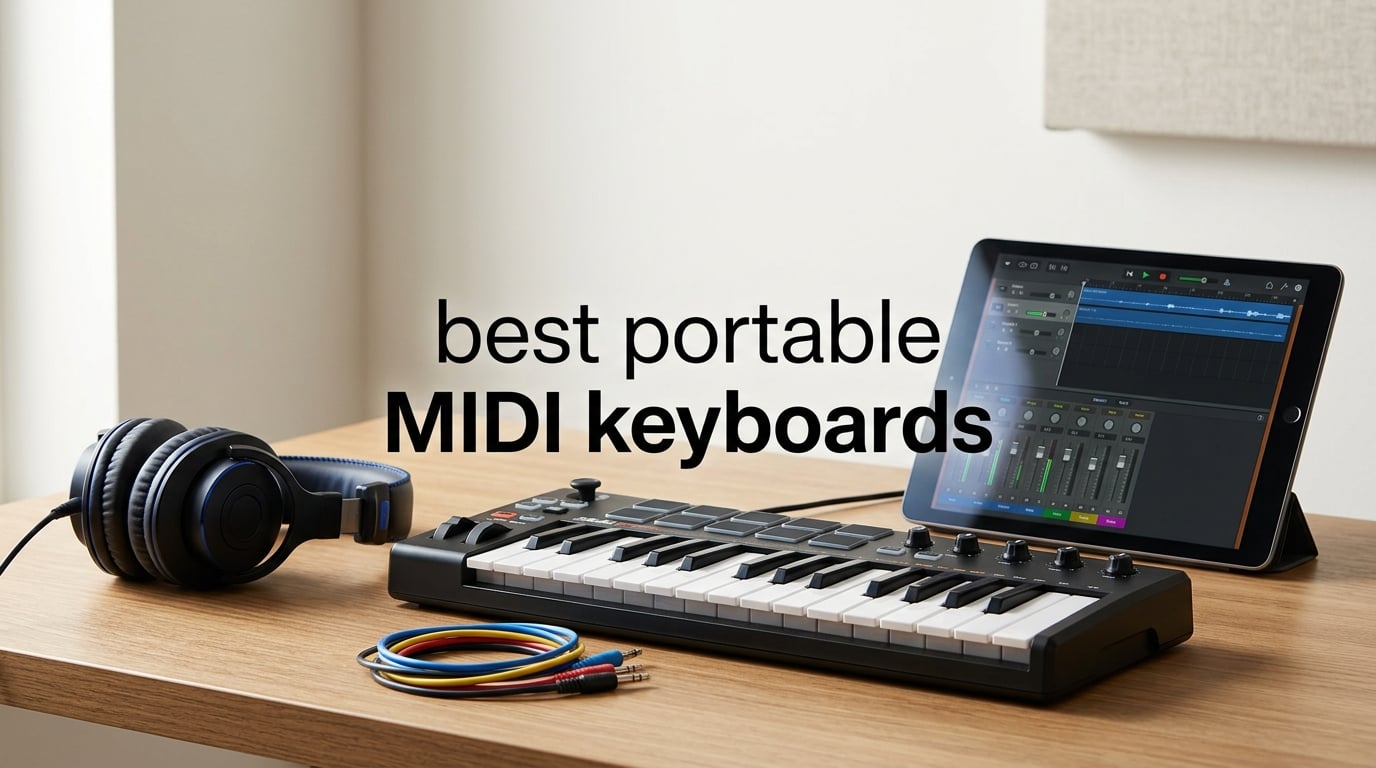
The best portable MIDI keyboards let you write parts, tap drums, and control a DAW without carrying a large controller. A portable MIDI keyboard is a compact controller that sends note, velocity, and control messages to a computer, tablet, or compatible hardware; it does not create sound on its own.
My short answer is the Arturia MiniLab 3 for most laptop producers because it combines a 25-key slim keybed with pads, encoders, faders, USB-C, MIDI out, and a useful software set. The right choice changes if you need Ableton-oriented controls, three octaves, CV/Gate for synths, or a Bluetooth MIDI controller for an iPad.
I compared eight compact MIDI controllers using the published key count, controls, connection types, included software, customer ratings, and review feedback. Forum discussions make one point especially clear: small keys are not interchangeable, and the best controller is the one that fits your playing style and setup rather than the one with the longest feature list.
The top 3 picks are the MiniLab 3, Launchkey Mini 25 MK4, and M-VAVE 25 Key in September 2026


Novation Launchkey Mini 25 MK4
- 25 mini keys
- 16 FSR pads
- Chord Mode
- Scale Mode
- DAW integration
The MiniLab 3 is the broadest hands-on option here, the Launchkey Mini 25 MK4 is the better fit when DAW integration and creative modes lead your workflow, and the M-VAVE is the standout when a cable-free mobile setup matters. These three also cover the most common first-time controller questions: key feel, pads, and connection flexibility.
The best portable MIDI keyboards in 2026 cover eight distinct workflows in September 2026
| Product | Specifications | Action |
|---|---|---|
| Arturia MiniLab 3 |
|
View on Amazon |
| Novation Launchkey Mini 25 MK4 |
|
View on Amazon |
 Arturia KeyStep mk2 Arturia KeyStep mk2 |
|
View on Amazon |
 Akai MPK Mini Plus Akai MPK Mini Plus |
|
View on Amazon |
 Akai Professional LPK25 Akai Professional LPK25 |
|
View on Amazon |
 Akai Professional MPK Mini IV Akai Professional MPK Mini IV |
|
View on Amazon |
 M-VAVE 25 Key M-VAVE 25 Key |
|
View on Amazon |
 Arturia MicroLab Mk3 Arturia MicroLab Mk3 |
|
View on Amazon |
Start with key count and connectivity, then decide how much control you need without opening your computer. The table is a quick filter, while the reviews below explain the trade-offs that a spec list cannot show.
1. The all-round pick is the Arturia MiniLab 3 for hands-on laptop production
Arturia MiniLab 3 Universal MIDI Controller, White
25 slim keys
8 RGB pads
8 encoders
4 faders
USB-C and MIDI out
Pros
- Premium velocity-sensitive keys
- 8 RGB pads
- Four faders
- USB-C and MIDI out
- Software suite
Cons
- Slim keys need adjustment
The Arturia MiniLab 3 is my first recommendation when one compact MIDI controller has to cover melody writing, simple automation, and finger drumming. Its 25 velocity-sensitive slim keys are paired with eight RGB velocity- and pressure-sensitive pads, eight rotary encoders, and four faders, which is an unusually complete control set for its footprint.
The 4.7 rating comes from 3,389 reviews, with 83% recorded as five-star reviews in the analyzed data. That volume does not prove that every player will like slim keys, but it gives more weight to the repeated comments about the keybed, pads, and included software than a small review sample would.
What I like most on paper is that Arturia did not make you choose between compact size and immediate control. The small display and clickable browsing knob provide a direct way to navigate, while the built-in arpeggiator can turn a held chord into a rhythmic sketch before the idea disappears.
USB-C and MIDI out give this controller two clear roles: it can be a laptop controller, or it can send MIDI to compatible external equipment. Ableton Live Lite, Analog Lab Intro, and UVI Model D are listed in its supported bundle, so a new producer has sounds and a DAW path from the start.
The MiniLab 3 suits producers who want keys and mixing controls in one small controller
Choose it if you want to shape instrument parameters with encoders, ride a level with faders, and lay down drums from pads without changing devices. It is especially sensible for a small desk where a controller with separate keyboard and pad sections would take too much room.
It also answers a common forum concern about whether pads and knobs matter. If you only enter notes one at a time, they may not; if you record expressive rhythm or automate filter movement, the additional controls make the controller feel less like a typing accessory.
The MiniLab 3 needs a slim-key test if you play piano parts regularly
The 14-inch width and 3.09-pound listed weight make it packable, but the slim keys will feel narrower than a full-size piano keyboard. Pianists who use wide chord voicings should plan around the 25-key range and use octave controls rather than expecting a two-hand performance surface.
There is also no claim here of a built-in audio interface, so it should be viewed as a MIDI controller rather than a complete recording front end. Add your own audio connection if you need microphones, headphones, or instrument inputs.
2. The DAW-focused pick is the Novation Launchkey Mini 25 MK4
Novation Launchkey Mini 25 MK4 USB MIDI Keyboard Controller
25 mini keys
16 FSR pads
Chord and Scale modes
USB and MIDI
Pros
- Major DAW support
- 16 polyphonic aftertouch pads
- Chord Mode
- Scale Mode
- Arpeggiator
Cons
- Mini keys need adjustment
The Novation Launchkey Mini 25 MK4 is the strongest fit when creative shortcuts matter as much as basic note entry. It has 25 synth-style mini keys, 16 FSR pads with polyphonic aftertouch, Scale Mode, Chord Mode, an arpeggiator, and step-sequencer functionality.
Its analyzed rating is 4.7 across 1,000 reviews, and 86% are five-star reviews. The common praise centers on DAW integration and creative features, which matches the product specification better than a generic claim that it works for every musician.
I would point an Ableton Live, Logic, Cubase, Reason, Reaper, FL Studio, or Ardour user here before a player who only needs a plain keyboard. Those DAWs are explicitly listed as supported, and the controller is NKS-ready for Native Instruments integration.
The 16 pads are the signature difference. Polyphonic aftertouch means a pad can send pressure information for more expressive performance, while the larger pad count is useful when you want drums, clips, or samples arranged in a wider grid.
The Launchkey Mini 25 MK4 works best when chords and scales need fast musical guardrails
Scale Mode can keep played notes inside a chosen scale, and Chord Mode lets one key trigger a selected chord shape. Those tools do not replace learning harmony, but they are practical for trying progressions quickly or avoiding wrong notes in a live idea-capture session.
The arpeggiator provides another way to generate motion from a held chord. For producers who begin with loops and build arrangement around them, that is a more meaningful feature than an extra row of generic knobs.
The Launchkey Mini 25 MK4 is less suited to players who need a wider piano range
Twenty-five mini keys mean that left-hand bass and right-hand chord parts often require octave changes. Its listed 1.7-pound weight and compact dimensions make that limitation acceptable for a backpack or small station, but not for every performance style.
It uses USB and 3.5 mm MIDI connectivity, so check the connection you need before pairing it with hardware gear. The key point is simple: this is a workflow controller first, not a substitute for a larger keyboard.
3. The hardware-synth pick is the Arturia KeyStep mk2 with sequencing and CV/Gate
Arturia KeyStep Controller & Sequencer, mk2-32 Key
32 Slimkey keys
Aftertouch
Step sequencer
CV/Gate
USB-C and MIDI DIN
Pros
- Aftertouch keybed
- Polyphonic sequencer
- 16-mode arpeggiator
- Four CV outputs
- OLED display
Cons
- Only 32 keys
The Arturia KeyStep mk2 makes the most sense when a portable MIDI keyboard must speak to more than a computer. It provides 32 velocity-sensitive Slimkey keys with aftertouch, USB-C, MIDI DIN, four CV outputs, sync I/O, pedal input, an OLED display, and pitch and modulation strips.
The 4.7 rating is based on 88 reviews, which is a much smaller pool than the MiniLab 3 or MPK Mini Plus. I would therefore treat the listed sequencer and connection layout as the primary reason to select it, with the positive review feedback as supporting context rather than the whole case.
A polyphonic step sequencer, pattern chaining, and a 16-mode arpeggiator move the KeyStep mk2 beyond conventional computer control. You can build a repeating musical pattern and send it to compatible MIDI or modular equipment, which is a more direct hardware workflow than drawing notes into a DAW.
The four CV outputs are labeled Pitch, Gate, Mod 1, and Mod 2. For a synth owner, that specificity matters: CV/Gate is not just a connector name, but a way to send pitch, gate, and modulation signals to compatible analog or modular instruments.
The KeyStep mk2 suits musicians who want one controller for software and physical synth gear
Pick this model if MIDI DIN and CV/Gate are requirements rather than nice extras. Its USB-C connection also keeps computer use straightforward, while the pedal input gives an option that many tiny controllers omit.
Aftertouch is another deciding feature. A player can press into a held key to send additional expression where the receiving instrument supports it, making sustained synth leads and pads feel more deliberate than they can on a basic mini keyboard.
The KeyStep mk2 is less suitable when pads and DAW mixer controls are the priority
There are no drum pads or faders listed, so beat makers who perform rhythms with their fingers may prefer an Akai or Novation option below. The trade is intentional: Arturia allocates its panel to sequencing, display feedback, and hardware connections.
At 32 keys, it gives more note range than a standard 25-key MIDI controller but still asks two-handed players to manage octaves. It is a focused travel MIDI keyboard for synthesizer work, not a miniature piano.
4. The three-octave pick is the Akai Professional MPK Mini Plus
Akai Professional MPK Mini Plus 37-Key USB MIDI Keyboard Controller
37 mini keys
8 MPC pads
64-step sequencer
CV/Gate and MIDI
Pros
- Three-octave range
- Responsive MPC pads
- 64-step sequencer
- CV/Gate and MIDI I/O
- NKS support
Cons
- Setup takes time
The Akai Professional MPK Mini Plus is the choice when 25 keys feel too restrictive but a full desktop controller is still impractical. Its 37-key MPK Mini keybed spans three octaves, and it adds eight RGB MPC pads, eight assignable rotary knobs, transport controls, MIDI I/O, and CV/Gate.
It has a 4.6 rating from 2,121 reviews, with 79% five-star reviews in the analyzed data. Review feedback calls out the 37 keys, MPC pads, and MIDI and CV connectivity, so its appeal is not only the longer keybed but the unusually broad feature mix around it.
The built-in 64-step sequencer has one drum track and one melody or chord track. That layout is useful for mapping a compact standalone idea, then taking the same patterns into a computer-based production session.
I also like that the controller has a physical transport section for DAW control. Stopping, starting, and recording from the keyboard is a small convenience, but it removes a repeated reach for the trackpad during a writing session.
The MPK Mini Plus fits producers who need more playable range without abandoning pads
Thirty-seven mini keys make bass notes, melodies, and chord shapes easier to place in one range. It is a better match than a 25-key unit for someone who records more than short hooks but cannot accommodate a 49-key controller.
The MPC pads are a separate reason to choose it. If finger drumming is part of your beat-making process, eight responsive pads and a dedicated sequencer create a more performance-oriented setup than a keyboard-only model.
The MPK Mini Plus requires time when you plan to use every connection and sequencer feature
The product data itself notes that full functionality may require setup time. A buyer who only needs USB notes for a simple virtual instrument may not use its MIDI I/O, CV/Gate, and sequencer enough to justify the extra panel complexity.
Its listed dimensions are 17.9 inches wide and its weight is 1.3 kilograms. That is still portable, but the added octave range means it is a better bag companion than an ultra-small controller for the smallest laptop sleeve.
5. The simplest USB travel pick is the Akai Professional LPK25
Akai Professional LPK25 25-Key USB MIDI Keyboard Controller
25 synth keys
Arpeggiator
Eight presets
USB powered
Sustain button
Pros
- Very compact
- Plug-and-play USB
- Arpeggiator
- Eight preset slots
- Sustain button
Cons
- No velocity-sensitive keys
- USB only
The Akai Professional LPK25 is for the musician who wants a small MIDI keyboard with as little panel clutter as possible. It has 25 responsive synth keys, octave up and down buttons, a sustain button, a built-in arpeggiator, eight programmable preset slots, and USB-powered plug-and-play operation.
It holds a 4.6 rating from 1,066 reviews, and the analyzed feedback frames it as a straightforward option for beginners. That description fits the specification: there are no pads, faders, or MIDI out to learn before you can play notes into a computer.
The decisive limitation is that its keys are listed as not velocity sensitive. This means it will not communicate how softly or firmly you play a note through velocity in the same way as the other controllers in this guide, so expression comes more from the software instrument and editing afterward.
That restriction does not make it unusable. It makes it specialized: choose the LPK25 for quick note input, a compact arpeggiator, and recallable presets, not for nuanced piano performance or hands-on sound design.
The LPK25 fits writers who want a light, uncomplicated keyboard beside a laptop
At 0.48 kilograms and 13.68 inches wide, it is the easiest model here to justify taking along for a short trip. The octave buttons extend its practical note range, and the sustain button is a welcome inclusion for sketching held chords.
The eight programmable preset slots are also useful if you switch between several software instruments or programs. Instead of rebuilding a basic controller setup every time, you can keep different configurations available on the device.
The LPK25 is not the right controller when playing dynamics and hardware output matter
Velocity-sensitive keys are a primary concern raised in mini-controller discussions, especially by trained pianists. If your virtual instrument responds dramatically to touch, the lack of velocity sensitivity is a meaningful reason to step up to the MicroLab Mk3 or MiniLab 3.
It is USB only and has no MIDI out listed. That keeps connection simple for a Mac or PC, but it excludes the direct hardware-routing role offered by the KeyStep mk2, MiniLab 3, MPK Mini Plus, and MPK Mini IV.
6. The beat-making pick is the Akai Professional MPK Mini IV
Akai Professional MPK Mini IV 25-Key USB-C MIDI Keyboard Controller, Black
25 mini keys
8 MPC pads
Color screen
USB-C
MIDI out
Pros
- Pressure-sensitive MPC pads
- Color screen
- 360 degree knobs
- USB-C and MIDI out
- Chord and Scale modes
Cons
- Mini keys
- No built-in speakers
The Akai Professional MPK Mini IV puts beat making at the center of a 25-key controller. It combines 25 mini velocity-sensitive keys with eight velocity- and pressure-sensitive RGB MPC pads, eight assignable 360-degree knobs, pitch and modulation wheels, a full-color screen, USB-C, and full-size MIDI out.
The analyzed listing records a 4.6 rating across 727 reviews, with 78% five-star ratings. Users specifically praise the pads, assignable knobs, and included software collection, which supports the case for this model as a compact production surface rather than only a note-entry keyboard.
The screen and push-turn encoder are practical additions because they give feedback during control and navigation. I prefer visible feedback over guessing which parameter a knob currently addresses, particularly when moving between instruments in a fast session.
Akai lists pre-mapped integration for Ableton Live Lite 12, Logic Pro, and FL Studio, alongside NKS integration with Native Instruments. It also lists an arpeggiator with Pattern, Freeze, and Mutate functions plus Chord and Scale modes, so it can generate material as well as control it.
The MPK Mini IV suits producers who perform drums and want immediate visual feedback
Choose this one if the pads will receive as much use as the keys. Pressure-sensitive pads can capture more than a single on-off hit, and the RGB feedback makes a compact pad bank easier to read while creating rhythms or triggering assigned sounds.
The eight endless-style 360-degree knobs support repeated parameter changes without the fixed stopping point of a traditional knob. That is useful for filters, effects sends, and instrument controls that need broad movement.
The MPK Mini IV is less suitable when you want a larger key range or onboard sound
Its 25 mini keys maintain portability, but they leave the same two-hand range limitations as every other 25-key unit. There are also no built-in speakers, so sound still comes from the connected computer, device, interface, or external instrument.
Its listed one-year manufacturer warranty is shorter than the three-year warranty listed for the Launchkey Mini 25 MK4 and the five-year warranty listed for the MiniLab 3. Warranty length should not outweigh workflow fit, but it is a concrete point to compare before choosing.
7. The wireless pick is the M-VAVE 25 Key for iPad and multi-platform setups
M-VAVE 25 Key USB MIDI Keyboard Controller With 8 Backlit Drum Pads, Bluetooth Semi Weighted Professional dynamic keybed 8 Knobs and Music Production,Software Included (Black)
25 mini keys
Bluetooth
16-hour battery
8 RGB pads
iOS and Android
Pros
- Bluetooth wireless use
- 16-hour listed battery
- Compatible with iOS and Android
- RGB pads
- Eight encoders
Cons
- Battery life varies
- Semi-weighted feel differs
The M-VAVE 25 Key is the clearest option here for a cable-free portable MIDI keyboard setup. It offers Bluetooth and USB connectivity, 25 velocity-sensitive mini keys, eight RGB backlit velocity-sensitive pads, eight assignable encoders, two capacitive touch stripes, and a built-in 2,000 mAh battery.
The listing states about 16 hours of wireless operation, while its analyzed rating is 4.6 from 407 reviews. Users praise its wireless function, compact format, and compatibility across platforms, but the product data also warns that battery life can vary with intensive use.
This is the one I would examine first for iPad music because iOS and Android are expressly listed alongside Windows and macOS. It is also compatible with GarageBand on iOS and lists support for Ableton Live, FL Studio, Cubase, Logic Pro X, Bitwig, Reason, and Studio One.
Bluetooth is liberating for a couch, hotel, or limited-space setup, but it introduces a basic planning point: charge the controller before the session. Forum feedback around wireless controllers repeatedly returns to battery dependency, so USB is a useful fallback rather than an afterthought.
The M-VAVE 25 Key works best when mobile-device compatibility and fewer cables are priorities
Use this controller if your main question is how to play virtual instruments on a tablet without building a wired desk rig. The smart chord and smart sound functions can also help a newer player create a usable starting point quickly.
Its 12.6-inch width is compact, while pads, encoders, and touch strips provide more practical control than a bare 25-key board. That makes it a complete small MIDI keyboard for a mobile producer who still wants hands-on performance tools.
The M-VAVE 25 Key needs realistic expectations about wireless power and key feel
The keybed is described as semi-weighted, and the data says its feel may not match higher-end controllers. Key feel is subjective, so a pianist who has strong preferences should treat that as a reason to compare it physically where possible rather than rely on the Bluetooth feature alone.
Its manufacturer warranty is listed as one year. For long sessions or fixed studio work, USB can avoid battery uncertainty; for travel and tablet use, Bluetooth is the feature that separates it from the rest of this list.
8. The simple keybed pick is the Arturia MicroLab Mk3 for mobile writing
Arturia MicroLab Mk3 Universal MIDI Controller, White
25 slim keys
USB-C powered
Touch strips
Sustain input
Analog Lab Intro
Pros
- MiniLab 3 keybed
- Velocity-sensitive keys
- USB-C powered
- Sustain input
- Analog Lab presets
Cons
- Few controls
- No audio interface
The Arturia MicroLab Mk3 is the cleanest choice for someone who wants good portable keys before they want a bank of controls. It has 25 velocity-sensitive slim keys using the same keybed listed for the MiniLab 3, USB-C power, four buttons, two touch strips, and a sustain pedal input.
Its 4.6 rating comes from 114 reviews, with 84% five-star ratings in the analyzed distribution. The feedback praises its slim keybed, portability, and Analog Lab Intro package, which is a sensible combination for a player who wants to begin writing immediately.
The bundled software includes 500 curated presets from Analog Lab Intro and Ableton Live Lite. That pairing gives a new owner a sound library plus a DAW path without asking them to select every software component before playing the first notes.
At 0.62 kilograms, the MicroLab Mk3 is light enough to treat as a dedicated note-input tool for a laptop bag. USB-C-powered operation also means there is no separate battery routine to manage for normal computer use.
The MicroLab Mk3 suits players who rank responsive keys above drum pads and encoder banks
Choose it if a high-quality slim keybed and velocity response matter more than finger drumming or mixer control. The sustain pedal input is particularly relevant for chord playing, since it provides a performance control that ultra-small keyboards often leave out.
The pitch and modulation touch strips offer basic expression without increasing the controller’s depth. For melodic parts, that is a thoughtful middle ground between a completely bare keyboard and a dense production surface.
The MicroLab Mk3 is limited when a session needs detailed DAW and beat controls
It has only four buttons and two touch strips, so it cannot replace the MiniLab 3’s eight encoders and four faders or the Akai pad layouts. Producers who automate many parameters or record drums by hand should select a controller with those controls built in.
It has no built-in audio interface, which is normal for a small MIDI controller but important to understand. The MicroLab Mk3 is a strong keyboard-and-software starting point, not an all-in-one recording device.
The right portable MIDI keyboard depends on your keys, controls, and connection needs
Buying a compact MIDI controller is easier when you decide what you need it to do before comparing feature counts. The main filters are key range and response, physical controls, computer or hardware connectivity, mobile use, and the kind of music you make.
The key count should match the parts you actually play
Twenty-five keys work well for bass lines, single-note melodies, drum programming, and compact travel sessions. They become restrictive when you want to play bass and chords together, which is why 32-key and 37-key models such as the KeyStep mk2 and MPK Mini Plus earn their space.
Octave buttons expand any small MIDI keyboard, but they interrupt a performance. If frequent octave switching would frustrate you, select the longest keybed that still fits the bag and desk you use.
The key response matters more than a long feature list for players
Velocity-sensitive keys send different values according to how hard you play, allowing many software instruments to respond with louder, softer, or differently colored notes. The LPK25 is the exception in this group because its keys are listed as not velocity sensitive.
Slim and mini keys also have a physical learning curve. The MiniLab 3 and MicroLab Mk3 use slim keys, the Launchkey and Akai models use mini-key layouts, and the M-VAVE is described as semi-weighted; none should be assumed to feel identical to a piano.
The best control layout follows how you make music
For beat making, pads are more useful than extra keys when you want to play drums rather than program them with a mouse. The Launchkey Mini 25 MK4 offers 16 FSR pads, while the MiniLab 3, MPK Mini Plus, MPK Mini IV, and M-VAVE each list eight pads.
For sound design and mixing, encoders and faders make more sense. The MiniLab 3 is particularly complete with eight encoders and four faders, while the MPK Mini IV has eight 360-degree knobs and a color screen for control feedback.
The connection choice separates laptop, hardware, and tablet workflows
USB or USB-C is sufficient for a normal computer setup and supplies power for several models here. MIDI out adds a route to compatible external instruments, while MIDI DIN and CV/Gate are the relevant requirements if you plan to control older or modular hardware.
The KeyStep mk2 has MIDI DIN and four CV outputs, while the MPK Mini Plus has MIDI I/O and CV/Gate. The MiniLab 3 and MPK Mini IV list MIDI out, so they offer more hardware flexibility than USB-only controllers without becoming dedicated modular sequencers.
The DAW and software bundle should fit your starting workflow
Do not assume that a controller will automatically map every function in every program. The Launchkey Mini 25 MK4 has a particularly broad listed DAW roster, while the MPK Mini IV lists integration for Ableton Live Lite 12, Logic Pro, and FL Studio.
Arturia’s MiniLab 3 includes Ableton Live Lite, Analog Lab Intro, and UVI Model D, while the MicroLab Mk3 includes Analog Lab Intro and Ableton Live Lite. A software bundle can help a first-time buyer start producing, but the controller’s key feel and connection type should still lead the decision.
The wireless option is best when mobile freedom outweighs charging routines
The M-VAVE 25 Key is the only analyzed model with Bluetooth and a quoted battery duration. That makes it the direct answer for a Bluetooth MIDI controller or portable iPad setup, given its listed iOS and Android compatibility.
For fixed laptop work, a USB-C cable is usually simpler because it supplies power and eliminates battery monitoring. Pick wireless because your setup genuinely benefits from it, not because it sounds more advanced on a feature list.
The best first controller is the one that removes your first obstacle
If you need chords and DAW guidance, choose the Launchkey Mini 25 MK4. If you need a well-rounded set of keys, pads, encoders, and faders, choose the MiniLab 3; if you only need compact note entry, the MicroLab Mk3 or LPK25 keeps the task simple.
Forum conversations also show why there is no universal winner: some producers need pads, some need a better keybed, and others need compatibility with an iPad or synthesizer. Write down the one thing your current setup cannot do, then select the controller that solves that specific problem.
The most common portable MIDI keyboard questions have practical answers
What is the best portable MIDI keyboard?
The Arturia MiniLab 3 is the best portable MIDI keyboard for most laptop producers because it pairs 25 velocity-sensitive slim keys with pads, encoders, faders, USB-C, MIDI out, and included music software. Choose the Novation Launchkey Mini 25 MK4 instead when DAW integration and Chord or Scale modes are your main priorities.
Is a mini MIDI controller worth it?
A mini MIDI controller is worth it when you need to capture ideas, program drums, or control virtual instruments in a small workspace or while traveling. It sends MIDI information to your computer, tablet, or compatible hardware, but it does not make sound on its own. Check key feel and key count first because 25 mini keys can limit two-hand playing.
What is the best MIDI keyboard for beginners?
The Arturia MiniLab 3 is a strong beginner choice because its keys, pads, encoders, faders, USB-C and MIDI out cover several learning paths, while its listed software bundle helps a new producer begin. The Akai LPK25 is simpler for basic USB note entry, but its keys are not velocity sensitive.
What is the best small MIDI keyboard with full-size keys?
None of the eight compact controllers in this guide is listed with full-size keys. The closest choices for extra playing range are the 32-key Arturia KeyStep mk2 and 37-key Akai MPK Mini Plus, but both use compact key formats. Choose a larger controller if full-size piano-style keys are a non-negotiable requirement.
What are the best Bluetooth MIDI keyboards?
The M-VAVE 25 Key is the Bluetooth option in this guide. It lists Bluetooth and USB connections, a 2,000 mAh battery with about 16 hours of wireless operation, and compatibility with Windows, macOS, Android, and iOS. USB remains a useful backup for charging and fixed computer sessions.
The best final choice is the controller that matches your next session
The Arturia MiniLab 3 remains my best all-round pick because it has a balanced key, pad, encoder, fader, software, and connection set. The Launchkey Mini 25 MK4 is the better creative partner for DAW-focused producers, the KeyStep mk2 is the clear hardware-synth choice, and the M-VAVE 25 Key owns the Bluetooth mobile role.
For the best portable MIDI keyboards in 2026, resist the urge to choose only by the longest feature list. Select the controller whose key range, control layout, and connections let you make music in the place and software you already use.