
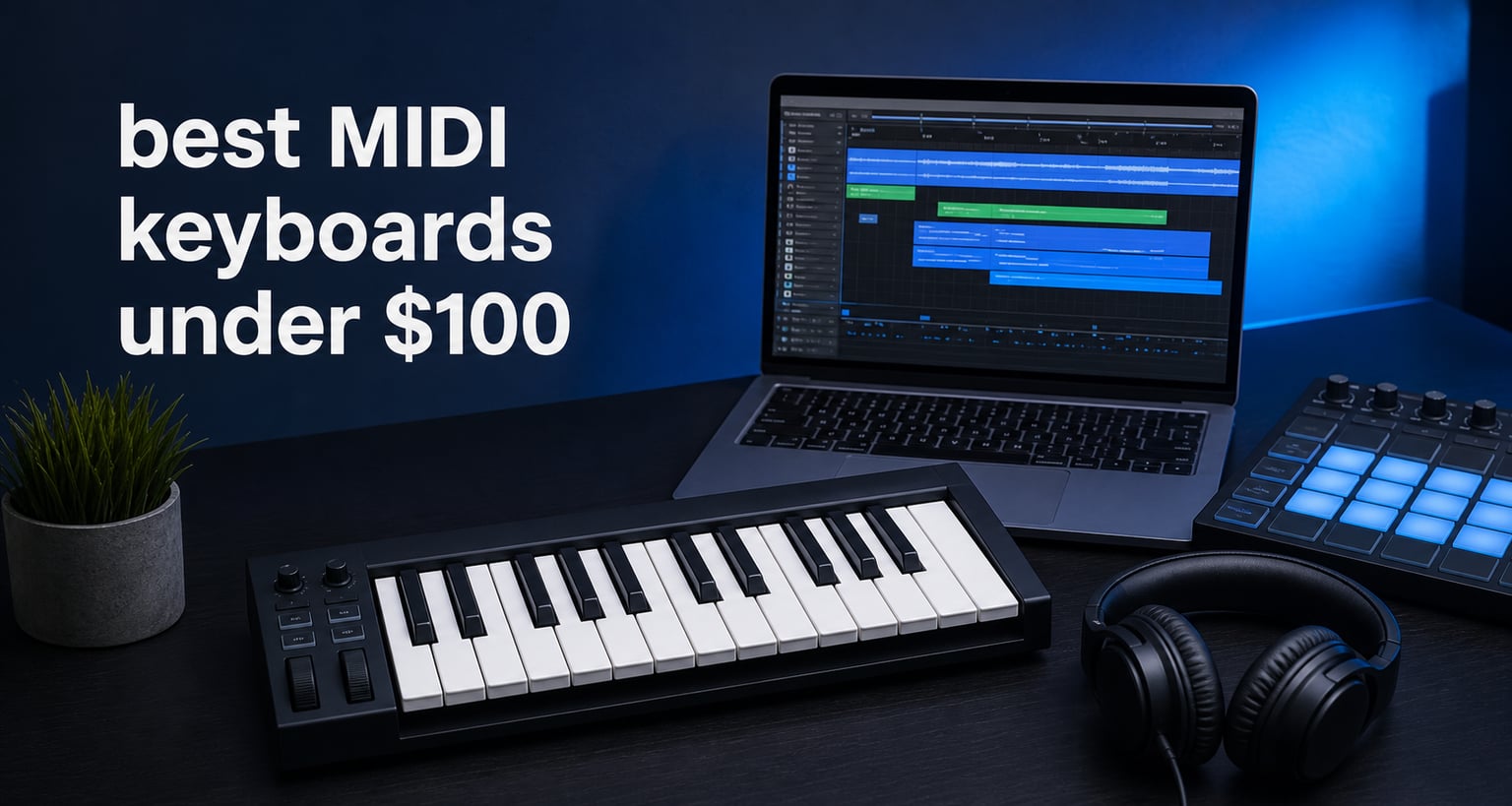
The best MIDI keyboards under 100 for most beginners are compact USB controllers with velocity-sensitive keys, a sensible control layout, and software that gets you making sound on day one. My first pick is the Arturia MiniLab 3 because its 25 slim keys, eight pads, eight knobs, four faders, USB-C connection, MIDI output, and included music software cover more of a new producer’s needs than a keys-only controller.
A MIDI keyboard does not make sound by itself. It sends note, velocity, and control messages to a computer, tablet, compatible app, or hardware device, where a virtual instrument or DAW turns those messages into sound; that is why the included software and connection options matter as much as the number of keys.
For this guide, I compared every one of the seven controllers supplied for this roundup by verified key count, pads and controls, connection type, supported platforms, supplied software, warranty information where listed, and buyer feedback. None is a substitute for a full piano, but each can be a practical first MIDI controller for beginners who want to write chords, play melodies, program drums, or learn a DAW without starting with a crowded control surface.
The top 3 picks give beginners the clearest starting point in September 2026

Choose the MiniLab 3 if you want the broadest mix of keyboard playing, drum pads, knobs, faders, and starter instruments. Choose the MPK Mini IV if eight MPC-style pads, 360-degree knobs, and its large supplied software collection sound more like your beat-making workflow.
Choose the Donner N-25 if you want a simple, compact USB MIDI keyboard and structured beginner learning material rather than a controller packed with pads and faders. A lower control count is not automatically a drawback when your main aim is to learn notes, chords, and basic recording first.
These seven MIDI keyboards make up the beginner shortlist in 2026
| Product | Specifications | Action |
|---|---|---|
| Arturia MiniLab 3 |
|
View Product |
 Akai Professional LPK25 Akai Professional LPK25 |
|
View Product |
 Akai Professional MPK Mini IV Akai Professional MPK Mini IV |
|
View Product |
 M-VAVE 25 Key Controller M-VAVE 25 Key Controller |
|
View Product |
 Arturia MicroLab Mk3 Arturia MicroLab Mk3 |
|
View Product |
 RockJam RJMK25 RockJam RJMK25 |
|
View Product |
 Donner N-25 Donner N-25 |
|
View Product |
The first decision is whether you need performance controls beyond the keys. The MiniLab 3, MPK Mini IV, M-VAVE, and RockJam include pads and knobs; the LPK25 and MicroLab Mk3 instead put their space into a focused keyboard layout, while the N-25 stays basic and compact.
Every option here has 25 keys, so they suit melodies, bass lines, drum programming, chord sketches, and travel-friendly production. If you often play two-handed piano parts or need several octaves visible at once, a 49-key controller is a better later upgrade than forcing a 25-key unit to behave like a piano.
1. Arturia MiniLab 3 is the best all-round first controller
Arturia MiniLab 3 Universal MIDI Controller, White
25 slim keys
8 pads, 8 knobs, 4 faders
USB-C and MIDI Out
Pros
- Strong starter software
- Four physical faders
- USB-C and MIDI Out
- Five year limited warranty
Cons
- Slim keys are not full-size
- Only 25 keys
The Arturia MiniLab 3 is my recommendation for a new producer who wants one small controller to cover playing, drums, and basic mixing moves. It combines 25 velocity-sensitive slim synth-action keys with eight multi-color pads, eight knobs, and four faders, a control count that leaves room to grow without making the surface intimidating.
The supplied package lists Ableton Live Lite, Analog Lab Intro, and UVI Model D. That matters for someone starting from an empty computer: the controller has a path to drum programming in Ableton and playable instrument sounds through the included Arturia and UVI software.
Its USB-C connection is convenient for a current computer setup, and MIDI Out adds an option for external MIDI gear. The listed five-year limited warranty also stands out among the seven products, although I would still read the seller’s current warranty terms before relying on a particular coverage detail.
The MiniLab 3 gives a beginner hands-on DAW control
Four faders are the differentiator here. A new producer can map them to channel volume, an instrument’s filter, or effect sends, then learn what those changes sound like instead of moving every parameter with a mouse.
The pads and eight knobs extend that learning. Buyer feedback repeatedly calls the pads responsive and the keybed premium-feeling, while one reviewer wished for more faders; I see that as a fair limit rather than a reason to pass on a controller this compact.
The MiniLab 3 suits players who accept slim keys
Slim keys help keep the MiniLab 3 narrow enough for a small desk or backpack, but they do not feel like full-size piano keys. They are a good middle ground for chord practice and short melodic parts, yet players with large hands or a piano-first routine should try slim keys before committing if possible.
There are only 25 notes available at a time, so octave buttons remain part of normal use. For beginners making electronic music, that is usually manageable; for regular two-hand accompaniment, it becomes a recurring interruption.
2. Akai Professional MPK Mini IV is the best choice for pad-led beats
Akai Professional MPK Mini IV 25-Key USB-C MIDI Keyboard Controller, Black
25 mini keys
8 MPC pads and 8 knobs
USB-C and MIDI Out
Pros
- Responsive MPC pads
- Large software collection
- Pitch and mod wheels
- Wide 10-octave range
Cons
- Mini keys need adjustment
- Only 25 physical keys
The Akai Professional MPK Mini IV is the one I would point toward when finger-drumming is as important as playing notes. It has 25 velocity-sensitive mini keys, eight MPC drum pads, eight 360-degree knobs, pitch and modulation wheels, USB-C, and MIDI Out, so a beginner can move between beats, bass, leads, and sound shaping from one controller.
Its listed software collection is unusually broad: Ableton Live Lite 12, AIR Music Tech, Moog, Native Instruments sounds, a 30-day Melodics trial, and two months of Splice. Software access can expire or change, so create the required accounts and register the hardware promptly rather than assuming every item will remain available forever.
Akai says the mini key range spans ten octaves through octave shifting. That gives access to very low bass notes and high melodies, but the controller still shows only 25 physical keys at a time; range and playing width are different things.
The MPK Mini IV makes beat construction feel direct
The eight MPC pads are the feature that earns this controller its place. Assign kicks, snares, hats, percussion, or one-shot samples to pads and record a rhythm by tapping it, then use the knobs for a filter, envelope, or effect parameter.
Recent buyer feedback praises the pads as highly responsive and highlights the software selection and build quality. I would start with a simple eight-pad drum rack, record a one-bar pattern slowly, and correct timing in the DAW only after you have heard the part in context.
The MPK Mini IV fits producers comfortable with mini keys
Mini keys are efficient for a small production desk and quick ideas, especially when one hand is on keys and the other reaches for knobs or a trackpad. They can feel cramped for technique-heavy piano practice, complex jazz voicings, or broad two-hand chord shapes.
The pitch and modulation wheels are useful for expressive lead sounds and synth parts, which a controller with only touch strips may handle differently. If those are sounds you want to perform rather than draw in with automation, this is a meaningful advantage.
3. M-VAVE 25 Key Controller is the wireless semi-weighted option
M-VAVE 25 Key USB MIDI Keyboard Controller With 8 Backlit Drum Pads, Bluetooth Semi Weighted Professional dynamic keybed 8 Knobs and Music Production,Software Included (Black)
25 semi-weighted keys
8 backlit pads and 8 knobs
USB and Bluetooth
Pros
- Bluetooth connection
- Semi-weighted keybed
- 16-hour listed battery
- Mac and mobile support
Cons
- One year warranty
- Wireless setup adds a step
The M-VAVE 25 Key USB MIDI Keyboard Controller offers a feature mix that is rare in this group: 25 velocity-sensitive semi-weighted keys, eight backlit pads, eight knobs, USB, and Bluetooth. I would look here when a slightly more resistant key feel and cable-free sessions matter more than brand-specific software integration.
The product data lists a 2,000 mAh battery with up to 16 hours of wireless use, plus compatibility with Windows, Mac OS, Android, and iOS. That makes it appealing for a tablet-based setup or a desk where you do not want another cable, provided your app and device both support the connection method you intend to use.
Its supplied compatibility list includes Ableton Live, FL Studio, Cubase, Logic Pro X, Bitwig, Reason, Studio One, and GarageBand. Treat that as platform compatibility, not a promise that every knob arrives pre-mapped in every program; first-time mapping is normal with many MIDI controllers.
The M-VAVE offers a more resistant key feel
Semi-weighted describes a key action with more resistance than a light synth key, not a fully weighted piano mechanism. For beginners who want to practice dynamics and play basic piano-style parts, that extra resistance may feel more familiar and may make accidental hard notes less common.
Buyer feedback specifically praises the semi-weighted action and reports that the pads are bright and responsive. Key feel is personal, though, so I would not assume semi-weighted means objectively better; a lighter action can be faster and more comfortable for synth leads.
The M-VAVE works best when Bluetooth solves a real need
Bluetooth is useful for mobile music-making and a cleaner workspace. It also introduces pairing, charging, and potential device-specific behavior, so USB remains the simpler first connection when you are learning a DAW at the same time.
Start with a USB session to confirm that keys, pads, and your instrument plug-in are responding. Once that works, pair it wirelessly for the situations where moving without a cable actually helps.
4. Akai Professional LPK25 is the best no-frills portable keyboard
Akai Professional LPK25 25-Key USB MIDI Keyboard Controller
25 synth keys
Built-in arpeggiator
USB connection
Mac and PC support
Pros
- Very light design
- Arpeggiator included
- Responsive synth keys
- Works with major DAWs
Cons
- No pads or knobs
- USB only
The Akai Professional LPK25 goes in the opposite direction from a pad-heavy controller. It supplies 25 responsive synth keys, USB connectivity, octave buttons, and an arpeggiator, with no pads and no knobs; I would choose it for a beginner who primarily wants to play virtual instruments on a small, light keyboard.
At a listed weight of 0.48 kilograms, it is the most travel-oriented controller in this selection. That light build is useful beside a laptop or in a bag, but it also means you should set it on a stable surface rather than expecting the planted feel of a larger desktop controller.
The compatibility information names GarageBand, Logic, Studio One, Cubase, Ableton Live, Pro Tools, Reason, and FL Studio across Mac and PC. The absence of pads and knobs is intentional, not an omission hidden in the specification: this is a keyboard and arpeggiator tool rather than a full DAW command center.
The LPK25 makes melodic ideas quick to capture
An arpeggiator turns held notes or chords into a repeating note pattern. That can help a beginner build a pulse under a melody or discover a synth pattern without manually placing every short note in a piano roll.
The octave buttons keep a 25-key layout flexible. You can play a bass line in a lower register, jump upward for a melody, and use the same compact board for both, though changing octaves during a detailed performance requires practice.
The LPK25 is right when pads would sit unused
If you program drums with a mouse, record mostly piano-like parts, or use a separate pad controller, the LPK25’s stripped-back layout is a benefit. You have fewer controls to learn and fewer mappings to troubleshoot.
It is not the pick for someone who wants to finger-drum, ride mixer faders, or turn an instrument filter with a physical knob. Those workflows point back to the MiniLab 3, MPK Mini IV, M-VAVE, or RockJam instead.
5. Arturia MicroLab Mk3 is the focused keyboard-and-software starter
Arturia MicroLab Mk3 Universal MIDI Controller, White
25 slim keys
USB-C powered
Pitch and mod touch strips
Sustain pedal input
Pros
- Same key style as MiniLab 3
- Sustain pedal input
- Analog Lab Intro included
- Light compact body
Cons
- No drum pads
- Fewer hands-on controls
The Arturia MicroLab Mk3 is the cleanest choice for a beginner who values the MiniLab 3 key style and starter instruments but does not need pads, rows of knobs, or faders. It has 25 velocity-sensitive slim keys, USB-C power, pitch and modulation touch strips, a sustain pedal input, Analog Lab Intro, and Ableton Live Lite.
That sustain pedal input deserves attention because it is absent from the supplied specifications for most of the other controllers here. A compatible sustain pedal lets you hold notes after lifting your hands, which is useful for piano-style chords, long pads, and learning basic keyboard technique.
Buyer feedback calls the setup plug-and-play and praises the keybed for the category. I would still plan to select the MicroLab as a MIDI input in your DAW and load an instrument track; plug-and-play should be understood as a low-friction start, not as an automatic finished recording template.
The MicroLab Mk3 puts keyboard playing before finger drumming
The MicroLab’s surface gives attention to the keys and performance strips instead of percussion pads. That makes the learning task simple: learn note input, velocity, octave shifting, sustain, pitch, and modulation before adding a larger collection of assignable controls.
Analog Lab Intro provides sounds to explore, while Ableton Live Lite supplies a recording environment. This pairing is useful for a new user who wants a melodic instrument library and a DAW path without researching an unrelated plug-in before playing the first note.
The MicroLab Mk3 is a strong option for sustain-pedal learners
A sustain input does not include a pedal by itself, so check pedal compatibility and purchase requirements separately. Once connected and configured, it can make slow chord changes and expressive playing feel much more natural than holding every note with your fingers.
There are no pads, and only four knobs are listed, so beat makers who want hands-on drum programming will outgrow it sooner. For someone learning chords, melodies, and virtual piano or synth parts, the restraint is part of the appeal.
6. RockJam RJMK25 is the beginner-friendly wireless pad controller
RockJam RJMK25 25 Key USB MIDI Keyboard Controller with Drum Pads
25 velocity-sensitive keys
8 pads and 8 knobs
USB MIDI and Bluetooth
Rechargeable battery
Pros
- Bluetooth capability
- Rechargeable battery
- Eight pads and knobs
- Broad listed DAW support
Cons
- Battery runtime varies
- No listed sustain input
The RockJam RJMK25 offers the familiar compact controller format: 25 velocity-sensitive keys, eight drum pads, eight knobs, USB MIDI, Bluetooth, and a rechargeable battery. It is a sensible route for a beginner who wants a single portable controller for keys, beat pads, and parameter control across computer and iOS setups.
The supported-DAW list includes Ableton Live, FL Studio, Logic Pro, Cubase, Pro Tools, Studio One, Reason, and REAPER, while the operating systems listed are macOS, Windows, and iOS. That breadth reduces the odds of choosing a controller that is plainly incompatible with your starting software, but mapping and MIDI preferences still differ from one DAW to another.
It carries the largest review total in this seven-product group, with a 4.4 rating from 27k+ reviews in the supplied data. Buyer comments from beginners mention easy setup, responsive keys, useful pads, and successful Ableton use, while one notes that battery duration could be better.
The RockJam RJMK25 provides a familiar all-in-one layout
Eight pads and eight knobs are enough to begin real control assignments without a long learning sheet. Start by making pads trigger drums and assigning one knob to a filter, then add one new assignment at a time after those two make sense.
Its velocity-sensitive keys are important because MIDI velocity changes how hard a virtual instrument interprets each note. You can play softer and harder notes instead of recording every note at one fixed volume, which makes beginner performances sound less mechanical.
The RockJam RJMK25 suits mobile sessions with a charging plan
Bluetooth and a rechargeable battery make sense for portable writing and iOS use. They also make battery level one more part of your session preparation, and a wired USB MIDI connection remains a useful fallback when you want the most straightforward setup.
The supplied details list an auxiliary connection, but that should not be confused with traditional MIDI DIN output. If your goal is to control older hardware through MIDI ports, check the exact connection requirements of both devices before choosing this controller.
7. Donner N-25 is the simplest entry point for a new learner
Donner Mini MIDI Keyboard N-25, 25 Key MIDI Controller Gifts for Beginners with Velocity-Sensitive Mini Keys Light-up Rocker Music Production Software, Small USB Controlador with 40 Teaching Courses
25 mini keys
Velocity-sensitive action
4 programmable banks
USB MIDI
Pros
- Compact USB design
- Four programmable banks
- Supports mobile platforms
- 40 teaching courses
Cons
- No pads listed
- Mini-key layout
The Donner N-25 is the simplest controller in this list for a beginner who wants to learn MIDI input before taking on pads, faders, or many knobs. It provides 25 velocity-sensitive mini keys, USB MIDI, four programmable banks, and a light-up rocker, with listed support for Mac, Windows, iOS, and Android.
The supplied data also lists 40 teaching courses, which gives it a distinct beginner angle. I would treat those lessons as a helpful first resource, then reinforce what you learn by recording a short chord sequence or melody into your own DAW project.
Compatibility is listed for Cubase LE, Ableton Live, Logic Pro, Pro Tools, and Studio One. It is USB-powered, so a computer connection is straightforward; a mobile device may need the correct adapter, as a buyer comment about iPad use also suggests.
The Donner N-25 keeps the first MIDI lesson manageable
A controller with fewer immediate decisions can be easier for a complete beginner. Learn how velocity works, change octaves, select a virtual instrument, and record one part before worrying about performance pads or mixer assignments.
The four programmable banks give room to organize MIDI assignments as your needs expand. That is more valuable after you understand what a MIDI control change does, so do not feel pressure to program every bank during your first session.
The Donner N-25 fits basic production rather than pad performance
The product data does not list drum pads or dedicated knobs, which keeps this model focused on notes. It is a natural fit for simple melodies, bass lines, chord practice, and mobile writing, not for a player whose main workflow is finger-drumming beats.
The 4.2 rating is the lowest in this group, and the supplied buyer feedback mentions a minor software learning curve. That is a reminder that an affordable MIDI controller is still part of a system: reserve time for driver-free USB recognition, DAW MIDI preferences, and choosing an instrument sound.
Choose your first MIDI keyboard by the way you will make music
The fastest way to pick a MIDI controller for beginners is to name the first task you want to do. If you want chords and melodies, prioritize key feel, octave access, and perhaps a sustain input; if you want beats, prioritize pads; if you want to shape synth sounds or mix with your hands, prioritize knobs and faders.
Do not buy controls just because they look advanced. A small controller you understand and use every week is more helpful than a larger one with features that never leave their default assignments.
Start by understanding what MIDI sends
MIDI is performance data, not audio. When you press a key, the controller sends which note you played, when it started, when it ended, and usually how hard you played it; a virtual instrument in a DAW converts that data into a piano, synth, drum, or other sound.
That distinction explains a common first-day surprise: headphones connected to a MIDI keyboard may not produce sound on their own. Open a software instrument in your DAW, select the controller as the input, and monitor sound from the computer or audio interface.
Pick 25 keys when portability matters more than piano range
All seven controllers in this guide have 25 keys. That is enough for one-hand melodies, bass lines, short chord shapes, drum notes, and ideas made beside a laptop, while octave buttons move the available key range up or down.
A 25-key MIDI keyboard is not ideal for players who regularly perform two-handed arrangements, wide left-hand bass and right-hand chords, or detailed classical practice. In that case, wait for an affordable 49-key MIDI keyboard controller rather than treating octave buttons as a full replacement for physical range.
Choose mini, slim, or semi-weighted keys based on comfort
Mini keys take the least desk space but can feel tight for players accustomed to a piano. The Akai MPK Mini IV and Donner N-25 use mini keys, while the MiniLab 3 and MicroLab Mk3 use slim keys; both formats reward compactness over a conventional full-size keyboard span.
The M-VAVE lists semi-weighted keys, which add resistance compared with a typical light synth action. No controller in this group is specified as having weighted piano keys, so a beginner focused on piano technique should set expectations accordingly.
Use pads, knobs, and faders only when they support your workflow
Pads make drum programming tactile. The MiniLab 3, MPK Mini IV, M-VAVE, and RockJam each have eight pads, enough for a basic drum kit or sample bank; velocity-sensitive pads respond to how hard you tap, although pad response always benefits from a few minutes of adjustment in the DAW.
Knobs can change a filter, effect amount, synth envelope, or other assigned parameter. Faders are particularly useful for level control, which is why the MiniLab 3 is a good learning platform for basic mixing moves; the LPK25 and MicroLab Mk3 are better when those extra controls would distract from key playing.
Connect by USB first, then add Bluetooth when it helps
USB MIDI is the clearest beginner starting point: connect the controller, open the DAW’s MIDI settings, select it as an input, load a virtual instrument, and play a key. USB-C appears on the MiniLab 3, MPK Mini IV, and MicroLab Mk3, while other products list USB connections.
Bluetooth, available on the M-VAVE and RockJam, is useful for mobile setups and fewer cables. Begin with USB whenever possible, because it separates basic MIDI recognition from wireless pairing questions; once the wired connection works, Bluetooth becomes easier to diagnose.
Register the included software before your first project
Starter software can be a real part of a controller’s value, especially when it includes a DAW edition and instruments. The MiniLab 3 includes Ableton Live Lite, Analog Lab Intro, and UVI Model D; the MicroLab Mk3 includes Analog Lab Intro and Ableton Live Lite; the MPK Mini IV lists several software and sound resources.
Make your account, register the controller, and download only one DAW and one instrument to start. A simple first project with one drum sound, one bass sound, and one chord sound teaches more than installing a large library without a plan.
Check sustain-pedal needs and compatible accessories early
If you expect to play held piano chords or slow ambient parts, a sustain-pedal input can change the experience. The MicroLab Mk3 specifically lists a sustain pedal input; check the manual and the pedal’s polarity compatibility before buying an accessory.
You may also need a suitable USB adapter for a phone or tablet and headphones or speakers connected to your computer or interface. Those items affect the first session, but they do not change the controller’s MIDI capability itself.
These answers remove the common beginner doubts
What is the best brand for MIDI keyboards?
There is no single best brand for every beginner. In this seven-product selection, Arturia is strong for its starter software and focused keyboard options, Akai suits pad-based production, and M-VAVE and RockJam add Bluetooth choices. Pick the controller whose keys, controls, and connection type match your first projects.
What is the best keyboard under 100$?
The Arturia MiniLab 3 is the best all-round choice here because it combines 25 velocity-sensitive slim keys, eight pads, eight knobs, four faders, USB-C, MIDI Out, and a starter software package. Choose the Akai MPK Mini IV instead when MPC-style pads and a broad sound collection matter more than faders.
Which is the cheapest MIDI keyboard?
The Donner N-25 is this roundup’s entry-level pick. It keeps the design focused on 25 velocity-sensitive mini keys, USB MIDI, four programmable banks, and teaching courses, making it suitable for a beginner who wants to learn note input before adding drum pads and mixing controls.
What is a good starter MIDI keyboard?
A good starter MIDI keyboard has velocity-sensitive keys, a USB connection, dependable compatibility with your computer or DAW, and only the controls you will actually use. The Arturia MiniLab 3 is the broadest starting point, the Arturia MicroLab Mk3 is better for keyboard-first players, and the Donner N-25 is the simplest focused option.
The Arturia MiniLab 3 is the best MIDI keyboard under 100 for most beginners
If I were choosing a first controller from these seven, I would start with the Arturia MiniLab 3 for its balanced control layout, USB-C and MIDI Out, starter software, and listed five-year limited warranty. The Akai MPK Mini IV is the better pick for a pad-centered beat maker, while the MicroLab Mk3 gives keyboard-first learners a sustain-pedal input and a simpler surface.
For wireless use, look to the M-VAVE or RockJam; for minimal portable keys, choose the Akai LPK25; and for a focused first step, choose the Donner N-25. The best MIDI keyboards under 100 in 2026 are the ones that make you open your DAW and finish a short idea, so choose the layout you will enjoy learning this week.