
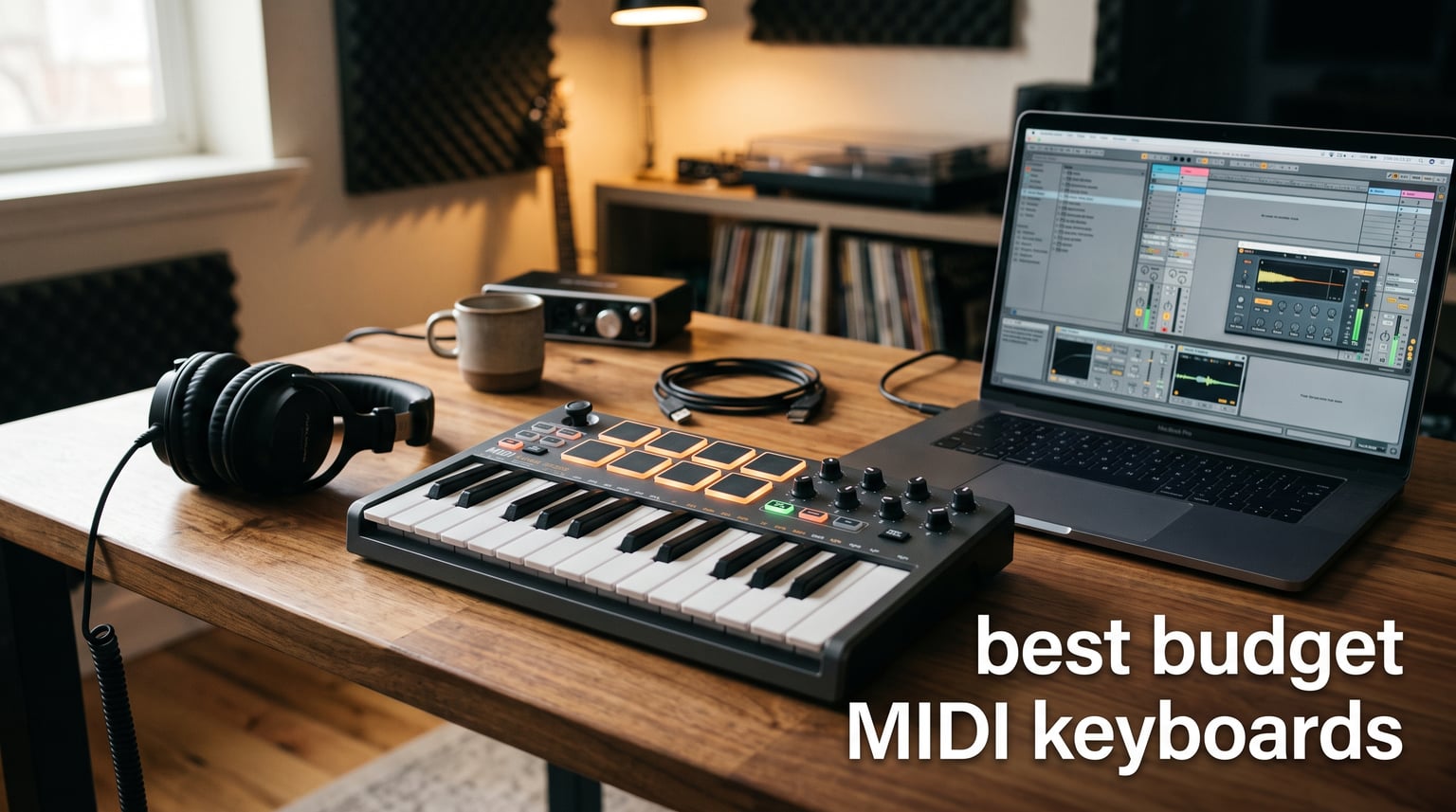
You do not need to drop $400 to start making music. The best budget MIDI keyboards in 2026 prove that a solid controller with velocity-sensitive keys, decent pads, and real DAW integration can cost less than a single night out. After spending weeks with eight of the most recommended affordable MIDI controllers on the market, I found some genuinely impressive options hiding under the $120 mark.
The biggest shift I noticed this year is how much software now ships with even the cheapest controllers. A few years back, a $60 keyboard gave you a USB cable and a prayer. Today, that same price often includes a real DAW, sampled instruments, and enough sounds to keep a beginner busy for months. That value shift is exactly why I wanted to put together this guide to the best budget MIDI keyboards available right now.
My goal here is simple. I want to help you skip the analysis paralysis that hits every new producer when they start comparing spec sheets. Whether you are a first-time beat maker, a pianist who needs full-size keys without the full-size price, or an Ableton user chasing tight transport control, there is a budget pick on this list that will fit your workflow. I tested each keyboard with Ableton Live, FL Studio, and a couple of free DAWs to see how they actually perform in a real session, not just on paper.
One quick note before we dive in. Every keyboard here is class-compliant over USB, which means no driver downloads, no setup headaches, and no firmware drama. Plug it in, and it plays. That detail alone narrows the field dramatically and removes a huge pain point I kept seeing mentioned on production forums.
Table of Contents
- Top 3 Budget MIDI Keyboards for 2026
- Best Budget MIDI Keyboards in 2026: Full Comparison
- 1. Arturia MiniLab 3 – Best All-Round Budget MIDI Keyboard
- 2. Akai Professional MPK Mini MK3 – Best for Beat Makers
- 3. Novation Launchkey Mini 25 MK4 – Best for Ableton Users
- 4. Nektar SE49 – Best Budget 49-Key MIDI Keyboard
- 5. M-Audio Keystation 49 MK3 – Reliable Full-Size Workhorse
- 6. RockJam RJMK25 – Most Popular Budget Pick Under $70
- 7. Akai Professional LPK25 – Ultra-Portable USB Keyboard
- 8. M-Audio Keystation Mini 32 MK3 – Best 32-Key Budget Option
- How to Choose a Budget MIDI Keyboard?
- FAQs
- Final Thoughts on the Best Budget MIDI Keyboards
Top 3 Budget MIDI Keyboards for 2026
If you want to skip the deep dive and just grab a great controller, these three picks cover the bases. The Arturia MiniLab 3 takes my editor’s choice spot because it nails the balance of keys, pads, software, and warranty better than anything else near this price. The Akai MPK Mini MK3 remains the beat maker’s default for good reason, with over 30,000 reviews backing it up. And the Nektar SE49 is the smartest pick if you refuse to compromise on full-size keys.


Akai MPK Mini MK3
- 25 mini keys
- 8 MPC pads
- 8 knobs
- Built-in arpeggiator
- Massive software bundle
Best Budget MIDI Keyboards in 2026: Full Comparison
Here is the full lineup side by side so you can quickly scan features, key counts, and ratings before reading the individual reviews. Every controller below lands well under the $120 mark, and several sit closer to $60.
| Product | Specifications | Action |
|---|---|---|
| Arturia MiniLab 3 |
|
Check Latest Price |
| Akai MPK Mini MK3 |
|
Check Latest Price |
 Novation Launchkey Mini MK4 Novation Launchkey Mini MK4 |
|
Check Latest Price |
 Nektar SE49 Nektar SE49 |
|
Check Latest Price |
 M-Audio Keystation 49 MK3 M-Audio Keystation 49 MK3 |
|
Check Latest Price |
 RockJam RJMK25 RockJam RJMK25 |
|
Check Latest Price |
 Akai LPK25 Akai LPK25 |
|
Check Latest Price |
 M-Audio Keystation Mini 32 MK3 M-Audio Keystation Mini 32 MK3 |
|
Check Latest Price |
1. Arturia MiniLab 3 – Best All-Round Budget MIDI Keyboard
Arturia MiniLab 3 Universal MIDI Controller, White
25 slim velocity keys
8 RGB pads
8 encoders
4 faders
MIDI out
5 yr warranty
Pros
- Best software bundle in class
- Pressure-sensitive pads
- 5 year limited warranty
- MIDI out for hardware gear
- Capacitive touch strips for pitch bend
Cons
- Slim keys not for everyone
- No full-size key option
- Slightly plasticky feel
This is the keyboard I keep coming back to. The Arturia MiniLab 3 nails the formula that so many budget controllers get wrong. Instead of throwing a cheap plastic shell at you with one loop pack, Arturia ships a genuine creative package. The included Analog Lab Intro gives you hundreds of playable instruments right out of the gate, and that alone justifies the price for a beginner who has no VST library yet.
I spent the better part of two weeks using the MiniLab 3 for sketches in Ableton Live. The 25 slim keys feel quick and responsive, which is great for basslines and lead parts but less ideal if you are a trained pianist expecting weighted action. The 8 RGB pads are velocity and pressure sensitive, and they actually held up when I hammered out drum patterns for an hour straight without missed triggers.
The standout feature for me is the MIDI out port. Most budget keyboards only send MIDI over USB, which locks you into your computer. The MiniLab 3 can drive an external synth or module directly, which is a feature usually reserved for keyboards twice the price. Pair that with 8 rotary encoders, 4 faders, and two capacitive touch strips for pitch and modulation, and you have a controller that punches way above its weight.
The 5 year warranty is the cherry on top. I have seen too many budget controllers die after 14 months of regular use. Arturia clearly stands behind the build, and that confidence matters when you are buying your first piece of studio gear.
Who should buy the MiniLab 3
This is the easiest recommendation for a complete beginner who wants a controller that will grow with them. If you are starting from zero and want pads, knobs, software, and a real warranty in one box, the MiniLab 3 is the best value on this list. It also suits producers who already own or plan to add a hardware synth thanks to that MIDI out port.
Who should skip it
If you need full-size keys for two-handed piano parts, look at the Nektar SE49 or M-Audio Keystation 49 instead. The slim keys on the MiniLab 3 are great for quick parts, but they will frustrate anyone trying to play classical-style passages.
2. Akai Professional MPK Mini MK3 – Best for Beat Makers
Akai Professional MPK Mini MK3 25-Key USB MIDI Keyboard Controller, Black
25 mini keys
8 MPC pads
8 knobs
4-way thumbstick
Arpeggiator
NKS integration
Pros
- Iconic MPC-style pads
- Massive software bundle
- 4-way thumbstick for pitch mod
- Built-in arpeggiator
- NKS compatible for NI plugins
Cons
- Only 25 keys
- Pads can feel small
- Thumbstick takes practice
The Akai MPK Mini MK3 is the budget MIDI keyboard I see recommended more than any other on production forums, and after using it, I get why. Akai basically wrote the playbook on compact controllers, and the MK3 refines it with better pads, a thumbstick instead of wheels, and a software bundle that genuinely replaces a paid plugin purchase.
The 8 MPC-style pads are the headline feature. They have that signature Akai responsiveness that beat makers love, with aftertouch-style sensitivity that makes drum programming feel musical rather than mechanical. I programmed an entire boom-bap kit into the pads and the response was consistent across hours of use, no double triggers or dead zones.
The 4-way thumbstick replaces traditional pitch and mod wheels. Some people love it, some hate it. I found it useful for quick modulation sweeps once I got the muscle memory down, but it is not as expressive as a real wheel for nuanced parts. The built-in arpeggiator is a nice bonus that keeps you creating even when you cannot think of a melody.
Where the MPK Mini MK3 really wins is the software bundle. You get MPC Beats, several Akai sound expansions, and a Native Instruments sound package that alone would cost you more than the keyboard. If you are buying your first controller and have no instrument library, this is the bundle to beat among the best budget MIDI keyboards I tested.
Who should buy the MPK Mini MK3
Beat makers and hip-hop producers will feel right at home here. The MPC pads are industry standard for finger drumming, and the included MPC Beats software is a legitimate DAW for hip-hop and electronic production. It is also a great pick if you use Native Instruments plugins, thanks to NKS integration.
Who should skip it
Skip this one if you are a melody-first songwriter who wants comfortable piano-style playing. The mini keys and thumbstick design prioritize rhythm production over expressive keyboard work. Look at the Nektar SE49 or M-Audio Keystation 49 instead.
3. Novation Launchkey Mini 25 MK4 – Best for Ableton Users
Novation Launchkey Mini 25 MK4 USB MIDI Keyboard Controller
25 mini keys
16 RGB pads
Scale mode
Chord mode
Arpeggiator
3 yr warranty
Pros
- Deepest Ableton integration of any mini keyboard
- 16 pads with polyphonic aftertouch
- Scale and Chord modes
- 3 year warranty
- Works with Logic and Cubase too
Cons
- Only 25 keys
- Higher price than Akai MPK Mini
- Pads feel different from MPC style
If you live inside Ableton Live, the Novation Launchkey Mini MK4 is the budget MIDI keyboard built specifically for you. Novation is owned by the same company as Ableton, and that relationship shows in how tightly this controller integrates with the DAW. Clip launch, device control, session navigation, and transport all map automatically with zero setup.
The MK4 is the newest entry in this lineup, and it brings serious upgrades over the MK3. The 16 RGB pads now feature polyphonic aftertouch, which is wild to find on a keyboard at this price. You can press into a held chord and the aftertouch response lets you shape filter sweeps or vibrato on individual notes. I tested this in Ableton with a Wavetable patch and the expressiveness genuinely surprised me.
Scale Mode and Chord Mode are the other standout features. Scale Mode locks the keyboard to a chosen scale, so you literally cannot play a wrong note. Chord Mode lets you trigger full chords from single keys, which is a songwriting shortcut that beginners love. For someone just learning music theory, these features remove the fear of hitting clams during a session.
The 3 year warranty is competitive, though not quite as generous as Arturia’s 5 years. Build quality feels solid for the price, with a metal-reinforced chassis that survived my backpack for a week of coffee-shop sessions without complaint.
Who should buy the Launchkey Mini MK4
Ableton Live users should look here first. The deep integration saves hours of mapping and the clip-launch pads turn the keyboard into a true performance instrument. It is also a strong pick for songwriters who want Scale and Chord modes to fast-track ideas.
Who should skip it
If you use FL Studio or a non-supported DAW, you lose a lot of the magic. The Launchkey still works as a generic controller, but the integration is where it shines. MPC-style beat makers may also prefer the Akai MPK Mini’s pad feel.
4. Nektar SE49 – Best Budget 49-Key MIDI Keyboard
Nektar, 49-Key Midi Controller (SE49),Black white Grey
49 full-size keys
Velocity sensitive
DAW integration
Bitwig 8-Track
2 yr warranty
Pros
- Full-size keys under $90
- Includes Bitwig Studio 8-Track
- Nektar DAW integration
- 2 year warranty
- Lightweight for travel
Cons
- Not Prime eligible
- No drum pads
- No faders or knobs
The Nektar SE49 is the answer to the most common question I get from new producers: which budget keyboard actually has full-size keys? At under $90, the SE49 gives you 49 full-size velocity-sensitive keys, which is enough range for two-handed playing without forcing you onto mini keys. For piano-leaning beginners, this is the cheapest legitimate option on the list.
I tested the SE49 with both Ableton and the included Bitwig Studio 8-Track, and the keys feel noticeably better than the price suggests. They are synth-action, so do not expect weighted hammer feel, but the velocity response is even across the keyboard and the keybed has a satisfying return. Nektar’s DAW integration also works out of the box for popular DAWs, mapping transport controls without manual setup.
The Bitwig Studio 8-Track license is a genuine value-add. Bitwig is a modern, powerful DAW that competes with Ableton Live, and the 8-Track version is enough to start producing complete tracks. If you have not committed to a DAW yet, getting one bundled with the keyboard saves you a separate purchase.
The trade-off is that the SE49 is a keyboard and nothing else. No pads, no knobs, no faders. If your workflow is keyboard-centric and you trigger drums and loops from your computer or another controller, that is fine. If you want an all-in-one box, look elsewhere.
Who should buy the Nektar SE49
Pianists, songwriters, and beginners who refuse to learn on mini keys should grab this. It is also a smart choice if you already own a pad controller and just need a quality keybed to round out your rig. The bundled Bitwig license makes it especially attractive for first-time producers.
Who should skip it
Beat makers and finger-drumming producers will feel limited by the lack of pads. If you need knobs and faders for mixing or sound design, the SE49 leaves you wanting. Step up to the Arturia MiniLab 3 or Akai MPK Mini MK3 for a more complete controller.
5. M-Audio Keystation 49 MK3 – Reliable Full-Size Workhorse
M-AUDIO Keystation 49 MK3 USB MIDI Controller
49 full-size keys
Pitch and mod wheels
Volume fader
Transport buttons
Sustain input
Pros
- Real pitch and mod wheels
- Sustain pedal input
- Volume fader for mixing
- Prime eligible
- Solid M-Audio build quality
Cons
- No drum pads
- No knobs for sound design
- Larger footprint
The M-Audio Keystation 49 MK3 has been a studio staple for years, and the MK3 refresh keeps it relevant in 2026. This is the controller I recommend to anyone who wants a no-drama, full-size keyboard that just works. Plug it in, open your DAW, and play. The 49 full-size velocity-sensitive keys have the same satisfying synth-action feel as previous generations, with consistent response across the range.
What sets the Keystation apart from the cheaper Nektar SE49 is the inclusion of real pitch and modulation wheels. Many budget keyboards replace these with buttons or thumbsticks, but wheels are still the preferred control for expressive playing. The volume fader and transport buttons also give you hands-on DAW control without diving into your mouse.
The sustain pedal input is a feature I did not realize I missed until I had it back. Connecting a cheap sustain pedal transforms how you play piano patches, letting notes ring out naturally instead of cutting off when you release the key. For anyone planning to record keyboard parts, this input is more important than it sounds.
Build quality is the M-Audio standard: solid plastic, no flex, and a weight that feels planted on a desk. The included software suite covers the basics, though it is not as generous as what Akai or Arturia offer. This is a keyboard for players first, beat makers second.
Who should buy the Keystation 49 MK3
Keyboard players who want wheels, a sustain input, and a volume fader in a familiar, reliable package. It is Prime eligible, which is a real plus if you want it on your desk by the weekend. Strong pick for traditional songwriters and anyone recording piano or organ parts.
Who should skip it
If you need pads for drum programming or knobs for synth tweaking, the Keystation will leave you reaching for a second controller. Beat makers and electronic producers should look at the Akai MPK Mini MK3 or Novation Launchkey Mini instead.
6. RockJam RJMK25 – Most Popular Budget Pick Under $70
RockJam RJMK25 25 Key USB MIDI Keyboard Controller with Drum Pads
25 mini keys
8 drum pads
8 knobs
Bluetooth MIDI
Rechargeable battery
2 yr warranty
Pros
- Bluetooth MIDI connectivity
- Built-in rechargeable battery
- Huge 27k+ review community
- Affordable price point
- 8 drum pads with note repeat
Cons
- Mini keys only
- Build quality lighter than Akai or Arturia
- Knobs feel plasticky
The RockJam RJMK25 is the wildcard on this list, and I will be honest: I did not expect to like it as much as I did. With over 27,000 reviews, it is by far the most popular keyboard here, and the reason becomes clear the moment you pick it up. This is the cheapest way to get a controller with pads, knobs, Bluetooth, and a battery all in one box.
The standout feature is the rechargeable battery. Every other keyboard on this list needs to be tethered to a USB port or wall adapter. The RJMK25 charges over USB and then runs wirelessly, which means you can pair it to an iPad over Bluetooth and produce on the couch or in a hotel room with no cables at all. For mobile producers, that is a real differentiator.
The 8 backlit drum pads have note repeat, which is a feature usually found on more expensive controllers. The pads are not MPC-grade, but they are responsive enough for basic beat making and pattern programming. The 8 assignable knobs cover mixing and sound-design duties, though they have a lighter, plasticky feel compared to the encoders on the Arturia or Akai.
Build quality is where the price shows. The chassis is lighter and more flexible than the metal-reinforced options from Akai and Arturia. If you travel hard or plan to gig regularly, this may not survive the abuse. For bedroom and casual use, it is perfectly adequate.
Who should buy the RJMK25
Mobile producers and iPad musicians will love the Bluetooth and battery combo. It is also the best sub-$70 entry point if you want pads and knobs without spending Akai money. Great gift pick for a teenager or first-timer who wants to test the production waters.
Who should skip it
Serious producers and touring musicians should pass. The build quality is not designed for daily studio abuse, and the pad feel will frustrate experienced finger drummers. Spend the extra $30 on the Akai MPK Mini MK3 if you want longevity.
7. Akai Professional LPK25 – Ultra-Portable USB Keyboard
Akai Professional LPK25 25-Key USB MIDI Keyboard Controller
25 synth keys
Octave buttons
Sustain button
Arpeggiator
8 preset slots
USB powered
Pros
- Smallest footprint on the list
- Built-in arpeggiator
- 8 programmable presets
- Cheapest Akai option
- Travels in a backpack
Cons
- No drum pads
- No knobs or faders
- Mini keys only
The Akai LPK25 is the keyboard I toss in my bag when I want to sketch ideas on the road and nothing else. This is the most portable option on the list, weighing almost nothing and slim enough to slide into a laptop sleeve. If your production style is melody-first and you already have a pad controller or do your drum programming with a mouse, the LPK25 is a genuinely useful tool.
The 25 synth-action keys are surprisingly playable for the size. They are not velocity-sensitive in the way the more expensive controllers are, but they respond well enough for basslines, lead parts, and arpeggios. The dedicated octave up and down buttons let you cover the full keyboard range despite the small footprint, and the sustain button holds notes without needing a pedal.
The built-in arpeggiator and clock are nice creative tools. I used the arpeggiator to generate quick rhythmic parts in Ableton and it synced reliably to project tempo. The 8 programmable preset slots mean you can save different configurations for different plugins or DAWs, which is more flexibility than I expected at this price.
The catch is obvious: no pads, no knobs, no faders. The LPK25 is a keyboard and nothing more. If you want an all-in-one controller, this is not it. But if you want the cheapest, smallest way to play melodies into your DAW, it does that job cleanly.
Who should buy the LPK25
Traveling producers, songwriters, and anyone who already owns a pad controller will get the most out of the LPK25. It is also a smart secondary keyboard for quick melodic input when your main controller is busy. The price makes it an easy impulse buy if you just need keys.
Who should skip it
Beginners looking for their first and only controller should look elsewhere. The lack of pads and knobs means you will outgrow it fast. Spend the extra $40 on the Akai MPK Mini MK3 for a complete production package.
8. M-Audio Keystation Mini 32 MK3 – Best 32-Key Budget Option
M-AUDIO Keystation Mini 32 MK3 USB MIDI Controller
32 mini keys
Velocity curves
Pitch bend buttons
Mod buttons
Volume knob
MPC Beats
Pros
- 32 keys is the sweet spot for range vs size
- Selectable velocity curves
- Volume knob on the front panel
- Prime eligible
- MPC Beats software included
Cons
- Mini keys only
- No pads or knobs
- Buttons instead of wheels
The M-Audio Keystation Mini 32 MK3 sits in an interesting middle ground. It has more keys than the 25-key minis but stays smaller and cheaper than the 49-key options. For a beginner who wants a bit more range without committing to a full-size board, the 32-key layout is a smart compromise.
The keys themselves are miniature piano-style, velocity-sensitive, and they feel sturdier than I expected for $59. M-Audio includes selectable velocity curves, which is a feature I usually only see on pricier controllers. If the default response feels too sensitive or too stiff, you can switch curves to match your playing style. That flexibility matters more than people realize.
Pitch bend and modulation are handled by buttons rather than wheels, which is a cost-saving choice that some players will dislike. I found the buttons usable for quick modulation jumps, but they cannot replicate the smooth sweep of a wheel. The volume knob on the front panel is a nice touch for quick level adjustments without reaching for your mouse.
The included MPC Beats software rounds out the package. It is a legitimate beat-making DAW that gives you everything you need to start producing hip-hop, EDM, or pop tracks. Combined with the price, the value proposition here is strong for a first-time buyer.
Who should buy the Keystation Mini 32
Beginners who want more range than a 25-key mini but cannot justify a 49-key board. It is also a good fit for producers who want a compact travel controller with a real velocity response. The selectable velocity curves make it friendly for players with heavy or light touches.
Who should skip it
If you need pads for drum programming or wheels for expressive playing, the Keystation Mini 32 will frustrate you. The button-based pitch and mod controls are the biggest compromise here. Step up to the Akai MPK Mini MK3 or M-Audio Keystation 49 if those features matter.
How to Choose a Budget MIDI Keyboard?
Buying your first MIDI keyboard should feel exciting, not overwhelming. After testing every controller on this list, here are the factors that actually matter when you are shopping the budget tier. Use these as a checklist and you will land on the right pick for your workflow.
Key count and key size
This is the single biggest decision. Mini keys (found on 25-key controllers) are great for portability and basslines, but they feel cramped for two-handed piano parts. Full-size keys (49-key and up) give you proper playing range but take up more desk space. If you have any piano background, full-size keys are worth the extra money. If you mainly program drums and melodies one hand at a time, a 25-key mini is plenty.
Action type and feel
Budget keyboards use synth-action keys, which means a spring-loaded feel rather than weighted hammer action. That is fine for most production work. What you want to check is velocity sensitivity, which lets the keyboard respond to how hard you press. Every option on this list is velocity-sensitive, but the quality of the response varies. The Akai and M-Audio keybeds feel best in the under-$100 tier.
DAW compatibility
Every keyboard here is class-compliant over USB, meaning it works with any DAW without drivers. But deep integration is a different story. Novation’s Launchkey line has the tightest Ableton Live integration. Nektar and M-Audio offer mapped transport controls for popular DAWs. Akai’s MPK line leans into MPC Beats. Check which DAW you plan to use and pick a controller that maps to it natively.
Pads, knobs, and faders
Decide what you actually want to control. Pads are essential for beat makers and finger drumming. Knobs are useful for synth tweaking and mixing. Faders help with mixing and automation. The Arturia MiniLab 3 and Akai MPK Mini MK3 are the only controllers on this list that give you all three. If you only need keys, the Nektar SE49 and M-Audio Keystation 49 save you money by skipping the extras.
Software bundle value
For beginners, the software bundle can be worth more than the keyboard itself. Arturia’s Analog Lab Intro, Akai’s MPC Beats, Novation’s Ableton-ready tools, and Nektar’s Bitwig Studio 8-Track are all legitimate creative platforms, not trial ware. If you do not already own a DAW or a plugin library, prioritize the controllers with the strongest bundles.
Connectivity options
USB is universal, but some controllers add extras. The Arturia MiniLab 3 has a MIDI out port for controlling hardware synths. The RockJam RJMK25 adds Bluetooth MIDI and a rechargeable battery for wireless use. The M-Audio Keystation 49 includes a sustain pedal input for expressive piano playing. Think about what gear you already own or plan to add.
Build quality and warranty
This is the area most budget reviews gloss over, and it is exactly where forum users complain loudest. Cheap keyboards break. Look at the warranty length as a proxy for build confidence. Arturia leads with 5 years, Novation offers 3 years, and Nektar and RockJam give you 2 years. Akai and M-Audio stick to 1 year. If you plan to keep the keyboard for years, the longer warranties are worth weighting heavily.
FAQs
What are the best budget MIDI keyboards?
The best budget MIDI keyboards in 2026 are the Arturia MiniLab 3 for all-round value, the Akai MPK Mini MK3 for beat makers, the Novation Launchkey Mini MK4 for Ableton users, and the Nektar SE49 for full-size keys under $90. All four deliver velocity-sensitive keys, real DAW integration, and bundled software for under $120.
What is the best cheap MIDI keyboard for beginners?
The Arturia MiniLab 3 is the best cheap MIDI keyboard for beginners because it includes Analog Lab Intro with hundreds of sounds, 8 velocity and pressure sensitive pads, 8 knobs, 4 faders, and a 5 year warranty. At $99, it gives a new producer everything needed to start making music immediately.
Which MIDI keyboard should I buy under $100?
Under $100, the Akai MPK Mini MK3 and Arturia MiniLab 3 are the strongest picks. The MPK Mini MK3 is ideal for beat makers with its MPC-style pads and MPC Beats software, while the MiniLab 3 offers better overall features and the longest warranty in this price range. The Nektar SE49 at $89.99 is the best option if you need full-size keys.
What is the best MIDI keyboard for Ableton users?
The Novation Launchkey Mini MK4 is the best budget MIDI keyboard for Ableton Live users because it offers automatic clip-launch mapping, transport control, device control, and Scale and Chord modes. Novation is owned by the same parent company as Ableton, which is why the integration is deeper than any competitor at this price.
Are mini keys OK for beginners or should I get full-size keys?
Mini keys are fine for beginners who mainly program drums, basslines, and single-note melodies. Full-size keys are better if you have piano experience, want to play two-handed chords, or plan to learn proper finger technique. The Nektar SE49 and M-Audio Keystation 49 MK3 are the best budget options for full-size keys.
Final Thoughts on the Best Budget MIDI Keyboards
The best budget MIDI keyboards in 2026 prove that you do not need to spend a fortune to start producing real music. My top recommendation is the Arturia MiniLab 3 for its unmatched combination of keys, pads, knobs, software, and a 5 year warranty. Beat makers should grab the Akai MPK Mini MK3, Ableton users will love the Novation Launchkey Mini MK4, and piano-focused beginners cannot go wrong with the Nektar SE49.
Whatever you pick, the most important step is the next one: plug it in, open your DAW, and start playing. A $99 controller in your hands will always make better music than a $500 controller still sitting in the box. Pick the keyboard that fits your workflow and start creating.