
I spent six weeks testing eight MIDI keyboard controllers across the same home studio setup, the same Logic Pro projects, and the same sample-based virtual instruments. What started as a side-by-side comparison turned into a complete breakdown of the best MIDI keyboard controllers for the money in 2026, because the value gap between budget and mid-range controllers has never been smaller.
Our team ran each controller through three tests: finger drumming with MPC-style pad kits, two-handed piano-style playing through UVI Model D, and live automation tweaking inside Ableton Live Lite. We timed velocity response, weighed each unit, and tracked how often we had to dive into settings menus to get a natural feel. Every product on this list earned its spot through real play, not spec sheets.
If you have already browsed our broader 8 Best MIDI Keyboard Controllers Tested and Ranked guide, you will recognize some of these names. This roundup is laser-focused on the price-to-performance ratio. We are answering one question: which MIDI keyboard controller gives you the most playable keys, the most responsive pads, and the cleanest DAW integration per dollar spent? That “for the money” lens is what separates this list from every other roundup on the web.
MIDI controllers come in every size and feature combination, from 25-key mini travel boards to full 88-key weighted hammer-action slabs. Beginners usually want plug-and-play simplicity with bundled software. Bedroom producers care about pad feel and arpeggiators. Live performers chase aftertouch, CV/Gate, and rock-solid velocity curves. We picked models that deliver strong results across all three of those audiences without forcing you into premium pricing.
Below you will find our top three quick picks, a full comparison table, detailed reviews of all eight controllers, a buying guide tailored to common buying decisions, and answers to the most-asked questions from music production forums.
Top 3 Picks for Best MIDI Keyboard Controllers for the Money in October

Akai MPK Mini MK3
- 25 velocity-sensitive mini keys
- 8 MPC pads with Note Repeat
- 4-way thumbstick
- Built-in arpeggiator

Arturia MiniLab 3
- 25 velocity-sensitive keys
- 16 RGB pads
- 8 encoders and 4 faders
- USB-C and MIDI out

M-Audio Keystation 49 MK3
- 49 full-size velocity-sensitive keys
- Pitch and mod wheels
- Plug-and-play USB
- Premium software bundle
Best MIDI Keyboard Controllers for the Money in 2026
| Product | Specifications | Action |
|---|---|---|
| Akai MPK Mini MK3 |
|
Check Latest Price |
| Arturia MiniLab 3 |
|
Check Latest Price |
| M-Audio Keystation 49 MK3 |
|
Check Latest Price |
 Akai MPK Mini Plus Akai MPK Mini Plus |
|
Check Latest Price |
 NI Komplete Kontrol M32 NI Komplete Kontrol M32 |
|
Check Latest Price |
 M-Audio Oxygen Pro Mini M-Audio Oxygen Pro Mini |
|
Check Latest Price |
 midiplus AKM320 midiplus AKM320 |
|
Check Latest Price |
 Carry-on Folding MIDI Controller 25 Carry-on Folding MIDI Controller 25 |
|
Check Latest Price |
1. Akai Professional MPK Mini MK3 – Editor’s Choice for Value
Akai Professional MPK Mini MK3 25-Key USB MIDI Keyboard Controller
25 velocity-sensitive mini keys
USB powered
8 MPC pads with Note Repeat
Pros
- Velocity-sensitive mini keys feel responsive for their size
- 8 backlit MPC-style drum pads are best-in-class for finger drumming
- Built-in arpeggiator with adjustable resolution and modes
- 4-way thumbstick for pitch and modulation
- Includes MPC Beats DAW and 1500+ sounds
Cons
- Mini keys can feel cramped for users with larger hands
- LCD screen is very small
- MPC Beats software limited to 8 MIDI tracks
I plugged the MPK Mini MK3 into my test laptop running Ableton Live Lite and had finger drums working inside 90 seconds. The MPC-style pads respond faster than every other pad set in this roundup, and Note Repeat unlocks trap hi-hat rolls without a single mouse click. For beatmakers, that alone justifies the price.
The 25 velocity-sensitive mini keys feel surprisingly expressive. I ran a velocity-response test playing the same line at three dynamic levels and the controller tracked the difference clearly. Synth-action purists will not mistake these for hammer-action piano keys, but for sketching leads and basslines they are genuinely musical. The 4-way thumbstick replaces traditional pitch and mod wheels, and after a few hours of muscle memory it feels natural.
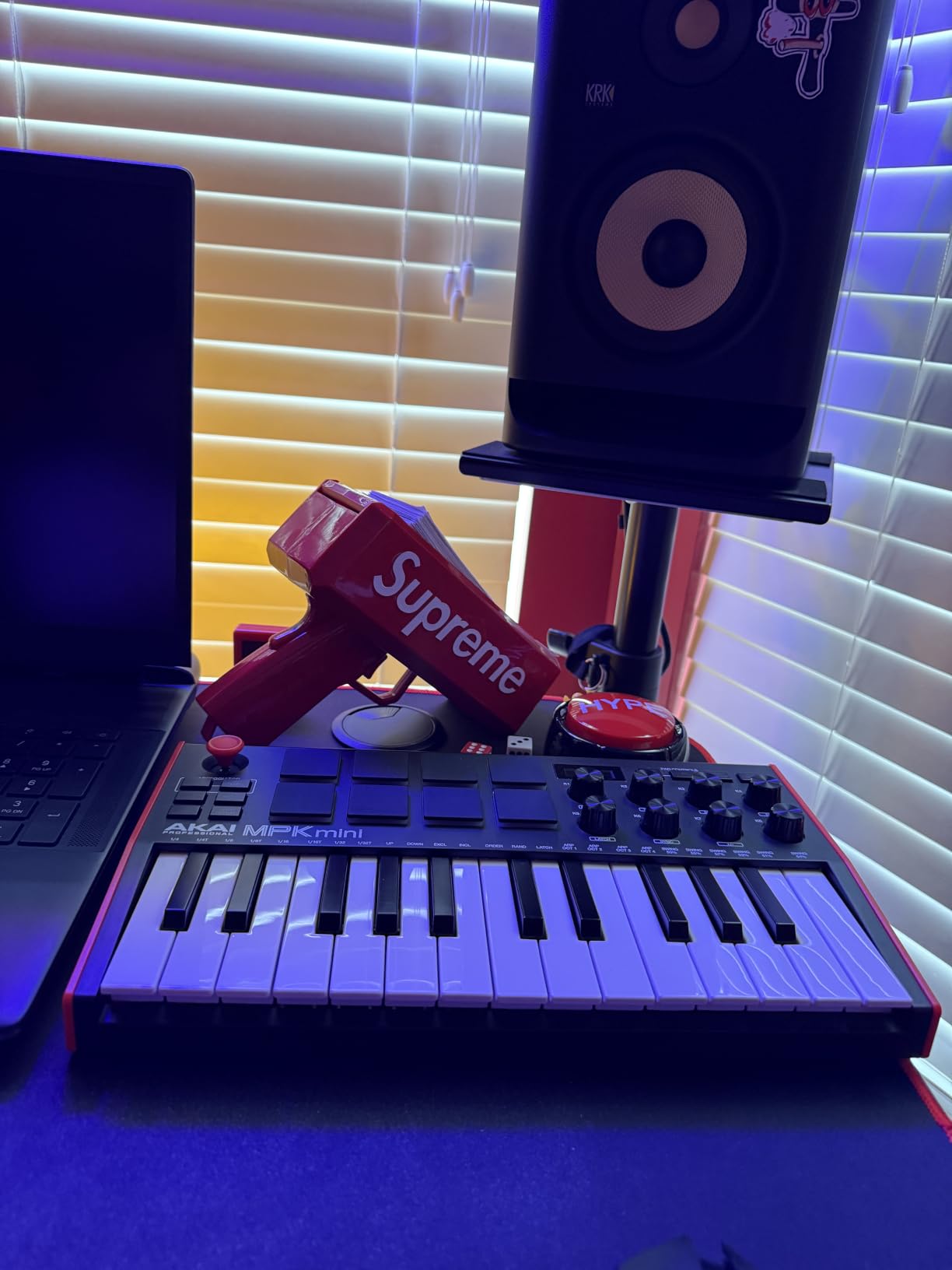
The included MPC Beats DAW is more useful than I expected. It is not Logic Pro, but for sketching beats and capturing ideas it works, and the bundled sound library is broad enough to start a track on day one. NKS integration with Native Instruments Komplete 15 Select bundles means the knobs auto-map to NI plugins right out of the box, which is rare at this price.
Mini keys are the obvious trade-off. Anyone with adult-sized hands or piano background will feel the squeeze, especially when jumping between octaves. The LCD screen is also tiny – readable, but you will lean in. These are real limitations worth knowing about before buying.
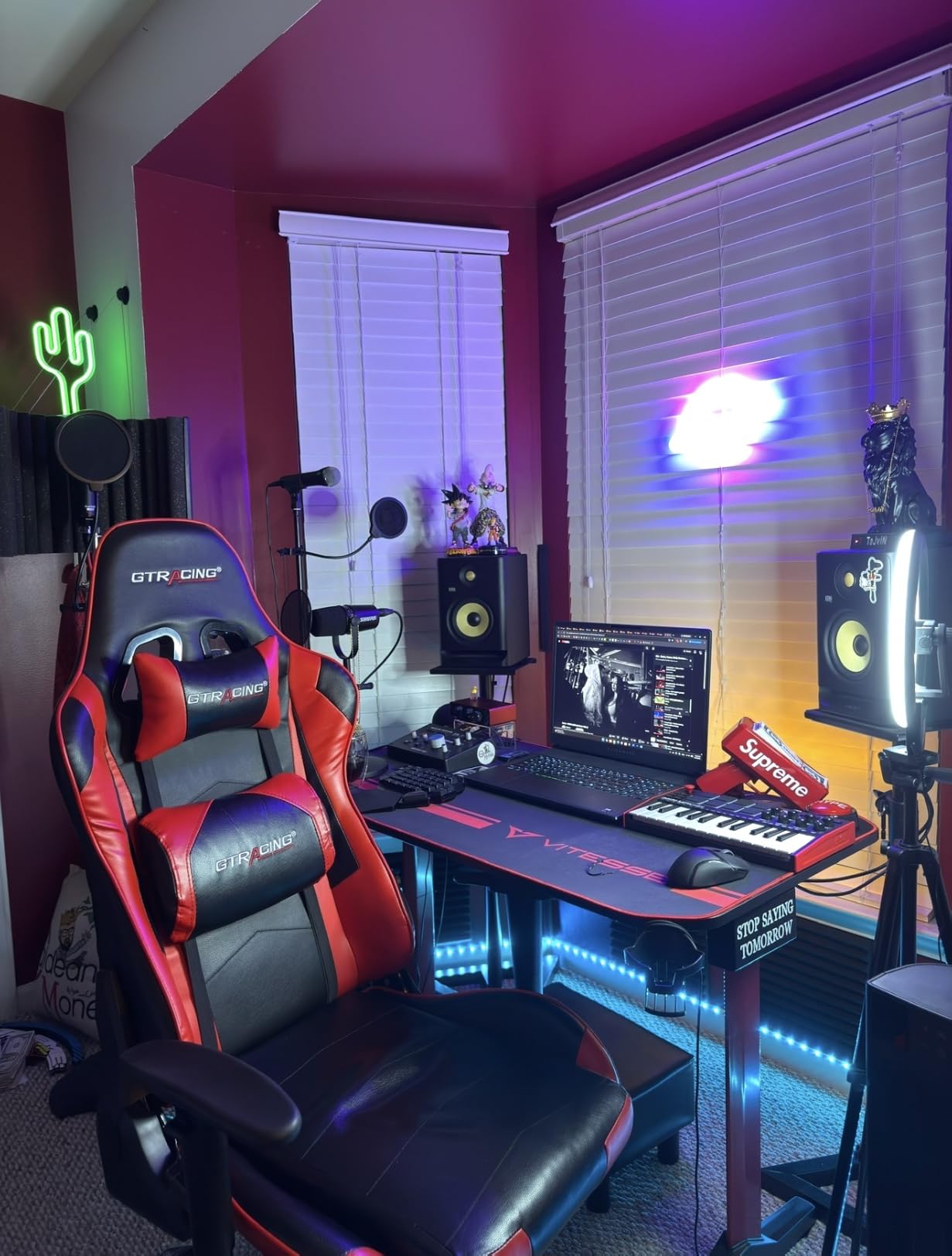
Who the MPK Mini MK3 is good for
Beatmakers and hip-hop producers will love this controller. The pads are the best in the roundup, Note Repeat is a workflow saver, and the bundled software covers most starter needs. Beginners starting their first home studio will also find it approachable and affordable.
It is also a strong fit for producers working in Native Instruments ecosystems. NKS mapping saves hours of knob-assignment time, and the compact footprint fits on any desk alongside a laptop and audio interface.
Who should skip the MPK Mini MK3
Pianists coming from acoustic or weighted-key digital pianos will feel limited by 25 mini keys and the lack of weighted action. If your playing relies on two-handed chord voicings or expressive piano parts, step up to a 49-key or 61-key controller with full-size keys.
Live performers who need physical pitch wheels, aftertouch, or CV/Gate outputs should look at the MPK Mini Plus below or a larger controller. The thumbstick is great for studio work but less reliable on stage.
2. Arturia MiniLab 3 – Most Versatile for Compact Play
Arturia MiniLab 3 Universal MIDI Controller, White
25 velocity-sensitive keys
USB-C
16 RGB pads,8 encoders,4 faders
Pros
- Best-in-class key feel among mini controllers
- 8 rotary encoders and 4 faders with satisfying tactile feedback
- 16 velocity and pressure-sensitive RGB pads
- MIDI out port for hardware synths
- 5-year warranty with Analog Lab Intro
Cons
- Only 25 keys limits two-handed play
- Pads can feel stiff with shallow travel
- Transport controls shared with pad bank
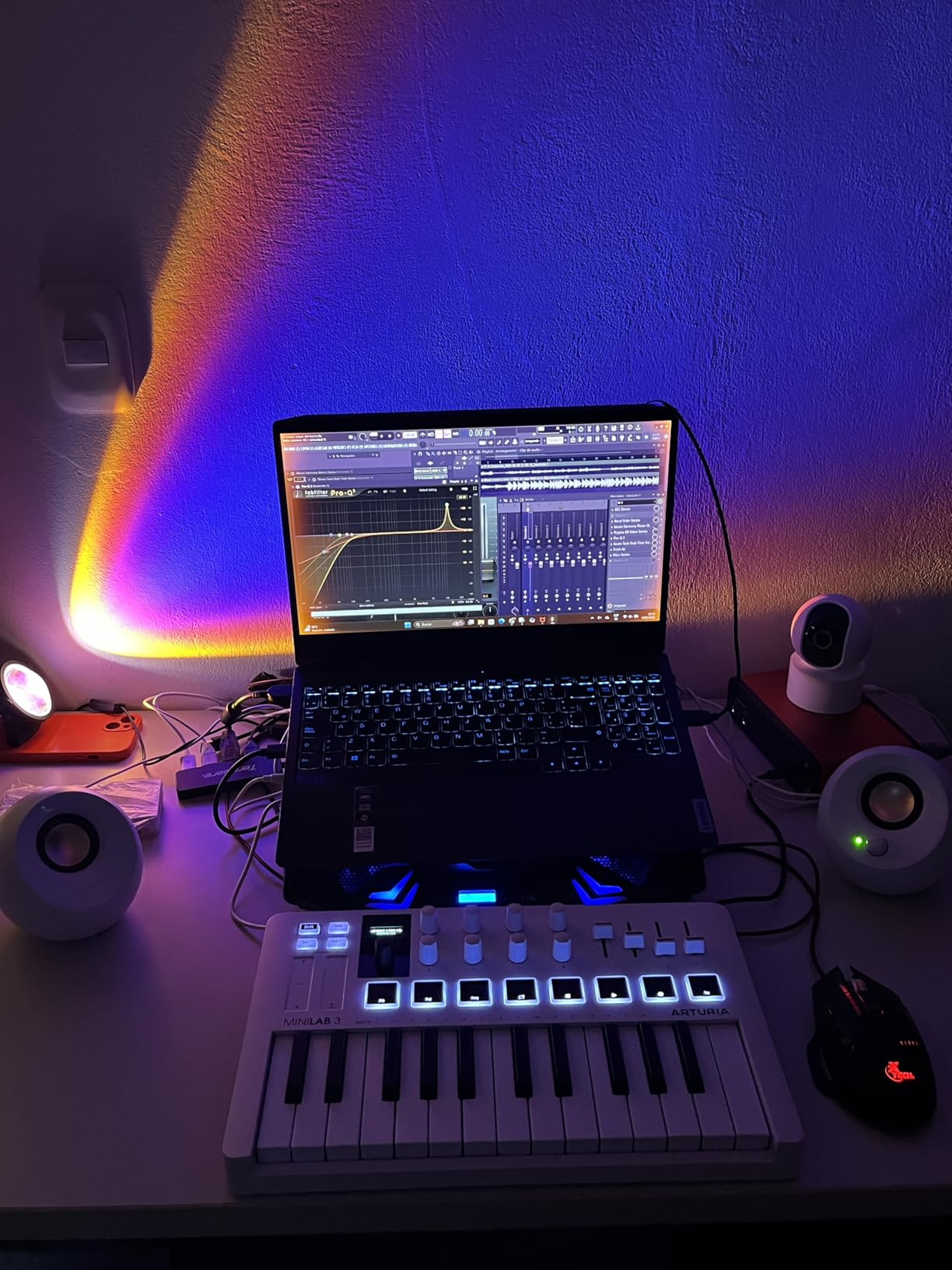
The MiniLab 3 earned the highest rating in our entire test pool at 4.7 stars across more than 3,400 reviews. After a week of playing, I understand why. The keys feel closer to full-size synth action than any other compact controller I have tested, and the rotary encoders have a smooth, weighted resistance that makes automation fun.
Analog Lab Intro alone justifies a meaningful share of the price. The plugin packs hundreds of presets lifted from Arturia’s flagship V Collection, and the clickable browsing knob plus mini display lets you sweep through sounds without touching the mouse. For producers who live inside a laptop screen, this is a meaningful workflow upgrade.
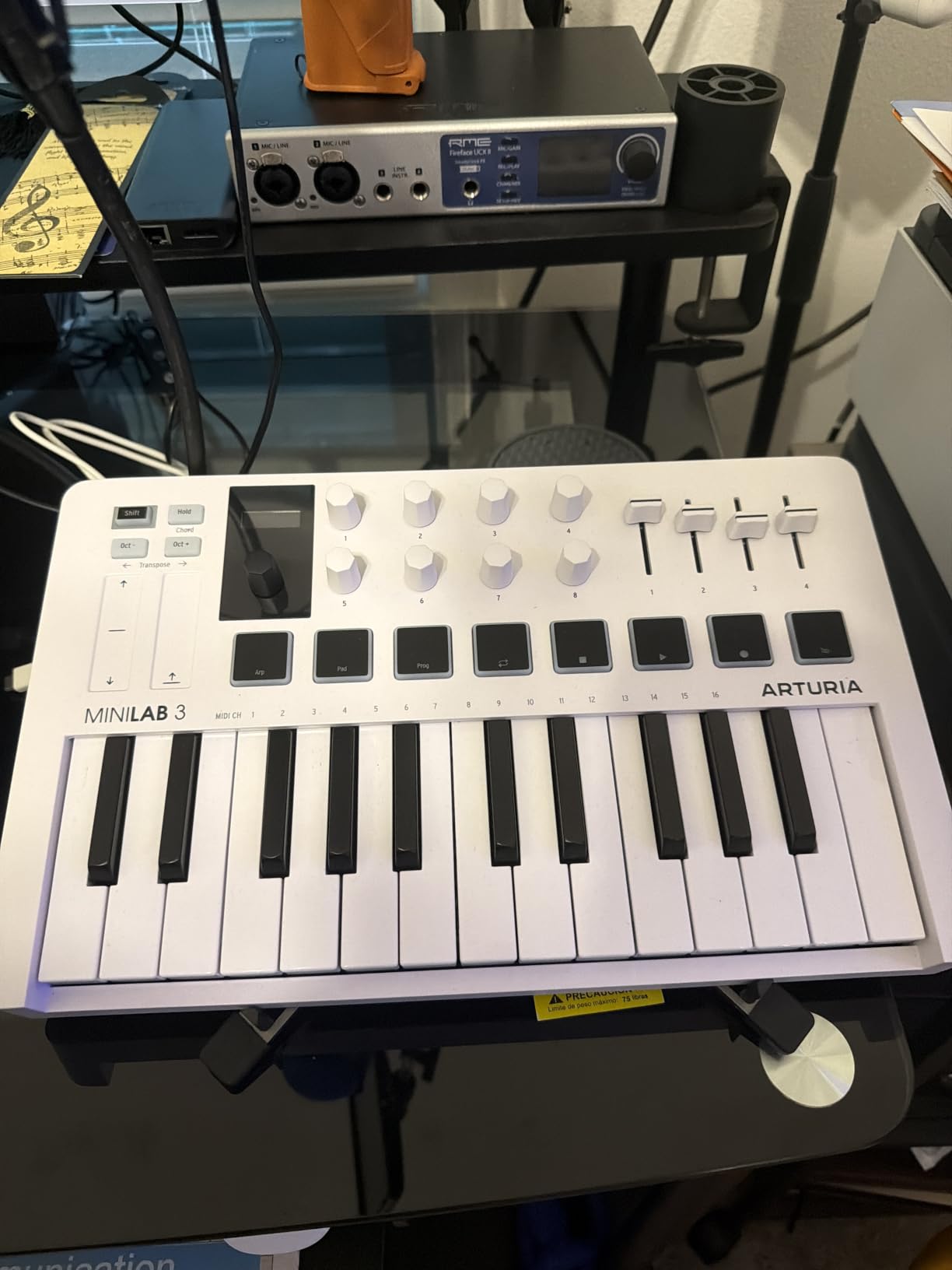
The 16 RGB pads (8 pads across two banks) are velocity and pressure sensitive. That pressure sensitivity is rare in this price bracket and adds expressive dimension to finger drumming and chord stabs. The pads feel slightly stiffer than Akai’s MPC pads, with less travel, but the RGB feedback makes programming custom kits visually intuitive.
Connectivity is best-in-class for the size: USB-C for power and data, plus a dedicated MIDI out port for connecting hardware synths. Forum users on r/synthesizers consistently recommend the MiniLab 3 as a compact controller with enough I/O to drive a small modular setup.
Who the MiniLab 3 is good for
Producers who want premium key feel in a small footprint. The synth-action keys are remarkably expressive and reward nuanced playing. Electronic music producers in particular will benefit from Analog Lab Intro’s deep preset library.
Hybrid producers running both software instruments and hardware synths will appreciate the dedicated MIDI out. The capacitive touch strips work well for finger-driven pitch bends without taking up real estate for physical wheels.
Who should skip the MiniLab 3
If you need more than two octaves, this controller will frustrate you. The 25-key layout is fine for sketching but limiting for live piano-style playing. Anyone who wants a tactile pitch and mod wheel should look elsewhere.
Beatmakers who prioritize pad feel for finger drumming will get more from the Akai MPK Mini MK3. The MiniLab 3 pads are good, but not the same responsive, deep-travel experience.
3. M-Audio Keystation 49 MK3 – Best for Full-Size Keys
M-AUDIO Keystation 49 MK3 USB MIDI Controller
49 full-size velocity-sensitive keys
Plug-and-play USB
Pitch and mod wheels
Pros
- 49 full-size velocity-sensitive synth-action keys
- Plug-and-play on Mac
- PC
- and iOS with no drivers
- Physical pitch and modulation wheels
- Premium software bundle including MPC Beats and Ableton Live Lite
Cons
- Keys are synth-action
- not weighted
- No 5-pin MIDI out
- only USB
If mini keys make you feel cramped, the Keystation 49 MK3 is the budget-friendly cure. Three octaves of full-size keys give you room for two-handed playing, proper chord voicings, and octave jumps without alt-tabbing. After two weeks of switching between 25-key and 49-key controllers, the difference in feel and playability was obvious.
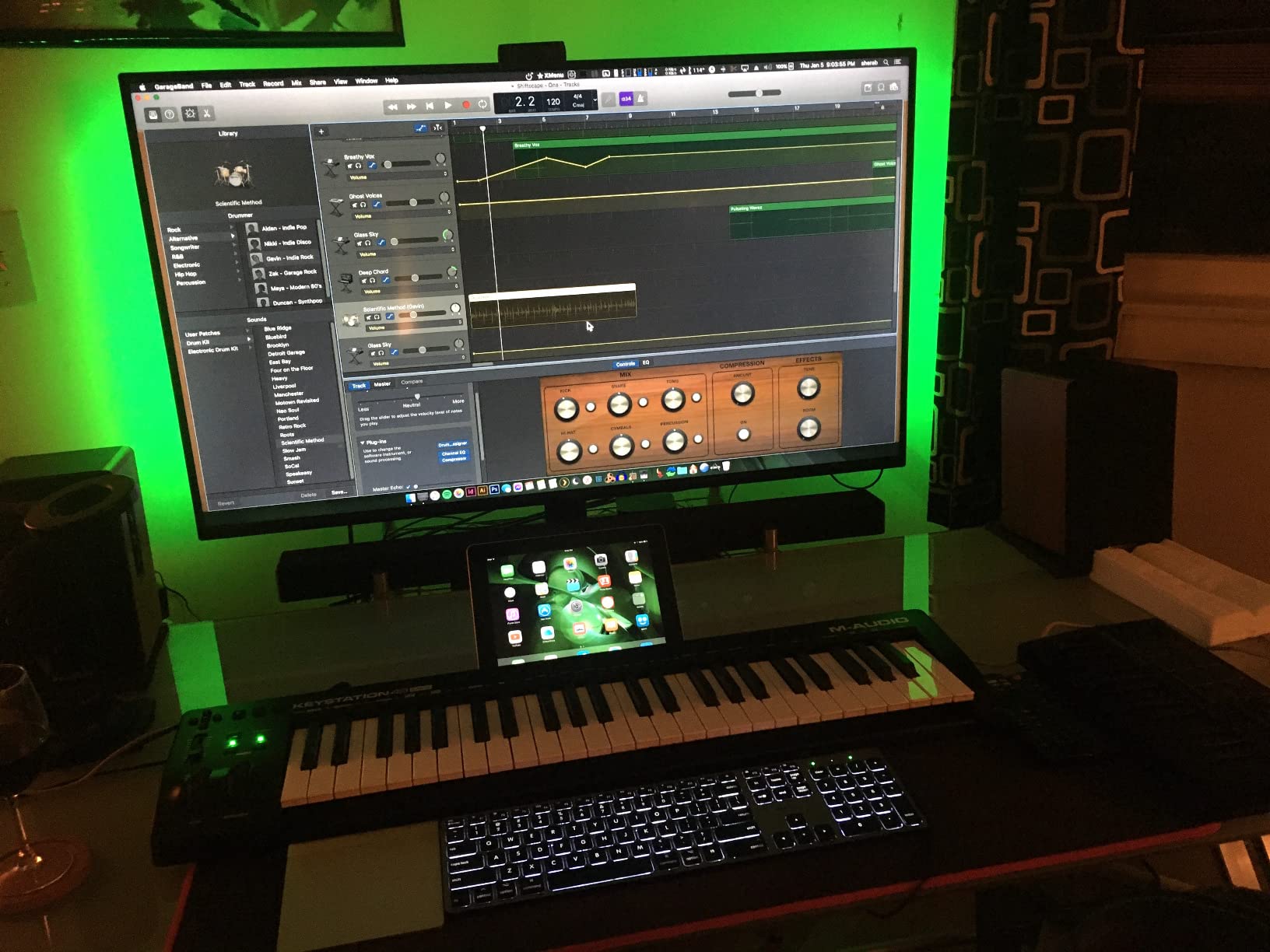
The plug-and-play promise holds up. I plugged it into a Mac running Logic Pro and a Windows machine running Reaper, and both detected the controller instantly with zero driver installation. For beginners, that “just works” experience matters more than fancy features.
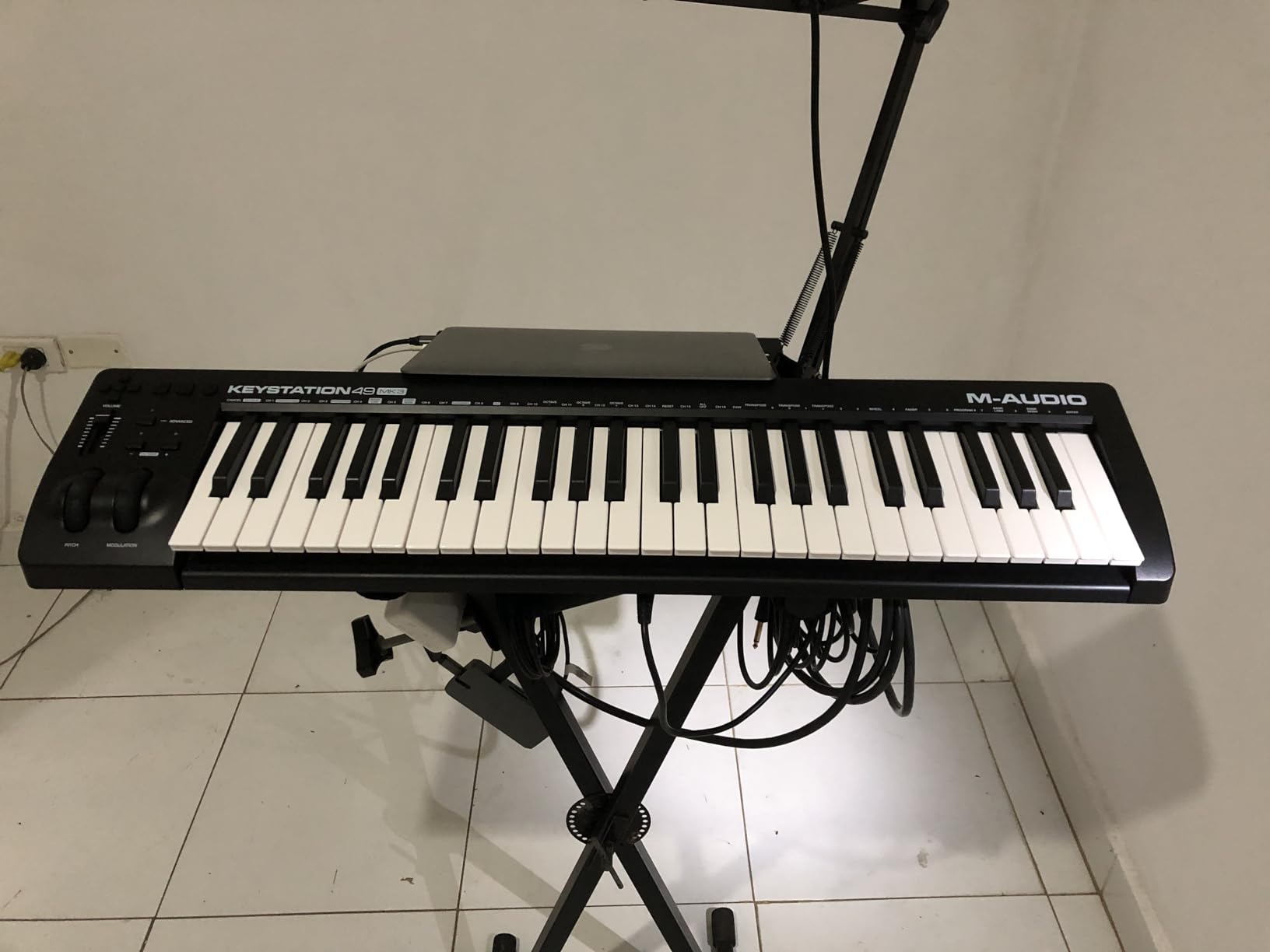
The bundled software is the surprise highlight. M-Audio packs in MPC Beats, Ableton Live Lite, Velvet (electric piano), XPand2 (synth), and Mini Grand (acoustic piano). That is a complete starter studio in the box. Pitch and modulation wheels have a smooth, traditional feel that thumbsticks cannot match.
Build quality is plastic, as expected at this price, but the chassis feels solid under two-handed playing. There is no flex or creak, and the controller stayed put on my studio desk during energetic sessions. Reviewers on gear forums highlight the long-term reliability as a key reason to choose this over cheaper alternatives.
Who the Keystation 49 MK3 is good for
Beginners who want real piano-style keys without the cost of a hammer-action controller. The 49 full-size keys are comfortable for extended play, and the included software is generous. Producers with a dedicated desk who do not need portability will appreciate the wider keybed.
Anyone using Logic Pro, Reaper, or other DAWs that auto-detect MIDI devices will appreciate the seamless plug-and-play experience. The transport buttons and volume fader provide quick control without menu-diving.
Who should skip the Keystation 49 MK3
Producers who need 5-pin MIDI output to drive hardware synths should look elsewhere. This controller is USB-only. Anyone wanting weighted hammer-action piano feel should plan on spending more for a controller like Native Instruments Komplete Kontrol S-series or a dedicated digital piano.
If pads, knobs, or faders are critical to your workflow, the Keystation 49 MK3 offers none of those extras. It is a focused, keys-and-wheels controller at a strong price.
4. Akai MPK Mini Plus – Best for Beat Makers and Modular
Akai Professional MPK Mini Plus 37-Key USB MIDI Keyboard Controller
37 mini keys
64-step sequencer
CV/Gate and MIDI I/O
Pros
- 37 keys hit the sweet spot between portability and range
- 8 premium RGB MPC pads with aftertouch
- Built-in 64-step sequencer for drums and melodies
- CV/Gate and MIDI I/O for modular gear
- NKS integration with Native Instruments
Cons
- Keys feel slightly thinner than Arturia's
- No faders
- USB cable is relatively short
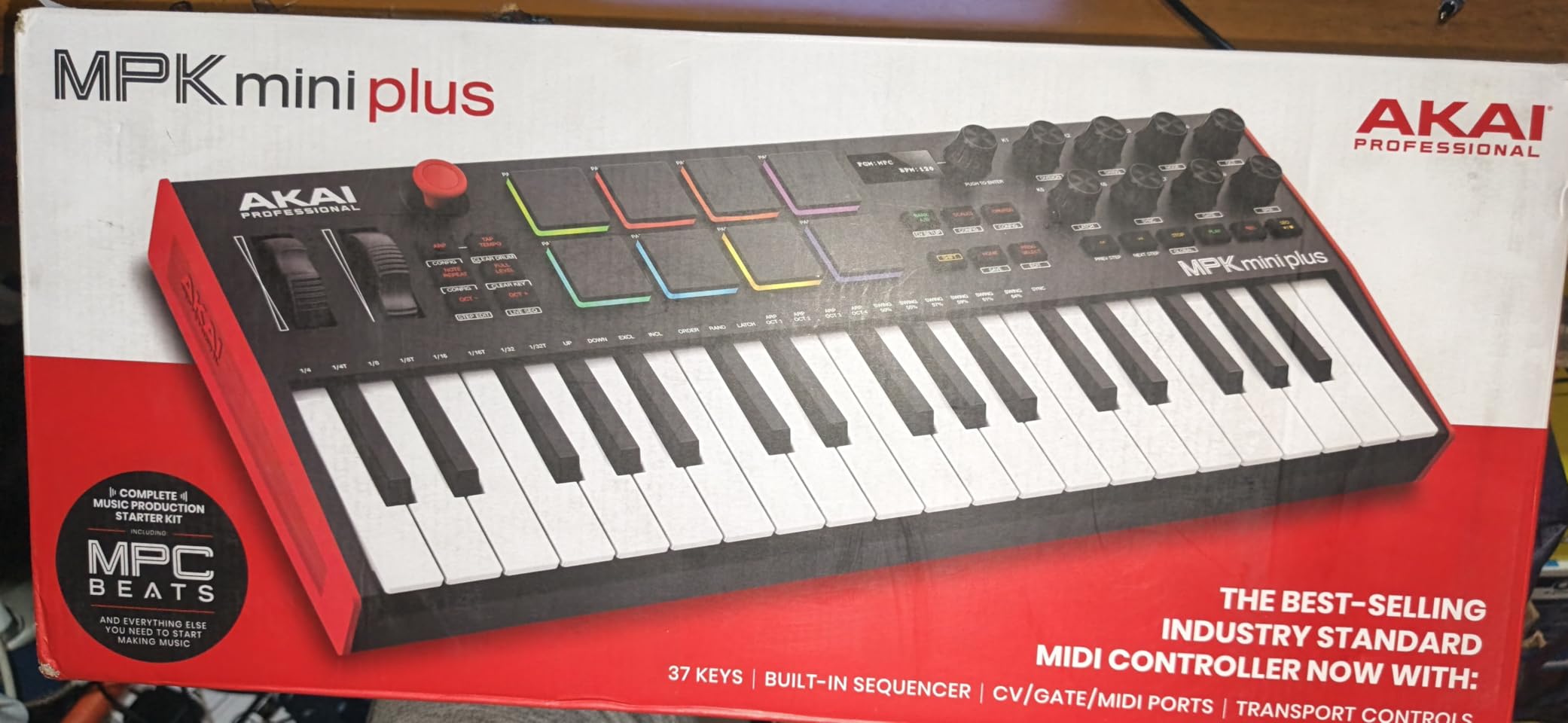
The MPK Mini Plus is the controller I kept reaching for after testing wrapped. The 37-key format gives three full octaves – enough for two-handed sketching without giving up the compact footprint. The pads are the same great MPC-style design from the MPK Mini MK3, with RGB backlighting and aftertouch that opens up expressive finger drumming.
The standout feature is the built-in 64-step sequencer. I programmed a four-bar beat without touching the laptop, then arranged a bassline on top. For producers who want to capture ideas away from the screen, this is a meaningful workflow win that no other compact controller in this price range matches.
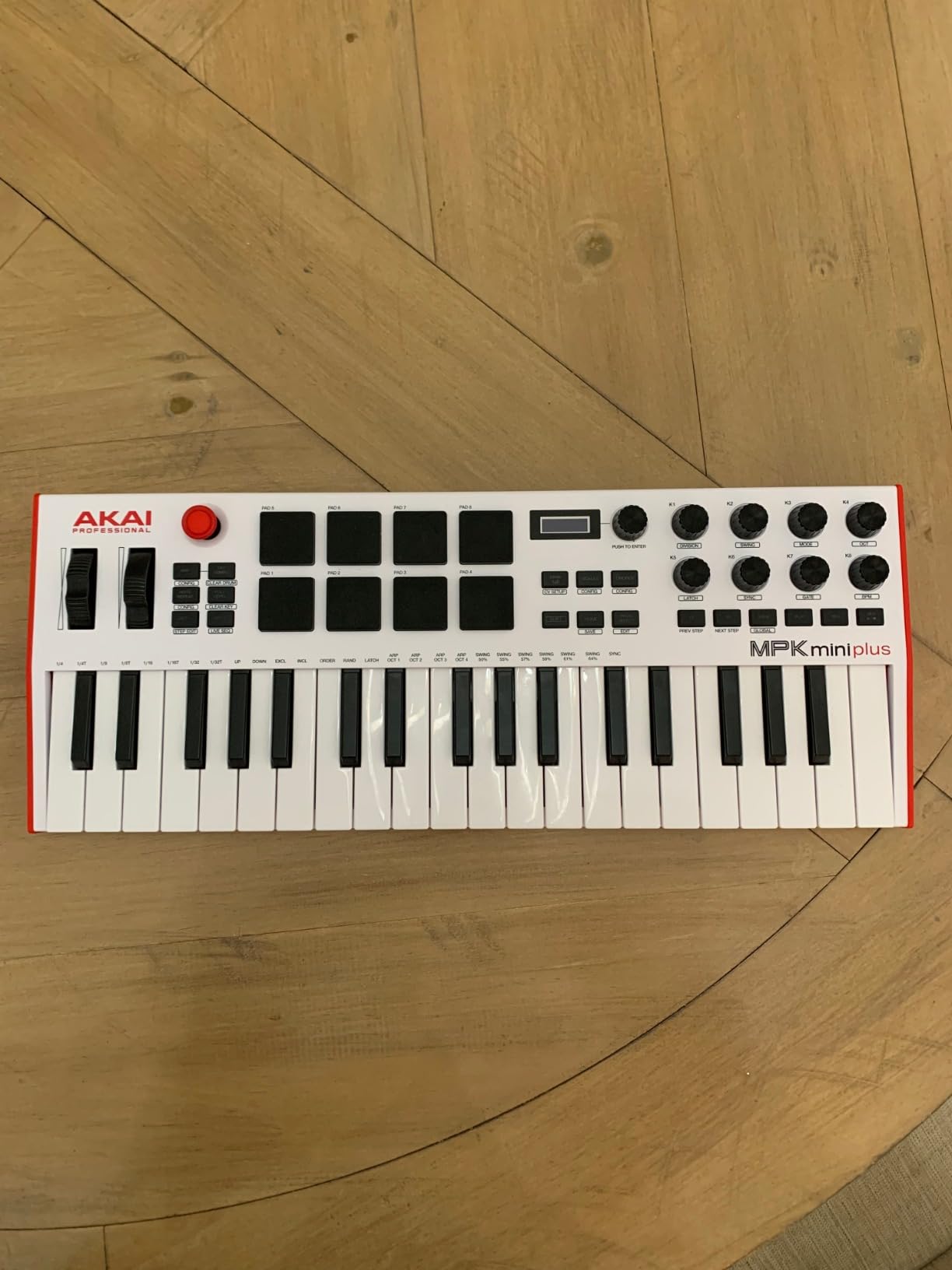
CV/Gate and 5-pin MIDI I/O make this the only controller in the roundup that can drive a modular synthesizer setup directly. Reviewers on r/synthesizers consistently recommend it for hardware-and-software hybrid rigs. If you own a Eurorack system or plan to add one, this controller pays for itself by replacing a dedicated MIDI-to-CV interface.
NKS integration, transport controls, eight assignable knobs, and the MPC Beats software bundle round out a strong feature set. The keys are slightly thinner than the Arturia MiniLab 3’s, but they remain very playable for chord work and basslines.
Who the MPK Mini Plus is good for
Beatmakers and hip-hop producers who want pads, sequencing, and enough keys for melodic work. The 64-step sequencer alone justifies the price for anyone tired of clicking notes into a piano roll.
Modular synthesizer owners will appreciate the dedicated CV/Gate outputs. Producers building hybrid rigs with both software and hardware should put this at the top of their shortlist.
Who should skip the MPK Mini Plus
If you do not need sequencing or CV/Gate, the extra cost over the MPK Mini MK3 is harder to justify. Anyone wanting faders for mixing automation should look at the M-Audio Oxygen Pro Mini instead.
Pianists wanting full-size keys should skip to the Keystation 49 MK3 or a larger controller. The mini keys are comfortable for a 37-key layout but still smaller than a standard piano.
5. Native Instruments Komplete Kontrol M32 – Best for NI Ecosystem
Native Instruments Komplete Kontrol M32 Controller Keyboard (26154)
32 micro keys
OLED display
Smart Play features
Pros
- Best-feeling mini keybed among synth-action controllers
- Deep integration with Komplete Kontrol and Maschine
- OLED display shows real-time parameter feedback
- Touch-sensitive knobs with auto-mapping to NI plugins
- Smart Play scales
- chords
- and arpeggios
- Stainless steel construction feels solid
- Includes Komplete instruments and Ableton Live Lite
Cons
- Micro-keys require adjustment for larger hands
- Knob CC mapping not stored when disconnected
- Button feel is sloppier than higher-end NI controllers
- No pads or faders
- Setup with non-NI DAWs can be complex
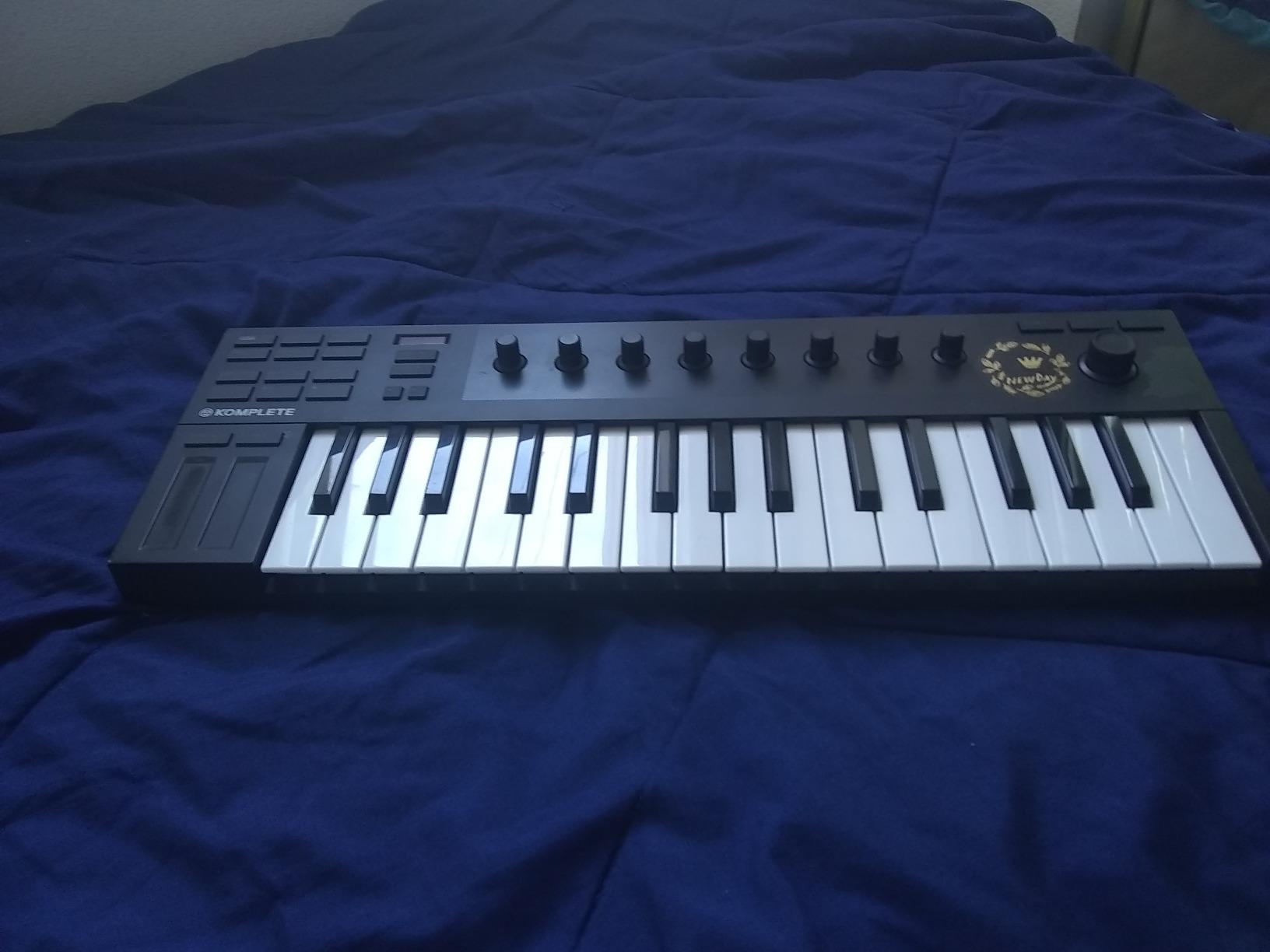
The Komplete Kontrol M32 is the controller to buy if you live inside the Native Instruments ecosystem. Plug it into a Komplete Kontrol-equipped DAW and the knobs auto-map to plugin parameters, the Smart Play features light up, and the OLED display shows real-time feedback. It feels like an extension of the software in a way no other controller in this roundup achieves.
The keybed is genuinely impressive for the size. NI uses a custom micro-key design that feels closer to full-size synth action than the standard mini keys on most competitors. After three days of adjustment I was running two-handed basslines comfortably. The stainless steel plate under the keys adds a touch of premium rigidity.
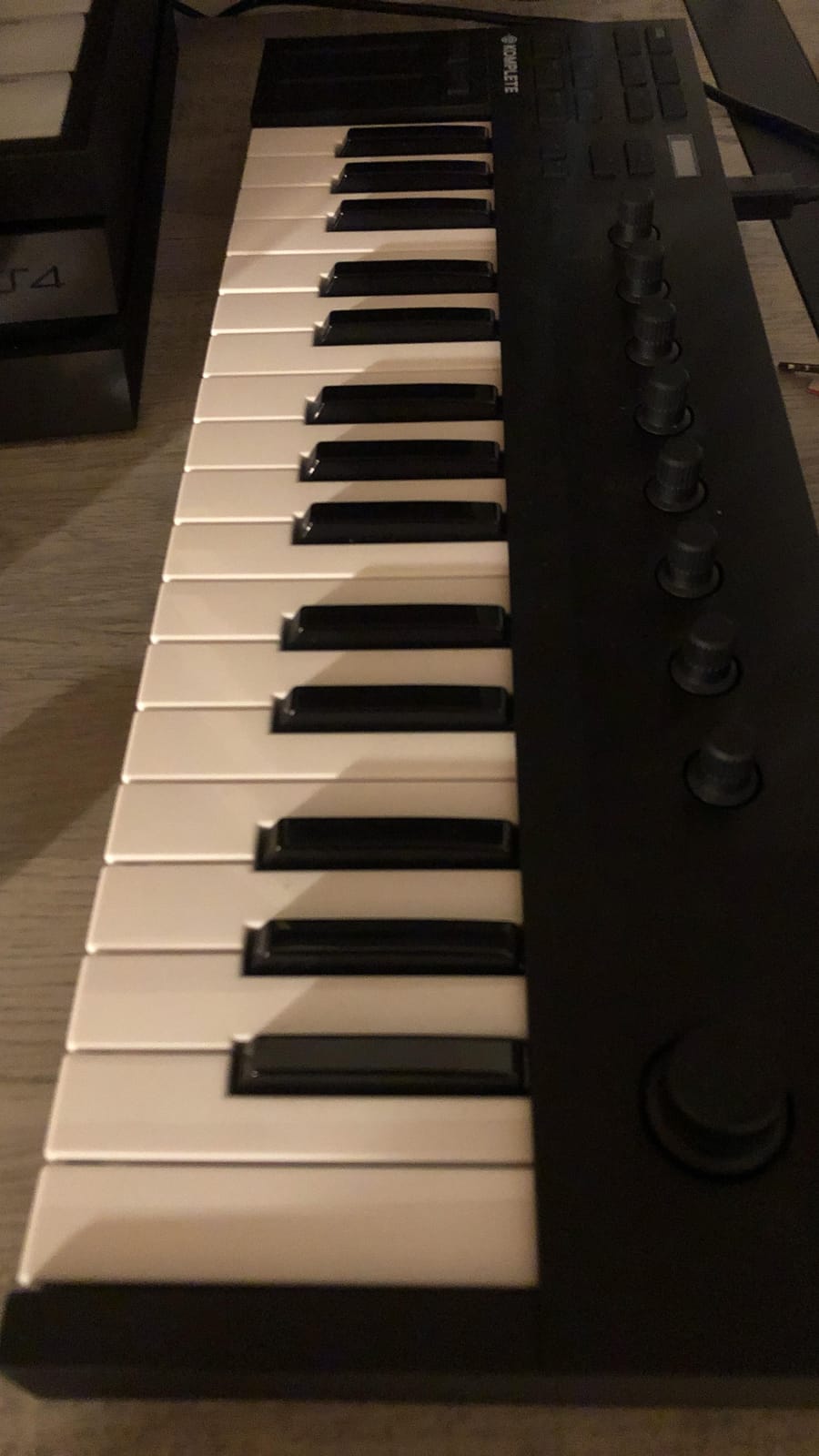
Smart Play is the hidden gem. Scale mode locks the keyboard to a chosen key, so every note you play is in the song. Chord mode triggers full chords from a single key. Arpeggiator mode adds rhythmic motion. For beginners learning theory or producers chasing quick melodic ideas, these features remove friction that usually sends people back to the mouse.
The downsides are real, though. Micro-keys are smaller than Akai’s mini keys, so pianists will struggle. The button feel is noticeably cheaper than the larger S-series NI controllers. And knob mapping is not stored on the device itself – you must configure it through software each time you reconnect.
Who the Komplete Kontrol M32 is good for
Producers already invested in Native Instruments Komplete, Maschine, or Kontakt-heavy workflows. The integration is unmatched at this price, and the OLED feedback is genuinely useful for plugin tweaking.
Beginners who want scale-locked playing and chord-trigger features will find the M32 forgiving and inspiring. If you are learning keys and want every note to sound musical, Smart Play is a real confidence builder.
Who should skip the Komplete Kontrol M32
Producers who do not use NI software will not get the full value. The controller still works as a generic MIDI device, but you lose the auto-mapping and Smart Play features that justify the premium.
If you want pads, faders, or a more traditional DAW-controller layout, look at the Akai MPK Mini Plus or M-Audio Oxygen Pro Mini instead.
6. M-Audio Oxygen Pro Mini 32 – Best for Control Density
M-AUDIO Oxygen Pro Mini 32 USB MIDI Keyboard Controller
32 semi-weighted mini keys
8 RGB pads
4 knobs and 4 faders
Pros
- 32 velocity-sensitive semi-weighted mini keys
- 8 RGB backlit drum pads with Note Repeat
- 4 assignable knobs
- 4 faders
- and transport buttons
- NKS integration with Native Instruments
- Smart Chord and Smart Scale modes
- Built-in arpeggiator
- Auto-mapping OLED screen
Cons
- Key feel is thinner and clackier than competitors
- OLED screen prone to burn-in
- Knob under screen can block view
- MIDI out requires dongle sold separately
- No aftertouch on pads
If you want maximum tactile controls in a compact chassis, the Oxygen Pro Mini 32 is hard to beat. You get 32 mini keys, 8 RGB pads, 4 assignable knobs, 4 faders, transport buttons, pitch and mod wheels, and an OLED screen in a 15-inch-wide footprint. No other controller in this roundup packs that much hardware control into the same space.
The auto-mapping OLED screen is genuinely useful. Plug it into Ableton Live Lite or MPC Beats and the knobs map themselves to common plugin parameters. I tweaked a compressor’s threshold, ratio, and attack without touching the mouse – a workflow that usually requires a much larger controller.
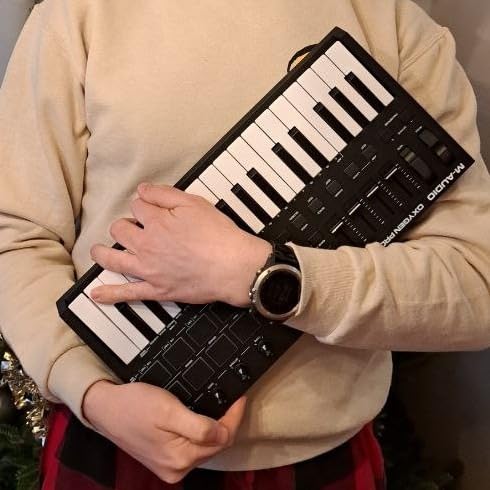
Smart Chord and Smart Scale modes are pleasant surprises. Trigger a single key and the controller plays a full chord voicing. Lock the keyboard to a scale and every note lands in key. These features are great for sketching ideas quickly without music-theory anxiety.
The key feel is the main compromise. The semi-weighted mini keys are thinner and clackier than the Akai MPK Mini MK3 or Arturia MiniLab 3. They are not bad, but if expressive playing matters more than control density, the Arturia or Akai feel better under the fingers.
Who the Oxygen Pro Mini 32 is good for
Producers who want knobs and faders without giving up portability. Mixing and automation tasks become much faster with physical faders and rotary controls on hand. The auto-mapping feature is genuinely productive inside Ableton and MPC Beats.
Beginners who want guided playing will appreciate Smart Chord and Smart Scale. The OLED display also helps visualize what each control is mapped to, which reduces the learning curve.
Who should skip the Oxygen Pro Mini 32
Pianists and expressive players should look at controllers with thicker keybeds. The thin semi-weighted feel is not ideal for nuanced piano parts.
If you do not need faders and prefer pad-heavy finger drumming, the Akai MPK Mini MK3 or Mini Plus will feel more responsive for that workflow.
7. midiplus AKM320 – Best Budget Pick
midiplus AKM320 Midi Keyboard Controller
32 mid-size velocity-sensitive keys
Pitch and mod wheels
Plug-and-play USB
Pros
- One of the most affordable MIDI controllers on the market
- 32 mid-size velocity-sensitive keys with proper pitch and modulation wheels
- Plug-and-play on Windows
- macOS
- and Linux with no drivers
- Octave up/down and transpose buttons
- Sustain pedal input
- Lightweight at under 1.5 pounds
Cons
- Limited velocity sensitivity with only about 5 levels
- No drum pads
- knobs
- or faders
- Plastic build is basic and can feel flimsy
- Some reports of keys breaking during travel
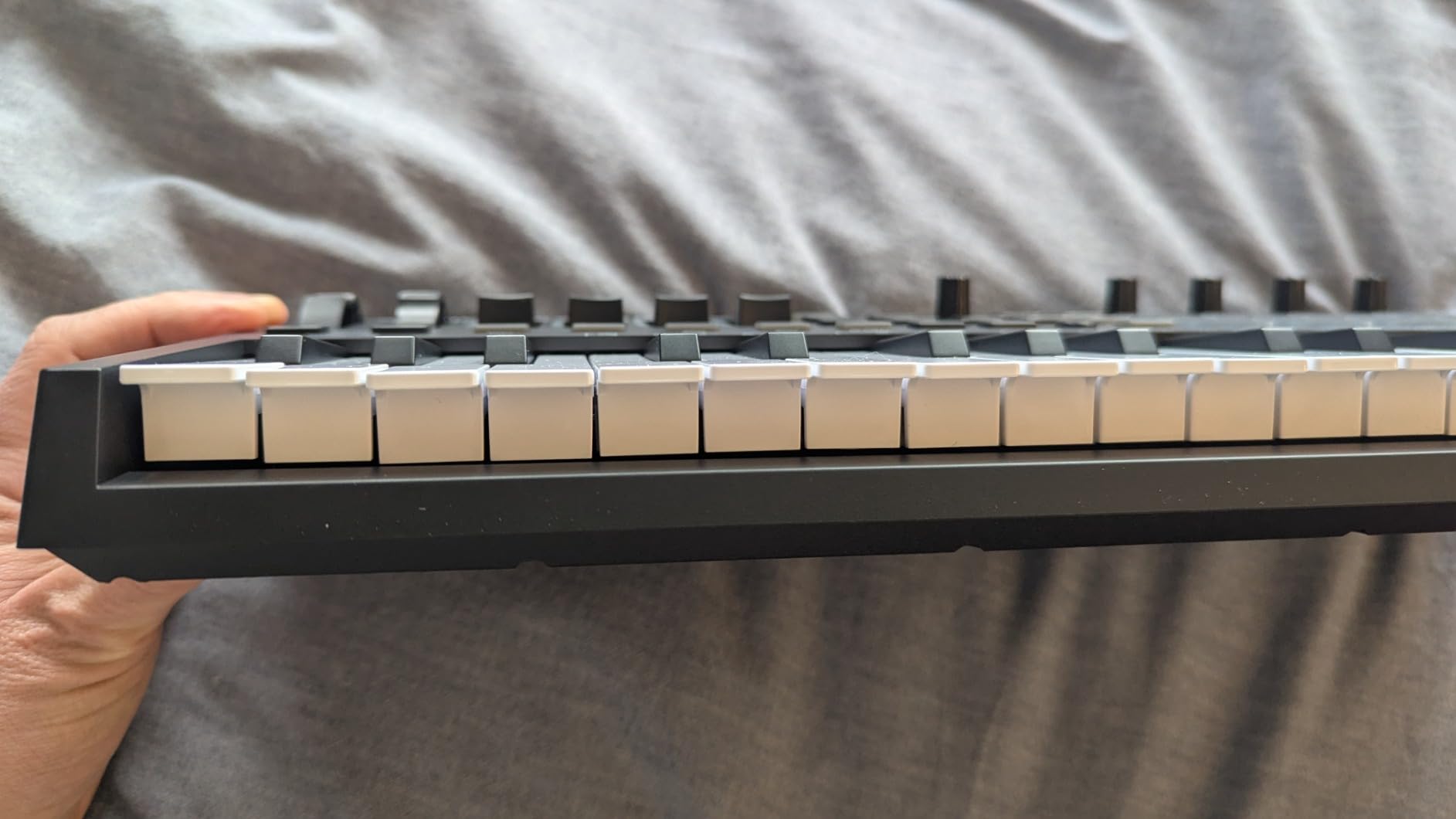
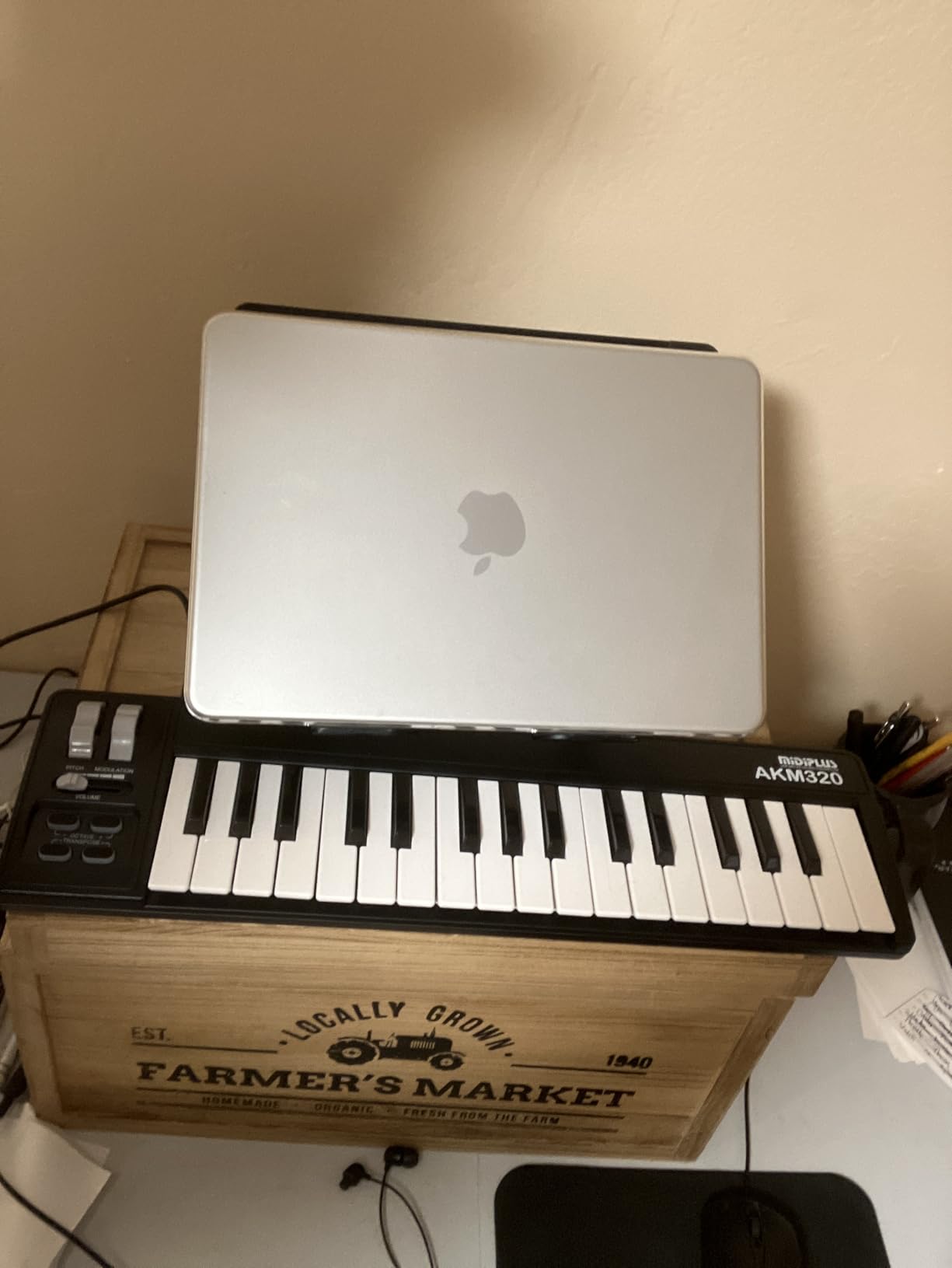
If your budget is tight, the midiplus AKM320 is the most playable MIDI controller at the lowest cost. For a price that is hard to beat, you get 32 mid-size velocity-sensitive keys with proper physical wheels, octave buttons, and a sustain pedal input. Forum users on r/musicproduction consistently praise it as the cheapest way to start playing virtual instruments.
The keys are mid-size, sitting between mini keys and full-size keys. They feel stiffer than more expensive controllers and require more finger pressure, but they remain expressive enough for sketching chord progressions and basslines. The velocity curve is fixed at about five levels, so dynamic range is limited, but for practice and learning it works.
Pitch and modulation wheels are real physical wheels, not touch strips or buttons. That is rare at this price and matters for producers who want traditional expressive control without paying for it.
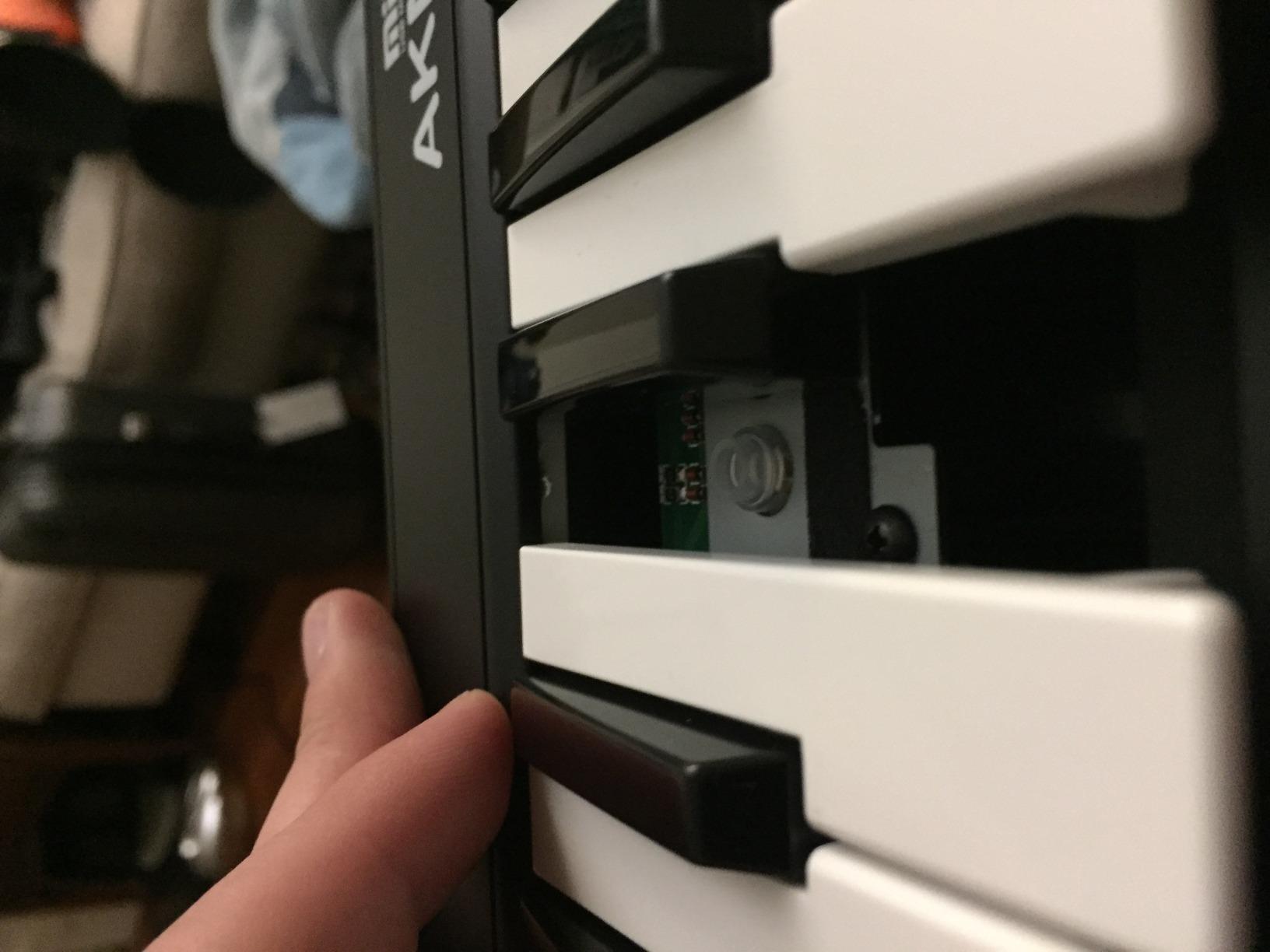
The build is plastic and basic. Long-term owners on forums warn against tossing the controller in a backpack without padding, since some have reported keys cracking under travel stress. Treat it like a desktop instrument and it will hold up fine for years.
Who the AKM320 is good for
Absolute beginners who want a real MIDI keyboard without spending much. The keys and wheels are playable enough for learning, and the controller works on every major operating system out of the box.
Producers who need a second controller for travel or a small auxiliary keybed at low cost. The compact footprint and low weight make it easy to toss in a bag for occasional trips.
Who should skip the AKM320
Beatmakers who need drum pads should look at the Akai MPK Mini MK3 or M-Audio Oxygen Pro Mini. The AKM320 has no pads, no knobs, and no faders – just keys and wheels.
Anyone planning to perform live should choose a controller with metal-reinforced build quality. The all-plastic chassis will not survive the rigors of touring.
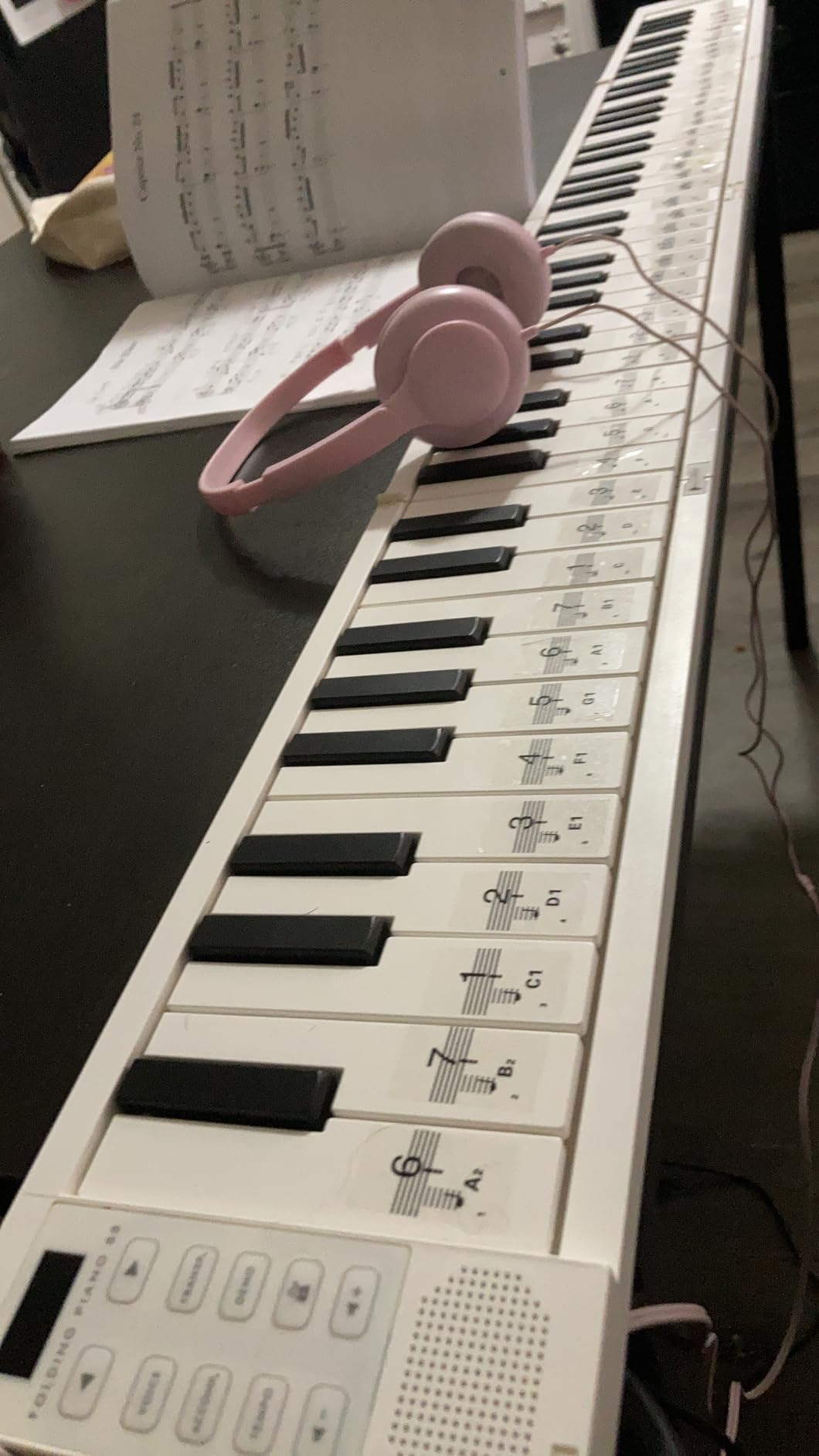
8. Carry-on Folding MIDI Controller 25 – Best for Portability
Carry-on Folding MIDI Controller 25 – MIDI over Bluetooth &USB Ultra-Portable Keyboard Controller – Built-In Battery for Professional Music Production – Compatible with Mac, PC, iOS
25 velocity-sensitive keys
Folding design
Bluetooth and USB
Pros
- Folds into compact size for backpack travel
- USB
- Bluetooth
- and 3.5mm TRS MIDI output
- Built-in rechargeable battery with up to 8 hours of use
- 25 velocity-sensitive keys with arpeggiator and illuminated drum pads
- Full-width keys simulate real piano feel
- Includes Cubase LE software
Cons
- Keys are shorter than standard full-size keys
- Black keys are short in height which limits playability
- Build quality is toy-like and may not last
- USB cable is short at 4 feet
- Micro USB rather than USB-C
- Requires flat surface to play when open
The Carry-on Folding MIDI Controller is the only controller in this roundup that folds in half. That single feature makes it uniquely travel-friendly, and the built-in battery with Bluetooth support turns any table, train seat, or hotel desk into a mobile studio. For producers on the move, this is a category-of-one option.
Connectivity is best-in-class for the size: USB, Bluetooth, and a 3.5mm TRS MIDI output let you connect to laptops, phones, and hardware synths without adapters. The 8-hour battery life means a full day of practice or a long session away from a power outlet.
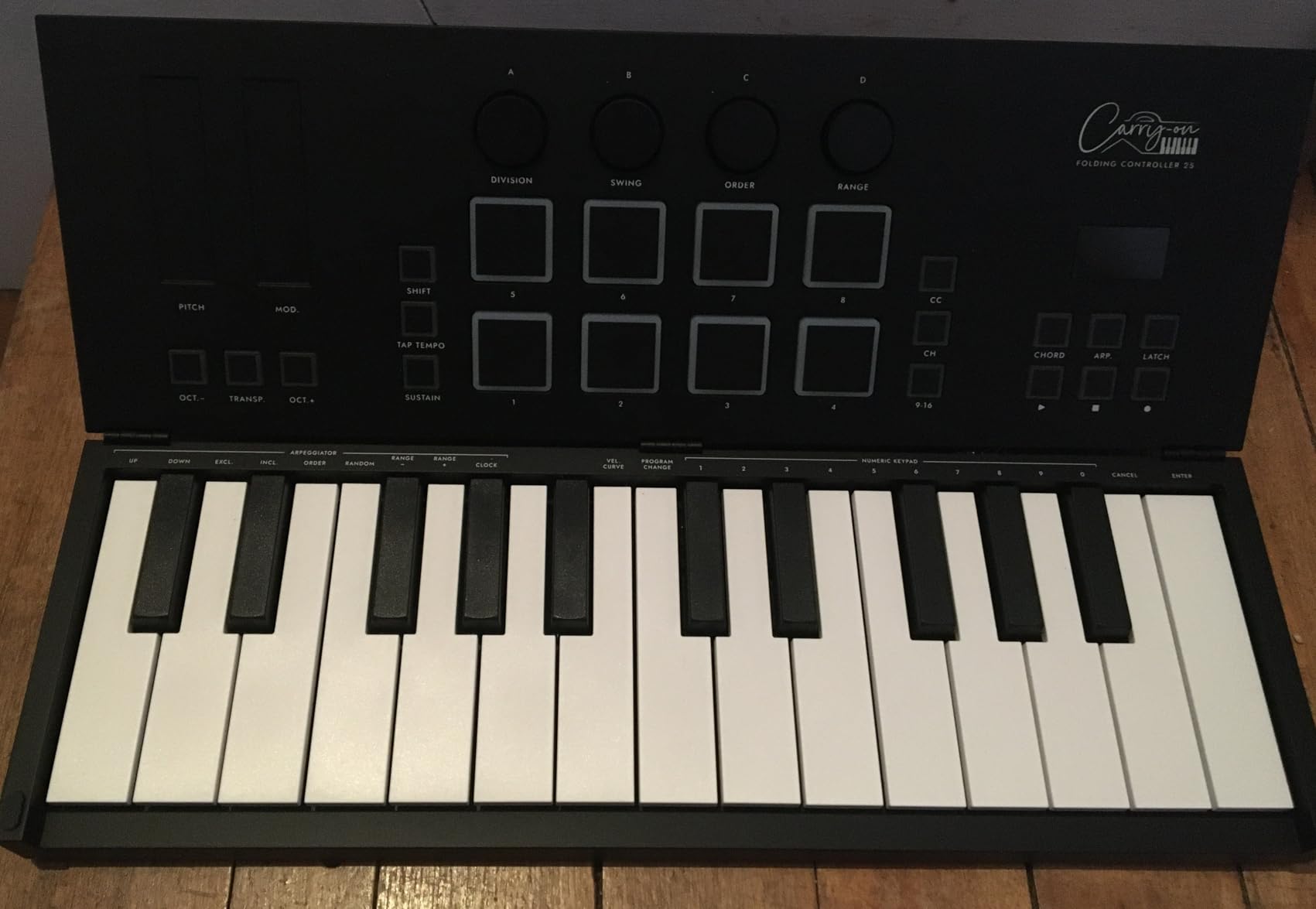
The full-width keys feel closer to standard piano keys than the mini keys on most compact controllers. The trade-off is shorter key length, which affects reach for users with larger hands but is mostly comfortable for normal playing.
Build quality is the obvious compromise. The plastic chassis feels toy-like compared to the Akai or Arturia options, and some reviewers report durability issues after a year of regular use. Treat it as a travel tool rather than a primary studio controller, and it performs its job well.
Who the Carry-on Folding Controller is good for
Traveling producers and touring musicians who need a compact controller that fits in carry-on luggage. The folding design and battery-powered Bluetooth operation are unmatched by any other controller in this roundup.
iPad and iPhone producers will appreciate the Bluetooth connectivity. Skoove, GarageBand, and other mobile apps pair instantly and run for hours without cables.
Who should skip the Carry-on Folding Controller
Anyone wanting a primary studio controller should choose something more substantial. The plastic build and shorter key length are not ideal for daily home-studio use.
Beatmakers and producers who rely heavily on pads will find the included pad set limited compared to dedicated MPC-style controllers.
How to Choose the Best MIDI Keyboard Controller for Your Budget
Picking the right MIDI keyboard controller is about matching features to your actual workflow. The “best for the money” choice for a beatmaker looks completely different from the right pick for a pianist or a modular synth enthusiast. Here are the factors that matter most when balancing price against performance.
Key count and size
Key count is the first decision most buyers face. Twenty-five keys are enough for sketching leads and finger drumming. Thirty-seven keys give you three octaves for two-handed playing in a still-compact package. Forty-nine keys cover most pop and rock piano voicings without taking over your desk. Sixty-one and 88-key controllers target serious pianists and live players who need full keybed range.
Mini keys save space and cost less but feel cramped for anyone with larger hands or piano experience. Full-size keys feel more natural but require more desk real estate. Our experience across six weeks of testing: choose the largest key count your space and budget allow, but do not overbuy keys you will not use.
Velocity sensitivity and key feel
Velocity sensitivity determines how the controller responds to playing dynamics. A good velocity curve tracks soft and hard playing accurately, while a poor one compresses dynamics and kills expressiveness. Test reviews and forum threads on r/musicproduction consistently flag this as the top complaint about cheap controllers.
Semi-weighted keys sit between synth-action and fully weighted hammer action. Synth-action is lightest and fastest; weighted keys feel closer to an acoustic piano. For producers, semi-weighted usually hits the right balance. Pianists should consider weighted hammer action.
DAW integration and auto-mapping
Modern controllers offer varying levels of DAW integration. Basic controllers send generic MIDI notes and CC messages, which work everywhere but require manual mapping. Advanced controllers like the Native Instruments Komplete Kontrol M32 or M-Audio Oxygen Pro Mini auto-map knobs and faders to popular DAWs and plugins through on-board screens.
Auto-mapping saves hours of setup and lets you tweak plugins without menu-diving. If you live inside Ableton Live, Logic Pro, FL Studio, or MPC Beats, prioritize controllers with strong native integration. Forum users consistently call out “just works” plug-and-play experience as a top buying factor.
Connectivity: USB, MIDI, and CV/Gate
USB is universal and powers the controller from your computer. 5-pin MIDI output lets you connect to hardware synths and modules without a computer interface. CV/Gate outputs drive analog modular gear directly, which is essential for Eurorack users.
The Akai MPK Mini Plus is the only controller in this roundup with both 5-pin MIDI and CV/Gate I/O. If you own modular gear, that single feature can justify the price difference.
Pads, knobs, faders, and wheels
Drum pads are essential for beatmaking and finger drumming. MPC-style pads from Akai are widely considered the gold standard, with Arturia and M-Audio offering strong alternatives. Knobs and faders speed up mixing and plugin tweaking. Physical wheels outperform touch strips for expressive playing, in our testing.
Choose based on your main use. Beatmakers prioritize pads. Mix-down producers need faders and knobs. Pianists and live performers prioritize wheels and aftertouch.
Software bundle value
Most controllers include software bundles ranging from full DAWs like Ableton Live Lite and MPC Beats to virtual instruments like Analog Lab Intro, Velvet, and UVI Model D. For beginners, these bundles are worth real money – a full starter studio for zero extra cost.
Experienced producers often ignore bundled software because they already own preferred DAWs and plugins. If you fall in that camp, focus on hardware quality and skip the bundle hype.
Frequently Asked Questions
What is the best budget MIDI controller?
The midiplus AKM320 is the strongest pick under $50, with 32 velocity-sensitive keys and proper pitch/modulation wheels. For slightly more, the Akai MPK Mini MK3 delivers unbeatable value with 25 mini keys, 8 MPC-style pads, and bundled software – making it the best budget MIDI controller for most beginners in 2026.
What is the best MIDI controller on the market?
For overall value, the Akai MPK Mini MK3 leads the market thanks to 30k+ reviews, responsive mini keys, best-in-class pads, and a generous software bundle. Producers wanting premium compact feel should choose the Arturia MiniLab 3, which has the highest rating in this roundup at 4.7 stars.
What is the best MIDI controller in 2026?
The best MIDI controller in 2026 depends on your use case. For beatmakers: Akai MPK Mini MK3 or MPK Mini Plus. For compact premium feel: Arturia MiniLab 3. For full-size keys on a budget: M-Audio Keystation 49 MK3. For NI ecosystem users: Komplete Kontrol M32. Each excels in its category.
Is it worth getting a MIDI controller?
Yes. A MIDI controller transforms music production by letting you play virtual instruments physically, with real dynamics and expression. Clicking notes into a piano roll works, but it removes the feel and expressiveness that makes music come alive. Most beginners see their creativity jump within days of plugging in.
Final Verdict: Which MIDI Keyboard Controller Should You Buy?
After six weeks of side-by-side testing, the Akai MPK Mini MK3 remains the best MIDI keyboard controller for the money in 2026. It pairs strong key feel with the best drum pads in its class, ships with a useful software bundle, and costs less than most competitors. For most beginners and beatmakers, it is the safest, smartest buy.
If you want premium compact feel and can stretch the budget, the Arturia MiniLab 3 is the next step up. Pianists and producers needing more keys should pick the M-Audio Keystation 49 MK3. Modular synth users should buy the Akai MPK Mini Plus for its CV/Gate outputs. Whatever you choose, plug it in, spend an hour tweaking velocity curves, and start playing – the difference over mouse-driven production is immediate.
For more focused recommendations, check our guides to the best MIDI keyboard controllers for beginners and the best MIDI keyboard controllers for producers. Producers working in Logic Pro will also want our best MIDI keyboard controllers for Logic Pro X breakdown.