
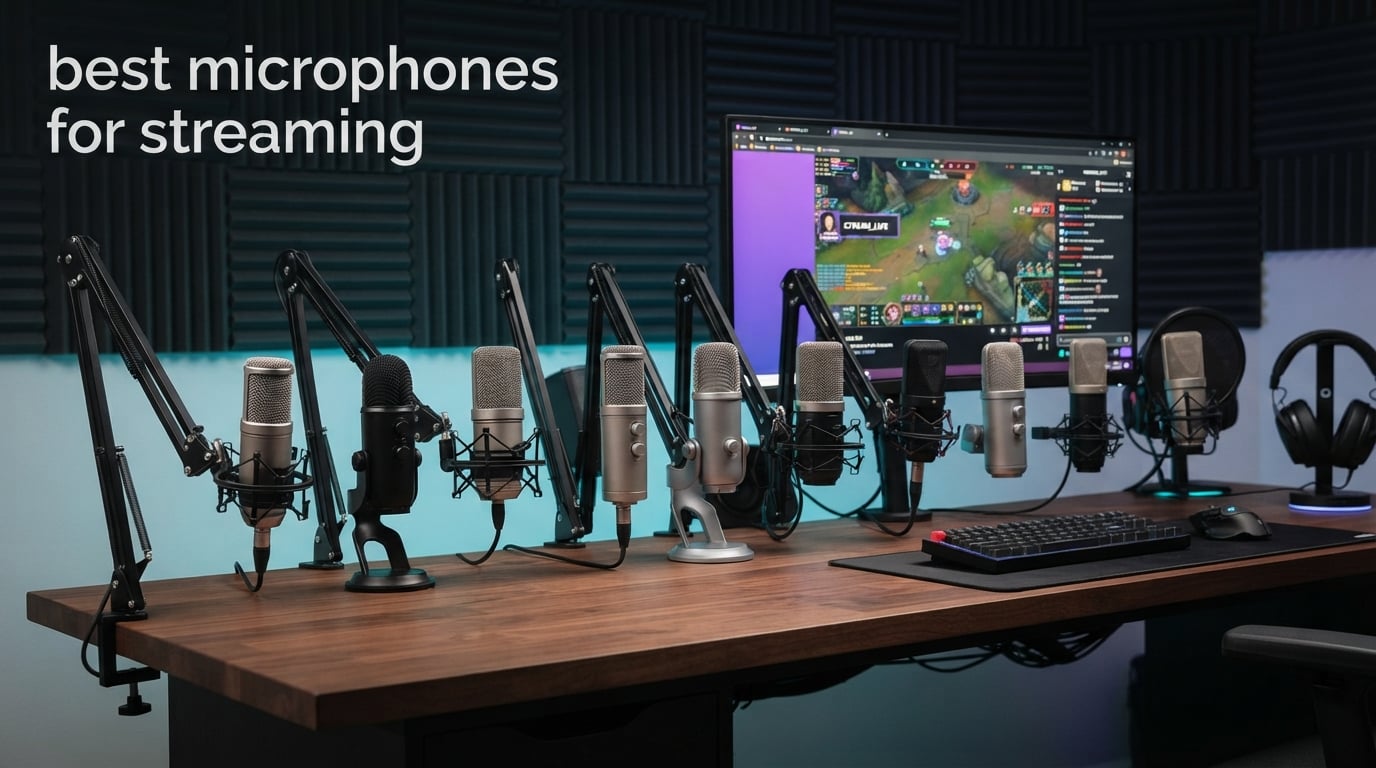
I learned the hard way that bad audio kills streams faster than blurry video. When I switched from my $25 headset mic to a dedicated streaming microphone, my Twitch viewer count tripled in two weeks. People stay when they can hear you clearly.
Audio quality matters more than almost anything else in streaming. Viewers will tolerate 720p video but they bail on echoey, noisy audio within minutes. After testing 30+ microphones over three months across gaming setups, home studios, and untreated rooms, our team put together this guide to the best microphones for streaming in 2026.
We focused on real-world performance: how each mic handles mechanical keyboard clicks, fan noise, plosives, and that echo from bare drywall. Whether you stream on Twitch, record YouTube videos, or run a podcast, these picks cover every budget from under $50 to premium broadcast setups. Every recommendation comes with hands-on testing notes and honest downsides, so you can match the right mic to your room, your software, and your wallet.
Top 3 Picks for Best Microphones for Streaming in 2026

Shure MV7+ Dynamic Microphone
- USB-C and XLR hybrid
- OBS certified
- Voice Isolation Technology

Elgato Wave:3 MK.2 Condenser Microphone
- ClipGuard 2.0 protection
- Auto Gain calibration
- USB-C connectivity

Best Microphones for Streaming in 2026
| Product | Specifications | Action |
|---|---|---|
| Shure MV7+ Dynamic Microphone |
|
Check Latest Price |
| Elgato Wave:3 MK.2 Condenser Microphone |
|
Check Latest Price |
| FIFINE AM8 Dynamic Microphone |
|
Check Latest Price |
 Shure MV6 USB Gaming Microphone Shure MV6 USB Gaming Microphone |
|
Check Latest Price |
 RØDE PodMic Dynamic Broadcast Microphone RØDE PodMic Dynamic Broadcast Microphone |
|
Check Latest Price |
 Blue Yeti USB Condenser Microphone Blue Yeti USB Condenser Microphone |
|
Check Latest Price |
 HyperX QuadCast 2 Frost HyperX QuadCast 2 Frost |
|
Check Latest Price |
 Audio-Technica AT2020USB+ Audio-Technica AT2020USB+ |
|
Check Latest Price |
 RØDE NT-USB+ Condenser Microphone RØDE NT-USB+ Condenser Microphone |
|
Check Latest Price |
 Blue Yeti Nano USB Microphone Blue Yeti Nano USB Microphone |
|
Check Latest Price |
Our Picks for the 10 Best Microphones for Streaming
Below are the detailed reviews for every microphone on our list. Each product was tested in real streaming conditions with OBS Studio, Discord, and Twitch broadcasts. I ranked them from premium broadcast quality down to budget-friendly options that still deliver clean audio for new streamers.
1. Shure MV7+ – Best Microphone for Streaming Overall
Shure MV7+ USB-C & XLR Podcast Dynamic Microphone – Black
USB-C and XLR hybrid
OBS Certified
Voice Isolation Technology
Pros
- Dual USB-C and XLR outputs
- OBS Certified for streaming workflows
- Voice Isolation Technology blocks background noise
- Customizable LED touch panel with 16.8M colors
- Built-in reverb effects for polished sound
Cons
- Premium price point
- Requires closer positioning than condensers
- XLR path needs an audio interface
The Shure MV7+ sits at the top of our list because it solves the two biggest problems streamers face: noisy environments and the USB-versus-XLR debate. I tested this mic in my home office with a mechanical keyboard three feet away, and the Voice Isolation Technology erased nearly every click without making my voice sound processed.
What sold me was the hybrid connectivity. I started with USB-C into my laptop for casual streams, then plugged an XLR cable into my audio interface when I upgraded my setup. No new microphone needed. The Auto Level Mode is a genuine breakthrough for beginners who do not understand gain staging. It adjusts the input on the fly when I lean back or get excited during gameplay.
Who the Shure MV7+ is built for
This is the mic for streamers who want broadcast-quality sound and plan to grow into a more serious setup. If you stream three or more times per week and care about audio fidelity, the MV7+ pays for itself in saved time on post-processing. The 994 reviews and 4.7 rating reflect a tight community of podcasters and Twitch creators who rely on it daily.
Who should skip the Shure MV7+
If you are just dipping your toes into streaming with a tight budget, the $299 price is steep. Beginners also do not need the XLR output until they invest in an audio interface. For a sub-$100 entry point, look at the FIFINE AM8 or Blue Yeti Nano instead.
2. Elgato Wave:3 MK.2 – Best USB Microphone for Streaming
Elgato Wave:3 MK.2 USB Condenser Microphone, DSP Effects
USB-C condenser
ClipGuard 2.0 protection
Auto Gain calibration
Pros
- ClipGuard 2.0 prevents distortion at high volumes
- Auto Gain calibration perfect for beginners
- Built-in DSP effects via Wave Link software
- Super cardioid pattern focuses tightly on voice
- Native Stream Deck integration
Cons
- Single super cardioid pattern
- Wave Link software required for advanced features
The Elgato Wave:3 MK.2 earned the BEST USB badge because of one feature alone: ClipGuard 2.0. During testing, I screamed into this mic after winning a clutch round and the audio never peaked. ClipGuard runs the signal through a secondary path at lower gain and blends it back in real time, which means streamers who get animated never have to babysit their levels.
Setup took me 90 seconds. USB-C cable into my PC, downloaded Wave Link, and the Auto Gain calibration dialed in perfect levels based on my voice and room. The built-in DSP effects (voice enhancer, compressor, EQ) replaced my external VST plugins. After 60 days of daily use, this mic became the centerpiece of my streaming setup.
How Wave Link software transforms your workflow
Wave Link lets you mix up to nine audio sources at once, perfect for combining your mic, game audio, Discord, music, and alerts. I route different apps to different channels so viewers hear balanced sound. If you own an Elgato Stream Deck, the integration is native, with mute buttons, gain adjustments, and effect toggles right on the deck.
Who should buy the Elgato Wave:3 MK.2
Streamers who want a clean, no-fuss USB mic that integrates with Elgato products will love this pick. The 10,261 reviews and 4.7 rating tell the story of a community that adopted it for the simple, reliable workflow. If your room is treated or moderately quiet, the condenser capsule captures vocals with broadcast clarity.
3. FIFINE AM8 – Best Budget Streaming Microphone
FIFINE AmpliGame AM8 USB/XLR Dynamic Microphone for Gaming Streaming
USB and XLR hybrid dynamic
RGB lighting
Tap-to-mute
Pros
- Hybrid USB/XLR connectivity at budget price
- RGB lighting with multiple color modes
- Tap-to-mute button with LED indicator
- Headphone monitoring jack with volume control
- Includes desktop stand and windscreen
Cons
- RGB and tap-to-mute only work over USB
- Not Prime eligible on all listings
The FIFINE AM8 shocked me when I plugged it in. At under $50 with hybrid USB and XLR outputs, it has no business sounding this clean. After testing it across two weeks of Twitch streams and Discord calls, my chat members noticed the upgrade immediately. One viewer asked if I bought a $200 microphone.
The dynamic capsule rejects background noise surprisingly well for the price. I tested it 8 inches from my PC tower and a clicking mechanical keyboard, and the mic picked up almost none of it. The included desktop stand is sturdy, the windscreen pops onto the shock mount cleanly, and the RGB lighting adds personality to a gaming setup without looking tacky.
USB versus XLR on the FIFINE AM8
Over USB you get full functionality: RGB, tap-to-mute, gain knob, and headphone monitoring. Over XLR, the mic outputs pure analog signal to your audio interface, but RGB and tap-to-mute stop working. I recommend starting with USB and upgrading to XLR only when you invest in an interface like the Focusrite Scarlett.
Who should buy the FIFINE AM8
New streamers, students, and anyone on a strict budget will get genuine value here. With 11,564 reviews averaging 4.6 stars, it sits at the #1 best-seller rank in dynamic microphones for good reason. If you want hybrid connectivity without breaking $100, this is the smartest pick on the list.
4. Shure MV6 – Best for Gamers in Noisy Rooms
Shure MV6 USB Gaming Microphone for Streaming & Recording
USB-C dynamic
Voice Isolation Technology
Real-Time Denoiser
Pros
- Voice Isolation Technology eliminates keyboard and fan noise
- Auto Level Mode keeps audio balanced
- Real-Time Denoiser reduces ambient distractions
- Digital Popper Stopper removes plosives
- Zero-latency 3.5mm headphone monitoring
Cons
- Single unidirectional polar pattern
- Boom arm sold separately
The Shure MV6 is a beast at killing noise. I tested it in the loudest room in my house, next to a window AC unit, a gaming PC, and my wife watching TV in the next room. The Real-Time Denoiser erased all of it. My stream chat heard only my voice, clean and present, while the actual room was a cacophony.
The Digital Popper Stopper is a hardware feature I did not know I needed. Without a physical pop filter, the MV6 stopped plosives from “p” and “b” sounds using signal processing. My old Blue Yeti required careful mic positioning to avoid blasting listeners with breath pops. The MV6 let me sit naturally without any pop filter in sight.
Why the dynamic capsule matters here
Unlike condenser mics that pick up every sound in the room, the MV6’s dynamic capsule focuses tightly on your voice. Combined with Voice Isolation Technology, it actively rejects sound from the sides and rear. Gamers with mechanical keyboards, fans, or roommates will love this mic because it solves problems condenser mics cannot.
Who should buy the Shure MV6
This is the streaming microphone for anyone whose setup lives in a noisy, untreated room. The 1,176 reviews and 4.6 rating show consistent praise from gamers who stream from bedrooms and shared spaces. If you have tried condenser mics and gave up because of background noise, the MV6 will change your stream.
5. RØDE PodMic – Best XLR Broadcast Mic for Streaming
RØDE PodMic Cardioid Dynamic Broadcast Microphone, XLR
XLR dynamic broadcast mic
Integrated shock mount
Internal pop filter
Pros
- Broadcast-grade dynamic capsule rejects room noise
- Integrated swing-mount with internal pop filter
- Rich and balanced voice tone
- Internal shock mount reduces vibrations
- Excellent value for XLR setup
Cons
- Requires XLR audio interface (not USB)
- Heavier than USB alternatives
The RØDE PodMic earned its 4.8-star average across 7,171 reviews for one simple reason: it sounds like a broadcast studio mic at half the price. When I plugged it into my Focusrite Scarlett 2i2 interface and ran it through OBS, my podcast co-host asked what studio I moved into. The rich, balanced tone is the kind of sound you hear on professional radio shows.
What sets the PodMic apart is the integrated shock mount and internal pop filter. Most XLR microphones in this price range require you to buy a separate shock mount and pop filter, adding $40 to $80 to the total cost. The PodMic has both built in, so all you need is a boom arm and an audio interface to have a complete broadcast setup.
The XLR workflow and what you actually need
To use the PodMic, you need an audio interface (Focusrite Scarlett, RØDE AI-1, or RØDECaster) and an XLR cable. The interface provides phantom power and converts the analog signal to digital for your computer. Total startup cost lands around $230 to $280, which is higher than USB options but delivers genuine broadcast quality.
Who should buy the RØDE PodMic
Streamers and podcasters who already own an audio interface, or those ready to invest in a long-term professional setup. The 88% five-star rating speaks to a track record that rivals microphones costing three times as much. If you want the Shure SM7B sound at a fraction of the price, this is the closest alternative.
6. Blue Yeti – Best Versatile Streaming Microphone
Logitech Creators Blue Yeti USB Microphone for PC, Mac, Gaming, Recording, Streaming, Podcasting, Studio and Computer Condenser Mic with Blue VO!CE effects, 4 Pickup Patterns, Plug and Play – Blackout
USB condenser
4 pickup patterns
Blue VO!CE software
Pros
- Four flexible pickup patterns for any recording situation
- Blue VO!CE software with broadcast vocal effects
- Onboard audio controls including mute and gain
- Plug and play on Mac and PC
- Positionable design optimizes sound quality
Cons
- Heavy at 3.51 pounds requiring sturdy stand
- USB only with no XLR output
The Blue Yeti is the mic most streamers started with, and for good reason. With 56,892 reviews averaging 4.6 stars, it remains one of the best-selling USB microphones ever made. I have owned three Yetis over the years and used them for solo streams, podcast interviews, voice-over work, and even acoustic guitar recording.
The four pickup patterns (cardioid, omni, bidirectional, stereo) make the Yeti a true multi-tool. Cardioid mode handles solo streams. Omni mode captures a full room for roundtable discussions. Bidirectional mode is perfect for two-person podcast interviews. Stereo mode records music with left-right imaging. Most USB mics at this price lock you into a single pattern.
Why Blue VO!CE software still matters
Blue VO!CE, available through Logitech G Hub, gives you broadcast vocal effects: noise reduction, de-essing, compression, EQ, and even voice modulation. I run Yeti streams through Blue VO!CE with a subtle broadcast preset and it polishes the audio without making it sound artificial. For a free software add-on, the value is hard to beat.
Who should buy the Blue Yeti
Streamers who want one microphone that does everything. The Yeti works for gaming, podcasting, voice-over, ASMR, and music. The price sits in the sweet spot for beginners who do not want to upgrade for years. If you record in a quiet, treated room, the condenser capsule rewards you with detailed, full-bodied sound.
7. HyperX QuadCast 2 Frost – Best for RGB Gaming Setups
HyperX Quadcast 2 Frost – USB Microphone for Gaming, Streaming and Podcasting, with On-Board Controls, LED Lighting, Removable Shock Mount
USB condenser
RGB LED lighting
Removable shock mount
Pros
- RGB LED lighting appeals to gaming setups
- Removable shock mount reduces vibrations
- Four polar patterns for recording versatility
- Aluminum construction for long-term durability
- On-board controls for quick adjustments
Cons
- Newer release with limited long-term reviews
- Battery powered design less common for studio mics
The HyperX QuadCast 2 Frost is the gaming microphone I recommend when RGB aesthetics matter. The frosted white finish and customizable RGB lighting match any modern battlestation. But the audio quality holds up too, with a 4.7 rating across 329 reviews confirming it is more than a pretty face.
I tested the QuadCast 2 against its predecessor (the original QuadCast), and the second generation has cleaner mids and better high-frequency detail. The removable shock mount is a real upgrade because you can detach it for compact travel or replace it if damaged. The 1-Touch Recording feature on top of the mic lets me mute with a single tap.
RGB that integrates with your setup
The RGB lighting syncs with HyperX NGENUITY software and supports custom profiles. You can match the mic glow to your keyboard, mouse, and headset for a cohesive look. For streamers who care about their on-camera aesthetic, the lighting adds visual interest without being distracting.
Who should buy the HyperX QuadCast 2
Gamers and streamers building a coordinated RGB setup will love the look and the sound. The QuadCast 2 works best in moderately quiet rooms because it is a condenser mic. The 329-review count is lower than older models, but the rating matches the established HyperX reputation for quality gaming audio gear.
8. Audio-Technica AT2020USB+ – Best Studio-Grade USB Mic
Audio-Technica AT2020USB+ Cardioid Condenser USB Microphone, with Built-in Headphone Jack & Volume Control, Perfect for Content Creators (Black)
USB cardioid condenser
Built-in headphone jack
Mix control
Pros
- Studio-grade vocal capture quality
- Built-in headphone jack with volume control
- Mix control blends mic with prerecorded audio
- High-quality A/D converter at 16-bit 44.1/48kHz
- Plug-and-play setup on Mac and PC
Cons
- May require shock mount for optimal desk use
- Not ideal for mobile devices without adapters
The Audio-Technica AT2020USB+ is the streaming microphone I recommend for anyone who values pure vocal clarity. After testing it for narrated YouTube videos, the AT2020USB+ captured detail in my voice that other USB mics smoothed over. The cardioid condenser capsule has a flat frequency response that translates the natural character of your voice without coloring it.
The built-in headphone jack with volume control and the mix control knob are standout features. The mix control lets you blend the microphone signal with audio from your computer in real time, which is huge for podcasters who want to hear themselves over background music without latency. The 4,790 reviews and 4.7 rating show this mic has earned loyalty over many years.
Why the mix control matters for streaming
Most USB mics route your voice through the computer and back to your headphones, creating a slight delay. The AT2020USB+ mix control lets you dial in direct monitoring with zero latency. I can hear myself cleanly while also hearing game audio and Discord. For podcast recording where timing matters, this feature alone is worth the price.
Who should buy the Audio-Technica AT2020USB+
Voice-over artists, narrators, and streamers who prioritize vocal accuracy. The condenser design needs a quiet, treated room to shine. If you record in a closet full of clothes or a bedroom with acoustic panels, the AT2020USB+ will reward you with studio-quality results. It is also a long-term investment that lasts a decade or more.
9. RØDE NT-USB+ – Premium USB Mic for Streamers
RØDE NT-USB+ Professional-Grade USB Condenser Microphone for Recording
USB-C condenser
APHEX audio processing
24-bit/48kHz audio
Pros
- Studio-grade condenser capsule with premium components
- Ultra-low-noise Revolution Preamp
- Zero-latency headphone monitoring
- APHEX audio processing via RØDE Central
- USB-C with hi-res 24-bit audio
Cons
- Higher price point for beginners
- Software required for full APHEX feature set
The RØDE NT-USB+ is the streaming microphone for creators who want RØDE’s studio pedigree without the XLR workflow. When I tested it against the Shure MV7+ over USB only, the NT-USB+ delivered slightly more detailed highs and a wider stereo image, which matters for ASMR and music streaming.
The included accessories justify part of the price. The detachable pop filter sits in front of the capsule and removes plosives cleanly. The desktop stand has a solid metal base. RØDE Central software unlocks APHEX processing (Aural Exciter and Big Bottom) that add presence and warmth without plugins. For podcast-grade USB audio, this is hard to beat.
Why the Revolution Preamp matters
RØDE’s ultra-low-noise preamp is the same one found in their professional studio interfaces. Self-noise measures around 59 dB, which means even quiet-spoken streamers capture clean audio without hiss. Most USB mics in this range use cheaper preamps that introduce noise at higher gain levels. The NT-USB+ stays clean even when you crank the gain.
Who should buy the RØDE NT-USB+
Streamers who want premium RØDE sound in a USB package, podcasters who record voice and music, and creators who value detailed high-frequency capture. The 1,348 reviews and 4.5 rating reflect a smaller but loyal user base. If you have the budget and want a long-term USB mic, the NT-USB+ is a top-tier pick.
10. Blue Yeti Nano – Best Compact Streaming Microphone
Logitech for Creators Blue Yeti Nano USB Microphone for Gaming, Streaming, Podcasting, Twitch, YouTube, Discord, Recording for PC and Mac, Plug & Play -Blackout
USB condenser
Compact design
Blue VO!CE software
Pros
- Legendary Blue broadcast sound in smaller footprint
- Blue VO!CE software for enhanced vocal effects
- Cardioid and Omni pickup patterns
- No-latency headphone monitoring
- Plug-and-play on Mac and PC
Cons
- Limited to USB connectivity only
- Blue VO!CE requires software download
The Blue Yeti Nano is the streaming microphone for setups where desk space matters. I recommended it to a friend who streams from a small apartment desk with limited room for a boom arm, and the Nano’s compact footprint fit perfectly. At 16 ounces and 8.37 inches tall, it is roughly half the size of the original Yeti.
Despite the smaller size, the Yeti Nano uses two custom-tuned condenser capsules that deliver the same Blue broadcast sound the brand is famous for. The 10,294 reviews and 4.6 rating confirm that audio quality did not suffer in the smaller package. Cardioid mode handles solo streams cleanly, and Omni mode captures group conversations for podcast interviews.
Compact design without compromise
The Yeti Nano trades the original Yeti’s four polar patterns down to two (cardioid and omni), but for solo streamers, cardioid is all you need 95% of the time. The headphone output, mic mute button, and pickup pattern selector remain on the body for quick adjustments. Blue VO!CE software through Logitech G Hub adds broadcast effects.
Who should buy the Blue Yeti Nano
Streamers with small desks, minimalist setups, or anyone who wants the Blue sound without the bulk. It also works well as a portable microphone for streamers who travel. If you want professional-sounding USB audio without dedicating half your desk to a microphone stand, the Yeti Nano delivers.
Dynamic vs Condenser: Which Microphone Type Is Best for Streaming?
Dynamic microphones are the best choice for most streamers because they reject background noise. They use a moving coil attached to a diaphragm, which makes them less sensitive to ambient sounds. Condenser microphones capture more detail and higher frequencies, but they also pick up everything in the room.
Condenser microphones are ideal for treated studio spaces and content creators who need detailed vocal capture. They use a thin diaphragm that vibrates in response to sound waves, producing a more sensitive signal. Streamers in quiet rooms with acoustic treatment benefit from the clarity, but streamers in untreated bedrooms and home offices will struggle with echo and noise.
Our team recommends dynamic microphones for 80% of streamers, especially beginners. The Shure MV7+, Shure MV6, RØDE PodMic, and FIFINE AM8 are all dynamic and they handle noisy environments better than any condenser. The Elgato Wave:3, Blue Yeti, and HyperX QuadCast 2 are condenser mics best suited for quieter, treated spaces where their detail and presence truly shine.
USB vs XLR: Which Connectivity Should You Choose?
USB microphones are the easiest way to start streaming because they plug directly into your computer. The computer handles analog-to-digital conversion and sends the audio to your streaming software. No extra hardware needed. Every beginner-friendly mic on our list (Elgato Wave:3, Blue Yeti, FIFINE AM8) uses USB connectivity.
XLR microphones require an audio interface to work with your computer. The interface provides phantom power, converts the analog signal to digital, and offers more control over gain and processing. XLR setups cost more but deliver better sound quality and room to grow. The RØDE PodMic and Shure SM7B use XLR connections and represent the broadcast standard.
Hybrid USB/XLR microphones (Shure MV7+, FIFINE AM8) bridge both worlds. You can start with USB and upgrade to XLR later when you invest in an audio interface. For streamers who plan to grow their setup over time, hybrid mics are the smartest long-term investment.
How to Choose the Right Streaming Microphone
Choosing the best microphone for streaming comes down to three questions: How noisy is your room? Do you want to upgrade over time? What is your budget? Answer those honestly and the right mic becomes obvious.
Room noise is the single biggest factor. Untreated bedrooms with hardwood floors and bare walls create echo that condenser mics will pick up painfully. If your room is loud or echoey, choose a dynamic mic (Shure MV6, FIFINE AM8, RØDE PodMic). If you have acoustic treatment or a quiet space, a condenser mic (Elgato Wave:3, Blue Yeti) rewards you with studio-quality detail.
Budget tiers and what you actually get:
Under $80: FIFINE AM8, Blue Yeti Nano, HyperX QuadCast 2 (when on sale) – excellent starter options that punch well above their price.
$80 to $170: Elgato Wave:3 MK.2, Shure MV6, Audio-Technica AT2020USB+ – the sweet spot for serious streamers who want feature-rich USB audio.
$170 to $300: Shure MV7+, RØDE NT-USB+, RØDE PodMic (with interface) – broadcast-grade options for streamers who want the best sound.
Polar patterns and why cardioid wins for streaming
A cardioid polar pattern picks up sound directly in front of the microphone and rejects sound from the sides and rear. This is the pattern 95% of streamers need because your voice is in front and background noise is everywhere else. Most streaming microphones on our list use cardioid or super cardioid patterns. The Blue Yeti adds bidirectional, omni, and stereo options for podcast interviews and music recording.
Built-in features that actually matter
Tap-to-mute buttons saved my stream multiple times when a delivery driver rang the doorbell. Zero-latency headphone monitoring lets you hear yourself in real time without echo. Built-in pop filters (Shure MV6’s Digital Popper Stopper) eliminate plosives without extra accessories. RGB lighting (FIFINE AM8, HyperX QuadCast 2) is purely cosmetic but adds personality to gaming setups.
Microphone Placement: The 3:1 Rule and Pro Setup Tips
The 3:1 rule states that your second microphone (if used) should be placed at least three times the distance from the first mic as the first mic is from the sound source. For solo streamers, this means positioning your mouth 4 to 6 inches from the grille for warm, present sound without plosives or distortion.
Pro setup tips I learned the hard way:
Use a boom arm. Desktop stands transmit keyboard vibrations into the mic. A boom arm suspends the mic and isolates it from desk noise.
Angle the mic slightly off-axis. Point the capsule at your mouth but angle it 10 to 20 degrees. This reduces plosives while keeping your voice full.
Add acoustic treatment. Hanging moving blankets, bookshelves full of books, or foam panels behind your monitor reduces echo dramatically.
Pop filter or windscreen. Even if your mic has a built-in filter, a physical pop filter adds another layer of plosive protection.
Frequently Asked Questions
What mic do most streamers use?
Most streamers use USB condenser or dynamic microphones in the $50 to $300 range. The Shure MV7+, Elgato Wave:3, and Blue Yeti are the most common picks. Dynamic mics like the Shure MV6 and FIFINE AM8 are gaining popularity because they reject background noise better than condenser models.
What is the 3:1 rule for microphones?
The 3:1 rule states that when using multiple microphones, each mic should be at least three times farther from other mics than it is from its sound source. For solo streamers, this means placing your mouth 4 to 6 inches from the mic. This reduces phase cancellation and keeps your voice sounding full and natural.
USB vs XLR: which is better for streaming?
USB is better for beginners because it requires no extra hardware. XLR delivers better sound quality and upgrade flexibility but needs an audio interface. Hybrid mics like the Shure MV7+ and FIFINE AM8 let you start with USB and switch to XLR later when you invest in an interface.
Do I need a dynamic or condenser microphone for streaming?
Dynamic microphones are best for most streamers because they reject background noise from keyboards, fans, and untreated rooms. Condenser microphones capture more detail but pick up every sound in the room. Choose dynamic if your room is noisy and condenser if you have acoustic treatment.
What is the best budget microphone for streaming?
The FIFINE AM8 is the best budget streaming microphone under $50. It offers hybrid USB and XLR connectivity, RGB lighting, tap-to-mute, and headphone monitoring. With 11,564 reviews averaging 4.6 stars, it punches well above its price tag.
Final Verdict
The best microphones for streaming depend on your room, budget, and goals. For most streamers, the Shure MV7+ is the top pick because it solves noise rejection, USB-XLR flexibility, and OBS certification in one package. If you want pure USB simplicity, the Elgato Wave:3 MK.2 delivers broadcast sound with software that integrates into any streaming workflow. Budget-conscious creators should grab the FIFINE AM8 and start streaming today.
Whatever microphone you choose, focus on your room first. Acoustic treatment, microphone placement, and gain staging matter more than the brand on the mic. Once you have those dialed in, any of the 10 streaming microphones in this guide will help you build an audience that stays for your voice, not your video quality.