
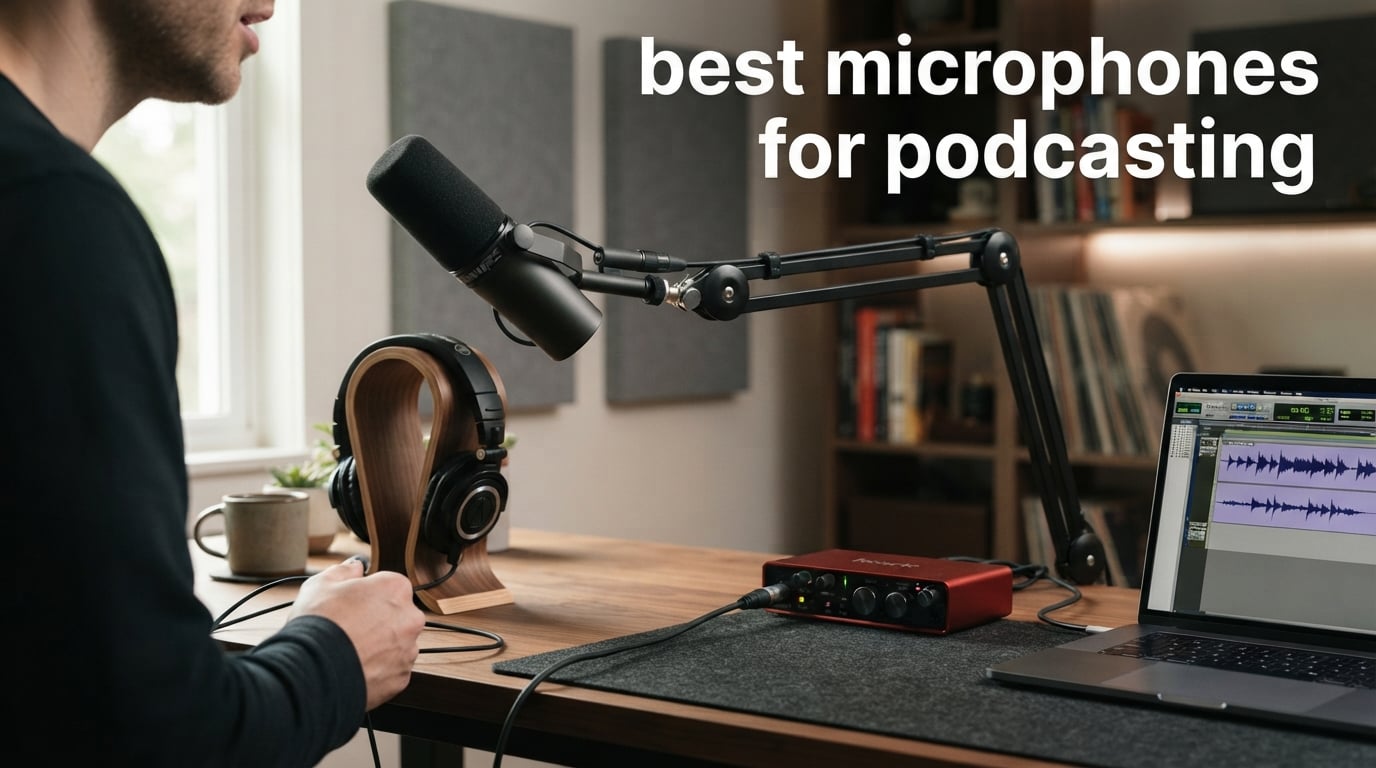
The best microphones for podcasting make spoken words easier to follow, but the right choice also depends on your room, connection, and recording routine. A dynamic USB microphone can make a first home setup simple, while an XLR condenser can suit a quieter studio where you want more vocal detail.
I would begin with the room rather than a long specification list. Community discussions repeatedly point to background noise, confusion over USB versus XLR, and the fear of buying more podcasting equipment than a new show needs.
We reviewed the documented specifications, features, customer ratings, and stated limitations for ten current options. The short version is clear: choose a dynamic cardioid-style mic when your room has distractions, choose USB for direct computer recording, and choose XLR when your workflow already includes an audio interface or mixer.
Table of Contents
The top 3 picks answer the most common podcasting needs
The Shure MV7+ is the most complete wired choice here because it combines USB-C and XLR with real-time denoising, Auto Level Mode, and a digital pop filter. The FIFINE AM8 is the straightforward dual-connection pick, while the MAONO PD200W is the distinctive option for a wired desk setup that also needs wireless recording.
The best microphones for podcasting in 2026 are easy to compare here
This quick overview covers every analyzed microphone, its connection options, and its most decision-relevant features. Use it to narrow the field, then read the individual notes before committing to a podcast microphone.
| Product | Specifications | Action |
|---|---|---|
 Shure MV7+ Shure MV7+ |
|
View on Amazon |
 Elgato Wave:3 MK.2 Elgato Wave:3 MK.2 |
|
View on Amazon |
 FIFINE AM8 FIFINE AM8 |
|
View on Amazon |
 FIFINE K688 FIFINE K688 |
|
View on Amazon |
 TONOR TD510 AIR H+ TONOR TD510 AIR H+ |
|
View on Amazon |
 Rode NT1 Signature Rode NT1 Signature |
|
View on Amazon |
 MAONO PD200XS MAONO PD200XS |
|
View on Amazon |
 Shure MV6 Shure MV6 |
|
View on Amazon |
 MAONO PD200W MAONO PD200W |
|
View on Amazon |
 MAONO PD400X MAONO PD400X |
|
View on Amazon |
1. Shure MV7+ is the strongest all-around USB and XLR choice
Shure MV7+ USB-C & XLR Podcast Dynamic Mic with Stand – Black
USB-C and XLR
Auto Level
Real-time denoiser
Pros
- USB-C and XLR outputs
- Auto Level Mode
- Real-time noise reduction
- Digital pop filter
- LED mute panel
Cons
- App needed for full customization
- Heavier desktop package
The MV7+ is a dynamic, unidirectional Shure microphone that gives a podcaster two sensible routes: USB-C straight to a computer or XLR into an interface. That flexibility makes it the clearest first choice for someone who wants to record now without closing off a later studio upgrade.
Its documented 4.8 rating from 561 reviews is paired with features directed at a familiar spoken-word problem: inconsistent delivery. Auto Level Mode adjusts gain according to distance and voice volume, so it is useful for hosts who change position while talking.
Shure also lists a real-time denoiser, Voice Isolation Technology, and a digital pop filter. Those tools do not replace sensible mic placement, yet they are directly relevant if a fan, keyboard, or room reflection keeps appearing in your track.
The LED touch panel adds mute control and level monitoring, and the MOTIV Mix app is where customization happens. The trade-off is simple: people who want every setting on the microphone may find app-based adjustment less immediate.
USB and XLR make this microphone fit a changing setup
Use USB-C if you record a solo show on a computer and want the shortest path from microphone to software. Move to XLR when you add an audio interface, mixer, or a multi-mic workflow that benefits from dedicated inputs.
The listed 50 Hz frequency response and 65 dB signal-to-noise ratio are technical reference points, but workflow matters more here. I would pick this model for a creator who needs a dependable bridge between direct recording and a more involved podcast studio.
Auto Level and monitoring make spoken delivery easier to manage
Place the microphone consistently and let Auto Level Mode handle smaller changes in distance rather than treating it as permission to move unpredictably. Mute control is also handy for coughs, notes, and breaks during a live recording session.
The 3.57-pound package is not the smallest desk option in this group. Plan its position before recording, especially if your desk also holds a computer screen and a control surface.
2. Elgato Wave:3 MK.2 is the USB condenser choice for controlled rooms
Elgato Wave:3 MK.2 USB Condenser Microphone, DSP Effects
USB-C condenser
ClipGuard 2.0
Auto Gain
Pros
- Premium condenser capsule
- ClipGuard 2.0
- Auto Gain
- Onboard voice effects
- Wave Link control
Cons
- USB only
- Super cardioid needs careful placement
The Elgato Wave:3 MK.2 is a USB-C studio condenser microphone with a super-cardioid pickup pattern. It is for the podcaster whose recording area is already reasonably calm and who wants a direct computer connection with built-in processing controls.
Its 4.7 rating is based on more than 10k reviews, which gives the model a much larger customer-feedback base than several choices on this list. The small 0.47-pound body and multifunction dial also make it a natural desktop fit.
ClipGuard 2.0 is the key technical feature because it is designed to prevent distortion. Auto Gain calibration, a voice enhancer, compressor, and EQ are documented onboard options, so a beginner has useful starting controls without adding separate hardware.
Condenser sensitivity is a benefit and a limit. Forum discussion around comparable USB condensers warns that room noise can become distracting, so this is not the microphone I would place beside a loud fan or untreated hard walls.
USB-C and Wave Link keep a computer-first show compact
Connect the Wave:3 MK.2 by USB-C when your episode is recorded and mixed on one computer. The Wave Link app gives another layer of audio control, while the tap-to-mute function can keep off-mic moments out of a live stream.
This model has no listed XLR connection. Pick it for a stable desktop workflow, not for a plan that requires plugging the same microphone into an interface later.
Super cardioid pickup rewards deliberate positioning
Speak into the intended pickup area and keep the back and sides pointed away from the loudest part of the room. A super-cardioid pattern can need more deliberate placement than a broad desktop microphone setup.
The 110 dB signal-to-noise ratio is strong on paper, but the most useful result still comes from a quiet source position. Close the window, move the keyboard away, and monitor your first minute through headphones.
3. FIFINE AM8 is the flexible beginner dynamic microphone
FIFINE AmpliGame AM8 USB/XLR Dynamic Microphone for Gaming Streaming
USB and XLR
50 Hz to 16 kHz
Headphone monitor
Pros
- Dual USB and XLR
- Tap-to-mute
- Headphone monitoring
- Stand threads
- Cardioid dynamic design
Cons
- Controls inactive on XLR
- RGB may not suit every setup
The FIFINE AM8 gives new hosts a dynamic, unidirectional microphone with USB and XLR connections. Its 50 Hz to 16 kHz frequency response, headphone jack, and monitoring-volume control cover the daily tasks that matter when you are learning to hear your own recording.
It has a 4.6 rating from more than 11k reviews and is listed as the top seller in its category. That volume of feedback does not make it automatically right for every voice, but it makes this a well-established pick among the ten options.
On USB, the AM8 offers tap-to-mute and controllable RGB lighting. On XLR, the RGB and function keys are inactive, a limitation that matters if you move to an interface expecting the same desk controls.
The microphone has built-in threads for 3/8-inch and 5/8-inch stands. That detail is practical because positioning a dynamic mic closer to the mouth is usually more helpful than turning up gain from far across the desk.
Dual connections let a beginner start simply and expand later
Choose USB for direct recording and use the headphone jack to check your voice without delay. Choose XLR if you later add an interface and want the microphone signal to go through that hardware instead.
I would recommend this type of path to a creator who has not yet decided how complex their podcast setup should become. It avoids forcing an interface purchase before there is a real need for one.
Desk mounting choices matter more than the RGB feature
The RGB system has three modes and more than ten colors, but it does not affect the recorded sound. Focus first on getting the capsule pointed toward your mouth and keeping the desktop stand or arm from transferring bumps.
Use a headphone check before every session, because the 80 dB signal-to-noise ratio describes the device rather than the noise your own room creates. A dynamic microphone is still the more forgiving starting point for a noisy home office.
4. FIFINE K688 is the dual-output choice with included vocal accessories
FIFINE AmpliTank K688 Dynamic Microphone, XLR/USB Podcast Recording PC Mic
USB and XLR
130 dB SPL
Windscreen and shock mount
Pros
- USB and XLR
- 130 dB SPL
- Included windscreen
- Included shock mount
- Headphone monitoring
Cons
- No boom arm or XLR cable
- USB-only function keys
The FIFINE K688 is a unidirectional dynamic microphone designed around USB plug-and-play recording and an XLR route for an interface. It includes a windscreen and shock mount, two accessories that are directly useful for spoken voice and desk vibration control.
FIFINE specifies handling up to 130 dB SPL without distortion, plus a 50 Hz to 16 kHz response. Those figures make the K688 a sensible candidate for a host who sometimes records energetic speech or singing as well as steady narration.
The front panel gives you tap-to-mute, a gain control knob, and real-time headphone monitoring. That puts core level checks within reach instead of hiding them in recording software.
The limitation to plan around is the package list. It does not include a boom arm, mic stand, or XLR cable, so an XLR workflow needs those separate pieces.
Included wind protection and shock isolation support close recording
Keep the windscreen in place for close speech, especially when words with strong p and b sounds are causing bursts of air. The shock mount can reduce mechanical vibration before it reaches the microphone body.
These accessories do not remove a need for an arm or stable desk position. If you type while recording, move the microphone off the desk when possible rather than expecting the mount to erase every impact.
USB controls and XLR expansion split the K688 workflow clearly
USB provides the convenience functions, while XLR provides the route to an audio interface with reduced circuit noise according to the listing. Select the connection before the session and confirm your monitoring path at the same time.
The function keys work only in USB mode. That is a fair compromise for a host who values an upgrade route, but it should be understood before switching from a direct computer setup.
5. TONOR TD510 AIR H+ is the noise-reduction kit for a first desk rig
TONOR Dynamic Podcast Microphone for Content Creators, Cardioid XLR/USB Mic
USB and XLR
AI noise reduction
Boom arm included
Pros
- AI noise reduction
- USB and XLR
- Three enhancement modes
- Boom arm included
- Phone monitoring
Cons
- Fewer reviews than rivals
- Limited published specifications
The TONOR TD510 AIR H+ is a dynamic podcast microphone with USB and XLR outputs, a boom arm, tap mute, and a headphone jack. It is a practical match for a creator who wants physical mounting support in the package rather than beginning with a bare desktop microphone.
TONOR documents AI noise reduction and three distinct audio enhancement modes. Those functions speak directly to the background-noise concern that appears in podcasting forums, although no processing feature makes a noisy room silent.
The 4.6 rating comes from 2,858 reviews, which is a meaningful feedback pool but smaller than the FIFINE AM8. Its listed compatibility includes phones, computers, and PS4 or PS5, giving it a broad device story for a creator who records in more than one place.
Technical data in the supplied listing is less detailed than the data for some competing models. I would treat the practical connection options, supplied arm, monitoring, and noise features as the reasons to consider it rather than guessing at unlisted performance figures.
AI reduction and a cardioid-style workflow help in imperfect rooms
Start by putting the microphone close to the speaker and keeping the loudest noise source behind or to the side of the microphone. Then use the available enhancement mode as a finishing tool rather than the first line of defense.
A dynamic microphone is normally easier to work with in an untreated room than a sensitive condenser. That is why this model belongs on the shortlist for a desk near normal household activity.
The included boom arm changes where the microphone can sit
A boom arm lets you move the capsule toward the mouth while freeing desk space for notes or a keyboard. It can also make it easier to keep the microphone in the same spot across several sessions.
Use the headphone jack to listen for room noise and mouth sounds before recording a full episode. The microphone and headphone volume adjustments give a direct way to correct the monitoring level without hunting through menus.
6. Rode NT1 Signature is the XLR condenser for a quiet voice studio
RØDE NT1 Signature Series Studio Condenser Microphone, Black
XLR condenser
1-inch HF6 capsule
4 dBA self-noise
Pros
- Large-diaphragm condenser
- 4 dBA self-noise
- Shock mount and pop filter
- XLR cable included
- High SPL handling
Cons
- XLR interface required
- Condenser hears more room sound
The Rode NT1 Signature is the only XLR-only large-diaphragm condenser in this selection, and it is built for a more deliberate voice-recording chain. Its HF6 one-inch true condenser capsule is documented for vocal recording, streaming, and podcasting.
The standout specification is 4 dBA self-noise, described by Rode as exceptionally low. That is valuable when the surrounding room is quiet, because the microphone itself adds very little noise to a careful recording path.
The package includes a studio-grade shock mount, pop filter, and premium XLR cable. You still need an audio interface because the microphone is XLR only, which makes this less immediate for an absolute beginner with only a laptop.
Its high sensitivity and large diaphragm can capture polished vocal detail, but they also make room control more important. I would not select a condenser of this type solely to solve keyboard noise or echo; work on the recording space first.
An XLR interface is required before the NT1 Signature can record
Connect the supplied XLR cable to an audio interface, then route that interface to your computer or recorder. Confirm that the interface supports the microphone’s required operating setup before treating the package as a complete podcast system.
The separate interface step brings more connection management than USB, yet it suits a permanent home studio. It also leaves room to add other XLR microphones when an interview format becomes part of the show.
Low self-noise gives quiet rooms the detail this capsule can capture
Record away from traffic, computer fans, and reflective bare surfaces when possible. Close speaking distance and the included pop filter let you capture voice detail without relying on excessive gain.
Rode lists handling up to 142 dB SPL and a 10-year warranty with registration. Those points add confidence for a fixed recording space, but the defining decision is still whether your room is calm enough for a condenser microphone.
7. MAONO PD200XS is the dual-mode kit for creators who want software control
MAONO PD200XS XLR/USB Dynamic Microphone Kit, RGB Gaming Mic with Software
USB and XLR
40 Hz to 16 kHz
Boom arm included
Pros
- USB and XLR
- MAONO Link controls
- Zero-latency monitoring
- Boom arm and shock mount
- One-click mute
Cons
- No XLR cable
- Software is USB-only
The MAONO PD200XS is a dynamic, unidirectional microphone kit with USB, USB-C, and XLR connectivity. It brings an adjustable boom arm and shock mount, so its feature set is aimed at a creator who wants a more complete desktop arrangement from the start.
MAONO specifies a 40 Hz to 16 kHz range, an 80 dB signal-to-noise ratio, a 3.5 mm zero-latency monitoring output, and a 2-in-1 knob for microphone gain and headphone volume. Those are clear, useful controls for recording speech without constantly moving between software panels.
MAONO Link offers EQ, limiter, and compressor adjustments in USB mode. That gives a beginner room to learn basic processing, but it also creates a connection-specific difference that should be remembered when moving to XLR.
It has a 4.6 rating from 2,028 reviews. The supplied XLR cable is absent, so budget the physical connection pieces around the workflow you actually intend to use.
MAONO Link makes USB recording the more adjustable route
Use the USB connection when you want access to the app’s EQ, limiter, and compressor functions. Start from a restrained setting and listen to a short spoken test; aggressive processing can make a natural voice sound less like itself.
XLR remains useful for an interface-based system, but the software features are USB-only. This distinction is a deciding factor for hosts who want their audio controls available inside the same app every session.
The included boom arm supports repeatable close microphone placement
Set the arm so the microphone reaches your mouth without blocking notes or a camera. The cardioid polar pattern is documented to reduce unwanted background noise, and close placement helps that design do its job.
The one-click mute LED and zero-latency monitoring make routine checks fast. I would use this model for a solo voice-over or interview host who values a ready-to-mount kit and does not need wireless operation.
8. Shure MV6 is the easiest USB dynamic pick for PC recording
Shure MV6 USB Gaming Microphone for Streaming & Recording
USB-C dynamic
Voice Isolation
Digital Popper Stopper
Pros
- Voice Isolation
- Auto Level Mode
- Real-time denoiser
- USB-C simplicity
- Zero-latency monitoring
Cons
- PC compatibility only
- Desktop stand has limited adjustment
The Shure MV6 is a USB-C dynamic cardioid microphone with Voice Isolation Technology, Auto Level Mode, a real-time denoiser, and Digital Popper Stopper processing. It is a focused choice for a PC-based host who values a short setup over connection expansion.
Shure states that the voice isolation reduces keyboard clicks, fan noise, room echo, and other distractions. That wording closely matches the pain points new podcasters report when they record in a normal bedroom or home office.
The MV6 has a 4.6 rating from 1,176 reviews and offers a 3.5 mm output for zero-latency monitoring. You can hear your own microphone directly, which is better for catching a too-loud voice or nearby fan before the episode is finished.
The desktop stand is included, but its limited adjustability is an important constraint. A host who needs the microphone close to their mouth may prefer a separate mounting solution if their desk height makes the included stand awkward.
USB-C and PC compatibility make first-session setup short
Connect the MV6 to a personal computer through USB-C, select it in the recording application, and monitor through headphones. The MOTIV Mix desktop app is available for further adjustment without requiring an audio interface.
This microphone is specifically listed as PC compatible, so check your device needs before choosing it for a mixed-device studio. It is best treated as a dedicated computer microphone rather than a universal interface option.
Built-in spoken-word processing targets common home-office distractions
Auto Level Mode keeps delivery more consistent, while the real-time denoiser and Digital Popper Stopper address recognizable voice-recording problems. Keep a consistent speaking position so those tools have a stable signal to work with.
The 50 Hz minimum frequency and 15 kHz stated response offer useful basic context, but the practical benefit is the combined processing and monitoring. This is my direct USB recommendation for the host who needs a dynamic microphone without XLR complexity.
9. MAONO PD200W is the wireless microphone for flexible and two-person recording
MAONO PD200W Hybrid Wireless Podcast Microphone for PC, Dynamic XLR USB Mic
Wireless USB and XLR
60 m range
Two-mic receiver
Pros
- Three connection modes
- Two-mic receiver support
- Separate tracks
- Three-stage noise cancellation
- Long battery life
Cons
- Some accessories separate
- Battery needed for wireless use
The MAONO PD200W differs from every other choice here by offering wireless, USB, and XLR connectivity in one dynamic microphone system. That three-way design is compelling for a host who records at a desk one day and moves around a room, camera setup, or interview location the next.
MAONO lists a 30 mm dynamic cardioid capsule, 82 dB signal-to-noise ratio, and handling up to 128 dB SPL without distortion. It also documents three-stage noise cancellation and app-based EQ and reverb adjustments through MaonoLink.
For interview podcasting, the central feature is support for two wireless microphones through one receiver, with each microphone recorded to its own track. Separate tracks give the editor more control over level balance, pauses, and interruptions than a single combined recording.
The listed wireless range is 60 m, and stated battery life reaches up to 60 hours with RGB off. Battery use is the cost of wireless freedom, so charge status belongs on the same pre-session checklist as a memory card or computer storage check.
Wireless recording solves movement and location problems without abandoning XLR
Use wireless mode when cable routing would limit the conversation or spoil a camera setup. Use USB for a direct computer session, or XLR when the recording location has an interface-ready podcast studio.
That range of connections makes the PD200W a rare fit for a show that changes formats. I would choose it over a fixed USB microphone when mobility is a real recording requirement rather than an occasional curiosity.
Two independently recorded microphones improve a duo episode workflow
One receiver can connect two wireless microphones and record each on its own track according to MAONO. That arrangement is useful for a host and guest because one person’s laugh or pause does not have to change the other person’s recorded level.
Do a short range and battery test at the actual location before an important interview. The product supports cameras, smartphones, laptops, and interfaces, but the correct cable or accessory can vary by device.
10. MAONO PD400X is the control-heavy dynamic mic for an interface-ready desk
MAONO PD400X Dynamic Microphone, USB/XLR Podcast PC Mic with Software
USB and XLR
3-in-1 control
MAONO Link app
Pros
- USB and XLR
- Three-in-one control
- App EQ and compressor
- Noise rejection
- Stand and cables included
Cons
- Gooseneck shape is not for every desk
- Software changes are USB-only
The MAONO PD400X is a dynamic cardioid microphone with USB, USB-C, and XLR connection options. Its main attraction is hands-on control: a three-in-one digital knob manages microphone gain, headphone volume, and monitor mix.
MAONO says the cardioid capsule rejects unwanted background noise for imperfect rooms, making this a sensible broadcast microphone candidate for a desk that is not acoustically treated. The included desktop stand, foam wind cover, and cables help a new owner begin with the physical essentials.
In USB mode, MAONO Link offers Standard and Advanced modes. The Standard mode has vocal tone and distance presets, while Advanced mode covers EQ, limiter, and compressor adjustments.
The PD400X has a 4.6 rating from 570 reviews, which is the smallest review count among the wired models here. That does not erase its documented feature set, but it is worth weighing against models with longer customer-feedback histories.
The three-in-one control keeps gain and monitoring adjustments close
Monitor mix matters when you need to balance your own voice with the computer audio in headphones. Having gain, headphone volume, and that mix in one control area can make a live recording workflow less distracting.
Use tap-to-mute for breaks and watch the LED indicator so you do not accidentally resume speaking while muted. The 40 Hz to 16 kHz frequency range and 78 dB signal-to-noise ratio provide the core published specifications for comparison.
USB processing and XLR routing let the microphone serve two kinds of desk
Choose USB for direct computer recording and app adjustments. Choose XLR for a mixer or audio interface, remembering that the software features described for MAONO Link belong to USB mode.
The gooseneck form factor will suit some desks better than others, so consider where it will sit relative to a screen and keyboard. This is a feature-rich choice for a host who wants tactile monitoring controls more than wireless mobility.
The right buying guide starts with your recording room and connection
The first decision is not a brand name. Decide whether you record alone at a computer, bring in local guests, use an existing audio interface, or need to move between a desk and a location shoot.
For a solo computer show, a USB microphone removes hardware steps. The Shure MV6 and Elgato Wave:3 MK.2 are USB-only examples, while the MV7+, AM8, K688, TD510 AIR H+, PD200XS, and PD400X let you begin on USB and keep an XLR route available.
For a fixed multi-microphone studio, XLR is generally the more natural connection because an audio interface or mixer can accept multiple microphone inputs. The Rode NT1 Signature requires that route, so it belongs with a host who is ready to build around an interface rather than add one later.
USB is the direct answer for a first solo podcast setup
USB microphones connect directly to a compatible computer, which keeps the chain short: microphone, cable, recording software, headphones. This is why forum participants often advise beginners to start with USB and move toward XLR only when their show develops a need for more inputs or routing.
Direct connection does not mean audio settings are irrelevant. Set your recording software to the correct input, use the microphone’s monitoring jack if it has one, and speak a short sample before every interview.
USB also makes onboard DSP especially useful. Auto gain, denoising, a digital pop filter, a compressor, and EQ can help with routine voice control, though none of them should be used to hide a poor speaking position or loud room.
XLR is the direct answer for an interface-based recording chain
An XLR microphone sends its signal to an audio interface or mixer before it reaches the computer or recorder. That adds equipment and setup time, but it is useful when you need more than one microphone or want all inputs controlled from one place.
Check the exact accessories you need. The NT1 Signature includes an XLR cable, while the K688 and PD200XS identify missing XLR items that an interface workflow may require.
Do not pick XLR simply because it sounds more professional as a label. Pick it because the routing, local interview format, or studio plan calls for it.
Dynamic microphones are the direct answer for ordinary noisy rooms
A dynamic microphone is a good starting choice when traffic, computer fans, keyboard clicks, or room reflections are part of your environment. The dynamic products in this list include the Shure, FIFINE, TONOR, and MAONO options, with several offering additional noise-focused processing.
Dynamic designs reward close speaking distance. Bring the microphone toward the mouth, angle it slightly off-axis to control bursts of air, and lower the gain before you try to record from far away.
This approach also addresses common forum feedback about overly sensitive condenser microphones in bedrooms. The room still matters, but a close dynamic microphone usually gives a more manageable starting signal.
Condenser microphones are the direct answer for quiet, treated voice spaces
Condenser microphones are more sensitive, which can be useful for detailed vocal capture in a calm recording space. The Wave:3 MK.2 and NT1 Signature are condenser options here, but their strengths become limits when the recording room has ongoing noise.
Choose a condenser if you can control the source environment and like a more detailed studio-oriented approach. Keep the microphone out of line with a fan, reduce bare reflective surfaces, and listen for air conditioning or street noise in your headphones.
The NT1 Signature’s listed 4 dBA self-noise is a strong example of why a quiet room matters. A low-noise microphone can reveal details that a loud room would otherwise cover.
Cardioid pickup is the direct answer for focusing on one speaker
Most products in this guide use a unidirectional or cardioid-style polar pattern. That design aims to prioritize sound from the front and reduce sound arriving from other directions, which is useful for one host speaking into a correctly placed microphone.
Super cardioid, as on the Wave:3 MK.2, can need closer attention to position. Point the microphone deliberately, keep it stable, and do not assume that a pattern label removes every unwanted sound.
Polar pattern is not a replacement for placement. A microphone will still record the part of the room you put in front of it, so turn it away from the noisiest source and maintain a consistent distance.
Headphone monitoring is the direct answer for catching problems before editing
Headphone monitoring lets you hear the microphone feed while you record. The AM8, K688, TD510 AIR H+, PD200XS, MV6, and MV7+ all list headphone monitoring or a headphone output, and several specify zero-latency monitoring.
Listen specifically for clipping, mouth noise, fan hum, and inconsistent level. A short pre-recording sample is more useful than discovering the problem after a guest has left.
Set a comfortable monitoring level, then check your recorded level separately. Loud headphones can feel impressive while hiding the fact that the recording input is too low or too high.
Mobile and interview recording are the direct answer for changing locations
The MAONO PD200W is the only analyzed model with stated wireless, USB, and XLR operation, plus support for two wireless microphones on one receiver and separate tracks. That makes it the most purpose-built option for a two-person show away from a permanent desk.
Its stated 60 m wireless range and up to 60 hours of battery life with RGB off are practical planning facts, not reasons to skip a test. Walk the recording area, check the device connection, and start every location session with fully charged equipment.
For phone or camera work, verify the accessory and connection path for your exact device. The product listing supports several device types, but a microphone feature alone does not guarantee a particular cable is in the box.
The three-to-one rule is the direct answer for separating multiple live microphones
The three-to-one rule says that each microphone should be three times farther from the next microphone than it is from its own sound source. For example, if a microphone is one unit from a speaker’s mouth, place the next microphone roughly three units from the first microphone.
This spacing guideline can reduce unwanted bleed when two people record in the same room. It is a starting point, so confirm the result through headphones and a short recorded test.
For remote guests on separate tracks, the rule is less relevant than consistent microphone placement and input levels. For in-person interviews, it works alongside cardioid positioning and close speaking distance.
A repeatable setup checklist is the direct answer for more consistent episodes
First, mount the microphone so it stays at the same distance from your mouth. Second, connect USB, XLR, or wireless gear before opening the recording application, then select the intended input and monitoring output.
Third, record a minute of normal speech rather than a whisper or an exaggerated test voice. Listen for background noise, plosives, and level changes while you move your head as you normally would during a conversation.
Fourth, save a simple note about your gain setting, microphone position, and processing mode. Repeating those choices will help your show sound more consistent than changing several controls for every episode.
The FAQ answers the podcast microphone questions people ask most
What mics do most podcasters use?
Most podcasters use either a USB microphone for direct computer recording or an XLR microphone with an audio interface. Dynamic microphones are common for ordinary home rooms because close placement can reduce the prominence of background distractions, while condensers suit quieter studios.
What mics does Joe Rogan use?
The supplied research asks this question but does not provide a verified microphone model for Joe Rogan. This guide therefore does not make a claim beyond its documented product data; choose a microphone based on your room, connection, and recording format instead.
What is the 3 to 1 rule in micing?
The three-to-one rule says microphones should be spaced three times farther from one another than each microphone is from its intended sound source. It is a practical starting point for reducing bleed between two people recording in the same room.
What’s the average salary of a podcaster?
There is no verified average salary figure in the supplied research, and earnings are not a microphone performance measure. Build your recording setup around clear voice capture, a workable connection type, and a repeatable production routine.
The best choice is the microphone that matches how you will record
For the best microphones for podcasting, the Shure MV7+ is the broadest wired recommendation because it pairs USB-C and XLR with helpful voice tools. Choose the Elgato Wave:3 MK.2 or Rode NT1 Signature for a quiet room that suits a condenser, and select the MAONO PD200W when wireless or two-person recording is central to the show.
Before you choose in 2026, decide where you will record, whether you need an interface, and how close the microphone can sit to your voice. A modest, repeatable setup with good monitoring will serve a podcast better than features you will never use.