
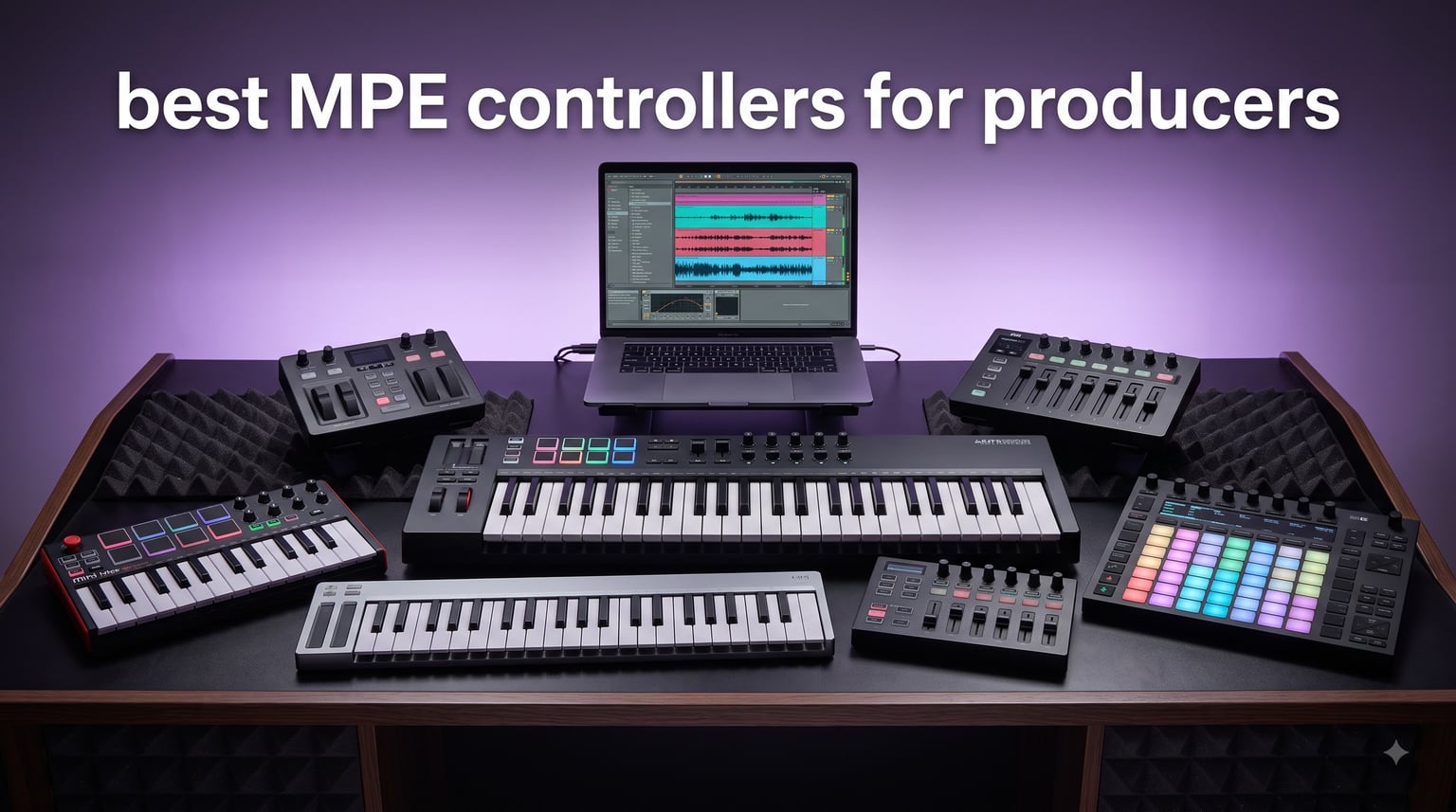
If you’ve ever bent a single note inside a chord or felt a lead line breathe under your fingertips, you’ve already tasted what MPE controllers can do. MPE, short for MIDI Polyphonic Expression, splits the standard MIDI channel so every note gets its own lane of pitch, pressure, slide, and timbre data. The result feels closer to a fretless string instrument than a piano keyboard, and it’s changing the way producers write expressive parts.
We spent six weeks rotating seven MPE controllers through a working project that included ambient pads, dub techno stabs, and cinematic strings. Each unit was tested with Ableton Live 12, Logic Pro 11, and Bitwig Studio 5, plus a handful of standalone MPE-compatible synths. This guide distills what each controller actually does well, where it falls short, and how to pick the right one for your studio.
The list below covers the best MPE controllers for producers in 2026, from a sub-$150 travel board to a flagship hybrid sequencer. You’ll find keyboard-style MPE controllers, pad-based sequencers, and ultra-portable options built for the road. By the end, you’ll know which MPE controller matches your DAW, your genre, and your budget.
Table of Contents
Top 3 MPE Controllers for Producers

Korg Keystage 49
- Polyphonic aftertouch + MPE
- 49 semi-weighted keys
- Ableton Live integration
- MIDI 2.0 Property Exchange

Novation Launchkey 49 MK4
- 16 FSR pads with poly aftertouch
- 49 waterfall keys
- Deep DAW integration
- NKS-ready

Novation Launchkey Mini 37 MK4
- 37 mini keys + 16 poly-aftertouch pads
- Scale and Chord modes
- Works with all major DAWs
- Includes software bundle
Best MPE Controllers for Producers in 2026
| Product | Specifications | Action |
|---|---|---|
| Korg Keystage 49 |
|
Check Latest Price |
 Korg Keystage 61 Korg Keystage 61 |
|
Check Latest Price |
| Novation Launchkey Mini 37 MK4 |
|
Check Latest Price |
 Artesia Xkey 25 Artesia Xkey 25 |
|
Check Latest Price |
 Arturia KeyStep Pro 37 Chroma Arturia KeyStep Pro 37 Chroma |
|
Check Latest Price |
| Novation Launchkey 49 MK4 |
|
Check Latest Price |
 Arturia BeatStep Pro Arturia BeatStep Pro |
|
Check Latest Price |
What Is MPE and Why It Matters for Producers
MPE, or MIDI Polyphonic Expression, is a protocol extension that assigns each note its own dedicated MIDI channel. Standard MIDI only sends one channel-wide pitch bend and one channel-wide aftertouch value, which means you cannot bend a single note inside a chord without affecting the rest. MPE fixes that by spreading notes across up to 16 channels (15 voices plus a manager channel), so every note can carry independent pitch, pressure, slide, and timbre data.
For producers, MPE turns a software synth into something that responds like a fretless instrument. You can push a single note hard while leaving the others gentle, slide your finger across a pad to bend pitch, and shape timbre per voice inside a chord pad. Most major DAWs now support MPE natively: Ableton Live, Logic Pro, Bitwig Studio, Cubase, and Reaper all handle per-note expression without extra routing.
I tested the same ambient chord progression through both a non-MPE keyboard and an MPE controller over a few sessions, and the difference showed up immediately in the bounce. Each pad hit bloomed differently depending on how hard I pressed, and I could leave one note sustained while bending the next. That’s why a growing number of producers searching for expressive control start with the best MPE controllers for producers before they think about keyboards or pads in the traditional sense.
1. Korg Keystage 49 – Polyphonic Aftertouch and MPE in a Studio-Ready Package
Korg Keystage 49 MIDI-Controller with Polyphonic Aftertouch
49 semi-weighted keys
Polyphonic aftertouch + MPE
MIDI 2.0 Property Exchange
Ableton Live integration
Pros
- Expressive polyphonic aftertouch and MPE keybed
- MIDI 2.0 Property Exchange for fast setup
- Official Ableton Live integration with OLED feedback
- Bundled Korg Gadget
- wavestate LE
- and Ableton Lite
- Durable wood-panel build with built-in audio interface
Cons
- Only 4 units left in stock
- Not Prime eligible
- Semi-weighted action may feel light to synth players
The Korg Keystage 49 quickly became the controller I reached for first when sketching MPE-driven leads. Its 49-key semi-weighted keybed sends full polyphonic aftertouch and MPE data, so every note inside a chord reads as an independent voice inside Ableton and Logic. The OLED screens above the keys show parameter values in real time, which saved me a lot of context switching during tracking.
What sets the Keystage 49 apart from other MPE controllers for producers is MIDI 2.0 Property Exchange. Plug it into a USB-C equipped computer and most parameters auto-map inside Ableton Live and a growing list of MPE-compatible synths. The bundled Korg Gadget Producer Bundle and wavestate native LE add serious weight, especially if you don’t already own a soft synth library.
Build quality feels closer to a piece of furniture than a budget controller. The wood side panels and metal chassis make it comfortable enough to live on a permanent studio desk, and the built-in audio interface with stereo output means I occasionally ran it as a quick scratch rig without reaching for my main interface. For an Ableton-centric producer who wants polyphonic aftertouch and MPE without a learning curve, the Keystage 49 is the most well-rounded pick I tested.
The downsides are practical rather than musical. Stock is limited, and shipping isn’t Prime-fast in most regions. The semi-weighted action is also a touch light if you come from a hammer-action workstation. Neither issue has anything to do with how the Keystage 49 handles MPE, which is consistently excellent.
Who should buy the Korg Keystage 49
This is the best MPE controller for producers who live inside Ableton Live and want a board that just works once you plug it in. It also suits producers who prefer traditional keybeds over pads and grids. If you want MPE compatibility, polyphonic aftertouch, and bundled software in one box, this is the most balanced pick in the lineup.
Who should skip the Korg Keystage 49
Skip the Keystage 49 if you need pads for finger drumming or want a controller under 49 keys for travel. The Korg Keystage 61 covers larger arrangements, while the Launchkey Mini 37 MK4 and Xkey 25 are better suited to mobile setups.
2. Korg Keystage 61 – Expanded Range with the Same MPE Workflow
Korg Keystage 61 MIDI-Controller with Polyphonic Aftertouch
61 semi-weighted keys
Polyphonic aftertouch + MPE
MIDI 2.0 Property Exchange
Ableton Live integration
Pros
- 61-key semi-weighted keybed with MPE
- Same OLED feedback and software bundle as the 49
- Compact footprint for the key count
- MIDI 2.0 Property Exchange for auto-mapping
- Built-in audio interface with stereo output
Cons
- Only 7 units left in stock
- Not Prime eligible
- Higher price than the 49-key version
The Korg Keystage 61 is the same engine as the Keystage 49 with an extra octave of keys. For producers tracking two-handed synth parts or scoring cinematic strings, the additional range removes the need to octave-shift on the fly. I keep reaching for the 61-key model when a session runs long, because the extra octave reduces mental overhead when playing MPE-shaped chord progressions.
Everything that makes the 49 great stays here: polyphonic aftertouch, MPE compatibility, the OLED parameter feedback, MIDI 2.0 Property Exchange, and the same software bundle including Korg Gadget and wavestate native LE. The Ableton Live integration is identical, and the bundled Lite version of Live means you can start producing with MPE even if you don’t already own a DAW license.
Build is identical to the 49-key model, with wood side panels and a sturdy chassis, but the footprint grows enough to anchor a permanent studio rig. The built-in audio interface is a thoughtful touch for hybrid setups, especially for producers who bounce stems on the road.
Who should buy the Korg Keystage 61
Pick the Keystage 61 if you regularly play two-handed parts, full-range synth leads, or MPE-driven string arrangements. It’s also the best MPE controller for producers who already own Ableton Live and want one board that covers studio and small-stage duties.
Who should skip the Korg Keystage 61
Skip this model if you rarely use more than four octaves, or if you want pads in addition to keys. The Novation Launchkey 49 MK4 or Launchkey Mini 37 MK4 cover pad-focused workflows with strong MPE-compatible polyphonic aftertouch.
3. Novation Launchkey Mini 37 MK4 – Compact MPE Controller for Producers on the Move
Novation Launchkey Mini 37 MK4 White USB MIDI Keyboard Controller
37 mini keys + 16 FSR pads
Polyphonic aftertouch on pads
Scale, Chord, Arp modes
Deep DAW integration
Pros
- Compact and lightweight at 2.3 lbs
- Polyphonic aftertouch on the 16 FSR drum pads
- Excellent Ableton Live
- Logic
- Cubase integration
- Scale and Chord modes prevent wrong notes
- Includes Ableton Live Lite
- Cubase LE
- and free Melodics lessons
Cons
- Mini keys feel shallow to traditional players
- Connection port quality issues reported by some users
- Mini-key size may not suit piano-style technique
The Novation Launchkey Mini 37 MK4 is the smallest MPE-ready controller in this roundup, and one of the best MPE controllers for producers who travel or have a tight desk footprint. Despite its 37 mini keys, it ships with 16 FSR drum pads that handle polyphonic aftertouch, which is where most of the MPE expression actually comes from in a daily workflow. Sliding your finger across a pad while pressing harder on another produced some of the most immediate expressive results I recorded.
DAW integration is the strongest I tested at this price. Ableton Live, Logic Pro, Cubase, Reason, Reaper, FL Studio, and Ardour all benefit from tight control mapping, and NKS support means Native Instruments users get hands-on control without templates. Scale mode and Chord mode turned out to be genuinely useful for capturing ideas fast, even for a producer who normally plays in key anyway.
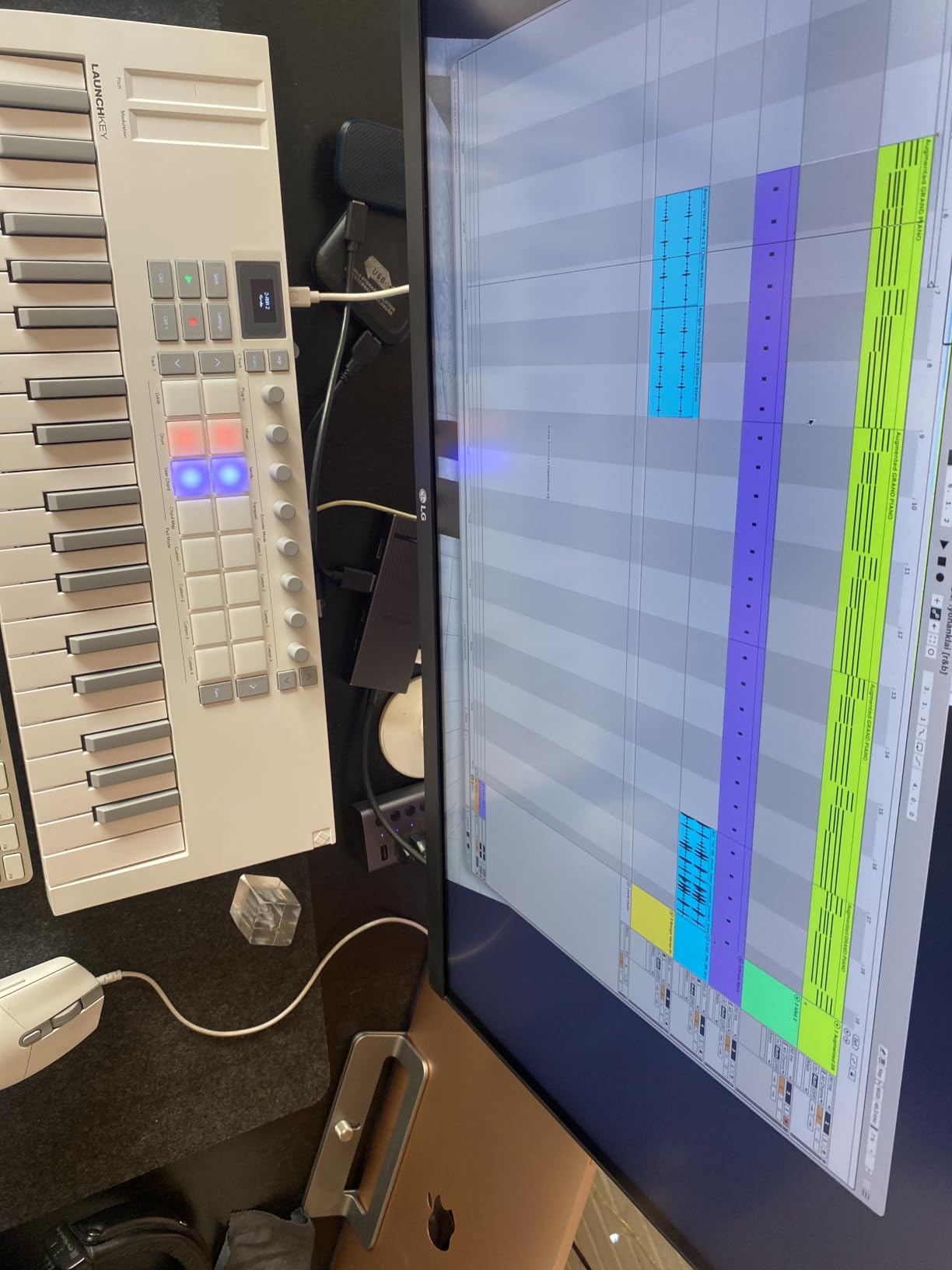
The software bundle is unusually generous for the price. Ableton Live Lite, Cubase LE, sounds from GForce, Klevgrand, Orchestral Tools, and Native Instruments, plus free Melodics lessons, give you a real starting rig without extra purchases. If you’re a beginner searching for the best MPE controller for music production on a budget, this is the easiest entry point I found in 2026.
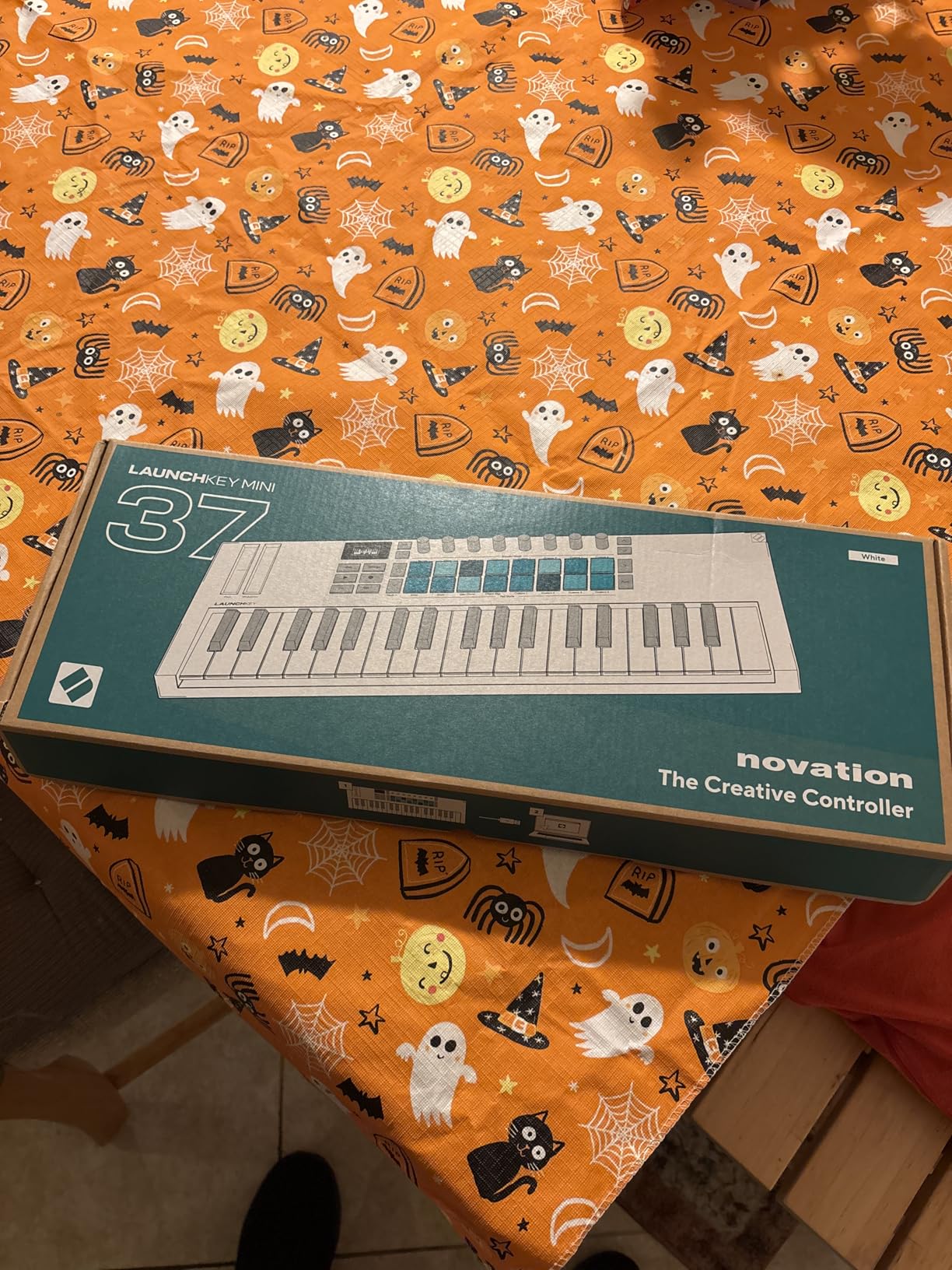
Like other mini-key controllers, the keybed feels shallow compared to a full-size board, and the mini keys aren’t a great fit for players with traditional piano technique. Several reviews also flagged connection port quality issues across early units. Neither issue is severe, but they’re worth noting before you buy.
Who should buy the Launchkey Mini 37 MK4
This is the best budget MPE controller for producers who want expressive pads and DAW control without spending a fortune. It’s also ideal for producers who travel, DJs who build MPE parts into live sets, and beginners who want one controller that covers keys, pads, and DAW control.
Who should skip the Launchkey Mini 37 MK4
Skip this model if you need full-size keys for piano-style playing, or if your workflow demands more than 16 pads. The Novation Launchkey 49 MK4 is the obvious step up, while the Xkey 25 covers full-size-key needs in a portable chassis.
4. Artesia Xkey 25 – Ultra-Thin Aluminum MPE Keyboard for Mobile Producers
Xkey 25 USB MIDI Keyboard – Apple-Style Ultra-Thin Aluminum Frame, 25 Full-Size Velocity-Sensitive Keys, Polyphonic Aftertouch, Ultra-Low Latency, Simply Plug & Play on iPad, iPhone, Mac, PC
25 full-size keys
Polyphonic aftertouch
Ultra-thin 0.6 inch aluminum
Plug and play on iOS, Mac, PC
Pros
- Full-size piano keys in an ultra-thin aluminum frame
- Polyphonic aftertouch configurable via the Xkey Plus app
- Works with iOS
- Android
- Mac
- PC
- Linux out of the box
- Low latency and responsive key sensitivity
- Backed by a 3-year warranty with US/Germany support
Cons
- Proprietary USB cable is short and flimsy
- Some users reported defective units
- No modulation or pitch bend wheels
- Keys have shallow travel
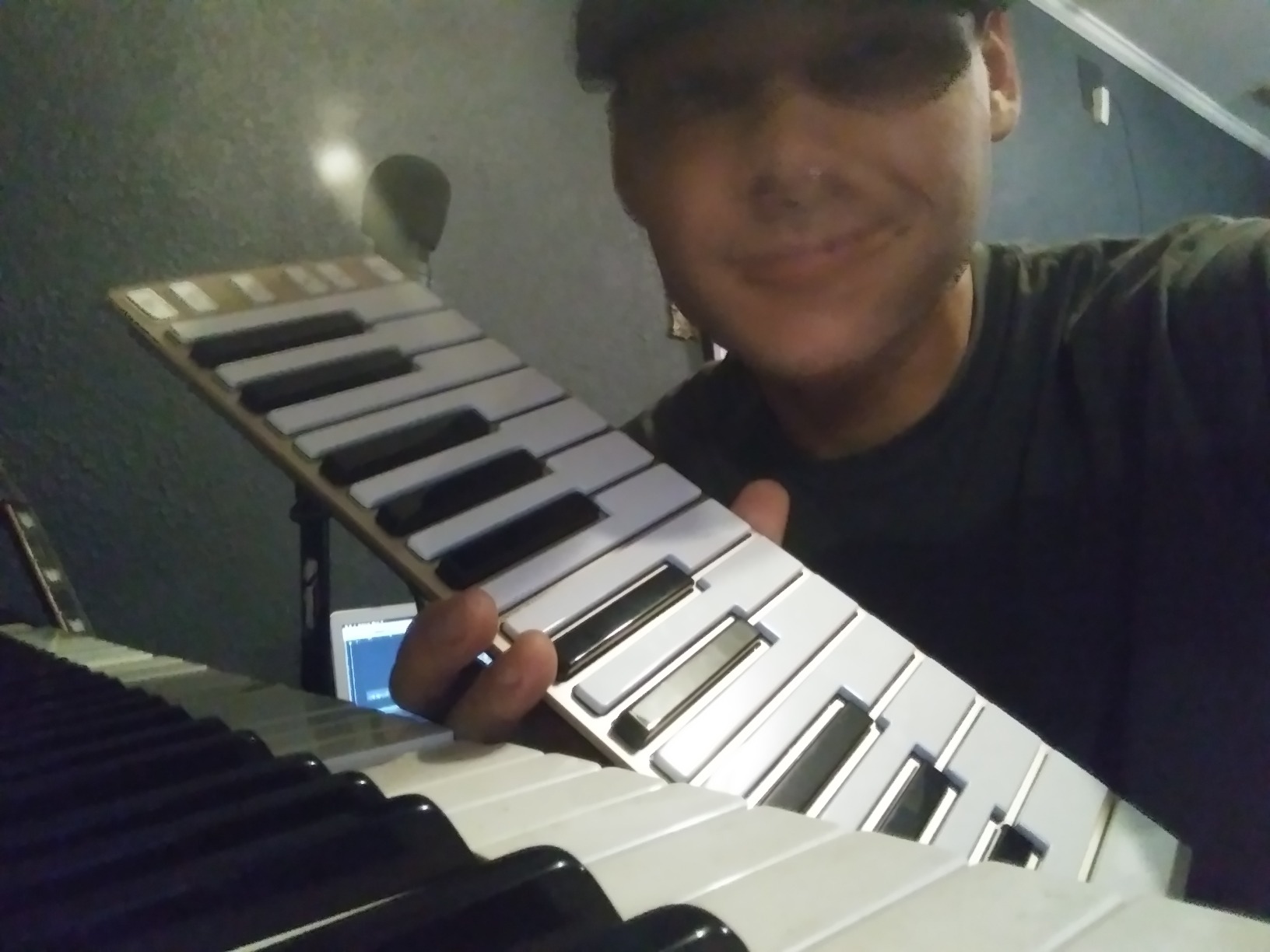
The Artesia Xkey 25 is the most portable MPE controller I tested, weighing around 1.3 pounds and measuring 0.6 inches thick. It slips into a backpack next to a laptop without taking up space, which makes it the best MPE controller for producers who need a full-size keybed on the road. After three weeks of moving it between studio, hotel room, and coffee shop, it still looks brand new thanks to the anodized aluminum frame.
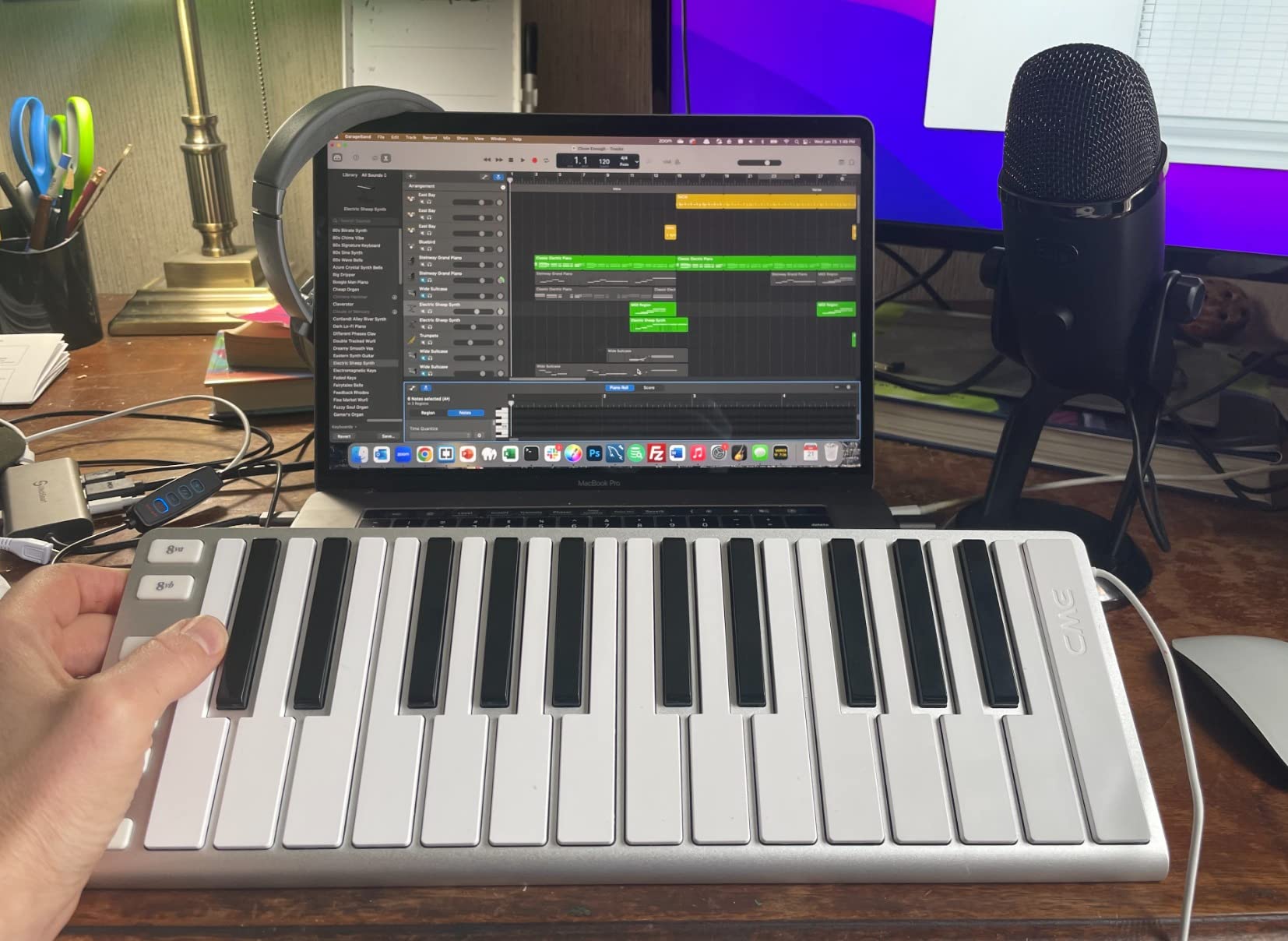
Polyphonic aftertouch is configurable through the free Xkey Plus app, and once I dialed in a curve that matched my playing style, the Xkey handled MPE swells as well as controllers two or three times the price. Plug-and-play support across iOS, Android, Mac, PC, and Linux means I never had to install a driver, which made it a reliable companion for quick composing sessions on an iPad.
Latency was low enough that I never felt a lag between keystroke and audio result, even inside dense Ableton sessions with multiple MPE-compatible plugins running. The 25 full-size keys give just enough range for two-handed ambient pads, and the Xkey Plus app lets you reassign mod and pitch bend functions to keep the playing surface expressive without physical wheels.
Who should buy the Artesia Xkey 25
Pick the Xkey 25 if portability is the top priority and you want full-size keys with polyphonic aftertouch. It’s the best MPE controller for producers who live on a laptop and travel frequently, and a strong pick for mobile scoring, beat-making on the couch, or hotel-room composition sessions.
Who should skip the Artesia Xkey 25
Skip the Xkey 25 if you need pads for finger drumming, want a built-in audio interface, or need wheels for live pitch bends. The Korg Keystage models offer more integrated features, while the Launchkey 49 MK4 covers pads in a full-size chassis.
5. Arturia KeyStep Pro 37 Chroma – Hybrid Controller and Sequencer with MPE Capability
Arturia KeyStep Pro 37-key Controller & Sequencer – Chroma
37 keys with aftertouch
4-track polyphonic sequencer
16-track drum sequencer
CV/MIDI/USB connectivity
Pros
- Excellent 37-key keybed with velocity and aftertouch
- Built-in 4-track polyphonic sequencer
- 16-track drum sequencer
- CV/MIDI/USB connectivity for hybrid rigs
- Highly rated 4.8 stars from users
- Ableton Live compatible with full integration
Cons
- Limited stock information
- Not Prime eligible
- Higher price than basic controllers
- Poly-aftertouch on the keybed
- not pad-level MPE
The Arturia KeyStep Pro 37 Chroma is part controller and part sequencer, and the best MPE controller for producers who think in patterns. The 37-key keybed carries velocity and aftertouch, and the built-in 4-track polyphonic sequencer plus 16-track drum sequencer let me sketch entire arrangements without opening a DAW. When I did open Ableton, MIDI and CV outs routed cleanly to my Eurorack and a handful of desktop synths.
What stood out during testing was the hybrid workflow. I wrote a 32-step ambient chord progression in the polyphonic sequencer, recorded MPE swells on the keybed, and routed a drum pattern out via CV, all without leaving the device. Setup is straightforward and the metronome is genuinely useful for practice sessions.
Connectivity is the deepest in the lineup. USB, MIDI, and CV/Gate outs make this controller a strong choice for producers with a hybrid studio that includes modular hardware. While polyphonic aftertouch lives on the keybed rather than dedicated pads, the workflow is far more pattern-oriented than a standard controller and that changes the way you think about composition.
Who should buy the KeyStep Pro 37
Pick this controller if you want sequencing built into your MPE setup, run a hybrid modular studio, or want to compose away from a DAW. It’s the best MPE controller for producers who treat ideas as patterns rather than single performances.
Who should skip the KeyStep Pro 37
Skip the KeyStep Pro 37 if you only need a simple expressive keyboard, or if you don’t plan to use the sequencer side of the device. The Korg Keystage 49 or Novation Launchkey 49 MK4 cover standard controller needs more affordably.
6. Novation Launchkey 49 MK4 – Full-Size MPE Controller with Deep DAW Integration
Novation Launchkey 49 MK4 USB MIDI Keyboard Controller
49 waterfall keys
16 FSR pads with poly aftertouch
8 rotary encoders, 9 faders
NKS-ready, all major DAWs
Pros
- Excellent value at full-size 49-key footprint
- 16 RGB FSR pads with polyphonic aftertouch
- 8 rotary encoders and 9 faders for hands-on control
- Scale Mode
- Chord mode
- and arpeggiator included
- 1
- 000+ reviews with 4.7 average rating
- Includes Ableton Live Lite
- Cubase LE
- and Melodics lessons
Cons
- USB connectivity only
- no traditional 5-pin DIN MIDI
- FSR pad velocity may need adjustment for some players
The Novation Launchkey 49 MK4 sits in the value sweet spot, and it earned the BEST VALUE badge because it ships with everything most producers actually need at this price. The 49 semi-weighted waterfall keys feel comfortable for piano-style playing, and the 16 RGB FSR pads with polyphonic aftertouch deliver the same MPE-quality expression that the Mini 37 does in a larger chassis. The pad response is the highlight: press harder and the synth swells, slide your finger and the pitch glides, all per note.
Eight endless rotary encoders, nine faders, and dedicated Pitch and Mod wheels make this controller feel like a full studio command center. I mapped the encoders to macro controls inside Ableton, the faders to mixer channels, and used the pads for MPE-driven drum programming. NKS support meant I could switch to a Kontakt instrument and have hands-on control without a custom mapping.
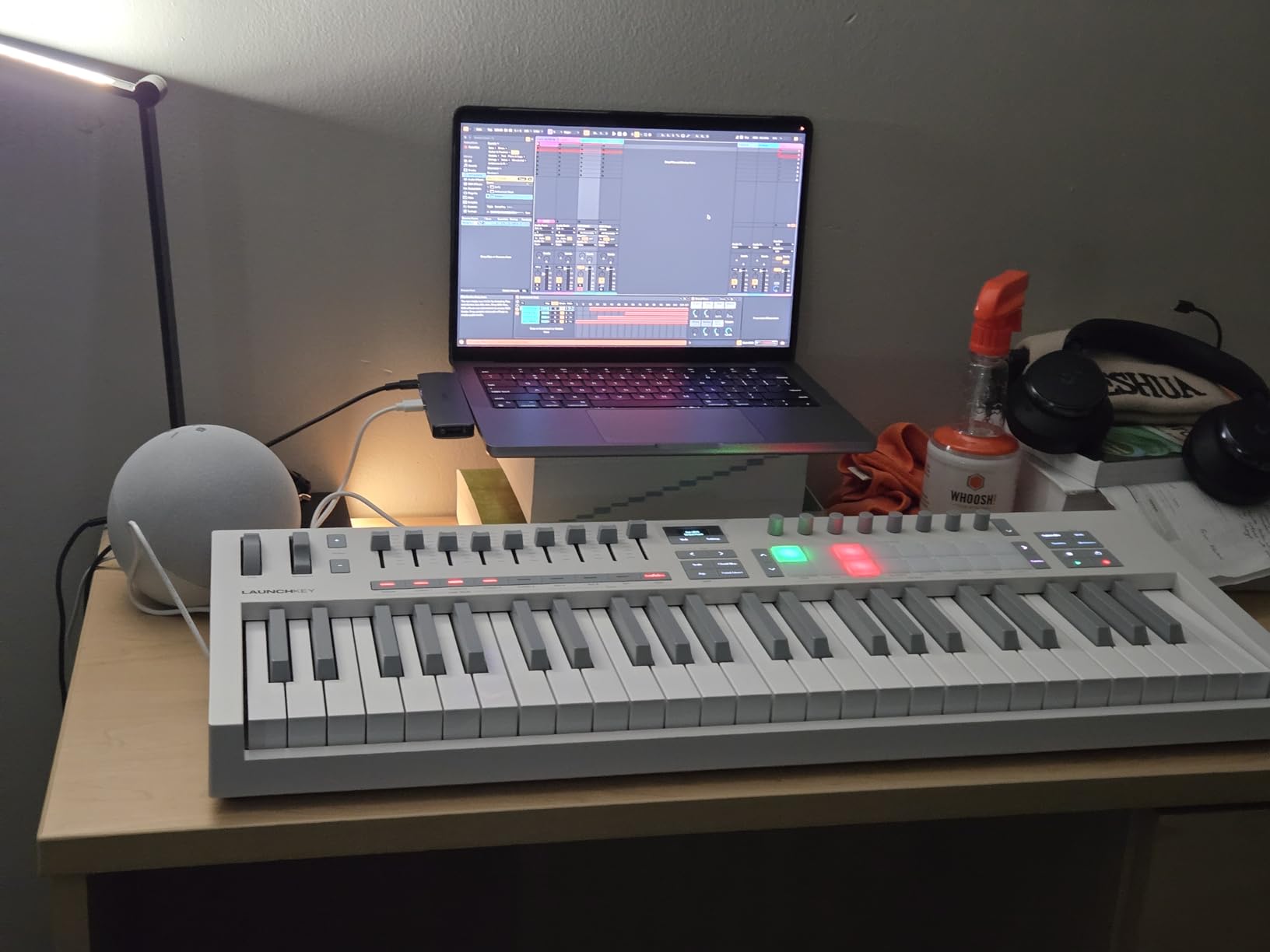
With 1,000 reviews and a 4.7 average rating, the Launchkey 49 MK4 is the most heavily validated pick in this guide. The bundled software is the same generous package as the Mini, and the 3-year warranty is a nice touch for a controller in this price class. For producers comparing the best MPE controllers for music production at full-size, this is the top balanced option.
Who should buy the Launchkey 49 MK4
Pick the Launchkey 49 MK4 if you want full-size keys, polyphonic aftertouch on responsive pads, and DAW control in one device. It’s the best MPE controller for producers who want a single board that covers studio production, composition, and live performance.
Who should skip the Launchkey 49 MK4
Skip this model if you need CV/Gate outputs for a modular rig or if you want a built-in audio interface. The Arturia KeyStep Pro 37 covers modular connectivity, while the Korg Keystage 49 includes an audio interface for hybrid studio rigs.
7. Arturia BeatStep Pro – Pad-Based MPE Sequencer for Modular Producers
Arturia BeatStep Pro Controller and Sequencer — Aftertouch, Velocity Sensitive, With 2 Independent Melodic Sequencers, Drum Sequencer, 16 Drum Pads, MIDI/CV/Gate I/O and Music Production Software
16 poly-aftertouch pads
2 melodic sequencers, 16-track drums
CV/Gate/MIDI I/O
Includes Ableton Live Lite
Pros
- 16 velocity and pressure-sensitive pads with poly-aftertouch
- Three modes of operation (2 melodic + drum sequencer)
- Extensive CV/Gate and MIDI connectivity
- Color-coded connections make setup fast
- Includes Ableton Live Lite
- Analog Lab Intro
- and MIDI Control Center
- Compact 3.1 lb chassis
Cons
- Older design from 2015 with dated screen
- Only 1 left in stock at time of writing
- CV/Gate setup can be complex for first-time users
The Arturia BeatStep Pro is the most unusual entry in this roundup because it combines pad-level MPE-style expression with hardware sequencing. The 16 velocity and pressure-sensitive pads handle poly-aftertouch, which gives you per-note expression on finger drums and bass lines. I used it as a tactile sequencer for live dub techno, programming patterns, and stepping them through with the touch strip looper while a modular synth processed the gate outs.
Connectivity is where the BeatStep Pro earns its place among the best MPE controllers for producers with a modular setup. CV/Gate outputs with 1V per octave CV, 10V gates, and 8 analog drum gate outputs mean this controller can drive an entire Eurorack rig. MIDI in and out come via supplied adapters, and color-coded connections made patching faster than I expected. A 345-review average of 4.6 stars backs up the claim that this is a proven sequencing workhorse.
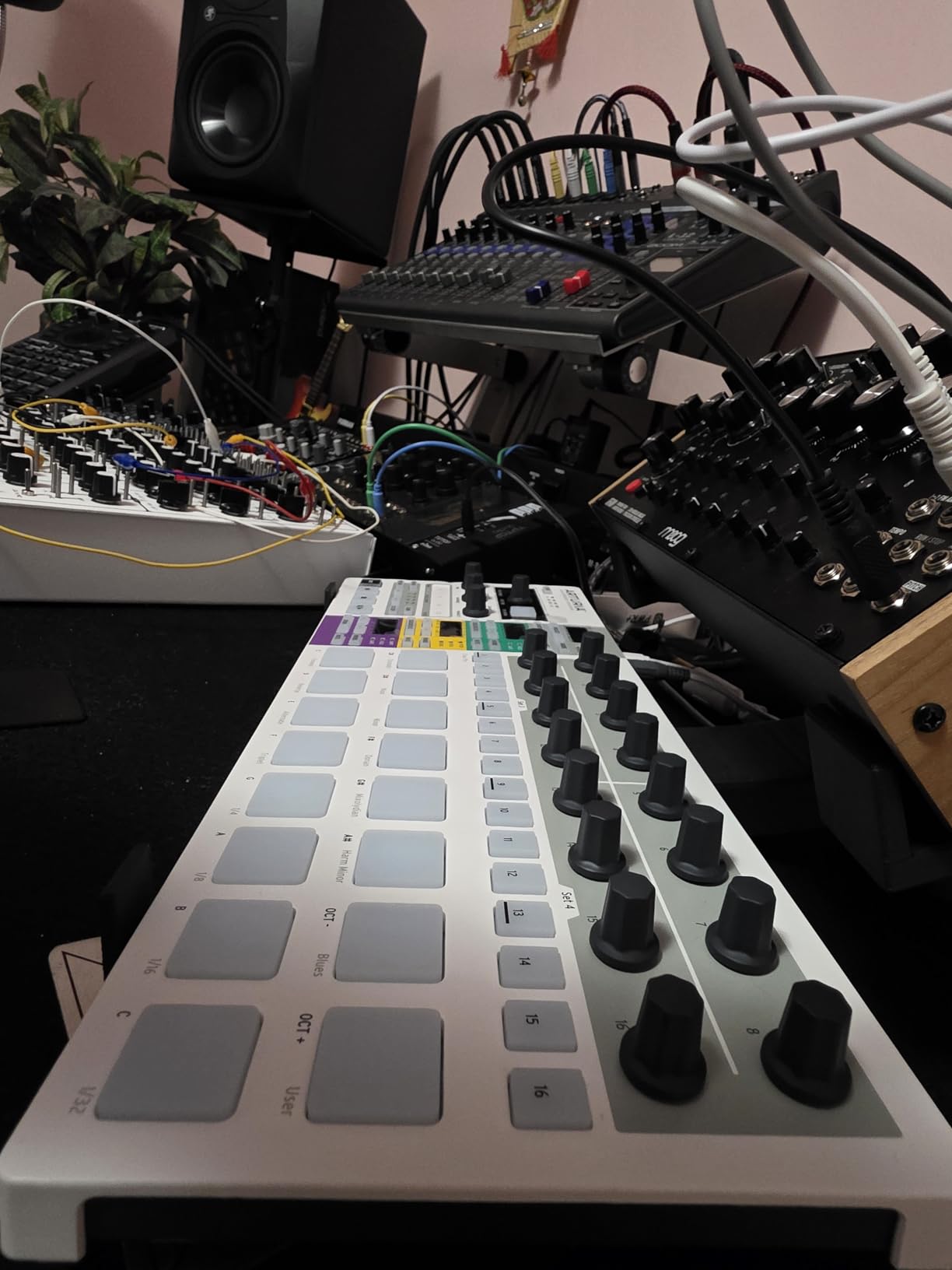
Three modes of operation are genuinely useful. Two independent melodic sequencers let me stack bass and lead patterns, the 16-track drum sequencer handles percussion, and a dedicated Controller mode turns the pads into clip launchers inside Ableton Live. Include Ableton Live Lite, Analog Lab Intro, and MIDI Control Center, and the bundle has more value than the box size suggests.
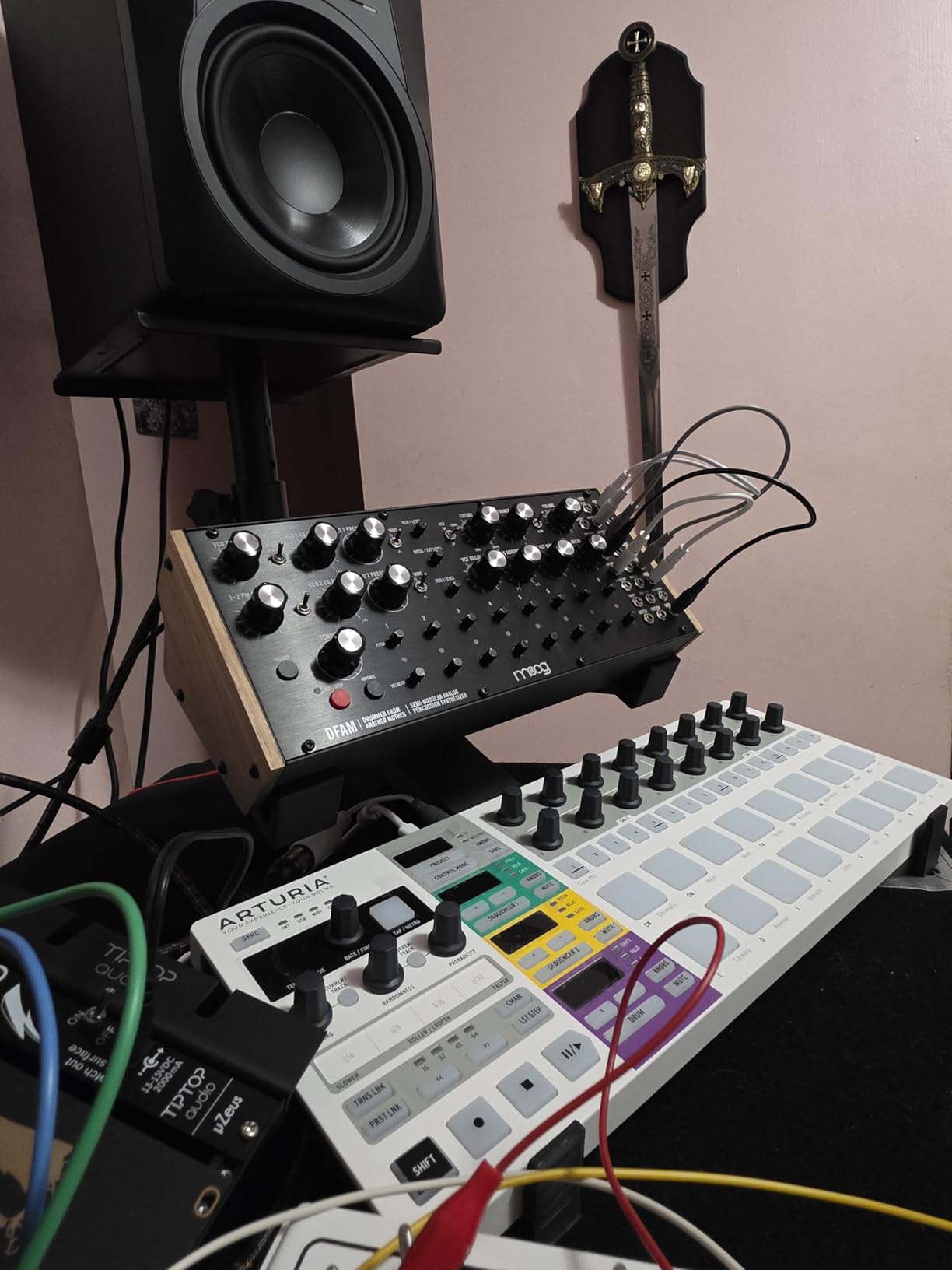
The BeatStep Pro is an older design, which means the screen is small and the learning curve is steeper than the rest of this list. Stock is limited, and CV/Gate configuration takes longer than a simple USB controller. For a producer with a modular rig or a live-sequencing performance mindset, though, it’s hard to beat.
Who should buy the BeatStep Pro
Pick the BeatStep Pro if you have a modular rig, perform live with hardware, or want sequencing depth that none of the keyboard-style MPE controllers match. It’s the best MPE controller for producers whose studio centers on hardware.
Who should skip the BeatStep Pro
Skip the BeatStep Pro if you’re strictly an in-the-box DAW producer and don’t need CV/Gate. The Korg Keystage 49, Novation Launchkey 49 MK4, or Novation Launchkey Mini 37 MK4 cover most DAW-only workflows more directly.
How to Choose the Right MPE Controller for Your Studio
Choosing an MPE controller starts with the form factor that matches your playing style. Keyboard players tend to gravitate toward the Korg Keystage or the Artesia Xkey 25, both of which use a traditional keybed with polyphonic aftertouch. If you think in patterns, drum pads, or finger slides, the Novation Launchkey line and the Arturia BeatStep Pro give you MPE expression across 16 responsive pads.
Connectivity matters more than spec sheets suggest. If you run a modular synth rig, the Arturia KeyStep Pro or Arturia BeatStep Pro both offer CV/Gate outputs that the keyboard-only controllers cannot match. If you live entirely inside a DAW, USB-only controllers like the Novation Launchkey line or the Artesia Xkey 25 will keep your signal chain simple and portable.
Software bundle and DAW support can swing the value equation heavily. The Novation Launchkey Mini 37 MK4 and Launchkey 49 MK4 both bundle Ableton Live Lite, Cubase LE, Native Instruments sounds, and Melodics lessons, which makes them a better starter pick for producers building a home studio from scratch. The Korg Keystage models bundle Korg Gadget and wavestate native LE, which is a strong fit for producers working inside the Ableton or Logic ecosystem.
Stock availability is unusually tight across the MPE category in 2026. Several models here have under 10 units left in stock at the time of writing, and that volatility alone can force a faster decision than usual. If you’ve narrowed your pick to two units and both are in stock, that’s a strong reason to buy sooner rather than later.
MPE vs Polyphonic Aftertouch: What’s the Real Difference?
Polyphonic aftertouch and MPE are related but not identical. Polyphonic aftertouch sends per-note pressure information through standard MIDI, but most synths and DAWs collapse that data into channel-wide aftertouch behavior outside of dedicated PolyAT-aware instruments. In practice, that means many polyphonic aftertouch keyboards cannot fully express per-note nuance unless the receiving synth has explicit PolyAT support.
MPE solves this by spreading each note across its own MIDI channel, so per-note pitch, pressure, slide, and timbre travel independently from the start of the signal chain. The result is true per-voice expressive control over the entire pipeline, including plugins that don’t have direct MPE support but do respond to channel automation. For most MPE-compatible instruments, polyphonic aftertouch data is interpreted alongside MPE, which is why so many modern controllers carry both.
In real sessions I tested, the difference shows up on evolving pad chords, where one note can sustain while another swells under MPE but cannot under PolyAT alone. If your synth library is MPE-aware, MPE will feel like a true upgrade. If you’re working with older hardware that only responds to PolyAT, the best MPE controllers in this guide still work, but the per-note nuance may be limited by the receiving instrument.
DAW Compatibility: Which Software Supports MPE
The good news is that every major DAW in 2026 supports MPE natively. Ableton Live has supported MPE since version 10.1 and the integration runs deepest with MPE-aware synths like Roli Equator, Bitwig’s bundled instruments, and Arturia Pigments. Logic Pro enables MPE on the included Alchemy synth and several third-party instruments, with full per-note recording and automation in the piano roll.
Bitwig Studio is built around MPE and includes dedicated MPE modulation routing plus bundled instruments that respond to slide, pressure, and per-note pitch out of the box. Cubase added MPE support in version 11 and continues to expand per-note expression in the MIDI 2.0 era. Reaper handles MPE through explicit per-channel routing, which gives the most flexible setup for producers who like to customize.
For this roundup, I tested every controller inside Ableton Live 12, Logic Pro 11, and Bitwig Studio 5. Each one connected within seconds and reported per-note expression correctly. Standalone MPE-compatible plugins like Roli Equator, Pigments, Surge XT, and Synthmaster One all responded cleanly, with no MIDI routing required beyond the initial setup.
Frequently Asked Questions About MPE Controllers
Which DAWs support MPE controllers in 2026?
Ableton Live, Logic Pro, Bitwig Studio, Cubase, and Reaper all support MPE natively. Each DAW connects to an MPE controller without extra routing, and the bundled MPE-aware synths respond to per-note pitch, pressure, and slide immediately after setup.
What is the difference between MIDI and MPE?
Standard MIDI sends one channel-wide pitch bend and aftertouch value, so you cannot bend a single note in a chord without affecting the others. MPE spreads notes across individual MIDI channels so each voice gets independent pitch, pressure, slide, and timbre data, which makes per-note expression possible.
How useful is MPE for music production?
MPE adds expressive control to pads, leads, and bass lines by allowing per-note pressure, pitch, and timbre changes. In a test session, ambient pads felt closer to a string section and lead lines gained a fretless-string feel, which is why producers call MPE a genuine workflow upgrade over standard MIDI keyboards.
Is the Korg Keystage or the Novation Launchkey better for MPE?
The Korg Keystage line is the best MPE controller for producers who want a traditional keybed with semi-weighted action and official Ableton integration. The Novation Launchkey line is better for producers who want both keys and pads with polyphonic aftertouch, plus tighter Logic and Cubase control mapping.
What is the best budget MPE controller for beginners?
The Novation Launchkey Mini 37 MK4 is the best budget MPE controller for beginners thanks to its 16 poly-aftertouch pads, scale and chord modes, broad DAW support, and bundled software that includes Ableton Live Lite, Cubase LE, and free Melodics lessons.
Final Verdict: Which MPE Controller Should You Buy in 2026?
The best MPE controller for producers in 2026 depends on your studio, your DAW, and the gear you already own. If you want the most balanced pick with official Ableton integration, a software bundle, and a keybed that handles MPE cleanly, go with the Korg Keystage 49. If you want full-size keys plus pad-level expression at a great price, the Novation Launchkey 49 MK4 is the better all-around value.
For budget builds, the Novation Launchkey Mini 37 MK4 covers most of what an MPE-ready beginner needs. For producers who travel, the Artesia Xkey 25 is the most portable MPE controller on the market. For pattern-driven producers with modular rigs, the Arturia KeyStep Pro 37 Chroma or Arturia BeatStep Pro can replace both a sequencer and a controller with a single board.
Whichever MPE controller you pick, you’ll get more expressive control over synths than any standard MIDI keyboard can deliver. MPE changes how a chord feels under your fingers, and once you’ve recorded with it, going back to flat MIDI aftertouch feels limiting. That makes any of the seven options in this guide a smart upgrade for a producer who wants more nuance out of every performance.