
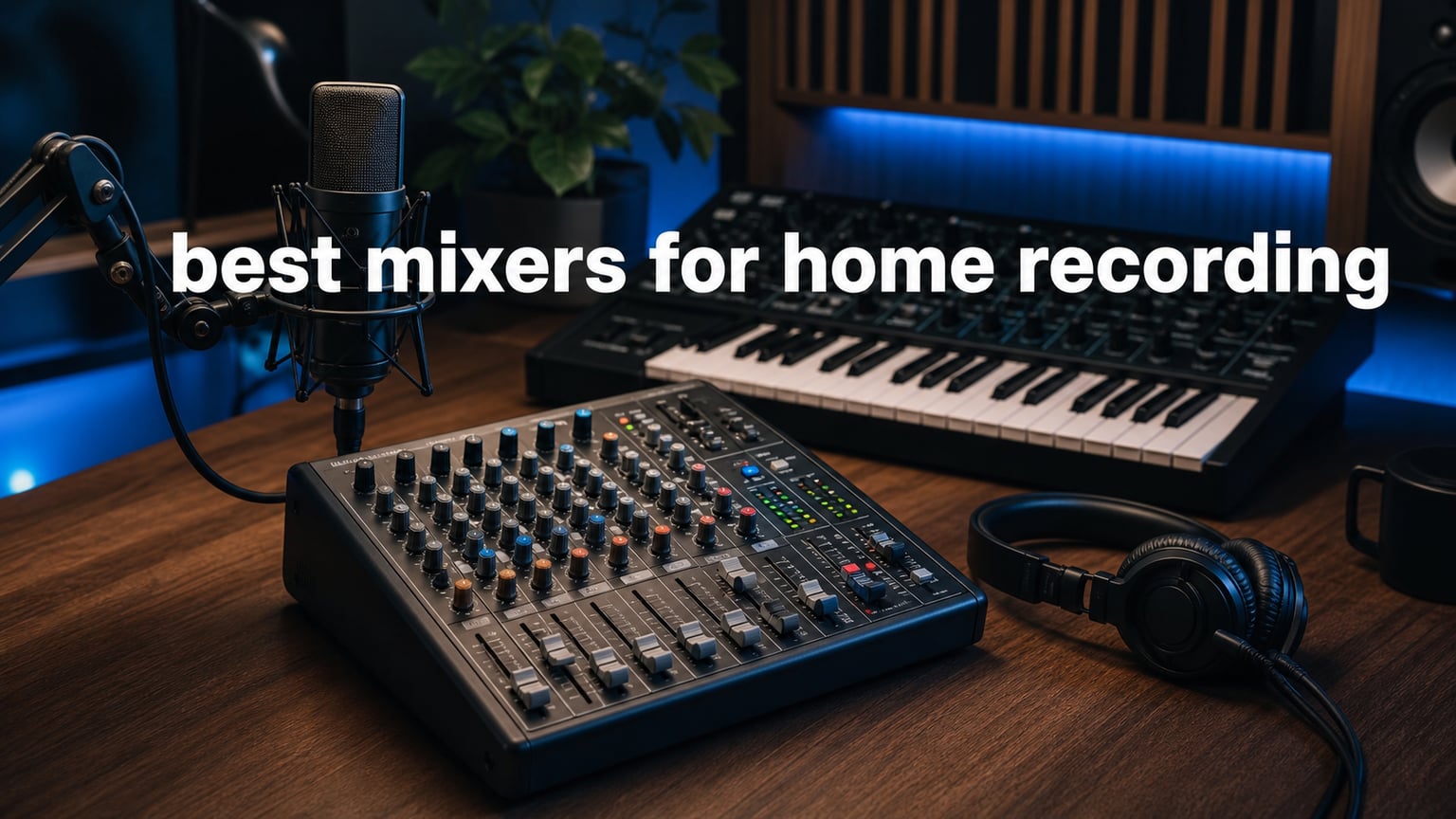
The best mixers for home recording let you keep microphones, instruments, synthesizers, and a computer connected at once while giving you hands-on level and EQ control. A good home studio mixer can also act as a USB interface, record to a card, or both, but the recording path varies sharply between models.
I would not buy a mixer simply to record one microphone into a computer. A focused audio interface is often simpler for that job, while a mixer earns its desk space when you need to blend several sources, want tactile faders, or want a ready-to-play hardware setup.
We compared the documented channel counts, input types, USB functions, recording formats, effects, phantom power, and review signals for 12 current models. If your work includes beats and chopped samples, our guide to music sampling techniques offers useful creative context for the material you will route through one of these mixers.
There is no single right channel count. A vocalist with a guitar needs a different board from a producer with several stereo synths, and a podcaster may care more about clean gain and separate monitoring than a large bank of line inputs.
Top 3 Picks for Home Recording Answer Most Studio Needs in 2026
The Zoom LiveTrak L6 is my first look for portable multitrack work, the Yamaha MG10XU makes hands-on vocal and instrument mixing straightforward, and the Behringer XENYX 802S is a compact analog-and-USB starting point. Pick according to recording path first, then count the sources you want plugged in every day.
Best Mixers for Home Recording in 2026 Cover Twelve Different Workflows
This comparison keeps the distinctions visible: some boards send a stereo USB feed, some capture separate tracks to a card, and several compact creator units center on one or two voices. Treat Bluetooth and built-in effects as bonuses after confirming the inputs, monitoring connections, and computer-recording method you actually need.
| Product | Specifications | Action |
|---|---|---|
 Zoom LiveTrak L6 Zoom LiveTrak L6 |
|
Check Latest Price |
 Behringer XENYX 802S Behringer XENYX 802S |
|
Check Latest Price |
 Yamaha MG10XU Yamaha MG10XU |
|
Check Latest Price |
 FIFINE AmpliGame SC3 FIFINE AmpliGame SC3 |
|
Check Latest Price |
 FIFINE Ampli 1 SC1 FIFINE Ampli 1 SC1 |
|
Check Latest Price |
 BOMGE BM-05 BOMGE BM-05 |
|
Check Latest Price |
 Pyle PMXU83BT.5 Pyle PMXU83BT.5 |
|
Check Latest Price |
 MAONO MaonoCaster AME2 MAONO MaonoCaster AME2 |
|
Check Latest Price |
 Mackie ProFX10v3+ Mackie ProFX10v3+ |
|
Check Latest Price |
 RØDE RØDECaster Duo RØDE RØDECaster Duo |
|
Check Latest Price |
 Kaschun KX04 Kaschun KX04 |
|
Check Latest Price |
 MIZISNR PW-1608 MIZISNR PW-1608 |
|
Check Latest Price |
Zoom LiveTrak L6 Is the Portable Multitrack Choice for Synth Players
Zoom LiveTrak L6 Mixer/Recorder for Musicians & Podcasters
10 channels
32-bit float
SD multitrack
12-in/4-out USB
Pros
- 32-bit float recording
- SD and computer recording
- MIDI I/O
- EQ on every channel
Cons
- 10-track limit
- only two combo inputs
The LiveTrak L6 is the standout when a small desk needs to record several hardware parts without living beside a computer. Its 10-channel layout combines two XLR/TRS combo inputs with four stereo quarter-inch inputs, which makes sense for a vocal mic plus keyboards, drum machines, and synth modules.
What changes the workflow is 32-bit float recording and the ability to record 10 discrete tracks plus a stereo mix to microSD while also connecting as a 12-in/4-out USB interface. The product data says it supports cards up to 1TB, so it suits sessions where direct capture matters as much as DAW recording.
Every channel has three-band mid-sweepable EQ, aux sends, and pan, and Zoom includes delay, echo, and reverb. Four assignable pads and 3.5 mm MIDI I/O add practical control for loop-based sessions rather than leaving it as a basic small-format mixer.
The limitation is clear: this is not a large-input console, and its two combo inputs constrain a mic-heavy recording day. For electronic music makers who need multiple stereo line sources and a grab-and-go recorder, that trade is sensible.
It Records Separate Parts Without a Laptop Session
Choose the L6 if you want to preserve individual takes from a jam instead of committing the whole performance to one stereo file. Its simultaneous card-and-computer recording path also makes a DAW backup possible without extra routing hardware.
Battery power adds flexibility for a writing setup away from the main studio desk. That detail matters more than it first appears when your instruments are arranged in another room or when you record rehearsals.
It Fits a Stereo-Synth Desk Better Than a Mic-Heavy Band
Four stereo inputs are a strong match for synths, grooveboxes, and samplers, while the two combo inputs cover a smaller number of microphones or mono instruments. Count stereo pairs rather than only headline channels before choosing it.
Community discussion often calls the Model 12 a simple home-studio recommendation, but the L6 has a different appeal: a lighter 32-bit float recorder with MIDI and battery operation. Pick the path that matches how you make music.
Behringer XENYX 802S Is the Compact Analog USB Starting Point
Behringer XENYX 802S Premium Analog 8-Input Mixer with USB Streaming Interface
8 inputs
Analog mixing
Stereo USB interface
XLR TRS RCA outputs
Pros
- Low-noise analog design
- Stereo USB
- PC sound mixing
- compact input set
Cons
- Stereo USB only
- limited to 8 inputs
The XENYX 802S is for a small setup that benefits from an uncomplicated analog control surface and a stereo USB connection. Its published eight-input count and XLR, TRS, and RCA outputs cover a modest desk with a couple of key sources rather than a full band.
Behringer describes the design as ultra-low noise, with analog mixing and equalization at the center. That is a practical foundation if your priority is adjusting levels and tone in real time before sending a mix to a computer or mobile device.
The stereo USB interface is the deciding technical detail. It can send a finished stereo feed, but the supplied specifications do not describe multitrack USB capture, so do not buy it expecting independent DAW tracks from every source.
Direct mixing of PC or gaming sound into the streaming output makes it more flexible for live creator work than a plain analog console. Its customer-review summary reports 347 reviews and a 4.5 average rating, with praise focused on analog sound and low noise.
It Gives Small Recording Rigs a Simple Stereo Computer Feed
This board fits a singer-songwriter, a compact podcast desk, or a streamer who wants a microphone and a few line sources mixed before the computer. You get physical controls without having to manage a deep menu structure.
Use its USB connection for a mix that is already shaped at the board. That approach is fast for demos and streams, although it offers less repair freedom later than separate tracks.
It Leaves Limited Room for Larger Sessions
Eight inputs disappear quickly when several instruments arrive, especially if stereo devices each use two inputs. Leave room for the sources you may add next rather than selecting it only for the cables on your desk today.
Its corded operation and compact format make it a fixed-desk unit rather than a standalone field recorder. If you need card recording or a direct battery option, the LiveTrak L6 is the more specific fit.
Yamaha MG10XU Is the Hands-On Vocal and Instrument Mixer
Yamaha MG10XU 10-Channel Analog Mixer, with 4 Microphone Preamps, 3 Dedicated Stereo Line Channels, 1 Aux Send, EQ, 1-knob Compressors, and Digital Effects
10 channels
4 D-PRE preamps
USB 2-in/2-out
24 SPX effects
Pros
- Clean D-PRE preamps
- one-knob compression
- 24 effects
- 48V phantom power
Cons
- One aux send
- USB is 2-in/2-out
The Yamaha MG10XU is the cleanest fit for a musician who wants familiar analog channels, four microphone preamps, and built-in processing without losing a straightforward layout. It offers 10 channels, three dedicated stereo line channels, and a USB 2-in/2-out connection.
Its four D-PRE mic preamps are the headline feature for vocal recording, and Yamaha pairs them with 48V phantom power for condenser microphones. Three-band EQ on mono channels and one-knob compressors provide fast tone and dynamics control before the signal reaches the computer.
The SPX processor supplies 24 digital effects, which is handy for a performer who wants a little reverb in headphones or a live mix. There is only one aux send, so it is less accommodating when several musicians each need separate cue mixes.
I would view its USB format as a stereo recording and playback connection, not a multitrack interface. The 4.5 average rating across 211 summarized reviews lines up with a product built around known mixer basics rather than unusual routing features.
It Makes Four-Mic Recording Feel Familiar and Direct
The MG10XU gives four microphones their own preamps, gain staging, EQ, and channel controls, which suits small vocal sessions, acoustic instruments, or a compact podcast. Its physical knobs make a quick level check easy before pressing record.
Phantom power is useful for condenser mics, but activate it only for microphones and connections designed for it. Verify every connected source before switching it on.
It Commits a Stereo Mix Rather Than Separate USB Tracks
Choose this Yamaha when you are happy making balance and processing decisions at the mixer. Recordists who want to revise each channel independently inside a DAW should favor a documented multitrack USB or SD model instead.
That distinction does not make the MG10XU less musical; it defines the workflow. A focused stereo print can make home sessions faster when the arrangement is already settled.
FIFINE AmpliGame SC3 Is the Focused One-Mic Creator Mixer
FIFINE Ampligame SC3 Gaming Audio Mixer with Indi-Fader and Volume Control
4 channels
XLR input
48V phantom power
USB-C power
Pros
- Individual faders
- instant mute and monitor
- sound buttons
- plug-and-play support
Cons
- No USB mic support
- XLR cable not included
- limited channels
The FIFINE AmpliGame SC3 makes sense for a creator whose home recording means one XLR microphone, computer audio, a headset, and quick control during a stream or voice session. It is a four-channel unit with separate level controls for mic, line input, headphones, and line output.
Its XLR input supplies 48V phantom power, and the physical slider faders, mute button, and monitor button favor immediate operation. That is useful when you need to stop a mic or hear your source without reaching for a software mixer.
Four customizable sound-effect buttons, six voice-changing modes, 12 auto-tune settings, and controllable RGB lighting point to a content-creation focus rather than a conventional music-production channel strip. It connects through USB-C and is listed as plug and play for Mac and Windows.
The review summary is large at 4.4 stars from 4.6k+ reviews, but the product has clear boundaries. It does not work with USB microphones, does not include an XLR cable, and will not replace a multi-instrument mixer.
It Handles Voice, Stream, and Headphones at One Small Desk
The SC3 is a direct choice when your central task is recording a voice or streaming with an XLR mic and you want tactile mute and monitoring. Its audio controls are more relevant than a long channel list in that situation.
Its listed OBS, Twitch, YouTube, and TikTok compatibility also helps define the intended setup. Musicians can use it for a vocal capture station, but not as the hub for a full tracking session.
It Requires an XLR Microphone and a Small Source List
Plan around an XLR microphone rather than assuming an existing USB mic can plug in. The source count also needs to stay small, since four channels can be consumed by a typical creator signal chain.
RGB and vocal effects are optional creative tools, not substitutes for source routing. If you need guitar input, dedicated EQ, or multiple microphones, choose a recording mixer with those documented connections.
FIFINE Ampli 1 SC1 Is the Direct Vocal-and-Guitar Interface Mixer
FIFINE PC Audio Mixer for Recording Music, USB Interface for Streaming and Podcasting with XLR, Monitor, 48V Phantom Power, Gain Knob, for Instrument Guitar/Video Content Creation/Vocal-Ampli 1
3 channels
XLR and instrument inputs
192 kHz
Direct monitoring
Pros
- Mic and instrument inputs
- 48V phantom power
- direct monitor
- 192 kHz support
Cons
- Only 3 channels
- no dedicated EQ
The FIFINE Ampli 1 SC1 is more accurately a compact USB audio interface with mixer-like monitoring controls than a general-purpose console. It places an XLR microphone input and an instrument input beside dedicated headphone and line outputs, making it a tidy vocal-and-guitar recorder.
It supports 48V phantom power and a maximum sample rate of 192 kHz, while the gain knob lets you set a microphone level at the device. Direct monitoring is especially useful because it lets you hear an input without waiting for computer playback.
The three-channel design favors a single musician who records in layers instead of a group who tracks simultaneously. It is listed as working with software that supports USB audio devices and is plug and play for Mac and PC.
Its 4.4 average rating from 465 reviews supports its appeal as a compact starter interface, but no dedicated EQ is specified. Shape tone in your DAW or through an external source when you need more than gain and monitoring.
It Captures a Vocal and DI Instrument With Minimal Routing
Pick the SC1 when a condenser or dynamic mic and a guitar or bass are the core of your room. The separate instrument connection avoids the need to add a DI box for a basic direct-recording setup.
Direct monitor control is the part I would prioritize during a vocal take. It keeps a performer connected to the source while you record through your preferred software.
It Limits Expansion to Layered Solo Recording
Three channels are enough for simple captures but do not leave space for a growing collection of synths, microphones, or collaborators. It is strongest when you build songs one part at a time.
There is no documented onboard EQ, effects engine, or card recorder. That keeps the workflow clean, but it means the computer remains the place for production decisions and file capture.
BOMGE BM-05 Is the Flexible Five-Channel Utility Mixer
BOMGE Audio Mixer, Sound Board Mixing Console with 5 Channel Digital USB Bluetooth Echo Delay Effect, 48V Phantom Power Stereo DJ Mixers for Recording, Live Streaming, Podcasting (BM-05 5 canales)
5 channels
3 XLR inputs
USB-B recording
Bluetooth and effects
Pros
- Many connection types
- 48V phantom power
- USB recording
- headphone monitoring
Cons
- Basic control layout
- limited to 5 channels
The BOMGE BM-05 is a compact option for home recording where connection variety matters more than a specialized studio feature set. It has five channels, three XLR inputs, L/R quarter-inch and RCA stereo inputs, USB-B computer recording, Bluetooth, and a USB-A playback port.
Its 48V phantom power, gain controls, two-band EQ, and echo and delay are enough for a basic microphone-and-instrument setup. A 3.5 mm headphone jack provides direct monitoring, which is a necessary practical feature on a small board.
Bluetooth is useful for playing reference material or backing tracks into a room, but treat it as an input convenience rather than a serious recording connection. The USB-B port is the relevant connection for transferring a mixed signal to a computer.
The summarized 155 reviews show a 4.4 average rating, with the input range and compact design as its main attractions. Advanced users may find the control surface basic, which is fair given the documented two-band EQ and five-channel ceiling.
It Connects Old and New Home-Studio Sources in One Place
This mixer has a practical mix of XLR, quarter-inch, RCA, USB, and Bluetooth inputs for a room with varied gear. It can reduce cable swapping when you alternate between a microphone, guitar, keyboard, and playback device.
Its XLR inputs are stated to accept microphones or guitar connections, although an instrument input designed specifically for high-impedance pickups is not listed. Check the source output and gain behavior before deciding it replaces a dedicated interface.
It Produces a Basic Computer-Recording Workflow
USB-B recording makes the BM-05 useful for capturing a finished home mix to a computer. The supplied data does not claim discrete multitrack USB capture, so plan to make source balances at the board.
The built-in echo and delay can serve a quick vocal or streaming setup. For detailed mix revision after recording, a device with documented separate tracks gives more options.
Pyle PMXU83BT.5 Is the Small Multi-Source Mixer With Playback Tools
Pyle 8 Channel Bluetooth Studio Mixer – USB Computer Recording, Built-In MP3 Player, 48V Phantom Power, 16-Bit DSP FX, 3-Band EQ, XLR Combo Inputs, DJ Sound Board – PMXU83BT.5
8 channels
4 combo inputs
USB recording
16-bit DSP effects
Pros
- Combo inputs
- Bluetooth playback
- 3-band EQ
- 48V phantom power
Cons
- Learning curve
- mixed durability feedback
The Pyle PMXU83BT.5 adds eight channels and four XLR/quarter-inch combo inputs for a small home studio that needs more connections than a creator interface provides. Its feature list includes USB direct-to-computer recording, Bluetooth 4.0 input, USB playback, and an LCD display.
Each recording setup benefits from knowing what will reach the computer, and this model is presented as a USB recording mixer rather than a multitrack interface. Use its rotary controls, stereo fader, bus control, and LED meters to build a controlled stereo mix first.
The board offers 48V phantom power, three-band EQ, and 16-bit DSP effects. Those tools support basic vocal treatment and source shaping at the desk, while the built-in MP3/WAV playback adds a convenient source for references or backing tracks.
The 4.3 average rating comes from 2.3k+ reviews, a broad feedback pool that mentions balanced sound and connectivity but also a learning curve and mixed durability impressions. Keep that balance in mind if daily reliability is your top concern.
It Gives Four Microphones or Instruments Combo Connections
Four combo inputs make the Pyle plausible for a small rehearsal or a session with several wired sources. That is more room than many compact USB units offer, and it helps when you want less cable swapping between sessions.
The eight-channel format also works for stereo instruments, but stereo pairs reduce the number of independent sources quickly. Map your actual input list on paper before treating eight channels as eight microphones.
It Mixes Playback and Recording in a Compact Footprint
Bluetooth and USB playback give this board several ways to bring non-recorded audio into a practice or content session. The main USB recording feature is more relevant for capturing your finished mix.
Use the LED meters when setting gain and master level, especially with phantom-powered microphones. They offer a visible warning before a signal gets too hot at the mixer output.
MAONO MaonoCaster AME2 Is the Feature-Rich Podcast and Voice Station
MAONO AME2 Audio Interface Mixer, Podcast Studio Console with XLR Input
10 channels
60 dB gain
11 sound pads
Bluetooth
Pros
- High-gain preamps
- 48V phantom power
- custom pads
- guitar input
Cons
- No USB mic support
- complex setup for some users
The MAONO MaonoCaster AME2 is a dedicated audio-production station for podcasts, streams, voice content, and simple instrument work. It lists 10 channels, a 60 dB preamp, 48V phantom power, Bluetooth, USB-C connectivity, and a guitar or bass input.
Eleven customizable sound pads make it easy to store intros, drops, or recurring clips, while several pads support recording and looping. The unit also provides six reverb modes, 12-step auto-tune, tone adjustment, pitch controls, sidechain, loopback, and a denoise function.
Those features can reduce software juggling for live content, but they also mean a denser setup than a plain analog mixer. The review summary gives it a 4.3 average from 740 reviews and notes both strong preamp appeal and reports that setup can feel complex.
It works with several named dynamic microphones according to the listing, but it does not support USB microphones. That makes the purchase decision straightforward: select it for XLR-based voice production and physical sound controls, not for adapting a USB-mic desk.
It Puts Live Voice Processing and Clips Under Physical Controls
The AME2 is at its best when a host needs music, clips, vocal treatment, loopback, and a microphone in the same production chain. Its pads and switches support repeatable live routines without a collection of separate controllers.
Sixty decibels of listed gain is a meaningful specification for lower-output microphones. Still, set gain with headphones and normal speaking volume rather than relying only on a number.
It Rewards a Deliberate Creator Signal Plan
Before connecting the AME2, decide which sources belong on Bluetooth, line connections, XLR, and USB-C. That one planning step helps prevent the routing confusion users often report when a device has many creator-focused functions.
It can accept a guitar or bass, but its core design remains centered on spoken content and live production features. A conventional mixer offers a more direct route for a room full of instruments.
Mackie ProFX10v3+ Is the High-Resolution Analog USB Mixer
Mackie ProFX10v3+ 10-Channel Mixer, Bluetooth + USB Recording, GigFX+
10 channels
4 Onyx preamps
24-bit/192 kHz USB-C
GigFX+
Pros
- Onyx preamps
- 192 kHz USB-C
- Bluetooth Mix Minus
- Hi-Z inputs
Cons
- More controls to learn
- USB is 2x4
The Mackie ProFX10v3+ is a strong choice when you want a conventional 10-channel analog mixer with higher-resolution USB-C recording and flexible creator features. Its four Onyx microphone preamps, 24-bit/192 kHz 2×4 USB interface, and four-channel recording capability give it more computer integration than a simple stereo USB board.
Mackie includes GigFX+ effects with an LCD, one-knob compression, three-band EQ, Hi-Z switches, and 100 Hz low-cut filters. Those are practical channel tools for vocals, acoustic instruments, and direct electric guitar or bass recording.
Bidirectional Bluetooth with Mix Minus and three recording modes—Standard, Loopback, and Interface—add useful control for hybrid music and content sessions. Mix Minus can help prevent a returned remote signal from feeding back into a call or stream.
The product has a 4.3 average across 118 reviews, with strong positive comments on the preamps and recording quality alongside some complexity feedback. I would choose it for a user who wants room to learn a more capable small-format board.
It Sends More Than a Simple Stereo USB Feed
The documented 2×4 USB interface and four recording channels make the ProFX10v3+ more flexible than stereo-only USB designs. Read the recording-mode documentation carefully so the DAW inputs match the source routing you expect.
USB-C and a 192 kHz maximum specification make it appealing for a computer-centered production desk. Resolution alone does not improve a recording, but capable preamps and good gain staging give you a solid starting point.
It Supports Music Sessions and Call-Based Content Work
Hi-Z switches welcome direct instruments, while the Bluetooth Mix Minus feature supports a spoken-content or remote-guest workflow. This combination is useful for creators who move between recording songs and producing voice content.
The 10 channels still call for careful planning with several stereo synthesizers. Put the sources that need independent fader control first on your input list, then see whether the physical channels are enough.
RØDE RØDECaster Duo Is the Polished Two-Source Production Console
RØDE RØDECaster Duo Compact Audio Production Studio, Black
4 channels
76 dB gain
2 combo jacks
Touchscreen and SMART pads
Pros
- High-gain preamps
- Neutrik combo jacks
- APHEX processing
- portable control surface
Cons
- Only two combo inputs
- four-channel limit
The RØDE RØDECaster Duo is a compact all-in-one production console aimed at polished podcast, streaming, and voice-led music work. It has two Neutrik combo jacks, four broadcast-quality faders, USB-C connectivity, six SMART pads, and a high-resolution touchscreen with haptic feedback.
Its Revolution Preamps are specified at 76 dB of gain and -131.5 dBV EIN, figures that point to a low-noise, high-gain voice-recording design. APHEX processing includes Aural Exciter and Big Bottom, while the unit also lists studio-grade effects and a 3.5 mm TRRS headset input.
The four-channel headline should not be confused with a multi-instrument console. This is a compact production hub where two combo-input sources, computer audio, pads, processing, and monitoring matter more than a wall of analog inputs.
Its 4.2 average rating across 677 reviews reflects a well-liked, specialized device, with the highest praise around its preamps, touchscreen, and production features. It is a considered fit for a compact desk that values repeatable voice and content workflows.
It Delivers High-Gain Voice Recording in a Compact Desk Format
Choose the Duo for a demanding microphone setup, a two-person show, or a music maker who records a small number of sources at a time. Its two combo jacks can accept microphones or instruments without an extra interface.
The physical faders and touchscreen make on-device changes practical during a take. SMART pads add a controlled way to launch sounds and actions without adding another controller.
It Limits Hardware Sessions to Two Main Combo Sources
Two combo inputs are the central purchase boundary. A producer with several stereo synths or a band tracking multiple microphones will outgrow this layout far sooner than a podcaster or solo artist.
The RØDECaster Duo works best when processing, monitoring, and content controls are the studio center. For wide analog input capacity, choose a mixer that lists more physical line and microphone channels.
Kaschun KX04 Is the Compact Bluetooth Input Mixer for Basic Tracking
Kaschun 4-Channel DJ Audio Mixer, Bluetooth Sound Board with USB MP3 Input
4 channels
USB interface
48V phantom power
Bluetooth input
Pros
- Compact housing
- three-band EQ
- headphone monitor
- multiple input types
Cons
- Bluetooth input only
- small channel count
The Kaschun KX04 is a four-channel compact board for simple home recording, karaoke, podcast, and keyboard or guitar sessions. Its listing names XLR, quarter-inch, RCA, USB, and Bluetooth input paths, plus 48V phantom power and a headphone monitoring output.
At 7.87 by 6.7 by 1.57 inches, it is physically small enough for a crowded desk or temporary setup. A three-band EQ on all channels gives you basic shaping control before using its USB audio interface for computer recording.
Bluetooth is explicitly an input function rather than an output function, so it is suited to streaming sound from a phone or tablet into the board. Do not expect it to send your finished mix wirelessly to Bluetooth headphones or speakers.
The 4.2 rating from 206 reviews is a reasonable signal for its entry-level role, and its review data describes it as low-noise and portable. Its four channels are a clear limit, but that can be enough for a vocal, guitar, keyboard, and playback source.
It Keeps a Basic Home Desk Small and Connected
The KX04 suits a musician who wants a few physical input types available without moving to a wide console. Its headphone output is useful for level checking while tracking or practicing.
Three-band EQ per channel makes fast tonal correction possible, although it cannot replace detailed DAW editing. Use it for sensible source shaping rather than aggressive repair.
It Receives Bluetooth Audio but Does Not Send It
Bluetooth is helpful for bringing in reference tracks, mobile playback, or a backing track. Its stated one-way role should shape your monitoring plans, particularly if your headphones depend on a wireless connection.
For condenser microphones, use its +48V power only where appropriate and set gain conservatively. A basic mixer can still produce a clean recording when each stage has enough headroom.
MIZISNR PW-1608 Is the High-Channel Mixer for Expanding Setups
MIZISNR 16 Channel Audio Mixer Professional Sound Mixing Board with 99 DSP Effects, 7-band EQ Digital DJ Mixer Console w/USB Bluetooth MP3 for Recording, Independent 48V Power & Mute Button
16 channels
99 DSP effects
USB recording
7-band main EQ
Pros
- 16-channel capacity
- 99 effects
- main seven-band EQ
- per-channel mute
Cons
- Large footprint
- feature set favors bigger rigs
The MIZISNR PW-1608 is the channel-capacity option for a home room that has outgrown small desktop mixers. It lists 16 channels with XLR and stereo line inputs, USB recording, Bluetooth input, a built-in MP3 player and recorder, and per-channel mute buttons.
Its main output has a seven-band EQ, while each channel has a three-band EQ, and the board includes 99 DSP effects. That is a broad hands-on control set for a rehearsal room, larger synth collection, or multi-microphone content session.
Independent 48V phantom power with a PAD switch gives it flexibility for microphones that need power and sources that need level attenuation. Headphone monitoring is also listed, which keeps setup and troubleshooting possible at the console.
The 4.2 average rating comes from 75 reviews, a smaller feedback sample than some compact options here. Its 22.16-inch width is the practical tradeoff: choose it when input capacity is a real requirement, not merely because a 16-channel label sounds future-proof.
It Keeps a Growing Hardware Collection Permanently Patched
Sixteen channels can accommodate several keyboards, drum machines, microphones, and stereo sources before you have to repatch. That helps when a studio is meant to be ready for spontaneous recording rather than rebuilt for each session.
For a synth-centered room, read our synthesizer integration guide alongside this choice and count mono versus stereo outputs. A stereo keyboard normally consumes two mixer channels.
It Needs a Dedicated Desk and a Clear Input Plan
The PW-1608 is larger than the compact boards in this guide, so measure the work surface and cable clearance first. More controls also mean more gain stages, effects options, and routing decisions to manage.
Its USB interface is stated for recording, but no discrete-track specification is provided in the product data. Treat it as a full-mix computer recording path unless the manufacturer documentation for your exact use case confirms otherwise.
Choose a Home Recording Mixer by Your Sources and Recording Path
Start with the sources that must remain connected, not the largest channel number you can find. A vocal mic and guitar can work on a three-channel interface-style unit, while two stereo synths plus a vocal already call for five or more input paths.
A Mixer Beats a Plain Interface When You Need Hardware Mixing
A mixer is worth adding when several microphones, instruments, synths, or playback sources need simultaneous level control and you do not want to repatch constantly. It also gives you EQ, aux sends, faders, and sometimes effects before audio reaches the computer.
An audio interface remains the simpler choice for one or two sources when you want each input available separately in a DAW. The key question is whether you want to shape and commit a mix at the desk or leave all balance decisions for later.
Channel Count Works Best When You Count Mono and Stereo Sources Separately
Count one channel for a mono microphone or mono guitar, then count two for every stereo keyboard, drum machine, sampler, or playback device. Add one spare input if you expect a guest voice, another instrument, or an extra hardware unit in the next year.
Forum users regularly recommend starting with fewer channels than you think you need, but that advice only works if your sources are easy to reconnect. A permanently patched synth desk is a good reason to choose more line inputs from the start.
USB and SD Recording Answer Different Home-Studio Problems
A stereo USB mixer sends the finished board mix to a computer, so fader and EQ moves become part of the recording. A multitrack USB mixer can send more than one channel into a DAW, giving you more editing freedom after the performance.
SD recording is useful when you want to capture a rehearsal, jam, or session without opening a computer project. The Zoom L6 explicitly records discrete tracks and a stereo mix to microSD, while several other models here list USB recording without a separate-track claim.
Mic Preamps, Phantom Power, and Monitoring Set Your Recording Floor
Microphone preamps raise a mic-level signal to a usable level, and clean gain matters for vocals, acoustic instruments, and low-output dynamic microphones. Yamaha D-PRE, Mackie Onyx, and RØDE Revolution preamps are among the named preamp designs in this list.
Phantom power is normally required for many condenser microphones, but it is not a generic boost switch for every device. Confirm the microphone manual and your cabling before activating 48V, then monitor through headphones while setting gain.
Analog and Digital Workflows Feel Different at the Desk
Analog-style boards such as the Yamaha MG10XU and Behringer XENYX 802S put dedicated controls in front of you and reward a quick, committed stereo mix. Creator consoles such as the RØDECaster Duo and MAONO AME2 add processing, pads, screens, and software-oriented routing.
Neither approach is automatically better. Choose analog-style control for direct instrument and vocal mixing, or select a production console when streams, clips, remote audio, and on-device voice processing are central to your work.
Driver and Routing Checks Prevent the Most Frustrating Setup Problems
Before a session, connect the mixer to your recording computer, select it in the DAW, set the sample rate, and make a short test recording. Verify which USB channels appear in software rather than assuming every physical input becomes a separate DAW track.
That check directly addresses common owner concerns about USB compatibility and confusing routing. A few minutes with headphones, meters, and a test project can catch a wrong input selection before a useful take disappears.
If hardware rhythm machines are part of your setup, the story of classic studio equipment history is a reminder that a playable, always-connected rig can shape how often you record. Choose the mixer that makes starting a session feel easy.
Home Recording Mixer Questions Answered Directly
What is the best mixer for recording studio?
The Zoom LiveTrak L6 is the best fit here for portable multitrack home recording because it records 10 discrete tracks plus a stereo mix to microSD and works as a 12-in/4-out USB interface. For an analog-style vocal and instrument desk, the Yamaha MG10XU offers four D-PRE mic preamps, EQ, compression, effects, and USB 2-in/2-out.
Do you need a mixer for home recording?
You need a mixer when you regularly record or monitor several microphones, instruments, synths, or playback sources at once and want hands-on control. For one microphone or one instrument at a time, an audio interface is usually simpler and gives you a more direct route to separate DAW tracks.
What is the best equipment for a home studio?
A practical home studio starts with a computer and DAW, monitoring headphones or speakers, a suitable microphone or instrument input, cables, and acoustic treatment where possible. Add a mixer when you need more simultaneous sources, physical routing, or a computer-free recording option such as the LiveTrak L6 microSD workflow.
Can I record audio from a mixer?
Yes. USB mixers can send audio to recording software, although some send only a stereo mix while others provide more channels. A recorder mixer can also capture to storage media; the Zoom LiveTrak L6 is documented to record discrete tracks and a stereo mix to microSD while connecting to a computer.
The Right Home Recording Mixer Matches Your Actual Setup
The best mixers for home recording are not the ones with the most controls; they are the ones that accept your current sources and record them in the way you prefer. Pick the Zoom LiveTrak L6 for portable documented multitrack capture, the Yamaha MG10XU for a direct analog-style vocal and instrument desk, or the Mackie ProFX10v3+ for higher-resolution USB-C flexibility.
Check your input list, monitoring needs, and USB or card-recording plan before ordering. That small audit will lead you to the right home studio mixer for 2026 and leave more time for making music.